9
Pick Me
• Choice • Lists • Checkbox • CheckboxGroup • ItemSelectable
Three AWT components let you present a list of choices to users:Choice,List,
and Checkbox. All three components implement the ItemSelectable inter face
( Java1.1). These components are comparable to selection mechanisms in modern GUIs so most readers will be able to learn them easily, but I’ll point out some spe-cial enhancements that they provide.
Choice and List are similar; both offer a list of choices for the user to select.
Choiceprovides a pull-down list that offers one selection at a time, whereasListis
a scrollable list that allows a user to make one or multiple selections. From a design standpoint, which you choose depends at least partially on screen real estate; if you want the user to select from a large group of alternatives, Choice
requires the least space, Listrequires somewhat more, while Checkbox requires the most.Choiceis the only component in this group that does not allow multiple selections. AListallows multiple or single selection; because eachCheckbox is a separate component, checkboxes inherently allow multiple selection. In order to create a list of mutually exclusive checkboxes, in which only one box can be selected at a time (commonly known as radio buttons), you can put several check-boxes together into aCheckboxGroup, which is discussed at the end of this chapter.
9.1 Choice
The Choice component provides pop-up/pull-down lists. It is the equivalent of
screen. After the user has selected an option, the list is removed from the screen and the selected item is displayed. Selecting any item automatically deselects the previous selection.
9.1.1 Component Methods
Constructors
public Choice ()
There is only one constructor forChoice. When you call it, a new instance of
Choice is created. The component is initially empty, with no items to select.
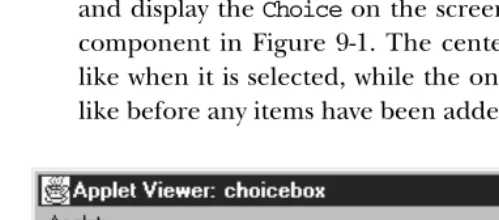
[image:2.612.55.305.276.386.2]Once you add some items usingaddItem()(version 1.0) oradd()(version 1.1) and display theChoiceon the screen, it will look something like the leftmost component in Figure 9-1. The center component shows what aChoice looks like when it is selected, while the one on the right shows what aChoicelooks like before any items have been added to it.
Figure 9–1: How Choices are displayed
Items
public int getItemCount ()★ public int countItems ()✩
The getItemCount() method returns the number of selectable items in the
Choiceobject. In Figure 9-1,getItemCount()would return 6.
countItems()is the Java 1.0 name for this method.
public String getItem (int index)
ThegetItem()method returns the text for the item at positionindexin the
Choice. If index is invalid—either index < 0 or index >=
getItem-Count()—the getItem() method throws the
ArrayIndexOutOfBoundsExcep-tionrun-time exception.
public synchronized void add (String item)★ public synchronized void addItem (String item)✩
add()addsitemto the list of available choices. Ifitemis already an option in
theChoice, this method adds it again. Ifitemisnull,add()throws the
run-time exception NullPointerException. The first item added to a Choice
becomes the initial (default) selection.
addItem()is the Java 1.0 name for this method.
public synchronized void insert (String item, int index)★
insert()addsitemto the list of available choices at positionindex. An index
of 0 adds the item at the beginning. An index larger than the number of choices adds the item at the end. Ifitemisnull,insert()throws the run-time exception NullPointerException. If index is negative, insert() throws the run-time exceptionIllegalArgumentException.
public synchronized void remove (String item)★
remove()removesitemfrom the list of available choices. Ifitemis present in
Choicemultiple times, a call toremove()removes the first instance. Ifitemis
null,remove()throws the run-time exceptionNullPointerException. Ifitem
is not found in theChoice,remove() throws theIllegalArgumentException
run-time exception.
public synchronized void remove (int position)★
remove() removes the item at positionfrom the list of available choices. If
position is invalid—either position < 0 or position >=
getItem-Count()—remove() throws the run-time exception
ArrayIndexOutOfBounds-Exception.
public synchronized void removeAll ()★
TheremoveAll()method removes every option from theChoice. This allows
you to refresh the list from scratch, rather than creating a new Choice and repopulating it.
Selection
The Choicehas one item selected at a time. Initially, it is the first item that was
added to theChoice.
public String getSelectedItem ()
The getSelectedItem() method returns the currently selected item as a
String. The text returned is the parameter used in theaddItem()or add()
call that put the option in theChoice. IfChoiceis empty,getSelectedItem()
public Object[] getSelectedObjects ()★
ThegetSelectedObjects()method returns the currently selected item as an
Objectarray, instead of aString. The array will either be a one-element array,
ornullif there are no items. This method is required by theItemSelectable
inter face and allows you to use the same method to look at the items selected
by aChoice,List, orCheckbox.
public int getSelectedIndex ()
The getSelectedIndex() method returns the position of the currently
selected item. TheChoicelist uses zero-based indexing, so the position of the first item is zero. The position of the last item is the value ofcountItems()-1. If the list is empty, this method returns -1.
public synchronized void select (int position)
This version of theselect()method makes the item atpositionthe selected item in the Choice. If position is too big, select() throws the run-time exceptionIllegalArgumentException. If positionis negative, nothing hap-pens.
public void select (String string)
This version of select()makes the item with the label string the selected item. Ifstringis in theChoicemultiple times, this method selects the first. If
stringis not in theChoice, nothing happens.
Miscellaneous methods
public synchronized void addNotify ()
The addNotify() method creates the Choice’s peer. If you override this
method, call super.addNotify() first, then add your customizations for the new class. You will then be able to do everything you need with the informa-tion about the newly created peer.
protected String paramString ()
When you call the toString() method of a Choice, the default toString()
method of Component gets called. This in turn calls paramString() which builds up the string to display. At theChoicelevel,paramString()appends the currently selected item (the result ofgetSelectedItem()) to the output. Using the firstChoiceinstance in Figure 9-1, the results would be:
java.awt.Choice[139,5,92x27,current=Dialog]
9.1.2 Choice Events
The primary event for a Choiceoccurs when the user selects an item in the list. With the 1.0 event model, selecting an item generates anACTION_EVENT, which trig-gers a call to theaction()method. Once theChoicehas the input focus, the user can change the selection by using the arrow or keyboard keys. The arrow keys scroll through the list of choices, triggering the KEY_ACTION, ACTION_EVENT, and
KEY_ACTION_RELEASE event sequence, which in turn invokes the keyDown(),
action(), andkeyUp()methods, respectively. If the mouse is used to choose an
item, no mouse events are triggered as you scroll over each item, and an
ACTION_EVENToccurs only when a specific choice is selected.
With the 1.1 event model, you register ItemListener with addItemListener(). Then when the user selects the Choice, the ItemListener.itemStateChanged()
method is called through the protectedChoice.processItemEvent()method. Key, mouse, and focus listeners are registered through theComponentmethods of
add-KeyListener(),addMouseListener(), andaddFocusListener(), respectively.
Action
public boolean action (Event e, Object o)
Theaction()method for a choice signifies that the user selected an item.eis
theEventinstance for the specific event, whileois theStringfrom the call to
addItem() or add() that represents the current selection. Here’s a trivial
implementation of the method:
public boolean action (Event e, Object o) { if (e.target instanceof Choice) {
System.out.println ("Choice is now set to " + o); }
return false; }
Keyboard
The keyboard events for aChoicecan be generated once theChoicehas the input focus. In addition to theKEY_ACTIONandKEY_ACTION_RELEASEevents you get with the arrow keys, anACTION_EVENTis generated over each entry.
public boolean keyDown (Event e, int key)
The keyDown() method is called whenever the user presses a key and the
Choicehas the input focus.eis theEventinstance for the specific event, while
key or Event.KEY_ACTION for an action-oriented key (i.e., arrow or function key). If you check the current selection in this method through the method
getSelectedItem() or getSelectedIndex(), you will be given the previously
selected item because theChoice’s selection has not changed yet.keyDown()is not called when theChoiceis changed by using the mouse.
public boolean keyUp (Event e, int key)
ThekeyUp()method is called whenever the user releases a key.eis theEvent
instance for the specific event, whilekeyis the integer representation of the character pressed. The identifier for the event (e.id) forkeyUp() could be eitherKEY_RELEASEfor a regular key orKEY_ACTION_RELEASEfor an action ori-ented key (i.e., arrow or function key).
Mouse
Ordinarily, theChoicecomponent does not trigger any mouse events.
Focus
Ordinarily, theChoicecomponent does not trigger any focus events.
Listeners and 1.1 event handling
With the 1.1 event model, you register listeners for different event types; the listen-ers are told when the event happens. These methods register listenlisten-ers, and let the
Choicecomponent inspect its own events.
public void addItemListener(ItemListener listener)★
TheaddItemListener()method registerslisteneras an object interested in
being notified when an ItemEvent passes through the EventQueue with this
Choice as its target. The listener.itemStateChanged() method is called
when an event occurs. Multiple listeners can be registered.
public void removeItemListener(ItemListener listener)★
TheremoveItemListener()method removeslisteneras a interested listener.
Iflisteneris not registered, nothing happens.
protected void processEvent(AWTEvent e)★
TheprocessEvent()method receives allAWTEvents with thisChoiceas its
tar-get. processEvent() then passes them along to any listeners for processing.
When you subclassChoice, overridingprocessEvent() allows you to process all events yourself, before sending them to any listeners. In a way, overriding
processEvent()is like overridinghandleEvent()using the 1.0 event model.
If you overrideprocessEvent(), remember to callsuper.processEvent(e)last to ensure that regular event processing can occur. If you want to process your own events, it’s a good idea to call enableEvents() (inherited from Compo-nent) to ensure that events are delivered even in the absence of registered lis-teners.
protected void processItemEvent(ItemEvent e)★
The processItemEvent()method receives allItemEvents with thisChoice as
its target. processItemEvent() then passes them along to any listeners for processing. When you subclassChoice, overridingprocessItemEvent()allows you to process all events yourself, before sending them to any listeners. In a way, overriding processItemEvent() is like overriding handleEvent() using the 1.0 event model.
If you override processItemEvent(), remember to call the method
super.processItemEvent(e) last to ensure that regular event processing can
occur. If you want to process your own events, it’s a good idea to call
enableEvents() (inherited from Component) to ensure that events are
deliv-ered even in the absence of registdeliv-ered listeners.
The following simple applet below demonstrates how a component can receive its own events by overridingprocessItemEvent(), while still allowing other objects to register as listeners.MyChoice11is a subclass ofChoicethat processes its own item events. choice11is an applet that uses theMyChoice11 component and registers itself as a listener for item events.
// Java 1.1 only import java.awt.*; import java.applet.*; import java.awt.event.*;
class MyChoice11 extends Choice { MyChoice11 () {
super ();
enableEvents (AWTEvent.ITEM_EVENT_MASK); }
protected void processItemEvent(ItemEvent e) { ItemSelectable ie = e.getItemSelectable();
System.out.println ("Item Selected: " + ie.getSelectedObjects()[0]); // If you do not call super.processItemEvent()
// no listener will be notified super.processItemEvent (e); }
}
public class choice11 extends Applet implements ItemListener { Choice c;
public void init () { String []fonts;
c = new MyChoice11();
for (int i = 0; i < fonts.length; i++) { c.add (fonts[i]);
} add (c);
c.addItemListener (this); }
public void itemStateChanged(ItemEvent e) { ItemSelectable ie = e.getItemSelectable();
System.out.println ("State Change: " + ie.getSelectedObjects()[0]); }
}
A few things are worth noticing.MyChoice11callsenableEvents()in its construc-tor to make sure that item events are delivered, even if nobody registers as a lis-tener:MyChoice11needs to make sure that it receives events, even in the absence of listeners. ItsprocessItemEvent()method ends by calling the superclass’s
pro-cessItemEvent()method, with the original item event. This call ensures that
nor-mal item event processing occurs; super.processItemEvent()is responsible for distributing the event to any registered listeners. The alternative would be to implement the whole registration and event distribution mechanism inside
myChoice11, which is precisely what object-oriented programming is supposed to
avoid, or being absolutely sure that you will only useMyChoice11in situations in which there won’t be any listeners, drastically limiting the usefulness of this class.
choice11doesn’t contain many surprises. It implementsItemListener, the listener
inter face for item events; provides the required itemStateChanged() method, which is called whenever an item event occurs; and calls MyChoice11’s method
addItemListener() to register as a listener for item events. (MyChoice11 inherits
this method from theChoiceclass.)
9.2 Lists
Like theChoicecomponent, theListprovides a way to present your user with a fixed sequence of choices to select. However, withList, several items can be dis-played at a time on the screen. A Listcan also allow multiple selection, so that more than one choice can be selected.
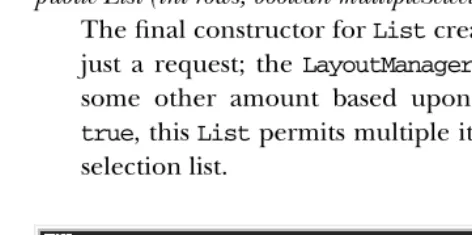
Normally, a scrollbar is associated with theListto enable the user to move to the items that do not fit on the screen. On some platforms, theListmay not display the scrollbar if there is enough room to display all choices. AListcan be resized by theLayoutManageraccording to the space available. Figure 9-2 shows two lists, one of which has no items to display.
9.2.1 List Methods
Constructors
public List ()
This constructor creates an emptyListwith four visible lines. You must rely on the currentLayoutManagerto resize theListor override thepreferredSize()
(version 1.0) orgetPreferredSize()(version 1.1) method to affect the size of the displayedList. AListcreated with this constructor is in single-selection mode, so the user can select only one item at a time.
public List (int rows)
This constructor creates a List that has rows visible lines. This is just a request; theLayoutManager is free to adjust the height of theList to some other amount based upon available space. AListcreated with this constructor is in single-selection mode, so the user will be able to select only one item at a time.
public List (int rows, boolean multipleSelections)
The final constructor forListcreates aListthat hasrowsvisible lines. This is just a request; the LayoutManageris free to adjust the height of the List to some other amount based upon available space. If multipleSelections is
[image:9.612.54.290.365.482.2]true, thisListpermits multiple items to be selected. Iffalse, this is a single-selection list.
Figure 9–2: Two lists; the list on the right is empty
Content control
public int getItemCount ()★ public int countItems ()✩
ThegetItemCount()method returns the length of the list. The length of the
countItems()is the Java 1.0 name for this method.
public String getItem (int index)
ThegetItem()method returns theStringrepresentation for the item at
posi-tion index. The String is the parameter passed to the addItem()or add()
method.
public String[] getItems ()★
ThegetItems()method returns aStringarray that contains all the elements
in theList. This method does not care if an item is selected or not.
public synchronized void add (String item)★ public synchronized void addItem (String item)✩
The add()method adds item as the last entry in the List. If item already
exists in the list, this method adds it again.
addItem()is the Java 1.0 name for this method.
public synchronized void add (String item, int index)★ public synchronized void addItem (String item, int index)✩
This version of theadd()method has an additional parameter,index, which specifies where to additem to theList. Ifindex < 0or index >=
getItem-Count(), item is added to the end of the List. The position count is zero
based, so ifindexis 0, it will be added as the first item.
addItem()is the Java 1.0 name for this method.
public synchronized void replaceItem (String newItem, int index)
The replaceItem() method replaces the contents at position index with
newItem. If the item atindexhas been selected,newItemwill not be selected.
public synchronized void removeAll ()★ public synchronized void clear ()✩
TheremoveAll()method clears out all the items in the list.
clear()is the Java 1.0 name for this method.
NOTE Early versions ( Java1.0) of theclear()method did not work reliably across platforms. You were better off calling the method list-Var.delItems(0, listVar.countItems()-1), wherelistVaris your Listinstance.
public synchronized void remove (String item)★
Theremove()method removesitemfrom the list of available choices. Ifitem
appears in theListseveral times, only the first instance is removed. Ifitemis
null,remove()throws the run-time exceptionNullPointerException. Ifitem
is not found in theList,remove()throws theIllegalArgumentException run-time exception.
public synchronized void remove (int position)★ public synchronized void delItem (int position)✩
Theremove()method removes the entry atpositionfrom theList. If
posi-tion is invalid—either position < 0 or position >=
getItem-Count()—remove() throws the ArrayIndexOutOfBoundsException run-time
exception with a message indicating thatpositionwas invalid.
delItem()is the Java 1.0 name for this method.
public synchronized void delItems (int start, int end)✩
ThedelItems()method removes entries from positionstartto positionend
from the List. If either parameter is invalid—either start < 0 or end >=
getItemCount()—delItems() throws the ArrayIndexOutOfBoundsException
run-time exception with a message indicating which position was invalid. If
startis greater thanend, nothing happens.
Selection and positioning
public synchronized int getSelectedIndex ()
ThegetSelectedIndex()method returns the position of the selected item. If
nothing is selected in theList,getSelectedIndex()returns -1. The value -1 is also returned if the List is in multiselect mode and multiple items are selected. For multiselection lists, usegetSelectedIndexes() instead.
public synchronized int[] getSelectedIndexes ()
The getSelectedIndexes() method returns an integer array of the selected
items. If nothing is selected, the array will be empty.
public synchronized String getSelectedItem ()
The getSelectedItem()method returns the label of the selected item. The
label is the string used in theadd()oraddItem()call. If nothing is selected in
the List,getSelectedItem() returns null. The return value is also null if
Listis in multiselect mode and multiple items are selected. For multiselection lists, usegetSelectedItems() instead.
public synchronized String[] getSelectedItems ()
ThegetSelectedItems()method returns aStringarray of the selected items.
public synchronized Object[] getSelectedObjects ()
ThegetSelectedObjects()method returns the results of the method
getSe-lectedItems()as anObjectarray instead of aStringarray, to conform to the
ItemSelectableinter face. If nothing is selected, the returned array is empty.
public synchronized void select (int index)
Theselect()method selects the item at positionindex, which is zero based.
If theListis in single-selection mode, any other selected item is deselected. If the Listis in multiple-selection mode, calling this method has no effect on the other selections. The item at positionindexis made visible.
NOTE A negative index seems to select everything within the List. This seems more like an irregularity than a feature to rely upon.
public synchronized void deselect (int index)
The deselect() method deselects the item at position index, which is zero
based.deselect()does not reposition the visible elements.
public boolean isIndexSelected (int index)★ public boolean isSelected (int index)✩
TheisIndexSelected()method checks whetherindexis currently selected. If
it is,isIndexSelected()returnstrue; other wise, it returnsfalse.
isSelected()is the Java 1.0 name for this method.
public boolean isMultipleMode ()★ public boolean allowsMultipleSelections ()✩
The isMultipleMode()method returns the current state of the List. If the
List is in multiselection mode,isMultipleMode()returns true; other wise, it returnsfalse.
allowsMultipleSelections()is the Java 1.0 name for this method.
public void setMultipleMode (boolean value)★ public void setMultipleSelections (boolean value)✩
The setMultipleMode()method allows you to change the current state of a
List from one selection mode to the other. The currently selected items change when this happens. Ifvalueistrueand theListis going from single-to multiple-selection mode, the selected item gets deselected. Ifvalueisfalse
and theListis going from multiple to single, the last item physically selected remains selected (the last item clicked on in the list, not the item with the highest index). If there was no selected item, the first item in the list becomes
selected, or the last item that was deselected becomes selected. If staying within the same mode,setMultipleMode()has no effect on the selected items.
setMultipleSelections()is the Java 1.0 name for this method.
public void makeVisible (int index)
The makeVisible() method ensures that the item at position index is
dis-played on the screen. This is useful if you want to make sure a certain entry is displayed when another action happens on the screen.
public int getVisibleIndex ()
The getVisibleIndex() method returns the last index from a call to the
methodmakeVisible(). IfmakeVisible()was never called, -1 is returned.
Sizing
public int getRows ()
ThegetRows()method returns the number of rows passed to the constructor
of theList. It does not return the number of visible rows. To get a rough idea of the number of visible rows, compare thegetSize()of the component with the results ofgetPreferredSize(getRows()).
public Dimension getPreferredSize (int rows)★ public Dimension preferredSize (int rows)✩
The getPreferredSize() method returns the preferable Dimension (width
and height) for the size of aList with a height ofrows. Therows specified may be different from the rows designated in the constructor.
preferredSize()is the Java 1.0 name for this method.
public Dimension getPreferredSize ()★ public Dimension preferredSize ()✩
The getPreferredSize() method returns theDimension(width and height)
for the preferred size of theList. Without the rows parameter, this version of
getPreferredSize() uses the constructor’s number of rows to calculate the
List’s preferred size.
preferredSize()is the Java 1.0 name for this method.
public Dimension getMiminumSize (int rows)★ public Dimension minimumSize (int rows)✩
The getMinimumSize()method returns the minimum Dimension(width and
height) for the size of aListwith a height ofrows. Therowsspecified may be different from the rows designated in the constructor. For aList,
getMinimum-Size()andgetPreferredSize()should return the same dimensions.
public Dimension getMiminumSize ()★ public Dimension minimumSize ()✩
The getMinimumSize()method returns the minimum Dimension(width and
height) for the size of theList. Without the rows parameter, this
getMinimum-Size()uses the constructor’s number of rows to calculate theList’s minimum
size.
minimumSize()is the Java 1.0 name for this method.
Miscellaneous methods
public synchronized void addNotify ()
TheaddNotify()method creates theListpeer. If you override this method,
callsuper.addNotify()first, then add your customizations for the new class.
You will then be able to do everything you need with the information about the newly created peer.
public synchronized void removeNotify ()
The removeNotify() method destroys the peer of the List and removes it
from the screen. Prior to theListpeer’s destruction, the last selected entry is saved. If you override this method for a specificList, issue the particular com-mands that you need for your new object, then call super.removeNotify()
last.
protected String paramString ()
When you call the toString() method of List, the default toString()
method ofComponentis called. This in turn callsparamString(), which builds up the string to display. At theListlevel, the currently selected item (
getSe-lectedItem()) is appended to the output. Using Figure 9-2 as an example, the
results would be the following:
java.awt.List[0,34,107x54,selected=null]
9.2.2 List Events
The primary event for aListoccurs when the user selects an item in the list. With the 1.0 event model, double-clicking a selection causes anACTION_EVENTand trig-gers the action() method, while single-clicking causes a LIST_SELECT or
LIST_DESELECTevent. Once theListhas the input focus, it is possible to change
the selection by using the arrow or keyboard keys. The arrow keys scroll through the list of choices, triggering the KEY_ACTION,LIST_SELECT,LIST_DESELECT, and
KEY_ACTION_RELEASEevents, and thus thekeyDown(),handleEvent(), andkeyUp()
methods (no specific method gets called for LIST_SELECT and LIST_DESELECT).
action()is called only when the user double-clicks on an item with the mouse. If
With the 1.1 event model, you register anItemListenerwithaddItemListener()
or an ActionListener with the addActionListener() method. When the user selects the List, either the ItemListener.itemStateChanged() method or the
ActionListener.actionPerformed() method is called through the protected
List.processItemEvent() method or List.processActionEvent() method. Key,
mouse, and focus listeners are registered through the threeComponentmethods of
addKeyListener(),addMouseListener(), andaddFocusListener(), respectively.
Action
public boolean action (Event e, Object o)
Theaction()method for aListis called when the user double-clicks on any
item in theList. eis theEventinstance for the specific event, whileois the label for the item selected, from theadd()oraddItem()call. IfListis in mul-tiple-selection mode, you might not wish to catch this event because it’s not clear whether the user wanted to choose the item just selected or all of the items selected. You can solve this problem by putting a multi-selecting list next
to aButtonthat the user presses when the selection process is finished.
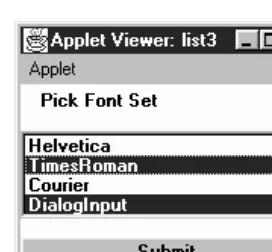
Cap-ture the event generated by theButton. The following example shows how to set up and handle a list in this manner, with the display shown in Figure 9-3. In this example, I just print out the selections to prove that I captured them.
import java.awt.*; import java.applet.*;
public class list3 extends Applet { List l;
public void init () { String fonts[];
fonts = Toolkit.getDefaultToolkit().getFontList(); l = new List(4, true);
for (int i = 0; i < fonts.length; i++) { l.addItem (fonts[i]);
}
setLayout (new BorderLayout (10, 10)); add ("North", new Label ("Pick Font Set")); add ("Center", l);
add ("South", new Button ("Submit")); resize (preferredSize());
validate(); }
public boolean action (Event e, Object o) { if (e.target instanceof Button) {
String chosen[] = l.getSelectedItems(); for (int i=0;i<chosen.length;i++)
System.out.println (chosen[i]); }
return false; }
Figure 9–3: Multiselect List
Keyboard
Ordinarily,Listgenerates all theKEYevents once it has the input focus. But the way it handles keyboard input differs slightly depending upon the selection mode of the list. Furthermore, each platform offers slightly different behavior, so code that depends on keyboard events inListis not portable. One strategy is to take advantage of the keyboard events when they are available but allow for another way of managing the list in case they are not.
public boolean keyDown (Event e, int key)
The keyDown() method is called whenever the user presses a key while the
Listhas the input focus. eis theEventinstance for the specific event, while
keyis the integer representation of the character pressed. The identifier for the event (e.id) forkeyDown()could be eitherKEY_PRESSfor a regular key or
KEY_ACTION for an action-oriented key (i.e., arrow or function key). If you
check the current selection in this method through getSelectedItem() or
getSelectedIndex(), you will actually be told the previously selected item
because theList’s selection has not changed yet.keyDown()is not called when the user selects items with the mouse.
public boolean keyUp (Event e, int key)
ThekeyUp()method is called whenever the user releases a key while theList
has the input focus.eis theEventinstance for the specific event, whilekeyis the integer representation of the character pressed. The identifier for the event (e.id) for keyUp() could be either KEY_RELEASEfor a regular key or
KEY_ACTION_RELEASEfor an action-oriented key (i.e., arrow or function key).
Mouse
Ordinarily, the List component does not trigger any mouse events.
clicking the mouse over any element in the list generates anACTION_EVENT. Single-clicking could result in either aLIST_SELECTorLIST_DESELECT, depending on the mode of theListand the current state of the item chosen. When the user changes the selection with the mouse, the ACTION_EVENT is posted only when an item is double-clicked.
List
There is a special pair of events for lists:LIST_SELECTandLIST_DESELECT. No spe-cial method is called when these events are triggered. However, you can catch them in the handleEvent() method. If the List is in single-selection mode, a
LIST_SELECTevent is generated whenever the user selects one of the items in the
List. In multiple-selection mode, you will get aLIST_SELECTevent when an ele-ment gets selected and aLIST_DESELECTevent when it is deselected. The following code shows how to use this event type.
public boolean handleEvent (Event e) { if (e.id == Event.LIST_SELECT) {
System.out.println ("Selected item: " + e.arg); return true;
} else {
return super.handleEvent (e); }
}
Focus
Normally, theListcomponent does not reliably trigger any focus events.
Listeners and 1.1 event handling
With the 1.1 event model, you register listeners, and they are told when the event happens.
public void addItemListener(ItemListener listener)★
TheaddItemListener()method registerslisteneras an object interested in
being notified when an ItemEvent passes through the EventQueue with this
Listas its target. Thelistener.itemStateChanged()method is called when these events occur. Multiple listeners can be registered.
public void removeItemListener(ItemListener listener)★
The removeItemListener() method removes listener as an interested
public void addActionListener(ActionListener listener)★
TheaddActionListener()method registers listeneras an object interested
in being notified when an ActionEventpasses through theEventQueue with this List as its target. The listener.actionPerformed() method is called when these events occur. Multiple listeners can be registered.
public void removeActionListener(ActionListener listener)★
The removeActionListener() method removes listener as a interested
lis-tener. Iflisteneris not registered, nothing happens.
protected void processEvent(AWTEvent e)★
TheprocessEvent()method receives allAWTEvents with thisListas its target.
processEvent()then passes them along to any listeners for processing. When
you subclassList, overridingprocessEvent()allows you to process all events yourself, before sending them to any listeners. In a way, overriding the methodprocessEvent()is like overridinghandleEvent()using the 1.0 event model.
If you overrideprocessEvent(), remember to callsuper.processEvent(e)last to ensure that regular event processing can occur. If you want to process your own events, it’s a good idea to call enableEvents() (inherited from Compo-nent) to ensure that events are delivered even in the absence of registered lis-teners.
protected void processItemEvent(ItemEvent e)★
TheprocessItemEvent()method receives allItemEvents with thisListas its
target.processItemEvent() then passes them along to any listeners for pro-cessing. When you subclassList, overridingprocessItemEvent()allows you to process all events yourself, before sending them to any listeners. In a way, overridingprocessItemEvent()is like overridinghandleEvent() to deal with
LIST_SELECTandLIST_DESELECTusing the 1.0 event model.
If you override processItemEvent(), remember to call the method
super.processItemEvent(e) last to ensure that regular event processing can
occur. If you want to process your own events, it’s a good idea to call
enableEvents() (inherited from Component) to ensure that events are
deliv-ered even in the absence of registdeliv-ered listeners.
protected void processActionEvent(ActionEvent e)★
TheprocessActionEvent()method receives allActionEvents with thisListas
its target.processActionEvent() then passes them along to any listeners for processing. When you subclassList, overridingprocessActionEvent()allows you to process all action events yourself, before sending them to any listeners. In a way, overridingprocessActionEvent()is like overridingaction() using
If you override processActionEvent(), remember to call the method
super.processActionEvent(e) last to ensure that regular event processing
can occur. If you want to process your own events, it’s a good idea to call
enableEvents() (inherited from Component) to ensure that events are
deliv-ered even in the absence of registdeliv-ered listeners.
9.3 Checkbox
TheCheckboxis a general purpose way to record atrueorfalsestate. When
sev-eral checkboxes are associated in aCheckboxGroup(Section 9.4), only one can be selected at a time; selecting eachCheckboxcauses the previous selection to become deselected. The CheckboxGroup is Java’s way of offering the interface element known as radio buttons or a radio box. When you create aCheckbox, you decide whether to place it into aCheckboxGroupby setting the proper argument in its con-structor.
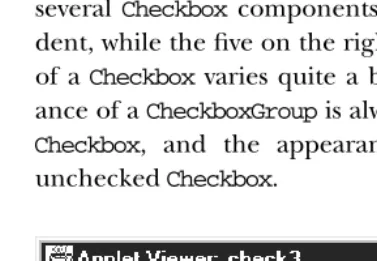
Ever yCheckboxhas both a label and a state, although the label could be empty. You can change the label based on the state of theCheckbox. Figure 9-4 shows what several Checkboxcomponents might look like. The two on the left are indepen-dent, while the five on the right are in aCheckboxGroup. Note that the appearance
of aCheckboxvaries quite a bit from platform to platform. However, the
appear-ance of aCheckboxGroupis always different from the appearance of an ungrouped
Checkbox, and the appearance of a checked Checkbox is different from an
[image:19.612.53.242.388.519.2]uncheckedCheckbox.
9.3.1 Checkbox Methods
Constructors
public Checkbox ()
This constructor forCheckboxcreates a new instance with no label or group-ing. The initial state of the item isfalse. A checkbox doesn’t necessarily need a label; however, a checkbox without a label might be confusing, unless it is being used as a column in a table or a spreadsheet.
public Checkbox (String label)
The second constructor creates a newCheckboxwith a label oflabeland no grouping. The initial state of the item isfalse. If you want a simple yes/no choice and plan to make no the default, use this constructor. If theCheckbox
will be in a group or you want its initial value to betrue, use the next construc-tor.
public Checkbox (String label, boolean state)★
This constructor allows you to specify theCheckbox’s initial state. With it you create aCheckboxwith a label oflabeland an initial state ofstate.
public Checkbox (String label, boolean state, CheckboxGroup group)★ public Checkbox (String label, CheckboxGroup group, boolean state)
The final constructor forCheckboxis the most flexible. With this constructor you create aCheckboxwith a label oflabel, aCheckboxGroupofgroup, and an initial state ofstate. Ifgroupisnull, theCheckboxis independent.
In Java 1.0, you created an independentCheckboxwith an initial value oftrue
by usingnullas the group:
Checkbox cb = new Checkbox ("Help", null, true)
The shape of the Checkboxreflects whether it’s in aCheckboxGroupor inde-pendent. On Microsoft Windows, grouped checkboxes are represented as cir-cles. On a UNIX system, they are diamonds. On both systems, independent checkboxes are squares.
Label
public String getLabel ()
The getLabel() method retrieves the current label on the Checkbox and
returns it as aStringobject.
public synchronized void setLabel (String label)
The setLabel() method changes the label of the Checkbox to label. If the
new label is a different size than the old one, you have tovalidate()the con-tainer after the change to ensure the entire label will be seen.
State
A state oftrue means theCheckbox is selected. A state offalsemeans that the
Checkboxis not selected.
public boolean getState ()
The getState() method retrieves the current state of the Checkbox and
returns it as a boolean.
public void setState (boolean state)
The setState() method changes the state of the Checkbox to state. If the
Checkboxis in aCheckboxGroupandstateis true, the other items in the group
become false.
ItemSelectable method
public Objects[] getSelectedObjects ()★
The getSelectedObjects() method returns theCheckbox label as a
one-ele-ment Object array if it is currently selected, or null if the Checkbox is not
selected. Because this method is part of the ItemSelectable inter face, you can use it to look at the selected items in aChoice,List, orCheckbox.
CheckboxGroup
This section lists methods that you issue toCheckboxto affect its relationship to a
CheckboxGroup. Methods provided by theCheckboxGroupitself can be found later
in this chapter.
public CheckboxGroup getCheckboxGroup ()
ThegetCheckboxGroup() method returns the currentCheckboxGroupfor the
Checkbox. If theCheckboxis not in a group, this method returnsnull.
public void setCheckboxGroup (CheckboxGroup group)
ThesetCheckboxGroup()method allows you to insert aCheckboxinto a
differ-ent CheckboxGroup. To make the Checkboxindependent, pass a group
argu-ment ofnull. The method sets everyCheckboxin the originalCheckboxGroup
to false (cb.getCheckboxGroup().setCurrent(null)), then the Checkbox is
Checkboxcomponents take on a different shape when they are in a
Checkbox-Group. If the checkbox was originally not in aCheckboxGroup, the shape of the
checkbox does not change automatically when you put it in one with
setCheckboxGroup(). (This also holds when you remove aCheckbox from a
CheckboxGroup and make it independent or vice versa.) In order for the
Checkbox to look right once added togroup, you need to destroy and create
(removeNotify()andaddNotify(), respectively) theCheckboxpeer to correct
the shape. Also, it is possible to get multiple true Checkbox components in
groupthis way, since the newCheckboxGroup’s current selection does not get
adjusted. To avoid this problem, make sure it is grouped properly the first time, or be sure to clear the selections with a call to
getCheckbox-Group().setCurrent(null).
Miscellaneous methods
public synchronized void addNotify ()
The addNotify() method will create the Checkbox peer in the appropriate
shape. If you override this method, call super.addNotify() first, then add your customizations for the new class. You will then be able to do everything you need with the information about the newly created peer.
protected String paramString ()
When you call thetoString() method ofCheckbox, the default toString()
method ofComponentis called. This in turn callsparamString()which builds up the string to display. At theCheckboxlevel, the label (if non-null) and the state of the item are appended. Assuming the DialogCheckboxin Figure 9-4 was selected, the results would be:
java.awt.Checkbox[85,34,344x32,label=Dialog,state=true]
9.3.2 Checkbox Events
The primary event for aCheckbox occurs when the user selects it. With the 1.0 event model, this generates anACTION_EVENTand triggers theaction()method. Once theCheckboxhas the input focus, the various keyboard events can be gener-ated, but they do not serve any useful purpose because the Checkbox doesn’t change. The sole key of value for aCheckboxis the spacebar. This may generate
theACTION_EVENTafterKEY_PRESSandKEY_RELEASE; thus the sequence of method
calls would bekeyDown(),keyUp(), and thenaction().
With the version 1.1 event model, you register anItemListenerwith the method
addItemListener(). Then when the user selects theCheckbox, the method
Item-Listener.itemStateChanged() is called through the protected
Checkbox.processItemEvent()method. Key, mouse, and focus listeners are regis-tered through theComponentmethods ofaddKeyListener(),addMouseListener(),
andaddFocusListener(), respectively.
Action
public boolean action (Event e, Object o)
Theaction()method for aCheckboxis called when the user selects it.eis the
Eventinstance for the specific event, whileois the opposite of the old state of
the toggle. If theCheckboxwastruewhen it was selected,owill befalse. Like-wise, if it wasfalse,owill betrue. This incantation sounds unnecessarily com-plex, and for a singleCheckbox, it is:ois just the new state of theCheckbox. The following code usesaction()with a singleCheckbox.
public boolean action (Event e, Object o) { if (e.target instanceof Checkbox) {
System.out.println (“Checkbox is now “ + o); }
return false; }
On the other hand, if theCheckboxis in aCheckboxGroup,ois still the oppo-site of the old state of the toggle, which may or may not be the new state of the
Checkbox. If theCheckboxis initiallyfalse,owill betrue, and theCheckbox’s
new state will betrue. However, if theCheckboxis initiallytrue, selecting the
Checkbox doesn’t change anything because one Checkboxin the group must
always betrue. In this case,oisfalse(the opposite of the old state), though
theCheckbox’s state remainstrue.
Therefore, if you’re working with aCheckboxGroupand need to do something once when the selection changes, perform your action only whenois true. To find out whichCheckboxwas actually chosen, you need to call thegetLabel()
method for the target of evente. (It would be nice ifogave us the label of the
Checkboxthat was selected, but it doesn’t.) An example of this follows:
public boolean action (Event e, Object o) { if (e.target instanceof Checkbox) {
System.out.println (((Checkbox)(e.target)).getLabel() + “ was selected.”);
if (new Boolean (o.toString()).booleanValue()) { System.out.println (“New option chosen”); } else {
System.out.println (“Use re-selected option”); }
}
One other unfortunate twist ofCheckboxGroup: it would be nice if there was some easy way to find out about checkboxes that change state without selection—for example, if you could find out whichCheckboxwas deselected when a new Check-boxwas selected. Unfortunately, you can’t, except by keeping track of the state of all your checkboxes at all times. When aCheckbox state becomesfalsebecause anotherCheckboxwas selected, no additional event is generated, in either Java 1.0 or 1.1.
Keyboard
Checkboxes are able to capture keyboard-related events once theCheckboxhas the
input focus, which happens when it is selected. If you can find a use for this, you can use keyDown() and keyUp(). For most interface designs I can think of,
action() is sufficient. A possible use for keyboard events is to jump to other
Checkboxoptions in aCheckboxGroup, but I think that is more apt to confuse users
than help.
public boolean keyDown (Event e, int key)
The keyDown() method is called whenever the user presses a key while the
Checkbox has the input focus.e is theEventinstance for the specific event,
whilekeyis the integer representation of the character pressed. The identifier for the event (e.id) forkeyDown()could be eitherKEY_PRESSfor a regular key
orKEY_ACTIONfor an action-oriented key (i.e., arrow or function key). There is
no visible indication that the user has pressed a key over the checkbox.
public boolean keyUp (Event e, int key)
The keyUp() method is called whenever the user releases a key while the
Checkbox has the input focus.e is theEventinstance for the specific event,
whilekeyis the integer representation of the character pressed. The identifier for the event (e.id) forkeyUp()could be eitherKEY_RELEASEfor a regular key
or KEY_ACTION_RELEASE for an action-oriented key (i.e., arrow or function
key).keyUp()may be used to determine how longkeyhas been pressed.
Mouse
Ordinarily, theCheckboxcomponent does not reliably trigger any mouse events.
Focus
Ordinarily, theCheckboxcomponent does not reliably trigger any focus events.
Listeners and 1.1 event handling
With the 1.1 event model, you register listeners, and they are told when the event happens.
public void addItemListener(ItemListener listener)★
TheaddItemListener()method registerslisteneras an object interested in
being notified when an ItemEvent passes through the EventQueue with this
Checkbox as its target. Then, thelistener.itemStateChanged()method will
be called. Multiple listeners can be registered.
public void removeItemListener(ItemListener listener)★
TheremoveItemListener()method removeslisteneras a interested listener.
If listener is not registered, nothing happens.
protected void processEvent(AWTEvent e)★
TheprocessEvent()method receives everyAWTEventwith thisCheckboxas its
target. processEvent() then passes it along to any listeners for processing. When you subclassCheckbox, overridingprocessEvent()allows you to process all events yourself, before sending them to any listeners. In a way, overriding
processEvent()is like overridinghandleEvent()using the 1.0 event model.
If you overrideprocessEvent(), remember to callsuper.processEvent(e)last to ensure that regular event processing can occur. If you want to process your own events, it’s a good idea to call enableEvents() (inherited from Compo-nent) to ensure that events are delivered even in the absence of registered lis-teners.
protected void processItemEvent(ItemEvent e)★
TheprocessItemEvent()method receives everyItemEventwith thisCheckbox
as its target. processItemEvent()then passes it along to any listeners for pro-cessing. When you subclassCheckbox, overriding processItemEvent() allows you to process all events yourself, before sending them to any listeners. In a way, overridingprocessItemEvent()is like overridingaction()using the 1.0 event model.
If you override processItemEvent(), remember to call the method
super.processItemEvent(e) last to ensure that regular event processing can
occur. If you want to process your own events, it’s a good idea to call
enableEvents() (inherited from Component) to ensure that events are
9.4 CheckboxGroup
TheCheckboxGrouplets multiple checkboxes work together to provide a mutually
exclusion choice (at most one Checkboxcan be selected at a time). Because the
CheckboxGroupis neither aComponentnor aContainer, you should normally put
all theCheckboxcomponents associated with aCheckboxGroupin their ownPanel
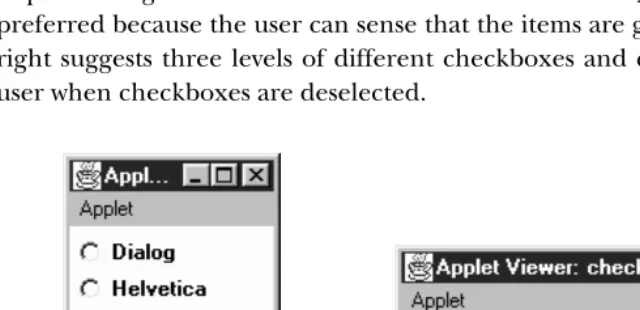
(or otherContainer). TheLayoutManagerof thePanelshould beGridLayout (0, 1)if you want them in one column. Figure 9-5 shows both a good way and bad way of positioning a set ofCheckboxitems in aCheckboxGroup. The image on the left is preferred because the user can sense that the items are grouped; the image on the right suggests three levels of different checkboxes and can therefore surprise the user when checkboxes are deselected.
[image:26.612.73.393.237.392.2]Bad Good
Figure 9–5: Straightfor ward and confusing layouts of Checkbox components
9.4.1 CheckboxGroup Methods
Constructors
public CheckboxGroup ()
This constructor creates an instance ofCheckboxGroup.
Miscellaneous methods
public int getSelectedCheckbox ()★ public Checkbox getCurrent ()✩
ThegetSelectedCheckbox()method returns theCheckboxwithin the
Check-boxGroupwhose value istrue. If no item is selected,nullis returned.
getCurrent()is the Java 1.0 name for this method.
public synchronized void setSelectedCheckbox (Checkbox checkbox)★ public synchronized void setCurrent (Checkbox checkbox)✩
The setSelectedCheckbox() method makes checkbox the currently selected
Checkboxwithin theCheckboxGroup. Ifcheckboxisnull, the method deselects
all the items in theCheckboxGroup. Ifcheckbox is not within the
Checkbox-Group, nothing happens.
setCurrent()is the Java 1.0 name for this method.
public String toString ()
ThetoString()method ofCheckboxGroupcreates aStringrepresentation of
the current choice (as returned by getSelectedCheckbox()). Using the “straightfor ward” layout in Figure 9-5 as an example, the results would be:
java.awt.CheckboxGroup[current=java.awt.Checkbox[0,31,85x21, label=Helvetica,state=true]]
If there is no currently selected item, the results within the square brackets would becurrent=null.
9.5 ItemSelectable
In Java 1.1, the classesCheckbox,Choice,List, andCheckboxMenuItem(covered in the next chapter) share a common interface that defines a method for getting the currently selected item or items. This means that you can use the same methods to retrieve the selection from any of these classes. More important, it means that you can write code that doesn’t know what kind of selectable item it’s working with. For example, you could write a method that returns the selectable component from some user interface. This method might have the signature:
public ItemSelectable getChooser();
After you call this method, you can read selections from the user interface without knowing exactly what you’re dealing with.
9.5.1 Methods
public Object[] getSelectedObjects ()★
The getSelectedObjects() method returns the currently selected item or