Rochester Institute of Technology
RIT Scholar Works
Theses
Thesis/Dissertation Collections
3-1-2000
The Virtual class on the internet
Ja-Eun Shin
Follow this and additional works at:
http://scholarworks.rit.edu/theses
This Thesis is brought to you for free and open access by the Thesis/Dissertation Collections at RIT Scholar Works. It has been accepted for inclusion
in Theses by an authorized administrator of RIT Scholar Works. For more information, please contact
Recommended Citation
Rochester Institute
of
Technology
A Thesis Submitted
to the
Faculty
of
the
College
of
Imaging
Arts
and
Sciences
in candidacy for
the
degree
of
Master
of
Fine Arts
THE VIRTUAL CLASS
ON
THE INTERNET
Ja-Eun Shin
Computer Graphic Design
APPROVALS
Chief Advisor
S,/JJJ
t!
James Ver Hague
Date
Associate Advisor
s--/
f--
dU
Robert Keough
Date
Associate Advisor
c;:f;J/2rn-Y
Heinz Klinkon
bati
Chairperson
S-hffqa
Nancy Ciolek
Date
I,
:Jet -
E
lJ
n
Sh
I
r)
,
hereby grant permission to the Wallace Memorial Library
of Rochester Institute of Technology to reproduce my thesis in whole or part.
Any reproduction will not be for commercial use or profit.
CONTENT
ABSTRACT
PART I. DISTANCE LEARNING OVERVIEW
I. A
Description
ofDistance
Learning
II. Types
ofDistance
Learning
Courses
III. The World Wide Web in Education
andTraining
IV
E-Mail,
Faxmail,
and
Voice Mail
as
Distance
Learning
Tools
V Instructional Development
for Distance Education
VI. Evaluation for
Distance
Educators
PART
2.
THESIS PROJECT
VII. The Virtual Class
onthe
Internet
SUMMARY
ABSTRACT
Distance
learning
is
nota newsubject,
but it recently has
comein
vogue again.With
theadvent ofneweducationaland
training
technologies
andtheneed tomeetthe
needsoflearners in
afast-paced
world,distance
learning
is
becoming
a necessity.In
its best
sense,
it
canhelp
educate more people anywhere atany
time.Our
renewedinterest in distance
learning
has
thepotentialto
change public perceptionof educationand
its ongoing importance
throughoutourlives.
In Part
I,
an overview ofthedistance
learning
is
given,
from
theconceptto thevarioustools.The
tools andproceduresareprimarily
emphasized,which offer usabasic idea
ofthevirtual classroom.An
extensivedescription
ofthesoftwareandthelearning
processesis
thenprovided.The
thesisprojectis
I.
A
DESCRIPTION
ofDISTANCE
LEARNING
'Distance
education'is
a genericterm that
includes
the
range ofteaching/learning
strategies usedby
correspondence
colleges,
openuniversities,
distance departments
of conventional colleges oruniversitiesanddistance
training
units of corporate providers.It is
aterm
for
theeducation ofthosewho choose notto
attend
the schools,
colleges and universities oftheworldbut study
attheirhome,
orsometimestheirworkplace.
From
theoutsetit
canbe
seenthat
thisform
of education crossesthesectoralboundaries
into
whichthe
study
of educationis normally
divided,
withmajor points offocus
on:Children's
education at adistance;
Further
education at adistance for
vocationalqualifications(distance training)
higher
education at adistance for university
qualifications(university-level
distance
education);
corporate
distance
training
(in-house
coursesin
whichthe
publicmay
notbe
invited
toenroll).
A
completetitlefor
thefield
would,therefore, be
'distance
education andtraining'.'Distance
education'
is
usedas a shorterform
ofthis.1. A
DEFINITION
OF DISTANCE EDUCATION
A
clearidea
of whatis
thesubject ofdiscussion
is
essentialin
abook
on an area ofstudy in
whichthere
has been
muchconfusionaboutterminology.A
cleardefinition is
alsoimportant in
theratherill-defined
areas ofnon-traditionaleducation,openeducation,and
flexible
education.It is important
to
be
ableto
say
whether
distance
educationis
to
be
regardedasthe
sameas ordifferent from
auniversity
withoutwalls,
Definition
Scientific definitions i Stipulative definitions
General
definitions
Descriptive definitions1
Programmatic definitions
Figure
1
.1Types
ofdefinition
in
educationA satisfactory
framework
for definition in
educationis
providedby
theAmerican
educationalphilosopher
Scheffler
(1968),
who presentedthe
scheme shownin Figure 1.1 for classifying different
typesof
definition.
Scheffler
sees scientificdefinitions
asbeing
based
on specialknowledge
whichis
used toconstructanetworkof
theory
adequatetoall availablefacts
encompassedin
thedefinition,
whereas generaldefini
tions
are statementsthat
a giventerm
is
tobe
understoodin
a certainway for
the space of somediscus
sions or
for
severaldiscussions.
Scheffler
claimsthere
arethreetypes
of generaldefinitions:
stipulative,
descriptive,
and programmatic.
Stipulative definitions
statethata given termis
tobe
takenas equivalentto
some other giventermwithina particular context.
This
is
notthetype
ofdefinition
neededhere,
as a stipulativedefinition does
notclaimtoreflectthe
previously
acceptedusageofthedefined
term.A
generaldescriptive definition
answersthequestion
'What does
that termmean?'
it
notonly
serves as a conventionfor
usagein discus
sion
but
also always explainsthe
defined
termby
giving
an account of.its prior usage.A
programmaticdefinition
is
adefinition
withapurpose,
aprogram:it
seekstoinclude
additionalitems
withinatermorto
exclude
from
atermelements whichpeoplehad previously
thoughtwereincluded.
In Scheffler's
terms thisstudy
commences with ageneraldescriptive definition
and seekstoproceedby
feedback
and refinementtowardsa scientificdefinition
ofdistance
education.It
seems appropriateto
begin
withasearchoftheliterature
for 'authoritative
or accepteddefinitions
and
to
analyzethemfor
theircommon elements.Distance
education,however,
has
ahistory
which spans ahundred
years andmore,
andtheelementsof adefinition
that
canbe
establishedby
this
processdo
notthereforeexistas
abstractions;
they
mustcorrespondto
thereality.It is
proposed,
therefore,
to
examinethedefinition
being
developed in
thecontext ofexisting insti
of
existing
institutions.
The
processis
then
continued:it is
cyclic andcontinuous.If
the searchoftheliter
ature
is
extensive andif
the
case-studies ofinstitutions
towhichthe
nascentdefinition
is
applied arewideand
varied,
it
shouldbe
possible withinthe
confines ofthis
chapterto
produceadefinition instrument
capable of
delineating
all educationalinstitutions
eitherinto
the
category 'distance
education' and
hence
subjects withinthescope of
this
book,
or ofexcluding
them
andtherefore to
regardthemasthesubjectofother studies.
1)
EARLY
DEFINITIONS
G.
Dohmen(1967)
Distance
educationis
asystematically
organizedform
ofself-study in
which studentcounselling, thepresentation of
learning
material andthesecuring
andsupervising
ofstudents'
success
is
carried outby
ateamof
teachers,
each of whomhas
responsibilities.It is
made possible at adistance
by
means ofmediawhich can cover
long
distances. The
opposite of'distance
education'is 'direct
education'or
'face-to-face
education': atypeof education
that takes
place withdirect
contactbetween lecturers
and students.(Dohmen
1967:9)
0. Peters
(1973)
Distance
teaching/educationis
a method ofimparting
knowledge,
skills and attitudes whichis
rationalizedby
the applicationofdivision
oflabour
and organizational principles aswell asby
theextensive use oftechnical media,
especially
for
thepurpose ofreproducing
high quality
teaching
material which makesit
possibleto
instruct
great numbersofstudentsatthesametimewhereverthey
live. It is
anindustrialized
form
ofteaching
andlearning. (Peters
1973:
206)
(DM.
Moore
(1973)
Distance
teaching
may be defined
asthefamily
ofinstructional
methodsin
whichtheteaching
behaviors
areexecutedapart
from
thelearning
behaviors,
including
thosethat
in
a contiguous situation wouldbe
performed
in
the
learner
presence,
sothat
communicationbetween
the teacherandthelearner
mustbe
facilitated
by
print,
electronic,
mechanical or otherdevices. (Moore 1973:
664;
1977:
8)
B.Holmberg(1977)
The
term'distance
education'covers
the
variousforms
ofstudy
atalllevels
whichare not underthecontinuous, immediate
supervision oftutors
present withtheirstudentsin lecture
rooms or onthesamepremises,
but
which, nevertheless,
benefit from
theplanning,
guidance andtuition ofatutorialorganization.
(Holmberg
1977:
9)
Analysis
ofthese
definitions leads
to therecognition of certain common elements.The
separationofteacherand
learner is fundamental
toallforms
ofdistance
education whetherthey
be
print-based,audio/radio-based, video/television-based,
or computer-based.This
separationdifferentiates distance
edu cationfrom
allforms
ofconventional,
face-to-face,
direct
teaching
andlearning. The structuring
oflearn
ing
materials andthelinking
ofthese
learning
materialsto
effectivelearning by
studentsthroughan educational organization
differentiates distance
educationfrom
privatestudy,
learning
from
interesting
books
or culturaltelevisionprograms.2)
RECENT DEFINITIONS
Indicative
of more recent effortstodefine
this
area ofeducation are:D. Garrison
andD.
Shale
(1987)
Distance
educationimplies
that themajority
ofeducationalcommunicationbetween
(among)
teacherandstudent(s)
occurs non-contiguously.It
mustinvolve
two-way
communicationbetween
(among)
teacher
and
student(s)
for
thepurposeoffacilitating
andsupporting
the
educational process.It
usestechnology
to
<t)
B. Barker
and others(1989)
Barker
andhis
colleagues arguefor
the
broadening
ofthe
definition
ofdistance
educationin
thelight
ofthenew
telecommunications technologies.
They
write:Telecommunications-based distance
education approaches are an extensionbeyond
thelimits
of correspondence study.The
teaching-learning
experiencefor both instructor
andstudent(s)
occurssimultaneously
-it is
contiguousin
time.When
an audio and/orvideocommunication
link is
employed, the
opportunity for live
teacher-studentexchangesin
real timeis
possible,
thereby
permitting immediate
responsetostudentinquiries
andcomments.Much like
atraditional
classroomsetting,
students can seek on-the-spot clarificationfrom
thespeaker.
(Barker
et al.1989:
25)
M.Moore
(1990)
Distance
educationis
all arrangementsfor providing instruction
throughprint or electronic communicationsmediatopersons engaged
in
plannedlearning
in
a place ortimedifferent from
thatoftheinstructor
or
instructors.
(Moore
1990:
xv)
P.
Portway
andC. Lane
(1994)
The
term'distance
education'
refersto
teaching
andlearning
situationsin
whichtheinstructor
andthelearner
orlearners
aregeographically separated,
andtherefore, rely
on electronicdevices
and print materials
for instructional delivery. Distance
educationincludes distance
teaching
-the
instructor's
rolein
theprocess
-and
distance
learning
-thestudent's role
in
theprocess.(Lane 1994: 195).
In
thelight
oftheseconsiderationsthefollowing
definition
ofdistance
educationis
proposed.Distance
educationis
aform
ofeducation characterizedby:
the
quasi-permanent separationofteacher
andlearner
throughoutthelength
ofthelearn
ing
process(thisdistinguishes
it from
conventionalface-to-face
education);
the
influence
of an educational organizationboth
in
theplanning
andpreparationoflearning
materials andin
theprovision of student support services(this distinguishes it
from
privatestudy
andteach-yourself programs);
the
use oftechnical
media-print, audio,
video or computer-to uniteteacherand
learner
and
carry
the
content ofthe course;
the
provision oftwo-way
communication sothat
thestudentmay benefit from
or eveninitiate dialogue (this distinguishes it from
other uses oftechnology
in
education);andthe
quasi-permanent absence ofthelearning
group
throughoutthe
length
ofthelearning
process so
that
people areusually
taught
asindividuals
ratherthan
in
groups,
withthepossibility
of occasionalmeetings,
eitherface-to-face
orby
electronicmeans,
for both
didactic
and socialization purposes.The definition
seeksto takeup
themiddle groundbetween
theextremes ofdefining
distance
education so
narrowly
thatit becomes
an abstractionwhichdoes
not correspondtoexisting
reality,or sobroad
ly
thatit becomes
meaningless asthebasis for
analysis andthedevelopment
of groundedtheory.Comparative
studies ofdistance
systems showthat theelement offace-to-face
contactmay be
either
non-existent, compulsory,
or voluntary.The
volumeofface-to-face
contactthatwouldbe
consistentwiththe
definition
adoptedfor
this
study is indicated
by
the
phrase'the
quasi-permanent separation ofthelearner
from
the teacherandfrom
thelearning,group
through-out thelength
ofthelearning
process'.The g
ofvirtualclassrooms
by
satellite,
full
bandwidth,
compressed video or microwavelinks
enables much ofthecontent of a courseto
be
taughtat adistance.
The
goal ofthis
chapterhas been
to
provide an accuratedefinition
ofdistance
educationbut
not ofall possibilities of
educating
at adistance.
The
rangeof'education
at adistance'is
too vast and comprisesboth
distance
educationasdefined here
and a range of other resource-basedteaching
andlearning
strategies.
If
theconfusion ofthe
pastis
tobe
avoided andif
the goal ofthis
study is
tobe
achieved(the
identi
fication
ofadiscrete
area ofeducationalactivity in
suchaway
that
it
can provide abasis for
other scholars
to
build
a validtheoretical structure and guidesto
goodpractice), then to
be
excludedfrom
theconthe
use ofprinted,
audio-based,
video-based,
or computer-basedlearning
materialsin
classroom,
lecture
theatres,
seminars,
tutorial,
andlaboratory
sessionsfor
on-campusprograms;
the
use ofprinted, audio-based,
video-basedlearning
materials and computersin
privatestudy.
2. THE BENEFITS OF DISTANCE LEARNING
Distance
learning
solutions can addressmany
ofthe
challengesfacing
education andtraining
institutions.
The
following
examples areonly
afew
ofthebenefits
thatcanbe
accrued.Distance
learning
can enhancethequality
of educationby
speeding
theprocess ofinfor
mationtransfer
between
education providers and education receivers.Distance
learning
offersthe
promise ofinstant sharing
ofinformation among
membersof
the community,
speeding
theresearch processand, consequently,
thedevelopment
ofnewproducts and services.
Distance
learning
can resolve some ofthefinancial
problemsfacing
universitiesby
providing
themwith economies of scale.Through
distance
learning,
a greater number of remote classes canbe
created,
giving
education providers theopportunity
togeneratemore revenues perteacherortoreducethe tuitionper student.
By implementing
distance
learning
solutions,
auniversity
candifferentiate itself from
otheruniversities
by
being
atthe
leading
edgeoftechnology.Through distance
learning,
governmentagencies can reducethe
cost ofretraining
the
structurally
unemployedand welfarerecipients.Distance
learning
enables corporationstoupgrade
the
skills oftheirworkforcesto
effectively
competein
skill-intensiveindus
tries.
Distance
learning
can reducethe
training
budgets
of corporationsby
reducing
costs oftravel
for
educational purposes.Educators
andadministratorswho appreciatethepositive value ofdistance
learning
areinvesting
school capital and
operating
funds
in
DISTANCE
LEARNING
technology;
in many
schools andcolleges,distance
learning
has
become
aline item in
the
operating budget.
3. BARRIERS TO THE GROWTH OF DISTANCE LEARNING
While distance
learning
affords education providers and receivers with a number ofimportant
benefits,
anumber of
factors
arelikely
to
slowthe
potential growth ofthedistance
learning
market:Union
resistance.Eager
toprotecttheinterests
oftheir members,teachers'unions are
likely
to
resistthe growth ofdistance
learning,
fearing
thatsuch growth would resultin
thereduction of
teaching
jobs.
High
capitalcost.The
creation ofdistance
learning
systems requires aninvestment
by
educationproviders and receivers
in
thecreation, maintenance,
and operation ofdistance
learning
systems.Those
costs canbe
substantialandin
some cases arebeyond
themeansof
the
education providersand receiversinterested in
implementing
them.Planners
mustunderstandthat
technology
acquisition withoutbudget
commitmentsonprogramming
(including
recurring
communicationscosts)
andtraining,
will not resultin
a successfulDISTANCE
LEARNING
experience.Teacher-related factors. Three
teacher-relatedfactors
representbarriers
to thegrowth ofdistance learning. The first is
"technophobia,"ateacher'
s
fear
ofdealing
with newtech
nologies.
The
secondis
computerilliteracy
in
aportionofthe teacherpopulation.The
third
is
teacher'sreluctanceto
switchfrom
traditionalmethods ofteaching
to technology-orientedapproaches,a switchthatsometimesrequires a significant amount of effort.
The
following
briefly
describes
the
roles ofthesekey
playersin
the
distance
educationenterpriseandthe challengesthey
face.
Students
-Meeting
the
instructional
needs of studentsis
thecornerstone ofevery
effectivedistance
educationprogram,
andthe test
by
which all effortsin
thefield
arejudged. Regardless
oftheeducationalcontext, the
primary
role ofthestudentis
to
learn. This is
adaunting
taskunderthebest
ofcircumstances,requiring
motivation, planning,
and anability
toanalyze andapply
theinstructional
contentbeing
taught.When instruction is delivered
at adistance,
additional challenges resultbecause
studentsare oftenseparat edfrom
otherssharing
their
backgrounds
andinterests,
have few
if any
opportunitiesto
interact
withteachers
outside ofclass,
and mustrely
ontechnicallinkages
to
bridge
the
gap separating
classpartici pants.Faculty
-The
success of
any distance
education effort restssquarely
ontheshoulders ofthefaculty.
In
atraditionalclassroomsetting,
theinstructor's responsibility includes assembling
course content anddeveloping
anunderstanding
of student needs.Special
challenges confrontthoseteaching
at adistance.
For
example, the
instructor
must:Develop
anunderstanding
ofthe
characteristics and needs ofdistant
studentswithlittle
first-hand
experience andlimited,
if
any,face-to-face
contact.Adapt
teaching
stylestaking
into
considerationtheneeds and expectations ofmultiple,
often
diverse,
audiences.Develop
aworking understanding
ofdelivery
technology,
whileremaining focused
on theirteaching
role.Function effectively
as a skilledfacilitator
as well as content provider.Facilitators
-The instructor
often
finds it beneficial
to
rely
on a sitefacilitatory
toact as abridge
between
the studentsandtheinstructor. To be
effective, afacilitatory
must understandthestudentsbeing
served andthe
instructor's
expectations.Most
importantly,
the
facilitatory
mustbe willing
to
follow
thedirective
establishedby
the
teacher.Where
budget
andlogistics
permit, the
role of on-sitefacilitators
has
increased
evenin
classesin
whichthey
have
little,
if
any,
content expertise.At
aminimum,
they
setup
equipment,collectassignments, proctortests,
and act astheinstructor's
on-site eyes and ears.Support Staff
-These individuals
arethesilentheroes
ofthe
distance
education enterprise and
ensurethat
the
myriaddetails
requiredfor
program success aredealt
witheffectively.Most
successfuldis
tanceeducation programs consolidate support service
functions
to
include
studentregistration,materialsduplication
anddistribution,
textbook ordering,
securing
of copyrightclearances,facilities
scheduling,processing
gradereports,
managing
technical resources,
etc..Support
personnelaretruly
thegluethatkeeps
thedistance
education efforttogether
and ontrack.
Administrators
-Although
administrators are
typically
influential in planning
aninstitution's dis
tanceeducation
program,
they
oftenlose
contact or relinquish controlto technicalmanagers oncetheprogram
is
operational.Effective distance
education administrators are morethanidea
people.They
are consensus
builders,
decision
makers,
and referees.They
workclosely
withtechnicaland supportservice personnel,
ensuring
that technologicalresources areeffectively deployed
tofurther
theinstitution's
academicmission.
Most
importantly,
they
maintain an academicfocus,
realizing
thatmeeting
theinstructional
needsII. TYPES OF DISTANCE LEARNING COURSES
Distance
learning
incorporates
many different technologies,
which rangefrom something
as simple as amailed
document
to the
more elaboratetechnologies
of computers andbroadcast
media.Each
typeofdis
tance
learning
canbe
effective and canhelp
create a virtualclassroom;
however,
different
typesof programs are
especially
well suitedto
different
audiences and situations.Although distance
learning
is
notnew,
recently it has become
more popularbecause
oftheInternet
and
World Wide Web but distance
learning
programsinvolve
morethan theuse ofcomputers.Distance
learning
programsmay involve
hardcopy
documents,
audiotapes,
videotapes,disks, CDs,
broadcasts,
ande-mail,
for
example,
usedalone orin
combination.The
history
ofdistance
learning
is
anillustration
oftherise
in popularity
and common usage ofdifferent technologies, but
thefuture
ofdistance
learning
depends
onthe ways newer
technologies
canbe
used mosteffectively
toprovidehigh-quality
educationandtraining
tomore people at a reasonable cost.Before
you plan adistance
learning
course,
youshouldhave
a goodidea
oftherange oftechnologies you might employ.
Seldom
will you choosejust
one method ofsending
andreceiving
information;
most
distance
learning
programsinvolve
several waystoconnectlearners
and educators/trainers.However,
youusually have
oneprimary
means ofpresenting
information,
withsecondary
methods usedto
supplement coursematerials or establish communication
among
course participants.Knowing
youroptions
is
agoodfirst step in planning
yourdistance
learning
course.The
nextsectionsdescribe
somecommon
forms
ofdistance
learning.
The
virtual classroom canbe
created withany
typeoftechnology,
simple or sophisticated.Some
courses and subject areas are
better
suitedto
somedistance
learning
technologies
thanothers;
someinsti
tutionsor
businesses
preferdesigning
only
one or afew
typesofdistance
learning
courses.When
youplanto
develop
adistance
learning
course, youhave
severaloptions.The
following
sectionshighlight
some commontypesof
distance
learning
courses.1.
CORRESPONDENCE
COURSES
Although distance
learning
currently is receiving
a greatdeal
ofpublicity in
educationand corporatetraining
circles,
it is
not a new method ofdelivering
information. Correspondence
courses andindepen
dent
studieshave been
usedfor
yearsto
provide mail-order educationthatlearners
cancomplete wherever and whenever
it is
easiestfor
them.
Early
correspondence courses allowedlearners
towritetorequest coursematerials,whichwerethenmailed.
The learners
readtextbooks,
booklets,
and otherinstructional
materials attheirownpace,althoughtherewas
usually
a specifiedtime
frame
when materials neededtobe
receivedfrom learners for
sometypeof evaluation.
The learners
completed assignments andtookexaminations(which
sometimeswere proctored at another sitetoensure
that
thelearners did
their
own work withoutinappropriate study
aids or assistance).
Completed
materials werethen
returnedto theinstitution
thatoriginally
sentthematerials.
Graded
materials returned via mail completedthecycle.Correspondence
coursestoday
may
offer morediverse
materialsthan theprinteddocuments
senttoand received
from learners in
the
past.'Today's
courses caninvolve
videotapes, audiotapes,
CDs, disks,
and
documents,
depending
onthetypes
of materialsthat
best
presentinformation
about a certaintopic.However,
the"correspondence"part ofthecourse remains muchthesame.Learners
requestinformation,
which
is
sentby
mail.Of
course,
faxed documents
and e-mail can alsoplay
arolein
thiscorrespondence,
but
mailis
still a cost-effectivefeature
ofthese typesofdistance
learning
courses.The
effectiveness ofthis
typeofdistance
learning
depends
onthelearners. Participants
whodo
notdo
well withthefirst
set of materialsthey
receivemay have
tore-do assignmentsortakeanother examination
before going
onto the
next set ofmaterials,for
example.Because
learners
workontheirown,
they
may have
troublegrasping difficult
concepts orthey
may
not understandthesignificance of one piece ofinformation
thatreally is
alinchpin
for understanding later information. Some learners
need occasionalguidanceas
they
complete materials.However,
learners
who, thrive
onindependence
and are motivatedby
agenuine
interest
toknow
more abouta subject orto
develop
a new skill oftendo better in
adistance
learning
course.They
canworkquickly
and make more progressin
a shorttimethan
they
wouldif
they
tookaclassroom-based course.
In
ungraded coursesthatlearners may
takebecause
they'reinterested in
asubject,
notbecause
they
need
high
school, college, oruniversity
creditorjob-preparation training,
participantsmay simply
moveknowl-edge or skill.
Although
the
participantsareusing
materialsquickly,
they
really
aren'tlearning
thesubjectmatter.
Again,
the
individual learner
is
responsiblefor mastering
thesubject matter.Those
learners
who wantto
understandthe
materials will readthem
untilthey
understandthe topicor
they'll
seek assistanceto
help
clarify confusing
areas.Motivated learners
willtake theirtime
withassignments and
exercises,
sothat
they
develop
their
skills and relate whatthey'vestudiedtopracticalapplications.
As
withany
typeofinstruction,
including
classroom-based courses orin-house
training
sessions,
theeffectiveness ofcorrespondencecourses,
in
the
past andtoday, depends
onindividual
learners'interests,
ability
to
learn
well ontheir own,
anddesign
ofthe
educational materials.Correspondence
coursesmay be
createdby
degree- orcredit-granting institutions
orbusinesses
thatevaluatelearners'
level
of achievement.For
example,
adults who wantto
gaintheequivalence of ahigh
school
diploma
cantake
correspondence courses topreparethemfor
taking
theGED
examination.Other
institutions
orindividual
private vendors offer correspondence"classes"to
help
people preparefor
a newcareer; university, college,
high
school,
or equivalence creditusually
aren't offeredfor
thesecorrespondence
classes.The home
page of onedegree-granting
institution specializing in
correspondence coursesis
presented
in Figure 2.1. It
provides a newlook
at an olderdistance
learning
technology.
As
withany
educational ortraining
endeavor,
participants should check outtheamount andthequality
ofthe
instruction
being
offered.Similarly,
asevery university does
not provide the typeoflearning
experience an
individual may
need,soevery distance
learning
centerdoes
not offerthemethod ofinstruction,
subject
matter,
or amount ofinteraction
individual learners may
needto
learn
through a correspondencecourse.
The quality
of correspondencecourses,
asany
othertype
ofcourse,varies.The resulting
educationoften
depends
uponindividual
learners'initiative
andability
towork well ontheirown.Learners
who arehighly
motivated and needtheflexibility
ofstudying
andpracticing
whenit is
convenientfor
themarebest
suitedfor
correspondencecourses.2. AUDIO
TELETRAINING
AND
AUDIOGRAPHICS
1)
Audio
Teletraining
Audio
teletraining
is
one ofthesimplestforms
ofinteractive
distance learning. With
audioteletraining
theo
Mnscaj*.; SeatSe
Orrt?a)03rm*rt%
Ctfife<#
Compaafews
Cajrws
SS
#
SiftleiAi' Ml <*fcif
;t*Ksnyh'trtttttm
/
Ii
&9.et<i*;<l.'--;:'cvarit;p-/Bnh'j*j
|
Vh*eOFW<-*CIT
CORRESPOND.:!
'4pr
g
r o5
'.sin int
orm at
i
onLBguontacI
ms
TliOo*}i*l*Wl C9* T>-.'yi*iiWIr
(^wjrtKiHbnftiftprihp!ar"tvi'^p.Wr.lAntaia. 'bra
hj&f
i^bf'h^l T.fcrfiT,.rr:JoLkriK* '."r>^i..f:'4i(Ha*f*i-<*llf <'.>w*rki
a^flccousfeng C' n: crane,
/j
SfiATTU
O'lWia.KJi'fcot.i.ra
ClffWCT
KkPKtSbamaretiei
wd scdal:-.c >:
SEA
ConifHiKlilV
17)7^if [image:20.544.47.499.45.442.2]SEATTLE CENTRAL
COMMUNITYCOU.EOC
IS
A MEMBER OFTHE SEATTLE
COMMUNITY
COLLEGE
DISTRICT
Figure 2. 1
Seattle Central
Community
College Web
site.http://seaccd.sccd.ctc.edu/~ccorresp/corres.htm
learners
canhear
theinstructor
andtheinstructor
canhear
thelearners in
aninteractive
environment.This
is done
throughtheuse ofadevice
calledaconvener.A
conveneris
similarin
many
ways toaspeaker phone.It
plugsinto
astandardtelephone walljack,
has
abuilt-in keypad
for
dialing,
andhas
aspeakerthatallowsalllearners
to
hear
the instructorandthe
learners
at other sites.A
numberofmicrophonescan attachto
a singleconvener, and most ofthesemicrophones come equipped withapush-to-talk
button. With
the
pushof
this
button,
alearner
is
ableto
respondto an
instructor's
question or seekclarification.The
convenerandmicrophones allowmany learn
ersto
interact
directly
withaninstructor.
Audio teletraining is
greatly
enhancedwiththedistribution
of preparedlearner
materials,
such asprint-basedworkbooks, videotapes,
35-mm
slides,or otherto
these
materials asthey
teach.
Resident
training
coursesthatalready have
excellentlearner
materials arelikely
candidatesfor
some of yourfirst
audioteletraining
pilots.At
the
beginning
of aclass, the
learners
andinstructor
usethe
convenertodial into
anaudiobridge.
An
audiobridge is
a piece of equipmentthat
creates a conference callamong
the
instructor
andthelearn
ers at all
the
sites.The
audiobridge
createsthe
virtual classroom of sound.Organizations
canpurchasetheirown audio
bridge
or can usebridging
servicesfrom
a number of companies.The
advantages of audioteletraining
arethatit is very inexpensive
andeasy
to
setup, andtheequipment requires minimal
instructor
orlearner
training.
The
obviousdisadvantage is
thataudioteletraining
is
notappropriatefor
training
that
requiresthe
use oflive
motion video or wherevisualrole modeling is important.
2)
Audiographics
Audiographics
takeaudioteletraining
onestep further. In
additionto
learners
andtheinstructor
being
ableto
interact
in
aso-called audioclassroom,
they
are abletoshare computer-generatedgraphics and slides.Audiographics
training
requiresthat
theinstructor
andlearner
siteshave
theequipment neededfor
audioteletraining
as well as a personal computer(PC),
audiographicssoftware,a special modem,and aninter
actiontablet.
The
personal computer,software,
andinteraction
tablet
allowthelearners
andinstructor
tocreategraphics and sharethemwith each site.
The
interaction
tabletperformsmany
ofthesamefunctions
as acomputer
mouse,
allowing
theusertoselect menuitems
as wellasannotating
slidesthatarebeing
dis
played on screen.
The
modemusedin
audiographicstraining
is
similarto
modemsthatarecommonly
sold withPCs.
It
allowsthe graphicsto
be
transmittedfrom
thePC
overphonelines
to theaudiobridge
andfrom
theaudio
bridge
to
theotherPCs. Unlike
otherPCs,
the
graphics modem allowsboth
the computer graphicsand
the
voiceofthe
instructor
orlearner
to
be
transmittedsimultaneously
overthe same phoneline.
A
classthatusesaudiographicsis initiated
thesameway
as an audioteletraining
class.The learners
and
instructor
usethe
convenertodial
into
the audiobridge. The
instructor
thenusestheinteraction
tablet
tocontrol whatthe
learners
atremotesites areseeing
ontheirPC
monitors.The
advantages ofaudiographicsarethatthey
arerelatively inexpensive
andeasy
tosetup
andthat
they
require moderatetraining
for
aninstructor
and minimaltraining
for learners.
They
alsoenablelearn
ers and
the
instructor
toshare graphics and chartsin
a real-time environment.The disadvantage is
thatlike
audio
teletraining, it
is not appropriatefor
training
that
requiresthe useoflive
motion videoor wherevisual role
modeling is
important.
3. INTERACTIVE TELEVISION
Interactive
televisionis
the
mostwidely
useddistance
learning
technology
whenthetraining
audience isdispersed
over alarge
geographic area and whenlive
motion videois
required.It is
sometimes calledbusiness
television
or videoteletraining.
The learners
canboth
see andhear
the
instructor
by
watching
atelevisionmonitor.
It is different from
statictelevisionin
that
theinstructor
receivesimmediate feedback
from
thelearners
eitherfrom
an audio system(it
is
thesame system as audioteletraining), keypad
viewerresponse
system,
telephone,
fax,
or a combination oftheabove.The keypad
viewerresponsesystemis
adevice
aboutthesize ofadesktop
calculator.Usually
akeypad is
at each
learner's
desk. The keypad has
alphanumerickeys
thatallow eachlearner
to
input information
thatis
thentransmitted
tothe
instructor
site.At
the
beginning
of eachclass,
for
example,
learners
usually
usethe
keypad
to
input
theiridentification
numberortheirname.Some
viewerresponse pads alsohave
abuilt in
microphone, whichconsolidatestheconvener andtheviewerresponsepad.The instructor has
aconsolethatdisplays
thenames ofthe
learners
andtheirresponsestoquestions.For
example, theinstructor
mightaska multiple choicequestion,andthelearners
would usethekeypads
torespond.
The instructor
canthenvieweithertheoverallresponse(how many
answeredA,
how many
B,
andso
on)
ortheindividual
responses.The
consolealso provides a visual cueto theinstructor
when alearner
presses thecallbutton
toask a question.(A
little icon
witha raisedhand
appears onhis
screen)
So,
youhave
thelearners
watching
televisionat anumberofgeographically
separated classroomslocated
throughoutyour area oftraining
responsibility.They
have
a push-to-talk microphone and akeypad
viewer response system
in front
ofthem.The instructor
asks a question andthenadjusttheinstruction
to
the
revels ofcomprehensionthe
learners demonstrated
by
the
responseslevel
ofcomp
they
provide withThe
advantages ofinteractive
television
include
the
ability
to
transmitthetraining
toalarge
numberof sites at one
time,
high-quality
video and audiosignals,
cost-efficiencieswhendealing
withalarge
number
ofsites,
andthe
ability
to
usemany
ofthe
distance
learning
facilities
thatare capable ofreceiving
interactive
television
events.The disadvantages
arethecost oftheequipmentnecessary
touplinkthesig
nal, the
complexity
oftheuplinkequipment,
andthetraining
required at remotesitestoensurequality
reception ofthesignal and
quality
return audio.4. TELECONFERENCES AND DESKTOP VIDEOCONFERENCES
1
)
Teleconferences
Teleconferencing
is important
notonly in business
communication andin-house
orconsortiummeetings,but
alsofor
educationin
general.Many
universities, colleges,andhigh
schools,
for
example,
useteleconferencing
to
link
classrooms at greatdistances
orto
connectclassroomswithbusinesses
or organizations.One
educator can reachmany
morelearners
at onetime
andthe
participantsatevery
site canhear,
see,
and
discuss,
just
asthey
wouldface-to-face. Cameras
withintheeducator's roomcan zoomin
toprovideclose-ups ofa
demonstration,
for
example,andtransparencies,
handouts,
photographs,and othervisualinformation
canbe highlighted
onaTV
screen.Teleconferencing
allows educators andtrainers topresentinformation
shown ontelevisionscreensin
aremotelocation,
sothat
participantscan see what'staking
placeatthesiteoriginating
the transmission
and
interact
with peopleattheoriginating
andlinked
sites.Broadcasts like
thisarethemost commonform
ofteleconferencing
today, but
softwareandhardware
have
madedesktop
conferencing
possible andincreasingly
more affordableanduser-friendly.2)
Desktop
videoconferencing
Desktop
videoconferencing
canlink
participantsworking
atstand-alone computersto
see andhear
eachother.
Because individual
computersareused,each unit mustbe
equipped with a camerato
show who'sworking
atthatcomputer.In
addition,depending
uponthesoftwareandhardware
usedfor
the
ference,
participantsmay be
ableto
send e-mailtoeach otherduring
thevideoconferenceand shareonlinedocuments.
Learners
may
usedesktop
videoconferencing from
theirhome
oroffice;they
don't have
to travel toapredeterminedsite
to
participatein
the
teleconference,
whichcancertainly be
abenefit. The quality
ofdesktop
videoconferencing depends
onthe type
of equipment and softwareused;
low-end
technology
may
not give participantsthe
quality
they
wouldlike
orthatateleconferencecan provide.However,
thecostsof
teleconferencing
may
placeit
out of reachfor individual learners
or smallbusinesses
andacademicinstitutions.
Videoconferencing
has been
usedfor
several yearsinstead
offace-to-face
meetings,primarily
among
a small number of sites.However,
it
nowhas become
one ofthemore common methods oftraining
at adistance
as well.The learners
can see andhear
the
instructor,
andtheinstructor
can see andhear
the
learners. It is
sometimes referredto
as"two
way, twoway,"
referring
to thetwo-way
transmissionofboth
an audio and a video signal.With
videoconferencing, the
equipmentis
oftenthesame atboth
theinstructor
or source site andthe
learner
or remote sites.This
providestheflexibility
for any
ofthesiteswithinthesystemtobecome
an
instructor
site.Let's look
at some oftheequipmenttypically
found
within avideoconferencing
classroom.
Cameras
at each site capture whattheinstructor
orlearners
aredoing. There
areusually
threecameras: one orientedtowardwherean
instructor
wouldsit,
a second overhead cameradirected
wheretheinstructor
would put visual aids(paper
slides orthreedimensional
objects), and athirdcamera pointedwhere
the
learners
sit.The
cameras canbe
controlledby
thosephysically
atthesite orby
someone at oneoftheremote sites.
An instructor may
chooseto
limit
theremote site control of camerastoonly
certainpreset views.
A
remotecontrol,similarto thatfor
aTV
orVCR,
allows aninstructor
orlearner
tochoose whichcamera
is displayed
aswell asthecamera'sangle orzoomcontrol.A
number of otherdevices
are alsoavailabletocontrol camerasautomatically.
One device
causesthe
cameratoautomatically
zoomin
onwhoever
is
talking.Another
device,
the
wanddevice,
canbe easily handed from
oneindividual
toanotherand causesthecamera
to
zoomin
onthepersonholding
it.
A
camera's videosignalis fed
to the"brains"
of
the site,
an electronicbox
called acodec,
shortfor
changes
them to
digital
information.
All
that
meansis
that
instead
of asignalthatourTV
sets wouldunderstand,
thevideo and audio signals are changedto
Is
andOs
thatrepresentthesightsand sounds oftheclassroom.
This
information
is
then sent,usually
overhigh-capacity
phonelines,
to theremote sites.After
they
have
receivedthe
digital
information,
the
codec atthosesites convertsthedigital
signalback
toa signal
that
canbe displayed
on atelevision
monitor.Two large
television
monitors allow people atthe
sitestoseeboth
whatthecameras attheirownsite
(outgoing
video)
areseeing
and whatthecameras attheremote site(incoming
video)
areseeing.Other
audiovisual sources can alsobe linked into
thecodec.Most
sites are equippedwithaVCR
sothatavideotape can
be
viewed andthe
signaltransmitted to
theother sites.A
specialtypeof35-mm
slideprojector commonly
used at videoteleconference
sitesdisplays
slides as video signalsthatarefed into
thecodec and not as
images
thatgothrough
alens
to
awall or screen.This
technology
allowstheuse ofexisting
archives of35-mm
slidesduring
aninstruction
ortraining
period.A
touch-screencontrol panel tocontrolthe various audiovisual components atthesource siteis
oftenusedwith
videoconferencing
as well.It
enablestheinstructor
toswitcheasily among different
audiovisual
devices
and cameras withouthaving
tojuggle
an armful of remote controls.The
advantagesofvideoconferencing
arethat
learners
andinstructors
can see each other andthat
any
sitein
the systemmay be
aninstructor
origination site.The
disadvantages include
thehigh
costsfor
establishing
therequiredtransmissionlines
and equipment.In both
teleconferencing
anddesktop
videoconferencing,
individuals
or groups oflearners
canbe
linked
toadiscussion
and seethepresentation of educational ortraining
materialsin
realtime.Teleconferences
canprovideinstruction
to
individuals
or several groupsoflearners
at onetime;
videoconferencing
canlink individuals (with limits
asto thenumber of participants who canbe linked
at onetime).
When
teleconferencing
ordesktop
videoconferencing is
usedin distance
learning,
thecoursemay
be
highly
structured,
sothat
participants meet at a specifiedtimeandlocation. A
whole coursemay be
conductedthrough teleconferencesorvideoconferences.
In
addition,
periodic use ofteleconferencing
orvideoconferencing
can enhance acorrespondence courseor otherform
ofdistance learning.
Teleconferencing
andvideoconferencing
canbe
usedto
offerthe
best
of on-site education ortraining
andindependent
study.For
example,
learners may
workontheir
ownto
master concepts and completeassignments,
but periodically
they
candiscuss topics,
askquestions,
viewdemonstrations,
and otherwiseparticipate with a group.
Thus,
learners
work alone attheirownpacefor
muchofthe course,but
they
alsobecome
part of agroup
oflearners
taking
a course atthe
sametime.5. COMPUTER
CONFERENCING
AND TRAINING VIA THE INTERNET AND
INTRANETS
The Internet
andintranets
provide waysfor
organizationsto
create an electronic campusthat thelearner
can navigate
to
interact
with otherlearners, instructors,
referencematerials,
andtraining
sessions.Rather
than
using
tennis shoes,
thelearner
useshis PC
tomovefrom
one siteto
another.Unlike
theuniversity
campus, which
is limited
toa collection ofbuildings
at onelocation,
theelectronic campusmay have
resources separated
by
thousands of miles.A little background
mightbe helpful
as you consider whetheryourorganization might usetheInternet
or anintranet
to
deliver
training.
The Internet began
in 1969
as aU.S. Department
ofDefense
experiment
connecting four
computersto
testcommunication capabilitiesbetween
computer networks.Since
thattime, it has
growntomorethan
a million computerslinked
worldwide.Up
untiljust
afew
shortyearsago,accessing information from
other computers ontheInternet
wasnot a
user-friendly
process.Although
important information
wasavailable,
it
tookahigh degree
of com puter andnetworkliteracy
to
know how
togetit. With
the
establishment oftheWorld Wide Web
andbrowser
software, the
doors
to
theInternet
weresuddenly
flung
opento
all who wantedto
travelits
reaches.
The browser
softwarereplacedcomplicatedtextcommandswith,easy
tousescreensthatalloweduserstopointand clicktheir
way
to theinformation
they
wanted.Browsers
also allowed usersto
viewphotos, graphs,crude
quality
video,
and even sound overtheInternet,
information
thatwaspreviously
hidden
ascomputerfiles
withhard
tounderstand namesbecame
accessibleasWeb
pages.These
pages aregraphical
documents
thatdisplay
the
requestedinformation
in
an easy-to-readformat. Figure 10
onthenextpage
is
an example of aWeb
pageasit
would appearon aPC
screen.Organizations
soonfound
thatthey
could usethesame softwareandthe
same computersetup
thatwas
working
onthe
Internet
andcreateanetworkof computers called anIntranet
thatwas accessibleonly
to theirauthorized employees.The primary
useinitially
wasto
shareinformation
such as project reportspolicy
manuals,andcompany databases.
worldwide scope and can
be
traveled
by
anyonehaving
accessthroughaPC
and aconnectionto theInternet. The
computersconnectedtoit
areintended
to
be
usedby
external organizationsandindividuals.
The
Intranets
areusually
intended
for
a restricted audience-those whohave
authorized access,usually
theemployees of
the
organizationthat
ownsthe
intranet. The Intranet may be
connectedto thelarger
Internet
so
that
employees canhave
accessto
information
from
the
Internet.
However,
afirewall,
orcomputersecurity
system,
prevents external organizations orindividuals from accessing
theIntranet.
It did
nottake
long
before
educators andtrainers
began
tousetheInternet
andIntranets
for instruc
tionand
training
purposes.Some
ofthe tools that the
Internet
andIntranet
made availableto trainersinclude
thefollowing:
Bulletin Board Discussions
Learners
andinstructors
ask a question or make a remarkby
posting
an e-mail messagetoabulletin
board in
muchthe
sameway
thatthey
would pina note on a corkboard. Everyone in
theclass can seethemessageand respond or comment
if
they
feel
soinclined.
Direct E-mail Communication
Learners
sende-mailto
theinstructor
or anotherlearner
individually
to
seek assistance or comment onsome aspect ofthetraining.
Online Course
andReference Materials
Rather
thandistribute
paper copies of coursetexts,
practicalexercises,
casestudies,
or other referencematerials, the trainerpoststhe
documents
to
theNet (abbreviation for both
theInternet
andintranet),
andlearners
can accessthemdirectly.
Of
course,learners
can always print out ahard copy if
they
prefer.Live Computer
Conferencing
An instructor
can setup
alive
conferenceroom or chat roomfor
allthe
class memberstolog
into
atthesame
time.
Anything
alearner
types
onhis
orher PC is displayed
onthe
screenfor
allto
seealong
withthat
learner's
name.This
type
ofconferencecouldbecome
a mixture ofdisconnected
sentences andthoughts
if
uncontrolled.Protocols
areestablishedto
facilitate
theorderly flow
ofdiscussion. The discus
sion
text
can alsobe
stored sothat
participantscanlater
reviewit.
At
thepresenttime,
print, graphs,
and still photos canbe distributed
overtheinternet
orIntranet
rathereasily.
Video
and sound are noteasily distributed. The
amount ofinformation
thathas
to travel todeliver
ahigh-quality
60-second
videoclip
chokesthe
capacity
ofthe
computer network and endsup
looking
like
anearly Charlie Chaplin film. Rapid
advances arebeing
madein
thisareahowever
andmay
soon allow
trainers to
usethe
Nets for
transmission
oftraining
video as well.Your
organization or company may already have
an establishedlocal
area network(LAN)
or wide areanetwork(WAN)
thatconnectsthevarious computers and
PCs. In
additiontothat,
whatis
neededtousethisexisting
assetfor
training
purposes?
The
instructor
and eachlearner
will needtohave
accesstoaPC
that
has
anInternet
orIntranet
connection.
The PC
will needto
have Web browser
softwareinstalled. Of
course,
youwillwanttoprovide
training
to thepersonnel onthesoftware.One
oftheadvantages ofusing
the
Internet
orIntranet is
thatonce you
have
trained
personnel onthe
use ofthebrowser,
thatsame software canbe
usedto participate
in
and accessseveraldifferent
training
courses.Those
readers without an organizational network canturn toa commercial provider
for
theseservices.Several
online services provide space ondial-in
computer networks as wellasthe
necessary development
expertiseif
needed.You
will also need someoneto
preparetheWeb
pages andmaintaintheelectronictraining
site.This
person
is
often referredto
astheWebmaster. The
samebrowser
softwarethatallows yourlearners
to
viewthe
Internet
orIntranet
canbe
usedtopublishtheWeb
pagesthatcontainthe
coursetextsand varied reference material.
Depending
on yourorganization,youmay
choosetohave
someone receivetheappropriatetraining
todo this,
oryoumay
contract or outsourcethecreation oftheseWeb
pages.Training
coursesthatare
largely
text-basedor self-paced areideal
candidatesfor
delivery
viatheInternet
orintranet.
Advantages
ofInternet- andIntranet-based
training
arethat
learners
can accessthematerialsfrom
anywhere as
long
asthey
have Internet
orIntranet
connectivity.The
cost oftraining
delivery
is already
covered
by
theexisting
infrastructure
requiredtoestablishthe
computer network.Materials
canbe easily
modified orupdated, andonce usersaretrainedwith
browser
software,
they
can usethesame softwarefor
need-edtocreate
training
Web
sites,
limitations
ontransmissionof video orsound,andsecurity
measures needed
to
prevent external use of atraining
site.III. THE WORLD WIDE WEB IN EDUCATION AND
TRAINING
The World Wide Web
(WWW,
Web)
has become
one ofthemostpopularmethods ofdisseminating
dis
tance
learning
programs.In
fact,
if learners
and educators/trainersdon't
needface-to-face
communicationduring
the course,
it is
one ofthe
best
methods ofproviding information for learners.
Information
stored on aWeb
site caninclude
hypermedia (such
as videoclips,
animation,soundeffects,
music, voice-over, photographs,
drawings,
anddocuments),
hypertext (documents
and static[non-moving] graphics),
and unlinkedtextor graphics.The
prefixhyper simply
meansthat theinformation
has
been designed
tolink
thatchunk ofinformation
with a related chunk ofinformation. The benefit
oftheWeb
is
the
useofhypertext
andhypermedia
to
link
plaindocuments
or multimediainformation.
More
learners have
access athome
orin
theofficeto theWeb,
as well as other parts oftheInternet.
Although
thebasic
coursework mightbe
completedby
using information
and resourceslinked
through theWeb,
many
educators/trainers who usetheWeb
as an educationaltool also assumethatlearners have
accessto e-mail,
mailing
lists,
bulletin
boards,
and otherInternet
services.Therefore,
otherInternet-relat
ed activities are often an expected part of a
Web-based
course.1. WEB-BASED INSTRUCTIONAL ACTIVITIES
For
educators/trainers,abenefit
oftheWeb is
that the typesofinformation
thatcanbe
usedin
a coursearealmost
limitless. Because
theinformation
is
storedelectronically,learners
with accessto the
site candownload
or use onlinethe
information
aslong
asit is
storedthere.That
makesit easy for learners
to
workattheirown pace and
to
visitthe
siteasfrequently
asthey
like,
wheneverthey
have
time.
Some
information
canbe
stored atthesiteindefinitely,
but
otherinformation
can and shouldbe
updatedfre
quently.
Electronic
storage makesit
easierfor
educators/trainerstoprovide theinformation learners
needthroughout the course, as well asassignments, examinations,and samples
that
may be
usefulto
have
atthesite
only for
alimited
time._&Msp*:
FnKim^m
$W$iM
f~&ziw%m
*Orttow
fejjsSfWsi
Q)i#i
rns
III**.
ftifl+s
m<b. t*s*Kt>, nmmt* fitewttnaunf
!****
.fa
hvg-M*****,
to'-M,ti*,'4i,jt,
ftv*j.t'
~j
f/^OM^
.. .
. ,...
fiiv
..
injmtt,
iwelw ium#kji4EM(swi-/tla* KCTtat tfiatfanaq
im&t* Wii*j?**wunstit*.t*?9milara^-A^visjj^suJi*.*j6t#-u. <tkt.>QkW.
&ZIJiiJi&ja
U^n^f
4^nHU**Si?"$*;***^'****2ftft*;att].<^ gM^idJti**$i@w iV rfMf!Kj;3T
BJ&waf"in^T^>fe^frefernic* ia>rfc*:t"Wdl^lfttV f<" <kl
EnjwlttWt,
{wb>v^.^^^*v--4^Mi^1;I,
[image:31.544.31.512.61.368.2]Tifc'.
, .vg^r
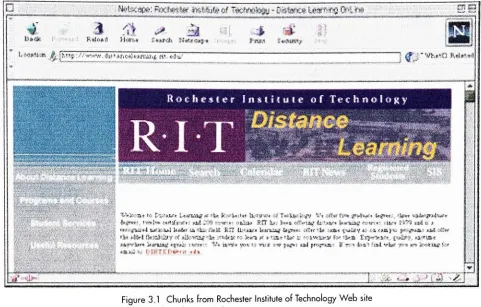
Figure 3.1
Chunks
from
Rochester
Institute
ofTechnology
Web
sitehttp://www.distancelearning.rit.edu
but
cyberspaceis
also a good placefor
sampledocuments
andsimulations.Multimedia demonstrations
andsamplesaretwo typesof
primary
materialsthateducators/trainersmay
usetopresentbasic informa
tionaboutthecourse'ssubject matter.
In
additionto reading, seeing,hearing,
andinteracting
withWeb-based
information,
aninstructional
site can also
help
learners
communicate withtheirinstructor.
Depending
uponthe typeofhypertext
links
set
up
withinthe site,learners
alsomay be
abletosende-mail messagesdirectly
to theeducator/trainer,
institution,
orbusiness
through amailto:link. Learners
thereforedon't
have
to waituntilthey
entertheire-mail systems
to
discuss
information
they
found
ontheWeb
site;
they
can askquestions, sendcomments,
andrequest
information
whilethey
work ontheWeb.
Because
thecourse'sWeb
sitemightlink learners
withrelatedsitesfor
additionalinformation
oractivities,research andreinforcementactivities can
be easily developed
in conjunctionwiththe
originalWeb
site.Educators/trainersmay link
some sitesthey
wantlearners
to visit,as wellasmerely list
otherresourcesthat
learners
may
wantto
locate
ontheirown.2.
CHUNKING INFORMATION
Educational information designed
for
the
Web
shouldbe
morethandocuments
uploaded andlinked
electronically.
Course
content shouldbe designed specifically
tobe
used withaninteractive,
electronic medium
that
is
capable ofaccommodating
different
types
of audiovisualinformation.
When
people read ahardcopy
document,
they
generally
readfrom
thetop
ththe
bottom
ofthepage.
In U.S.
-basedculture,
they
readfrom
the
left
to the
right side of aline. Although
they
may skip
from
sectiontosection,
readthe
last
chapterbefore
thefirst,
or use anindex
to
locate information
they
wanttoread
first,
most peopleemploy
alinear
approachtoreading
adocument,
reading from
thefront
coverto the
back.
However,
users approachelectronic,
hyperlinked
information very differently.
They
seldom readparagraph after paragraph and scroll
through
screen after screen oftext
and/or graphics.Instead, they
prefer
to scan a screentofind
thebits
ofinformation
thatare mostimportant
to them.If
theinformation
takes too
long
toload,
if
thefirst
screenlacks
theinformation
they
want,orif
thescreendesign doesn't
capturetheirattention and makethemwant
to
investigate
thesitefurther,
they
simply
movetoanothersite.
This scanning
processmay
take
fewer
thanfive
seconds,
but Web
usersarenotoriously impatient.
They
like
tofind information
quickly;
they
wantthelinks
to work; andif
they'refrequent Web
users,they
know
what'strendy
as well asfunctional
in
pageand screendesign. When
youdesign information for
theWeb,
you needtomakethesiteboth
attractive andusable, and youneedto