ARDUINO BASED LOCKER SYSTEM WITH IMAGE CAPTURE
NG YONG ANN
ARDUINO BASED LOCKER SYSTEM WITH IMAGE CAPTURE
NG YONG ANN
This Report Is Submitted In Partial Fulfillment Of Requirements For The Bachelor Degree of
Electronic Engineering (Electronic Telecommunication) with honours
Fakulti Kejuruteraan Elektronik dan Kejuruteraan Komputer Universiti Teknikal Malaysia Melaka
i
iii
ACKNOWLEDGMENT
Hereby, I would like to show my appreciation to Universiti Teknikal Malaysia Melaka (UTeM) lecturer who tough and give me valuable knowledge which are useful for this final year project.
I would like to show my deepest appreciation to those who help me out for this project. Firstly, I would like to say thanks and gratitude to my final year project supervisor, Miss Nazreen binti Waeleh for giving guidance and sharing her valuable knowledge that help me to complete in this project.
v
ABSTRACT
ABSTRAK
vii
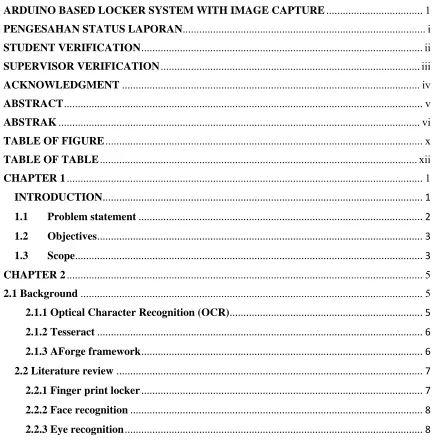
TABLE OF CONTENTS
ARDUINO BASED LOCKER SYSTEM WITH IMAGE CAPTURE ... 1
PENGESAHAN STATUS LAPORAN ... i
STUDENT VERIFICATION ... ii
SUPERVISOR VERIFICATION ... iii
ACKNOWLEDGMENT ... iv
ABSTRACT ... v
[image:9.612.110.542.276.717.2]ABSTRAK ... vi
TABLE OF FIGURE ... x
TABLE OF TABLE ... xii
CHAPTER 1 ... 1
INTRODUCTION ... 1
1.1 Problem statement ... 2
1.2 Objectives ... 3
1.3 Scope ... 3
CHAPTER 2 ... 5
2.1 Background ... 5
2.1.1 Optical Character Recognition (OCR)... 5
2.1.2 Tesseract ... 6
2.1.3 AForge framework ... 6
2.2 Literature review ... 7
2.2.1 Finger print locker ... 7
2.2.2 Face recognition ... 8
2.2.5 Optical character recognition(OCR) ... 9
2.2.6 Foreground and background ... 9
2.2.7 Noise ... 10
2.2.8 De-noising ... 10
2.2.9 Spatial Filtering ... 11
2.2.10 Transform Domain filtering ... 11
2.2.11 Pre-processing ... 12
2.2.12 Image binarization ... 12
2.2.13 Threshold ... 13
2.2.14 Segmentation ... 13
2.2.15 Line segmentation ... 14
2.2.16 Word segmentation ... 15
2.2.17 Feature extraction ... 15
2.2.18 Training ... 15
2.2.19 Type of OCR tools ... 16
2.2.20 Camera based OCR ... 16
2.2.21 Tesseract ... 17
2.2.22 Grayscale ... 17
2.2.23 EmguCV ... 18
2.2.34 AForge Framework... 18
2.2.35 GSM module ... 19
2.2.36 Arduino Uno ... 20
CHAPTER 3 ... 21
3.1 Project Flow ... 21
3.1.1 Register ... 21
3.1.2 Retrieve item ... 22
3.2 Flow chart ... 24
3.3 Component selection ... 26
3.3.1 Microcontroller ... 26
3.3.2 Camera ... 26
3.3.3 SIM900A ... 27
ix
3.3.5 AForge Framework... 28
3.4 Software setup ... 28
3.4.1 Visual Studio ... 28
3.4.2 Arduino IDE ... 30
3.4.3 Image enhancement algorithm ... 32
3.4.4 Segmentation ... 33
3.4.5 Tesseract ... 34
3.5 Hardware setup ... 35
3.5.1 PCB Etching ... 35
3.5.3 Locker ... 40
CHAPTER 4 ... 41
4.1 Image enhancing flow ... 41
4.2 Data ... 45
4.2.1 Data before segmentation ... 45
4.3 Extraction Accuracy ... 50
4.3.1 Before enhancement of image ... 50
4.3.2 After enhancement ... 51
4.4 Data extraction speed... 52
4.5 Camera quality ... 54
4.6 Card condition ... 55
4.7 Locker ... 57
4.7.1 Register ... 57
4.7.2 Retrieve Item ... 59
4.7.3 Incorrect password ... 60
4.7.4 Locker full ... 62
CHAPTER 5 ... 64
5.1 Conclusion ... 64
5.2 Future work ... 65
REFERENCE ... 66
Appendix A ... 70
TABLE OF FIGURE
Figure 1System flow chart ... 24
Figure 2 Locker assign system ... 25
Figure 3 Visual Studio project setup interface ... 29
Figure 4 Project explorer ... 30
Figure 5 Improper setting of library file ... 30
Figure 6 Choose Arduino module ... 31
Figure 7 Choose Arduino port ... 31
Figure 8 Image enhancing flow ... 32
Figure 9 Segmented image ... 33
Figure 10 Tesseract initialization ... 34
Figure 11 Tesseract whitelist configuration ... 34
Figure 12 Relay boards schematic ... 36
Figure 13 Relay board PCB layout ... 36
Figure 14 H-bridge schematic ... 36
Figure 15 H-bridge PCB layout ... 36
Figure 16 Scanner box outer look ... 36
Figure 17 Scanner box internal look ... 37
Figure 18 H-bridge and Arduino Uno in scanner box ... 38
Figure 19 Relay board ... 38
Figure 20 GSM module ... 39
Figure 21 Locker outlook ... 40
Figure 22 Locker inner look ... 40
Figure 23 Before resize ... 41
Figure 24 After resize ... 41
Figure 25 Before blurring effect ... 42
Figure 26 After blurring effect ... 42
Figure 27 Without gamma correction ... 43
xi
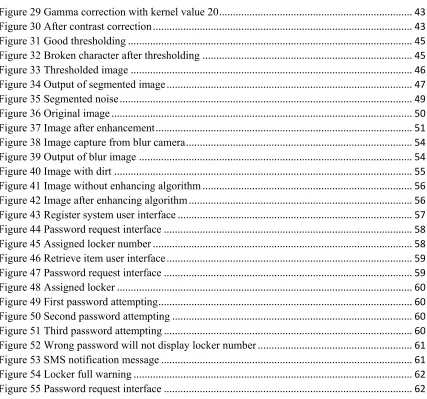
Figure 29 Gamma correction with kernel value 20 ... 43
Figure 30 After contrast correction ... 43
Figure 31 Good thresholding ... 45
Figure 32 Broken character after thresholding ... 45
Figure 33 Thresholded image ... 46
Figure 34 Output of segmented image ... 47
Figure 35 Segmented noise ... 49
Figure 36 Original image ... 50
Figure 37 Image after enhancement ... 51
Figure 38 Image capture from blur camera ... 54
Figure 39 Output of blur image ... 54
Figure 40 Image with dirt ... 55
Figure 41 Image without enhancing algorithm ... 56
Figure 42 Image after enhancing algorithm ... 56
Figure 43 Register system user interface ... 57
Figure 44 Password request interface ... 58
Figure 45 Assigned locker number ... 58
Figure 46 Retrieve item user interface ... 59
Figure 47 Password request interface ... 59
Figure 48 Assigned locker ... 60
Figure 49 First password attempting ... 60
Figure 50 Second password attempting ... 60
Figure 51 Third password attempting ... 60
Figure 52 Wrong password will not display locker number ... 61
Figure 53 SMS notification message ... 61
Figure 54 Locker full warning ... 62
TABLE OF TABLE
Table 1 Data of unsegmented image with numbering ... 46
Table 2 Data of unsegmented image with alphabet ... 46
Table 3 Data of segmented image with number ... 48
Table 4 Data of segmented image with alphabet ... 48
Table 5 Data analysis before enhancement ... 50
Table 6 Enhanced image analysis ... 51
Table 7 Time taken for 15 subject to register locker ... 52
Table 8 Time taken by system to extract data ... 53
1
CHAPTER 1
INTRODUCTION
Over many of century, security had always been a major problem for the society. There will always be someone who will try to go against the law and challenge the security that had been invented yet they manage to do so by finding ways to counter the security system. Thus, this is the reason that scientist and engineer had been work together to create an invulnerable security system such as biological security system. However, there is no such thing as invulnerable in this world as there will be someone who find a way to counter all the security system.
There are lockers that had been provided by UTeM for the student. However, those lockers do not have high security system where it only required a key to open them. This type of locker is not very secure as it can be easily to de opened and the other might just duplicate the key and open the locker. There is even some place which does not have any locker but just rack for the student to keep their belonging. Thus student will only put books in the locker and carry their laptop or other stuff along with them. The locker is not fully utilizes by the student due to insecure system.
In university, co-curriculum is a compulsory course that must be took by all the student, there is no exceptional. It is good that the student can get involve into sport after whole day of lecture. Even so, there is a problem that will be faced by the student who wanted to go for sport. They will not have a secure place to keep their belonging such as wallet, purse, laptop, mobile phone and so on. This is one of the reason that student prefer joining club rather than sport. The only place that student is able to keep their stuff is the bag but it is not secure at all as it can be easily being open by the other without any effort. A better locker should be provided to the student who wanted to do sport.
For those student who went to library, there are only limited locker which had key lock while the other are open which only allow student to put bag without any expensive stuff in it. It seems like a locker for student but is unable to keep things in it. In this case, student would prefer to carry their belongings with them instead of leaving them in the public locker. Meanwhile, for those locker which had key lock, student must grab their slot on the first week of the semester because each locker will be assigned to the student for a semester. Which means that for those “freshies”, student who just entered the university and does not know this will unable to grab the key locker slot in the library. This is unfair to the student as every student did pay for the utilities fee but unable to use them.
3 easily to be found in the market. Is it a common item where people use to break the glass during emergency. With the tools, the windows can be break within a few second. This shows that keeping thing in the car is actually not safe at all and will cause damage to the car.
With all those problem, the locker with an image scanning had been introduced in order to solve those problem.
1.2 Objectives
The objectives of this project is:
i. To design an image enhancing using AForge framework and image analyzing
using Optical Character Recognition.
ii. To fabricate H-bridge and relay board circuit
iii. To improve current locker security system using software and Arduino.
1.3 Scope
5
CHAPTER 2
LITERATURE REVIEW
2.1 Background
2.1.1 Optical Character Recognition (OCR)
Optical Character Recognitions (OCR) is a method to convert text image into digital text. The text image can be any text such as handwriting, printed text, any font, any character and any language. The character need to be scan or capture into computer and undergoes OCR process to recognize the word. This method had been widely used to retrieve data from image. For example, getting data from bank statement, invoice, passport, identity card and even books. All this data can be retrieve within a few second which is obviously way faster than a human typing speed no matter a line of word or a page of word. However, the speed of recognition is depending on the length of character but it is still faster than human typing speed.
a sheet. The capture or scan image will be send to computer for process purpose. The accuracy will be depending on the architectures and recognition method. In this project, the offline OCR will be used as it will get data from user student or staff card which is not handwriting from the user.
2.1.2 Tesseract
Tesseract is an open source OCR engine that develop by Google. Tesseract do support a lot of language which include C, C++, C# and also other language. It can be use in Linux, Windows and even Mac OS. There is also someone who test this OCR engine on Android and it turn out to perform well and smooth. The developer had train this engine to recognize up to 39 languages which is free to use for everyone. If the user wants to use this recognition system to recognize specific character, they can train the system to do so.
It can easily recognize character without any setting but the accuracy of the character will be depending on the image quality and also the region of recognition. A good quality photo will greatly affect the result of the OCR by Tesseract meanwhile, if the photo had bad quality, it will cause the result to be inaccurate. The region of recognition must also be correctly defining as that will be portion for the OCR to do process and analysis. Thus the main factor to be consider in the Tesseract OCR is the quality of photo and the size of character.
2.1.3 AForge framework
7 developing with machine learning library where programmer can train specific object to allow computer to recognize. Lastly, AForge framework is user friendly where it can easily be used by new user who does not have knowledge on image processing because it is easy to use.
EmguCV, which is a competitor for AForge framework in image processing. It performs better than AForge framework in term of processing times. It took less time to complete a processing. AForge framework took approximate 30 milliseconds to perform gray scaling while EmguCV will only took 11 milliseconds. However, in this project differences in millisecond will not give much effect on the output because human will not notice the difference in milliseconds. Thus, AForge Framework has been choosing as a library for image processing in this project.
2.2 Literature review 2.2.1 Finger print locker
Face recognition system is a part from biometric security. The system will register an individual facial feature using photo. During recognition, a real-time identification camera will capture the real time image. This system is ease to use and low cost but there are too many factor will affect the result such as quality of photo, facial expression, light condition, angles of face and other method[3]. It is also very difficult to implement because now a day the plastic surgery is very common. There is statistic that show the face expression and angle will affect the outcome and recognition[5].
2.2.3 Eye recognition
Eye recognition are divide into 2 part which is retina and iris. Iris is the center of our eye and it cannot be genetically changed while the retina is the layer which made of a complicated network of neural cells at the back of the eye. Studies show that both of them will remind the same from the first year of the life and will not genetically change[3].
Iris recognition had very high accuracy compare to other type of biometric recognition system but it is not easy to use[6]. However, the system had a lot of disadvantage where it will be inaccurate if the user wearing glasses and eye lenses. Besides that, it is also very costly to implement[3].
9
2.2.4 Radio Frequency Identification(RFID)
RFID is widely being use as they able to be scan from a distance or near. Besides that, it supports larger set of unique ID compare to bar codes. RFID is also always accurate as the data are set in the card and will not affected by the environment, temperature and others. Anyhow, RFID will have collision, standardization problem, and also the frequency problem[7]. If there are two card is scan at the same times, it will cause the system unable to identify which data belongs to which RFID. This is one of the data collision example which is not efficient as the RFID card need to be scan one by one.
2.2.5 Optical character recognition(OCR)
Optical character recognition had become a very common technology in this era. It is a process where it scans the text image and converts them to an editable text form in an electronic device[8]. However, there are few process need to be done before it can recognize the character such as pre-processing, segmentation, feature, extraction, classification and recognition[9] . Besides that, there are another method which are pre-processing, segmentation, representation, training and recognition and post processing[10].
OCR are divided into two categories which is handwritten document or the printed document. Handwritten document only had accuracy up to 90%[11]. This is due to handwriting had variation in shape, scale, style and orientation.
2.2.6 Foreground and background
foreground which is using Niblack’s approach[12]. The background will be calculated depending on the neighbor pixel value. This method is better than getting background by getting the value from the whole image because each section will have different threshold value.
After determine the background and foreground, the text data will be in black while the background will be purely white. This will make the image had less noise compare to original image[13].
2.2.7 Noise
Noise is the unwanted signal that located in the data. It will affect the accuracy of OCR as it will be assume as data if it is not be well handled. Usually noise will contaminate the image sensor. Noise are cause by imperfect instrument, problem of the image process, and also the interfering of natural phenomena. Even the dust particle that land on the camera or scanner will also causes noise in the image. There is a lot type of noises which include Gaussian noise, Poisson noise, speckle noise and also other type of noise[14]. Each type of noise had the specific algorithm to remove the noise. However, noise type need to be manually identify by the programmer by studying and analyses the image.
2.2.8 De-noising