Rochester Institute of Technology
RIT Scholar Works
Theses Thesis/Dissertation Collections
5-19-1987
Frame design
Bonnie House
Follow this and additional works at:http://scholarworks.rit.edu/theses
This Thesis is brought to you for free and open access by the Thesis/Dissertation Collections at RIT Scholar Works. It has been accepted for inclusion in Theses by an authorized administrator of RIT Scholar Works. For more information, please [email protected].
Recommended Citation
ROCHESTER INSTITUTEOF TECHNOLOGY
AThesis Submitted to the Faculty of The College of Fineand Applied Arts
in Candidacyforthe Degree of
MASTER OF FINE ARTS
FRAME DESIGN
By
Bonnie Kay House
APPROVALS
Adviser:
R. Roger Remington
R. Roger Remington
Date:
~
II?
(/{?[L
Associate Adviser:
Robert Keough
Robert KeoughDate:
b
-
- /
?/-y7
Associate Adviser:
Heinz Klinkon
Heinz Klinkon
Date: _ _ ---L-ft....lo:'
t
:....;....
~
_(J¥_c---ll--L7__t(-'-I-I-9~J
-/-7---iii
Special Assistant to th~
Phil ip W. Bornarth
Dean for Graduate Affalrs: _ _ _ _ _ _ _ _ _ _Philip Bornarth
Date:_---"'3;;...;./2_2-_cP
-t-jJ_Y_1 _ _ _ _ _ _ _ _
_
D.ean,
COlle~e
ofDr. Robert H. Johnston Ph.D.
Fme & Applied Arts: _ _ _ _ _ _ _ _ _ _ _ _/ I
Dr. Robert JohnstonDate:
~
/Y
/7i=
z,
L
Acknowledgements
It iswith great appreciation that I givethanks to the
following peoplewhose help was mandatory forthe
completion ofthis project.
Professor R. Roger Remington, whose suggestions and criticism were invaluable.
Professors RobertKeough and Heinz Klinkon, whose
suggestions openedthe way for new ideas and design.
Hans Mortensen, whoseguidance and assistance in screen
printing the binderand manual covers was essential.
Professor WernerRebsamen, whose counsel and
assistance in designing and constructing the binder was
invaluable.
Professor Robert S. Tompkins, who allowed access to the typesetting lab almost on adaily basis.
Lauren McDermott, whose training inthe use of Pro 3D
helped in the creation ofthe Robot illustration.
Kathy Scherer, who tookgreatcare and concern in
obtaining solid inkcoverage and high quality photocopies
ofthe printed manual.
Assistant Dean Edward Lincoln, who so generously
assisted in supplying the necessarytransparencies.
VI
Table of Contents.
Acknowledgements v
Introduction 1
Chapters
I. Research 3
Background 3
Vocabulary 8
Grids 8
Gestalt Principles 10
Color 11
Menus 12
The Human Factor 13
Additional Research 14
II. Construction 16
The Manual 16
VII
The Binder 19
Transparencies 21
ColorKeys 22
Illustration 22
III. Conclusion 24
Appendix 28
Selected Bibliography 34
Illustrations.
Figure
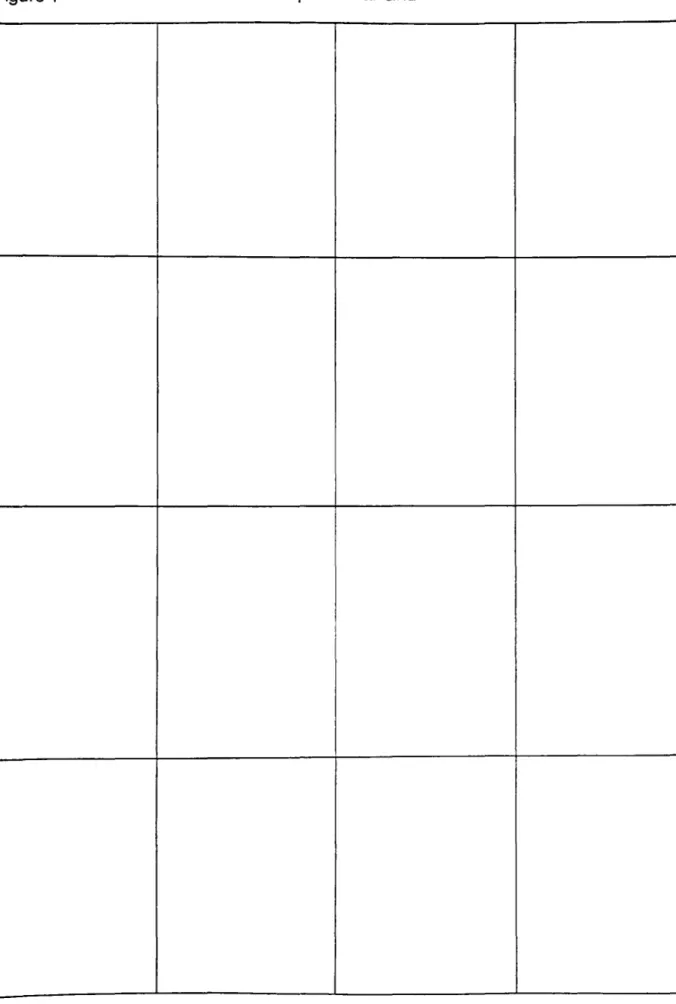
1. Compositional Grid 29
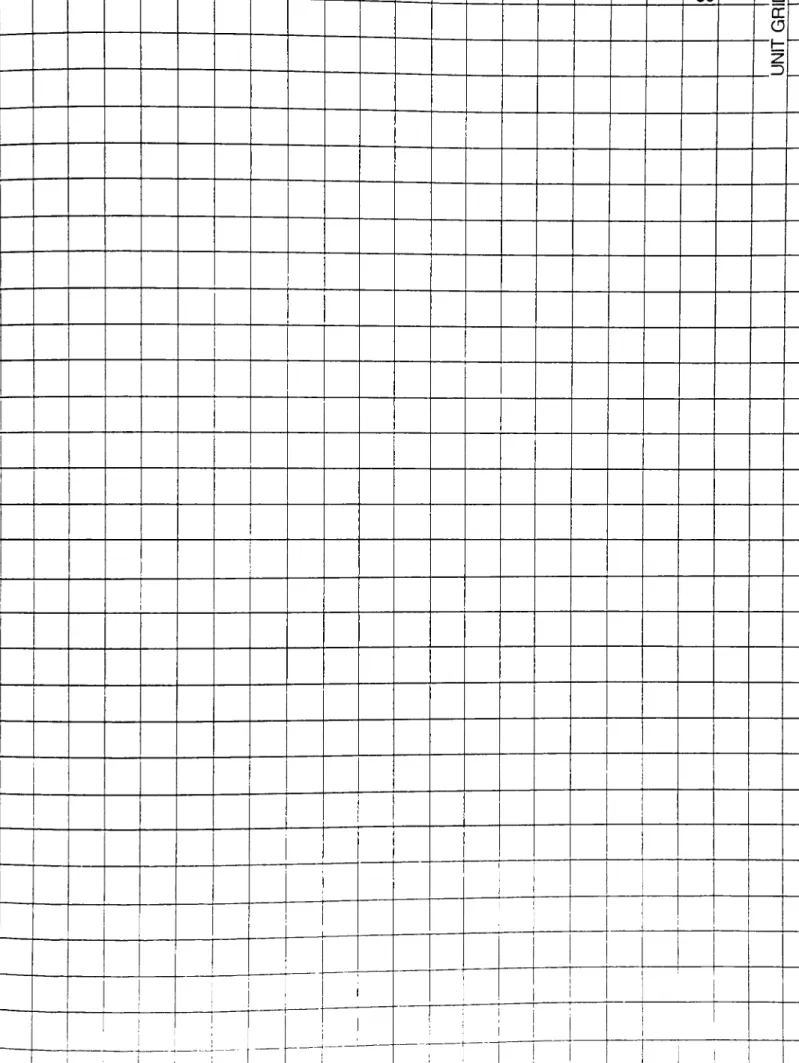
2. Typographic UnitGrid 30
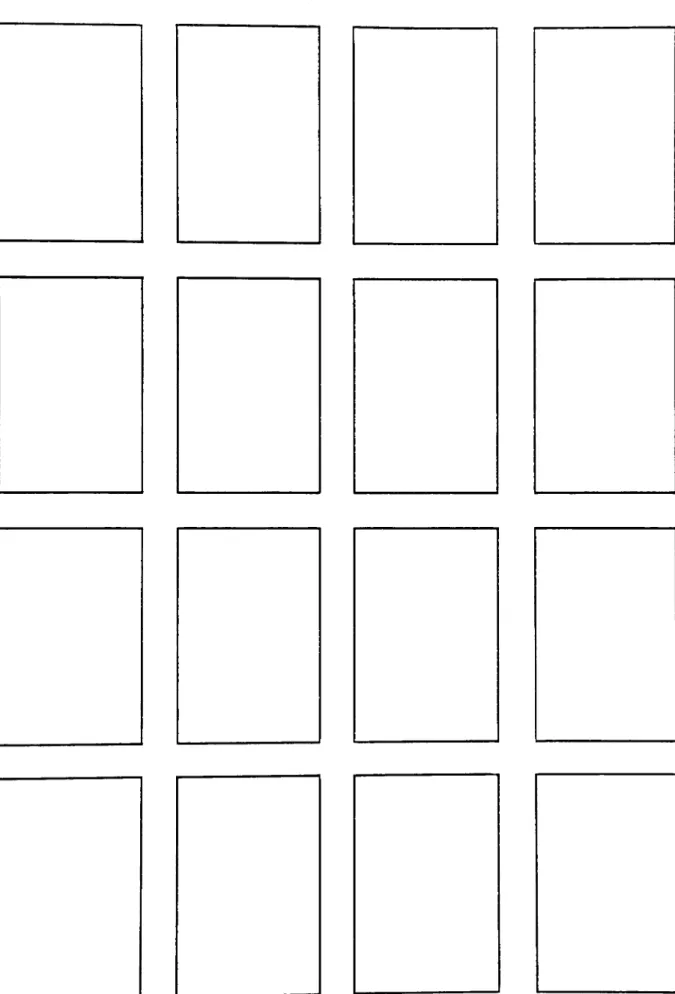
3. Composite Grid 31
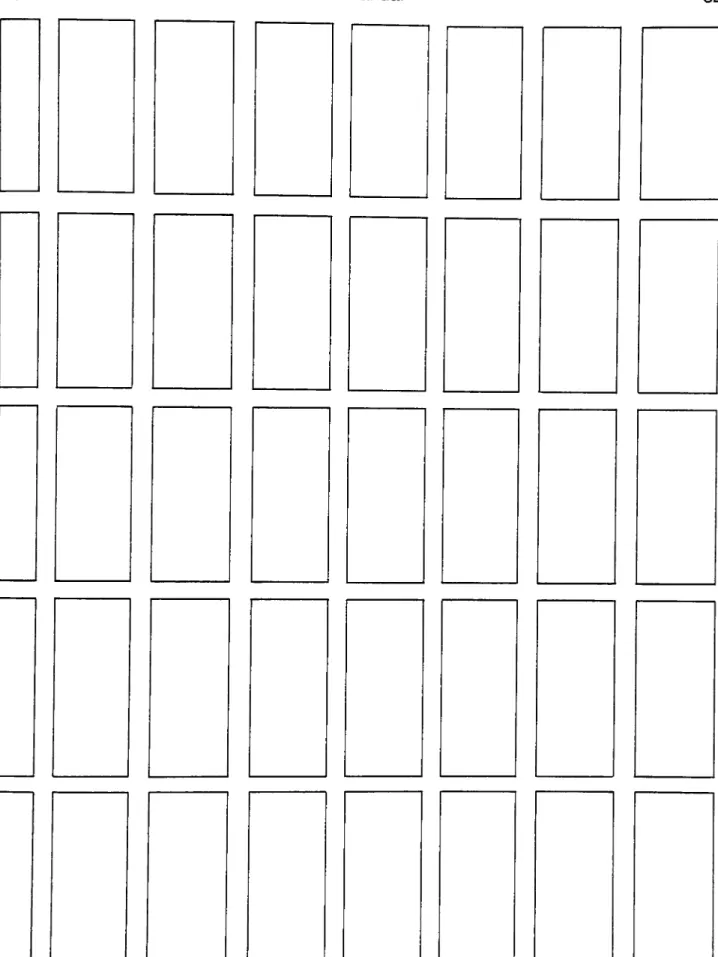
4. Grid for Manual 32
5. Symbols 17
Introduction
In August, 1986, 1 proposed athesis which would
be a book thatwould visually expressthe process of interactive videodisc to an otherwise uninformed public.
My original intention was to create abook about interactivevideodisc which would visually and
graphically represent and explain interactivevideodisc.
As ofthis date, few people are aware ofthepotential of
interactive videodisc. My intention wasto broaden the
awareness of interactivevideodisc usinga medium that
is more accessibleto thegeneral public. Research bore
the plain factthat, in order to successfully design a
program for interactivevideodisc, it is first necessary to create effectivescreen design forthe television
monitor. Thus, for thisthesis, aworkbook wasdesigned
to help the viewerto become aware of using typographic
and visual variables when designing forthe frame or TV
screen. Active participation bythe readerbecamean essential criterion when using the workbook.
Since one often gets so involved with work on the
screen that the actualdesign ofthe work is forgotten,
the developmentof an interactive workbook dealing with
computer programs available to the public multiplies
with the number ofcomputers on the market, it seems
logical that theprogrammers haveat theirdisposal aset
ofguidelinesfor effectiveframe design. By creating a
workbook, the user is drawn away from the screen and
asked to interact with the tools of the printdesigner's
trade-grids, text, headers, rules, and color as well as
typographicand visual variables.
Sincethe original ideawas intended for interactive
videodisc, and projects that could be programmed using
the VAX/PRO 350, overlaygraphics played an important
part. The VAX/PRO 350will allowgraphics to be seen in
combination with an image playedfrom a videodisc. This
ideawasthe essence ofthe interactive playwithin the
workbook. Asthe thesis evolved from an explanation of
interactive videodisc to a workbook foreffective frame
design, the structure and idea for interactive
Chapter One.
Research
Communication of information has been an ongoing
concern during theevolution ofthe human race. Fromthe
visual histories found at Lasceaux and Altamirato
present technology, man has continually searchedfor the
clearest and most rational meanstoconvey ideas. As the
world's population demands increasing datathrough its
vasttechnological resources, a need has emerged for an
artform whose precise aim isthat ofclarifying and
interpreting thisquantity of information in a logical and
visually effective way. Thus, the graphicdesigner
balancesthe organization of information with aesthetics
when interpreting ideas.
Technology during the twentieth century has
created theelectronic age. This computerage adds a new
dimension to the graphicdesignerwhose majorconcern
previouslywas the design ofthe printed page. As
computers become as common as books are inthe home, a
expertise towards the television screen and create fora
fixed format, thatofthe monitorframe. Aaron Marcus, a
forerunner in the field of computer graphics, is
concerned with frame design in this "Information Age". Marcus prepared a lecture series in 1981 in which he
states the following:
"Communicating information visually impliesthe importance of
information-oriented graphicdesign
professionals who are skilled in
typography, symbolism, color, spatial
composition and temporal sequencing in the new media. I point outthreeways in
which all computer systems
communicate through visual symbols. I call these three faces of computer systems: outerfaces, interfaces, and
inner faces. Outer faces are the end results ofdata processing: texts, tables,
charts, maps, and diagrams. Interfaces
arethe frames of information and responsethat the user of asystem is
confronted with: screenfulls oftexts
and images or printed documentation.
Innerfaces arethe frames of
information that the buildersand
maintainers of systems require in order
to create the tools that other people use
There is atendency forone predisposed with
creativityto forgetthe rules atthe base of effective,
creative design. Electronic media, because of its very
nature ofanimation and constantinteraction bythe user,
falls into this realm ofthe "lostprinciples of design"
more often than not. Therefore, this is one area where it is most necessary for the designerto step back
periodicallyand evaluate his creative effort. As
computers have become more user-friendly, a greater
amountof information hasemerged from desk-top
publishing firms. Programmers havedeveloped graphics
packagesfor home use bythe general public, and a vast
amount of computer graphics information is being
designed bythose having little knowledge ofthe subject.
The more engrossed with the information on the screen
one becomes, the more one forgets the principles of
effectivedesign. Therefore, the ideagrewforthis
manual on frame design. Sincethe monitor screen is
such acompelling tool, thisdesign is specifically in book
form. This draws thecomputer-literate individual away
from the monitorto the book, or hard copy format. Asked
acetate overlays, the user can develop title slides,
posters, text layouts, and menus with the constantvisual
reminderof thesafetitle area, safe action area, and TV
scanning area indicated.
The design principles covered in this manual can
and should be applied to the screen. It is possibleto
construct similar grid systems which can be called up on
the screen and hidden atwill. One can quickly tryout
each problem described anddevelop solutionsto the
problems, but hard copy still hasto be generated in order
to compare several designs atonce. And, as suggested
previously, thetemptation to get involved with the
screen is keptto a minimum when the screen becomesa
fixed tangible printed page. There is something very real
to besaid for building adesign with overlays and
physical structural components. Thus, this project is a
workbookwith acetate transparencies ratherthan a
The Content oftheWorkbook
Aimed atthecomputer literate audience, this
manual isto be used by anyone who designs or programs
on thecomputer. Forthose with littleor no training in
graphicdesign this manual may be used to establish
basicguidelines for using visual and typographic
variables. Forgraphicdesigners whoare using the
computer for mostoftheircreative problem-solving,
this workbook may be an asset as a reminderto keep
copy within the safe title area ofthe screen and to use
design principlesaccordingly.
When asked to drawa series of sketches showing
changesthatwould occur in a room when anyone offive
items waschanged, I painted acetatecellswith the
items in question. Thesecellscould be interchanged at
the viewer's discretion tocreate the room ofchoice. The
cells eventually replaced a previously planned model, and
became a pilot production foran educational videodisc
project. A logical progression wasto use acetate cells
8
Our vocabularychanges and developswith growth
and involvement in new interests. As we workin a new
medium, ourvocabulary naturally expands until we
become literate in thatfield. One way to continue
growing is to consciouslyworkon adding to one's
vocabulary. In the Design Concept. Allen Hurlburtstates:
"We learn language byapplying words to visual
experiences, andwe create visual imagesto illustrate
verbal ideas. This interaction of word and image is the
background to contemporary communication."2
Grids are the basisforgraphicdesign. Withouta
concrete understanding of grids and their use, there
would be no structurebeneath the visual and typographic
variables, and the designwould not hold together. In
Graphic Design for Non-ProfitOrganizations. Massimo
Vignelli introduces grids with the following paragraph.
"Thegrid is the most importanttool that
can be used bythe layout designer. It is an invisiblestructurethat provides a
disciplined and consistant lookwhile
increasing production efficiency and
maintaining theflexibility needed to solve a
Since itis the designer's responsibilityto organize
visual and verbalcommunication, the grid becomes a
necessarytool forgiving a senseof orderto whatcould
otherwise be a random selection. The three grids
included in thisguide arethose mostfrequently used by
the graphicdesigner. As grids are essential to the
structure ofdesign, this opportunityforthose unaware
ofthe use ofgrids to use themconstructively is a key to
the use ofthis interactive book. Figure 1 isan example
of a compositional grid. This grid generally breaks up
the field orpage into equal parts. Figure 2 is the
typographic unitgrid designed forthe screen template
included in theworkbook tools. This is a 24 point
typographic unit grid. The largepoint size is for clarity
ofthe projected text type on the screen when seen from
a distance. Figure 3, the compositegrid, is a series of
rectangles made ofgroups ofthe unit grid. Thisgrid
helps the designerto placetext, titles, and pictorial
elements on afield with intent.
Jerrold E. Kemp has published in Planning and
10
to be used in a projected medium. His recommendation of
using textofat least 1/4 inch high seemed questionable
atfirst. However, when reduced in scale to fiton the
text pages within the guidebook, smaller point sizes
became illegible. Reducingthe size ofthe image hasthe
same effect as increasing thedistance between the
viewerandthe screen.
Thegraphicdesigneroften uses visual puns to communicate the message. Another method atthe
disposal ofthe graphicdesigner is the control ofthe
visual messageby means of using Gestalt Principles. In
Perception and Photography. Richard D. Zakia states:
"The Gestaltschool of psychology, which
was originated in Germany about 1912 by
Dr. Max Wertheimer, provides us with
some simple and convincing evidence about how man organizes and groups
visual elements sothatthey are
perceived as wholes."5
By understanding the difference between thewhole and
the sum of its parts, thegraphicdesignercan manipulate
11
discusses this in Notes on Graphic Design and Visual
Communicatinn
"A thorough knowledgeof visual Gestalt Principlesgives the graphicdesigneran
invaluable tool box. We know that
audienceswill reactto overt or obvious Gestalt patterns. By matching atarget
audiencewith selected high impact
Gestalt images we can shorten the
distance to effective communications.
Wecan, as designers, virtuallyguarantee
an audience response, which is the
bottom line ofdesign efficiency."6
Coloradds greaterdimension to design. It is often
more appealing than black and white, anddraws the eye
to itself. By employing colorsparingly, the graphic
designergains greater mileage out ofthe printed piece.
When using color monitors, it is easyto become
engrossed in thecolorand forget principles of good
design. Higher resolution graphics packages such as
Artronics and Genigraphics which boast more colors than
the human eye can discern at any onetime are very
alluring. However, the designer is advised to step back
from thistemptation and remembersome basic rules and
12
selecting colors, the graphicdesignershould:
"Analyzeyourtargetaudience. Pick
stimulating colors, those thatwill evoke a response. Choose huesthatare
namable, with good recognition,
retention, recall. Limityour color
combinationsto two or three...Audience
color preferences are in constant flux. Theyvary annuallyand seasonally. Age,
economicconditions, sex, culture,
geography, and religion influence color
choices."7
One ofthe mostimportant aspects offrame design
is that ofdesigning menus forthescreen. A menu
presents aselection to the userand asks foradecision.
All ofthe elements of graphicdesign come into play
here because ofthe importance forclarity, legibility,
and the need for interactive responses from the viewer.
The menu should maintain the interestofthe viewer
while providing easyaccess of choices. Overcrowding
the screen with information and confusing graphics at
this stage can cause the userto quitthe menu instead of
proceeding towards a more viable solution to the
program. Aaron Marcus discusses needs andexpectations
13
"In the computer graphics systems being
created, there is andwill continue to be, a great need for graphicdesigner's
expertise in typography, spatial
arrangement, and color selection. More importantwill be the influence designers
can exert on computer manufacturers by
advising them on howto produce better
systems forthefuture. There will be a
constant need for individuallydesigned frames as well as graphicdesign
systemsfor many frames. In the end it
is quality that is important, even for computer graphics systems whose
imagery is rather crude."8
Those who design forcomputers must realize the
fatigue factorofthe normal human being. A program
that only has touch screen menus may quicklytire the
user. Severalquestions have to beconsidered bythe
designer.
How many menus will there be in thisprogram?
How long isthe program?
How much text is there to read?
Interestcan be added to the program by varying the
interaction requested by the user. Choices may be made
through the keyboard, a mouse, graphicstablet, joy stick
14
in programs thatinsiston numerous touch screen
choices. The designer mustconsiderthe following.
How far awayfromthe user isthe screen?
What is the reach ofthe viewer?
Isthe user rightor left handed?
In hisarticle, "Visuals for Interactive Video: Images
fora New Technology (With Some Guidelines)", Roberts
A. Braden,when discussing ergonomics and aesthetics,
states:
"The visual design specialist must
always keep in mind that his or herwork
is ultimately destined to beviewed by others. These viewers can be likened to
the consumers ofany tangible product.
Their needs and desiresare a high
priority concern when the productis
being fabricated. Viewercomfortthus becomes a primary consideration, as
represented by lettersthatare large
enough to read, color combinationsthat
are easyto view, and anyother of several techniquesthat minimize
discomfort. The wise designerwill even
go a stepfurther by catering to viewer
preferences and sensitivities."9
Detailed explanation of problems and examples
15
section of thisworkbook could expand into acomplete
book in itself. Thiswork is meant as an introduction to,
and a reminder of, the principles ofgraphicdesign.
Therefore, a limited bibliographywas included in the
manual forreference by anyone interested in pursuing
furtherexplanation ofthe principles covered in the
workbook. The bibliography is limited because this
manual is geared towards non-designers who would look
for basic materials first before heading towardsdesign
16
Chapter Two.
Construction
The formatofthe manual, 8 1/2 by 1 1 inches, is a
comfortable size, easily handled, and easy to read. It is
the same size as the acetate transparencies and color
keyswhich are the constructionaltools fordeveloping
design answers to the problems presented to the user in
the manual. Uniformity ofdesign was kept bycontinual
placementoftexton the right hand sideof each page,
reserving the leftsidefor illustrations. The text is
twelve point Helvetica Regular set on thirteen points of
line spacing. Thecolumn width is twenty picas forease
of reading. Thecomposite grid (Figure 4) for page
structure is included in the appendix. Geared toward the
technological world ofcomputers, the text ofthe manual
would naturally have to suggestthe propertext to be
used on the monitor. As a sans-serif, even-weight letter
is the best fontstyleforviewing on the screen,
17
The rule atthe top of each page indicates the page
division, and the use of the right side of each pagefor
verbal information. The horizontal format followsthe
general horizontal shape of the monitor and prepares the
reader for easy recognition of problem
solving using the
acetate cells and colorkeys. To establish a pattern of
quick referenceforthe reader, the following symbols
were developed.
Figure 5
The shape of theframe is a reminder of the final
application of the manual. The exclamation point states
that information is aboutto follow. Theword Design,
used here as averb, requires action on the partofthe
viewer. The question mark requests the viewerto ponder
the previous action taken and towork through a
18
The Macintosh Plus and MacDraftwere used to
createthe framesfound on thecover and throughoutthe
manual. All text and titleswere typeset on the
Merganthaler MVP-VIPtypesetting equipment located in
one ofthe Photocomposition Technology Labs ofthe
School of Printing under theauspices of Mr. Robert
Tompkins. The contentsof the workbook were printed by
Kathy Scherer on the Xerox 9500 in the Copy Centerat
RIT. The cover ofthe manual was screen printed on
white railroad boardwith Advance Excello Black
SAM-700 Screen Printing Ink mixedwith 2.5% SS Zephyr
RM Slow Thinner. The screen was a Monofilament
Polyesterwith a mesh count of254 threads perinch.
The stencil was a Direct-IndirectAutotype Capillex 35
CapillarySystem Stencil. Themanual was wire-bound
using aJames Burn Easy Bind Wire Binderand a 1/4 inch
wire.
The templateforthe TV monitor scanning area,
safe action area and safe title area was created on the
Macintosh Plus using MacDraft. Reference material for
the templatewas Kodak Publication H-42b, the
Television Graphics Production Template for the Motion
Picture and Audiovisual Markets Division ofthe Eastman
19
Binding
With the assistance and guidance of Mr. Werner
Rebsamen, Professorof Planning and Finishing in the
School of Printing, I was able to make a cloth-bound
binderto housethe completed project. The outer binder
wasscreen-printed priorto final construction. Once cut
to size the binder'scloth was printedwith the coverand
spineartwork in the Screen Printing Lab of the School of
Printing with the help and instruction of Hans Mortensen.
Using a Monofilament Polyester fabricwith a mesh
count of 306threads perlinear inch, a Direct-Indirect
stencil was applied using Autotype Capillex 35 Capillary
System Stencil. Oncedry, the stencil is exposed to a
film positive of theartworkforthirty seconds ofVNH
Flourescenttubes. After washing and blocking out
non-printing areas ofthe screen, the pre-cut binder's
cloth was printed with SS Zephyr-Set 500 Turquoise Blue
K-67297 with 35% Additive ofZephyrSet Slow Thinner.
The binderwas constructed in two parts, then
20
traditional means ofthree cut binder'sboards forthe
front, back and spine ofthecover. All bindingwas
accomplished using a white polymer glue. Oncecovered,
the facing was covered, andweight applied over nightto
keep thecoverflat. Next, the pocket was constructed in
two pieces. The backwas covered with binder's cloth
and placed underweight. The pocketwas made ofthree
pieces ofbinder's boards. Thesewere firstglued
together and held in place until dry with masking tape.
The inside ofthe pocketwas covered with binder's cloth,
then the outside ofthe pocketwas covered, leaving an
excess of cloth for attachmentto the back. The excess
fabricwas then glued to the outside of the back panel,
and thefinished pocketwas weighted and leftto dry.
Finally the pocketwas attached to the back ofthe
outside binder, weighted, and leftovernightto dry. A
visual step representation ofthe above binding
procedures is included in the appendix (Figure 6). The
final result is a handsome clothbound binderwith a
pocketwhich can accomodatethe manual, acetate
overlays, and printed screen template, and any
photocopiesof the solutionsto the problems that the
21
Transparencies
Fordurability, I decided to photocopytheacetate
cells. Atfirstthis presented achallenge infinding a
material thatwould remain intactwhen fed through the
copy machine. C-Line products proved to be
unsuccessful. The lightweight acetatetends to melt if
the copy machine isthe least bitoverheated. In looking
fora sourceto buy aquantity of acetatecells, I asked
KayJenkins, Secretaryforthe Collegeof Fine and
Applied Arts. She mentioned that Assistant Dean Ed
Lincoln had some Kodak Transparency Material which is
forthe purpose of making overhead projections from
copy machines. Mr. Lincoln gavesome transparencies to
me to try and theyproved to hold upwell. After
unsuccessfullytrying to buythe quantity of
transparencies needed forthis project, I ended up
purchasing two boxes of Kodak Transparency Material
from the College of Fine and Applied Arts.
At first itwasthought that screen printing on
22
coloroverlays. However, as itwas thought thatscreen
printing ink mightchip off ofthe acetateeasily, color
keys were produced. Negatives were made using
Orthochromatic D Litho Film - DuPont COD-4
which was
exposed on a horizontal nuArc 1418 Process Camera, then
processed in the Fuji Film Processor in the Reproduction
Photographic Department in the School of Printing. Next,
Color-Key Negative Imaging Material was placed under
the negative film and exposed in a nuArc26-1K Mercury
Exposure System for forty-five units oftime. The
exposed Color-Key material was developed with 3-M
Negative Color Proofing Film Hand Developer, then
washed and dried. These color keys hold up quite well to
handling.
The illustration of the Robotwas created to add
interestto the projectfor theviewer. Using a Macintosh
Plus computer and the Pro-3D program, Lauren
McDermott, a fellow MFA degree candidate in Industrial
Design, taught me how to construct athree-dimensional
figure using cubes, cylinders, spheres, and a lathe. The
23
seen from anyangle. It is then possible to obtain a laser
printdirectlyon a transparency. The various views of
the figure were done in this manner. Subsequentcopies
were printed on the photo-copy machine directly onto
24
Chapter Three.
Conclusion
One purposebehind this thesiswas thedesireto
combinethe skills I've learned atthe Rochester Institute
ofTechnology into one creative effort. Another purpose
wasto developa teachingtool. This project has
positively addressed these goals. From research begun in
classes onvideodisc, the idea emerged to develop a
learning toolfor interactive frame design. As the
projectgrew, a conscious effort was made to access
every area of my education at RIT. I was ableto screen
printthe cover and binder, bind the project, process film
negatives, and typeset the entireproject in the School of
Printing. The manual and overall project wasdesigned
with the knowledge and skills learned in Graphic Design
in the College of Fineand Applied Arts. Computer skills
were used todevelop the screen template and the
illustration ofthe Robot.
It is hopedthat this manual will be useful to those
25
programming, programming for interactive videodisc, or
those who design in some capacity on the TV monitor. It
isalso hoped thatthis manual becomes aforerunner for
subsequent instructional services concerned with frame
26
Footnotes.
1 . Aaron Marcus, Lecture
Proposal, "The Three Faces of
the Future", (Berkeley: University of California,
1981).
2. Allen Hurlburt, The Design Concept. (New York:
Watson-Guptill Publications, 1981) page 40.
3. Peter Laundy and Massimo Vignelli, Graphic Design for
Non-Profit Organizations. fNew York: The
American Institute ofGraphic Arts, 1980) page 8.
4. Jerrold E. Kemp, Planning and Producing Audiovisual
Materials. (New York: Harper and Row, Fourth
Edition, 1980) page 119.
5. Richard D. Zakia, Perception and Photography.
(Rochester: Light Impressions Corp., 1979)
page 15.
6. Gregg Berryman, Notes On Graphic Design And Visual
Communication. (Los Altos: William Kaufmann,
Inc., 1979) page 8.
7. Ibid., page35.
8. Aaron Marcus, "The Department of Crude Arts:
Viewing Videotex and Teletext from the Graphic
Designer's Perspective, Design in the Information
Environment. (New York: Alfred A. Knopf, 1985)
27
Roberts A. Braden, "Visuals for InteractiveVideo:
Imagesfor a NewTechnology (with Some
28
Figure2
30 n
Z 3
1
!
ii I 1
i
i
i
i
1
t
'
! 1
1
Figure 6 BinderConstruction 33
V-Cover Board
Back
Board
V :
r
i Inside
y 3
Inside of
2i
Backof
Attached to
Backing
34
Bibliography
Berryman, Gregg. Notes On Graphic Design And Visual
Communication. Los Altos: William Kaufmann,
Inc., 1979.
Braden, Roberts A. Educational Technology. Volume 26,
Issue 5. "Visuals for Interactive Video: Images
for a NewTechnology (with Some Guidelines). May,
1986.
Carter, Rob, and Day, Ben, and Meggs, Philip. Typographic
Design: Form and Communication. New York: Van
Nostrand Reinhold Company, Inc., 1985.
Craig, James. Designing With Type. A Basic Course in
Typography. New York: Watson-Guptill, 1980.
Eggleton, Elizabeth M., Editor, The Eastman Kodak
Company. Eroonomic Design For People At Work.
Volume I of II. Belmont, CA: Lifetime Learning
Pub., 1983.
Hofmann, Armin. Graphic Design Manual. Principles and
Practice. New York: Van Nostrand Reinhold
Company, Inc., 1965.
Hurlburt, Allen. The Design Concept. New York:
Watson-Guptill Publications, 1981.
Johnson, Pauline. Creative Bookbinding. Seattle:
35
Kemp, Jerrold E. Planning and Producing Audiovisual
Materials. New York: Harperand Row, Fourth
Edition, 1980.
Laundy, Peter, and Vignelli, Massimo. Graphic Design for
Non-Profit Organizations. New York: American
Institute of Graphic Arts, 1980.
Marcus, Aaron. Lecture Proposal, "The Three Faces of
the Future". Berkeley: University of California,
1981.
Design in the Information Environment. "The
Departmentof CrudeArts: Viewing Videotexand
Teletext from the Graphic Designer's Perspective.
New York: Alfred A. Knopf, 1985.
Muller-Brockmann, Josef. Grid Systems in Graphic
Design. New York: Hastings House, Visual
Communications Books, 1981.
Ruder, Emil. Typography. New York: Hastings House,
Visual Communications Books, 1984.
Zakia, Richard D. Perception and Phntonraohv. Rochester: