The Art of Assembly Language
The Art of Assembly Language
(Brief Contents)
The Art of Assembly Language ... 1
Volume One: ... 1
Data Representation ... 1
Chapter One Foreward ... 3
Chapter Two Hello, World of Assembly Language ... 11
Chapter Three Data Representation ... 43
Chapter Four More Data Representation ... 77
Chapter Five ... 109
Chapter Five Questions, Projects, and Lab Exercises ... 109
Volume Two: ... 129
Machine Architecture ... 129
Chapter One System Organization ... 131
Chapter Two Memory Access and Organization ... 151
Chapter Three Introduction to Digital Design ... 195
Chapter Four CPU Architecture ... 225
Chapter Five Instruction Set Architecture ... 261
Chapter Six Memory Architecture ... 293
Chapter Seven The I/O Subsystem ... 315
Chapter Eight Questions, Projects, and Labs ... 341
Volume Three: ... 375
Basic Assembly Language ... 375
Chapter One Constants, Variables, and Data Types ... 377
Chapter Two Introduction to Character Strings ... 401
Chapter Three Characters and Character Sets ... 421
Chapter Four Arrays ... 445
Chapter Five Records, Unions, and Name Spaces ... 465
Chapter Six Dates and Times ... 481
Chapter Seven Files ... 497
Chapter Eight Introduction to Procedures ... 521
Chapter Nine Managing Large Programs ... 549
Chapter Ten Integer Arithmetic ... 567
Chapter Eleven Real Arithmetic ... 591
Chapter Twelve Calculation Via Table Lookups ... 625
Chapter Thirteen Questions, Projects, and Labs ... 641
Intermediate Assembly Language ... 703
Chapter One Advanced High Level Control Structures ... 705
Chapter Two Low-Level Control Structures ... 729
Chapter Three Intermediate Procedures ... 781
Chapter Four Advanced Arithmetic ... 827
Chapter Five Bit Manipulation ... 881
Chapter Six The String Instructions ... 907
Chapter Seven The HLA Compile-Time Language ... 921
Chapter Eight Macros ... 941
Chapter Nine Domain Specific Embedded Languages ... 975
Chapter Ten Classes and Objects ... 1029
Chapter Eleven The MMX Instruction Set ... 1083
Chapter Twelve Mixed Language Programming ... 1119
Chapter Thirteen Questions, Projects, and Labs ... 1163
Section Five ... 1245
Section Five Advanced Assembly Language Programming ... 1245
Chapter One Thunks ... 1247
Chapter Two Iterators ... 1271
Chapter Three Coroutines and Generators ... 1293
Chapter Four Low-level Parameter Implementation ... 1305
Chapter Five Lexical Nesting ... 1337
Chapter Six Questions, Projects, and Labs ... 1359
Appendix A Answers to Selected Exercises ... 1365
Appendix B Console Graphic Characters ... 1367
Appendix D The 80x86 Instruction Set ... 1409
Appendix E The HLA Language Reference ... 1437
Appendix F The HLA Standard Library Reference ... 1439
Appendix G HLA Exceptions ... 1441
Appendix H HLA Compile-Time Functions ... 1447
Appendix I Installing HLA on Your System ... 1477
Appendix J Debugging HLA Programs ... 1501
Appendix K Comparing HLA and MASM ... 1505
Appendix L HLA Code Generation for HLL Statements ... 1507
Hello, World of Assembly Language
The Art of Assembly Language
(Full Contents)
• Foreward to the HLA Version of “The Art of Assembly...” ... 3
• Intended Audience ... 6
• Teaching From This Text ... 6
• Copyright Notice ... 7
• How to Get a Hard Copy of This Text ... 8
• Obtaining Program Source Listings and Other Materials in This Text ... 8
• Where to Get Help ... 8
• Other Materials You Will Need ... 9
2.0 Chapter Overview ... 11
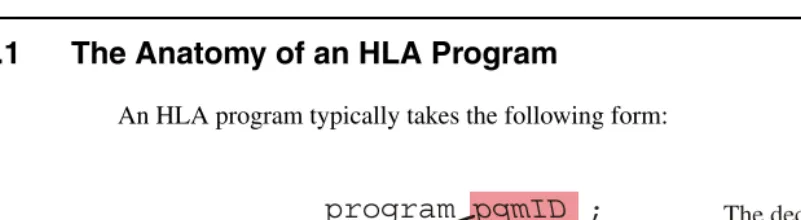
2.1 The Anatomy of an HLA Program ... 11
2.2 Some Basic HLA Data Declarations ... 12
2.3 Boolean Values ... 14
2.4 Character Values ... 15
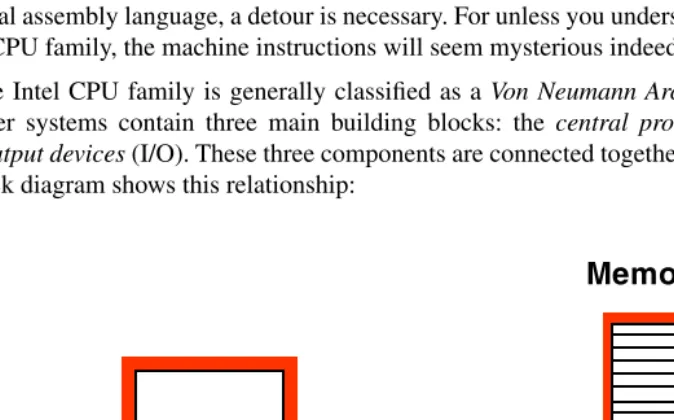
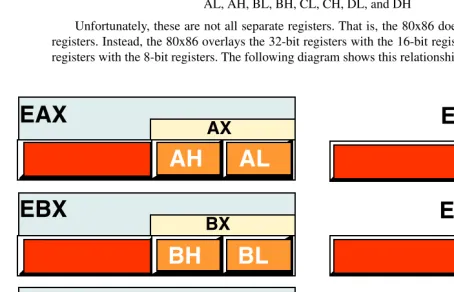
2.5 An Introduction to the Intel 80x86 CPU Family ... 15
2.6 Some Basic Machine Instructions ... 18
2.7 Some Basic HLA Control Structures ... 21
2.7.1 Boolean Expressions in HLA Statements ... 21
2.7.2 The HLA IF..THEN..ELSEIF..ELSE..ENDIF Statement ... 23
2.7.3 The WHILE..ENDWHILE Statement ... 24
2.7.4 The FOR..ENDFOR Statement ... 25
2.7.5 The REPEAT..UNTIL Statement ... 26
2.7.6 The BREAK and BREAKIF Statements ... 27
2.7.7 The FOREVER..ENDFOR Statement ... 27
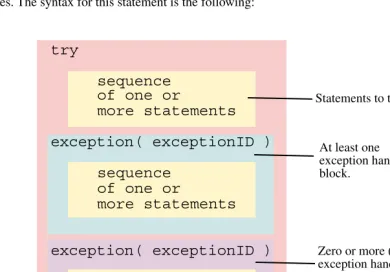
2.7.8 The TRY..EXCEPTION..ENDTRY Statement ... 28
2.8 Introduction to the HLA Standard Library ... 29
2.8.1 Predefined Constants in the STDIO Module ... 30
2.8.2 Standard In and Standard Out ... 31
2.8.3 The stdout.newln Routine ... 31
2.8.4 The stdout.putiX Routines ... 31
2.8.5 The stdout.putiXSize Routines ... 32
2.8.6 The stdout.put Routine ... 33
2.8.7 The stdin.getc Routine. ... 34
2.8.8 The stdin.getiX Routines ... 35
2.8.9 The stdin.readLn and stdin.flushInput Routines ... 36
2.8.10 The stdin.get Macro ... 37
2.9 Putting It All Together ... 38
2.10 Sample Programs ... 38
2.10.1 Powers of Two Table Generation ... 38
AoATOC.fm
2.10.3 Fibonocci Number Generation ... 41
3.1 Chapter Overview ... 43
3.2 Numbering Systems ... 43
3.2.1 A Review of the Decimal System ... 43
3.2.2 The Binary Numbering System ... 44
3.2.3 Binary Formats ... 45
3.3 Data Organization ... 46
3.3.1 Bits ... 46
3.3.2 Nibbles ... 46
3.3.3 Bytes ... 47
3.3.4 Words ... 48
3.3.5 Double Words ... 49
3.4 The Hexadecimal Numbering System ... 50
3.5 Arithmetic Operations on Binary and Hexadecimal Numbers ... 52
3.6 A Note About Numbers vs. Representation ... 53
3.7 Logical Operations on Bits ... 55
3.8 Logical Operations on Binary Numbers and Bit Strings ... 57
3.9 Signed and Unsigned Numbers ... 59
3.10 Sign Extension, Zero Extension, Contraction, and Saturation ... 63
3.11 Shifts and Rotates ... 66
3.12 Bit Fields and Packed Data ... 71
3.13 Putting It All Together ... 74
4.1 Chapter Overview ... 77
4.2 An Introduction to Floating Point Arithmetic ... 77
4.2.1 IEEE Floating Point Formats ... 80
4.2.2 HLA Support for Floating Point Values ... 83
4.3 Binary Coded Decimal (BCD) Representation ... 85
4.4 Characters ... 86
4.4.1 The ASCII Character Encoding ... 87
4.4.2 HLA Support for ASCII Characters ... 90
4.4.3 The ASCII Character Set ... 93
4.5 The UNICODE Character Set ... 98
4.6 Other Data Representations ... 98
4.6.1 Representing Colors on a Video Display ... 98
4.6.2 Representing Audio Information ... 100
4.6.3 Representing Musical Information ... 104
4.6.4 Representing Video Information ... 105
4.6.5 Where to Get More Information About Data Types ... 105
4.7 Putting It All Together ... 106
5.1 Questions ... 109
5.2 Programming Projects for Chapter Two ... 114
5.5 Laboratory Exercises for Chapter Two ... 117
5.5.1 A Short Note on Laboratory Exercises and Lab Reports ... 117
Hello, World of Assembly Language
5.5.3 What’s Included in the HLA Distribution Package ... 119
5.5.4 Using the HLA Compiler ... 121
5.5.5 Compiling Your First Program ... 121
5.5.6 Compiling Other Programs Appearing in this Chapter ... 123
5.5.7 Creating and Modifying HLA Programs ... 123
5.5.8 Writing a New Program ... 124
5.5.9 Correcting Errors in an HLA Program ... 125
5.5.10 Write Your Own Sample Program ... 125
5.6 Laboratory Exercises for Chapter Three and Chapter Four ... 126
5.6.1 Data Conversion Exercises ... 126
5.6.2 Logical Operations Exercises ... 127
5.6.3 Sign and Zero Extension Exercises ... 127
5.6.4 Packed Data Exercises ... 128
5.6.5 Running this Chapter’s Sample Programs ... 128
5.6.6 Write Your Own Sample Program ... 128
1.1 Chapter Overview ... 131
1.2 The Basic System Components ... 131
1.2.1 The System Bus ... 132
1.2.1.1 The Data Bus ... 132
1.2.1.2 The Address Bus ... 133
1.2.1.3 The Control Bus ... 134
1.2.2 The Memory Subsystem ... 135
1.2.3 The I/O Subsystem ... 141
1.3 HLA Support for Data Alignment ... 141
1.4 System Timing ... 144
1.4.1 The System Clock ... 144
1.4.2 Memory Access and the System Clock ... 145
1.4.3 Wait States ... 146
1.4.4 Cache Memory ... 147
1.5 Putting It All Together ... 150
2.1 Chapter Overview ... 151
2.2 The 80x86 Addressing Modes ... 151
2.2.1 80x86 Register Addressing Modes ... 151
2.2.2 80x86 32-bit Memory Addressing Modes ... 152
2.2.2.1 The Displacement Only Addressing Mode ... 152
2.2.2.2 The Register Indirect Addressing Modes ... 153
2.2.2.3 Indexed Addressing Modes ... 154
2.2.2.4 Variations on the Indexed Addressing Mode ... 155
2.2.2.5 Scaled Indexed Addressing Modes ... 157
2.2.2.6 Addressing Mode Wrap-up ... 158
2.3 Run-Time Memory Organization ... 158
2.3.1 The Code Section ... 159
2.3.2 The Read-Only Data Section ... 160
2.3.3 The Storage Section ... 161
2.3.4 The Static Sections ... 161
2.3.5 The NOSTORAGE Attribute ... 162
2.3.6 The Var Section ... 162
AoATOC.fm
2.4 Address Expressions ... 164
2.5 Type Coercion ... 166
2.6 Register Type Coercion ... 168
2.7 The Stack Segment and the Push and Pop Instructions ... 169
2.7.1 The Basic PUSH Instruction ... 169
2.7.2 The Basic POP Instruction ... 170
2.7.3 Preserving Registers With the PUSH and POP Instructions ... 172
2.7.4 The Stack is a LIFO Data Structure ... 172
2.7.5 Other PUSH and POP Instructions ... 175
2.7.6 Removing Data From the Stack Without Popping It ... 176
2.7.7 Accessing Data You’ve Pushed on the Stack Without Popping It . 178 2.8 Dynamic Memory Allocation and the Heap Segment ... 180
2.9 The INC and DEC Instructions ... 183
2.10 Obtaining the Address of a Memory Object ... 183
2.11 Bonus Section: The HLA Standard Library CONSOLE Module ... 184
2.11.1 Clearing the Screen ... 184
2.11.2 Positioning the Cursor ... 185
2.11.3 Locating the Cursor ... 186
2.11.4 Text Attributes ... 188
2.11.5 Filling a Rectangular Section of the Screen ... 190
2.11.6 Console Direct String Output ... 191
2.11.7 Other Console Module Routines ... 193
2.12 Putting It All Together ... 193
3.1 Chapter Overview ... 195
3.2 Boolean Algebra ... 195
3.3 Boolean Functions and Truth Tables ... 197
3.4 Algebraic Manipulation of Boolean Expressions ... 200
3.5 Canonical Forms ... 201
3.6 Simplification of Boolean Functions ... 206
3.7 What Does This Have To Do With Computers, Anyway? ... 213
3.7.1 Correspondence Between Electronic Circuits and Boolean Functions 213 3.7.2 Combinatorial Circuits ... 215
3.7.3 Sequential and Clocked Logic ... 220
3.8 Okay, What Does It Have To Do With Programming, Then? ... 223
3.9 Putting It All Together ... 224
4.1 Chapter Overview ... 225
4.2 The History of the 80x86 CPU Family ... 225
4.3 A History of Software Development for the x86 ... 231
4.4 Basic CPU Design ... 235
4.5 Decoding and Executing Instructions: Random Logic Versus Microcode 237 4.6 RISC vs. CISC vs. VLIW ... 238
4.7 Instruction Execution, Step-By-Step ... 240
Hello, World of Assembly Language
4.8.1 The Prefetch Queue – Using Unused Bus Cycles ... 245
4.8.2 Pipelining – Overlapping the Execution of Multiple Instructions . 249
4.8.2.1 A Typical Pipeline ... 249
4.8.2.2 Stalls in a Pipeline ... 251
4.8.3 Instruction Caches – Providing Multiple Paths to Memory ... 252
4.8.4 Hazards ... 254
4.8.5 Superscalar Operation– Executing Instructions in Parallel ... 255
4.8.6 Out of Order Execution ... 257
4.8.7 Register Renaming ... 257
4.8.8 Very Long Instruction Word Architecture (VLIW) ... 258
4.8.9 Parallel Processing ... 258
4.8.10 Multiprocessing ... 259
4.9 Putting It All Together ... 260
5.1 Chapter Overview ... 261
5.2 The Importance of the Design of the Instruction Set ... 261
5.3 Basic Instruction Design Goals ... 262
5.4 The Y86 Hypothetical Processor ... 267
5.4.1 Addressing Modes on the Y86 ... 269
5.4.2 Encoding Y86 Instructions ... 270
5.4.3 Hand Encoding Instructions ... 272
5.4.4 Using an Assembler to Encode Instructions ... 275
5.4.5 Extending the Y86 Instruction Set ... 276
5.5 Encoding 80x86 Instructions ... 277
5.5.1 Encoding Instruction Operands ... 279
5.5.2 Encoding the ADD Instruction: Some Examples ... 284
5.5.3 Encoding Immediate Operands ... 289
5.5.4 Encoding Eight, Sixteen, and Thirty-Two Bit Operands ... 290
5.5.5 Alternate Encodings for Instructions ... 290
5.6 Putting It All Together ... 290
6.1 Chapter Overview ... 293
6.2 The Memory Hierarchy ... 293
6.3 How the Memory Hierarchy Operates ... 295
6.4 Relative Performance of Memory Subsystems ... 296
6.5 Cache Architecture ... 297
6.6 Virtual Memory, Protection, and Paging ... 302
6.7 Thrashing ... 304
6.8 NUMA and Peripheral Devices ... 305
6.9 Segmentation ... 305
6.10 Segments and HLA ... 306
6.11 User Defined Segments in HLA ... 309
6.12 Controlling the Placement and Attributes of Segments in Memory ... 310
6.13 Putting it All Together ... 314
7.1 Chapter Overview ... 315
AoATOC.fm
7.3 Read-Only, Write-Only, Read/Write, and Dual I/O Ports ... 316
7.4 I/O (Input/Output) Mechanisms ... 318
7.4.1 Memory Mapped Input/Output ... 318
7.4.2 I/O Mapped Input/Output ... 319
7.4.3 Direct Memory Access ... 320
7.5 I/O Speed Hierarchy ... 320
7.6 System Busses and Data Transfer Rates ... 321
7.7 The AGP Bus ... 323
7.8 Buffering ... 323
7.9 Handshaking ... 324
7.10 Time-outs on an I/O Port ... 326
7.11 Interrupts and Polled I/O ... 327
7.12 Using a Circular Queue to Buffer Input Data from an ISR ... 329
7.13 Using a Circular Queue to Buffer Output Data for an ISR ... 334
7.14 I/O and the Cache ... 336
7.15 Windows and Protected Mode Operation ... 337
7.16 Device Drivers ... 338
7.17 Putting It All Together ... 338
8.1 Questions ... 341
8.2 Programming Projects ... 347
8.3 Chapters One and Two Laboratory Exercises ... 349
8.3.1 Memory Organization Exercises ... 349
8.3.2 Data Alignment Exercises ... 350
8.3.3 Readonly Segment Exercises ... 353
8.3.4 Type Coercion Exercises ... 353
8.3.5 Dynamic Memory Allocation Exercises ... 354
8.4 Chapter Three Laboratory Exercises ... 355
8.4.1 Truth Tables and Logic Equations Exercises ... 356
8.4.2 Canonical Logic Equations Exercises ... 357
8.4.3 Optimization Exercises ... 358
8.4.4 Logic Evaluation Exercises ... 358
8.5 Laboratory Exercises for Chapters Four, Five, Six, and Seven ... 363
8.5.1 The SIMY86 Program – Some Simple Y86 Programs ... 363
8.5.2 Simple I/O-Mapped Input/Output Operations ... 366
8.5.3 Memory Mapped I/O ... 367
8.5.4 DMA Exercises ... 368
8.5.5 Interrupt Driven I/O Exercises ... 369
8.5.6 Machine Language Programming & Instruction Encoding Exercises 369 8.5.7 Self Modifying Code Exercises ... 371
8.5.8 Virtual Memory Exercise ... 373
1.1 Chapter Overview ... 377
1.2 Some Additional Instructions: INTMUL, BOUND, INTO ... 377
1.3 The QWORD and TBYTE Data Types ... 381
Hello, World of Assembly Language
1.4.1 Constant Types ... 384
1.4.2 String and Character Literal Constants ... 385
1.4.3 String and Text Constants in the CONST Section ... 386
1.4.4 Constant Expressions ... 387
1.4.5 Multiple CONST Sections and Their Order in an HLA Program .. 389
1.4.6 The HLA VAL Section ... 389
1.4.7 Modifying VAL Objects at Arbitrary Points in Your Programs .... 390
1.5 The HLA TYPE Section ... 391
1.6 ENUM and HLA Enumerated Data Types ... 392
1.7 Pointer Data Types ... 393
1.7.1 Using Pointers in Assembly Language ... 394
1.7.2 Declaring Pointers in HLA ... 395
1.7.3 Pointer Constants and Pointer Constant Expressions ... 395
1.7.4 Pointer Variables and Dynamic Memory Allocation ... 396
1.7.5 Common Pointer Problems ... 397
1.8 Putting It All Together ... 400
2.1 Chapter Overview ... 401
2.2 Composite Data Types ... 401
2.3 Character Strings ... 401
2.4 HLA Strings ... 403
2.5 Accessing the Characters Within a String ... 407
2.6 The HLA String Module and Other String-Related Routines ... 409
2.7 In-Memory Conversions ... 419
2.8 Putting It All Together ... 420
3.1 Chapter Overview ... 421
3.2 The HLA Standard Library CHARS.HHF Module ... 421
3.3 Character Sets ... 423
3.4 Character Set Implementation in HLA ... 424
3.5 HLA Character Set Constants and Character Set Expressions ... 425
3.6 The IN Operator in HLA HLL Boolean Expressions ... 426
3.7 Character Set Support in the HLA Standard Library ... 427
3.8 Using Character Sets in Your HLA Programs ... 429
3.9 Low-level Implementation of Set Operations ... 431
3.9.1 Character Set Functions That Build Sets ... 431
3.9.2 Traditional Set Operations ... 437
3.9.3 Testing Character Sets ... 440
3.10 Putting It All Together ... 443
4.1 Chapter Overview ... 445
4.2 Arrays ... 445
4.3 Declaring Arrays in Your HLA Programs ... 446
4.4 HLA Array Constants ... 446
4.5 Accessing Elements of a Single Dimension Array ... 447
AoATOC.fm
4.6 Multidimensional Arrays ... 450
4.6.1 Row Major Ordering ... 451
4.6.2 Column Major Ordering ... 454
4.7 Allocating Storage for Multidimensional Arrays ... 455
4.8 Accessing Multidimensional Array Elements in Assembly Language ... 457
4.9 Large Arrays and MASM ... 458
4.10 Dynamic Arrays in Assembly Language ... 458
4.11 HLA Standard Library Array Support ... 460
4.12 Putting It All Together ... 462
5.1 Chapter Overview ... 465
5.2 Records ... 465
5.3 Record Constants ... 467
5.4 Arrays of Records ... 468
5.5 Arrays/Records as Record Fields ... 468
5.6 Controlling Field Offsets Within a Record ... 471
5.7 Aligning Fields Within a Record ... 472
5.8 Pointers to Records ... 473
5.9 Unions ... 474
5.10 Anonymous Unions ... 476
5.11 Variant Types ... 477
5.12 Namespaces ... 477
5.13 Putting It All Together ... 480
6.1 Chapter Overview ... 481
6.2 Dates ... 481
6.3 A Brief History of the Calendar ... 482
6.4 HLA Date Functions ... 485
6.4.1 date.IsValid and date.validate ... 485
6.4.2 Checking for Leap Years ... 486
6.4.3 Obtaining the System Date ... 489
6.4.4 Date to String Conversions and Date Output ... 489
6.4.5 date.unpack and data.pack ... 491
6.4.6 date.Julian, date.fromJulian ... 492
6.4.7 date.datePlusDays, date.datePlusMonths, and date.daysBetween . 492
6.4.8 date.dayNumber, date.daysLeft, and date.dayOfWeek ... 493
6.5 Times ... 493
6.5.1 time.curTime ... 494
6.5.2 time.hmsToSecs and time.secstoHMS ... 494
6.5.3 Time Input/Output ... 495
6.6 Putting It All Together ... 496
7.1 Chapter Overview ... 497
7.2 File Organization ... 497
7.2.1 Files as Lists of Records ... 497
Hello, World of Assembly Language
7.3 Sequential Files ... 500
7.4 Random Access Files ... 506
7.5 ISAM (Indexed Sequential Access Method) Files ... 510
7.6 Truncating a File ... 512
7.7 File Utility Routines ... 514
7.7.1 Copying, Moving, and Renaming Files ... 514
7.7.2 Computing the File Size ... 516
7.7.3 Deleting Files ... 517
7.8 Directory Operations ... 518
7.9 Putting It All Together ... 518
8.1 Chapter Overview ... 521
8.2 Procedures ... 521
8.3 Saving the State of the Machine ... 523
8.4 Prematurely Returning from a Procedure ... 526
8.5 Local Variables ... 527
8.6 Other Local and Global Symbol Types ... 531
8.7 Parameters ... 532
8.7.1 Pass by Value ... 532
8.7.2 Pass by Reference ... 535
8.8 Functions and Function Results ... 537
8.8.1 Returning Function Results ... 537
8.8.2 Instruction Composition in HLA ... 538
8.8.3 The HLA RETURNS Option in Procedures ... 540
8.9 Side Effects ... 542
8.10 Recursion ... 543
8.11 Forward Procedures ... 546
8.12 Putting It All Together ... 547
9.1 Chapter Overview ... 549
9.2 Managing Large Programs ... 549
9.3 The #INCLUDE Directive ... 549
9.4 Ignoring Duplicate Include Operations ... 551
9.5 UNITs and the EXTERNAL Directive ... 551
9.5.1 Behavior of the EXTERNAL Directive ... 555
9.5.2 Header Files in HLA ... 556
9.6 Make Files ... 557
9.7 Code Reuse ... 560
9.8 Creating and Managing Libraries ... 561
9.9 Name Space Pollution ... 563
9.10 Putting It All Together ... 564
10.1 Chapter Overview ... 567
10.2 80x86 Integer Arithmetic Instructions ... 567
AoATOC.fm
10.2.2 The DIV and IDIV Instructions ... 569
10.2.3 The CMP Instruction ... 572
10.2.4 The SETcc Instructions ... 573
10.2.5 The TEST Instruction ... 576
10.3 Arithmetic Expressions ... 577
10.3.1 Simple Assignments ... 577
10.3.2 Simple Expressions ... 578
10.3.3 Complex Expressions ... 579
10.3.4 Commutative Operators ... 583
10.4 Logical (Boolean) Expressions ... 584
10.5 Machine and Arithmetic Idioms ... 586
10.5.1 Multiplying without MUL, IMUL, or INTMUL ... 586
10.5.2 Division Without DIV or IDIV ... 587
10.5.3 Implementing Modulo-N Counters with AND ... 587
10.5.4 Careless Use of Machine Idioms ... 588
10.6 The HLA (Pseudo) Random Number Unit ... 588
10.7 Putting It All Together ... 590
11.1 Chapter Overview ... 591
11.2 Floating Point Arithmetic ... 591
11.2.1 FPU Registers ... 591
11.2.1.1 FPU Data Registers ... 592
11.2.1.2 The FPU Control Register ... 592
11.2.1.3 The FPU Status Register ... 595
11.2.2 FPU Data Types ... 598
11.2.3 The FPU Instruction Set ... 599
11.2.4 FPU Data Movement Instructions ... 599
11.2.4.1 The FLD Instruction ... 599
11.2.4.2 The FST and FSTP Instructions ... 600
11.2.4.3 The FXCH Instruction ... 601
11.2.5 Conversions ... 601
11.2.5.1 The FILD Instruction ... 601
11.2.5.2 The FIST and FISTP Instructions ... 602
11.2.5.3 The FBLD and FBSTP Instructions ... 602
11.2.6 Arithmetic Instructions ... 603
11.2.6.1 The FADD and FADDP Instructions ... 603
11.2.6.2 The FSUB, FSUBP, FSUBR, and FSUBRP Instructions .... 603
11.2.6.3 The FMUL and FMULP Instructions ... 604
11.2.6.4 The FDIV, FDIVP, FDIVR, and FDIVRP Instructions ... 605
11.2.6.5 The FSQRT Instruction ... 605
11.2.6.6 The FPREM and FPREM1 Instructions ... 606
11.2.6.7 The FRNDINT Instruction ... 606
11.2.6.8 The FABS Instruction ... 607
11.2.6.9 The FCHS Instruction ... 607
11.2.7 Comparison Instructions ... 607
11.2.7.1 The FCOM, FCOMP, and FCOMPP Instructions ... 608
11.2.7.2 The FTST Instruction ... 609
11.2.8 Constant Instructions ... 609
11.2.9 Transcendental Instructions ... 609
Hello, World of Assembly Language
11.2.9.2 The FSIN, FCOS, and FSINCOS Instructions ... 610
11.2.9.3 The FPTAN Instruction ... 610
11.2.9.4 The FPATAN Instruction ... 610
11.2.9.5 The FYL2X Instruction ... 610
11.2.9.6 The FYL2XP1 Instruction ... 610
11.2.10 Miscellaneous instructions ... 611
11.2.10.1 The FINIT and FNINIT Instructions ... 611
11.2.10.2 The FLDCW and FSTCW Instructions ... 611
11.2.10.3 The FCLEX and FNCLEX Instructions ... 611
11.2.10.4 The FSTSW and FNSTSW Instructions ... 612
11.2.11 Integer Operations ... 612
11.3 Converting Floating Point Expressions to Assembly Language ... 612
11.3.1 Converting Arithmetic Expressions to Postfix Notation ... 613
11.3.2 Converting Postfix Notation to Assembly Language ... 615
11.3.3 Mixed Integer and Floating Point Arithmetic ... 616
11.4 HLA Standard Library Support for Floating Point Arithmetic ... 617
11.4.1 The stdin.getf and fileio.getf Functions ... 617
11.4.2 Trigonometric Functions in the HLA Math Library ... 617
11.4.3 Exponential and Logarithmic Functions in the HLA Math Library 618 11.5 Sample Program ... 619
11.6 Putting It All Together ... 624
12.1 Chapter Overview ... 625
12.2 Tables ... 625
12.2.1 Function Computation via Table Look-up ... 625
12.2.2 Domain Conditioning ... 628
12.2.3 Generating Tables ... 629
12.3 High Performance Implementation of cs.rangeChar ... 632
13.1 Questions ... 641
13.2 Programming Projects ... 648
13.3 Laboratory Exercises ... 655
13.3.1 Using the BOUND Instruction to Check Array Indices ... 655
13.3.2 Using TEXT Constants in Your Programs ... 658
13.3.3 Constant Expressions Lab Exercise ... 660
13.3.4 Pointers and Pointer Constants Exercises ... 662
13.3.5 String Exercises ... 663
13.3.6 String and Character Set Exercises ... 665
13.3.7 Console Array Exercise ... 669
13.3.8 Multidimensional Array Exercises ... 671
13.3.9 Console Attributes Laboratory Exercise ... 674
13.3.10 Records, Arrays, and Pointers Laboratory Exercise ... 676
13.3.11 Separate Compilation Exercises ... 682
13.3.12 The HLA (Pseudo) Random Number Unit ... 688
13.3.13 File I/O in HLA ... 689
13.3.14 Timing Various Arithmetic Instructions ... 690
13.3.15 Using the RDTSC Instruction to Time a Code Sequence ... 693
13.3.16 Timing Floating Point Instructions ... 697
13.3.17 Table Lookup Exercise ... 700
AoATOC.fm
1.2 Conjunction, Disjunction, and Negation in Boolean Expressions ... 705
1.3 TRY..ENDTRY ... 707
1.3.1 Nesting TRY..ENDTRY Statements ... 708
1.3.2 The UNPROTECTED Clause in a TRY..ENDTRY Statement ... 710
1.3.3 The ANYEXCEPTION Clause in a TRY..ENDTRY Statement ... 713
1.3.4 Raising User-Defined Exceptions ... 713
1.3.5 Reraising Exceptions in a TRY..ENDTRY Statement ... 715
1.3.6 A List of the Predefined HLA Exceptions ... 715
1.3.7 How to Handle Exceptions in Your Programs ... 715
1.3.8 Registers and the TRY..ENDTRY Statement ... 717
1.4 BEGIN..EXIT..EXITIF..END ... 718
1.5 CONTINUE..CONTINUEIF ... 723
1.6 SWITCH..CASE..DEFAULT..ENDSWITCH ... 725
1.7 Putting It All Together ... 727
2.1 Chapter Overview ... 729
2.2 Low Level Control Structures ... 729
2.3 Statement Labels ... 729
2.4 Unconditional Transfer of Control (JMP) ... 731
2.5 The Conditional Jump Instructions ... 733
2.6 “Medium-Level” Control Structures: JT and JF ... 736
2.7 Implementing Common Control Structures in Assembly Language ... 736
2.8 Introduction to Decisions ... 736
2.8.1 IF..THEN..ELSE Sequences ... 738
2.8.2 Translating HLA IF Statements into Pure Assembly Language .... 741
2.8.3 Implementing Complex IF Statements Using Complete Boolean Evaluation 745 2.8.4 Short Circuit Boolean Evaluation ... 746
2.8.5 Short Circuit vs. Complete Boolean Evaluation ... 747
2.8.6 Efficient Implementation of IF Statements in Assembly Language 749 2.8.7 SWITCH/CASE Statements ... 752
2.9 State Machines and Indirect Jumps ... 761
2.10 Spaghetti Code ... 763
2.11 Loops ... 763
2.11.1 While Loops ... 764
2.11.2 Repeat..Until Loops ... 765
2.11.3 FOREVER..ENDFOR Loops ... 766
2.11.4 FOR Loops ... 766
2.11.5 The BREAK and CONTINUE Statements ... 767
2.11.6 Register Usage and Loops ... 771
2.12 Performance Improvements ... 772
2.12.1 Moving the Termination Condition to the End of a Loop ... 772
2.12.2 Executing the Loop Backwards ... 774
2.12.3 Loop Invariant Computations ... 775
2.12.4 Unraveling Loops ... 776
2.12.5 Induction Variables ... 777
Hello, World of Assembly Language
2.14 Putting It All Together ... 780
3.1 Chapter Overview ... 781
3.2 Procedures and the CALL Instruction ... 781
3.3 Procedures and the Stack ... 783
3.4 Activation Records ... 786
3.5 The Standard Entry Sequence ... 789
3.6 The Standard Exit Sequence ... 790
3.7 HLA Local Variables ... 791
3.8 Parameters ... 792
3.8.1 Pass by Value ... 793
3.8.2 Pass by Reference ... 793
3.8.3 Passing Parameters in Registers ... 794
3.8.4 Passing Parameters in the Code Stream ... 796
3.8.5 Passing Parameters on the Stack ... 798
3.8.5.1 Accessing Value Parameters on the Stack ... 800
3.8.5.2 Passing Value Parameters on the Stack ... 801
3.8.5.3 Accessing Reference Parameters on the Stack ... 806
3.8.5.4 Passing Reference Parameters on the Stack ... 808
3.8.5.5 Passing Formal Parameters as Actual Parameters ... 811
3.8.5.6 HLA Hybrid Parameter Passing Facilities ... 812
3.8.5.7 Mixing Register and Stack Based Parameters ... 814
3.9 Procedure Pointers ... 814
3.10 Procedural Parameters ... 816
3.11 Untyped Reference Parameters ... 817
3.12 Iterators and the FOREACH Loop ... 818
3.13 Sample Programs ... 820
3.13.1 Generating the Fibonacci Sequence Using an Iterator ... 820
3.13.2 Outer Product Computation with Procedural Parameters ... 822
3.14 Putting It All Together ... 825
4.1 Chapter Overview ... 827
4.2 Multiprecision Operations ... 827
4.2.1 Multiprecision Addition Operations ... 827
4.2.2 Multiprecision Subtraction Operations ... 830
4.2.3 Extended Precision Comparisons ... 831
4.2.4 Extended Precision Multiplication ... 834
4.2.5 Extended Precision Division ... 838
4.2.6 Extended Precision NEG Operations ... 846
4.2.7 Extended Precision AND Operations ... 847
4.2.8 Extended Precision OR Operations ... 848
4.2.9 Extended Precision XOR Operations ... 848
4.2.10 Extended Precision NOT Operations ... 848
4.2.11 Extended Precision Shift Operations ... 848
4.2.12 Extended Precision Rotate Operations ... 852
4.2.13 Extended Precision I/O ... 852
4.2.13.1 Extended Precision Hexadecimal Output ... 853
AoATOC.fm
4.2.13.3 Extended Precision Signed Decimal Output ... 856
4.2.13.4 Extended Precision Formatted I/O ... 857
4.2.13.5 Extended Precision Input Routines ... 858
4.2.13.6 Extended Precision Hexadecimal Input ... 861
4.2.13.7 Extended Precision Unsigned Decimal Input ... 865
4.2.13.8 Extended Precision Signed Decimal Input ... 869
4.3 Operating on Different Sized Operands ... 869
4.4 Decimal Arithmetic ... 870
4.4.1 Literal BCD Constants ... 872
4.4.2 The 80x86 DAA and DAS Instructions ... 872
4.4.3 The 80x86 AAA, AAS, AAM, and AAD Instructions ... 873
4.4.4 Packed Decimal Arithmetic Using the FPU ... 874
4.5 Sample Program ... 876
4.6 Putting It All Together ... 880
5.1 Chapter Overview ... 881
5.2 What is Bit Data, Anyway? ... 881
5.3 Instructions That Manipulate Bits ... 882
5.4 The Carry Flag as a Bit Accumulator ... 888
5.5 Packing and Unpacking Bit Strings ... 889
5.6 Coalescing Bit Sets and Distributing Bit Strings ... 892
5.7 Packed Arrays of Bit Strings ... 893
5.8 Searching for a Bit ... 895
5.9 Counting Bits ... 897
5.10 Reversing a Bit String ... 899
5.11 Merging Bit Strings ... 901
5.12 Extracting Bit Strings ... 901
5.13 Searching for a Bit Pattern ... 903
5.14 The HLA Standard Library Bits Module ... 904
5.15 Putting It All Together ... 905
6.1 Chapter Overview ... 907
6.2 The 80x86 String Instructions ... 907
6.2.1 How the String Instructions Operate ... 908
6.2.2 The REP/REPE/REPZ and REPNZ/REPNE Prefixes ... 908
6.2.3 The Direction Flag ... 909
6.2.4 The MOVS Instruction ... 910
6.2.5 The CMPS Instruction ... 915
6.2.6 The SCAS Instruction ... 918
6.2.7 The STOS Instruction ... 918
6.2.8 The LODS Instruction ... 919
6.2.9 Building Complex String Functions from LODS and STOS ... 919
6.3 Putting It All Together ... 920
6.1 Chapter Overview ... 921
6.2 Introduction to the Compile-Time Language (CTL) ... 921
Hello, World of Assembly Language
6.4 Compile-Time Constants and Variables ... 924
6.5 Compile-Time Expressions and Operators ... 924
6.6 Compile-Time Functions ... 927
6.6.1 Type Conversion Compile-time Functions ... 928
6.6.2 Numeric Compile-Time Functions ... 928
6.6.3 Character Classification Compile-Time Functions ... 929
6.6.4 Compile-Time String Functions ... 929
6.6.5 Compile-Time Pattern Matching Functions ... 929
6.6.6 Compile-Time Symbol Information ... 930
6.6.7 Compile-Time Expression Classification Functions ... 931
6.6.8 Miscellaneous Compile-Time Functions ... 932
6.6.9 Predefined Compile-Time Variables ... 932
6.6.10 Compile-Time Type Conversions of TEXT Objects ... 933
6.7 Conditional Compilation (Compile-Time Decisions) ... 934
6.8 Repetitive Compilation (Compile-Time Loops) ... 937
6.9 Putting It All Together ... 939
7.1 Chapter Overview ... 941
7.2 Macros (Compile-Time Procedures) ... 941
7.2.1 Standard Macros ... 941
7.2.2 Macro Parameters ... 943
7.2.2.1 Standard Macro Parameter Expansion ... 943
7.2.2.2 Macros with a Variable Number of Parameters ... 946
7.2.2.3 Required Versus Optional Macro Parameters ... 947
7.2.2.4 The "#(" and ")#" Macro Parameter Brackets ... 948
7.2.2.5 Eager vs. Deferred Macro Parameter Evaluation ... 949
7.2.3 Local Symbols in a Macro ... 952
7.2.4 Macros as Compile-Time Procedures ... 957
7.2.5 Multi-part (Context-Free) Macros ... 957
7.2.6 Simulating Function Overloading with Macros ... 962
7.3 Writing Compile-Time "Programs" ... 967
7.3.1 Constructing Data Tables at Compile Time ... 968
7.3.2 Unrolling Loops ... 971
7.4 Using Macros in Different Source Files ... 973
7.5 Putting It All Together ... 973
9.1 Chapter Overview ... 975
9.2 Introduction to DSELs in HLA ... 975
9.2.1 Implementing the Standard HLA Control Structures ... 975
9.2.1.1 The FOREVER Loop ... 976
9.2.1.2 The WHILE Loop ... 979
9.2.1.3 The IF Statement ... 981
9.2.2 The HLA SWITCH/CASE Statement ... 987
9.2.3 A Modified WHILE Loop ... 998
9.2.4 A Modified IF..ELSE..ENDIF Statement ... 1002
9.3 Sample Program: A Simple Expression Compiler ... 1007
9.4 Putting It All Together ... 1028
AoATOC.fm
10.2 General Principles ... 1029
10.3 Classes in HLA ... 1031
10.4 Objects ... 1033
10.5 Inheritance ... 1034
10.6 Overriding ... 1035
10.7 Virtual Methods vs. Static Procedures ... 1036
10.8 Writing Class Methods, Iterators, and Procedures ... 1037
10.9 Object Implementation ... 1040
10.9.1 Virtual Method Tables ... 1043
10.9.2 Object Representation with Inheritance ... 1045
10.10 Constructors and Object Initialization ... 1048
10.10.1 Dynamic Object Allocation Within the Constructor ... 1049
10.10.2 Constructors and Inheritance ... 1051
10.10.3 Constructor Parameters and Procedure Overloading ... 1054
10.11 Destructors ... 1055
10.12 HLA’s “_initialize_” and “_finalize_” Strings ... 1055
10.13 Abstract Methods ... 1060
10.14 Run-time Type Information (RTTI) ... 1062
10.15 Calling Base Class Methods ... 1064
10.16 Sample Program ... 1064
10.17 Putting It All Together ... 1081
11.1 Chapter Overview ... 1083
11.2 Determining if a CPU Supports the MMX Instruction Set ... 1083
11.3 The MMX Programming Environment ... 1084
11.3.1 The MMX Registers ... 1084
11.3.2 The MMX Data Types ... 1086
11.4 The Purpose of the MMX Instruction Set ... 1087
11.5 Saturation Arithmetic and Wraparound Mode ... 1087
11.6 MMX Instruction Operands ... 1088
11.7 MMX Technology Instructions ... 1092
11.7.1 MMX Data Transfer Instructions ... 1093
11.7.2 MMX Conversion Instructions ... 1093
11.7.3 MMX Packed Arithmetic Instructions ... 1100
11.7.4 MMX Logic Instructions ... 1102
11.7.5 MMX Comparison Instructions ... 1103
11.7.6 MMX Shift Instructions ... 1107
11.8 The EMMS Instruction ... 1108
11.9 The MMX Programming Paradigm ... 1109
11.10 Putting It All Together ... 1117
12.1 Chapter Overview ... 1119
12.2 Mixing HLA and MASM Code in the Same Program ... 1119
12.2.1 In-Line (MASM) Assembly Code in Your HLA Programs ... 1119
Hello, World of Assembly Language
12.3 Programming in Delphi and HLA ... 1125
12.3.1 Linking HLA Modules With Delphi Programs ... 1126
12.3.2 Register Preservation ... 1128
12.3.3 Function Results ... 1129
12.3.4 Calling Conventions ... 1135
12.3.5 Pass by Value, Reference, CONST, and OUT in Delphi ... 1139
12.3.6 Scalar Data Type Correspondence Between Delphi and HLA .... 1140
12.3.7 Passing String Data Between Delphi and HLA Code ... 1142
12.3.8 Passing Record Data Between HLA and Delphi ... 1144
12.3.9 Passing Set Data Between Delphi and HLA ... 1148
12.3.10 Passing Array Data Between HLA and Delphi ... 1148
12.3.11 Delphi Limitations When Linking with (Non-TASM) Assembly Code 1148 12.3.12 Referencing Delphi Objects from HLA Code ... 1149
12.4 Programming in C/C++ and HLA ... 1151
12.4.1 Linking HLA Modules With C/C++ Programs ... 1152
12.4.2 Register Preservation ... 1155
12.4.3 Function Results ... 1155
12.4.4 Calling Conventions ... 1155
12.4.5 Pass by Value and Reference in C/C++ ... 1158
12.4.6 Scalar Data Type Correspondence Between Delphi and HLA .... 1158
12.4.7 Passing String Data Between C/C++ and HLA Code ... 1160
12.4.8 Passing Record/Structure Data Between HLA and C/C++ ... 1160
12.4.9 Passing Array Data Between HLA and C/C++ ... 1161
12.5 Putting It All Together ... 1162
13.1 Questions ... 1163
13.2 Programming Problems ... 1171
13.3 Laboratory Exercises ... 1180
13.3.1 Dynamically Nested TRY..ENDTRY Statements ... 1181
13.3.2 The TRY..ENDTRY Unprotected Section ... 1182
13.3.3 Performance of SWITCH Statement ... 1183
13.3.4 Complete Versus Short Circuit Boolean Evaluation ... 1187
13.3.5 Conversion of High Level Language Statements to Pure Assembly 1190 13.3.6 Activation Record Exercises ... 1190
13.3.6.1 Automatic Activation Record Generation and Access ... 1190
13.3.6.2 The _vars_ and _parms_ Constants ... 1192
13.3.6.3 Manually Constructing an Activation Record ... 1194
13.3.7 Reference Parameter Exercise ... 1196
13.3.8 Procedural Parameter Exercise ... 1199
13.3.9 Iterator Exercises ... 1202
13.3.10 Performance of Multiprecision Multiplication and Division Operations 1205 13.3.11 Performance of the Extended Precision NEG Operation ... 1205
13.3.12 Testing the Extended Precision Input Routines ... 1206
13.3.13 Illegal Decimal Operations ... 1206
13.3.14 MOVS Performance Exercise #1 ... 1206
13.3.15 MOVS Performance Exercise #2 ... 1208
13.3.16 Memory Performance Exercise ... 1210
13.3.17 The Performance of Length-Prefixed vs. Zero-Terminated Strings 1211 13.3.18 Introduction to Compile-Time Programs ... 1217
13.3.19 Conditional Compilation and Debug Code ... 1218
AoATOC.fm
13.3.21 Demonstration of Compile-Time Loops (#while) ... 1222
13.3.22 Writing a Trace Macro ... 1224
13.3.23 Overloading ... 1226
13.3.24 Multi-part Macros and RatASM (Rational Assembly) ... 1229
13.3.25 Virtual Methods vs. Static Procedures in a Class ... 1232
13.3.26 Using the _initialize_ and _finalize_ Strings in a Program ... 1235
13.3.27 Using RTTI in a Program ... 1237
1.1 Chapter Overview ... 1247
1.2 First Class Objects ... 1247
1.3 Thunks ... 1249
1.4 Initializing Thunks ... 1250
1.5 Manipulating Thunks ... 1251
1.5.1 Assigning Thunks ... 1251
1.5.2 Comparing Thunks ... 1252
1.5.3 Passing Thunks as Parameters ... 1252
1.5.4 Returning Thunks as Function Results ... 1254
1.6 Activation Record Lifetimes and Thunks ... 1256
1.7 Comparing Thunks and Objects ... 1257
1.8 An Example of a Thunk Using the Fibonacci Function ... 1257
1.9 Thunks and Artificial Intelligence Code ... 1262
1.10 Thunks as Triggers ... 1263
1.11 Jumping Out of a Thunk ... 1267
1.12 Handling Exceptions with Thunks ... 1269
1.13 Using Thunks in an Appropriate Manner ... 1270
1.14 Putting It All Together ... 1270
2.1 Chapter Overview ... 1271
2.2 Iterators ... 1271
2.2.1 Implementing Iterators Using In-Line Expansion ... 1273
2.2.2 Implementing Iterators with Resume Frames ... 1274
2.3 Other Possible Iterator Implementations ... 1279
2.4 Breaking Out of a FOREACH Loop ... 1282
2.5 An Iterator Implementation of the Fibonacci Number Generator ... 1282
2.6 Iterators and Recursion ... 1289
2.7 Calling Other Procedures Within an Iterator ... 1292
2.8 Iterators Within Classes ... 1292
2.9 Putting It Altogether ... 1292
3.1 Chapter Overview ... 1293
3.2 Coroutines ... 1293
3.3 Parameters and Register Values in Coroutine Calls ... 1298
3.4 Recursion, Reentrancy, and Variables ... 1299
3.5 Generators ... 1301
Hello, World of Assembly Language
3.7 Putting It All Together ... 1304
4.1 Chapter Overview ... 1305
4.2 Parameters ... 1305
4.3 Where You Can Pass Parameters ... 1305
4.3.1 Passing Parameters in (Integer) Registers ... 1306
4.3.2 Passing Parameters in FPU and MMX Registers ... 1309
4.3.3 Passing Parameters in Global Variables ... 1310
4.3.4 Passing Parameters on the Stack ... 1310
4.3.5 Passing Parameters in the Code Stream ... 1315
4.3.6 Passing Parameters via a Parameter Block ... 1317
4.4 How You Can Pass Parameters ... 1318
4.4.1 Pass by Value-Result ... 1318
4.4.2 Pass by Result ... 1323
4.4.3 Pass by Name ... 1324
4.4.4 Pass by Lazy-Evaluation ... 1326
4.5 Passing Parameters as Parameters to Another Procedure ... 1327
4.5.1 Passing Reference Parameters to Other Procedures ... 1327
4.5.2 Passing Value-Result and Result Parameters as Parameters ... 1328
4.5.3 Passing Name Parameters to Other Procedures ... 1329
4.5.4 Passing Lazy Evaluation Parameters as Parameters ... 1330
4.5.5 Parameter Passing Summary ... 1330
4.6 Variable Parameter Lists ... 1331
4.7 Function Results ... 1333
4.7.1 Returning Function Results in a Register ... 1333
4.7.2 Returning Function Results on the Stack ... 1334
4.7.3 Returning Function Results in Memory Locations ... 1334
4.7.4 Returning Large Function Results ... 1335
4.8 Putting It All Together ... 1335
5.1 Chapter Overview ... 1337
5.2 Lexical Nesting, Static Links, and Displays ... 1337
5.2.1 Scope ... 1337
5.2.2 Unit Activation, Address Binding, and Variable Lifetime ... 1338
5.2.3 Static Links ... 1339
5.2.4 Accessing Non-Local Variables Using Static Links ... 1343
5.2.5 Nesting Procedures in HLA ... 1345
5.2.6 The Display ... 1349
5.2.7 The 80x86 ENTER and LEAVE Instructions ... 1352
5.3 Passing Variables at Different Lex Levels as Parameters. ... 1355
5.3.1 Passing Parameters by Value ... 1355
5.3.2 Passing Parameters by Reference, Result, and Value-Result ... 1356
5.3.3 Passing Parameters by Name and Lazy-Evaluation in a Block Structured Language 1357 5.4 Passing Procedures as Parameters ... 1357
5.5 Faking Intermediate Variable Access ... 1357
5.6 Putting It All Together ... 1358
AoATOC.fm
6.2 Programming Problems ... 1362 6.3 Laboratory Exercises ... 1363 1.1 Introduction ... 1371 1.1.1 Intended Audience ... 1371 1.1.2 Readability Metrics ... 1371 1.1.3 How to Achieve Readability ... 1372 1.1.4 How This Document is Organized ... 1373 1.1.5 Guidelines, Rules, Enforced Rules, and Exceptions ... 1373 1.1.6 Source Language Concerns ... 1374 1.2 Program Organization ... 1374 1.2.1 Library Functions ... 1374 1.2.2 Common Object Modules ... 1375 1.2.3 Local Modules ... 1375 1.2.4 Program Make Files ... 1376 1.3 Module Organization ... 1377 1.3.1 Module Attributes ... 1377 1.3.1.1 Module Cohesion ... 1377 1.3.1.2 Module Coupling ... 1378 1.3.1.3 Physical Organization of Modules ... 1378 1.3.1.4 Module Interface ... 1379 1.4 Program Unit Organization ... 1380
1.4.1 Routine Cohesion ... 1380 1.4.2 Routine Coupling ... 1381 1.4.3 Routine Size ... 1381 1.5 Statement Organization ... 1382 1.5.1 Writing “Pure” Assembly Code ... 1382 1.5.2 Using HLA’s High Level Control Statements ... 1384 1.6 Comments ... 1389 1.6.1 What is a Bad Comment? ... 1390 1.6.2 What is a Good Comment? ... 1391 1.6.3 Endline vs. Standalone Comments ... 1392 1.6.4 Unfinished Code ... 1393 1.6.5 Cross References in Code to Other Documents ... 1394 1.7 Names, Instructions, Operators, and Operands ... 1395 1.7.1 Names ... 1395 1.7.1.1 Naming Conventions ... 1397 1.7.1.2 Alphabetic Case Considerations ... 1397 1.7.1.3 Abbreviations ... 1398 1.7.1.4 The Position of Components Within an Identifier ... 1399 1.7.1.5 Names to Avoid ... 1400 1.7.1.6 Special Identifers ... 1401 1.7.2 Instructions, Directives, and Pseudo-Opcodes ... 1402
1.7.2.1 Choosing the Best Instruction Sequence ... 1402 1.7.2.2 Control Structures ... 1403 1.7.2.3 Instruction Synonyms ... 1405 1.8 Data Types ... 1407
Hello, World of Assembly Language
Volume One: Data Representation
Chapter One: Foreword
An introduction to this text and the purpose behind this text.
Chapter Two: Hello, World of Assembly Language
A brief introduction to assembly language programming using the HLA language.
Chapter Three: Data Representation
A discussion of numeric representation on the computer.
Chapter Four: More Data Representation
Advanced numeric and non-numeric computer data rep-resentation.
Chapter Five: Questions, Projects, and Laboratory Exercises Test what you’ve learned in the previous chapters!
These five chapters are appropriate for all courses
teach-ing machteach-ing organization and assembly language
pro-gramming.
V
olume One:
D
D
a
a
t
t
a
a
R
R
e
e
p
p
r
r
e
e
s
s
e
e
n
n
t
t
a
a
t
t
i
i
o
o
n
Foreward
Chapter One
Nearly every text has a throw-away chapter as Chapter One. Here’s my version. Seriously, though, some important copyright, instructional, and support information appears in this chapter. So you’ll probably want to read this stuff. Instructors will definitely want to review this material.
•
Foreward to the HLA Version of “The Art of Assembly...”
In 1987 I began work on a text I entitled “How to Program the IBM PC, Using 8088 Assembly Language.” First, the 8088 faded into history, shortly thereafter the phrase “IBM PC” and even “IBM PC Compatible” became far less dominate in the industry, so I retitled the text “The Art of Assembly Language Programming.” I used this text in my courses at Cal Poly Pomona and UC Riverside for many years, getting good reviews on the text (not to mention lots of suggestions and corrections). Sometime around 1994-1995, I converted the text to HTML and posted an electronic version on the Internet. The rest, as they say is history. A week doesn’t go by that I don’t get several emails praising me for releasing such a fine text on the Internet. Indeed, I only hear three really big complaints about the text: (1) It’s a University textbook and some people don’t like to read text-books, (2) It’s 16-bit DOS-based, and (3) there isn’t a print version of the text. Well, I make no apologies for complaint #1. The whole reason I wrote the text was to support my courses at Cal Poly and UC Riverside. Complaint #2 is quite valid, that’s why I wrote this version of the text. As for complaint #3, it was really never cost effective to create a print version; publishers simply can-not justify printing a text 1,500 pages long with a limited market. Furthermore, having a print ver-sion would prevent me from updating the text at will for my courses.
The astute reader will note that I haven’t updated the electronic version of “The Art of Assem-bly Language Programming” (or “AoA”) since about 1996. If the whole reason for keeping the book in electronic form has been to make updating the text easy, why haven’t there been any updates? Well, the story is very similar to Knuth’s “The Art of Computer Programming” series: I was sidetracked by other projects1.
The static nature of AoA over the past several years was never really intended. During the 1995-1996 time frame, I decided it was time to make a major revision to AoA. The first version of AoA was MS-DOS based and by 1995 it was clear that MS-DOS was finally becoming obsolete; almost everyone except a few die-hards had switched over to Windows. So I knew that AoA needed an update for Windows, if nothing else.
I also took some time to evaluate my curriculum to see if I couldn’t improve the pedagogical (teaching) material to make it possible for my students to learn even more about 80x86 assembly language in a relatively short 10-week quarter.
One thing I’ve learned after teaching an assembly language course for over a decade is that support software makes all the difference in the world to students writing their first assembly lan-guage programs. When I first began teaching assembly lanlan-guage, my students had to write all their own I/O routines (including numeric to string conversions for numeric I/O). While one could argue that there is some value to having students write this code for themselves, I quickly discovered that they spent a large percentage of their project time over the quarter writing I/O routines. Each moment they spent writing these relatively low-level routines was one less moment available to them for learning more advanced assembly language programming techniques. While, I repeat, there is some value to learning how to write this type of code, it’s not all that related to assembly language programming (after all, the same type of problem has to be solved for any language that allows numeric I/O). I wanted to free the students from this drudgery so they could learn more about assembly language programming. The result of this observation was “The UCR Standard Library for 80x86 Assembly Language Programmers.” This is a library containing several hundred I/O and utility functions that students could use in their assembly language programs. More than
Chapter One Volume 1 nearly anything else, the UCR Standard Library improved the progress students made in my courses.
It should come as no surprise, then, that one of my first projects when rewriting AoA was to create a new, more powerful, version of the UCR Standard Library. This effort (the UCR Stdlib v2.0) ultimately failed (although you can still download the code written for v2.0 from http://web-ster.cs.ucr.edu). The problem was that I was trying to get MASM to do a little bit more than it was capable of and so the project was ultimately doomed.
To condense a really long story, I decided that I needed a new assembler. One that was power-ful enough to let me write the new Standard Library the way I felt it should be written. However, this new assembler should also make it much easier to learn assembly language; that is, it should relieve the students of some of the drudgery of assembly language programming just as the UCR Standard Library had. After three years of part-time effort, the end result was the “High Level Assembler,” or HLA.
HLA is a radical step forward in teaching assembly language. It combines the syntax of a high level language with the low-level programming capabilities of assembly language. Together with the HLA Standard Library, it makes learning and programming assembly language almost as easy as learning and programming a High Level Language like Pascal or C++. Although HLA isn’t the first attempt to create a hybrid high level/low level language, nor is it even the first attempt to create an assembly language with high level language syntax, it’s certainly the first complete system (with library and operating system support) that is suitable for teaching assembly language programming. Recent experiences in my own assembly language courses show that HLA is a major improvement over MASM and other traditional assemblers when teaching machine organization and assembly language programming.
The introduction of HLA is bound to raise lots of questions about its suitability to the task of teaching assembly language programming (as well it should). Today, the primary purpose of teach-ing assembly language programmteach-ing at the University level isn’t to produce a legion of assembly language programmers; it’s to teach machine organization and introduce students to machine archi-tecture. Few instructors realistically expect more than about 5% of their students to wind up work-ing in assembly language as their primary programmwork-ing language2. Doesn’t turning assembly language into a high level language defeat the whole purpose of the course? Well, if HLA let you write C/C++ or Pascal programs and attempted to call these programs “assembly language” then the answer would be “Yes, this defeats the purpose of the course.” However, despite the name and the high level (and very high level) features present in HLA, HLA is still assembly language. An HLA programmer still uses 80x86 machine instructions to accomplish most of the work. And those high level language statements that HLA provides are purely optional; the “purist” can use nothing but 80x86 assembly language, ignoring the high level statements that HLA provides. Those who argue that HLA is not true assembly language should note that Microsoft’s MASM and Inprise’s TASM both provide many of the high level control structures found in HLA3.
Perhaps the largest deviation from traditional assemblers that HLA makes is in the declaration of variables and data in a program. HLA uses a very Pascal-like syntax for variable, constant, type, and procedure declarations. However, this does not diminish the fact that HLA is an assembly lan-guage. After all, at the machine language (vs. assembly language) level, there is no such thing as a data declaration. Therefore, any syntax for data declaration is an abstraction of data representation in memory. I personally chose to use a syntax that would prove more familiar to my students than the traditional data declarations used by assemblers.
Indeed, perhaps the principle driving force in HLA’s design has been to leverage the student’s existing knowledge when teaching them assembly language. Keep in mind, when a student first learns assembly language programming, there is so much more for them to learn than a handful of 80x86 machine instructions and the machine language programming paradigm. They’ve got to learn assembler directives, how to declare variables, how to write and call procedures, how to com-ment their code, what constitutes good programming style in an assembly language program, etc.
2. My experience suggests that only about 10-20% of my students will ever write any assembly language again once they graduate; less than 5% ever become regular assembly language users.
3. Indeed, in some respects the MASM and TASM HLL control structures are actually higher level than HLA’s. I specifically
Foreward Unfortunately, with most assemblers, these concepts are completely different in assembly language than they are in a language like Pascal or C/C++. For example, the indentation techniques students master in order to write readable code in Pascal just don’t apply to (traditional) assembly language programs. That’s where HLA deviates from traditional assemblers. By using a high level syntax, HLA lets students leverage their high level language knowledge to write good readable programs. HLA will not let them avoid learning machine instructions, but it doesn’t force them to learn a whole new set of programming style guidelines, new ways to comment your code, new ways to cre-ate identifiers, etc. HLA lets them use the knowledge they already possess in those areas that really have little to do with assembly language programming so they can concentrate on learning the important issues in assembly language.
So let there be no question about it: HLA is an assembly language. It is not a high level lan-guage masquerading as an assembler4. However, it is a system that makes learning and using assembly language easier than ever before possible.
Some long-time assembly language programmers, and even many instructors, would argue that making a subject easier to learn diminishes the educational content. Students don’t get as much out of a course if they don’t have to work very hard at it. Certainly, students who don’t apply them-selves as well aren’t going to learn as much from a course. I would certainly agree that if HLA’s only purpose was to make it easier to learn a fixed amount of material in a course, then HLA would have the negative side-effect of reducing what the students learn in their course. However, the real purpose of HLA is to make the educational process more efficient; not so the students spend less time learning a fixed amount of material (although HLA could certainly achieve this), but to allow the students to learn the same amount of material in less time so they can use the additional time available to them to advance their study of assembly language. Remember what I said earlier about the UCR Standard Library- it’s introduction into my course allowed me to teach even more advanced topics in my course. The same is true, even more so, for HLA. Keep in mind, I’ve got ten weeks in a quarter. If using HLA lets me teach the same material in seven weeks that took ten weeks with MASM, I’m not going to dismiss the course after seven weeks. Instead, I’ll use this additional time to cover more advanced topics in assembly language programming. That’s the real benefit to using pedagogical tools like HLA.
Of course, once I’ve addressed the concerns of assembly language instructors and long-time assembly language programmers, the need arises to address questions a student might have about HLA. Without question, the number one concern my students have had is “If I spend all this time learning HLA, will I be able to use this knowledge once I get out of school?” A more blunt way of putting this is “Am I wasting my time learning HLA?” Let me address these questions three ways. First, as pointed out above, most people (instructors and experienced programmers) view learning assembly language as an educational process. Most students will probably never program full-time in assembly language, indeed, few programmers write more than a tiny fraction (less than 1%) of their code in assembly language. One of the main reasons most Universities require their students to take an assembly language course is so they will be familiar with the low-level operation of their machine and so they can appreciate what the compiler is doing for them (and help them to write better HLL code once they realize how the compiler processes HLL statements). HLA is an assembly language and learning HLA will certainly teach you the concepts of machine organiza-tion, the real purpose behind most assembly language courses.
The second point to ponder is that learning assembly language consists of two main activities; learning the assembler’s syntax and learning the assembly language programming paradigm (that is, learning to think in assembly language). Of these two, the second activity is, by far, the more dif-ficult. HLA, since it uses a high level language-like syntax, simplifies learning the assembly lan-guage syntax. HLA also simplifies the initial process of learning to program in assembly lanlan-guage by providing a crutch, the HLA high level statements, that allows students to use high level lan-guage semantics when writing their first programs. However, HLA does allow students to write “pure” assembly language programs, so a good instructor will ensure that they master the full assembly language programming paradigm before they complete the course. Once a student mas-ters the semantics (i.e., the programming paradigm) of assembly language, learning a new syntax is
Chapter One Volume 1 relatively easy. Therefore, a typical student should be able to pick up MASM in about a week after mastering HLA5.
As for the third and final point: to those that would argue that this is still extra effort that isn’t worthwhile, I would simply point out that none of the existing assemblers have more than a cursory level of compatibility. Yes, TASM can assemble most MASM programs, but the reverse is not true. And it’s certainly not the case that NASM, A86, GAS, MASM, and TASM let you write inter-changeable code. If you master the syntax of one of these assemblers and someone expects you to write code in a different assembler, you’re still faced with the prospect of having to learn the syntax of the new assembler. And that’s going to take you about a week (assuming the presence of well-written documentation). In this respect, HLA is no different than any of the other assemblers.
Having addressed these concerns you might have, it’s now time to move on and start teaching assembly language programming using HLA.
•
Intended Audience
No single textbook can be all things to all people. This text is no exception. I’ve geared this text and the accompanying software to University level students who’ve never previously learned assembly language programming. This is not to say that others cannot benefit from this work; it simply means that as I’ve had to make choices about the presentation, I’ve made choices that should prove most comfortable for this audience I’ve chosen.
A secondary audience who could benefit from this presentation is any motivated person that really wants to learn assembly language. Although I assume a certain level of mathematical matu-rity from the reader (i.e., high school algebra), most of the “tough math” in this textbook is inciden-tal to learning assembly language programming and you can easily skip over it without fear that you’ll miss too much. High school students and those who haven’t seen a school in 40 years have effectively used this text (and its DOS counterpart) to learn assembly language programming.
The organzation of this text reflects the diverse audience for which it is intended. For example, in a standard textbook each chapter typically has its own set of questions, programming exercises, and laboratory exercises. Since the primary audience for this text is Univeristy students, such peda-gogical material does appear within this text. However, recognizing that not everyone who reads this text wants to bother with this material (e.g., downloading it), this text moves such pedagogical material to the end of each volume in the text and places this material in a separate chapter. This is somewhat of an unusual organization, but I feel that University instructors can easily adapt to this organization and it saves burdening those who aren’t interested in this material.
One audience to whom this book is specifically not directed are those persons who are already comfortable programming in 80x86 assembly language. Undoubtedly, there is a lot of material such programmers will find of use in this textbook. However, my experience suggests that those who’ve already learned x86 assembly language with an assembler like MASM, TASM, or NASM rebel at the thought of having to relearn basic assembly language syntax (as they would to have to learn HLA). If you fall into this category, I humbly apologize for not writing a text more to your liking. However, my goal has always been to teach those who don’t already know assembly language, not extend the education of those who do. If you happen to fall into this category and you don’t partic-ularly like this text’s presentation, there is some good news: there are dozens of texts on assembly language programming that use MASM and TASM out there. So you don’t really need this one.
•
Teaching From This Text
The first thing any instructor will notice when reviewing this text is that it’s far too large for any reasonable course. That’s because assembly language courses generally come in two flavors: a machine organization course (more hardware oriented) and an assembly language programming course (more software oriented). No text that is “just the right size” is suitable for both types of