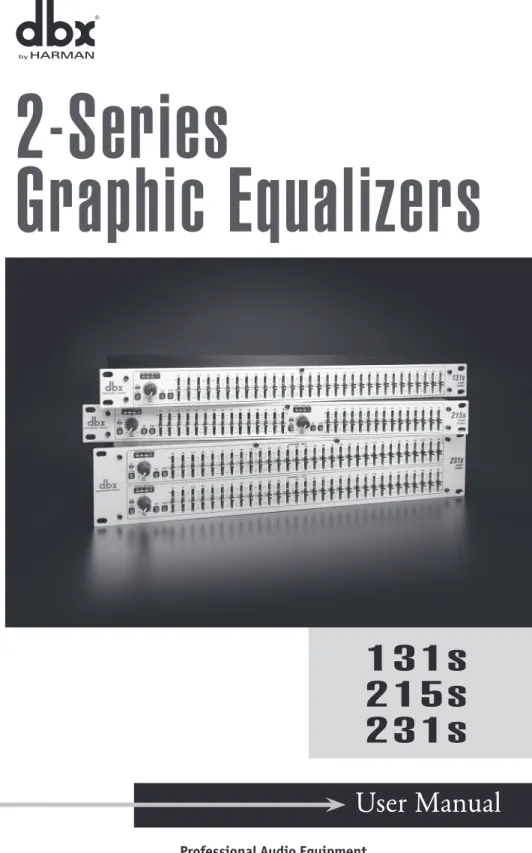
User Manual
2-Series
Graphic Equalizers
131s
215s
231s
Safety InStructIonS
Notice For customers iF Your uNit is equipped With A poWer cord.
WArNiNG: this AppLiANce must Be eArthed. the cores in the mains lead are coloured in accordance with the following code:
GreeN and YeLLoW - earth BLue - Neutral BroWN - Live As colours of the cores in the mains lead of this appliance may not correspond with the coloured markings identifying the terminals in your plug, proceed as follows:
• The core which is coloured green and yellow must be connected to the terminal in the plug marked with the letter E, or with the earth symbol, or coloured green, or green and yellow.
• The core which is coloured blue must be connected to the terminal marked N or coloured black.
• The core which is coloured brown must be connected to the terminal marked L or coloured red.
this equipment may require the use of a different line cord, attachment plug, or both, depending on the available power source at installation. If the attachment plug needs to be changed, refer servicing to qualified service personnel who should refer to the table below. The green/yellow wire shall be connected directly to the units chassis.
LIVE E NEUTRAL EARTH GND CONDUCTOR L N BROWN BLUE GREEN/YEL BLACK Normal Alt WIRE COLOR WHITE GREEN
WArNiNG: if the ground is defeated, certain fault conditions C A U T I O N
ATTENTION:RISQUE DE CHOC ELECTRIQUE - NE PAS OUVRIR W A R N I N G :T O R E D U C E T H E R I S K O F F I R E O R E L E C T R I C S H O C K D O N O T E X P O S E T H I S E Q U I P M E N T T O R A I N O R M O I S T U R E
RISK OF ELECTRIC SHOCK DO NOT OPEN
The symbols shown above are internationally accepted symbols that warn of potential hazards
with electrical products. the lightning flash with arrowpoint in an equilateral triangle means that there are dangerous voltages present within the unit. the exclamation point in an equilateral tri-angle indicates that it is necessary for the user to refer to the owner’s manual.
These symbols warn that there are no user ser
-viceable parts inside the unit. Do not open the
unit. do not attempt to service the unit yourself. refer all servicing to qualified personnel. opening the chassis for any reason will void the manufac-turer’s warranty. do not get the unit wet. if liquid is spilled on the unit, shut it off immediately and take it to a dealer for service. disconnect the unit during storms to prevent damage.
IMPortant Safety InStructIonS
WARNING FOR YOUR PROTECTIONREAD THE FOLLOWING:
KEEP THESE INSTRUCTIONS HEED ALL WARNINGS FOLLOW ALL INSTRUCTIONS
THE APPARATUS SHALL NOT bE ExPOSED TO DRIPPING OR SPLASH-ING LIqUID AND NO ObjECT FILLED WITH LIqUID, SUCH AS vASES, SHALL bE PLACED ON THE APPARATUS
CLEAN ONLY WITH A DRY CLOTH.
DO NOT bLOCK ANY OF THE vENTILATION OPENINGS. INSTALL IN ACCORDANCE WITH THE MANUFACTURER’S INSTRUCTIONS. DO NOT INSTALL NEAR ANY HEAT SOURCES SUCH AS RADIATORS, HEAT REGISTERS, STOvES, OR OTHER APPARATUS (INCLUDING AMPLIFIERS) THAT PRODUCE HEAT.
ONLY USE ATTACHMENTS/ACCESSORIES SPECIFIED bY THE MANUFACTURER.
UNPLUG THIS APPARATUS DURING LIGHTNING STORMS OR WHEN UNUSED FOR LONG PERIODS OF TIME.
Do not defeat the safety purpose of the polarized or grounding-type plug. A polarized plug has two blades with one wider than the other. A ground-ing type plug has two blades and a third groundground-ing prong. The wide blade or third prong are provided for your safety. If the provided plug does not fit your outlet, consult an electrician for replacement of the obsolete outlet. Protect the power cord from being walked on or pinched particularly at plugs, convenience receptacles, and the point where they exit from the apparatus.
Use only with the cart stand, tripod bracket, or table specified by the manufacture, or sold with the apparatus. When a cart is used, use cau-tion when moving the cart/apparatus combinacau-tion to avoid injury from tip-over.
Refer all servicing to qualified service personnel. Servicing is required when the apparatus has been damaged in any way, such as power-supply cord or plug is damaged, liquid has been spilled or objects have fallen into the apparatus, the apparatus has been exposed to rain or moisture, does not operate normally, or has been dropped.
POWER ON/OFF SWITCH: If the equipment has a Power switch, the Power switch used in this piece of equipment DOES NOT break the connection from the mains.
MAINS DISCONNECT: The plug shall remain readily operable. For rack-mount or installation where plug is not accessible, an all-pole mains switch with a contact separation of at least 3 mm in each pole shall be incorporated into the electrical installation of the rack or building.
FOR UNITS EqUIPPED WITH ExTERNALLY ACCESSIbLE FUSE RECEPTACLE: Replace fuse with same type and rating only.
U.K. MAINS PLUG WARNING
A molded mains plug that has been cut off from the cord is unsafe. Discard the mains plug at a suitable disposal facility. NEVER UNDER ANY CIRCUMSTANCES SHOULD YOU INSERT A DAMAGED OR CUT MAINS PLUG INTO A 13 AMP POWER SOCKET. Do not use the mains plug without the fuse cover in place. Replacement fuse covers can be obtained from your local retailer. Replacement fuses are 13 amps and MUST be ASTA approved to BS1362.LItHIuM Battery
WarnInG
cautIon!
This product may contain a lithium battery. There is danger of explosion if the battery is incorrectly
replaced. replace only with an eveready cr 2032 or
equivalent. Make sure the battery is installed with the correct polarity. Discard used batteries according to
manufacturer’s instructions.
aDVarSeL!
Lithiumbatteri - Eksplosjonsfare. Ved utskifting beny
-ttes kun batteri som anbefalt av apparatfabrikanten. Brukt batteri returneres apparatleverandøren.
aDVarSeL!
Lithiumbatteri - Eksplosionsfare ved fejlagtig håndter
-ing. Udskiftning må kun ske med batteri av samme fabrikat og type. Levér det brugte batteri tilbage til leverandøren.
VaroItuS!
paristo voi räjähtää, jos se on virheellisesti asennettu.
Vaihda paristo ainoastaan laitevalmistajan suosit -telemaan tyyppin. hävitä käytetty paristo valmistajan ohjeiden mukaisesti.
VarnInG!
Explosionsfara vid felaktigt batteribyte. Använd samma batterityp eller en ekvivalent typ som rekom
-menderas av apparattillverkaren. Kassera använt bat
-teri enligt fabrikantens instruktion.
IMPortant Safety InStructIonS
DecLaratIon of conforMIty
Manufacturer’s Name: dbx Professional Products
manufacturer’s Address: 8760 s. sandy parkway sandy, utah 84070, usA declares that the product:
Product name: dbx 131S, 215S, 231, 231S Note: Product name may be suf
-fixed by the EU.
product option: None
conforms to the following product specifications:
Safety: IEC 60065 -01+Amd 1
emc: EN 55022:2006 EN 55024:1998 FCC Part 15
supplementary information:
the product herewith complies with the requirements of the:
Low Voltage Directive 2006/95/EC EMC Directive 2004/108/EC. RoHS Directive 2002/95/EC WEEE Directive 2002/96/EC With regard to Directive 2005/32/EC and EC Regulation 1275/2008 of 17 December 2008, this product is
designed, produced, and classified as professional Audio equipment and thus is exempt from this directive. roger Johnsen
Vice-President of Engineering
8760 s. sandy parkway sandy, utah 84070, usA
Date: August 16, 2010
european contact:
Your local dbx Sales and
service office or harman music Group 8760 south sandy parkway sandy, utah 84070 usA
Ph: (801) 566-8800 Fax: (801) 568-7583
ELECTROMAGNETIC
COMPATIBILITY
This device complies with part 15 of the Fcc rules and the product specifications noted on the Declaration of Conformity. Operation is subject to the following two conditions:
• this device may not cause harmful interference, and
• this device must accept any interfer -ence received, including interfer-ence that may cause undesired operation. operation of this unit within significant electromagnetic fields should be avoided.
• use only shielded interconnecting cables.
If you want to dispose this product, do not mix it with general household waste. There is a separate collection system for used electronic products in accordance with legislation that requires proper treatment, recovery and recycling.
Private household in the 25 member states of the EU, in Switzerland and Norway may return their used electronic products free of charge to designated collection facilities or to a retailer (if you purchase a similar new one).
For Countries not mentioned above, please contact your local authorities for a correct method of disposal. By doing so you will ensure that your disposed product undergoes the necessary treatment, recovery and recycling and thus prevent potential negative effects on the environment and human health.
user Manual
2-Series
Table of Contents
Section 1 - Introduction ...6
Section 2 - Operating Controls ...7
Section 3 - Connecting the EQ to Your System ...8
Section 4 - Rear Panel Descriptions ...9
Section 5 - Installation Considerations ...9
Section 6 - Operation and Application Notes ...10
Specifications...11
Service Info
If you require technical support, contact dbx Technical Support. Be prepared to
accurately describe the problem. Know the serial number of your device - this is
printed on a sticker attached to the chassis. If you have not already taken the
time to fill out your warranty registration card and send it in, please do so now.
You may also register online at www.dbxpro.com.
Before you return a product to the factory for service, we recommend you refer
to the manual. Make sure you have correctly followed installation steps and
operation procedures. For further technical assistance or service, please contact
our Technical Support Department at (801) 568-7660 or visit www.dbxpro.com.
If you need to return a product to the factory for service, you MUST first contact
Technical Support to obtain a Return Authorization Number.
No returned products will be accepted at the factory without a Return
Authorization Number.
Please refer to the Warranty information on the following page, which extends to
the first end-user. After expiration of the warranty, a reasonable charge will be
made for parts, labor, and packing if you choose to use the factory service facility.
In all cases, you are responsible for transportation charges to the factory. dbx will
pay return shipping if the unit is still under warranty.
Use the original packing material if it is available. Mark the package with the
name of the shipper and with these words in red: DELICATE INSTRUMENT, FRAGILE!
Insure the package properly. Ship prepaid, not collect. Do not ship parcel post.
user Manual
2-Series
Warranty
This warranty is valid only for the original purchaser and only in the United
States.
1. The warranty registration card that accompanies this product must be mailed
within 30 days after purchase date to validate this warranty. You can also
register online at www.dbxpro.com. Proof-of-purchase is considered to be the
responsibility of the consumer. A copy of the original purchase receipt must be
provided for any warranty service.
2. dbx warrants this product, when bought and used solely within the U.S., to
be free from defects in materials and workmanship under normal use and service.
3. dbx liability under this warranty is limited to repairing or, at our discretion,
replacing defective materials that show evidence of defect, provided the
product is returned to dbx WITH RETURN AUTHORIZATION from the factory,
where all parts and labor will be covered up to a period of two years. A Return
Authorization number must first be obtained from dbx. The company shall not
be liable for any consequential damage as a result of the product’s use in any
circuit or assembly.
4. dbx reserves the right to make changes in design or make additions to or
improvements upon this product without incurring any obligation to install the
same additions or improvements on products previously manufactured.
5. The foregoing is in lieu of all other warranties, expressed or implied, and
dbx neither assumes nor authorizes any person to assume on its behalf any
obligation or liability in connection with the sale of this product. In no event
shall dbx or its dealers be liable for special or consequential damages or from
any delay in the performance of this warranty due to causes beyond their
control.
Section 1 - Introduction
Congratulations on your purchase of a dbx 2-Series Graphic Equalizer. The 2-Series rep-resents a major step forward in the performance of entry-level graphic equalizers. From their amazing 10 Hz to 50 kHz frequency response, to its 112 dB dynamic range, the 2-Series offer out of this world specifications with a down to earth price point. Sure to find a home in the studio, on tour and with installed sound venues, the 2-Series is destined to take its rightful place in the lineage of great dbx® signal processors that are the Professional’s Choice™. With such affordable quality, there’s no longer any excuse for compromising your sound. The 2-Series Equalizers include the following features:
• (131s) One 31-band, 1/3-octave Constant Q frequency bands (215s) Two 15-band, 2/3-octave Constant Q frequency bands (231s) Two 31-band, 1/3-octave Constant Q frequency bands
• Switchable boost/cut ranges of ±6 dB or ±12 dB • 12 dB per octave 50 Hz low-cut filter
• Front-panel bypass switch • ±12 dB input gain range
• 4-segment LED ladders for monitoring output levels • XLR and TRS Inputs and Outputs
• Frequency Response of <10 Hz to >50 kHz • Dynamic range of greater than 112 dB
Inspection
Verify that the equalizer’s package contains the following:
• Equalizer unit matching serial number marked on package • AC power cord
• Operation Manual • Registration Card
• Four rack mount screws and washers
If any of these items are missing please contact dbx customer service at the number provided on the back cover of this manual.
Section 2 - Operating Controls
Front Panels
Input Gain Control
This control sets the signal level to the equalizer. It is capable of -12 dB to +12 dB of gain. Its effect is apparent by viewing the OUTPUT LEVEL BAR GRAPH.
EQ Bypass
This switch removes the graphic equalizer section from the signal path. The BYPASS switch does not, however, affect the INPUT GAIN, or LOW CUT filters.
EQ Bypass LED
This red LED lights when the EQ is in bypass mode. Note that bypass mode only effects the graphic equalizer section of the 2 Series EQs. The input gain and and low cut con-trols remain unaffected when the EQ is bypassed.
Boost/Cut Range Selection Switch and LEDs
This switch selects which of the two boost/cut ranges the equalizer will use, either ±6 dB or ±12 dB. The red LED lights when the ±12 dB range is selected.
Output Level Bar Graph
These four LEDs indicate output level of the equalizer. The red LED is 3 dB below clip-ping and is marked as +18 dBu. It monitors the level at the output of the equalizer after all other processing.
Clip LED
This LED lights whenever any internal signal level reaches 3 dB below clipping which may occur when any of the following happen: 1) the input signal is “hotter” than +18 dBu, 2) excessive gain is applied by the input gain control, or 3) excessive boost is applied using the frequency sliders.
Frequency Band Slider Controls
Each one of these slider potentiometers will boost or cut at its noted frequency by ±6 dB or ±12 dB, depending upon the position of the BOOST/CUT RANGE switch. When all
215s- Dual Channel 15 Band Graphic EQ
231s- Dual Channel 31 Band Graphic EQ 131s- Single Channel 31 Band Graphic EQ
user Manual
frequency band centers of the 131s and 231s are marked at 1/3rd of an octave intervals
on ISO standard spacings, while the frequency band centers of the 215s are marked at
2/3rds of an octave intervals on ISO standard spacings.
Low Cut Enable Switch
The LOW-CUT switch inserts or removes the 12 dB per octave 50 Hz low-cut filter from the signal path. When the LOW-CUT switch is pushed in, the LOW-CUT filter is IN the audio path.
Section 3 - Connecting the EQ to Your System
The 2-Series Equalizers have balanced inputs and impedance balanced outputs that can be used with any balanced or unbalanced line-level device.To connect the equalizer to your sound system refer to the following steps:
• Turn off all equipment before making connections. • Mount equalizer in a standard-width rack.
Install the EQ in a rack with the rack screws provided. It can be mounted above or below anything that does not generate excessive heat. Ambient temperatures should not exceed 113° F (45°C) when equipment is in use. Although the unit’s chassis is shielded against radio frequency and electromagnetic interference, extremely high fields of RF and EMI should be avoided.
• Make audio connections via XLR or 1/4" TRS jacks (according to application needs).
Both types of connectors for the inputs and outputs can be used for balanced or unbalanced connections. The use of more than one connector at a time for the inputs could unbalance balanced lines, cause phase cancellation, short a conduc-tor to ground, or cause damage to other equipment connected to the equalizer. More than one output may be used simultaneously as long as the combined paral-lel load is greater than 2 kΩ.
• Select the operating range with the Boost/Cut range selection switch.
NOTE: Be sure to reduce audio levels at the power amplifiers when changing the setting of this switch as it may generate an audible transient.
Since the 2-Series Equalizers consume a relatively small amount of power, the units may be left on continuously.
Section 4 - Rear Panel Descriptions
s
s
s
Power Cord Receptacle
Connects AC power to the equalizer.
Output Connectors
Two types of output connectors are provided for output connections: male XLR type connectors, and 1/4" tip-ring-sleeve phone jack connectors.
Input Connectors
Two types of input connectors are provided for input connections: female locking XLR type connectors, and 1/4" tip-ring-sleeve phone jack connectors. The maximum input
level that the equalizer can accept is typically +22 dBu (ref: 0.775Vrms).
Section 5 - Installation Considerations
Hookups and Cabling: The 2-Series Equalizers are designed for nominal +4 dBu levels. The equalizers can be used with either balanced or unbalanced sources, and the out-puts can be used with either balanced or unbalanced loads, provided the proper cabling is used.
215s- Dual Channel 15 Band Graphic EQ
231s- Dual Channel 31 Band Graphic EQ 131s- Single Channel 31 Band Graphic EQ
user Manual
A balanced line is defined as two-conductor shielded cable with the two center conduc-tors carrying the same signal but of opposite polarity when referenced to ground. An unbalanced line is generally a single-conductor shielded cable with the center conductor carrying the signal and the shield at ground potential.
Input Cable Configurations: The equalizer has an input impedance of 40 kΩ balanced and 20 kΩ unbalanced. This makes the 2-Series Equalizers’ audio inputs suitable for use with virtually any low source impedance (under 2 kΩ).
Output Cable Configurations: The equalizer’s output is capable of driving down to a 2 kΩ load to at least +21 dBu. For maximum hum rejection with a balanced source, avoid common grounding at the equalizer’s inputs and outputs. Most balanced (3-con-ductor) cables have the shield connected at both ends. This can result in ground loops which cause hum. If hum persists try disconnecting the shield on one or more of the cables in the system, preferably at the input of a device, not at the output.
Section 6 - Operation and Application Notes
The dbx 2-Series Graphic Equalizers are useful audio signal processing tools in situations where precise frequency control is required across the audible frequency spectrum. When used with an audio spectrum analyzer the EQs can tune any acoustical environ-ment -- from the studio to the concert hall -- to stop ringing, increase clarity, and tailor the overall frequency response of the environment. A real-time spectrum analyzer or other types of audio environment analyzers are very useful in determining the amount of equalization needed.
Insert the graphic equalizer between the signal source (usually a mixer) and the power amplifiers (or the crossover if there is one). Adjust the level and equalization as required to yield the desired system response.
For optimum signal-to-noise response, the gain structure of the sound system must be properly set up. Each component of the sound system should be set at its nominal oper-ating level, starting with the first element in the system, usually a mixing console. Each element should be run at its nominal operating level in order to take advantage of the maximum signal-to-noise properties of that element. Loudspeaker amplifiers, as the last
Specifications
Inputs
Connectors: 1/4" TRS, female XLR (pin 2 hot)
Type: Electronically balanced/unbalanced, RF filtered
Impedance: Balanced 40 kΩ, unbalanced 20 kΩ
Max Input Level: >+21 dBu balanced or unbalanced CMRR: >40 dB, typically >55 dB at 1 kHz
Outputs
Connectors: 1/4" TRS, male XLR (pin 2 hot)
Type: Impedance-balanced/unbalanced, RF filtered
Impedance: Balanced 100 Ω, unbalanced 50 Ω
Max Output Level: >+21 dBu balanced/unbalanced into 2 kΩ or greater
>+18 dBm balanced/unbalanced (into 600 Ω)
System Performance
Bandwidth: 20 Hz to 20 kHz, +0.5/-1 dB Frequency Response: <10 Hz to >50 kHz, +0.5/-3 dB Dynamic Range: Typically >112 dB Signal-to-Noise: Typically >95 dB THD+Noise: <0.003%
Interchannel Crosstalk: <-90 dB, 20 Hz to 20 kHz
Function Switches
EQ Bypass: Bypasses the graphic equalizer section in the signal path
Low Cut: Activates the 50 Hz 12 dB/octave high-pass filter
Range: Selects either +/- 6 dB or +/- 12 dB slider boost/cut range
Power Supply
Operating Voltage: 100 - 240 VAC, 50/60 Hz
Power Consumption: 15 W Mains Connection: IEC receptacle
Physical Dimensions
231s: Size: 3.5" H x 19" W x 6" D
Product Weight: 6.2 lbs, Shipping Weight 7.9 lbs
215s: Size: 1.75" H x 19" W x 6" D
Product Weight: 4.8 lbs, Shipping Weight 6.2 lbs
131s: Size: 1.75" H x 19" W x 6" D
Product Weight: 4.8 lbs, Shipping Weight 6.2 lbs
Note: Specifications subject to change.
user Manual