Create Home Directories on Storage Using
On Command Workflow Automation and
ServiceNow Integration
Rutul Shah (GSDC) , NetApp March 2015
Abstract
The goal of this document is to provide IT administrators and operational staff with information about how home directories can be created automatically using On Command Workflow and Service Now integration. This document covers the integration between WFA and Service Now using REST APIs. It also covers the commands of the workflow with explanation and snippets of execution of the workflow. Commands have been implemented in PowerShell Script. To integrate the Service Now and WFA, web service has been developed using REST APIs in Perl language.
Index
1. Pre-Requisites
2. Architecture
3. Components of the Architecture
4. Integration between WFA and ServiceNow using REST APIs
used in WebService
5. Create Multiple Home Directories in Clustered Data Ontap
6. Execution
Pre-Requisites
1. Need Vserver on clustered data ONTAP storage with CIFS protocol is configured and enabled with DataLif and Domain Controller IP address.CIFS license must be added
2. All the users must already be created with all information on Active Directory for whom home directory is required to create.Right click on the Active Directory.You will see New -> Users
Fig1:List of Users on Active Directory
Fig3:Account Details of the user.
3. Datasources must be added in WFA. Either clustere mode system must be added or Unified manager must be added as data source.
Fig4: Credentials in WFA
Fig5:OnCommand Unified Manager DataSource 5. .dar file of workflow must be imported to WFA.
6. Add credentials.txt file in the path:” ” on WFA server.Add your domain controller credentials and email id credentials.This will help in sending an email from your email to the user’s email.
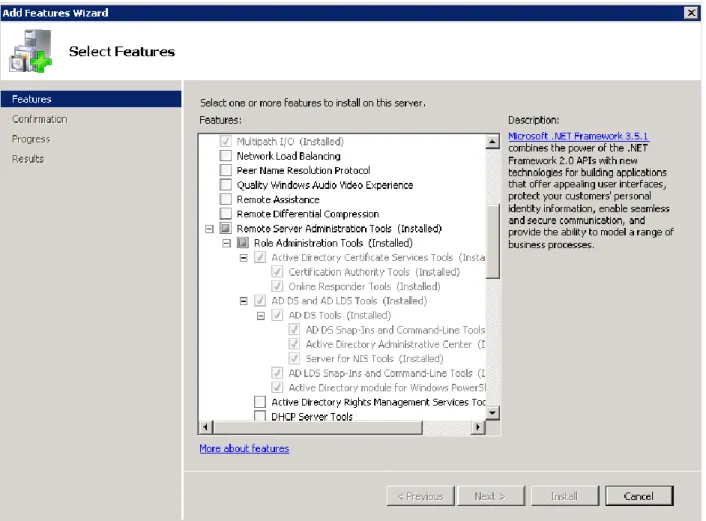
7. RSAT tool must be installed for remote connection.This tool is required to install on WFA server to get access to the AD commands.After installing go to Server manager.In left panel click on Features.After this you should be able to see Add features on the right side in blue color.Click on that.I will open Add Features Wizard.Select the options shown in the figure 4.
Figure 6: RSAT options in Features Wizard
8. Active Directory windows features must be enabled on the WFA server for AD commands and script to get executed.
9. To execute the perl web service, install Strawberry Perl.
'Perl' is a programming language suitable for writing simple scripts as well as complex applications. See http://perldoc.perl.org/perlintro.html
'Strawberry Perl' is a perl enviroment for Microsoft Windows containing all you need to run and develop perl applications. It is designed to be as close as possible to perl enviroment on UNIX systems. See
http://strawberryperl.com/
If you have .exe file then there is no need to install perl.
10. You must change your service now instance URL in the script with your credentials.
11. Add Client.pm in path C:\Strawberry\perl\lib\REST if it is not present there. 12. On Service ,create the ticket saying that “Create a Home Directory:comma
Create a Home Directory:rutuls,raghum.
Architecture
Fig8: Architecture for integrating WFA with Service Now using REST API methods
Components of Architecture
OCUM(OnCommand Unified Manager) – The Unified Manager 6 lets you discover, monitor and set alerts on clustered storage that runs Data ONTAP 8.1.x or later. A new management server provides a foundation for improved availability, scalability, supportability and security.
WFA(Workflow Automation) – WFA is an NetApp automation tool which allows to create the workflow using commands, finders and filters. Different data sources can be configured to discover the storage. On Command Workflow Automation (WFA) is a software solution that helps to automate storage management tasks such as provisioning, migration, decommissioning, and cloning storage. You can use WFA to build workflows to complete tasks specified by your processes.
WFA includes the following features:
• Designer portal to build workflows. The designer portal includes several building blocks such as commands, templates, finders, filters, and functions that are used to create workflows. The designer enables workflows to include advanced capabilities such as automated resource selection, row repetition (looping), and approval points. • Execution portal to execute workflows, verify status of workflow execution, and access logs
• Administration portal for tasks such as setting up WFA, connecting to data sources, and configuring user credentials
• Web services interfaces to invoke workflows from external portals and data center orchestration software
Service Now – Service Now is a software platform that supports IT service management and automates common business processes. This software as a service (SaaS) platform contains a number of modular applications that can vary by instance and user. Articles in this category help new users learn what services ServiceNow offers.
AD(Active Directory) – Active Directory is a database that keeps track of all the user accounts and passwords in your organization. It allows you to store your user accounts and passwords in one protected location, improving your organization's security. Active Directory is subdivided into one or more domains.
Perl Script – This component communicates with both ServiceNow and WFA. This script contains 2 sub components. The output of first sub component is the input of the second sub component WFA workflow
1. This script uses REST APIs of ServiceNow to fetch the data in json format. Script can read the JSON format file from “incidents” table and fetch the firstname and lastname of the person who has created the ticket with request of creating the Home Directory. This script gives output as logon name of the user
2. This script also includes REST API of WFA(Workflow Automation) to call the workflow using output of the first sub component and UUID of the workflow in the XML format.callWorkflow() method starts and executes the workflow according to the input.
Integration between WFA and ServiceNow using REST APIs
used in WebService
The Integration between WFA and ServiceNow is done with the help of WebService developed in PERL language using REST APIs.
REST – REST stands for Representational State Transfer is stateless approach for communication which is used to develop a web service.
To integrate WFA with ServiceNow we need to call the REST API methods such as GET,POST,PUT,DELETE to read,modify,write and delete the data or manipulate the data.
1. To access the tables of ServiceNow, we need to connect to the ServiceNow instance. Using GET method of REST API, we can fetch the data in JSON format. You can find the REST API methods to call ServiceNow on the below link. http://wiki.servicenow.com/index.php?title=REST_API
my $host = 'https://myinstancename.service-now.com'; my $user = 'xxxx';
my $pwd='xxxx';
my $client = REST::Client->new(host => $host);
my $encoded_auth = encode_base64("$user:$pwd", '');
my $json_data=$client->GET("/tablename.do?JSONv2",{'Authorization' => "Basic $encoded_auth",'Accept' => 'application/json'})->responseContent(); In above sample script replace your instance name instead of “myinstancename” for example netapp.service-now.com. Replace the “tablename” as per your required table. In above example we will get the data in json format. To get the actual data we need to parse this data. If you are comfortable with other than JSON format such as XML you can find more information in the above link. You can also find all methods of REST APIs such as POST, PUT, DELETE in the same link in different programming languages.
2. REST APIs have been developed for WFA to help the processing of XML data. To execute the workflow of WFA, WFA has its own REST API methods to execute the workflow based on UUID of the workflow. Using these method calls we can get all workflows or particular workflow. On the server where the WFA has been installed, write the URL:
http://serverip:port_no/rest/workflows?name= “Name of the workflow” and we can
Fig9: XML data for one of the workflow
To get the help for REST methods in PERL language , click the given link below
http://community.netapp.com/fukiw75442/attachments/fukiw75442/oncommand-storage-management-software-articles-and-resources/78/22/wfa_workflow_cli_pl.txt
Create Multiple Home Directories in Clustered Data Ontap
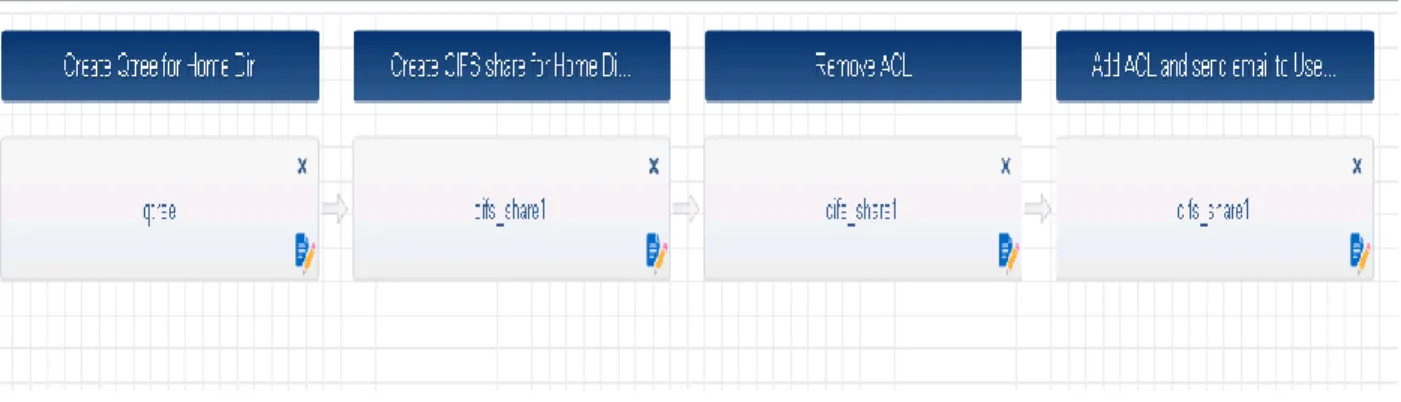
Fig 10: Commands of the Workflow
1. Create Qtree for HomeDir – This command sends parameter(User’s logon name)
to Active Directory.Using logon name it finds the User’s email id. Using location command selects the filer and creates qtree on that filer.
2. Create the share with the same name as User’s logon name on created qtree in
the junction path.
3. Remove the default ACLs.When we create the folder,by default everyone is given access to that folder.Therefore this command will remove current default permission.
4. Add the ACLs. ChangeUsers is the list of the users who can read,write or modify the share.Home directory is the share which must only be accessed by the intended user. Therefore it sets the ChangeUsers as the intended user.And then sends the email to that user with the share path.
Execution
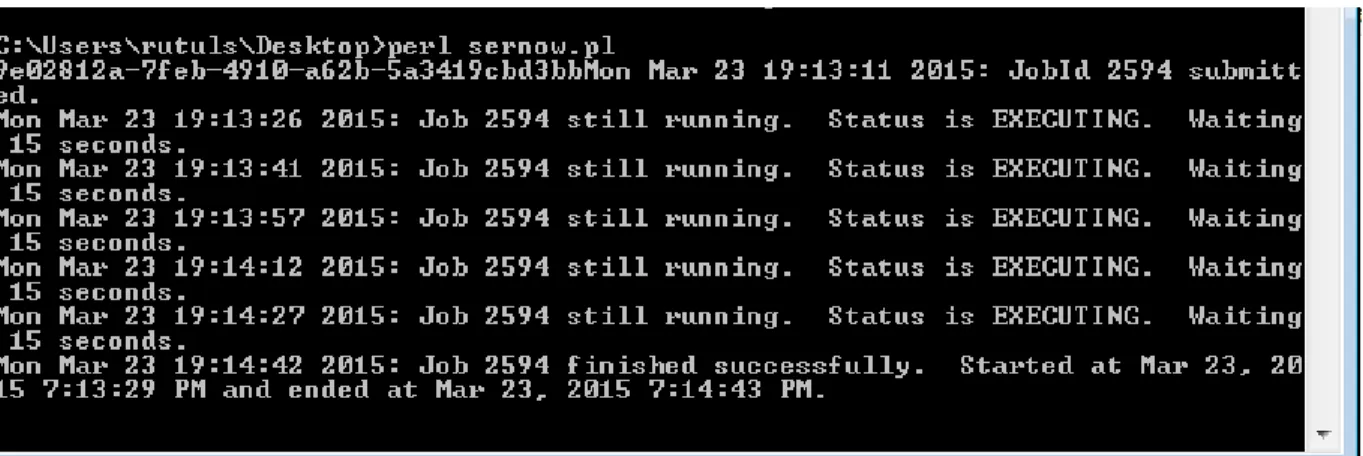
Fig 11. Execution of Perl Script
Fig 12. Workflow Execution Status
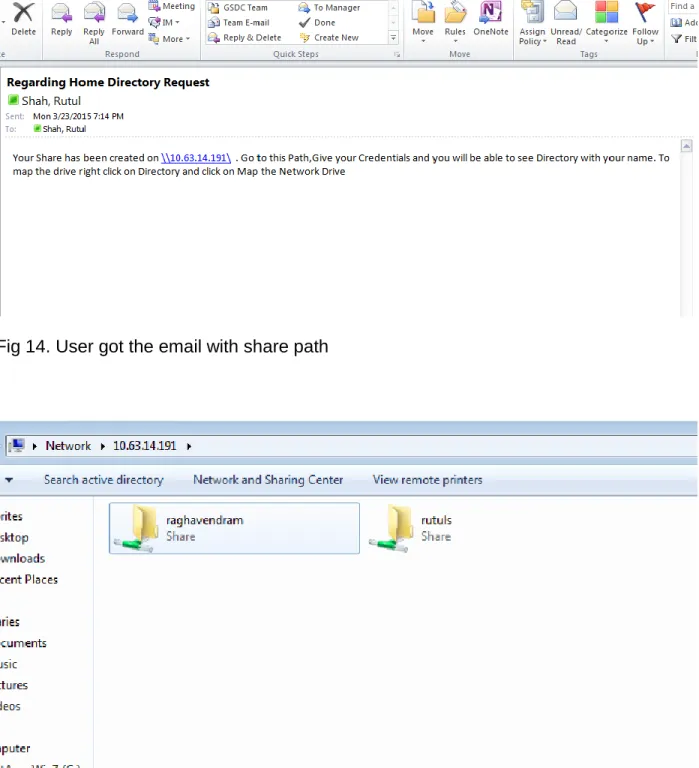
Fig 14. User got the email with share path
Fig 15. Home Directory on the path.
We can see multiple folders but rutuls folder will only be accessed only by the intended user not by any other user.