. .
G)~~G)D~
ffiffi®®
~G)@D©
.
illrn~rnillrn~©rn ~ill~rnJill~
GJ~~GJO~
rnrn®®
~GJ@O©
© ..,
M I TS, Inc. 1 971 .
Third Printing, July, 1977 .
.
rnrn~rnrnrnGm~rn ~ill~rnJill~
wrnrn~~®~ ~t
TI
PREFACE
The Altair BASIC language is a high-level ~roqrarnming
language specifically desiqned for interactive com?uting systems. Its sim?le "English-like instructions are easily understood and auickly learned and its interactive nature allows instant feedback of results and diagnostics. Despite its sirn?licity, however, Altair BASIC has evolved into a powerful language with nrovisions for editinq and strinq processing as well as numecical computation.
The Altair BASIC interpreter reads the instructions of the BASIC language and directs the ALT~IR 8800 series microcomputer to execute them. Altair BASIC includes Tany
useful diagnostic and editing features in all versions. The extended versions provide additional features includinq comQrehensive file input/output orocedures in the disk version.
This manual will ex?lain the feat~rss of the BASIC languaqe and the special ~rovisions of the 4K, 8K, Extended and Disk Extended ~ltair BASIC interpreters, release 4.1. For quick reference, a table of Altair BASIC instctlctions, diagnostics and functions are provided in Section 6. A complete index is at the end of the manual.
BASIC ~.l 1
[image:3.613.55.550.126.763.2]CONTENTS
1. Some Introductory Remarks. 4
1-1 Introduction to this manual 4 a. Conventions
b. Definitions
1-2 Modes of Operation 5
1-3 Formats 6
a. Lines-AUTO and RENUM b. REMarks
c. Error Messages
1-4 Editing - elementary prOV1Slons 9 a. Correcting Single Characters
b. Correcting Lines
c. Correcting.Whole Programs
2. Expressions and Statements 10
2-1 Ex?ressions 10
a. Constants b. Variables
c. Array Variables - the DIM Statement d. Operators and Precedence
e. Logical Operations f. The LET Statement
2-2 Branching and Loo~s 19 a. Branching
1) GOTO
2) IF ••• THEN ••• [ELSE]
3) ON ••• GOTO
b. Loops - FOR and NEXT Statements
c. Subroutines - GOSUB and RETURN Statements d. Memory Limitations
2-3 In~ut/Out?ut 23
a,. INPUT b. PRINT
c. DATA, READ, RESTOPE d. CSAVE, CLOAD
9. Hiscellaneous 1) ~~AIT
2) PEEK, POKE
3) OUT, INP
2 BASIC 4.1
3 . Functions 28 3-1 Intrinsic Functions 28
3-2 User-Defined Functions
-
the DEF Statement 283-3 Errors 29
4. Strings 30
4-1 String Data 30
4-2 String Operations 30 a. Comoarison Operators
b. String EXl;)ressions c. Input/Output
4-3 String Functions 31
5. Extended Versions 32
5-1 Extended Statements 32 5-2 Extended Operators 38 5-3 Extended Functions 39 5-4 The EDIT Command 41 5-5 PRINT USING Statement 46 5-6 Disk File Operations 51
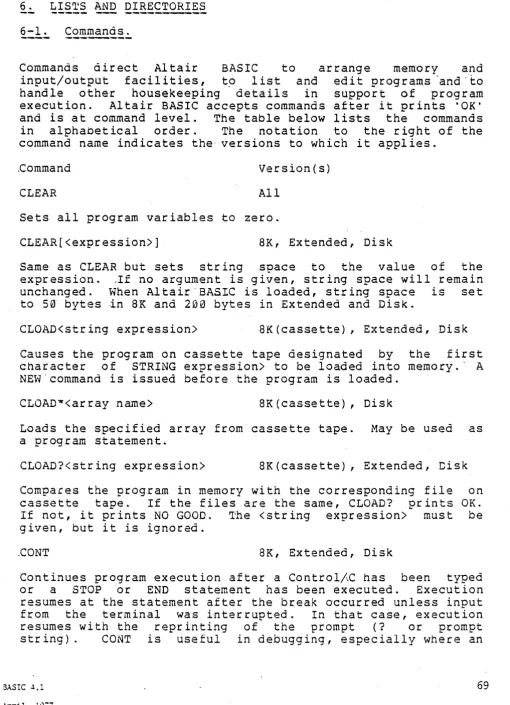
6. Lists and Directories 69
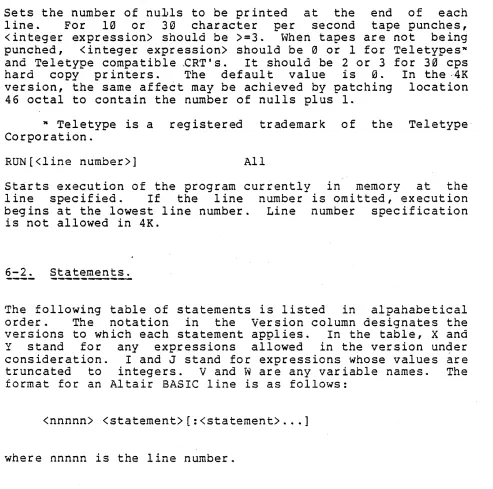
6-1 Commands 69
6-2 Statements 72
6-3 Intrinsic Functions 77 6-4 Special Characters 82
6-5 Error Messages 84
6-6 Reserved Words 91
Aopendices
A. ASCII Character Codes 93 B. Loading Altair BASIC 95
c.
Sgeed and Space Hints 106 D. Mathematical Functions 109 E. Altair BASIC and Machine Languaqe 112 F. Usinq the ~CR Interface 114G. Convertinq BASIC Programs Not Written for the Altair Com~uter 116 H. Disk Infornation 118
I. The PIP Utility Program 124 J. RSTLESS Versions of BASIC 128 K. Using Altair BASIC on the
Intellec* a/Mod 80 and MOS Systems 129 L. Patching ~ltair BASIC's I/O Routines 132 ~. Using Disk Altair BASIC: An Example -137
Index 145
BASIC 4.1
April, 197i
4
1. SOME INTRODUCTORY REMARKS
1-1 Introduction to this Manual.
a. Conventions. For the sake of simplicity, some conventions will be followed in discussing the features of .the Altair BASIC language.
1. Words ~rinted in ca?ital letters must be written exactly as shown. These are mostly names of instructions and commands.
2. Items enclosed in angle brackets
«»
must be sU??lied as explained in the text. Items in square brackets ([]) are optional. Items in both kinds of brackets, [<H>] , for example, are to be supplied if the ootional feature is used. Items followed by dots ( ••• ) may be re~eated or deleted as necessary.3. Shift/ or Control/ followed by a letter me.ans the character is typed by holding down" the Shift or Control key and tY9ing the indicated letter.
4. All indicated punctuation must be supplied.
b. Definitions. Some terms which will become important are as follo\vs:
Alphanumeric char~cter: all letters and numerals taken together are called a19hanumeric characters.
Carriage Return: Refers both to the key on the terminal which causes the carriaqe, print head or cursor to move to' the beginning of the next line and to the command that the carriage return key issues which terminates a BASIC line.
Command Level: the command level.
After Altair BASIC orints OK, it is in This means it is ready to accent commands.
Commands and Statements: Instructions in Altair BASIC are loosely divided into two classes, Commands and Statements. Commands are instructions normally used only in direct mode (see Modes of Operation, section 1-2). Some commands, such as CaNT, may only be-used in direct mode since they have no meaning as ?rogram statements. Some commands, such as DELETE, are not normally used as program statements because they cause a return to command level. But most commands will find occasional use as 9rogram statements. Statements are instructions that are normally usee ~n indirect mode. Some statements, such as DEF, may only be used in indirect mode.
Edit: The 9rocess of deleting, adding and substituting lines in a 9rogram and that of preparing data for output according to a ?redetermined format will both be referred to as ·~editing. Ij The particular meaning in use will be clear from
the context.
BA.SIC 4.1
Integer Expression: truncated to an integer. need not be of integer type.
An ex~ression whose value is The comoonents of the expression
Reserved Words: Some words are reserved by BASIC for use as statements and commands. These are called reserved words and they may not be used in varIable or function names.
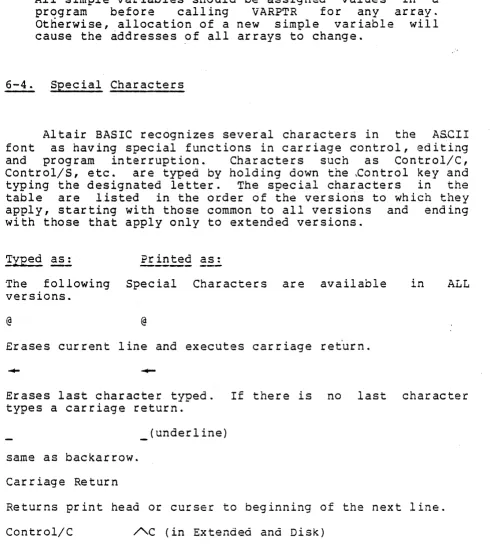
Special Characters: Some characters appear differently on different terminals. Some of the most important of these are the following:
(carat) appears on some terminals as
t
(up~arrow) ~ (tilde) does not a9?ear on so~e terminals and orintsas a blank
(underline) a~~ears on some terminals as ~(back-arrow).
String Literal: A strinq of characters enclosed by quotation marks (~) which is to be input or· output' exactly as it appears. The quotation marks are not cart of the strinq literal, nor may a string literal contain quotation marks.
(·· .. HI, THERE .... is not legal.)
Type: While the actual device used to enter information into the computer differs from system to system, this manual will use the word .• type " to refer to the r;>rocess of en try. The user types, the com?uter prints. Ty~e also refers to the classifications of numbers and strings. The meaning will be clear from the context.
1-2 Modes of Operation.
Altair BASIC provides for operation of the computer in two different modes. In the direct mode, the statements or commands are executed as they are entered into the comnuter. Results of arithmetic and logical operations are display~d and stored for later use, but the instructions themselves are lost after execution. This mode is useful for debugging and for using Altair BASIC in a IIcalculatorii mode for quick
com~utations which do not justify"the design and codin? of
com~lete programs.
In the indirect mode, the com~uter executes instructions from a orogram stored in memory. Program lines are entered into memory if they ar~ preceded by a line number. Execution .of the program is usually initiated bv the RUN command.
BASIC, 4.1 5
1-3 Formats.
a. Lines - AUTO and RENUM. The line is the fundamental unit of an Altair BASIC proqrarn. The format for ah Altair BASIC line is as follows:
nnnnn <BASIC statement>[:<BASIC statement> ••• ]
Each Altair BASIC line begins with a number. The number corres?onds to the address of the line in memory and indicates the order in which the statements in the line will be executed in the 9rogram. It ~lso provides for branching linkages and for editing. Line numbers must be in the range 0 to 65529. A
good orogramminq ?ractice is to use an increment of 5 or 10 between successive line numbers to allow for insertions.
1) Line numbers may be generated automatically .in the Extended and Disk versions of Altair BASIC by use of the AUTO and RENUM commands. The AUTO command ?rovides for automatic insertion of line numbers when entering 9rogram lines. The format of the AUTO command is as follows:
AUTO[<initialline>[,[<increment>]] Example;
AUTO 100,10 100 INPUT X,Y
110 PRINT SQR(X-2+Y-2) 120 -C
OK
AUTO will number every input line until Cantrol/e is typed. If the <initial line> is omitted, it is assumed to be 10 and an increment of 10 is assumed if <increment> is omitted. If the <initial line> is followed by a comma but no increment is specified, the increment last used in an AUTO statement is assumed.
If AUTO generates a line number that already exists in the program currently in memory, it prints the number followed
by an asterisk. This is to warn the user that any in?ut will replace the existing line.
2) The RENUM command allows ~rogram lines to be "spread out" so that a new line or lines may be inserted between existing lines. The format of the RENUM command is as
follows:
.RENUM [<NN>[,<MM>[,<II>]]]
where NN is the new number of the first line to be resequenced. If omitted, NN is assumed to be 10. Lines less
6 BASIC 4.1
than MM will not be renumbered. If MM is omitted, the whole program will be resequenced. II is the increment between the lines to be resequenced. If II is omitted, it is assumed to be 10. Examoles:
RENUM Renumbers the whole program to start at line 10 with an increment of 10 between the new line numbers.
RENUM 100,,100 Renumbers the whole program to start at line 100 with an increment of 100.
RENUM 6000,5000,1000 Renumbers the lines from 5000 up so they start at 6000 with an increment of 1000.
NOTE
RENUM cannot be used to chanqe the order of program lines {for exam~le, RENUM
i§,30
when the program has three lines numbered 10, 20 ana 30} nor to create line numbers greater than 65529. An ILLEGAL FUNCTION CALL error will result.All line numbers appearing after a GOTO, GOSUE, THEN, ON ••• GOTO, ON ••• GOSUB and ERL<relational o?erator> will be ?roperly changed by RENUM to reference the new line numbers.
If a line number a~?ears after one of the statements above but does not exist in the program, the message nUNDEFINED LINE XXXXX IN YYYYY" will be printed. This line reference (XXXXX)
will not be changed bV RENUH, but line number YYYYY may be changed.
3) In the Extended and Disk versions, the current line number may be designated by a period (.) anywhere a line number reference is recruired. This is particularly useful in the use of the EDIT command. See section 5-4.
4) Following the line number, one or more BASIC statements are written. The first word of a statement
identifies the o~er~tions to be performed. The list of arguments which follows the identifying word serves several purposes. It can contain (or refer symbolically to) the data which is to be operated u~on by the statement. In some important instructions, the operation to be ?erformed depends
u~on conditions or options s~ecified in the list.
Each type of statement will be considered in detail in sections 2, 3 and 4.
BASIC 4.1 7
8
More than one statement can be written on one line if they are separated by colons (:). Any number of statements can be joined this way provided that the line is no more than 72 characters' long in the 4K and 8K versLons or 255 characters in the Extended and Disk versions. In the Extended and oisk versions, lines may be broken with the LINE FEED key. Example:
100 IF X<Y+37<line feed> THEN 5 <line feed>
ELSE PRINT (X) (carr iaqe return>,
The line is shown broken into three lines, but it is in~ut as one BASIC line.
b. REMarks. In many cases, a program can be more easily understood if it contains remarks and ex~lanations as well as the statements of the program proper. In Altair BASIC, the REM statement allows such comments to be included without affecting execution of the program. The format of the REM statement is as follows:
REM <remarks>
A REM statement is not executed by BASIC, but branching statements may link into it. REM statements are terminated by the carriage return or the end of the line but not bv a co~on.
Example:
100 REM DO THIS LOOP:FOR I=lT010 -the FOR statement will not be executed 101 FOR I=1 TO 10: REM DO THIS LOOP -this FOR
state-ment will be execu-ted.
In Extended and Disk versions, remarks may be added to the end of a 9rogram line separated from the rest of the line by a
single auotation mark (I). Everything after the single quote
tvill be ignored.
c. Errors. When the BASIC interpreter detects an error that .will cause the orogram to be terminated, it prints an error message. The error message formats in Altair BASIC are as follows:
Direct statenent Indirect statement
?XX ERROR
?XX ERROR IN nnnnn
XX is the error code or message (see section 6-5 for a list of error codes and messages) and nnnnn is the line number where the error occurred. Each statement has' its own ?articular oossible errors in addition to the general errors in syntax.
BASIC 4.1
These errors will be discussed in the descri?tion of the individual statements.
1-4. Editing - Elementary provisions.
Editing features are provided in Altair BASIC so that mistakes can be corrected and features can be added and deleted without affecting the remainder of the 9rogram. If necessary, the whole program may be deleted. Extended and Disk Altair BASIC have eX9anded editing facilities which will be discussed in section 54
-a. Correcting Single Characters. If an incorrect character is detected in a line as it is being ty?ed, it can be corrected immediately with the backarrow ( , underline on some terminals) or ,except in 4K, the RUBOUT key. Each stroke of the key dele~es the immediately 9receding character. If there is no preceding character, a c3rriaqe return is issued and a new line i~ begun. Once the unwanted characters are removed, they can be replaced simply by ty~ing the rest of the line as desired.
When RUBOUT is typed, a backslash ,\) is printed and then the character to be'deleted. Each successive RUBOUT prints the next character to be deleted. Typing a new character prints another backslash and the new character. All characters between the backslashes are deleted.
Example:
100 X=\=X\Y=10 Typing two RUBOUTS deleted the 1=' and 'X' which were subsequently replaced by Y=.
b. Correcting Lines. A line being typed may be deleted by typing an at-sign (@) instead of typing a carriage return.
~ carriage return is printed automatically after the line is deleted. Exce9t in 4K, typing Control/U has the same effect.
In the Extended and Disk versions, ty?inq ControllA instead of the carriaqe return will allow all the features of the EDIT command (except the ~ command) to be used on the line currently being ty~ed. See section 5-4.
c. Correcting Whole Programs. The NEW command causes ·the entire current program and all variables to be deleted. NEW is generally used to clear memory space preoaratory to entering a new Qrogram.
BASIC 4.1 9
10
2. EXPRESSIONS AND STATEMENTS.
2-1. Exoressions.
.'
The simplest BASIC expressions are single constants, variables and function calls.
a. Constants. Altair B~SIC accepts integers or floating point real numbers as constants. All but the 4K version of Altair BASIC accept string constants as well. See section 4-1. Some exam?les of acce~table numeric constants follow:
123 3.141 0.0436 1.25E+05
Data ino,ut from the terminal or numeric constants in a ~roqram
may have any number of digits up to the length of a line (see section l-3a). In 4K and 8K Altair B~SIC, however, only the first 7 digits of a number are significant and the seventh digit is rounded up. Therefore, the command
PRINT 1.234567890123
produces the following output:
1.23457 OK
In Extended and
preC~Slon format digit rounded up.
Disk versions of Altair BASIC, double allows 17 significant digits with the 17th
The format of a ~rinted number is determined by the following rules:
1. If the number is negative, a minus sign (-) is printed to the left of the number. If the number is ~ositive, a space is o,rinted.
2. If the absolute value of the number is an integer in the range 0 to 999999, it is printed as an integer •
. 3. If the absolute value of the number is greater than or equal to .01 and less than or equal to 999999, it is o,rinted in fixed point notation with no exponent.
4. In Extended and Disk versions, fixed ~oint values u? to 9999999999999999 are possible.
BASIC 4.1
5. If the number does not fall into categories 2, 3 or 4, scientific notation is used.
The formats of scientific notation are as follows:
SX.XXXXXESTT single precision
SX.XXXXXXXXXXXXXXXDSTT double ?recision
where S stands for the signs of the mantissa and the exponent (theY need not be the same, of course), X for the digits of the mantissa and T for the digits of the eXDonent. E and D may be read " •.• times ten to the 90wer •••• " Non-significant
zeros are su~pressed in the mantissa, but two digits are always printed in the exponent. The sign convention in rule 1 is followed for the mantissa. The ex?onent must be in the range -38 to +38. The largest number that may be represented in Altair BASIC is 1.70l41E38; the smallest nositive number is 2.9387E-38. The following are exam~les of numbers as in?ut and as output by Altair BASIC:
Number
+1 -1 6523 lE20
-12.34567E-10 1.234567E-7 1000000
.1 . • 01 .000123 -25.460
Altair BASIC Output
1 -1
6523 lE20
-1.23456E-09 1.23457E-07 1E+06
.. 1 .01
1.23E-04 -25.46
The Extended and Disk versions of Altair BASIC allow numbers to be represented in integer, single precision or double precision form. The type of a number constant is determined according to the following rules:
1. A ~onstant with more than 7 digits or a to' in the exponent is double precision.
instead of
2. A constant outside the range -32768 to 32767, with 7 or fewer digits and
a
decimal point or with an IE' eX90nentis single precision.
3. A constant in the ranqe -32768 to 32767 and no decimal -?oint is integer.
BASIC ~.l 11
12
4. A constant followed by an exclamation ~oint (1) is single precision; a constant followed by a 90und sign (#) is double ~recision.
.-Two additional types of constants are allowed in Extended and Disk versions of ~ltair BASIC. Hexadecimal (base sixteen) constants may be ex~licitly designated by the symbol &H preceding the number. The constant may not contain any characters other than the digits 0 - 9 or letters A - F, or a SYNTAX ERROR will occur. Octal constants may be designated either by &0 or just the & sign.
In all fornats, a snace is printed after the number. In all but the 4K version, Altair BASIC checks to see if the entire number will fit on the current line. If not, it issues a carriage return and prints the whole number on the next line.
b. Variables. ~ variable represents symbolically any number which is assigned to it. The value of a variable may be assigned explicitly by the programmer or may be assiqned as the result of calculations in a program. Before a variable is assigned a value, its value is assumed to be zero. In 4K, a variable name consists of one or two characters. The first character is any letter. The second character must be a
numeral. In other versions of Altair BASIC, the variable name may be any length, but any al~hanumeric characters after· the first two are ignored. The first character' must be a letter. No reserved words may appear as variable names or within variable names. The following are examples of legal and illegal Altair BASIC variables:
Legal
In 4K and 8K Altair BASIC: A
Zl
Other versions: TP
PSTG$
COUNT
Illegal
%A (first character must be alohabetic.)
ZIA (variable name is too long for 4K)
TO (variable names cannot be reserved words)
RGOTO (variable names can-not contain reserved
words.)
rn all but 4K Altair BASIC, a variable may also represent a string. Use of this feature is discussed in section
4.
BASIC 4.1
1) Extended and Disk versions of ~ltair BASIC allow the use of Integer and Double Precision variables as well as Single Precision and Strings. The tYge of a variable may be
explicitly declared in Extended and Disk versions of Altair BASIC by using one of the sy~b01s in the table below as the last character of the variable name.
Type Symbo~
Strings (0 to 255 characters) $ Integers (-32768 to 32767) % Single Precision (up to 7 digits, ex~onent between
-38 and +38)
Double Precision (up to 16 digits, exponent between
-38 and +.38) #
Internally, BASIC handles all numbers in binary. Therefore, some 8 digit single precision and 17 digit double precision numbers may be handled correctly. If no type is ex~1±citly
declared, ty?e is determined by the first letter of the variable name according to the type table. The table of types may be modified with the following statements:
DEFINT r
OEFSTR r
DEFSNG r
DEFD8L r
Integer String
Single Precision Double Precision
where r is a letter or range of letters to be designated. Exam?les:
15 DEFINT I-N Variable names beqinning with the let-ters I-N are to be of inteqer ty?e. 20 DEFDaL D Variable names beginning with D are to
be of double precision ty~e.
If no type definition statements. are encountered, BASIC proceeds as if it had executed a DEFSNG A-Z statement.
2) Integer variables should be since they take the least amount integer arithmetic is much faster arithmetic.
used wherever possible of space in memory and
than single ?recision
Care must be exercised when single precision and double preCISIon numbers are mixed. Since sinqle precision numbers can have more significant digits than ~iil· be printed, a
double precision variable set to a single precision value may
·not print the same as the single precision variable.
10 A=1.01
20 B#=A*10:C#=CDBL(A)*10#
SASIC 4.1
April, 1977
single precision value
convert to double ?recision
14
30 PRINTA;B#;Ci;CDBL(A) in various ways RUN
1.01 10.10000038146973 10.09999990463257 1.009999990463257 OK
In order to assure that double precision numbers will piint the same as sinq1e 9recision, the VAL and STR$ functions should be used. For example:
10 A=1.0l
20 Bi=VAL(STR$(A)) :C#=B#*10# 30 PRINT AiB#iC#
RUN
1.01 1.01 10.1 OK
c. Array Variables - The DIM Statement. It is often advantageous "to refer to several variables by the same name. In matrix calculations, for example, the computer handles each element of the matrix separately, but it is convenient for the programmer to refer to the whole matrix as a unit. For this purpose, Altair BASIC 9rovices subscri9ted voriables, or arrays. The form of an array variable is as follows:
VV«subscri?t>[,<subscri9 t > ••• ])
where VV is a variable name and the subscripts are integer exnressions. Subscr ipts may be enclosed in parenthese.s or square brackets. An array variable may have only one'
di~ension in 4K, but in all other versions of Altair BASIC it may have as many dimensions as will fit on a single line. The smallest subscript is zero. Examples: /
A(5) The sixth element of array A. The first element is A(0) •
ARRAY(I,2*J) The address of this element in a two-dimensional array is determined by
evaluating the ex~ressions in parenthe-ses at the time of the reference to the array and truncating to inteqers. If 1=3 and J=2.4, this refers to ~RRAY(3,4).
The DIM statement allocates storage for sets all array elements to zero. statement is as follows:
array variables and The form of the DIM
DIM VV«subscri?t>[,<subscri?t> .•. ])
where VV is a legal var i·able name. Subser i1;>t is an. integer expression which specifies the largest ?ossible subscript for that dimension. Each DIM statement may a?oly to more than one array variable. Some examples follow:
BASIC 4.1
113 DI~1 A (3), 0$ (2 , 2 ,2) , 114 D I ~1 R2 % (4), B ( 10 )
115 DIM Ql (N), Z# (2+I) Arrays may be dimensioned dy-namically during program execution. At the time the QIM is executed, the ex~ression
within the parentheses is e- ..
valuated and the resillts truri-cated to integer.
If no DIM statement has been executed before an array variable is found in a proqram, BASIC assumes the variable to have a
maxi~um subscript of 10 (II elements) for each dimension in the reference. A BS or SUBSCRIPT OUT OF RANGE error message w'ill be issued if an attem?t is made to reference ·an array element which is outside the s~ace allocated in its associated DIM statement. This can occur when the wrong number of dimensions is used in an array element reference. For example:
30 LET A(I,2,3)=X when A has been dimensioned by 10 DIM A(2,2)
A DD or REDIMENSIONED ARRAY error occurs when a DIM statement for an array is found after that array has been dimensioned. This often occurs when a DIM statement ao~ears after an array has been given its default dimension of 10.
d. O~erators and Precedence. Altair BASIC provides a full range of arithmetic and (exceot in 4K) logical o~eraiors.
[image:17.617.47.570.49.761.2]The order of execution of o~erations in an ex?ression is always accordIng to their precedence as shown in the table below. The order can be sgecified exclicitly by the use of ?arentheses in the normal algebraic fashion.
Table of Precedence
Operators are shown here in decreasing order of precedence. O?erators listed in the same entry in the table have the same precedence and are executed in order from left to right in an expression.
1.
2.
3.
BASIC ... 1
April, 1977
Expressions enclosed in parentheses ()
~ exoonentiation (not in 4K). Any number to the zero power is 1. - Zero to a negative Dower causes a /0 or DIVISION BY ZERO error.
- negation, the unary minus o~erator
16
·4. *,/ multiplication and division
5. \ integer division (available in Extended and Disk versions, see section 5-2)
6. MOD (available in Extended and Disk versions. See section 5-2)
7. +,- addition and subtraction
8. relational operators
=
equal<>
not equal< less than
>
greater than<=,=<
less than or equal to>=,=>
greater than or eoual to(the logical o~erators below are not available in 4K)
9. NOT logical, bitwise negation
10. AND logical, bitwise disjunction
11. OR logical, bitwise conjunction
(The logical ,operators below are available only in Extended and Disk versions.)
12. XOR logical, bitwise exclusive OR
13. EQV logical, bitwise equivalence
14. IMP logical, bitwise implication
In 4K Altair BASIC, relational operators may be used only once in an IF statement. In all other versions, relational ogerators may be used in any expressions. Relational expressions have the value either of True (-1) or False (0).
e. Logical Operations. Logical o?erators may be used for bit manipulation and Boolean algebraic functions. The AND, OR, NOT, XOR, EQV and IMP operators convert their 'arguments into sixteen bit, signed, two's complement inteqers in the range -32768 to 32767. After the 'operations -are performed, the result is returned in the same form and ranoe. if the arguments are not in this range,' an FC or ILLE~AL FUNCTION CALL error message ~ill be printed and execution will be terminated. Truth tables for the logical ooerators apuear below. The o~erations are performed bitwise, that is,
BASIC 4.1
corresponding bits of each argument are examined and the result comr;>uted one bit at a tine. In binary operations, bit 7 is the most significant bit of a byte and bit 0 is the least significant.
AND
X y X AND Y
1 1 1
1 0 0
0 1 0
0 0 0
OR
X y X OR y
1 1 1
1 0 1
0 1 1
0 0 0
NOT
X NOT X
1 0
0 1
XOR
X Y X XOR Y
1 1 0
1 0 1
0 1 1
0 0 0
EQV
X Y X EQV Y
1 1 1
1 0 0
0 1 0
0 0 1
IMP
X Y X IMP Y
1 1 1
1 0 0
0 1 1
0 0 1
Some examples will serve to sho·,v how the loqical ocerations work:
63 AND 16=16
15 AND 14=14
-1 AND 8=8
4 OR 2=6
10 OR 10=10
BASIC 4.1
April, 1977
63=binary 111111 and 16=binary 10000, so 63 AND 16=16
15=binary 1111 and 14=binary 1110, so 15 ~ND 14=binary 1110=14.
-l=binary 1111111111111111 and 8=binary 1000, so -1 AND 8=8.
4=binary 100 and 2=binary 10, so 4 OR 2=binary 110=6. .
binary 1010 ORld with itself is 1010=
-lOR -2=-1
NOT
0=-1-NOT X=~(X+1)
1 0 . ,
-l=binary 111111111111111~ and -2= 1111111111111110, so -lOR -2=-1. the bit complement. of sixteen zeros is sixteen ones, which is the two's complement re?resentation of -1.
the two's complement of any number is the bit com?lement ?lus one.
A ty~ica1 use of logical 0gerations is 'masking', testing a binary number for some predetermined pattern of bits. Such numbers rniqht come from the computer's input ports and would then ref1~ct the condition of-some external device. Further applications of logical o~erations will be considered in the discussion of the IF statement.
f. The LET statement. assign a value to a variable.
LET <VV>=<ex~ression>
The LET statement is used The form is as follows:
to
where VV is a variable name and the expression is any valid Altair BASIC arithmetic or, exce9t in 4K, logical or string
ex~ression. Examples:
1000 LET V=X
110 LET I=I+l the '=' sign here means 'is re?lace~
by •••• '
The word LET in a LET statement is optional, so algebraic equations such as:
120 V=.5*(X+2)
are legal assignment statements.
A SN or SYNTAX ERROR message is ~rinted when B~SIC
detects incorrect form, illegal characters in a line, incorrect punctuation or nissing 9arentheses. An OV or OVERFLOW error occurs when the result of a calculation is too large to be represented by Altair BASIC's number formats. All numbers must be within the ranGe lE-38 to 1.70l4lE38 or -lE-38 to -1.70141E38. An attempt to divide by zero results in the /0 or DIVISION
B1
ZERO error message.For a discussion of strings, string variables and string operations, see section 4.
18 BASIC ~.l
2-2. Branching, L009s and Subroutines.
a. Branching. In addition to the sequential execution of program lines, BASIC provides for chanqing the order of execution. This ~rovision is called branchinq and is the basis of programmed decision making and loops. -The'statements in Al tai r BASIC which provide for branc.hinq are the GO TO , IF ••• THEN and ON ••• GOTO statements.
1) GOTO is an unconditional branch. follo\'1s:
Its form is as
GOTO<mmromm>
After the GOTO statement is executed, execution continues at line number mmmmm.
2) IF ••• THEN is a conditional branch. follows:
Its form is (a.s
IF<expression>THEN<mmmmm>
where the expression is a valid arithmetic, relational or, except in 4K, logical eXyression and mmmmm is a line number. If the expression is evaluated as non-zeta, BASIC continues at line mmrnmm. Other~'lise, execution resumes at the next line after the IF ••. THEN statement.
~n alternate form of the IF ••• THEN statement is as follows : '
I F < e x pre s s ion >' TH EN < s tat e fl1 en t >
where the statement is any Altair B~SIC statement. Examples:
BASIC 4.1
April, 1977
10 IF A=10 THEN 40 If the ex~ression A=10 is
true, BASIC branches to line 40. Otherwise, execution proceeds at the next line.
15 IF A<B+C OR X THEN 100 The expression after IF is evaluated and if the value of the expression is non-zero, the statement branches to line 100.
Otherwise, execution continues on the next line.
20 IF X THEN 2S . If X is not zero, the statement branches to line 25.
30 IF X=Y THEN PRINT X If the expression X=Y is true (its value is non-zero), the PRINT statement is executed. Otherwise, the PRINT statement is not executed. In either case, execution continues with the line after the IF ••• THEN statement.
35 IF X=Y+3 GOTO 39 Equivalent to the corres90nding
IF •.• THEN statement, excent that GOTO must be followed
by a line number and not by another statement.
"'0
20
Extended and Disk versions of Altair BASIC ~rovide an ex~anded
IF ••• THEN stakernent of the form
IF<ex?ression>THEN<YY>ELSE<ZZ>
where YY and ZZ are valid line numbers or Altair B~-SIC
statements. Exam?les:
IF X>Y THEN PRINT ~GREATER" ELSE PRINT ~NOT GREATER"
If ·the expression X>Y is true, the statement after THEN is executed. Otherwise, the statement after ELSE is executed.
IF X=2*Y THEN 5 ELSE PRINT "ERROR"
If the ex?ression X=2*Y is true, BASIC branches to line 5. Otherwise, the PRINT statement is executed. Extended and Disk Altair BASIC allow a comma before THEN.
IF statements may be nested in the Extended and Disk versions. Nesting is limited only by the length of the line. Thus, for example:
IF X>Y THEN PRINT "GREATER" ELSE IF Y>X<line feed> THEN PRINT it LESS THAN II ELSE PRINT " EQUAL It
and
IF X=Y THEN IF Y>Z THEN PRINT I'X>Z"ELSE PRINT ilY<=Zu <line feed> ELSE PRINT I'X<>y,1
are legal statements. If a line does not contain the same number of ELSE and THEN clauses, each ELSE is matched with the closest unmatched THEN. Exam?le:
IF A=B THEN IF B=C THEN PRINT "A=C" ELSE PRINT ·'A<>C··
\'l i 11 not ? r in t " .?\ < > C " w hen A < > 13 .
3) ON ••• GOTO (not in 4K) provides for another ty?e of conditional branch. Its form is as follows:
ON<expression>GOTO<list of line numbers>
After the value of the expression is truncated to an integer, say I, the statement causes BASIC to branch to the line whose humber is Ith in the list. The statement may be followed by as many line numbers as will fit on one line. If I=0 or is greater than the number of lines in the lis~, execution will continue at the next line after the ON .•• GOTO statement. I must not be less than zero or greater than 255, or an FC or ILLEGAL FUNCTION CALL error will result.
BASIC 4.1
b. Loops - FOR and NEXT. It is often desirable to perform the same calculations on different data or repetitively on the same data. Fdr this 9ur?Ose, Altair BASIC provides the FOR and NEXT statements.. The form of the FOR statement is as follows:
FOR<variable>=<X>TO<Y>[STEP <Z>]
where X,Y and Z are expressions. When the FOR statement is encountered for the first time, the ex?ressions are evaluated. The variable is 'set to the value of X which is called the initial value. BASIC then executes the statements which .follow,the FOR statement in the usual manner. When a NEXT statement is encountered, the step Z is added to the variable which is then tested against the final value Y. If Z, the step, is positive and the variable is less than or equal to the final value, or if the step is negative and the variable is greater than or equal io the" final value, then BASIC branches back to the statement immediately following the FOR statement. Otherwise, execution oroceeds with the statement following the NEXT. If the ste? is not specified, it is assumed to be 1. Examples:
10 FOR I=2 TO 11 The loop is executed 10 times with the variable I taking on each in-tegral value from 2 to 11.
20 FOR V=l TO 9~3 This loop will execute 9 times un-til V is greater than 9.3
30 FOR V=10*N TO 3.4/Z STEP SQR(R) The initial, fin~l
and step expressions need not be integral, but they will be eval-uated only once before loop-ing begins.
40 FOR V=9 TO 1 STEP -1 This loop will be executed 9 times.
FOR ••• NEXT loops may be nested. That is, BASIC will FOR ••. NEXT 1009 within the context of another exam?le of two nested 10095 follows:
execute a 1009. An
100 FOR I=l TO 10 120 FOR J=l TO I 130 PRINT A(I,J) 140 NEXT J
150 NEXT I
Line 130 will 9rint 1 element of A for I=l, 2 for I=2 and so on. If loops are nested, they must have different loo? variable names. The NEXT statement for the inside loop variable· (J in the example) must apoear before that for the outside variable (I). Any" number of "levels of nesting is allowed up to the limit of available memory.
BASIC 4.1 21
22
The NEXT statement is of the form:
NEXT[<variabie>[,<variabl~> ••• ]]
where each variable is the loop variable of a FOR loop for which the NEXT statement is th~ end ooini. In the 4K version, the only form allowed is NEXT with one variable. In all other versions, NEXT without a variable will match the most recent FOR statement. In the case of nested loops which have the same end point, a single NEXT statement may be used for all of them, exce~t in 4K. The first variable in the list must be that of the most 'recent loop, the second of the next most recent, and so on. If BASIC encounters a NEXT statement before its corresponding FOR statement has been executed, an NF or NEXT WITHOUT FOR error message is issued and execution is terminated.
c. Subroutines - GOSUS and RETURN Statements. If the same operation or series of o~erations are to be gerformed in several places in a program, storage s?ace requirements and programming time will be minimized by the use of subroutines. A subroutine is a series of statements which are executed in the normal fashion upon being branched to by a GOSUB statement. Execution of the subroutine is terminated by the RETURR statement which branches back to the statement after the most recent GOSUB. The format of the GOSUB statement is as follows:
GOSUB<line number>
where the line number is that of the first line of the subroutine. A subroutine may be called from mor~ than one place in a program, and a subroutine may contain a call to another subroutine. Such subroutine nesting is limited only by available memory.
Except in the 4K version, subroutines may be branched to conditionally by use of the ON ••• GOSUB statement, ~hose form is as follows:
ON <expression> GOSUB <list of line numbers>
The execution is the same as ON.~.GOTO exce?t that the line numbers are those of the first lines of subroutines. Execution continues at the next statement after the ON •.• GOSUB upon return from one of the subroutines.
d. Memory Limitations. While nesting in loo~s,
subroutines and branching is not limited by BASIC, memory size limitations restrict the size and complexity of programs. The OM or OUT OF MEMORY error message is issued when a Qrogram requires more memory than is available. See Ap~endix C for an
BASIC 4.1
explanation of the amount of memory required to run programs.
2-3. In?ut/Out?ot
a. INPUT. The INPUT statement causes data input requested from the terminal. The format of the statement is as follows:
INPUT<list of variables>
to be I~fpUT
The effect of the INPUT statement is to cause the values typed on the terminal to be assigned to the variables in the list. When an INPUT statement is executed, a question mark (?) is printed on the terminal signalling a request for information. The operator tYQes the required numbers or strings (or~ in 4K, ex~ressions) se?arated by commas and types a carriage return. If the data entered is invalid (strings were entered. when numbers were requested, etc.) BASIC prints ~REDO FROM START?' and waits for the correct data to be entered. If more data was requested by the INPUT statement than was typed,?? is printed on the terminal and execution awaits the needed data.
If more data was typed than was requested, the warning 'EXTRA IGNORED' is printed and execution proceeds. After all the requested d~ta is incut, executio~ continues normally at the statement following the INPUT. Except in 4K, an o?tional prompt string may be added to an INPUT statement.
INPUT[d<prornpt string>u 1]<variable list>
Execution of the statement causes the prompt string to be printed before the question mark. Then all o~erations 9roceed as above. The prompt string must be enclosed in double quotation marks (d) and must be separated from the variable list by a semicolon (1). Example:
100 INPUT "~'lHAT'S THE VALUE"1X,Y causes the following out?ut:
WHAT'S THE VALUE?
The requested values of X and Y are ty~ed after the? Except in 4K, a carriage return in response to an INPUT statement will cause execution to continue with the values of the variables in the variable list unch~nged. In 4K, a SN error results.
b. PRINT. The PRINT statement causes the terminal to print data. The simplest PRINT statement is:
BASIC ~.l 23
24
which' prints a carriage return. The effect is to ski? a line. The more usual PRINT statement has the following,form:
PRINT<list of expressions>
which causes the values of the ex~ressions in the list to;_ be printed. String literals may be printed if they are enclosed
in quotation marks (").
The position of ~rinting is determined by the punctuation used to separate the entries in the list. Altair BASIC divides the printing line into zones of 14 spaces each. ~
comma causes printing of the value of the next expression to begin at the beginning of the next 14 column zone. A semicolon (~) causes the next ?rinting to begin immediately after the last value printed. If a comma or semicolon terminates the list of ex~ressions, the next PRINT statement begins printing on the same line according to the conditions above. Otherwise, a carriage return is ?rinted.
c. DATA, READ, RESTORE
1) The DATA statement. Numerical or string data needed in a program may be written into the pro~ram statements themselves, input from peripheral devices or read from DATA statements. The format of the DAT~ statement is as follows:
DAT .. ~<list>
where the entries in the list are numerical or string constants separated by commas. In 4K, ex~ressions may also appear in the list. The effect of the statement is to store the list of values in memory in coded form for access by the READ statement. Examples:
10 DATA l,2,-lE3,.04
20 DATA " LOO~, MITS Leading and trailing spaces-in string values are sup~ressed unless the string is enclosed by double quotation marks.
2) The READ statement. The data stored by ~ATA
statements is accessed by READ statements which have the following form:
READ<list of variables>
-where the entries in the list are variable names separated by
commas. The effect of the READ statement is to assiqn the values in the DATA lists to the corres?onding variables in the READ statement list. This is done one by one from left to right until the READ list is exhausted. If there are more names in the READ list than values in the DATA lists, an OD or
BASIC ~.!
OUT OF DATA error messacre is issued. If there are more values stored in D~TA statements than are read by a READ statement, the next READ statement to be executed will begin with the next unread DATA list entry. A single READ statement may access more than one DATA statement, and more than one READ statement may access the data in a single DATA statement. ;'_
An SN or SYNTAX ERROR message can result from an improperly formatted DATA list. In 4K Altair BASIC, the error message will refer to the READ statement which attempted to access the incorrect data. In other versions, the line number in the error message will refer to the actual line of the DATA
statement in which the error occurred.
3) The RESTORE statement. ~fter the RESTORE statement is executed, the next piece of data accessed by a READ statement will be the first entry of the first DATA list in the ?rogram. This allows re-READing the data.
d. CSAVE and CLOAD (8K cassette, Extended and Disk versions only). Numeric arrays may be saved on cassette or loaded from cassette using CSAVE* and CLO~D*. The formats of the statements are:
CSAVE*<array name>
and
CLOAD*<array name>
The array is written out in binary with four octal 210 header bytes to indicate the start of data. These bytes are searched for when CLOADing the array. The number of bytes written is four plus:
8*<nurnber of elements> for a double nrecision array 4*<number of elements> for a single ?recision array 2*<number of elements> for an integer array
When an array is written out or read in, the elements of the array are written out with the leftmost subscript varying most quickly, the next leftmost second, etc:
DIM A(10) CSAVE*A
writes out A(0) ,A(l) , •• . A(10)
BASTe 4.1
. .l.p:-:1, :97';"
DIM A(10,10} CSAVE*A
26
writes out ~(0,0), A(1,0) ••• A(10,0) ,A(10,1) ••• A(10,10)
.
Using this fact, it is possible to write a two dimensional array and read it back in as a single dimensional array, etc.
NOTE
Writing out a double ?recision array and reading ~t
back in as a single precision or integer array is not recommended. Useless values will undoubtedlv be returned.
e. Miscellaneous Input/Output
1) WAIT (not in 4K). The status of input ports can be monitored by.the WAIT command which has the following format:
~iAIT< I ,J> [ , <K>]
where I is the number of the port being monitored and J and K are integer eX9ressions. The port status is exclusive ORd with K and the result is ANDed with J. Execution is suspended until a non-zero value results. J picks the bits of port I to be tested and execution is suspended until those bits di'ffer from the corres~onding bits of K. Execution resumes at the next statement after the WAIT. If K is omitted, it is assumed to be zero. I, J and K must be in the range 0 to 255. Exam-ples:
WAIT 20,6 Execution sto~s until either bit 1 or bit 2 of port 20 are eoual to 1. (Bi t 0 is least significant bit, 7 is the most sig-nificant.) Execution resumes at the next statement.
WAIT 10,255,7 Execution sto9s until any of the most significant 5 bits of Dart 10 are one or any of the least significant 3 bits are
zero. Execution resunes at the next statement.
2) POKE, PEEK (not in 4K). Data may be entered into memory in binary form with the POKE statement whose format is
as follows:
POKE <I,J>
BASIC ~.l
where I and J are integer expressions. POKE stores the byte J
into the location s~ecified by the value of I. In 8K, I must be less than 32769. In Extended and Disk versions, I may be in the ranqe 0 to 65535. J must be in the range 0 to 255. In 8K, data may be POKEd into memory above location 32768 by making I a negative number. In that case, I is computed by subtracting 65536 from the desired address. To POKE data into location 45000, for example, I is 45000-65536=-20536. Care must be taken not to POKE data into the storage area occupied
by Altair BASIC or the system may be POKEd to death, and 9ASIC will have to be loaded again.
The complementary function to POKE is PEEK. for a PEEK call is as follows:
PEEK «I»
The format
where I is an integer ex~ression speclrYlng the address from which a byte is read. I is chosen in the same way as in the POKE statement. The value returned is an integer between 0
and 255. A major use of PEEK and POKE is to 9ass arguments and results to and from machine languaoe subroutines.
3)OUT, INP (not in 4K). The format of the OUT statement is as follows:
OUT <I,J>
where I and J are integer expressions. OUT sends the byte signified by J to out?ut port I. I and J must be in the range
o
to 255.The INP function is called as follows:
INP«I»
INP reads a byte from port I where I is an integer expression in the range 0 to 255. Example:
20 IF INP (J) =16 THEN PRINT "ONI!
BASIC 4.1 27
28
3. FUNCTIONS.
Altair BASIC allows functions to be referenced in mathematical function notation. The format of a function call
is as follows:
<name>«argument>[,<argument> ••• ])
where the name is that of a previously defined function and the arguments are one or more expressions se~arated by commas. Only one argument is allowed in 4K and 8K. Function calls may be components of expressions, so statements like
10 LET T=(F*SIN(T))/P and
20 C=SQR(A~2+B~2+2*A*B*COS(T))
are legal.
3-1. Intrinsic Functions
Altair BASIC provides several frequently used functions which may be called from any program without further definition. A procedure is provided" however, whereby unneeded functions ~ay
be deleted to save memory space. See Appendix B. For a list of intrinsic functions, see section 6-3.
..'
3-2. User-Defined Functions - the DEF Statement (not in 4K).
a. The DEF statement. The programmer may define functions which are not included in the list of intrinsic functions by means of the DEF statement. The form of the OEF statement is as follows:
DEF<function name> «variable list»=<expression>
where the function name must be FN followed by a legal variable name and the entries in the variable list are 'dummy' variable names. The dummy variables represent the argument variables or values in the function call. In 8K Altair BASIC, only one argument is allowed for a user-defined function, but in the Extended and Disk versions, any number of arguments is allowed. Any expression may appear on the right side of the 'equation, but it must be limited to one line. User-defined functions may be of any type in Extended and Disk versions, but user-defined string functions are not allowed in 8K. If a type is specified for the function, the value of the expression is forced to that ty?e before it is returned to the calling statement. Examples:
BASIC 4.1
10 DEF FNAVE(V,W)=(V+W)/2
11 DEF FNCON$(V$,W$)=RIGHT$(V$+W$,5) Returns the right most 5 characters of "the concat-enation of V$ ,and W$.
12 DEF FNRAD(DEG)=3.l4159/l80*DEG When called with the measure of an angle in degrees ,-" returns the radian equivalent.
A function may be redefined by executinq another D~F statement with the same name. ~ DEF statement must be executed before
the function it defines may be called.
b. USR. The USR
language subroutines.
3-3. Errors.
function allows
See apr;>endix E. calls to assembly
a. An FC or ILLEGAL FUNCTION CALL error results when an improper call is made to a function. Some places this might occur are the following:
1. a negative array subscript. LET A(-I)=0, for example.
2. an array subscript that is too large (>32767)
3. negative or zero argument for LOG
4. Negative argument for SQR
5. A~B with A negative and B not an integer
6. a call to USR with no address natched for the machine language subroutine.
7. improper arguments to MID$, LEFT$ ,RIGHTS, INP, QUT, WAIT, PEEK, POKE, TAB, SPC, INSTR, STRING$, SPACES or ON ••• GOTO.
b. An attempt to call a user-defined function which has not previously appeared in a DEF statement will cause a UF or UNDEFINED USER FUNCTION error.
c. A TM or TYPE MISMATCH error will occur if a function
which expects a string argument is given a numeric value or vice-versa.
BASIC 4.1 29
30
4. STRINGS
In all Altair BASIC versions except 4K, expressions may either have "numeric value or may be strings of characters. Altair BASIC provides a complete complement of statements and functions for maniQulating string data. Many of '~he statements have already been discussed: so .only their particular ap.o.lication to strings will be treated in this section.
4-1. String Data.
A string is a list of characters which may be from 0 to 255 characters in length. Strings may be stated explicitly as constants or referred to symbolically by variables. String constants are delimited by quotation marks at the beginning and end. A string variable name ends with a dollar sign ($).
ExamQles:
A$=UABCO" Sets ~he variable A$ to the four character string "ABCD"
B9S=".14A/5611
Sets the variable 89$ to the six character string " 14A/561i
FOOFOO$="ESII
Sets the variable FOOFOO$ to the t'\'lO
charac-ter strinq UE$"
Strings input to an INPUT statement need not be surrounded' by quotation marks.
String arrays may be dimensioned exactly as any other kind of array by use of the DIM statement. Each element of a string array is a string which may be up to 255 characters long. The total number of string characters in use at any point in the execution of a program must not exceed the total allocation of string s~ace, or an OS or OUT OF STRING SP~CE
error will result. Strinq space is allocated by the CLEAR command which is explaine~ i~ section 6-2.
4-2.
Strin? OQerations.a. Comparison OQerators. The com~arison ogerators for strings are the same as those for numbers:
= equal
<> not equal < less than > greater than
=<,<= less than or equal to =>,>= greater than or equal to
Com~arison is made character by character on the basis of
BASIC ~.l
ASClt codes until ~ difference is found. If, while comparison is ?roceeding, the end of one string is reached, the shorter string is considered to be smaller. ASCII codes may be found in Appendix A. Exam~les:
A<Z ASCII A is 065, Z is 090 l<A ASCII 1 is 049
II AU>IIA" Leading and traili.ng blanks are significant
in string literals.
b. String Expressions. String ex~ressions are com~osed
of string literals, string variables and string function calls connected by the concatenation ooerator (+). The effect of the catenation operator is to add the string on the right side of the operator to the end of the string on the left. If the result of conc~tenation is a string more than 255 characters long, an LS or STRING TOO LONG error message will be issued and execution will be terminated.
c. Input/Output. The same statements used for inout and output of normal numeric data may also be used for strin~
data.
1) INPUT, PRINT. The INPUT and PFINT statements read and write strings on the terminal. Strings need not be enclosed in quotation marks, but if they are not, leading blanks will
be ignored and the string will be terminated when the first comma or colon is encountered. Exam~les:
10 INPUT ZOO$,FOO$ 20 INPUT X$
30 PRINT X$,UHI, THERE~
Reads two strings
Reads one string and assigns it to the variable X$.
Prints two strings, including all spaces and punctuation in the second.
2) DATA, READ. DATA and READ statements for string data are the same as for numeric data. For format conventions, see the explanation of INPUT and PRINT above.
4-3. String Functions.
The format for intrinsic string function calls is the .same as that for numeric functions. For the list of string functions, see section 6-3. Special user-defined string functions are allowed in Extended and Disk versions and may be defined by the use of the DEF statement (see section 3-2). String function names must end with a dollar sign~
BASIC 4.1 31
32
5. EXTENDED VERSIONS.
The Extended and Disk v&rsions of Altair BASIC provide several statements, o'Perators, functio'ns and commands which are not available either in the 4K or 8K versions. ·For clarity, these features are grouped together in this section. Some modifications to existing 4K and 8K features, such as the IF ••• THEN ••• ELSE statement and number typing facilities, have been discussed in conjunction with the other versions. Check the index for references to those features.
5-1. Extended Statements
a.
program "f)urposes.
ERASE. The ERASE statement eliminates arrays from a
and allows their space in memory to be used for other The format of the ERASE statement is as follows:
E~~SE<array variable list>
where the entries in the list are valid array variable names separated by comma.s. ERASE \-1ill only operate on arrays and not array elements. If a name appears in ~he list which is not used in the program, an ILLEGAL FUNCTION CALL error will occur. The arrays deleted in an ERASE statement may be dimensioned again, but the old values are lost.
Exam-ple:
10 DIM A(5,5) etc.
60 ERASE A 70 DIM A(100)
b. LINE INPUT. It is often desirable to input a whole line to a string variable without use of quotation marks and other delimiters. LINE INPUT ~rovides this facility. The format of the LINE" INPUT statement is as follows:
LINE INPUT ["<prompt string>lI] ;<string variable name>
The ?rompt string is a string literal that is printed on the terminal before input is accepted. A question mark is not printed unless it is contained in the oromot strino. ~ll
"input from the end of the ~rompt string to the carriage return is assigned to the string variable. A LINE INPUT may be escaged by typing Control/C. At that ?oint, 8ASIC returns to command level and ?rints OK. Execution may be resumed at the LINE INPUT by ty?ing CONT. LINE IN~UT destroys the inout buffer, so the command may not be edited by Control/A for
BASIC 4.1
·re-execution.
c. SWA~. The SWAP statement allows the values of two variables to be exchanged. The format is as follows:
SWAP <variable,variable>
The value of th~ second variable is assigned to the first variable and vice-versa. Either or both of the variables may be elements of arrays. If one or both of the variables are non-array variables which have not had values assigned to them, an ILLEGAL FUNCTION CALL error 'Ilill result. Both variables must be of the same type or a TYPE MISMATCH error will result. Example:
10 INPUT F$,L$
20 SWAP F$,L$
30 PRINT F$,L$ RUN
?FIRST,LAST
LAST FIRST
Data in?ut
Computer prints
d. TRON, TROFF, As a debugging aid, two statements are
provided to trace the execution of ?rogram instructions. When the trace flag is turned on by the TRON statement, the number of each line in the program is ?rinted as it is executed. The numbers appear enclosed in square brackets ([]). The function is disabled by execution of the TRO~F statement. Example:
TRON executed in direct mode OK ?rinted by computer
10 PRINT l:PRINT "A" typed by ?rograrruner
20 STOP RUN
[10] 1 line numbers and outout printed by
A com~uter.
[20]
BREAK IN 20
The NEW command will also turn off the trace flaq.
e. IF •.• THEN ••. ELSE. See section 2-2.
f. DEFINT, DEFSNG, DEFDBL, DEFSTR. See section 2-1
g. CONSOLE, WIDTH. CONSOLE allows the console terminal to be switched from one I/O port to another. The format of the statement is: 6
CONSOLE <I/O port number>~<switch reqister setting>
BASIC 4.1 33
34
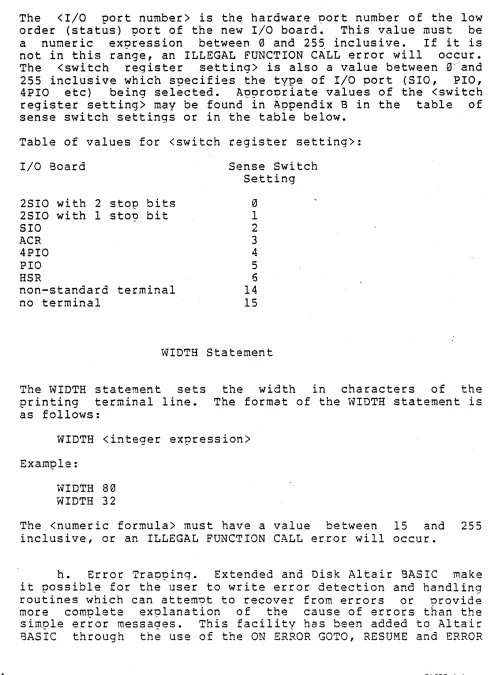
The <I/O port number> is th~ hardware port number of the low order (status) port of the new I/O board. This value must be a numeric exnression between 0 and 255 inclusive. If it is not in this ra~ge, an ILLEGAL FUNCTION C~LL error will occur. The <swi tch register setting> is also a value between 0---and 255 inclusive which specifies the type of I/O port (SIO, PIO, 4PIO etc) being selected. A?9rO~riate values of the <switch register setting> may be found in A~pendix B in the table of 'sense switch settings or in the table below.
Table of values for <switch register setting>:
I/O Board
2510 with 2 stop bits 2SIO with 1 sto~ bit SIO
ACR 4PIO PIO HSR
non-standard terminal no terminal
Sense Switch Setting
o
1 2 3 4 56 14 15
WIDTH Statement
The WIDTH statement sets printing terminal line. as follows:
the width in characters of the The format of the WIDTH statement is
WIDTH <integer expression>
Example:
WIDTH 80 WIDTH 32
The <numeric formula> must have a value between 15 and 255 inclusive, or an ILLEGAL FUNCTION CALL error will occur.
h. Error TraQpinq. Extended and Disk Altair BASIC make it possible for the user to write error detection and handling routines which can attem~t to recover from errors or nrovide more complete exolanatlon of the cause of errors than the simple error messages. This facility has been added to Altair BASIC through the use of the ON ERROR GOTO, RESUME and ERROR
BASIC 4.1
[image:36.612.59.555.78.753.2]statements and with the ERR and ERL variables.
1) Enabling Error Tra~?ing. The ON ERROR GOTO statement specifies the line of the Altair BASIC proqram on which the
e~ror handling subroutine starts. The for~at"is as follows:
ON ERROR GOTO <line number>
The ON ERROR GO TO statement should be executed before the user
ex~ects any errors to occur. Once an ON ERROR GOTO statement has been executed, all errors detected will cause BASIC to start execution of the s?ecified error handling routine. If the <line number> s?ecified in the ON ERROR GOTO statement does not exist, an UNDEFINED LINE error will occur.
Example:
10 ON ERROR GOTO 1000
2) Dtsabling the Error Routine. ON ERROR GOTO 0 disables trapping of errors so any subsequent error will cause SASIC to print an error messaqe and stop proqram execution. If an ON ERROR GOTO 0 statement appears in an error traooing subroutine, it will cause BASIC"to sto~ and print the error message which caused the trap. It is recommended that all error trapping subroutines execute an ON ERROR GOTO 0 subroutine if an error is encountered for which they have no recovery action.
NOTE
If an error occurs during the execution of an error trap routine, the system error message will be printed and execution will be terminated. Error trapping does not trap errors within the error trao routine.
3) The ERR and ERL Variables. When the error handling subroutine is entered,