PostgreSQL 9.0
High Performance
Accelerate your PostgreSQL system and avoid the
common pitfalls that can slow it down
Gregory Smith
FPftf ITfl open source
l a a 4 % 3 a l ^ o I community experience distilled P U B L I S H I N G
BIRMINGHAM - MUMBAI ULB Darmstadt
Table of Contents
Preface 1 Chapter 1 : PostgreSQL Versions 7 Performance of historical PostgreSQL releases 8
Choosing a version to deploy 9 Upgrading to a newer major version 9
Upgrades to PostgreSQL 8.3+ from earlier ones 10 Minor version upgrades 11
PostgreSQL or another database? 12 PostgreSQL tools 12
PostgreSQL contrib 13
Finding contrib modules on your system 13 Installing a contrib module from source 14 Using a contrib module 15
pgFoundry 15 Additional PostgreSQL-related software 16
PostgreSQL application scaling lifecycle 16 Performance tuning as a practice 17 Summary 19 Chapter 2: Database Hardware 2 1
Balancing hardware spending 21
CPUs 21 Memory 22 Disks 23
RAID 24 Drive error handling 26 Hard drive reliability studies 27 Drive firmware and RAID 27 SSDs 28
Table of Contents
Disk controllers 29
Hardware and Software RAID 29 Recommended disk controllers 30 Attached storage—SAN and NAS 32
Reliable controller and disk setup 34
Write-back caches 34
Sources of write-back caching 35 Disk controller monitoring 36 Disabling drive write caches 37
Performance impact of write-through caching 38
Summary 39 Chapter 3: Database Hardware Benchmarking 4 1
CPU and memory benchmarking 41
memtest86+ 42 STREAM memory testing 42
STREAM and Intel vs. AMD 43
CPU benchmarking 44 Sources of slow memory and processors 45
Physical disk performance 47
Random access and I/Os Per Second 47 Sequential access and ZCAV 48
Short stroking 49
Commit rate 49
PostgreSQL test_fsync 50 INSERT rate 50 Windows commit rate 50
Disk benchmarking tools 50
hdtune 51
Short stroking tests 52 IOPS 53 Unpredictable performance and Windows 54
dd 55 bonnie++ 56 bonnie++ 2.0 57 bonnie++ ZCAV 58 sysbench 60 Seek rate 61 fsync commit rate 61
Complicated disk benchmarks 62
Sample disk results 63
Disk performance expectations 65
Sources of slow disk and array performance 65
Summary 67
Chapter 4: Disk Setup 69 Maximum filesystem sizes 69 Filesystem crash recovery 70
Journaling filesystems 71 Linux filesystems 72 ext2 72 ext3 73 ext4 75 XFS 75 Other Linux filesystems 77 Write barriers 77
Drive support for barriers 78 Filesystem support for barriers 79
General Linux filesystem tuning 79
Read-ahead 79 File access times 80 Read caching and swapping 81 Write cache sizing 81 I/O scheduler elevator 82
Solaris and FreeBSD filesystems 84
Solaris UFS 85 FreeBSD UFS2 86 ZFS 87 Windows filesystems 89 FAT32 89 NTFS 89
Adjusting mounting behaviour 90
Disk layout for PostgreSQL 91
Symbolic links 91 Tablespaces 91 Database directory tree 92
Temporary files 93
Disk arrays, RAID, and disk layout 94
Disk layout guidelines 96
Summary 97 Chapter 5: Memory for Database Caching 99
Memory units in the postgresql.conf 99 Increasing UNIX shared memory parameters for larger buffer sizes 100
Kernel semaphores 102 Estimating shared memory allocation 102
Inspecting the database cache 104
Installing pg_buffercache into a database 105 Database disk layout 106
Table of Con ten ts
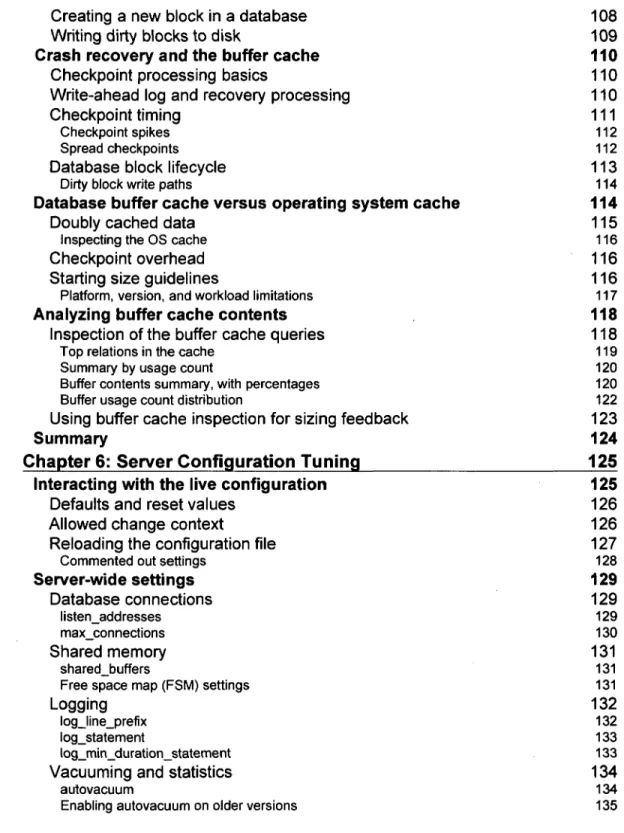
Creating a new block in a database 108 Writing dirty blocks to disk 109
Crash recovery and the buffer cache 110
Checkpoint processing basics 110 Write-ahead log and recovery processing 110 Checkpoint timing 111
Checkpoint spikes 112 Spread checkpoints 112
Database block lifecycle 113
Dirty block write paths 114
Database buffer cache versus operating system cache 114
Doubly cached data 115
Inspecting the OS cache 116
Checkpoint overhead 116 Starting size guidelines 116
Platform, version, and workload limitations 117
Analyzing buffer cache contents 118
Inspection of the buffer cache queries 118
Top relations in the cache 119 Summary by usage count 120 Buffer contents summary, with percentages 120 Buffer usage count distribution 122
Using buffer cache inspection for sizing feedback 123
Summary 124 Chapter 6: Server Configuration Tuning 125 Interacting with the live configuration 125
Defaults and reset values 126 Allowed change context 126 Reloading the configuration file 127
Commented out settings 128
Server-wide settings 129 Database connections 129 listen_addresses 129 max_connections 130 Shared memory 131 shared_buffers 131 Free space map (FSM) settings 131
Logging 132
log_line_prefix 132 log_statement 133 log_min_duration_statement 133
Vacuuming and statistics 134
autovacuum 134 Enabling autovacuum on older versions 135
maintainance_work_mem 135 default_statistics_target 136 Checkpoints 136 checkpoint_segments 137 checkpoint_timeout 138 checkpoint_completion_target 138 WAL settings 138 wal_buffers 138 wal_sync_method 139
PITR and WAL Replication 140
Per-client settings 140 effective_cache_size 141 synchronous_commit 141 work_mem 142 random_page_cost 143 constraint_exclusion 143 Tunables to avoid 143 fsync 143 full_page_writes 144 commit_delay and commit_siblings 144 max_prepared_transactions 144 Query enable parameters 145
New server tuning 145 Dedicated server guidelines 145 Shared server guidelines 146 pgtune 147 Summary 147 Chapter 7: Routine Maintenance 149 Transaction visibility with multiversion concurrency control 149
Visibility computation internals 149 Updates 150 Row lock conflicts 152
Serialization 154 Deletions 154 Advantages of MVCC 155 Disadvantages of MVCC 156 Transaction ID wraparound 156 Vacuum 158 Vacuum Implementation 158 Regular vacuum 158 Returning free disk space 159 Full vacuum 159 HOT 160
Table of Contents autovacuum 162 autovacuum logging 163 autovacuum monitoring 163 autovacuum triggering 164 Per-table adjustments 165
Common vacuum and autovacuum problems 167
autovacuum is running even though it was turned off 167 autovacuum is constantly running 167 Out of memory errors 168 Not keeping up on a busy server 168 autovacuum is too disruptive 168 Long running transactions 169 Free Space Map exhaustion 169 Recovering from major problems 170
Autoanalyze 171 Index bloat 171
Measuring index bloat 172
Detailed data and index page monitoring 174 Monitoring query logs 175
Basic PostgreSQL log setup 175
Log collection 176 log_line_prefix 176 Multi-line queries 177 Using syslog for log messages 177 CSV logging 178
Logging difficult queries 179
auto_explain 180
Log file analysis 181
Normalized query fingerprints 181 pg_stat_statements 182 pgFouine 183 PQA 186 EPQA 186 pgsi 186 mk-query-digest 186
Summary 187
Chapter 8: Database Benchmarking 189
pgbench default tests 189
Table definition 189 Scale detection 190 Query script definition 191 Configuring the database server for pgbench 193
Sample server configuration 193
Running pgbench manually 194 Graphing results with pgbench-tools 195
Configuring pgbench-tools
Customizing for 8.3
Sample pgbench test results
SELECT-only test TPC-B-like test Latency analysis
Sources for bad results and variation
Developer PostgreSQL builds
Worker threads and pgbench program limitations
pgbench custom tests
Insert speed test
Transaction Processing Performance Council benchmarks Summary
Chapter 9: Database Indexing
Indexing example walkthrough
Measuring query disk and index block statistics Running the example
Sample data setup Simple index lookups Full table scans Index creation
Lookup with an inefficient index Combining indexes
Switching from indexed to sequential scans
Planning for plan changes
Clustering against an index Explain with buffer counts
Index creation and maintenance
Unique indexes
Concurrent index creation Clustering an index
Fill factor
Reindexing
Index types
B-tree
Text operator classes
Hash GIN GiST
Advanced index use
Multicolumn indexes Indexes for sorting
r viii 196 197 197 197 198 200 203 204 204 205 206 207 208
209
210 210 211 211 213 214 215 216 217 218 219 219 221 222 222 223 224 224 225 225 225 226 226 227 227 228 228 228Table of Contents
Partial indexes 229 Expression-based indexes 229 Indexing for full-text search 230
Summary 231 Chapter 10: Query Optimization 233 Sample data sets 233
Pagila 234 Dell Store 2 234
EXPLAIN basics 236
Timing overhead 236 Hot and cold cache behavior 237
Clearing the cache 237
Query plan node structure 239
Basic cost computation 240
Estimated costs and real world costs 242
Explain analysis tools 242
Visual explain 242 Verbose output 243 Machine readable explain output 243 Plan analysis tools 244
Assembling row sets 245
Tuple id 245
Object id 246
Sequential scan 246 Index scan 247 Bitmap heap and index scans 247
Processing nodes 249 Sort 249 Limit 250 Offsets 251 Aggregate 252 HashAggregate 252 Unique 253 WindowAgg 254 Result 254 Append 255 Group 257 Subquery Scan and Subplan 258
Subquery conversion and IN lists 258
Set operations 259 Materialize 260 CTE Scan 261
Joins 262
Nested loop 262
Nested loop with inner Index Scan 263
Merge Join 264
Nested loop and Merge Join materialization 265
Hash Joins 266
Hash semi and anti joins 267 Join ordering 268 Forcing join order 268 Join removal 269 Genetic query optimizer 270
Statistics 271
Viewing and estimating with statistics 271 Statistics targets 275
Adjusting a column target 275 Distinct values 276
Difficult areas to estimate 276
Other query planning parameters 277
effective_cache_size 277 work_mem 278 constraint_exclusion 279 cursor_tuple_fraction 279
Executing other statement types 280 Improving queries 280
Optimizing for fully cached data sets 281 Testing for query equivalence 281 Disabling optimizer features 282 Working around optimizer bugs 287 Avoiding plan restructuring with OFFSET 287 External trouble spots 290
SQL Limitations 291
Numbering rows in SQL 291 Using Window functions for numbering 292 Using Window functions for cumulatives 293
Summary 294 Chapter 11: Database Activity and Statistics 297 Statistics views 297 Cumulative and live views 299 Table statistics 300
Table I/O 302
Index statistics 303
Index I/O 305
Table of Contents
Database wide totals 305 Connections and activity 306 Locks 307
Virtual transactions 307 Decoding lock information 309 Transaction lock waits 312 Table lock waits 313 Logging lock information 314
Deadlocks 314
Disk usage 315 Buffer, background writer, and checkpoint activity 318
Saving pg_stat_bgwriter snapshots 319 Tuning using background writer statistics 322
Summary 324 Chapter 12: Monitoring and Trending 325 UNIX monitoring tools 325
Sample setup 325 vmstat 326 iostat 329
iotop for Linux 331 Examples of good performance 332 Overloaded system samples 335
top 338
Solaris top replacements 340 htop for Linux 340
sysstat and sar 340
Enabling sysstat and its optional features 342 Graphing with kSar 343
Windows monitoring tools 343
Task Manager 343
Sysintemals tools 344
Windows System Monitor 344
Saving Windows System Monitor data 345
Trending software 346
Types of monitoring and trending software 346
Storing historical trend data 347
Nagios 347
Nagios and PostgreSQL 348 Nagios and Windows 349
Cacti 349
Cacti and PostgreSQL 350 Cacti and Windows 350
Munin 350
Other trending packages 350 pgstatspack 351 Zenoss 351 Hyperic HQ 352 Reconnoiter 352 Staplr 353 SNMP tools 353 Summary 353 Chapter 13: Pooling and Caching 355 Connection pooling 355
Pooling connection counts 356 pgpool-ll 357
pgpool-ll load balancing for replication scaling 357
pgBouncer 358
Application server pooling 359
Database caching 359
memcached 360 pgmemcache 360
Summary 361 Chapter 14: Scaling with Replication 363 Hot Standby 363
Terminology 364 Setting up WAL shipping 365 Streaming Replication 366 Tuning Hot Standby 366
Replication queue managers 367
Slony 368 Londiste 369 Read scaling with replication queue software 369
Special application requirements 369
Bucardo 370 pgpool-ll 370
Other interesting replication projects 371 Summary 372 Chapter 15: Partitioning Data 375 Table range partitioning 375
Determining a key field to partition over 376 Sizing the partitions 377
List partitioning 377
Creating the partitions 378 Redirecting INSERT statements to the partitions 379
Dynamic trigger functions 380 [ x i ]
Table of Contents
Partition rules 381
Empty partition query plans 382 Date change update trigger 382 Live migration of a partitioned table 383 Partitioned queries 386 Creating new partitions 389
Scheduled creation 389 Dynamic creation 389
Partitioning advantages 390 Common partitioning mistakes 390
Horizontal partitioning with PL/Proxy 391
Hash generation 392 Scaling with PL/Proxy 393
Sharding 394
Scaling with GridSQL 395
Summary 396 Chapter 16: Avoiding Common Problems 399 Bulk loading 399
Loading methods 399
External loading programs 400
Tuning for bulk loads 401 Skipping WAL acceleration 402 Recreating indexes and adding constraints 402 Parallel restore 403 Post load cleanup 403
Common performance issues 404
Counting rows 404 Unexplained writes 405 Slow function and prepared statement execution 406 PL/pgSQL benchmarking 407 High foreign key overhead 408 Trigger memory use 409 Heavy statistics collector overhead 409
Targeted statistics resets 410
Materialized views 410
Profiling the database 411
gprof 411 OProfile 411 Visual Studio 411 DTrace 412
DTrace on FreeBSD 412 Linux SystemTap emulation of DTrace 412
Performance related features by version 413 Aggressive PostgreSQL version upgrades 413
8.1 415
8.2 415
8.3 416
8.4 417
9.0 419
Replication 419 Queries and EXPLAIN 420 Database development 421 Configuration and monitoring 422 Tools 423 Internals 423Summary 424 Index 427