N-TeliWeb
User Guide
Release 4.0
Part No. 77000WEB02 April 2001
Printed in the U.S.A. (2106)
WARNING!
Toll fraud is committed when individuals unlawfully gain access to customer telecommunication systems. This is a criminal offense. Currently, we do not know of any telecommunications system that is immune to this type of criminal activity. NEC America will not accept liability for any damages, including long distance charges, which result from unauthorized and/or unlawful use. Although NEC America has designed security features into its products, it is your sole responsibility to use the security features and to establish security practices within your company, including training, security awareness, and call auditing.
NOTICE
While every effort has been made to ensure accuracy, NEC America will not be liable for technical or editorial errors or omissions contained within the documentation. The information contained in this documentation is subject to change without notice.
This documentation may be used only in accordance with the terms of the NEC America License Agreement.
NEC America, Inc., Corporate Networks Group 4 Forest Parkway
Shelton, CT. 06484 Telephone: 203-926-5400 Fax: 203-929-0535 Web site: cng.nec.com TRADEMARKS
NEC, NCS Serv, NCS Ware, Extended Caller ID, N-TeliTouch, NCS Link Plus, NCS Console, NCS Admin, N-TeliWeb and N-TeliCall are trademarks or registered trademarks of NEC.
All other brand names mentioned are trademarks or registered trademarks of their respective manufacturers.
Copyright © NEC America 2001. All rights reserved.
Printed in U.S.A. 4502-0001-A1
Table of Contents
Contents
N-TeliWeb 4.0 . . . 1
Overview . . . 1
Installing N-TeliWeb . . . 2
WebCall Directory Structure . . . 3
Applet Subdirectory Files . . . 4
Collecting Form Data, IVR Data and URL History . . . 5
Tagging Pages for URL History . . . 5
Scenario 1—Caller Data from Web Page . . . 6
Customizing Contactinfo.htm . . . 9
Scenario 2—Caller Data from Auto Attendant. . . 10
Customizing Contact.htm . . . 14
Configuring Auto Attendant for Scenario 2 . . . 15
Troubleshooting . . . 20
Uninstalling N-TeliWeb . . . 21
Table of Contents
Overview
N-TeliWeb
N-TeliWeb 4.0
O v e r v i e w
NCS Ware 4.0 integrates VoIP, Auto Attendant, and Microsoft Internet Information Services (IIS) to provide the N-TeliWeb feature that allows internet users to talk to an extension via VoIP and share web pages.
S y s t e m R e q u i r e m e n t s
• Client/Server System only : NCS Ware Release 4.0 or higher running on Windows 2000 or Windows NT.
• Client System : Microsoft Internet Explorer 5.5 or better, or Netscape 4.7 or better; NetMeeting 3.01; and Sound Card.
• Web Server : Microsoft Internet Information Services (IIS) 4.0/5.0.
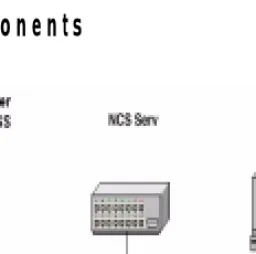
N-T e l i W e b C o m p o n e n t s
Figure 1. N-TeliWeb Component Overview
N-TeliWeb 4.0
Installing N-T e l i W e b
Make sure NCS Ware Release 4.0 has been installed on the NCS Serv system and the link to TCP/ IP is enabled before continuing with N-TeliWeb setup.
1. Log in to the client machine using a domain account and make sure it is connected to the network on which NCS Serv is running.
2. Exit any/all Windows applications.
3. Insert the N-TeliWeb CD into the CD ROM drive of the IIS web server . 4. Run the Setup.exe program in the N-TeliWeb\WebCall folder on the
N-TeliWeb CD. Follow the step by step installation instructions as they appear on the screen.
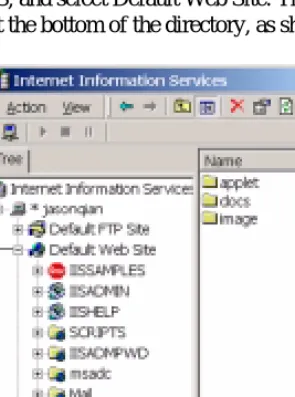
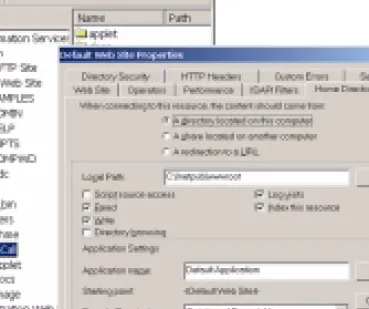
5. N-TeliWeb installs into the Home directory of the IIS server. To verify installation, start IIS, and select Default Web Site. The WebCall directory appears at the bottom of the directory, as shown below.
Figure 2. Logical N-TeliWeb WebCall installation in IIS
Default Web SiteWebCall