+
+
+
+
+
+
Foreword
I am delighted to present this review of emerging technologies in education.
Becta plays a central role in evaluating the potential and impact of technology in education, working closely with UK Education Departments, educational institutions, industry and academia. Our aim is to understand the effectiveness of technology in addressing educational issues and supporting educational outcomes. This review, like our other work in this area, draws on a range of evidence and thinking, and presents a balanced and informed view which will help educators and policymakers to think about the future.
The review features five articles by experts on a variety of technology themes. It covers emerging technologies and some of the future trends that are likely to have an impact on education. This is not a technical document. It is intended to inform readers about the potential for technology to transform our ways of working, learning and interacting over the next three to five years.
Clearly, emerging technologies can make a major contribution to the development of a 21st-century education system – one which places learners at the heart. We are now moving from a phase of using technology to digitise existing practices and resources to one of using technology to transform them. Indeed, technology is critical in this, as it can support ‘anytime, anywhere’ learning, improve access to learning resources and offer collaborative, creative, dynamic and adaptive experiences that truly support personalised learning.
However, change is not simply about technology. The successful implementation of technology to support transformation involves understanding and overcoming technical, organisational, pedagogical and socio-cultural challenges. To this end, Becta is building partnerships with industry and the research community to explore innovative approaches to the effective use of technology and to gather and disseminate evidence of related benefits, effective practice and appropriate strategies for change.
I hope you will find the visions outlined in this publication stimulating, and that they will excite you about the prospect of embedded technology supporting learning when and where needed and in a way that is tailored to learners.
Contents
Foreword
About the authors
1
Mobile technologies:transforming the future of learning Geoff Stead
Introduction
Technology landscape: what is coming? Usage: how we use mobiles
Mobile learning: what is it?
Mobile learning: how well does it work? Summary
2
The ambient web Bill SharpeIntroduction
Digital technology in everything Networking the ambient web Online learning in the real world Learning intensity
References
3
The future of human-computer interaction Paul AndersonPCs, we have a problem!
Trends in HCI and usable machines Usage: how we use mobiles Conclusion
References
4
5
Glossary
Further information Social networks Leon Cych
Introduction Web 2.0
Web 2.0 technologies adapted for education Collaborative tools
Conclusion References
The broadband home Michael Philpott
Introduction
What has this to do with education? Shifts in broadband access
About the authors
Geoff Stead – CTAD
Geoff Stead is a director of Tribal CTAD, part of the Tribal Group plc. For the last five years he has led the development of technology resources that seek to make learning work for everyone. Originally a computer scientist, in South Africa he worked with street children and labour unions, getting them involved in computers as far back as the 1980s. Recently, he has championed m-learning and is now one of the UK’s leading thinkers on this exciting theme.
Tribal CTAD [http://www.ctad.co.uk] specialises in developing materials that use technology but are driven by pedagogy. CTAD’s key focus is to find ways of reaching people who, for whatever reason, have not been able to benefit from mainstream education in the UK.
Bill Sharpe – The Appliance Studio
Bill Sharpe is CEO and co-founder of The Appliance Studio [http://www.appliancestudio.com], a research and innovation company specialising in the impact of pervasive digital technology on everyday products and services.
Bill undertakes strategic technology consulting for commercial and public-sector clients, bringing fundamental user understanding together with strategic tools for the management of innovation. Recent projects have included leading long-term technology impact analyses for two of the UK Foresight programmes: Cognitive Systems; and Cybertrust and Crime Prevention. He is a visiting fellow at the University of Bristol, where he was co-founder of a collaborative research programme exploring the interaction between located digital media and physical space [http://www.mobilebristol.com]. Bill was previously a research lab director at Hewlett-Packard in Bristol, where he pioneered new concepts in pervasive computing.
Paul Anderson – Intelligent Content
Paul Anderson is a computer scientist and writer. He is Technical Director at Intelligent Content Ltd, a consultancy-led business that specialises in content about, and for, new and emerging technologies. He is also Technical Editor for the JISC Technology and Standards Watch service, which keeps track of the future direction of technology and its implications for higher education. Paul has written a number of articles for magazines such as Computing, and is a member of the National Union of Journalists, the British Computer Society and the IEEE.Leon Cych
Leon Cych is Editor of Computer Education, the professional journal for NAACE. He is also director of Learn 4 Life
[http://www.ll.org.uk] – a company that trials, showcases and informs the educational sector on innovative web technologies. He has an active interest in the fusion of technology and the arts, and was instrumental in staging the world’s first virtual opera for King’s Cross Education Action Zone – a NESTA funded project [http://www.carmenavalook.com]. He is currently working on building content for an extended schools initiative using the open source VLE, Moodle.
Michael Philpott – Ovum
Michael Philpott is a principal analyst at Ovum, specialising in broadband access technologies and next-generation networks. He is a leading figure in the Broadband@Ovum team carrying out research into areas of broadband technology, operator strategy, broadband markets and market forecasting. Michael is also well known on the conference circuit, providing his analytical view on broadband markets and technologies.
Mobile technologies: transforming
the future of learning
Geoff Stead
Introduction
‘For today’s class we will be building a 3D map of the village. First, we’ll collect pictures, sounds and anything else of interest from each street. Split into teams of four and take your camera-phones with you. By mid-day we will have built our own virtual map, and then we can get together to plan which parts to research further.’
‘My students work for a trucking company and at any given time they are all over the country. I never see them. But whenever they have a stopover, they check in on their mobile device and we do some work together. For us, mobile learning is the only option.’
‘As she cycled to class for her oral exam, she listened to the revision lecture from the week before. The entire session had been podcast, and had automatically downloaded itself onto her music player that morning.’
‘As he waited for the bus to take him to his driving-theory test, he took out his phone and practised running through the questions one more time. On each of the last ten attempts he had got over 95% correct and was feeling confident about the real test.’
Unlikely as these scenarios may seem, in fact they are already happening. The challenge for mainstream provision is how best to take these lessons on board.
This article looks at three main trends:
• which technologies are coming
• how we are already using them
1
Technology landscape: what is coming?
Mobile learners have a lot of choice. We have many different portable devices competing to fulfil slightly different roles in our lives: news, games, email, music, phone calls, diary, camera…
To understand the trends, we need to look at all mobile devices – including phones, personal digital assistants (PDAs), personal media players (PMPs), portable games consoles and laptops. Our end focus, however, is not the devices themselves, but the mobile learner. What will they have in their pocket and how can we prepare to make the most of it for learning?
Trends
Some technology trends, which have already been well documented, are continuing:
• The power of the processor, memory and battery is increasing and the physical size required is decreasing.
• The costs of many core ingredients are going down (screens, batteries, memory).
• Operating systems, as well as file formats and the media we use for transferring them, are standardising.
• Mobile devices are getting better at communicating with one another in several different ways.
To take the last point, there are multiple aspects to this communication:
• Wireless networks and 3G give us fast data access wherever we are. The standards keep evolving, and future speeds are increasing for both short- and long-distance connections (4G, WiMAX, Wi-Fi, UWB).
• Internet use is no longer restricted to desktop computers. The internet is a living, pervasive web of information available to any device that wants to connect to it (phones, games consoles, satellite navigation systems…).
• The format of the information on the web is increasingly appropriate to many different devices. The BBC site I get on my phone is better suited to a small screen than the same site on my PC.
• GPS (global positioning system) is no longer the domain of specialised exploring equipment. Prices are dropping, and already I can buy a mobile phone that can tell me where I am and where I need to go. This positional awareness opens up huge possibilities for new contextualised and personalised services.
• Bluetooth is connecting all sorts of different devices to one another. This enables us to create our own personalised device by combining the items that are most useful to us. Several other technologies are waiting in the wings to take over or enhance Bluetooth (NFC, WLAN, UWB) but, regardless of which technology survives, the benefits to connectivity will be similar.
• Identification protocols are helping devices to recognise things, and one another, allowing information gathering, personalisation or mobile payment for goods and services (RFID, camera-phone barcodes and so on).
• Standardised connectors let me add features to my devices – USB ports, PCMCIA slots, FireWire, PS/2, SD and CF slots, and memory sticks are increasingly available on many different devices. Today we take it for granted that we can buy a specialised keyboard, an unusual mouse or any printer, and connect it to whichever computer or mobile device we use. End users can customise their own computers more and more to their own needs.
Converge or fragment?
But are they converging into a single device? Or will we still carry several different ones? The answer is probably both.
Since the 1970s, Alan Kay and other pioneers of learning technology have had visions of a single device: the
Dynabook, a small, portable computer specially designed for creativity and learning. For many years it was only a vision, but at last the technology has caught up. Today I can buy a handheld device with all the power and features of a laptop but one that is not much larger than an iPod. In addition to the specialist players who have already entered the market, several large players like Intel and Microsoft are developing these ‘handtop’ computers. The price is not quite right, the software is still too business focused and, like many mobile devices on the market at the moment, they may not be robust enough for full-time learning use, but the features make these handtops look a lot like the single device that educators have been waiting for. Furthermore, unlike smaller devices, they can run any Windows-based software.
But this is not the end of the story. A single handheld learning device for every student might well be the tool to help us transform learning, but if we look beyond the classroom, the trends suggest that there may be more than one device in our learners’ pockets.
What about their existing communication tools? What about the latest trendy gadget? What about their desire to personalise with snap-on phone covers and ever-changing ring tones? Users seem driven to customise and personalise their surroundings in their quest for individuality, comfort and accessibility. Examples of this are appearing all around us.
Who needs a monitor? I can replace mine with:
• a handheld mini-projector
• a glasses-mounted display
• a flexible, paper-like display (which allows the display to be larger than the device itself )
• a full-face virtual-reality (3D) helmet.
Who needs a mouse? I can replace mine with:
• a joystick or trackball
• a switch (an on/off button favoured by many users with physical disabilities)
• a touch-pen and digitising tablet
• a touch-screen
• eye trackers.
Who needs a keyboard? I can replace mine with:
• a microphone, thanks to voice recognition
• a virtual-reality glove and other haptic devices
• projection keyboards (virtual keyboards that shine onto any surface)
• a touch-screen with handwriting recognition.
1
Personalisation
How does this relate to mobile trends?
Thanks to the ability to connect technologies without wires, we are seeing the same trends in the PC and mobile worlds. We started searching for the single device that could do everything. We hoped to use it to communicate by voice, text, pictures and video. It would organise our lives, allow us to listen to music, read a book or watch a film. But when we found it, we didn’t like it, so we ended up duplicating. I have a camera-phone and a digital camera. I carry both. I can get my email via phone, Blackberry, PocketPC or laptop. I sometimes carry all four! This may be rather extreme, but the reason is simple: it all comes back to us, the users.
Certain interfaces are better for certain tasks than others, and we like to pick and choose what suits us best.
• Screen sizes have gone down and up and will do that again. No matter how small my DVD player, I want a big enough screen to watch the film! No matter how small my digital camera, I want to see the picture at the back. But when I want a tiny phone I am happy to sacrifice video playback to have a small screen. Different optimum sizes are emerging for different tasks.
• Keyboards have also gone smaller and then bigger again. Laptops, phones and PDAs have standardised on an optimum size for their own tasks, but are not successful when doing each other’s tasks. For writing an essay, a phone-style keyboard would be tedious, but for making a call or sending an SMS it is perfect.
• User interfaces have also found best fits with different screen sizes. On large screens we are happy to have multiple, overlapping windows, but on small screens we are not, so each application uses a single full-screen window.
Increasingly it is users, rather than technology, that restrict what can be done. Our patterns of use dictate what we want. Users will soon be carrying around a small selection of devices that can communicate with each other, but each
will be designed for specific tasks. Just as with PCs, users will personalise their technology by having a selection of devices and functions that best suit their needs.
Three years from now…
Three years from now I expect that I will have the following:
• A tiny ‘connectivity tool’, possibly hidden in a phone. This will be my high-speed connector to the internet. All other devices I carry that need to communicate will use this. It will connect wirelessly, via 3G, 4G, Wi-Fi, WiMAX or whichever route it can find, switching between them as I move around. This will work for both voice and data.
• Media hub. Think iPod here, but add my digital camera as well as my phone contacts and other personal data. The emphasis of this media hub is all about storage and data, and far less about specific applications. It will record and play back media files, but not much else.
• Communicator (phone). All this requires is a microphone and earpiece. They could be built into spectacles (as several models already are), or in fact any wearable jewellery I want, since the bulk of battery power, controls and connectivity is in the other devices.
• Because I work a lot on the move, I shall probably also have a more advanced reading and writing tool, looking a bit like a laptop with a bigger screen and keyboard for doing more significant work. It will have a decent processor, but will store information on the media hub. When I need to connect to the web, it will use my connectivity tool.
Usage: how we use mobiles
People love gadgets, and are excited by the latest technology, whether digital radio, CD, VHS, iPod or TV. These may seem like (and often are) passing fads, but some developments shift our whole perspective. The success of the web was an example of this, and perhaps the way we use mobile devices will be another. Marc Prensky uses the term ‘digital natives’ for the young people who are growing up surrounded by technology, and ‘digital immigrants’ for the rest of us who are still struggling to catch up and learn this new language of technology and connectivity.
Digital natives are able to make huge leaps between technologies and are comfortable finding new uses for them, whereas we digital immigrants need to learn about them in a more cautious, incremental way. If you want a flavour of the future, watch young people: they use their mobile tools for far more than just talking on the phone and checking their diaries. They build communities. They create media. They publish. They perform.
• Blogging
Users can send a text and picture from their phone direct to a personal website – live and mobile publishing.
• SMS to TV
Several TV music channels let viewers send a SMS message and it gets scrolled across the bottom of the TV screen to anybody watching.
• Podcasting
Many mobile devices let you record. Almost as simply as blogging, you can send these audio files to a website and publish them to the world.
• Instant messaging and VoIP (Voice over IP) These are the tools of the trade for digital natives communicating for free over the net.
• ‘Connected cocooning’
A term coined by an MTV report on the technology habits of young people, this describes how they are permanently plugged into a network of digital devices and, via these, to their virtual communities.
These are powerful forces. The shift from being digital consumers to becoming digital producers and publishers is taking the traditional media producers by surprise.
All of these stories are true:
• During the Iraq war, some of the most accurate reporting was in blogs published by locals living inside the war zones. These provided an insight that traditional reporters were unable to get: look at [http://riverbendblog.blogspot.com]. • During the BBC radio commentary of a football match, while
a particularly close call by the referee was being debated, a member of the crowd sent a close-up movie clip of the moment direct to the commentators. Does this undermine the referee? • Many of the videos shown in news coverage of recent disasters
like the tsunami and the London bombings were filmed on the phones of people who happened to be on the spot. The news teams got there too late.
• An African mother living in Europe is trying to teach her home language to her husband and son. She records some practice audio files and publishes them online as a podcast. They have become a surprise hit among dispersed members of the same language group around the world.
• A teacher seems to be picking on student A. Student B films it on her phone and sends it home to mum. She shows it to student A’s father, who makes his complaint to the head before the school day has finished.
These examples show how ordinary people are moving from being consumers of media to becoming creators and producers. The challenge for educators is how to deal with this. Do we ban phones from the classroom because of the concerns raised by flirting, ‘happy slapping’or bullying via text and blogs?
1
Mobile learning: what is it?
Over the past five years, bands of enthusiastic students, educators and researchers all over the world have been watching the spread of small, mobile devices and exploring how to use these for learning. For some, this is the first real chance to achieve ‘one computer, one student’. For others, it is providing educators with powerful new tools. Unnervingly for some, it is a frightening peek into a future where the students are more in control of the technologies than the teachers.
The more we look at the possibilities offered by mobile learning, the clearer it becomes that we are seeing more than just ‘the same old thing, but for people on the move’. Several commentators (Sharples, Stead, Traxler) have depicted two distinct aspects of m-learning:‘safe’learning and‘disruptive’learning. These are emotive terms, but the distinction is quite valid.
Both of these aspects have a valuable role to play. The first extends what we are already doing into new places, and the second helps us think differently about learning: learning in a more personalised way, handing over more control to the learners themselves.
• Safe learning
Safe learning is what people first think of when they discover m-learning. Learners with mobile resources: mobile devices containing learning materials, or even learning for mobile students.
This can be very effective (as we will discuss later), especially when it gives access to learning contexts that are difficult to represent: the factory floor, a prison, inside hospitals or in places with no electricity.
It also connects easily with existing materials and processes, but extends them, because time, place and access to computers are no longer barriers. Tools already exist for educators to create their own mobile learning materials, and growing numbers already do so.
• Disruptive learning
Much of the current debate around m-learning is looking beyond the safe model. Instead of starting from the traditional perspective of how teaching ought to happen, teachers and learners are starting from the other end of the spectrum: “How are mobile devices being used outside education, and how can that be harnessed to enhance my skills?”
Mobile learning: how well does it work?
Key lessonsTribal CTAD has been involved in more than twenty trials across the UK, reaching out to several thousand mobile learners. We are collaborating to understand how using mobile tools and approaches can transform learning. Many of our trials have focused not on schools and universities, but on learners who were hard to reach, hard to engage, or hard to access – for example young offenders, Traveller communities, disengaged teenagers and work-based learners in difficult contexts.
Our original definition of mobile learning was broad. In many cases we provided small PDAs. In others we provided resources on learners’ own phones. In all cases we were as interested in increasing motivation and engagement as we were in teaching a particular subject.
Across these trials we learned the following lessons about mobile learning.
It works, and it reaches places other learning cannot reach We know that:
• m-learning can empower and engage
• the engagement and motivation can continue beyond the initial ‘gadget honeymoon’
• learners are more comfortable engaging in personal or private subject areas using a mobile device than doing so using traditional methods
• the device can be a powerful tool for self-evaluation and reflection.
A collection of pieces to fit a learning need, not a single solution
When e-learning first became widespread, one of its biggest failings was the assumption that it could become a solution to all learning problems: that teachers were no longer required, and that anything could be ‘e-taught’. Success was only about ‘broadcasting’ good-quality learning materials. We now know that this is wrong, and that good teachers, communication, collaboration and discovery activities are essential.
The good news about m-learning is that it is difficult to make the same mistakes, because the devices being used are much less powerful than PCs. There is clearly no single solution. Screens are smaller. Many have no keyboards. Connection speeds are slower. Processing power is weaker. There is no single ‘platform’ or set of features that dominates. The learning you can do on an iPod or MP3 player is very different from the learning you can do with SMS. No one can claim that this is the complete solution, as the sales extremists of e-learning tended to do.
In the light of this, it is useful to describe m-learning not as a single entity, but rather as a collection of new tools that tutors can add, combined as required, to their teaching resources. Some of these tools are:
• SMS (text messaging) as a skills check, or for collecting feedback • audio-based learning (iPods, MP3 players, podcasting)
• Java quizzes to download to colour-screen phones • specific learning modules on PDAs
• media collection using camera-phones
• online publishing or blogging using SMS, MMS (picture and audio messages), cameras, email and the web
• field trips using GPS and positional tools.
The learning possibilities of these technologies, as well as some of the tools to create your own resources, are explored in much greater depth on the Get Mobile CD-ROM [http://www.getmobile.org] and also on the M-learning website [http://www.m-learning.org].
1
Best as part of a blend
Our many trials tested out a number of approaches to using mobile devices. In some cases the learning supplemented activities already under way; in others the learning activities were constructed entirely around the mobile devices.
In most cases we found that the learning worked best for learners and tutors when it went beyond the mobile device, and incorporated other media or experiences. Typically it was combined with group activities, paper-based materials, other ICT use or everything else tutors would normally do.
These findings are supported by other studies exploring the different approaches to learning and what opportunities wireless and mobile technologies can offer. The JISC innovative practice guide suggests distinguishing between these learning perspectives:
• Learning as acquiring competence
• Learning as achieving understanding (both individually and collaboratively)
• Learning as social practice.
All of these can find a place in our blend.
Not just for teaching, but for creating,
collaborating and communicating
Given that our target users have often dropped out of school and may well not have been strong performers there, being able to exploit different learning styles is a key feature of our work. Luckily for us, the very nature of m-learning (as a collection of small pieces) makes it a natural part of the learning mix. Feedback from learners and tutors has been very strongly in favour of this mix of learning models.
When groups of learners already knew each other, they were keen to make use of the collaborative features of the devices: beaming incomplete pictures and messages to each other so they could each add on their own bit and exchanging SMS, MMS and emails. In our research they had often figured out how to do this before we had the chance to show them! Exploiting this as a learning tool provided us with a rich seam of enthusiasm and contribution from the learners.
Some of these activities made use of existing functions and features of the devices for picture taking and drawing, sound recording and writing text. Other activities used external software systems to combine these.
The most useful of these was the mediaBoard
M-learning as a bridge
When working with young people, we assumed they would be skilled users of ICT, but were surprised to find that many socially disadvantaged groups lacked confidence and actively avoided ICT. After our trials, though, several initiated steps back into learning in order to learn about ICT. For them, m-learning was small step towards a massive shift in confidence, autonomy and motivation. This bridge into ICT is a result we also saw in several other trials with different age groups.
The importance of ownership
Mobile devices are not the same as library books. The more you use them, the harder it becomes to give them back and the more they become part of your life resources. Learners who invest the time in learning to use them develop a strong sense of ownership and learning autonomy.
Two innovative school-based projects in the UK gave large numbers of students long-term access to mobile devices, and both groups emphasised the importance of ownership. Students (and parents) need to own the devices, and to contribute to their costs and maintenance. Dave Whyley of Wolverhampton LA and John Davies of Dudley LA have both been equipping hundreds of learners with mobile devices and have both come up with a similar formula: that parents will pay the price of a pint of lager and a packet of crisps a week, so that their children can have a mobile learning tool.
Practice makes perfect: just do it!
The final lesson is a softer one. We found that the best way to understand how to fit mobile learning into your teaching is to try it out yourself. There is a bit of technical understanding that tutors need to have before starting, but most of the learning for tutors and students can take place on the job.
In some trials, tutors had intensive training for four or five weeks before learners appeared. In others the tutors started at the same time as their learners. In both scenarios tutors felt that they did not have enough time to prepare, but there was no significant difference in the outcomes, which were all positive. This result suggests that learners are prepared to undertake the learning journey with their tutors, and that m-learning is a powerful tool even when the tutor is only half a step ahead.
1
Summary
Mobile technology is all around us. As devices become cheaper and more interconnected, we are changing the way we use them and integrating them into our personal cocoon of communication, collaboration, entertainment and media creation. The future is more mobile, more connected and more personalised. New generations of learners will expect this as the norm. They will be connected with many different devices, and demand equality, inclusion and always-on access wherever they are.
Models for delivering mobile learning have already started to mature, and the next challenges ahead of us are these. • Can we adapt our teaching to deal with the challenges of
personalisation, always-on access and learner empowerment? • Will we use these tools to continue what has been started
by widening participation and narrowing the infamous digital divide?
• Can we take the lessons of e-learning and m-learning and use these to improve all our other learning?
Let’s hope we can all rise to these challenges.
Some resources for educators looking at m-learning
• A lively discussion forum on Handheld Learning [http://www.handheldlearning.co.uk] • Resources for teachers at M-learning
[http://www.m-learning.org] and Get Mobile [http://www.getmobile.org]
Other pioneering projects in the UK
• Mobilearn [http://www.mobilearn.org]
• Learning 2 Go [http://wgfl.wolverhampton.gov.uk/PDASite/ index.html]
• CTAD projects [http://www.m-learning.org/projects.shtml] • Mudlarking in Deptford [http://www.futurelab.org.uk/
showcase/mudlarking/mudlarking.htm]
The ambient web
Bill Sharpe
Introduction
We are living through a time of profound change in the landscape of digital technology and the way it interacts with our everyday lives. We are all familiar with the growing range of digital gadgets that have brought computing off the office desktop and into our homes and pockets – digital cameras, smart phones, GPS navigators, music players, personal video recorders and so on. However, these are just one strand of a much bigger generational shift in digital technology that can be likened to the Cambrian explosion of life on earth. At that time, after billions of years of very simple organisms, life reached a tipping point in which there was a massive growth in variety and complexity, giving us everything from social insects to societies of humans. After just fifty years of the computing industry we are also at a tipping point, for we are on the brink of a major shift in the range and complexity of artificial systems that will share our lives.
This shift creates an era of opportunity for education. At the heart of education and learning lie the encounters that an individual has with people, places and things, and the opportunity each encounter presents for interaction, challenge and growth. As digital technology pervades everything around us, we can enrich each encounter to harness the global resources of the information world and of learning communities, to make it more appropriate in that moment to that individual. This article describes the main components of the technology evolution that is under way, and some of the collaborative research between technologists and educational researchers that is revealing its educational potential.
Digital technology in everything
What triggered the explosion of natural organisms and why it took so long is hard to say, but in computing the driver of change is very simple: the amount of computing we can have at a very low cost and in a very small package. We are used to thinking about computing power doubling every eighteen months or so, but the more significant shift is that computing density can double at the same rate. Invisibly, behind the scenes, computing has been getting embedded into everyday things. Rough calculations of the computing power that has been shipped by the chip makers suggest that the things we call ‘computers’ represent no more than 1% of the computing that is going on around us. The other % is hard at work controlling cars, central heating, doors, kiosks, telecommunications and utility networks and most of the things that we rely on. What is happening now is that the relentless progress in both power and density is combining with the third big factor – connectivity.
When the World Wide Web appeared in our lives, it was as if a seed crystal had been dropped into a super-saturated solution. In just a few years a whole new structure came into place, linking up our desktop computers and the world of information into a new level of order. The computers were all there; what was needed was a simple, uniform way to link them. Suddenly everything was possible, as millions of people began to communicate with information servers everywhere. We are now at a similar threshold: the re-organisation of all our ‘smart’ things as they join the connected world. This will be a qualitative change that is much more than the words ‘pervasiv computing’ or ‘ubiquitous computing’ suggest, because it will not feel like today’s computing any more than driving a
e
modern car with fifty embedded microprocessors does. The technology world uses terms such as ‘ambient intelligence’ and the ‘internet of things’, to signal this shift, but ‘ambient web’ is my preferred term. This focuses on the way that smart things are joining us in an evolutionary web of new capabilities that will become part of the ambience of our lives.
Intelligent behaviour of individual things will be achieved through an interaction between the thing itself and the capabilities of the ambient web‘behind the wall’. A simple rule of thumb is that if today a thing relies on power to operate, in the future it is likely to rely on the intelligence of the ambient web.
Another major change will be the way that, as individuals, we interface with the online world. We are just seeing computing moving off the desktop and into the smart phones, music players and other small devices that we carry around with us. The cost of computing means that today there is now a forced bundling of all sorts of capabilities into these devices, with phone manufacturers competing to see how many different functions they can get into a small package. This is a passing phase that should give way to what we might call the ‘personal digital environment’. This will entail fully connected wearable technology that can be embedded into smart fabrics and whatever form is most convenient in our personal environment – credit cards, jewellery, glasses, coins, wristwatches and so on. This is a very active research and commercial area in which the fashion and design colleges are involved – for instance, Central St Martins College of Art and Design co-ordinates
the UK Smart Textiles1. Business, sports, entertainment and
healthcare applications are all driving the adoption of these technologies and together will drive into the market a rich set of ways of sensing the personal context and delivering real-time, personalised applications.
You only have to look at people’s absorption in their mobile phones and music players to realise that, as the personal digital environment evolves, people are likely to participate even more deeply in online worlds in parallel with the physical world. Children growing up with rich experience of computer games may adopt a range of online persona or ‘avatars’ to provide interfaces and identities in the online world.
We may see surprising crossovers of media with people using ‘artificial’ communication in face-to-face situations.
Taken together, these developments will create a profoundly different IT landscape from the one with which we are familiar. It is too soon to know how this period of rapid change will turn out, but the diagram below highlights some of the key areas around which research and development are moving ahead today.
Evolution tree
cognitive prosthetics
wearables & embeddables
computers
smart things
networks
mixed-reality environments robots
Networking the ambient web
Computer networking is very confusing – especially the rapidly developing varieties of wireless communication that are key to ambient devices. However, we can think about the main developments broadly in terms of two things that they enable.
First, they enable anything to connect to the internet from wherever it is. ‘Anything, anytime, anywhere’ has been the mantra of the computing industry for years and describes this goal. This is the main thing you get in your 2.G or G phone, with your Wi-Fi hotspot, and over the next few years with WiMAX. Here the wireless connection is the first or last step in getting you connected to the wired internet and web. Part of the puzzle is letting devices hop between different wireless technologies as they move around – from a hotspot to a cellular connection, for example – and deciding how much you get charged. Another level of complexity involves bringing broadcast media into the mix. By 2010–1 many of these standards may have converged into IP-based G networks.
Second, new technologies allow devices to come together and communicate just among themselves. This may be a permanently configured connection, or just a fleeting encounter. Familiar examples are the use of a remote control for the television, and a smart card to pay for a trip on the Tube. The technology of tags (RFID) is set to spread into every sort of device, making it possible for anything to identify what it is and what it can do to the things around it. Bluetooth is another widespread technology intended to create local collections of devices acting together. ZigBee is yet another standard that we will be hearing a lot about in the next few years in our home control systems.
Again, the technical community is extending these ideas to much more sophisticated ideas of self-organising and self maintaining networks of sensors and tiny devices. In the short term, things will often need a lot more configuring than we would like, but gradually a few key standards should emerge, allowing devices to connect seamlessly and invisibly.
Online learning in the real world
Surviving on the savannah
A research consortium in Bristol2 has been exploring the possibilities created by overlaying a digital landscape onto the
physical world to create ‘mediascapes’. Imagine that as you walk around you can tap into sounds, sights and interactions that not only relate to where you are, what you are looking at and what you are doing, but that also augment your experience of the world around you. This is the idea of a mediascape. It works by using GPS or any other location technology, a personal digital environment that can respond to context and play media, and an authoring environment for creating the located content. The mediascape designer maps out areas and events in the environment, and uses movement and action to trigger the media that the user will see and hear.
The Savannah project led by Futurelab3 explored the use
of mediascapes as a tool for learning by allowing children to play at being a pride of lions on a school playing field, which the mediascape transformed into a simulated savannah. The children’s personal digital environment included a handheld computer, headphones and GPS
2
The children were all linked to a common system that meant they were in communication with each other in the simulated world as well as in the normal way in the real world, and what they heard and saw responded to what they did as individuals and together as a team. In addition to the outdoor experience, there was an indoor ‘den’ equipped with an interactive whiteboard that could represent the simulated savannah; information could be collected in the outdoor world and then reviewed and discussed back in the den.
The main challenge for the ‘lions’ was how to survive in the savannah. They encountered threats (such as elephants, bush fires and humans) that they had to avoid; they needed to collaborate as a pack when hunting other animals for food; they had cubs to protect, territory to mark and resources such as shade and water to find.
They had to balance the costs and returns of various activities such as running, attacking and sleeping, and adapt their behaviour to maintain their energy levels.
The simulation built on real-world knowledge provided by the BBC Natural History Unit, and was made as accurate as possible within the constraints of the technology.
You may already be familiar with the use of games in learning-related research. What is of particular interest here is how rich physical activity could be woven into the interactive experience; sound, sight and movement enabled a complex experience to be built up, creating high levels of enthusiasm and engagement. When running away from an elephant, the children were really running, and if they wanted to collaborate they had to move themselves on the playing field, not just move avatars on a screen. Physical movement is enjoyable in itself and the initial results of this and similar projects suggest that this blending of the cognitive challenge with physical experience will be very fruitful.
In fact, the Savannah researchers found that the children could have coped with much harder challenges: a future project could go much further. Looking ahead, we can see many ways in which a future Savannah could go far beyond this first prototype, and how mediascapes can take learning out into the real world. Savannah used the physical world as a blank canvas on which the simulated world was overlaid, but mediascapes can relate directly to where they are implemented, taking social, scientific and environmental learning into the real world. This takes us to another dimension of technology development behind the ambient web – cheap, ubiquitous sensing.
The sensory world
The personal digital environment used by the children in Savannah – handheld PC with headphones and GPS – provided very little information to adapt the experience to what was going on in the environment and what the child was doing. Wearable sensors could be used in a wide variety of ways to enrich the experience. The simple addition of a digital compass can bring a much tighter level of integration between the mediascape and the physical world, because the sights and sounds can be directly aligned with the way you are looking. This has already been trialled in the Mobile Bristol project, providing panoramic views on the handheld device that match the physical view. Imagine walking around a historic site: you could look at the ruins of a castle and then see the building as it would once have been. How much better than reading about it on a static signboard! Direct delivery in this way can also adapt the information to the needs of the particular user. Sounds, too, can be significantly enhanced by using a compass with GPS to create true ‘situated sound’. This is more than just stereophonic sound, which creates a soundscape in your head, unconnected from the real world. Situated sounds are placed in the environment, and will appear to come from that place wherever you move, so it is possible to make the bells ring out from the ruined bell-tower, or to make people and animals move around the landscape. Experiments have shown that sound is a powerful way of creating experience, and the effects of situated sound can be highly dramatic.
Another way to use sensing technology is to enhance the senses. Why not hear like a bat, see like a hawk or smell the world with the sensitivity of a dog? Imagine being able to go out to the woods in the morning and ‘smell’ the trails left by the night animals, experience the world through their senses, face their challenges, and become a participant in their very real ‘game’ of survival. All these possibilities will soon be realised. Sensing technology is advancing rapidly as part of wearable computing, so it will be possible to use all these sources of information to create mediascapes.
Sensing of the environment will take on a new level of meaning as vast arrays of simple sensors that can be scattered around and create a smart sensing ‘mesh’ become available. Many research teams are working on approaches to tiny sensors that can be spread through the environment and will create ad hoc networks to pass information from one to another until it reaches a collection node for transmission back to base – see Envisense4, for example. This means they need
very little power and can perhaps even just be solar powered. In this way the real world can be linked to the mediascape. A child studying pollution, for example, might be given an interactive map of the city, showing current pollution levels. She could go and ‘look’ at the map by walking around hot spots with her ‘chemical senses’ turned on, and take photos of emission sources. Back in the classroom, all these resources could be shared and discussed.
2
Social learning
Podcast, blog, Flickr, wiki… a growing lexicon reflects the arrival of a web that is built by all of us in a torrent of sharing and do-it-yourself activity. Each wave of pervasive digital technology drives a significant advance in our ability to create and communicate media, as well as to consume it: the first generation brought us desktop publishing and email; we are now well into the second generation enabled by the web; and we are beginning to research the impact of the third – the ambient web.
What we see in the current generation of the web is that people are finding an ever-growing repertoire of ways to connect conversations together as shared media. At one end there are very structured examples such as Wikipedia, the free encyclopaedia. At the other end of the spectrum are sites such as Flikr5, where people post photos and create all sorts of
strange collections of them by assigning them descriptive tags. In between there is every sort of variation between formality and informality of content, and personal and shared control, as people explore ways to express themselves and share their interests.
The ambient web extends this by placing all these capabilities in the context of located media. This will transform the way we perceive public space, as it will allow us to create shared meaning by using the web directly connected to day-to-day activities out in the world. The societal potential for this has been explored recently by projects such as Urban Tapestries6
and Presence7, which showed there is an enthusiasm for
located, context-sensitive media that is at least as strong as for the conventional web. Two recent projects – New Sense of Place and Mudlarking in Deptford – have explored the learning potential of involving children as active participants in building interactive mediascapes.
The New Sense of Place project8 explored how children could
use mediascapes to enhance their geography studies in urban settings. Over a period of several weeks the children created soundscapes (located sounds only, no pictures) that all related to a particular piece of open space close to their school. They were free to decide what sort of content they wanted and to control who it was shared with.
The children responded with enthusiasm and their soundscapes were as varied as titles such as ‘Evil Footsteps’, and ‘Secret Super Wood’ suggest. When invited to think about how they would extend these ideas into their local neighbourhood, they easily generated a wide variety of both playful and serious uses.
The other recent project, Mudlarking in Deptford, a collaboration between Futurelab and Goldsmiths College9,
took children’s participation in creating mediascapes a stage further. The core idea was to take the concept of a guided tour and to give the students an active role in producing and evolving the content over time, directly through their involvement in the tour. The content was all concerned with its particular location, Deptford Creek, and included relics, natural features, community stories, imaginative visions and any other way that meaning could be built around the specifics of the place. The project paid close attention to the tools that enabled the children to capture data, construct stories and ‘place’ the content in the environment where other students would access it.
Insights are still being gained from these experiments, but two themes have already emerged. Firstly, situated physical learning is a powerful means of enhancing student involvement and engaging students in the learning process in rewarding and enjoyable ways. Secondly, the role of teachers and the role of peers may change. The Savannah researchers comment on the learning approach that surrounds gaming experiences as being ‘just-in-time learning, trial and error, and participation in activities with more knowledgeable others’. In the Savannah project they made what they now regard as the mistake of requiring the children in the den to act ‘as pupils’ and listen to information. They report, ‘What has become clear is that the use of game formats is unlikely to sit easily alongside traditional classroom power relations. Gamers are expert when they control their own learning alongside more knowledgeable peers’. As they say, it may take a certain courage to follow through the implications of this observation.
These projects also raise interesting possibilities for enriching the resources brought to bear in the learning experience by embedding them in a network of communication with peers and other people who can be engaged with their experience. The Mudlarking project specifically encouraged ways for the children to communicate with each other around the construction of the tour, and found that this collaborative building was a very powerful process for them. In the project the teacher could provide expertise on location, but all other expertise had to be ‘pre-loaded’ in content that had been acquired beforehand.
It is interesting to speculate on how this could be extended by allowing many more people to participate remotely in the children’s learning by being ‘alongside’ them in the online world. These people could be teachers, experts or any community members who could enrich the experience, just as a guided tour can involve a variety of people. The web is already allowing people to be threaded into many evolving conversations, and this could be extended into participating in the children’s interactive explorations.
2
Learning intensity
All the experiments we have reported – and there are many others – point to the possibilities of deepening children’s engagement because they are involved more, and can be challenged more, in ways that they enjoy. The overall effect of the ambient web on learning can be thought of as the opportunity to enhance learning intensity through a wide variety of means: more immersive physical experience; richer interaction with the environment; personalised content; real-time collaboration with co-learners; and participation in building content.
References
1 Smart Textiles Network: [http://ww.smartextiles.co.uk]
2 Mobile Bristol: [http://ww.mobilebristol.com]
3 Savannah, mobile gaming and learning, Facer, K, Joiner, R, Stanton, D, Reid, J, Hull, R and Kirk, D (2004), ‘Savannah, mobile
gaming and learning’, Journal of Computer Assisted Learning 20, pp399–409
4 Envisense: [http://envisense.org/]
5 Flickr: [http://www.flickr.com]
6 Urban Tapestries: [http://research.urbantapestries.net
7 Presence: [http://www.interaction.rca.ac.uk/staff/ben/dataclimates_webspace/project_presence/presence_maintext.html]
8 Williams, M, Jones, O, Fleuriot, C, and Wood, L, Children and emerging wireless technologies: Investigating the potential for
spatial practice, ACM CHI 2005
“ ”
The future of human-computer interaction
Paul Anderson
Machines that fit the human environment instead of forcing humans to enter theirs will make computing as refreshing as a walk in the woods. Mark Weiser, 11, The Computer of the 21st Century
PCs, we have a problem!
Education is changing, engaging in newer styles of learning that are blended, more personalised and have an emphasis on activity, collaboration and exploration. Increasingly, teachers want some of this to take place beyond the walls of the classroom so that learning becomes more embedded in everyday activities. It is clear that ICT can help to achieve these objectives: computers are now central to education and their use is seen as a powerful catalyst to educational change (Becta, 200). However, most computers in schools come in the form of the PC – familiar rows of desktop-bound boxes and screens – and this presents a number of problems.
Firstly, growing numbers of computer designers and educationalists believe that the PC presents several barriers to use, since as a device it lacks flexibility, and is overly complex and difficult to use: people spend more time learning about the computer than using it (Shneiderman 2000; Norman 1999). Secondly, computing as a discipline is in the middle of a paradigm shift. The second wave of computing, which focused on providing an individual with a single multi-purpose computer, is being supplanted by a third wave, which involves the fragmentation of computing power over many media-rich networked devices, gadgets and systems. In this third wave, the ubiquitous computer (‘ubicomp’) offers us computing power that is constantly available and embedded all around us.
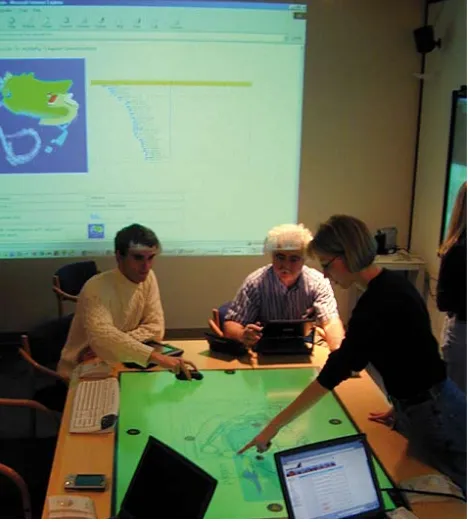
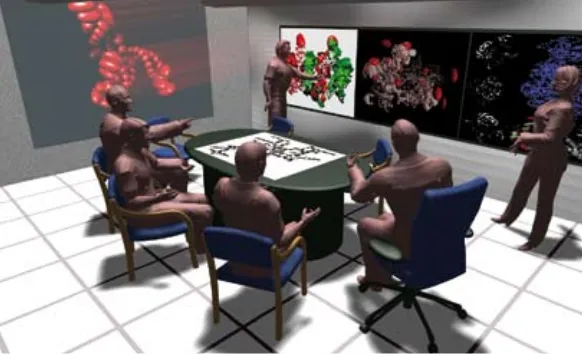
This means that just as education is beginning to reach the second-wave goal of providing a 1:1 PC–pupil ratio, this paradigm shift is rendering the PC out of date. Increasingly what is offered in the classroom bears little resemblance to the flexible, mobile and to a certain extent more ‘friendly’ technologies afforded by the digital lifestyle outside the school gates (Leadbeater, 2005). Although there are some good examples of the use of innovative digital technology and practice – such as the Islington City Learning Centre (Dodson 2005), the Savannah project (for a summary, see Naismith et al, 2005), the Design Council’s 360-degree flexible classroom project and, in the US, the Stanford iRoom project (Figure 1) – it remains far from mainstream.
In order to deliver the educational vision, therefore, computers need to be more usable, friendly, flexible and mobile. And as technology blends into the environment around us, our relationship to the technology – the way we interact with it – will be of fundamental importance.
[image:24.595.305.539.421.682.2]This ‘bridge’ into technology is known as human-computer interaction (HCI), and third-wave-related developments in HCI will profoundly influence how we interact with machines. This article reviews some of those developments and, in three possible scenarios, explores the potential for changing education.
Trends in HCI and usable machines
The way we interact with computers is changing rapidly. As we shall see from the scenarios outlined later on, there are exciting innovations taking place, with the emergence of new technologies such as electronic paper, D display screens, tangible interfaces and near-to-eye display systems. However, these technologies are not developing in isolation: they are being introduced within a changing context of trends and patterns in interface design and usability. In order to appreciate more fully the potential for these technologies to change education, it is important to understand these trends and they are summarised in the following table.
Recent trends in HCI development
Trend Explanation
Usability and
universal access General increase in awareness of issues of usability and diverse usage of computers
Natural interaction and multi-modal
Interaction with computers that is more natural, anthropocentric and multi-modal (ie making use of all five senses)
Implicit vs explicit Increased use of implicit interaction, indirectly, while the user is doing other
things
Adaptive and perceptual
The interface’s awareness of the context of the interaction, for example the emotional state of the user
Credibility Is the machine telling the truth?
Usability and universal access
Led by design radicals such as Shneiderman, Nielsen and Raskin, there has recently been a new focus on the user rather than the device itself and on working to empower him or her to undertake tasks ‘seamlessly’. The aim is to wrap the computer round the human rather than the other way around. As part of this work, there has been a movement towards universal access
(Shneiderman 2000) – the recognition that users are diverse and have varying abilities, and that ‘one size fits all’ design does not work.
Natural and multi-modal interaction
Implicit vs explicit interaction
Traditional interaction with computers is explicit – we usually go to a computer, sit down, and start typing and viewing information on the screen. In contrast, implicit communication takes place incidentally, while the user is undertaking another task, without the need for specific, direct communication. This trend is strongly related to multi-modal interaction and the driver for this development is mainly coming from the ubiquitous computing movement, which suggests that ‘the interface itself can take on the responsibility of locating and serving the user’ (Dix 2004, p717).
Adaptive and perceptual interfaces
Device interfaces will become perceptual in their interactions with users and the environment, and will increasingly be equipped with vision systems, movement sensors and pressure pads incorporated in the mouse and classroom seating. Mobile devices enabled with GPS will make far more use of geographical position data to provide location-based services. Driven by this heightened technical ‘awareness’, human-computer interaction will become increasingly
adaptive, with more responsiveness to the context in which the communication is taking place. These adaptive and perceptual interfaces will also be able to take account of the mood – the psychological and emotional state – of the user (affect perception). Such perception is viewed as particularly important for the long-term development of learning systems, since the affect state of a person is a key determinant in their learning capabilities, creative state and thought processes (Picard et al 2004).
Credibility
Finally, we can begin to consider the credibility of a computer and its interface and communication patterns. As digital devices become more ubiquitous and widespread in our educational environments, and as they communicate in a more human-like manner, questions about whether or not they are telling us ‘the truth’ and feeding back accurate
information will become increasingly pertinent and more difficult to address. Computing technology will become ‘too diverse for a single answer’ (Fogg 2003, p141). Interestingly, as computing becomes more complex and diverse, with more human-like systems of communication, the long-term question may arise, much as it has in human communication: has the system generated a credible answer, or has the communication itself created a problem?
Scenario 1
Imagine...
In a typical classroom in five or so years’ time a group of children are gathered along one wall, waiting to begin a history lesson. The teacher enters the classroom, approaches the front and stands still. In response to her entry, the classroom’s ambient lighting dims slightly. She moves her hand in a waving gesture and begins to talk about the life of a soldier in Julius Caesar’s army. The wall along which the students are standing, which is actually a computer display, comes to life, showing across its entire length illustrations and high-definition video in time with the points the teacher is discussing. A range of subtle odours is released into the classroom air by the display to heighten the awareness of the period.
Later in the lesson the children are asked to role-play as soldiers, in small groups, at the display wall. The display wall splits its images into a number of small windows with each one showing an animated 3D image of a Roman commander. The children verbally interact with the commander, discussing tactics for the next day’s battle. The commander can respond to a limited range of spoken questions and, in the process, shows them animated maps of the battle plans. The children interact with the maps, using their fingers to point and move items around the screen.
This scenario introduces four emerging technological
developments in HCI: the wall-sized display screen, 3D displays, speech input and the potential for the use of smell.
The wall-sized display is one of a number of potential display developments facilitated by changes in the underlying technology of display screens (Figure 2). In the last few years we have seen a move away from the bulky cathode-ray TV screens (CRT) towards flatter technologies based on liquid-crystal displays (LCDs) and plasma. Although LCD and plasma screens are continually increasing in size, they are not yet able to provide the kind of wall-sized displays referred to in the scenario. However, in the next few years a new generation of flat-screen technologies will come on stream, based on novel physical mechanisms for illumination (Anderson 2005).
At the moment, the two leading contenders are organic light-emitting diodes (OLEDs) and polymer light-light-emitting diodes (PLEDs). OLEDs use a very thin film of an organic substance that can emit red, green, blue or white light when a charge is applied in a process called electrophosphorescence.
PLEDs use a similar mechanism, replacing the organic layer with a polymer. Both technologies are self-luminescent (and therefore do not require a backlight) which means they use
[image:27.595.304.596.581.758.2]The children in the history lesson were viewing 3D images. Despite its futuristic-sounding nature, the technology to deliver a 3D image on a desktop computer or TV is developing extremely rapidly, with a number of high-end commercial products (aimed at visualisation in ‘big science’ and medical research communities) already in production. These
technologies basically work by exploiting the inherent human stereoscopic viewing system; in other words, we see in three dimensions (partly) because each eye sees a slightly different image from the other and this provides our brain with visual depth ‘clues’. Three-dimensional displays replicate this by using clever optics on the front of the screen to send differing images to each eye. This effect is achieved by using a monitor which scans the iris to track the position of each eye (as the viewer’s head moves about) in order to keep the optics aligned precisely (an example of adaptive interfaces).
The history lesson also involved the use of speech between the children and the animated commander. For many years it has been one of the dreams of computer science to facilitate natural conversation between computers and humans. There are three advantages to using speech as an input/output mechanism. The foremost is that speech is an ambient rather than an attentional medium: we can talk while doing something else. Secondly, speech requires only modest technical resources – a speaker and a microphone – although the computational requirements can be phenomenal. And finally, speech is descriptive rather than referential, so speech and the use of pointing and gesture can be complementary in multi-modal scenarios (Rosenfeld et al 2001). Although much progress has been made in recent years, natural free-flowing human conversation remains some way off. This is a difficult problem to crack and we do not yet have systems that are comparable with human communication – existing solutions are at least an order of magnitude worse than that of human listeners. This is not to say that progress is not being made, and systems that recognise individual words in limited domains can get up to 98% reliability with vocabularies of 100 to 10,000 words (Kirriemuir 2003). Such systems have been very successful for students who have disabilities that preclude them from using the keyboard.
[image:28.595.303.594.490.666.2]The scenario also made use of smell to help evoke the historical place and aid the students in their imagination. Smell can be powerfully evocative and has been used with some success in museums (for example, the Jorvik Viking Centre in York) and was briefly experimented with in the 1950s film industry (when there were experiments in, yes, Smell-O-Vision!). Despite this, the use of scent and aroma in human-computer interaction has been little used and is regarded by interface experts as a fairly unexplored medium. Technically, developing smell-based systems is problematic since the human nose can detect odours based on at least 1,000 molecular bonds and this makes it extremely difficult to categorise and make odours from a few basic primaries (although, by contrast, we need only red, green and blue primaries for a colour TV picture). Despite this, some limited work has been undertaken in recent years on smell-based HCI from research labs such as MIT (the inStink project) and companies such as TriSenx.
Scenario 2
Imagine...
Across the school a teacher is leading a science class. Each student wears a pair of special glasses that project images directly into their eyes. The students hold various plastic models of chemical molecules and are asked to interact with other students holding different molecules. As the students move around the classroom, bringing their own molecule into contact with another student’s, the glasses display information, overlaid on the child’s view of the molecular model, about the bonding attraction/repulsion forces for the chemicals involved. Various auditory noises and cues emanate from the molecular models as they are moved around and pushed together. The teacher directs from the sidelines as the students are asked to learn about each other’s molecules and work together to build appropriate proteins. As they move around, they take notes on pads of electronic paper before returning to their desks, which have screen displays embedded into them.
The children in the chemistry class scenario are using two key emerging HCI technologies: tangible user interfaces and near-to-eye display systems. Tangible user interfaces (TUIs) employ the direct manipulation of physical objects as the intermediary between the human and the computer. These objects may be everyday objects, physical models or‘artefacts’which are touched, moved, grasped and manipulated as part of a tangible interaction with the computer system. Examples of the kind of artefacts used in TUIs in school experiments to date include toy bricks (such as Lego™), pieces of special string,‘magic’paintbrushes and coloured balls. These artefacts provide a gateway to the digital systems or space, allowing a blending of the real and the virtual in a process sometimes known as mixed reality. The long-term vision is to blend the digital world with everyday objects, helping the computer and its interface to disappear, and making the digital information world tangible.
In recent years TUIs have undergone considerable exploration in school environments, particularly with younger children, and a report for Nesta by O’Malley and Stanton-Fraser (2005) reviews in detail these research findings. The research suggests, with some caveats, that there are real learning benefits from using tangible interfaces and it is widely believed that physical movement and gesture support children’s learning processes. In the chemistry class, the children are viewing additional information that is being projected into their eyes using special glasses – a technique known as scanned beam, a form of near-to-eye display. The glasses contain a micro-display system which scans light from lasers or PLEDs directly onto the retina while also allowing the viewer to continue to see the real world.
Current near-to-eye prototypes are still somewhat bulky but in a few years’ time it is likely that the screen technology will be miniaturised and the devices will be indistinguishable from a pair of spectacles or sunglasses. As the children can see the real world at the same time as they receive additional visual information through the glasses, they are experiencing what is known as an
augmented reality.
Scenario 3
Imagine...
John is learning about Shakespeare by acting in a play. On the school stage he is engaging with a computer system to help him learn the role of his character and explore the meaning of the play through the delivery of lines and the rhythm of the language. A large display projection shows him examples of famous actors undertaking a scene from the play and the computer prompts him to carry out his part in turn. Dialogue appears on the screen, and as John acts out the scene the system senses his movements, gestures and emotional state, providing relevant directions through a wireless earpiece.
The display projection appears at appropriate points around the stage as required so that he can always see a projected screen as he moves about. John also engages in sword-play work with an artificial sword and a tactile system attached to his arm