Security+
Study Guide
San Francisco • London
Security+
™
Study Guide
Second Edition
Associate Publisher: Neil Edde
Acquisitions and Developmental Editor: Jeff Kellum Production Editor: Susan Berge
Technical Editors: J. Kevin Lundy, Jay Stephen Leeds Copyeditor: Tiffany Taylor
Compositor: Craig Woods, Happenstance Type-O-Rama Graphic Illustrator: Happenstance Type-O-Rama CD Coordinator: Dan Mummert
CD Technician: Kevin Ly
Proofreaders: Laurie O’Connell, Nancy Riddiough Indexer: Ted Laux
Book Designers: Bill Gibson, Judy Fung Cover Designer: Archer Design
Cover Photograph: Photodisc and Victor Arre
Copyright © 2004 SYBEX Inc., 1151 Marina Village Parkway, Alameda, CA 94501. World rights reserved. No part of this publication may be stored in a retrieval system, transmitted, or reproduced in any way, including but not limited to photocopy, photograph, magnetic, or other record, without the prior agreement and written per-mission of the publisher.
First edition copyright © 2003 SYBEX Inc. Library of Congress Card Number: 2004104231 ISBN: 0-7821-4350-4
SYBEX and the SYBEX logo are either registered trademarks or trademarks of SYBEX Inc. in the United States and/or other countries.
Screen reproductions produced with FullShot 99. FullShot 99 © 1991-1999 Inbit Incorporated. All rights reserved. FullShot is a trademark of Inbit Incorporated.
The CD interface was created using Macromedia Director, COPYRIGHT 1994, 1997-1999 Macromedia Inc. For more information on Macromedia and Macromedia Director, visit http://www.macromedia.com.
How to Become CompTIA Certified:
This training material can help you prepare for and pass a related CompTIA certification exam or exams. In order to achieve CompTIA certification, you must register for and pass a CompTIA certification exam or exams. In order to become CompTIA certified, you must:
(1) Select a certification exam provider. For more information please visit http://www.comptia.org/certification/ general_information/test_locations.asp.
(2) Register for and schedule a time to take the CompTIA certification exam(s) at a convenient location. (3) Read and sign the Candidate Agreement, which will be presented at the time of the exam(s). The text of the Candidate Agreement can be found at http://www.comptia.org/certification/general_information/candidate_ agreement.asp.
(4) Take and pass the CompTIA certification exam(s).
For more information about CompTIA’s certifications, such as their industry acceptance, benefits, or program news, please visit http://www.comptia.org/certification/default.asp.
CompTIA is a non-profit information technology (IT) trade association. CompTIA’s certifications are designed by subject matter experts from across the IT industry. Each CompTIA certification is vendor-neutral, covers mul-tiple technologies, and requires demonstration of skills and knowledge widely sought after by the IT industry. To contact CompTIA with any questions or comments:
Please call + 1 630 268 1818 [email protected]
Sybex is an independent entity from CompTIA and is not affiliated with CompTIA in any manner. Neither Comp-TIA nor Sybex warrants that use of this publication will ensure passing the relevant exam. Security+ is either a registered trademark or trademark of CompTIA in the United States and/or other countries.
TRADEMARKS: SYBEX has attempted throughout this book to distinguish proprietary trademarks from descriptive terms by following the capitalization style used by the manufacturer.
The author and publisher have made their best efforts to prepare this book, and the content is based upon final release software whenever possible. Portions of the manuscript may be based upon pre-release versions supplied by software manufacturer(s). The author and the publisher make no representation or warranties of any kind with regard to the completeness or accuracy of the contents herein and accept no liability of any kind including but not limited to performance, merchantability, fitness for any particular purpose, or any losses or damages of any kind caused or alleged to be caused directly or indirectly from this book.
Manufactured in the United States of America 10 9 8 7 6 5 4 3 2 1
Software License Agreement: Terms and Conditions
The media and/or any online materials accompanying this book that are available now or in the future contain programs and/or text files (the "Software") to be used in connection with the book. SYBEX hereby grants to you a license to use the Software, subject to the terms that follow. Your purchase, acceptance, or use of the Soft-ware will constitute your acceptance of such terms. The Software compilation is the property of SYBEX unless otherwise indicated and is protected by copyright to SYBEX or other copyright owner(s) as indicated in the media files (the "Owner(s)"). You are hereby granted a single-user license to use the Software for your personal, noncommercial use only. You may not repro-duce, sell, distribute, publish, circulate, or commercially exploit the Software, or any portion thereof, without the written consent of SYBEX and the specific copyright owner(s) of any component software included on this media.
In the event that the Software or components include specific license requirements or end-user agreements, statements of condition, disclaimers, limitations or war-ranties ("End-User License"), those End-User Licenses supersede the terms and conditions herein as to that par-ticular Software component. Your purchase, accep-tance, or use of the Software will constitute your acceptance of such End-User Licenses.
By purchase, use or acceptance of the Software you fur-ther agree to comply with all export laws and regula-tions of the United States as such laws and regularegula-tions may exist from time to time.
Software Support
Components of the supplemental Software and any offers associated with them may be supported by the specific Owner(s) of that material, but they are not sup-ported by SYBEX. Information regarding any available support may be obtained from the Owner(s) using the information provided in the appropriate read.me files or listed elsewhere on the media.
Should the manufacturer(s) or other Owner(s) cease to offer support or decline to honor any offer, SYBEX bears no responsibility. This notice concerning support for the Software is provided for your information only. SYBEX is not the agent or principal of the Owner(s), and SYBEX is in no way responsible for providing any support for the Software, nor is it liable or responsible for any support provided, or not provided, by the Owner(s).
Warranty
SYBEX warrants the enclosed media to be free of phys-ical defects for a period of ninety (90) days after pur-chase. The Software is not available from SYBEX in any other form or media than that enclosed herein or posted to www.sybex.com. If you discover a defect in the
media during this warranty period, you may obtain a replacement of identical format at no charge by sending the defective media, postage prepaid, with proof of pur-chase to:
SYBEX Inc.
Product Support Department 1151 Marina Village Parkway Alameda, CA 94501 Web: http://www.sybex.com
After the 90-day period, you can obtain replacement media of identical format by sending us the defective disk, proof of purchase, and a check or money order for $10, payable to SYBEX.
Disclaimer
SYBEX makes no warranty or representation, either expressed or implied, with respect to the Software or its contents, quality, performance, merchantability, or fit-ness for a particular purpose. In no event will SYBEX, its distributors, or dealers be liable to you or any other party for direct, indirect, special, incidental, consequen-tial, or other damages arising out of the use of or inabil-ity to use the Software or its contents even if advised of the possibility of such damage. In the event that the Soft-ware includes an online update feature, SYBEX further disclaims any obligation to provide this feature for any specific duration other than the initial posting. The exclusion of implied warranties is not permitted by some states. Therefore, the above exclusion may not apply to you. This warranty provides you with specific legal rights; there may be other rights that you may have that vary from state to state. The pricing of the book with the Software by SYBEX reflects the allocation of risk and limitations on liability contained in this agree-ment of Terms and Conditions.
Shareware Distribution
This Software may contain various programs that are distributed as shareware. Copyright laws apply to both shareware and ordinary commercial software, and the copyright Owner(s) retains all rights. If you try a share-ware program and continue using it, you are expected to register it. Individual programs differ on details of trial periods, registration, and payment. Please observe the requirements stated in appropriate files.
Copy Protection
To Our Valued Readers:
Thank you for looking to Sybex for your Security+ exam prep needs. We at Sybex are proud of our reputation for providing certification candidates with the practical knowledge and skills needed to succeed in the highly competitive IT marketplace. Certification candidates have come to rely on Sybex for accurate and accessible instruction on today’s crucial technologies and busi-ness skills. For the second year in a row, readers such as yourself voted Sybex as winner of the “Best Study Guides” category in the most recent CertCities Readers Choice Awards.
Just as CompTIA is committed to establishing measurable standards for certifying IT security professionals by means of the Security+ certification, Sybex is committed to providing those individuals with the knowledge needed to meet those standards.
The authors and editors have worked hard to ensure that the new edition of the Security+ Study Guide you hold in your hands is comprehensive, in-depth, and pedagogically sound. We’re con-fident that this book will exceed the demanding standards of the certification marketplace and help you, the Security+ certification candidate, succeed in your endeavors.
As always, your feedback is important to us. If you believe you’ve identified an error in the book, please send a detailed e-mail to [email protected]. And if you have general com-ments or suggestions, feel free to drop me a line directly at [email protected]. At Sybex we’re continually striving to meet the needs of individuals preparing for certification exams.
Good luck in pursuit of your Security+ certification!
Neil Edde
Associate Publisher—Certification Sybex, Inc.
For John Pastore and Peter Steinberg, two fine young men who left us too soon. They would want us to remember to enjoy life and care about each other. They are truly missed.
—Michael Pastore
Acknowledgments
I would like to thank Michael Pastore for creating this text in the first place and for providing such good material to work with. Thanks also to Jeff Kellum, Susan Berge, Kevin Lundy, Tiffany Taylor, Steve Leeds, Kevin Ly, Dan Mummert, Laurie O’Connell, Nancy Riddiough, Happenstance Type-O-Rama, and Ted Laux for having a vision and making certain that it was met.
Contents at a Glance
Introduction xix
Assessment Test xxxiii
Chapter 1 General Security Concepts 1
Chapter 2 Identifying Potential Risks 47
Chapter 3 Infrastructure and Connectivity 95
Chapter 4 Monitoring Communications Activity 153
Chapter 5 Implementing and Maintaining a Secure Network 195
Chapter 6 Securing the Network and Environment 235
Chapter 7 Cryptography Basics and Methods 281
Chapter 8 Cryptography Standards 321
Chapter 9 Security Policies and Procedures 355
Chapter 10 Security Management 403
Glossary 437
Contents
Introduction xix
Assessment Test xxxiii
Chapter 1 General Security Concepts 1
Understanding Information Security 3 Securing the Physical Environment 5 Examining Operational Security 6 Working with Management and Policies 8 Understanding the Goals of Information Security 11 Comprehending the Security Process 12 Appreciating Antivirus Software 12 Implementing Access Control 12 Understanding Authentication 14 Understanding Networking Services and Protocols 20 Distinguishing Between Security Topologies 22
Setting Design Goals 22
Creating Security Zones 24 Working with Newer Technologies 29 Business Concerns to Be Aware Of 32 Summary 36
Exam Essentials 38
Review Questions 40
Answers to Review Questions 44
Chapter 2 Identifying Potential Risks 47
Calculating Attack Strategies 48 Types of Access Attacks 49 Recognizing Modification and Repudiation Attacks 50 Identifying Denial of Service (DoS) and
Distributed DoS (DDoS) Attacks 51 Recognizing Common Attacks 53
Back Door Attacks 53
Spoofing Attacks 54
Man-in-the-Middle Attacks 55
Replay Attacks 56
Password-Guessing Attacks 57 Identifying TCP/IP Security Concerns 58 Working with the TCP/IP Protocol Suite 59 Encapsulation 62 Working with Protocols and Services 63 Recognizing TCP/IP Attacks 66
xii Contents
Understanding Software Exploitation 72 Surviving Malicious Code 73 Viruses 74
Trojan Horses 80
Logic Bombs 80
Worms 80
Antivirus Software 81
Understanding Social Engineering 82 An Introduction to Auditing Processes and Files 84 Summary 84
Exam Essentials 85
Review Questions 88
Answers to Review Questions 92
Chapter 3 Infrastructure and Connectivity 95
Understanding Infrastructure Security 97 Working with Hardware Components 98 Working with Software Components 99 Understanding the Different Network Infrastructure Devices 100 Firewalls 100 Hubs 104 Routers 105 Switches 107 Wireless Access Points 108 Modems 109 Remote Access Services 110
Telecom/PBX Systems 110
Virtual Private Networks 112 Monitoring and Diagnosing Networks 114
Network Monitors 114
Securing Workstations and Servers 115 Understanding Mobile Devices 117 Understanding Remote Access 118 Using the Serial Line Internet Protocol 119 Using the Point-to-Point Protocol 119
Tunneling Protocols 120
Contents xiii
The Basics of Cabling, Wires, and Communications 132 Coax 132 Unshielded Twisted Pair and Shielded Twisted Pair 135
Fiber Optic 137
Infrared 138
Radio Frequencies 138
Microwave Systems 139
Employing Removable Media 140 Tape 141 CD-R 142
Hard Drives 142
Diskettes 142
Flash Cards 143
Smart Cards 143
Summary 144
Exam Essentials 145
Review Questions 147
Answers to Review Questions 151
Chapter 4 Monitoring Communications Activity 153
Monitoring the Network 155 Recognizing the Different Types of Network Traffic 156 Monitoring Network Systems 161 Understanding Intrusion Detection Systems 162 Working with a Network-Based IDS 165 Working with a Host-Based IDS 170 Utilizing Honey Pots 171 Understanding Incident Response 172 Working with Wireless Systems 177 Wireless Transport Layer Security 177 IEEE 802.11x Wireless Protocols 178 WEP/WAP 179 Wireless Vulnerabilities to Know 180 Understanding Instant Messaging’s Features 180
IM Vulnerabilities 181
Controlling Privacy 181
Working with 8.3 File Naming 182 Understanding Packet Sniffing 183 Understanding Signal Analysis and Intelligence 184 Footprinting 184 Scanning 185 Summary 185
Exam Essentials 186
Review Questions 188
Answers to Review Questions 192
xiv Contents
Chapter 5 Implementing and Maintaining a Secure Network 195
Overview of Network Security Threats 197 Defining Security Baselines 199 Hardening the OS and NOS 201 Configuring Network Protocols 201 Microsoft Windows 9x 204 Hardening Microsoft Windows NT 4 204 Hardening Microsoft Windows 2000 205 Hardening Microsoft Windows XP 207 Hardening Windows Server 2003 208 Hardening Unix/Linux 208 Hardening Novell NetWare 209 Hardening Apple Macintosh 211 Hardening Filesystems 211 Updating Your Operating System 213 Hardening Network Devices 215 Updating Network Devices 215 Configuring Routers and Firewalls 216 Hardening Applications 217 Hardening Web Servers 217 Hardening E-Mail Servers 218 Hardening FTP Servers 218 Hardening DNS Servers 219 Hardening NNTP Servers 220 Hardening File and Print Servers and Services 221 Hardening DHCP Services 222 Working with Data Repositories 222 Summary 226
Exam Essentials 228
Review Questions 229
Answers to Review Questions 233
Chapter 6 Securing the Network and Environment 235
Understanding Physical and Network Security 236 Implementing Access Control 236 Understanding Social Engineering 243 Scanning the Environment 245 Understanding Business Continuity Planning 253 Undertaking Business Impact Analysis 254
Assessing Risk 255
Contents xv
Working with Security Standards and ISO 17799 260 Classifying Information 261
Public Information 262
Private Information 263
Roles in the Security Process 265 Information Access Controls 266 Summary 270
Exam Essentials 272
Review Questions 274
Answers to Review Questions 278
Chapter 7 Cryptography Basics and Methods 281
An Overview of Cryptography 282 Understanding Physical Cryptography 283 Understanding Mathematical Cryptography 285 Understanding Quantum Cryptography 287 Uncovering the Myth of Unbreakable Codes 289 Understanding Cryptographic Algorithms 291 The Science of Hashing 291 Working with Symmetric Algorithms 292 Working with Asymmetric Algorithms 294 Using Cryptographic Systems 295 Confidentiality 295 Integrity 296 Authentication 297 Non-Repudiation 299
Access Control 299
Using Public Key Infrastructure 300 Using a Certificate Authority 301 Working with Registration Authorities and
Local Registration Authorities 302 Implementing Certificates 304 Understanding Certificate Revocation 305 Implementing Trust Models 306 Preparing for Cryptographic Attacks 311 Summary 312
Exam Essentials 313
Review Questions 315
Answers to Review Questions 319
Chapter 8 Cryptography Standards 321
Understanding Cryptography Standards and Protocols 322 The Origins of Encryption Standards 323 PKIX/PKCS 326
xvi Contents
X.509 327
SSL and TLS 328
CMP 330 S/MIME 330 SET 330 SSH 331 PGP 332 HTTPS 333 S-HTTP 334 IPSec 334 FIPS 335
Common Criteria 335
WTLS 335 WEP 335
ISO 17799 335
Understanding Key Management and the Key Life Cycle 336 Comparing Centralized and Decentralized Key Generation 337 Storing and Distributing Keys 339
Using Key Escrow 341
Key Expiration 341
Revoking Keys 341
Suspending Keys 342
Recovering and Archiving Keys 342
Renewing Keys 344
Destroying Keys 344
Summary 345
Exam Essentials 347
Review Questions 349
Answers to Review Questions 353
Chapter 9 Security Policies and Procedures 355
Understanding Business Continuity 357 Utilities 357
High Availability 359
Disaster Recovery 363
Reinforcing Vendor Support 376 Service Level Agreements (SLAs) 376
Code Escrow 378
Generating Policies and Procedures 379 Human Resource Policies 379
Business Policies 382
Contents xvii
Enforcing Privilege Management 386 User and Group Role Management 386 Privilege Escalation 388
Single Sign-On 388
Privilege Decision Making 389 Auditing 390
Access Control 392
Summary 393
Exam Essentials 394
Review Questions 396
Answers to Review Questions 400
Chapter 10 Security Management 403
Understanding Computer Forensics 404 Methodology of a Forensic Investigation 405 Enforcing the Chain of Custody 406
Preserving Evidence 408
Collecting Evidence 408
Understanding Security Management 409 Drafting Best Practices and Documentation 410 Understanding Security Awareness and Education 416 Using Communication and Awareness 416
Providing Education 417
Staying on Top of Security 419 Websites 421
Trade Publications 422
Regulating Privacy and Security 423 Health Insurance Portability and Accountability Act 423 Gramm-Leach Bliley Act of 1999 424 Computer Fraud and Abuse Act 424 Family Educational Rights and Privacy Act 425 Computer Security Act of 1987 425 Cyberspace Electronic Security Act 425 Cyber Security Enhancement Act 426
Patriot Act 426
Familiarizing Yourself with International Efforts 426 Summary 427
Exam Essentials 428
Review Questions 430
Answers to Review Questions 434
Glossary 437
Index 477
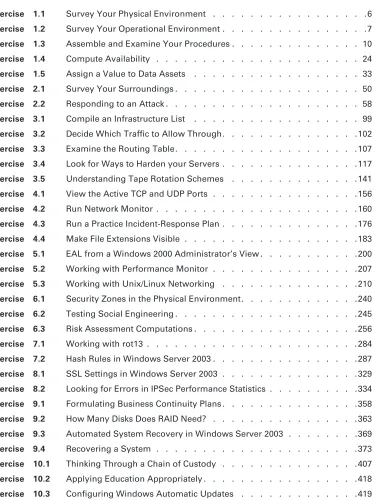
Table of Exercises
Exercise 1.1 Survey Your Physical Environment . . . .6
Exercise 1.2 Survey Your Operational Environment . . . .7
Exercise 1.3 Assemble and Examine Your Procedures . . . . 10
Exercise 1.4 Compute Availability . . . 24
Exercise 1.5 Assign a Value to Data Assets . . . . 33
Exercise 2.1 Survey Your Surroundings . . . 50
Exercise 2.2 Responding to an Attack . . . 58
Exercise 3.1 Compile an Infrastructure List . . . . 99
Exercise 3.2 Decide Which Traffic to Allow Through. . . .102
Exercise 3.3 Examine the Routing Table. . . . 107
Exercise 3.4 Look for Ways to Harden your Servers . . . .117
Exercise 3.5 Understanding Tape Rotation Schemes . . . .141
Exercise 4.1 View the Active TCP and UDP Ports . . . .156
Exercise 4.2 Run Network Monitor . . . . 160
Exercise 4.3 Run a Practice Incident-Response Plan . . . .176
Exercise 4.4 Make File Extensions Visible . . . .183
Exercise 5.1 EAL from a Windows 2000 Administrator’s View . . . .200
Exercise 5.2 Working with Performance Monitor . . . .207
Exercise 5.3 Working with Unix/Linux Networking . . . .210
Exercise 6.1 Security Zones in the Physical Environment. . . .240
Exercise 6.2 Testing Social Engineering . . . . 245
Exercise 6.3 Risk Assessment Computations . . . .256
Exercise 7.1 Working with rot13 . . . . 284
Exercise 7.2 Hash Rules in Windows Server 2003 . . . .287
Exercise 8.1 SSL Settings in Windows Server 2003 . . . .329
Exercise 8.2 Looking for Errors in IPSec Performance Statistics . . . .334
Exercise 9.1 Formulating Business Continuity Plans . . . .358
Exercise 9.2 How Many Disks Does RAID Need? . . . .363
Exercise 9.3 Automated System Recovery in Windows Server 2003 . . . .369
Exercise 9.4 Recovering a System . . . . 373
Exercise 10.1 Thinking Through a Chain of Custody . . . .407
Exercise 10.2 Applying Education Appropriately . . . .418
Introduction
If you’re preparing to take the Security+ exam, you’ll undoubtedly want to find as much infor-mation as you can concerning computer and physical security. The more inforinfor-mation you have at your disposal and the more hands-on experience you gain, the better off you’ll be when attempting the exam. This study guide was written with that in mind. We have attempted to dispense as much information as we can about computer security. The key was to provide enough information that you’ll be prepared for the test but not so much that you’ll be overloaded with information outside the scope of the exam.
This book presents the material at an intermediate technical level. Experience with and understanding of security concepts, operating systems, and applications systems will help you get a full understanding of the challenges facing you as a security professional.
We’ve included review questions at the end of each chapter to give you a taste of what it’s like to take the exam. If you’re already working in the security field, we recommend that you check out these questions first to gauge your level of expertise. You can then use the book mainly to fill in the gaps in your current knowledge. This study guide will help you round out your knowledge base before tackling the exam.
If you can answer 80 percent or more of the review questions correctly for a given chapter, you can probably feel safe moving on to the next chapter. If you’re unable to answer that many correctly, reread the chapter and try the questions again. Your score should improve.
Don’t just study the questions and answers! The questions on the actual exam will be different from the practice questions included in this book and on the CD. The exam is designed to test your knowledge of a concept or objective, so use this book to learn the objective behind the question.
Before You Begin
Before you begin studying for the exam, it’s imperative that you understand a few things about the Security+ certification. Security+ is a certification-for-life from CompTIA granted to those who obtain a passing score on a single entry-level exam. In addition to being a stand-alone cer-tification that can be added to the bottom of your resume, Security+ can also be used as an elec-tive in Microsoft’s MCSA and MCSE tracks, and it counts as credit toward the security specializations Microsoft offers.
When you’re studying for any exam, the first step in preparation should always be to find out as much as possible about the test; the more you know up front, the better you can plan your study. The current exam number, and the one this book is written to, is SY0-101; it consists of 100 questions. You have 90 minutes to take the exam, and the passing score is 764 on a scale from 100 to 900. Both Pearson VUE and Thompson Prometric testing centers administer the exam throughout the United States and several other countries.
xx Introduction
The exam is multiple choice, with short, terse questions followed by four possible answers. If you expect lengthy scenarios and complex solutions, you’re mistaken. This is an entry-level exam of knowledge-level topics; it expects you to know a great deal about security topics from an overview perspective, not in implementation. In many books, the glossary is filler added to the back of the text; this book’s glossary should be considered necessary reading. You’re likely to see a question on the exam about what reverse DNS is, not how to implement it. Spend your study time learning the different security solutions and identifying potential security vulnera-bilities and where they would be applicable. Don’t get bogged down in step-by-step details; those are saved for certification exams beyond the scope of Security+.
You should also know that CompTIA is notorious for including vague questions on all its exams. You might see a question for which two of the possible four answers are correct—but you can only choose one. Use your knowledge, logic, and intuition to choose the best answer, and then move on. Sometimes the questions are worded in ways that would make English majors cringe—a typo here, an incorrect verb there. Don’t let this frustrate you; answer the question, and go to the next. Although we haven’t intentionally added typos or other grammat-ical errors, the questions throughout this book make every attempt to re-create the structure and appearance of the real exam questions.
In addition, CompTIA frequently includes “item seating,” which is the practice of including unscored questions on exams. The reason they do that is to gather psychometric data, which is then used when developing new versions of the exam. Before you take the exam, you are told that your exam may include unscored questions. In addition, if you come across a question that does not appear to map to any of the exam objectives—or for that matter, is not covered in this exam—it is likely a seated question.
Last, you need to know that the exam you’ll take was created at a certain point in time, and the questions were frozen at that time. You won’t see a question about the new virus that hit your systems last week, but you’ll see questions about concepts that existed in 2002 when this exam was created. Updates to the exam are a difficult process and result in an increment in the exam number when they’re finished.
Why Become Security+ Certified?
There are a number of reasons for obtaining a Security+ certification:
Introduction xxi
Increases Your Marketability Almost anyone can bluff their way through an interview. Once you’re security certified, you’ll have the credentials to prove your competency. And, certifica-tions can’t be taken from you when you change jobs—you can take that certification with you to any position you accept.
Provides Opportunity for Advancement Individuals who prove themselves to be competent and dedicated are the ones who will most likely be promoted. Becoming certified is a great way to prove your skill level and show your employer that you’re committed to improving your skill set. Look around you at those who are certified: They are probably the people who receive good pay raises and promotions.
Fulfills Training Requirements Many companies have set training requirements for their staff so that they stay up-to-date on the latest technologies. Having a certification program in secu-rity provides administrators with another certification path to follow when they have exhausted some of the other industry-standard certifications.
Raises Customer Confidence As companies discover the CompTIA advantage, they will undoubtedly require qualified staff to achieve these certifications. Many companies outsource their work to consulting firms with experience working with security. Firms that have certified staff have a definite advantage over firms that don’t.
How to Become a Security+ Certified Professional
As this book goes to press, there are two Security+ exam providers: Thompson Prometric and Pearson VUE. The following table contains all the necessary contact information and exam-specific details for registering. Exam pricing may vary by country or by CompTIA membership.
When you schedule the exam, you’ll receive instructions regarding appointment and cancel-lation procedures, ID requirements, and information about the testing center location. In addi-tion, you’ll receive a registration and payment confirmation letter. Exams can be scheduled up to six weeks out or as late as the next day (or, in some cases, even the same day).
Exam prices and codes may vary based on the country in which the exam is administered. For detailed pricing and exam registration procedures, please refer to CompTIA’s website, www.comptia.com.
After you’ve successfully passed your Security+ exam, CompTIA will award you a certification that is good for life. Within four to six weeks of passing the exam, you’ll receive your official
Vendor Website Phone Number Exam Code
Thompson Prometric www.2test.com US and Canada: 800-977-3926
SY0-101
Pearson VUE www.vue.com/comptia US and Canada: 877-551-PLUS (7587)
SY0-101
xxii Introduction
CompTIA Security+ certificate and ID card. (If you don’t receive these within eight weeks of tak-ing the test, contact CompTIA directly ustak-ing the information found in your registration packet.)
Who Should Buy This Book?
If you want to acquire a solid foundation in computer security and your goal is to prepare for the exam by learning how to develop and improve security, this book is for you. You’ll find clear explanations of the concepts you need to grasp and plenty of help to achieve the high level of professional competency you need in order to succeed in your chosen field.
If you want to become certified as a Security+ holder, this book is definitely what you need. However, if you just want to attempt to pass the exam without really understanding security, this study guide isn’t for you. It’s written for people who want to acquire hands-on skills and in-depth knowledge of computer security.
In addition to reading the book, you might consider downloading and reading the white papers on security that are scattered throughout the Internet.
How to Use This Book and the CD
We’ve included several testing features in the book and on the CD-ROM. These tools will help you retain vital exam content as well as prepare to sit for the actual exam:
Before You Begin At the beginning of the book (right after this introduction) is an assessment test you can use to check your readiness for the exam. Take this test before you start reading the book; it will help you determine the areas you may need to brush up on. The answers to the assess-ment test appear on a separate page after the last question of the test. Each answer includes an explanation and a note telling you the chapter in which the material appears.
Chapter Review Questions To test your knowledge as you progress through the book, there are review questions at the end of each chapter. As you finish each chapter, answer the review questions and then check your answers—the correct answers appear on the page following the last review question. You can go back to reread the section that deals with each question you got wrong to ensure that you answer correctly the next time you’re tested on the material.
Electronic Flashcards You’ll find 150 flashcard questions on the CD for on-the-go review. These are short question and answers, just like the flashcards you probably used to study in school. You can answer them on your PC or download them onto a Palm device for quick and convenient reviewing.
Introduction xxiii
In addition to taking the assessment test and the chapter review questions in the test engine, you’ll find two sample exams. Take these practice exams just as if you were taking the actual exam (without any reference material). When you’ve finished the first exam, move on to the next one to solidify your test-taking skills. If you get more than 90 percent of the answers cor-rect, you’re ready to take the certification exam.
Full Text of the Book in PDF The CD-ROM contains this book in PDF (Adobe Acrobat) format so you can easily read it on any computer. If you have to travel but still need to study for the exam, and you have a laptop with a CD-ROM drive, you can carry this entire book with you.
Exam Objectives
CompTIA goes to great lengths to ensure that its certification programs accurately reflect the IT industry’s best practices. The company does this by establishing Cornerstone committees for each of its exam programs. (Sybex is a Cornerstone member of the Security+ exam.) Each com-mittee comprises a small group of IT professionals, training providers, and publishers who are responsible for establishing the exam’s baseline competency level and who determine the appro-priate target audience level. Once these factors are determined, CompTIA shares this informa-tion with a group of hand-selected Subject Matter Experts (SMEs). These folks are the true brainpower behind the certification program. In the case of this exam, they are IT-seasoned pros from the likes of Microsoft, Sun Microsystems, Verisign, and RSA Security, to name just a few. They review the committee’s findings, refine them, and shape them into the objectives you see before you. CompTIA calls this process a Job Task Analysis (JTA). Finally, CompTIA conducts a survey to ensure that the objectives and weightings truly reflect the job requirements. Only then can the SMEs go to work writing the hundreds of questions needed for the exam. And, in many cases, they have to go back to the drawing board for further refinements before the exam is ready to go live in its final state. So, rest assured the content you’re about to learn will serve you long after you take the exam.
Exam objectives are subject to change at any time without prior notice and at CompTIA’s sole discretion. Please visit the certification page of CompTIA’s website at www.comptia.org for the most current listing of exam objectives.
CompTIA also publishes relative weightings for each of the exam’s objectives. The following table lists the five Security+ objective domains and the extent to which they are represented on the exam. For example, expect to spend more time answering questions that pertain to authen-tication from the first domain, General Security Concepts, than questions on algorithms from the fourth domain, Basics of Cryptography. As you use this study guide, you’ll find that we have administered just the right dosage of objective knowledge to you by tailoring our coverage to mirror the percentages that CompTIA uses.
xxiv Introduction
1.0 General Security Concepts
1.1. Recognize and be able to differentiate and explain the following access control models
MAC (Mandatory Access Control) DAC (Discretionary Access Control) RBAC (Role Based Access Control)
1.2. Recognize and be able to differentiate and explain the following methods of authentication
Kerberos
CHAP (Challenge Handshake Authentication Protocol) Certificates
Username/Password Tokens
Multi-factor Mutual Biometrics
1.3. Identify non-essential services and protocols and know what actions to take to reduce the risks of those services and protocols.
1.4. Recognize the following attacks and specify the appropriate actions to take to mitigate vulnerability and risk
DOS/DDOS (Denial of Service/Distributed Denial of Service) Back Door
Spoofing
Man in the Middle Replay
TCP/IP Hijacking Weak Keys
Domain % of Exam
1.0 General Security Concepts 30%
2.0 Communication Security 20%
3.0 Infrastructure Security 20%
4.0 Basics of Cryptography 15%
5.0 Operational/Organizational Security 15%
Introduction xxv
Mathematical Social Engineering Birthday
Password Guessing Brute Force Dictionary
Software Exploitation
1.5. Recognize the following types of malicious code and specify the appropriate actions to take to mitigate vulnerability and risk
Viruses Trojan Horses Logic Bombs Worms
1.6. Understand the concept of and know how reduce the risks of social engineering
1.7. Understand the concept and significance of auditing, logging and system scanning
2.0 Communication Security
2.1. Recognize and understand the administration of the following types of remote access technologies
802.1x
VPN (Virtual Private Network)
RADIUS (Remote Authentication Dial-In User Service) TACACS (Terminal Access Controller Access Control System)
L2TP/PPTP (Layer Two Tunneling Protocol/Point to Point Tunneling Protocol) SSH (Secure Shell)
IPSEC (Internet Protocol Security) Vulnerabilities
2.2. Recognize and understand the administration of the following email security concepts
S/MIME (Secure Multipurpose Internet Mail Extensions) PGP (Pretty Good Privacy) like technologies
Vulnerabilities SPAM Hoaxes
2.3. Recognize and understand the administration of the following Internet security concepts
SSL/TLS (Secure Sockets Layer/Transport Layer Security)
HTTP/S (Hypertext Transfer Protocol/Hypertext Transfer Protocol over Secure
Sockets Layer)
Instant Messaging Vulnerabilities Packet Sniffing Privacy
Vulnerabilities Java Script ActiveX
Buffer Overflows Cookies
Signed Applets
CGI (Common Gateway Interface)
SMTP (Simple Mail Transfer Protocol) Relay
2.4. Recognize and understand the administration of the following directory security concepts
SSL/TLS (Secure Sockets Layer/Transport Layer Security) LDAP (Lightweight Directory Access Protocol)
2.5. Recognize and understand the administration of the following file transfer protocols and concepts
S/FTP (File Transfer Protocol)
Blind FTP (File Transfer Protocol)/Anonymous File Sharing
Vulnerabilities Packet Sniffing
8.3 Naming Conventions
2.6. Recognize and understand the administration of the following wireless technologies and concepts
WTLS (Wireless Transport Layer Security) 802.11 and 802.11x
WEP/WAP (Wired Equivalent Privacy/Wireless Application Protocol) Vulnerabilities
Introduction xxvii
3.0 Infrastructure Security
3.1. Understand security concerns and concepts of the following types of devices
Firewalls Routers Switches Wireless Modems
RAS (Remote Access Server)
Telecom/PBX (Private Branch Exchange) VPN (Virtual Private Network)
IDS (Intrusion Detection System) Network Monitoring/Diagnostics Workstations
Servers Mobile Devices
3.2. Understand the security concerns for the following types of media
Coaxial Cable
UTP/STP (Unshielded Twisted Pair/Shielded Twisted Pair) Fiber Optic Cable
Removable Media Tape
CD-R (Recordable Compact Disks) Hard Drives
Diskettes Flashcards Smartcards
3.3. Understand the concepts behind the following kinds of Security Topologies
Security Zones
DMZ (Demilitarized Zone) Intranet
Extranet
3.4. Differentiate the following types of intrusion detection, be able to explain the concepts of each type, and understand the implementation and configuration of each kind of intrusion detection system
Network Based Active Detection Passive Detection Host Based
Active Detection Passive Detection Honey Pots
Incident Response
3.5. Understand the following concepts of Security Baselines, be able to explain what a Secu-rity Baseline is, and understand the implementation and configuration of each kind of intrusion detection system
OS/NOS (Operating System/Network Operating System) Hardening File System
Updates (Hotfixes, Service Packs, Patches) Network Hardening
Updates (Firmware) Configuration
Enabling and Disabling Services and Protocols Access Control Lists
Application Hardening
Updates (Hotfixes, Service Packs, Patches) Web Servers
E-mail Servers
FTP (File Transfer Protocol) Servers DNS (Domain Name Service) Servers
NNTP (Network News Transfer Protocol) Servers File/Print Servers
DHCP (Dynamic Host Configuration Protocol) Servers Data Repositories
Introduction xxix
4.0 Basics of Cryptography
4.1. Be able to identify and explain the following different kinds of cryptographic algorithms
Hashing Symmetric Asymmetric
4.2. Understand how cryptography addresses the following security concepts
Confidentiality Integrity
Digital Signatures Authentication Non-Repudiation
Digital Signatures Access Control
4.3. Understand and be able to explain the following concepts of PKI (Public Key Infrastructure)
Certificates
Certificate Policies
Certificate Practice Statements Revocation
Trust Models
4.4. Identify and be able to differentiate different cryptographic standards and protocols
4.5. Understand and be able to explain the following concepts of Key Management and Certificate Lifecycles
Centralized vs. Decentralized Storage
Hardware vs. Software Private Key Protection Escrow
Expiration Revocation
Status Checking Suspension
Status Checking Recovery
Renewal Destruction Key Usage
Multiple Key Pairs (Single, Dual)
5.0 Operational/Organizational Security
5.1. Understand the application of the following concepts of physical security
Access Control Physical Barriers Biometrics Social Engineering Environment
Wireless Cells Location Shielding Fire Suppression
5.2. Understand the security implications of the following topics of disaster recovery
Backups
Off Site Storage Secure Recovery
Alternate Sites Disaster Recovery Plan
5.3. Understand the security implications of the following topics of business continuity
Utilities
High Availability/Fault Tolerance Backups
5.4. Understand the concepts and uses of the following types of policies and procedures
Security Policy Acceptable Use Due Care Privacy
Separation of Duties Need to Know
Introduction xxxi
SLAs (Service Level Agreements) Disposal/Destruction
HR (Human Resources) Policy
Termination (Adding and revoking passwords and privileges, etc.) Hiring (Adding and revoking passwords and privileges, etc.) Code of Ethics
Incident Response Policy
5.5. Explain the following concepts of privilege management
User/Group/Role Management Single Sign-on
Centralized vs. Decentralized
Auditing (Privilege, Usage, Escalation)
MAC/DAC/RBAC (Mandatory Access Control/Discretionary Access Control/Role Based
Access Control)
5.6. Understand the concepts of the following topics of forensics
Chain of Custody Preservation of Evidence Collection of Evidence
5.7. Understand and be able to explain the following concepts of risk identification
Asset Identification Risk Assessment Identification Vulnerabilities
5.8. Understand the security relevance of the education and training of end users, executives and human resources
Communication User Awareness Education On-line Resources
5.9. Understand and explain the following documentation concepts
Logs and Inventories Classification
Notification Retention/Storage Destruction
Tips for Taking the Security+ Exam
Here are some general tips for taking your exam successfully:
Bring two forms of ID with you. One must be a photo ID, such as a driver’s license. The
other can be a major credit card or a passport. Both forms must include a signature.
Arrive early at the exam center so you can relax and review your study materials,
particu-larly tables and lists of exam-related information.
Read the questions carefully. Don’t be tempted to jump to an early conclusion. Make sure
you know exactly what the question is asking.
Don’t leave any unanswered questions. Unanswered questions are scored against you. There will be questions with multiple correct responses. When there is more than one
cor-rect answer, a message at the bottom of the screen will prompt you to either “Choose two” or “Choose all that apply.” Be sure to read the messages displayed to know how many cor-rect answers you must choose.
When answering multiple-choice questions you’re not sure about, use a process of
elimi-nation to get rid of the obviously incorrect answers first. Doing so will improve your odds if you need to make an educated guess.
On form-based tests (non-adaptive), because the hard questions will eat up the most time,
save them for last. You can move forward and backward through the exam.
For the latest pricing on the exams and updates to the registration procedures, visit
Comp-TIA’s website at www.comptia.org.
About the Authors
Mike Pastore is an MCP, A+, Net+, Security+ certified professional. He has over 25 years of experience in IT, including management, administration, and development. He has consulted with a number of organizations on computer and computer security issues. Mike has been involved in CompTIA certifications for several years, and he has worked with CompTIA on several exams. He also teaches computer and management topics at several colleges. You can e-mail him at [email protected].
Assessment Test
1. Which type of audit can be used to determine whether accounts have been established properly and verify that privilege creep isn’t occurring?
A. Privilege audit
B. Usage audit
C. Escalation audit
D. Report audit
2. What kind of physical access device restricts access to a small number of individuals at one time?
A. Checkpoint
B. Perimeter security
C. Security zones
D. Mantrap
3. Which of the following is a set of voluntary standards governing encryption?
A. PKI
B. PKCS
C. ISA
D. SSL
4. Which protocol is used to create a secure environment in a wireless network?
A. WAP
B. WEP
C. WTLS
D. WML
5. An Internet server interfaces with TCP/IP at which layer of the DOD model?
A. Transport layer
B. Network layer
C. Process layer
D. Internet layer
6. You want to establish a network connection between two LANs using the Internet. Which tech-nology would best accomplish that for you?
A. IPSec
B. L2TP
C. PPP
7. Which design concept limits access to systems from outside users while protecting systems in an inside LAN?
A. DMZ
B. VLAN
C. I&A
D. Router
8. In the key recovery process, which key must be recoverable?
A. Rollover key
B. Secret key
C. Previous key
D. Escrow key
9. Which kind of attack is designed to overload a particular protocol or service?
A. Spoofing
B. Back door
C. Man in the middle
D. Flood
10. Which component of an IDS collects data?
A. Data source
B. Sensor
C. Event
D. Analyzer
11. What is the process of making an operating system secure from attack called?
A. Hardening
B. Tuning
C. Sealing
D. Locking down
12. The integrity objective addresses which characteristic of information security?
A. Verification that information is accurate
B. Verification that ethics are properly maintained
C. Establishment of clear access control of data
Assessment Test xxxv
13. Which mechanism is used by PKI to allow immediate verification of a certificate’s validity?
A. CRL
B. MD5
C. SSHA
D. OCSP
14. Which of the following is the equivalent of a VLAN from a physical security perspective?
A. Perimeter security
B. Partitioning
C. Security zones
D. Physical barrier
15. A user has just reported that he downloaded a file from a prospective client using IM. The user indicates that the file was called account.doc. The system has been behaving unusually since he downloaded the file. What is the most likely event that occurred?
A. Your user inadvertently downloaded a virus using IM.
B. Your user may have a defective hard drive.
C. Your user is hallucinating and should increase his medication.
D. The system is suffering from power surges.
16. Which mechanism or process is used to enable or disable access to a network resource based on an IP address?
A. NDS
B. ACL
C. Hardening
D. Port blocking
17. Which of the following would provide additional security to an Internet web server?
A. Changing the port address to 80
B. Changing the port address to 1019
C. Adding a firewall to block port 80
D. Web servers can’t be secured.
18. What type of program exists primarily to propagate and spread itself to other systems?
A. Virus
B. Trojan horse
C. Logic bomb
19. An individual presents himself at your office claiming to be a service technician. He wants to dis-cuss your current server configuration. This may be an example of what type of attack?
A. Social engineering
B. Access control
C. Perimeter screening
D. Behavioral engineering
20. Which of the following is a major security problem with FTP servers?
A. Password files are stored in an unsecure area on disk.
B. Memory traces can corrupt file access.
C. User IDs and passwords are unencrypted.
D. FTP sites are unregistered.
21. Which system would you install to provide active protection and notification of security prob-lems in a network connected to the Internet?
A. IDS
B. Network monitoring
C. Router
D. VPN
22. The process of verifying the steps taken to maintain the integrity of evidence is called what?
A. Security investigation
B. Chain of custody
C. Three A’s of investigation
D. Security policy
23. What encryption process uses one message to hide another?
A. Steganography
B. Hashing
C. MDA
D. Cryptointelligence
24. Which policy dictates how computers are used in an organization?
A. Security policy
B. User policy
C. Use policy
Assessment Test xxxvii
25. Which algorithm is used to create a temporary secure session for the exchange of key information?
A. KDC
B. KEA
C. SSL
D. RSA
26. You’ve been hired as a security consultant for a company that’s beginning to implement hand-held devices, such as PDAs. You’re told that the company must use an asymmetric system. Which security standard would you recommend it implement?
A. ECC
B. PKI
C. SHA
D. MD
27. Which of the following backup methods will generally provide the fastest backup times?
A. Full backup
B. Incremental backup
C. Differential backup
D. Archival backup
28. You want to grant access to network resources based on authenticating an individual’s retina during a scan. Which security method uses a physical characteristic as a method of determining identity?
A. Smart card
B. I&A
C. Biometrics
D. CHAP
29. Which access control method is primarily concerned with the role that individuals have in the organization?
A. MAC
B. DAC
C. RBAC
D. STAC
30. The process of investigating a computer system for clues into an event is called what?
A. Computer forensics
B. Virus scanning
C. Security policy
Answers to Assessment Test
1. A. A privilege audit is used to determine that all groups, users, and other accounts have the appropriate privileges assigned according to the policies of an organization. For more informa-tion, see Chapter 9.
2. D. A mantrap is a device, such as a small room, that limits access to a small number of indi-viduals. Mantraps typically use electronic locks and other methods to control access. For more information, see Chapter 6.
3. B. Public Key Cryptography Standards are a set of voluntary standards for public key cryptog-raphy. This set of standards is coordinated by RSA Incorporated. For more information, see Chapter 7.
4. B. Wired Equivalent Privacy (WEP) is designed to provide security equivalent to that of a wired network. WEP has vulnerabilities and isn’t considered highly secure. For additional informa-tion, see Chapter 4.
5. C. The Process layer interfaces with applications and encapsulates traffic through the Host-to-Host or Transport layer, the Internet layer, and the Network Access layer. For more informa-tion, see Chapter 2.
6. B. L2TP (Layer 2 Tunneling Protocol) is a tunneling protocol that can be used between LANs. L2TP isn’t secure, and you should use IPSec with it to provide data security.
For more information, see Chapter 3.
7. A. A DMZ (demilitarized zone) is an area in a network that allows restrictive access to untrusted users and isolates the internal network from access by external users and systems. It does so by using routers and firewalls to limit access to sensitive network resources. For more information, see Chapter 1.
8. C. A key recovery process must be able to recover a previous key. If the previous key can’t be recovered, then all the information that used the key will be irrecoverably lost. For more infor-mation, see Chapter 8.
9. D. A flood attack is designed to overload a protocol or service by repeatedly initiating a request for service. This type of attack usually results in a DoS (denial of service) situation occurring, due to the protocol freezing or excessive bandwidth usage in the network as a result of the requests. For more information, see Chapter 2.
10. B. A sensor collects data from the data source and passes it on to the analyzer. If the analyzer determines that unusual activity has occurred, an alert may be generated. For additional infor-mation, see Chapter 4.
Answers to Assessment Test xxxix
12. A. The goal of integrity is to verify that information being used is accurate and hasn’t been tampered with. Integrity is coupled with accountability to ensure that data is accurate and that a final authority exists to verify this, if needed. For more information, see Chapter 1.
13. D. Online Certificate Status Protocol (OCSP) is the mechanism used to immediately verify whether a certificate is valid. The CRL (Certificate Revocation List) is published on a regular basis, but it isn’t current once it’s published. For additional information, see Chapter 7.
14. B. Partitioning is the process of breaking a network into smaller components that can each be individually protected. The concept is the same as building walls in an office building. For addi-tional information, see Chapter 6.
15. A. IM and other systems allow unsuspecting users to download files that may contain viruses. Due to a weakness in the file extensions naming conventions, a file that appears to have one extension may actually have another extension. For example, the file mydocument.doc.vbs
would appear in many applications as mydocument.doc, but it’s actually a Visual Basic script and could contain malicious code. For additional information, see Chapter 4.
16. B. Access Control Lists (ACLs) are used to allow or deny an IP address access to a network. ACL mechanisms are implemented in many routers, firewalls, and other network devices. For additional information, see Chapter 5.
17. B. The default port for a web server is port 80. By changing the port to 1019, you force users to specify this port when they are using a browser. This action provides a little additional secu-rity for your website. Adding a firewall to block port 80 would secure your website so much that no one would be able to access it. For more information, see Chapter 3.
18. D. A worm is designed to multiply and propagate. Worms may carry viruses that cause system destruction, but that isn’t their primary mission. For more information, see Chapter 2.
19. A. Social engineering is the method of using human intelligence methods to gain access or infor-mation about your organization. For additional inforinfor-mation, see Chapter 6.
20. C. In most environments, FTP sends account and password information unencrypted. This makes these accounts vulnerable to network sniffing. For additional information, see Chapter 5.
21. A. An Intrusion Detection System provides active monitoring and rules-based responses to unusual activities on a network. A firewall provides passive security by preventing access from unauthorized traffic. If the firewall were compromised, the IDS would notify you based on rules it’s designed to implement. For more information, see Chapter 3.
22. B. The chain of custody ensures that each step taken with evidence is documented and accounted for from the point of collection. Chain of custody is the Who, What, When, Where, and Why of evidence storage. For additional information, see Chapter 10.
23. A. Steganography is the process of hiding one message in another. Steganography may also be referred to as electronic watermarking. For additional information, see Chapter 7.
25. B. The Key Exchange Algorithm (KEA) is used to create a temporary session to exchange key information. This session creates a secret key. When this key has been exchanged, the regular session begins. For more information, see Chapter 8.
26. A. Elliptic Curve Cryptography (ECC) would probably be your best choice for a PDA. ECC is designed to work with smaller processors. The other systems may be options, but they require more computing power than ECC. For additional information, see Chapter 7.
27. B. An incremental backup will generally be the fastest of the backup methods because it backs up only the files that have changed since the last incremental or full backup. See Chapter 9 for more information.
28. C. Biometrics is the authentication process that uses physical characteristics, such as a palm print or retinal pattern, to establish identification. For more information, see Chapter 1.
29. C. Role-Based Access Control (RBAC) is primarily concerned with providing access to systems that a user needs based on the user’s role in the organization. For more information, see Chapter 9.
Chapter
1
General Security
Concepts
THE FOLLOWING COMPTIA SECURITY+ EXAM
OBJECTIVES ARE COVERED IN THIS CHAPTER:
1.1 Recognize and be able to differentiate and explain the following access control models
MAC (Mandatory Access Control) DAC (Discretionary Access Control) RBAC (Role Based Access Control)
1.2 Recognize and be able to differentiate and explain the following methods of authentication
Kerberos
CHAP (Challenge Handshake Authentication Protocol) Certificates
Username/Password Tokens
Multi-Factor Mutual Biometrics
1.3 Identify non-essential services and protocols and know what actions to take to reduce the risks of those services and protocols
3.3 Understand the concepts behind the following kinds of security topologies
Security Zones
DMZ (Demilitarized Zone) Intranet
Extranet
VLANs (Virtual Local Area Network)
NAT (Network Address Translation) Tunneling
5.7 Understand and be able to explain the following concepts of risk identification
Advances in computer technology have created an acute need for people to help monitor and secure the data and information that other individuals use to accomplish their work. Unfortunately, these advances often put technologies into the hands of people who don’t have the experience and knowledge to protect it. As a computer security professional, you have a primary respon-sibility to protect and safeguard the information your organization uses. Security is a high growth area in the computer industry, and the need for qualified people is increasing rapidly. Your pursuit of the Security+ certificate is a good first step in this process.
In this chapter, we’ll discuss the various aspects of computer security as they relate to your job. This chapter introduces the basics of computer security and provides several models you can use to understand the risks your organization faces; it also presents steps you must take in order to minimize those risks.
Understanding Information Security
The term information security covers a wide array of activities in an organization. It includes both products and processes to prevent unauthorized access to, modification of, and deletion of information. This area also involves protecting resources by preventing them from being dis-rupted by situations or attacks that may be largely beyond the control of the person responsible for information security.
From the perspective of a computer professional, you’re dealing with issues that are much bigger than protecting computer systems from viruses. You’re also protecting an organization’s most valuable assets from people who are highly motivated to misuse those assets. Some of these people may already be inside your organization and discontented in their present situation. For-tunately, most of them are outsiders who are trying to break in.
Unfortunately, this job isn’t getting any easier. Weaknesses and vulnerabilities in most com-mercial systems are well known and documented, and more become known each day. Your adversaries can use search engines to find vulnerabilities on virtually any product or operating system. To learn how to exploit the most likely weaknesses that exist in a system, they can buy books on computer hacking, join newsgroups on the Internet, and access websites that offer explicit details.
In many situations, you’ll find yourself dealing with inherent weaknesses in the products you use and depend on. In short, you must assume that you’re under attack right now, even as you read this book. This section discusses in more detail the aspects you must consider in order to
4 Chapter 1 General Security Concepts
have a reasonable chance of securing your information, networks, and computers. Make sure you understand that we’re always talking about reasonable. There is no such thing as a com-pletely secure network. One of the first things you must develop as a security administrator is a bit of paranoia. It’s important to remember that you’re dealing with both system vulnerabil-ities and human vulnerabilvulnerabil-ities—although they aren’t the same, they both affect the organiza-tion significantly.
Information security includes three areas of primary focus. These areas address different parts of computer security. An effective computer security plan and process must evaluate the risks and create strategies and methods to address them. This section focuses on three areas:
Physical security Operational security Management and policies
Each of these areas is vital to ensure security in an organization. You can think of informa-tion security as a three-legged stool: If any one of the legs of your stool breaks, you’ll fall down and hurt yourself. You must look at the overall business and address all the issues the business faces concerning computer security. Figure 1.1 shows how these three components of computer security interact to provide a reasonably secure environment.
Part of your job is to make recommendations to management about needs and deficiencies; to take action to minimize the risks and exposure of your information and systems; and to estab-lish, enforce, and maintain the security of the systems with which you work. This is no small task, and you must do each element well in order to have a reasonable chance of maintaining security in your organization.
F I G U R E 1 . 1 The security triad
Physical
Security