49
Chapter 4 A Framework Simulation in
OPNET Modeler
4.1 Introduction
In this chapter will present about a designed framework which simulating on OPNET Modeler software. The research is simulating those techniques and designed processes on OPNET Modeler software which is a licensing at University of Salford. OPNET Modeler software is a network simulation software and solution. This software provides for application and network management issues.
4.2 Network simulation
For doing research in the network field, network simulation software is a very useful and important tool. As researchers or protocol designers have to design and testing the system in simulation software before using it in a real network. There are many network simulations that widely used in networking research such as OMNET++ (Objective Modular Network Testbed in C++), NS-2 (Network Simulator version 2) and QualNet [69].
OPNET Modeler is generally used by researchers, developing protocol designers and so on. The OPNET software was funded in 1986 by Alain Cohen. OPNET stands for Optimizing Network Engineering Tools [70]. OPNET Modeler provides a comprehensive development environment which is powerful for instance simulation, data analysis, model design and etc. also it can support lot of technologies including local area network (LAN), mobile network, sensor network, wireless network and so on.
4.2.1 Basic Structure within OPNET Modeler
50
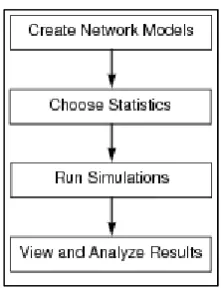
Figure 4-1 Basic step for creating network simulation
These 4 steps in Figure 4-1 consist of creating network environments which is including network devices and traffic, and then choose statistics that we want to study. Next step is run simulations. Finally, view and analyze the results. To complete these 4 steps, OPNET Modeler provides variety kinds of editor to support users as show below.
The Project Editor
This is a main area of OPNET simulation. We use this area to create network topology, generate traffic within network and view the results via this editor. Moreover, this area still covers about choosing statistics and running simulations.
The Node Editor
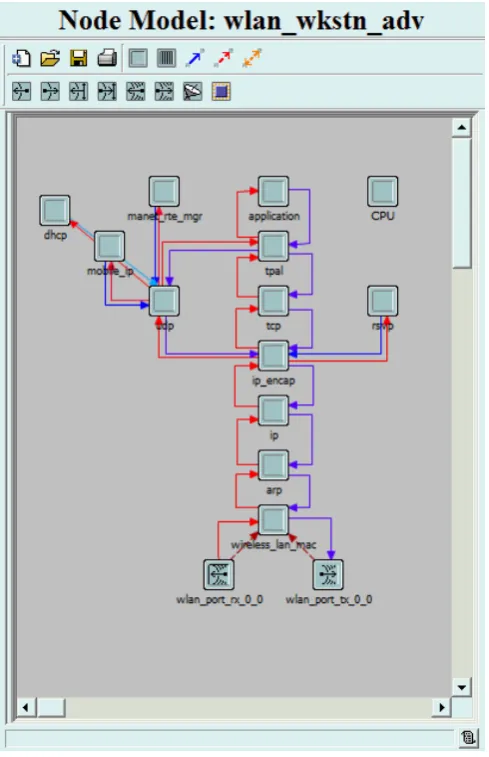
The user can define the behavior of each network object via “Node Editor”. In Node Editor of each model, the behavior is defined using different modules for example data storage, data creation, etc. A network object in OPNET Modeler is typically building up from multiple modules which define that object. The user can add their modules into the network object via Node Editor.
A Network Model in the Project Editor
51
[image:3.595.176.421.97.476.2] Node Model
Figure 4-2 Node Mode example
The Process Model Editor
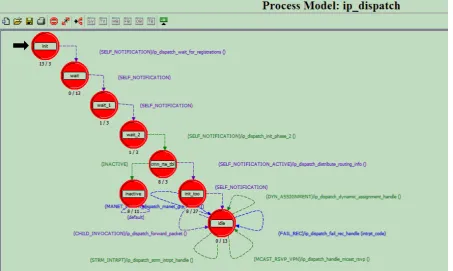
The OPNET Modeler let user design and creates their process models via the “Process Editor”. The user can start from create node model in Node Editor and then they can build
process model, which control the functionality of that node mode.
52
Figure 4-3 Process Mode example
4.3
Implementation
of
the
Proposed
Framework in OPNET Modeler
Due to the implementation of this research has been simulation environments and testing the performance of designing on OPNET Modeler software version 16.0 which is not supported multicast communication over IPv6 WiFi environment. Hence, the implementation and development of this thesis has been modifying based on IPv4 environment. However, the concept and designed of this framework can adapt to WiFi network both on IPv4 and IPv6 Networks.
4.3.1 Network Architecture
53
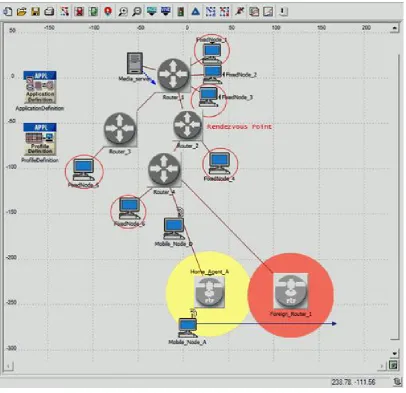
Figure 4-4 the common network topology that is used in this research.
4.3.2 Process Model
Therefore, we have to create a network environment and add some processes into standard protocol. So, we have to deal with process model many times.
4.3.2.1
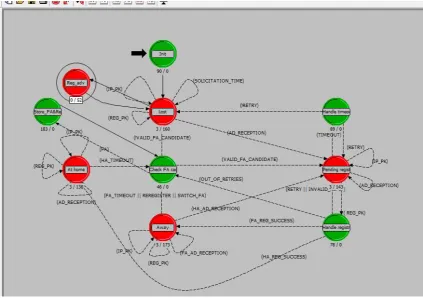
Asking CoA in Advance process
54
Figure 4-5 Process Model: mobile_ip_mn
55
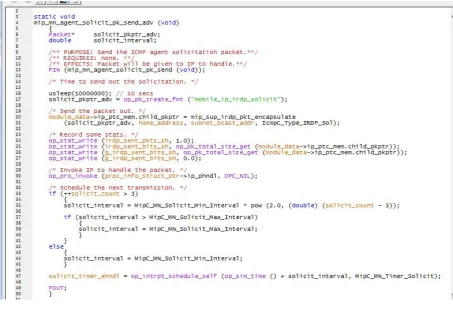
Figure 4-6 The coding of “Reg_adv” state
4.3.2.2
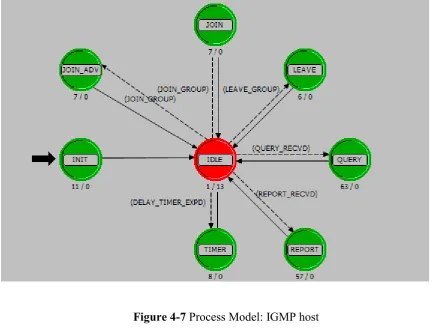
Joining Multicast using CoA Address
56
Figure 4-7 Process Model: IGMP host
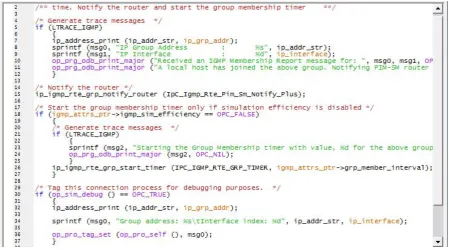
Figure 4-8 The coding of “JOIN_ADV” state
4.3.2.3
Re-join Multicast
57
Figure 4-9 the coding for re-join multicast
4.3.2.4 Keeping Multicast Route
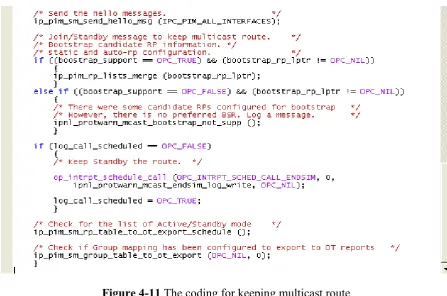
After the mobile node created other multicast routes, the mobile node have to keep other routes become Standby mode, only one route at a time being Active mode. To achieve this goal, we modified Join/Prune message in PIM protocol to keep these multicast routes alive. The coding of this process state is shown in Figure 4-11.
[image:9.595.73.525.479.645.2]58
Figure 4-11 The coding for keeping multicast route
4.3.2.5 Store CoA addresses
59
Figure 4-12 the coding of “store_FA&Re” state
60
Figure 4-13 the coding of structure of CoA address list
61
Figure 4-14 the coding of Binding Update multiple CoA address to home agent
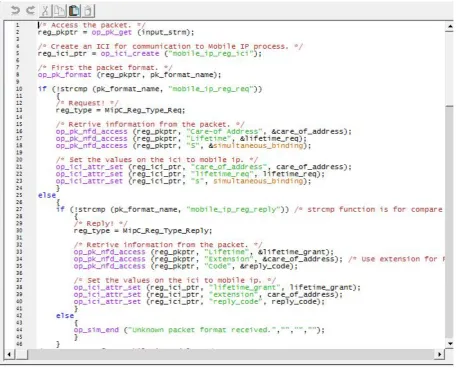
Normally, the mobile node has to report every CoA address that received from foreign agent to home agent. Hence, in the framework the mobile node has to do the same but in advance. So, this process is part of reducing handover latency because the binding update process had been doing in advance before handover occur. The coding of this process is shown in Figure 4-14.
4.4 Summary
This chapter presents the fundamentals of OPNET Modeler software, the implementation that has been made to achieve our designed framework, the state diagram, some coding of the process. The full coding of this research has been attached in Appendix B.