Owner's
Manual
Model 2032
32K Static
RAM Module
California
. Computer
CCS MODEL 2032
32K STATIC RAM MODULE
OWNER'S MANUAL
COPYRIGHT
1980
CALIFORNIA COMPUTER SYSTEMS 250 CARIBBEAN DRIVE
SUNNYV ALE CA
94086
FEATURES
CHAPTER 1
CHAPTER 2
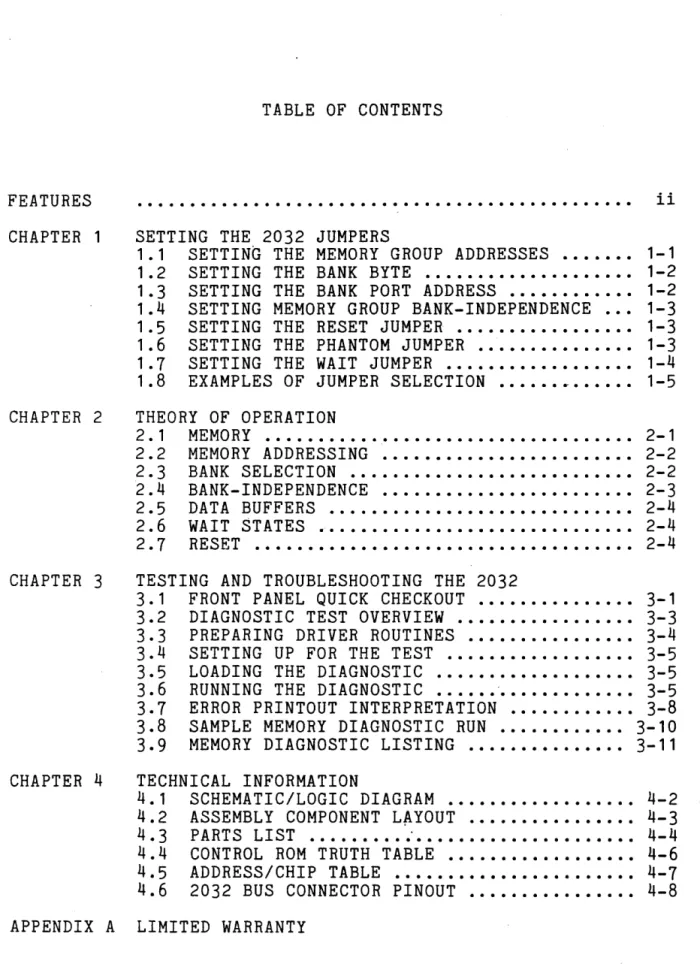
TABLE OF CONTENTS
...
SETTING THE 2032 JUMPERS1.1 SETTING THE MEMORY GROUP ADDRESSES ... . 1.2 SETTING THE BANK BYTE ... . 1.3 SETTING THE BANK PORT ADDRESS ...•. 1.4 SETTING MEMORY GROUP BANK-INDEPENDENCE .. . 1.5 SETTING THE RESET JUMPER ... . 1.6 SETTING THE PHANTOM JUMPER ... .
1 • 7 SETTING THE WAIT JUMPER ... . 1.8 EXAMPLES OF JUMPER SELECTION ... ~ ... .
THEORY OF OPERATION
2. 1 MEMORY ... .
2.2 MEMORY ADDRESSING ... .
2 • 3 BANK SELECT I ON ... . 2.4 BANK-INDEPENDENCE ... .
2 • 5 DATA BUFFERS ... .
2.6 WAIT STATES ...•...
2. 7 RESET •••••••••••••••••••••••••••••••••••• i i
1-1 1-2 1-2 1-3 1-3 1-3 1-4 1-5
2-1
2-2 2-2
2-3 2-4 2-4 2-4
CHAPTER 3 TESTING AND TROUBLESHOOTING THE 2032
3.1 FRONT PANEL QUICK CHECKOUT ... 3-1
3.2 DIAGNOSTIC TEST OVERVIEW ... 3-3 3.3 PREPARING DRIVER ROUTINES ... 3-4 3.4 SETTING UP FOR THE TEST ... 3-5 3.5 LOADING THE DIAGNOSTIC ... 3-5 3.6 RUNNING THE DIAGNOSTIC ... '. . . . .. 3-5 3.7 ERROR PRINTOUT INTERPRETATION ... 3-8 3.8 SAMPLE MEMORY DIAGNOSTIC RUN ... 3-10 3.9 MEMORY DIAGNOSTIC LISTING ...•....•.. 3-11
CHAPTER
4
TECHNICAL INFORMATION4.1 SCHEMATIC/LOGIC DIAGRAM ... 4-2
4.2 ASSEMBLY COMPONENT L~YOUT ... 4-3
4.3 PARTS LIST ... 4-4 4.4 CONTROL ROM TRUTH TABLE ...•.... 4-6 4.5 ADDRESS/CHIP TABLE ...•... 4-7 4.6 2032 BUS CONNECTOR PINOUT ... 4-8
APPENDIX A LIMITED WARRANTY
FEATURES
Uses Popular 2114 Static RAMs
Available with 200, 300, or 450 nsec RAMs
Berg Jumpers Used for Selectable Features
8K Memory Blocks Individually Addressable to Any 8K Boundary
Bank Selection by Bank Port and Bank Byte
8K Blocks Individually Bank-Enabled
LEDs Indicate Board Active and Bank Active States
W~it State Jumper
Phantom Line Capability
Optional Board-Enabling on Reset
Operates on +8 Volts
Fully Buffered
Meets IEEE Proposed S-100 Signal Standards
Diagnostic Software Included
FR-4 Epoxy PC Board Solder-Masked on Both Sides
Silk Screen of Part Numbers and Reference Designations
CHAPTER 1
SETTING THE 2032 JUMPERS
The CCS 2032 is a 32K byte static RAM board designed
for use on S-100 busses. Sixty-four popular 2114 static RAM
chips make up the four BK memory groups A through D. Each
memory group is individually addressed and bank-enabled, and
up to three memory groups can be buried to reconfigure the
board to BK, 16K, or 24K. The bank select feature, using a
bank port and bank byte, is compatible with Alpha-Micro and
Cromemco as well as with other systems. Board Activ~ and
Bank Active states are indicated by LEDs.
To provide optimum compatibility with a variety of
systems, CCS has equipped the 2032 with selectable
addressing and several optional features. Selections are
hardwired with easy-to-use, reliable Berg jumpers. The
addresses for each of the BK memory groups, the bank port
address and bank byte, and the bank-dependence or
bank-independence of each memory group are jumper-selected
by the user to best suit his system. Phantom, Wait, and
Reset features can be jumper-enabled as desired. Each
jumper-selectable feature is discussed individually below.
Further explanation can be found in Chapter 2, "Theory of
Operation." Illustrations showing jumper settings and
relative locations are provided in Section
1.B.
1.1 SETTING THE MEMORY GROUP ADDRESSES
In order to provide maximum flexibility in the location of the 2032's memory groups within a bank, CCS has made the
addresses of the four memory g~oups ju~per-selectable. The
jumper-set address of a memOl'Y group is compared with the
1-2 SETTING THE 2032 JUMPERS
matches, the group is selected. The Group Address (GRP
ADDR) jumpers are in the upper left corner of the board
(with the connector pins at the bottom). Set the jumpers of
each group to the three high-order binary digits that
specify the multiple of 8K at which you wish to locate the
group. For example, the addresses of the block between 16K
and 24K are 4000h-5FFFh, so you would locate a group in that
block by setting its jumpers to 010. Since a memory group's
base address must be a multiple of 8K, an easy way to
calculate the jumper settings is to divide the base address
by 8K. You can then set the jumpers to the binary
equivalent of the result.
The memory groups are fully prioritized, with A having
the highest priority and D the lowest. This allows you to
give two (or more) memory groups the same address. Only the
higher-priority group will be selected by that address; the RAMs of the other group(s) will be buried, inaccessible and
occupying no memory space until the address jumpers are
reset. This allows you to configure the 2032 to 8, 16, or
24K without removing RAMs.
1.2 SETTING THE BANK BYTE
The Bank Byte jumpers allow you to hardware-map the
2032 memory board to whichever of the eight memory bank
levels 0-7 you choose. They are located at the top of the
board. To select a bank level, jumper-set a 1 in the bit
that corresponds to the desired bank level and jumper-set
all other bits to O. For example, to select bank 3 you
would set bit D3 to 1 and DO-D2 and D4-D7 to O.
You may enable the 2032 with more than one bank. Set
to 1 the Bank Byte jumper corresponding to any bank with which you want the board to be enabled.
1.3 SETTING THE BANK PORT ADDRESS
In order to assign the board to a bank, you must output
the bank byte to the bank port. Most presently-marketed
S-100 products using the bank port/bank byte scheme address
the bank port at 40h. We recommend that you use this bank
port address unless you have a strong reason for doing,
otherwise. The Bank Byte jumpers are at the bottom of the
SETTING THE 2032 JUMPERS 1-3
the high-order bit; thus you will set the binary bank port
address from right to left on the board. 40h is selected by
jumper-setting A6 to 1 and AO-A5 and A7 to O.
1.4 SETTING MEMORY GROUP BANK-INDEPENDENCE
Each memory group can be made independent of bank
selection, causing it to be enabled whenever it is addressed
regardless of which bank is active. This makes it possible,
in time-sharing situations, for some groups to be commonly
accessible while the remaining bank-dependent groups are.
reserved for individual users. The bank-independence
jumpers are located at the bottoms of the GRP ADDR columns.
Setting a jumper to BE (Bank Enable) makes the corresponding
memory group bank-dependent. To enable a memory group
independent of bank selection, set its bank-independence
jumper toME (Memory Enable).
1.5 SETTING THE RESET JUMPER
The Reset jumper, at the top center of the board,
controls the activating of the bank-dependent memory groups
during system resets. If the Reset jumper is set to B, all
32K of memory will be enabled each time the power is turned
on or the system is reset. If the Reset jumper is set to A,
the bank-dependent memory groups will be enabled only when the board's bank has been selected.
Due to lack of room on the board, the Reset jumper
labels may be hard to find. The B position is to the right;
the A position is to the left.
1.6 SETTING THE PHANTOM JUMPER
The Phantom jumper is in the lower right corner of the
board. Setting the jumper to B allows a device that
generates a PHANTOM signal to overlay portions of the 2032
memory. For example, CCS peripheral control boards generate
Phantom signals when certain ROM locations are addressed;
these locations contain code to drive the peripherals. If
an identically-addressed location exists on the 2032 board,
1-4 SETTING THE 2032 JUMPERS
the contents of that location. This allows you to access
the rest of the memory locations within the 8K block that
contains the overlayed portion. Without Phantom capability
the 2032 would not be able to locate a memory group in that
block because the 2032 and the peripheral control board
would both put data on the bus when a shared location was
addressed.
Setting the Phantom jumper to A disables the -PHANTOM signal.
1.7 SETTING THE WAIT JUMPER
The Wait jumper allows you to slow down your processor
every time the board is addressed. This will be necessary
if your processor allows a shorter memory access time than
your RAMs require. The jumper is in the upper right corner
of the board. Off is the A position; on is B. .
If you have a 2032 with 200 nsec or 300 nsec RAMs, you
should not need to enable the Wait feature for use with
presently-available microprocessors. If you have the 450
nsec RAMs and a processor that operates at 4mHz you will, in
theory at least, need to enable Wait. You should
experiment, however; in many cases the 450 nsec RAMs will
work succesifully with a 4mHz processor without a Wait
state.
Some 2-80 CPU boards, including the CCS 2810, provide a
jumper-selectable Wait feature. Enabling this feature may
be preferable to enabling the 2032 Wait feature. The 2032
Wait causes a Wait state to occur in every memory cycle in
which the board is addressed; the CCS CPU Wait feature
causes a Wait state to occur during theM1 cycle only.
Because memory access time in the M1 cycle is half a cloak
cycle shorter than in the other machine cycles, a Wait state
in this cycle effectively increases the time allowed for
memory response without unnecessarily slowing the processor
in other memory cycles. However, if your system includes
memory boards operating at different speeds, you probably
will want to enable the Wait features as necessary on the
slower memories rather than enable the processor Wait. This
will allow you to operate at maximum speed with the faster
memories. To find out what is best for your system, check
SETTING THE 2032 JUMPERS 1-5
1.8 EXAMPLES OF JUMPER SETTINGS
The first diagram shows jumper settings for a basic CCS
system consisting of a 2810 Z-80 CPU, a 2422 disk
controller, and the 2032. The bank port address must be
40h. The board is enabled with bank 0 and on start-up.
Memory is loca.ted between 0 and 32K. Phantom and Wai tare
. disabled.
15
14
13
BE
GRP AD DR
D e B A
1 ME
I-CIJ
a: I"-CDIO~ (I) C\I"- 0
A B 10ccccccc1
CiiI
1111111111
o BANK BYTE 0
o BANK PORT 0
1~~~~ 1~~!~1
<t<t<t <t1 <t<t<t<tWAIT
IiLJ
A B
In the second diagram, memory groups A and Bare
bank-independent and located in the last 16K of memory_
Groups C and D reside in banks 2 and 4 between 24K and 40K.
The bank port address is 40h. Only groups A and Bare
enabled on start-up. Phantom and Wait are enabled.
I-m
GRP ADDR a: I"-CDIO~(I)C\I""O
A B loccccccc 1
0 C B A Iii:]
1111111111
WAIT15 C]II
a BANK BYTE a A B
14
13
1
ME
a BANK PORT a <t
11!~~~ 1~~~1
~~
c:CLCHAPTER 2
THEORY OF OPERATION
This chapter is provided for those users who want a
more thorough understanding of the 2032 operation than they
need just to make the board function in their systems. Used
in conjunction with the Logic Diagram and the Control ROM
Truth Table in Chapter 4, it should give you a sound
understanding of the design and features of the board.
Additional information, if desired, can be obtained from
data sheets for the individual chips.
2.1 MEMORY
The 2032 uses sixty-four 2114-type RAMs. The memory
chips are arranged in two-chip columns in order to provide
an eight-bit byte, and the thirty-two columns are divided
into four 8K memory groups A through D. Because the 2114
provides 4096 bits of storage organized 1024x4, each RAM
requires ten address inputs and four bi-directional data
lines. A Chip Select input (-CS) provides for the selection
of individual chips in the memory array. To prevent
erroneous data from getting into the chip a R/-W input
inhibits the data input buffer when-high. Thus data can be
written to a memory chip only when both -CS and R/-W are
low. The 2032 controls -CS through the Column Select
2-2 THEORY OF OPERATION
2.2 MEMORY ADDRESSING
Addressing a specific memory location on the 2032
involves addressing a location on each chip while enabling
only one two-chip column. Address lines AO-A9 address one
location on each chip through a common address bus. Column
selection is handled by four 3-to-8 decoders. Each decoder
selects one of eight columns depending on the conditions of
inputs A, B, and C, which are controlled by address lines
A10-12. Inputs G1, G2A, and G2B determine whether an
individual decoder will be enabled, G2A and B low and G1
high enabling a decoder.
The three highest-order address lines determine the 8K
block in which a memory group resides. Jumpers are used to
select each memory group's base address (see Section 1.1).
The jumper settings are compared with the top three bits of
the incoming address, and if a group's settings correspond to the address bits that group's output line is pulled low.
Each group's output line is tied directly to input G2A of
the decoder for that group. Also, low outputs from Group A
and Group C disable through G1 the decoders for Groups Band
D respectively. In addition, groups C and D are disabled
through Gl if the output of the ANDing of Groups A and B is low--i.e., if either Group A or Group B has been addressed. This provides full prioritizing of the memory groups, with A
the highest priority and D the lowest. Whenever two or more
memory groups are given the same base address, only the
highest-priority group will be enabled by that address. The
other groups will effectively be buried; they will be
unaddressable and will occupy no memory space.
The final input for each decoder, G2B, is determined by
the Control ROM through -CSE (Column Select Enable). See
Section
4.4
for the specific conditions under which -CSEwill be low.
2.3 BANK SELECTION
The CCS 2032 is bank-selectable by bank port address
and bank byte. Thus it is fully compa~ble with Cromemco,
AM100, and other port-bank-select systems. IT IS NOT
COMPATIBLE WITH ADDRESS-SELECT SYSTEMS SUCH AS IMSAI.
You assign the 2032 to a bank by jumper-setting the
bank port address and the bank byte. The 2032 compares
THEORY OF OPERATION 2-3
collector set of exclusive-OR gates. A pull-up resistor
holds the output high unless a wrong address pulls the
output low. The BANK PORT ADDRESS line inputs to the
Control ROM. If the conditions of the BANK PORT ADDRESS
line and the other Control ROM inputs are right (see Section
4.4),
BANK CLK will -pulse low, clocking the Bank Enableflip-flop when it rises to high again. In the meantime the
bank byte becomes present on DIO-7 and is inverted. Setting
a Bank Byte Select jumper to 1 connects the corresponding
inverted DATA IN line to the BANK DATA line. Thus a low
signal on an inverted DATA IN line, indicating a 1 in the
ft bank byte, will pullrBANK DATA low if the corresponding Bank
Byte Select jumper is set to 1.
When the flip-flop is clocked, the condition of BANK
DATA, the flip-flop's D input, determines the outputs Q and
-Q. Q takes the value of D and -0 is D's complement. When
BANK DATA is low, indicating that the bank byte and the Bank Byte Select jumpers specify at least one bank in common, the
-Q output is high. The -Q output is tied to BANK ENABLE.
When BANK ENABLE iS,high, selection of bank-dependent memory
groups is enabled. At the same time, the low output at Q
lights the Bank Select LED and pulls -BANK ACTIVE low. When
-PORT READ and -BANK ACTIVE are both low, -ACK will be low,
acknowledging to the processor that a bank has been enabled.
When BANK DATA is high, the low on BANK ENABLE forces
all bank~dependent memory groups' slect lines (-GROUP A-D)
high. The low on -Q also turns of the Bank Select LED,
while the high on -BANK ACTIVE (from Q) ensures that -ACK
will be high.
Because flip-flop outputs do not change until the
flip-flop is re-c+ocked, BANK ENABLE, -BANK ACTIVE, and the Bank Select LED will maintain the same states until the bank
port is addressed again, when another bank byte will
determine whether a high or a low gets clocked into the Bank Enable flip-flop.
2.4
BANK-INDEPENDENCEThe 2032 allows you to make any memory group
independent of bank disabling by setting a jumper so that
the BANK ENABLE line is not connected to the
memory-address-comparison circuitry of the memory group you
want to make independent. This prevents that memory group's
output from being pulled low when the BANK ENABLE line is
low. The memory group will therefore be enabled whenever it
2-4 THEORY OF OPERATION
2. 5 DATA· BUFFERS
The DATA IN and DATA OUT lines from the data bus are
tied together to form the bi-directional data lines for the
HAM chips. DIO-7 and DOO-7 are buffered by 3-state bus
drivers. If the drivers are in. the high-impedance state,
the lines they drive are disabled. The -RD ENABLE and -WR
ENABLE lines, which determine whether the DI or DO buffers
will be in the high-impedance state, are controlled through
the Read/Write Decoder by the Control ROM. See Section
4.4
for the specific conditions under which -RD ENABLE and -WR
ENABLE will be low.
2.6 WAIT STATES
A wait state is necessary when a peripheral device
takes more time to complete a task than the processor
normally allows. Because the 2032 is available with 200,
300, or 450 nsec Rams, and because processor speeds vary,
the Wait feature on the 2032 has been made
jumper-selectable. If the Wait jumper is set to B, pSYNC is
inverted and ORed with -CSE, with the output being the pRDY
line. When pHDY goes low, the processor adds an extra clock
cycle to each memory read or memory write machine cycle
during which the board is selected, thereby increasing the-time that signals remain on the address and data busses. If the jumper is set to A, a high signal is ORed with -CSE, the 2032 does not pull pRDY low, and a Wait state does not occur unless it originates elsewhere.
2.7 RESET
The Reset jumper allows you to choose whether or not the 2032 will be enabled when the system is powered up or
reset by determining which input of the Bank Enable
flip-flop will be controlled by pRESET. Pull-up resistors
normally hold both the Preset and Clear inputs high, which
they must be for the flip-flop to'set and reset normally.
The -pRESET line can be jumper-connedted so that either the Preset input or the Clear input is pulled low whenever the
power is turned on or the system is reset. If the Reset
jumper is set to position A, -pRESET active pulls the Preset input low, the flip-flop is set, BANK ENABLE is low, and the
bank-dependent memory groups are disabled. If the jumper is
set to position B, -pRESET active pulls the Clear input low,
the flip-flop is reset, BANK ENABLE is high, and the
CHAPTER 3
TESTING AND TROUBLESHOOTING THE 2032
3.1 FRONT PANEL QUICK CHECKOUT
(If your computer does not have a front panel, skip this
section.)
Before powering on the computer, set the 2032 jumpers
as follows:
GRP ADDR
l-en
a: r-.. CD LO~ (I') (\1"-0 A B 1ooooocool
~ ~IIIIII~·
o BANK BYTE 0
o BANK PORT 0
1
~~~~ I~~!~
1««« «1 ««««
WAIT
CiiI
A B
The priority feature will cause Group A to be selected. Set
the Front Panel Adress Switches AO-A15 to the off position
(OOOOH). Examine that address. Set the Data Switches D1-D7
to the OFF position and .DO to the ON position (01H).
Deposit (write) into memory and compare the Data readout
with the switch settings. Now switch DO to OFF and D1 to
ON, deposit into memory again, and compare the result with
3-2 TESTING AND TROUBLESHOOTING
Switch ON and the rest OFF until all data bits have been
checked. If any data does not match the switch settings,
isolate the malfunction with a logic probe or voltmeter
before continuing.
After Group A has been checked, power down the computer
and set Groups B-D to OO~ as shown:
GRP ADDR
D e B
15
14
13
BE BE
Group B will be selected. Examine 2000H (A13 ON, the rest
OFf), and deposit the same data bytes as for Group A.
Isolate and correct any malfunctions as they become
apparent.
To check Group C, power down the computer and set
Groups C and D to 010:
GRP ADDR
D e B
15
14
13
BE
Examine 4000H (A14 ON, the rest OFF~, a~~ test as with
TESTING AND TROUBLESHOOTING THE 2032 3-3
Finally, to test Group D, power down and set Group D to
011 :
GRP ADDR
Examine 6000H (A14 and A13 ON, the rest OFF), and test as before. When all malfunctions have been corrected, proceed to the next test.
3.2 DIAGNOSTIC TEST OVERVIEW:
These memory dia~nostics run on 8080 or Z-80 systems and provide a practical test of the 2032 memory board. Two diagnostics are provided: a walking bit test and a burn-in test. The routines have been written so that they do not require RAM other than the system stack and the RAM under test. The routi~es may be executed from either RAM or ROM.
Diagnostics in general classes: fault detection, correction. These routines
provide sufficient data for is isolated, correction is a
can be divided into three fault isolation, and fault perform fault detection and fault isolation. After a fault hardware matter.
Errors are displayed on the console device when they are detected. Two formats are used. The first, used by the burn-in test and the first stage of the walking bit test,
shows errors as follows: '
xx yyyy zz
•
3-4
TESTING AND TROUBLESHOOTINGThe second stage of the walking bit test logs errors as follows:
wwww xx yyyy zz
Again, each character is. a hexadecimal digit; wwww is the
address where-the error was found, xx is the bad data, yyyy
is the address where data was last written, and zz is the
last written data.
These error displays provide enough information for the problem to be isolated.
3.3
PREPARING DRIVER ROUTINESExcept for the system-unique input/output drivers, the
memory test routines are capable of standing alone. The
drivers must be provided by the user. Three routines are
needed:
CONIN: Console input. Reads one ASCII character
from the console keyboard and sets the parity bit
(bit 7) equal to O. The character is returned in
the accumulator- (A register).
CONOUT: Console output. Writes one ASCII
character to character to C register. sensitive to bit 7 to what
the console display device. The
be output is passed to CONOUT in the
If the console output device is
bit
7,
then the user must set/resetis needed in the CONOUT routine.
CONST: Console status. This routine reads the
console input status. If data is not available,
then the accumulator is set to 0 and the status
flags must match. If data is pending, then a -1
(OFFH) should be returned in the accumulator (A
register). The status flags must show at least a
non-zero condition on the return'.
After these routines have been prepared they must be loaded
into memory. To allow the diagnostics to find them, three
jump instructions are located at the front of the
diagnostic: 0103H for CONIN, 0106H for CONOUT, and 0109H for
CONST. The use~ should put the addresses of his 1/0
routines into these locations. See lines 51, 52, and 53 in
TESTING AND TROUBLESHOOTING THE 2032
3-5
3.4
SETTING UP FOR THE TEST:When you are ready to begin the test, set the 2032
jumpers as illustrated:
GRP ADDR
D C
15
14
13
.--encr ,...(OLOVC")C\I"-O
A B 100000 00 01
CiiI
~OUU"I
o BANK BYTE 0
o BANK PORT 0
1
~~~~ I~~!~
1« «« «1 «« ««
WAIT
c::!iI
A B
At this point you are ready to install the 2032 in your
computer. Make sure that no other memory will respond to
addresses in the range 4000H-OBFFFH.
3.5
LOADING THE DIAGNOSTIC:No special precautions are necessary. Use your
standard method to load the routines. Load the diagnostic
into your system at location 0100H. The diagnostic is small
enough to fit into the first lK of memory. It was assembled
assuming a 16K block of memory would be available starting
at OOOOH; if less memory is available, the only change
necessary is to alter the stack location. The stack is
currently initialized to 3F76H; a good alternate location
would be 0100H.
3.6 RUNNING THE DIAGNOSTIC
Transfer control of the computer to location 0100H.
The computer will type out:
3-6
TESTING AND TROUBLESHOOTINGYou can now select which diagnostic you want. Current
options are "C" for continuous burn-in or "W" for walking
bit test. Any other selection will cause ???? to be
displayed, after which "DIAGNOSTIC:" will again be printed.
For the initial test, type in W. The computer will respond:
DIAGNOSTIC: WALKING BIT TEST BLOCK SIZE:
Select a small block size ini~ially. This way the
read/write circuitry can be checked out without a flood of
error printouts. A block size of 2 is suggested. To
terminate entry type in a space, a comma, or a carriage
return. If you type in the wrong number, continue typing in
until the last four digits are correct.
The computer will now ask for
BASE ADDRESS:
Type in the desired base address. (Note: The base address
must be a multiple of 1024 (0400H). For the board setup
suggested, a base address of 4000H is indicated.) At this
time the diagnostic will do its test. On completion it will type out
TEST DONE DIAGNOSTIC:
It is now ready for the next test. If errors were logged,
see the troubleshooting section and correct the malfunction. Rerun the diagnostic until an error-free run is achieved.
Rerun the walking bit test with a block size of 1K
(400H) and a base address of 4000H. Repeat the test,
increasing the base address in 1K (4000H) increments, until
base address BCOOH has been tested. This tests all memory
chips. If errors are logged, replace the appropriate
chip(s). Table 3.1 narrows any error to two chips. If the
bad data is in the upper half of the byte, replace the
odd-numbered chip. If the bad data is in the lower half of
the byte, replace the even-numbered chip. For example, the
following error printout indicates chip 11 bad:
5C02 84 5C02 04
After a good run for all thirty-two 1K increments, run the
TESTING AND TROUBLESHOOTING THE 2032 ~B~~ AR~BE~§ 4000H 4400H 4800H 4COOH 5000H 5400H 5800H 5COOH 6000H 6400H 6800H 6COOH 7000H 7400H 7800H 7COOH BOOOH B400H 8800H 8COOH 9000H 9400H 9800H 9COOH AOOOH A400H A800H ACOOH BOOOH B400H BBOOH BeOOH CHIPS TESTED
U67, U68 U65, U66 U63, U64 U61, U62 U77, U78 U75, U76 u73, U74 U71, U72
U49, U50 U47, U48 U45, U46 U43, U44 U57, U58 U55, U56 U53, U54 U51, U52
U32, U33 u30, U31 U28, U29 U26, U27 U40, U41 U38, u39 U36, U37 U34, U35
U16, U17 U14, U15 U12, U13 U10, U11 U24, U25 U22, U23 U20, U21 U18, u19
TABLE 3.1
MEMORY GROUP A A A A A A A A B B B B B B B B
e
e
e
e
Ce
e
e
D D D D D D D D 3-7At this point, invert the memdry group address jumpers
and run a 32K block starting at OOOH. This tests the
group-select circuitry completely. The primary chips tested
here are U1-U3.
When all walking bit tests run error-free, type in e
for the continuous burn-in test. Specify a block size of
8000H and the appropriate base address (4000H if you follow
the above procedure). Let it run for an hour or two to
3-8
TESTING AND TROUBLESHOOTINGthis test type in Control C. Errors, if any, will be
printed out as they occur. The total number of errors will
be printed out upon completion of the test.
3.7
ERROR PRINTOUT INTERPRETATION:Errors may show up in many forms. Table 3.2 on the
next page matches typical symptoms with probable causes.
The best way to isolate a problem (and correct it at the
same time) is to pullout a suspect part and replace it with
a part that you know to be good. Then rerun the diagnostic
and see if the problem is still present.
If a problem persists after all suspect parts are
replaced, set up a controlled test condition and
troubleshoot the problem with a logic probe or a voltmeter,
TESTING AND TROUBLESHOOTING THE 2032
ERROR CONDITION
Bad data=OFFH, all groups
Random data or all
o
data, all groupsOFFH data, one group only
One address line hung (printout: good
data, bad address)
One data line hung a) hung 0 (good
address, bad data=O)
b) hung 1 (good
address, bad data=1)
Soft errors (random addresses and data, non-repeatable)
Hard memory errors
PROBABLE CAUSE
a) bank select b) board select
bad write control
a) group A select
b) group B select c) group C select
d) group D select
address buffers
grounded data line
a) open data line b) data line shorted
to +5V
a) memory chip access time
b) heat-sensitive parts
bad memory chip
TABLE 32
3-9
SUSPECT PARTS
U5, U6, U85 U3, U5, U85
U5, U83, U85
U2, U3, U9 U2, U3, U42 U1, U3, U60 U1 , U3, U70
U81 (AO-6, A15) U82 (A7-14)
U83, U84
U83, U84 U83, U84, memory chips
Try 'setting Wait jumper to Band rerunning tests. Treat as a hard error and replace suspect parts.
3-10 TESTING AND TROUBLESHOOTING
3.8 SAMPLE MEMORY DIAGNOSTIC RUN:
DIAGNOSTIC: WALKING BIT TEST Typed in W
BLOCK SIZE: 30 Block may be any size
BASE ADDRESS: 300
BAD BASE ADDRESS: Base address must be multiple
BASE ADDRESS: 400 of 1K (400H)
TEST DONE
DIAGNOSTIC: WALKING BIT TEST New test
BLOCK SIZE: 400
BASE ADDRESS: 400 Equal block size, base address
TEST DONE
DIAGNOSTIC: WALKING BIT TEST
BLOCK SIZE: 1000 Larger block size test
BASE ADDRESS: 400 TEST DONE
DIAGNOSTIC: WALKING BIT TEST BLOCK SIZE: 1800
BASE ADDRESS: 400 TEST DONE
DIAGNOSTIC: ???? Typed in 1
DIAGNOSTIC: WALKING BIT TEST
BLOCK SIZE: 519 Odd block size
BASE ADDRESS: 400 TEST DONE
DIAGNOSTIC: CONTINUOUS BURNIN Typed in C
BLOCK SIZE: 3165 No parameter restrictions
BASE ADDRESS: 3D3
00 ERRORS Up to OFFH (255D) errors shown
TEST DONE
DIAGNOSTIC: CONTINUOUS BURNIN BLOCK SIZE: 3ABC
BASE ADDRESS: 3EF 00 ERRORS
TESTING AND TROUBLESHOOTING 3-11
1 0000 2 0000 3 0000 4 0000 5 0000 6 0000 7 0000 8 0000 9 0000 10 0000 11 0000 12 0000 13 0000 14 0000 15 0000 16 0000 17 0000 18 0000 19 0000 20 0000 21 0000 22 0000 23 0000 24 0000 25 0000 26 0000 27 0000 28 0000 29 0000 30 0000 31 0000 32 0000 33 0000 34 0000 35 0000 36 0000 37 0000 38 0049 39 0040 40 0043 41 0043 42 0100 43 0100 44 0100 45 0100 46 0100 47 0100 48 0100 49 0100 50 0100 51 0103 52 0106 53 0109 54 010C 55 010F
OOOA OOOD 0040 0040 0040 C38F03 0100 C003 C006 C373 COOO C38F03 C303CO C306CO C373,C3 C300CO LF
TITLE '2114 MEMORY DIAGNOSTIC VER 1.1'
Console input/output support routines
These routines are a highly-matured,
well-thought-out set based on Intel's monitor. They provide a
significant capability to converse with an BOBO,
BOB5, or Z-BO based microprocessor system. The
only registers altered are the accumulator and the pass register carrying active parameters upon
entry to a routine. The stack is used
extensively; sufficient space must be provided by
the calling programs. The stack pointer is
returned to its original place on exit unless an
error was detected (SP=?) or parameters are
returned on the stack. In the latter case, the
stack is offset by 2 times the requested number of
parameters and will be set right after these
parameters are popped off the stack.
Register use conforms to ICOM and CP/M defined
conventions: Output data is passed, in the C
register and input data is expected in the A
register. These routines require CP/M-compatible
CONIN and CONOUT routines as contained in the
user's BIOS program, or'CI and CO as in the ICOM
Resident ROM.
ASCII line feed CR CNTL STACK .EQU EQU EQU EQU OAH ODH 40H 40H
ASCII carriage return ASCII Cntl offset
ORG 406:
JMP INIT
ORG 0100H
SYSTEM LINKAGES
;
CORII EQU
CONOUT EQU
CORST EQU
USER EQU
l3-12
56 010F 57 010F 58 010F 59 010F 60 OlaF 61 01 OF 62 OlaF 63 OlaF C5 64 0110 OE20 65 0112 C34901 66 0115
67 0115 68 0115 69 0115 70 0115 71 0115 72· 0115 73 0115 74 0115 75 0115
76 0115 E60F 77 0117 C690 78 0119 27 79 011A CE40 80 011 C 2"7 81 011 D C9 82 011E 83 01.1E 84 011 E 85 011! 86 011! 87 011! 88 011E 89 011£ 90 011! 91 011! 92 011£ £5 93 011F 212701
94 0122 CD~l
95 0125 £1 ~
96 0126 C9 97 0121
98 0127 ODOA20AO 99 012B
100 012B 101 012B 102 012B 103 012B 104 012B 105 012B 106 012B 107 012B 108 012B
109 012B cnlEOl 110 012E
.
,
TESTING AND TROUBLESHOOTING
Routine BLK prints one blank on the current
console device.
Entry parameters: Return parameters: Stack usage:
None None 4 bytes
BLI: PUSH
MVI JHP
B ; Save (BC)
C,' ,
ECH2Get an ASCII space Go output i t
Routine CONY converts a 4 bit binary number to its
ASCII equivalent. The high-order 4 accumulator
; bits are lost.
Entry parametOer:
.
,
Exit parameter: Stack usage:
4 bit binary number in lower half of accumulator
ASCII character in (A)
o
bytesCONY: ANI OFB ; Clear high bits
ADI DAA ACI DAA RET 90H ·40B
Insert partial ASCII ; Zone
; Insert rest of ASCII ; Zone
Routine CRLF prints an ASCII carriage return and
line feed (in that order) on the console. It
follows these with 4 blanks to create a left
margin.
Entry parameter: Exit parameter: Stack Usage:
None None 8 bytes
CRLF: PUSH
LXI CALL POP RET H H,CRMSG PRTlIrA H
Save (H,L)
;
Get message address Print message
; Restore (HL)
CRHSG: DB CR,LF,' • , '+80H
Routine DEPRT prints the contents of the (DE)
register pair as a 4-digit hexadecimal number on the console.
Entry parameter:
Exit parameter: Stack usage:
(DE)
=
4 digit hex numberto be printed on console. Hone
10 bytes
DEPRT: CALL CRLF ; Print a CR, LF
TESTING AND TROUBLESHOOTING
3-13
111 012E 71 112 012F CD3301 113 0132 7B 114 0133 115 0133 116 0133 F5 117 0134 OF. 118 0135 OF 119 0136 OF 120 0137 OF 121 0138 CD3COl 122 013B F1 123 013C 124 013C
125 013C CD1501 126 013F C34501 127 0142
128 0142 129 0142 130 0142 131 0142 132 0142 133 0142 134 0 "42 135 0142 136 0142
137 0142 CD0301 138 0145
139 0145 C5. 140 0146 ~67F
141 0148 4F 142 0149
143 01-49 CD0601 144 014C Cl 145 014D C9 146 014E 147 014E 148 014E 149 014E 150 014E 151 014E 152 014E 153 014E 154 014E
155 014E CD1EOl 156 0151
157 0151 EB 158 0152 CD2EOl 159 0155 EB 160 0156 C9
16~ 0157 162 0157 163 0157 164 0157 165 0157
DEPR1: HOV A,D
CALL HEI2
HOV A,E
Alternate entry point ; digits
HEI2: PUSH RRC RRC RRC RRC
PSW
; Get high order byte ; Print 2 numbers ; Get low order byte to print (A) as two hex
Save low order byte ; Move high order nibble
to lower half of (A)
CALL HEXl ; Print the nibble
POP PSW ;_Get low nibble back
Alternate entry point to print low order nibble on console
HEX 1 : CALL JMP
CONV ECHl
; Convert to ASCII ; Go print it
Routine ECHO reads one character from the calling
routine and then echoes it. back. It is assumed
that the console is in a full duplex mode.
Entry parameter: Exit parameter:
Stack usage:
ECHO: CALL CONI
; Alternate entry point
ECH1: PUSH B
ANI 7FH
MOV C,A
Alternate entry point
ECH2:CALL CONO
POP B
RET
None
CA) = Character read from the console keyboard
4 bytes
; Bead a character to print CA)
; Save (BC)
; Strip off parity bit ; Put character into eC) for BLI routine
; Output it ; Restore (BC)
Routine HLPRT prints the contents of the (HL)
; register as
4
hexadecimal digits on the console..
,
; Entry parameter:
j
; Exit parameter:
j Stack usage:
.
,
HLPRT: CALL CRLF ; Alternate entry point HLPRA: ICHG
CALL DEPRA
XC.HG
RET
(BL)
=
4 hex digit number to be printedlone 10 bytes
; Print a (CR,LF) ir no CR,LF wanted
; S v a p (HL), ( DE)
; Go print (DE) ; Unswap (BL), (DE)
Routine PCHK reads a character from the console
and checks whether it is a valid delimiter (space,
; comma, or carriage returri). If so, a zero is
1-14
166 0157 167 0157 168 0157 169 0157 170 0157 171 0157 172 0157 173 0157 174 0157 175 015A 176 015A 177 015C 178 015D 179 015F 180 0160 181 ·0162. 182 0162 183 0163 184 0164 185 0165 186 0166 187 0166 188 0166 189 0166 190 0166 191 0166 192 0166 193 0166 194 0166 195 0166 196 0166 197 0166 198 0166 199 0166 200 0166 201 0166 202 0166 203 0166 204 0166 205 0166 206 0166 207 0166 208 0166 209 *,0166 210 0166 211 0166
CD4201 FE20 C8 FE2C C8 FEOD 37 C8 3F C9
212 0166 OEOl 213 0168
214 0168 210000 215 016B CD4201 216 016E 47 217 016F CD9901 218 0172 DA7EOl
219 0175 29
220 0176 29
TESTING AND TROUBLESHOOTING
; a carriage return, the carry bit is set also. If
; it is not a delimiter, a non-zero, no-carry
; indication is required.
·
,
Entry parameters: Exit Parameters: ; Stack usage:
;
PCBK: CALL ECHO
·
,
Alternate entry pointPCH2: CPI
, ,
RZ
CPI
,
,
,
RZ
CPI 'M'-CNTL
STC RZ CHe ·RET
None
See description above. 6 bytes
;Read a character
if CHAR already in (A)
Check for a blank Return if (SO) Check for a comma
.
Return if (SO),
Check for a CAR RET Set the carry flag Return if CAR RET Reset the carry flag
Routine PRM reads characters from the console and
pushes them onto the stack. Multiple parameters
may be read: values are delimited by a space or
comma. If a carriage return is entered, PRM stops
reading values and returns to the caller. Only
,the last 4 characters of a string are saved; to
; correct an error, type until the last four
; characters are correct. The caller may retrieve
the values by popping them from the stack,
last-entered character first.
·
,
·
,
Entry·
Exit,
; ; ; ; ;·
,
; Stack parameter: parameters: usage:(C)
=
number of expectedparameters
(C) Parameters on stack: If a bad value was entered,
I????' is printed and control transferred to a user provided error handler. The stack pointer value 1s
indeterminate and needs
to be reset
4 + 2 = (C) bytes
; Alternate entry point i t only one parameter is ; desired.
PARM1: HYI
; Normal entry
PRM: LXI
PRA: CALL
PRB: MOY
CALL JC DAD DAD C, 1 point H,O ECHO B,A NIBBL PRC H H
Set (BL) = 0
Get a character
Save input character Check it and CVB
Not hex, see if delim
TESTING AND TROUBLESHOOTING 3-15
221 0177 29 222 0178 29 223 0179 B5 224 017A 6F 225 017B C36B01 226 017E
227 017E E3 228 017F E5 229 0180 78 230 0181 CD5AOl 231 0184 D28901 232 0187 OD 233 0188 C8 234 0189 C2C401 235 018C OD 236 018D C26801 237 0190 C9 238 0191 239 0191 240 0191
241 0191 OEOl 242 0193 210000 243 0196 C36EOl 244 0199
245 0199 246 0199 247 0199 248 0199 249 0199 250 0199 251 0199 252 0199 253 0199 254 0199 255 0199
256 0199 D630 257 019B DB 258 019C C6E9 259 01 9 E D8 (,," 260 019F C606 261 01Al F2A701 262 01A4 C607 263 0 "A6 DB 264 01A7 C60A 265 01A9 B7 266 01AA C9 267 01AB 268 01AB 269 OlAB 270 01AB 271 OlAB 272 01AB 273 OlAB 274 01AB
275 01AB
.
,
DAD DAD ORA MOV JMP H H L L,A PRAAdd on new 4 bits
Go get next character
PRC: XTHL
PUSH MOV CALL JNC DCR RZ JNZ DCR JNZ RET
Swap value and RET ADDR ; Resave return address
Get last input char
H
A,B PCH2 PRD
C
See if delimiter' ; Not a carriage return ;-CR, see if all values in
Yes, done
PRD: QPRT
C
PRM
; Take error exit i t not 0 All in?
No, go get another
Alternate entry point if only one parameter
; wanted and first character already in (A).
PRF: MVI C,l
.
,
LXI H,O ; Set up (HL)
JMP PRB ; Go get rest ot parameter.
Routine NIBBL strips the ASCII zone off a
character in the (A) register and verifies that it
is a valid hex digit. If so, the binary value is
returned to the lower half of the A register; the
upper half is set to zero. If not, the carry flag
is set and control returned to the caller.
Entry Parameter: Exit parameters: Stack usage:
(A)
=
ISCII CHARSee description above None
HIBBL: SUI
RC ADI RC ADI JP ADI
:;:; -:1C!ll
, 0 ' Strip otf 0-9 Zone
Invalid value RET
Strip ott (IF) zone
Invalid value RET
ala:
RC ADI ORA RETz.. btl I J't
-:o:.Ii:,C '0' - , G '
6
1110 7
10
A
Sort out in-between values
Jump
i t (IF) Insure i t is 0-9 wasn't: ReturnAdjust binary value Reset carry bit
Routine PRTWD prints a character string on the
console. Depending on the entry point, a CR and
LF may be printed first. Three forms of
.; message-end delimiters are accepted: Bit 7=1 in
last character to be output; ASCII ETX (CNTRL C)
following the last character; or a user-specified
delimiter following the last character. If the
3-16
276 01AB 277 01AB 218 01AB 279 01AB 280 01AB 281 01AB 282 01AB 283 01AB 284 01AB 285 01AB
286 01AB CD1EOl 287 01AE
288 01AE 289 01AE C5 290 OlAF 0603 291 'OlBl CDB601 292 01B4 ~cl
293 01B5 C9 294 01B6 295 01B6 296 01B6 18 291 01B1 4E 298 01B8 B9 299 01B9 C8 300 01BA CD0601 301 01BD 79 302 01BE 23 303 01BF B1 304 01CO F2B601 305 01C3 C9 306 01C4 301 01C4 308 01C4 309 01C4 310 01C4
311 01C4 21CDOl 312 01C1 CDAE01 313 OleA C30C01 314 01CD
315 01CD 3F3F3FBF 316 01Dl
317 01D1 318 01Dl 319 01Dl 320 01Dl 321 0101 322 01Dl 323 01Dl 324 01Dl 325 01Dl 326 0101 327 01Dl 328 0101 329 01Dl 330 0101
TESTING AND TROUBLESHOOTING
on entry to PRTA.
Entry Parameters: (HL)
=
Message start address (B)=
ETX delimiter (See description above.)Exit Parameters:
Stack usage: ·12 bytes None - (BL) is altered MAX
Entry point for CR,LF (will not work with user ; defined ETX delimiter).
PRTWD: CALL CRLF
; Entry point for No. CR,LF and a bit 1 or ASCII
j ETX Delimiter.
PRTWA: PUSH B .
MVI B, 3
t
CALL PRTA
POP B
RET
Entry point for user
PRTA: MOV A,B
MOV C,H
CMP C
RZ
CALL CONO
MOV A,C
INX H
Save (BC)
Get an ASCII ETX Print message Restore (BC)
defined ETX delimiter Put ETX in A
Get next character EOM?
Yes, done No, output it Retrieve CHAR
Point to next CHAR
f
.ORA A See if bit 7 is set
JP PRTA No, con tinue _,
RET
Routine QPRT prints "????" and transfers to the user's error- recovery routine. indeterminate on exit.
QPRT: Message address
Print it
control (SP) is
LXI CALL JMP
H,QMSG PRTWA
ERR Go to error recovery
QMSG: DB '???', '?'+80H
Hardware diagnostics can be divided into 3 stages: 1) fault detection
2) fault isolation
3) fault correction
These routines automate the first stage only. See the user's manual for guidelines for the second stage. After the second step is completed, fault correction should be no trouble.
SUBROUTINES FOR THE MEMORY DIAGNOSTICS
TESTING AND TROUBLESHOOTING
3-17
331 01D1 332 01Dl 333 01Dl 334 01D1 335 01Dl
336 01D1 CD2BOl 337 01D4 CDOFOl 338 01D7 78 339 01D8 C3E001 340 01DB
341 01DB 342 01DB 343 01DB F5 344 01DC CD1E01 345 01DF F1 346 01EO CD3301 347 01E3 CDOFOl 348 01E6 CDOFOl 349 01E9 CD5101 350 01EC CDOF01 351 01EF 79 352 01FO C33301 353 01F3
354 01F3 355 01F3 356 01F3 357 01F3 358 01F3 359 01F3
360 01F3 CD0901 361 01F6 C8 362 01F7 CD0301 363 01FA FE03 364 01FC
365 01FC CO 366 01FD 210702 367 0200 CDAB01 368 0203 313EOO 369 020·6
370 0206 C9 371 0207
372 0207 41424F52 020B DII
373 020C 374 020C 375 020C 376 020C 377 020C
378 020C CDAE01 379 020F 212402 380 0212 CD1B01 381 0215 CD6601 382 0218 £1
3~3 0219 £3
384 021A E5
is called to print the bad address, bad data, test
; address, and test d~ta (in that order). With this
; error log, the fault isolation process can be
conducted.
;
ADPRT: CALL
CALL MOV JMP
·
,
DEPRT BLI A,B ADPRB; Print bad address ; Print a blank ; Get a bad data
; Alternate entry point.when bad address is ; meaningless
ADPRA: PUSH
CALL POP
ADPRB: CALL
CALL CALL CALL CALL MOV JMP
·
,
PSW CRLF PSV BE12 BLI BLI BLPRA BLK A,C BE12; Do a (CR,LF)
Print bad data
; Print test address
Get test data ; Print it
Routine BREAK tests the console status to see if a
; character has been typed in. If so, it checks to
; see if it is an ASCII' ETI (CNTRL C). If so, it
; types an "ABORT" message and returns control to
the calling routine.
·
,
BREAK: CALL CST ; Character waiting?
i
RZ CALL CPI
Ro, return
CORI ; Yes, get it
'C'-CRTL
See i t Cntl C
RRZ ; 10, return
LII B,ABMSG ; Print out the
CALL PRTWD ; 'ABORT' message
LII SP,STACK-2
; Reset the stack
RET ; Return to exec
ABMSG: DB . 'AB 0 R' , ' T' + 8 0 H
Routine PARM reads in the desired test block size
and block base address. Both parameters are
; pushed onto the stack.
·
,
POARM: CALL
LXI CALL CALL POP ITHL PUSH
PRTVA ; Print ealler's Daae
H,BZMSG Print BLOCK SIZE aessage
PRTWD
PARMl ; Get block size
H Retrieve it
3-18
385 021B 213002
386 021E CDAB01 387 0221 C36601 388 0224
389 0224 424C4F43 0228 4B205349 022C 5A453AAO 390 0230 42415345 391 0234 20414444 0238 52455353 023C 3AAO 392 023E
393 023E 394 023E 395 023E
396 023E 397 o23E 39B 023E 399 023E 400 023E 40 i J23E 402 023E 403 023E
~04 023E
1+05 023E 406 023E 407 023E 408 023E 409 023E 410 023E 411 023E 412 023E
413 023E 217F02 414 0241 CDOC02 415 0244 E1
416 0245 D1 417 0246 7C 418 0247 E603 419 0249 B5 420 024A CA6002 421 024D D5 422 024E 217B02 423 0251 CDAB01 424 0254 213002 425 0257 CDAE01 426 025A CD1B02 427 025D C34402 428 0260
1129 0260 CD9902
430 0263 D5 431 0264 3E04 432 0266 BA 433 0267 F26B02 434 026A 57 4?5 026B CDBB02
TESTING AND TROUBLESHOOTING
PARMA: LXI H,BAMSG
PRTWD
PARMl
Print BASE ADDRESS
message
.
,
CALL.
JMP Get it and return
BZMSG: DB 'BLOCK SIZE:',' '+80H
BAMSG: DB ADMSG: DB
'BASE'
, ADDRESS:',' '+80H
,
Routine MADT performs a "Walking Bit" test on both the data and address lines of a 2114 pair at the
same time. F i r s t , i t zeros all cells in the
specified block, then ensures that they are all
zero. It tests each 1K section separately.
Detected errors are logged on the console as they occur.
The base address, when asked for, must be on a 1K
boundary or it will be rejected and another
address asked for.
The operator can abort the test at any time by
typing ETX (CNTRL C) should too many errors be
detected. Allowing the test to complete will
ensure adequate data for thorough fault isolation.
Without errors, this diagnostic tests a 1K cell in approximately 2 seconds.
MADT: LXI
CALL POP POP MOV ANI ORA JZ PUSH LXI CALL LXI CALL CALL JMP H,WBMSG PARM
Sign on
MADTA:
,
MADTB: MADTC: MADTD: CALL PUSH MVI CMP JP MOV CALL H D A,H 3 L MADTB D H,BEMSG PRTWD H,BAMSG PRTWA' PARMA MADTA ZTBK D A,4 D MADTD D,A WLKADGet parameters
Retrieve BASE. ADDRESS Retrieve BLOCK SIZE
Test for 1K boundary
OK, jump
Save block size Reject base address
Ask for another
Test i t again
Zero the block Save block size
Set 1K sections
See if
<
lK Yes, test itNo, set to 1K
TESTING AND TROUBLESHOOTING 3-19
436 026E E1 437 026F 7D 438 0270 93 439 0271 6F 440 0272 7C 441 0273 9A 442 0274 67 443 0275 C8 444 0276 EB 445 0277 446 0277 09 447 0278 C36302 448 027B
449 027B 424144AO 450 027F 57414C4B 0283 494E4720 0287 42495420 028B 54455354 028F AO
451 0290 54455354 0294 20444F4E 0298 C5
452 0299 453 0299 454 0299 455 0299 456 0299 457 0299 458 0299 459 0299 D5 460 029A E5 461 029B OEOO 462 029D 71 463 029E 23 464 029F 1B 465 02AO 7B 466 02A1 B2 467 02A2 C29D02 468 02A5 E1 469 02A6 D1 470 02A7 D5 471 02A8 E5 472 02A9 7E 473 02AA B9 474 02AB C4DB01 475 02AE CDF301 476 02B1 23 477 02B2 lB 478 02B3 7B 479 02B4 B2 480 02B5 C2A902 481 02B8 E1 482 02B9 D1. 483 02BA C9 484 02BB
.
,
POP MOY SUB MOY MOY SBB MOV RZ XCHG DAD JMPBEHSG: DB WBMSG: DB
TDMSG: DB
H A,L E L,A A,B D H,A B HADTC
Get remalnlng size
Subtract tested size
Return if done
(DE)
=
untested(BL)
=
previous increment; Set new base address
; - Do 1. t again
'BADt,' '+80H
'WALKING BIT TEST',' '+80H
'TEST DON','E'+80H
Routine ZTBK zeros and tests for a contiguous
block of memory. On entry, the (DE) register must
have the block size and the (HL) register must
have the base address. These values are restored
to th~ registers on exit from the routine.
,
ZTBK: PUSH PUSH MVI ZTBKA: HOV INI DCI MOY ORA JNZ POP POP PUSH PUSH ZTBKB: HOY
CMP CNZ CALL INX DCI MOY ORA JNZ POP POP RET D H C,O H,C H D A,E D ZTBKA H D D H A',H C ADPRA BREAK H D A,E D ZTBKB H D
Save block size Save base address
Write into the block Next address
Loop control
Loop if not zeroed Restore registers
Save parameters
Read a cell
Same as written?
Log -error if necessary See if abort wanted Next address
Loop control
3-20
485 02BB 486 02BB 487 02BB 488 02BB 489 02BB 490 02BB 491 02BB 492 02BB D5 493 02BC E5 494 02BD 23 495 02BE OEll 496 02CO C5 497 02C1 71 498 02C2 E5 499 02C3 33 500 02C4 33 501 02C5 33 502" 02C6 33 503 02C7 E1 504 02C8 E5 505 02C9 3B 506 02CA 3B 507 02CB 3B 508 02CC 3B 509 02CD 7E 510 02CE 47 511 02CF A7 512 02DO EB 513 02Dl E3 514 02D2
515 02D2 C2DE02 516 02D5 CD1703 517 02D8 CCD101 518 02DB C3E802 519 02DE
520 02DE B9 521 02DF C2E502 522 02E2 CD1703 523- 02E5 C4D1 0 1 524 02E8 CDF301 '525 02EB E3
526 02EC EB 527 02ED 23 528 02EE 1B 529 02EF 7B 530 02FO B2 531 02F1 C2CD02 532 02F4 El 533 02F5 C1 534 02F6 33 535 02F7 33 536 02F8 Dl 537 02F9 D5 538 02FA 3B 539 02FB 3B
TESTING AND TROUBLESHOOTING
Routine WLKAD walks a single high bit through each data bit of all addresses in a controlled manner.
After a bit is written, all other locations are
tested for zeros. .When an error is detected, it
is logged as described above. If excess errors
occur, abort the test by typing CNTRL C.
.
,
WLKAD: PUSH
PUSH
INI
WLKDA: HVI
WLKC: PUSH
HOV PUSH INI INI INI INI POP PUSH DCI DCI DCI DCI
WLKB: HOV
.
,
DNZT: BADD: COlT: MOV ANA ICHG XTHL JNZ CALL CZ JMP CMP JNZ CALL CNZ CALL ITHL ICHG IRX DCI MOY ORA JNZ POP POP INI INI POP PUSH DCI DCX D H HC, 11 H B M,C H SP SP SP SP H H SP SP SP SP A,M B,A A DNZT CHLDE ADPRT CONT C BADD CHLDE ADPRT BREAK B D A,E D WLKB H B SP SP D D SP SF
Save block size Save address Set AO
Set DO, D4 (2114) Save it
Write byte into memory Save current address Adjust stack to
find base address
:Retrieve base address
Restore it Readjust stack
Read byte
Save byte in (B) Test data
Get test address Save loop control Non-zero data, jump ; Test addresses
Bad cell
Continue test
See if same as test data Jump if bad data
Test addresses
See if abort wanted ; Unscramble registers
; Next address
Done on this cell? No, jump
Get test address Get data
TESTING AND TROUBLESHOOTING 3-21
540 02FC 79 541 02FD 07 542 02FE 4F 543 02FF D2C002 544 0302 C1 545 0303 D1 546 0304 3600 547 0306 7D 548 0307 91 549 0308 6F 550 0309 7C 551 030A 98 552030B 67 553 030C 29 554 030D CD1703 555 0310 FO 556 0311 09 557 0312 D5 558 0313 C5 559 0314 C3BE02 560 0317
561 0317 562 0317 563 0317 564 0317 7C 565 0318 92 566 0319 CO 567 031A 7D 568 031B 93 569 031C C9 570 031D 571 031D 512 031D 573 031D 574 031D 575 031D 576 031D 577 031D 578 031D 579 031D 580 031D 581 031D
582 031D 217703 583 0320 CDOC02 584 0323 E1 585 0324 Dl 586 0325 OEOl 587 0327 0600 588 0329 C5
589 032AD5
590 032B E5 591 032C 71 592 032D OC, 593 032E C23203 594 0331 OC
HOV RLC HOV JNC POP POP HYI HOV SUB HOV HOV SBB HOV DAD CALL RP DAD PUSH PUSH JHP A,C C,A WLKC B D H,O AtL C LtA A,H B H,A H CHLDE B D B WLKDA
Get data into (A)
Shift for next pattern
Not done yet Get base address Get block size Reset test cell ; Strip off base
address
Go to next address bit See if done
Yes, return
Build next address Save block size Save base address Go do i t again
Compare (HL) register to (DE) register and set
flags on result.
CBLDE~ HOV A,B
.
,
SUB D
RNZ
MOV A,L
SUB E
RET
Routine BRNIN continuously writes a sequence of
non-zero numbers into a specified memory block and
reads them back for comparison. If errors occur,
they are logged on the console. A running error
total is also maintained. The test may be
terminated at any time with a CNTRL C; the error
total at this time will be displayed on the
console. The test data steps from 1 to 255
decimal, then repeats itself, always skipping O.
BRNIN: LXI H,CBMSG
PA"RM
Get message address
Write i t , get parameters Get base address
CALL POP POP
MYI HYl
BRNA: PUSH PUSH PUSH
BRNB: HOV 1NR JNZ 1NR H D C, 1 B,O B D H H,C C BRNC C
Get block size Seed the data
Initialize error count Save data, error count Save bloCK size
Save base address Write the data byte Advance data patern Skip 0
3-22 '>95 596 597 598 599 600 601 602 603 604 605 606 607 608 609 610 611 612 613 614 615 616 617 618 619 620 621 622 623 624 625 626 627 628 629 630 631 632 633 634 635 636 637 638 639 640 641 642 643 644 0332 0333 0334 0335 0336 0339 033A 033B 033C 033D 033E 033F 0340 0343 0344 0347 0348 034B 034C 034D 034E 034F 0350 0353 0354 0355 0358 035B 035E 0360 0360 0363 0366 0367 036A 036D 23 lB 7B B2 C22C03 El Dl Cl D5 E5 7E B9 CA4703 04 CDDBOl OC C24C03 OC 23 lB 7B B2 C23E03 El Dl CD0901 CA2903 CD0301 FE03 C22903 CD1E01 78 CD3301 217003 C3AE01 BRNC: BRND: BRNE: BRRF:
0370 ;
INI DCI MOV ORA JNZ POP POP POP PUSH PUSH MOY CMP JZ INR CALL INR JRZ INR INI DCI MOV ORA JNZ POP POP CALL JZ CALL CPI JNZ CALL HOV CALL LXI JMP
0370 20455252 ERMSG: DB 0374 4F52D3
0377434F4E54 CBMSG: DB 037B 494E554F
037F 55532042 0383 55524E49 0387 4EAO 0389
TESTING AND TROUBLESHOOTING
H D A,E D BRNB H D B D H A,M C BRNE B ADPRA C BRNF C H D A,E D BRND H D CST BRNA
Go to next address Do loop control
Get base address Get block size
Get data seed, error COUI ; Restore them
Read data byte ; Check it
Skip if OK Error count Log the error Change test data Skip if not zero Reset to 1
Next address ; Loop control
Reset base address and block size Time to quit
CONI ;
No, do it again Get character 'C'-CNTL BRNA CRLF A,B HEI2 H,ERMSG PRTWA
ETX (Cntl C)? No, continue
Error count Print it
Get error message add res
P~int it and return to E
, ERROR','S'+80H
'CONTINUOUS BURNIN',' '+80B
0389 0389 0389 0389 0389 0389 038C 038F 0392 0395
Routines IN!T and EXEC initialize the computer c
monitor the console for a command. When a va]
; command is received, control is transferred to t
; appropriate routine.
;
219002 RETR: CDAB01
3 1 4 0 0 0 6F' f7 I NIT:
21AC03 EXEC: CDAB01 LII CALL LXI LXI CALL H,TDMSG PRTVD SP,STACK H,DIMSG PRTVD
Print 'TEST DORE'
TESTING AND TROUBLESHOOTING 3-23
645 0398 218903 LXI H,RETN Set up return address
646 039B E5 PUSH H
647 039C CD0301 CALL CONI
.
,
Wait for command648 039F FE43 CPI ' C' Continuous burn-in
649 03A1 CA1D03 JZ BRNIN
650 03A4 FE57 CPI 'W' Walking bit
651 03A6 CA3E02 JZ MADT
652 03A9 C3C401 JMP QPRT
653 03AC
.
,
654 03AC 44494147 DIMSG: DB 'DIAGNOSTIC:',' '+80H 03BO 4E4F5354
03B4 49433Al0 655 03B8
656 03B8 0000 END
CHAPTER 4
4-2 TECHNICAL INFORMATION
4.1 SCHEMATIC/LOGIC DIAGRAM
,-... A 15n~-1~~':~. - __ ~ ·-;":-~.:'--4-44 A 14"~....!·f>.!,-~' --<..-.+----'~r> .. "'"-. ~--1
A 13"'(,---l·ib~:.!-: __ I-+-.!.:D~ .. O!-' ~
~
..
~
..
~..
,.: .. ..t-uee
A9'"
AS" A7" AS"
AS" A4JO A3"
A2"
Al°o AO'"
.~~.'~
~ ...
,"-~--I
v.. 7 . 1
"'",..,
-
-';;'......
....
~''J''''.
...
~'6'o ~6~ ~6~
__ •
~6c--'-'''fC'kb~
\IoooI)L-~6~\~~~---~~1_~~
A 2114
~hc:>-- L---.%,.].!OJ.-..i.)!-..,..-y,-~."
~/,(---+5VDC
.... -usc>
82114
MODEL203U
32KSTATIC
RAM BOARD
UlO-U17
02114
..
~.
-....CJ
>I~d
z
l
>
i
~~i
CI)
Do
I
'2 67 ... 5 . , . 77;;;;'
•
...
c • •'I
, ... '
~
~
,r-f,.--
..
,''
...
-:
..
'~~
-
...
''-.
-'
l . . .-,. ..
,'
'-....
-'
. !
~.-J Ii
'
•.
.,
:;~f---~~
,.-?i:= -aco
..007 00006 "005
-004
.. 003 -002 "001 -000
"017 .. 016
..DIS
"014 "013 "012 .. 011
r