MACRO-ASSEMBLER
SNAP/3
User's Guide
Version 3
April, 1980
Document No. 50296
MACRO-ASSEMBLER
SNAP/3
User's Guide
Version 3
April, 1980
·PREFACE
The SNAP/3 assembler runs on any Datapoint processor with at
least the 5500 instruction set and can assemble programs for any
Datapoint processor. SNAP/3 contains all of the features of
SNAP/1 and SNAP/2 but runs much faster, especially when assembling
programs with many macros. SNAP/3 also assembles the additional
instructions accepted by the Datapoint 6600 processor. SNAP/3 can
produce either an absolute object program file or a relocatable
object file; a relocatable file must be processed by the LINK
TABLE OF CONTENTS
1. INTRODUCTION
1.1 Changes to SNAP/3 since version 1 1.2 Changes to SNAP/3 since version 2
1.3 Introduction to SNAP/3
2. STATEMENTS
2.1 Label field
2.2 In~truction field
2.3
Expression field2.4 Examples of expressions 2.5 Comment field
3.
SNAP/3 DIRECTIVES3.1 Align Address 3.2 Define Address 3.3 Define Constant 3.4 End
3.5
Equivalence3.6
Error3.7
IF
3.8
Include3.9
Listl.10 Location
3.11 Macro Definition
3.12 Macro Definition End 3.13.Macro Library Include 3.14 Originate
3.15 Program Definition 3.16 Repeat
3. 17 SET 3.18 SKIP
3.19 Assembly Options
3.20 Test
3.21 Title
3.22 Tabulate Maybe 3.23 Tabulate Page 3.24 Usage
3.25 XIF
4. PSEUDO-INSTRUCTIONS 4. 1 HL
4.2 DE 4.3
Be
4.4 4.5 4.6 4.7 4.8 4-.9
XA
Memory Store Memory Load Shift Right Shift Left
Condition Code Load
4-2 4-2 4-2 4-2 4-3 4-3
5. MACROS 5-1
5.1 Preparing Macro Prototypes 5-1
5.2 Macro Calls 5-2
5.3 Macro Definitions within Programs 5-3
5.4 Macro Expansion 5-3
5.5 Global Labels 5-5
5.6 Local Labels 5-6
5.7 Macro Nesting 5-7
5.B
Forcing characters 5-85.9 Concatenation 5-8
5.10 Macro Directives 5-9
5.10.1 Macro IF 5-9
5.10.2 Macro IF Exit 5-10
6. OPERATING PROCEDURES 6-1
6.1 Parameterization 6-1
6.2 SNAP/3 Pass One 6-2
6.3 SNAP/3 Pass Two 6-3
6.4 Cross-Reference Generation 6-3
6.5 Assembly Errors 6-4
6.6 DISPLAY and KEYBOARD Keys 6-5
6.7 Temporary Files 6-5
Append! x A. ASCII-OCTAL EQUIVALENTS A-1
Appendix B. DATAPOINT 2200/5500/6600 INSTRUCTION MNEMONICS 8-1
Appendix C. RESERVED MNEMONICS C-1
Appendix D. INSTALLATION INSTRUCTIONS D~1
Appendix E. INCOMPATABILITIES WITH SNAP AND SNAP/2 E-1
INDEX
CHAPTER 1. INTRODUCTION
1.1 Changes to SNAP/3 since version 1
1. Two new options,
"B"
and"H",
were added to the command line and the SNAPOPT directive to allow numbers in the program listing to be edited in binary oi hexadecimal instead of octal. See sections 3.19 and 6.1 for more details.1.2 Changes to SNAP/3 since version 2
1. SNAP/3 now supports text file libraries. Both source files and include files may now be assembled directly from a text library. Libraries are created and manipulated using the
LIBRARY command. A member name is specified for a file by
placing a period (.) after the normal DOS file specification, and then the library member name. For example:
INCLIB.DEFINE
MAINLIB:DR4.INCLUDE
Also note that if a member name is given for a file, the default extension becomes "LIB" instead of "TXT". On the
command line, both the source file and include (5th file spec) may specify library members. (See the LIBRARY user's guide for more information).
2. Hexadecimal and Binary constants may now be specified in the expression field. A hex constant is preceeded by an ampersand
(&), and a binary constant is preceeded by a percent sign (%).
3. For users of the ARC system, the time and date now appears on the listing. If a valid time can be found from file
ARCCLOCK/TXT (See the ARC user's guide for more information), it will be printed just below the user heading on the front page, and on cross-reference pages. Note that the time is updated between cross-references and PROGs.
will be printed on the listing.
5. Many more inclusions are now possible. After inclusion "Z",
the next inclusion will be "a". After "z" will be "0". After
"9", more inclusions are possible, but the inclusion letter will be undefined.
6. The
"?"
option has been added. This causes the command line format and options to be displayed. No assembly will be performed if the option is given.7. The INFO instruction no longer requires the "6" option. This instruction is now defined to be a 5500 instruction.
1.3
Introduction to SNAP/3SNAP/3 may be used to generate either absolute or relocatable object code from a source program file. The file may be created using the EDITOR, and consists of mnemonic instructions, assembler directives, and comments.
The kind of object file produced is controlled by a
command-line option. An absolute object file may be loaded for execution by the DOS loader, while a relocatable object program must be processed by the LINK utility to create an absolute program.
Since SNAP/3 and this manual assume many details which are inherent to the DOS and Datapoint processors, a working knowledge of both the DOS and processor is recommended before proceeding.
Basically, the SNAP/3 assembler is a program that assigns numerical values to symbols and puts out these values upon input of the associated symbols. Symbols in certain fields have
preassigned values (such as instruction mnemonics) while other symbols are defined by the user (such as labels and macro names).
The value assigned to an instruction mnemonic is the binary bit configuration recognized by the processor for that
instruction. For example, the following instruction mnemonics have the following octal values:
MNEMONIC
ADBC RET SU
VALUE
0062 0201 0007
0024
Predefined symbols are kept separately by SNAP/3 and
recognized as reserved symbols only when they are encountered in the proper context. In context other than that where their usage is predefined, the symbol will assume whatever value the user may wish to assign. For example:
LABEL INSTRUCTION EXPRESSION
L1 AD 1
JMP CALL
L2 AD 2
CALL CALL SURR 1
INPUT INPUT
There is no problem in differentiating the two CALL and INPUT
symbols since the ones in the instruction field are predefined and the ones in the label and expression fields are user-defined.
Along with relating symbols to numbers, another major
function of the SNAP/3 assembler is to enable the programmer to reference a symbol that is defined later in the program. This is called FORWARD REFERENCING, and may be handled in a variety of ways. When SNAP/3 is generating relocatable output, the forward references are resolved by the LINK utility using information in the relocatable file. When SNAP/3 is generating absolute output or a code listing is requested, it produces an intermediate
internal file similar to a relocatable output file which it reads back during a second "pass" and produces the actual relocatable or absolute output file and/or the listing with the resolved-forward references. A second pass may also be requested by an option on the command line; this option is necessary if the relocatable
output file is to be loaded by the DOS relocatable loader function (function 15).
An optional function of SNAP/3 is that of producing a
tabulated listing of all user-defined symbols, their octal value, and all references to them. This cross-reference table generation consists of recording all definitions of and references to
user-defined symbols, sorting the references, and merging them with their values.
the address given by the LOCATION COUNTER. These counters are usually the same except in the case of Located Code which is generated by the LOC directive (see section 3.10). Each time a byte of code is generated, both counters are incremented. The values of these counters are initially set to 010000 but
directives are available for changing their values either
initially or dynamically (see sections 3 and 5). The content of the LOCATION COUNTER when processing of the current line is
initiated is usually displayed at the left side of the listing. The dollar sign character ($) has special meaning in that it has the value of the LOCATION COUNTER when processing of the current line began. For example:
ADRCTR OBJECT CODE SOURCE CODE
01000 SET 01000
01000 104 000 002 XXX JMP XXX
01003 104 003 002 DOG -JMP $
01006 A EQU $
00001 B EQU 1
01006 123 123 DC 0123,83
05400L LOC 05400
05403L C EQU $+3
SNAP/3 maintains a stack of 15 dynamic Program Address Blocks (PAB's) which may be used to locate data and code at Assembly
time. A PAB is actually an ADDRESS COUNTER which has been given a
symbolic name. This name is not used as a dictionary entry but is used solely for the purpose of requesting an ADDRESS COUNTER swap with the current PAB (see sections 3.14 and 3.24).
An ABSOLUTE PAB is defined by SNAP/3 and is implicitly used anytime the programmer neglects to Originate (ORG) and Use (USE) additional PAB's (see section 3.14 and 3.24). When a new PAB is requested, the current PAB's ADDRESS COUNTER is stored and the next available address associated with the requested PAB is placed in the ADDRESS and LOCATION COUNTERS.
The first word address and the length of each PAB is printed at the end of pass one.
Example of PAB usage:
ADRCTR OBJECT CODE
01000 07000 00120
1-4 MACRO-ASSEMBLER
SOURCE CODE
BUFFER ORG CODE ORG LTH EQU
01000 01000 01003 01000 01000 01120 01006 01006
002 000 120 002 120 120
311
BUFl BUF2
USE DC DC USE SK SK USE HALT
CODE
*BUF1,LTH *BUF2,LTH BUFFER LTH LTH *
Object code generated by SNAP/3 will be assumed to be
non-relocatable starting at octal location 010000 until an "ORG location-zero" directive is given followed by a USE statement referencing the ORG 0 program address block. A non-zero origin for any program address block (PAB) will render the generated object code for that address block non-relocatable.
A description of the format of an absolute object file may be
found in the DOS User's guide. A description of the format of a
CHAPTER 2. STATEMENTS
An assembly code statement consists of a label field, an instruction field, an expression field and a comment field. For example:
1 2 3 4'
LABEL JTC START THIS IS A COMMENT FIELD
Field 1 is the LABEL FIELD
Field 2 is the INSTRUCTION FIELD Field 3 is the EXPRESSION FIELD
Field 4 is the COMMENT FIELD
The editor provides tabulation so that the fields may be justified to begin in a certain column for ease of readin?,. Tab stops at columns 11, 21 and 38 create a good appearance. However,
SNAP/3 only requires the following:
A non-space in the first column means that the first field is a label except for a leading period (.), plus (+), or
asterisk (*), which designate the entire line as a comment line.
Instruction mnemonics, SNAP/3 directives and SNAP/3 macro
names must start at or before column 20.
Expressions must start at or before column 25.
Any statements which are blank prior to column 21 will be treated as comments.
Scanning proceeds from left to right with one or more spaces serving as field delimiters.
2.1 Label field
declare the label as a fixed program entry point and the label will be written to an entry point file by SNAP/3 (see section 6.1). If the label is terminated by a colon (:), the label will be declared an external definition to be used by the linkage editor in resolving external references. If SNAP/3 is producing an absolute object file, a label terminated by a colon will be treated like a label terminated by an asterisk, as a fixed entry point. If the label is terminated by an equal sign (=), and the
label has been previously defined, a redefinition of the label's value will occur and the normal
"0"
error flag will ·not begenerated. Extreme care must be exercised when using this redefinition capability as any reference to a multiply defined label will use the most recently defined value, or the last definition if the label has not been previously defined. Note, however, that the colon, asterisk, or equal sign is not part of the label itself. Thus when the label is referenced in the operand, only the name, without the designator, is used. Some examples of labels follow.
VALID LABELS
LBL12 LABEL$ LABELA* LABELB: LABELC=
INVALID
1LABEL
LABELII
LABEL.
L1-2L3
Invalid
LABELS
labels
Starts with numeric.
Non-alphanumeric or
Non-alphanumeric or
Non-alphanumeric or
will be flagged with
$ character ( II ) •
$ character (
.
).
$ character (-)
.
an "E" error flag.
The following characters have special meaning when they 'appear in column one:
A period in the first column will cause SNAP/3 to treat the entire line as a comment line.
+ A plus sign in the first column will cause a page eject during the listing of the program. The line will be
treated as a comment line as well and printing will occur after the ejection.
*
An asterisk in the first column will cause a page eject if the listing is within two inches of the bottom of a page. The line is treated as a comment line andprinting occurs after any possible ejection.
2.2 Instruction field
The instruction field may be any of the instruction
mnemonics, SNAP/3 directives, or a macro name. It has the same syntactical restrictions as the label field (up to eight
characters starting with a letter or dollar sign ($) and containing only alphanumerics or dollar signs).
Only the following instruction mnemonics and SNAP/3 directives may be abbreviated.
INPUT abbreviated as IN JUMP abbreviated as JMP LIST abbreviated as LIS RETURN abbreviated as RET SKIP abbreviated as SK
Any illegal or undefined instruction mnemonics will cause "I" error flags to be generated.
2.3 Expression field
The expression field consists of one or more expressions, delimited by commas (,), comprising any number of strings,
numbers, or symbols with operators between them. Supplying more expressions than are permitted for an instruction or directive will result in in "E" error flag. A space after an operand or right parenthesis terminates the expression and expression field. Spaces are ignored after a left parenthesis or operator.
Numbers are assumed to be decimal (base 10) unless they start with a special character. If the number is octal (base 8), it must contain at least one leading zero. If the constant is to be taken as hexadecimal (base 16), it must begin with an ampersand
The DC directive allows strings containing one or more characters. All other directives and instructions allow strings of only one character in length. The numeriri value of a character is its ASCII binary value with the parity bit always a zero. A null string is illegal. A forcing character (I) is used in strings to indicate that the next character should be taken as ASCII no
matter what it is. This is useful for entering the characters (') and (I) themselves into the string. For example:
'I'HH'
is the character string'H
Expressions are evaluated from left to right and all
operators have the same precedence. The order of evaluation may be modified with the use of parentheses as in arithmetic
expressions. For example, the following is a legitimate expression in SNAP/3 :
(ADDRESS1<8)-ADDRESS2/8+(ADDRESS3-ADDRESS4)
The expression scanner generates a 16-bit two's complement value giving a range of -32768 through +32767. Instructions which use only eight bits will discard the most significant byte (MSB) of the value generated by the expression scanner and use ony the least significant byte (LSB) of the value. Syntax errors in expressions will be flagged with "E" error flags.
Undefined labels in the expression field of DA, DC, and statements containing instruction mnemonics will be treated as external references to be resolved by the linkage editor if SNAP/3 is producing relocatable output. The statements containing
external references will be marked on listings with a pointer next to the address and will not be treated as errors. Undefined
labels will produce "U" error flags if SNAP/3 is producing
absolute output. Undefined or forward referenced labels in the expression fields of directives other than TESTnn in pass one, DA, and DC will always produce
"un
error flags.The expression field is omitted for instructions which
require no expression. The DA and DC directives accept multiple expressions delimited by commas (see sections 3.2 and 3.3).
There are twelve operators allowed in expressions:
2.3.1
2.3.2
2.3.4
2.3.5
2.3.6
2.3.7
2.3.8
+ This means addition.
This means subtraction. Note that the minus sign may be placed at the beginning of an expression if the value of the first item is to be negated. .
* When used as the first character in the expression, this operator will set the assembler's star flag, which affects the evaluation of the expression, depending upon where it occurs (see sections 3.2, 3.3, 4.5,
and 4.6). It may be followed by a minus operator (e.g. *-DOG+1). When used as the first character after a left parenthesis, it is ignored.
* When used between two operands, signifies 16-bit signed integer multiplication.
/ A slash indicates signed integer division. Any remainder produced by the division will be ignored.
>
This means shift right. The value accumulatedup to this point is logically shifted right the number of places indicated in the
following operand (all bits shifted off the end are discarded and zeros are filled in on the left). Negative numbers will be treated as unsigned 16-bit values instead of two's complement 16-bit values.
<
This is the same as>
except shifting is to the left with zero filIon the right.2.3.9 .OR. • 10R •
2.3.10 • XOR.
2.3.11 .MOD.
These mean to perform a logical inclusive "OR" of the two unsigned 16-bit numbers .
This means to perform a logical exclusive "OR" of the two unsigned 16-bit numbers.
This means. signed divide giving only the ~emainder produced by division.
Note that only the first character of a logical operation is used to determine the operation type and that additional characters prior to the second period are ignored.
2.4 Examples of expressions
The following examples assume that the value of DOG is 1 and that the value of CAT is 2.
VALID EXPRESSIONS VALUE
DOG
DOG+1 2
1+ DOG 2
DOG+CAT 3
'A'+1 0102
*-CAT+1 -1
-DOG<3 -8
-DOG>3 8191
8> 3+ 1 2
CAT*CAT 4
CAT.AND.DOG 0
DOG.OR.CAT 3
0377.XOR.DOG 0316
Note that star flag will be set.
Note that sign is not extended on right shifts.
ILLEGAL EXPRESSIONS
DOG+
DOG#1
1 +DOG
'AB'
CAT+DOG:
CAT.NOT.l
**12
. XOR.l
2.5 Comment field
Terminating character not a space or comma.
Illegal binary operator.
Will not be flagged but +DOG will not be evaluated as part of the expression.
Illegal if not a DC ataternent. Only
character allowed in all other expression strings.
Illegal terminator character.
Illegal binary operator.
Star flag set but no multiplier exists for second asterisk.
No value prior to operator .
The comment field begins anywhere after the expression field, column 25 (if the expression field is not used), or column 2 (if column 1 contains a period, plus, or asterisk as noted in section 2.1). When placed following an instruction that does not use an expression, the comment field must not start prior to column 26. The comment field may contain any character and is terminated by the end of the line. SNAP/3 puts out its listing of the source line exactly as it is provided in the source code so formatting of comments will be maintained.
CHAPTER 3. SNAP/3 DIRECTIVES
Assembler Directives are used for setting the LOCATION COUNTER, ADDRESS COUNTER, and LABEL values to other than the normal sequential assignments and for defining constants. Other Directives are used to control certain SNAP/3 functions such as input file linking, source file assembly, program listing and macro definition. Note that forward and external references in the expression field are only permitted in TESTnn in pass one, DA, and DC directives.
3.1 Align Address
ALIGN <exp)
Increments the LOCATION COUNTER and ADDRESS COUNTER until the LOCATION COUNTER is an even multiple of the expression value. The expression value must be a power of two (i.e. 2,4,8,16 etc.) or an "E" error will result. If the statement has a label, it will be given the value of the location counter after the ALIGN is
performed. Will produce an "E" error if the LOCATION COUNTER PAS is not .either absolute or required to start at the beginning of a page. If a LOC directive has specified "n" bytes per word, the ADDRESS COUNTER will be incremented by "n" times the amount the LOCATION COUNTER is incremented.
3.2 Define Address
DA <exp)[,<exp) .•. ]
Generates a two byte constant which is the addres3, LSR
first, of each expression. Placing an
*
in front of an expression will cause the two bytes to be generated in the reverse order (MSB first, LSB second). For example:DOG EQU DA
01234
DOG,*DOG,1
gives the following octal values:
3.3 Define Constant
DC (exp>[,(exp> •.• J
Generates eight bit object bytes from one or more expressions or strings found in the expression field delimited by commas. A leading asterisk (*) on any expression ~ill produce two object bytes (LSa, MSB) and therefore addresses may be imbedded. within DC directives. A special exception is made for string items found in the DC directive. All the characters of a string item are
significant and as many words as necessary are generated to
accommodate all the characters of the given string. This special string item is in effect only if the expression consists of only a string. String items in expressions still have only one character of significance. For example:
DC 1,2+3, 'A'+2, 'ABC'
generates the following octal values:
001,005,0103,0101,0102,0103
3.4
EndEND [(exp>J
Indicates that there is no more source code in the program to be processed and that SNAP/3 should proceed to the next pass, if any. The expression field has special significance in the END statement in that its value is taken as the Primary Transfer Address at which program execution will begin. This is optional and if the expression field is empty or no END statement is
encountered, a Secondary Transfer Address is set by SNAP/3 to the
location of the first byte of object code.
3.5
Equivalence(label> EQU <exp>
Sets the value of the label on the statement to the value of the expression field. Object code is not generated by EQU's~ but dictionary labels are. One way of handling external references is by equating labels to the value of the external references and then referencing the labels. (A better way is usually to use LINK to resolve the external references.) Will produce an "E" error if
no label is found.
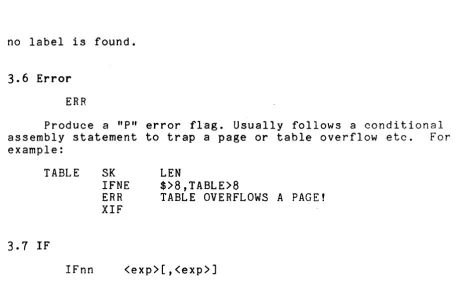
3.6 Error
ERR
Produce a "P" error flag. Usually follows a conditional assembly statement to trap a page or table overflow etc. For example:
TABLE
3.7 IF
IFnn
SK
IFNE ERR XIF
LEN
$>8,TABLE>8
TABLE OVERFLOWS A PAGE!
<exp>[,<exp>J
This is the conditional assembly directive. Condition "nn" (assumed to be "EQ" if not given) must be met in the signed
comparison of the two expressions found separated by a comma in the expression field in order to assemble following lines of code.
The second expression will be assumed zero if not given. Only an
XIF directive will turn the conditional assembly back on. Any number of IF directives may occur before an XIF directive, but as soon as processing is turned off by one of the IF directives, the remaining IF directives will be ignored and processing will be turned back on by the first following XIF directive. An undefined or forward referenced expression operand is fatal and this
[image:25.615.60.534.101.390.2]EQ Field 1 must be equal to field 2
GT Field 1 must be greater than fi~ld ?
LT Field 1 must be less than field 2
NE Field 1 must not be equal to field 2 NG Field 1 must not be greater than" field 2
fJL Field 1 l!1ust not be less than field 2 GE Field 1 must be either greater than
or equal to field 2
LE Field 1 must be either less than or equal to field 2
Z Field 1 must be zero
NZ Field 1 must be non-zero
C Field 1 must be clear (flag-testing, same as Z)
S Field 1 must be set
(flag-testing, same as NZ)
STR Field 1 must begin with an asterisk (* )
NSTR Field 1 must not befin with an asterisk
3.8 Include
INC <filename>
Includes t~e sourcp from filAname specified in the pxpression field. The file specified may be in DOS format (as a free standinp file,) or in library member format (filenarne/ext.mpmber). Up to
62 files may be included". Lines of source code originatinp, from an included file are noted by a trailing alphabettc character in the line number. Unused labels in included files are omitted from the "Unuserl Label" listing.
3.9 List
LIST r-l<letter>[, ... l
This is a directive which is userl to alter the settin~s of
SNAP1 3 's listing control flags. Each flag is specified by one
character which turns the flaR on when mentioned in a LI~T
statement, unless it is preceded by a minus sign (-) which will turn the flag off. Commas may be used to delimit more than one flag character. To allow nesting of listing control, a counter is associated with each fla~. Whenever a LIST -x appears, the
associated counter is incremented. Whenever a LIST x appears and the control flag is off, the counter is decremented, and the
control flag is only turned on "when LIST x has appeared as many times as LIST -x. The flap characters, their default settings,
and their usage are as follows:
L ON Master list control. If turned off, no pass two output will be listed until this flag is turned on again regardless of other control flags.
F OFF If-skipped lines. This flag must be on to produce a listing of all lines of source skipped by an IF<nn> statement.
G OFF Generated lines. If turned off, this flag will suppress the listing of code lines generated by DA, DC, and RPT statements.
I OFF Included lines. Lines of source code included from additional source files will not be listed unless this flag is on.
M OFF Macro expansion. This flag must be on to produce a listing of macro expansion source lines.
For example, LIST M,-I would turn on listing of expanded macros, but turn off listing of includes.
3.10 Location
LOC <exp>[,<exp>J LOC *[,<exp>J
Sets LOCATION COUNTER to the value of expression field and sets the Located Mode flag. If the expression field consists of an asterisk (*), the Location flag is cleared and the LOCATION COUNTER is set to the ADDRESS COUNTER. If the statement has a label, it will be given the value of the location counter after the LOC is performed. Note that the listing will have the
LOCATION COUNTER (noted by a trailing L) printed instead of the ADDRESS COUNTER while the Location flag is set. Remember that the LOCATION COUNTER indicates the address at which the code is to execute. If th~ expression is relocated by a relocatable PAB, then references to the current LOCATION COUNTER will be relocated by that PAB. The optional second expression is the number of bytes per word. This parameter is used when generating code for other machines whose word (address unit) size is larger than eight bits. If the value of this parameter is "n", the ADDRESS COUNTER will be incremented by "n" whenever the LOCATION COUNTER is
3.11 Macro Definition
MACRO [<exp>J
Indicates that the statements that follow are an inline definition of a macro prototype. (See Chapter 5.)
3.12 Macro Definition End
MEND
Marks the end of a macro definition. (See Chapter 5.)
3.13 Macro Library Include
MLIB <filename>
Allows access to macros in the file specified in DOS format
in the expression field. (See Chapter 5.)
3.14 Originate
<PAR> ORG <exp>[,<flag>[, ••• ]]
Initializes a new Program Address Block (PAB) and sets its first and current word addresses to the value of the expression field. A PAB is relocatable if the expression given is zero. Following the address in the expression field, page alignment for reI 0 cat a b 1 ePA B 's i s s p e c i f i ed by", T", ", P" and ", C" • The" T"
option generates a fl~g in the object code that tells the linkage editor to align the PAB at the beginning of a memory page. The
"P"
option generates an object code flag that tells the linkageeditor to align the PAB so that it does not cross any memory page boundaries. The
"cn
option specifies that this PAS and all other PAB's with the same name are common and should be linked into the same area rather than being appended together. The label field defines the PAB's name which is referenced in the USE directive(section )..24). It does not generate a label for the dictionary. A
"D"
error flag will be issued if the PAR has been previously defined; this is a fatal error.3.15 Program Definition
<name> PROG
This is used to define the name to be used in the object code library to identify the program that follows. The label field gives the name of the segment produced. A PROG directive must be used in all but the first program when the source file being
assembled by SNAP/3 contains more than one program. All object segments produced are placed in the same library.
3.16 Repeat
RPT <exp>
Will cause the following line of source code to be processed the number of times indicated by the LSB of the expression field's value. The following line may not be a RPT directive. For
example:
RPT 5 CALL INCHL
will produce the same code as:
CALL INCHL CALL INCHL CALL INCHL CALL INCHL CALL INCHL
Repeating statements with labels which do not have a trailing
=
to signify a multiple definition will result in"D"
error flags.3.11 SET
SET <exp>
Clears the Location flag, initiates usage (USE) of the
3.18 SKIP
SKIP (exp)
Increments the values of the LOCATION COUNTER and ADDRESS COUNTER by the value of the expression field. The value may be positive or negativ~. If a LOC directive (section 3.10) has specified "n" bytes per word, then the ADDRESS COUNTER is incremented by "n" times the S~IP expression value.
3.19 Assembly Options
SNAPOPT (letter)[,(letter) ... ]
This is used to turn certain assembly options on or off during an assembly. Each option is specified by one character which turns the option on when mentioned in a SNAPOPT statement, unless it is preceded by a minus sign (-) which turns the option off. Each option is initially off at the beginning of each
program unless the character was specified as an option on the command line, in which case the option is initially on. The options which may be specified on the SNAPOPT directive follow. See section 6.1 for a complete list of options.
-U Instructions and pseudo-instructions for the 2200 and 5500 processors will not be defined. This permits these names to be defined as macros.
2 Only 2200 processor instructions are allowed.
Instructions for the 5500 processor will produce an "I" error flag but will generate the correct code. This is usefull when assembling code to be executed on a 2200
processor.
6 Instructions for the 6600 processor are defined.
X This option only has effect if a cross reference listing was requested by the X option on the command line.
Label definitions and references occurring while this option is off will not appear in the cross reference listing.
R This option only has effect if a cross reference listing was requested by the X option on the command line. If a label is defined while this option is on, then no
references to that label occurring after the defin~tion
will appear in the cross reference listing. This is usefull if it is desired that certain labels not appear in the cross reference listing. 'This option may not appear on the SNAP3 command line.
H All numbers on the listing which are normally edited in octal will be hexadecimal instead. This option may not be dynamicly turned on and off throughout the listing; the state of the option at the end of the source code will be used throughout the listing.
B Generated object code bytes will be edited in binary instead of octal on the listing. This option may not be
dynamicly turned on and off throughout the listing; the state of the option at the end of the source code will
be used throughout the li~ting.
3.20 Test
TESTnn <exp>[,<exp>J
This directive tests whether the specified relation "nn" holds between the two operands. It differs from most other directives in that the operand expressions may contain forward references, and als6 in that the assembly must be a two pass
assembly if this directive is used. The assembly will be two pass if a source listing was requested by the D or L option on the
command line or if absolute output was ~equested by the A option, or two passes may be forced by the T option. This directive will produce an "En flag if the specified condition is not met, if the assembly is not two pass, or if the value of either expression is relocatable. The possible relations are the same as for the IF directive (section 3.1) except for omitted, STR, and NSTR. For example:
TESTGE ABC-$,-128
TESTLE ABC-$,121
3.21 Title
TITLE
Causes the program listing to page eject and print the page heading followed by text taken from the .line immediately following the TITLE statement. The title will continue to print at the top of each page until changed by another TITLE directive.
3.22 Tabulate Maybe
TM (exp>
Performs a Tabulate Page (section 3.23) if the value of the expression field would cause a page overflow if added to the current LOCATION COUNTER. If the statement has a label, it will be given the value of the location counter after the TM is
performed. Will produce an "E" error if the LOCATION COUNTER PAS is not either absolute or requ~red to start at the beginning of a page.
3.23 Tabulate Page
TP
Increments the value of ADDRESS COUNTER and the the LOCATION COUNTER until the LOCATION COUNTER value is a multiple of 256 (LSB
=
000). This is useful for setting up page-dependent data areas which are addressable by single precision (leaving H fixed and manipulating only the L-register). If the statement has a label, it will be given the value of the location counter after the TP is performed. Will produce an "E" error if the LOCATION COUNTER PAS is not either absolute or required to start at the beginning of a page. If a LOC directive (section 3.10) has specified "n" bytes per word, then the ADDRESS COUNTER is incremented by "n" times the amount the LOCATION COUNTER is incremented.3.24 Usage
USE (PAB>
Initiates usage of the PAB whose name is given in the
expression field. An asterisk (*) in the expression field will
revert back to the last PAA used. If the statement has a label, it will be given the value of the location counter after the USE
is performed. A "U" error will be issued if the PAB named has not been defined by an ORG statement; this is a fatal error.
3.25 XIF
XIF
CHAPTER 4. PSEUDO-INSTRUCTIONS
Pseudo-instructions are predefined mnemonics for commonly used instruction sequences. They cause SNAP/3 to generate a
sequence of machine instructions to perform the desired function.
4.1HL
HL
4.2 DE
DE
4.3
BCBC
<exp>
<exp>
<exp>
The HL pseudo-instruction generates the load H register and load L register instructions necessary to place the value of the expression field in the H and the L registers properly, so that a load to or from memory will use that address, i.e., H contains the MSB and L contains the LSB. The HL
pseudo-instruction generates four bytes of object code. For example:
OOPS EQU 02005 HL OOPS
generates the following code:
066 005 056 004
The DE pseudo-instruction works the same as the HL pseudo-instruction except it loads the D and E registers instead of H and L.
4.4 XA .
XA
4.5 Memory Store
<exp> The XA pseudo-instruction works the same as the HL pseudo-instruction except it loads the X and A registers instead of H and L ..
MSr [*J<exp> The Memory Store pseudo-instruction
4.6 Memory Load
allows the user to store a given
register into a given memory location. Placing an
*
in front of the expression causes the H-register to be loaded as well as the L. The expansion is as follows:LL <exp>
LH <exp»8 if
*
is present LMrMLr [*J<exp> The Memory Load pseudo-instruction works
4.1 Shift Right
SRN <exp>
the same as Memory Store (MSr) with the exception that the register is loaded from memory rather than being stored into memory.
The Shift Right numeric
pseudo-instruction allows the user to generate SRC instructions the number of times specified in the expression field. The expression must be defined in pass one and must have a value between zero and seven. For example:
SRN 3
will generate the following code:
012 012 012
4.8 Shift Left
SLN (exp>
4.9 Condition Code Load
CCL[r]
The Shift Left numeric
pseudo-instruction works the same as SRN with the exception that SLC instructions
(002) are generated.
The Condition Code Load
pseudo-instruction generates an ADrr instruction (ADA if r is omitted) which will reload the condition code after it has been saved in register r by aces
CHAPTER 5. MACROS
Macros are predefined sections of source code which may be used to facilitate the coding of commonly used procedures. Macro source code is modified by SNAP/3 to include labels and
expressions passed as arguments by the main body of source statements.
Macro definitions are called "Macro Prototypes" and are saved for later access by the SNAP/3 assembler.
5.1 Preparing Macro Prototypes
The DOS editor is used to produce prototype statements. Macro prototypes must be entered in the following format:
MACRO [expression]
[label] name [symbol[(default)]][,symbol[(default)]] .. etc. [one or more assembly-language statements]
MEND
Each prototype must start with a statement with "MACRO" in the instruction field and end with a statement with "MEND" in the instruction field. The optional expression on the MACRO line specifies the number of parameter lists on the second line as described below.
The second statement of each prototype is called a "Macro Prototype Header" and defines the name of the macro and any
labels and symbols that may be replaced during assembly. The name may be any 1 to 8 character symbol that is not already predefined by SNAP/3 as an instruction mnemonic or assembly directive (See Appendix C). All arguments shown in brackets are optional and may be omitted if not needed.
The operand field of the prototype header consists of one or more lists separated by blanks, ~ith each list consisting of one or more symbols (with defaults) separated by commas (,). If more than ~ne list is present, the number of lists must be specified as the operand field of the MACRO line. A "zeroth" list may also be supplied, separated from the prototype h~ader name by a comma; this list is not counted in the number specified on the MACRO line.
One or more macro definitions may be defined in the same file using the DOS editor. Macro definitions may occur in line in the same program in which they are to be used, or they may be placed in macro libraries, which are created by the LIB utility.
5.2 Macro Calls
Code from a macro prototype library is included in SNAP/3 assemblies by the means of "macro calls". Each library containing macros to be included must first be made known to the assembler by means of a MLIB directive. The MLIB directive is entered in the instruction field followed by the macro library file name in the following format:
MLIB file-name
If the file-name's extension is omitted, IMPL will be assumed.
Macro calls are coded as follows:
[label] name [expression][,expression] ... etc.
The name used in the instruction field will be assumed to be a macro name if is not a recognizable SNAP/3 instructiori mnemonic or assembly directive (See Appendix C). The label and expression arguments in brackets are optional. Arguments defined in the expression field are positional and must be defined in the same order as related symbols in the macro's prototype header.
5.3
Macro Definitions within ProgramsMacros may be defined in the same program in which they are to be used by simply defining macro prototypes prior to their
first reference by a macro call in the program. The macros may be defined in the source file or an INCluded file.
When macros are defined inline, a MLIB statement is not required for their use within the assembly.
5.4 Macro Expansion
Note the similarity between the format of a macro call and macro prototype header. They are closely related and determine the final code that will be included in your assembly.
Call: [label] name [expression][,expression] [expression] .. etc. Header: [label] name [sym[(def)]][,sym[(def)]] [sym[(def)]] .. etc.
The label for the call will replace the occurrences of the header label in prototype code during expansion. The first
expression in the call will replace the first header symbol in the prototype code, the second expression will replace the second
symbol, and so forth.
Arguments may be omitted in each list of macro call
The rules for substitution are:
Macro Call Protot~pe Header
Label No Label
Label Label
No label No label
No label Label
Symbol No symbol
Symbol Symbol
No symbol Symbol but no default
No symbol Symbol with a default
5-4
MACRO-ASSEMBLERAction
Label is defined normally before expanded m~cro code is processed.
Call label substituted in expanded macro code.
No change.
Prototype label is unchanged.
Call symbol ignored.
Call expression substituted for occurrences in macro code.
Header symbol disappears in expanded code.
Symbols within apostrophes (') are never replaced during expansion. Substitution of arguments is best shown by example:
Macro call:
LOOP CLEAR BUFFER
Macro prototype:
MACRO
LABEL CLEAR FIELD,SIZE(80) HL FIELD
LB 0 LC SIZE
LABEL LMB CLEAR THE FIELD INCP HL
SUC 1 DECREMENT COUNT JFZ LABEL CONTINUE
MEND
Expansion:
HL BUFFER LB 0
LC 80
LOOP LMB CLEAR THE BUFFER INCP HL
SUC 1 DECREMENT COUUT JFZ LOOP CONTINUE
You will note in the preceding example that the symbols
"LABEL" and "FIELD" in the prototype have been replaced by "LOOP" and "BUFFER" provided by the macro call. The symbol "SIZE" did not have a replacement expression in the macro call and the default "80" has been substituted.
5.5 Global Labels
Global labels are labels which can be referenced anywhere in a SNAP/3 assembly. Each global' label name must be unique within an assembly since references may occur in both the main code as well as within macro expansion code.
prototype default automatically becomes global.
In the preceding example, the label "LOOP" is global.
5.6 Local Labels
Local labels are labels which can be referenced only within the macro expansion in which they occur. Each macro expansion generates an identifying number which is associated internally with all local labels within the current expansion. Local label names may be duplicated many times within an assembly, however, SNAP/3 considers each unique to the macro expansion in which it occurred.
Any label in the label field of any line of a macro prototype that is not altered or replaced during macro expansion is
automatically declared a local label.
For example:
Macro-Erototype:
MACRO 2
COUNT AAA,BBB(O)
ecc
BC BBBOUTER DE
cec
INNER DECP DEJFC INNER AAA DECP BC
JFC OUTER MEND
Macro Calls followed
£I
Expansions:NEXT COUNT ,1000 500 COUNT BCSET 999
NEXT BC 1000 BC 0
OUTER DE 500 OUTER DE 999
INNER DECP DE INNER DECP DE
JFC INNER JFC INNER
DECP BC BeSET DECP BC
JFC OUTER JFC OUTER
In the example on the left, a global label line is generated for NEXT. OUTER and INNER become local label$ and the symbol AAA in the prototype disappears.
In the example on the right, OUTER and INNER become local labels and the symbol AAA in the prototype becomes the global label BCSET.
5.7
Macro NestingSNAP/3 allows nesting of macros calls within macro calls with
up to eight levels of expansion. Local labels cannot be passed as arguments to inner macros, however, passage of global labels and other arguments is unrestricted.
For example:
MACRO INLINE DEFINITION 1
LEVEL1 ARG
XXX DC ARG
LEVEL2 ARG DA XXX MEND
MACRO INLINE DEFINITION 2
LEVEL2 ARG
xxx
DC ARG+1DA XXX MEND
XXX DC
a
MAINLINE CODELEVEL1 017· DA XXX
Expands to:
14. 000000 000 XXX DC
a
MAINLINE CODE15. LEVEL1 017
15. 000001 017 XXX DC 017
15. LEVEL2 017
15. 000002 020 XXX DC 017+1
15 . 000003 002 000 DA XXX
15. 000005 001 000 DA XXX
16. 000007 000 000 DA XXX
5.8 Forcing characters
The "at" sign (@) is used in macro call and macro prototype expressions as a forcing character. Its primary purpose is to allow blanks, commas, apostrophes, and concatenation characters to be transferred to an expansion wi thout e'valuation.
Forcing characters are not transferred to the expanded code.
For example:
Macro-prototype:
MACRO
STRING A,B DC A,@'B@' MEND
Macro fall and Expansion:
STRING 100@,200@,300,ERROR@ MESSAGE@ ##1 DC 100,200,300, 'ERROR MESSAGE ##1'
Note that in the macro prototype, forcing characters are used to prevent evaluation of apostrophes and allow a substitution to be made between them (substitutions are normally suppressed
between apostrophes). Commas and blanks have been forced in the expression field of the macro call to prevent their being
interpreted as expression delimiters.
I nth e mac roc all, il 1 OO@ , 200@ , 300" i s con sid ere d to be 0 n e
expression and "ERROR@ MESSAGE@ #'1" is considered to be a second expression.
5.9 Concatenation
The concatenation character (I) is used in inner macro calls
and macro prototype expressions to separate symbols into . individually replaceable elements. During macro expansion, concatenation characters in the expression field that are not within apostrophes or preceded by a forcing character will be omitted from the generated code.
For example:
Macro-prototype:
MACRO MSG MSGIAAA DA
DC MEND
AAA,BBB
BBBILOC,BBBISIZE
@'ERROR@ IN@ PHASE@ DCTIAAA@'
Macro Call and Expansion:
MSG024
MSG DA DC
024,PHS4
PHS4LOC,PHS4SIZE
'ERROR IN PHASE DCT024'
5.10 Macro Directives
Macro directives provide a means of conditionally generating lines of macro code depending on what replacement expressions have been specified for prototype symbols. Macro directives are
evaluated and executed during macro expansion.
5.10.1 Macro IF
Macro IF directives are coded in the following format:
MIFnn string1[,string2]
Macro code following a MIF is generated only when the selected condition (nn) is found to be true:
Directive
MIF MIFS MIFC MIFLT .MIFEQ MIFGT
True Condition
String1 is set (Not null) String1 is set (Not null) String1 is clear (Null)
MIFLE Stringl is less than or equal to string2 MIFGE Stringl is greater than or equal to string2 MIFNL Stringl is not less than string2
MIFNE Stringl is not equal to string2 MIFNG Stringl is not greater than string2
A string2 should not be specified for MIF, MIFS and MIFC. If specified it will be ignored.
A string2 must be specified for MIFLT, MIFEQ, MIFGT, MIFLE, MIFGE, MIFNL, MIFNE, and MIFNG. If string2 is not specified, it is assumed to be a null string. Strings of characters specified for comparison are terminated by the first blank or comma
character that is not preceded by a forcing character or within apostrophes. If the two strings are different length but
otherwise equal, the shorter string is considered to be less.
For Example:
MIFEQ PAR1IPAR2,ABC! DEFG t@ COMMENT HIJKL
The second comparison string starts with the letter A and ends with the letter T.
5.10.2 Macro IF Exit
Conditional gener~tion of macro code is terminated by a Macro-eXit-IF (MXIF) directive.
For example:
MACRO TEST Pl
MIFEQ Pl,ASCII
· THIS COMMENT WILL GENERATE IF P1 IS ASCII MXIF
MIFNE P1,ASCII
· THIS COMMENT WILL GENERATE IF P1 IS NOT ASCII MXIF
• THIS WILL GENERATE UNCONDITIONALLY MEND
CHAPTER 6. OPERATING PROCEDURES
The DOS command requesting exec~tion of the SNAP/3 assembler should be as follows:
SNAP3 source[,object][,ept][,print][,include][;<option chars.>]
where each bracketed object and each character after the semicolon is optional.
6.1 Parameterization
The first file specification (which is required) is the
source file, the second file specification-is for the object file, the third file specification is for the entry point file, the
fourth specification is the print file, and the fifth
specification is a file which will be INCluded (see section 3.B) before the source file is processed. The source file has a
default extension of TXT. The object file, if not given, is
assumed to have the same name as the source file and has a default extension of REL if relocatable output is being produced, ABS if absolute output is being produced. The entry point file name, if not given, is assumed to have the same name as the program name
(which defaults to the object file name if there is no PROG
directive). The entry point file has a default extension of EPT and a default drive the same as the drive the object file is
written on, unless the entry point file already exists. The entry point file is written after pass one only if entry points have been declared in the program. The EPT file is written in a compressed symbolic format which can be INCLUDED by a later
assembly to provide a program linkinp. capability. The print file has a default name the same as the object file name and a default extension of PRT. The include file name has a default extension of TXT.
The characters on the command line following the semicolon select SNAP/3 options. The following options may be specified:
A
D
Causes an absolute output file to be produced, instead of a relocatable file.
Causes a source and object code listing to be
F,G,I,M
L
p
Q
S
T
X
?
Turns on corresponding listing control flags (see section 3.9).
Produces a source and object code listing. The listing will be on the local printer if neither the P, Q, nor S option appear~.
Causes the L or-X option listing to be to a print file.
Same as P option, but specifies that the listing should be appended or queued after any information already in the print file.
Causes the L or X option listing to be to the servo printer.
Forces a two pass assembly. Must be specified if the relocatable output file produced is to be
loaded by the DOS relocatable loader (DOS function 15).
Produces a cross-reference map listing. May appear with or without the L option.
This causes a list of options and the command line format to be displayed. No assembly is done.
2,6,B,H,U Turns on the assembly options described in section 3.19.
6.2 SNAP/3 Pass One
Initially SNAP/3 will validate the file specifications and the options selected. The version and revision numbers
identifying the release will be-displayed. If P or Q appeared on the command line but the print file was not specified, the print file specification is requested. The default file name is the object file name, and the default ~xtension is PRT. The program will request an BO-character heading if either the L or X
parameter has been specified. SNAP/3 will then read the source file and any INCLUDED files in order to build a dictionary
containing all symbolic names used by the programmer and their equivalent octal value or address. A notation is printed as each INCLUDE is processed along with any lines which contain errors.
At the end of pass one, one or more of the following items
will be displayed on the CRT:
1) Any pass one error flags
2) Fatal error message if fatal error occurred
3) Program Address Blocks--name, origin, and length 4) Primary Transfer Address--octal value
If a program listing has been requested, one or more of the following items will be printed on the printer device or CRT:
1) Any pass one error flags
2) Fatal error message if fatal error occured
3) Program Address Blocks--name, origin, and length 4) Primary Transfer Address--octal value
5) Entry Points--name, value
6) External definitions--name, value 7) External references
8) Unused labels
9) Multiply defined labels
6.3 SNAP/3 Pass Two
If no fatal pass one errors occurre~, SNAP/3 will now write the entry point file, if required, and proceed into pass two, if required. Pass two is responsible for the resolution of forward references and the generation of a program listing.
6.4 Cross-Reference" Generation
At the completion of pass two, SNAP/3 will call the DOS SORT if a cross-reference listing is desired. DOS SORT will sort the label definitions and references and write a sorted label file. It will then overlay itself with SNAP/3 which will list the sorted references.
Th~ actual listing of references will contain the symbolic name preceded by its actual octal value. Following the symbolic name is a list of all line numbers at which that symbolic name was defined or referenced. All definition lines are flagged with a leading asterisk while all Inclusions are noted by a trailing colon followed by the Inclusion file character (see section 3.8). Macro internal labels will have (M) after their name and each usage and associated references will be grouped and listed
11304 DECHL *32:A *32:B
00341 DISPL *24
00024 IDLE *197 212
00035 INDEX (M) *904 900 906
00057 INDEX (M) *913 936
10176 INCHL *102 71 151 156
00007 MANY *25:A *25:B 21:A 21:B
If a symbol has duplicate definitions, the octal value shown is the initial value assigned.
6.5 Assembly Errors
SNAP/3 produces error flags to indicate source program
errors. Some serious errors are fatal; these cause the second assembly pass to be skipped and any active CHAIN to be aborted. The other errors set the ABTIF flag which can be tested in a CHAIN
(see the DOS manual). The fatal errors are mentioned in the sections describing constructions which can cause them.
The ERROR FLAGS produced by SNAP/3 are as follows:
6.5.1 D
6.5.2 E
6.5.3 F
The D flag means DUPLICATE DEFINITION. It is generated if an attempt has been made to define the label more than once without a trailing
=
mark. Note that a reference to a duplicately defined label will use the most recent previous definition, or the last definition if the label has not been previously defined.The E flag means that an error has occurred in an EXPRESSION or some unrecognizable character
appeared in the wrong place. In this case, a zero is substituted for the expression or for whatever was unrecognizable if code generation was
expected.
The F flag means FILE error. It can be issued for an INC or MLIB directive because the specified file is not (ound.
6.5.4 I
6.5.5
o
6.5.6 P
6.5.7 U
The I flag means INSTRUCTION MNEMONIC UNDEFINED. The instruction was not an acceptable instruction and three octal zeroes are inserted for the
instruction.
The 0 flag means memory page OVERFLOW. It is issued when generated code in a page restricted Program Address Block crosses a memory page boundary.
The P flag means PROGRAMMER PRODUCED. It is issued when an ERR directive is processed.
The U flag means UNDEFINED LABEL. It is issued in pass two whenever a label is referenced and is not defined if absolute output is being produced. It is also issued when an assembly directive in pass one (except DA, or DC, or TESTnn) is operating on an expression containing a label not yet in the dictionary~ Other undefined symbols in
relocatable assemblies are assumed to be external references, and are marked with f f > " on the
listing. .
6.6 DISPLAY and KEYBOARD Keys
The DISPLAY key may be depressed at any time to cause SNAP/3 to pause while displaying data. Normal processing will resume when the DISPLAY key is released.
The KEYBOARD key may be depressed at any time to cause SNAP/3 to abort the assembly.
6.7 Temporary Files
SNAP/3 may use up to four temporary files, plus any temporary
files used by the SORT utility if a cross reference is requested. These files are placed on the same drive as the object file, and are deleted at the end of the assembly. The files are:
APPENDIX A. ASCII-OCTAL EQUIVALENTS
The standard octal equivalents for the ASCII character set. Interpretations will vary with some printers and display devices.
A 101 a 141 0 060 072
B 102 b 142 1 061
.
,
073 C 103 c 143 2 062<
074D 104 d 144 3 063
=
075 E 105 e 145 4 064>
076F 106 f 146 5 065 ? 077
G 107 g 147 6 066 [ 133
H 110 h 150 7 067
-
176I 111 i 151 8 070 ] 135
J 112 j 152 9 071 ,.. 136 K 113 k 153 Space 040 137 L 114 1 154 ! 041 @ 100
M 115 m 155 " 042 { 173
N 116 n 156 II 043 \ 134
0 117 0 157 $ 044 I I 174 P 120 P 160 % 045 } 175 Q 121 q 161 & 046
R 122 r 162
,
047 S 123 s 163 ( 050T 124 t 164 ) 051 U 125 u 165
*
052 V 126 v 166 + 053w
127 w 167 , 054 X 130 x 170 - 055y 131 y 171