
International Journal of Advanced Research in Computer Science
REVIEW ARTICLE
Available Online at www.ijarcs.info
Implementation of Path Navigator for Smart Devices using Augmented Reality
Arfat Zubair Patel
Department of Computer Engineering Anjuman-I-Islam Kalsekar Technical Campus
Panvel, INDIA
Hamza Mohammed Noor Patel
Department of Computer Engineering Anjuman-I-Islam Kalsekar Technical CampusPanvel, INDIA
Kazi Aquib Javed
Department of Computer Engineering Anjuman-I-Islam Kalsekar Technical CampusPanvel, INDIA
Abdul Mugeesh Abdul Mateen
Department of Computer Engineering Anjuman-I-Islam Kalsekar Technical CampusPanvel, INDIA
Prof. Syed Ashraf Ali
Department of Computer Engineering Anjuman-I-Islam Kalsekar Technical CampusPanvel, INDIA
Abstract:Cell Phones these are used for more than communication purpose .The advances in technology and popularity of Smart Phones have made mobile applications increased enormously in the present era. This project is for implementation and analysis of the usage of smart phone sensors for indoor navigation. The use of Global positioning Systems. Navigation is a technique which basically focuses on process of monitoring and controlling the movement of person or vehicle or craft from one place to another using Longitude and Latitude values example: Marine Navigation, Land navigation, aeronautic Navigation etc. The campus navigator is an android mobile application which is basically passed for exploring routes inside any campus premises example: Mall, College, Hospital, university etc. However, these applications must search along existing roads; they are not able to provide routes that are as precise as an on-campus path would require. GPS will be used take the current location of the user and according to values of longitude and latitude it will give information about different departments or classroom within range of 10 meters from user location. The resulting application enables the user finding paths to specific locations on campus and offers him the ability to explore the campus environment via augmented reality (AR).
Keywords:Augmented Reality (AR); Location Based; Campus Navigator; Virtual Reality (VR); GPS; Android; Mobile; Indoor;
I. INTRODUCTION
As per the development growth in GPS technology day by day researchers add up with the new features in the present technology.
The new smart devices proceed with the Development of a new approach which uses data from devices, GPS and compass to determine the users position & direction of motion.
Research of previous work in the field preceded the development of a new approach that uses data from the d GPS, and compass to determine user’s position and direction of motion. This technique promise for future hand held indoor navigation systems that can be used in college campuses, malls, buildings and hospitals. The problem with campus navigation using outdoor locating systems is that the signals used by outdoor locating technologies are often inadequate in this setting. Systems that rely on the use of mobile communication signals or identification of nearby Wi-Fi access points do not provide sufficient accuracy to discriminate between the individual rooms of a building. In this application GPS is used to navigate outside the building of the campus. By using GPS current location of user will be taken. Once user enter particular building module for that particular building will be opened. And new module will open and in that module user need to provide the current location and destination.
II. RELATEDSTUDY
What is the use of GPS Navigator?
A GPS navigation device is a device that accurately calculates geographical location by receiving information from satellites. Initially it was used by the military but now most receivers are in smart phones and automobiles.
The Global Positioning System (GPS) is a satellite-based navigation system made up of a network of a minimum of 24 but currently 30 satellites placed into orbit by the U.S. The GPS data is free and works anywhere in the world.[1]
GPS devices capabilities are as follows:
maps, including streets maps, displayed in human readable format via graphical format or in Text format, turn-by-turn navigation directions to a human in charge of a vehicle or vessel via text or speech, directions fed directly to an autonomous vehicle such as a robotic probe, traffic congestion maps (depicting either historical or real time data) and suggested alternative directions, information on nearby amenities such as tourist attraction point and restaurants.[2] GPS devices may be able to answer:
best route to take, The location of hotel, food, banks fuel, airports or other places of interests, the shortest route between two locations, the different options to drive on back roads or highway.
Fig 1[a] : Working of GPS
Fig 1[b]: Working of GPS
What Is Meant By Augmented Reality?
Augmented reality (AR) is the integration of digital information with live video or the user's environment in real time. Basically, Augmented Reality takes an picture and blends new information into it. This is one of the first commercial applications of Augmented Reality technology is the yellow first down line in televised football games.
The key to augmented reality is the software. Programs of Augmented reality are written in special 3D augmented reality programs such as D'Fusion, FLARToolKit or Unifye Viewer. These programs allow the developer to tie animation or contextual digital information in the computer program to an augmented reality "marker" in the real world
The end user must download a software application (app) or browser plug-in in order to experience augmented reality. Most of the AR applications are built in Shockwave or flash and
require a web-cam program to deliver the information in the marker to the computer.
The marker, which is sometimes called a target, might be a bar-code or simple series of geometric shapes. When the computer's browser plug-in or AR app receives the digital information contained in the marker, it starts to execute the code for the augmented reality program.AR applications for smart-phones include global positioning system (GPS) to pinpoint the user's location and its compass to detect device orientation.
Sophisticated AR programs used by the military for training may include object recognition, machine vision and gesture recognition technologies. Hallmark Cards is using AR in their line of web-cam greeting cards. The marker is present on the card. The end user has to visit the Hallmark website in order to view the animation and download a small software program for that specific card. [3]
Figure2: Augmented Reality
What Is Virtual Reality?
Virtual reality is an artificial environment that is created with software and presented to the user in such a way that the user suspends belief and accepts it as a real environment. On a computer, virtual reality is only experienced through two of the five senses: sound and sight.
The simplest form of virtual reality is a 3-D image that can be explored interactively at a computer, usually by manipulating keys or the mouse so that the content of the image moves in some direction or zooms out or in. More sophisticated efforts are involved such as actual rooms augmented with wearable computers, wrap-around display screens, and haptics devices that let you feel the display images.[4]
Virtual reality can be divided into:
•The simulation of a real environment for training and education.
•The development of an imagined environment for a game or interactive story.
Popular products for creating virtual reality effects on personal computers include Bryce, Extreme 3D, 3D Studio MAX, Ray Dream Studio, trueSpace and Visual Reality. The Virtual Reality Modeling Language (VRML) allows the creator to specify images and the rules for their display and interaction using textual language statements.[5]
[image:2.595.30.274.109.342.2] [image:2.595.307.553.269.408.2]III. IMPLEMENTATION
Many authors agree to define AR in a way that requires the use of Head-Mounted Displays (HMDs). However, in order to avoid limiting AR to specific technologies, we propose to define AR as systems that have the following characteristics: 1) combines real and virtual 2) interactive in real time and 3) registered in 3-D. This definition aims to allow other technologies, such as mobile technology, HMDs while preserving the essential components of AR. 2-D virtual overlays on top of live video can be done at interactive rate, but the overlays are not combined with the real world in 3-D. However, definition does allow monitor- based interfaces, monocular systems, see-through HMDs or mobile this work, our goal is to design and develop an campus augmented reality system for evacuation, by leveraging the sensing capability of smart phones and user behavior. In this we first highlight the system design requirements and challenges, and then describe the overall system architecture and key components.
Mobile Component Snapshot External Image Labeling Service Augmented Reality tag, path, location Exit path Crowd control User update Path. A System Design Assumptions and Requirements Supporting indoor augmented reality for evacuation calls for advances in a number of research areas/places, including accurate and efficient indoor localization, efficient indoor Augmented Reality rendering and user friendly interfacing, effective functionalities and optimized time.
Indoor localization is a key design requirement for indoor AR applications. Due to the diversity and dynamics of indoor environments and user activities, we as a developer need to identify user’s indoor location precisely (with fine robustness and granularity), with low latency, and without incurring too much overhead on the mobile device. Efficient exit path recommendation is also important for evacuating a dangerous place in the building.[6]
The application needs to effectively recommend the best exit path, avoiding crowded places. Our solution should not make unrealistic assumptions about the existence of extensive infrastructure to assist with any of the above tasks. the application does not assume the existence of elaborate indoor localization systems. Even Internet/WiFi connectivity and WiFi/Internet localization are not necessary, as long as there exists an external wireless (WiFi) connection, such as 3G/4G. We assume only the capabilities and sensors common to most standard smart phones example, Today’s Smart phones that
commonly have a camera capable of capturing continuous images, and accelerometers capable of measuring motion (activities). We assume that the digital compass work indoors, which we have verified to be normally true in typical building setting.
We do not assume the existence of gyroscopes on the phone, since not all smart phones support them. We assume that this application already has the map image of their building, the location and actual size of their building, room door location with the room number and the walking paths are marked on the map.
This Application supports evacuation services in all buildings without any additional cost, if the information is provided. Our task is then to show how, under this assumed condition, we can construct a system that successfully supports mobile augmented reality in typical indoor settings.[7]
IV. RESULTS
[image:3.595.316.558.277.505.2]
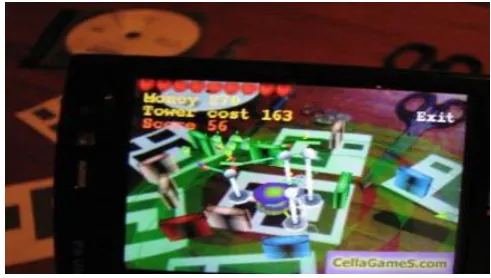
Fig3[b]: Output Image
Fig3[b]: Output Image
V. ADVANTAGES
suggests the shortest path to the goal of the user. Thus this can help the user by saving his precious time and efforts.[8]
VI. CONCLUSIONANDFUTURESCOPE
Campus Navigation can be effectively used in wide campus such as college, hospitals, etc. The shortest path feature of this application will save time of the user. Hence the strength of this application is the easy to use navigation feature which is able to find paths on campus to user-defined locations along with augmented reality.
VII. ACKNOWLEDGMENT
The authors would like to thank Department of Computer Engineering and in debated to our guide Syed Ashraf Ali, Professor, Department of Computer Engineering, AIkTC, Navi Mumbai for his guidance and sagacity without which this paper would not have been designed. He provided us with valuable advice which helped us to accomplish the design of paper. We are also thankful to Prof. Tabrez Khan (HOD, Department of Computer Engineering) for his constant encouragement and support. We would also like to appreciate our friends who helped us in correcting our mistakes and proceeding further to produce the paper with the required standards.
VIII. REFERENCES
[1] Https://Play.Google.Com/Store/Apps/Details?Id=Com.Mapfacto r.Navigator&Hl=En[A]
[2] Http://Whatis.Techtarget.Com/Definition/
[3] Http://Whatis.Techtarget.Com/Definition/Virtual-Reality [4] R.T. Azumaet al., “A survey of augmented reality,”Presence,
vol. 6, no. 4, pp. 355–385, 1997
[5] T. P. Caudell and D. W. Mizell, “Augmented reality: An application of heads-up display technology to manual manufacturing processes,” in System Sciences, 1992. Proceedings of the Twenty-Fifth Hawaii International Conference on, vol. 2. IEEE, 1992, pp. 659–669..
[6] A. L.Janin, D.W.Mizell, and T. P. Caudell, “Calibration of head-mounted displays for augmented reality applications,” in Virtual Reality Annual International Symposium, 1993., 1993 IEEE. IEEE, 1993, pp. 246–255.
![Fig 3[a]:Output Image](https://thumb-us.123doks.com/thumbv2/123dok_us/694559.1077081/3.595.316.558.277.505/fig-a-output-image.webp)