HEWLETT ~ PACKARD
warranty Statement
Hewlett-Packard products are warranted against defects in materials and workmanship. For Hewlett-Packard Desktop Computer Division products sold in the U.S.A. and Canada, this warranty applies for ninety (90) days from date of delivery. * Hewlett-Packard will, at its option, repair or replace equipment which proves to be defective during the warranty period. This warranty includes labor, parts, and surface travel costs, if any. Equipment returned to Hewlett-Packard for repair must be shipped freight prepaid. Repairs necessitated by misuse of the equipment, or by hardware, software, or interfacing not provided by Hewlett-Packard are not covered by this warranty.
NO OTHER WARRANTY IS EXPRESSED OR IMPLIED, INCLUDING, BUT NOT LIMITED TO, THE IMPLIED WARRANTIES OF MERCHANTABILITY AND FITNESS FOR A PARTICULAR PURPOSE. HEWLETT-PACKARD SHALL NOT BE LIABLE FOR CONSEQUENTIAL DAMAGES.
(
Assembly Execution ROM
HP 9835A Desktop Computer
Hewlett-Packard Desktop Computer Division 3404 East Harmony Road, Fort Collins, Colorado 80525
!I_
,--
--,
I
Mass StorageI
Techniques ManualL--rr_J
, __ \l._,
I
Mass StorageI
LeriPh:a~a:a~Manual Map
Beginner's Guide
Reference Guide
¢:::)
- - - -
--,
I/O
I
I
ProgrammingI
L_
Man~I_JOwner's Manual
~
.,
~ ., ..V V 'v Operating
and Programming Manual
-Preview
System Test
K=:>
Manual- - - -
-,
PlotterI
I
ProgrammingI
L_
Manual_J_31
I
---,
I
Interface ManualsI
L_JI_J
,---,
I
Peripheral ManualsI
iii
Tabie of Contents
Chapter 1: General Information ... 1
Purpose of the ROM ... 1
Buzzwords ... 2
ROM Installation ... 3
Chapter 2: Modules, Routines, and Such ... 5
Modules vs. Routines ... 6
Names ... 6
Overview ... 6
Setting Aside Memory ... 8
Retrieving Modules ... 11
Storing Modules ... 12
Accessing Routines ... 13
Chapter 3: Handling Interrupts ... 15
Branching on Interrupts ... 16
Prioritizing Interrupts ... 18
Environmental Considerations ... 20
Disabling Interrupt Branching ... 21
Chapter 4: Errors and Error Processing ... 23
Appendix A: Error Messages ... 25
Appendix B: Maintenance ... 31
Chapter
1
General Information
The Assembly Execution Read Only Memory (ROM) has been provided to you so that you can
load and execute assembly language programs which have been written using the Assembly
Development ROM.
It is assumed throughout this manual that you are familiar with the basic operation and
lan-guage of the 983SA/B. It is not necessary, however, that you be in any way familiar with the
Assembly Development ROM itself in order to use the Assembly Execution ROM or this
man-ual. All of the capabilities provided by the Assembly Execution ROM are in the form of BASIC language extensions and are used as any other BASIC statement may be.
Purpose of the ROM
The Assembly Execution ROM (HP part number 98338A) is used to load, store, and execute assembly language routines written using the Assembly Development ROM.
The routines are provided by HP in some instances, or are created by others. Instructions for
the effective use of the routines themselves are the responsibility of the people (the "authors")
who developed those routines. Thus, when calling a routine (or even deciding which routine to
call) consult the documentation provided by the authors of the routine.
Buzzwords
During the course of the discussion in this manual, phrases are used which are in common
circulation in the computer industry. While the meaning of most are either well-known or
deducible from the context, there are a few which may be new to the user not exposed to
assemblers before
-bit - the most elementary unit of computer information. It can assume one of two
possi-ble states, usually designated as "0" or "1".
byte - a group of 8 binary digits (bits) operated upon as a unit.
interrupt service routine (lSR) - an assembly language routine intended to perform a
certain action, or set of actions, when the computer receives a request from an external device. An "active" ISR is one which is currently enabled for a given device.
word - two bytes, or a group of 16 binary digits (bits) operated upon as a unit.
Fundamental Syntax
The syntax conventions used in this manual are those used in the Operating and Programming
Manual for the 9835AI B (HP part number 0983590000)
-All syntax items displayed in dot matrix should appear within
your program as shown.
Items contained in brackets are optional items.
Ellipses mean that the previous item may be repeated indefi-nitely.
In addition, the following convention is employed through the Assembly Language series of
manuals
-{ } Items contained in braces are items considered as units. The
names inside the braces are descriptive of the function
in-tended for the item. Whenever an item enclosed in braces
General Information
3
ROM
instaiiation
Use of the statements described in this manual is not possible until the Assembly Execution
ROM has been installed. The installation is a simple process.
There are several ROM drawers for the computer: one on the right side of the machine and
four in the front. Each drawer in the front holds up to four ROMs, and the one on the side holds
up to 14. ROMs may be placed in any ROM slot in any drawer.
The Assembly Execution ROM
To add the Assembly Execution ROM, turn off the computer and remove a ROM drawer (by
pulling outwards on it until it is completely separated from the computer). Insert the Assembly
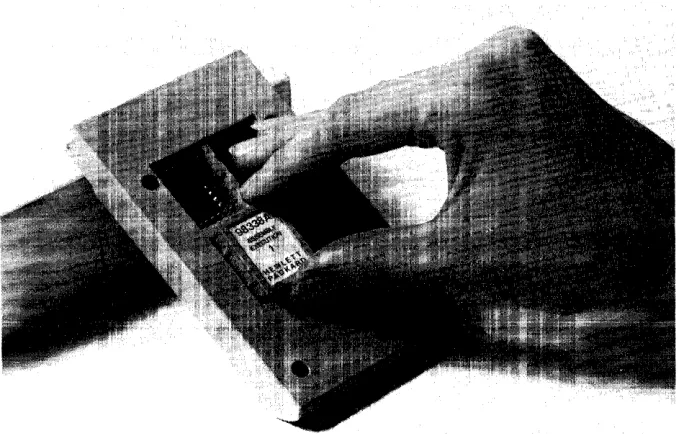
Execution ROM by orienting it so that its label reads the same way as the others in the drawer1
(if any) and insert it vertically in one of the unused slots. Make sure that it slides in all the way to
the bottom of the connector. There are small raised ribs on both sides of each ROM which fit
into recesses in the slot; if they don't fit, you have not oriented the ROM correctly.
After inserting the ROM, re-insert the drawer in the machine (by pushing on it until it is flush
with the outside cover of the machine). With this done, you are now ready to begin using
assembly language routines.
Chapter
2
Modules, Routines, and Such
There are three basic activities associated with using assembled routines and modules. First,
there is the need to retrieve them from wherever they may be stored {including providing a
place for them to be kept while they are resident in the memory of the machine}. Second, there is the actual use of a module, or of the routines which it contains. And third, there is the
occasional requirement to store, or re-store a module on mass storage (including, perhaps, the
need to free up the space in memory it previously occupied).
This chapter deals which these activities. It demonstrates how you can, within a BASIC
prog-ram (or from the keyboard), use modules which have been previously created. The
fundamental statements involved are
-ICOM used to set aside memory to hold modules and routines
ILOAD used to retrieve modules from mass storage
ICALL used to access routines like a subprogram
ISTORE used to save modules on mass storage
IDELETE used to free up space in memory for other modules
5 ;/k~~· "Jes. Routines. and Such
Modules
vs.
Routines
What is the difference between a "module" and a "routine"?
First, a routine is a program intended for your use. It is callable, like a subprogram, once it is in
memory.
Second, a module is a collection of one or more routines which are closely associated to one
another and are considered as a unit. One or more modules may be stored on a file on mass
storage.
Names
Routines, modules, and files all have names. The names given them mayor may not bear some
significance to one another; that depends upon the authors of the routines, and you.
The names of routines and modules are given to them by the authors of the routines. The
documentation provided you should indicate the names with which you need to be concerned.
You may not change these names.
The naming of files is flexible. Originally, the names were assigned by the authors of the
routines. They may have been subsequently changed by others. In addition, you may change
them, depending upon your own needs and desires. Conventions for file names and methods
for file manipulation can be found in the Operating and Programming Manual (HP part number
09835-90000) and in the Mass Storage Techniques manual (HP part number 09835-90070).
Overview
To briefly sketch the functional relationships of modules and routines, please refer to Figure 2
on the facing page.
Modules are stored in files and may be retrieved and placed in memory using the "ILOAD"
command. When the ILOAD command is executed all of the modules in the file are loaded into
the memory. Note that many files can be loaded, with many modules each.
Alternatively, modules which are already in memory may be stored into a single file using the
"ISTORE" command. When the ISTORE command is executed, the designated modules are
stored away into an OPRM file (for tape cartridges) or an ASMB file (on non-tape mass storage
mayor may not
be on
same
device
Mass Storage
file 1
file 2
file 3
ILOAD file 1
ILOAD file 2
L...,..
ISTORE module 4
module 5 TOfile 3
Memory module 1 module 2 ~'--' "-module'4 module 5
Modules, Routines, and Such 7
User
IDELETE module 1
ICOM ICOM size
region ... , . ! '
-... ... ...
: ~ 'to;utin:e 1 : , ... __ I_C_A_LL_ro_ut_in_e_1 _ _ , ~ ~, ' ,< ~ ~
[image:13.617.111.537.98.448.2]ICALL routine 2 ICALL routine 3 ICALL routine 4 ICALL routine 5 ICALL routine 6
Figure 2. Overview of Routines and Modules
The area of memory where the modules are stored is called the "ICOM region". It is a particu-lar contiguous area which must be particu-large enough to hold all of the modules which you want to
have in memory at anyone time.
Each module contains one or more routines for your use. The number varies, depending upon
what the author of the routines has provided you. Your access to the routines is through the
ICALL statement, which is very similar to the CALL statement used for subprograms. The
ICALL statement may have parameters (arguments) which you need to "pass" (send down) to
the routine itself. What these parameters, if any, may be, and what meaning they hold depends
-"~c6ules. Routines. and Such
Setting Aside
Memory
As indicated by Figure 2, you cannot load a module until there is an ICOM region into which to
load it.
The statement to use to create an ICOM region is
-{size}
where {size} is an integer constant indicating the number of words to be used to form the ICOM
region. The maximum size is 32 718 words.
The ICOM statement is a "declaration", that is, it can only be included as a line in a BASIC
program, and cannot be executed from the keyboard. This is similar to a DIM or COM
state-ment. The actual region is created when the program is run.
Once created, the ICOM region remains in existence until it is explicitly destroyed. But it is
possible to change the size by using another ICOM statement later.
The order in which modules appear in the ICOM region is determined by the order in which
they are loaded using the ILOAD statement discussed in the next section.
In most cases, the space which is freed up by reduCing the size of the ICOM region, is returned
to your available memory space. Sometimes, however, it is not returned, depending upon the
status of common (the area created by the COM statements executed to that point) and other
option ROMs. The space will be returned whenever
-• There was never common in existence; or,
• SCRATCH C has been executed on existing common and no COM statement has been
executed since then; and,
• The requirements of another option ROM, which may be present, do not interfere.
There may be any number of ICOM statements in a program. The current size of the ICOM
region is determined by the last one which appears in the program when the
B
key is pressed(or the command RUN is executed). The region continues to exist even if you load in another
program which contains no ICOM statements. All ICOM statements must appear in the main
Modules, Routines, and Such
9
For example, suppose you have a program with the foHowing statements in it
-J. t.- : .. .: 1"; :::: (:: :...~.
Upon pressing
B
the ICOM region would be 2 000 words long. This is because line 610 is thefinal ICOM appearance.
ALL ICOM statements in a program must appear before ANY COM statement. This is to assure
that the ICOM region is allocated before the common is allocated.
If, after running this program, you loaded in another program with no ICOM statements in it at
all, the ICOM region is still there (with the full 2 000 words).
There are only two ways to completely eliminate an ICOM region
-• Execute SCRATCH A .
• Execute ICOM
a
in a program.After either of these, the region is no longer in existence. If there are any modules in the region,
they disappear as well. If any of those modules contain an active interrupt service routine, you
get an error (number 193) if you try to eliminate the region using ICOM O. The documentation
provided on the routines you have loaded should tell you if there are any such active ISRs.
The ICOM
a
procedure can be used in a program to assure that all previous modules aredeleted. For example, the following sequence
-assures that an ICOM region of precisely 2 000 words is in existence at the running of the
Iv1odules, Routines, and Such
When you are altering the size of the ICOM region, the new size specified becomes the size of
the region from the moment of running the program. If the size being requested is larger than that which already exists, the additional space needed is requested from the operating system.
If the space is available, everything proceeds uneventfully. If the space is not available, an error
(number 2) results. To make the space available, one of the following procedures must be followed
-• Execute SCRATCH A .
• Execute SCRATCH C.
Each procedure has its separate effects, and the course selected should be determined by your
circumstances at the time. Consult the Operating and Programming Manual for details of the
other effects of each of these commands.
If the size being requested is smaller, modules are deleted if they no longer fit into the smaller
region. For example, suppose the following situation existed
-j...,.1-.--.---
"old" ICOM size---..l.1
I
module module module moduie module
A B C 0 E
I
'"""'1 • . . . - . - - - -"new" ICOM size - - - . . . . , .. ~I
Upon execution of the new ICOM statement, the modules E, D, and C are deleted. None of those modules may contain an active interrupt service routine or an error results (number 193).
Modules, Routines, and Such 11
Retrieving
Moduies
Modules are stored in files on mass media as Option ROM (OPRM) or Assembly (ASMB) types
of files. On tape media, they are stored in the OPRM type and on non-tape media they are
stored in the ASMB type. The two file types are equivalent. 1
To retrieve a module, or modules, from mass storage, identify the file name of the file
contain-ing the module. Combine the name with the mass storage unit specifier (MSUS) of the device to
form a file specifier. 2 Then execute the statement
-. -.L:' -. '-. ,-. :n:J {file specifier}
This retrieves ALL the modules in the file and stores them in the ICOM region.
If there are modules already loaded in the ICOM region, these additional modules are added to
them (NOT written over them). If an existing module in the ICOM area has the same name as
one of the modules being loaded, the existing module is deleted and the loaded version takes
its place.
If you do not want all the modules in a given file, but instead just a few, you can purge the
unwanted ones from the ICOM region using the IDELETE
statement-···T .. E::: {module name}
L
{module name}L ... J J
For example, if you had loaded a file which had the routines Larry, Pat, Ed, and Piper, and you
want to keep only Larry, then you execute the statements
-i--": -: : ....
or, more simply
-....
-L. ... ' ___ ·i ~ ~
1 Some OPRM-type files are not assembly language files, but are created by other option ROMs available on the System 35. However. for those that are assembler files, they are exactly equivalent to the ASMB - type.
Deletions do not have to be done immediately after loading. They can be done at any time.
After the IDELETE has been executed, the portion of the ICOM region which it previously
occupied is made available for use in loading another module. The space is NOT returned to the generally available memory; that action is done with an ICOM statement with a smaller size.
Whenever a module is deleted, other modules are moved, as necessary, to take up any slack
space in the ICOM region. This is done so that all of the free space in the region is at the end. If
a module is being deleted, or being moved as above, and it contains an active interrupt service routine, an error results (number 193). The documentation provided on the routines should tell
you if there are any active ISRs.
Of course, to use the IDELETE statement, you must be aware of the module names. Your source for finding these names must be the documentation provided by the authors of the
modules.
If you desire at any time to delete all of the modules in your ICOM region, you can do so by
executing either of the following statements
-Storing Modules
Sometimes you may desire to move modules in the opposite direction - from memory to mass
storage. This is done with the ISTORE statement. The statement has the form
-T '::::;r"c:;!::;:'[ {module name}
L
{module name}L ...
J J::
{file specifier}A {module name} must be the name of a module currently stored in the ICOM region. Upon
execution of the statement, a file with the name and MSUS given in the {file specifier} is created
and the modules named are stored in the file, in the order listed.
The file created by an ISTORE statement is an OPRM or ASMB type, as appropriate to the
medium involved. The file can then be used in ILOAD statements at a later time.
In the case that you might want to store all of the routines currently in the ICOM region into a
particular file, you should use either of the following statements
-{file specifier}
Modules, Routines, and Such 13
AccessinH
Routines
A module may contain one or more routines for your use. Which routines a given module
contains shouid be documented by the author of those routines. Once the module has been
loaded, all of its routines are immediately available to you through the ICALL statement. This
statement has the form
-T '···::::H ... L .. {routine name} [ ::: {argument} [., {argument} [., ...
J J ", J
This ICALL is very much like the CALL of a subprogram in BASIC. If there are arguments
required by the routine, the requirements for them should be detailed in the documentation for
the routine provided by the routine's author. It is necessary, when using arguments, that you
follow the rules for them laid down by the author of the routine.
Thus, for example, if an author stated the following
-"The SORT routine requires one argument, the array identifier
of the string array to be sorted."
then the ICALL statement to be used would probably look something like this
-ICALL Sort (Temp$(*))
Upon execution of the ICALL statement, execution transfers to the routine named. Upon
completion of execution of the routine, control is returned to the BASIC statement following
Chapter
3
Handling Interrupts
An "interrupt" is a request for service from an external device connected to the computer
through an interface card. The actual type of service being requested depends upon the device.
For instance, some devices send interrupts when they have some information they want your
program to take, other devices send them when they want some information from your
prog-ram. How you handle them depends upon what the device wants.
An assembly language routine which you are using may have the capability of handling
inter-rupts from external devices. It may also inform your BASIC program of special conditions detected during the processing of an interrupt, e.g., end of interrupt service, input data error,
etc. You, in turn, may take this information and cause a branch to another part of your
program.
To determine whether the routine you are using handles interrupts, you should consult the
documentation provided with the routine by the authors of the routine. The documentation
should tell you what kind of interrupts to expect and what kind of special processing
("handl-ing") may be required, if any, on the part of your program.
~ldl'ng lntenuDts
Branching on Interrupts
Since interrupts are a program-independent occurrence, the handling of an interrupt is
some-times a reason for causing the program to suspend whatever it is doing and do something else
(Le., "branch"). Like the ON KEY statement (see the 9835A/B Operating and Programming
Manual), there are three ways these branches can be taken
-:H: {select code} [,' {priority}]:: ·:::::il. 1... ... {subprogram name}
::!:!:: {select code}
L
{priority}] C·:<::::;!iE::: {line identifier}::/:!:: {select code} [" {priority}] ( > . , ) {line identifier}
These statements are provided by the ROM in order to allow the assembly language routine to signal your BASIC program that a special condition has arisen and to indicate where it came
from. When you have executed an ON INT statement and an interrupt occurs, the following
sequence ensues
-1. Execution of the currently executing BASIC line is immediately suspended.
2. The assembly language routine assigned to the interrupting select code services the
interrupt.
3. If the assembly language ISR is so programmed, it signals BASIC that an interrupt occurred on the select code of the routine's choosing (which may not be the one where
the interrupt actually occurred).
4. Execution of the BASIC line resumes where it left off and finishes (provided there are no
further interrupts, in which case, steps 1 through 3 are repeated).
5. Upon completion of the BASIC line, the ON INT for the select code with the assembly
language ISR defined interrupt is honored and the branch indicated for it (be it a CALL,
GOSUB, or GOTO) is taken.
In the GOTO version, the branch is "absolute" , which is to say that your program will go to the
line indicated and pick up its execution there, forgetting where it was before. This has the effect
of an "abortive" type of branch, and should be used only when you want the program to
resume execution at some pre-determined point after handling the interrupt, without regard to where the program was before the interrupt occurred.
In the CALL and GOSUB versions, the branch is only temporary. After the subprogram or
subroutine has been executed and the SUBEXIT, SUBEND, or RETURN (as appropriate) has been executed, then the program will return to the line following the one where it was
inter-rupted. This is the same as if the CALL or GOSUB was in between the interrupted line and the
Handling Interrupts 17
The {line identifier} and {subprogram name} in the CALL, GOSUB, and GOTO statements are
the same as elsewhere in BASIC, except that a CALL may not have any parameters.
The {select code} you specify with the statement restricts the branching action to occurring only
when the assembly language triggers the ON INT condition for that select code. The interrupt
may have occurred in actuality on any select code and the assembly language routine may decide under some circumstances to have triggered the ON INT with some other select code
value. This can be a way of allowing more than one branch for interrupts from a single
interrupting device.
As an example
-Should anywhere in the program an interrupt occur, causing the assembly language routine to
indicate select codes 2 or 7, the subroutine "Take_reading" would be performed and then
resume program execution at the point of interruption. Should an interrupt be received from
Prioritizing Interrupts
Since more than one interrupt may occur while a single BASIC statement is executing, it is
possible that by the time the line finishes you may have a number of ON INT branches waiting
to be executed. In such situations you may want to assure that some ON INT branches are taken before others, or that you finish one routine (caused by an ON INT GOSUB or ON INT
CALL) before you start another. This can be achieved by using the {priority} option of the ON
INT statement, thereby "prioritizing" the branching caused by interrupts. *
There is a "system priority" number for ordering this interrupt branching. For an ON INT to be
honored at the end of a BASIC line, its priority must be greater than the current system priority.
Initially, the system priority is set to O. When a BASIC line finishes, and there is at least one ON
INT branch pending which is greater than the system priority, then the system will take the
branch associated with the ON INT with the greatest {priority}. The values assigned to {priority} may be any integer numeric expression from 1 to 15. If {priority} is omitted, 1 is assumed.
If the ON INT branch to be executed is a GOTO, then the system priority level is unchanged.
But if the branch to be executed is a GOSUB or a CALL, then the system priority level is
changed to the priority level of the ON INT. Whenever the subroutine or subprogram is finished
executing, then the previous system priority level is restored.
Thus, with the GOSUB and CALL versions, there are two effects involving priorities
-• The subroutine or subprogram is not allowed to execute until its priority is the highest one
pending.
• Whenever the subroutine or subprogram is executing, it locks out any other interrupting
branches unless they have a higher priority.
With the GOTO version there are also two effects, slightly differing
-• The branch is not taken until it has the highest priority of all pending branches.
• The execution of the branch does not lock out any other branches, so that at the end of
the line to which it branches, if there are other pending branches, the highest one of those will then be executed.
* This "prioritizing" also holds between the various types of end-of-line branch statements that have the priority parameter.
Handling Interrupts 19
For example, suppose there are these four statements in effect
-.l .. j .... \ j ---..
::H:: .. ,:
and also suppose that at the end of some BASIC line in the program, an interrupt had
been received from all four of the interfaces involved. Then the process of dealing with
them would proceed like this
-EVENT
Reaches end of current
BASIC line
Finishes Routine 7
NEXT ACTION
GOSUB Routine 7
GOSUB Routine 5
SYSTEM PRIORITY
Changes from
a
to 15Changes from 15 to 9
Suppose at this point another interrupt is received from select code 7.
EVENT NEXT ACTION SYSTEM PRIORITY
Reaches end of current GOSUB Routine 7 Changes from 9 to 15
BASIC line in Routine 5
Finishes Routine 7 Returns to interrupted Changes from 15 to 9
point in Routine 5
-Finishes Routine 5 GOTO 1000 Changes from 9 to
a
Environmental Considerations
Changes in program environment, i.e., calling a subprogram or returning from one, can affect
whether an ON INT is in effect or not.
The CALL version of an ON INT is always in effect, whether in the main program or in any
subprogram.
In the GOSUB or GOTO versions, the statement is in effect only in the same program
environment. This is to say that if you have executed an ON INT statement in your main program, then it is effective only while your program is executing part of the main program. The
instant the program goes into a subprogram (through a CALL statement), the statement is no
longer effective until the execution returns to the main. Similarly, if you define an ON INT in a subprogram, it is effective only while the program is executing that subprogram.
A side-effect occurs here when you use the CALL version of an ON INT. By calling the
subprogram with an ON INT, you have the effect of locking out the other interrupts, except
those which are executed in the subprogram itself and other CALL versions. This is regardless of priority. In the priority example in the previous section, if the ON INT#5 had been a CALL
instead of a GOSUB, then the second interrupt from select code 7 would not have been acknowledged until the subprogram had finished.
Since recursive calls of subprograms are possible, it is also possible that many calls to the same subprogram may be stacked up because an interrupt from a different select code with a CALL
Handiing Interrupts
21
Disabiing interrupt Branching
The branching enabled by an ON INT statement can be disabled using an OFF INT statement
for the same select code. It is effective for the ON INT statement within the same program
environment (main program or subprogram) or for the CALL versions of the ON INT within any environment.
The statement has the form
-::U:: {select code}
where {select code} is a numeric expression for any valid interface select code between 1 and 14, inclusive.
The effect of the OFF INT statement is to disable the ON INT for that select code within the
current environment. If there is no ON INT statement currently in effect for the select code,
then the OFF INT will have no effect.
Disable and Enable work the same way for the ON INT statements as they do for the ON KEY
Chapter
4
Errors and
Error Processing
While you are using or accessing an assembly language routine, it is possible that an error may
occur which is associated with your attempts to use the routine. It is intended that this chapter give some gUidance as to how certain errors can be handled. It is not a definitive checklist of
what can go wrong, nor is it an exhaustive treatment of th~ means to correct the difficulties which are listed. Rather it is meant as a reference for some of the things which can go wrong, what might cause them, and how to deal with them. Each programmer has a unique method of
approaching the problem of error processing and there is no way to anticipate all of them. Even
so, the following should offer some assistance in identifying the source of an error.
Not every machine error is covered here - only those directly related to accessing and using
assembly language routines. A complete listing of error messages can be found in Appendix A.
The following list is of the messages you may receive should there be an assembly language-related problem of some sort. Possible corrective actions are included in the discussion of each
error.
ROM missing, or configuration error. To operate the System 35, all system
ROMs and the Assembly Execution ROM must be in place. Perform the system test if the problem persists.
Memory overflow. You may have specified an ICOM which is too large for
your current available space. Things to try to get things to fit: select a
smaller ICOM size; execute SCRATCH C (if no important data remains in
common), delete modules and reduce the ICOM size; segment your
prog-ram. The error may also be caused by trying to load modules which are too
large for the current ICOM region.
No ICOM region found. You have failed to create the ICOM region, or have
inadvertently deleted it. Program an ICOM statement of adequate size and
re-run the program.
Errors and Error Processing
Module not found. The module indicated in an ISTORE statement is not
currently resident in the ICOM region. Check your module names used in
the statement to find the one which is missing.
Attempt to move or delete module containing an active interrupt service
routine. This is the result of trying to reduce the size ofthe ICOM region (or to eliminate it), or trying to delete a module, when one of the affected
modules has an active interrupt service routine. The only ways to allow the
action to take place are to SCRATCH A (which affects a number of other things), to press
88,
or to inactivate the ISR. To inactivate the ISR,consult the routine's documentation.
Address out of range in IDUMP statement. The range of addresses is
- 32768 to
+
32767. Check particularly the values of any variables used.Routine not found. You may have specified the wrong routine name or
failed to load the correct module. Double check the documentation indicat-ing the location and name of the routine.
Unsatisfied externals. You may not have loaded all of the modules
neces-sary to run the routine. Double check the routine's documentation for the
other resources you may need. May be an error in the programming of the module, in which case check with the routine's author.
Missing COM statement. The routine you have called is expecting to find or
place some of its data in common, and you have not provided the COM
statement required. Check the documentation for the routine to determine
the common requirements.
Common area does not correspond to module requirements. The routine you have called is expecting to find or place some of its data in common,
but your COM statement does not match up the variables correctly in either
type or size. Check the documentation for the routine to determine the common requirements.
Insufficient number of items in BASIC COM declarations. The routine you
have called is expecting to find or place some of its data in common, but
your COM statement does not provide enough variables to satisfy the
routine's needs. Check the documentation for the routine to determine the
Missing ROM; or configuration error
Appendix
A
Error Messages
Memory overflow; or subprogram larger than block of memory
Line not found or not in current program segment
Improper return
Abnormal program termination; no :::: .. ' ... .:.: ... ) or :: ... , i ,. "ii-.. ) statement
Improper F·· ()i::;::'/ i····j::::·,· , ... matching Undefined function or subroutine
Improper parameter matching
Improper number of parameters
String value required
Numeric value required
Attempt to redeclare variable
Array dimensions not specified
Multiple :r::: :::::<::::; ::::::: statements or ' ! ! •...
ceded by variable declarative statements
Invalid bounds on array dimension or string length in memory allocation statement
Dimensions are improper or inconsistent; or more than 32 767 elements in an
array
Subscript out of range
Substring out of range or string too long
Improper value
! ! . ' :
.····1/1
!: ... l.
::::~ .. :::i
::: 1
::::::4
A .;
::., . .I.
;::.~. ""
Integer precision overflow
Short precision overflow
Real precision overflow
Intermediate result overflow
·"r:::::H···1 (n*7T/2), when n is odd
Magnitude of argument of :::T::31···1 or , .... « ::3 is greater than 1
Zero raised to negative power
Negative base raised to non-integer power
i... ... C)C; or I ... c::; T of negative number
i... ... () C:; or I ... C::; 'T' of zero
':::::;C)!::;::! of negative number
Division by zero; or X i"i': () ::::: Y with Y = 0
String does not represent valid number; or string response when numeric data
required
Improper argument for :: .. ..:! H:;;:' '1;, or !::;::,!::::' T t function
Referenced line is not :r! l' " :;F.:. statement
Improper format string
Out of DATA
F::: IJ :::::
"r
string longer than 160 charactersI I 0 function not allowed
Function subprogram not allowed
Improper replace, delete or :::;::':::::::i···1 command First line number greater than second
Attempt to replace or delete a busy line or subprogram
Matrix not square
Illegal operand in matrix transpose or matrix multiply
Error Messages 27
No binary in memory for ::::::;"r : ... :·; ... ..:l ... or no program in memory for :::::~F::l\/E~::
Subprogram :::::::(::r·"'1 declaration is not consistent with main program
Recursion in single-line function
Line specified in C:::t···] declaration not found
"'.3 v: File number less than 1 or greater than 10
File not currently assigned
...
.... ... . Improper mass storage unit specifier
... :
''': Improper file name
... .. +
.... Duplicate file name
Directory overflow
: .... : ... File name is undefined
Mass Storage ROM is missing
Improper file type
Physical or logical end-of-file found
Physical or logical end-of-record found in random mode
Defined record size is too small for data item
File is protected or wrong protect code specified
The number of physical records is greater than 32 767
Medium overflow (out of user storage space)
Incorrect data type
...
: .. ..:: ... .: Excessive rejected tracks during a mass storage initialization
Mass storage parameter less than or equal to 0
Invalid line number in C~;F: or L "T·I···+::: operation
(See Mass Storage ROM errors)
Cartridge out; or door open
: .. ..: ':
= .. ..: .= Mass storage device failure
'._.'
E::":'c'r Messages
Mass storage medium is write protected
Record not found
.. _ ... _= Mass storage medium is not initialized
Not a compatible tape cartridge
Record address error; or information can't be read
Read data error
Check read error
Mass storage system error
(See Mass Storage ROM errors)
1. ~::J 1. ' .... .' •... ' .. c.; U::::: list is numeric but· L:: specifier is string
Numeric field specifier wider than printer width
=,'1',: ~
... ..l~:::::: J .. ~ ·lC:~; list has no corresponding specifier
(Unused)
(See Plotter ROM errors)
(Unused)
(See Assembly Language ROM errors)
.... "!" :::::::"':": ... , .. octal number:: octal number
This error indicates an error in the machine's firmware system; it is a fatal error. If reset does not bring control back, the machine must be turned off, then on again. If the problem
1 - " n"""
crror IVleSsages ~ ':J
Mass Storage ROM Errors
Format switch off
Not a disk interface
Disk interface power off
Incorrect controller address; or controller power off
Incorrect device type in mass storage unit specifer
Drive missing or power off
Disk system error
Incorrect unit code in mass storage unit specifier
.-: ... : - .... (Unused)
(Unused)
Plotter ROM Errors
Plotter type specification not recognized
Plotter has not been specified
(Unused)
L. ...
:r
j .j ::r:··r
specifications out of range.!. = . . " : :
'j C) ()
J. ! .... !! .. ..1
.! :"-:
.i. '._.i ... i
Assembly Language ROM Errors
Break Table overflow .
Undefined label or subprogram name used in 1:13::::;: ::: ... ! ... !:.<. statement.
Attempt to write into protected memory; or, attempt to execute instruction not
in .! :'1 region.
Label used in an assembled location not found.
Doubly-defined entry point or routine.
Missing ::::: C:: ::)I""'"! statement.
Module not found.
Errors in assembly.
Attempt to move or delete module containing an active interrupt service
routine.
Address out of range in ., ... , "'1 F) statement.
Routine not found.
Unsatisfied externals.
Missing C··.C)!·,·! statement.
Common area does not correspond to module requirements.
Appendix
B
Maintenance
Maintenance Agreements
Service is an important factor when you buy Hewlett-Packard equipment. If you are to get
maximum use from your equipment, it must be in good working order. An HP Maintenance
Agreement is the best way to keep your equipment in optimum running condition.
Consider these important advantages
-• Fixed Cost - The cost is the same regardless of the number of calls, so it is a figure that you can budget.
• Priority Service - Your Maintenance Agreement assures that you receive priority
treat-ment, within an agreed-upon response time.
• On-Site Service - There is no need to package your equipment and return it to HP. Fast
and efficient modular replacement at your location saves you both time and money.
• A Complete Package - A single charge covers labor, parts, and transportation.
• Regular Maintenance - Periodic visits are included, per factory recommendations, to
keep your equipment in optimum operating condition.
• Individualized Agreements - Each Maintenance Agreement is tailored to support your
equipment configuration and your requirements.
After considering these advantages, we are sure you will see that a Maintenance Agreement is
an important and cost-effective investment.
F or more information, please contact your local HP Sales and Service Office. A list follows.
HEWLETT
ifjg
PACKARD
SALES
&
SERVICE OFFICES Hewtett-Packard Soulll AfricaPO~o~ ~~~
Howard Place, Cape Province, 7450 Pine Park Centre, Forest Drive, Pineland •• Cape Province. 7405 Tel: 53-7955 thu 9 Telex: 57-0006 SRI LANKA Metropolitan Agencies Ltd. 209,9 Union Place Colombo 2
NIGERIA Tel: 35947
~gt.e~~~9~~ng Telex: 1377METROLTD CE
ANGOLA ETHIOPIA The Electronics 9able: METROL TO
Telectra Abdella Abdulmalik Blue Star Ltd. Lot 259, Satok Road Instrumentations Ltd.
Empresa Tacnica de ~~~J~~:ara"k N6B1770 Oyo Road SUDAN
Equipamentos P.O. Box 2635 Blue Star House Yokogawa-Hewtett-Packard Ltd. Oluseun House Radison Trade Elactricos. S.A.R.L. Acldl.AbIIbII 11 111 A Magaratll Road Nakamo Building Cable: PROTELENG P.M.B. 5402 P.O. Box 921
~ai~:~g;t~t~~~ues, 42-1"OT.'
Tel:119340 ~~=-560025 24 Kami Sasajima-cho Iblldlln Khllrtoum
GUAM Nakamura-ku. Nagoya, 450 MOZAMBIQUE Tel: 461577 Tel: 44048
Luanda Medical Only Telex: 043-430 Cable: BLUESTAR Tel: 052 571-5171 A.N. Goncalves. Ltd. Telex: 31231 TElL NG Telex: 375 Tel: 35515~ Guam Medical Su~. Inc. Yokogawa-Hewlett-Packard Ltd. 162. l' Apt. 14 Av. D. Luis Cable: THETIEL Ibadin
TAIWAN Cable: TELECTRA Luanda Blue Star LId.
~~~~~~wts~r~~~~o Caixa Postal 107 The Electronics
Instrumenta-~~geiox~c..1lj' Meeakshi Mandiram Maputo tions Ltd. Hewtett-Packard Far East Ltd. AUSTRALIA
r:~s'4~ngl~" lO()(/1678 Mahatma Gandhi Rd. Kanagawa-ku Tel: 27091.27114 144 Agege Motor Road. Mushin Taiwan Branch Hewlett-Packard Australia Ply. Ltd. Cochln 682 016 Yokohllma, 221 Telex: 6-203 NEGON Mo P.O. Box 6645 ~~~"? ~:~:~st Road
Cable: EARMED Guam Tel: 32069.32161,32282 Tel: 045-312-1252 Cable: NEGON
~~~THETEIL Lagos
31-41 Joseph Street Telex: 0885-514 Telex: 382-3204 YHP YOK NEW GUINEA Talpai
Blackburn, Victoria 3130 HONG KONG Cable: BLUESTAR Tel: 3819160-9,3141010
P.O. Box 36 Schmidt & Co. ftong Kong) LId. Blue Star Ltd. ~~::,o~:;r::~;ackard Ltd. Hewtett-Packard Australia PAKISTAN Cable: HEWPACK TAIPEI Doncaster East, Victoria 3109 Wing On Centre, 28th Floor 1-1-117/1 ~Ltd. Mushko & Company Ltd. Hewtett-Packard Far East Ltd Tel: 896351 Connaught Road. C. Saropni Devi Road 105, 1-chome, San-no-maru o ~ment Bank Building Oosman Chambers Taiwan Branch
c( Telex: 31-024
~er~= Secunderablld 500 003 ~2~-1~7~~~ Groun Roor Abdullah Haroon Road 68-2, Chung Cheng 3rd. Road
Cable: HEWPARD Melbourne Tel: 70126. 70127 Ward Strip Karachl-3
~~~m~318-KaOhSiung
:::i
Hewlett-Packard Australia Telex: 74766 SCHMC HX Telex: 015-459 Yokogawa-Hewtett-Packard Ltd. Port Moreaby, Paupua Tel: 511027, 512927 Tel: 258933c( Ply. Ltd. INDIA Cable: BLUEFROST Inoue Buildinq Telex: 2894 Analytical Only
31 Bridge Street Blue Star Ltd. Blue Star Ltd. 1348-3. Asihl-Cho, 1-chorne NEW ZEALAND Cable: COOPERATOR Karachi San Kwang Instruments Co .• Ltd.
a:
pymble Kasturi Buildings 2.G4 Kodambakkam High Road ~:'&f62~i:~~243 Hewlett-Packard (N.Z.) Ltd, Mushko & Company, Ltd. 20 Yung Sui Road New South Wales, 2073 Jarnshedj Tata Ad Madras 600 034 4-12 Cruickshank Street 388, Satellte Town Talpai
I- Tel: 4496566
~~020 Tel: 82056 Yokogawa-Hewtett-Packard Ltd. Kilbirnie, Wellington 3
~~~~~ Tel: 3615446-9 (4 lines)
U) Telex: 21561 Telex: 041-379 ~~:PuTiB~~r~g P.O. Box 9443 Telex: 22894 SANKWANG
Cable: HEWPARD Sydney Telex: 011-2156 Cabie: BlLUESTAR Courtney Place Cabie: FEMUS Rawalpindi Cable: SANKWANG Taipei
~ Hewlett-Packard Australia Cable: BlLUEFROST 4111 Roor ¥:~:m;
PHILIPPINES TANZANIA
c( 15~re~~hill Road Blue Star Ltd.
INDONESIA 3-4, Tsukuba
BERCA Indonesia P. T. f~:=~~arna360 Cable: HEWPACK Wellington The Online Advanced
::nC::~nn~r Aeradio ".A. ~ Ltd.
Sahas Systems Corporation
Parkslde, SA, 5063 ~ Savarkar MIrg P.O. Box 496iJkt.
~a:"ra:~e:~~
<i
Tel: 2725911 .IIn.Abdul Muis 62 Rico House P.O. Box 861KENYA Amorsolo cor. Herrera Str. Dar.Salurn
Telex: 82536
~rls~~025 Jakllrtll Advanced Communications Ltd. ~~ ~f~nga Highway ~r~:~I~ro' Makati Tel: 21251 Ext. 265
U) Cable: HEWPARD Adelaide Tel: 349255. 349886
P.O. Box 30070 Telex: 41030
Telex: 011-4093 Telex: 46748 BERSIL IA f:~
Hewlett-Packard Austraia Cable: BERSAL NaIrobi Metro ... l ..
c( 14~i;t.,l;~g Highway Cable: FROSTBILUE Tel: 331955 Tel: 85-35-81, 85-34-91,85-32-21 THAILAND Btue Stir Ltd. BERCA Indonesia P.T. Telex: 22639 Cable: HEWPACK Aucldand Telex: 3274 ONLINE UNIMESA Co. Ltd.
<i
Nedlands, W.A. 6009 Band Box House P.O. Box 174,sby.~::~~:~ Aeradlo(EA. ~td.
AnalyticallMedicai Only Elcom Research Building
Tel: 3865455 Prabhadevi 23 Jln. Jimeno ~a:cS~~ N.Z. Ltd. RHODESIA 2538 Sukumvit Ave.
Telex: 93859
~:~h~025 f:~! Field Technical Sales
~=7~ 0 Cable: HEWPARD Perth P.O. Box 19012 Nairobi Airport 79 Carlton Gore Road. NewmIrIIrI 45 Kelvin Road NortII
Hewlett-Packard Australia Telex: 011-3751 Cable: BErcacon NaIrobi P.O. Box 1234 P.O. Box 3458 Cable: UNIMESA Bangkok
a::
\\Ltd. Cable: BlLUESTAR ISRAEL Tel: 336055 i56 Auckland ~al\5ines) UGANDA121 ollongo~ Street Electronics Engineering Div. Telex: 22201 (22301 Tel: 75-289
~=~:Aeradio(E.A.), Ltd.
u..
Fyahwlck. A. ,T, 2609 Blue Star Ltd. Cable: DENTAL Auckland Telex: RH 4122Bhavdaep of Motorola Israel Ltd. Cable: INTAERIO Nairobi
<t
Tel: 804244 Stadium Road 16, Kremenetski Streetr:;::~ Amdio ".A.) Ltd.
AnalylicallMedical Only SINGAPORE P.O. Box 2577 Telex: 62650 AhIMcIMIecI 380 014 P.O.Box 25016 Medical Supplies N,l. Ltd. Hewlett-Packard Singapore Kampala
Cable: HEWPARD Canberra Tel: 42880 Tal-Aviv P.O. Box 95221 Norrie and Parumoana Streets (Pte. )Ltd. Tel: 54388 Hewtett Packard Australia Telex: 234 Tel: 38973 Momba .. Porirua 1150 Oepot Road Cable: INTAERIO Kampala
~.Ltd. Cable: BLUEFROST Telex: 33569, 34164 Tel: 75-098 Alexandra PO. Box 58
ZAMBIA
5111 Ioor Blue Star Ltd. Cable: BASTEL Tel-Aviv KOREA Telex: 3858 ~~~
Teachers Union 8uilding 7 Hare Street JAPAN Samsung ElectroniCS Co., Ltd. AnalyticallMedicaI Only R.J. Tilbury lZambia) Ltd. 495-499 Boundary Street P.O. Box 506 Yokogawa-Hewlett-Packard Ltd. 15111 Floor. Daeyongak Bldg., Medical Supplies N.Z. Ltd. Telex: HPSG RS 21486 P.O. Box 2792
LuHka
~~~1~~ Queensland 4000 Calcutta 700 001 Chuo BId~., 4111 Roor 25-5.1-KA P.O. Box 309 Cable: HEWPACK, Singapore
Tel: 73793 Tel: 23-0131 4-20, Nis inaka~ma 5-chome Choong Moo-Ro, Chung-Ku. 239 Stanmore Road SOUTH AFRICA Cable: ARJAYTEE, Lusaka Cable: HEWPARD Brisbane Telex: 021-7655 Yodogawa-ku, saka-shl Saoul Chrilltchurch
Tel: (23)6811. 778-3401/21314 Hewtett-Packa-d Soulll Africa
BANGLADESH Cable: BlLUESTAR 0Hka.532 Tel: 892-019
Priva'l Sa~~ywood. OTHER AREAS NOT LISTED.
The General Electric Co. Btue Star Ltd. Tel: 06--304-6021 Telex' 2257S Cable. DENTAL Christchurch CONTACT:
of Bangladesh LId. Bhandari House Telex: 523-3624 MALAYSIA AnalyticallMedicalOnly Sandlon. ransvaal. 2144 Hewtett-Packard I ntercontinentai Magnet House 72 7tII &8IhFloor Yokogawa-HswtetI-Packard Lid. Hewlett-Packard Sales SON BHD Medical SupJlliel! N.I. Ltd. HewIett-Packard Cenlre 3200 Hillview Ave. Dilkusha Commercial Area 91 Nehru Place 29-21. Takaido-Higashi 3-chOme Suite 2.21/2.22 303 Great King Street Daphne Street. Wendywood. Palo Alto. California 94304
~~~'5~~~c;4 ~ 9 New DeIhl 110024 Suginarni-ku, TokyO 168 Bangunan Angkasa Raya
P.O. Box 233 Sandton.2144
~~J~~~~~~~
Tel: 634770 & 635166 Tel: 03-331-6111 Jalan Ampang Duntldln Tel: 802-1040/8 Telex: 734 Telex: 031-2463 ~:~:: ~2p~Of~KWPT6~~
724 fei':a~3~~~~1 Tel: 88-817 Telex: 8-4782 Cable: HEWPACK Palo Alto
Cable' GECDAC Dacca Cable' BLUESTAR Cable: DENTAL Dunedin Cable: HEWPACK ~ro Telex: 034-8300, 034-8493
ONTARIO
Hewtet1-Packard ~anada) Ltd. 1020 Morrison Dr.
0tIII . . K2H 8K7
<C ALBERTA Tel: ~13) 820-6483
Hewtett-Packard ~anada) Ltd. TWX: 610-563-1636
0 11620A - 168th Street Hewlett-PaCkard ~nad.) Ltd
c( Edmonton T5M 3T9 6877 Goreway Drive
Tel: (403) 452-3670 MI .. ...,¥:. L4V lM8 QUEBEC
Z TWX: 610-831-2431 BRITISH COLUMBIA MANITOBA NOVA SCOTIA Tel: (416J 6 8-9430 Hewtett-Packard ~anada) Ltd. FOR CANADIAN AREAS
<t
~~1~~a~i~~r fta~~) Ltd. HswtetI-Packard ~di) Ltd. Hewtett-Packard ~anada) Ltd. Hewtett-Packard ~nada) Ltd. TWX: 61 -492-4246 275 Hymus Blvd. NOT LISTED:~,:~~~e2~ 380-550 Centu~ SI. 800 Windmill Road Hewtett-Packard ~) Ltd. PoInte Claire H9R 1 G7 Con1aCt Hewtett-Packard ~nada)
0 fe~ToJ )T2~~_~~~ 3 Win~R3 OYI Dertmouth B3B 1 L 1 552 Newbold Street Tel: (514) 697-4232 Ltd. in Mississauga.
~mJ-~~g:~~~ Tel: ) 86-6701 Tel: (902) 469-7820 London N6E 2S5 TWX: 610-422-3022 Twx: 610-821-6141 TWX: 610-671-3531 TWX: 610-271-4482 Tel: (519) 686-9181 TLX: 05-821-521 HPCL
<t
MEXICO PERU0 Hewtett-Packard Mexicana,
ARGENTINA SA de C.V. Cornpaftla Electro M~ica S.A.
t[ ~e:lett-paCkard Argentina Av. Perifdrico Sur No. 6501 Los Aamencos 145
ECUADOR Tepepan, Xochimilco San Isidro Casilla 1030
W Av. Leandro N. Alem 822 - 12' ~~:~~~g:aJJ ;c~:g~ Maxlco 23, D.F. LIma 1
1001 Buenos Air .. Tel: 905-676-4600 Tel: 41-4325
:E
Tel: 31-6063,4,5,6 P.O. Box 6423 CCI Telex: 017-74-507 Telex: Pub. BootII 25424 SISIDRO Telex: 122443 AR CIGY Eloy AIIaro No. 1824,3'Piso Hewlett-Packard Mexicana, Cable: ELMED Limac( Cable: HEWPACKARG COLOMBIA Quito
Instrumentacidn Tel: 453 482 SA de C.V. SURINAME
Biotron S.A.C.l.y M. Hewtett-Packard do Brasil Henrik A. Langebaek & Kier S.A.
Telex: 2548 CYEDE ED Ave. Constitucidn No. 2184 Surtel Radio Holland N.V. VENEZUELA
::I: Bolivar 177 l.e.C. Ltda. Carrera 7 No. 48-75
Cable: CYEDE-Quito Monterrey. N. L. Grote Hofstr. 3-5 Hewtett-Packard de Venezuela
l- 1066 Buanos Air .. Rua Padre Chagas. 32 Apartado Mreo 6287 Tel: 48-71-32, 48-71-84 P.O. Box 155 C.A. Tel: 30-4646, 34-9356. 34-0460. 9OOOO-P6rto A~a-RS
~=:ek~l Medical Only Telex: 038-410 P8I1Imaribo P. O. Box 50933
::l 33-2863 Tel: P512~ 22-2 , 22-5621 Hospitalar SA
NICARAGUA Tel: 72118, 77880 Caracas 105 Telex: 011-7595 Cable: HE PACK Po1to Alegre Telex: 44400 Casilla 3590 Cable: Surtel Los Ruices Norte
0 Cable: Biotron Baries Cable: AARIS Bogot~ Robles 625 Roberto Ter~n G. 3a Transversal
BOLIVIA Hewtett-Packard do Brasil Quito Apartado Postal 689 TRINIDAD. TOBAGO Edificio Segre
en
Casa Kavlin SA l.e.C. Ltda. Instrumentacion Tel: 545-250 Edificio Ter~n CARTEL Caraca.l07Calle Potosi' 1130 Av. Epilacio Pessoa. 4664 ~a~;e~'61~~ek 4~_~~3rl S.A. Cable: HOSPITALAR-Quito Managua Caribbean Telecoms Ltd. Tel: 239-4133 (20 lines)
0 P.O. Box 500 =-Rio de Janel~RJ Apartado 54098 EL SALVADOR Tel: 25114.23412.23454.22400 P.O. Box 732 Telex: 25146 HEWPACK Cable: ROTERAN Managua 69 Frederick Street
Z La Paz Tel: Medellin IPESA
f;rt61.s='n
Cable: HEWPACK Caracas Tel: 41530.53221 Telex: 021-21905 HPBR-BR Tel: 304475 Bulevar de los Heroes 11-48 PANAMA
<
Telex: ewc BX 5298,1TT 3560082 Cable: HEWPACK San Salvador Electrdnico Balboa, S.A. FOR AREAS NOT LISTED.Cable: KA VLI N Rio de Janeiro COSTA RICA Tel: 252787 Aparatado 4929 URUGUAY CONTACT:
...I BRAZIL Hewtett-Packard do Brasil CHILE Cientifica Costarricense S. A. Avenida 2, Calle 5 GUATEMALA Panama 5 Calle Samuel Lewis Pablo Ferrando S.A.C.el Avenida lta~a 2877 Hewtett-Packard Inler-Americas
ct l.e.C. Ltda. Jorge Calcagni y Cia. Ltda San Pedro de Montes de Oca IPESA Edificio "AHa". No.2 Casilla de Correo 370 3200 Hillview Ave Alameda Rio Negro, 750 Vicuna MacKenna 3. Ofic. 1204 Apartado 10159 Avenida Reforma 3-48, Culded de Penama Montevideo Palo Alto, California 94304
[ t Alphaville CasiUa 16475 San Jon Zona 9 Tel: 64-2700 Tel: 40-3102 Tel: (415) 856-1501
... 06400 Beruerl SP Correo 9, SantIago Tel: 24-38-20.24-08-19 ~i'·Jre62~3~!786,66471-5,ext.
9 Telex: 3483103 Curundu, Telex: 702 Public BooIII Para TWX: 910-373-1260 Tel: 429-3222 Tel: 34152 Telex: 2367 GALGUR CR Canal lone Pablo Ferrando Cable: HEWPACK Palo Alto
Z Cable: HEWPACK Sao Paulo Telex: JCALCAGNI Cable: GALGUR Telex: 4192 Teletro Gu Cable: ELECTRON Panama Cable: RADIUM Montevideo T!lex 034-8300, 034-8493
[),!
2.'79