PLAN 4000
™
File Server
PLAN 4000 (TM)
FILE SERVER
reviewed and is believed to be reliable; nevertheless, Nestar Systems, Incorporated makes no warranties, either express or implied, with respect to this manual or with respect to the software described in this manual, its quality, performance, merchantability. or fitness for any particular purpose. The entire risk as to its quality and performance is with the buyer. The software her~in is transferred "AS IS".
Nestar'Systems, Incorporated, reserves the right to make changes to any products described herein to improve their functioning or design. Nestar programs are licensed products whose use is defined in the Nestar System Software License Agreement. Server Programs usually require a separate license for each machine on which they run.
In no event will Nestar Systems, Incorporated be liable for direct, indirect, incidental, or consequential damages at law or in equity resulting from any defect in the software, even if Nestar Systems. Incorporated has been advised of the possibility of such damages. Some states do not allow the exclusion or limitation of implied warranties or liability for incidental or consequential damages, so.. the above limitation or exclusion may not apply to yOu.
The Regents of the University of California, Apple Computer, Inc. and International Business Machines, Inc., make no warranties. either express or implied, regarding the computer software programs described herein, their merchantability or their fitness for any particular purpose. UCSD, UCSD Pascal, UCSD p-System are all trademarks of The Regents of the University of California. CP/M is a registered trademark of Digital Research, Inc.
This document is copyrighted and all rights are reserved. This document may not, in whole or part, be copied, photocopied, reproduced. translated, or reduced to any electronic medium or machine readable form without prior consent, in writing, from Nestar Systems, Incorporated.
Copyright 1983 by Nestar Systems, Incorporated 2585 E. Bayshore, Palo Alto, California, 94303 (415) 493-2223 Telex 171420 Nestar PLA
Publication number SC40-0505-0 All rights reserved.
How to Use This Guide
This guide is designed to provide a description of those PLAN 4000 functions that are specific to the IBM Personal Computer DOS environment.
When familiarizing yourself with the PLAN 4000 system, read first the General Information Manual.
For information pertaining to your network's file servers, which allow you to share hard disk memory with other network users, read the File Server User's Manual. A bibliography of PLAN
4000· system manuals and guides appears at the end of this guide.
The material in this document applies to Version 2.0 of the File Server software.
Contents
Disclaimer ••••••••••••••••••••••••••••••••••• ii
How to Use This Guide •••••••••••••••••••••••• iii
Contents... v
Chapter 1 Starting Up
1.0 ·Introduction •••••••••••••••••••••••••• 1-1 1.1 Starting Up ••••••••••••••••••••••••••• 1-1 1.2 Booting your IBM Personal Computer
Workstation ••••••••••••••••••••••••••• 1-1 1.3 Creating New Boot Diskettes
for Network Use ••••••••••••••••••••••• 1-5
Chapter 2 Using the Network
2.0 Shared Disk Organization •••••••••••••• 2-1 2.1 Virtual Volumes of Variable Size ••••••• 2-1
2.2 Drives •••••••••••••••••••••••••••••••• 2-2
2.3 Network File Server Commands:
2.4 2.5 2.6 2.7
The NET Program ••••••••••.••••••••••••• 2-3 Creating Virtual Volumes ••••••••••••••• 2-6 Using Virtual Volumes in DOS ••••••••••• 2-8 Local NET Commands •••••••••••••••••••• 2-10 Other NET Inputs •••••••••••••••••••••• 2-12
Chapter 3 Programming
3.0 Using File Server Commands Within A
Pascal Program •••••••••••••••••••••••• 3-1 3. 1 QIDUNIT. • . • • • • • • • • • • • • • • • • • • • • • • • • • • • •• 3-2
3.2 NETUN'l:"!'. • • • • • • • • • • • • • • • • • • • • • • • • • • • • •• 3-3
Chapter 4 Additional Utilities
4.0 4 .. 1 4.2
Introduction •••••••••••••••••••••••••• SETPROFILE ••••••••••••••••••••••••••••• STARTUP • • • • • • • • • • • • • • • • • • • • • • • • • • • • • • e
Appendices
4-1 4-2 4-4
A Error Messages ••••••••••••••••••••••••• A-I
B File Server Commands ••••••••••••••••••• B-1
C Technical Information on Variable
Sized DOS Volumes •••••••••••••••••••••• C-1
C.l Disk Layout ••••• r • • • • • • • • • • • • • • • • • • • • • • C-l C.2 Modifications Required for Variable
Volumes •••••••••••••••••••••••••••••••• C-2
Index
Bibliography
C.hapter 1
Starting Up
1.0 Introduction
This guide assumes that you are familiar with the IBM Personal Computer, with DOS, and with the PLAN 4000 system as described in the General Information Manual and the File Server User's Manual.
1.1 Starting Up
IBM Personal Computer users boot their syste:m by inserting a diskette in the built-in minidisk drive. The diskette is formatted for DOS, and will load a bootstrap program, which in turn loads the DOS operating system.
1.2 Booting Your IBM Personal Computer Workstation
To start your IBM Personal Computer for use with virtual disks on the PLAN 4000 network, you need to have a boot diskette containing:
- a modified DOS BIOS and COMMAND. COM file
- INSTALL.NET program
- COMMS.NET file (containing network access procedures)
It may also contain a PROFILE.NET configuration file.
Boot diskettes are available from your system manager. Creating boot diskettes is described in the File Server Installation and Operation Manual.
Using this diskette, DOS" instructions in Manual.
follow the Chapter 1 of
For the information, follows:
reader the
interested boot process
"How to Start the IBM DOS
in technical operates as
The modified BIOS calls INSTALL.NET, which first loads' the network access procedures from COMMS.NET and the virtual device drivers from DRIVERS.NET. Once the virtual device drivers have been successfully loaded, INSTALL sets drives E: through 0: to be virtual, on the assumption that they can only possibly be accessed via the file "server. Drives A: through D: remain 'real' so after booting you can access up to four floppy drives at your station.
INSTALL then looks for the file PROFILE.NET on the boot diskette. If this is present, INSTALL follows the "directions in it regarding the library and work volumes, as follows:
- If PROFILE.NET specified a library volume name, INSTALL will mount this volume on drive L: (for library) with RO,SHR (READ/ONLY, SHaRed) access. The normal library volume for the IBM PC under the DOS operating system is
- If PROFILE.NET specified automa:tic mounting of a virtual work volume, a message
'Mounting <pathname) as work volume'
will be displayed, and the work volume will be mounted on drive F:, with the access rights specified by PROFILE.NET.
- If PROFILE.NET did not specify automatic mounting of a virtual work volume, a prompt
'Name of work volume to use: <pathname)'
will be displayed, where <pathname) is taken from the PROFILE.NET work volume entry component and will be empty if the component was empty. You may then edit or replace the pathname displayed before pressing ENTER, whereupon the specified volume will be mounted on drive E: and the boot will continue.
If the volume cannot be mounted, an error message will be displayed and you will be prompted again for a pathname.
If the pathname is null (empty), then the work drive will be set real and booting will continue.
- If PROFILE.NET did not exist, work volumes are mounted and continue from the real diskette.
no library or booting will
Once INSTALL. NET has PROFILE.NET, it returns then finishes the boot AUTOEXEC.BAT from drive A:
A number of error messages may be displayed during startup:
1. 'There is no file COMMS.NET present'
or
'Error while reading COMMS.NET'
followed by
'Do you wish to use the Network? (YIN): '
Either of these messages indicate that the INSTALL. NET program has been unable to load the network access procedures. If you answer 'Y', it will prompt:
'Insert a system disk containing COMMS.NET into first drive Press any key when ready'
If you answer 'N', it will continue the boot as a standalone workstation.
2. 'There are no Interface Cards available'
or
'Error during network initialization'
followed by
'Do you wish to use the network? (YIN):'
3. 'There is no file DRIVERS.NET present'
or
'The file DRIVERS.NET is empty'
or
'Error while reading DRIVERS.NET'
or
'Error while reading module VDISK'
followed by
'Do you wish to use virtual devices? (yIN): '
or
'Do you wish to use virtual disk? (yIN): '
INSTALL.NET has been unable to load virtual disk drivers. If you answer 'N' you will be able to issue network commands from your workstation, but unable to use virtual disks. If you answer 'y' you will be prompted to insert a diskette containing DRIVERS.NET.
1.3 Creating New Boot Diskettes for Network Use
To prepare a blank diskette (or one whose contents are no longer required) for use as a Network Boot Diskette:
already have one) and boot using that. The original network boot disk will be in drive A: and that will be the default drive once the booting process has stopped.
It is very important that your default drive is set to a bootable network disk because the
'Is' option copies the system files from the default drive. If the default drive is not a network diskette, then you will not be able to use any network facilities from the newly formatted disk.
2. Use the DOS COpy command to copy
INSTALL. NET COMMS.NET DRIVERS.NET
PROFILE.NET (if desired)
and any including other DOS diskette.
other files the modified
wanted FORMAT external commands)
(possibly command and to the new
3. If necessary, use the SETPROF (Section 4.1) to specify the PROFILE.NET options.
Chapter 2
Using the Network
2.0 Shared Disk Organization
PLAN 4000 users share mass storage by using "virtual diskettes" that are portions of shared network hard disks. These virtual diskettes are formatted for use in various operating systems.
PLAN 4000 names refer to shared network disks and to the shared v.irtual volumes on them.
2.1 Virtual Volumes of Variable Size
As described in the File Server User's Manual, when virtual volumes are "mounted" on a "virtual drive" for use, they appear to be DOS minidiskettes of (possibly) different sizes, with directories and files arranged according to DOS naming conventions.
Shared disk storage on the network is implemented by the use of "virtual volumes t • •
You, as a network user, have the option of creating volumes that, at your workstation, appear to be real diskettes of (optionally) different sizes, formatted for use in the DOS environment. These volumes are in reality portions of your network's shared disks.
Virtual volumes for use with IBM PC DOS should be given type 'I'.
Server User's Manual.
To create a virtual volume from the DOS environment, see Section 2.4.
2.2 Drives
Each user station operating devices available for real drives (drives A to 0).
under DOS has 15 or virtual diskette
Real drives are local, private diskette drives attached directly to the user stat'ion; virtual drives allow access to volumes that reside on a system disk connected to a (shared) .file server station.
The installed Network Drivers contain the status of these real and virtual devices, as well as that of Network file server command and station-to-station message channels.
There is a standard way of setting up drives under DOS. This is:
- drives A: through D: remain 'real', so you can access floppy disks directly attached to your station;
- drive E: is the standard work volume, as set up by the INSTALL mechanism and PROFlLE.NET;
- drive L: is the library volume, as set up by the INSTALL mechanism and PROFILE.NET. The virtual volume //LIB/IBMPe/DOS is the standard library volume;
This setup is implemented by the standard boot process as described in Section 1.2. You can of course change this setup once the station has booted by running the NET program, as described in Section 2.3. All the examples in this manual assume this setup.
2.3 Network File Server Commands:the NET Program
Virtual disks are created, "mounted", renamed, deleted, and otherwise manipulated using the network NET program.
The NET program is an interactive DOS command program supplied by Nestar that allows a user to enter file server commands at the keyboard. NET is generally made available as an executable file in the default library volume, which is mounted at startup on drive L: via the SETPROFILE utility. If NET is not found there, the system manager will know where it is installed.
There are two ways of typing in information for use by the NET program. you can either enter parameters on the same line as the NET command, or you can enter no parameters and the program will repeatedly prompt you for input. The first method, with parameters on the same line, is useful in batch (.BAT) files that you use to set up an environment for a particular application. For example, here is a batch file that would back up a particular volume:
L:NET SET DIR /MAIN/USERS/ME/FIN; MOUNT WORK1,F:; MOUNT BACK1,G:,RW ERASE G:*.*
On the first line, we are using the concatenation facility of the NET program, as described in Section 2.7. You can also use this technique to set up an environment for a program and then run it, as in:
L:NET MOUNT /MAIN/USERS/ME/FIN/WORK1,C:RW; MOUNT /MAIN/SALES/FORE,D:
L:MODELPROG
In this example, the batch file would implement your wish to use your modelling program on the ssales forecast figures without updating them and to create variant models on the WORK 1 volume.
The remaining examples in this and following sections will be in the second form, where the program is called with no parameters, and prompts the user for them.
Commands handled by the NET program are normally local commands (displaying or changing system information within the workstation), or file server commands, which are passed to the file server for execution. There is also a special INIT (initialize) command within the NET program that is described in the next section. If a file se~ver command produces an error message or other information, this is passed back to the workstation for display. A complete list of error messages is found in Appendix A.
NET then redisplays on the user station screen its prompt (:) for another file server command to be entered. The cycle repeats until Q <return> is entered; then control returns to the DOS command level.
The following printout shows a sample User responses are shown in lower
distinguish them from information displayed by DOS and NET. (Actually, commands can be entered in either upper or lower case.)
L>net
: create lunch,t=i
l09,ROOT DIR NOT SPECIFIED; NO DEFAULT : set dir /main/users
[No message in response to a command indicates that the command was successfully executed.]
: show dir /main/users
:mount lunch,f:,rw :q
L)
In this example, a user runs the NET program, which allows him or her to send commands to the file server. The user wishes to mount a virtual volume on drive F: for use across the network.
The user does not enter the volume's full pathname, perhaps assuming that a part of the pathname will be added by a default set at startup by a "SET DIR" command.
No such default "partial" pathname has been set, however, and an error message is returned. The user then sets a default partial pathname, /MAIN/USERS, for future convenience, and asks that it be displayed ("'SHOW DIR"). The user then mounts the desired volume and quits the NET program. NET commands are discussed in detail in the File Server User's Manual.
(real or virtual) associated with each DOS drive.
Local NET commands are described in Section 2.6, and the special INIT command is described in the next section.
2.4 Creating Virtual Volumes
To be able to use virtual volumes under DOS, you must both create the volume at the file server and format the disk for use under DOS. For standard DOS 1.1-sized volumes, of 160KB and 320KB, you can use the file server CREATE command and the DOS FORMAT utility to do this. For non-standard volume sizes, you must use the IN IT command of NET, which performs both the CREATE and the FORMAT operations.
The INIT command has the following form:
INIT pathname,drive[,SIZE-size] [,SYS]
For example, to create and format a 1MB file, you could say
INIT /MAIN/USERS/ME/lMB,F:,SIZE-2048
INIT performs the following actions:
2. If 'pathname' already exists, INIT will ask you to confirm that you wish to format the virtual volume as a DOS disk with the prompt:
<pathname) already exists, OK to format (Y/N):
If you answer 'N', INII will not format the virtual volume.
If you answer 'Y', INII will format the volume on the assumption that it is of type ' I ' and the specified size (either 'size' from the command line or 640 blocks if you did not specify a size). Therefore, if you CREATE a virtual volume and then use INIT to format it, it is your responsibility to ensure that the type is ' I ' and the specified size is correct.
3. INIT tries to mount the volume in RW,UPD mode on the specified drive. It must be able to do this in order to format the volume. If INIT is unable to mount the volume on the drive for this usage, it will issue the error message as returned by the file server and quit.
4. INIT ensures that the drive is set virtual. Therefore, you can INIT volumes on drives A: to D: , which are normally left as real drives.
6. If you have specified the 'SYS' keyword, INIT will also copy across the system file COMMAND. COM. If you leave out the 'SYS' keyword, this file will not be copied across.
7. When INIT exits successfully, it leaves the newly formatted drive mounted for RW,UPD usage on the specified drive.
8. Do not format the disk with the DOS FORMAT program. This will change the usable size to 640 blocks.
The technical details of the INITialization process are described in Appendix C.
We recommend that you use the INIT command for creating and formatting all virtual volumes. You can use the normal CREATE command to create virtual volumes of types other than 'I'. For example, you may wish to create a type 'T' volume that will not be specific to the DOS operating system.
Note that the size of the created volume may be slightly smaller than the size you specify. For example, if you specify a size of around 2000 (for a 1MB volume), the size will be rounded down to a multiple of 8. This is due to DOS' file accessing techniques; details are given in Appendix C.
2.5 Using Virtual Volumes In DOS
In general, you (or the system manager) must: Boot an existing DOS diskette that gives you access to a shared library containing the NET program (usually //LIB/IBMPC/DOS on drive L:).
Use the NET program's INIT command to create and format a DOS virtual volume, using a drive in the range E: through K: for READ/WRITE access. (As this discussion describes a general example of how to use the network, we have excluded other drives. However, you can mount virtual volumes on any drive. See Section 2.2 for details on standard usage.)
Use the DOS COpy command to copy files from a real disk inserted in one of the user station diskette drives to the new virtual volume if desired.
Use the normal system software compile, and link programs, just standalone IBM Personal Computer.
to as
create, on a
For example, say that an educator has a set of arithmetic courses which he previously ran on a standalone IBM Personal Computer. Now he wants to present these same courses on the PLAN 4000 system.
Let's assume that he is authorized to allocate space on the shared disk /MAIN, in the directory COURSES. He wants to create a virtual volume called ARITHMETIC on it. He would run the NET program and give the INIT command:
INIT /MAIN/COURSES/ARITHMETIC,F:,SYS
Then, using the COpy command, he would transfer files from the real disk to his virtual one.
2.6 Local NET Commands
In addition to the commands that it sends to the file server, the command program NET responds to a number of local commands that it executes itself. These commands are concerned with changing and displaying the drive status (real or virtual) of each available drive.
2.6.1 SHOW DRIVES
This command displays the status of the DOS drives. the drives about which inforamtion is displayed are A: through D:, plus all drives E: through 0: which are virtual (which is normally all of them). The information display consists of the following:
- the drive letter.
- REAL or VIRTUAL indication. If VIRTUAL, then the station number of the file server is displayed.
The SHOW DRIVES display has the following format:
DRIVE SECTORS STATUS
A:
---
REAL B:---
REALc:
---
REAL D: - - - - - REAL2.6.2 SHOW FS
This command displays the default "command channel" to which file server commands are currently being sent. On the IBM PC, the "command channel" consist of a file server station number.
FS COMMAND CHANNEL IS:STN~$FE
2.6.3 SET X:[ Y:] ••• VIRTUAL
This command can be used to allow access to virtUal volumes. 'X:' and 'Y:' represent the drive names that you wish to·be set virtual, and. should be in the acceptable drive range 'A:' through '0:'. For example:
SET C: D: VIRTUAL
2.6.4 SET X:[ Y:] ••• REAL
This command is the command, and the same The result of executing
SET B: REAL
opposite of the previous rules of syntax apply.
able to use drives A: and B: as real driveso
2.6.5 SET FS [,~ $~]
Sets the default file server station to $nn, for file server commands issued by NET or by subsequently run programs.
2.7 Other NET Inputs
The NET program also accepts the following inputs:
;<anystring>
PRINT<anystring>
Ignored as a comment.
Displays the text on the console.
command;command; ••• Multiple NET commands are allowed on the same input line if they are separated by a semi-colon.
%fi1ename
NOECHO command
Causes commands to be read in from the DOS text filename specified.
Chapter 3
Programming
3.0 Using File Server Commands Within A Pascal Program
The shared library contains object files containing "units" that allow the Pascal user to write programs that issue commands to the file server.
The units are:
CMDUNIT - a Pascal unit that allows programs to issue file server or local commands (i.e., any command accepted by the NET utility program). In fact, this is the unit that the NET utility program uses. This unit's object file is CHDUNIT.OBJ; its interface file is CMDUNIT.ITF.
When using either of NETUNIT or CMDUNIT, the following additional files must be linked into the main program:
ZL4ITF.OBJ ZVD.OBJ GETMEM.OBJ ZAP.OBJ ESCHIT.OBJ
To link CMDUNIT into a program, you will also need ZFORMAT.OBJ.
3.1 CMDUNIT
If the user wants to execute file server or local commands (just as the NET utility program does), then the Pascal procedure CMD or CMDLOOP in CMDUNIT should be used.
The CMD procedure has the form:
CMD (COMMAND, OPTIONS)
where:
COMMAND
OPTIONS
is a string variable whose value is the file server command or local command to be executed.
is an integer variable which must be set to:
° -
don't echo command if error. 1 - do echo command if erroreExamples:
CMD('mount /MAIN/A,Dl; MOUNT /MAIN/B,D2',1);
For programs in which the user enters file server or local commands from the keyboard until the user types QUIT or <escape>, the CMDLOOP procedure is provided. It has the form:
CMDLOOP (PROMPT); where:
PROMPT is the string variable whose value is the prompt to be issued to the user.
Examples:
CMDLOOP(': ');
CMDLOOP('FS command or QUIT: ');
The following program, COMMAND, demonstrates the use of CMDLOOP to execute file server commands. This is, in fact, the complete source listing of
the NET utility program:
(*$INCLUDE 'CMDUNIT.ITF'*) PROGRAM COMMAND;
USES CMDUNIT;
BEGIN
CMDLOOP(': ') END.
3.2 NETUNIT
RC := NFSCMD (NIL,COMMAND,RESPONSE);
where:
RC
NIL
COMMAND
RESPONSE
is an integer representing the "return code" sent back by the file server (see Appendix A for a list of return codes and their meanings). A return code of 0 means no errors.
is a "virtual channel" pointer. Specify NIL for the default file server.
is a string variable whose value is the file server command to be executed.
is a string "VAR" variable whose value is set to the last response line sent back by the file server. If the command has been executed successfully, then the last response is usually "OK". Otherwise, the last response contains the error message text.
All intermediate response lines are written to the screen.
To execute a file server command and get all the responses back for evaluation, (including those usually displayed on the screen without program intervention), use the NFSCMDI procedure. The procedure has the form:
RC := NFSCMDI (NIL,COMMAND,RESPONSE,NEWCMDFLAG, DONEFLAG) ;
RC
NIL
COMMAND
RESPONSE
NEWCMDFLAG
DONEFLAG
is an integer representing the "return code" sent back by the file server.
is a "virtual channel" pointer. Specify NIL for the default file server.
is a string variable whose value is the file server command to be executed when NEWCMDFLAG is set to TRUE. When NEWCMDFLAG is set to false it is ignored.
is a string "VAR" variable whose value is set to the next (or first) response line sent back by the file server.
is a boolean variable whose value is TRUE when a command is initially sent to the file server. It is FALSE on successive calls which get the next response lines.
is a boolean "VAR" variable. Its initial value is ignored and it is set to TRUE if this is the last response line and FALSE if there are more response lines.
For example, a program fragment might contain:
CMD := 'file server command';
RC := NFSCMD1 (NIL,CMD,RSP,TRUE,DONE); WHILE NOT DONE DO BEGIN
••• process final RSP and RC
If you write an application in PASCAL that uses NETUNIT to mount volumes and also uses files, you should observe the following restriction: Do not mount onto a drive that already has files open on it. If you do not observe this restriction, DOS will not close the files on the original diskette or virtual volumes and you may lose data on the previously mounted and new mounted volumes.
3.3 A Sample Program
The following program, MINlNET, demonstrates the use of NFSCMD to send commands to the file server with a Pascal program. The MININET program will get an input line from the user and
~end it to the file server for execution.
MININET differs from NET in the following ways:
1. Both the code number and reply returned by the file server are displayed on the console.
(*$INCLUDE 'NETUNIT.ITF'*) PROGRAM MININET;
USES NETUNIT; VAR
RC: INTEGER;
CMD,REPLY: STRING; BEGIN
WRITELN ('Mini Command Program'); REPEAT
WRITE ('FS COMMAND? '); READLN (CMD); IF LENGTH (CMD)
<>
0 THEN BEGINRC :~ NFSCMD (NIL,CMD,REPLY);
(* Send command to default file server *) WRITELN (RC,',',REPLY)
END .
UNTIL LENGTH (CMD)
=
0;(*All done if nothing typed *) WRITELN ('Ciao.')
END.
A sample execution of the MINICMD program
Mini Command Program FS COMMAND? show date DATE IS 03/10/81 FS COMMAND? foo
1,ILLEGAL COMMAND FS COMMAND?
Chapter 4
Additional Utilities
4.0 Introduction
In addition to the BOOT program (Appendix B) and the NET program (Section 2.2), the PLAN 4000 system provides a number of utility programs for use at the individual network stations. Before attempting to execute them, ask your System Manager for the names of the volumes on which they reside at your installation, (usually a volume called /MAIN/LIB/IBMPC/DOS).
SETPROF allows you t.o create a small virtual volume (called a "profile record") that contains preset defaults for your station addr~ss. These defaults will be used by the BOOT program when you power on your machine.
4.1 SETPROF Utility Program
The SETPROF (set profile) program allows you to create a PROFILE.NET virtual volume that will mount library and work volumes for you at boot time. This program asks you four questions:
'Library volume name'. Here you should specify a full path name of the library volume you want to use. If you wish to have no library volume mounted, type <space> <return>. The library volume is mounted on drive L:.
- 'Work volume name'. Here you should specify a full path name of the library volume you want to use. If you wish to have no work volume mounted, type <space> <return>. The work volume is mounted on drive E:. The following two questions also apply to the work volume. - 'Work volume usage'. Here you should specify
the way you want to use the work volume. Usage of volumes is described in the File Server User's Manual in section 3.10. The normal usage you will ·want to apply is 'RW"', which will allow you to write to the volume after booting it and other users to read it. If you type <space> <return> here, the volume will be mounted with "'RO,SHR'" usage.
- 'Auto Mount (yIN) .... If you respond "'Y' to this question, the work volume will be automatically mounted at boot time. If you respond "'N"', the boot process will display the work volume name and ask you to hit <return> to accept the work volume or to enter another work volume name to mount.
4.2 STARTUP Command Program
STARTUP is a facility that allows users to issue file server commands automatically when booting the user station. This allows automatic configuration of the user's environment for user convenience or to provide a "turnkey" system.
STARTUP is AUTOEXEC. BAT on contents:
E:
usually drive
L: STARTUP STARTCMD A:
invoked by having with the following
This sets the default drive to E: and then runs L:STARTUP to read commands from the text file called E:STARTCMD.
STARTUP read commands from the filename specified in the command line when STARTUP is called. If no filename is specified, it attempts to read the STARTCMD file from the current disk.
<command> ::= <verb><blanks><optional-operand>
The legal <verb> <operand> sequences are as follows:
; <anystring>
PRINT<anystring>
CLEAR
Ignored as a comment.
Prints the string on the screen.
NET<fileserver command>Executes file server or local command (e.g.,MOUNT or SET DRIVE).
NOECHO <command>
SHOW FORMDATE
SET DATE
QUIT
Executes <command> doesn't print it.
but
Displays the date and time on the screen. The format is:
Day-dd-Mon-Year hh:mm:ss
Sets the DOS system date and time to the current date (from the file server), as if the user had used the Date and Time commands in DOS.
Exits program.
Example
; this is startcmd.txt CLEAR
PRINT PRINT PRINT
--) THIS IS /MAIN/USERS/ABC/1
<--set date
noecho show formdate
noecho net set drive c: d: virtual net set dir /main/users
net set prvpw=xxx
net mount abc/temp,f:,rw,shr PRINT
This list of program commands begins with a comment ignored by the STARTUP program ("this is startcmd.txt"). Then the screen is cleared and "THIS IS /MAIN/USERS/ABC/1" is printed on the user station screen.
The program then sets current file server date.
the system date, and
date to displays
the the
Drives c: and d: are then set to virtual (Chapter 2 discusses real and virtual drives in the DOS environment). A default partial pathname is set, as well as a private password that may be required to access directories or virtual volumes.
Appendix A
Error and Information Messages
When the file server receives a file server command from a user station, it executes the command, if possible, and, in any case, returns two variables:
- return code - an integer between 0 and 200
return message, such as OK, ILLEGAL COMMAND, or TYPE=IBH PC DOS
Messages are of several ty.pes:
- information, such as OK, IN USE, TYPE=BINARY
- user errors such as syntax attempting to access a Network the necessary access rights
errors or file without
system errors such as memory full or disk full; these should be reported to the system manager.
In this list, messages are classified as:
general syntax
pertaining to a specific command
system errors
General Syntax (0-19)
O,OK
(Not an error.) The command was syntactically correct and was executed without error.
1,ILLEGAL COMMAND
The command verb cannot be recognized, or cannot be executed from this user station operating system environment. The command verb is the first word of the command, and must be separated from the rest of the command with one or more blanks.
2,NAME PARAMETER REQUIRED
The first parameter of the command must be a non-null pathname.
3,UNRECOGNIZED PARAMETER
A keyword parameter was not recognized. Check the spelling carefully, and make sure that it is properly separated from the previous and following items with commas.
5,ILLEGAL STATION NUMBER
A station number must be specified as a two-digit hexadecimal number preceeded with $, in the range $1 to $FE. Example: "$2D".
7,PARAMETER APPEARS TWICE
8,ILLEGAL TYPE PARAMETER
The "Ta" value is not one of the legal volume types. It must be one of the following:
P (Apple
II
Pascal) D (AppleII
DOS), C (AppleII
Cp/M)3 (Apple
III
50S)U (IBM PC p-SYSTEM PASCAL)
Example: T=P
9,CO~~D TOO LONG
B (binary) S (system) Y (directory) T (text) I (IBM PC DOS)
A file server command must be no longer than 80 characters. In unusual cases where this is a problem, long commands can often be shortened by using a default directory, or by assigning access rights in a subsequent PROTECT command.
10,PARAMETER TOO LONG
11,ILLEGAL PROTECTION PARAMETER
The value of the PUBACC, GRPACC, or PRVACC protection item is incorrect. The value must be some combination of the letters RWECD (read, write, erase, create, and delete), or may be null. For example, "GRPACC=RW" or "PUBACC=".
12,NO STATION CMDj USE $NN PREFIX
The "station" command has been removed. Use "$nn <command)" where nn is the station number on whose behalf you wish to issue the command. (file server console only.)
13,ILLEGAL NUMBER (NEGATIVE OR TOO BIG)
The number was less. than
°
or bigger than 32767. Number may be specified in decimal, or in hexadecimal preceeded by $. Examples: "42", "$lA3" •19,HELP FILE NOT FOUND
There is no HELP file for the word used as an operand of the HELP command. Use the HELP command with any parameters to see what the possible HELP parameters are. (The system manager has the option of removing all HELP files to save space.)
Create (20-25)
20,TYPE PARAMETER REQUIRED (T=?)
21,SIZE OUT OF RANGE «OB OR )32752B)
The value of the SIZE parameter was negative or greater than 32752 blocks. Each block is 512 bytes. Other units that can be specified are C (characters), and K (1024 bytes). If the units are omitted, B (512-byte blocks) is assumed. Examples: "SIZE=280", "SIZE==2000S".
23,SIZE PARAMETER REQUIRED WITH T==B, =T
The SIZE parameter must be specified to create a binary volume. The size may be an overestimate of the size of the data to be BSAVEd into the volume, but it must not be less.
24,SIZE OUT OF RANGE «IC OR )48K)
The limits on the size of a binary (T=B) file are between 1C (one byte) and 48K (49152 bytes) regardless of' the units used in the specification.
Delete (25-29)
29,CURRENTLY MOUNTED OR DEFAULT DIR
You cannot delete a volume which is currently mounted by any station, or which is the default directory (see the SET DIR command) of any station.
Mount (30-34)
30,DRIVE REQUIRED
31,IN USE
The volume you asked to mount is in another station. You are therefore exclusive use of that volume.
32, IN EXC USE
use by denied
The volume you asked to mount is in exclusive use by another station. You are therefore denied any use of the volume.
34,RW NOT ALLOWED ON DIRECTORIES
You are not allowed to mount a directory (T=Y) volume for write access.
Unmount (35-39)
35,DRIVE OR "ALL" REQUIRED
You must specify a drive number or "ALL" on the UNMOUNT command. Examples: "UNMOUNT D1",
"UNMOUNT ALL".
36,NOT CURRENTLY MOUNTED
The drive number specified in the UNMOUNT command does not have any virtual volume mounted on it by the file server.
Lock (40-44)
4O,ILLEGAL LOCK NAME
41,IN USE
The lock name specified is in use by another station. You are therefore denied exclusive use of the lock.
42, IN EXC USE
The lock name specified is in exclusive use by another station. You are therefore denied any use of the lock.
Unlock (45-49)
45,NOT HELD
The lock name specified is not currently held by your station.
BSAVE, BRUN, BLOAD (50-55)
50,CMD NOT ALLOWED FROM THIS STATION
The BSAVE/BLOAD/BRUN/OFF commands may only be executed from an Apple
II
user station.51,NOT BINARY
The pathname indentifies a volume which is not binary (T=B). Only binary volumes can be used for BSAVE, BLOAD, or BRUN commands.
52,NOT PREVIOUSLY SAVED
53,FROM PARAMETER REQUIRED
For BSAVE, the FROM parameter, which specifies the memory area from which data is to be taken, must be provided. Example: "FROM=$1000".
54,SIZE PARAMETER REQUIRED
For BSAVE, you must on the BSAVE command is to be saved. This equal to the size of original CREATE "SIZE=256.C".
provide the SIZE parameter to indicate how much data value must be less than or the volume specified on the
command. Example:
55,FILE WAS THERE; REP NOT SPECIFIED
Data has already been saved in the binary volume. To replace that data, you must specify "REPLACE" as a parameter in the BSAVE command.
Set/List (57-58)
57,FILE IS NOT A DIRECTORY
The pathname identifies a (T=Y).
given in a volume which
SET DIR command is not a directory
58,USE: SET TIME [YYMMDD] [,HH[MM]]
Show (59-69)
59,TYPE=SYSTEM
(Not an error.) The volume mounted on the drive for which you did a "SHOW TYPE" is a system volume (T=S).
60,SHOW OPTION NOT RECOGNIZED
The operand of a "SHOW" command was not recognized. Check the spelling and make sure there are no extraneous items in the command.
61,DRIVE REQUIRED
For the "SHOW TYPE" command you must specify the drive number on which the volume is mounted. Example: "SHOW TYPE 012".
62,NOT.CURRENTLY MOUNTED
The drive number specified has no volume mounted on it by the file server.
63,TYPE=APPLE
II CPIM
(Not an error.) The volume mounted on the drive for which you did a "SHOW TYPE" is an Apple
II
CpIM
volume. (T=C).64,NO DEFAULT DIRECTORY SET
65,TYPE=APPLE II PASCAL
(No~ an error.) The volume mounted on the drive for which you did a "SHOW TYPE" is an Apple II
Pascal volume (T=P).
66,TYPE=APPLE II DOS
(Not an error.) The volume mounted on the drive for which you did a "SHOW TYPE" is an Apple II
DOS volume (T-D).
67,TYPE=BINARY
(Not an error.) The volume mounted on the drive
~or which you did a "SHOW TYPE" is a binary volume (TaB).
68,TYPE=DIRECTORY
(Not an error.) The volume mounted on the drive for which you did a "SHOW TYPE" is a directory (T=Y) •
69, UNKNOWN TYPE
The volume mounted on the drive did a "SHOW TYPE" is not a type.
70,yymmddhhmmssw
for which you standard volume
71,--t--tt--t-t----(Not an error.) Returns types of virtual disks
currently mounted on drives 1-16
(Y,P,D,B,S,C,3,I,U,T). The system responds to the FS command SHOW TYPES using this format.
72, TODAY IS DD-MON-YYYY HH:M!-l: SS
(Not an error.) This is the response to the SHOW TIME command.
73, TYPE=TEXT
(Not an error.) The volume mounted on the drive for which you did the SHOW TYPE is a text volume (T=T).
74,TYPE=APPLE III
sos
(Not an error.) The volume mounted on the drive for which you did the SHOW TYPE is an Apple III
SOS volume (T=3).
75,TYPE=IBM PC DOS
(Not an error.) The volume mounted on the drive for which you did the SHOW TYPE is an IBM PC DOS volume (T=I).
76,TYPE=IBM PC P-SYSTEM PASCAL
Local Commands (90-92)
90 , DRIVE (S) REQUIRED (LOCAL COMMAND)
A drive required" VIRTUAL" •
number, or list of for this command.
drive numbers, is Example: "SET C: D:
91,DRIVE NUMBER CAN NOT BE USED
There are 15 drives (also called "volumes") in DOS: A - O.
System Errors (94-99)
94,NOT CONNECTED
This is a network error that indicates that the connection to another station has been terminated prematurely.
95,UNRECOGNIZABLE NETWORK RESPONSE
The last response message from file server did not contain a numeric error code, as expected. This may indicate incorrect logic in the use of NETUNIT procedures from within any programs.
96,NO NETWORK CARD IN SLOT
97,FILE SERVER ~mMORY FULL
The file server has no space left for tables needed to complete your request. This does NOT refer to memory space in the user station.
98,NETWORK ERROR
The network routines were unable to complete the transaction. The error may be transient; see the description of NETUNIT for more information. This error does not occur from most user level programs, such as NET.
99,USER ABORT
The network abort key <escape) was pressed while a network transaction was queued up or in progress. The transaction was aborted.
File System Errors (100-140)
101,END OF FILE OR RECORD OUT OF RANGE
An attempt was made to read a block or sector of a volume which is outside the legal range for that volume.
102,FILE NOT FOUND
103,BAD DELIMITER IN PATHNAME
A delimiter other than "/" or ":" was found in a pathname. Make sure that you have not omitted a comma separating the pathname from other operands in the command.
104,FILE NAME OR PASSWORD TOO BIG
A single filename (the part between slashes in a pathname), or password (the part after a colon in a pathname) is longer than the maximum of 15 characters.
10S,NO ACCESS FOR READ TO DIRECTORY
You have been denied read access to a directory which is part of the specified pathname.
106,NON DIRECTORY FOUND IN PATHNAME
One of the names in the pathname (other than the last name) identifies, a volume which is not a directory (T=Y). Only the last thing in a pathname can be other than a directory_
107,END OF PATHNAME IS A DIRECTORY
The pathname specifies a directory (T=Y) in a context where a non-directory volume is required.
109,ROOT DIR NOT SPECIFIED NO DEFAULT
disk unit. If you wish to use the current default directory, do not begin the pathname with a slash. You may use the "SHOW DIR" command to find out the current default directory, and the "SET OIR" command to establish one.
110,NO ACCESS FOR READ
You have been denied read access to the volume specified by the pathname, or to a directory along the path.
lll,NO ACCESS FOR WRITE
You have been denied write access to the volume specified by the pathname.
112,NO ACCESS FOR APPEND (not yet implemented)
You have been denied append access to the volume specified by the pathname.
ll3,NO ACCESS FOR ERASE
You have been denied erase access to the volume specified by the pathname. Erase access is necessary to delete the file.
114,NO ACCESS FOR CREATE
You have been denied access to create or rename an entry in one of the directories specified in
115,NO ACCESS FOR DELETE
You have been denied access to delete or rename an entry in one of the directories specified in the pathname.
116,CANT DELETE NON-EMPTY DIRECTORY
The pathname specified in a DELETE command identifies a directory, and that directory is not empty, that is, it still points to other volumes. Only empty directories can be deleted by a single file server DELETE command.
117,FILE SERVER MEMORY FULL
The file server has no spate left for tables needed to complete your request. This does NOT refer to memory space in the user station.
118,DISK FULL
There is not enough contiguous space left on the disk unit to create the volume. The LIST command when used to display the root directory will give information about the space available on a disk unit. Example: "LIST /MAIN".
119,DIRECTORY FULL
There is not enough space left to create more entries in the directory, and the directory cannot be expanded. Directories are automatically expanded as necesary to accomodate new entries.
120,INTERNAL ERROR
An internal error has been detected by the file server. Additional information is written on the console of the file server. That information and the circumstances surrounding the error should be transmitted to your support organization for diagnosis. The file server should be restarted as soon as practical.
121,UNINITIALIZED DISK
The disk unit has not been initialized. All disks must be formatted and initialized using the file server FORMAT DISK utility; see the File Server. Installation and Operation Manual.
122,WRONG SOFTWARE VERSION
The disk format is not compatible with version of the file server currently running. (This error cannot occur with any file servers so far released.)
123,FILE ALREADY EXISTS
The file you have asked to create, or the new name used in a RENAME command, already exists in the directory.
124,DISK I/O ERROR, SUBCODES x,y
A hardware I/O error was detected. The details of the error are described in the subcodes; for more information see the table of I/O errors in Appendix A of the File Server Installation and Operation Manual.
125,VERIFY FAILED (BAD MEMORY)
All disk write operations are verified by reading back the recorded data and comparing it to the data stored in memory. This error indicates that the disk data did not compare correctly. It sometimes indicates a memory error in the file server, and not a disk error.
128,BAD UNIT NUMBER IN PATHNAME
The first item after the initial slash in a pathname is a number, but it is not in the legal range for unit numbers (1 to 4).
130,NEED PRIVAT! PASSWORD FOR PROTECT
In order to execute the PROTECT command for any volume, the private password must be specified in the pathname or as a default private password. The password must be specified whenvever the volume has a non-null private password, regardless of 'the access rights currently assigned to the volume.
131,UNIT NAME NOT FOUND
The name after the is not the name recognized by the the unit number wish.
133,DISK NOT READY
initial slash of a pathname of a disk unit currently file server. You can also use in place of a name, if you
Appendix B
Quick Reference List - File Server Commands
CREATE pathname,type[,size] [,sectors]
[,protection] [,drive] [,usage]
- creates and optionally mounts a new virtual disk (size restricted to 640 blocks; see INIT)
DELETE pathname
- deletes a virtual disk from system'
HELP [command name] or ? [command name]
- displays list of commands or syntax of specified command
IN IT pathname, drive, size
- creates, mounts and initializes a DOS virtual disk (T=I) of any size
LIST [pathname] [,VERBOSE] [,NESTED]
- lists entries in default or specified directory
LOCK lockname [,usage]
- locks "lockname" for exclusive (EXC) or shared (SHR) use
- Default: EXC
MOUNT pathname, drive [,usage]
virtual disk and a drive
PROTECT [pathname] [protection]
- modifies passwords or access rights for a virtual disk or directory
RENAME oldpathname, newname
- renames specified NFS file
SET DIR pathname
- sets default directory
SET [GRPPW=password] [PRVPW=password]
- sets default group or private password
SHOW DATE
- displays date as MM/DD/YY
SHOW INFO
- displays information on opened virtual volume
SHOW DIR
- displays name of current default directory
SHOW LOCK [lockname]
lists all stations using specified lockname
SHOU [ALL] LOCKS
SHOW [ALL] MOUNTS [pathname]
- gives information on virtual disks mounted on the file server
SHOW PROTECTION [pathname]
- displays group, private and public access rights for virtual disk or directory addressed by pathname
SHOW STATION
- displays own s"tation number
SHOW TIME
- returns current date, time and day of week
SHOW TYPE drive
- displays type of virtual disk mounted on the drive specified
SHOW TYPES
- displays types of virtual disks mounted on drives 1-14, corresponding to drives B: through 0:
SHOW VOLS
- displays names of system disk units currently operational
TIXESTAMP
UNLOCK lockname or UNLOCK ALL
- releases locked usage on a lockname or on all locknames currently held
UNMOUNT drive or UNMOUNT ALL
Parameters
access rights: set of letters from R~-TECD (read, write, erase, create, and delete)
drive: d:, where d=letter A to 0
filepath: name[:password] [/filepath]
lockname: name of lock (same restrictions as name)
name: name of disk unit, directory, or virtual disk.(1-15 characters; no commas, control characters, slashes, colons, returns or unprintable characters; imbedded blanks ok; first character any ok character)
number: if decimal: between -32768 and 32767, inclusive; if hex: between $0 and $FFFF, inclusive
password: a secret word used to gain access to protected volumes. Same restrictions as name, except control characters allowed.
pathname: lunitname/filepath or filepath
(80 characters max.) An initial slash indicates first field is a unit name; no initial slash indicates current default directory is to be prefixed to pathname.
protection: protect item [,protection]
protect item: ,GRPPW=password , PRVPW=password
,PUBACC=access rights ,GRPACC=access rights ,PRVACC=access rights
(Default: R)
size: SIZE=number [.size-unit]
size-unit:
C: character--- (1 byte) B: block---(512 bytes) blank: block (512 bytes)
K: (1024 bytes)
type:
T=B (binary) T=S
T=C (Apple
II
CP/M) T=T(system) (textfile)
T=D (Apple
II
DOS) T=U (IBM PC p-System) T=I (IBM PC DOS) T=Y (directory)T=P (Apple
II
Pascal) T=3 (AppleIII
50S)unitname: 1,2,3 or 4[:password]; or name [ : password]
usage: EXC(EXClusive) , SHR(SHaRed), or
UPD(UPDate); RO(Read/Only) or RW(Read/Write)
Local NET Commands
SHOW DRIVES SHOW FS
SET drive [ drive ••• ] REALIVIRTUAL [STN $nn] SE.T FS [STN $nn]
Other NET Inputs
drive: A: ••• O:
Appendix C
Technical Information on Variable-Sized DOS Volumes
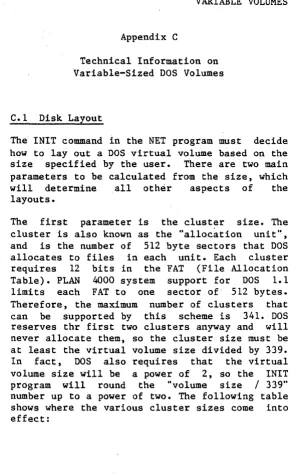
C.1 Disk Layout
The INIT command in the NET program must decide how to layout a DOS virtual volume based on the size specified by the user. There are two main parameters to be calculated from the size, which will determine all other aspects of the layouts.
[image:64.398.63.358.40.515.2]Cluster Size Volume Size
Sectors Bytes Blocks Bytes
1 512 10 5K
2 1K 340 170K
4 2K 680 340K
8 4K 1360 680K
16 8K 2720 1. 360M
32 16K 5440 2.720M
64 32K 10880 5. 440M
128 64K 21760 10. 880M
The second parameter that INIT must calculate is the number of directory entries, which is also the number of files it is possible to create. INIT works this out by. using the following table:
Directory Allocation Volume Size Sectors
Entries for Dir Blocks Bytes
----64 4 <=340 <=170K
112 7 <=680 <=340K
224 14 <=2720 <=1. 360M
339 22 )2720 )1. 360M
Once INIT has calculated these two parameters, it can layout the volume.
Ce2 Modifications Required For Variable Volumes
1. The area reserved for the boot record must have a volume size descriptor patched into it. The boot record is in logical sector 0 (head 0, track 0, sector 1). The volume size descriptor contains information required by DOS on the cluster size~ the number of directory entries, the total size of the volume and other related information. The INIT command in NET writes this information, and it is read when a volume is mounted by the mechnism described in number 2, below.
2. A special entry point is added to the BIOS to zap DOS's volume descriptor table. This is given a drive number that may be a real diskette or a virtual volume. The "zap" routine reads the boot record from the drive and "zaps" DOS's volume descriptor table with the information read from the disk. This routine will work with real diskettes that have a standard (unmodified) DOS 1.1 or DOS 1.0 boot record on them, and also with virtual volumes that have not been initialized for use by DOS.
3. The BIOS "read sectors" and "write sectors" routines have also been modified. There are two reasons for modifying these routines from the DOS 1.1 standard. First, DOS 1.1 only caters to drives of 160KB or 320KB; it will discard logical sector numbers greater than 640. Second, the standard BIOS maps 320KB drives (when accessed as files, but not when accessed .through INT 25 or INT 26 calls) to use both heads on track 0 before starting on track one.
Otherwise, it makes calls to the INT 13 handler directly, mapping logical sector numbers to head/track/sector parameters in the same way as outlined in the INT 25/26 descriptions.
Notice that the standard DOS disk sizes are accessed in the same way, regardless of whether the disk is a real diskette or a virtual volume. This is important for 320KB disks, because any other approach would mean that a real diskette when DISKCOPYed onto a virtual volume would have all the information in its files misaligned.
4. In NETUNIT, the FSCMD and FSCMD1 functions have been modified to "zap" drives that have been successfully MOUNTed or CREATEd.
Note: If virtual volumes are mounted directly at the file server, the zap will not have been done. This will lead DOS to use the wrong cluster size and number of directory entries. So, if you wish to access DOS files on a DOS virtual volume, do not mount the volume directly at the file server.
A
<anystring) 2-2 AUTOEXEC.BAT 1-3 automatic startup 4-4
B
bibliography BB-1 BIOS 1-2
boot diskettes 1-2ff booting 1-1
C
cluster size C-1 CMD 3-2
CMDUNIT 3-1, 3-2 COMMAND 3-2, 3-4 command channel 2-11 COMMAND. COM 1-1 command list B-1 COMMS.NET I-Iff CREATE 2-6
creating boot diskettes 1-5ff virtual volumes 2-6
D
default library volume 2-2 disclaimer ii
disk layout, DOS C-l disk organization 2-1 diskette size 2-1 DOS BIOS 1-1
DOS volumes, tech info C-1 DRIVERS.NET I-Iff
drives 2-2
E
error messages A-I
while booting 1-3ff
F
file server commands 2-2, B-1 FORMAT 1-5, 2-6
I
INIT 2-6, C-1
initializing a virtual ·vo1ume 2-6 INSTALL. NET 1-lff
L
//LIB/IBMPC/DOS library volume local commands
1-2, 2-2 2-2
M
manuals,
list of BB-1 MININET 3-6
N
NET program 2-3, 4-5 network 2-1££
network drives 2-2 network utilities 4-1 NETUNIT 3-1, 3-3, C-1 FS command channel 2-11 NIL 3-4
NOECHO 2-2, 4-5
o
OPTIONS 3-2
P
Pascal units 3-1 PRINT 2-2
PROFILE.NET 1-1££ programming 3-1
Q
R
RC 3-4 REAL 2-11 RESPONSE 3-4
S
SETPROF utility program 1-6, 4-2 SET FS 2-2
SET .Nn 2-1, 2-11 SET DATE 4-5
shared disk organization 2-1 SHOW DRIVES 2-10
SHOW FORMDATE 4-5 SHOW FS 2-11 SIZE 2-6
size, virtual diskette 2-1,·C-1 STARTUP 4-5
starting up 1-1 STN 2-12
T
type 2-1
U
units 3-1
V
variable size 2-1 version number iii, VIRTUAL 2-11
virtual drives 2-2 virtual volumes 2-1, volume size 2-1, C-1 volume type 2-1
Other
% filename 2-12 (anystring) 2-12
C-1
PLAN 4000 PUBLICATIONS
General Information Manual
PL&~ 4000 Physical Planning and Installation ~~nual
File Server User's Manual
File Server Apple
II
Pascal User's GuideFile Server Apple
II
DOS User's GuideFile Server Apple
II
Cp/M User's Guide
File Server Apple
III
SOS User's GuideFile Server IBM PC DOS User's Guide
File Server IBM PC
UCSD p-System User's Guide
File Server Installation and Operation Manual
PLAN 4000 System Service Manual
Print Server User's Manual
Print Server Installation and Operation Hanual
Messenger User's Nanual
Messenger Installation and Operation Manual
This manual is one in a series that describes the use of the PLAN 4000 system.
You are encouraged to use this form to communicate to Nestar any problems or suggestions associated with the system. We would like your comments on improving the system itself, as well as on this documentation. Possible topics for comment are: clarity, accuracy, completeness, organization, coding, retrieval and legibility.
No postage stamp is necessary if mailed within the U.S.A.
Nestar installation location:
Submitter's name
Address
Description of problem or suggestion:
Please mail this form to
Nestar Systems, Incorporated 2585 E. Bayshore Road