SELF-INSTRUCTIONAL TEACHING MODULE BASED ON COGNITIVE LOAD THEORY
Ong Chiek Pin1 , PM Dr Zaidatun bte Tasir2
1 Department of Educational Technology, Institut Perguruan Tun Hussein Onn, Batu Pahat, Johor
2 Faculty of Education, Universiti Teknologi Malaysia, Skudai, Johor
Abstract
Basically an instructional computer module consists of two media namely text and visuals. These multiple representations can complement each other, resulting in a more complete representation of an application domain than a single source of information does. According to cognitive load theory, instruction needs to be designed in a manner that facilitates the acquisition of knowledge in long-term memory while reducing unnecessary demands on the working memory. Presenting information in a way that cognitive load falls within the limitations of working memory can improve speed and accuracy of understanding, and facilitate deep understanding of information content. The aim of this study is to produce a self-instructional teaching module based on Cognitive Load Theory with principles of minimalism in an attempt for easier and faster learning and comprehension among teacher trainees. The module will be compared to the conventional instruction in terms of achievements based on the time of response and information retention. It is expected that the results would reveal that the cognitively guided module which physically integrate text and visuals would show to be far superior a learning tool than the conventional computer module instruction.
1.0 Introduction
Malaysia’s embarkation on Vision 2020 towards achieving the status of a developed nation has been a move made to meet the challenges of a high-tech, fast-paced and information-oriented society. In line with the nation’s drive to fulfil the vision, education has played an important role, steering systematically from rote- and exam-oriented learning towards knowledge- and technology-based learning.
The Smart School Concept launched in the year 1999 has reinvented the teaching and learning and school management to prepare students for the Information Age. Information and Communication Technology (ICT) is continually emphasized and seen as a tool to revolutionise learning, producing richer curricula and enhancing
pedagogies. All teaching institutions in the country were directed to be well-equipped
with ICT networks to ensure that future teachers are aware of the recent developments in ICT and are able to acquire the necessary knowledge and skills in order to prepare themselves for the technological advancement at school levels (Jamalludin and Zaidatun, 2003). Teachers being the most significant and costly resource in schools, are central to school improvement efforts.
In the teacher training institutions, ICT is taught as a main component in subjects related to technology. Trainees are exposed to basic concepts of ICT mainly computer software applications. Modes of learning include activities that are almost completely student-centered with hands-on guidance, that is, much of the teaching-learning processes are practical in nature. These activities are normally provided in the form of procedural tasks, projected onto the screen, with each trainee seated with a computer in the computer lab during face-to-face lectures. It is hoped that they will apply the acquired knowledge and skills to become effective users, and contribute to technological advancements.
Trainees are often evaluated through short coursework in the form of “techie” projects with constant supervision. But with the frequent absence of lecturers going for courses and meetings, there is a need to provide these trainees with some self-instructional materials. The instructional materials used presently were adapted from print modules of Kursus Perguruan Lepas Ijazah (Sekolah Rendah) and Open University Malaysia.
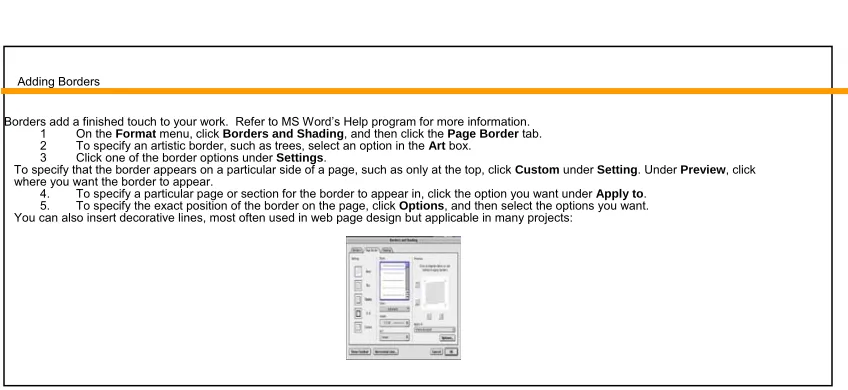
The typical presentation platform of visualization in software instructional documentations is the screen capture with text (Van der Meij and Gellevij, 1998). Figures 1, 2 and 3 show the common layouts.
Adding Borders
Borders add a finished touch to your work. Refer to MS Word’s Help program for more information. 1 On the Format menu, click Borders and Shading, and then click the Page Border tab.
2 To specify an artistic border, such as trees, select an option in the Art box. 3 Click one of the border options under Settings.
To specify that the border appears on a particular side of a page, such as only at the top, click Custom under
Setting. Under Preview, click where you want the border to appear.
4 To specify a particular page or section for the border to appear in, click the option you want under Apply to. 5 To specify the exact position of the border on the page, click Options, and then select the options you want. You can also insert decorative lines, most often used in web page design but applicable in many projects:
Figure 1 Screen capture on the right of the procedural text
Adding Borders
Borders add a finished touch to your work. Refer to MS Word’s Help program for more information. 1 On the Format menu, click Borders and Shading, and then click the Page Border tab. 2 To specify an artistic border, such as trees, select an option in the Art box.
3 Click one of the border options under Settings.
To specify that the border appears on a particular side of a page, such as only at the top, click Custom under Setting. Under Preview, click where you want the border to appear.
4. To specify a particular page or section for the border to appear in, click the option you want under Apply to. 5. To specify the exact position of the border on the page, click Options, and then select the options you want. You can also insert decorative lines, most often used in web page design but applicable in many projects:
Adding Borders
Borders add a finished touch to your work. Refer to MS Word’s Help program for more information. 1. On the Format menu, click Borders and Shading, and then click the Page Border tab.
2. To specify an artistic border, such as trees, select an option in the Art box.
3. Click one of the border options under Settings.
To specify that the border appears on a particular side of a page, such as only at the top, click Custom under Setting. Under Preview, click where you want the border to appear.
4. To specify a particular page or section for the border to appear in, click the option you want under Apply to. 5. To specify the exact position of the border on the page, click Options, and then select the options you want. You can also insert decorative lines, most often used in web page design but applicable in many projects:
Figure 3 Partial screen captures with procedural text
So far focus has been on technological issues and not the quality of learning. Cognitive load theory (Sweller, 1988) suggests that effective materials facilitate learning by directing cognitive resources toward activities that are relevant to learning. The theory indicates that this situation poses two potential risks: split attention effects and redundancy (Chandler and Sweller, 1991; Sweller, 1994; Sweller and Chandler, 1994).
Split attention occurs when text and visuals are presented separately and can be
understood only when they are integrated. Since working memory can hold information for short intervals and has a storage capacity limit to 7 plus or minus 2 elements (Miller, 1956), to construct a coherent structure by visually drawing inferential connections between disjointed text and visuals would overtax these precious resources thus
hindering learning (Cerpa et al., 1996; Kalyuga et al., 1999).
Redundancy occurs when there is an overlap or replication of information between
textual and visual representations (Clark and Mayer, 2003). These materials become extraneous. Users will have to process the same information twice which may turn out to be counterproductive learning interference and distraction that resulted in learning decrement.
Figure 4 Visual cues on full screen capture with procedural sections
Figure 5 Visual cues on partial screen capture with procedural sections
The layout is such that instructions have to be juxtaposed side-by-side with the screen captures to avoid split attention and the selection of only one instance of every instruction made to avoid redundancy. It is important that the user’s attention be focused on elements that are relevant to learning. The idea is to minimize the obtrusiveness to the learner instructional materials, hence minimalism (Carroll, 1990). Instruction is made more efficient when the amount of reading is minimized, generally breaking up sentences into chunks. Cueing devices, such as arrows or bolding of text (Clark and Harrelson, 2002) help support attention. Therefore the need to mentally integrate disparate sources of information may be eliminated, mental load reduced and learning enhanced.
Printed modules remain the best source of instructional material favoured by instructors as they prefer working with a more familiar format. As these computer application programs are always meant to be used in some task domain, these adult trainees often have considerable prior knowledge and skills. Their knowledge of the underlying task domain provides them with clearly outlined ideas and expectations about the training. With coursework taking up 60% of the total marks during evaluation, it is obvious that the basis of evaluation is to encourage more practical. According to Carroll and Rosson (1987), adults resisted explicitly to new learning. Rather, they prefer to act. They only want to gain understanding of the components of the system and their relations. This implies that designing instructional materials requires a balance between their desire to act and their needs for knowledge and skills (Lazonder, 2000).
Cognitive Load Theory is concerned with the way in which a user’s cognitive resources are focused and used during learning. Minimalist instruction is action oriented in that it offers users little to read and much to do. Taken together, it is highly feasible to develop a self instructional module that works better than the conventional one with the best use of media elements, namely text and visuals, that minimises the load of working memory yet favours an action- and task-oriented approach, making the software applications easier and faster for trainees to learn and comprehend.
2.2 Theoretical framework
The instructional design model based on the systematic development of instruction of the ADDIE model will incorporate a blended and eclectic view of the two principles of Cognitive Load Theory namely split attention and redundancy effect, and minimalism.
The ICT educational contents, learning goals and objectives from the subject curricula are defined in the analysis phase. The design phase specifies the user’s learning process taking into account methods to minimise the cognitive load for the purposes of usability and learn-ability on four design dimensions for screen captures, namely coverage, positioning, size and cueing. The development of the prototype possessing guidelines forwarded by Van der Meij (2000), that is, placing instructions according to the contexts, minimizing the use of text, avoiding redundant and split information, and providing hands-on activities, will be reviewed and revised based on feedbacks so that weaknesses can be identified and rectified. During the implementation phase, the module will be distributed to trainees to work on. The evaluation phase is carried out to monitor and determine the effectiveness of the module. Formative evaluation during development provides possible modifications to the module and summative evaluation during implementation will project the quality and variety of experiences that the module can support. In either case the evaluation involves observation of the actual use of the module by trainees.
2.3 Research objectives
This research aims to achieve the following objectives:
i. To design and develop a computer module based on the following aspects:
ii. To determine the effectiveness of the developed computer module from the following aspects:
a. Trainees’ achievements during evaluation based on the time of response of trainees on the spreadsheet application.
b. Duration of information retention in trainees.
iii. To investigate the type of computer modules, conventional or the developed,
least comprehended by trainees.
iv. To investigate how trainees use the developed computer module when
learning.
3.0 Methodology
3.1 Methods for data collection
Quantitative and qualitative data will be gathered and results of the two versions of computer modules will be compared. The independent variables are the instructional approaches and the dependent variables are the cognitive load and time on task. A quasi-experimental type non-randomized control group, pretest-posttest of research design is adopted thereafter, a repeated measures design is employed to the experimental group, to assess for differences from the variations in outcome measures due to the effect of treatment. Observation and interviews will be conducted to obtain a more holistic impression of the whole situation.
3.2 Samples
113 fourth semester trainees from the PISMP program in Institut Perguruan Tun Hussein Onn will participate in the experiment. They will be assigned to 2 groups - the control group and the experimental group. Purposive sampling of the 6 classes is used to ensure that there will be no disruption of classroom learning and exposure of respondents to threats of internal validity (Creswell, 2005).
3.3 Instrumentation
Two modules, namely the conventional and the developed module are compared. The instruments administered on study take several forms. The types of questionnaire used comprise of questions aims to elicit information on demography and background of respondents, a time sheet to record the time of completion on the tasks, a self-report 9 points symmetrical scale of perceived task difficulty ranging from very, very low mental effort to very, very high mental effort, and a 20-item module evaluation on three constructs on the developed module. An open-ended question transcript increases the comparability of responses for the two modules and observation by using camcorders records what happens naturally during activities.
3.4 Reliability and validity
were validated by two experts who have been lecturing ICT in the institute for more than 15 years.
3.5 Methods for data analysis
The parametric statistical independent samples t-test will be used to determine if the
developed module brings about positive changes to trainees’ achievements during evaluation. It will compare the mean scores of time taken by the treatment group and the control group in creating mark sheet. ANOVA is used to determine if there exists a significant difference between the means of the post-activities for the treatment group and the control group. All data will be processed using SPSS 13.0.
4.0 Expected Outcomes
The extent to which extraneous cognitive load caused by split-attention or redundancy is important will depend, at least in part, on intrinsic cognitive load. When the learning material involves high interactivity between the elements, the total cognitive load should be critical for users using conventional module but not for users using developed module. This is because the intrinsic cognitive load is always low for users using the developed module, whose tasks have been broken into chunks of information and that adding cues that relate the relevant elements of visuals to text will prevent visual search. Irrespective of element interactivity, users of the developed module should learn faster and perform better on the activities. Not only will this allow them to save time but they will also be able to learn away from a computer without any loss in skills obtained thereby retaining information longer.
5.0 Conclusion
The design of instruction materials requires a thoughtful learner analysis in order to effectively implement the correct combination of multimedia elements to optimize the learner’s prior knowledge and minimize their cognitive load.
A major challenge is that meaningful learning can require a heavy amount of essential cognitive processing, but the cognitive resources of the learner’s information processing system are severely limited. Therefore, instruction should be designed in ways that minimize any unnecessary cognitive load.
References
Carroll, J.M. (1984). Minimalist Design for Active Users. In Shackle, B. Interact’84 First
IFIP Conference on “Human Computer Interaction.” Amsterdam: Elsevier.
Carroll, J.M. (1990). The Nurnberg Funnel: Designing Minimalist Instruction for
Practical Computer Skill. Cambridge: MIT Press.
Carroll, J. M. and Olson J. R. (1988). Mental models in human-computer interaction: Research issues about what the user of software knows. In M. Helander (Ed.),
Handbook of Human-Computer Interaction (45-65). Amsterdam: Elsevier.
Cerpa, N., Chandler, P., and Sweller, J. (1996). Some conditions under which
integrated computer-based training software can facilitate learning. Journal of
Chandler, P. and Sweller, J. (1991). Cognitive Load Theory and the format of
Instruction. Cognition and Instruction. 8(4), 293-332.
Clark, R. and Harrelson, G. L. (2002). Designing Instruction That Supports Cognitive
Learning Processes. Journal of Athletic Training. 37(4), 152-159.
Clark, R. C. and Mayer, R. E. (2003). e-Learning and the Science of Instruction: San
Francisco: Pfeiffer.
Gellevij, M. (2002). Visuals In Instruction: Functions of Screen Captures in Software
Manuals. PhD Thesis. University of Twente, The Netherlands
Jamalludin Harun and Zaidatun Tasir (2003). Multimedia dalam Pendidikan. Bentong:
PTS Publications.
Kalyuga, S., Chandler, P. and Sweller, J. (1999). Managing Split-attention and
Redundancy in Multimedia Instruction. Applied Cognitive Psychology. 13.
351-371.
Lazonder, A.W. (2000). Minimalist Computer Documentation. http://users.edte.utwente.nl/lazonder/homepage/NL/..%5CPDF%5CThesis.pdf
Miller, G.A. (1956). The magical number seven, plus or minus two: Some limits on our
Capacity for processing information. Psychological Review. 63, 81-97.
Sweller, J. (1988). Cognitive load during problem solving: Effects on learning. Cognitive
Science. 12, 257-285.
Sweller, J. (1994). Cognitive Load Theory, Learning Difficulty and Instructional Design.
Learning and Instruction. 4, 295-312.
Sweller, J. and Chandler, P. (1994). Why Some Material is Difficult to Learn. Cognition
and Instruction. 12(3), 185-233.
Van der Meij, H. (2000). The role and design of screen images in software
documentation. Journal of Computer Assisted Learning.16. 294-306.
Van der Meij, H. and Gellevij, M. (1998). Screen Captures in Software Documentation.