Telemark University College
Faculty of Technology, Department of Electrical Engineering, Information Technology and Cybernetics
Network Infrastructure
Keywords:
• Data Communication, Protocols, etc. • Network, such as Switches and Routers • Client-‐Server, LAN (Local Area Network)
• OS (Windows Server 2008/2012, Windows 7/8) • Virtualization, such as VMware, HyperV, etc. • OPC
• Industrial Software and Programming languages
1
Introduction
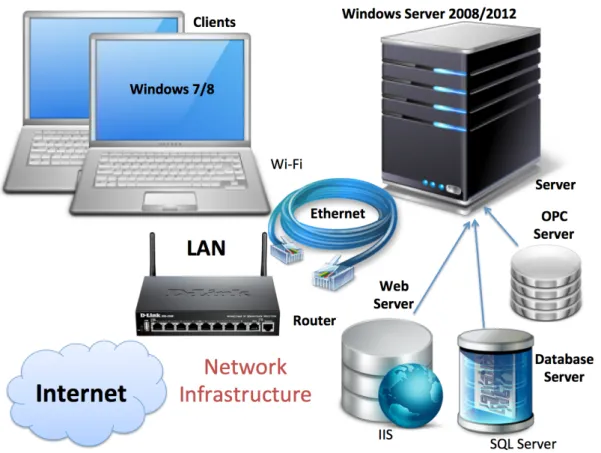
In this project you are going to design and implement the new network infrastructure at the new computer laboratories at TUC/TF, see Figure 1-‐1.
The network infrastructure may consists of the following parts:
• Network with switches and routers
• Windows Servers (local servers and central servers) • Clients
• SQL Server Databases • OPC Servers
• Web Servers (IIS)
• Virtualization (HyperV and/or VMware)
The practical project work must be seen in context with the theory part that is covered in the course – both in the report and the presentation.
2
Network
The different modules and software should be installed in a Network. The network should be created by you using Switch/Router, etc. The different Servers (Windows Server
2008/2012) and Clients (Windows 7/8) needed should be created using Virtualization, e.g., VMware.
We need to implement a new network structure in the new computer laboratories at TUC/TF (C-‐139a Datanettlab and C-‐222 El-‐lab). A central server used as a web
server/database server shall be located at the IT department, while local servers shall be located in C-‐139a and C-‐222 (see Figure 2-‐1).
The local Servers should be configured as Domain Controller with Active Directory (AD) and proper Groups and Users. The Test Clients (Windows 7/8) should be connected to the Domain. You should also install and configure the DHCP (Dynamic Host Configuration Protocol) role on the same Windows Server, this means the clients will receive dynamic IP adresses from the server. Instead of setting up static IP addresses on the clients, they will receive dynamic IP addresses from the server.
2.1
Router and Switches
A Cisco SB300 Switch should be placed in the local server cabinets in each room, while a Cisco SB RV 220 W router should be used on the tables in each rooms by the students in order to create a local LAN network. They should be able to connect to the server (both real and virual) in the server cabinet in the same room. See Figure 2-‐2 and Figure 2-‐3.
Figure 2-‐2: Cisco SB RV220W Figure 2-‐3: Cisco SB 300
3
Modules
Below the requirements for the different modules are listed.
3.1
Windows Servers
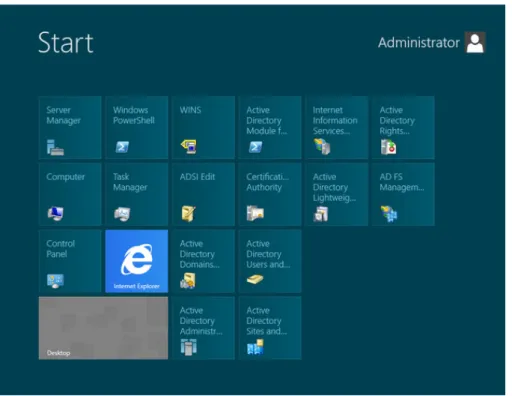
The local servers and the central server should run Windows Server 2012 R2 Datacenter 64 bit Edition (Figure 3-‐1). Different roles such as Active Directory, IIS (Internet Information Services), HyperV, etc. should be configured in addition to Microsoft SQL Server, OPC servers etc., as described below.
Figure 3-‐1: Windows Server 2012
When the cental server is configured, it should be given to the IT department (Jarle Teigen). In cooperation with the IT department, check that it can be accessed using Remote Desktop. The Web Port used by the Web Server (Port 8080) needs also to be opened for this server. Preferably also the port used by the SQL Server.
You also need to create a backup plan for the servers and the data stored on them.
3.2
Virtualization
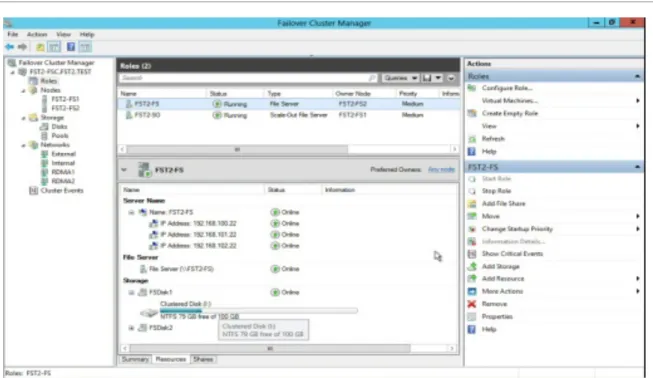
Windows HyperV (Figure 3-‐2) and/or VMware (Vmware Workstation?) should to be configured and implemented both on the local servers and the central server. Hyper V is included with Windows, while VMware Workstation needs to be bought separately. Different Virtual Machined with different OS should be installed and configured both on local servers and on sentral server.
Figure 3-‐2: HyperV Manager
The following Virtual Machines are needed on each of the servers:
• Windows Server 2012 R2 (Standard) (the local servers should have Active Directory –
not the central server)
• Windows 7 Professional SP1 • Windows 8.1 Professional
• Optional: Create “LAMP” and “WAMP” virtual machines
All these should include Microsoft SQL Server 2012 Standard with SP1, IIS (included with Windows) and OPC Server.
These should be able to be cloned (and to take snapshots), so each of the 5 groups in each room should be able to work on their own copy of these VMs.
LAMP: Linux, Appache, MySQL, PHP/Python WAMP: Windows, Appache, MySQL, PHP/Python
3.3
Web Servers (IIS)
Each room should have a local OPC Server that the students can connect to and use in laboratory work.
In addition the central server should also host an Web Server that can be used for hosting web sites used by TUC/TF (e.g., Weather System, Laboratory Inventory System, DeltaV Training Portal).
3.4
SQL Servers
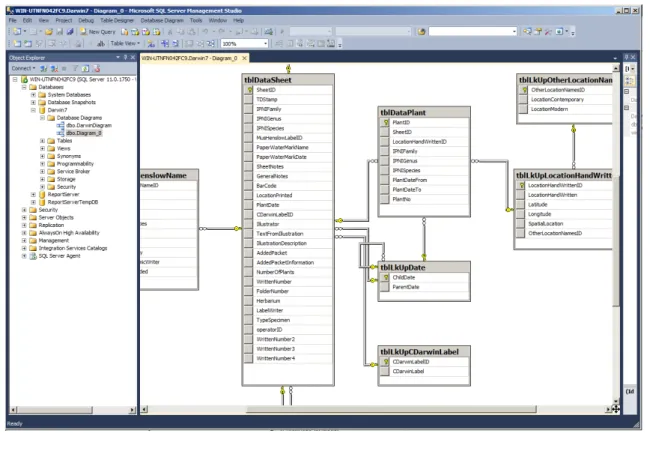
Each room should have a local SQL Server (2012 or 2014 if availible) that the students can connect to and use in laboratory work. See Figure 3-‐3.
Figure 3-‐3: SQL Server
In addition the central server should also host a SQL Server that shall be uses to store data used by the web sites and web services hosted on the (e.g., Weather System, Laboratory Inventory System, DeltaV Training Portal).
3.5
OPC Servers
Each room should have a local OPC Server that the students can connect to and use in laboratory work.
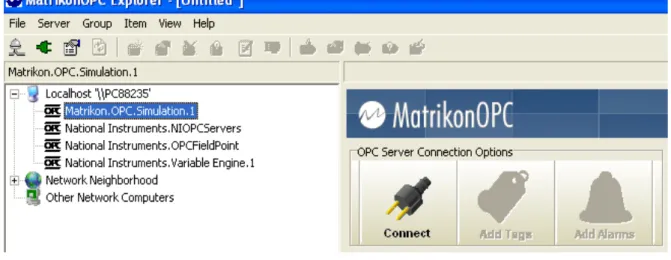
Figure 3-‐4: Matrikon OPC Server
A Kepware OPC Server should be considered (because we have a license for this OPC Server used together with the Weather System located at TUC).
It is a little tricky to use OPC in a network because it uses the old COM/DCOM standard which involves some configuration of different settings. A trick would be to use a tunneller software, eg., Cogent DataHub Tunneller software, see Figure 3-‐5.
Telemark University College
Faculty of Technology
Kjølnes Ring 56
N-‐3918 Porsgrunn, Norway
www.hit.no