Agile Principles, Patterns, and Practices in C# By Martin C. Robert, Martin Micah
... Publisher: Prentice Hall
Pub Date: July 20, 2006 Print ISBN-10: 0-13-185725-8 Print ISBN-13: 978-0-13-185725-4 Pages: 768
Table of Contents | Index
With the award-winning book Agile Software Development: Principles, Patterns, and Practices, Robert C. Martin helped bring Agile principles to tens of thousands of Java and C++ programmers. Now .NET programmers have a definitive guide to agile methods with this completely updated volume from Robert C. Martin and Micah Martin, Agile Principles, Patterns, and Practices in C#.
This book presents a series of case studies illustrating the fundamentals of Agile development and Agile design, and moves quickly from UML models to real C# code. The introductory chapters lay out the basics of the agile movement, while the later chapters show proven techniques in action. The book includes many source code examples that are also available for download from the authors' Web site.
Readers will come away from this book understanding
Agile principles, and the fourteen practices of Extreme Programming
Spiking, splitting, velocity, and planning iterations and releases
Test-driven development, test-first design, and acceptance testing
Refactoring with unit testing
Pair programming
Agile design and design smells
The five types of UML diagrams and how to use them effectively
Object-oriented package design and design patterns
How to put all of it together for a real-world project
Whether you are a C# programmer or a Visual Basic or Java programmer learning C#, a software development manager, or a business analyst, Agile Principles, Patterns, and Practices in C# is the first book you should read to understand agile software and how it applies to programming in
Agile Principles, Patterns, and Practices in C# By Martin C. Robert, Martin Micah
... Publisher: Prentice Hall
Pub Date: July 20, 2006 Print ISBN-10: 0-13-185725-8 Print ISBN-13: 978-0-13-185725-4 Pages: 768
Table of Contents | Index
With the award-winning book Agile Software Development: Principles, Patterns, and Practices, Robert C. Martin helped bring Agile principles to tens of thousands of Java and C++ programmers. Now .NET programmers have a definitive guide to agile methods with this completely updated volume from Robert C. Martin and Micah Martin, Agile Principles, Patterns, and Practices in C#.
This book presents a series of case studies illustrating the fundamentals of Agile development and Agile design, and moves quickly from UML models to real C# code. The introductory chapters lay out the basics of the agile movement, while the later chapters show proven techniques in action. The book includes many source code examples that are also available for download from the authors' Web site.
Readers will come away from this book understanding
Agile principles, and the fourteen practices of Extreme Programming
Spiking, splitting, velocity, and planning iterations and releases
Test-driven development, test-first design, and acceptance testing
Refactoring with unit testing
Pair programming
Agile design and design smells
The five types of UML diagrams and how to use them effectively
Object-oriented package design and design patterns
How to put all of it together for a real-world project
Agile Principles, Patterns, and Practices in C# By Martin C. Robert, Martin Micah
... Publisher: Prentice Hall
Pub Date: July 20, 2006 Print ISBN-10: 0-13-185725-8 Print ISBN-13: 978-0-13-185725-4 Pages: 768
Table of Contents | Index
Copyright
Robert C. Martin Series
Foreword
Foreword
Preface
Acknowledgments
About the Authors
Section I. Agile Development
Chapter 1. Agile Practices
The Agile Alliance
Principles
Conclusion
Bibliography
Chapter 2. Overview of Extreme Programming
The Practices of Extreme Programming
Conclusion
Bibliography
Chapter 3. Planning
Initial Exploration
Release Planning
Iteration Planning
Defining "Done"
Task Planning
Iterating
Tracking
Conclusion
Bibliography
Chapter 4. Testing
Test-Driven Development
Acceptance Tests
Serendipitous Architecture
Bibliography
Chapter 5. Refactoring
A Simple Example of Refactoring: Generating Primes
Conclusion
Bibliography
Chapter 6. A Programming Episode
The Bowling Game
Conclusion
Overview of the Rules of Bowling
Section II. Agile Design
Chapter 7. What Is Agile Design?
Design Smells
Why Software Rots
The Copy Program
Conclusion
Bibliography
Chapter 8. The Single-Responsibility Principle (SRP)
Defining a Responsibility
Separating Coupled Responsibilities
Persistence
Conclusion
Bibliography
Chapter 9. The Open/Closed Principle (OCP)
Description of OCP
The Shape Application
Conclusion
Bibliography
Chapter 10. The Liskov Substitution Principle (LSP)
Violations of LSP
Factoring Instead of Deriving
Heuristics and Conventions
Conclusion
Bibliography
Chapter 11. The Dependency-Inversion Principle (DIP)
Layering
A Simple DIP Example
The Furnace Example
Conclusion
Bibliography
Chapter 12. The Interface Segregation Principle (ISP)
Interface Pollution
Separate Clients Mean Separate Interfaces
Class Interfaces versus Object Interfaces
The ATM User Interface Example
Conclusion
Chapter 13. Overview of UML for C# Programmers Class Diagrams Object Diagrams Collaboration Diagrams State Diagrams Conclusion Bibliography
Chapter 14. Working with Diagrams
Why Model?
Making Effective Use of UML
Iterative Refinement
When and How to Draw Diagrams
Conclusion
Chapter 15. State Diagrams
The Basics
Using FSM Diagrams
Conclusion
Chapter 16. Object Diagrams
A Snapshot in Time
Active Objects
Conclusion
Chapter 17. Use Cases
Writing Use Cases
Diagramming Use Cases
Conclusion
Bibliography
Chapter 18. Sequence Diagrams
The Basics
Advanced Concepts
Conclusion
Chapter 19. Class Diagrams
The Basics
An Example Class Diagram
The Details
Conclusion
Bibliography
Chapter 20. Heuristics and Coffee
The Mark IV Special Coffee Maker
OOverkill
Bibliography
Section III. The Payroll Case Study
Chapter 21. COMMAND and ACTIVE OBJECT: Versatility and Multitasking
Simple Commands
Transactions
Undo Method
Conclusion
Bibliography
Chapter 22. TEMPLATE METHOD and STRATEGY: Inheritance versus Delegation
Template Method
Strategy
Conclusion
Bibliography
Chapter 23. Facade and Mediator
Facade
Mediator
Conclusion
Bibliography
Chapter 24. Singleton and Monostate
Singleton
Monostate
Conclusion
Bibliography
Chapter 25. Null Object
Description
Conclusion
Bibliography
Chapter 26. The Payroll Case Study: Iteration 1
Rudimentary Specification
Analysis by Use Cases
Reflection: Finding the Underlying Abstractions
Conclusion
Bibliography
Chapter 27. The Payroll Case Study: Implementation
Transactions
Main Program
The Database
Conclusion
About This Chapter
Bibliography
Section IV. Packaging the Payroll System
Chapter 28. Principles of Package and Component Design
Packages and Components
Principles of Component Cohesion: Granularity
Principles of Component Coupling: Stability
Conclusion
Chapter 29. Factory
A Dependency Problem
Static versus Dynamic Typing
Substitutable Factories
Using Factories for Test Fixtures
Conclusion
Bibliography
Chapter 30. The Payroll Case Study: Package Analysis
Component Structure and Notation
Applying the Common Closure Principle (CCP)
Applying the Reuse/Release Equivalence Principle (REP)
Coupling and Encapsulation
Metrics
Applying the Metrics to the Payroll Application
The Final Packaging Structure
Conclusion
Bibliography
Chapter 31. Composite
Composite Commands
Multiplicity or No Multiplicity
Conclusion
Chapter 32. Observer: Evolving into a Pattern
The Digital Clock
The OBSERVER Pattern
Conclusion
Bibliography
Chapter 33. Abstract Server, Adapter, and Bridge
Abstract Server
Adapter
Bridge
Conclusion
Bibliography
Chapter 34. PROXY and GATEWAY: Managing Third-Party APIs
Proxy
Databases, Middleware, and Other Third-Party Interfaces
Table Data Gateway
Using Other Patterns with Databases
Conclusion
Bibliography
Chapter 35. Visitor
Visitor Acyclic Visitor Decorator Extension Object Conclusion Bibliography
Chapter 36. State
Nested Switch/Case Statements
Transition Tables
The State Pattern
Conclusion
Bibliography
Chapter 37. The Payroll Case Study: The Database
Building the Database
A Flaw in the Code Design
Adding an Employee
Transactions
Loading an Employee
What Remains?
Chapter 38. The Payroll User Interface: MODEL VIEW PRESENTER
The Interface
Implementation
Building a Window
The Payroll Window
The Unveiling
Conclusion
Bibliography
Appendix A. A Satire of Two Companies
Appendix B. What Is Software?
Afterword
InsideFrontCover
Manifesto for Agile Software Development
Principles behind the Agile Manifesto
InsideBackCover
Practices of Extreme Programming
The Principles of Object Oriented Design
Copyright
Many of the designations used by manufacturers and sellers to distinguish their products are claimed as trademarks. Where those designations appear in this book, and the publisher was aware of a trademark claim, the designations have been printed with initial capital letters or in all capitals.
The authors and publisher have taken care in the preparation of this book, but make no expressed or implied warranty of any kind and assume no responsibility for errors or omissions. No liability is assumed for incidental or consequential damages in connection with or arising out of the use of the information or programs contained herein.
The publisher offers excellent discounts on this book when ordered in quantity for bulk purchases or special sales, which may include electronic versions and/or custom covers and content particular to your business, training goals, marketing focus, and branding interests. For more information, please contact:
U.S. Corporate and Government Sales, (800) 382-3419 [email protected]
For sales outside the United States, please contact:
International Sales
Visit us on the Web: www.prenhallprofessional.com
Library of Congress Cataloging-in-Publication Data
Martin, Robert C.
Agile principles, patterns, and practices in C# / Robert C. Martin, Micah Martin. p. cm.
Includes bibliographical references and index. ISBN 0-13-185725-8 (hardcover : alk. paper)
1. Object-oriented programming (Computer science) 2. C# (Computer program language) 3. Computer software--Development. I. Martin, Micah. II. Title.
QA76.64.M383 2006
005.1'17dc22 2006013350
Copyright © 2007 Pearson Education, Inc.
All rights reserved. Printed in the United States of America. This publication is protected by copyright, and permission must be obtained from the publisher prior to any prohibited reproduction, storage in a retrieval system, or transmission in any form or by any means, electronic, mechanical, photocopying, recording, or likewise. For information regarding permissions, write to:
Pearson Education, Inc.
Rights and Contracts Department One Lake Street
Upper Saddle River, NJ 07458 Fax: (201) 236-3290
Robert C. Martin Series
The mission of this series is to improve the state of the art of software craftsmanship. The books in this series are technical, pragmatic, and substantial. The authors are highly experienced craftsmen and professionals dedicated to writing about what actually works in practice, as opposed to what might work in theory. You will read about what the author has done, not what he thinks you should do. If the book is about programming, there will be lots of code. If the book is about managing, there will be lots of case studies from real projects.
These are the books that all serious practitioners will have on their bookshelves. These are the books that will be remembered for making a difference and for guiding professionals to become true
craftsman.
Managing Agile Projects Sanjiv Augustine
Agile Estimating and Planning Mike Cohn
Working Effectively with Legacy Code Michael C. Feathers
Agile Java™: Crafting Code with Test-Driven Development Jeff Langr
Agile Principles, Patterns, and Practices in C# Robert C. Martin and Micah Martin
Agile Software Development: Principles, Patterns, and Practices Robert C. Martin
UML For Java™ Programmers Robert C. Martin
Fit for Developing Software: Framework for Integrated Tests Rick Mugridge and Ward Cunningham
Agile Software Development with SCRUM Ken Schwaber and Mike Beedle
Extreme Software Engineering: A Hands on Approach Daniel H. Steinberg and Daniel W. Palmer
Foreword
In my first professional programming gig, I was hired to add features to a bug database. This was for the Plant Pathology Department of the University of Minnesota farm campus, so by "bug" I mean actual bugs, for example, aphids, grasshoppers, and caterpillars. The code had been written by an entomologist who'd learned just enough dBase to write his first form and then duplicated it
throughout the rest of the application. As I added features, I consolidated as much of the functionality as possible so that bug fixes (code bug fixes) could be applied in a single place,
enhancements could be applied in a single place, and so on. It took me all summer, but by the end, I'd doubled the functionality while halving the size of the code.
Many, many years later, a friend of mine and I were hanging out with nothing pressing to do, so we decided to program something together (it was either an implementation of IDispatch or IMoniker, both of which weighed heavily on our minds at the time). I'd type for a while with him watching over my shoulder, telling me where I got it wrong. Then he'd take over the keyboard while I kibitzed until he relinquished control back to me. It went on for hours and was one of the most satisfying coding experiences I've ever had.
Not long after that, my friend hired me as the chief architect for the newly formed software division of his company. On many occasions, as part of my architecture work, I'd write the client code for objects that I wished would exist, which I'd pass along to the engineers, who would keep
implementing until the client worked.
Like many kids who learned applied techniques in the back seat of a '57 Chevy before sex education became a normal part of the curriculum, I'm guessing that my experiences experimenting with
various aspects of agile development methodologies is not unique. In general, my experimenting with agile methods, like refactoring, pair programming, and test-driven development were successful, even though I didn't quite know what I was doing. Of course, there have been agile materials available to me before this, but just as I'm unwilling to learn how to ask Suzy to the sock-hop from back issues of National Geographic, I'd like my agile technologies served up as appropriate for my peer-group, that is, .NET. By using .NET (even though he's clear to say that .NET is no better than Java in many cases), Robert is speaking my language, just like those high school teachers that bothered to learn your slang, knowing that the message was more important than the medium.
But not just .NET; I'd like my first time to be gentle, to start slowly without scaring me, but to also make sure I get a grounding in all of the good stuff. And that's just what Robert "Uncle Bob" Martin has done with this book. His introductory chapters lay out the basics of the agile movement without pushing the reader towards SCRUM or Extreme Programming or any of the other agile
methodologies, allowing the reader to join the atoms into the molecules that pleases them. Even better (and easily my favorite part of Robert's style) is when he shows these techniques in action, starting with a problem as it would be presented in a real-world environment and walks through it, showing the mistakes and missteps and how applying the techniques he advocates leads him back to safe ground.
and make sure that everyone enjoys themselves.
Foreword
From
Agile Software Development: Principles, Patterns
and Practices
I'm writing this foreword right after having shipped a major release of the Eclipse open source project. I'm still in recovery mode, and my mind is bleary. But one thing remains clearer than ever: that people, not processes, are the key to shipping a product. Our recipe for success is simple: work with individuals obsessed with shipping software, develop with lightweight processes that are tuned to each team, and adapt constantly.
Double-clicking on developers from our teams reveals individuals who consider programming the focus of development. Not only do they write code; they digest it constantly to maintain an
understanding of the system. Validating designs with code provides feedback that's crucial for getting confidence in a design. At the same time, our developers understand the importance of patterns, refactoring, testing, incremental delivery, frequent builds, and other best-practices of XP that have altered the way we view methodologies today.
Skill in this style of development is a prerequisite for success in projects with high technical risk and changing requirements. Agile development is low-key on ceremony and project documentation, but it's intense when it comes to the day-to-day development practices that count. Putting these practices to work is the focus of this book.
Robert is a longtime activist in the object-oriented community, with contributions to C++ practice, design patterns, and object-oriented design principles in general. He was an early and vocal advocate of XP and agile methods. This book builds on these contributions, covering the full spectrum of agile development practice. It's an ambitious effort. Robert makes it more so by demonstrating everything through case studies and lots of code, as befits agile practice. He explains programming and design by actually doing it.
This book is crammed with sensible advice for software development. It's equally good whether you want to become an agile developer or improve the skills you already have. I was looking forward to this book, and I wasn't disappointed.
Erich Gamma
Preface
But Bob, you said you'd be done with the book last year.
Claudia Frers, UML World, 1999
Bob's Introduction
It's been seven years since Claudia's justifiable complaint, but I think I have made up for it.
Publishing three booksone book every other year while running a consulting company and doing a lot of coding, training, mentoring, speaking, and writing articles, columns, and blogsnot to mention raising a family and enjoying a grandfamily can be quite a challenge. But I love it.
Agile development is the ability to develop software quickly, in the face of rapidly changing
requirements. In order to achieve this agility, we need to use practices that provide the necessary discipline and feedback. We need to employ design principles that keep our software flexible and maintainable, and we need to know the design patterns that have been shown to balance those principles for specific problems. This book is an attempt to knit all three of these concepts together into a functioning whole.
Micah's Introduction
In early 2005, I was on a small development team that began work on a .NET application to be written in C#. Using agile development practices was mandatory, which is one of the reasons I was involved. Although I had used C# before, most of my programming experience was in Java and C++. I didn't think that working in .NET would make much difference; in the end it didn't.
Two months into the project, we made our first release. It was a partial release containing only a fraction of all the intended features, but it was enough to be usable. And use it they did. After only two months, the organization was reaping the benefits of our development. Management was so thrilled that it asked to hire more people so we could start more projects.
Having participated in the agile community for years, I knew a good many agile developers who could help us. I called them all and asked them to join us. Not one of my agile colleagues ended up joining our team. Why not? Perhaps the most overwhelming reason was the fact that we were developing in .NET.
Almost all agile developers have a background in Java, C++, or Smalltalk. But agile .NET
programmers are almost unheard of. Perhaps my friends didn't take me seriously when I said we were doing agile software development with .NET, or maybe they were avoiding association with .NET. This was a significant problem. It was not the first evidence I'd seen of this problem, either.
Teaching week-long courses on various software topics allows me to meet a wide cross-section of developers from around the world. Many of the students I've instructed were .NET programmers, and many were Java or C++ programmers. There's no gentle way to put this: In my experience, .NET programmers are often weaker than Java and C++ programmers. Obviously, this is not always the case. However, after observing it over and over in my classes, I can come to no other conclusion: .NET programmers tend to be weaker in agile software practices, design patterns, design principles, and so on. Often in my classes, the .NET programmers had never heard of these fundamental concepts. This has to change.
The first edition of this book, Agile Software Development: Principles, Patterns, and Practices, by Robert C. Martin, my father, was published in late 2002 and won the 2003 Jolt Award. It is a great book, celebrated by many developers. Unfortunately, it had little impact on the .NET community. Despite the fact that the content of the book is equally relevant to .NET, few .NET programmers have read it.
It is my hope that this .NET edition acts as a bridge between .NET and the rest of the developer community. I hope that programmers will read it and see that there are better ways to build software. I hope that they will begin using better software practices, creating better designs, and raising the bar for quality in .NET applications. I hope that .NET programmers will not be weaker than other programmers. I hope that .NET programmers achieve a new status in the software community such that Java developers are proud to join a .NET team.
About This Book
A Little History
In the early 1990s I (Bob) wrote Designing Object-Oriented C++ Applications Using the Booch Method. That book was something of a magnum opus for me, and I was very pleased with the result and the sales.
The book you are reading started out as a second edition to Designing, but that's not how it turned out. Very little remains of the original book in these pages. Little more than three chapters have been carried through, and those have been massively changed. The intent, spirit, and many of the lessons of the book are the same. In the decade since Designing came out, I've learned a tremendous amount about software design and development. This book reflects that learning.
What a decade! Designing came out just before the Internet collided with the planet. Since then, the number of acronyms we have to deal with has doubled. We have EJB, RMI, J2EE, XML, XSLT, HTML, ASP, JSP, ZOPE, SOAP, C#, and .NET, as well as Design Patterns, Java, Servelets, and Application Servers. Let me tell you, it's been difficult to keep the chapters of this book current.
The Booch connection
In 1997, I was approached by Grady Booch to help write the third edition of his amazingly successful Object-Oriented Analysis and Design with Applications. I had worked with Grady before on some projects and had been an avid reader and contributor to his various works, including UML. So I accepted with glee and asked my good friend Jim Newkirk to help out with the project.
Over the next two years, Jim and I wrote a number of chapters for the Booch book. Of course, that effort meant that I could not put as much effort into this book as I would have liked, but I felt that the Booch book was worth contributing to. Besides, at the time, this book was simply a second edition of Designing, and my heart wasn't in it. If I was going to say something, I wanted to say something new and different.
Unfortunately, the Booch book was not to be. It is difficult to find the time to write a book during normal times. During the heady days of the dot-com bubble, it was nearly impossible. Grady got ever busier with Rational and with new ventures such as Catapulse. So the project stalled. Eventually, I asked Grady and Addison-Wesley whether I could have the chapters that Jim and I wrote to include in this book. They graciously agreed. So several of the case study and UML chapters came from that source.
The impact of Extreme Programming
code? What should we do?
This revolution came at an opportune time. During the middle to late 1990s, Object Mentor was helping quite a few companies with OO design and project management issues. We were helping companies get their projects done. As part of that help, we instilled into the teams our own attitudes and practices. Unfortunately, these attitudes and practices were not written down. Rather, they were an oral tradition that was passed from us to our customers.
By 1998, I realized that we needed to write down our process and practices so that we could better articulate them to our customers. So I wrote many articles about process in the C++ Report.[1] These articles missed the mark. They were informative and in some cases entertaining, but instead of codifying the practices and attitudes that we used in our projects, they were an unwitting
compromise to values that had been imposed on me for decades. It took Kent Beck to show me that.
[1] These articles are available in the publications section of www.objectmentor.com. There are four articles. The first three are
entitled "Iterative and Incremental Development" (I, II, III). The last is entitled "C.O.D.E Culled Object Development process."
The Beck connection
In late 1998, at the same time I was fretting over codifying the Object Mentor process, I ran into Kent's work on Extreme Programming (XP). The work was scattered through Ward Cunningham's wiki[2] and was mixed with the writings of many others. Still, with some work and diligence, I was able to get the gist of what Kent was talking about. I was intrigued but skeptical. Some of the things that XP talked about were exactly on target for my concept of a development process. Other things, however, such as the lack of an articulated design step, left me puzzled.
[2] The website http://c2.com/cgi/wiki. contains a vast number of articles on an immense variety of subjects. Its authors number in
the hundreds or thousands. It has been said that only Ward Cunningham could instigate a social revolution using only a few lines of Perl.
Kent and I could not have come from more disparate software circumstances. He was a recognized Smalltalk consultant, and I was a recognized C++ consultant. Those two worlds found it difficult to communicate with each other. There was an almost Kuhnian[3] paradigm gulf between them.
[3] Any credible intellectual work written between 1995 and 2001 must use the term Kuhnian. It refers to the book The Structure of
Scientific Revolutions, by Thomas S. Kuhn, University of Chicago Press, 1962.
Under other circumstances, I would never have asked Kent to write an article for the C++ Report. But the congruence of our thinking about process was able to breech the language gulf. In February 1999, I met Kent in Munich at the OOP conference. He was giving a talk on XP in the room across from where I was giving a talk on principles of OOD. Being unable to hear that talk, I sought Kent out at lunch. We talked about XP, and I asked him to write an article for the C++ Report. It was a great article about an incident in which Kent and a coworker had been able to make a sweeping design change in a live system in a matter of an hour or so.
Over the next several months, I went through the slow process of sorting out my own fears about XP. My greatest fear was in adopting a process in which there is no explicit upfront design step. I found myself balking at that. Didn't I have an obligation to my clients, and to the industry as a whole, to teach them that design is important enough to spend time on?
way to verify that the diagrams were meaningful. In all my customer consulting, I would spend an hour or two helping them to draw diagrams and then direct them to explore those diagrams with code. I came to understand that though XP's words about design were foreign, in a Kuhnian[4] sense, the practices behind the words were familiar to me.
[4] If you mention Kuhn twice in paper, you get extra credit.
My other fears about XP were easier to deal with. I had always been a closet pair programmer. XP gave me a way to come out of the closet and revel in my desire to program with a partner.
Refactoring, continuous integration, customer onsite: All were very easy for me to accept. They were very close to the way I already advised my customers to work.
One practice of XP was a revelation for me. Test-driven development (TDD[5]) sounds innocuous when you first hear it: Write test cases before you write production code. All production code is written to make failing test cases pass. I was not prepared for the profound ramifications that writing code this way would have. This practice has completely transformed the way I write software:
transformed it for the better.
[5] Kent Beck, Test-Driven Development by Example, Addison-Wesley, 2003.
So by fall of 1999, I was convinced that Object Mentor should adopt XP as its process of choice and that I should let go of my desire to write my own process. Kent had done an excellent job of
articulating the practices and process of XP; my own feeble attempts paled in comparison.
.NET
A war is going on among major corporations. These corporations are fighting to gain your allegiance. These corporations believe that if they own the language, they'll own the programmers and the companies that employ those programmers.
The first volley of this war was Java. Java was the first language created by a major corporpation for the purpose of gaining programmer mindshare. This turned out to be wildly successful. Java has indeed penetrated very deeply into the software community and is largely the de facto standard for modern multilayer IT applications.
One responding volley comes from IBM, which via the Eclipse environment is capturing a large segment of the Java market. The other significant barrage comes from those consumate elaborators at Microsoft who have given us .NET in general and C# in particular.
Amazingly, it is very difficult to differentiate between Java and C#. The languages are semantically equivalent and syntactically so similar that many code snippets are indistiguishable. What Microsoft lacks in technical innovation, it more than makes up for in its remarkable ability to play catch-up and win.
The first edition of this book was written using Java and C++ as the coding language. This book is written using C# and the .NET platform. This should not be viewed as an endorsement. We are not taking sides in this war. Indeed, I think that the war itself will burn itself out when a better language surfaces in the next few years and captures the mindshare of the programmers that the warring corporations have spent so much to secure.
programmers are more comfortable reading .NET case studies, Java progarmmers are more comfortable reading Java examples.
The Devil Is in the Details
This book contains a lot of .NET code. We hope that you will carefully read that code, since to a large degree, the code is the point of the book. The code is the actualization of what this book has to say.
This book has a repeating pattern: a series of case studies of varying sizes. Some are very small, and some require several chapters to describe. Each case study is preceded by material that is meant to prepare you for it by describing the object-oriented design principles and patterns used in that case study.
The book begins with a discussion on development practices and processes. That discussion is punctuated by a number of small case studies and examples. From there, the book moves on to the topic of design and design principles and then to some design patterns, more design principles that govern packages, and more patterns. All these topics are attended by case studies.
So prepare yourself to read some code and to pore over some UML diagrams. The book you are about to read is very technical, and its lessons, like the devil, are in the details.
Organization
This book is organized into four sections and two appendixes.
Section I, Agile Development, describes the concept of agile development. It starts with the Manifesto
of the Agile Alliance, provides an overview of Extreme Programming (XP), and then goes to many small case studies that illuminate some of the individual XP practices, especially those that have an impact on the way we design and write code.
Section II, Agile Design, talks about object-oriented software design: what it is, the problem of and
techniques for managing complexity, and the principles of object-oriented class design. The section concludes with several chapters that describe a pragmatic subset of UML.
Section III, The Payroll Case Study, describes the object-oriented design and C++ implementation of
the case study encounters. The final chapter is the full case study, the largest and most complete one in the book.
Section IV, Packaging the Payroll System, begins by describing the principles of object-oriented
package design and then goes on to illustrate those principles by incrementally packaging the classes from the previous section. The section concludes with chapters that describe the database and UI design of the Payroll application.
Two appendixes follow: Appendix A, A Satire of Two Companies, and Appendix B, Jack Reeves' article, "What Is Software?"
How to Use This Book
If you are a developer, read the book cover to cover. This book was written primarily for developers and contains the information needed to develop software in an agile manner. Reading the book cover to cover introduces practices, and then principles then patterns, and then provides case studies that tie them all together. Integrating all this knowledge will help you get your projects done.
If you are a manager or business analyst, read Section I, Agile Development. Chapters 16 provide an in-depth discussion of agile principles and practices, taking you from requirements to planning to testing, refactoring, and programming. Section I will give you guidance on how to build teams and manage projects. It'll help you get your projects done.
If you want to learn UML, first read Chapters 1319. Then read all the chapters in Section III, The Payroll Case Study. This course of reading will give you a good grounding in both the syntax and the use of UML and will also help you translate between UML and C#.
If you want to learn about design patterns, read Section II, Agile Design, to first learn about design principles. Then read Section III, The Payroll Case Study, and Section IV, Packaging the Payroll System. These sections define all the patterns and show how to use them in typical situations.
If you want to learn about object-oriented design principles, read Section II, Agile Design, Section III, The Payroll Case Study, and Section IV, Packaging the Payroll System. The chapters in those sections describe the principles of object-oriented design and show you how to use them.
If you want to learn about agile development methods, read Section I, Agile Development. This section describes agile development from requirements to planning testing, refactoring, and programming.
Acknowledgments
Lowell Lindstrom, Brian Button, Erik Meade, Mike Hill, Michael Feathers, Jim Newkirk, Micah Martin, Angelique Martin, Susan Rosso, Talisha Jefferson, Ron Jeffries, Kent Beck, Jeff Langr, David Farber, Bob Koss, James Grenning, Lance Welter, Pascal Roy, Martin Fowler, John Goodsen, Alan Apt, Paul Hodgetts, Phil Markgraf, Pete McBreen, H. S. Lahman, Dave Harris, James Kanze, Mark Webster, Chris Biegay, Alan Francis, Jessica D'Amico, Chris Guzikowski, Paul Petralia, Michelle Housley, David Chelimsky, Paul Pagel, Tim Ottinger, Christoffer Hedgate, and Neil Roodyn.
A very special thanks to Grady Booch and Paul Becker for allowing me to include chapters that were originally slated for Grady's third edition of Object-Oriented Analysis and Design with Applications. A special thanks to Jack Reeves for graciously allowing me to reproduce his "What Is Software Design?" article.
About the Authors
Robert C. Martin ("Uncle Bob") is founder and president of Object Mentor Inc., in Gurnee, Illinois, an international firm that offers process improvement consulting, object-oriented software design consulting, training, and skill development services to major corporations worldwide. He is also the author of Designing Object Oriented C++ Applications Using the Booch Method and Agile Software Development Principles, Patterns, and Practices (both Prentice Hall), UML for Java Programming (Addison-Wesley), and was the editor-in-chief of C++ Journal from 1996 to 1999. He is a featured speaker at international conferences and trade shows.
Section I: Agile Development
© Jennifer M. Kohnke
Human interactions are complicated and never very crisp and clean in their effects, but they matter more than any other aspect of the work.
Tom DeMarco and Timothy Lister, Peopleware
Principles, patterns, and practices are important, but it's the people who make them work. As Alistair Cockburn says: "Process and technology are a second-order effect on the outcome of a project. The first-order effect is the people."[1]
[1] Private communication
We cannot manage teams of programmers as if they were systems made up of components driven by a process. To use Alistair Cockburn's phrase, people are not "plug-replaceable
programming units." If our projects are to succeed, we are going to have to build collaborative and self-organizing teams.
Chapter 1. Agile Practices
© Jennifer M. Kohnke
The weather-cock on the church spire, though made of iron, would soon be broken by the storm-wind if it did not understand the noble art of turning to every wind.
Heinrich Heine
Many of us have lived through the nightmare of a project with no practices to guide it. The lack of effective practices leads to unpredictability, repeated error, and wasted effort. Customers are disappointed by slipping schedules, growing budgets, and poor quality. Developers are disheartened by working ever-longer hours to produce ever-poorer software.
Once we have experienced such a fiasco, we become afraid of repeating the experience. Our fears motivate us to create a process that constrains our activities and demands certain outputs and artifacts. We draw these constraints and outputs from past experience, choosing things that
appeared to work well in previous projects. Our hope is that they will work again and take away our fears.
But projects are not so simple that a few constraints and artifacts can reliably prevent error. As errors continue to be made, we diagnose those errors and put in place even more constraints and artifacts in order to prevent those errors in the future. After many projects, we may find ourselves overloaded with a huge, cumbersome process that greatly impedes our ability to get projects done.
believe that they don't have enough process. So, in a kind of runaway process inflation, they make their process ever larger.
The Agile Alliance
Motivated by the observation that software teams in many corporations were stuck in a quagmire of ever-increasing process, a group of industry experts calling themselves the Agile Alliance met in early 2001 to outline the values and principles that would allow software teams to develop quickly and respond to change. Over the next several months, this group worked to create a statement of values. The result was The Manifesto of the Agile Alliance.
Manifesto for Agile Software Development
We are uncovering better ways of developing
software by doing it and helping others do it.
Through this work we have come to value:
Individuals and interactions over processes and tools
Working software over comprehensive documentation
Customer collaboration over contract negotiation
Responding to change over following a plan
That is, while there is value in the items on
the right, we value the items on the left more.
Kent Beck Mike Beedle Arie van Bennekum
Alistair Cockburn
Ward
Cunningham
Martin Fowler James Grenning Jim Highsmith
Andrew Hunt Ron Jeffries Jon Kern Brian Marick
Robert C. Martin Steve Mellor Ken Schwaber Jeff Sutherland
Dave Thomas
Individuals and Interactions over Processes and Tools
People are the most important ingredient of success. A good process will not save a project from failure if the team doesn't have strong players, but a bad process can make even the strongest of players ineffective. Even a group of strong players can fail badly if they don't work as a team.
A strong player is not necessarily an ace programmer. A strong player may be an average
communicate well are more likely to succeed than is a group of superstars who fail to interact as a team.
The right tools can be very important to success. Compilers, interactive development environments (IDEs), source code control systems, and so on, are all vital to the proper functioning of a team of developers. However, tools can be overemphasized. An overabundance of big, unwieldy tools is just as bad as a lack of tools.
Our advice is to start small. Don't assume that you've outgrown a tool until you've tried it and found that you can't use it. Instead of buying the top-of-the-line, megaexpensive source code control system, find a free one and use it until you can demonstrate that you've outgrown it. Before you buy team licenses for the best of all computer-aided software engineering (CASE) tools, use whiteboards and graph paper until you can unambiguously show that you need more. Before you commit to the top-shelf behemoth database system, try flat files. Don't assume that bigger and better tools will automatically help you do better. Often, they hinder more than they help.
Remember, building the team is more important that building the environment. Many teams and managers make the mistake of building the environment first and expecting the team to gel
automatically. Instead, work to create the team, and then let the team configure the environment on the basis of need.
Working Software over Comprehensive Documentation
Software without documentation is a disaster. Code is not the ideal medium for communicating the rationale and structure of a system. Rather, the team needs to produce human-readable documents that describe the system and the rationale for design decisions.
However, too much documentation is worse than too little. Huge software documents take a great deal of time to produce and even more time to keep in sync with the code. If they are not kept in sync, they turn into large, complicated lies and become a significant source of misdirection.
It is always a good idea for the team to write and maintain a short rationale and structure document. But that document needs to be short and salient. By short, I mean one or two dozen pages at most. By salient, I mean that it should discuss the overall design rationale and only the highest-level structures in the system.
If all we have is a short rationale and structure document, how do we train new team members about the system? We work closely with them. We transfer our knowledge to them by sitting next to them and helping them. We make them part of the team through close training and interaction.
The two documents that are the best at transferring information to new team members are the code and the team. The code does not lie about what it does. It may be difficult to extract rationale and intent from the code, but the code is the only unambiguous source of information. The team holds the ever-changing roadmap of the system in its members' heads. The fastest and most efficient way to put that roadmap down on paper and transfer it to others is through human-to-human interaction.
Martin's First Law of Documentation
Produce no document unless its need is immediate and significant.
Customer Collaboration over Contract Negotiation
Software cannot be ordered like a commodity. You cannot write a description of the software you want and then have someone develop it on a fixed schedule for a fixed price. Time and time again, attempts to treat software projects in this manner have failed. Sometimes, the failures are
spectacular.
It is tempting for company managers to tell their development staff what their needs are and then expect that staff to go away for a while and return with a system that satisfies those needs. But this mode of operation leads to poor quality and failure.
Successful projects involve customer feedback on a regular and frequent basis. Rather than
depending on a contract, or a statement of work, the customer of the software works closely with the development team, providing frequent feedback on its efforts.
A contract that specifies the requirements, schedule, and cost of a project is fundamentally flawed. In most cases, the terms it specifies become meaningless long before the project is complete,
sometimes even long before the contract is signed! The best contracts are those that govern the way the development team and the customer will work together.
An example of a successful contract is one I negotiated for a large, multiyear, half-million-line project in 1994. We, the development team, were paid a relatively low monthly rate. Large payouts were made to us when we delivered certain large blocks of functionality. Those blocks were not specified in detail by the contract. Rather, the contract stated that the payout would be made for a block when the block passed the customer's acceptance test. The details of those acceptance tests were not specified in the contract.
During the course of this project, we worked very closely with the customer. We released the software to him almost every Friday. By Monday or Tuesday of the following week, he had a list of changes for us to put into the software. We prioritized those changes together and then scheduled them into subsequent weeks. The customer worked so closely with us that acceptance tests were never an issue. He knew when a block of functionality satisfied his needs, because he watched it evolve from week to week.
The requirements for this project were in a continual state of flux. Major changes were not
uncommon. Whole blocks of functionality were removed and others inserted. And yet the contract, and the project, survived and succeeded. The key to this success was the intense collaboration with the customer and a contract that governed that collaboration rather than trying to specify the details of scope and schedule for a fixed cost.
The ability to respond to change often determines the success or failure of a software project. When we build plans, we need to make sure that they are flexible and ready to adapt to changes in the business and technology.
The course of a software project cannot be planned very far into the future. First, the business environment is likely to change, causing the requirements to shift. Second, once they see the system start to function, customers are likely to alter the requirements. Finally, even if we know what the requirements are and are sure that they won't change, we are not very good at estimating how long it will take to develop them.
It is tempting for novice managers to create and tape to the wall a nice PERT or Gantt chart of the whole project. They may feel that this chart gives them control over the project. They can track the individual tasks and cross them off the chart as they are completed. They can compare the actual dates with the planned dates on the chart and react to any discrepancies.
But what really happens is that the structure of the chart degrades. As the team gains knowledge about the system and as the customer gains knowledge about the team's needs, certain tasks on the chart will become unnecessary. Other tasks will be discovered and will need to be added. In short, the plan will undergo changes in shape, not only in dates.
A better planning strategy is to make detailed plans for the next week, rough plans for the next 3 months, and extremely crude plans beyond that. We should know the individual tasks we will be working on for the next week. We should roughly know the requirements we will be working on for the next 3 months. And we should have only a vague idea what the system will do after a year.
Principles
The preceding values inspired the following 12 principles. These principles are the characteristics that differentiate a set of agile practices from a heavyweight process.
Our highest priority is to satisfy the customer through early and continuous delivery of valuable software. The MIT Sloan Management Review published an analysis of software development practices that help companies build high-quality products.[1] The article found a number of practices that had a significant impact on the quality of the final system. One was a strong correlation between quality and the early delivery of a partially functioning system. The article reported that the less functional the initial delivery, the higher the quality in the final delivery. The article also found a strong correlation between final quality and frequent deliveries of increasing functionality. The more frequent the deliveries, the higher the final quality.
[1] "Product-Development Practices That Work: How Internet Companies Build Software," MIT Sloan
Management Review, Winter 2001, reprint number 4226.
An agile set of practices delivers early and often. We strive to deliver a rudimentary system within the first few weeks of the start of the project. Thereafter, we strive to continue to deliver systems of increasing functionality every few weeks. Customers may choose to put these systems into production if they think that they are functional enough. Or, they may choose simply to review the existing functionality and report on changes they want made.
1.
Welcome changing requirements, even late in development.Agile processes harness change for the customer's competitive advantage. This is a statement of attitude. The participants in an agile process are not afraid of change. They view changes to the requirements as good things, because those changes mean that the team has learned more about what it will take to satisfy the customer.
An agile team works very hard to keep the structure of its software flexible, so that when requirements change, the impact to the system is minimal. Later in this book, we discuss the object-oriented design principles, patterns, and practices that help us to maintain this kind of flexibility.
2.
Deliver working software frequently, from a couple of weeks to a couple of months, with a preference to the shorter time scale. We deliver working software, and we deliver it early and often. We are not content with delivering bundles of documents or plans. We don't count those as true deliveries. Our eye is on the goal of delivering software that satisfies the customer's needs.
3.
Businesspeople and developers must work together daily throughout the project. In order for a project to be agile, customers, developers, and stakeholders must have significant and frequent interaction. A software project is not like a fire-and-forget weapon. A software project must be continuously guided.
4.
Build projects around motivated individuals. Give them the environment and support they need,
and trust them to get the job done. People are the most important success factor. All other factorsprocess, environment, management, and so onare second-order factors and are subject to change if they are having an adverse effect on the people.
5.
The most efficient and effective method of conveying information to and within a development team is face-to-face conversation. In an agile project, people talk to one another. The primary mode of communication is human interaction. Written documents are created and updated incrementally on the same schedule as the software and only as needed.
6.
Working software is the primary measure of progress. Agile projects measure their progress by measuring the amount of software that is currently meeting the customer's need. They don't measure their progress in terms of the phase they are in or by the volume of documentation that has been produced or by the amount of infrastructure code they have created. They are 30 percent done when 30 percent of the necessary functionality is working.
7.
Agile processes promote sustainable development. The sponsors, developers, and users should be able to maintain a constant pace indefinitely. An agile project is not run like a 50-yard dash; it is run like a marathon. The team does not take off at full speed and try to maintain that speed for the duration. Rather, it runs at a fast but sustainable pace.
Running too fast leads to burnout, shortcuts, and debacle. Agile teams pace themselves. They don't allow themselves to get too tired. They don't borrow tomorrow's energy to get a bit more done today. They work at a rate that allows them to maintain the highest-quality standards for the duration of the project.
8.
Continuous attention to technical excellence and good design enhances agility. High quality is the key to high speed. The way to go fast is to keep the software as clean and robust as possible. Thus, all agile team members are committed to producing only the highest quality code they can. They do not make messes and then tell themselves that they'll clean them up when they have more time. They clean any messes as they are made.
9.
Simplicitythe art of maximizing the amount of work not doneis essential. Agile teams do not try to build the grand system in the sky. Rather, they always take the simplest path that is
consistent with their goals. They don't put a lot of importance on anticipating tomorrow's problems; nor do they try to defend against all of them today. Rather, they do the simplest and highest quality work today, confident that it will be easy to change if and when tomorrow's problems arise.
10.
The best architectures, requirements, and designs emerge from self-organizing teams. An agile team is a self-organizing team. Responsibilities are not handed to individual team members from the outside but rather are communicated to the team as a whole. The team determines the best way to fulfill those responsibilities.
Agile team members work together on all aspects of the project. Each member is allowed input into the whole. No single team member is solely responsible for the architecture or the
requirements or the tests. The team shares those responsibilities, and each team member has influence over them.
11.
At regular intervals, the team reflects on how to become more effective, then tunes and adjusts its behavior accordingly. An agile team continually adjusts its organization, rules, conventions, relationships, and so on. An agile team knows that its environment is continuously changing and knows that it must change with that environment to remain agile.
Conclusion
The professional goal of every software developer and every development team is to deliver the highest possible value to employers and customers. Yet our projects fail, or fail to deliver value, at a dismaying rate. The upward spiral of process inflation, though well intentioned, is culpable for at least some of this failure. The principles and values of agile software development were formed as a way to help teams break the cycle of process inflation and to focus on simple techniques for reaching their goals.
At the time of this writing, there are many agile processes to choose from: SCRUM,[2] Crystal,[3] feature-driven development (FDD),[4] adaptive software development (ADP),[5] and Extreme Programming (XP).[6] However, the vast majority of successful agile teams have drawn from all
these processes to tune their own particular flavor of agility. These adaptations appear to be coalescing around a combination of SCRUM and XP, in which SCRUM practices are used to manage multiple teams that use XP.
[2]www.controlchaos.com [3] crystalmethodologies.org
[4] Peter Coad, Eric Lefebvre, and Jeff De Luca, Java Modeling in Color with UML: Enterprise Components and Process, Prentice
Hall, 1999.
Bibliography
[Beck99] Kent Beck, Extreme Programming Explained: Embrace Change, Addison-Wesley, 1999.
[Highsmith2000] James A. Highsmith, Adaptive Software Development: A Collaborative Approach to Managing Complex Systems, Dorset House, 2000.
Chapter 2. Overview of Extreme
Programming
© Jennifer M. Kohnke
As developers we need to remember that XP is not the only game in town.
Pete McBreen
Chapter 1 outlined what agile software development is about. However, the chapter didn't tell us
The Practices of Extreme Programming
Whole Team
We want customers, managers, and developers to work closely with one another so that they are all aware of one another's problems and are collaborating to solve those problems. Who is the
customer? The customer of an XP team is the person or group that defines and prioritizes features. Sometimes, the customer is a group of business analysts, quality assurance specialists, and/or marketing specialists working in the same company as the developers. Sometimes, the customer is a user representative commissioned by the body of users. Sometimes, the customer is in fact the paying customer. But in an XP project, the customer, however defined, is a member of, and available to, the team.
The best case is for the customer to work in the same room as the developers. Next best is if the customer works within 100' of the developers. The larger the distance, the more difficult it is for the customer to be a true team member. A customer located in another building or in another state it is very difficult to integrate into the team.
What do you do if the customer simply cannot be close by? My advice is to find someone who can be close by and who is willing and able to stand in for the true customer.
User Stories
In order to plan a project, we must know something about the requirements, but we don't need to know very much. For planning purposes, we need to know only enough about a requirement to estimate it. You may think that in order to estimate a requirement, you need to know all its details. But that's not quite true. You have to know that there are details, and you have to know roughly the kinds of details there are, but you don't have to know the specifics.
The specific details of a requirement are likely to change with time, especially once the customer begins to see the system come together. Nothing focuses requirements better than seeing the
nascent system come to life. Therefore, capturing the specific details about a requirement long before it is implemented is likely to result in wasted effort and premature focusing.
In XP, we get the sense of the details of the requirements by talking them over with the customer. But we do not capture that detail. Rather, the customer writes a few words on an index card that we agree will remind us of the conversation. The developers write an estimate on the card at roughly the same time that the customer writes it. They base that estimate on the sense of detail they got during their conversations with the customer.
Short Cycles
An XP project delivers working software every two weeks. Each of these two-week iterations
produces working software that addresses some of the needs of the stakeholders. At the end of each iteration, the system is demonstrated to the stakeholders in order to get their feedback.
The iteration plan
An iteration is usually two weeks in length and represents a minor delivery that may or may not be put into production. The iteration plan is a collection of user stories selected by the customer according to a budget established by the developers.
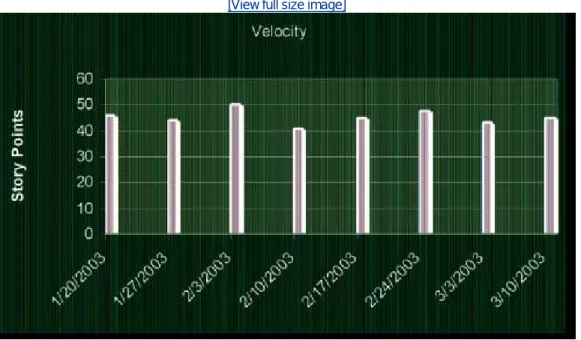
The developers set the budget for an iteration by measuring how much they got done in the previous iteration. The customer may select any number of stories for the iteration so long as the total of the estimate does not exceed that budget.
Once an iteration has been started, the business agrees not to change the definition or priority of the stories in that iteration. During this time, the developers are free to cut the stories up into tasks and to develop the tasks in the order that makes the most technical and business sense.
The release plan
XP teams often create a release plan that maps out the next six or so iterations. That plan is known as a release plan. A release is usually three months' worth of work. It represents a major delivery that can usually be put into production. A release plan consists of prioritized collections of user stories that have been selected by the customer according to a budget presented by the developers.
The developers set the budget for the release by measuring how much they got done in the previous release. The customer may select any number of stories for the release, so long as the total of the estimate does not exceed that budget. The business also determines the order in which the stories will be implemented in the release. If the team so desires, it can map out the first few iterations of the release by showing which stories will be completed in which iterations.
Releases are not cast in stone. The business can change the release content at any time. The business can cancel stories, write new stories, or change the priority of a story. However, the business should strive not to change an iteration.
Acceptance Tests
The details about the user stories are captured in the form of acceptance tests specified by the customer. The acceptance tests for a story are written immediately preceding, or even concurrently with, the implementation of that story. They are written in a scripting language that allows them to be run automatically and repeatedly.[1] Together, they act to verify that the system is behaving as the customers have specified.
Acceptance tests are written by business analysts, quality assurance specialists, and testers during the iteration. The language they are written in is easy for programmers, customers, and
businesspeople to read and understand. It is from these tests that the programmers learn the true detailed operation of the stories they are implementing. These tests become the true requirements document of the project. Every detail about every feature is described in the acceptance tests, and those tests are the final authority as to whether those features are done and correct.
Once an acceptance test passes, it is added to the body of passing acceptance tests and is never allowed to fail again. This growing body of acceptance tests is run several times per day, every time the system is built. If an acceptance tests fails, the build is declared a failure. Thus, once a
requirement is implemented, it is never broken. The system is migrated from one working state to another and is never allowed to go unworking for longer than a few hours.
Pair Programming
Code is written by pairs of programmers working together at the same workstation. One member of each pair drives the keyboard and types the code. The other member of the pair watches the code being typed, finding errors and improvements.[2] The two interact intensely. Both are completely engaged in the act of writing software.
[2] I have seen pairs in which one member controls the keyboard and the other controls the mouse.
The roles change frequently. If the driver gets tired or stuck, the pair partner grabs the keyboard and starts to drive. The keyboard will move back and forth between them several times in an hour. The resultant code is designed and authored by both members. Neither can take more than half the credit.
Pair membership changes frequently. A reasonable goal is to change pair partners at least once per day so that every programmer works in two different pairs each day. Over the course of an iteration, every member of the team should have worked with every other member of the team, and they should have worked on just about everything that was going on in the iteration.
Pair programming dramatically increases the spread of knowledge throughout the team. Although specialties remain, and tasks that require certain specialties will usually belong to the appropriate specialists, those specialists will pair with nearly everyone else on the team. This will spread the specialty throughout the team such that other team members can fill in for the specialists in a pinch. Studies by Williams[3] and Nosek[4] have suggested that pairing does not reduce the efficiency of the programming staff but does significantly reduce the defect rate.
[3] [Williams2000], [Cockburn2001] [4] [Nosek98]
Test-Driven Development (TDD)
Chapter 4 discusses this topic in great detail. What follows is a quick overview.
This iteration between writing test cases and code is very rapid, on the order of a minute or so. The test cases and code evolve together, with the test cases leading the code by a very small fraction. (See Chapter 6 for an example.)
As a result, a very complete body of test cases grows along with the code. These tests allow the programmers to check whether the program works. Programming a pair that makes a small change can run the tests to ensure that nothing has broken. This greatly facilitates refactoring (discussed later in this chapter).
When you write code in order to make test cases pass, that code is by definition testable. What's more, there is a strong motivation to decouple modules so that they can be tested independently. Thus, the design of code that is written in this fashion tends to be much less coupled. The principles of object-oriented design (OOD) play a powerful role in helping you with this decoupling (see Section II).
Collective Ownership
A pair has the right to check out any module and improve it. No programmers are individually responsible for any one particular module or technology. Everybody works on the graphical user interface (GUI).[5] Everybody works on the middleware. Everybody works on the database. Nobody has more authority than anybody else over a module or a technology.
[5] I'm not advocating a three-tiered architecture here. I simply chose three common partitions of software technology.
This doesn't mean that XP denies specialties. If your specialty is the GUI, you are most likely to work on GUI tasks. But you will also be asked to pair on middleware and database tasks. If you decide to learn a second specialty, you can sign up for tasks, and work with specialists, who will teach it to you. You are not confined to your specialty.
Continuous Integration
The programmers check their code in and integrate several times per day. The rule is simple. The first one to check in wins; everybody else merges.
XP teams use nonblocking source control. This means that programmers are allowed to check any module out at any time, regardless of who else may have it checked out. When checking the module back in after modifying it, the programmer must be prepared to merge it with any changes made by anyone who checked the module in earlier. To avoid long merge sessions, the members of the team check their modules very frequently.
A pair will work for an hour or two on a task. They create test cases and production code. At some convenient breaking point, probably long before the task is complete, they decide to check the code back in. They first make sure that all the tests run. They integrate their new code into the existing code base. If there is a merge to do, they do it. If necessary, they consult with the programmers who beat them to the check-in. Once their changes are integrated, they build the new system. They run every test in the system, including all currently running acceptance tests. If they broke anything that used to work, they fix it. Once all the tests run, they finish the check-in.