
RESTAURANT ORDERING SYSTEM USING MOBILE APPLICATION
NUR HANI:S BE4TI 1HSAN
A thesis submitted in partial fulfillment of the requirement for the award of
Bachelor of Computer Science (Software Engineering)
Faculty of Computer System & Software Engineering Universiti Malaysia Pahang
MAY 2011
PERPUSTAKAAN UNIVERSITI MALAYSIA PAHANG
No erole^an-j No. Panggilan
MA
Tarikh .
ABSTRACT
The Restaurant Ordering System Using Mobile Application is designed for servers to be used in any restaurant The server of this system is represented by waiters of the restaurant itself. By using this system, the servers will take orders from the customers using wireless technology typically with a mobile device.
The order that is taken by mobile is communicates to the main server through local wireless intranet. The main server is the server at the counter that control all the system such as bill calculation, order reception, and also order delivery from the servers to the restaurant departments. The restaurants have two different departments that is cashier department and kitchen department. At the kitchen department, the order will display at the kitchen's screen.
This system has two main categories, which are the administrator and user (waiter). The administrator uses very simple power full easy to use the system interface where as the user uses wireless interface for taking orders from the customers.
ABSTRAK
System Restaurant Ordering System Using Mobile Application (ROSUMA) adalah satu sistem oder yang direka untuk kegunaan pelbagai restoran. Sistem oder mi akan digunakan oleh pelayan-pelayan restoran itu sendiri. Dengan menggunakan sistem ROSUMA mi, pengambilan oder daripada pelanggan akan menggunakan teknoiogi tan, pa wayar dengan aplikasi telefon rnudah aiih.
Pengambilan oder menggunakan telefon mudah alih akan berkomunikasi dengan sistem utama menerusi laman sesawang tanpa wayar. Sistem utama bagi ROSUMA mi terletak bersarna sistem pembayaran di kaunter pembayaran. Sistem utama mi menjalankan fungsi sebagai mesin kiraan bil, dan semakan oder pelanggan. Restoran mi mempunyai dua bahagian iaitu bahagian bayaran dan bahagian dapur. Di bahagian dapur, sistem hanya akan menyenaraikan senarai oder pelanggan pada skrin dapur.
Sistem mi mempunyai dua kategori utama, iaitu pengurus restoran dan pekerja restoran. Pengurus restoran rnenggunakan kuasa sepenuhnya ke atas paparan sistem sebagaimana pekerja restoran atau pelayan akan menggunakan paparan sistem tanpa wayar untuk mengambil oder peanggan.
TABLE OF CONTENT
CHAPTER TITLE PAGE
SUPERVISOR'S DECLARATION STUDENT'S DECLARATION DEDICATION ACKNOWLEDGEMENT ABSTRACT ABSTRAK TABLE OF CONTENTS LIST OF TABLES LIST OF FIGURES LIST OF APPENDICES LIST OF ACRONYMS INTRODUCTION I 1.1 Introduction 1 1.2 Problem Statement 3 1.3 Objective 4
1.4 Scope of The Project 4
1.5 Thesis Organisation 5
2 LITERATURE REVIEW 6
2.1 Introduction 6
2.2 Previous Works 7
2.2.1 The Application of Wireless Food Ordering 7 System
2.2.1.1 The Advantages of the System 8 2.2.1.2 The Disadvantages of the System 9 2.2.1.3 Comparison between the Systems 9
with the Proposed System
2.2.2 eZee Burrp! Point of Sale (POS) System 10 2.2.2.1 The Advantages of the eZee 12
Burpp! System
2.2.2.2 The Disadvantages of the eZee 12 Burrp! System
2.2.2.3 The Comparison between the 12 Systems with the Proposed System
2.2.3 jRestaurant POS system 13
2.2.3.1 The Advantages ofjRestaurant POS 13 2.2.3.2 The Disadvantages ofjRestaurant 14
POS
2.2.3.3 Comparison between the Systems 14 with the Proposed System
2.3 Wireless Technology 14
2.3.1 802.11 Wireless Network (Wi-Fi) 15 2.3.1.1 The Advantages of Wi-Fi 16 2.3.1.2 The Disadvantages of Wi-Fi 16
2.3.2 Bluetooth Technology 16
2.3.2.1 The Advantages of Bluetooth 17 Technology
2.3.2.2 The Disadvantages of Bluetooth 17 Technology
2.3.3 Third Generation (3G) Wireless Network 17 2.3.3.11. The Advantages of 3G Wireless 18
Networks'
2.3.3.2 The Disadvantages of 36 Wireless 18 Networks
2.4 The Advantages of Wi-Fi over Two Approach 18
2.5 Summary 21
2.6 Mobile Application 22
2.7.1 Advantages of Web Service 24 2.7.2 Disadvantages of Web Service 24
2.8 The Propose System 24
2.9 Conclusion 25
3 METHODOLOGY 26
3.1 Introduction 26
3.2 Rapid Application Development (RAD) 27
3.3 Requirement Planning Phase 28
3.4 User Design Phase 29
3.4.1 Unified Modeling Language (UML) 29
3.4.1.1 Use Case 29
3.4.1.2 Sequence Diagram 32
3.5 Construction Phase 35
3.6 Cut-Over Phase 35
3.7 Software and Hardware Requirement 36
3.7.1 Hardware Requirements 36
3.7.2 Software Requirements 38
3.8 Conclusion 38
4 IMPLEMENTATION 39
4.1 Introduction 39
4.2 Client and Server Architecture 40
4.3 Interface Design 42
4.4 Database Design 45
4.4.1 Table in ROSUMA database 46
4.4.2 Data Dictionary 47
4.4.3 Database Connection 50
4.4.3.1 Called the database 50
4.5 Database Manipulation 51
4.6 Web Service 55
4.7.1 Kitchen System 62
4.7.2 Cashier System 64
4.7.3 Waiter System 69
5 RESULT & DISCUSSION 73
5.1 Introduction 73
5.2 System Result 73
5.3 System Testing 74
5.3.1 Kitchen System 75
5.3.2 Cashier System 76
53.3 Waiter i(mobile) System Si
5.4 System Constraints 82 5.5 Conclusion 83 6'CONCLUSION 84 6.1 Introduction 84 6.2 Summary 84 6.3 Achieved Objectives 85 6.4 Lesson learning 85 6.5 Future Enhancement 86 REFERENCES 87 APPENDICES 92
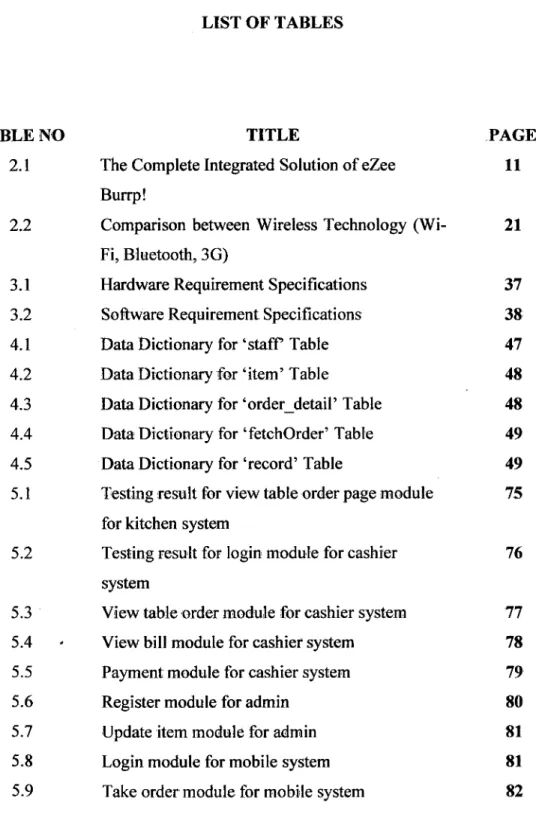
LIST OF TABLES
TABLE NO TITLE PAGE
2.1 The Complete Integrated Solution of eZee 11 Burrp!
2.2 Comparison between Wireless Technology (Wi- 21 Fl, Bluetooth, 36)
3.1 Hardware Requirement Specifications 37 3.2 Software Requirement Specifications 38
4.1 Data Dictionary for 'staff Table 47
4.2 Data Dictionary for 'item' Table 48
4.3 Data Dictionary for 'order—detail' Table 48 4.4 Data Dictionary for 'fetchOrder' Table 49
4.5 Data Dictionary for 'record' Table 49 5.1 Testing result for view table order page module 75
for kitchen system
5.2 Testing result for login module for cashier 76 system
5.3 View table order module for cashier system 77 5.4 View bill module for cashier system 78 5.5 Payment module for cashier system 79
5.6 Register module for admin 80
5.7 Update item module for admin 81
5.8 Login module for mobile system 81
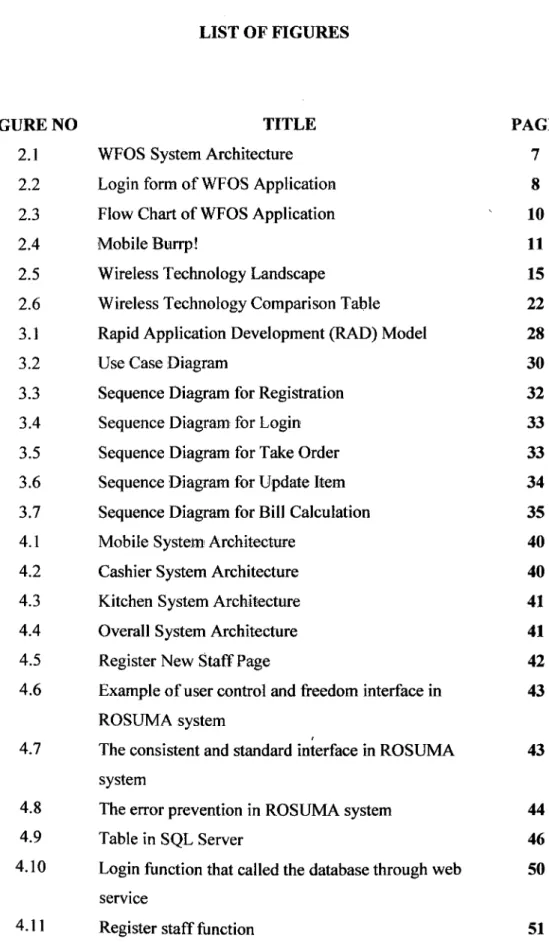
LIST OF FIGURES
FIGURE NO TITLE
2.1 WFOS System Architecture 2.2 Login form of WFOS Application 2.3 Flow Chart of WFOS Application 2.4 Mobile Burrp!
2.5 Wireless Technology Landscape
2.6 Wireless Technology Comparison Table 3.1 Rapid Application Development (RAD) Model 3.2 Use Case Diagram
3.3 Sequence Diagram for Registration 3.4 Sequence Diagram for Login 3.5 Sequence Diagram for Take Order 3.6 Sequence Diagram for Update item 3.7 Sequence Diagram for Bill Calculation 4.1 Mobile System Architecture
4.2 Cashier System Architecture 4.3 Kitchen System Architecture 4.4 Overall System Architecture 4.5 Register New Staff Page
4.6 Example of user control and freedom interface in ROSUMA system
4.7 The consistent and standard interface in ROSUMA system
4.8 The error prevention in ROSUMA system 4.9 Table in SQL Server
4.10 Login function that called the database through web service
4.11 Register staff function
PAGE 7 8 10 ii 15 22 28 30 32 33 33 34 35 40 40 41 41 42 43 43 44 46 50 51
4.12 Submit order function to the database 52
4.13 Payment Function 52
4.14 Get order function from the database 53
4.15 Update item into database 54
4.16 Login web service operation 55
4.17 Insert order function 56
4.18 Web service get order function from the database 58
4.19 Payment function 59
4.20 Register function 61
4.21 View table order module for kitchen system 62
4.22 Table 9 deleted 63
4.23 Table I ordered 63
4.24 Login module for cashier system 64
4.25 View table order page 65
4.26 Null table order 65
4.27 Table with order 66
4.28 View bill page 66
4.29 Payment page 67
4.30 Register new staff page 67
4.31 Update item 68
4.32 Login module for mobile 69
4.33 Take order module for mobile 70
4.34 Select table page for mobile system 70
4.35 Main menu page 71
4.36 Set menu page 71
4.37 Water menu page 72
LIST OF APPENDICES
APPENDIX TITLE PAGE
A GANTT CHART 87
LIST OF ACRONYMS
ROSUMA Restaurant Ordering System Using Mobile Application
WFOS Wireless Food Ordering System
POS Point of Sale
OS Operating System
PDA Personal Digital Assistant
PC Personal Computer
BAS Back-end Application Software
IP Internet Protocol
P1-IF Personal Home Page
CRD Centralized Relational Database
API Application Programming Interface
KOT Self Customer Service
Wi-Fi 902.11 Wireless Network
3G Third Generation
4G Fourth Generation
WECA Wireless Ethernet Compatibility Alliance
IEEE institute of Electrical and Electronic Engineering
IT Information Technology
WLAN Wireless Local Area Network
LAN Local Area Network
SSID Service Set Identifier
SOHO Small Business
Isp Internet Service Provider
WISP Wireless Internet Service Provider
WEP Wired Equivalent Privacy
WPA Wireless Protected Access
MHz Megahertz
GHz Gigahertz
DOS Disk Operating System
BASIC Beginner's All Purpose Symbolic Instruction Code
IDE integrated Development Environment
RAD Rapid Application Development
RUP Rational Unified Process
UML Unified Modeling Language
SDLC Software Development Life Cycle
CCK-OFDM Complementary Code Keying-Orthogonal Frequency Division
CHAPTER 1
INTRODUCTION
1.1 Introduction
Restaurant Ordering System Using Mobile Application (ROSUMA) is a computerize system that applies in ;a restaurant ordering service. This ROSUMA involves in four subsystems, which is the waiter (mobile device), the cashier (system controller), the kitchen department (screen display), and the web service system. And also, the system is includes with two clients, that is PC client and mobile device client. On the PC client, it is divided into two parts that is one for the cashier that also act as the controller of the system and the other one is for the kitchen department. The connection between these three systems is using the wireless intranet.
The ROSUMA web service system that is given name as website2, reacts as the server of the ROSUMA system that control all the systems function. This ROSUMA web service system has been published as a system's web site that didn't have in any one of the ROSUMA subsystems. The purpose of the web service is as the connector of the systems to connect them through to the database.
First, before use the system, the manager or admin of the restaurant will register all the staff information into the system database. For this system, the server database is placed separately with the mobile device and places it at the centre system of ROSIJMjS that is cashier system. The database of the system will store all the system's data such as order record, staff information, and inventory.
2
On the cashier System, users can log in as "Staff" or "Admin". Staff of the restaurant is representing as the waiter and the admin is representing as the manager of the restaurant. The restaurant waiter can check orders and calculate bill orders for customers. On the other hand, the restaurant manager can register for new staff, update menu categories such as update item name, price or update items quantity, and also can check all the old orders. On the mobile device client, the waiter can just take the customer order and save it into the database.
By using mobile application, the waiter can take the order from the customer. The order will save into the database. In the kitchen department, the screen will display the list of order by table number. After the order has been taken, the database will update the inventory by deducting the menu for each of the ordered. Then, the waiter will be alert if some of the menu is out of stock when take the new order. Besides that, the previous order taken by the waiter will be saved to the database, so that the receptionist can check up and calculate the bill. With this database, the restaurant manager can know the transaction and also can control the operation and performance of the restaurant.
This system is using Microsoft Visual Studio 2008 as a platform to develop the cashier and kitchen interface of the system as long as for the mobile application by using the Visual Studio Phone Emulator to create the interface design. Window Mobile operating system must be installed in the mobile device as the platform to run the mobile application for ROSUMA system. All the database of the system will be stored using Microsoft SQL Server 2005.
By using mobile device, it helps to make the system possible to increase to overall productivity of an organization. The mobile device will have to communicate with other systems, which are the server database, the cashier, kitchen department and bar department.
Last but not least, this ROSUMA is ideal for all restaurants that have use the computerized order system at their restaurant before. The ROSHMA can be installed on any computer running Microsoft Windows and mobile device that run with Windows Mobile only. This system needs the additional hardware to run it such as the mobile device and touch screen PC for cashier department, and a screen for kitchen department to display customers order lists.
3
1.2 Problem Statement
Nowadays, many restaurant still using the traditional way of taking order services, as we can see that the waiter use a pen and a paper when takes the customer order. This is a low efficiency method, inconvenient and may contain mistakes. For example, the waiter had lost his order paper in the hustle or in another situation, the waiter's handwriting is hard to understand by the other people, that may cause the kitchen and the receptionist mess up the orders also may cause calculation errors. This situation if it happen often, it may cause the customer had fed up to come again and this will cause the big impact for the restaurant.
By using Restaurant Ordering System Using Mobile Application, it makes the ordering system more efficiency and can help the manager to avoid human error and enhance the business developm, ent. in this system, the ordering transaction is a step by step model to make the transaction more systematic and the system can guide the staff to avoid any order mistakes. Besides the efficiency service, by using this system it can gave a better quality service to customer and it will attract more customers to the restaurant to get this quality of services.
This system is using mobile application to take orders. The customer's orders will be sent to the kitchen through the mobile device. The waiters don't have to go to the kitchen or bar department to give the order because the order lists will be display to the department's screen. The transaction between the waiter and the restaurant departments and also between waiter and the cashier will be systematic.
4
1.3 Objective
The general objective of the Restaurant Ordering System Using Mobile Application (ROSUMA) is use to:
1. Develop a restaurant ordering system with mobile application based on the client server application.
2. Automate the manual ordering method using mobile and web service application.
1.4 Scope of the Project
The scope of the project is only for all restaurants that calculate the inventory stocks by set. This system will only be use by the manager and the staffs of the restaurant. The manager of the restaurant can control the operation and performances of the restaurant. The staff is dividing by two. One is the waiter, that takes the order for customer and the other one is the chef that works at kitchen department. The chef can see the order lists, sorting by table number that is display in the screen. It can help makes the ordering system more efficiency and avoid human error. For the administration, it can help the admin to manage the inventory throughout the system.
Microsoft Visual Studio 2008 is use as the platform to develop the systems with using the Visual Basic language. The most important thing is the Windows Mobile that must have in the mobile device to run the system successfully. Besides that, the connection between the mobile device and the other device are using the 802.11 wireless network intranets (Wi-Fl). The Microsoft SQL Server 2005 database has been chosen as the database software to store the data.
These ROSUMA four subsystems, which is the waiter(mobile device) system, cashier system, kitchen's system, and web service. And also, the system is includes with two clients, that is PC client and mobile device client.
5
1.5 Thesis Organization
This thesis is divided into 6 chapters and each chapter is devoted to discuss different issue in the project. Below are the summary for all chapter in this thesis:
Chapter 1 is the introduction. This chapter will discuss on introduction to the system. The problem statement, objective and scope will be identified.
Chapter 2 the literatures review. This chapter is discussing about all the research and literature review that related to the project.
Chapter 3 is the methodology that will discuss the approach and framework for the project. It explains about the method that is implemented while designing the system. Justification about hardware and software that used to develop the system will also be discussed.
Chapter 4 is an implementation that will show all document processes that involve in the development of this project, generally, this chapter explains about the designed project development.
Chapter 5 is the result and conclusion. This chapter will discuss about the results and data analysis that had been acquired. The result included result analysis, project limitation and suggestions for project enhancement.
Chapter 6 is the conclusion part that will briefly summarize the overall developed project.
CHAPTER 2
LITERATURE REVIEW
2.1 Introduction
There are several different ways of taking order that use by the restaurants. Usually there are two ways of taking order that use by many restaurants that is manual system and computerized system. Some restaurants in Malaysia still use the manual system of taking order and there are also have some restaurants that use computerized ordering system. The manual system is such like waiter of the restaurant using pen and paper for taking an order. Usually the restaurant will make two copy of the order list. One of the copies will be sent to the kitchen section for kitchen list and the other copies will be sent to the cashier for bill calculation.
But nowadays, there is computerized system has been use in many 'restaurant regarding on increasingly of the new technology. This computerized ordering system
is still using manual system to take an order such as using pen and paper for taking order. Then, the order list will be key-in into a computer and save to the database of the computer. After that, the order list will he sent to the kitchen printer to print out the order list. The list of order that has been saving in computer also will be sent to the cashier for bill calculation and print receipt for the customer. This computerized system has been use widely in many restaurants that majority is fast food restaurant. This computerized system had made the order system become more systematic and faster.
7
2.2 Previous Works i
After doing researches regarding the requirements of the application, a study of current system was conducted for comparison and inspiration. The study was conducted on current information lof mobile application.
2.2.1 The Application of Wireless Food Ordering System
This application was a simple application, stand-alone, and web-based wireless application. The connection between client and server was continuous in two-tiered web-based client-server architecture. Since database has been added in the application to the Web server, client and server are now known as three-tier client architecture. Three-tier client architecture consists of three distinct pieces, which is the client tier, processing tier, and data storage tier as shown as figure 2.1 below.
LIaz
8
..iYIJIrpt: rj:
Figure 2.1: WFOS System Architecture [1]
The application of Wireless Food Ordering System '(WFOS) was developed using 802.11 g, PHP, Java5cript, MS Access 2003 and Visual Basic 6.0 Software, Winsock, and Windows Sockets API. The system architecture includes the following components:
I. The application software written using PHP and JavaScript for a PDA user interface and its communication with a centralized database located on a server or a PDA client;
2. A centralized relational database (CRD) developed using Microsoft Access 2003;
8
3. Back-end application software (BAS) was written using Visual Basic 6.0 to administer the database from the administrative terminal;
Wireless connectivity using 802.11 g: ii. Between a PDA client and a web server, and iii. Between a PDA client and personal computer.
This system has login form as shown in the figure 2.2 below, that has been created, named as 'login form client'. It consists of name of the user, and the IP address for internet login.
Sila niasukkaii naina pelayan restoian dan IP Address yang hetul.
Nama
IP Address: 110.62.207.55 Connect
I
Status: Waiting...
Figure 2.2: Login Form of WFOS Application [1]
2.2.1.1 The Advantages of the System
Using this WFOS application, there are some advantages that we can get from this system. This system provides a more convenient and accurate method for restaurant staff since orders are transferred to server in kitchen immediately and displayed to the chefs for further process. Other than that, it also can minimize the waiting time spent at the restaurant because of the greater speed of service. By using this system, the restaurant efficiency and productivity also can be increased.
9
2.2.1.2 The Disadvantages of the System
This system provides few advantages. This system was developed by using Malay Language that only can use in Malaysia only. Therefore, there is low market for this system to the international market since they use English Language for business communication. Besides that, the server of the system is located at the PDA client. This will make the performance of PDA decrease.
2.2.1.3 Comparison between the Systems with the Proposed System
Compare to the proposed system, Restaurant Ordering System Using Mobile Application (ROSUMA), this system will develop using the international language that is English to make market for this system. Besides that, the database of the system will be located separately from other devices. It is just want to make sure that the database will not interrupt the system.
10
Main Menu
Sava Order to Server
Order Print at Kitchen Abandon All Selections Order
Submitted Print at Cashier Clear Order Summary Cancelled
Clear Order Summary
Submit Order Cancel
order? $timm;ty
Meal Drink
Se!vctcn scicc(Qn
Item Picture I Description
Meat Details Drink Details
Figure 2.3: Flow chart of WFOS Application [1]
2.2.2 eZee Burrp! Point of Sale (POS) System
eZee Burrp![2] is a Point Of Sale (POS) system that was fully integrated and Intuitive Restaurant/Bar POS Software. This system is suitable to manage restaurant, bar, quick service restaurant, delivery, and take away outlets. it is a simple approach system, easy to use, and includes rock-solid security. Besides that, eZee Burrp! Supports all languages that supported by Windows OS. There are the complete Integrated solution that has been provides by eZee Burpp! shown as table 2.1 below:
11
Table 2.1: The Complete Integrated Solution of eZee Burrp! [2]
From Sent To
Kitchen order ticket Receipt
ii1evice kitchen display system
indent generation purchase order Good receipt note issue voucher
iTiomize receipt/KOT meaningful reports
eZee Burrp! system also provides Mobile Burrp! that use PDA as the device. Mobile Burrp! puts in functionaklity on a handled to Mobile POS system such as order taking, preparing receipts, setting receipts away from the P05 system. Figure 2.4 shows the PDA application of the eZee Burpp!
![Figure 2.1: WFOS System Architecture [1]](https://thumb-us.123doks.com/thumbv2/123dok_us/9406499.2816823/20.891.312.739.645.762/figure-wfos-system-architecture.webp)
![Figure 2.2: Login Form of WFOS Application [1]](https://thumb-us.123doks.com/thumbv2/123dok_us/9406499.2816823/21.891.328.732.386.644/figure-login-form-wfos-application.webp)
![Figure 2.3: Flow chart of WFOS Application [1]](https://thumb-us.123doks.com/thumbv2/123dok_us/9406499.2816823/23.891.186.777.127.775/figure-flow-chart-wfos-application.webp)
![Figure 2.4: Mobile Burrp! [2]](https://thumb-us.123doks.com/thumbv2/123dok_us/9406499.2816823/24.891.171.786.138.345/figure-mobile-burrp.webp)
