ptg8286219
Developing and
Hosting
ptg8286219
IBM WebSphere
Deployment and Advanced
Configuration
Roland Barcia, Bill Hines, Tom Alcott, and Keys Botzum
Developing and
Hosting
Applications
on the Cloud
Alex Amies, Harm Sluiman, Qiang Guo Tong,
Guo Ning Liu
IBM Press Pearson plc
Upper Saddle River, NJ • Boston • Indianapolis • San Francisco New York • Toronto • Montreal • London • Munich • Paris • Madrid Cape Town • Sydney • Tokyo • Singapore • Mexico City
ptg8286219 The authors and publisher have taken care in the preparation of this book, but make no expressed or
implied warranty of any kind and assume no responsibility for errors or omissions. No liability is assumed for incidental or consequential damages in connection with or arising out of the use of the information or programs contained herein.
© Copyright 2012 by International Business Machines Corporation. All rights reserved.
Note to U.S. Government Users: Documentation related to restricted right. Use, duplication, or disclosure is subject to restrictions set forth in GSA ADP Schedule Contract with IBM Corporation.
IBM Press Program Managers: Steven M. Stansel, Ellice Uffer Cover design: IBM Corporation
Editor-in-Chief: Dave Dusthimer Marketing Manager: Stephane Nakib Acquisitions Editor: Mary Beth Ray Publicist: Heather Fox
Managing Editor: Kristy Hart Designer: Alan Clements Project Editor: Betsy Harris
Copy Editor: Krista Hansing Editorial Services, Inc. Senior Indexer: Cheryl Lenser
Compositor: Nonie Ratcliff
Proofreader: Language Logistics, LLC Manufacturing Buyer: Dan Uhrig
Published by Pearson plc Publishing as IBM Press
IBM Press offers excellent discounts on this book when ordered in quantity for bulk purchases or special sales, which may include electronic versions and/or custom covers and content particular to your business, training goals, marketing focus, and branding interests. For more information, please contact
U. S. Corporate and Government Sales 1-800-382-3419
For sales outside the United States, please contact
International Sales
ptg8286219 The following terms are trademarks or registered trademarks of International Business Machines
Corporation in the United States, other countries, or both: IBM, the IBM Press logo, IBM SmartCloud, Rational, Global Technology Services, Tivoli, WebSphere, DB2, AIX, System z, Rational Team Concert, Jazz, Build Forge, AppScan, Optim, IBM Systems Director, and developerWorks. A current list of IBM trademarks is available on the web at “copyright and trademark information” at
www.ibm.com/legal/copytrade.shtml.
Windows and Microsoft are trademarks of Microsoft Corporation in the United States, other countries, or both. Java and all Java-based trademarks and logos are trademarks or registered trademarks of Oracle and/or its affiliates. Linux is a registered trademark of Linus Torvalds in the United States, other countries, or both. UNIX is a registered trademark of The Open Group in the United States and other countries. Intel, Intel logo, Intel Inside, Intel Inside logo, Intel Centrino, Intel Centrino logo, Celeron, Intel Xeon, Intel SpeedStep, Itanium, and Pentium are trademarks or registered trademarks of Intel Corporation or its subsidiaries in the United States and other countries.
Other company, product, or service names may be trademarks or service marks of others.
All rights reserved. This publication is protected by copyright, and permission must be obtained from the publisher prior to any prohibited reproduction, storage in a retrieval system, or transmission in any form or by any means, electronic, mechanical, photocopying, recording, or likewise. To obtain permission to use material from this work, please submit a written request to Pearson Education, Inc., Permissions Department, One Lake Street, Upper Saddle River, New Jersey 07458, or you may fax your request to (201) 236-3290.
ptg8286219
This book is dedicated to all the members of the IBM
®SmartCloud
™Enterprise development team whose hard work and professionalism
ptg8286219
vii
Contents
Preface xiii
Introduction 1
Part I: Background Information
Chapter 1 Infrastructure as a Service Cloud Concepts 7
Workloads 8
Use Cases 10
Actors 10
Web Site Hosting 10
Short-Term Peak Workloads 11
Proof-of-Concept 12
Extra Capacity 14
Open Source/Enterprise Collaboration 15
Storage System for Security Videos 15
Business Scenario: IoT Data Hosting Provider 16
Virtualization 17
Infrastructure as a Service Clouds 22
Other Cloud Layers 24
Virtual Machine Instances 26
Virtual Machine Images 26
Storage 27
Block Storage 27
File-Based Storage 28
Network Virtualization 29
IP Addresses 30
Network Virtualization 30
ptg8286219 Part II: Developing Cloud Applications
Chapter 2 Developing on the Cloud 35
Linux, Apache, MySQL, and PHP 35
Windows 40
Java 2 Enterprise Edition 40
Java SDK 41
WebSphere Application Server 41
Relational Database 47
Data Persistence 49
Messaging 54
Scheduled Events 58
Business Scenario: Developing the IoT Data Portal 59
Integration of Application Lifecycle Management Tools with Clouds 67
Rational Application Developer 69
Rational Team Concert 72
Build and Deployment Automation 75
Business Scenario: Application Lifecycle Management Tools 84
Chapter 3 Developing with IBM SmartCloud Enterprise APIs 85
Resource Model 86
Entity Lifecycles 87
Command Line 91
Environment Setup 91
Querying the Catalog 92
Provisioning an Instance 92
Provisioning Storage 96
Provisioning an Instance with Parameters 97
Managing IP Addresses 98
Saving Images 99
Java API 100
Environment Setup 100
Querying the Catalog 101
Working with Virtual Machine Instances 104
Locations and Capabilities 108
Working with Images 110
Uploading Files When Creating a New Instance 111
Minimizing REST Calls 112
Example: Developing a Maven Cloud Plug-In 114
REST API 122
Background 122
Using PHP to Invoke the IBM SmartCloud Enterprise REST APIs 125
Example: create instance Form 130
ptg8286219
Example: Page to Show a List of Instances 139
Using Java to Invoke the IBM SmartCloud Enterprise REST APIs 144
Rational Asset Manager 146
Business Scenario: Using Elastic Cloud Services to Scale 152
Chapter 4 Standards 157
Data Exchange 157
Extensible Markup Language (XML) 157
JavaScript Object Notation (JSON) 160
REST 162
Background 163
HyperText Transfer Protocol 163
REST Architecture 164
Implementing and Consuming REST Services 165
Example: Uploading Files When Creating Instances with REST 169
JAX-RS 171
Virtualization 178
Open Virtualization Format 179
Cloud Computing 179
Cloud Computing Reference Architecture 180
Distributed Management Task Force Open Cloud Standards Incubator 180
Cloud Data Management Interface 181
Business Scenario: IoT Data Use of Standards 181
Chapter 5 Open Source Projects 183
Virtualization Projects 183
Kernel-Based Virtual Machine (KVM) 183
QEMU 185
libvirt 186
Xen 188
Cloud Projects 188
Eucalyptus 188
Apache Libcloud 189
Delta Cloud 190
OpenStack 190
Cloud Foundry 191
Hadoop 191
Setting up Hadoop 192
Business Scenario: Data Management 194
Chapter 6 Cloud Services and Applications 197
Creating and Customizing Images 197
Operating Systems Specifics 200
Modeling Deployment Topologies 200
ptg8286219
Services 206
Linux Services 207
Windows Services 209
Networking 209
Basic Network Settings 209
Software Installation and Management 211
Red Hat Package Management and YUM 211
Software Management on SUSE 211
Cloud Software Bundles 212
Open Service Gateway Initiative (OSGi) 213
Storage 223
Block Storage 224
File-Based Storage 226
File Systems 227
Network Storage Systems 230
Structured Storage 231
Managing Storage on IBM SmartCloud Enterprise 232
Remote Desktop Management 233
X Windows 233
Virtual Network Computing (VNC) 234
NX Remote Desktop 236
Composite Applications 237
Email 238
Setting up an SMTP Server 238
Software as a Service 239
Document-Management Systems 239
Email and Collaboration Suites 241
Business Scenario: The IoT Data Application 242
Part III: Exploring Hosting Cloud Applications
Chapter 7 Security 243
Background 243
Business Scenario: IoT Data Security Context 244
Public Key Infrastructures and Certificates 245
Example: Trusted Certificate Signing Authorities in WebSphere Application Server 249
Identity and Access Management 252
Configuring Authentication and Access in J2EE Applications 254 Managing Users with Lightweight Directory Access Protocol 256
Enabling an Application for Multitenant Access 260
Federated Identity Management 260
OAuth 261
ptg8286219
Network Security 266
Firewalls 266
Example: Connecting to a VLAN through a Firewall 271
Operating System Network Security Mechanisms 271
Business Scenario: Network Deployment and Firewall Rules 272
Proxy Servers 273
Virtual Private Networks 276
Browser Security 278
Application Hardening 280
Cross-Site Scripting 280
Cross-Site Request Forgery 281
SQL and Other Injection Attacks 282
Secure Communication Protocols 282
Secure Shell (SSH) 283
HTTPS 290
Internet Protocol Security (IPSec) 293
Operating System and Virtual Machine Security 293
Basic Operating System Tools 293
Security-Enhanced Linux 294
Security of Data at Rest 298
Security Events 298
Security Compliance 299
Business Scenario: IoT Data Security Architecture 300
Chapter 8 Performance, Availability, Monitoring,
and Metering 301
Performance and Scalability 301
Compute Capacity 302
Network Performance 302
J2EE Application Performance and Scalability 304
Performance Analysis and Testing 307
Availability 310
Backup, Recovery, and Restore 311
Storage Availability 314
Availability of Relational Databases 315
Virtual IP Addresses 316
Monitoring and Metering 317
Operating System Monitoring 318
Network Monitoring 323
Application Monitoring 323
Comprehensive Monitoring Solutions 327
Business Scenario: IoT Data Performance, Availability, Monitoring, and Metering Plan 328
ptg8286219
Chapter 9 Operations and Maintenance on the Cloud 331
Business Support Systems 331
Maintaining Compatibility with Future Versions of Software 333
An Evolving API 334
Java 334
REST 335
XML 336
JSON 336
Command Line 337
Data 337
Business Scenario: IoT Data Operations and Maintenance Plan 337
Further Reading 339
References 345
Index 355
ptg8286219
xiii
Preface
ptg8286219
xv
Acknowledgments
Thanks to many dedicated colleagues at IBM who have worked on IBM SmartCloud Enterprise and other related products and projects. In particular, thanks to all the customers and people inside IBM who are using the IBM SmartCloud Enterprise, for their feedback and questions, especially the Rational®team. We gained a great deal of insight about the use of the cloud from these questions and discussions, and it forced us to look at the cloud from an outside-in point of view.
Thanks also to the entire IBM SmartCloud development team for its hard work and dedica-tion in building this wonderful platform, working through unreasonable schedules and difficult technical problems in the process.
Thanks to these specific people who helped with suggestions and review: • Chris Roach, Program Manager, Cloud Technology, IBM
• Doug Davis, Senior Technical Staff Member, Web Services and Cloud Standards, IBM • Dikran Meliksetian, Senior Technical Staff Member, Integrated Technology Delivery,
IBM
• Jamshid Vayghan, PhD, IBM Distinguished Engineer and Director, CTO Sales Trans-formation, IBM
• Michael Behrendt, Cloud Computing Architect, IBM
• Prasad Saripalli, PhD, Principal Architect, IBM Cloud Engineering
• Scott Peddle, Advisory Software Engineer, IBM Global Technology Services®
• Shane Weeden, Senior Software Engineer and IBM Tivoli®Federated Identity Manager development lead, who helped us understand OAuth and FIM.
ptg8286219 This was a personal effort by the authors and is not representative of IBM or its views. IBM
did not participate in and does not endorse this work. However, the authors thank IBM for access to the IBM SmartCloud Enterprise system and the opportunity to work on such a challenging and satisfying project.
ptg8286219
xvii
About the Authors
Alex Amiesis a Senior Software Engineer with IBM and an architect on the IBM Smart-Cloud Enterprise development team.
Harm Sluiman is a Distinguished Engineer with IBM and the technical lead for Smart-Cloud Enterprise.
Qiang Guo Tongis an Advisory Software Engineer with IBM and one of the lead develop-ers for SmartCloud Enterprise.
ptg8286219
1
Introduction
The goal of this book is to help enterprises develop and operate services on the cloud. In particu-lar, we hope that independent software vendors will be inspired to build value-add services on public clouds. Additionally, we hope that developers of applications who make heavy use of Infrastructure as a Service (IaaS), such as developers of Platform as a Service, Software as a Service, and Business as a Service, will find this book useful. The target audience is developers who use cloud-management application programming, architects who are planning projects, and others who want to automate the management of IT infrastructure. The book is intermediate in level but still offers a broad overview of the entire topic of IaaS clouds and aims to give a basic background on most of the prerequisites needed to understand the topics discussed.
The book makes special reference to the IBM SmartCloud Enterprise. However, the principles are general and are useful to anyone planning to automate the management of IT infra-structure using cloud technology. In contrast to technical product documentation, the book tells a story about why you might want to use the technologies described and includes sufficient back-ground material to enable you to build the cloud applications described without having to consult numerous external references. The references are listed as suggestions for further reading, not as prerequisites to understanding the information presented.
ptg8286219 providing numerous code examples and demonstrating system utilities for deployment, security,
and maintenance.
The plan of the book runs from simple to more challenging. We hope that it gives applica-tion developers an idea of the different possible applicaapplica-tions that can be developed. As a result, we look at some adjacent areas and related standards. Many of the topics discussed are not new; however, they are strategic to cloud computing and, when necessary, we review them so that read-ers do not need to seek background information elsewhere. We also will demonstrate several rel-atively older technologies, such as Linux services and storage systems, that are finding new uses in cloud computing.
Above all, this book emphasizes problem solving through cloud computing. At times you might face a simple problem and need to know only a simple trick. Other times you might be on the wrong track and need some background information to get oriented. Still other times, you might face a bigger problem and need direction and a plan. You will find all of these in this book. We provide a short description of the overall structure of a cloud here, to give the reader an intuitive feel for what a cloud is. Most readers will have some experience with virtualization. Using virtualization tools, you can create a virtual machine with the operating system install soft-ware, make your own customizations to the virtual machine, use it to do some work, save a snap-shot to a CD, and then shut down the virtual machine. An Infrastructure as a Service (IaaS) cloud takes this to another level and offers additional convenience and capability.
Using an IaaS cloud you can create the virtual machine without owning any of the virtual-ization software yourself. Instead, you can access the tools for creating and managing the virtual machine via a web portal. You do not even need the install image of the operating system; you can use a virtual machine image that someone else created previously. (Of course, that someone else probably has a lot of experience in creating virtual machine images, and the image most likely went through a quality process before it was added to the image catalog.) You might not even have to install any software on the virtual machine or make customizations yourself; some-one else might have already created something you can leverage. You also do not need to own any of the compute resources to run the virtual machine yourself: Everything is inside a cloud data center. You can access the virtual machine using secure shell or a remote graphical user interface tool, such as Virtual Network Computing (VNC) or Windows®Remote Desktop. When you are finished, you do not need to save the virtual machine to a CD; you can save it to the cloud storage system. Although you do not have to own any of the infrastructure to do all this yourself, you still have to pay for it in some way. The cloud provider handles that automatically as well, based on the quantity of resources that you have used. This is the cloud pay-as-you-go concept.
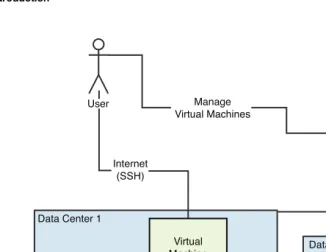
The cloud provider has to invest in a lot of infrastructure to support this. Figure I.1 shows a high-level overview of an Infrastructure as a Service cloud.
ptg8286219
Figure I.1 Conceptual diagram of an Infrastructure as a Service cloud
The figure shows two cloud data centers with rack-based servers. Each server has many CPUs and can support multiple virtual machines of different sizes. This is a major investment for the cloud provider and the first advantage that a cloud user might think of, compared to in-house virtualization: With a cloud, you can have as many computing resources as you need for as short or long of a duration as desired; you are not limited by the computing capacity of your local facil-ities. We refer to this characteristic as elasticity. You also connect to the cloud via the Internet, which is convenient if you are hosting a web site but requires you to consider security. This is where the virtual local area network shown in Figure I.1 can help you.
The cloud also provides a network storage system, which you can use for storing either vir-tual machine images or data. Although the cost of ownership of network storage systems is declining, owning your own network storage system is still expensive and affordable to usually only medium to large companies. Blocks of the storage system can be carved off and made avail-able as block storage volumes that can attach to virtual machines. Another aspect of data storage and backup in cloud environments is that multiple data centers are available for making redun-dant copies of data and providing high availability for mission-critical applications.
The cloud portal provides all this self-service as an additional aspect of cloud computing, which is a great savings for enterprises. No need to ask an administrator every time you need a new server, IP address, or additional storage—the cloud portal provides a control panel that gives
Introduction 3
User
Internet (SSH)
Manage Virtual Machines
Storage System Virtual Machine Data Center 1
Virtual Local Area Network
Cloud Portal
Data Center 2
Racks
ptg8286219 you an overview of resources that end users can manage on demand. Not only are fewer
adminis-trators needed, but the consumers of the resources also have access to the resources more quickly. This results in both a savings in capital and staff needed and a more agile business.
Another aspect of cloud computing that is immediately apparent to independent software vendors is that public clouds provide a platform for a marketplace. Visibility of resources and ser-vices on the cloud can be categorized at three levels: private, shared, and public. Publicly visible resources, especially virtual machine images, provide an opportunity for independent software vendors to sell services.
Terminology
This section gives some of the basic terminology for cloud computing, to give readers a common resource for the terms used. Upcoming chapters explain the terminology in more detail for spe-cialized aspects of cloud computing.
instance—A virtual machine instance. Sometimes referred to as a node.
image—A template for creating a virtual machine. A large file that saves the state of a virtual machine so that a new virtual machine can be created from it.
virtual local area network (VLAN)—An abstraction of the traditional local area net-work that does not depend on physical connections. A VLAN usually is a resource that a cloud user uses and is isolated from the Internet.
public cloud—A cloud from which multiple enterprises or individuals can consume services. IBM SmartCloud Enterprise is a public cloud that allows only enterprises as customers.
private cloud—A cloud that an enterprise operates for its sole use.
multitenant—A service that multiple tenants share. In this context, a tenant is usually an enterprise, and separation of the tenants’ resources is implied.
compute size—The number of virtual CPUs, amount of memory, and hard disks dedi-cated to a virtual machine.
elasticity—The capability to scale resources on demand, such as dynamically adding virtual machines or IP addresses.
Organization of the Book
The book is divided in to three parts.
Background Information
The first part of the book covers background knowledge on cloud computing. It begins with Chapter 1, “Infrastructure as a Service Cloud Concepts,” and covers the basic reasons for using
ptg8286219 cloud computing by looking at some use cases. This chapter then explains some basic cloud
con-cepts and the resource model of the entities we are managing. The chapter provides a context and language for the chapters that follow. It is followed by a description of how to set up development environments in the cloud. To this point, all the concepts apply equally to any Infrastructure as a Service cloud.
Developing Cloud Applications
The second part of the book describes how to use cloud tools and develop simple cloud applica-tions, and it explores potential cloud application areas. It includes chapters on developing on the cloud, developing with the IBM SmartCloud Enterprise, leveraging standards, and creating cloud services and applications. The chapters also describe the command-line toolkit, Java, and REST APIs for managing resources specifically for IBM SmartCloud Enterprise, as well as provide a number of code examples. In addition, this part discusses standards that relate to cloud comput-ing and some open source projects and covers how to leverage those standards to interoperate between clouds. Following that, this part describes several application areas that are becoming important in cloud computing, such as image customization, network services, software installa-tion and management, storage, and remote desktops.
Exploring Hosting Cloud Applications
The third section of the book discusses hosting applications on the cloud. This includes chapters on security; monitoring, performance, and availability; and operations and maintenance on the cloud. First, we provide an overview of relevant security areas and techniques for hardening applications. We then discuss monitoring, performance, and availability. Finally, we discuss busi-ness support systems and maintenance.
The book uses a scenario to illustrate and tie together the different concepts discussed. Throughout, we focus on a hypothetical company called IoT Data that provides a data storage service for Internet-enabled devices.
Disclaimer
Any recommended solutions contained in this book are not guaranteed. Warranty is not implied for any source code. All source code should be understood as sample for illustrative purposes only. IBM does not support or endorse any information in this book.
ptg8286219
7
C
H A P T E R1
Infrastructure as a
Service Cloud
Concepts
This chapter discusses Infrastructure as a Service (IaaS) concepts with the goal of giving cloud application developers background knowledge and helping them explore why they might want to use cloud computing.
The United States National Institute for Standards and Technology (NIST) defines cloud computing as a model for convenient and rapid network access to a shared pool of computing resources that can be provisioned with minimal management effort [Mell and Grance, 2009]. According to this definition, cloud computing has five essential characteristics:
• On-demand self-service • Broad network access • Multitenancy
• Rapid elasticity
• Measured service (pay as you go)
NIST also describes four deployment models:
• Private cloud—An organization operates a cloud for its own use. A private cloud can be either on-site at an enterprise’s own premises or off-site at the cloud provider’s loca-tion, with network connectivity and isolation from the outside using a virtual private network (VPN). A private cloud does not need multitenant capability, even though this is one of the five essential characteristics listed earlier.
• Community cloud—Several organizations use the cloud. For example, several govern-ment organizations might share both goals and resources.
ptg8286219 The content in this book applies to each of these models. However, some of the
technolo-gies are more applicable to one of more of the different types of clouds. For private clouds, you will need to operate the cloud itself more independently, so you need a deeper background in vir-tualization technologies. Public clouds tend to be large in scale, enabling independent software vendors (ISVs) and others to develop innovative services and solutions. To do this successfully, ISVs need to understand how to develop reusable cloud services. Interoperability is important in hybrid clouds, and you might find yourself focusing on standards. Likewise, collaboration is important in community clouds, so open source projects and collaboration techniques might be important.
Workloads
[image:27.674.36.428.372.598.2]The term workloadin the context of cloud computing is an abstraction of the use to which cloud consumers put their virtual machines on the cloud. For example, a desktop workload might be supporting a number of users logging on to interactive desktop sessions. An SAP workload might be a system of virtual machines working together to support an enterprise’s SAP system. Workloads are a key characteristic differentiating the requirements for cloud computing. Different workloads have different characteristics in terms of computing capacity, variability of load, network needs, back-up services, security needs, network bandwidth needs, and other quality-of-service metrics. At a high level, cloud workloads are divided into three groups: server centric, client centric, and mobile centric. Table 1.1 summarizes the common types of cloud workloads.
Table 1.1 Common Workloads in Cloud Computing
Description and Key
Quality-of-Workload Examples Service Metrics
Server Centric
Web sites Freely available web sites for social Large amounts of storage, networking, informational high network bandwidth, web sites large number of users
Scientific computing Bioinformatics, atmospheric modeling, Computing capacity other numerical computations
Enterprise software Email servers, SAP, enterprise Security, high availability, content management customer support
Performance testing Simulation of large workloads to Computing capacity test the performance characteristics
of software under development
ptg8286219
Description and Key
Quality-of-Workload Examples Service Metrics
E-commerce Retail shopping Variable computing load,
especially at holiday times
Core financial services Banking and insurance systems Security, high availability
Storage and backup services General data storage and backup Large amounts of reliable storage
Client Centric
Productivity applications Users logging on interactively for Network bandwidth and email, word processing, and so on latency, data backup, security
Development and testing Software development of web User self-service, flexibility, applications with Rational Software rich set of infrastructure Architect, Microsoft®Visual Studio, services
and so on
Graphics intensive Animation and visualization software Network bandwidth and
applications latency, data backup
Rich Internet applications Web applications with a large amount of JavaScript
Mobile Centric
Mobile services Servers to support rich mobile High availability applications
It is apparent from Table 1.1 that different workloads are appropriate for different types of clouds. For example, free online social networking web sites need many virtual machines to port many users and save large numbers of media files. Public cloud computing is ideal for sup-porting online social networking sites. Security and high availability is a top consideration for core financial services that need to be isolated from the Internet. The data integrity provided by a relational database is important for financial applications, to ensure that financial transactions are accounted for accurately. However, social networking web sites often use NoSQL data stores that do not provide full relational integrity.
The workloads can be refined further. For example, desktop needs are different for a handful of developers than they are for a large number of general employees. The developers might use a Linux desktop and set up everything themselves. The general employees might use a standard desktop image maintained from a central point. Support is also important for the general employ-ees, who do not have the expertise to troubleshoot and reinstall, if needed, as developers do.
The paper MADMAC: Multiple Attribute Decision Methodology for Adoption of Clouds [Saripalli and Pingali, 2011] discusses in detail cloud workloads and decision making for enter-prise cloud adoption.
ptg8286219
Use Cases
This section explores some of the use cases driving cloud computing. Cloud computing offers many advantages that are important for individual use cases. Infrastructure virtualization also opens up new possibilities and IT assets that traditional computing does not use. Finally, operat-ing in a public Internet environment offers new collaboration possibilities while also introducoperat-ing security challenges. See “Use Cases and Interactions for Managing Clouds” [Distributed Man-agement Task Force, 2010] for more detail on use cases.
Actors
A number of actors collaborate together in cloud use cases. Consider this basic list.
Cloud service developer—Develops software and other assets for consumption on the cloud.
Cloud service consumer—Requests cloud resources and approves business expendi-tures. Cloud service consumers can include users, administrators, and business managers.
Cloud provider—Provides a cloud service to consumers.
Web Site Hosting
Operating a web site that requires database access, supports considerable traffic, and possibly connects to enterprise systems requires complete control of one or more servers, to guarantee responsiveness to user requests. Servers supporting the web site must be hosted in a data center with access from the public Internet. Traditionally, this has been achieved by renting space for physical servers in a hosting center operated by a network provider far from the enterprise’s inter-nal systems. With cloud computing, this can now be done by renting a virtual machine in a cloud hosting center. The web site can make use of open source software, such as Apache HTTP Server, MySQL, and PHP; the so-called LAMP stack; or a Java™ stack, all of which is readily available. Alternatively, enterprises might prefer to use commercially supported software, such as Web-Sphere®Application Server and DB2®, on either Linux®or Windows operating systems. All these options are possible in IaaS clouds and, in particular, in the IBM SmartCloud Enterprise.
Figure 1.1 shows a use case diagram for this scenario.
When building the web site, the developer needs to create a virtual machine instance that will host the web and application servers needed. The developer can save an instance to an image when the development of the site reaches a certain point or just for back-up purposes. Usually an administrator does not want to use an instance that a developer created. However, the administra-tor needs to know the hosting requirements in detail and might use an image that the developer saved or scripts that a developer created, as a starting point. In the process of maintaining the web site, an administrator might need to add storage and clone storage for back-up purposes. After cloning, the administrator might want to copy the data to some other location, so having it offline
ptg8286219 from the production web site would be an advantage. From the users’ perspective, users will be
unaware that the web site is hosted in the cloud.
Use Cases 11
Developer
Administrator
Consumer Develop
Administer
Visit
Use Web Site
Back Up
Build Web Site Create Instance
Save Image
Add Volume
Clone Volume
Add Storage
Back Up
Add Resources Save W
ork
Maintain Web Site
Cloud
Add Server
Figure 1.1 Use case diagram for hosting a web site on the cloud
The activities of the developer and administrator can be accomplished via a console with a graphical user interface, such as the one the IBM SmartCloud Enterprise provides. However, as time passes, many regular cloud users will automate with scripts. Command-line tools are ideal for these power users because they execute much faster than a user can click a mouse and navigate pages. Many power users have cheat sheets for common operations, such as installing software and patches, that they can retrieve and edit as needed. They can save scripts for creating instances, saving images, and performing other operations along with the rest of the script collection.
The main advantage of using the cloud for this use case is that renting a virtual machine in a location where it is accessible from the Internet is considerably cheaper than placing physical machines in a data center accessible from the Internet. Other cloud advantages also apply to this use case, including the rapid ability to substitute in a new virtual machine for a server experienc-ing a hardware fault.
Short-Term Peak Workloads
ptg8286219 is important. With their elastic ability to add servers as desired, clouds are ideal in this situation.
Monitoring is important because user traffic varies from year to year based on economic condi-tions and other factors that make predicting the workload difficult. The IBM SmartCloud Enter-prise includes an IBM Tivoli Monitoring image in the catalog that can be helpful. Along with other images in the catalog, it can be rented for as long as needed, and no installation is necessary. Figure 1.2 shows a use case diagram for this scenario.
12 Chapter 1 Infrastructure as a Service Cloud Concepts
Cloud
Visit Administrator
Consumer Administer
Maintain Web Site
Use Web Site
Create Instance
Delete Instance Add Volume Use Tivoli Monitoring
Add Resources
Monitor
Add Storage
Reduce Resources
Figure 1.2 Use case diagram for monitoring peak workloads
As in the previous use case, all actions required to do this can be done in the console graph-ical user interface. However, scripts avoid repetitive work and save administrators time.
The main advantage of the cloud in this use case is its elastic scalability.
Proof-of-Concept
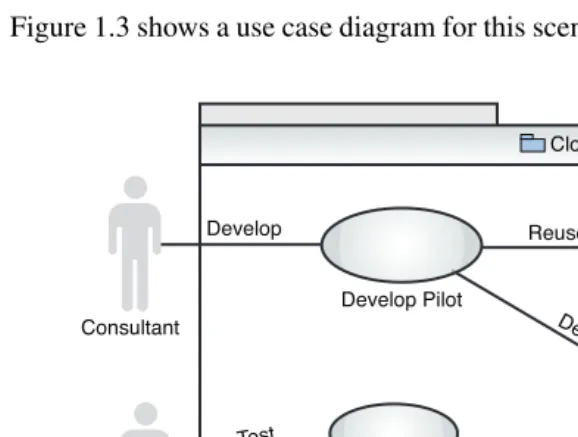
ptg8286219 Figure 1.3 shows a use case diagram for this scenario.
Use Cases 13
Develop Reuse
Deliver
Develop Pilot Create Instance
Save Instance
Create User Account Test Pilot Consultant
Enterprise
Add Consultant
Cloud
Test
Figure 1.3 Use case diagram for a proof-of-concept on the cloud
Working in a public cloud environment with support for user administration is critical here, to allow the enterprise to add an account for the consultant. Alternatively, the consultant could use his or her account space and simply allow access via a network protocol such as HTTP. If the enterprise likes the proof-of-concept, it might want to use it long term. It can move it to the com-pany’s private network by saving an image and starting up an instance on its virtualization LAN. Table 1.2 compares a traditional proof-of-concept and a proof-of-concept on the cloud.
Table 1.2 Comparison of Traditional and Cloud Environments for a Proof-of-Concept
Traditional Cloud
The consultant travels to the customer site. The consultant works over the Internet.
The customer gives the consultant access to The customer gives the consultant access to the the enterprise network, subject to an cloud with account or specific virtual machines
approval workflow. with cryptographic keys.
Customer procures hardware for the pilot. Customer creates an instance with the self-service interface.
ptg8286219
14 Chapter 1 Infrastructure as a Service Cloud Concepts
Traditional Cloud
The consultant cannot connect his or her laptop The customer can use her or his favorite to the enterprise network and instead must use application lifecycle management tools on a only tools that the customer makes available. laptop or available on the cloud.
The consultant installs everything from scratch. The consultant starts up instances from prebuilt images.
The server is repurposed after completion. Server instances are saved as images, and running instances are deleted.
The cloud enables a different set of deliverables for proof-of-concept, pilot, beta programs, and consulting projects. In traditional environments, enterprise network constraints (especially security issues) often require consultants to work with unfamiliar tools. This results in written reports documenting deployment steps and best practices that customers cannot easily consume. In other situations, consultants are left in a permanent support position long after the project has “finished.” The cloud enables a different set of deliverables, including virtual machine images, deployment topology models, and software bundles, as shown Table 1.3.
Table 1.3 Comparison of Traditional and Cloud Project Artifacts
Traditional Cloud
Software installation program (time consuming Virtual machine image (capturing an instance
to develop) with the click of a button)
Written reports summarizing deployment steps Deployment topology models, automation scripts
User documentation written from scratch Documentation reused from standard images
Configuration files in miscellaneous locations Asset added to cloud catalog
Difficult support process Support via remote access to cloud
The primary advantages of the cloud for this use case are elastic scalability, access from the Internet, and the capability to save and reuse projects assets.
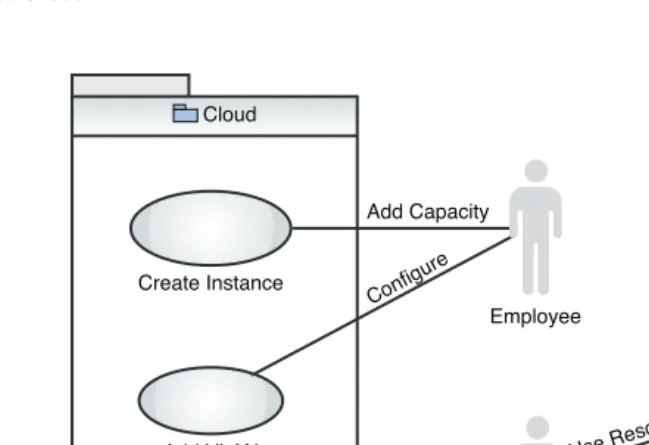
Extra Capacity
In this scenario, the IT department runs out of computing resources, delaying in-house projects. The department rents resources on the cloud to meet the shortfall. A virtual private network is used to connect to a private virtual local area network (VLAN) in the cloud to the enterprise network.
ptg8286219
Use Cases 15
Employee
Enterprise
Use Instance
Use Enterprise Resource Add VLAN
Create Instance
Cloud Enterprise
Use Resource
Configure
Use VPN
[image:34.674.65.390.64.286.2]Add Capacity
Figure 1.4 Use case diagram for adding extra capacity for enterprise IT infrastructure
Open Source/Enterprise Collaboration
Recently, enterprises have embraced the idea of open source. However, this is best done in a con-trolled way. An organization might be unwilling to host an open source project on SourceForge or Apache but might want to use open source in a more controlled way. By hosting the project itself on the cloud, the enterprise maintains complete control over the project while still gaining the advantages of an open source model.
Outside contributors can make use of these advantages:
• Be given user accounts without granting access to the enterprise’s internal IT systems • Use a common set of development tools hosted on the cloud
Storage System for Security Videos
ptg8286219
Business Scenario: IoT Data Hosting Provider
To tie together the information presented in this book, this section describes how it can be used in a business scenario. In this situation, the company IoT Data provides a hosting service for Inter-net-connected devices to store data. IoT Data’s business services include the following:
• Registering devices
• Storing data from a device using a REST web service • Conducting HTML and programmatic searches of the data • Sharing the data in public, community, and commercial modes
IoT Data charges customers by gibibytes (GiB) of data stored and 10% of any data sold. For large customers, IoT Data also provide the entire suite of software for private hosting on the cloud itself. In this case, the changes are per virtual machine hour and depend on the size of the virtual machine (in addition to the per-GiB charge). A diagram showing the main actors and use cases for IoT Data is shown next.
16 Chapter 1 Infrastructure as a Service Cloud Concepts
Administer User
*
IoTData System
<<subsystem>>
Device
<<subsystem>>
Data Store Search
Store Data Register Device
Administration
Figure 1.5 IoT Data use case diagram
ptg8286219
Virtualization
We briefly discuss virtualization, with the goal of providing a foundation for discussing IaaS clouds and the resource model. The term virtualization can apply to a computer (a virtual machine and the resources it uses), storage, network resources, desktops, or other entities. Virtu-alization of hardware resources and operating systems dates back the 1960s, with IBM main-frames, and was later used on AIX®and other UNIX®platforms. It has been a powerful tool for these platforms for many years. In 1999, VMWare introduced virtualization for low-cost Intel® x-series hardware, based on the research of its founders at Stanford University. This made the practice of virtualization more widespread.
A hypervisor, or virtual machine manager, is a software module that manages virtual machines. The hypervisor resides on the host system on which the virtual machines run. The rela-tionship of the hypervisor to the host operating system and to the virtual machine is one of the key distinguishing characteristics of the different virtualization systems.
Major virtualization systems for x86 hardware include these: • VMWare, a broad range of virtualization products for x86
• Xen, an open source virtualization system with commercial support from Citrix • Windows Hyper-V, introduced by Microsoft in Windows Server 2008
• Kernel Virtualization Machine (KVM), a part of the Linux kernel since version 2.6.2 Virtualization became widespread in the early 2000s, several years before the rise of cloud computing. Virtualization offers many practical benefits, including the following:
• The ease of setting up new systems. New systems do not need to installed using installa-tion media.
• No need to buy new hardware to simulate various system environments for debugging and support.
• The capability to recover quickly from system corruption.
• The ease of relocating and migrating systems. For example, a move to a more powerful machine can simply be a matter of taking a snapshot of a virtual machine and starting up a new virtual machine based on that snapshot.
• The ease of remote management. Physical access to data centers is tightly controlled these days. The use of virtual machines greatly reduces the need for physical access. • The capability to run multiple operating systems simultaneously on one server.
In virtualization of hardware and operating systems, we refer to the guestsystem as the sys-tem being virtualized. The syssys-tem the guest runs on is called thehost, which uses ahypervisorto managing scheduling and system resources, such as memory. Several types of virtualization exist: full virtualization, partial virtualization, and paravirtualization.
ptg8286219 Full virtualization is complete simulation of the hardware. Full virtualization is simulating
to emulate. In emulation, an emulated system is completely independent of the hardware. The Android smart phone emulator and QEMU in unaccelerated mode are examples of system emu-lation. Full virtualization differs from emulation in that the virtual system is designed to run on the same hardware architecture as the host system. This enables the instructions of the virtual machine to run directly on the hardware, greatly increasing performance. In full virtualization, no software is needed to simulate the hardware architecture. Figure 1.6 gives a schematic diagram of full virtualization.
18 Chapter 1 Infrastructure as a Service Cloud Concepts
•••
•••
Applications Applications
Unmodified Guest Operating System
Unmodified Guest Operating System
Hypervisor
Host Operating System
Physical Hardware
Figure 1.6 Schematic diagram of full virtualization
One of the key characteristics of full virtualization is that an unmodified guest operating system can run on a virtual machine. However, for performance reasons, some modifications are often made. Intel and AMD introduced enhancements to CPUs to allow this: the Intel VT (Virtual Technology) and AMD-V features introduced in 2005. These features support modifications of the guest operating system instructions through variations in their translation to run on the hard-ware. The Intel VT-x (32-bit processors) and VT-i (IA64 architecture) introduced two new opera-tion levels for the processor, to be used by hypervisors to allow the guest operating systems to run unmodified. Intel also developed a VT-d feature for direct IO, to enable devices to be safely assigned to guest operating systems. VT-d also supports direct memory access (DMA) remap-ping, which prevents a direct memory access from escaping the bounds of a virtual machine. AMD has a similar set of modifications, although implemented somewhat differently.
ptg8286219 VMWare Workstation and the IBM System z®Virtual Machine are examples of full
virtu-alization products. VMWare has a wide range of virtuvirtu-alization products for x86 systems. The ESX Server can run in bare-metal mode. VMWare Player is a hosted hypervisor that can be freely downloaded and can run virtual machines created by VMWare Workstation or Server. Xen can run as a full virtualization system for basic architectures with the CPU virtualization features present.
In paravirtualization, the hardware is not simulated; instead, the guest runs in its own iso-lated domain. In this paradigm, the hypervisor exports a modified version of the physical hard-ware to the guest operating system. Some changes are needed at the operating system level. Figure 1.7 shows a schematic diagram of paravirtualization.
Virtualization 19
•••
•••
Applications Applications
Modified Guest Operating System
Modified Guest Operating System
Hypervisor
Host Operating System
Physical Hardware
Figure 1.7 Schematic diagram of paravirtualization
Xen is an example of a paravirtualization implementation. VMWare and Windows Hyper-V can also run in paravirtualization mode.
In operating system–level virtualization, the hypervisor is integrated into the operating sys-tem. The different guest operating systems still see their own file systems and system resources, but they have less isolation between them. The operating system itself provides resource manage-ment. Figure 1.8 shows a schematic diagram of operating system–level virtualization.
ptg8286219
Figure 1.8 Schematic diagram of operating system–level virtualization
KVM can be considered an example of operating system–level virtualization. KVM is a Linux kernel module and relies on other parts of the Linux kernel for managing the guest sys-tems. It was added to the Linux kernel in version 2.6. KVM exports the device /dev/kvm, which enables guest operating systems to have their own address spaces, to support isolation of the vir-tual machines. Figure 1.9 shows the basic concept of virvir-tualization with KVM.
20 Chapter 1 Infrastructure as a Service Cloud Concepts
•••
•••
Applications Applications
Modified Guest Operating System
Modified Guest Operating System
Host Operating System
Physical Hardware
•••
•••
Applications Applications
Guest Operating System
Guest Operating System
Hypervisor
Physical Hardware
/dev/kvm /dev/kvm
QEMU QEMU
Figure 1.9 Virtualization with KVM
ptg8286219 systems. It is a privilege mode sufficient to run the guest operating systems but not sufficient to
see or interfere with other guest systems or the hypervisor. KVM adds a set of shadow page tables to map memory from guest operating systems to physical memory. The /dev/kvmdevice node enables a userspace process to create and run virtual machines via a set of ioctl()operations, including these:
• Creating a new virtual machine
• Allocating memory to a virtual machine • Reading and writing virtual CPU registers • Injecting an interrupt into a CPU
• Running a virtual CPU
In addition, guest memory can be used to support DMA-capable devices, such as graphic displays. Guest execution is performed in the loop:
• A userspace process calls the kernel to execute guest code. • The kernel causes the processor to enter guest mode.
• The processor executes guest code until it encounters an IO instruction or is interrupted by an external event.
Another key difference between virtualization systems is between client-based and server-based virtualization systems. In a client-server-based virtualization system, such as VMWare Worksta-tion, the hypervisor and virtual machine both run on the client that uses the virtual machine. Server products, such as VMWare ESX, and remote management libraries, such as libvirt, enable you to remotely manage the hypervisor. This has the key advantage of freeing the virtual machine from the client that consumes it. One more step in virtualization is needed in cloud computing, which is to be able to manage a cluster of hypervisors.
Computing capacity is not the only resource needed in cloud computing. Cloud consumers also need storage and network resources. Those storage and network resources can be shared in some cases, but in other cases, they must be isolated. Software based on strong cryptography, such as secure shell (SSH), can be used safely in a multitenant environment. Similarly, some soft-ware stores data in encrypted format, but most does not. Thus, storage and network virtualization and tenant isolation are needed in clouds as well.
Storage virtualization provides logical storage, abstracting the details of the storage tech-nology from users and application software. This is often implemented in network-attached storage devices, which can provide multiple interfaces to a large array of hard disks. See the “Storage” section later in this chapter for more details.
Network resources can also be virtualized. This book is most concerned with virtualization at the IP level. In the 1990s, local area networks (LANs) were created by stringing Ethernet cable between machines. In the 2000s, physical network transport was incorporated directly into cabi-nets that blade servers fit into, to keep the back of the cabinet from looking like a bird’s nest of
ptg8286219 Ethernet cable. Today we can do the virtual equivalent of that with virtual network management
devices in a VLAN, which can be managed conveniently and also provides network isolation for security purposes. See the “Network Virtualization” section later in this chapter for more details. These virtualization platforms provide great convenience, but management comes at the cost of learning them and developing efficient skills. Some other limitations exist as well:
• The different virtual hosts must be managed separately, and only a limited number of guest machines can be placed on one host. Today 16 dual-core CPU machines are affordable, to support around 32 capable virtual machines, but we need a way to scale to larger numbers.
• End users still need to contact a system administrator when they want a new virtual machine. The administrator then must track these requests and charge for use.
• Virtualization itself does not provide a library of images that can be readily used. A fea-ture of organizations that use a lot of direct virtualization is image sprawl, consisting of a large number of unmanaged virtual machine images.
• The system administrator still must manage the various pieces of the infrastructure. Some small companies cannot afford system administrators, and many large organiza-tions would like to reduce the number of system administrators they currently have. • Hardware still must be bought. Most enterprises would like to minimize their capital
investments in hardware.
Infrastructure as a Service Clouds
An IaaS cloud provides abstractions beyond virtualization so that you do not need to learn how to manage them yourself. In fact, when using an IaaS cloud, you normally are not even aware of what virtualization platform is being used. In this case, the cloud service provider is concerned about the virtualization platform; you do not need to worry about it. Figure 1.10 shows some of the main components of an IaaS cloud.
The user logs into a self-service user interface that is part of a system called the business support services (BSS). The BSS knows how to charge a user for the resources used, and the self-service user interface enables the user to create and manage resources such as virtual machines, storage, and IP addresses. This gives the user a central location for viewing and managing all resources instead of being left to manage a collection of independent virtualization technologies. A programmatic API also is often provided, to enable automation of resource management for a similar set of capabilities as those of the self-service user interface. The operational support sys-tem (OSS) manages a collection of hypervisors and federates other virtualized resources. The end result is that the user can have access to the virtual machine without having to know how it was created.
ptg8286219
Infrastructure as a Service Clouds 23
<<use>>
<<use>>
HTTP
SSH
User <<use>>
<<use>>
Infrastructure as a Service Cloud
Usage
<<component>>
Business Support Systems
<<component>>
Operational Support Systems
<<node>>
Virtual Machine
<<component>>
Billing System
Figure 1.10 Basic concepts of an Infrastructure as a Service cloud
Additional features of IaaS clouds, such as the IBM SmartCloud Enterprise, are convenient for enterprises. Importantly, the relationship is between the cloud provider and the enterprise. An enterprise contact can thus manage the users, who can create and use resources that the enterprise is paying for. In addition, the work products created by people using the cloud should belong to the enterprise, and the cloud infrastructure should support this.
One of the most interesting aspects of cloud computing is that it enables a new level of tool-ing and collaboration. It enables reuse of work products, especially images, by teams. For example, an operating system expert can set up a base operating system image, a software devel-oper can add an installation of a software product on top of it, and an enterprise user can make use of the image by taking snapshots suitable for his or her enterprise’s needs. Figure 1.11 shows how a developer can interact with cloud tools to provide assets that an end user can consume.
ptg8286219
24 Chapter 1 Infrastructure as a Service Cloud Concepts
<<use>>
<<use>>
<<use>>
<<use>> <<component>>
IaaS Cloud
Catalog
<<use>>
<<use>>
<<component>>
Integrated Development Environment
<<node>> Virtual Machine Developer
Desktop
User
SSH
<<use>>
<<component>> Business Support Systems
[image:43.674.37.423.67.280.2]<<component>> Operational Support Systems
Figure 1.11 Use of development tools in a cloud environment
Other Cloud Layers
Cloud layers operate at a higher level of abstraction than IaaS, including Platform as a Service (PaaS), Software as a Service (SaaS), and Business as a Service (BaaS). In its definition of cloud computing, NIST recognizes three of these layers: IaaS, PaaS, and SaaS. Figure 1.12 illustrates this concept of different layers of cloud computing.
Business as a Service
Software as a Service
Platform as a Service
Infrastructure as a Service
[image:43.674.173.287.424.538.2]ptg8286219 Infrastructure as a Service is a term for services that provide a model for dynamically
allo-cating infrastructure and software, starting with an OS, on that infrastructure. Platform as a Ser-vice describes concrete serSer-vices used in the execution of an application or higher-level serSer-vice. The services provide some generalized and reusable capability to their software consumer and are thus a “platform” service being consumed. They bring their own interface and programming model for the consumer to use, along with their own API, data, messaging, queueing, and so on.
If a platform service is hosted by an infrastructure service provider, the IaaS API is likely used as part of the process to instantiate and access the platform service, but it is a separate concept.
To complete the terminology, Software as a Service is typically a self-sufficient software solution to a consumer need. Typically, this is a tool or business application with on-demand, turn-key characteristics.
If a software service leverages a platform service, it normally does so transparently. If the software service is hosted by an infrastructure service provider, the IaaS application program-ming interface can be used as part of the process to instantiate and access the software service.
If you look at the service stack from the top down, you can see some of the value the other layers provide. At the very top are business services such as Dunn and Bradstreet, which provides analysis and insight into companies that you might potentially do business with. Other examples of business services are credit reporting and banking. Providing business services such as these requires data stores for storing data. However, a relational database by itself is not sufficient: The data retrieval and storage methods must be integrated into programs that can provide user inter-faces for people can use. Relational databases also need to be maintained by database administra-tors who archive and back up data. This is where Platform as a Service comes in. Platform as a Service provides all the services that enable systems to run by themselves, including scaling, failover, performance tuning, and data retrieval. For example, the Salesforce Force.com platform provides a data store where your programs can store and retrieve data without you ever needing to worry about database or system administration tasks. It also provides a web site with graphical tools for defining and customizing data objects. IBM Workload Deployer is another Platform as a Service that runs on an infrastructure as a service cloud but is aware of the different software run-ning on individual virtual machines; it can perform functions such as elastic scaling of applica-tion server clusters.
With Platform as a Service, you still need to write a program that enables a user to interact with it via a graphical user interface. If you do not like that idea, you can use Software as a Ser-vice. Salesforce.com enables enterprises to use a customer relationship management (CRM) sys-tem without having to do any programming or software installation. Its web site also supports graphical tools for customizing menus, data entry forms, and reports. It works great if you all you need to do is create, retrieve, update, and delete data or use a predefined service, such as email. If you need to do more than that, you need to drop down to the Platform as a Service level.
ptg8286219
Virtual Machine Instances
An instance is a running virtual machine, in addition to some data the cloud maintains to help track ownership and status. The cloud manages a large pool of hardware that can be used to create running instances from images. The virtual machine includes a copy of the image that it instanti-ates and the changes that it saves while it runs. The instance also includes virtualizations of the different hardware that it needs to run, including CPUs, memory, disk, and network interfaces. The cloud manages a pool of hypervisors that can manage the virtual machine instances. How-ever, as a user of the cloud, you do not need to worry about the hypervisors. In fact, the hypervi-sor you are using—KVM, Xen, VMWare, or any other—makes no difference.
When you delete an instance, that hardware can be reused. The cloud scrubs your hard disk before doing so, to make sure that the next user of the hardware finds no traces of previous data.
Virtual Machine Images
A virtual machine image is a template for creating new instances. You can choose images from a catalog to create images or save your own images from running instances. Specialists in those platforms often create catalog images, making sure that they are created with the proper patches and that any software is installed and configured with good default settings. The images can be plain operating systems or can have software installed on them, such as databases, application servers, or other applications. Images usually remove some data related to runtime operations, such as swap data and configuration files with embedded IP addresses or host names.
Image development is becoming a larger and more specialized area. One of the outstanding features of the IBM SmartCloud Enterprise is the image asset catalog. The asset catalog stores a set of additional data about images, including a “Getting Started” page, a parameters file that specifies additional parameters needed when creating an instance, and additional files to inject into the instance at startup. It also hosts forums related to assets, to enable feedback and questions from users of images to the people who created those images. Saving your own images from run-ning instances is easy, but making images that other people use requires more effort; the IBM SmartCloud Enterprise asset catalog provides you with tools to do this.
Because many users share clouds, the cloud helps you track information about images, such as ownership, history, and so on. The IBM SmartCloud Enterprise knows what organization you belong to when you log in. You can choose whether to keep images private, exclusively for your own use, or to share with other users in your organization. If you are an independent soft-ware vendor, you can also add your images to the public catalog.
Some differences between Linux and Windows exist. The filelike description of the Linux operating system makes it easy to prepare for virtualization. An image can be manipulated as a file system even when the instance is not running. Different files, such as a user’s public SSH key and runtime parameters, can be injected into the image before booting it. Cloud operators take advantage of this for ease of development and to make optimizations. The same method of manipulating files systems without booting the OS cannot be done in Windows.
ptg8286219
Storage
Virtualization of storage can be done in different ways to make physical storage transparent to consumers of I/O services. Block storage is storage handled as a sequence of bytes. In file-based storage systems, the block storage is formatted with a file system so that programs can make use of file-based I/O services to create and manage files. Virtualization can be done at both levels.
Block Storage
Usually, the person installing an operating system partitions physical hard disks in a physical computer. A disk partition is a logical segment of a hard disk. Partitioning a disk can have several advantages, including separating the operating system from user files and providing a storage area for swapping. The disadvantages of partitioning include the need to reorganize or resize if you run out of space on one partition. The classical example is running out of space on your oper-ating system partition (C:) when you still have plenty of space on the other partitions. One advan-tage of partitions in virtual systems is that you can plan for a large amount of storage space but do not have to actually allocate that space until you need to use it.
Clouds can make use of partitions as well. In the IBM SmartCloud Enterprise, when you provision a virtual machine, you have an option to create only the root file partition. This opti-mizes startup time. If you have a large amount of storage associated with the image, the time sav-ings can be considerable. Later, when you use the storage, it is then allocated.
A Linux logical volume manager (LVM) provides a level of abstraction above block devices, such as hard disks, to allow for flexibility in managing storage devices. This can make it easier to resize physical partitions, among other tasks. The LVM manages physical volumes, which can be combined to form a volume group. Logical volumescan then be created from the volume groups. The logical volumes can span multiple physical volumes, allowing them to be any size up to the total size of the volume group.
Copy on write is a technique for efficiently sharing large objects between two or more clients. Each client appears to have its own writable copy of the object, but each client actually has only a read-only copy of the shared object. When a client tries to write to the object, a copy of the block is made and the client is given its own copy. This is efficient when the object is only rarely changed by client programs, such as an operating system when a virtual machine loads and runs it. This technique can make starting the virtual machine much faster than first copying the operating system to a separate storage area before booting the virtual machine. In this context, copy on write is often used with a network-based file system.
The term direct attached storageis usually used to contrast local block-based storage with network attached storage. Direct attached storage is simple, cheap, and high performance. Its high-performance characteristics are due to the fact that it is directly attached. Its disadvantages include that its lifetime is usually tied to the lifetime of the virtual machine. In addition, it might not be scalable if you do not have physical access to the machine. In a cloud environment, you often have no way of increasing direct attached storage, so be sure to start with enough.