(WKLFDO+DFNLQJ
All rights reserved.
This product and related documentation are protected by copyright and distribution under licensing restricting their use, copy, and distribution. No part of this
documentation may be reproduced in any form or by any means without prior written authorization of Internet Security Systems, Inc. While every precaution has been taken in the preparation of this document, Internet Security System, Inc. assumes no
responsibility for errors or omissions. This document is published with the understanding that Internet Security Systems, Inc. and its authors are supplying
information but are not attempting to render engineering or other professional services. This document and features herein are subject to change without notice.
Internet Security Systems, Inc. 6600 Peachtree-Dunwoody Road Building 300
Atlanta, GA 30328 888-263-8739 http://www.iss.net/
Please direct any comments concerning ISS courseware to [email protected].
&RQWHQWV
Module 1: Welcome to the Class!
Getting Acquainted... . . . 1
...With the Instructor . . . 1
...With Others in the Class. . . 1
Getting the Most Out of this Course.... . . 2
The Instructor’s Role. . . 2
Your Role. . . 2
About this Course. . . 3
Course Objectives. . . 3
Using this Training Guide. . . 4
Course Outline . . . 4
About Internet Security Systems. . . 6
How ISS Started. . . 6
Company Growth . . . 6
ISS Products. . . 7
Security Management Solutions . . . 8
The ISS X-Force . . . 9
Consulting and Educational Services . . . 9
Security Assessment Services (SAS) . . . 10
ANSA - The Adaptive Network Security Alliance . . . 10
Contact Information . . . 12
Module 2: Legal And HR Issues About This Module . . . 15
Purpose of this Module. . . 15
Module Objectives. . . 15
Legal and HR Issues. . . 16
Introduction. . . 16
Legal Issues. . . 16
International Cyber Crime. . . 16
Computer Fraud . . . 17
Computer Forgery. . . 17
Damage to Computer Data or Computer Programmes. . . 17
Computer Sabotage. . . 18
Unauthorized Access. . . 18
Unauthorized Interception . . . 18
Data Protection . . . 18
How much hacking is there?. . . 19
Why Should We Care?. . . 20
UK Computer Misuse Act, 1990 . . . 20
1990 Chapter 18. . . 20
Introduction. . . 26
The Hacker Ethic. . . 26
The Security Arguments . . . 26
The Idle System Argument . . . 27
The Student Hacker Argument. . . 27
The Social Protector Argument. . . 28
Conclusion of Ethics . . . 28
Hacking . . . 29
Introduction. . . 29
Hacker’s View of Security . . . 29
Enhancing IT Staff Security Awareness. . . 29
Better Response to Intrusions . . . 29
Conclusion of Hacking . . . 30
Typical scenario. . . 30
Typically Overlooked Issues. . . 31
Objectives Review. . . 32
Module 4: Attack Types and Vulnerabilities About This Module . . . 33
Purpose of this Module. . . 33
Module Objectives. . . 33
Attack Types and Vulnerabilities. . . 34
Introduction. . . 34
Buffer Overflow Attacks . . . 34
Denial of Service (DoS) Attacks. . . 35
Distributed Denial of Service (DDoS) Attacks. . . 36
Misconfigurations . . . 37
Abuse of Trust. . . 38
Brute Force Attacks. . . 38
CGI and WWW Services . . . 39
Backdoors and Trojans . . . 41
Case Study: The Dangers of Mobile Code . . . 43
General . . . 43
Java . . . 43
Java Security . . . 44
ActiveX . . . 46
ActiveX Security . . . 47
Solutions . . . 48
Conclusion. . . 49
Objectives Review. . . 50
Module 5: Searching For Public Corporate Information About This Module . . . 51
Purpose of this Module. . . 51
Stock Exchange Websites. . . 57
Company Homepage. . . 58
News Sites, Newsgroups and Search Engines. . . 60
Objectives Review. . . 61
Module 6: Searching For Technical Information About This Module . . . 63
Purpose of this Module. . . 63
Module Objectives. . . 63
Gathering Technical Information. . . 64
Introduction. . . 64
Zone Transfer . . . 65
Introduction. . . 65
Difference between a Zone and a Domain. . . 66
Zone Allocation. . . 67
Allocation by Class . . . 67
Allocation by “Cuts”. . . 68
Zone Transfers. . . 70
Significant Resource Records (RR’s) . . . 72
Start Of Authority Record (SOA). . . 72
Name Server Record (NS) . . . 72
Address Record (A). . . 73
Mail Exchange Record (MX) . . . 73
Further Information. . . 73
Tools Used to Query Name Servers . . . 74
Introduction. . . 74
NSLookup. . . 74
DIG . . . 78
Host. . . 82
Sam Spade. . . 82
Zone Transfer Query Refusal . . . 82
Objectives Review. . . 83
Module 7: Network Scanning About This Module . . . 85
Purpose of this Module. . . 85
Module Objectives. . . 85
Network Scanning. . . 86
Introduction. . . 86
Stealth . . . 86
Unobtrusive Network Mapping . . . 87
Firewall and Gateway Design Traits . . . 89
Network Address Translation (NAT) . . . 89
IP Visibility . . . 89
Routers . . . 92
Risk Level . . . 93
Network Mapping. . . 94
Risk Level . . . 94
SMTP Headers. . . 95
Risk Level . . . 98
Advanced Techniques . . . 99
Pinging Firewalled Hosts . . . 99
Advanced Traceroute . . . 99
Traceroute through DNS. . . 99
Risk Level . . . 100
Local Scanning and Sniffing . . . 101
Network Sniffers. . . 101
Communication Encryption . . . 102
L0pht Crack. . . 102
Sniffing on a Switched Network . . . 102
Address Learning . . . 103
Redirecting Traffic. . . 103
UNC Share Risk. . . 104
Masterclass: Network Design Issues . . . 105
Introduction. . . 105
Network Design . . . 105
Current Security Awareness . . . 106
Bastion Hosts. . . 107
Multi-Homing. . . 108
The Application Proxy Firewall. . . 109
Layering Firewalls. . . 109
Multiple Firewall Interfaces. . . 111
Availability and Reliability . . . 112
Implementations of Availability and Reliability . . . 113
Eliminating Single Points of Failure (SPF’s). . . 114
Corporate Network Example. . . 115
Conclusions. . . 117
Objectives Review. . . 118
Module 8: Interpreting Network Results About This Module . . . 119
Purpose of this Module. . . 119
Module Objectives. . . 119
Interpreting Network Results. . . 120
Introduction. . . 120
Live Hosts . . . 120
Traceroute . . . 120
SMTP Headers. . . 122
Social engineering . . . 128
Enumeration . . . 128
Host and OS Identification . . . 128
Port Scanning . . . 128
hping. . . 129
Firewall Responses . . . 130
Vulnerability Scanning . . . 132
ISS Internet Scanner. . . 132
Retina . . . 132
Nessus Security Scanner . . . 132
Vetescan . . . 133
Cerberus (CIS). . . 133
References . . . 133
Masterclass: Port Scanning and OS Identification . . . 134
Introduction. . . 134
Port Scanning . . . 134
Port Scanning Protocols. . . 135
Transmission Control Protocol (TCP) . . . 135
3-Way Handshake. . . 136
TCP Scanning . . . 137
User Datagram Protocol . . . 138
UDP Scanning. . . 138
Operating System Idiosyncrasies. . . 140
Stealthy Services . . . 140
Remote OS Identification. . . 140
Active Operating System Identification. . . 141
IP Stack Behavior. . . 143
Non-standard TCP/IP 3-way Handshakes . . . 144
Packets with Non-standard IP or TCP Flags . . . 144
Various ICMP packets. . . 145
Passive Operating System Identification. . . 145
References . . . 146
Objectives Review. . . 147
Module 10: Interpreting Host Results About This Module . . . 149
Purpose of this Module. . . 149
Module Objectives. . . 149
Interpreting Host Results . . . 150
Windows NT. . . 152
Solaris . . . 152
TCP SYN scans . . . 152
Other TCP scans . . . 153
UDP scan. . . 154
Vulnerability Scans . . . 154
Vetescan . . . 155
Nessus. . . 169
Filtering of ICMP. . . 180
Packet Filtering Limitations. . . 180
Proxy Servers. . . 181
Trade-off: Packet Filters vs. Proxy Servers . . . 181
Network Level Firewalls and Application Level Firewalls. . . 183
Firewall Combinations . . . 185
Objectives Review. . . 187
Module 11: Vulnerability and Exploit Research About This Module . . . 189
Purpose of this Module. . . 189
Module Objectives. . . 189
Vulnerability Research . . . 190
Introduction. . . 190
Vulnerability Research . . . 190
Fix Advisories . . . 190
Full Disclosure Advisories. . . 191
Application Errors. . . 191
Automated Tools. . . 192
Manual Checking . . . 192
Buffer Overflows. . . 192
Detecting Buffer Overflows. . . 193
Exploit Chains. . . 193
Exploit Research. . . 195
Web servers and FTP sites. . . 195
IRC. . . 195
News Groups. . . 196
Research Resources. . . 196
Useful References . . . 197
Objectives Review. . . 200
Module 12: Theoretical Exploitation About This Module . . . 201
Purpose of this Module. . . 201
Case Study: Web Spoofing. . . 202
Web Spoofing Methodology . . . 202
Result. . . 203
Perfecting the False Web. . . 203
Conclusion. . . 204
Case Study - Distributed Denial-of-Service Attacks . . . 205
Attacks. . . 205
Tribal Flood Network (TFN). . . 205
Trin00 . . . 205
TFN2k . . . 206
Ingress Filtering. . . 210
Sending Spoofed Packets. . . 210
Integrate with Existing Program . . . 210
Comparing Usual Addresses. . . 211
Control Channel Filtering . . . 211
Active Response . . . 211
Network Security Assessment. . . 211
Attack Forensics. . . 212
DNS logs . . . 212
Control Channel Detection . . . 212
Correlation and Integration. . . 212
Module 13: Exploitation In Action About This Module . . . 213
Purpose of this Module. . . 213
Module Objectives. . . 213
Vulnerability Exploitation in Action. . . 214
Introduction. . . 214
Example 1: RDS Exploit . . . 215
History. . . 215
Overview. . . 215
Use of the Exploit . . . 216
Example 2: eEye . . . 218
History. . . 218
Overview. . . 218
Use of the Exploit . . . 218
Example 3: Firewall-1 DoS/ jolt2.c and cpd.c . . . 220
History. . . 220
Overview. . . 220
Use of the Exploit . . . 220
Example 4: Back Orifice. . . 222
History. . . 222
Overview. . . 222
Use of the Exploit . . . 222
Case Study: Buffer Overflows . . . 224
Introduction. . . 224
Buffers. . . 224
The Stack. . . 224
Stack Operation. . . 224
Case Study - TCP Session Hijacking. . . 228
History. . . 228
Passive and Active Sniffing Attacks . . . 228
Session Hijacking. . . 228
Initiating a Telnet Session . . . 229
Telnet Session Established. . . 229
Acceptable Packets . . . 230
Active Information Gathering. . . 238
Firewall and Router Assessment. . . 240
Vulnerability Exploitation. . . 241
Mitnick Versus Shimomura . . . 242
Introduction. . . 242
Setting up the attack . . . 243
Conclusion. . . 247
Course Review. . . 248
:HOFRPHWRWKH&ODVV
Getting Acquainted...
...With the Instructor
Here at ISS, we believe that it takes a team to achieve the best results with whatever we do. It’s important to us that the classroom
environment for each course fosters that team spirit as well. We want you to know about your Instructor and your fellow trainees. The Instructor will tell you about his/her background. Use the space below to take any notes:
...With Others in the Class
We’re glad you’re here. As you spend the next four days learning about Ethical Hacking, we encourage you to get acquainted with your fellow trainees. Introduce yourselves and tell them a bit about your
Getting the Most Out of this Course...
The Instructor’s Role
The Ethical Hacking course introduces concepts, frameworks,
methodologies, and strategies that are effective. The Instructor serves as a guide to lead you through the course with lectures, discussions, and hands-on exercises.
Your Role
About this Course
Course Objectives
By the end of this course you will be able to:
• Describe how hackers are able to defeat security controls in operating systems, networked environments and generally circumvent security mechanisms.
• Identify how security controls can be improved to prevent hackers gaining access to operating systems and networked environments. The course is split into four sections:
• Passive Information Gathering.
• Active Information Gathering and Target Mapping. • Vulnerability Mapping and Exploitation.
Using this Training Guide
This training guide leads you through the Ethical Hacking course. This guide is yours to keep. On each page, space is provided for your notes. Take notes as you go along. You can use this guide as a resource when you are back on the job.
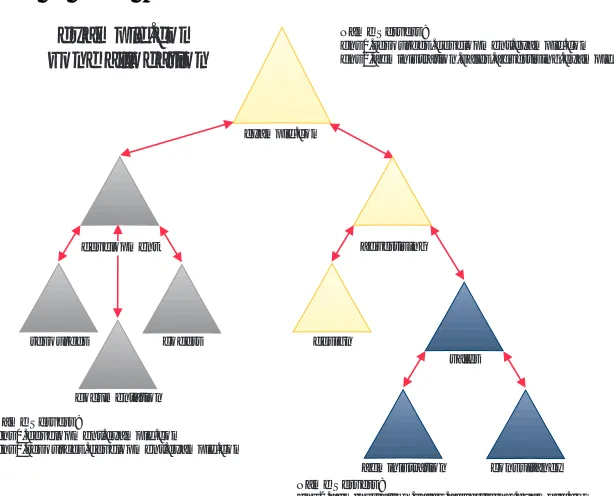
Course Outline
Ethical Hacking is a 4 day course.
Day 1:
Session 1 AM Introduction and Overview
Module 1 Welcome
Module 2 Legal and HR Issues
Module 3 Why Perform an Ethical Hack
Module 4 Attack Types and Vulnerabilities Case Study -Dangers of Mobile Code
Session 2 PM Passive Information Gathering
Module 5 Searching for Corporate Information
Module 6 Searching for Technical Information
Lab Passive Information Gathering
Day 2:
Session 3 AM Active Information Gathering
Module 7 Network Scanning
Masterclass: Good Network Design
Module 8 Interpreting Network Results
Lab Network Scanning Techniques
Module 9 Host Scanning
Masterclass: Port Scanning and OS Identification
Module 10 Interpreting Host Results
Masterclass: Good Firewall Design
Lab Host Scanning Techniques
Day 3:
Session 5 AM Vulnerability Mapping
Module 11 Vulnerability and Exploit Research
Lab Vulnerability Mapping
Session 6 PM Vulnerability Exploitation
Module 12 Exploitation Case Studies
Module 13 Exploitation Theory and Demonstrations Case Study - Buffer Overflow
Case Study - Session Hijacking
Day 4:
Session 7 AM Vulnerability Exploitation Practical
Module 14 Summary
Case Study - Mitnick vs Shimomura
Lab Exploitation Demonstration
About Internet Security Systems
How ISS Started
In 1992, Christopher Klaus, a then 19 year-old college student and computer science guru, invented a ground-breaking technology based on the need for a security technology that could actively identify and fix network security weaknesses.
After a tremendous response and continued demand for this new technology, Christopher founded Internet Security Systems in 1994, and teamed with software veteran, ISS President and Chief Executive Officer, Thomas E. Noonan, to launch the company’s first official commercial product, Internet Scanner™. Today, Internet Scanner remains a core component of the ISS SAFEsuite product family and the industry standard for automated security assessment and analysis. Together, Christopher Klaus and Thomas Noonan launched a company that would continue on an impressive path of success making an elegant transition from a private start up to a leading public company credited with pioneering and leading the field of security management. Headquartered in Atlanta, Ga., ISS has established a strong global presence with additional offices throughout North America and
international operations throughout Asia, Australia, Europe, and Latin America.
Company Growth
ISS has experienced tremendous growth and market acceptance with more than 1000 employees and over 5,000 customers including 21 of the 25 largest U.S. commercial banks, 9 of the top 10 telecommunications companies, 68 percent of the Fortune 50, and more than 35 government agencies worldwide. ISS SAFEsuite solutions play an integral role in the information protection strategies of leading companies and organizations in the financial services, technology,
ISS Products
ISS’ award-winning SAFEsuite product line includes:
• Risk Assessment: Internet Scanner, System Scanner, and Database Scanner
• Intrusion Detection: RealSecure
• Enterprise Security Decision-Support: SAFEsuite Decisions
Internet Scanner
Internet Scanner™ is the market-leading solution for quickly finding and fixing security holes through automated and comprehensive network security risk assessment. Internet Scanner scans network devices to detect vulnerabilities, prioritizes security risks and generates a wide range of reports ranging from executive-level analysis to
detailed step-by-step instructions for prioritizing and eliminating security risks.
System Scanner
System Scanner™ is a leading host-based risk assessment and policy management system. System Scanner helps organizations manage critical server and enterprise desktop security risks by thoroughly analyzing internal operating system weaknesses and user activity. System Scanner also compares an organization's stated security policy with the actual configuration of the host computer for potential security risks, including easily guessed passwords, user privileges, file system access rights, service configurations, and other suspicious activities that indicate an intrusion.
Database Scanner
ISS' Database Scanner™ is the first risk assessment product engineered specifically for protecting database applications through security policy creation, compliance, and enforcement. Database Scanner
RealSecure
RealSecure™ is the industry's first integrated host and network-based intrusion, misuse, and response system. RealSecure Engines
unobtrusively analyze network traffic, recognizing hostile activity by interpreting network traffic patterns that indicate attacks. RealSecure Agents reside on individual hosts, reviewing system logs for evidence of unauthorized activity.
Upon recognizing a threat, RealSecure reacts immediately with a wide range of possible responses that include automatically terminating the connection, sending off alarms or pagers, and recording the attack for forensic analysis. With RealSecure's distributed architecture and integration with leading network management systems such as Tivoli Enterprise and HP OpenView, customers can easily install and manage RealSecure Engines and Agents throughout their enterprise to stop internal misuse as well as attacks from outside the network perimeter.
SAFEsuite Decisions
SAFEsuite Decisions is the initial product in a series of new SAFEsuite Enterprise applications from ISS. It is the first enterprise security decision-support product that delivers prioritized cross-product security information to a central location, enabling decision-makers to take immediate action for ongoing information protection. SAFEsuite Decisions pulls information from all ISS products, as well as third party security products, such as firewalls, and provides customers with the power to quickly understand the state of their security across the enterprise.
Security Management Solutions
ISS comprehensive security lifecycle methodology helps e-businesses focus on their most important security management needs through standards-based baseline assessments and a full line of consulting, education and knowledge services offerings.
potential security crisis into achievable security policy, reduced costs and managed liability. MSS offerings include remote firewall, anti-virus, intrusion detection, PKI/VPN and other security management essentials. Each installation is backed by ISS’ advanced, standards-based security lifecycle methodology, and can be paired with e-commerce insurance for a complete e-business risk management solution.
The ISS X-Force
X-Force is a senior research and development team of security experts dedicated to understanding, documenting and coding new
vulnerabilities, attack signatures and global network security solutions. X-Force professionals work closely with major hardware and software vendors to uncover and correct potential security problems before they are discovered and deployed as part of a malicious attack. This
information is regularly integrated into SAFEsuite products, customer e-mail alerts, and the X-Force online vulnerability database.
Together, SAFEsuite products and the X-Force allow network
administrators to proactively visualize, measure, and analyze real-time security vulnerabilities and minimize unnecessary exposures to risk. For more information on the X-Force or to use the X-Force online knowledge base, please visit the X-Force Web site at http:// xforce.iss.net
Consulting and Educational Services
ISS’ SAFEsuite delivers years of network security experience in a structured, easily understood format. ISS increases the value of these award-winning applications with a full range of professional
consulting services to help each enterprise customer with an
ISS SecureU provides targeted educational programs to meet the needs of IT security professionals. These programs include courses in the fundamentals of security and networking, vulnerability management, threat management and intrusion detection, public key infrastructures, firewalls, and others. Each course offers the option of certification via standardized examinations.
Building on the X-Force’s extensive security knowledge, Knowledge Services offers a range of additional security research and advisory services. Knowledge Services is a critical element of Internet Security Systems’ total solution to e-business security.
Security Assessment Services (SAS)
The SAS team provides a comprehensive range of Security Assessments tailored to fit the requirements of each client. Services range from secure network architecture and application reviews, through to penetration testing and Ethical Hacking programs. SAS continues to prove that the combination of top security consultants, structured assessment methodologies and utilization of leading edge hacking developments provide the most detailed security assessment and best value service currently available on the market.
The SAS consultants are responsible for providing all the information contained within this Ethical Hacking course and for consistently keeping it up to date with the leading edge of hacking developments. Exploit techniques used during our assessments are based on
vulnerability research performed by our renowned X-Force team, and draw upon extensive security knowledge gathered by our Knowledge Services.
ANSA - The Adaptive Network Security Alliance
Contact Information
For more information on Internet Security Systems, our products, our services and our partner programs, call ISS at 678-443-6000 or 800-776-2362, or visit the ISS Web site at www.iss.net
Headquarters ISS EMEA
6600 Peachtree-Dunwoody Road
Buro & Design Center
Building 300 Suite 526
Atlanta, GA 30328 USA Heysel Esplanade
Phone: (678) 443-6000 B-1020 Brussels, Belgium
Fax: (678) 443-6477 Phone: 32-2-479-6797
Fax: 32-2-479-7518
ISS Federal Operations ISS KK
11491 Sunset Hills Drive EBISU MF Building
Suite 310 8th Floor
Reston, VA 20190 4-6-1 Ebisu, Shibuya-ku
Phone:(703) 925-2000 Tokyo 150-0013
Fax:(703) 925-2019 Japan
Phone: 81-3-5475-6451
Fax: 81-3-5475-0557
ISS Canada ISS Latin America
25 Frances Ave., Edificio Market Place
Toronto, ON, M8Y 3K8 Av. Dr. Chucri Zaidan, 920 · Andar 9
Phone: 416-252-7117 Sao Paulo, SP 04583-904 · Brazil
Fax: 416-253-9111 Phone: 55-11-3048-4046
ISS Australia ISS Middle East
Level Two 59, Iran St.
North Bondi, NSW Dokki, Giza, Cairo
Australia 2026 Egypt
Phone: 02-9300-6003 Phone: +20 233 675 64
/HJDO$QG+5,VVXHV
About This Module
Purpose of this Module
This module will describe some of the legal and HR issues to be taken into consideration when performing security assessments. More generally, we will have a look at the regulatory framework from an IT security point of view.
Module Objectives
When you complete this module you will be able to:
• List the 6 legal areas international computer crime is usually broken down into, and explain their meanings.
• List at least 6 of the guiding principles in the UK Data Protection Act.
• Explain the significance of the Data Protection Act for companies' IT directors.
Legal and HR Issues
The law may not be the most precisely sharpened instrument with which to strike back at hackers…, but sometimes blunt instruments do an adequate job.'
Introduction
As computer and electronic systems have taken a dominant role in the way businesses now function, the commercial and the public
perception of electronic crime (often referred to a cyber crime) has resulted in the development of new laws (both domestic and international) and the instalment of multiple regulatory bodies.
Legal Issues
To protect both public and private interests, a comprehensive
regulatory environment has been developed to include data protection, computer misuse, controls on cryptography and software copyright. Some of the legal issues these regulations are designed to cover include: • Theft.
• Protection of privacy. • Freedom of information.
• Fair credit reporting/data protection. • Public decency.
• Telecommunications. • Computer crime.
Most developed countries now have a law against computer misuse whereby viruses, unauthorized access and unauthorized alteration are treated as a criminal offence. Generally, 'unauthorized' also covers employees deliberately exceeding their authority. However, the prosecution has to prove the accused knew they were unauthorized.
(from http://conventions.coe.int/treaty/en/projets/cybercrime.htm) • Computer Fraud
• Computer Forgery
• Damage to Computer data or Computer Programmes • Computer Sabotage
• Unauthorized Access • Unauthorized Interception
Computer Fraud
The input, alteration, erasure or suppression of computer data or computer programmes, or other interference with the course of data processing, that influences the result of data processing thereby causing economic or possessory loss of property of another person with the intent of procuring an unlawful economic gain for himself or for
another person, or with the intent to unlawfully deprive that person of his property.
Computer Forgery
The, input, alteration, erasure or suppression of computer data or computer programmes, or other interference with the course of data processing, in a manner or under such conditions, as prescribed by national law, that it would constitute the offence of forgery if it had been committed with respect to a traditional object of such an offence.
Damage to Computer Data or Computer
Programmes
Computer Sabotage
The input, alteration, erasure or suppression of computer data or computer programmes, or interference with computer systems, with the intent to hinder the functioning of a computer or a
telecommunications system.
Unauthorized Access
The access without right to a computer system or network by infringing security measures.
Unauthorized Interception
The interception, made without right and by technical means, of communications to, from and within a computer system or network. In the United Kingdom, crimes that fall into the above categories are covered by the UK Computer Misuse Act (1990).
Data Protection
The UK Data Protection Act (1984) and the updated 1998 new Data Protection Act (inspired by a 1995 EU directive) cover the legal aspects of personal data held by a company and how it may be obtained or used. They are designed to protect personal privacy and to enable international free flow of personal data by harmonization. Data users must register all computerised personal data. The Data Protection Commissioner enforces this policy.
The Data Protection Act maintains 8 guiding principles; data must be: • Processed fairly and lawfully (fair collecting principle)
• Obtained and processed for specific purposes • Adequate, relevant and not excessive
• Accurate and, where necessary, up-to-date • Kept no longer than necessary
• Kept appropriately secure
• Kept within the EEA, unless protection is adequate
How much hacking is there?
As we go about our daily lives, more and more of it is recorded or managed by computer systems we have no control over. Not a week goes by without some news headline whereby a system has been compromised and someone's details have been destroyed, manipulated or used for other means. As a consequence, the last 10 years has seen the development of many laws that hold and punish those who commit these computer crimes.
Each year the laws grow stronger, the definitions more exacting, and the punishments more severe. Chief amongst the targets is the
Computer Hacker, the person who breaks into systems, steals the most private information and publishes it for all to see.
Just how much computer crime can be attributed to hackers?
According to the Computer Security Institute (1999), these are the types of computer crime and other losses:
• Human errors - 55%
• Physical security problems - 20% (e.g., natural disasters, power problems)
• Insider attacks conducted for the purpose of profiting from computer crime - 10%
• Disgruntled employees seeking revenge - 9% • Viruses - 4%
Why Should We Care?
Surely with so many regulatory requirements and penalties for the abuse of computer systems, nobody would dare to compromise your system and risk heavy fines and/or imprisonment? The fact of the matter is that cybercrime is on the increase and a successful attack on a business can have devastating effects.
For instance:
• What is the effect of the publication of the presence of child pornography on the servers of a supermarket chain?
• How difficult is it to regain a loss of reputation when a Web-site is 'slightly altered'?
• Do we care if my customers cannot buy books for 48 hours and have their credit card details disclosed?
• Who cares if everyone's last salary review appears on the Intranet? • What could happen if an outsider could read all your emails or
impersonate the Finance Director?
UK Computer Misuse Act, 1990
1990 Chapter 18
Unauthorized access to computer material: 1.
(1) A person is guilty of an offense
if-(a) he causes a computer to perform any function with the intent to secure access to any program or data held in any computer, (b) the access he intends to secure is unauthorized, and
(c) he knows at the time when he causes the computer to perform the function that that is the case.
(a) any particular program or data,
(b) a program or data of any particular kind, or
(c) a program or data held in any particular computer.
(3) A person guilty of an offense under this section shall be liable on summary conviction to imprisonment for a term not exceeding six months or to a fine not exceeding level 5 on the standard scale or to both.
2.
(1) A person is guilty of an offense under this section if he commits an offense under section 1 above (" the unauthorized access offense") with intent
(a) to commit an offense to which this section applies; or
(b) to facilitate the commission of such an offense ( whether by himself or by any other person); and the offense he intends to commit or facilitate is referred to below in this section as the further offense.
(2) This section applies to offences
(a) for which the sentence is fixed by law; or
(b) for which a person of twenty-one years of age or over (not previously convicted) may be sentenced to imprisonment for a term of five years (or, in England and Wales, might be so sentenced but for the restrictions imposed by section 33 of the Magistrates Courts Act 1980).
(3) It is immaterial for the purposes of this section whether the further offense is to be committed on the same occasion as the unauthorized access offense or on any future occasion.
(4) A person may be guilty of an offense under this section even though the facts are such that the commission of the further offense is impossible.
(a) on summary conviction, to imprisonment for a term not exceeding the statutory maximum or to both; and
(b) on conviction on indictment, to imprisonment for a term not exceeding five years or to a fine or to both.
3.
(1) A person is guilty of an offense if
-(a) he does any act which causes an unauthorized modification of the contents of any computer; and
-(b) at the time when he does the act he has the requisite intent and the requisite knowledge.
(2) For the purposes of subsection (1)(b) above the requisite intent is an intent to cause a modification of the contents of any and by so doing
-(a) to impair the operation of any computer;
(b) to prevent or hinder access to any program or data held in any computer; or
(c) to impair the operation of any such program or the reliability of any such data.
(3) The intent need not be directed at-(a) any particular computer;
(b) any particular program or data or program or data of any particular kind; or
(c) any particular modification or a modification of any particular kind.
(4) For the purposes of subsection (1)(b) above the requisite knowledge is knowledge that any modification he intends to cause is unauthorized.
(6) For the purposes of the Criminal Damage Act 1971 a modification of the contents of a computer shall not be regarded as damaging any computer or computer storage medium unless its effect on that computer or computer storage medium impairs its physical condition.
(7) A person guilty of an offence under this section shall be
liable-(a) on summary conviction, to imprisonment for a term not exceeding six months or to a fine not exceeding the statutory maximum or to both; and
Objectives Review
In this module, you covered the following information:
❑
List the 6 legal areas international computer crime is usually broken down into, and explain their meanings.❑
List at least 6 of the guiding principles in the UK Data Protection Act.❑
Explain the significance of the Data Protection Act for companies’ IT directors.❑
Explain the essence of the UK Computer Misuse Act.:K\3HUIRUP(WKLFDO
+DFNLQJ"
About This Module
Purpose of this Module
Module Objectives
When you complete this module you will be able to:
Ethics
Introduction
Ethics is defined as ’the discipline dealing with what is good and bad and with moral duty and obligation’. More simply, one could say it is the study of what is right to do in a given situation. In the next
paragraph we will highlight why we see ethical hacking - or
performing a security assessment - on one’s own systems, as ’the right thing to do’, i.e. as an essential part of good security practice.
However, it is interesting to have a closer look first at some of the motivations (excuses) often put forward by hackers who try to gain unauthorized access to someone else’s systems. Computer burglars often present the following reasons in an attempt to rationalize their activities as morally justified:
The Hacker Ethic
Argument
Many hackers argue they follow an ethic that guides their behavior and justifies their break-ins. They state that all information should be free, and hence there is no such thing as intellectual property, and no need for security.
Counterargument
If all information should be free, privacy is no longer possible.
Additionally, our society is based on information whose accuracy must be assured, hence free and unrestricted access to such information is out of the question. Also, information is often collected and developed at great expense.
The Security Arguments
Argument
Counterargument
Reporting and explaining a vulnerability to the owner of a system would illustrate the problem as well; breaking in cannot be justified. Should burglars be allowed to break into houses in order to
demonstrate that door locks are not robust enough?
The Idle System Argument
Argument
System hackers often claim they are merely making use of idle
machines. Because a system is not used at any level near capacity, the hacker is somehow entitled to use it.
Counterargument
Clearly, a remote intruder is not in the position to properly qualify whether a systems is being underused or not. In any case, unused capacity is often present for future needs and sudden surges in system activity.
The Student Hacker Argument
Argument
Some trespassers claim they do no harm, and do not change anything; they are merely learning how systems and system security work.
Counterargument
The Social Protector Argument
Argument
Hackers point out they break into systems to watch for instances of data abuse and to help keep ’Big Brother’ at bay. The end justifies the means.
Counterargument
Criminal activity cannot be condoned for the sake of raising awareness. The proper authorities should make sure proper data protection and ethics are enforced.
Conclusion of Ethics
Hacking
Introduction
Performing ethical hacking is arguably an unusual approach to system security. However, performing an ethical hacking exercise, or in other words, carrying out a security assessment on one’s own systems, has some great benefits:
Hacker’s View of Security
Instead of merely saying that something is a problem, one actually looks through the eyes of a potential intruder, and shows why it is a problem. Such exercises can illustrate that even seemingly harmless network services can become valuable tools in the search for weak points of a system, even when these services are operating exactly as they are intended to. By using techniques real intruders may use, one is able to get a real-life view on possible access to one’s systems, and the impact such access may have. Moreover, it can be carried out in a ’friendly’ environment, and using a structured, reproducible approach.
Enhancing IT Staff Security Awareness
System administrators are often unaware of the dangers presented by anything beyond the most trivial attacks. While it is widely known that the proper level of protection depends on what has to be protected, many sites appear to lack the resources to assess what level of host and network security is adequate. By showing what intruders can do to gain access to a remote site, one can assist system administrators in making informed decisions on how to secure their site - or not.
Better Response to Intrusions
Intrusion techniques often leave traces in system auditing logs:
Conclusion of Hacking
On the other hand, using and demonstrating intrusion techniques should be done with due care, in order not to promote them as a means to break into other people’s systems. Other sites and system
administrators will take a very dim view of your activities if you decide to use their hosts for security testing without advance authorization. They would rightly take legal action against you if they perceive it as an attack.
Typical scenario
It is always useful to use an external account to look at one’s own systems from the outside. One of the most rewarding steps usually is to gather as much information as possible about your own hosts. There is a wealth of network services to look at: finger, showmount, and rpcinfo are good starting points, but also look at DNS, whois, sendmail (smtp), ftp, uucp, and as many other services as you can find.
One of the main issues that is most often overlooked is trust
relationships. There are many situations, for instance, when a server (note that any host that allows remote access can be called a server) can permit a local resource to be used by a client without password
authentication when password authentication is normally required. Performing an assessment on your own systems should uncover such weak links.
Although the concept of how host trust works is well understood by most system administrators, the dangers of trust, and the practical problem it represents, irrespective of hostname impersonation, is one of the least understood problems we know of on the Internet. What is rarely understood is how networking so tightly binds security between what are normally considered disjoint hosts.
security solution - they are part of a larger struggle to defend your system.
Typically Overlooked Issues
We hereby also give a list of issues that will normally not be picked up in the average security audit. Examples are:
1. DNS Spoofing.
2. Third Party Trust.
3. Custom Trojan Horses.
4. Database.
5. Routing Infrastructure.
6. Testing the IDS.
7. WWW Server Side Includes.
8. TCP Hijacking.
9. Testing the Firewall.
10.ISDN Phone Lines.
11.Network Brute Force Testing.
12.Testing non-IP networks.
13.Ethernet Switch Spoofing.
Objectives Review
In this module, you covered the following information:
45 minutes
$WWDFN7\SHVDQG
9XOQHUDELOLWLHV
About This Module
Purpose of this Module
This module will describe different attack types and vulnerabilities which could be used to exploit a target system.
Module Objectives
When you complete this module you will be able to:
• Describe the eight different attack types detailed in this module
-• Buffer Overflow attacks.
• Denial of Service (DoS) attacks.
• Distributed Denial of Service (DDoS) attacks.
• Misconfigurations.
• Abuse of Trust.
• Brute force attacks.
• CGI and WWW services.
Attack Types and Vulnerabilities
Introduction
There exist numerous ways to attack a target system. It could be achieved by exploiting known vulnerabilities in software or taking advantage of a badly configured security policy; it could be
implemented remotely or internally. The techniques and methods used are likely to vary depending on the target and they should be chosen appropriately having assessed the situation fully. The attack types and vulnerabilities discussed in this module, are:
• Buffer Overflow attacks.
• Denial of Service (DoS) attacks.
• Distributed Denial of Service (DDoS) attacks. • Misconfigurations.
• Abuse of Trust. • Brute force attacks. • CGI and WWW services. • Back doors and Trojans.
Buffer Overflow Attacks
These attacks exploit poorly written software to allow attackers to execute arbitrary code on the target system. Overflows can occur in server software which is available to users over the network, or in programs which exist on multi-user operating systems. In either case, a successful overflow will allow the attacker to execute arbitrary code with the privilege of the vulnerable service.
Example
If the sendmail daemon is running with root privileges and contains a buffer overflow, then commands executed via the overflow will
provide the attacker with a means of executing commands as root.
Denial of Service (DoS) Attacks
Denial of Service or DoS attacks result in a specific service being made unavailable to legitimate users. These attacks typically have one of three targets:
• The network connection providing access to the service. • The operating system hosting the service.
• The application level program providing the service.
The Network Connection Providing Access to the Service
By flooding the network with traffic, less bandwidth is available for use by the service. If enough bandwidth is consumed in this flood, access to the service could effectively deny service to legitimate users.
Example
A typical example of this is the Smurf attack, where data is sent to the broadcast address of a network, and the source address of the traffic is specified as that of the target machine. This results in all the systems on the network responding to the supposed source at the same time, thereby generating huge amounts of traffic.
The Operating System Hosting the Service
Example
A well known example is the Windows NT Out of Bound attack (OOB), which caused affected systems to produce the “blue screen of death” when sent specific IP packets.
We can expect to see more vulnerable IP stacks appearing as the market focus shifts to embedded Internet enabled devices, where each vendor is using their own implementation of the IP stack.
The Application Level Program Providing the Service
Network applications can be vulnerable to denial of service attacks in the same way that operating systems are. If no allowances are made for unexpected traffic or other input, the application could encounter a condition where it hangs, and can no longer provide the service it was designed for. Poor error handling in the code could lead to the same result.
If the operating system does not take adequate precautions for extreme conditions, it could be vulnerable to an attack that attempts to exhaust the physical resources available on the system. Several such attacks have been released which push the CPU to 100 percent utilization, and thereby deny access to other services.
Distributed Denial of Service (DDoS) Attacks
Otherwise known as DDoS, these attacks have the same goal as standard Denial of Service attacks but use a different architecture in achieving it. A single host launching a network or application level attack against a target is constrained by it's own available network bandwidth and system resources, a group of machines can be more effective in a concerted attack. The current DDoS programs publicly available all use the same basic architecture to control the attack, common examples being:
• Stacheldraht. • TFN.
• Trinoo.
Installing DDoS Software
There is a relatively standard procedure that is followed when installing the DDoS software in preparation for an attack.
1. Previously compromised hosts have “zombie” agents installed on them.
2. Another compromised host has the master controlling software installed on it. This piece of software is configured to be aware of the location of all the agents.
3. The last step is to install client software on the attacker's machine, used to initiate the attack.
Initiating the Attack
The attack is typically initiated in the following manner:
1. The client communicates the IP addresses of the desired targets to the master system.
2. This master system then instructs each of the agents to launch an attack against the target using standard DoS techniques.
Early detection of these systems was possible by scanning machines for the presence of agents and by sniffing network traffic to detect the communication between the master and the agents.
Evolution of DDoS
As the DDoS tools have evolved they now incorporate encryption as part of the master to agent communication and allow agents to listen UDP ports, which only respond when sent a shared secret key. These two enhancements make detecting these systems remotely, a very difficult task.
Misconfigurations
Although exploits feature heavily in security related news, far more successful attacks are conducted by abusing common
always be configured with a “deny access by default” policy. The opposite is often the case, which results in a number of services being vulnerable to malicious attack.
Access controls on network services often lead to further privilege escalation and eventual compromise of the system. This was illustrated by the recent successful attack on the Apache web site. The attackers exploited a poorly configured ftp server, which allowed write access to the web site. This in turn allowed them to run a script, via the web and gain remote root access to the system.
By default, certain products, such as Checkpoint's Firewall-1, are installed with settings that open them up to security vulnerabilities and have to be specifically reconfigured to ensure their secure operation.
Abuse of Trust
Early networking protocols did not place a lot of emphasis on encryption and authentication, as they were used in relatively small networks. As these networks and systems formed part of the Internet, it became possible to exploit weaknesses in these protocols.
An example is the use of a source IP address as the means of
establishing a trust relationship between two systems. Common attacks exploit this weakness by spoofing the address of the trusted host and thereby gain access to the trusting system and its resources. Typical examples are NFS and the “r” utilities (rsh, rlogin).
Brute Force Attacks
These attacks are aimed at gaining access to a system by repeated attempts at authentication. Most services that require a username and password, and have no facility for account lockout, are vulnerable to this type of attack.
Brute force methods are commonly used to crack password files, as this can be done reasonably quickly on a local system. Common tools used in this case are:
• L0phtcrack - A Windows based program.
Attacking network based services can be more time consuming as the response time will depend heavily on the network load. Tools exist to crack the following services:
• telnet. • ftp. • http. • CGI logins.
To improve the chances of a successful brute force attack, one part of a two part authentication is needed. This can be obtained from other network or system vulnerabilities, e.g. finger or null sessions, or by “dumpster diving” and other social engineering methods.
Dictionary Attack
Once a username has been established, it is expedient to first try a dictionary based attack which tries words from various dictionaries until a match is found. The dictionaries available vary in size and scope as well as subject. There are specific themes dictionaries available such as Star Wars dictionaries that can be used in conjunction with other information to produce a more targeted attack.
Failing a dictionary attack, a true brute force method can be followed, which attempts every combination of characters from a known subset until a match is found. This can be very time consuming if this subset is large or if the minimum password length is relatively long.
CGI and WWW Services
As more websites offer interactive services, more CGI and web based vulnerabilities are being uncovered. CGI vulnerabilities fall into three categories:
• Buffer overflow. • Command execution.
Buffer Overflow
Standard buffer overflow techniques can be applied to CGI scripts. Since scripts allow for user input, this input could be used to overflow buffers in vulnerable programs. This only affects scripts written in relatively low level languages such as C. Scripts should always perform validation on all user input and internal functions should do sanity checking on the size of buffers. Higher level, and more commonly used scripting languages perform bounds checking on variable and array lengths internally and will consequently not be vulnerable to buffer overflow attack. Examples of such languages are:
• Java. • Perl. • Python.
Command Execution
Scripts written in higher level languages sometimes contain more insidious vulnerabilities than their low level cousins. A common occurrence of this is command execution on the remote machine. This is once again caused by poor input validation. For example, CGI scripts sometimes contain code that executes shell commands such as the Perl command:
System("mail $email < theTermsAndConditions.txt");
Which is a simple way of mailing a document to a user. In this example the $email variable will contain an email address that was entered in a form on the website. If no input validation is done when the user enters her email address, it will be possible to imbed shell commands into the input field and have them executed by the system call.
[email protected] < /etc/passwd;
Subverting Client Side Scripting
Client side scripting in the form of Java script or VB script is sometimes used to perform input validation. This has the feature that the user is immediately notified when incorrect data is entered, and doesn’t have to wait for the form to be submitted before receiving feedback.
Input validation done at this level presents serious security flaws, as the client side source code is available and editable by the end user. By simply removing the restriction on character sets and input length, buffer overflow and command execution attacks can then be attempted. Client side input validation should always be used as an added feature to server side validation and should not be considered a replacement. Very poorly written client side scripts sometimes contain usernames and passwords which can be used to gain access to the system.
Backdoors and Trojans
Trojans and backdoor programs are becoming an increasingly popular method for gaining unauthorized access to remote systems. Backdoors offer the attacker an easy way of accessing a remote system, without having to rely on exploits or other security vulnerabilities.
The simplest backdoors take the form of command shells listening on unusual ports. A commonly used tool is NetCat, which is available on both the Windows and Unix platforms. Once NetCat is installed and listening on port XXXX, the attacker need only telnet to port XXXX and be presented with a remote command shell.
Backdoor and Trojan Development
As intrusion detection and Firewalling technologies have improved, so have the backdoor programs. The simple TCP based remote shell utilities have been superseded by UDP and ICMP based programs that support encrypted data channels. The ability to control these backdoors with UDP packets allows them to be deployed behind firewalls that allow UDP traffic, typically for DNS on port 53. Similarly, if the Firewall in question allows ICMP packets through, these can be used to
channels means that intrusion detection software can no longer inspect the packet data for signatures, making detection of these backdoors even more difficult.
Deployment
Backdoors can also be deployed on “virgin” systems without having to first compromise them through other means. This can be accomplished by imbedding the backdoor in an email attachment, ActiveX control or a file on the internet. Utilities such as Silkrope and Saranwrap exist, which allow the attacker to attach the Trojan to a seemingly legitimate file.
Well known backdoor programs on the Microsoft Windows platform, include:
Case Study: The Dangers of Mobile Code
General
Because of the universal use of e-mail and WWW, it is impossible for any security administrator to guarantee that no malicious external files, programs or data will reach the internal network. Primary culprits for Web-based intrusions are applications using the Java and ActiveX programming languages. These languages allow Web sites to
incorporate programs that users can run on their computers, in other words: remotely compiled programs are executed locally. It is not surprising that one should be rather nervous about executing untrusted code on one’s private network or machine.
Java
Java is a high-level, object-oriented, general-purpose programming language that took the Internet by storm, because it was one of the first technologies that could animate Web pages and make them interactive. Designed by Sun Microsystems in 1990, it is similar to C++, but it eliminates many language features that can cause common
programming errors.
Java source code files (files with a .java extension) are compiled into a format called bytecode (files with a .class extension), which can then be executed by a Java interpreter. Java can be used to develop complete applications, called Java applets, which can perform a variety of tasks from the same Web page:
• Animations. • Games. • Charts.
• Interactive programs.
• The Java software, i.e. the applet, is loaded.
• The applet is then processed by the Java Virtual Machine (JVM), which is built into the browser.
• This JVM does stringent security checks.
• The JVM runs the applet, which appears and interoperates inside the browser.
The computer's operating system provides machine-specific support for many of the actual operations and interactions.
Java Security
It is interesting to note that until a few years ago, security concerns were raised about downloading data: do they contain viruses, or maybe Trojan horses? The advent and popularity of Java has created a new paradigm: downloaded content can now also be executable.
Java developers have tried to address security by implementing a few mechanisms, which are supposed to remove the risks of executing untrusted code:
• Memory access. • The Java Sandbox. • The Byte-code Verifier. • The Applet Class Loader. • The Security Manager.
Memory Access
Java developers have often promoted Java as a secure language. At the lowest level, security goes hand in hand with robustness. Java
programs cannot:
• Forge pointers to memory • Overflow arrays
These features are supposed to be the main defences against malicious code. It has been argued that by disallowing direct access to memory, a huge, messy class of security attacks is ruled out.
Byte-code Verification
The second line of defence against malicious code is the byte-code verification procedure that the Java interpreter performs on any
untrusted code it loads. The verification procedure should ensure that the code is well formed. For example, it should not overflow or
underflow the stack or contain illegal byte-codes. If the byte-code verification step was skipped, inadvertently corrupted or maliciously crafted byte-codes might be able to take advantage of implementation weaknesses in a Java interpreter.
Java Sandbox
Another layer of security protection is commonly referred to as the sandbox model: untrusted code is placed in a sandbox, where it can play safely and without doing any damage to the real world, or the full Java environment. When an applet or other untrusted code is running in the sandbox, there are a number of restrictions on what it can do. The most obvious of these restrictions is that it has no access to the local file system.
Security Manager
The Security Manager class enforces a number of other restrictions. All the core Java classes that perform sensitive operations, such as
filesystem access, first have to ask permission of the currently installed Security Manager. If the call is being made by untrusted code, the security manager throws an exception, and the operation is not permitted.
Digital Signatures
that bears the digital signature of that trusted entitiy, is also trusted, even when loaded over the network. It may also be run without the restrictions of the sandbox model.
Java Virtual Machine (JVM)
All in all, Java security is the task of the Java Virtual Machine in the web browser, which means that once again security is placed in a layer above the operating system. All now rests on the integrity of that operating system. Additionally, a lot of bugs have been reported by the Princeton Secure Internet Programming Group, often consisting of breaking the type system.
Java Security Summation
It turns out that the security mechanisms described cannot give us enough assurance. Hence, there are many reasons to stay nervous about letting applets through a firewall and into a browser. If security is of paramount importance, applets should be blocked.
ActiveX
Microsoft’s ActiveX is a programming language used for creating Windows applets. Applets are compiled, executable binary programs, which can roughly perform the actions similar to those of a Windows application within a browser, such as :
• Viewing Microsoft Word and Excel files. • Invoking VBScript programs
• Manipulating items on a computer including display, files, hard drive content and CPU activity.
ActiveX is mainly used in Web pages to provide animation and interaction that occur on the user's PC. ActiveX applets can be links from:
• HTML files and mark-up tags. • Text.
• Audio. • CGI scripts.
• Other Web pages and Java applets.
As with any executable content, security concerns have to be raised.
ActiveX Security
Unlike Java, ActiveX does not have a sandbox in which to confine potentially dangerous applets. An ActiveX program can do anything done by other programs, for example:
• Run and delete files • Send e-mail and faxes • Activate other programs
Security is based on what is called 'an Authenticode System' and 'Code Signing'. Unfortunately, the authentication certificates that should endorse the digital signatures provide little or no assurance
whatsoever, because of the way the certification is implemented. When an ActiveX-enabled browser runs an ActiveX applet, it:
1. Examines the digital signature.
2. Supposedly verifies the signature.
3. Executes the applet upon verification.
4. Asks for the user's permission to run the applet if the signature is not pre-authorized.
5. Runs the program without doing any further checks on how the applet might affect the user's system.
ActiveX Security Summation
command on the PC. Cuss-out goes into the e-mail program and sends out crude letters to the last ten people who were e-mailed. The nasty thing is that this usually passes unnoticed unless one gets a response.
Solutions
Suggested solutions have involved the use of firewalls. For instance, a few techniques were suggested by the Princeton group to detect Java applets at the firewall and ways to circumvent them:
• Examine byte sequence in Java files. • Search for .class file extensions. • Parse HTML pages.
Java Class File Byte Sequence
Java class files can be recognized by a magic byte sequence that is required at the beginning of every class file. The pitfall associated with this is that Java class files may come as part of a compressed archive. Due to the nature of compression, nothing in the archive (even its name can be changed) exposes the fact that it contains Java class files. Class files that are part of an archive cannot be detected by this technique. In addition, class files may be passed via an encrypted connection, which will make them indistinguishable from ordinary files to the firewall.
Java Class Extension
Java class files can be recognized by their .class filename extension. The pitfall associated with this is that depending on the browser, this may either not be the case, or, again can be circumvented by sending applets as part of an archive.
HTML Page Examination
on the fly. Although there is no applet tag in the HTML file, the
browser’s executing of JavaScript will cause it to be inserted at the time the page is viewed.
Conclusion
There is no easy solution to make sure that executable content is handled - and if necessary intercepted and discarded - in a secure fashion. The pragmatic advice by most specialists for the moment seems to be: turn it off. In other words, do not allow Java and ActiveX applets to pass through the firewall by disabling them in the settings of the Web browser and wherever it is possible to disallow them. Clearly, this is just a temporary fix, which has to be examined considering the future importance of distributed computing environments.
References
D. Balfanz and E. Felten, A Java Filter, Princeton University, 1997 D. Dean and D. Wallach, Security Flaws in the HotJava Web Browser, Department of Computer Science, Princeton University, 1995
D. Dean, E. Felten, D. Wallach and D. Balfanz, Java Security: Web Browsers and Beyond, Department of Computer Science, Princeton University, 1997
Objectives Review
In this module, you covered the following information:
❑
Described eight different ways to attack a target system.❑
Buffer Overflow attacks.❑
Denial of Service (DoS) attacks.❑
Distributed Denial of Service (DDoS) attacks.❑
Misconfigurations.❑
Abuse of Trust.❑
Brute force attacks.❑
CGI and WWW services.❑
Back doors and Trojans.45 minutes
6HDUFKLQJ)RU3XEOLF
&RUSRUDWH,QIRUPDWLRQ
About This Module
Purpose of this Module
In this module you will learn about passive information gathering and sources of public corporate information.
Module Objectives
When you complete this module you will be able to:
• Describe why passive information gathering will not be detected by the target company.
• Name four Internet resources for passively gathering public corporate information.
• Describe in your own words the function of ICANN. • List the three ways to perform a Whois query.
• Name one organization responsible for domain name registration and one responsible for IP block registration.