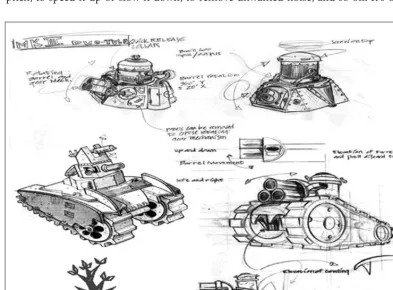
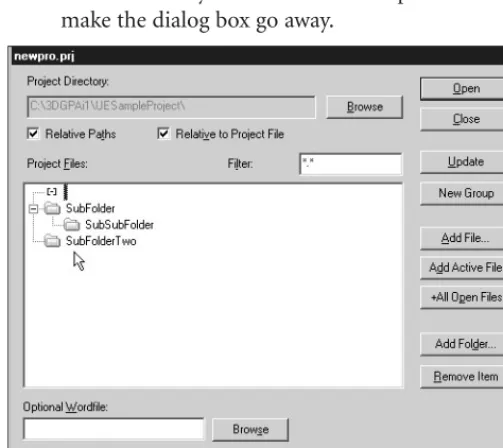
3D
Game Programming
A ll in One
Reference Group:
Andy Shafran
Publisher:
Stacy L. Hiquet
Senior Marketing Manager:
Sarah O’Donnell
Marketing Manager:
Heather Hurley
Manager of Editorial Services:
Heather Talbot
Acquisitions Editor:
Mitzi Koontz
Associate Marketing Manager:
Kristin Eisenzopf
Series Editor:
André LaMothe
Developmental Editors:
Dave Astle and Kevin Hawkins
Project Editor:
Jenny Davidson
Technical Reviewers:
Michael Dawson and Les Pardew
Retail Market Coordinator:
Sarah Dubois
Copy Editor:
Laura Gabler
Interior Layout Tech:
Jill Flores Cover Designer: Steve Deschene CD-ROM Producer: Brandon Penticuff Indexer: Sharon Shock Proofreaders:
Sandi Wilson and Sara Gullion form or by any means, electronic or mechanical, including
photocopy-ing, recordphotocopy-ing, or by any information storage or retrieval system with-out written permission from Course PTR, except for the inclusion of brief quotations in a review.
The Premier Press logo and related trade dress are trademarks of Premier Press and may not be used without written permission.
UltraEdit is a registered trademark of IDM Computer Solutions, Inc., Paint Shop Pro 8 is a trademark of Jasc Corporation, Inc. Audacity and QuArK 6.3 use are subject to the GNU General Public License. Chain Reaction and Reaction Engine SDK are trademarks of Monster Studios. UVMapper 0.25—copyright ©1998-2002 Stephen L Cox, All rights reserved. ThinkTanks is a trademark of BraveTree Productions, LLC. Orbz is a trademark of Mind Vision Software. Marble Blast Gold is a trademark of GarageGames. MilkShape 3D is a trademark of chUmbaLum sOft. All other trademarks are the property of their respective owners.
Important:Course PTR cannot provide software support. Please contact the appropriate software manufacturer’s technical support line or Web site for assistance.
Course PTR and the author have attempted throughout this book to distinguish proprietary trademarks from descriptive terms by following the capitalization style used by the manufacturer.
Information contained in this book has been obtained by Course PTR from sources believed to be reliable. However, because of the possibility of human or mechanical error by our sources, Course PTR, or others, the Publisher does not guarantee the accuracy, adequacy, or completeness of any information and is not responsible for any errors or omissions or the results obtained from use of such information. Readers should be partic-ularly aware of the fact that the Internet is an ever-changing entity. Some facts may have changed since this book went to press.
Educational facilities, companies, and organizations interested in multi-ple copies or licensing of this book should contact the publisher for quantity discount information. Training manuals, CD-ROMs, and por-tions of this book are also available individually or can be tailored for specific needs.
ISBN: 1-59200-136-X
Library of Congress Catalog Card Number: 2004090733 Printed in the United States of America
04 05 06 07 08 BH 10 9 8 7 6 5 4 3 2 1
Course PTR, a division of Course Technology 25 Thomson Place
and Lincus, whose sacrifices and encouragement made it possible.
I
would like to thank Dave Wilkes for his encouragement to do this book, and the other guys at Wilkes Associates for just putting up with me, especially during the early days of its creation.I also want to thank my editors, Mitzi Koontz, Laura Gabler, Mike Dawson, Les Pardew, Kevin Hawkins, and Dave Astle, and especially the ever-patient Jenny Davidson (she laughs at my jokes!). A big thank you to André LaMothe for pushing the idea, and mak-ing it happen.
Many thanks and a tip o’ the hat go to those Four Guys in a Garage: Jeff Tunnell, Rick Overman, Mark Frohnmayer, and Tim Gift. These are the perpetrators of Torque, and the founders of GarageGames. An amazing crew. Thanks to Desmond Fletcher for his assis-tance (knowing and unknowing) with subjects as diverse as particles, terrain, and clouds. Many thanks go to Melv May, Harold Brown, Anthony Rosenbaum, Phil Carlisle, Dave Wyand, Matthew Fairfax, Pat Wilson, Ryan Parker, Simon Windmill, Kevin Ryan, Joe Mar-uschak, Joel Baxter, Justin Mette and the 21-6 gang, and Frank Bignone, for their many contributions to the Torque engine and its game development community. Hearty thanks to Nick Palmer for allowing me to use his music, which appears on the CD.
and his gang are doing with the TXP stuff. Last, but certainly not least, Jim, The Nailer, the epitome of the Online Game Player, and an all around great guy. I hope that everything works out, Jim.
Along the way, there have been many others in various places that deserve some mention: KILLER and his gang, who do what cornered rats do best—fight back. Many other game developers can learn a thing or two about hard work from those guys. Onchas, Cowboy, Badger, and the rest of the “Allies”—keep up the good work. Same with you “Axis” play-ers (except that your days are numbered!). Also a hearty !S to the Playnet forum denizens who opened a second front as soon as the war started (Teh?).
I’m sure I’ve forgotten to acknowledge someone, and I’ll probably get e-mails to that effect, but that’s the risk one embraces.
KENNETHC. FINNEY is the Principal Software Engineer at Wilkes Associates, Inc. in the
ANDRÉLAMOTHE, CEO, Xtreme Games LLC, has been involved in the computing
Introduction . . . .xxvi
Chapter 1
Introduction to 3D Game Development . . . .1
Chapter 2
Introduction to Programming . . . .31
Chapter 3
3D Programming Concepts . . . .89
Chapter 4
Game Programming . . . .123
Chapter 5
Game Play . . . .157
Chapter 6
Network . . . .205
Chapter 7
Common Scripts . . . .235
Chapter 8
Introduction to Textures . . . .275
Chapter 9
Skins . . . .309
Chapter 10
Creating GUI Elements . . . .335
Chapter 11
Chapter 12
Terrains . . . .365
Chapter 13
Introduction to Modeling with MilkShape . . . .381
Chapter 14
Making a Character Model . . . .415
Chapter 15
Making a Vehicle Model . . . .465
Chapter 16
Making Weapons and Items . . . .479
Chapter 17
Making Structures . . . .499
Chapter 18
Making the Game World Environment . . . .513
Chapter 19
Creating and Programming Sound . . . .539
Chapter 20
Game Sound and Music . . . .559
Chapter 21
Creating the Game Mission . . . .583
Chapter 22
The Game Server . . . .609
Chapter 23
The Game Client . . . .631
Chapter 24
The End Game . . . .659
Appendix A
The Torque Game Engine Reference . . . .667
Appendix B
Game Development Resources on the Internet . . . .741
Appendix C
Game Development Tool Reference . . . .749
Appendix D
QuArK Reference . . . .755
Introduction . . . .xxvi
Chapter 1 Introduction to 3D Game Development . . . .1
The Computer Game Industry . . . .1
3D Game Genres and Styles . . . .2
Game Platforms . . . .8
Game Developer Roles . . . .11
Publishing Your Game . . . .15
Elements of a 3D Game . . . .16
Game Engine . . . .16
Scripts . . . .17
Graphical User Interface . . . .19
Models . . . .19
Textures . . . .20
Sound . . . .20
Music . . . .21
Support Infrastructure . . . .21
The Torque Game Engine . . . .23
Descriptions . . . .23
Using Torque in This Book . . . .28
Chapter 2 Introduction to Programming . . . .31
UltraEdit-32 . . . .31
Program Setup and Configuration . . . .32
Setting Up Projects and Files . . . .32
Search and Replace . . . .35
Find in Files . . . .38
grep . . . .39
Bookmarks . . . .42
Macros . . . .43
UltraEdit Review . . . .44
Controlling Computers with Programs . . . .45
Programming Concepts . . . .48
How to Create and Run the Example Programs . . . .48
Hello World . . . .49
Expressions . . . .52
Variables . . . .53
Operators . . . .60
Loops . . . .64
Functions . . . .66
Conditional Expressions . . . .71
Branching . . . .74
Debugging and Problem Solving . . . .82
Best Practices . . . .86
Moving Right Along . . . .87
Chapter 3 3D Programming Concepts . . . .89
3D Concepts . . . .89
Coordinate Systems . . . .90
3D Models . . . .92
3D Shapes . . . .94
Displaying 3D Models . . . .95
Transformation . . . .95
Rendering . . . .98
Scene Graphs . . . .103
3D Audio . . . .104
3D Programming . . . .104
Programmed Translation . . . .105
Programmed Scaling . . . .113
Programmed Animation . . . .115
3D Audio . . . .119
Moving Right Along . . . .122
Chapter 4 Game Programming . . . .123
Torque Script . . . .123
Strings . . . .124
Objects . . . .125
DataBlocks . . . .128
Game Structure . . . .129
Server versus Client Design Issues . . . .132
Common Functionality . . . .133
Preparation . . . .133
Root Main . . . .134
Control Main . . . .139
Initialization . . . .141
Client . . . .144
Server . . . .149
Player . . . .151
Running Emaga4 . . . .153
Moving Right Along . . . .155
Chapter 5 Game Play . . . .157
The Changes . . . .157
Folders . . . .157
Modules . . . .158
Control Modules . . . .158
control/main.cs . . . .159
Client Control Modules . . . .160
control/client/client.cs . . . .160
control/client/interfaces/menuscreen.gui . . . .162
control/client/interfaces/playerinterface.gui . . . .165
control/client/interfaces/splashscreen.gui . . . .169
control/client/misc/screens.cs . . . .169
control/client/misc/presetkeys.cs . . . .171
Server Control Modules . . . .175
control/server/server.cs . . . .175
control/server/weapons/weapon.cs . . . .186
control/server/weapons/crossbow.cs . . . .190
control/server/misc/item.cs . . . .197
Running Emaga5 . . . .202
Moving Right Along . . . .203
Chapter 6 Network . . . .205
Direct Messaging . . . .205
CommandToServer . . . .206
CommandToClient . . . .207
Direct Messaging Wrap-up . . . .209
Triggers . . . .209
Area Triggers . . . .209
Animation Triggers . . . .209
Weapon State Triggers . . . .210
Player Event Control Triggers . . . .210
GameConnection Messages . . . .211
What GameConnection Messages Do . . . .212
Specifics . . . .212
Finding Servers . . . .217
Code Changes . . . .217
New Modules . . . .218
Dedicated Server . . . .230
Root Main Module . . . .230
Control—Main Module . . . .231
Control—Initialize Module . . . .231
Testing Emaga6 . . . .232
Moving Right Along . . . .233
Chapter 7 Common Scripts . . . .235
Game Initialization . . . .235
Selected Common Server Modules . . . .240
The Server Module . . . .240
The Message Module . . . .241
The MissionLoad Module . . . .242
The MissionDownload Module . . . .246
The ClientConnection Module . . . .250
Selected Common Code Client Modules . . . .258
The Canvas Module . . . .259
The Mission Module . . . .261
The MissionDownload Module . . . .262
The Messages Module . . . .266
A Final Word . . . .268
Moving Right Along . . . .273
Chapter 8 Introduction to Textures . . . .275
Using Textures . . . .275
Paint Shop Pro . . . .279
Installing Paint Shop Pro . . . .279
Getting Started . . . .279
Working with Files . . . .283
Paint Shop Pro Features . . . .290
Moving Right Along . . . .307
Chapter 9 Skins . . . .309
UV Unwrapping . . . .309
The Skin Creation Process . . . .310
Making a Soup Can Skin . . . .311
The Soup Can Skinning Procedure . . . .311
Testing the Soup Can Skin . . . .315
Making a Vehicle Skin . . . .316
The Dune Buggy Diversion . . . .316
Testing the Runabout Skin . . . .321
Making a Player Skin . . . .322
The Head and Neck . . . .322
Hair and Hands . . . .327
The Clothes . . . .329
Trying It on for Size . . . .333
Moving Right Along . . . .333
Chapter 10 Creating GUI Elements . . . .335
Controls . . . .336
GuiChunkedBitmapCtrl . . . .337
GuiControl . . . .339
GuiTextCtrl . . . .339
GuiCheckBoxCtrl . . . .341
GuiScrollCtrl . . . .342
GuiTextListCtrl . . . .343
GuiTextEditCtrl . . . .344
The Torque GUI Editor . . . .345
The Cook’s Tour of the Editor . . . .345
Moving Right Along . . . .349
Chapter 11 Structural Material Textures . . . .351
Sources . . . .352
Photography . . . .352
Original Artwork . . . .357
Scaling Issues . . . .358
Tiling . . . .359
Texture Types . . . .360
Irregular . . . .360
Rough . . . .361
Pebbled . . . .361
Woodgrain . . . .361
Smooth . . . .361
Patterned . . . .362
Fabric . . . .362
Metallic . . . .362
Reflective . . . .362
Plastic . . . .362
Moving Right Along . . . .363
Chapter 12 Terrains . . . .365
Terrains Explained . . . .365
Terrain Characteristics . . . .365
Terrain Data . . . .367
Terrain Modeling . . . .367
Height Maps . . . .368
Terrain Cover . . . .369
Tiling 369 Creating Terrains . . . .370
The Height-Map Method . . . .370
Applying Terrain Cover . . . .378
Chapter 13 Introduction to Modeling with MilkShape . . . .381
MilkShape 3D . . . .381
Installing MilkShape 3D . . . .381
The MilkShape 3D GUI . . . .382
Navigating in Views . . . .383
View Scale and Orientation . . . .383
The Soup Can Revisited . . . .384
Menus 391 The Toolbox . . . .398
The Preferences Dialog Box . . . .404
UVMapper . . . .406
The File Menu . . . .407
The Edit Menu . . . .407
The Help Menu . . . .407
UV Mapping . . . .407
Moving Right Along . . . .414
Chapter 14 Making a Character Model . . . .415
Modeling Techniques . . . .415
Shape Primitives . . . .415
Incremental Polygon Construction . . . .415
Axial Extrusion . . . .416
Arbitrary Extrusion . . . .417
Topographical Shape Mapping . . . .417
Hybrids . . . .417
The Base Hero Model . . . .417
The Head . . . .418
The Torso . . . .423
Matching the Head to the Torso . . . .429
The Legs . . . .430
Integrating the Legs to the Torso . . . .432
The Arms . . . .433
Integrating the Arms to the Torso . . . .438
The Hero Skin . . . .438
Character Animation . . . .443
Animating Characters in Torque . . . .443
Building the Skeleton . . . .446
Exporting the Model for Torque . . . .458
The Torque DTS Exporter for MilkShape . . . .459
The Torque Game Engine (DTS) Exporter Dialog Box . . . .459
Special Materials . . . .460
Animation Sequences . . . .463
Moving Right Along . . . .464
Chapter 15 Making a Vehicle Model . . . .465
The Vehicle Model . . . .466
The Sketch . . . .466
The Model . . . .467
The Wheels . . . .476
Testing Your Runabout . . . .477
Moving Right Along . . . .478
Chapter 16 Making Weapons and Items . . . .479
The Health Kit . . . .479
The Model . . . .479
Testing the Health Kit . . . .480
A Rock . . . .481
Testing the Rock . . . .483
Trees . . . .483
The Solid Tree . . . .485
Testing the Solid Tree . . . .487
The Billboard Tree . . . .488
Testing the Billboard Tree . . . .489
The Tommy Gun . . . .490
Making the Model . . . .490
Skinning the Tommy Gun . . . .494
Testing the Tommy Gun . . . .495
The Tommy Gun Script . . . .497
Moving Right Along . . . .497
Chapter 17 Making Structures . . . .499
Installing QuArK . . . .500
Using the Installer . . . .500
Configuration . . . .500
Building Bridges . . . .505
Building a House . . . .508
Moving Right Along . . . .512
Chapter 18 Making the Game World Environment . . . .513
Skyboxes . . . .513
Creating the Skybox Images . . . .516
Adjusting for Perspective . . . .518
The Sky Mission Object . . . .519
Cloud Layers . . . .521
Cloud Specifications . . . .521
Cloud Textures . . . .522
Fog . . . .523
Storms . . . .524
Setting Up Sound . . . .524
Storm Materials . . . .528
Lightning . . . .529
Rain 531 A Perfect Storm . . . .532
Water Blocks . . . .533
Terraforming . . . .534
Moving Right Along . . . .538
Chapter 19 Creating and Programming Sound . . . .539
Audacity . . . .540
Installing Audacity . . . .540
Using Audacity . . . .540
Audacity Reference . . . .542
OpenAL . . . .550
Audio Profiles and Data Blocks . . . .550
Audio Descriptions . . . .551
Trying It Out . . . .553
Koob . . . .555
Moving Right Along . . . .558
Chapter 20 Game Sound and Music . . . .559
Player Sounds . . . .559
Footsteps . . . .560
Weapon Sounds . . . .565 Vehicle Sounds . . . .572 Environmental Sounds . . . .578 Interface Sounds . . . .579 Music . . . .580 Moving Right Along . . . .582
Chapter 21 Creating the Game Mission . . . .583
Game Design . . . .583 Requirements . . . .584 Constraints . . . .585 Koob 586
Torque Mission Editor . . . .587 World Editor . . . .589 Terrain Editor . . . .590 Terrain Terraform Editor . . . .592 Terrain Texture Editor . . . .592 Mission Area Editor . . . .593 Building the World . . . .594 Particles . . . .594 The Terrain . . . .605 Items and Structures . . . .606 Moving Right Along . . . .608
Chapter 22 The Game Server . . . .609
The Player-Character . . . .609 Player Spawning . . . .609 Vehicle Mounting . . . .611 The Model . . . .611 Server Code . . . .612 Vehicle . . . .617
Model 617
Chapter 23 The Game Client . . . .631
Client Interfaces . . . .632 MenuScreen Interface . . . .632 SoloPlay Interface . . . .634 Host Interface . . . .635 FindServer Interface . . . .635 ChatBox Interface . . . .636 MessageBox Interface . . . .640 Client Code . . . .642 MenuScreen Interface Code . . . .642 SoloPlay Interface Code . . . .643 Host Interface Code . . . .647 FindServer Interface Code . . . .648 ChatBox Interface Code . . . .650 MessageBox Interface Code . . . .652 Game Cycling . . . .655 Final Change . . . .657 Moving Right Along . . . .657
Chapter 24 The End Game . . . .659
Testing . . . .660 Basics . . . .660 Regression . . . .660 Play Testing . . . .661 Test Harnesses . . . .661 Hosted Servers . . . .661 Dedicated Servers . . . .662 FPS Game Ideas . . . .662 Other Genres . . . .663 Modifying and Extending Torque . . . .664 Go For It . . . .665
Appendix A The Torque Game Engine Reference . . . .667
Appendix B Game Development Resources on the Internet . . . .741
Torque-Related Web Sites . . . .741 Game Development Web Sites . . . .743
Appendix C Game Development Tool Reference . . . .749
Shareware and Freeware Tools . . . .750 Modeling . . . .750 Image Editing . . . .751 Programming Editing . . . .751 Audio Editing . . . .752 Retail Tools . . . .752 GNU General Public License . . . .754
Appendix D QuArK Reference . . . .755
The Map Editor . . . .755 Configuration Utility . . . .764 General . . . .764 Map . . . .766 map2dif Reference . . . .767
In the past few years, game development has become a huge subject, covering so many areas of technology and expertise that learning all the various aspects of game development would be a huge undertaking that would easily take 5-10 years to mas-ter. One of my goals with the Premier Game Developmentseries was to cover each and every area of game development in depth, in a highly technical manner. How-ever, sometimes you just want to know “how” to do something; you’re not really interested in every single detail. Along these lines, I experimented with a totally beginner book titled Game Programming All in One, in which the reader is assumed to know nothing about game development, not even how to program! The book you’re holding is really a follow-up to that book, albeit on a slightly different path. Instead of teaching general game programming from the ground up, 3D Game Programming All in Oneteaches you how to make 3D games—period.
This book isn’t so much about developing 3D engines, complex 3D math, or even physics, but how to create 3D games and what the high level major components of them are. As the author Kenneth Finney and I discussed and developed the book, we decided that the goal shouldn’t be to exhaustively teach 3D game development—that would take 5,000 pages. Instead, the book should have the single goal—given a reader is familiar with C/C++, teach him how to make a 3D game as quickly as pos-sible, leverage as much technology as pospos-sible, but still give the reader enough back-ground information on the low-level aspects of 3D game development that if he did want to write everything from the rendered to the physics engine, he would have at least an idea of what they do.
wants to learn how to build 3D games, but doesn’t necessarily want to spend 5-10 years learning how to build a 3D game engine from the ground up! In no time you will be creating amazing games based on a state-of-the-art engine. Then, if you so desire, you can always delve deeper into 3D engine design with further studies.
Sincerely,
André LaMothe
Beginnings
“Hi, I’m using your software and I was wondering—can you tell me how I can make a computer game? I don’t have much money, but I have this terrific idea for a shooter-like XYZ game, except I’ll make it do…”
During the past several years while working on the Tubettiland “Online Campaign” soft-ware and more recently while working on the Tubettiworld game, I figure I’ve received more than a hundred queries from people of all ages about how to get started making games. There were queries from 40-year-olds and 13-year-olds and every age in between. Most e-mails were from guys I would estimate to be in their late teens or early 20s. After about the 30th response or so, I gave up trying to help these people out in detail and started to just point them to Web sites where they could gather the information they needed. Finally I stopped responding completely. But this bugged me to no end (I still get several of these e-mails in a month), so every now and then I will respond with the Web links or some pointers. However, whenever I do answer, I often get drawn into long e-mail exchanges for which I just don’t have the time. Eventually I have to beg out of the exchange, usually by being nonresponsive at some point. Then I feel bad again.
I see this book as a sort of e-mail to everyone I haven’t responded to. It’s been rattling around in my head for about two years now, and I have to get it out!
About This Book
within weeks. You will then be able to spend as much time as you want to dream up your game play concepts, and you will have the ability to add them to yourgame.
You might think this is a bold claim, but you can see for yourself. Go ahead and turn to the Table of Contents, or take a quick flip-through skim of the chapters. It’s all there. If you follow through and do the exercises and work, you will arrive at the other end of the journey with experience, not just book learnin’.
Believe in Yourself
Computer games are a $9 billion per year industry. A growing part of this industry is peo-ple like you—part of a growing segment of the gamer population that doesn’t just want to play the games but believes that you can make them better than the game companies can. Your problem may be that you lack the right combination of training, experience, and tools needed to turn your dreams into reality. This book is for you.
Every year more and more colleges offer game development programs, and every few months a new online indie game developer site launches on the Web. There is no lack of training available for those with the money to pay, and there is no lack of books for those of you who want to create your own engines or other specialized parts of a game. The key element missing is a resource that takes the inspired and aspiring game developer by the hand and walks him through all the steps and tools required to make a fully fea-tured game. This book is that resource. With the exception of game music composition (which itself could be a complete book series), you, the Gentle Reader, will learn how to create every part of the game yourselfby using a well-defined toolkit of programs, knowl-edge, skills, and ideas. Sound, music, art, and code libraries are included on the compan-ion CD for you to use if you lack a certain artistic or creative flair.
What You Bring to the Party
I assume that you have more than a passing familiarity with computer games, especially the first-person shooter genre. Throw in some computer savvy, add a reasonably capable computer system, sprinkle with desire, and you should be good to go!
Skills
I’m going to show you how to create your own artwork, but you don’t need to be an artist. The companion CD features a large collection of art you can use in your game.
System
All of the development tools, including the engine, are also included on the companion CD. All of these tools are priced such that even though the shareware version may be included on the CD, the actual registered versions are less than $100.
You will need a Windows-based computer to use this book. (The table below outlines the minimum system requirements.) It is possible for Macintosh and Linux users to use this book to create a game, because the game engine used—Torque—is also available for those platforms. However, not all of the required development tools are available on Mac and Linux, so the book’s focus will be on Windows on Intel.
What the Book Offers
In this book we are going to look at all aspects of game development, a journey from first principles to the completed game.
Concepts
We are going to take a look at various aspects of the game industry to give you the oppor-tunity to see where you might fit in and what sort of opportunities there are. We’ll also examine the elements of a 3D game, game design issues, and game genres.
Programming
Next, you’ll be introduced to the programming concepts that you will need to understand in the course of using the book. You will see how to structure program code, create loops, call functions, and use globally and locally scoped variables. We’ll use a subset of an object-oriented programming language called Torque Script, which is built into the
System Requirements
Processor Pentium II/500MHz minimum Operating System Windows 98/ME/2000/XP
Video Card 3D graphics accelerated video card, NVidia GeForce 2–32MB equivalent or better
Display 17-inch recommended Input Devices keyboard and mouse
Torque Engine. Hands-on sample programs that you can try are available on the com-panion CD. We’ll move on to examining the 3D concepts that you will need to understand some of the more sophisticated activities later in the book. This will provide a foundation for both the programming and the modeling tasks that you will take on later.
Torque
Once you’ve been powered up with sufficient knowledge and understanding of the main concepts in 3D game development, we’ll get into using the Torque Engine in detail. You will learn how to handle client/server programming, how to control the player-character, how to send messages between players, how to create and control AI bots, and much more. Concepts will be presented with exercises and sample programs, which are available on the CD. Although we will cover some of the more intricate low-level workings of the Torque Engine in order to understand it better, it’s important to realize that as an inde-pendent game developer you’ll benefit more from mastering the higher-level functions that utilize the engine for us, so you can worry about other stuff—like game play. With-out game play, you won’t have a game.
Textures
Next, the book will show you everything you need to know about game textures: how to create them, how to modify and manipulate them, and how to use them in the game. The coverage is comprehensive; all of the texture types and their uses are discussed: skins, tiles, terrain, skyboxes, height maps, GUI widgets, and more. You will be guided through exer-cises in creating each of the texture types. A library of textures is available on the com-panion CD to fill in any gaps in your texture needs.
Models
Then we get to the meat of a 3D game—the models. In these chapters we will be delving into the world of low-poly modeling. We’ll talk about the general principles involved in ways that can be applied to other tools, such as the expensive 3D MAX or Maya. But the practical focus will be geared toward using MilkShape, UVMapper, and other low-cost tools that are included on the companion CD.
Sound and Music
After modeling, you will encounter the icing on the game cake: sound and music. You will discover how to select, create, and modify sounds for use in your game. You will also get some advice about selecting musical themes and how to integrate music into your game.
Integration
After picking up the required programming skills, and learning how to use the art creation and modeling tools, you will learn how to knit all the parts together to create a game, pop-ulate your game world, and then test and troubleshoot your game. Finally, we look at where you can go with your shiny new 3D game developer’s toolkit of ideas, knowledge, skills, and software tools.
The Companion CD
The companion CD contains quite a few resources. Following is a quick description. For more detail, check the appendixes.
Source Code
The book’s CD contains all of the Torque Script source code in sample form and final form. The samples will be aligned with the exercises in each chapter. The scripts for the final completed game will be included in its own directory tree. The game will be usable immediately upon installation from the CD so that you can have an instant and extensive preview of what is to come.
Game Engine
The CD will contain the complete Torque Game Engine with its executable, DLLs, and all required GUI and support files. It is a fully featured game engine that includes advanced networking capabilities, blended animations, built-in server-side anticheat capabilities, BSP support, a strong and complete object-oriented C++-like scripting language, and many other advanced features.
Tools
The following shareware tools are included on the CD:
■ MilkShape 3D for 3D player and item modeling ■ QuArK for 3D interior modeling
■ Paint Shop Pro for texture and image manipulation ■ Audacity for sound editing and recording
Goodies
The CD also includes a few extras that aren’t mentioned in the book or that are only briefly touched on:
■ Retail games created with Torque:Orbz, ThinkTanks, Marble Blast, Chain Reaction ■ Additional image and audio libraries
■ Open Source utility source code
Go Get ’em!
1
Introduction to
3D Game Development
B
efore we get into the nitty-gritty details of creating a game, we need to cover some background so that we can all work from the same page, so to speak. In the first part of this chapter, we will establish some common ground regarding the 3D game industry in the areas that matter—the types of games that are made and the differ-ent roles of the developers that make them. In the second part of the chapter, we'll estab-lish what the essential elements of a 3D game are and how we will address them.Throughout the book you will encounter references to different genres, or types, of games, usually mentioned as examples of where a particular feature is best suited or where a cer-tain idea may have originally appeared. In this chapter we will discuss the most common of the 3D game genres. We will also discuss game development roles; I will lay out "job descriptions" for the roles of producer, designer, programmer, artist, and quality assur-ance specialist (or game tester). There are various views regarding the lines that divide the responsibilities so my descriptions are fairly generic.
Finally, we will discuss the concept of the 3D game engine. If ever there is going to be an area of dispute between a writer and his readers in a book like this, a discussion of what constitutes a 3D game engine will be it. I do have a trump card, though. In this book we will be using the Torque Game Engine as our model of what constitutes a fully featured 3D game engine. We will use its architecture as the framework for defining the internal divisions of labor of 3D game engines.
The Computer Game Industry
its own celebrities. It is quite a bit more informal and relaxed than other high-tech fields in many ways but is quicker paced with a higher burnout rate. There are independent game developers, or indies, and big-name studios, but the computer game industry tends to be more entrepreneurial in spirit.
Just as in the motion picture industry, an indie developer is one that is not beholden to other businesses in their industry that can direct their efforts. Indies fund their own efforts, although they sometimes can get funding from outside sources, like a venture cap-italist (good luck finding one). The key factor that makes them independent is that the funding does not come from downstreamindustry sources that would receive the devel-oper's product, like a major game development house, publisher, or distributor.
Indies sell their product to distributors and publishers after the product is complete, or nearly so. If a developer creates a product under the direction of another company, they are no longer independent.
A good measure of the "indie-ness" of a developer is the answer to the following two questions:
■ Can the developer make any game he wants, in whatever fashion he wants? ■ Can the developer sell the game to whomever he wants?
If the answer is "yes" in both cases, then the developer is an indie.
Of course, another strong similarity with movies is that, as I pointed out earlier, games are typically classified as belonging to different genres.
3D Game Genres and Styles
Game development is a creative enterprise. There are ways to categorize the game genres, but I want you to keep in mind that while some games fit each genre like a glove, many others do not. That's the nature of creativity. Developers keep coming up with new ideas; sometimes they are jockeying for an advantage over the competition and sometimes they are just scratching an itch. At other times, calculating marketing departments decide that mixing two popular genres is a surefire path to a secure financial future.
The first rule of creative design is that there are no rules. If you are just scratching an itch, then more power to you. If you are looking to make a difference in the gaming world, you should at least understand the arena. Let's take a look at the most common 3D genres around today and a few that are interesting from a historical perspective. When you are trying to decide what sort of game you want to create, you should try understanding the genres and use them as guides to help focus your ideas.
some are still in development. Almost all of them use the same Torque Game Engine we will use in this book to develop our own game.
By no means is this a definitive list; there are many genres that don't exist in the 3D gam-ing realm, and the number of ways of combingam-ing elements of genres is just too large to bother trying to enumerate. If you take pride in your creativity, you might resist attempts to pigeonhole your game idea into one of these genres, and I wouldn't blame you. When trying to communicate your ideas to others, however, you will find it useful to use the gen-res as shorthand for various collections of featugen-res, style, and game play.
Action Games
Action games come in several forms. The most popular are the First-Person Point-of-View (1st PPOV) games, where your player-character is armed, as are your opponents. The game play is executed through the eyes of your character. These sorts of games are usual-ly called First-Person Shooter (FPS) games. Game play variations include Death Match, Capture the Flag,Attack & Defend, andKing-of-the-Hill. Action games often have multi-player online play, where your opponents are enemies controlled by real people instead of by a computer. Success in FPS games requires quick reflexes, good eye-hand coordination, and an intimate knowledge of the capabilities of your in-game weapons. Online FPS games are so popular that some games have no single-player game modes.
Some action games are strictly 3rd PPOV, where you view your player-character, or avatar, while also viewing the rest of the virtual worldyour avatar inhabits (see Figure 1.1). Half-Life 2,Rainbow Six, andDelta Force: Blackhawk Downare popular examples of FPS-style action games.
Adventure Games
Adventure games are basically about exploring, where player-characters go on a quest, find things, and solve puzzles. The pioneering adventure games were text based. You would type in movement commands, and as you entered each new area or room, you would be given a brief description of where you were. Phrases like "You are in a maze of twisty passages, all alike" are now gaming classics. The best
adventure games play like interactive books or stories, where you as the player decide what happens next, to a certain degree.
Text adventures evolved into text-based games with static images giving the player a bet-ter idea of his surroundings. Eventually these merged with 3D modeling technology. The player was then presented with either a first- or third-person point of view of the scene his character was experiencing.
Adventure games are heavily story based and typically very linear. You have to find your way from one major accomplishment to the next. As the story develops, you soon become more capable of predicting where the game is going. Your success derives from your abil-ity to anticipate and make the best choices.
Some well-known examples of adventure games are The King's Questseries,The Longest Journey, andSyberia.
Online adventure games have not really come into their own yet, although some games are emerging that might fit the genre. They tend to include elements of FPS action games and Role-Playing Games(RPGs) to fill out the game play, because the story aspect of the game is more difficult to accomplish in an online environment. Players advance at different speeds, so a monolithic linear story line would become pretty dreary to a more advanced player. An example of an online action-adventure-FPS hybrid game is Tubettiworld (see Figure 1.2), being developed by my all-volunteer team at Tubetti Enterprises.
Role-Playing Games
Role-playing games are very popular; that popularity can probably find its roots in our early childhood. At younger than age six or seven, we often imagined and acted out excit-ing adventures inspired by our action figures and other toys or children's books. As was also true for strategy games, the more mature forms of these games first evolved as pen-and-paper games, such as Dungeons & Dragons.
These games moved into the computer realm with the com-puter taking on more of the data-manipulation tasks of the game masters. In role-playing
responsible for the develop-ment of his game character's skills, physical appearance, loy-alties, and other characteris-tics. Eventually the game envi-ronment moved from each player's imaginations onto the computer, with rich 3D fantasy worlds populated by visually satisfying representations of buildings, monsters, and crea-tures (see Figure 1.3). RPGs are usually science fiction or fan-tasy based, with some histori-cally oriented games being popular in certain niches.
Maze and Puzzle Games
Maze and puzzle games are somewhat similar to each other. In a maze game you need to find your way through a "physical" maze in which your routes are defined by walls and other barriers. Early maze games were 2D, viewed from the top; more recent ones play more like 3D adventure or FPS games.
Puzzle games are often like maze games but with problems that need to be solved, instead of physical barriers, to find your way through.
Mazes also make their appear-ance in arcade pinball-style games such as Marble Blast(see Figure 1.4) by GarageGames. It is a maze-and-puzzle hybrid game where you compete against the clock in an effort to navigate a marble around physical barriers. The puzzle aspect lies in determining the fastest (though not necessarily the most direct) route to the finish line.
Puzzle games sometimes use puzzles that are variations of the shell game or that are more
Figure 1.3 Myrmidon—a science fiction RPG, another Torque-based game, being developed by 21-6 Productions.
indirect problem-solving puzzles where you must cause a series of things to happen in order to trigger some further action that lets you advance. Many puzzle games utilize direct prob-lem-solving modes where the puzzle is presented visually. You then need to manipulate on-screen icons or controls in the correct sequences to solve the problem. The best puzzles are those where the solution can be deduced using logic. Puzzles that require pure trial-and-error problem-solving techniques tend to become tedious rather quickly. A historic exam-ple of a puzzle game is The Incredible Machineseries by Dynamix. The latest variation of this type is the new game Chain Reactionby Monster Studios (see Figure 1.5).
Simulator Games
The goal of a simulator (or sim) game is to reproduce a real-world situation as accurately as possible. The measure of the simulation accuracy is usually called its fidelity. Most simula-tors put a heavy emphasis on the fidelity of the visual appearance, sounds, and physics of the game. The point is total immersion in the game environment, so that you get the feeling you are actu-ally there. You may be flying a jet fighter or driving a thor-oughbred Grand Prix racing car. The game mirrors the real-life experience to the maximum the developers can manage. Simulators usually require spe-cialized input devices and con-trollers, such as aircraft joy-sticks and rudder pedals. Many simulator enthusiasts build complete physical cockpit mockups to enhance the immersion experience.
Falcon 4, Grand Prix Legends, and Center World (see Figure 1.6) are examples of simulator
Figure 1.5 Chain Reaction—a puzzle game by Monster Studios using its Reaction Engine.
Sports Games
Sports games are a variation of the simulator class of games in which the developer's intent is to reproduce the broad experi-ence of the game as accurately as possible. You can participate in a sports game at various lev-els and watch the action play out in a realistic 3D environ-ment (see Figure 1.7).
Unlike the action-oriented flight and driving simulators, sports games usually have a manager or season angle. While playing the game, you can also take on the role of
coach, owner, or team manager. You can execute draft picks and trades or groom new players like any major league ball organization would. In a modern sports simulator you could be managing budgets, and you might play or race a regular year's schedule, playing in different stadiums or arenas or racing on different tracks.
Strategy Games
Strategy games began as pen-and-paper games, like war games, that have been around for centuries. As computer technology evolved, computer-based tables and random-number generators replaced the decision-making aspects of strategy games traditionally embod-ied by lookup charts and dice rolls.
Eventually the tabletop battlefields (or sandbox battlefields) with their cardboard mark-ers or die-cast military miniatures moved into the computmark-ers as well. The early tabletop games were usually turn based: Each player would in turn consider his options and issue "orders" to his units. Then he would throw the dice to determine the result of the orders. The players would then modify the battlefield based upon the results. After this, the play-ers would observe the new shape of the battlefield and plot their next moves. The cycle then repeated itself.
The advent of computer-based strategy games brought the concept of real timeto the forefront. Now the computer determines the moves and results and then structures the battlefield accordingly. This has given birth to the Real-Time Strategy (RTS) genre. It does this on a time scale that reflects the action. Sometimes the computer will compress the time scale, and other times the computer will operate in real time, where one minute of
time in the game action takes one minute in the real world. The player issues orders to his unit as he deems them to be necessary. Recently, strategy games have moved into the 3D realm, where players can view the battlefield from different angles and perspectives as they plot their next moves (see Figure 1.8).
There are strategy games that exist outside the world of warfare. Some examples include business strategy games and political strategy games. Some of these games are evolving into strategic simulations, like the well-known SimCityseries of games.
Game Platforms
This book is about computer games written for personal computers. There are three dom-inant operating systems: Microsoft Windows, Linux, and Mac OS. For some of these sys-tems there are quite a few different flavors, but the differences within each system are usu-ally negligible, or at least manageable.
Another obvious game platform type is the home game console, such as the Sony PlayStation or the Nintendo GameCube. These are indeed important, but because of the closed nature of the development tools and the expensive licenses required to create games for them, they are beyond the scope of this book.
Other game platforms include Personal Digital Assistants (PDAs), such as palm-based computers, and cell phones that support protocols that permit games to be played on them. Again, these platforms are also beyond the scope of this book.
Now that those little disclaimers are out of the way, let's take a closer look at the three game platforms of interest. It's important to note that by using the Torque Game Engine, you will be able to develop what amounts to a single code base for a game that you can ship for all three platforms: Windows, Linux, and Macintosh!
Windows
Windows has various historical versions, but the current fla-vors are Windows 2000, Windows XP, and the special-ized Windows CE. In this book the expectation will be that you are developing on or for a
Some Popular Retail 3D Games and Their Genres
If you are still unclear about what a particular genre is about, take a look at the following table. It is a list of current "big-name" game titles (including one or two that are not yet released). Be aware that you may find a Web site or magazine somewhere that classifies these games in a slightly different way. That's cool—don't worry about it.
Game Publisher Genre
Windows XP target system, because that is the version that Microsoft is now selling to the home computer market.
Within Windows XP, we will be using OpenGL and Direct3D as our low-level graphics Application Programming Interfaces (APIs). These APIs provide a means for our engine to access the features of the video adapters in our computers. Both OpenGL and Direct3D provide basically the same services, but each has its own strengths and weaknesses. With Torque you will have the choice of letting your end users use either API.
OpenGL's greatest strength lies in its availability with different computer systems. An obvious benefit is that the developer can create a game that will work on most comput-ers. OpenGL is an open-source product. In a nutshell, this means that if there is a partic-ular capability you want that OpenGL lacks, you can get access to the OpenGL source code and rebuild it the way you want. This assumes you have the skills, time, and tools necessary to get the job done, but you cando it.
DirectX is proprietary—it is the creation and intellectual property of Microsoft Corporation. Its biggest advantage is that it tends to support more features than OpenGL, and the 3D video adapter manufacturers tend to design their hardware to work with DirectX as much as they can. With DirectX you get a much more complete and the most advanced feature set. Unfortunately, you are limited to Windows-based systems if you put all your eggs in the DirectX basket.
The Torque Game Engine uses both APIs and gives you a rather straightforward set of techniques to set up your game with either. This means that in a Windows version of your game, you can offer your users the option of using the API that best suits their video adapter.
Linux
For most people, the single most important reason to use Linux is the price—it's free. You may have to pay to get a distribution of Linux on CD with manuals at a store, but you are paying for the cost of burning the CD, writing and printing the manuals, and distribution. You don't have to pay for the operating system itself. In fact, you can download Linux from many different locations on the Internet.
As a game developer, you will have a threefold interest in targeting Linux:
■ Linux is a growing marketplace, and any market that is growing is a good target. Although the market is growing, it is still smaller than the Windows market. The place where Linux is growing is in universities, colleges, and other postsecondary institutions—and this is probably where your best computer gaming audience is. ■ There are few computer games available for Linux desktops; most developers focus
be a bigger fish in a smaller ocean. That gets you exposure and a reputation that you can build on. And that's nothing to sneeze at.
■ Linux offers a more configurable and secure environment for unattended Internet game servers. Linux servers can be run in a console mode that requires no fancy graphics, buttons, or mice. This allows you to utilize slower computers with less mem-ory for servers and still get the computing power you need for your game server. Unlike other operating systems, Linux comes in a variety of flavors known as distributions. There are many ongoing arguments about the merits of one distribution or another. Some of the more popular distributions are Red Hat, SuSE, Mandrake, Turbolinux, Debian, and Slackware. Although they may be organized differently in some cases and each has its own unique graphical look and feel, they are all based on the same kernel. It is the kernel that defines it as Linux.
Macintosh
The Macintosh is used a great deal in art-related fields and in the art departments of many businesses. Although the price point might not be as good as Linux (where the OS and most software is free), the Macintosh operating system is typically more accessible to the less tech-savvy users among us.
As with Linux, there has also traditionally been a dearth of computer games available for the Mac. So the big fish–small ocean factor applies here as well. Go ahead and make a splash!
n o t e
One minor disadvantage of working with cross-platform software like Torque is the issue of nam-ing conventions. In this book, wherever possible, I will head off the potential conflicts with a note that will cast a particular naming approach in stone for the duration of this book.
An example that will probably become obvious pretty quickly is the concept of directories or fold-ers. The latter is shorter and easier to type, and the term will be used often. To save my editors the hassle, I will use folders. If you are a directories person, please just play along, okay?
Game Developer Roles
Producer
A game producer is essentially the game project's leader. The producer will draw up and track the schedule, manage the people who do the hands-on development work, and man-age the budget and expenditures. The producer may not know how to make any part of a game at all, but he is the one person on a game project who knows everything that is hap-pening and why.
It's the producer who needs to poke the other developers in the ribs when they seem to be lagging. The producer needs to be aware when different members of the team are in need of some tool, knowledge, or resource and arrange to provide the team members with what they need.
Sometimes producers just need to spray a liberal dose of Ego-in-a-Can to refresh a despondent developer who keeps smashing into the same brick wall over and over while the clock ticks down.
The producer will also be the interface for the team to the rest of the world, handling media queries, negotiating contracts and licenses, and generally keeping the big noisy bothersome world off the backs of the development team.
Designer
If you are reading this, I have no doubt that you want to be a game designer. And why not? Game designers are like fun engineers—they create fun out of their imaginations. As a game designer, you will decide the theme and rules of the game, and you will guide the evolution of the overall feel of the game. And be warned—it had better be fun!
There are several levels of designers: lead designer, level designer, designer-writer, charac-ter designer, and so on. Large projects may have more than one person in each design role. Smaller projects may have only one designer or even a designer who also wears a pro-grammer's or artist's hat! Or both!
Game designers need to be good communicators, and the best ones are great collabora-tors and persuaders. They need to get the ideas and concepts out of their heads and into the heads of the rest of the development team. Designers not only create the concept and feel of the game as a whole, but also create levels and maps and help the programmers stitch together different aspects of the game.
Unlike the producer, a designer needs to understand the technical aspects of the game and how the artists and programmers do what they do.
Programmer
Game programmers write program code that turns game ideas, artwork, sound, and music into a fully functional game. Game programmers control the speed and placement of the game artwork and sound. They control the cause-and-effect relationships of events, translating user inputs through internal calculations into visual and audio experiences. There can be many different specializations in programming. In this book you will be doing a large amount of programming of game rules, character control, game event man-agement, and scoring. You will be using Torque Script to do all these things.
For online game programming, specialization may also be divided between client code and server code. It is quite common to specify character and player behavior as a partic-ular programmer specialty. Other specialty areas might be vehicle dynamics, environ-mental or weather control, and item management.
Other programmers on other projects might be creating parts of the 3D game engine, the networking code, the audio code, or tools for use with the engine. In our specific case these specializations aren't needed because Torque looks after all of these things for us. We are going to focus on making the game itself.
Visual Artist
During the design stages of development, game artists draw sketches and create story-boards to illustrate and flesh out the designers' concepts. Figure 1.9 demonstrates a con-ceptual design sketch created by a visual artist, and used by the development team as a ref-erence for modeling and programming work. Later they will create all the models and tex-ture artwork called for by the design document, including characters, buildings, vehicles, and icons.
The three principal types of 3D art are models, animations, and textures.
■ 3D modelers design and build player-characters, creatures, vehicles, and other mobile 3D constructs. In order to ensure the game gets the best performance pos-sible, model artists usually try to make the least complex model that suits the job. A 3D modeler is very much a sculptor working with digital clay.
■ Animators make those models move. The same artist quite often does both model-ing and animation.
reduce the model complexity by using highly detailed and cleverly designed tex-tures. The intent is to fool the eye into seeing more detail than is actually there. If a 3D modeler molds a sculpture in digital clay, the texture artist paints that sculpture with digital paint.
Audio Artist
Audio artists compose the music and sound in a game. Good designers work with cre-ative and inspired audio artists to create musical compositions that intensify the game experience.
tightrope walk, balancing realistic sounds with the need to exaggerate certain characteris-tics in order to make the right point in the game context.
Quality Assurance Specialist
Quality Assurance(QA) is a somewhat fancy name for testing. The general field of QA is more extensive than that, of course, but in the game business game testers take the brunt of the QA load. The purpose of testing is to ensure that a finished game is really fin-ished, with as few bugs or problems as humanly possible. QA testing requires the qual-ity assurance specialist, or game tester, to play each part of a game, trying to smooth out all glitches and bugs.
Most of the problems QA testing will find are visual or behavioral: text that doesn't correct-ly wrap on an edge, characters that don't jump correctcorrect-ly, or a level that has buildings mis-placed. Testing can find game play problems; these are usually related more to the design than the programming. An example could be that the running speed of a player might not be fast enough to escape a particular enemy when it should be more than fast enough. QA specialists need to be methodical in order to increase the chances of finding a bug. This might mean replaying a certain part of a game many times to the point of boredom. QA specialists need to be able to communicate well in order to write useful and mean-ingful bug reports.
Publishing Your Game
You can self-publish, of course. Whip up a Web site, add a shopping cart system, get your site added to various search engines, and sit back to wait for the dough to roll in, right? Well, itmightwork.
If you really think you have the next killer game and want it to sell, however, you need to hook up with someone who knows what they are doing. That would be a publisher. If you are an independent game developer, you will probably have difficulty attracting the atten-tion of the big-name publishers. They usually know what they are looking for, are nor-mally only interested in developers with proven track records, and probably already know whom they want to deal with anyway.
But all is not lost—there are options available for the indie. The one I recommend is GarageGames (http://www.garagegames.com). Besides offering competitive publishing terms for indie developers, GarageGames also created the Torque Game Engine, which it has graciously agreed to allow me to include on the CD for this book. Torque is the tech-nology behind the popular and successful Tribesseries of games. I'm going to help you learn how to use Torque as an enormous lever in creating your game.
source code for the engine, so you can turn any game dream into a reality—for only $100! That's a hundred bucks for full access to the inner workings of an award-winning AAA 3D game engine. As Neo would say, "Whoa!"
I have no qualms about suggesting that you go to GarageGames. They are the guys behind theTribesfranchise, which is now owned by Sierra. They know their stuff, but they are not some big faceless corporate entity. They're basically a handful of guys who've made their splash in the corporate computer game industry, and now they're doing their level best to help the independent game developers of the world make their own splashes.
And no, they aren't paying for this book!
Elements of a 3D Game
The architecture of a modern 3D game encompasses several discrete elements: the engine, scripts, GUI, models, textures, audio, and support infrastructure. We're going to cover all of these elements in detail in this book. In this section I'll give you some brief sketches of each element to give you a sense of where we are going.
Game Engine
Game engines provide most of the significant features of a gaming environment: 3D scene rendering, networking, graphics, and scripting, to name a few. See Figure 1.10 for a block diagram that depicts the major feature areas.
Game engines also allow for a sophisticated rendering of game environments. Each game uses a different system to organize how the visual aspects of the game will be modeled. This becomes increasingly important as games are becoming more focused on 3D envi-ronments, rich textures and forms, and an overall realistic feel to the game. Textured Polygon rendering is one of the most common forms of rendering in FPS games, which tend to be some of the more visually immersive games on the market.
By creating consistent graphic ments and populating those environ-ments with objects that obey specific physical laws and requirements, gam-ing engines allow games to progress sig-nificantly along the lines of producing more and more plausible narratives. Characters are constrained by rules that have realistic bases that increase the gamer's suspension of disbelief and draw him deeper into the game.
By including physics formulas, games are able to realistically account for moving bodies, falling objects, and particle movement. This is how FPS games such as Tribes 2,Quake 3, Half-Life 2, or Unreal IIare able to allow characters to run, jump, and fall in a virtual game world. Game engines encapsulate real-world characteristics such as time, motion, the effects of gravity, and other natural physical laws. They provide the developer with the ability to almost directly interact with the gaming world created, leading to more immer-sive game environments.
As mentioned earlier, this book will employ the Torque Game Engine from GarageGames (http://www.garagegames.com). The Torque is included on the CD with this book. Later on we will discuss Torque in more detail—and you will understand why Torque was chosen.
Scripts
As you've just seen, the engine provides the code that does all the hard work, graphics ren-dering, networking, and so on. We tie all these capabilities together with scripts. Sophisticated and fully featured games can be difficult to create without scripting capa-bility.
Scripts are used to bring the different parts of the engine together, provide the game play functions, and enable the game world rules. Some of the things we will do with scripts in this book include scoring, managing players, defining player and vehicle behaviors, and controlling GUI interfaces.
Following is an example of a Torque script code fragment:
// Beer::RechargeCompleteCB
// args: %this - the current Beer object instance // %user - the player connection user by id //
// description:
// Callback function invoked when the energy recharge // the player gets from drinking beer is finished. // Note: %this is not used.
function Beer:: RechargeCompleteCB (%this,%user) {
// fetch this player's regular recharge rate // and use it to restore his current recharge rate // back to normal
%user.setRechargeRate(%user.getDataBlock().rechargeRate); }
// Beer::OnUse
// %user - the player connection user by id //
// description:
// Callback function invoked when the energy recharge // the player gets from drinking beer is finished. //
function Beer::OnUse(%this,%user) {
// if the player's current energy level // is zero, he can't be recharged, because // he is dying
if (%user.getEnergyLevel() != 0) {
// figure out how much the player imbibed // by tracking the portion of the beer used. %this.portionUsed += %this.portion;
// check if we have used up all portions if (%this.portionUsed >= %this.portionCount) {
// if portions used up, then remove this Beer from the // player's inventory and reset the portion
%this.portionUsed = 0; %user.decInventory(%this,1); }
// get the user's current recharge rate
// and use it to set the temporary recharge rate %currentRate = %user.getRechargeRate();
%user.setRechargeRate(%currentRate +%this.portionCount);
// then schedule a callback to restore the recharge rate
// back to normal in 5 seconds. Save the index into the schedule // list in the Beer object in case we need to cancel the
// callback later before it gets called
%this.staminaSchedule = %this.schedule(5000,"RechargeCompleteCB",%user);
// if the user player hasn't just disconnected on us, and // is not a 'bot.
if (%user.client) {
// send the appropriate message to the client system message // window depending on whether the Beer has been finished, // or not. Note that whenever we get here portionUsed will be // non-zero as long as there is beer left in the tankard. if (%this.portionUsed == 0)
messageClient(%user.client, 'MsgBeerUsed', '\c2Tankard polished off'); else
messageClient(%user.client, 'MsgBeerUsed', '\c2Beer swigged'); }
} }
The example code establishes the rules for what happens when a player takes a drink of beer. Basically, it tracks how much of the beer has been consumed and gives the player a jolt of energy for five seconds after every mouthful. It sends messages to the player's client screen telling him what he's done—had a sip or polished off the whole thing. It also plays a sound effect of the player sighing in relief and contentment with every drink.
Graphical User Interface
The Graphical User Interface(GUI) is typically a combination of the graphics and the scripts that carries the visual appearance of the game and accepts the user's control inputs. The player's Heads Up Display(HUD), where health and score are displayed, is part of the GUI. So are the main start-up menus, the settings or option menus, the dialog boxes, and the various in-game message systems.
Figure 1.11 shows an example main screen using the Tubettiworldgame. In the upper-left corner, the text that says "Client 1.62" is an example of a GUI text control. Stacked along the left side from the middle down are four GUI button controls. The popsicle-stick snap-per logo in the lower right and the Tubettiworldlogo across the top of the image are GUI bitmap controls that are overlayed on top of another GUI bitmap control (the back-ground picture). Note that in the figure the top button control (Connect) is currently highlighted, with the mouse cursor over the top of it. This capability is provided by the Torque Game Engine as part of the definition of the button control.
In later chapters of this book we will spend a good deal of time contemplating, designing, and implementing the GUI elements of our game.
Models
kind. Our player's character is a model. The world he tromps on is a special kind of model called terrain. All the build-ings, trees, lampposts, and vehicles in our game world are models.
In later chapters we will spend a great deal of time creating and texturing models, animat-ing them, and then insertanimat-ing them into our game.
Textures
In a 3D game, textures are an important part of rendering the models in 3D scenes. Textures (in certain cases called skins—see Figure 1.13) define the visually rendered appear-ance of all those models that go into a 3D game. Proper and imaginative uses of textures on 3D models not only will enhance the model's appear-ance but will also help reduce the complexity of the model. This allows us to draw more models in a given period of time, enhancing performance.
Sound
Sound provides the contextual flavoring in a 3D game, providing audio cues to events and background sounds that imply environments and context, as well as 3D positioning cues for the player. Judicious use of appropriate sound effects is necessary for making a good 3D game. Figure 1.14 shows a sound-effect waveform being manipulated in a waveform-editing program.
Figure 1.11 An example of a main menu GUI.
Music
Some games, especially multiplayer games, use little music. For other games, such as single-player adventure games, music is an essential tool for establishing story line moods and con-textual cues for the player.
Composing music for games is beyond the scope of this book. During the later chapters, however, I will point out places where music might be useful. It is always helpful to pay attention to your game play and whatever mood you are try-ing to achieve. Addtry-ing the right piece of music just might be what you need to achieve the desired mood.
Support Infrastructure
This is more important for per-sistent multiplayer online games than single player games. When we ponder game