(
("
(~'
C'
Copyright 1988 by Eyring Research Institute, Inc., 1450 West 820 North, Provo, Utah 84601 USA. All rights reserved
The infonnation in this document has been carefully checked and is believed to be reliable. However, Eyring assumes no responsibility for inaccuracies. Furthennore, Eyring reserves the right to make changes to any products to improve reliability, function, or design and does not as-sume any liability arising out of the application
or
use of this document.PDOS Developer's Reference
Printed in the United States of America.
Product number 2520-2T (for POOS revision 3.3) lanuary,1988
POOS is a registered trademark of Eyring Research Institute, Inc.
o
o
o
o
o
('
(
(//
Table of Contents
Introduction
1
Manual Organization ...•...•... .' ... 1
Conventions ...•... : ... 2
. PDOS Structure
3
PDOS Kernel ... .3The File Manager ...•...•... 4
BIQS ... 4
Supported Devices ...••...•... ; ... .4
Memory Requirements ....•...•... 4
PDOSKemel
5
The PDOS Task ...•...•..•... .5Multi-Tasking ...•...•...••...•... 7
The Task Control Block (TCB) ... 8
SYRAM ... 28
Fixed Offset BIOS Initialized ... 28
Fixed Offset PDOS Initialized ... .30
Variable Offset ... .41
MSYRAM Switches ... 41
Dispatch Table ... .43
System Services ...•...•...•... .48
Support Utilities ...•...•... .48
PDOS Character I/O ...•...•... · ... .49
PDOS Character Input ...•...•..•...•... " ... 49
PDOS Character Output ...•...•... .51
Events ... ' ...•... 53
Task Communication ... .54
Task Suspension ... .55
lIigh Priority Tasks . : ...•... 56
PDOS Exception :Handling ... 56
Table of Contents (cont.)
File Management
60
File Storage ...•... 60
File Names ... 62
Directory Levels ...•...•... .- ... 63
Disk Numbers ...•...•.•..•..•.••...•... 63
File Attributes ...•... 64
Time Stamping ...•... ·65
Ports, Units, and Disks ...•...•..•... 66
Ports ...•... 66
Units ...•... 66
Disks ... 66
PDOSBIOS
67
ii xxBIOS:SR - User BIOS Module ...•...•... 68Task Startup Table ...•... 68
Cold Startup Subroutines ...•... 68
Kernel Subroutines ...•... 69
Exception Vector Table ... 71
BIOS Example ... 72
MBIOS:SR - Common BIOS Module ... 77
BIOS Table ....•... 77
MBIOS Switches ... 79
xxBIOSU - UARTs ...•... 83
Interrupt Inputs ... 86
Parallel Port Interrupts ...•... 86
3.3 -1/88 PDOS DEVELOPER'S REFERENCE
()
,r;1fi''t."
'V
(
Table of Contents (cont.)xxBIOSW - Read/Write Disk DSRs ... 86
Disk Read/Write ... 88
Cold Startup Initialize ... 89
Kernel Subroutine ... 89
Error Message Table ... 90
Interrupts ... 90
PDOS Winchester Standard ... 91
System Independent Drive Parameters ... 91
Disk Partitions on Drive Header ... 92
Bad Track Mapping ... 92
Drive Data Blocks (DDBs) ... 92
PDOS Disk Numbering ... 93
PDOS Disk Layout ...•... 94
PDOS I/O Drivers ...•... 97
Driver Entry Points ... 97
Using Driver Registers ... 98
Driver Generation ... 99
PDOS Output Driver Example ... 100
(
PDOS Input Driver Example ... 104Insta1lable Device Routines and Utilities ... 106
Programming Conventions ... 106
UART Service Routines ...•... 106
I/O Drivers ... 108
Disk Service Routines ... 108
Shared Utility ... 109
(
Interrupts ... 110PDOS Error Definitions
111
PDOS Error Summary ... 111PDOS Error Ranges ... 112
PDOS Error Numbers ... 112
(
iv 3.3 -1/88 PDOS DEVELOPER'S REFERENCE
o
,41t
I,~
Introduction
Manual Organization
(
",' /c
PDOS DEVELOPER'S REFERENCE
This manual is designed to help the PDOS developer understand the inner work-ings of the POOS operating system. It describes the kernel, file manager and BIOS modules ofPOOS in detail. This is not a beginner's manual. To learn how to use POOS. consult the PDOS User's Manual" Volume 1 and other PDOS reference manuals.
Before you consult this manual, you should be familiar with POOS-related com-puter hardware and software, specifically the MC68000 microprocessor. If you need more information on the MC68000, consult one of the following books: Motorola. 1984. MC68000 -16132-BIT MICROPROCESSOR
PROGRAMMER'S REFERENCE MANUAL. Fourth Edition. Englewood Cliffs, NJ.: Prentice-Hall Inc ..
Zarella, John. 1981. MICROPROCESSOR OPERATING SYSTEMS. Suisun City. California: Microcomputer applications.
The f1I'St section of this manual describes the structure of POOS. It is a good idea to read through this overview before you begin your development. The next section deals with the kernel. The POOS kernel handles tasking, so there you will fmd information on multi-tasking, the task control block, task
communication. SYRAM, etc.
The file manager section follows and describes how POOS handles file storage, file names, disk: numbers. and directory levels.
The next section descn'bes the BIOS or Basic I/O Subsystem ofPDOS.1f you are porting POOS to new hardware, you will consult this section often. It goes into much detail about the user and common BIOS modules. disk: read/write and layout, and the POOS Winchester disk: standard You will also learn how to
write POOS
110
drivers from examples.The final section lists POOS errors with a description of each one.
Introduction (cont.)
Conventions
2
The following notations are used throughout this manual:
$ Hexadecimal number. (e.g. $IFFF = decimal 8191). % Binary number. (e.g. %1001101 = decimal 77).
< > Parameter used with a POOS command or primitive. (e.g. DL <filename> indicates that the DL command requires a filename as a parameter). { } Optional. (e.g. SA <filename> {,<attributes> ) indicates that the parameter
<attributes> is optional).
(Ax) . Indirect assembly addressing. (e.g. (A2)
=
Buffer refers to register A2 pointing to a buffer).Keys Key names are denoted by bold. (e.g. Cr or .J means to press the carriage return key; Esc is the escape key; Ctrl is the control key (usually followed by a letter which also appears bold); and J, indicates a line feed).
3.3 -1188 PDOS DEVELOPER'S REFERENCE
o
o
(
PDOS Structure
(
The PDOS Kernel
(
('
PDOS DEVELOPER'S REFERENCE
PDOS is written in Motorola 68000 assembly language for fast, efficient execu-tion. The small kernel handles multi-tasking, realtime clock. event processing. and memory management functions. Ready tasks are scheduled using a
prioritized, round-robin method. The highest priority task: in the ready state is al-ways scheduled. Tasks with the same priority are scheduled in a round-robin fashion. A suspended task: allows lower priority tasks to execute. The A-line ($AOOO) instruction interfaces over 100 system primitives to a user task. Tasks are the components comprising a realtime application. Each task is an in-dependent program that shares the processor with other tasks in the system. Tasks provide a mechanism that allows a complicated application to be sub-divided into several independent. understandable. and manageable modules. Realtime. concurrent tasks are allocated in 2K byte increments. There are no 64K byte boundary restrictions since the full 32-bit address space is available. Semaphores and events provide a low overhead facility for one task to signal another. Events indicate availability of a shared resource, timing pulses, or the occurrence of a hardware or software interrupt Messages and mailboxes are used in conjunction with system lock, unlock, suspend. and event primitives. PDOS provides timing events that can be used in conjunction with desired events to prevent system lockouts. Other special system events signal character inputs and outputs.
POOS Structure (cont.)
The File Manager
BIOS
Supported Devices
Memory Requirements
4
POOS handles all exception processing including interrupts, address errors, bus errors, illegal and unimplemented instructions, and privilege violations. Each task also has the option to process any or all 16 trap vectors, divide by zero, overflow check (TRAPV), and register out of bounds (CHK). System interrupts set the corresponding event and then can initiate a context switch. A high priority task waiting on that event is then immediately scheduled and begins ex-ecuting.
The POOS kernel handles user console, system cloCk, and other designated hardware interrupts. User consoles are interrupt-driven with character
type-ahead. A task can be suspended pending a hardware or software event. Other-wise,
a
prioritized, round-robin scheduling of ready tasks occurs. Time slices are BIOS-dependent and adjustable on a task-by-taslc basis.The POOS fIle management module provides sequential, random, read only, and shared access to named fIles on a secondary storage device. These low overhead fIle primitives use a linked, random access fIle structure and a logical sector bit map for allocation of secondary storage. No file compaction is ever required. Files are time stamped with date of creation and last update. Up to 127 files can be open simultaneously. Complete device independence is achieved through read and write logical sector primitives.
POOS gives software portability systems through hardware independence of the system Basic Input/Output System (BIOS) module. All hardware functions such as read/write logical sector, clocks, mappers, and UARTs are conveniently iso-lated in this module for minimal customization to new 68000-based systems.
POOS is easily configured for any combination of large or small floppy disks, bubble memory devices, or Winchester mass storage devices. A wide variety of target system configurations are supported for fast development of memory-effi-cient, cost-effective end products.
POOS is very memory efficient. The POOS kernel, file manager, debugger, BIOS, and user monitor utilities require less than 26K bytes of memory plus an additional8k bytes for system buffers and stacks. Most applications can be both developed and implemented on the target system. Further memory reduction is achieved by linking the user application to a 8K byte POOS kernel for a small, ROMable, stand-alone, multi-tasking module. For large system configurations, POOS effectively addresses up to the 32-bit address space of the 68000 proces-sor.
3.3 -1188 PDOS DEVELOPER'S REFERENCE
o
o
("
(
PDOS Kernel
("
ThePDOSTask
C'"
.'.'PDOS DEVELOPER'S REFERENCE
The POOS kernel performs the following functions: • Multi-tasking, multi-user scheduling
• System clock • Memory allocation • Task synchronization • Task suspension • Event processing
• Character
I/O
including buffering • Support primitivesThe POOS kernel is the multi-tasking, realtime nucleus of the PDOS operating system. Tasks are the components comprising a realtime application. It is the main responsibility of the kernel to see that each task is provided with the
sup-port it requires in order to perfonn its designated function.
The POOS kernel handles the allocation of memory and the scheduling of tasks. Each task must share the system processor with other tasks. The operating sys-tem saves the task's context when it is not executing and restores it again when it is scheduled. Other responsibilities of the POOS kernel are maintenance of a 24-hour system clock, task suspension and rescheduling, event processing, character buffering, and other support functions.
A POOS task is the most basic unit of software within an application. A user task consists of an entry in the POOS task queue, task list, and a task control block with user program space.
The task queue and list are used by the POOS kernel to schedule tasks. A task queue entry consists of a task priority and a task number. The list is ordered with
the highest priority entry frrsL A task list entry consists of a parent task number, task time slice, task control block pointer, task map constant, two suspended event descriptors, along with other reserved information. The task number is as-signed according to its entry position.
The Kernel- Tasks (cont.)
Priority Task #
Ta sk Queue 100 0
50 2
.
. .
30 1
0 0
. Parent' Time TCa Pointer Map Ev 1 Ev 2 Reserved
Task List
I I I I I I I
I
Task 0
Task ·1
...
6
Task 1 RAM
$0 $500
TCa Pointer Task ProgramlRAM Task User Task Variables Stack
Low Memory High Memory
The first $500 (hex) bytes of a task are the task control block. This block of memory consists of buffers and parameters peculiar to the task:. The 68000
ad-dress register A6 points to the status block when the user program is first entered. The task parameters may be referenced by a user program but you must be careful not to crash POOSI
Task: overhead
=
$500 (hex) bytes + user slaCkThe user program space begins immediately following the task control block. Position independent 68000 object programs or BASIC tokens are loaded into this area for execution. Task: memory is allocated in 2k byte increments. The total task overhead is $500 or 1280 bytes. This leaves $300 or 768 bytes avail-able for a user program and user slack in a minimal2k byte task.
From the time a task is coded by a programmer until the task is destroyed, it is in one of four task: states. Tasks move between these slateS as they are created, begin execution, are interrupted, wait for events, and finally complete their func-tions. These Slates are defmed as follows:
3.3 -1/88 PDOS DEVELOPER'S REFERENCE
o
o
o
Multi-Tasking
c
PDOS DEVELOPER'S REFERENCE
The Kernel- Tasks (cont.)
Undermed. A task is in this state before it is loaded into the task list It can be a block of executable code in a disk ftle or stored in memory.
Ready. When a task is loaded in memory and entered in the task queue and list but not executing or suspended, it is ready.
Running. A task is running when scheduled by the POOS kernel from the task list.
Suspended. When a task is stopped pending an event external to the task, it is said to be suspended. A suspended task moves to the ready state when the event
occurs.
I
Undefined~
•
ReadyL
r
1
I
Running Suspended
A task remains undefmed until it is made known to the operating system by making an entry in the task queue. Once entered, a task immediately moves to the ready state which indicates that it is ready for execution. When the task is selected for execution by the scheduler, it moves to the run state. It remains in the run state until the scheduler selects another task or the task requires external information and suspends itself until the information is available. The suspended state greatly enhances overall system performance.
POOS defaults to allow 32 independent tasks to reside in memory and share CPU cycles. Each task contains its own task control block and thus executes in-dependently of any other task. A task control block consists of buffers, pointers, and a POOS scratch area. By changing the "NT" parameter in MSYRAM and other parameters, POOS can be configured to handle up to 127 tasks.
Four parameters are required for any new task generation. These are:
•
•
•
•
A task priority. The range is from 255 (highest priority) to 1 (lowest priority).
Tasking memory. Memory is allocated to a task in 2k byte increments. The fust $500 bytes are assigned to the task TCB.
An I/O port. Input ports are unique while many tasks may share the same output port for task console communication.
A task command. This may be in the form of several monitor commands or a memory address to begin executing.
The Kernel- Tasks (cont.)
Each of the previous requirements defaults to a system parameter. Task priority defaults to the parent task's priority. Default memory allocation is 32k bytes and default console port is the phantom port.
If a task command is not specified, the new task reverts to the PDOS monitor. However, if no input is possible (i.e. port 0 or input already assigned), then the new task immediately kills itself. This is very useful since tasks automatically kill themselves as they complete their assignments (remove themselves from the task list and return memory to the available memory pool).
A task entry in the task list consists of a task number designation, parent task number, time interval, task priority, memory map constant, task control block pointer, and two event descriptors. Swapping from one task to the next is done when the task interval timer decrements to zero, during an I/O call to PDOS, or when an external event causes a context switch. The task interval timer decre-ments by one every ten milliseconds (or as dermed in the system BIOS module). Any task may spawn another task. Memory for the new task is allocated in 2k byte blocks from a pool of available memory. If no memory is free, the spawn-[ ing task's own memory is used and the parent task's memory is reduced in size
by the amount of memory allocated to the new task. It is important to note that some assembly coded programs and all high level language programs use both the low and high addresses of the task memory. To prevent memory loss from a task and program failure, it is necessary to allocate enough memory to the free memory pool before creating a new task under program control. Otherwise, the task may give up its variable space or stack to the spawned task.
PDOS maintains a memory bit map to indicate which segments of memory are currently in use. Allocation and deallocation are in 2k byte increments. When a task is terminated, the task's memory is automatically deallocated in the memory bit map and made available for use by other tasks.
The Task Control Block (reB)
~
8
Although the locations of the task control block are made available to the user, you must be cautious when using these locations. Many PDOS primitives use these locations to perform their functions and any location may change at any time as a result of these PDOS calls. The TCB may be modified significantly at anytime.
The Task Control Block contains most of the system variables that are specific to a task, including various buffers, I/O parameters, and vectors. When a program begins execution under PDOS the system automatically initializes register A6 to point to the TCB.1f the register is overwritten by the user, a program can later recover it by executing the XGML (get memory limits) primi-tive.
3.3 -1/88 PDOS DEVELOPER'S REFERENCE
C\
'., :1
TASK
T
C
B
Task Control Block
««<
PDOS DEVELOPER'S REFERENCE
The Kemel-TeB (cont.)
Task Status Control Definitions
$000 (A6) $100 (A6) $150 (A6) $170 (A6) $3BO (A6) $3B4 (A6) $3B8 (A6) $3BC (A6) $3BE (A6) $3FE (A6) $402 (A6) $406 (A6) $40A (A6) $40E (A6) $416 (A6) $41A(A6) $41E (A6) $422 (A6) $426 (A6) $42A (A6) $42E (A6) $432 (A6) $434 (A6) $436 (A6) $437 (A6) $438 (A6) $43A (A6) $43C (A6) $43E (A6) $441 (A6) $442 (A6) $446(A6) $44A (A6) $44B (A6) $44C (A6) $44D (A6) $44E (A6) $44F (A6) $450 (A6) $451 (A6) $452 (A6) $453 (A6) $454 (A6) $455 (A6) $456 (A6) $458 (A6) $45A (A6) $45C (A6) $45E (A6) $470 (A6) $500 (A6)
256 byte user buffer
CLB$ - 82 byte monitor command line buf = MWB$ - 32 byte monitor work buffer
= MPB$ - monitor parameter buffer = TSP$.L - task stack pointer
= KIL$.L - kill self address - reserved
SVF$.B - save 68881 registers flag TRP$ - user TRAP vectors
ZDV$.L - zero divide trap
= CHK$.L - CHCK instruction trap TRV$.L - TRAPV instruction trap TRC$.L - trace vector
= FPA$.8 - floating point accumulator FPE$.L - fp error processor address
= CLP$.L - command line pointer = BUM$.L - beginning user memory = EUM$.L - end user memory = EAD$.L - entry address
= 1MP$.L - assigned input message pointer = AC1$.W - assigned input file 1D
LEN$.W - last error number SFI$.W - spooling unit file 1D FLG$.W - task flags
SLV$.B - directory level FEC$.B - reserved
CSC$.W - clear screen character(s) PSC$.W - position cursor characters SDS$.B - alternate system disk(s) SDK$.B - system disk
EXT$.L - XEXT address
= ERR$.L - XERR address
= CMD$.B - command line delimiter T1D$.B - task ID
= ECF$.B - echo flag
= CNT$.B - output column counter
= MMF$.B - memory modified flag PRT$.B - input port i
SPU$.B - spooling unit mask UNT$.B - output unit mask U1P$.B - unit 1 port i
U2P$.B - unit 2 port i
U4P$.B - unit 4 port i
U8P$.B - unit 8 port i
- reserved
TWO$.W - monitor word temps TW1$.W - TWO-TW2 used by level TW2$.W - 2 primitives
- reserved
- debugger parameters «««< USER PROGRAM
The Kernel ~ TeB (cont.)
10
Assembly
Assembly language programs normally access the individual fields of the TCB as offsets from A6. The definitions are shown in the previous table. The naming convention is a three-Ietter name followed by a dollar sign (e.g. the "units" field is defined as "UNT$(A6)''). The POOS assembler, MASM, recognizes and defines these offsets if you declare the option ''POOS'' at the beginning of your program.
The startup module for C programs "CSTART:ASM" automatically saves the
TCB pointer in a variable called "_tcbptr" (note the leading underscore). To
gain access to this variable, C programs need the include file ''TCB:H. " The startup module for Pascal programs ''PMAIN:SR" saves the TCB pointer in a variable defined as PTCB. Pascal programs need to include both
"SYV AR:INC" and "TCB:INC" to use this variable.
FORmAN programs accessing the TCB must use the XGML function to pick up the pointer. Here, as in BASIC, it is necessary to correctly specify the offset of the desired field FOR1RAN programs use the functions BYTE, WORD, and LONG to read or write the TCB variables.
BASIC props have access to the TCB pointer through the variable SYS[9]. To access any of the fields in the TCB, however, a BASIC program must add the specific offset of that field and be careful to use the correct width for the variable (byte, word, long, etc.) BASIC programs use the primitives MEM, MEMW, and MEML to read or write the TCB variables.
The following examples show how a program can modify its own unit parameter to direct console output to the port dermed as unit 2. The specific offset of the UNT field is $451 or 1105 (decimal). When you run any of these programs, all console output will be directed to the unit 2 port. Type UN 1..1 to restore console output to normal (nothing will echo as you type).
START
OPT poos
MOVE.B .2,UNT$(A61 XEXT
;LET ASSEMBLER RESOLVE TCB FIELD NAMES ;FORCE A 2 INTO THE UNIT FIELD
;BACK TO THE MONITOR END
c
I
'include 'TCB:H'
main()
{
START
/* define tcb offsets and tcbptr */
/* set the unit to 2 */
3.3 -1/88 PDOS DEVELOPER'S REFERENCE
o
o
c
o
(
(
(
The Kernel-TCB (cont.)
Pascal
I
TYPE {define these field types } PTR = "INTEGER;
BYTE = -127 .• 127; WORD = -32767 .. 32767;
{$F=SYVAR:INC} ($F=TCB:INCj VAR
{define the Pascal system variables} {define the TCB fields}
TCB : TCBPTR; {copy of the pointer to the TCB} PROCEDURE GETSYV(VAR SYVAR:SYVARPTR);EXTERNAL;
BEGIN
GETSYV(SYVAR); {point to the Pascal system variables} TCB := TYPEOF(SYVAR".PTCB,TCBPTR); {init my pointer to TCB}
TCB".UNT := 2; {set the unit to 2} END.
FORTRAN
I
BASIC
PROGRAM TEST INTEGER TCB,DUMMY PARAMETER (UNT=1105)
CALL XGML(DUMMY,DUMMY,DUMMY,DUMMY,TCB) BYTE (TCB+UNT) = 2
END
I
!DECLARE THE FIELD !ONLY WANT THE TCB !SET THE UNT TO 2
10 UNT=0451H 20 UNIT 2
!DECLARE THE FIELD OFFSET
!THIS DOES IT AS A BASIC INTRINSIC OR
30 REM
40 MEM[SYS[9]+UNT]=2 !THIS DOES IT DIRECTLY
PDOS DEVELOPER'S REFERENCE
There are a number of fields in the TCB that may be of use to the advanced programmer. Be aware, however, that the definition of the TCB has changed in
the past as POOS has evolved, and changes are likely to take place in the future.
If you can accomplish your purpose through more straight-forward techniques, it would be a good idea to do so. But there are times when modification of TCB variables is the only way to do what you need to do.
The TCB appears to the program as a record in memory. For those languages that support records (C, Pascal), you merely define a pointer to a record and then modify the field by name. The alternative is to look at the TCB as a collection of bytes/words!long-words and modify the TCB by reading and writing those bytes. The technique in assembly is to move data to and from various offsets of A6. In FORTRAN, the BY1E/WORD/LONG intrinsics do the job, and in BASIC, the MEM/MEMW/MEML intrinsics will work.
The following TCB defmitions use C for the examples. You must use an ap-proach consistent with your programming language.
The Kernel - TCB (cont.)
12
1/*000* 1 char ubuf[256]; 1* 256 byte user buffer *1
The fIrst 256 bytes of the TCB are a general purpose buffer called the "user buff-er." This buffer is used by many of the system primitives that do fIle access; generally the disk directory is read into this buffer and scanned for your fIle name whenever you open a fIle. You may use this buffer for anything that you want to do, but be aware that PDOS primitives use it too. It can be destroyed
very easily. .
1*100*1 char c1b[80]; 1* 80 byte monitor command line buffer*1
At offset $100 is the monitor's command line buffer (CLB). The CLB is used by the monitor every time it gets a new command or retrieves a task message. The PDOS primitive XEXZ copies a text string into the CLB and exits. The XGLM primitive uses the CLB as its buffer automatically. The RUN primitive in BASIC uses the CLB to hold the message. Thus, the TCB fIelds CMD and CLP usually reference the CLB. You might want to parse data in the CLB if the XGNP primitive does not do the job you want Another use for the CLB might
be to inspect various tasks and see what task each one is running; the informa-tion is usually in the task's CLB.
1*150*1 char mwb[32]; 1* 32 byte monitor work buffer *1
The monitor work buffer is at offset $150. This is the buffer used by the monitor to build temporary strings or fIle name records. The primitive to parse a file name into its constituent parts, XFFN, leaves the name in the MWB. XFFN is usually followed in system calls by XRDN -- read directory name -- and XRDN expects input in the MWB. Most application programs do not use either XFFN or XRDN directly, but they call them indirectly by using the open fIle primitives (XNOP,XSOP,XROP, XROO), or the close fIle with attribute (XCFA) primi-tive, read fIle attribute (XRFA), write fIle attribute (XWFA), delete fIle (XDLF), rename fIle (XRNF), derme fIle (XDFL), zero fIle (XZFL), fIle altered check (XFAC), or write fIle parameters (XWFP). The XCFA primitive is used by copy fIle (XCPY) and the XRFA primitive is used by load fIle (XLDF). The append fIle and copy fIle both use the open primitives. The MWB is also used by the PDOS conversion routines that need to return a string. Thus, the date/time con-versions and the binary to ASCII concon-versions usually modify the MWB. These include the following:
XRDT - Read Date
XUAD - Unpack ASCII Date XRTM - Read Time
XUTM - Unpack Time
XCBH - Convert Binary to Hex XCBD - Convert Binary to Decimal
XCBM - Convert Binary to Decimal with Message
3.3 -1/88 PDOS DEVELOPER'S REFERENCE
0 ,'
, t/C
("·-''''1
'~
C""
,,/('
(
PDOS DEVELOPER'S REFERENCE
The Kernel- TCB (cont.)
Access to the MWB is important to you if you use any of these functions, be-cause you must be careful that they do not interact -- if you need both XRTM and XRDT, use the information provided by the frrst call before you perform the second or it will be overwritten. There are also a few occasions when you might want to access the MWB directly -- for instance, you might want to construct an output file name by parsing the input file name while substituting a different ex-tension. Use the XFFN call to break the name up; then change the extension in the MWB and put the name back ~ogether.
/*170*/ char mpb[60]; /* monitor parameter buffer */
The MPB is used to store procedure file parameters or for command line recall --but not both. If you are inside a procedure file, the MPB contains the strings used to expand the symbols &1-&9. These symbols are stored as nine null-ter-minated strings. Outside a procedure file, this buffer contains as many of the pre-vious command lines as is possible to save in 60 bytes. The two uses of the MPB are the reason that you cannot recall a command line if a procedure file is involved Also, since only one buffer is used, the procedure file parameters are not local to nested procedure files but global. If one procedure file calls another procedure file (with arguments), the expansion of the & 1-&9 symbols will change for both.
The line input calls reference the contents of the MPB if they are executed from within a procedure file. The monitor alters the MPB with every command ex-ecuted (when not in a procedure file). A Ctrl A from the monitor rolls the MPB to get the last command entered. A program may push commands into the MPB (so that the Ctrl A can retrieve them) with the XPCB call. Typing L T 2 at the monitor displays the contents of the MPB buffer for all tasks. The line on the top of the list is generally the last command line typed. You might want to access the MPB if you want to write procedure file primitives that modifies the parameters. For instance, you could write a program called "TSTFIL" that would take the name of a file on the command line. This program could then look up the file on the disk, return a status in &0 if the file did not exist, parse the name into name, extension, level, disk, type, size, etc. and place those values into specific procedure file parameters for successive procedure file commands to use. Or, you could write a GETSTR program that pauses the procedure file while it reads a string from the keyboard. It then would put the string into a pro-cedure file parameter to determine the next step of the propro-cedure.
As an example, try the following program, named "TEST:"
START LEA.L A(PC) ,A1 XPCB
A
B
C
D
3.3 -1/88
LEA.L XPCB LEA.L XPCB LEA.L XPCB XEXT DC.B DC.B DC.B DC.B EVEN END
B(PC),A1
C (PC) ,A1
D (PC) ,A1
'This',O
'is',O
' a' , 0
'test' ,0
S'I'ART
The Kernel ~ TeB (cont.)
14
This program is executed from the following procedure fIle "X:"
*&1 &2 &3 &4 &5 &6 &7 &8 &9 TEST
*&1 &2 &3 &4 &5 &6 &7 &8 &9
The following example shows an invocation of "X" with parameters:
3>X 1,2,3,4,5,6,7,8,' 3>*1 2 3 4 5 6 7 8 9 3>TEST
3>*test a is This 1 2 3 4 5 3>
1*1AC*1 char cob[8]; 1* character out buffer *1
This is a special buffer used by different POOS primitives for temporary charac-ter strings. For instance, the XPSC primitive builds the output string for the posi-tion cursor sequence in this buffer.
1*1B4*1 char swb[508];I* system work buffer/task stack *1
Every task in POOS has its own set of stacks -- the user stack is typically lo-cated at the end of user memory, and grows backwards towards the beginning of memory. The supervisor stack is located here in the TCB -- at the end of the SWB and growing back to the beginning. Whenever an interrupt or trap occurs
0"·:·'
\ ~" I.£'tc.
V
(pOOS calls included) that puts the CPU into privileged mode, this stack is:!~)
used There are a couple of internal POOS calls that also use the other end of ",-, the system stack for a temporary workspace.
1*3BO*1 char * tsp; . 1* task stack pointer *1
This is the top of the supervisor stack, SWB (see previous note).
1*3B4*1 void
*
kil; 1* kill self pointer *1The kill self pointer is a hook that allows a task to specify a special exit when it
,<'"
runs out of input. If a task is created in background mode (i.e., no input port) i t ' l , · will kill itself when it runs out of things to do. If this is not the desired action,you can have the task jump to another set of instructions by putting the proper address in the KIL vector. POOS checks for procedure fIle input, unexecuted "FE" commands, data from the IMP pointer, and a valid PRT. If there is no input from any of those, it executes an XCTB -- unless the KIL field is non-zero. In that case, it jumps to the address given in KIL.
1*3B8*1 long sfp; 1* system frame pointer *1
The system frame pointer is used by the "FE" monitor command. The FE com-mand creates a list of expanded comcom-mands and puts them out at the end of memory. It then moves the end of memory down (BUM) so that other programs executing will not overwrite these commands. The SFP is used as part of the process of retrieving the commands.
3.3 -1/88 PDOS DEVELOPER'S REFERENCE
n ... ,.,·, ...
V
(-c·
c
PDOS DEVELOPER'S REFERENCEThe Kemel- TeB (cont.)
1/*3BC*1 char svf; 1* save flag--6888l support (x88l)*1
Some programs may require special hardware registers to be saved when a con-text switch occurs. H this is the case, the program must execute an X881 PDOS call (which sets the SVF flag to -1). On a task swap, if the SVF flag is set, PDOS calls the BIOS routine B_SAV. By default this is used to save the float-ing point state of the 68881 hardware co-processor, but it could be altered by the user to save any important context When a task is swapped in, the same flag is checked, and the BIOS routine B_RES is called to restore the context.
Whenever a task exits to the monitOr, the flag is cleared.
1/*3BD* 1 char i f f ; 1* RESERVED FOR INTERNAL PDOS USE *1
I
This flag is reserved for POOS use only.
1*3BE*1 void * trp[l6]; 1* user TRAP vectors *1
The sixteen TRAP instructions cause a software interrupt through a special set of vectors in low memory. PDOS tests the current task, and if the 1RP vector corresponding to the trap number has a non-zero value, PDOS jumps to that ad-dress. The subroutine perfonns as if it had been called by a simple JSR instruc-tion -- just exit by means of an RTS. The return address on the stack is the address of the instruction immediately after the TRAP instruction, so you may pass parameters to the trap handler by putting pointers line. Since a TRAP in-struction is only 16 bits, it may act as a short subroutine call. Several instruc-tions must be executed by PDOS in order to get it to the subroutine. so it is not a fast subroutine call.
1*3FE*1 long zdv; 1* zero divide trap *1
The hardware zero divide trap works similarly to the TRAP vectors above. The user subroutine is called in user mode, as if a JSR had been issued.
1*402*1 long chk; 1* CHCK instruction trap *1
Trap vector for the ClICK instruction -- see above.
1*406*1 long trv; 1* TRAPV;instruction trap *1
Trap vector for the TRAPV instruction -- see above.
1/*40A* 1 long trc; 1* trace vector *1
I
H the trace trap bit is set in the status word, the system makes a call through this vector. The debugger uses this vector when tracing. In addition, SMARTBUG relies on this vector for the PB, XBUG, and breakpoint entries.
1*40E*1 long fpa[2]; 1* BASIC floating point accumulator*1
This flag is reserved for use in BASIC only.
The Kemel- TCB (cont.)
16
1*416*1 void * fpe; 1* fp error processor address *1 Reserved for use in BASIC only.
1*41A*1 char * clp; 1* command line pointer *1 This pointer keeps track of how much of the command line has been seen by XGNP. Normally, the pointer indicates a location in'the CLB, but it may be reset to point to any string in memory. The use of this pointer also depends on the value of the CMD variable. If CMD contains a null or a period, XGNP will
parse no further. If CMD contains a space or a comma, XGNP will parse to the next delimiter, insert the delimiter in CMD, replace the delimiter in the string with a null, advance the CLP to point after the null, and retmnto the beginning
o
o
of the parsed string. If the monitor finds a null in the CMD field, it reads a new ~
line into the command line buffer (CLB) and resets the CLP to point to the CLB. 1'4. __ ,)
1*41E*1 char
*
bum; 1* beginning of user memory *1 The beginning of user memory is defined as the flI'St available memory that does not have information already loaded into it. When you load a program into memory, the BUM is set to the address after the last location loaded. It is thus the fll'St memory available for variable allocation.• XLDF - resets the BUM to note the last address loaded.
• XOMI.. -- returns the current value of the BUM as one of the parameters.
G
• xern
--initializes the BUM for the new task.• ''ZM'' --resets the BUM to the start of task memory for the task.
• "SV" -- defaults to saving the memory from the start of task memory to the BUM.
• ''1.. T I" -- reports the current value of the BUM (second value after
''TCB=").
1*422*1 char * eum; 1* end user memory *1 The end of user memory defines the end of the stack. Whenever a task enters the monitor state, POOS resets the user stack pointer to the current value of the BUM minus 2. XOMI.. returns a value called the "upper memory limit" equal to the BUM minus 128.
xern
initializes the BUM for the new task. "FE"loads its commands out at the end of memory and adjusts the BUM down to protect them. ''ZM'' uses the BUM to mark where to stop clearing memory. ''1.. T" dis-plays the current value of the BUM under the column ''EM''. The "FM" com-mand without parameters looks for system available memory that is adjacent to the BUM. The "OM" command adjusts the BUM to incorporate the new memory. The ''FM'' command with a parameter lowers the BUM after the memory has been given to the system.3.3 - 1/88 PDOS DEVELOPER'S REFERENCE
(
PDOS DEVELOPER'S REFERENCE
The Kernel- TCB (cont.)
1/*426*/ char * ead;
= /* entry address
Normally, a POOS task will start execution at the beginning of the task. One ex-ception to this is a BASIC program that executes in the BASIC interpreter. Ob-ject flIes may have an embedded starting address that is different from the beginning of file, but SY flIes must begin execution at the task beginning. Most of the time the entry address is the same as the start of the task --it is set up by the XCTB (create task) primitive and can be reset by the ZM (zero memory) monitor command. The XLDF (load flIe) primitive will set the EAD to whatever value is appropriate for the flIe loaded. The GO monitor command uses the cur-rent value of the EAD as the default address to start executing. The curcur-rent value of the BAD is listed by typing L T 1 at the monitor -- it is the fourth num-ber after the "TCB=".
/*42A*/ char
*
imp; /* internal memory pointer */POOS SUpports I/O redirection through internal pointers in the Task Control Block. The XGCR (get char) primitive scans three sources of input for data. If
the pointer IMP is non-zero, a byte is retrieved from where it points and the pointer is incremented. If the byte thus retrieved is a null, the pointer is cleared and POOS continues looking for data. The IMP pointer is the highest level of the input hierarchy that also includes the ACI fIle IDs and the PRT input port. Data from this source thus will supersede data waiting from the other sources. One good use for the IMP is to provide default responses for line-oriented in-puts. If a program is'going to gather data via one of the get line calls, it may put a pointer to the default string in the IMP. The get line call will then read from
the pointer (echoing to the screen) and at the end of the string (the string must be terminated with a null not a carriage return), PDOS will wait for a terminating carriage return from the keyboard. The user then has the option of editing the default response to provide useful changes, or entering a carriage return to take the default.
/*42E*/ /*430*/
int _aci; int aci2;
/* assigned input file ID */ /* second assigned input file ID */
The second level in the input hierarchy is the AC flIe ID -- when console input is supplied from a disk fIle. The normal way to re-direct input to come from a ftle is to execute a procedure ftle (type AC) from the monitor. However, a program can also modify the ACI field of the TCB to get the same effect. The file must be opened using one of the standard PDOS open calls and the ftle ID is saved in the ACI field. When an error occurs on input from the fIle (usually end of file), POOS closes the file and clears the ACI field. The monitor will close the flIe early in response to an "RC" command, or a break character (Esc Ctrl C) from the keyboard. The second ACI field is to allow for one level of nesting -- one procedure file can call a second, but that file cannot call a third. When input terminates from ACI, the ACI2 field is checked and popped into ACI if non-zero. When a procedure ftle calls another, the ACI is pushed into ACI2 (if
the latter is non-zero).
The Kernel- TeB (cent.)
18
1/*432*/ int len; /* last error number
The function XLER loads an integer value into the LEN field of the TCB. The XERR function loads an error value into the LEN and exits. In the latter case, POOS displays an error message to the screen. Programs may communicate by way of the LEN status -- generally a zero value indicates successful completion, while a non-zero value indicates some kind of error. In a procedure fIle, the spe-cial token" &0" is expanded to hold the current vallie of the LEN field. It is pos-sible to write special programs that augment procedure fIle control by reading or modifying the LEN field.
1/*434*/ int sfi; /* spool file id
PDOS OUtput can be re-directed to a fIle with the SU command from the monitor. This command has two parameters -- a unit number and a file or port. If the second parameter is a port, the unit number is used to select which one of the fields UIP, U2P, U4P, or U8P should receive the specific port value. If the second parameter is a fIle, that fIle is opened and the fIle is placed in the SF! field In that case, the unit number is placed in the SPU field. For any character output. the current value of the UNT variable is checked against the SPU field.
If there are corresponding bits, the character is written to the fIle open on the SF!.
/*436*/ char flg; /* task flags (bit 8=cmnd line echo) *
The FLG field contains several "mode" bits that can be set or cleared to affect various POOS functions. The bottom two bits are used by the debugger to vary the way memory inspect/change is done. If the least significant (bit 0) is set, the debugger will modify memory a byte at a time rather than a word at a time. If the next bit (bit 1) is set, the debugger will treat memory as "write-only" -- it will not read the locations but will write to them. This may be useful in working with some types of memory mapped
I/O
registers. The next three bits (2-4) are currently reserved for future expansion. Following that is a bit that is set upon entry to the XGLM function and cleared on exit of the function. The next bit (bit 6) if set. tells POOS to convert lower case to upper case whenever one of the get line calls are performed. Since the monitor uses one of these functions, this is one way to obtain case folding on the command line. The most significant bit (bit 7) signals the POOS monitor not to echo command lines to the monitor. The following diagram is extracted from MPDTCB:SR.3.3 - 1/88 PDOS DEVELOPER'S REFERENCE
C
0·.···\
"'I.
,c
PDOS DEVELOPER'S REFERENCE
The Kemel- TCB (cont.) FLG$.B
=
PAM _LEB~
~=
Byte I&C (DEBUG)...
:~...=
No echo (DEBUG)= Long/Byte skip I&C (DEBUG)
=
XGLM= XGLx CHANGE LOWER TO UPPER
=
NO COMMAND LINE ECHOThe FLG field is copied from the parent task to the child task when a task is created.
/*437*/ char slv; /* directory level */
The ''LV'' command sets a mask byte that indicates which files will be listed by
the ''LS'' command when the level is not explicitly specified. It also dictates the default level when new fIles are created. The level specifier does not restrict ac-cess to fIles on levels. but it does allow you to order your disk files into logical groupings. The default level when PDOS comes up is levell. Level 255 is a spe-cial case. If your task is.set to level 255. files at all levels are visible to you. Files may be created at level 255. but it is not possible to list them by themselves -- listing the fIles at level 255 lists fIles at all levels.
The SL V field is copied from the parent task to the child task when a task is created.
/*438*/ char fec; /* reserved for PDOS internal use */
This field is reserved for POOS use only.
/*439*/ char sparel; /* reserved for future use */
This field is reserved for future use by POOS.
, The Kernel- Tee (cont.) .
20
1*43A*1 char csc[2]; 1* clear screen characters *1
The CSC field and the PSC field are designed to give some tenninal inde-pendence to PDOS. If these two fields are properly initialized, the full-screen editor can run, and most other utilities that use tenninal functions Will work as well. The CSC field allows the user to specify up to four characters (two escapes and two other characters) to output when a program requires a clear screen se-quence. The encoding is fairly simple -- load the two bytes with the characters to print IT the high bit is set on either byte, that byte is preceded by an Esc.
Some tenninals, then, require the sequence Esc H Esc
J
to clear the screen. The character "H" has a decimal value of 72 and a hexadecimal value of 4S in ASCll. Adding the escape bit makes it a CS. The "J" character is a 4A, which be-comes a CA with the escape bit set The entire sequence is CSCA. If the second byte is not necessary, leave it zero.Some tenninals are still so complex in their tenninal sequences that this scheme is not enough. An example of this complexity is the ANSI standard tenninal se-quence. PDOS provides for this type of tenninal by leaving a special call-out in the BIOS for tenninal functions. IT the CSC is zero, or if the first byte of the CSC is FF, POOS calls the routine B$CLS in the BIOS to clear the screen. The default code in MBIOS for B$CLS performs the clear screen function for the ANSI tenninal, but you may modify it to suit your own purposes. The B_CLS function needs to load the character sequence into memory using MOVE.B xx,(A3)+ instructions. A null character tenninates the string. IT B$CLS returns with a status ofNE, POOS simply outputs the string. Otherwise, the system ex-pects register DO. W to contain a pair of bytes in the usual CSC format. It is pos-sible to have code for several types of tenninals in the B$CLS function by setting the frrst byte of the CSC to FF and using the second byte as a tenninal type code.
There is a problem in associating the clear screen variable with a task rather than with the port. With virtual ports, where a task may move from one tenninal to
another -- it should retain the ability to clear the screen regardless of where it runs, however it does not Also, a task may have more than one output unit ac-tive -- printing simultaneously on two or more tenninals. In such a case, the task oUght to be able to clear both screens with a single XCLS function, but it can't. Refer to your Installation and Systems Management guide for more details about the clear screen call.
The CSC field is copied from the parent task to the child task when a task is created.
3.3 -1/88 PDOS DEVELOPER'S REFERENCE
o
o
cD
(
(
(
PDOS DEVELOPER'S REFERENCE
The Kernel- TCB(cont.)
/*43C*/ char psc[2]; /* position cursor characters */
The PSC or position cursor sequence works with the CSC field to provide ter-minal independence. The characters stored here determine the lead-in sequence for the position cursor command; whether or not the row/column values are biased by a space; and whether the row or the column comes first. The two bytes of the PSC are normally output as lead-in characters for the function. If the high bit of the first character is set, the tow and column values are biased by $20. ('Ibis means that position zero, zero -- the upper left comer of the screen -- will be addressed by outputting the lead-in characters followed by two spaces). If the high bit of the second character is set, the column is output first, followed by the row, otherwise, the row comes first.
As is the case with the CSC field, if the entire field is zero, or if the first byte is FF, POOS calls the routine B_PSC in the BIOS to perform the cursor position sequence. B_PSC receives the row value in register D1.B and the column value in D2.B. Register A3 points to the buffer where the sequence should be deposited. Again, one might set the first byte of the sequence to FF and use the second byte as a function code. When B_PSC returns, if the status is NE then the string at (A3) is null terminated and sent to the terminal. Otherwise, POOS fmishes making the position cursor sequence, using DO as the bias for the row and column, swapping them if the high bit is set on the second character of the PSC field, and storing the row and column two bytes beyond A3. The code is as follows:
ADD.B Dl,DO ROR.W j18, DO ADD.B D2,DO TST. B l+PSC$ (A6)
BPL. S @0006 ROR.W j18,DO
*
@0006 ADDQ.W n,A3
;ADD ROW ;ADD COLUMN
; SWAP?
;N ;Y
MOVE.W DO, (A3) + ;STORE POSITION CHARACTERS
One problem is that the output routine terminates on a null character. If your ter-minal requires that the row/column not be biased, but that the values go out directly, there may be a problem with addressing on row or column zero. In some cases, it might be possible to add $80 as a bias, since many terminals ig-nore the high bit. This would allow POOS to distinguish between a terminating null and the 80 used to indicate a row or column zero. Another technique that might work would be to output the cursor positioning string within the B _PSC function, using the XPDC function. This function does not rely on a terminating null, but uses a count in register D7 to tell when to stop. In this case, the B]SC would need to return a null string in the COB buffer (where A3 points) and a status of NE.
The PSC field is copied from the parent task to the child task when a task is created.
The Kernel - TCB (cont.)
22
1*43E*1 1*441*1
char _sds(3); 1* alternate system disks char sdk; 1* system disk
*1 *1
These four bytes indicate the "path" searched whenever any file name is specified for an open without an explicit disk designator. The search order is reversed from the storage order -- SDK is the first disk, followed by SDS[2], SDS[1], and SDS[O). SDK is the "current" disk; the one used for files created without a disk designation, and the disk searched whenever an "LS" monitor command is given without a disk designation. The POOS monitor outputs the contents of the SDS/SDK fields as the monitor prompt, using the B$MPT routine in MBIOS. This is entered via offset BYDM in the BIOS. The prompt routine uses the convention that 255 is an illegal disk, and does not display that value. Thus, if only one or two numbers are given to the "SY" command, the remaining values in the SDS field are filled with FF or decimal 255. One odd consequence of this is that if you specify SY 255, the POOS prompt is reduced to a single right angle bracket and there is NO default disk.
The SDS and SDK fields are copied from the parent task to the child task when
a
task is created.1/*442* 1 void * ext; 1* XEXT address *1
I
Programs normally exit using the XEXT primitive. When POOS performs this function, it checks the TCB variable EXT. By default, this field contains a zero, but if it contains a non-zero address, PDOS jumps to that address instead of taking a normal exit. It is thus possible for a program to specify special action to be taken on exit -- closing files and other termination sequences, for instance. It is very important that the termination routine specified by the EXT field clear the EXT field before it attempts termination, or the task will be held in a loop, continually executing the termination routine.
In the C standard library, the XEQ function loads another program image into a buffer and calls it as if it were a subroutine. XEQ alters the EXT vector to force the program to return to the caller instead of exiting. You may use the EXT vec-tor to control the return of a task spawned with the XCTB call-- but only if you give XCTB the starting address. If you give XCTB a monitor command to ex-ecute in the form of a command string, POOS loads the command into the com-mand line buffer (CLB) and then does an XEXT, depending on the monitor, to parse the CLB for the next command. This means that your exit routine gets called BEFORE the task starts.
The EXT field is copied from the parent task to the child task when a task is created.
3.3 -1/88 PDOS DEVELOPER'S REFERENCE
o
O
'·",,!"
,,<IF""" '""y
r " ,
'~'
o
(
(
c
(
PDOS DEVELOPER'S REFERENCE
The Kernel - TeB (cont.)
1/*446*1 void * err; 1* XERR address *1
I
Most of the same things that apply to the EXT vector also apply to the ERR
vec-tor. This pointer determines where the program goes when it executes an XERR system call. If the ERR vector is zero. PDOS handles the error by displaying a message and exiting to the monitor. If the ERR field contains a non-zero ad-dress. PDOS jumps to that address instead. Although the XERR function is ex-ecuted with the error number in register DO. PDOS passes it to your error trap in register D1. Since most programs can exit by either the XEXT instruction or the XERR instruction. you are generally advised to set both vectors to properly con-trol program termination.
The ERR field is copied from the parent task to the child task when a task is created.
1/*44A*1 char cmd; 1* command line delimiter *1
The CMD field works with the CLP pointer to control the action of the XGNP (get next parameter) function. Since the monitor uses XGNP to parse the name of the next program to run. and since all programs use the XGNP function to col-lect command line arguments. this field can be useful to any system programs that affect program execution or parameter passing. The XGNP call can be used as a parser if its functions fit your needs.
Basically. the XGNP first examines CMD. If it contains a period or a null. XGNP does nothing. indicating no parameter available. If it contains a space or a comma. XGNP parses the string indicated by the CLP until it encounters a space. comma. period. or null. This delimiter is saved in the CMD field and a null placed in the string where it was found. Leading spaces on a parameter are ignored. An opening parenthesis disables the usual parsing for spaces. commas, or periods until a matching closing parenthesis is found PDOS keeps a count of unclosed opening parentheses. so that they may be nested. It is thus possible to
pass a group of parameters as a single parameter through XGNP.
1/*44B*1 char tid; 1* task ID *1
I
The task number is also available in SYRAM and most PDOS functions use that value when they need it This field is used primarily by application programs that need to know the current task number. PDOS does use the TID field in the following functions: the XCTB function uses the TID for the parent task field in
the task list; the get line calls reference it for the &# symbol expansion in proce-dure ftles; and the monitor function "L 1'" determines which line gets the asterisk (indicating the current task) from the TID field.
The Kernel - TeB (cont.)
24
1/*44C* 1 char ecf; 1* echo flag *1
The ECF flag is used by POOS to disable all output without modifying the cur-rent value of the UNT variable. The ECF flag is nonnally set/cleared by the ''BE" command from the monitor. The XERR primitive also clearS the ECF flag so that output will be restored whenever an error occurs. Finally, when the monitor gets a command line that is not from a procedure file or an ''FE'' (For Every) frame, it clears the ECF flag. The output character routine in POOS only looks at the high bit of the ECF to determine whether to allow output or not. This bit is set by the "BE" command whenever ANY non-zero value is loaded into the ECF.
The "GT" monitor command also sets the high bit to disable output while scan-ning for the label, but it restores the previous value of the ECF afterwards. The ''LS'' command tests the 1 bit of the ECF (set by EE 2). If that particular bit is set, the "LS" command appends the disk: number to every file name and CLEARS the high bit for each line of output that has a file name. This makes possible a more condensed file listing -- one that does not have the usual header and footer that the "LS" command prints. Thus, EE 2.LS ;@.EE 0 will not dis-play the disk: name, the directory size, or the summary information. It is possible to do a multiple disk listing by using the "FE", "LS", and ''BE'' commands together. For instance, to display all procedure files on disks 3-28 you might use the following command:
x>FE (3-28) BE 2[LS ;@/AC/&F]BE 0
The remaining bits of the ECF are undefmed and reserved for future use.
1*44D*1 char cnt; 1* output column counter *1
The CNT field in the TCB is used to keep track of the current print column on output It is set directly by the XPSC primitive, cleared by printing a carriage return, decremented by printing a backspace, and incremented by printing a non-control character. Whenever POOS expands tab characters to spaces, itreferen-ces the current value of the CNT field. Similarly, the XT AB function uses the CNT field to determine how many spaces to print.
If a task: bas more than one output port (UNT not 1) then the CNT field will not be able to simultaneously maintain the correct value for all ports. This means that tabs may not expand correctly on both (or either!) ports, and the XTAB function may not perform correctly for both. There is a table in SYRAM that contains the current row and column position for every port --this table is referenced by the XRCP function and is more likely to be accurate than the CNTfield.
3.3 -1/88 PDOS DEVELOPER'S REFERENCE
c
o
n
V)
(
PDOS DEVELOPER'S REFERENCE
The Kernel - TeB (cont.)
1*44E*1 char mmf; 1* memory modified flag */
The memory modified flag is used to tell what type of program executed pre-viously, and if it is safe to re-enter it This determines the proper action of the ''GO" command from the monitor, and allows some programs to perform a
dif-ferent action on re-entry than on initial entry. The "GO" command checks the sign bit of the MMF. If it is set, and no starting address was given, the "GO" command simply exits. If the MMF has a zero or positive value, the "GO" com-mand uses the EAD (entry address) as the default starting address. This gives the user the capability of leaving a program, executing a few monitor mands, and re-entering the program with memory intact A few monitor com-mands, however, will alter the contents of task memory. Re-entering a program after one of these commands might cause a crash.
These commands (specifically "ZM," "FM," "TM" with a negative port, ''FE,''
"OM," "1F," and "LL j use a potentially large amount of task memory for buff-er space. Thbuff-erefore they set the MMF flag to minus 1. The XCTB and XCHF
calls both clear the MMF flag. XCHF is used by the monitor to start any new program, so with any program execution the MMF always starts off zero. BASIC, QLINK, and MEDIT all set special values in the MMF to let them dis-tinguish between initial entry (when the MMF is zero) and are-entry. The values used by these three programs are given in the me MPOTCB:SR and are as follows:
MMF$= 1
=
BASIC2=QLINK 3=MEDIT
Other values for the MMF are reserved for future POOS expansion.
1/*44F*1 char prt; 1* input port if
The PRT field is used by the get character primitives (XGCR, XGCC, XCBC, XGCP, and XGCB) to select which input buffer to use for data. If the PRT has a value of zero, the task is a background task. By definition, background tasks may receive input from a procedure file or the IMP vector. If the task attempts monitor input with no input port, the task simply exits and gives up its memory to the system. If a program attempts character input with no input port, it receives an error 86 -- "Suspend on Port 0."
To avoid having multiple tasks trying to grab input from the same keyboard, XCTB keeps track of which ports have been allocated to tasks and which haven't. This record is kept in the SYRAM field, PATB. XCTB refuses to create a task with the same PRT value as another task. When a task exits with a non-zero value in the PRT, the corresponding PATB entry is cleared. If a task should clear its own PRT and then abort, the P A TB entry for that task is still allocated, and POOS will not allow you to create a task on that port.
The Kernel ~ TeB (cont.)
26
Several additional uses are derived from the PRT field by PDOS functions. XSTM tests it to tell if a task is a background task. If so, and the task sends a task message with a negative destination, the message will be sent to the parent task. In this way, a task can create a background task for a particular function and that task can send a message to the parent on completion or other state change. If the task is not a background task and sends a task message to a nega-tive destination, the message will come back to the originating task. This probab-ly will be found and displayed by the monitor after ~e program exits.
Some PDOS primitives use the PRT as the default port if none is explicitly given. These are XSPF -- set port flag, XRPS -- read port status, and XRCP --read cursor position. There is opportunity for error in this last case. A program may use the XRCP function to save the current cursor position, then position to a new location to write a message, and then re-position to the old position. You
o
o
might, for instance, write a program to keep the current time displayed in one I~\
comer of the screen. If this program runs as a regular task it will have no ~
problem, but if it runs as a background task (and does not explicitly specify the
port to XRCP), it will not correctly read the cursor position. This is because XRCP uses the PRT value to index into the proper table, and the PRT value is zero for background tasks. Such a program should probably pick up the port number from the UIP field and use that in the specification of the port for XRCP.
One last PDOS function that makes extensive use of the PRT field is the "TM"
command from the monitor. This function maps the current port to an alternate 0", ' .. port, copying input from the current port to the output of the alternate port and
vice-versa. It does this by storing one port number in the PRT and the other port number in the UIP and then reversing them. It is sometimes possible for a task to crash while in transparent mode, leaving the unfortunate user with the PRT driven by a modem port or some other inaccessible device. The MABORT
program now searches for this situation and restores the PRT$ field for the task that last received the port.
1*450*1 char spu; 1* spooling unit mask *1
The SPU field is used to direct output to an output spool file. During charaCter output, the UNT is compared against the SPU. If any bits correspond, the charac-ter is sent to the file ID in the SF! field. The SPU value supersedes the mapping to the UIP, U2P, U4P and U8P. So, if the SPU value is set to 2, unit 2 data will go to the spool file instead of to the U2P port. If the SPU is set to 16, however, it will not overlay any of the output ports. In that case, with valid port numbers in all four UXP fields, and a UNT value of 31 it is possible to direct character out-put to five different destinations I
The "SU" command from the monitor will set the SPU field if the second argu-ment is a file name. If the second argument is a port number, it sets one or more of the UXP fields. SU 0 clears the SPU field and closes the file ID in the SF! field
3.3 -1/88 PDOS DEVELOPER'S REFERENCE
f f ' \ \
,..,;
PDOS DEVELOPER'S REFERENCE
The Kemel- TeB (cont.)
1*451*1 char unt; 1* output unit mask */ The UNT field of the TCB directs character output to all, some, or none of the output sinks of the task. The output routine checks the SPU for correspondence with a copy of the UNT field. If any bits match, the byte is sent to the spool file and those bits are cleared from the copy of the UNT field. The first four bits of the copy of the UNT field are then checked one at a time. If the bit is set and the corresponding UxP field has a noil-zero value the character is sent to that port. XCfB initializes the UNT field to 1.
1*452*1 1*453*1 1*454*1 . 1*455*1
char _ulp; char _u2p; char _u4p; char u8p;
1* unit 1 port i
1* unit 2 port i
1* unit 4 port t
1* unit 8 port i
*/
*1
*/ */
These four fields determine the output port(s) connected to a task. If none of the fields contain a valid port number, the task does not perform terminal output
--at least not through PDOS. The UIP contains the primary output port number. When the task is created the UNT field is set to I, making the UIP the only out-put port enabled. Generally, the UIP is the same as the PRT port, since most
tasks use one port for both input and output. (Such does not have to be the case, however).
The U2P port is traditionally the port for printing listings. Many POOS systems have a command in the start-up ftle to direct the U2P to the port occupied by the system printer. Earlier versions ofPDOS did not allow the U2P values to be set by the "SU" command; rather a variation of the "BP" command (negating the port number) sets the port characteristics and assigns the port as the U2P port at the same time. This technique is disparaged now as being obscure, but it still works. The accepted technique is to type SU 2,<port>.
The TI A and TIS I/O drivers and the ON monitor comand all get their output unit from this field.
1*456*1 char spare2[170); 1* reserved for system use *1
This block of memory contains special registers used by the debugger and a few temporary variables used by various PDOS primitives. Their assignment is sub-ject to change without notice.
1*500*1 char tbe[O); 1* task beginning *1
This "field" is actually not a field at all, but rather the beginning of the program
space.
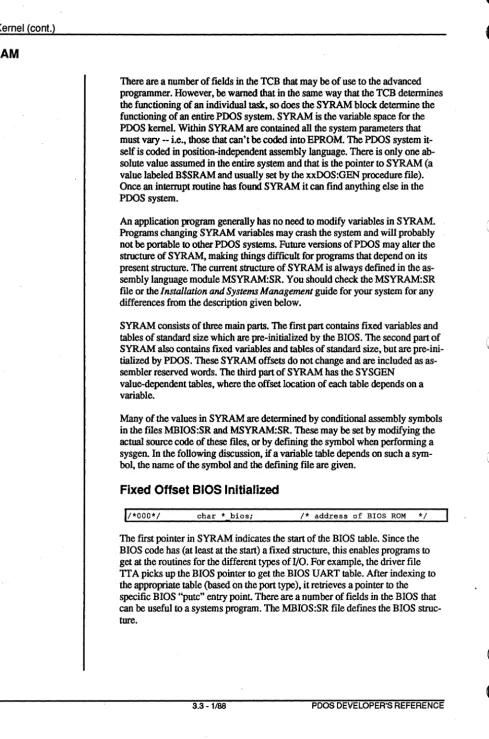
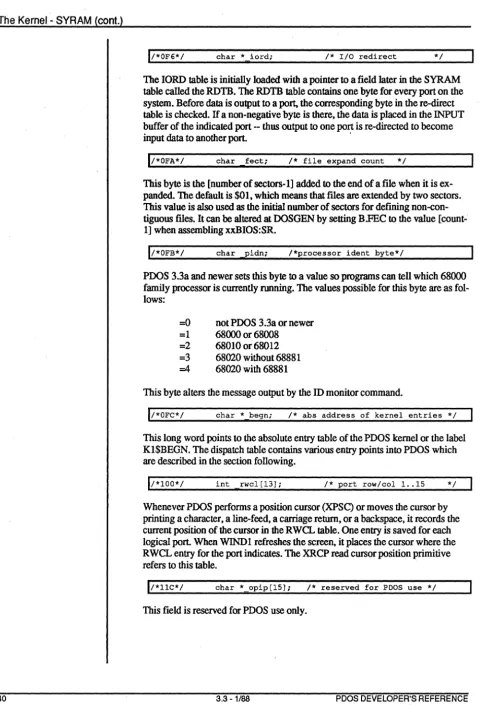
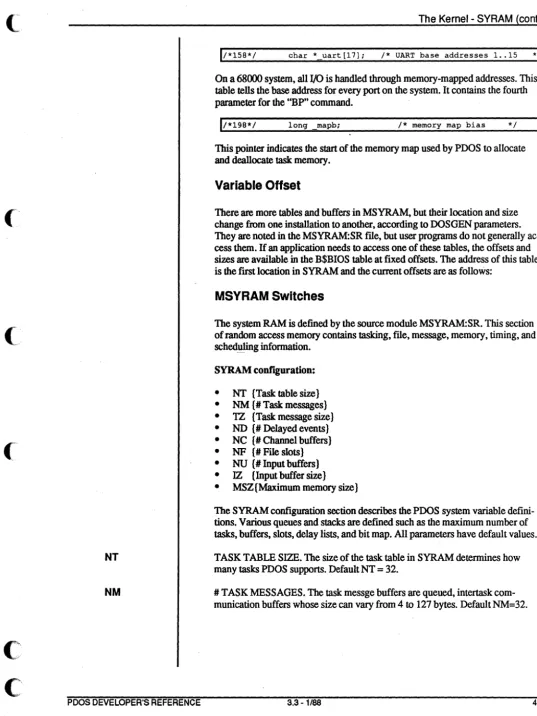
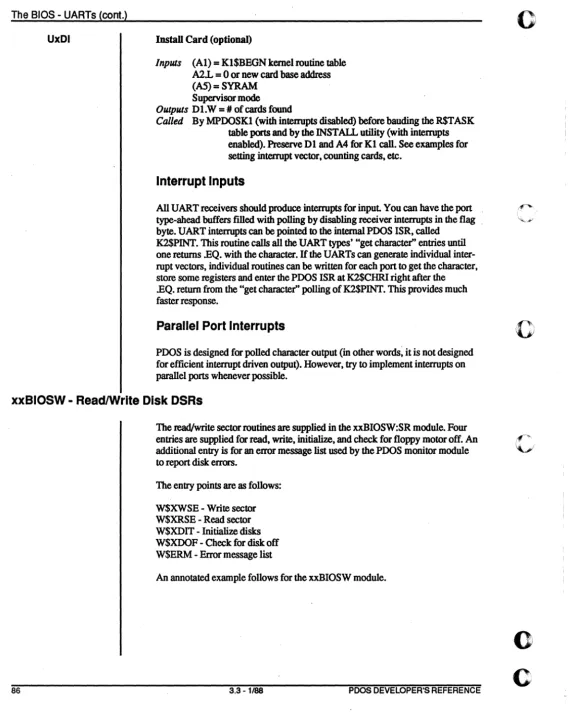
Further information may be found by studying the comments in the file MPOTCB:SR -- and by experimentation.