{
(
(-(
PDOS ASSEMBLY
PRIMITIVES
Copyright 1987 by Eyring Research Institute, Inc., 1450 West 820 North, Provo, Utah 84601 USA. All rights reserved.
The information in this document has been carefully checked and is believed to be reliable. However, Eyring assumes no responsibility for inaccuracies. Furthermore, Eyring reserves the right to make changes to any products to improve reliability, function, or design and does not as-sume any liability arising out of the application or use of this document.
PDOS Assembly Primitives Reference Printed in the United States of America.
Product number 2520-3 (for PDOS revision 3.3) October, 1987
PDOS is a registered trademark of Eyring Research Institute, Inc.
o
4'-",
\i/i
Table of Contents
Introduction
Guidelines For 68000 Assembly Programming ... 1
PDOS Assembly Language Calls ... A System Calls ... .5
Console I/O Calls ... 6
System support calls ... 6
File Support Calls ... 7
File Management Calls ... 7
Disk Access Calls ... 8
PDOS Errors ... 9
PDOS Assembly Primitives Reference
X881 ... .11XAPF ..•... 12
XBCP ... 13
XBFL ... 15
XBUG ... .17
c
XCBC ... , ... 19XCBD ... 20
XCBH ... 21
XCBM ... .22
XCBP ... 23
XCBX ... 24
XCDB ... 25
XCFA ... 26
XCHF ... , ... 28
XCHX ... 29
XCLF ... .31
XCLS ... · ... .32
XCpy ... .33
XCTB ... 34
XDEV ... .37
XDFL ... 38
XDLF ... , ... 040
XDMP ... Al .XDPE ... 42
c
XDTV ... 043c
o
Table of Contents cont.
o
ii
XERR ...•.•...••...•.••..••••.•...•..••...••...••••.••••.•••..••.••... 45
XEXC •...••.••..•...•...•.•.•...•....•...•.•.••..•....•... 46
XEXT ••...•..•..••..•...••.•••...•...••..••..•....•...•..•...•. 48
XEXZ .•...•..••..•...•...•..•.•..•..••...••...•...•....•...•..••...•• 49
XFAC ••..••••••••.••...•••••••••••••••••••••••••••••..•...•••••••••••••••••••••••••• 50
XFBF ...•... 51
XFFN" •••..•••..•••••....•.•.•••..•.••••••••.••.••••••...•••....••..•••.•••...••..•• 52
XFTD ..•...••..•..•...••...•••.•.•..•••••••....••...•...•...•. 53
XFUM ...•...•...•...•...•....• 54
XGCB ...•.•....•...•...•...••...••.•...•...•...•..•... 55
XGCC ...•...•.••....•...•....•...•...•...••....•.. 56
XGCP ...•...•... 57
XGCR ...•...•...•... 58
XGLB ...•....•...•...•...•...••...••...••...•..•...• 59
XGLM ...•...•...••...•...•...•...•... 61
XGLU ...•..•... 62
XGML ...•... 64
XGMP ... 65
XGNP ...•...••...•..••..••.•.•.•...•...•...•...• 66
XGTM ...•... 68
XGUM ...•...•.•...•...•....•... 69
XISE .. , ...•...•...•...•...•...•... 70
XKTB ...•...•...•..•... 71
XKTM ...•...•...•... 72
XLDF ... 73
XLER ...••... 75
0:,,·
,. XLFN" ...•...•...•... 760
XLKF ...•...••...•...••..••... 78XLKT ...•...••...•... 79
XLSR ...•...•...•...••...•••...••...•.• 80
XLST ...•...•...•... 81
XN"OP ••••••••••••••••••••••••••••••••••••.•••••••••••.•••••••••••••••••••••••••••••• 82 XPAD ...•...•...•... 84
XPBC ....•... 85
XPCB ..•..••..••...•.••.••••.•.••••••...•.. ~ •••.•..••...•.•...•...•... 86
XPCC ...•...•....•...•... 87
XPCL ..••...••... 88
XPCP ...•...•.••.•.•...••...•••.•.•..•..••....•.••.••••••.•••.•••.•.•••..•.• 89
XPCR ••••.•.•.•••.•••.•••••••••••••••.•••...•...••••...•.•.•...•.••.•..•••.•...•. 90
XPDC ...•...•...•...•...•...•...•....•..•...•...••..•... 91
C
('
C:
Table of Contents cont.
XPEL ... , ... 92
XPEM ... 94
XPLC ... , ... 95
XPMC ... :' ... 96
XPSC ... 97
XPSF ... 99
XPSP ... .100
XRBF ... 101
XRCN ... 102
XRCP ... 103
XRDE ... 104
XRDM ... 105
XRDN ... 106
XRDT ... 107
XRFA ... 108
XRFP ... 109
XRLF ... 110
XRNF ... 111
XROO ... 112
XROP ... 113
XRPS ... 114
XRSE ... 115
XRSR ... 116
XRST ... 117
XRSZ ... 118
XRTE ... 119
XRTM ... '. ~ ... 120
, XR1P ... 121
XRTS ... 122
XRWF ... 123
XSEF ... 124
XSEV ... 126
XSMP ... 128
XSOE ... 129
XSOP ... 130
XSPF ... 132
XSTM ... 133
XSTP ... 134
XSUI ... 135
XSUP ... 137
-Table of Contents cont.
iv
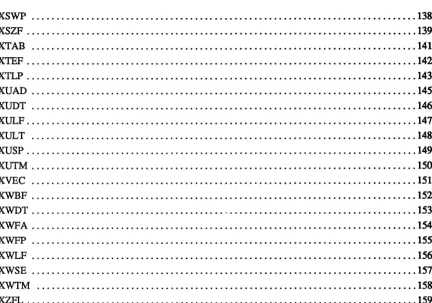
XSWP ...•....•... 138
XSZF ...•...•..•... 139
XTAB ...•••.•...•••••...•.••••.••.••••...•....••..••.•.•.••••..••••••.••..• 141
XTEF ....•..•••••.••..•••••..•....••••••••••.•.••.•••••••••••••••••••••••••••••••... 142
X1LP ...•.•.•...•..•••..••..•.••..•••••.••••.••••••••••••••••••••••••••••••••••••••• 143
XUAD ...•...••...•..•••....••...•...•...••.••.•.. 145
XUDT ...•...•.•...•.•••..•••...••..••.•. 146
XULF ...•...•....•...••...•...•.•.••••....••••••..• 141
XULT ...••••.•....•...••••... 148
XUSP ...•...•...•••••...•. 149
XUTM ...•.•.•...•....•...•...•••..•...•.. 150
XVEC ...••.••...•••...•••..•.••..••••.••••••••.••••••••••••..••..••••• 151
XWBF ...•...•..•.••.•...•••....•...•. 152
XWDT .•..•...•.•••...•••...•...•••••.•.•••••..••.••••.••..•.••••.•.• 153
"XWFA ....•...••...••..•...•...•••••••••••••....•••••.••••••••••.••• 154
"XWFP •••••.•••••••••••••••••••••••••••••••••••••••••••••••••••••••••••••••••••••••• 155 XWLF ...•...••••.•.•...••••.••.•••• 156
XWSE ...•..•.•...••...•••••...••.•••••. 151
XWTM ...•...••...•.•.••..•.•...•..•••... 158
XZFL ...•.••...••...•..•..••••.•.••..•..•.••••••.••.•••••••••.•••••••••.•. 159
3.3-10/87 POOSASSEMBLY PRIMITIVES REFERENCE
o
o
c
[image:6.613.75.507.99.402.2](
(.
(
(
....
/
INTRODUCTION
This manual is a comprehensive reference to the POOS assembly primitives. It is intended as a reference guide only, not as an introduction to assembly lan-guage programming. Some guidelines are given in this manual, however, for 68000 assembly programming with POOS.
The POOS assembly primitives are described separately in alphabetic order and make up the bulk of this manual. Also included in this manual is a list of calls divided by groups and a table of error codes.
Each assembly primitive description lists the value, the module, the syntax, and the registers of that call. It also describes how the call works and gives an ex-ample of that call used in an assembly language program. Possible errors, references to related calls, and other notes are also given. Examples are enclosed in a box and appear in a different typeface from the rest of the text. User input is bolded and comments are italicized. Keys are shown as bolded characters; for example, Ctrl C indicates that the
"c"
key is pressed while the "Control" key is being held down. Esc indicates the "Escape" key should be pressed. The.J sym-bol indicates a carriage return and the J, symsym-bol indicates a line feed.POOS assembly primitives are assembly language system calls to PDOS. They consist of one word A-line instructions (words with the first fom: bits equal to hexadecimal "A"). POOS calls return results in the 68000 status register as well as regular user registers.
Guidelines For 68000 Assembly Programming
The following guidelines should prove useful to you in assembly programming for the POOS system:
Standard 68000 Assembly Langnage. The PDOS assembler supports the stand-ard Motorola 68000 assembly language instruction set as defined in the M68000 16-132-bit Microprocessor Programmer's Reference Manual. This set includes register designations, instruction mnemonics, and addressing syntax. For a com-plete discussion of the PDOS assembler and its use, refer to the PDOS As-sembler, Linker Reference Manual.
68000 Register Usage. All 68000 registers are available for user programs. However, as a convention, the following are recommended register usages:
A4
=
User variables base registerAS
=
SYRAM pointer (initialized by PDOS) A6 = TCB pointer (initialized by PDOS) A7=
User stack pointer (EUM$-$IOO).The XGML primitive may be used to reinitialize registers AS and A6.
Guidelines for PDOS Assembly Programming
2
Position Independent and Re-entrant Coding. PDOS assembly programs should be position independent and re-entrant coded. This means that base registers and PC relative variables should be used in the place of absolute
ad-dressing and that the stack or registers should be used for parameter passing. For example:
Use BSRs instead of JSRs.
Good
BSR.L SUBRT
Use (PC) instead of absolute.
LEA.L LAB(PC),AO LAB EQU *
Set up OFFSET area.
LEA.L VARS(PC),AO CLR.B PRT_(AO) VARS EQU * PRT
OFFSET 0 DS.B 1
Not Good
JSR SUBRT
MOVEA.L #LAB,AO LAB EQU *
CLR.B PRT PRT DC.B o
PDOS Primitives. PDOS assembly primitives are fully supported by the PDOS assembler. These calls to PDOS will assemble to A-line instructions.
XEXT XSOP
The primitives may also be specified as DC. W constants if you are using as-sembler other than the PDOS asas-sembler.
DC.W $AOOE ;XEXT DC. W $AOEC ; XSOP
System Variables. The PDOS assembler supplies most system constants you are likely to require. These constants are supplied on reference after the "OPT PDOS" directive is executed. The following is the standard convention adopted for external PDOS symbols:
xxx$
=
TCB index (A6) xxx. = SYRAM constant xxxx.=
SYRAM index (A5) .xxx=
Global system constant m.xxx = Module constant m$xxx=
Module entry point m_xxx = Module index xxx_=
User index3.3-10/87
MOVE.B UIP$(A6),DO MULU.W #TBZ.,DO MOVE.L TICS.(A5),Dl MOVE.W #.BPS,D7 MOVE.W #B.PTMSK,SR BSR.L K2$PINT CLR.W B_TPS(AO) ADDA.L A VL_(A4),AO
PDOS ASSEMBLY PRIMITIVES REFERENCE
c
C
C~ .. ' •• "rr~' \~
(
(
(
Guidelines for PDOS Assembly Programming
The following illustrates how some of these constants might be used:
BSET.B MOVEAL MOVE.L ST.B ST.B MOVE.B MOVE.B ST.B MOVEAL MOVE.W
#-118,118/8+EVTB.(A5) Set event 118
MAIL.(A5),AO Point to the MAIL array TICS.(A5),Dl Read system tics
DFLG.(AS) Set hard partitioned directory TLCK.(AS) Lock current task
#2,PRT$(A6) Set input port #
#5,FEC$(A6) Set file expansion count ECF$(A6) Disable console echo BIOS.(A5),AO Read system ID characters B_SID(AO),DO
Assembly Format. POOS assembly text has the following conventions:
a. A comment line before any entry address. b. 2 spaces preceding a conditional branch. c. Semi-colon with space for comment.
*
LABEL CMPI.W #10,D1 BLT.S LABEL
LESS THAN 10?
Y
Source me documentation. POOS source files have the following conventions:
PDOS ASSEMBLY PRIMITIVES REFERENCE
a. Assembler TTL directive
b. File name followed by last update date
TTL FILE - PDOS PROGRAM FILE
* FILE:SR 07/22/87
*****************************************
* *
* FFFFFF II II LL EEEEEE *
* FF II LL EE *
* FF II LL EE *
* FFFFF II LL EEEEE *
* FF II LL EE *
* FF II LL EE *
* FF IIII LLLLLL EEEEEE *
* *
*=***************************************
c. Company identification with copyright notices
*
* *
*=
Eyring Research Institute Inc. Copyright 1983-87
ALL RIGHTS RESERVED
Guidelines for PDOS Assembly Programming
d. Module identification e. Author of program
f. Who authorizes any changes g. Revision history
*= Module Name: FILE
*= Author: John Doe
*= Changes Authorized by:
*= Revision H·istory:
*= *= *=
DATE R.V DESCRIPTION
*= 07/08/87 2.36 D$INT called from XCTB
*= 07/18/87 2.37 XLER enables echo ECF$
*= 07/22/87 2.38 Reset event
h. Program ID
FILE IDNT 2.38 M68000 PDOS
*=
*=***************************************
PAGE
PDOS Assembly Language Calls
4
POOS assembly primitives are one word A-line instructions which normally use the exception vector at memory location $()()()()()()28. Most primitives use 68000 registers to pass parameters to and results from resident POOS routines. Registers for system calls are generally used from DO up and AO up. Some calls (xpMC, XT AB, and XDMP) pass the relative address to the call by placing the address word immediately following the call. Status returns are used after the
call. Some primitives return an error in the status register while other primitives return a status depending on the state of the primitive. For example, the XGCB (conditional get character) primitive returns one the following conditions in the status register: EQ - no character; W - Ctrl C; LT -Esc; MI - Ctrl C or Esc.
LOOP XGCB
BEQ.S NONE BLO.S QUIT BLT.S NEXT CMPI.B i'O' ,DO
; CHARACTER?
;N
;Y, AC, DONE ; CONTINUE ; NUMBER
POOS primitives return error conditions in the processor status register. This facilitates error processing by allowing your program to do long or short branches on different error conditions. DO holds the error code and the status is either NE for no error code or the error code itself. The following example demonstrates trapping an error after a POOS call:
CALLX LEA.L FILEN(PC),A1 ;GET FILE NAME XSOP ;OPEN FILE, ERROR?
BNE.S ERROR ;Y
MOVE.W D1,SLTN(A4) ;N, SAVE SLOT i
3.3-10/87 PDOS ASSEMBLY PRIMITIVES REFERENCE
c
c
o
(:"
('
c
Guidelines for PDOS Assembly Programming
The following illustrates how some of these constants might be used:
BSET.B MOVEAL MOVEL ST.B ST.B MOVE.B MOVE.B ST.B MOVEAL MOVE.W
##-118,118/8+EVTB.(A5) Set event 118
MAIL.(AS),AO Point to the MAIL array TICS.(AS),Dl Read system tics
DFLG.(AS) Set hard partitioned directory 1LCK.(AS) Lock current task
#2,PRT$(A6) Set input port #
#5,FEC$(A6) Setfile expansion count ECF$(A6) Disable console echo BIOS.(AS),AO Read system ID characters B_SID(AO),DO
Assembly Format. PDOS assembly text has the following conventions:
a. A comment line before any entry address. b. 2 spaces preceding a conditional branch. c. Semi-colon with space for comment.
*
LABEL CMPI.W #10,D1 LESS THAN 107 BLT.S LABEL ; Y
Source rde documentation. POOS source files have the following conventions:
a. Assembler TIL directive
b. File name followed by last update date
TTL FILE - PDOS PROGRAM FILE
*
FILE:SR 07/22/87*****************************************
*
*
*
FFFFFF I II I LL EEEEEE*
*
FF II LL EE*
*
FF II LL EE*
*
FFFFF II LL EEEEE*
*
FF II LL EE*
*
FF II LL EE*
*
FF 1111 LLLLLL EEEEEE*
*
*
*=***************************************
c. Company identification with copyright notices
*
Eyring Research Institute Inc.*
Copyright 1983-87*
ALL RIGHTS RESERVED*=
Guidelines for PDOS Assembly Programming
d.~od[deidentification
e. Author of program
f. Who authorizes any changes g. Revision history
*= Module Name: FILE
*= Author: John Doe
*= Changes Authorized by:
*= Revision History:
*= *= *=
DATE R.V DESCRIPTION
*= 07/08/87 2.36 D$INT called from XCTB
*= 07/18/87 2.37 XLER enables echo ECF$
*= 07/22/87 2.38 Reset event
h. Program ID
FILE IDNT 2.38 M68000 PDOS
*=
*=***************************************
PAGE
PDOS Assembly Language Calls
4
POOS assembly primitives are one word A-line instructions which normally use
the exception vector at memory location $()()()()()()28. ~ost primitives use 68000 registers to pass parameters to and results from resident POOS routines.
Registers for system calls are generally used from DO up and AO up. Some calls
(XP~C, XT AB, and XDMP) pass the relative address to the call by placing the
address word immediately following the call. Status returns are used after the call. Some primitives return an error in the status register while other primitives return a status depending on the state of the primitive. For example, the XGCB (conditional get character) primitive returns one the following conditions in the status register: EQ - no character; LO - Ctrl C; LT -Esc; MI - Ctrl C or Esc.
LOOP XGCB
BEQ.S NONE BLO.S QUIT BLT.S NEXT CMPI.B i'O',DO
; CHARACTER?
;N
;Y, AC, DONE ; CONTINUE ; NUMBER
POOS primitives return error conditions in the processor status register. This facilitates error processing by allowing your program to do long or short branches on different error conditions. DO holds the error code and the status is either NE for no error code or the error code itself. The following example demonstrates trapping an error after a POOS call:
CALLX LEA.L FILEN(PC),Al ;GET FILE NAME XSOP ;OPEN FILE, ERROR?
BNE.S ERROR ;Y
MOVE.W Dl,SLTN(A4) ;N, SAVE SLOT i
3.3-10/87 PDOS ASSEMBLY PRIMITIVES REFERENCE
o
o
o
o
('
PDOS Assembly Language Calls
System Support Calls cont. XP AD -Pack ASCII date XUAD - Unpack ASCII Date XUDT - Unpack date
XUTM -Unpack time XWDT - Write date XWTM -Write time XGNP - Get next parameter
File Support Calls
File support calls augment the file manager. Important functions such as copy-ing files, appendcopy-ing files, sizcopy-ing disks, and resettcopy-ing disks are included here.
XFFN - Fix file name
XLFN - Look for name in file slots XLST - List file directory
XBFL - Build file directory list XRDE - Read next directory entry XRDN - Read directory entry by name XAPF - Append file
Xcpy - Copy file XCHF - Chain file XLDF -Load file
XRCN - Reset console inputs XRST - Reset disk
XSZF - Get disk size
File Management Calls
The file management calls ofPOOS use the file lock (event 120) to prevent con-flicts between multiple tasks. Functions such as defining, deleting, reading, writ-ing, positionwrit-ing, and locking are supported by the file manager.
PDOS ASSEMBLY PRIMITIVES REFERENCE
XDFL - Derme file XRNF - Rename file XRFA - Read file attributes
XWF A - Write file attributes XWFP - Write file parameters XDLF - Delete file
XZFL -Zero me
xsop -
Open sequential fileXROO -Open random read only me XROP -Open random file
XNOP -Open shared random file XLKF - Lock file
XULF - Unlock file XRFP - Read file position XRWF - Rewind file
PDOS Assembly Language Calls
8
File Management Calls cont.
XPSF - Position me
XRBF - Read bytes from me XRLF - Read line from file XWBF - Write bytes to file XWLF - Write line to me XFBF - Flush buffers XFAC - File altered check XCFA - Close file with attribute XCLF - Close file
Disk Access Calls
Disk access calls use the read/write logical sector routines in the POOS BIOS. A disk lock (event 121) is used to make these calls autonomous and prevent multi-ple commands from being sent to the disk controller.
XISE - Initialize sector XRSE - Read sector XWSE - Write sector XRSZ - Read sector zero
3.3-10/87 PDOS ASSEMBLY PRIMITIVES REFERENCE
o
o
o
c
(-('
PDOS Errors
50 Bad File Name 51 HIe AJready Dermed
52 File Not Open 53 File Not Dermed 54 Bad File Atttibute 55 Too Few Contiguous 56 End of File
57 File Directory Full 58 File Writ/Del Prot
59 Bad File Slot
60 File Space Full 61 File AJready Open 62 Bad Message Ptt Call 63 Bad Object Tag
(~' 64
65 Not Executable
66 Bad Port/Baud Rate 67 Bad Parametez 68 Not POOS Disk 69 Out of File Slots 70 Position> EOF 7I AC File Nesting> 2
72 Too Many Tasks 73 Not Enough Memory
(-
74 Non-existent Task75 File Locked
76
77 Not Memory Resident 78 Msg Buffer Full 79 Bad Memory Address 80 Bad Driver Call 81
82
(
83 84 Delay Queue Full85 Task Abort 86 Suspend on Port 0 87 Exception
PDOS Assembly Primitives Reference
10
The following section describes each assembly call in alphabetical order. The description includes its syntax, the POOS module in which it is found, possible errors, and an example demonstrating how the call may be used.
3.3-10/87 PDOS ASSEMBLY PRIMITIVES REFERENCE
o
o
o
tr\.
\U
c
{'
c
Value: Module: Syntax: Registers: Description:
See Also: Possible Errors: Example:
X881
Save 68881 Enable
$AOO6
MPDOSKI
X881
None
The SA VB 68881 ENABLE sets the BIOS save flag (SVF$(A6» thus signaling the PDOS BIOS to save and restore 68881 registers and status during context switches. The save flag is again cleared by exiting to the POOS monitor.
BIOS in PDOS Developer's Reference Manual
None
START X88l
FMOVE.L ilOO,FPO FDlV.W i3,FPO
XAPF
Append File
12
Value: Module: Syntax:
Registers:
Description:
Possible Errors:
Example:
$AOAA
MPDOSF
XAPF
<status error return>
In (AI)
=
Source file name (A2)=
Destination file nameA Ctrl C will tenninate this primitive and return error -1 in data register DO. The APPEND Fll..E primitive is used to append two files together. The source and destination file names are pointed to by address registers Al and A2, respec-tively. The source file is appended to the end of the destination me. The source me is not altered.
-1
=
Break50
=
Bad File Name 53=
File Not Defmed 60=
File Space Full 61=
File Already Open 68=
Not PDOS Disk 69=
Out of File Slots Disk errorsAPFL LEA.L SF1{PC),Al LEA.L SF2(PC),A2
XAPF
SFl SF2
BNE.S ERROR DC.B
DC.B EVEN
'FILE1',O 'FILE2',O
;SOURCE FILE NAME ;DESTINATION FILE NAME ; APPEND
; ERROR ; SUCCESS
3.3-10/87 PDOS ASSEMBLY PRIMITIVES REFERENCE
o
o
~~\
\.L.-/
c
()
•
';
(
(
Value: Module: Syntax: Registers:
Description:
XBCP
Baud Console Port
$A070
MPDOSK2
XBCP
<Status error return>
In D2.W
=
FWPI 8DCSI
<port II>D3.W
=
Baud rate D4.W=
Port typeD5L
=
Port baseThe BAUD CONSOLE PORT primitive initializes anyone of thePDOS I/O
ports and binds a physical UART to a character buffer. The primitlve sets hand-shaking protocol, receiver and transmitter baud rates, and enables receiver inter-rupts.
FBBT. = FWPI BDCS
\\\\ \\\\_ 0 = Ctrl s ctrl Q enable \ \ \ \ \\\_ 1 = Ignore control character
\ \ \ \ \\_ 2 = DTR enable
\ \ \ \ \_ 3 = B-bit character enable \ \ \ \ __ 4 = Receiver interrupts disable
\\\ __ 5 = Even parity enable \\ __ 6 = *Reserved
\__ 7 = **Reserved *Used to clear all bits
Data register D2 selects the port number and sets (or clears) the corresponding flag bits. If D2.W is negative, then the absolute value is subsequently used and the port number is stored in U2P$(A6). The right byte of data register D2 (bits 0-7) selects the console port. The left byte of D2. W (bits 8-15) selects various flag options including Ctrl S Ctrl
Q
and/or DTR handshaking, receiver parity and in-terrupt disable, and 8-bit character I/O.The receiver and transmitter baud rates are initialized to the same value accord-ing to register D3. Register D3 ranges from 0 to 8 or the correspondaccord-ing baud rates of 19200, 9600,4800, 2400, 1200, 600, 300, 110, 38400. If register D3 is equal to -I, then only port 2 is set. If data register D4 is non-zero, then it selects the port type and register D5 selects the port base address. These parameters are system-defined and correspond to the UART module. If register D4 is zero, there is no change.
XBCP· Baud Console Port
C:
14
See Also:
Possible
Errors:
Example:
D3.W = Baud = 0 = 19200 baud 1 = 9600 baud 2= 4800 baud 3 = 2400 baud 4= 1200 baud 5=600baud 6= 300 baud 7= 110 baud 8 = 38400 baud
Baud rate 38400 is not supported by all BIOSes.
XRPS - Read Port Status XSPF - Set Port Flag
66 = Bad Port/Baud Rate
START MOVE.W 1$103,02 MOVE.W 119200,03 MOVEQ.L 10,04 XBCP
BNE.S ERROR
;PORT 3 W/"S"Q 19.2K BAUD NO TYPE CHANGE BAUD PORT
3.3-10/87 PDOS ASSEMBLY PRIMITIVES REFERENCE
c
{
c
Value: Module: Syntax:
Registers:
Description:
Possible Errors:
XBFL
Build File Directory List
$AOB8 MPOOSM
XBFL
<status error return>
In
(At)=
List specifications (A2) = Beginning buffer address (A3)=
End buffer addressOut (A3)
=
Updated buffer end addressThe BUILD FILE DIRECTORY LIST primitive builds a serial list of file names in memory as selected by the list specifications. Address register At points to
the file list specifications.
List specifications:
<file list> = {file}{:ext}{;level}{/disk}{/select ••• }
where {file} = 1 to 8 characters (1st alpha) (@=all,*=wild) {:ext} = 1 to 3 characters (:@=all,*=wild)
{;level} = directory level (;@=all)
{/disk} = disk number ranging from 0 to 255
{/select} = POOS type (/AC,/BN,/BX,/EX,/OB,/SY,/TX,/OR) POOS attribute (/*,/**)
Change date (/Fdy-mon-yr,/Tdy-mon-yr) or (/Fmn/dy/yr,/Tmn/dy/yr)
Address registers A2 and A3 point to the beginning and end of the memory buff-er respectively. Registbuff-er A3 is updated to a word boundary just after the last file name null.
Disk
errors
67
=
Bad Parameter 73=
Not Enough MemoryXBFL - Build File Directory List
Example: GETL
*
PRNT * NEXT * DONE * ERROR SPC BUF EBUF
16
LEA.L LEA.L LEA.L XBFL
SPC(PC) ,Ai BUF(PC),A2 EBUF (PC) ,A3 BNE.S ERROR TST.B (Ai)
BEQ.S DONE XPCL
XPLC
TST.B (Al)+ BNE.S NEXT BRA.S PRNT
DC.B DS.B EQU
'@:SR;@/O',O
500
*
;POINT TO LIST ;GET BUFFER ADDRESS ;GET END POINTER ;BUILD LIST ; ENTRY?
;N
;Y, OUTPUT CRLF ;OUTPUT ENTRY ;NEXT, DONE? ;N
;Y
3.3-10/87 PDOS ASSEMBLY PRIMITIVES REFERENCE
c
"
0',"
o
c
(:
(
Value: Module: Syntax: Registers: Description:
See Also:
Possible Errors:
XBUG
Debug Call
$A038
MPOOSD
XBUG
None
The DEBUG CALL primitive breaks from the user program and enters the POOS debugger. All registers are saved and you are prompted for additional commands. The following are legal debugger commands for the resident debug-ger:
AO-7 A-reg AD Disassemble B{ft,a} Lst/def break Open previous DO-7 D-reg LF Open next {i}G Go & break II Mem rAC H Help message 11,11 Mem dump M Last dump 11,11+ Disassemble Nil 0=Wrd,l=Byt,4=Long 1I,II,fI{WL} Find B/W/L
5=Byt, skp,+2=w/o read
0 Offset 11(0-7) d(Ax) P PC +II i + offset
Q Exit R Reg dump S Status
T Trace Itl1SCSil g;Gt1S2D:ii
U Unit
V Control rAC F/R/M Dump W{s,e} Window G Go
X Set breaks & exit T Running
Z Reset
If you use the SMARTBUG debugger. refer to SMARTBUG Reference Manual
for valid commands.
XDMP - Dump Memory From Stack XRDM - Dump Registers
PB - POOS Debugger (PDOS Monitor, Editor, Utilities manual)
SMARTBUG Reference Manual
None
XBUG • PDOS Debugger
Example:
*
CONTC
*
ESCAP
*
BRKM
18
XCBC
BLO.S CONTC BLT.S ESCAP BRA.S LOOP
BRA.S BEGIN XPMC BRKM XEXT
; BREAK?
;Y, "'C
;Y, ESC ;N, CONTINUE ;CONTROL C ; START AGAIN ;OUTPUT '»BREAK' ;EXIT TO PDOS DC.B
DC.B
$OA,$OD ;BREAK MESSAGE , »BREAK' ,
a
3.3-10/87 PDOS ASSEMBLY PRIMITIVES REFERENCE
o
o
('
(
(\
Value: Module: Syntax:
Registers:
Description:
Possible Errors:
XCBC
Check For Break Character
$A072
MPOOSK2
XCBC
<Status return>
Out SR
=
EQ ... .No breakLO .... Ctrl C, Clear flag & buffer
LT ... .Esc, Clear flag MI .... Ctrl C or Esc
If the ignore control character bit ($02) of the port flag is set, then XCBC al-ways returns .EQ. status.
The CHECK FOR BREAK CHARACTER primitive checks the current user
input port break flag (BRKF.(A5» to see if a break character has been entered. The POOS break characters
are
Ctrl C and the Esc key. A Ctrl C sets the portbreak flag to one, while an Esc character sets the flag to a minus one. The
XCBC primitive samples and clears this flag. The condition of the break flag is
returned in the status register. An ''LO'' condition indicates a Ctrl C has been entered. The break flag and the input buffer
are
cleared. All subsequent charac-ters entered after the Ctrl C and before the XCBC callare
dropped. All openprocedure files
are
closed and any system framesare restored.
Also, the lasterror number flag (LEN$) is set to -1 and a "AC" is output to the port.
An ''L T" condition indicates an Esc character has been entered. Only the break flag is cleared and not the input buffer. Thus, the Esc character remains in the
buffer. The Ctrl C character is interpreted as a hard break and is used to ter-minate command operations. The Esc character is a soft break and remains in the input buffer, even though the break flag is cleared by the XCBC primitive. (This allows an editor to use the Esc key for special functions or command ter-mination.)
None
XCBD
Convert Binary to Decimal
20
Value: . Module: Syntax: Registers:
Description:
See Also:
Possible Errors: Example:
$A050
MPOOSK3
XCBD
In Out
DIL=Number (AI)
=
StringThe CONVERT BINARY TO DECIMAL primitive converts a 32-bit, 2's com-plement number to a character string. The number to be converted is passed to XCBD in data register D1. Address register Al is returned with a pointer to the converted character string located in the monitor work buffer (MWB$). Leading zeros are suppressed and a negative sign is the first character for negative num-bers. The string is delimited by a null. The string has a maximum length of 11 characters and ranges from -2147483648 to 2147483647. .
XCBX - Convert To Decimal In Buffer None
MOVE.L 11234,D1 ;GET NUMBER XCBD ; CONVERT TO PRINT XPLC ;PRINT
******************************************
*
OUTPUT LEFT JUSTIFIED NUMBER* * * *
LEFT
*
DO.W = I OF PLACES D1.L = NUMBER
MOVEM.L DO/AO-A1,-(A7) XCBD ; CONVERT MOVEA.L A1,AO ;GET POINTER LEFT02 SUBQ.W 11,DO ;COUNT LENGTH
TST.B (AO)+ ;END? BNE.S LEFT02 ;N
*
LEFT04 XPSP ;OUTPUT SPACE SUBQ.W 11,DO ; DONE?
BPL.S LEFT04 ;N
XPLC ;Y, OUTPUT It
MOVEM.L (A7)+,DO/AO-A1 RTS
3.3-10/87 PDOS ASSEMBLY PRIMITIVES REFERENCE
o
c
c
(
(
(
{
Value: Module: Syntax: Registers: Description: See Also: Possible Errors: Example:XCBH
Convert Binary to Hex
$A052
MPOOSK3
XCBH
In Out
DIL
=
Number (AI)=
StringThe CONVERT BINARY TO HEX primitive converts a 32-bit number to its hexadecimal (base 16) representation. The number is passed in data register DI and a pointer to the ASCII string is returned in address register AI. The con-verted string is found in the monitor work buffer (MWB$) of the task control block and consists of eight hexadecimal characters followed by a null.
XCHX - Convert Binary To Hex In Buffer
None
MOVEQ.L #123,D1 ;GET NUMBER
XCBH ;GET HEX CONVERSION MOVEQ.L #'$',DO ;ADD HEX SIGN XPCC
XPLC
;PRINT 8 HEX CHARACTERS
**********************************************
* DUMP REGISTERS ON USER STACK
*
* USP = A7 = RETURN PC
* DO-D7
* AO-A7
*
DMRG MOVEA.L (A7)+,AO ;GET RETURN ADR MOVE.L #$0007BCF7,D4
MOVE.W #'OO',DO
*
DMRG02 XPCL ;OUT CRLF XPCC ;OUT LINE TYPE MOVE.W #' : ' ,DO
*
DMRG04 XPCC ;OUT DELIMITER MOVE.L (A7)+,D1 ;GET REGISTER XCBH ; CONVERT XPLC ;OUTPUT
MOVEQ.L #' , ,DO ;CHANGE TO
,
, LSR.L #1,D4 ;4 DONE?BCS.S DMRG04 ;N
XPCC ;Y, OUT SPACE LSR.L #1,04 ;CRLF?
BCS.S DMRG04 ;N
MOVE.W #'OA',DO ;Y, CHANGE TO ' A' LSR.L #1,D4 ;MORE?
BCS.S DMRG02 ;Y
JMP (AD) ;N, RETURN
XCBM
Convert to Decimal with Message
22 Value: Module: Syntax: Registers: Description: Possible Errors: Example: $A054 MPOOSK3
XCBM <message>
In Out
D1.L = Number (AI)
=
StringThe CONVERT TO DECIMAL WITH MESSAGE primitive converts a 32-bit, signed number to a character string. The output string is preceded by the string whose PC relative address is in the operand field of the call. The string can be up to 20 characters in length and is terminated by a null character. The number
to be converted is passed to XCBM in data register D I. Address register Al is returned with a pointer to the converted character string which is located in the monitor work buffer (MWB$) of the task control block. Leading zeros.are sup-pressed and the result ranges from -2147483648 to 2147483647. The message address is a signed 16-bit PC relative address.
None START * LOOP * MES1 MES2 x>TEST
MOVE.L #$80000004,D1 XPMC MES1 ; HEADING XCBH ;CONVERT HEX XPLC
XCBM MES2 ;CONVERT DECIMAL XPLC
SUBQ.L n,D1
CMPI.L #$7FFFFFFC,D1 BHS.S LOOP
XEXT DC.B DC.B EVEN
$OA,$OD,'Hex $',0
, = ',0
END START Hex $80000004 = -2147483644 Hex $80000003 = -2147483645 Hex $80000002 = -2147483646 Hex $80000001 = -2147483647 Hex $80000000 = -2147483648 Hex $7FFFFFFF = 2147483647 Hex $7FFFFFFE = 2147483646 Hex $7FFFFFFD = 2147483645 Hex $7FFFFFFC = 2147483644 x>
3.3-10/87 POOS ASSEMBLY PRIMITIVES REFERENCE
C',:·,'
.
c
Value: Module: Syntax: Registers:
Description:
Possible Errors: Example:
$A074
MPDOSK2
XCBP
<status retUl'll>
Out SR
=
EQ •.. No character LT .. EscLO ... CtrIC NE ... Pause
XCBP
Check for Break or Pause
IT a ''BL 1'" instruction does not immediately follow the XCBP call, then the primitive exits to PDOS when an Esc character is entered.
If the ignore control character bit ($02) of the port flag is set, then XCBP always returns .EQ. status.
The CHECK FOR BREAK OR PAUSE primitive looks for a character from your PRT$(A6) port. Any non-control character will cause XCBP to output a pause message and wait for another character. The pause message consists of:
.J'Strike any key .. .'.J
A Ctrl C will abort any assigned console file and return the status ''LO". IT a "BL 1'" instruction follows the XCBP primitive and an Esc character is entered, then the call returns with status "L 1"'. Otherwise, an Esc will abort your program to the PDOS monitor. An "EQ" status indicates that no character was entered. An ''NE'' status indicates a pause has occurred.
None
LOOP
*
EXIT
XCBP
BLT.S EXIT BRA.S LOOP
iOUTPUT
iLOOK FOR PAUSE iESC
iCONTINUE iESC
XCBX
Convert to Decimal in Buffer
24·
Value: Module: Syntax: Registers:
Description:
See Also:
Possible Errors: Example:
$A06A
MPOOSIo
XCBX
In D1.L
=
Number (A1)=
BufferThe CONVERT TO DECIMAL IN BUFFER primitive converts a 32-bit, 2's complement number to a character string. The number to be converted is passed
to XCBX in data register D 1. Address register A1 points to the buffer where the converted string is stored. Leading zeros are suppressed and a negative sign is the frrst character for negative numbers. The string is delimited by a null. The string has a maximum length of 11 characters and ranges from -2147483648 to
2147483647.
XCBD - Convert Binary To Decimal
None
OUTS
*
MOVEA.L A6,AI MOVEQ.L i12,DI BSR.S OUTS XPBC
XCBX
;POINT TO USER BUF ;GET i
;OUTPUT TO BUFFER ;OUTPUT BUFFER ;CONVERT i OUTS02 TST.B (AI)+ ;END?
BNE.S OUTS02 ;N
SUBQ.W il,AI ;Y, BACKUP RTS ; RETURN
3.3-10/87 PDOS ASSEMBLY PRIMITIVES REFERENCE
o
o
c
(
(
Value: Module: Syntax:
Registers:
Description:
Possible Errors: Example:
XCOB
Convert ASCII to Binary
$A056
MPDOSK3
XCDB
<status return>
In Out
(AI) = String DO.B = Delimiter
Dl.L= Number (AI) = Updated string SR = LT .... No number
EQ .... # w/o null delimiter GT .... #
XCDB does not check for overflow.
The CONVERT ASCII TO BINARY primitive converts an ASCII string of characters to a 32-bit, 2's complement number. The result is returned in data register D I while the status register reflects the conversion results. XCDB con-verts signed decimal, hexadecimal, or binary numbers. Hexadecimal numbers are preceded by "$" and binary numbers by "%". A "-" indicates a negative number. There can be no embedded blanks. An ''L T" status indicates that no conversion was possible. Data register DO is returned with the frrst character and address register Al points immediately after it A "GT" status indicates that a conversion was made with a null delimiter encountered. The result is returned in data register Dl. Address register Al is returned with an updated pointer and register DO is set to zero. An "EQ" status indicates that a conversion was made but the ASCII string was not tenninated with a null character. The result is returned in register DI and the non-numeric, non-null character is returned in register DO. Address register Al has the address of the next character.
None
START MOVEQ.L #0,D5 ;GET DEFAULT XPMC MES1 ;OUTPUT PROMPT XGLU ;GET REPLY
BLS.S STRT04 ;USE DEFAULT XCDB ; CONVERT, OK?
BGT.S STRT02 ;y
XPMC ERM1 ;N, REPORT BRA.S START ;TRY AGAIN
*
STRT02 MOVE.L D1,D5 ;SAVE VALUE STRT04
MES1 DC.B $OA,$OD,'ANSWER=',O ERM1 DC.B $OA,$OD,'INVALID!',O
EVEN
XCFA
Close File with Attribute
26
Value: Module: Syntax:
Registers:
Description:
See Also:
Possible Errors:
$AODO
MPDoSF
"
XCFA
<status error return>
In D1.W = File ID D2.B = New attribute
The CLOSE FILE WITH ATTRIBU1ES primitive closes the open file specified by data register D 1. At the same time, the file attributes are updated according to
the byte contents of data register D2.
D2.B =$80 AC or Procedure file =$40 BN or Binary file =$20 OB or 68000 object file =$10 SY or 68000 memory image =$08 BX or BASIC binary token file =$04 EX or BASIC ASCII file =$02 TX or Text file
=$01 DR or System I/O driver =$00 Clear file attributes
If the file was opened for sequentjal access and the file has been updated, then the END-OF-FILE marker is set at the current file pointer. If the file was opened for random or shared access, then the END-OF-FILE marlcer is updated only if
the file has been extended (data was written after the current END-OF-FILE marker). The LAST UPDATE is updated to the current date and time only if the file has been altered. All files must be closed when opened! Otherwise, direc-tory information and possibly even the file itself will be lost.
If the file is not altered, then XCF A will not alter the file attributes.
D1.W = File ID = (Disk #) x 256 + (File slot index)
XRF A - Read File Attributes
XWF A - Write File Attributes XWFP - Write File Parameters
52 = File Not Open 59
=
Bad File Slot 75 = File Locked Disk errors3.3-10/87 POOS ASSEMBLY PRIMITIVES REFERENCE
c
$---", \(y
c
(
(
XCFA - Close File with Attribute
Example: MOVE.W 05,01 GET FILE 10 MOVE.B .$20,02 CLOSE AS OBJECT XCFA CLOSE FILE
BNE.S ERROR
{
(
XCHF
Chain File
28
Value: Module: Syntax: Registers:
~
Description:
See Also: Possible Errors:
Example:
$AOAC
MPOOSM
XCHF
In AlL = File name
The primitive returns only on error.
The CHAIN mE primitive is used by the POOS monitor to execute program fIles. The primitive chains from one program to another according to the file type. Address register Al points to the chain fIle name. The file type determines how the file is to be executed.
If the file is typed "OB" or "SY", then the 68000 loader is called (XLDF). If the fIle is typed "BX" or ''EX'', then the POOS BASIC interpreter loads the file and begins executing at the lowest line number. Likewise, if the file is typed "AC", then control returns back to the POOS monitor and further requests for console characters reference the fIle.
The XCHF call returns only if an error occurs during the chain operation. All other errors, such as those occUlTing in BASIC, return to the POOS monitor. Parameters may be passed from one program to another through the user TEMP variables located in the task control block or through the system messages buf-fers.
XEXZ - Exit To Monitor With Command
50
=
Bad File Name 53=
File Not Defined 60=
File Space Full 63=
Bad Object Tag 65=
Not Executable 77=
Not Memory ResidentDisk errors
LEA.L XCHF
XERR
*
FILEN DC.S EVEN
3.3-10187
FILEN(PC),Al ;GET FILE NAME ;CHAIN FILE ;PROSLEM ' NEXTPRGM' , 0
POOS ASSEMBLY PRIMITIVES REFERENCE
o
o
o
(/
(
Value: Module: Syntax: Registers: Description:
See Also: Possible Errors:
$A068
MPDOSK3
XCHX
In DI.L
=
Number(AI)
=
Output bufferXCHX
Convert Binary to Hex In Buffer
The CONVERT BINARY TO HEX IN BUFFER primitive converts
a
32-bit number to its hexadecimal (base 16) representation. The number is passed in data register DI and a pointer to a buffer in address register AI. The converted string consists of eight hexadecimal characters followed by a null.XCBH - Convert Binary To Hex
None
XCHX - Convert Binary to Hex in Buffer
Example: START
30
MOVE.L .$80000004,D1 *
LOOP *
MOVEA.L A6,A1 BSR.S OUTS
De.w MES1-* XCHX
;USER BUFFER ;OUT HEADING ;CONVERT HEX LOOP 2 TST.B (A1)+ ;END?
;N BNE.S LOOP 2 SUBQ.W U,A1 ;Y BSR.S OUTS ; ' = ,
DC.W MES2-*
XCBX ;CONVERT DECIMAL
*
LOOP 4 TST.B (A1)+ ;END?
* OUTS *
BNE.S LOOP4 ;N
XPBC ;Y, OUTPUT SUBQ.L U,D1
CMPI.L #$7FFFFFFC,D1 BHS.S LOOP
XEXT
MOVEA.L (A7),AO ;GET ADDRESS ADDQ.L #2, (A7) ;ADJUST PC ADDA.W (AO) +,AO
OUTs2 MOVE.B (AO)+, (A1)+ BNE.S OUTS2 SUBQ.W U,A1 RTS
*
MES1 DC.B $OA,$OD,'Hex $',0 MES2 DC.B
,
= ',0EVEN
END START x>DST
Hex $80000004 -2147483644 Hex $80000003 -2147483645 Hex $80000002 -2147483646 Hex $80000001 -2147483647 Hex $80000000 -2147483648 Hex $7FFFFFFF 2147483647 Hex $7FFFFFFE 2147483646 Hex $7FFFFFFD 2147483645 Hex $7FFFFFFC 2147483644 x>
3.3-10/87 PDOS ASSEMBLY PRIMITIVES REFERENCE
o
(rr,
~-~ tr·~ , ~/C.'·
, '(
(
(-c
Value: Module: Syntax: Registers: Description:
Possible Errors:
Example:
XCLF
Close File
$AOD2
MPOOSF
XCLF
<Status error return> In Dl.W=FileID
The CLOSE FILE primitive closes the open me as specified by the me ID in data register Dl. If the me was opened for sequential access and the
me
was up-dated, then the END-OF-FILE marker is set at the currentme
pointer.File ID = (Disk II) x 256 + (File slot index)
If the
me
was opened for random or shared access, then the END-OF-FILE marker is updated only if the me was extended (ie. data was written after the cur-rent END-OF-FILE marker). If theme
has been altered, the current date and time is stored in the LAST UPDATE variable of theme
directory. All open files must be closed at or before the completion of a task (or before disks areremoved from the system)! Otherwise, directory information is lost and possib-lyeven the me itself.
52 = File Not Open 59 = Bad File Slot 75 = File Locked Disk errors
ERROR
ERM1
MOVE.W 05,01 ;GET FILE 10 XCLF ;CLOSE FILE
BNE.S ERROR CLR.L 01
MOVE.W 00,01 ;GET ERROR i
XCBM ERM1 ; CONVERT XPLC ;OUTPUT OC.B $OA,$OO
OC.B 'POOS CLOSE ERR ',0 EVEN
XCLS
Clear Screen
32
Value: Module: Syntax: Registers:
~
Description:
See Also: Possible Errors: Example:
$A076
MPOOSK2
XCLS
None
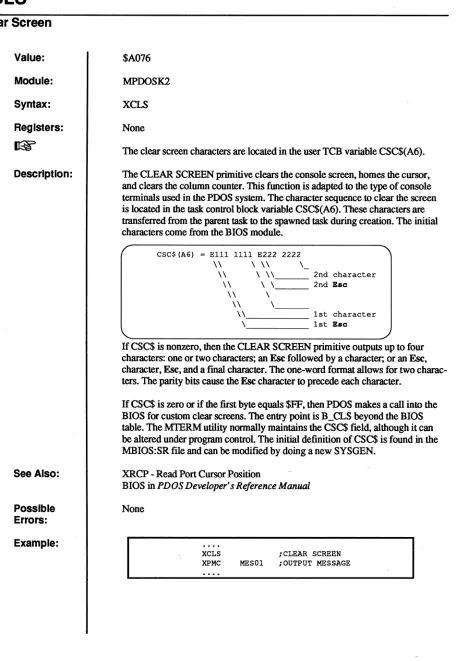
The clear screen characters are located in the user TCB variable CSC$(A6).
The CLEAR SCREEN primitive clears the console screen, homes the cursor, and clears the column counter. This function is adapted to the type of conS!>le terminals used in the POOS system. The character sequence to clear the screen is located in the task control block variable CSC$(A6). These characters are transferred from the parent task to the spawned task during creation. The initial characters come from the BIOS module.
CSC$(A6) = E111 1111 E222 2222
\\ \ \\
\-\ \-\ \ \ \ , _ _ _ 2nd character \\ \ \ 2nd Eac
\\ \
\\ \ '
-\ -\. _ _ _ _ _ 1st character \ 1st Eac
If CSC$ is nonzero, then the CLEAR SCREEN primitive outputs up to four characters: one or two characters; an Esc followed by a character; or an Esc, character, Esc, and a final character. The one-word format allows for two charac-ters. The parity bits cause the Esc character to precede each character.
[image:38.612.60.521.86.747.2]If CSC$ is zero or if the first byte equals $FF, then POOS makes a call into the BIOS for custom clear screens. The entry point is B_CLS beyond the BIOS table. The MIERM utility normally maintains the CSC$ field, although it can be altered under program control The initial definition of CSC$ is found in the MBIOS:SR file and Can be modified by doing a new SYSGEN.
XRCP - Read Port Cursor Position
BIOS in PDOS Developer's Reference Manual
None
XCLS iCLEAR SCREEN XPMC MES01 iOUTPUT MESSAGE
3.3-10/87 PDOS ASSEMBLY PRIMITIVES REFERENCE
o
o
c
(
(
c
Value: Module: Syntax: Registers:
Description:
Possible Errors:
Example:
$AOAE
MPOOSF
xcpy
<stams error return>
In (AI) = Source fIle name (A2) = Destination file name
XCpy
Copy File
A Ctrl C tenninates this primitive and returns the error -1 in register 00. The COpy FILE primitive copies the source file into the destination file. The source file is pointed to by address register Al and the destination file is pointed
to by register A2. A Ctrl C halts the copy, prints ""C" to the console, and returns with
error
-1. The file attributes oCthe source fIleare
automatically trans-ferred to the destination file.-1 = Break File Transfer 50
=
Bad File Name 53=
File Not Dermed 60=
File Space Full61
=
File A1ready Open 68=
Not POOS Disk 69=
OutoCFile Slots Disk errorsLEA.L FILES(PC),Al ;SOURCE FILE NAME LEA.L FILED(PC),A2 ;DEST. FILE NAME XCPY ;COPY FILE
BNE. S ERROR ; PROBLEM ; CONTINUE FILES DC.B
FILED DC.B EVEN
'TEMP' ,0 'TEMP:BK/l',O
XCTB
Create Task Block
Value: Module: Syntax: Registers:
Description:
Example:
34
$A026
MPDOSKI
XCI'B
<status error return>
In
Out
DO.W = Task size (Ik byte increments) D1.W
=
Task time.B/priority.B D2.W=
I/O
port(AO)
=
Optional low memory pointer (AI)=
Optional high memory pointer (A2) = Command line pointer or entry address DOL = Spawned task numberIfDO.W is positive, AO and Al are undefined. IfDO.W equals zero, then AO and Al are the new task's memory bomds and A2 contains the task's entry address. If DO.W is negative, then AO and Al are the new task's memory bounds and A2 points to the task's command line.
The CREAm TASK primitive places a new task entry in the PDOS task list. Memory for the new task comes from either the parent task or the system memory bit map. Data register DO controls the creation mode of the new task as well as the task size. If register DO.W is positive, then the first available con-tiguous memory block: equal to DO.W (in IK bytes) is allocated to the new task.
If there is not a block: big enough, then the upper memory of the parent task is al-located to the new task. The parent task's memory is then reduced by DO.W x IK bytes. Address register A2 points to the new task command line. If A2 is zero, then the monitor is invoked.
If DO>O then: DO=Task size
(A2)=Task command line (O=Monitor) MOVEQ.L nO,DO
MOVEQ.L *64,D1 MOVEQ.L n,D2 SUBA.L A2,A2 XCTB
BNE.S ERROR
;10 K BYTES ;PRIORITY 64 ;PORT 1 ;CALL MONITOR ;CREATE TASK
If register DO.W is zero, then registers AO and Al specify the new task's memory limits. Register A2 specifies the task's starting PC. The task control block begins at (AO) and is immediately followed by an XEXT primitive. The
task user stack pointer is set at (AI). Thus, the new program should allow $502 bytes at the low end and enough user stack space at the upper end.
3.3-10/87 PDOS ASSEMBLY PRIMITIVES REFERENCE
o
o
IV
(
c
Example:
Example:
XCTB - Create Task Block
If 00=0 then: (A2)=Task entry address AO-Al=New task memory limits MOVEQ.L *0,00 ;USE AO-Al BOUNOS MOVEQ.L *64,01 ;PRIORITY 64 MOVEQ.L 11,02 ;PORT 1
LEA.L SRAM,AO ;TCB AOOR (START) LEA.L ERAM,Al
LEA.L P(PC),A2 ;PC
XCTB ;CREATE TASK BNE.S ERROR
If data register DO.W is negative, then registers AO and Al specify the new task's memory limits. Register A2 points to the new task command line. (If
A2=0, then the monitor is invoked.) The command line is transferred to the spawned program via a system message buffer. The maximum length of a com-mand line is 64 characters. When the task is scheduled for the [rrst time, the mes-sage buffers are searched for a command. Mesmes-sages with a source task equal to $FF are considered commands and moved to the task's monitor buffer. The task
eLi
then processes the line. If no command message is found, then the monitor is called directly.If 00=<0 then: (A2)=Task command line (O=Monitor)
C
AO-Al=New task memory limits MOVEQ.L 10,00
MOVEQ.L i64,01 MOVEQ.L n,02
;USE AO-Al BOUNOS ;PRIORITY 64 ;PORT 1
;TCB AOOR (START) LEA.L SRAM,AO
LEA.L ERAM,Al LEA.L C(PC),A2 ;PC
XCTB ;CREATE TASK BNE.S ERROR
OC.B 'PRGMl',O
Data register Dl.W specifies the new task's priority. The range is from 1 to 255. The larger the number, the higher the priority.
Dl=Task priority
Data register D2.W specifies the
I/O
port to be used by the new task. If register D2.W is positive, then the port is available for both input and output. If register D2.W is negative, then the port is used only for output. If register D2.W is zero, then no port is assigned. Only one task may be assigned to anyone input port while many tasks may be assigned to an output port. Hence, a port is allocated for input only if it is available. An invalid port assignment does not result in an error. A call is made to D$INT in the debugger module. This initializes allad-dresses, registers, breaks, and offsets. Finally, the spawned task's number is returned in register DOL to the parent task. This can be used later to test task
status or to kill the task.
XCTB - Create Task Block
36
Possible
Errors:
D2=I/Oport
If 02=0, then phantom port (no I/O) If 02>0, then port is used for I/O If 02<0, then port is used for output only
If you specify the address as a fIle parameter, the system does not check to see if the memory is already allocated to another task. Use caution or it may crash your system.
72
=
Too Many Tasks73 = Not Enough Memory
3.3-10/87 PDOS ASSEMBLY PRIMITIVES REFERENCE
c
o
C
~": .)
(
(
Value: Module: Syntax: Registers:
Description:
See Also:
Possible Errors: Example:
XDEV
Delay Set/Clear Event
$A032
MPOOSKI
XDEV
<status error return>
In DO.L = Time
Dl.B = Logical Event (+=Set(1), -=Clear(O))
IT DO.L=O, then the D l.B event is removed from the delay list.
The DELAY SET/CLEAR EVENT primitive places a logical timed event in a system delay list controlled by the system clock. Data register DO.L specifies the time interval in clock tics. When it counts to zero, then the event Dl.B is set if
positive, or cleared if negative. If the event already exists in the delay list, it is replaced by the new entry. IT the time specified in DO equals zero, then the event equal to Dl.B is removed from the delay list ITDl.B is positive,~vent D1.B is fIrSt cleared. IT D I.B is negative, event D I.B is set before placing the event in the delay list and exiting the primitive.
XSEF - Set Event Flag With Swap XSEV - Set Event Flag
XSUI - Suspend Until Interrupt XTEF - Test Event Flag
XDPE - Delay on Physical Event
83 = Delay Queue Full
GETC XGCC
BNE.S GETC2 MOVEQ.L nOO,DO MOVE.L n28,D1 XDEV
; CHARACTER? ;Y
;N, GET DELAY ;USER LOCAL EVENT ;DELAY 128 1 SECOND BNE.S GETC ;FULL
LSL.W #B,D1 ;GET 128/(PORT+96) MOVE.B #96,D1
ADD.B PRT$(A6),D1
XSUI ; SUSPEND
CMP.B DO,D1 ;CHARACTER EVENT? BEQ.S GETC ;Y
XRTM ;N, READ TIME MOVE.B 7(A1),DO ;GET LAST CHARACTER CMP.B T(A6),DO ;SAME TIME?
BEQ.S GETC ;Y, TRY AGAIN MOVE.L (A1)+,T(A6) ;N, SAVE NEW TIME MOVE.L (A1),T+4(A6)
CLR. B T+8 (A6)
BSR.S POSIT ;POSITION & OUTPUT TIME DC.W 23*256+11
DC.W 0
BRA.S GETC ;TRY AGAIN
XDFL
Define File
38
Value: Module: Syntax:
Registers:
Description:
Possible Errors:
$AOD4
MPOOSF
XDFL
<status error return>
In DO.W
=
# of contiguous sectors (AI)=
File nameThe DEFINE FILE primitive creates a new file entry in a POOS disk directory, specified by address register AI. A POOS file name consists of an alphabetic character followed by up to 7 additional characters. An optional 3 character ex-tension can be added if preceded by a colon. Likewise, the directory level and disk number are optionally specified by a semicolon and slash respectively. The file name is terminated with a null.
The filename convention is as follows where upper and lower case are unique.:
APPPPPPP:PPP;NNN/NNN
# --Auto-create flag may prefix filename A -- Alpha characters A-Z or a-z
P -- Printable characters except ":", ";",
"f'.
The "." character may be used, but will conflict with the monitor command separator unless the filename is enclosed within parenthesesN -- Number in the range of 0-255
Data register DO contains the number of sectors to be initially allocated at file definition. If register DO is nonzero, then a contiguous file is created with DO sectors. Otherwise, the value stored in the SYRAM variable "FECT." + 1 is used to defme the number of sectors that will be allocated. Each sector of alloca-tion corresponds to 252 bytes of data. A contiguous fIle facilitates random ac-cess to fIle data since POOS can directly position to any byte within the fIle without having to follow sector links. A contiguous file is automatically changed to a non-contiguous fIle if it is extended with non-contiguous sectors.
If the register DO is non-zero, then the EOF pointer will be set to point at the end of the last allocated sector; otherwise, the EOF pointer will point at the begin-ning of the fIrst allocated sector.
50
=
Bad File Name 51=
File Already Defined 55=
Too Few Contiguous Sectors 57=
File Directory Full61
=
File Already Open 68=
Not POOS Disk Disk errors3.3-10/87 PDOS ASSEMBLY PRIMITIVES REFERENCE
C · .""".'" ·1
1("
I~"~,v'
/r--~"
'V
i~~ '~,;;/
('
Example:
FN
(
c
c
PDOS ASSEMBLY PRIMITIVES REFERENCE
XDFL • Define File
CLR.L LEA.L XDFL
DO ;DEFAULT SIZE FN(PC),A1 ;GET FILE NAME
;DEFINE FILE BNE.S ERROR ; ERROR
MOVEQ.L nOO,DO ;100 SECTORS ALLOCATED LEA.L FN(PC),A1 ;GET FILE NAME
XDFL ;DEFINE CONTIGUOUS BNE.S ERROR
DC.B EVEN
3.3-10/87
'FILENAME:EXT',O
XDLF
Delete File
40
Value: Module: Syntax:
Registers: Description:
Possible Errors:
Example:
$AOD6
MPOOSF
XDLF
<status error return>
In (AI)
=
File nameThe DELETE FILE primitive removes the ftle whose name is pointed to by ad-dress register Al from the disk directory and releases all sectors associated with that file for use by other ftles on that same disk. A ftle cannot be deleted if it is delete (*) or write (**) protected.
50
=
Bad File Name 53=
File Not Defined58
=
File Delete or Write Protected 61=
File Already Open68
=
Not PDQS Disk Disk errorsLEA.L FN(PC),Al ;GET FILE NAME PTR
FN
XDLF ;DELETE FILE BNE.S ERROR ; ERROR
;NORMAL RETURN DC.B
EVEN
'TEMP/2',O
3.3 -10/87 POOS ASSEMBLY PRIMITIVES REFERENCE
o
o
.4'"'"
"'"-'
.f""·
V
c
(
(
(
c
XDMP
Dump Memory From Stack
Value: $A04A
Module: MPDOSK3
Syntax: XDMP
Registers:
In
USP.L=<# ofbytes>.W <start address>.L USP.L = USP.L + 6 OutDescription: The DUMP MEMORY FROM STACK primitive dumps a block of memory to the console as specified by two parameters on the user stack (USP). The left side of the output is a hexadecimal dump and the right side is a masked ($7F) ASCII dump. To use this primitive, ftrst push a 32-bit address and then a 16-bit number of the amount of memory to be dumped. The primitive will automatically clean up the user stack.
See Also: XBUG - Debug Call
XRDM - Dump Registers
Possible Errors:
PB - PDOS Debugger (PDOS Monitor, Editor, Utilities manual)
None
Example:
START PEA.L START (PC) MOVE.W #32,-(A7) XDMP
XEXT
END START x>MASM20 TEMP: SR, 'TEMP x>TEMI?
OOOODDOO: 487A FFFE 3F3C 0020 A04A AOOE D44F 5248 Hz .. ?< . . J . . . ORH 0000DD10: 20cc 20C9 43EE 068E 4298 B1C9 65FA 2D49 . . C ... B ... e.-I x>
XDPE
Delay Physical Event
Value: Module: Syntax: Registers:
Restrictions:
Description:
See Also:
Example:
42
$A114
MPDOSKI
XDPE
In AO
=
Event addressDOL
=
Time in TICs for delay (O=clear entry) D l.W=
Event descriptorXDPE does not initialize the event like XDEV. You must initialize the event before using this call. If the event does not time out. clear it by setting the time
toO.
XDPE causes the specified event to be set/cleared after the specified time has elapsed. Each event can have only one delayed action pending. Successive calls will supersede pending requests. Only the lower eight bits of the descriptor are
used To cancel pending actions. specify a delay time of O.
The event descriptor is a 16-bit word that defines both the bit number at the specified AO address and the action to take on the bit. The following bits are defined:
/ Bit number -- 15 14 13 12 11 10 9 8 7 6 5 4 3 2 1 0 T x x x x x x x S X,x x x B B B T = Should the bit be toggled on scheduling?
l=Yes (toggle), O=No (do not toggle) S = Suspend on event bit clear or set
l=Suspend on SET, O=Suspend on CLEAR BBB = The 680xO bit number t'o use as an event x = Reserved, should be 0
Since the bit number is specified in the lower three bits of the descriptor. you may use the descriptor with the 68OXO BTST. BCLR. BSET instructions. XDEV - Delay Set/Clear Event
XSOE - Suspend on Physical Event XTLP - Translate Logical to Physical Event
MOVE.L *$80800081,01 LEA.L PEV(PC),AO MOVEA.L AO,A1 MOVE.L nOO,DO BCLR.B 01, (AO) XDPE
XSOE
PEV DC.W 0
SET DESCRIPTORS GET PEV ADDRESS COPY FOR EV1 SET TIMEOUT CLEAR TIMEOUT EVO START DELAY TIMER SUSPEND ON EITHER BIT 0 SET OR BIT 1 SET VIA DELAY TIMER
3.3-10/87 PDes ASSEMBLY PRIMITIVES REFERENCE