ISSN(Online): 2320-9801
ISSN (Print): 2320-9798
I
nternational
J
ournal of
I
nnovative
R
esearch in
C
omputer
and
C
ommunication
E
ngineering
(An ISO 3297: 2007 Certified Organization)
Vol. 4, Issue 8, August 2016
A New Hybrid Graphical User Authentication
Technique based on Drag and Drop Method
Salim Istyaq, Khalid Saifullah
Assistant Professor, Dept. of Computer Engineering, EES, University Polytechnic, Faculty of Engineering &
Technology, A.M.U. Aligarh, India
Scholar, Dept. of Computer Engineering, EES, University Polytechnic, Faculty of Engineering & Technology,
A.M.U. Aligarh, India
ABSTRACT: Nowadays, information security is an important field and the topic of concern in this field is user authentication. As we all use text password for the authentication from past years. In spite, word passwords are much easier to guess and hacked by different attacks such as dictionary, social engineering, shoulder surfing attacks etc. To overcome the drawbacks of the text passwords, a new technique of graphical password was introduced. Simply using the graphical password can also have some drawbacks. So, in this paper we have used both text and graphical techniques based on drag and drop method is called as hybrid authentication technique. This concept makes the authentication system more secure and resistant to the attacks, as guessing or hacking both passwords is not an easier task. This concept of merging text and graphical passwords in one technique makes it more scalable, flexible and strong technique for authentication process.
KEYWORDS: Graphical password; Authentication; Hybrid authentication; Text password; Hybrid authentication technique based on drag and drop (HATDD).
I. INTRODUCTION
To increase the level of authentication security there is a need of technique which overcomes the drawbacks of both text and graphical passwords [1]. As we see in computers and other devices the authentication method used is simply by submitting the usernames and their passwords which are more vulnerable to various attacks. But these text passwords are easier to guess if they are short and hard to remember if they are long. So to overcome their vulnerabilities of text passwords, graphical password scheme [3] have been introduced. The main concept of graphical passwords is to use images to replace text, since images and graphics are easier to remember than text. As graphical password schemes are considered as alternative to traditional text passwords, they also have some drawbacks. For example; some of the vulnerabilities are shoulder surfing, complexity and inputting the password several times which makes it hectic for the user.
II. RELATED WORK
A. TEXT PASSWORD
To gain access to a resource and for user authentication a word or string ofcharacters is used. This string of characters is known as password. If passwords are kept secret then it will be secured. Passwords can be hacked by looking over the shoulder of the person as he enters the password. This technique is known as shoulder surfing. Attacker use this technique for stealing the password by physically viewing the password as it is typed by the user. If the password strength is not strong then it can be easily cracked. Small passwords can be cracked easily.
B. GRAPHICAL PASSWORD
ISSN(Online): 2320-9801
ISSN (Print): 2320-9798
I
nternational
J
ournal of
I
nnovative
R
esearch in
C
omputer
and
C
ommunication
E
ngineering
(An ISO 3297: 2007 Certified Organization)
Vol. 4, Issue 8, August 2016
technique is needed, but conventional password technique is not suitable for authentication due to security and usability issues. Nowadays another technique is very popular for authentication i.e. graphical user authentication technique. Graphical user authentication is an alternative method for the alphanumeric password. It has been proved by the Psychological studies that people can memorize images better and longer time than words.
C. GRAPHICAL PASSWORD METHODS
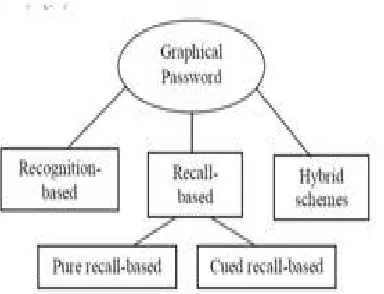
Graphical password technique has been developed to overcome the drawbacks of traditional word password technique, as images are easier to memorize than text. A survey regarding graphical password techniques shows that the techniques can bedivided into four groups as shown in Fig. 1.
Fig. 1Types of Graphical password authentication techniques
a. Recognition-Based Technique
In this technique, users will choose symbols or images from a set of images provided at the graphical user interface. At the time of verification, the users choose their images, which are picked at the time of signup among a set of images.
b. Pure Recall-Based Technique
In this technique, users write their passwords without any type of hints or reminder provided to them. Even though this technique is more convenient and easy, but in this users are not able to remember their passwords.
c. Cued Recall-Based Technique
In this technique, users have reminders or hints. With the help of reminders the users write their passwords or help users to type or choose the password more correctly. This technique is same to the recall based schemes but it is recall with cueing.
d. Hybrid Schemes
In this technique, the combinations of two or more schemes are used for authentication. This technique removes the problems of other scheme, such as spyware, shoulder surfing and so on.
D. RECOGNITION BASED TECHNIQUES
ISSN(Online): 2320-9801
ISSN (Print): 2320-9798
I
nternational
J
ournal of
I
nnovative
R
esearch in
C
omputer
and
C
ommunication
E
ngineering
(An ISO 3297: 2007 Certified Organization)
Vol. 4, Issue 8, August 2016
Fig. 2 Déjà vu scheme
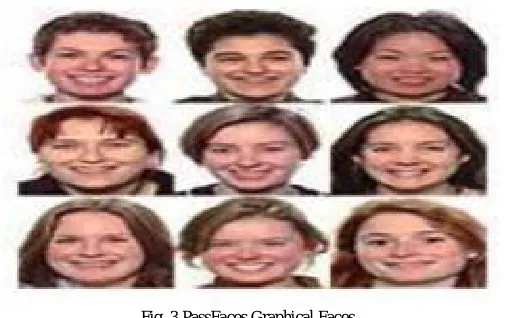
Graphical Password with Icons (GPI) [8] is developed to solve the hotspot problem. In GPI, users choose 6 icon images from 150 icon images as a password in one group. With GPIS, the system creates a random password and shows it to users. If the user is not happy with the password generated by the system, the user can demand the system to generate new password until user satisfied. The main problem of GPS is its non-acceptable login time and icon images are very small. Brostoff et al. as shown in Fig. 3 proposed the PassFaces scheme [9]. This method was developed in 2000. In this scheme, human faces are used as password. Where user is presented with set of human faces and users have to select on face images, pre-selected in registration for several such rounds. Drawbacks of this scheme are the probability of a guessing attack is high with few authentication rounds. Also, it is easily predictable or guessable and PassFaces scheme is vulnerable to shoulder surfing attacks.
Fig. 3 PassFaces Graphical Faces
E. PURE RECALL BASED TECHNIQUE
Pure recall-based graphical password systems are also known as draw metric systems because users recall an outline drawing on a grid that the user created during the signup phase. In these systems, users usually draw their password either on a grid or on a blank canvas. It is difficult to remember a password in case of recall is as retrieval is done without any hints or cues.
ISSN(Online): 2320-9801
ISSN (Print): 2320-9798
I
nternational
J
ournal of
I
nnovative
R
esearch in
C
omputer
and
C
ommunication
E
ngineering
(An ISO 3297: 2007 Certified Organization)
Vol. 4, Issue 8, August 2016
conforming every stroke is off the grid linesand the password redrawn by user is in the exact position as shown in Fig. 4.
Fig. 4 DAS Authentication Technique
Syukri algorithm [11] is a pure recall based system, in this authentication is done by having user drawing as signature using mouse or stylus as shown in Fig. 5. This technique has two stages, registration and verification. At the time of registration, users need to draw their signature first with the mouse, and then the system will take out the signature space and either expands or shrink-down signature areas, rotates if needed. The information will be recorded into the database later. In the verification stage first takes the user input, and then takes out the parameters of the user’s signature. The verification will be conducted by the system using geometric average and a dynamic update of database. The main advantage of this technique is that there is no need to remember one’s signature and signatures that are hard to fake.
Fig. 5 Signature Drawn by Mouse
F. CUED RECALL BASED TECHNIQUE
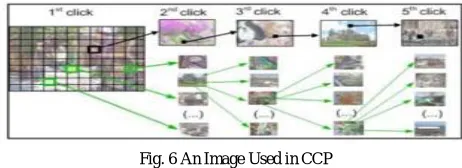
Chiasson et al. proposed Cued Click-Points (CCP) [12]. It was a distinction of PassPoints. In this scheme, the next image shows Cued-recall systems are also referred as loci metric systems as it related to recognizing certain locations. In these systems, the users need to remember and click on specific locations within an image. This increases the memory power as it is simple to remember than pure recall based systems. This is a unique memory task than simply identifying an image as a whole. In these types of techniques, users have an image so that they can select points arbitrarily by clicking in the image as a password. For successful signing, the user clicks on right click points in the exact order based on the place of the previous click-point. Each image show after the first image is a role of the coordinates of the user click points of the present image. When the users click on a wrong point on the image, then the next image displayed will be incorrect. If the hacker doesn’t have the correct knowledge of password, attackers may lead to wrong images only. Nevertheless, the users tend to select points within known hotspot regions.
Fig. 6 An Image Used in CCP
ISSN(Online): 2320-9801
ISSN (Print): 2320-9798
I
nternational
J
ournal of
I
nnovative
R
esearch in
C
omputer
and
C
ommunication
E
ngineering
(An ISO 3297: 2007 Certified Organization)
Vol. 4, Issue 8, August 2016
time of password generation, the images are slightly shaded except for a random small viewport area placed on the image. In Persuasive Cued Click- Points, the users have to choose a click-point inside the viewport. Users can click on the “shuffle” button to alter the viewport randomly until an absolute location is found by the user. At the moment of sign in, the not shaded images are displayed usually. PCCP removes hotspot problem. And also increases the usability up to an extent. Although, shoulder surfing attacks remains as a problem in both CCP and PCCP.
Fig. 7 An Image Used in PCCP
G. HYBRID SCHEMES
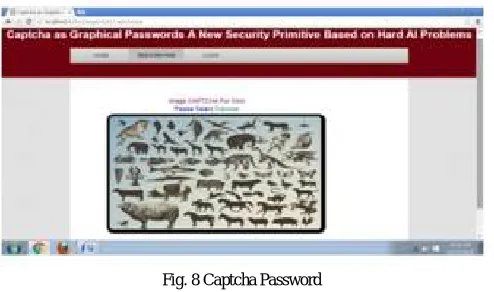
Hybrid schemes are the combination of two or more graphical password techniques. These schemes are introduced to overcome the problems of a single scheme, such as hotspot problem, shoulder surfing, spyware, etc. Many single techniques on recognition-based and recall-based schemes [4] are discussed and some of these techniques are joined to develop the hybrid schemes. Gao et al. proposed a hybrid scheme [14] using CAPTCHA (Completely Automated Public Turing tests to tell Computer and Humans Apart). It has all the advantages of graphical password schemes and CAPTCHA technology. During the signup phase, users choose the images as their image password. For authentication, user needs to differentiate the password images from decoys and complete a test by identifying and typing the CAPTCHA string below every image password as shown in Fig. 8. This scheme is almost impossible to hack but still spyware may affect this Hybrid scheme.
Fig. 8 Captcha Password
III. PROPOSED SCHEME
ISSN(Online): 2320-9801
ISSN (Print): 2320-9798
I
nternational
J
ournal of
I
nnovative
R
esearch in
C
omputer
and
C
ommunication
E
ngineering
(An ISO 3297: 2007 Certified Organization)
Vol. 4, Issue 8, August 2016
of images at the time of Signup. For authentication, same set of images and the text password are entered by the user at the time of login. This technique reduces the drawbacks of both text and graphical passwords schemes.
IV. ALGORITHM BASED ON HATDD
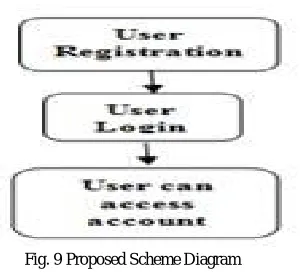
Algorithm of Hybrid Authentication Technique based on Drag and Drop (HATDD): Step 1: Start.
Step 2: User can register by Name, Email, Age, Address, Text Password, Picture Password etc. Step 3: All the entries filled by the user are saved in the database.
Step 4: Authentication of User; User will enter his details which he entered at the time of registration. Step 5: User will select the same Picture Password which he selected at time of registration.
Step 6: Is the entered Email and Text Password is correct? a) If Yes: Is the selected Picture password is correct?
If Yes: User can access his account.
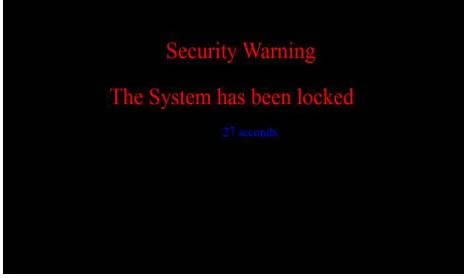
If No: User have to enter the Picture Password again and this facility is available only for three times, if all the times user select wrong Picture Password the system will block for 30 seconds.
b) If No : User have to enter the Email, Text Password and Picture Password again and this facility is available only for three times, if all the times user select wrong Picture Password the system will block for 30 seconds.
Step 7: User can Login again. Step 8: Stop.
Fig. 9 Proposed Scheme Diagram
V. SIMULATIONRESULTS
ISSN(Online): 2320-9801
ISSN (Print): 2320-9798
I
nternational
J
ournal of
I
nnovative
R
esearch in
C
omputer
and
C
ommunication
E
ngineering
(An ISO 3297: 2007 Certified Organization)
Vol. 4, Issue 8, August 2016
Fig. 10(a) HATDD login screen Fig. 10 (b) HATDD signup screen
Fig. 11(a) Registration Warning Fig. 11(b) System Lock Warning
Fig. 11(c) System Locked screen
VI. CONCLUSION AND FUTURE WORK
ISSN(Online): 2320-9801
ISSN (Print): 2320-9798
I
nternational
J
ournal of
I
nnovative
R
esearch in
C
omputer
and
C
ommunication
E
ngineering
(An ISO 3297: 2007 Certified Organization)
Vol. 4, Issue 8, August 2016
REFERENCES
1. Saranya Ramanan and Bindhu J S. “GUI-a-survey-on-different-graphical-password authentication-techniques”.
2. Salim Istyaq “Triple secured Hybrid Authentication Scheme” in International Journal of Emerging Technology and Advanced Engineering,
Volume 6, Issue 4, April 2016.
3. G. Blonder. “Graphical passwords”. United States Patent, 5,559,961, 1996.
4. Salim Istyaq, “A New approach of Graphical Password with Integration of Audio Signature Combination of Recall and recognition” in
International Journal of Computer Science Engineering and Information Technology Research (IJCSEITR), ISSN(P): 2249-6831; ISSN(E): 2249-7943 Vol. 6, Issue 4, Aug 2016, 45-50.
5. Dhamija R. and Perrig A. (2000) in Proceedings of the 9th USENIX Security Symposium.
6. http://www.bioinfo.in/uploadfiles/13476885341_1_2_WRJHCI.pdf.
7. http://www.acsac.org/2005/papers/89.pdf.
8. K. Bicakci, N. B. Atalay, M. Yuceel, H. Gurbaslar, and B. Erdeniz, “Towards usable solutions to graphical password hotspot problem”, In 33rd
Annual IEEE International Computer Software and Applications Conference, 2009.
9. Sacha Brostoff, M. Angela Sasse, “Are Passfaces More Usable Than Passwords? , A Field Trial Investigation, 2000.
10. Jermyn, A. Mayer, F. Monrose, M. Reiter, and A. Rubin, “The design and analysis of graphical passwords”. In 8th USENIX Security
Symposium, August 1999.
11. A. F. Syukri, E. Okamoto, and M. Mambo, "A User Identification System Using Signature Written with Mouse," in Third Australasian Conference on Information Security and Privacy (ACISP): Springer-Verlag Lecture Notes in Computer Science (1438), 1998, pp. 403-441.
12. S. Chiasson, P.C. van Oorschot, and R. Biddle. “Graphical password authentication using Cued Click Points”. In European Symposium on
Research in Computer Security (ESORICS), LNCS 4734, September 2007, pp. 359-374.
13. S. Chiasson, A. Forget, R. Biddle, and P. C. van Oorschot. “Influencing users towards better passwords: Persuasive Cued Click-Points” in Human Computer Interaction (HCI), The British Computer Society, September 2008.
14. H.C.Gao, X.Y.Liu, S.D.Wang, R.Y.Dai. “A new graphical password scheme against spyware by using CAPTCHA”. In: Proceedings of the
symposium on usable privacy and security, 15-17 July, 2009.
BIOGRAPHY
Salim Istyaq Presently, working as an Assistant Professor in Computer Engineering, University Polytechnic, Faculty of Engineering & Technology, A.M.U., Aligarh-202002, U.P.-India since 2004 to till date. Earlier, has been worked as Guest Faculty in ECE Department, Jamia Millia Islamia, New Delhi-110025. Also worked in Computer Engineering, Al-Mergheb University, Alkhoms, Libya. So far, published 09 Papers (07 in International Journals and 02 in IEEE Conferences). Review Committee Member in Editorial Board of various International Journals (WASET, OMICS, ARSEAM, IJETAE). Author has B.Sc. Engineering in Computer, M.Tech. in Communication & Information Systems. Currently, pursuing Ph.d. in Computer Engineering from Aligarh Muslim University, Aligarh, U.P. India.