Using Qr Codes as a Resourceful Ict Tool in the Elt Classroom
Dr Sarp Erkir
American University of the Middle East
Abstract
As the incorporation of technology into language instruction becomes more prevalent, teachers and researchers look into ways of using mobile tools in the classroom. Using QR codes for language instruction is one example of successful incorporation of a mobile technology, which allows educators to draw on the motivational value of technology while using tools that are fit for the purpose of effective instruction. QR codes are everywhere. Students see these codes everyday outside the classroom. They will be fascinated at the prospect of using this technology in the classroom. Similarly, teachers are eager to adopt new technologies, provided they are simple and efficient. And there is a reason why QR codes are everywhere: they are simple and efficient. This workshop aims at familiarizing participants with this very practical and efficient mobile tool that teachers can easily use at every level of language instruction. The presenter will first provide theoretical background explaining what QR codes are and how the use of QR codes enhances classroom instruction. This discussion will be followed by a hands-on training session where the participants will be guided through the steps of creating URLs and QR codes for classroom use. In the last part of the workshop, the presenter will share practical ideas on how these codes can be used in various ways including sample assignments and projects. The workshop will conclude with a discussion of the motivational value that the QR codes can bring to the classroom.
Keywords: QR codes, teaching English as a foreign language, technology in the classroom
INTRODUCTION
There is growing movement among educators, business leaders, academics, and governmental agencies to identify 21st Century skills which are a series of higher-order skills, abilities, and learning dispositions required for success in 21st century society and workplaces. The movement aims at focusing on the skills required for students to master in preparation for success in a rapidly changing, digital society. In 2002 the Partnership for 21st Century Skills (P21) was founded which identified four key skills ( “Framework for 21st Century Learning” n. d. ):
Content Knowledge and 21st Century Themes
Learning and Innovation Skills
Information, Media and Technology Skills
Life and Career Skills
Given the significance attached to ICT literacy, we, as educators, have to do our best so as to incorporate as many communication technologies as possible into our classrooms. Research clearly indicates that “the use of technology in English language teaching and learning can encourage the development of strategies necessary for modern survival: communication, collaboration, and information gathering and retrieval” (Teachers of English to Speakers of Other Languages, 2009, p. 15).
Successful integration of technology into the language classroom in a sense redefines the role of the language teacher. Originally, the role of the teacher was that of a facilitator. At a time when computers do not replace teachers but teachers who use computers replace those who don't, teachers have to improve their digital literacy; only then can they develop the students’ digital literacy (though, admittedly, this equation works the other way from time to time when the digital native students educate their peers and even their teachers in new ways of technology use. ) Kajder (2003, p. 10) groups these new roles under four titles: (1) teachers as instructional designers, (2) teachers as resource managers, (3) teachers as researchers, and (4) teachers as communication specialists. In this article, QR codes are presented as a tool that allow teachers to complete all these four roles with ease and efficacy.
THEORETICAL BASES FOR THE USE OF ICT TOOLS IN THE CLASSROOM
As the incorporation of technology into language instruction becomes more prevalent, teachers and researchers look into different ways of using mobile tools in the classroom. In doing so, they wish to base their methods on specific theories. There have been various studies showing that the use of Computer Assisted Language Learning (CALL) enhance student motivation and teacher instruction (Warschauer, 1996; Grgurovic & Chapelle, 2007. )
However, the use of CALL is not necessarily based on any theory of technology use. According to Sokolik (2003, p. 43), ‘the theoretical basis for the use of digital technology in the classroom comes from various second language acquisition theories and classroom practices themselves. ” In the absence of any specific pedagogical theory suggested by the use of a specific technology, it stands to reason to expect that as technology develops, new classroom techniques are proposed to attain a more content-rich learning environment.
CLASSROOM APPLICATIONS
Hanson-Smith (2003) points out that more opportunities for rich content and interaction developed as technology improved to allow the use of mobile phones in the classroom. Using QR codes for language instruction is one example of successful incorporation of a mobile technology, which allows educators to draw on the motivational value of technology while using tools that are fit for the purpose of effective instruction. QR codes are everywhere. Students see these codes everyday outside the classroom. It is not unconceivable to predict that they will be fascinated at the prospect of using this technology in the classroom. Similarly, teachers are eager to adopt new technologies, provided the technology involved is simple and efficient. And there is a reason why QR codes are everywhere: they are simple and efficient.
Facilitating learning in a technology-rich environment is the emerging challenge that faces the modern teacher. To do so, teachers have to be able to effectively integrate technology without necessarily diverting from student-centered pedagogical philosophies. When trying to effectively integrate learning technologies, teachers very commonly tend to forget that students should be actively responsible for their learning. This stems from the assumption that computers can make students process information. However, understanding is not embedded in the technology. It is the teacher’s duty to always keep the focus on knowledge construction by using technology in carefully designed lessons where the learner has to seek the information, to reflect on understanding with the help of technology (Kadjer, 2003).
This paper aims at familiarizing its readers with this very practical and efficient mobile tool that teachers can easily use at every level of language instruction. After a discussion of theoretical background, it explains what QR codes are and how their use enhances classroom instruction. This discussion is followed by an explanation of the steps of creating URLs and QR codes for classroom use. Lastly, some practical ideas on how these codes can be used in various ways including sample assignments and projects are listed.
THE USES OF QR CODES IN THE CLASSROOM
Kajder’s definition of technology (2003) encompasses all the tools available in a classroom that when applied with skill can lead you to enrich, extend, and empower student understanding. This definition, by extension, also means that technology, when not applied with skill, makes us a lot less efficient. Meaningful use of technology in the classroom is indeed a skill. This skill is perfected when effective tools are matched with trained users for the right task. Following is a discussion of how QRs can be used in the classroom, what makes QRs effective tools, and an example lesson plan which lends itself to QR usage.
she can scan or take a picture of the code; a programme or an application that can do the decoding; and web access to see where the code takes its user. The requirements for the classroom are the same. Students would need a smart device to scan the QR codes and an Internet connection. For the teacher, a cloud account such as Google Drive or Dropbox and Internet access is all it takes to fully incorporate this technology into classroom practices.
In a sample grammar lesson that follows the PPP approach (Present-Practice-Produce), QR codes can be used in all stages of the lesson. For the purposes of this paper, a PPP lesson plan is taken to teach modals of necessity at A2 level where affirmative and interrogative forms are introduced (have to, don't have to, must, and mustn't).
The lesson starts with a lead-in activity which is called “The Gallery. ” The Gallery is a commonly used generic activity type whereby the instructor posts eight pictures of signs showing what is forbidden is different parts of the world. The same gallery activity can be designed to show weird laws from the history of different countries. Alternatively, pictures can be used to show rules for guests and staff in a hotel. Pictures around the world is most suitable for a multicultural classroom setting. Some of these pictures (all taken from http://www. telegraph. co. uk/travel/galleries/Unusual-laws-around-the-world/) can be seen on Figure 1:
Figure 1. Pictures from Singapore, Thailand, Japan and Spain can be used to elicit that it is forbidden to chew gums, to step on the banknotes, to be overweight, and to spit
Images like the ones above are scattered around the classroom and posted on the wall in a gallery fashion. They show different rules and regulations that are in place in different parts of the world. In the order they appear, they show that it is forbidden to chew gums in Singapore; it is forbidden to step on currency in Thailand; it is forbidden to be overweight in Japan; and that it is forbidden to spit in Barcelona. Students are asked to guess what is not allowed in each country. At this stage, by raising their schemata of what is allowed and forbidden, students are lead towards a discussion whereby they feel a need to use the structures to be introduced. Under each picture is a QR code that links to the online polling activity. The teacher first tries to elicit what each picture represents and then asks them to choose the one that they think is the strangest. Here is how to create an online survey using QR codes. It is worth noting that the following explanation, as provided by the webpage, is just one the many simple ways of using QR codes to easily access an online survey. The surveys gather and displays real time results as students punch in their responses. And this provides an opportunity for a whole-class discussion.
strangest rule?” Now the user can open a new session by clicking the Open button. When the new session is started, a session key (displayed in the top right corner in the middle panel) is generated for collecting responses as shown below:
Figure 2. A screenshot of the web page showing how a new survey session is initiated online
The last step is communicating the session key to the students who go to https://respond. cc and use the session key to load the session and enter their responses. At this point, the page automatically generates a QR code for students to scan and go the online survey as opposed to having to type in a lengthy URL.
Figure 3. A screenshot of the web page showing how a QR code is retrieved for a session
The Results panel shows a graph with results as soon as responses are submitted. The graph changes instantly as new responses are submitted by respondents. As the students see the real time responses, they are very much focused to find out if the rest of the classroom thinks the way they do. And, as mentioned above, this paves the way to an engaging classroom discussion.
This activity is followed by a pre-reading activity in which students are asked to talk about strange rules in their lives. While eliciting some strange rules from their lives, the teacher also allows students to personalize the topic. Afterwards, students are provided with a reading text that has many examples of the target language structures (have to, don’t have to, must, mustn’t.)
Table 1. Eliciting rules of the target language
What is the negative form of “must”? __________
What is the negative form of “have to”? __________
__________ means something is necessary.
__________ means something is not necessary.
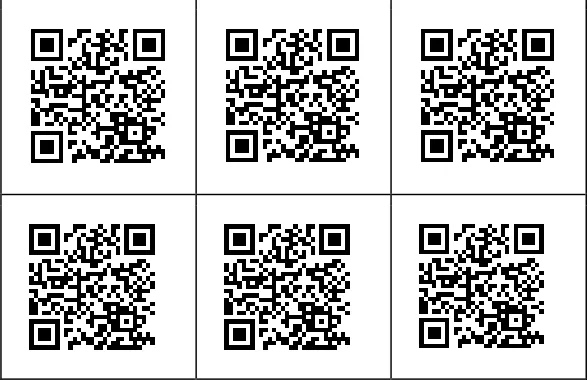
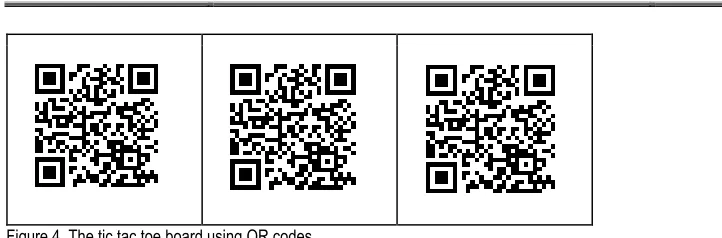
The next stage in the lesson is the practice stage that is divided into controlled and semi-controlled practice parts. For the controlled practice, any A2 level mechanical exercise activity can be used. In the semi-controlled practice, a tic-tac-toe game is designed using QR codes. A Tic-Tac-Toe is a generic game that is frequently used in the language classrooms. The object of the game is to get three in a row. The game is played on a three by three game board. Player A is known as X and player B is O. Players take turns to place Xs and Os on the game board until either side has three in a row by answering the question placed in each empty place on the board. However, it has a shortcoming in the sense that the students see the questions on the board and the first student has an advantage as he or she gets to choose the easy question to answer. With a little twist, as shown below (Figure 4), the board can be filled with QR codes linked to the questions instead of the questions themselves, thus adding a bit of suspense into the game and allowing technology to seep into classroom usage.
Creating this board with the QR codes is simple. For this activity, there are a myriad of different ways and here is a simple one: The instructor creates nine Google documents on a Google Drive. On each document is an open-ended question (such as “Is there anything you have to do this weekend?”) that requires the student to freely practice the target language for a dictated period of time. Once the documents are created, the teacher creates a separate QR code for each page by visiting the Google URL shortener site at goo. gl. The instructor writes or pastes the document URL in the Paste your long
URL here box and clicks Shorten URL. The page not only shortens the URL, but also provides a QR code for the shortened
Figure 4. The tic tac toe board using QR codes
In the production stage of the lesson, the students are given everyday objects and are asked to improvise rules for a game using these objects such as a plastic cup, table tennis balls, straws, and coins. Students are asked to come up with rules of their own game, which are constructed using the target language structures. Once they brain storm the rules of their games in groups, they are asked to audio record these rules. This recording will then be uploaded to a cloud storage space and QR links will be given to each game on the game poster. Other students will look at the posters and listen to the rules of the game by scanning the QR codes, and this way, the instructor can incorporate QRs to the production stage of the lesson plan. Again, there are a lot of different ways of linking an audio recording to a QR code, and the following is just one the simple different ways of doing this. The students click on the audio recorder on the GarageBand application of their iPhone. They then tap the round red record button to record, and click stop button to stop the recording. When finished recording, they go the MySongs sections to choose the recording they wish to share by uploading to Dropbox. They then copy the URL that they are given by Dropbox and paste it to the Google URL shortener and follow the steps explained above to extract the QR code for their recording. They can then paste this code onto their poster so that other students, while looking at the poster, can listen to their explanations of the game rules.
At this point, it is worth noting that the suggested lesson progresses in a more tradition grammar teaching fashion with three phases of presentation, practice and production. The first phase is meant to provide an understanding of the target structure; the second phase gives the student some practice opportunities for written and spoken accuracy; in the last phase, fluency is fostered through communicative use of the target language (Sheen, 2003).
CONCLUDING REMARKS
Practitioners and researchers of second and foreign language instruction have always been interested in finding ways making the L2 learning a more attractive experience. These experts seem to agree on 10 strategies that focus on the learning experience as summarized by Dornyei (2014). Four of these strategies are listed here: Making the teaching materials relevant to the learners; breaking the autonomy of learning; making the learning tasks more interesting; and creating learning autonomy (p. 526 -527). Without going deep into the explanation of each motivational point, it can be clearly seen that the lesson plan proposed on this paper does indeed meet each one of the four strategies through the incorporation of QR code technology. Given the importance of learners’ positive experiences, inarguably technology and QR codes can play a key role in making the teaching materials relevant to the learners; breaking the autonomy of learning; making the learning tasks more interesting; and in creating learning autonomy. Nevertheless, learners do not learn from computers or smart phones. Nor do they learn from technology. As always, they learn when they are focused on what they are doing. They learn when they think about the task. At his point, technology itself is not the task. It is rather the tool. Therefore, “focus has to be placed on learning with technology rather than learning from or about the technology” (Kajder, 2003). In this regard, keeping technology to a bare minimum can be the key. Using simplest technologies such as QRs will definitely help keep students focused on the task rather than the technology itself.
REFERENCES
[1] Dornyei, Z. (2014). Motivation in second language learning. In M. Celce-Murcia, D. M. Brinton, M. A. Snow
[2] (Eds. ) Teaching English as a second or foreign language (409 - 421). Boston:
[3] Heinle Cengage Learning.
[5] Systems [PDF document]. Retrieved from: http://www. p21. org/storage/documents/docs/P21_framework_0816. pdf
[6] Grgurovic, M., Chapelle, C. (2007). Paper presented at CALICO 2007: Effectiveness of CALL: A
[7] meta-analysis and research synthesis. San Marcos, TX.
[8] Hanson-Smith, E. (2003). A brief history of CALL theory. The CATESOL Journal, 15(1), 21-30.
[9] Kajder, S. B. (2003). The Tech-Savvy English Classroom. Portland: Stenhouse Publishers.
[10] Sheen, R. (2003). Focus on form: A myth in the making? ELT Journal, 57(3), 225-233.
[11] Sokolik,, M. E. (2003). Student perceptions of classroom technology. The CATESOL Journal, 15(1), 43-50.
[12] Sokolik, M. E. (2014). Digital technology in language teaching. In M. Celce-Murcia, D. M. Brinton,
[13] M. A. Snow (Eds. ) Teaching English as a second or foreign language (409 - 421). Boston:
[14] Heinle Cengage Learning.
[15] Teachers of English to Speakers of Other Languages. (2009). TESOL Technology Standards
[16] Framework. Alexandria, VA: Author.
[17] Warschauer, M. (1996). Motivational aspects of using computers for writing and communication.
[18] In M. Warschauer (Ed. ), Telecommunication in foreign language learning: Proceedings of