VEHICLE TRACKING SYSTEM
This vehicle tracking system is warranted to the original purchaser, to be free from defects in material and workmanship. The manufacturer will repair or replace at its option, and free of charge for the first twelve (12) months, any part that proves defective in material or workmanship under normal installation, use, and service, provided the product is returned to the manufacturer freight prepaid. After the first 12 month warranty period there will be a maximum service charge of $100.00 per calendar year (if required) for repair and/or replacement of any defective parts. A copy of the original purchase and installation receipt must accompany any products returned for warranty service. Warranty is limited to defective parts and/or replacement parts only and excludes any incidental, and consequential damages connected therewith.
The manufacturer of this tracking system makes no warranty against the theft of the vehicle or its contents. This warranty is not to be construed as an insurance policy against loss.
WARRANTY OF INSTALLATION LABOR, REMOVAL AND RE-INSTALLATION CHARGES ARE NOT THE RESPONSIBILITY OF THE MANUFACTURER.
PLEASE NOTE:
Some of the features described in this manual may require additional parts and/or labor, and may not be included as part of the standard installation of this unit. Please discuss these features and any questions you may have regarding the installation of this product with Your Authorized Dealer.
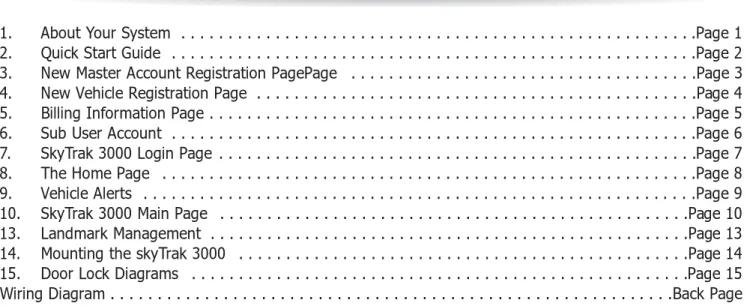
1. About Your System . . . .Page 1 2. Quick Start Guide . . . .Page 2 3. New Master Account Registration PagePage . . . .Page 3 4. New Vehicle Registration Page . . . .Page 4 5. Billing Information Page . . . .Page 5 6. Sub User Account . . . .Page 6 7. SkyTrak 3000 Login Page . . . .Page 7 8. The Home Page . . . .Page 8 9. Vehicle Alerts . . . .Page 9 10. SkyTrak 3000 Main Page . . . .Page 10 13. Landmark Management . . . .Page 13 14. Mounting the skyTrak 3000 . . . .Page 14 15. Door Lock Diagrams . . . .Page 15 Wiring Diagram . . . .Back Page
SkyTrak 3000 Page 1
The SkyTrak 3000 is a Vehicle Tracking System
System Features:
• Unlimited Real-time GPS tracking with user-friendly internet software • Bread Crumb History Trail
• Fast Response Time
• High gain GPS/Cellular antenna
• Issue commands via internet or web enabled Cell Phone
• Door Lock/Unlock, remote start, starter disable/enable, flash horn • Notification alerts sent to cell phone and email address
• Excessive speed , theft daily curfew, geo-fencing, four input triggers • Engine on /off reports
• Multi vehicle monitoring • 5 minutes automatic update
Page 2 - SkyTrak 3000
Quick Start Guide for SkyTrak 3000
System Registration:
To Register your SkyTrak 3000 1- Login on to www.scytrak.net 2- Click on the “Click to register”
SkyTrak 3000 - Page 3
New Master Account Registration Page
New Master Account Registration screen.
In the “User ID” area type in your login ID, then complete the rest of the information.
After completing Master Account registration page, click on “O.K” at the bottom far right side.
SkyTrak 3000 - Page 4
New Vehicle Registration Page
New Vehicle Registration screen
In the “Vehicle’s ID ” area type in the Vehicle name such as Johny’s Car or Vehicl’s model, then complete the rest of the information.
SkyTrak 3000 - Page 5
Billing Information Page
Billing information screen.
In the Service Term Area, select the yearly plan that you like. then complete the rest of the information.
Subuser account allowes for additional users to manage the fleet vehicles with varies degrees of control.
Click on Subuser Management to edit the page.
Register the subuser and assign the vehicles and checkmark the desired privilege of the user.
More then one subuser can be assigned to that vehicle group.
Sub User Account
login page www.scytrak.net SKYTRAK 3000 GPS Login Page:
Login: input your Login ID and your Password.
“you may changeyour password at any time for your personal security” Click on the field marked "Sign in" and you will then be taken to your SKYTRAK 3000 GPS Home Page.
SkyTrak 3000- Page 7
SkyTrak 3000 - Page 8
The Home Page
Your SKYTRAK 3000 GPS Home Page will have your vehicle(s) listed and look very similar to this.
Click on the Vehicle name to select that particular vehicle, the screen will refresh displaying the map with the breadcrumb trail showing the last locations of the vehicle.
Vehicle Alert
Window
Vehicle Alert Window:
Vehicle alert window is located bellow the map, it contains; 1. Number of events displayed on the map
Select the number of events on the map by selecting 1,10,40 of 80,
recorded events will be displyed showing the state of the vehicle and tthe dirction of the motion.
2. Contract expiration date
Current state of the subscrption. 3. Current alert state
alrerts that are enabled are hilighted. Edit the alert selection by clicking on any of Alert buttons.
System Alerts
1. Geo Fence Alert setup:
Type in the address of the Geo Fence window and the boundary size, chose if alert is for antry into or exit from the boundaries.
Select the Geo Fence Alert. 2. Time Fence Alert:
Set the time alert window, when alert is on, if the vehicle ignition is turned on within the time window an alert will be set.
3. Speed Alert:
Select the speed threshold, when the alert is set, if the vehicle speed exeeds the set speed Alert is set.
4. SMS Alert:
SMS alert sends all alerts as a text message to the preset SMS and Email
addresses specified in the vehicle setup window, note: that multiple Emails and text messages are allowed.
5. Input Alerts:
There are four alert inputs that can be selected. Inputs 1 2, and 3 are negative (ground).
Input 4 is Positive (12V), this input when the Skytrak system is connected to ScyTek Galaxy Security System is automatically reports an Alarm Alert.
In stand-alone mode an alert will be set only if the input is valid for over 5 seconds. connect this input to the siren of vehicle alarm.
After completion of alert setup, Press the save button on the bottom of the screen to save the setup in the remote unit.
The Success responce indicates the unit received the alert setup. Renaming input alerts
SkyTrak 3000 - Page 11
SkyTrak 3000 Main Page
In the main Page provides tracking and control of the vehicles.
View all vehicle locations on the map by checking the Check all box and clicking on the Track Today/Refresh button.
Refresh location manually by clicking on the Track button of the specific vehicle. When sucess result appears the map will refresh automatically and diplay the latest vahicle location.
Select the auto refresh mode to refresh the display once a minute automatically, this feature provides a live display of all the selected vehicles.
Outputs
SkyTrak system has been provided with four outputs.
The system is designed for stand alone use or with combination of ScyTek Security systems.
Using with combination of ScyTek Security
Output 3 - Arms or Disarms the Security System Output 4 - Starts or Stops Vehicle Remote Start Output 1 - Trunk Release
Output 2 - Momentary activation of auxiliary output Stand Alone Mode:
Output 1 and 2 are momentary, and output 3 and 4 are latched. Activated each of the outputs by pressing the output button. Output window will open to reveal the system outputs.
Click on send button to activate ouputs 1 or 2, or on or off for outputs 3 and 4. state of the outputs 3 and 4 is also displayed.
From the vehicle history table click on the set button in Landmark column, the landmark window will open up.
Select the appropriate icon and name the landmark. The icon will appear on the map for easy vehicle location identification.
Landmark Management
SkyTrak 3000 - Page 14
Mounting the skyTrak 3000
The main unit can be mounted under the dashboard.
The GSM/GPRS antenna affixes to the windshield with the double sided tape. he GPS Antenna affixes on the dashboard with double sided tape.
The GSM and GPS anttena can be hidden under the dashboard.
Page 15 - SkyTrak 3000
Door Lock Diagrams
Reverse Polarity
Adding Actuators
Positive Horn Honk
Starter Interrupt
Negative Trigger
Positive Trigger
blue
© ScyTek Electronics 2010 SkyTrak 3000 3-08
Wiring Diagram
ScyTek Electronics 11627 Cantara Street North Hollywood, CA 91605 www.scytek.netGPS
GPRS
GPS
ANTENNA
GPRS ANTENNA
SKYTRAK 3000
RED Main Power + 12 Volt BLACK Sytem Ground (-) YELLOW +12 Ignition Input
Green Output 1 (-) Pulsed BLUE Output 2 (-) Pulsed
ORANGE Output 3 (-) Latched On/Off WHITE Output 4 (-) Latched On/Off GRAY Input 4 (+) Trigger
BROWN Input 3 (-) Trigger PINK Input 2 (-) Trigger VIOLET Input 1 (-) Trigger