1
B Naresh, Lecturer in BVRICE, Dept., of Computer B Naresh, Lecturer in BVRICE, Dept., of Computer B Naresh, Lecturer in BVRICE, Dept., of Computer B Naresh, Lecturer in BVRICE, Dept., of Computer ScieScieScienceSciencencence UNIT-IIICOMPUTER SOFTWARE
Contents
Definition of Computer Software Classification of Computer Software
Difference between System and Application Software
Examples for System Software
• BIOS (Basic Input Output System) • Device Driver Software
• Operating System • Utility Software’s
• Compiler, Interpreter, Linker and Loader
o Difference between Compiler and Interpreter Examples for Application Software
• Productivity Software
o Microsoft Office Package MS Word
MS Excel
MS Power Point
MS Access
o Graphics Software
Paint programs
Design or draw programs
Presentation software
Animation Software
CAD
o Multimedia
o Database Management System
Firmware
Middleware
Techniques for acquiring a software
Design and implementation of correct, efficient, and maintainable programs
2
B Naresh, Lecturer in BVRICE, Dept., of Computer B Naresh, Lecturer in BVRICE, Dept., of Computer B Naresh, Lecturer in BVRICE, Dept., of Computer B Naresh, Lecturer in BVRICE, Dept., of Computer ScieScieScienceSciencencence Computer SoftwareComputer software or simply software is any set of machine-readable instructions that directs a computer's processor to perform specific operations.
Computer system consists of two parts Hardware and Software
Computer hardware, which is constituted by the physical components of a computer.
Computer software, which tells the hardware what to do and how to do it.
Classification of computer software
Computer software can be broadly classified into two groups:
Application software
Application software is a software program which is designed to solve a particular problem for users. It satisfies the requirements of the end users.
Ex: Spreadsheets, database systems, desktop publishing systems, program development software, games, web browsers and so on.
System software
It represents programs that allow the hardware to run properly. It is transparent to the user and acts as an interface between the hardware of the computer and application software that the users need to run on the computer.
Examples: Operating System, BIOS, Device Drivers, Compiler, Interpreter etc…
3
B Naresh, Lecturer in BVRICE, Dept., of Computer B Naresh, Lecturer in BVRICE, Dept., of Computer B Naresh, Lecturer in BVRICE, Dept., of Computer B Naresh, Lecturer in BVRICE, Dept., of Computer ScieScieScienceSciencencence Difference between System Software and Application SoftwareSubject Application Software System Software
Definition
Application software is computer
software designed to help the user
to perform specific tasks.
System software is computer software
designed to operate the computer hardware
and to provide a platform for running
application software.
Purpose It is specific purpose software. It is general-purpose software.
Classification •
Package Program,
• Customized Program
• Time Sharing,
• Resource Sharing,
• Client Server
• Batch Processing Operating
System
• Real time Operating System
• Multi-processing Operating System
• Multi-programming Operating
System
• Distributed Operating System
Environment
Application Software performs in a
environment which created by
System/Operating System
System Software Create his own
environment to run itself and run other
application.
Execution
Time It executes as and when required. It executes all the time in computer.
Essentiality Application is not essential for a computer.
System software is essential for a
computer
Number
The number of application
software is much more than system
software.
The number of system software is less than
application software.
4
B Naresh, Lecturer in BVRICE, Dept., of Computer B Naresh, Lecturer in BVRICE, Dept., of Computer B Naresh, Lecturer in BVRICE, Dept., of Computer B Naresh, Lecturer in BVRICE, Dept., of Computer ScieScieScienceSciencencence System softwareSystem software is computer software designed to operate the computer hardware and
to provide and maintain a platform for running the application software.
The following are the some of the examples for System Software
Computer BIOS (Basic Input Output System)
The computer basic input/output system (BIOS) provide the basic functionality to
operate and control the hardware connected to the computer.
When computer starts, The first function of the BIOS perform to initialize and identify system devices such as video display card, keyboard, mouse, hard disk, cd/DVD drive and other h/w.
The four main functions of a PC BIOS
POST(Power On Self Test) – When we switch on the system first the BIOS will checks all
the hardware components that are connected to the computer system and make sure no errors
exist before loading the operating system.
Bootstrap Loader - Locate the operating system. If a capable operating system is located, the
BIOS will load the OS related files from secondary storage device to the main memory of the
computer. This process is known as Booting and the corresponding program is known as
Bootstrap program.
Device Driver Software
Device drivers are system programs, which are responsible for proper functioning of
devices. Every device whether it is a printer, monitor, mouse or keyboard, has a driver
program associated with its proper functioning. A device driver acts like a translator between
5
B Naresh, Lecturer in BVRICE, Dept., of Computer B Naresh, Lecturer in BVRICE, Dept., of Computer B Naresh, Lecturer in BVRICE, Dept., of Computer B Naresh, Lecturer in BVRICE, Dept., of Computer ScieScieScienceSciencencenceA driver is a program that allows the OS to communicate with hardware devices.
Every single piece of hardware inside and connected to your PC needs a driver for
communication.
Operating system
An operating system (OS) is system software that manages computer hardware and
software resources and provides common services for computer programs. The operating
system is an essential component of the system software in a computer system.
The operating system acts as an intermediary between programs and the computer
hardware. An operating system ensures that the system resources (CPU, memory, input/output
devices) are utilized efficiently.
For ex: there may be many service requests on a web server, where each user request
needs to be serviced. Similarly there may be many programs residing in the main memory.
Therefore, the system needs to be determine which programs are active and which need to
wait for some input/output Operation.
Utility software
Utility software is used to analyze, configure, optimize, and maintain the computer
system. Utility programs may be requested by application programs during their execution for
multiple purposes, some of which are as follows.
Disk defragmenters are used to detect computer files whose contents are broken
across several locations on the hard disk and move the fragments to one location In
order to increase efficiency.
Disk checkers are used to scan the contents of a hard disk to find files or areas that are
not correctly saved and eliminate them in order to make the hard drive operate more
efficiently.
Disk cleaner help the users to decide what to delete when their hard disk is full.
6
B Naresh, Lecturer in BVRICE, Dept., of Computer B Naresh, Lecturer in BVRICE, Dept., of Computer B Naresh, Lecturer in BVRICE, Dept., of Computer B Naresh, Lecturer in BVRICE, Dept., of Computer ScieScieScienceSciencencenceBackup utilities are used to make a copy of the information stored on a disk, In case
disk failure occurs; backup utilities can be used to restore the entire disk.
Disk compression is used to enhance the capacity of a disk by compressing or
uncompressing the contents of the disk.
Antivirus utilities are used to scan for computer viruses.
Network utilities are used to analyze the computers network connectivity, configure
network settings, check data transfers or log events.
Command Line Interface (CLI) and Graphical User Interface (GUI) are used to
make changes to the operating system.
Compiler, interpreter, Linker, Loader
Compiler
A compiler is a special type of program that transforms the source code written in a
programming language into machine language, which uses only two digits-0 and 1 is known
as object code.if the source code contains different types of errors such as
1) Syntax errors-Errors (spelling mistakes and typing mistakes) that limit the compiler in
understanding a program are called syntax errors.
2) Logical errors-this occur when the program does not function accurately.
Interpreter
Like the compiler, interpreter translates the instructions into an intermediate form,
which it then executes.However, the major advantage of an interpreter is that need not go
through the compilation stage during which machine instructions are generated. This process
7
B Naresh, Lecturer in BVRICE, Dept., of Computer B Naresh, Lecturer in BVRICE, Dept., of Computer B Naresh, Lecturer in BVRICE, Dept., of Computer B Naresh, Lecturer in BVRICE, Dept., of Computer ScieScieScienceSciencencence LinkerIt is called link editor or binder,is a program that combines the object modules to form
an executable program. In case of large program, programmers prefer to break the code into
smaller modules (piece of code),as this simplifies the programming task.
Loader-A loader is a special type of program that copies programs from a storage device to
the main memory, where they can be executed. Most loaders are transparent to the users.
Difference between Compiler and Interpreter
8
B Naresh, Lecturer in BVRICE, Dept., of Computer B Naresh, Lecturer in BVRICE, Dept., of Computer B Naresh, Lecturer in BVRICE, Dept., of Computer B Naresh, Lecturer in BVRICE, Dept., of Computer ScieScieScienceSciencencence Application softwareApplication software is a type of computer software that employs the capabilities of a
computer directly to perform a user-defined task
To better understand application software, for example the relationships of an electric
light bulb (an application) to an electric power generation plant (a system).
Typical examples of application software are
Word processors
Spread sheets
Media players
Education software
CAD(computer aided design),CAM(computer-aided manufacturing)
Data communication software
Statistical and operational research software.
Examples for Application Software
Productivity software
Productivity software (sometimes called personal productivity software or office
productivity software) is software dedicated to producing information, such
as documents, presentations, worksheets, databases, charts, graphs, digital paintings,
electronic music and digital video.
Let us now discuss different productivity software such as Microsoft office package;
graphics design software, multimedia software and database management software.
Microsoft office package
Microsoft office, introduced by Microsoft in 1989,is a suite of interrelated
applications for the Microsoft windows and Mac OS X operating systems.intially,it included
only Microsoft word,excel,and PowerPoint.
Microsoft word
A word processor is a software package that enables its users to create, edit, print, and
save documents for future retrieval and reference.
The key advantage of using a word processor is that it allows the users to make
changes to a document without retyping the entire document.
Users can create a variety of documents such as
Letters
9
B Naresh, Lecturer in BVRICE, Dept., of Computer B Naresh, Lecturer in BVRICE, Dept., of Computer B Naresh, Lecturer in BVRICE, Dept., of Computer B Naresh, Lecturer in BVRICE, Dept., of Computer ScieScieScienceSciencencenceResumes
Forms or any document that can be typed and printed.
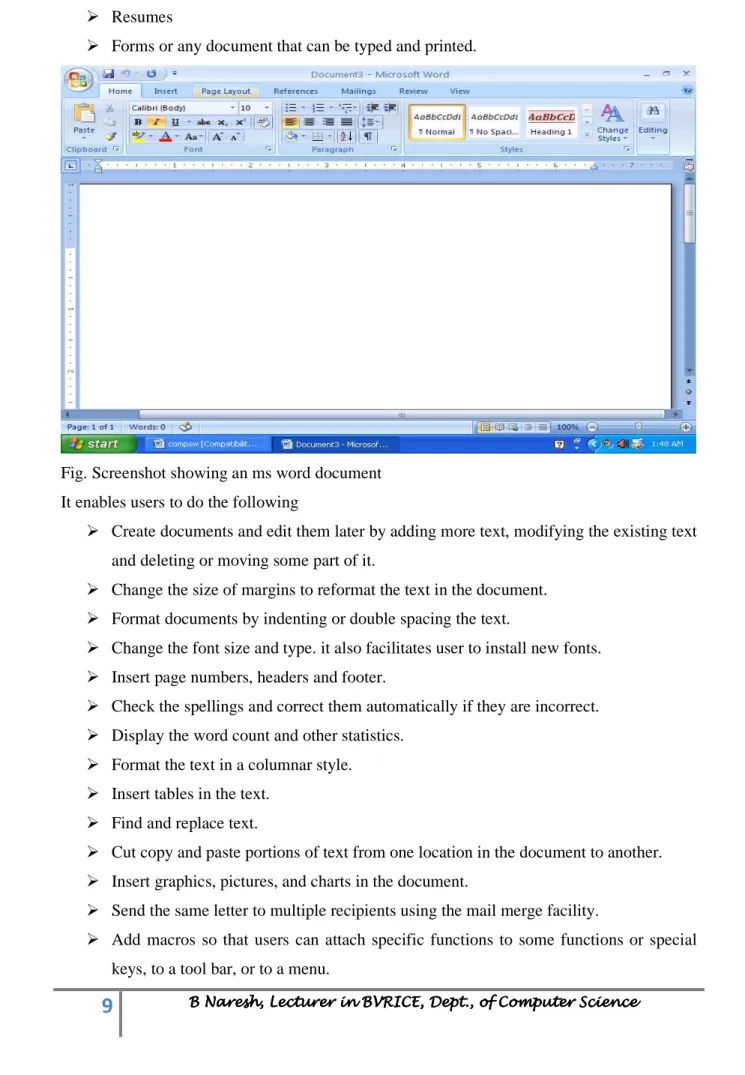
Fig. Screenshot showing an ms word document
It enables users to do the following
Create documents and edit them later by adding more text, modifying the existing text and deleting or moving some part of it.
Change the size of margins to reformat the text in the document. Format documents by indenting or double spacing the text.
Change the font size and type. it also facilitates user to install new fonts. Insert page numbers, headers and footer.
Check the spellings and correct them automatically if they are incorrect. Display the word count and other statistics.
Format the text in a columnar style. Insert tables in the text.
Find and replace text.
Cut copy and paste portions of text from one location in the document to another. Insert graphics, pictures, and charts in the document.
Send the same letter to multiple recipients using the mail merge facility.
10
B Naresh, Lecturer in BVRICE, Dept., of Computer B Naresh, Lecturer in BVRICE, Dept., of Computer B Naresh, Lecturer in BVRICE, Dept., of Computer B Naresh, Lecturer in BVRICE, Dept., of Computer ScieScieScienceSciencencence Provide online help for any option.Microsoft Excel
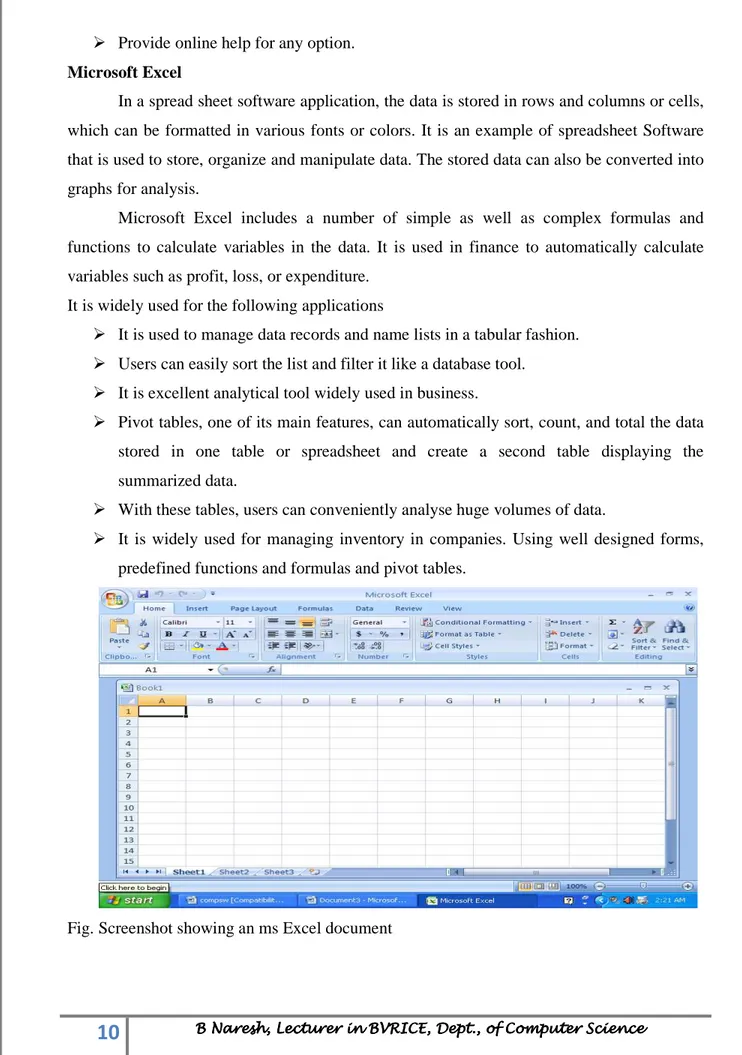
In a spread sheet software application, the data is stored in rows and columns or cells,
which can be formatted in various fonts or colors. It is an example of spreadsheet Software
that is used to store, organize and manipulate data. The stored data can also be converted into
graphs for analysis.
Microsoft Excel includes a number of simple as well as complex formulas and
functions to calculate variables in the data. It is used in finance to automatically calculate
variables such as profit, loss, or expenditure.
It is widely used for the following applications
It is used to manage data records and name lists in a tabular fashion. Users can easily sort the list and filter it like a database tool.
It is excellent analytical tool widely used in business.
Pivot tables, one of its main features, can automatically sort, count, and total the data stored in one table or spreadsheet and create a second table displaying the
summarized data.
With these tables, users can conveniently analyse huge volumes of data.
It is widely used for managing inventory in companies. Using well designed forms, predefined functions and formulas and pivot tables.
11
B Naresh, Lecturer in BVRICE, Dept., of Computer B Naresh, Lecturer in BVRICE, Dept., of Computer B Naresh, Lecturer in BVRICE, Dept., of Computer B Naresh, Lecturer in BVRICE, Dept., of Computer ScieScieScienceSciencencence Microsoft PowerPointIt is used to create multimedia presentations and slide shows. Like Microsoft word, it
includes tools to format text and incorporate design templates.
When designing presentations using Microsoft power point,
users can add effects on slide transitions
add sound clips
images
animations
Video clips to make the presentation even more interesting for the target audience. It also offers printing options to facilitates the users to provide handouts and outlines
for audience as well as notes pages for the speaker to refer to during the presentation.
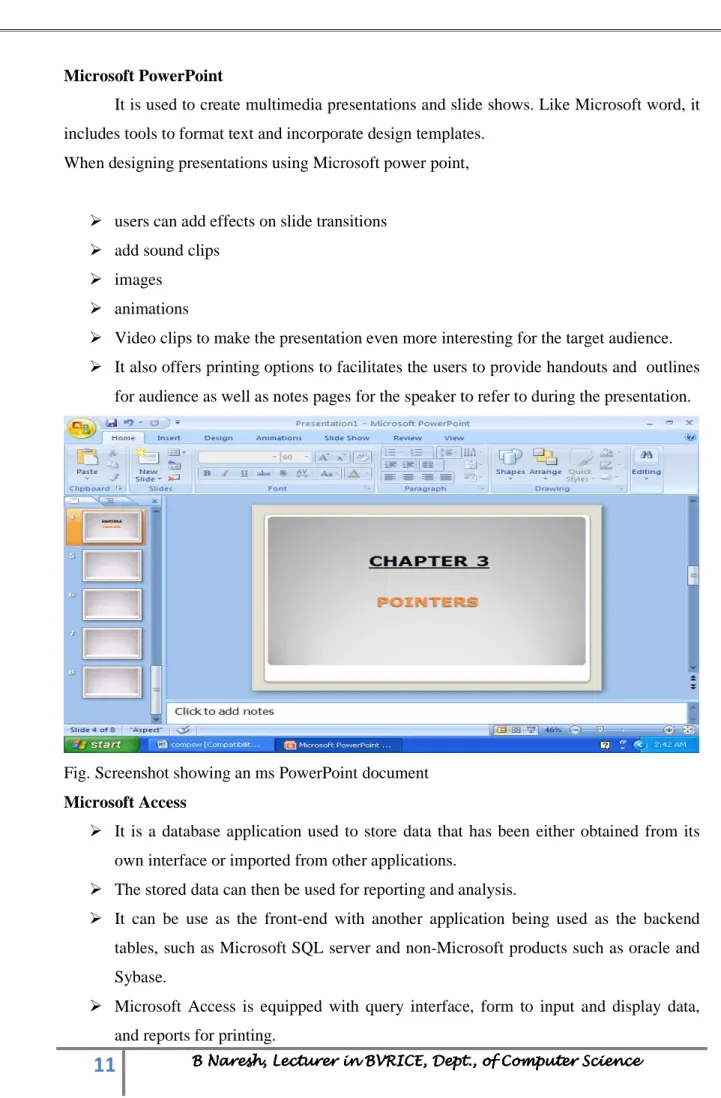
Fig. Screenshot showing an ms PowerPoint document
Microsoft Access
It is a database application used to store data that has been either obtained from its own interface or imported from other applications.
The stored data can then be used for reporting and analysis.
It can be use as the front-end with another application being used as the backend tables, such as Microsoft SQL server and non-Microsoft products such as oracle and
Sybase.
12
B Naresh, Lecturer in BVRICE, Dept., of Computer B Naresh, Lecturer in BVRICE, Dept., of Computer B Naresh, Lecturer in BVRICE, Dept., of Computer B Naresh, Lecturer in BVRICE, Dept., of Computer ScieScieScienceSciencencenceTables designed in this application support a variety of standard field types, indices and record locking and referential integrity features.
In addition, Microsoft access supports the use of macros to automate repitative tasks.
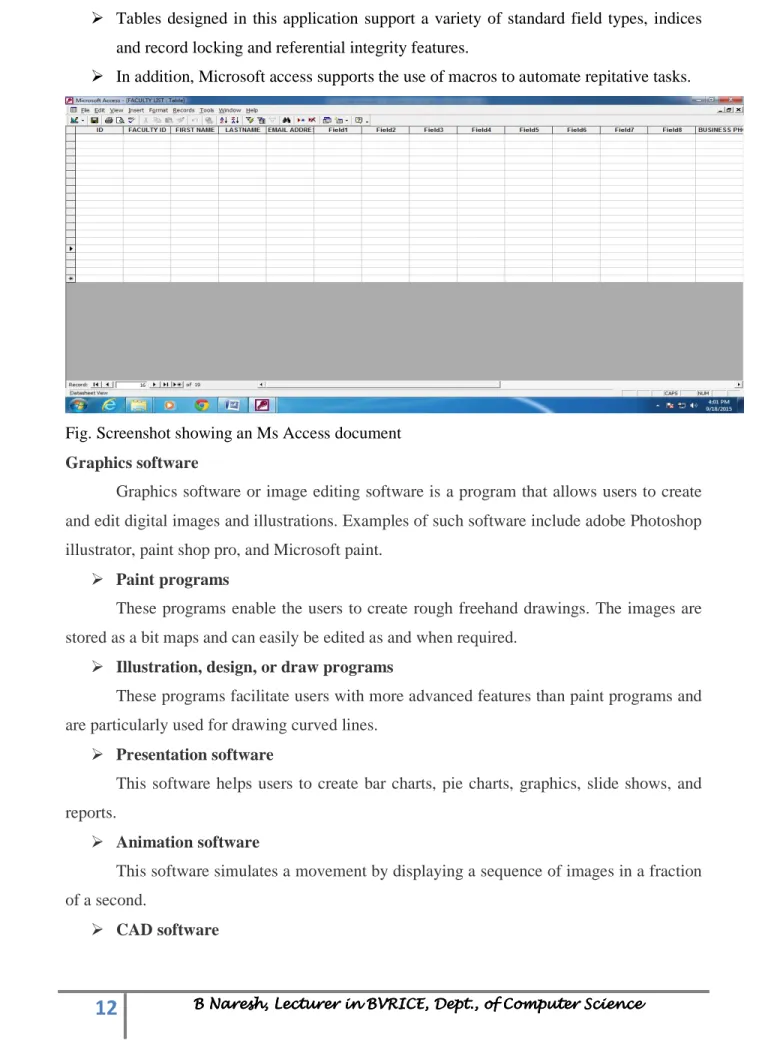
Fig. Screenshot showing an Ms Access document
Graphics software
Graphics software or image editing software is a program that allows users to create
and edit digital images and illustrations. Examples of such software include adobe Photoshop
illustrator, paint shop pro, and Microsoft paint.
Paint programs
These programs enable the users to create rough freehand drawings. The images are
stored as a bit maps and can easily be edited as and when required.
Illustration, design, or draw programs
These programs facilitate users with more advanced features than paint programs and
are particularly used for drawing curved lines.
Presentation software
This software helps users to create bar charts, pie charts, graphics, slide shows, and
reports.
Animation software
This software simulates a movement by displaying a sequence of images in a fraction
of a second.
13
B Naresh, Lecturer in BVRICE, Dept., of Computer B Naresh, Lecturer in BVRICE, Dept., of Computer B Naresh, Lecturer in BVRICE, Dept., of Computer B Naresh, Lecturer in BVRICE, Dept., of Computer ScieScieScienceSciencencenceThis software is used by architects and engineers to create architectural drawings,
product designs, landscaping plans, and engineering drawings.
Multimedia
Multimedia is a technology which stores data as text, photo, pictures, music, sounds, graphic, film and animation and gives the methods to collect and modify the data as desired.
Database Management software
DBMS (Database Management software) is a collection of programs that helps users
to store, edit, and extract data from a database (A database is a collection of information).
Today different types of DBMS, such as Microsoft Access, File maker, DB2, SQL server and oracle are available in the market.
***************************************************************************
Firmware
Firmware is programming that's written to the read-only memory (ROM), EPROM of a computing device. Firmware, which is added at the time of manufacturing, it is used to run user programs on the device.
Firm ware is an integral part of electronic devices such as optical devices such as optical drives, routers, scanners, traffic lights, consumer appliances, digital watches, computers, computer peripherals, mobile phones and digital cameras.
Now application programs are available as firmware.
***************************************************************************
Middleware
Middleware often sits between the operating system and application programs. Middleware is also known as plumbing because it connects two sides of an application and passes data between them.
Middleware can enable communication between two separate applications by providing messaging services.
Middleware is used in a client-server system. The middleware is a software layer acting as a connector between the client and server applications.
Client- it is a computer that sends a request a service to server. Server- it is a computer that provides the service to the client.
14
B Naresh, Lecturer in BVRICE, Dept., of Computer B Naresh, Lecturer in BVRICE, Dept., of Computer B Naresh, Lecturer in BVRICE, Dept., of Computer B Naresh, Lecturer in BVRICE, Dept., of Computer ScieScieScienceSciencencence Techniques of acquiring softwarePre-written software Customized software Public domain software
• Cost is less as many
customers share the
development and
maintenance cost.
• Users can buy and
start working
immediately.
• It is general purpose
software; hence, it
may not entirely
meet the user’s
requirements and
may not operate as
efficiently as
customized software.
• Changes can be
easily incorporated in the software
• Users can cordially
work with the
software
development team
to develop software
as per their
requirements.
• It is expensive to
maintain a software
development team
in small
organizations.
• Users have to wait
for the software to be ready. This may take several months.
• Mostly, it is free
and is available along with the source code.
• Users can
download\ it and start working immediately.
• Open-source
software is usually not thoroughly tested, so it may fail during operation.
• There is limited
support when compared to that available with customized and pre-written software.
***************************************************************************
Design and implementation of correct, efficient, and maintainable programs
The design and development of correct, efficient, and maintainable programs depends on the approach adopted by the programmer to perform various activities that need to be carried out during the development process.
The entire program or software (collection of programs) development process is divided into a number of phases as shown in the below figure, where each phase performs a well-defined task.
The output of one phase provides the input for its subsequent phase. The phases in a software development process can be summarized as follows.
Software Development Life Cycle (SDLC) phases
There are various software development approaches defined and designed which are used/employed during development process of software, these approaches are also referred as
“Software Development Process Models” (e.g. Waterfall model, incremental model,
V-model, iterative model, etc.). Each process model follows a particular life cycle in order to ensure success in process of software development.
There are following six phases in every Software development life cycle model
1. Requirement gathering and analysis
15
B Naresh, Lecturer in BVRICE, Dept., of Computer B Naresh, Lecturer in BVRICE, Dept., of Computer B Naresh, Lecturer in BVRICE, Dept., of Computer B Naresh, Lecturer in BVRICE, Dept., of Computer ScieScieScienceSciencencence3. Implementation or coding
4. Testing
5. Deployment
6. Maintenance
1) Requirement gathering and analysis:
Business requirements are gathered in this phase. This phase is the main focus of the
project managers and stake holders. Meetings with managers, stake holders and users are held
in order to determine the requirements like;
Who is going to use the system?
How will they use the system?
What data should be input into the system?
What data should be output by the system?
These are general questions that get answered during a requirements gathering phase.
Finally, a Requirement Specification document is created which serves the purpose of
guideline for the next phase of the model.
2) Design: In this phase the system and software design is prepared from the requirement
specifications which were studied in the first phase. System Design helps in specifying
hardware and system requirements and also helps in defining overall system architecture. The
system design specifications serve as input for the next phase of the model.
3) Implementation / Coding: On receiving system design documents, the work is divided
in modules/units and actual coding is started. Since, in this phase the code is produced so it is
the main focus for the developer. This is the longest phase of the software development life
cycle.
4) Testing: After the code is developed it is tested against the requirements to make sure
16
B Naresh, Lecturer in BVRICE, Dept., of Computer B Naresh, Lecturer in BVRICE, Dept., of Computer B Naresh, Lecturer in BVRICE, Dept., of Computer B Naresh, Lecturer in BVRICE, Dept., of Computer ScieScieScienceSciencencencephase. During this phase unit testing, integration testing, system testing, acceptance testing
are done.
5) Deployment: After successful testing the product is delivered / deployed to the customer
for their use.
6) Maintenance: Once when the customers starts using the developed system then the actual
problems comes up and needs to be solved from time to time. In this process, the care is taken
for the developed product is known as maintenance.
***************************************************************************
Important Questions
Define Computer Software and explain its classification (5M). Difference between System and Application Software (5M). Define System software give some examples (10 M). Explain BIOS and Device Driver Software’s (10M). Explain Compiler, Interpreter, Linker and Larder (10M).
Define Application software give some examples. (10M)
Explain firmware and middleware.(5M)
How to acquire computer software.(5M)