CP/[email protected] OPERATING SYSTEM MANUAL
820 INFORMATION PROCESSOR
Xerox is a registered trademark of Xerox Corporation
CP/M is a registered trademark of Digital Research Incorporated
Portions of this manual are reproduced by permission of Digital Research Incorporated, Pacific Grove, California
Copyright ©1981 Xerox Corporation. All rights reserved.
CP/M is a registered trademark of Digital Research, Inc. Z-80 is a registered trademark of Zilog, Inc.
Warning: This equipment generates, uses, and can radiate radio frequency energy and if not installed and used in accordance with the instructions manual, may cause interference to radio communications. As temporarily permitted by regulation it has not been tested for compliance with the limits for Class A computing devices pursuant to Subpart J of Part 15 of FCC Rules, which are designed to provide reasonable protection against such interference. Operation of this equipment in a residential area is likely to cause interference in which case the user at his own expense will be required to take whatever measures may be required to correct the interference.
TABLE of CONTENTS
GENERAL INTRODUCTION 1
FEATURES &: FACILITIES
Introduction 1
Functional Description of CP/M 3
General Command Structure 3
File References 3
Swi tching Disks 6
The Form of Built-In Commands 7
ERA afn cr 7
DIR afn cr 8
REN ufnl=ufn2 cr 8
SAVEnufncr 9
TYPE ufn cr 9
Line Editing and Output Control 11
Transient Commands 12
STAT cr 13
ASM ufn cr 16
LOAD ufn cr 17
PIP cr 18
ED ufn cr 25
SYSGEN cr 27
SUBMIT ufn parmlll ••• parmlln cr 28
DUMP ufn cr 30
"- BDOS Error Messages MOVCPM cr 30 33
Operation of CP/M on the MDS 34
USER'S GUIDE
An Overview of CP/M 2.0 Facilities 1
User Interface 3
Console Command Processor (CCP) Interface 4
ST A T Enhancements 5
PIP Enhancements 8
ED Enhancements 10
The XSUB Function 11
BDOS Interface Conventions 12
CP/M 2.0 Memory Organization 27
BIOS Differences 28
ALTERATION GUIDE
Introduction 1
First Level System Regeneration 2
Second Level System Generation 6
Sample Tetsys and Putsys Programs 10
Diskette Organization 12
The BIOS Entry Points 14
A Sample BIOS 21
A Sample Cold Start Loader 22
Reserved Locations in Page Zero 23
Disk Parameter Tables 25
\
The DISKDEF Macro Library Sector Blocking and Deblocking
Appendix A Appendix B Appendix C Appendix D Appendix E Appendix F Appendix G INTERFACE GUIDE Introduction
Operating System Call Conventions A Sample File-to-File Copy Program A Sample File Dump Utility
A Sample Random Access Program System Function Summary
ASSEMBLER Introduction
MACRO-80 Assembler Running MACRO-80 Command Format
Format of MACRO-80 Source Files Expression Evaluation
Opcodes as Operands Pseudo Operations
Macros and Block Pseudo Operations Using 280 Pseudo-ops
Sample Assembly MACRO-80 Errors
Compatability with Other Assemblies Format of Listings
LINK-80 Linking Loader Running LINK-80 Command Format
Format of LINK Compatible Object Files LINK-80 Error Messages
Program Break Information TEKDOS Operating System
TEKDOS Command Files MACRO-80
CREF-80 LINK-80
CONTEXT EDITOR Ed Tutorial
Introduction to ED ED Operation
Text Search and Alteration Source Libraries
Repetitive Command Execution Ed Error Conditions
Control Characters and Commands DEBUGGING TOOL
Introduction DDT Commands
The A (Assemble) Command The D (Display) Command The F (Fill) Command The G (Go) Command The I (Input) Command The L (List) Command The M (Move) Command The R (Read) Command The S (Set) Command The T (Trace) Command The U (Untrace) Command The X (Examine) Command Implementation Notes
An Example DIAGNOSTICS
Diagnostics
SYSTEM COMPONENTS 630 Printer
Forms Tractor Introduction
Monitor Command Summary Dump Command
Memory Command Test Command Fill Command Copy Command Go To Command Read Command Boot Command Typewriter Command Input Command Output Command
Monitor Resident I/o Driver Functions Interrupt Processing
Memory Mapped Video Display Display Character Codes Key Station Numbering Key Codes
Parallel Keyboard Input Floppy Disk Controller Serial Input/Output Real Time Clock Parallel I/O Option
User Accessible Monitor Routines and Variables Xerox 820 Subroutine Entry Points
Theory of Operation Central Processor
Clock Generator Reset Controller Port Address Decoding
Disk Transfer Synchronization CRT Display Controller
Video Scrolling
Video RAM Addressing Video Generation Display Blanking
64 K RAM and Bank Switching Refresh
Bank Switching
Floppy Disk Controller, System PIO, and CTC Floppy Disk Controller
Data Separator Data Bus Buffering CTC
System PIO
General Purpose PIO and SIO SIO
Baud Rate Generator Interrupt Structures
General Purpose PIO Strappings (J 11) and Pin Assignments (J8)
CTC Strapping and I/O Assignments (J 1 0) Video Output Connector Pin Assignments (J7)
Serial I/O Connector Pin Assignments Channel A (J4) Serial I/o Strapping Options for Channel A (J9) Serial I/o Connector Pin Assignments Channel B (J3) Keyboard Connector Pin Assignments (J2)
Disk Drive Connector Pin Assignments (J 1)
vi
INTRODUCTION
This is your CP/M Reference Manual. In it you will find complete instructions for using the CP/M operating system on your XEROX 820.
The CP/M operating system is an industry standard operating system that lets you use a variety of programs you can purchase at software houses everywhere. The instructions you'll need to load programs can be found in the CP/M Primer as well as in this reference manual.
A brief description of the 820 is given on page 1-5 of this manual. More information on the 820's single-board computer and ROM monitor commands are given in the SYSTEM COMPONENTS section of this manual (beginning on page 10-23). This information will be helpful to you as a programming aid.
To go along with the reference manual is the CP/M Primer (separate package) that you can use to learn the basics of CP/M. As you go through the CP/M Primer, you'll notice a few discrepancies between the illustrations in the Primer and what you see on your screen. For instance, the illustration may show titles vertically whereas the screen displays the titles horizontally. The MAIN difference between what you read in the Primer and what you see on the screen is how the messages are displayed. To use this manual and the CP/M p'rimer, you'll need
o a Xerox 820 Information Processor (screen, keyboard, and disk drives --the printer's, optional), and
o a CP/M disk (packaged at the back of this manual), and
o a blank disk so you can make a backup copy of your CP/M disk.
We recommend you get the CP 1M disk and a blank disk right now and make the backup copy of your software. That way, if anybody spills coffee on the disk, you still have your software. The instructions on the next page tell you how to prepare a disk and copy your software. The instructions are written for both 5"" and 8" disks. We also recommend that you always remove your disks from the 820 before you turn it off. . Leaving disks in the system when you power down can permanently erase information on the disks.
HOW TO MAKE BACK UP COPIES OF YOUR DISKS
The instructions below tell you how to load the CP/M software. Before you can copy a disk (or use the 820 to run other programs), you must load CP/M.
Loading the CP
1M
software7/1/81
OPEN the disk drives (as shown below) and remove any disks
DRIVE A
5~II DISK DRIVES
DRIVE B
8" DISK DRIVES
LOCATE the ON/OFF switch under the right side of the screen (shown below) TURN the screen on, or press the RESET button if it is already ON
SCREEN
RESET BUTTON
8" DISK DRIVES
(on bocIc of screen)
ON/OFF SWITCH.
LOCATE the ON/OFF switch on the left side of the 8" disk drives, if your system has them (The 5W' disk drives does not have a ON/OFF switch) TURN the 8" disk drives on -- if your system has 8" drives, they must be turned
on for your system to operate.
GENERAL INTRODUCTION
"'--_.
INSERT the CP/M disk in the A (left) drive and CLOSE ,the drive 5~" DISK DRIVES
DRIVE
A
INSERT DISK
CLOSE DRIVE
8" DISK DRIVES
DRIVE A
TYPE A and press RETURN to load CP/M into the 820's memory.
Initializing a Disk
Before you can use a new dis~ in the 820, you must prepare it by initializing it. Follow the steps below to use the INIT program to initialize a disk. After you initialize the disk, you can copy onto it.
OBTAIN at least one ryew disk and take the write protect tape off of the 5~" disk, or put a write protect tape on the 8" disk.
7/1/81
(If you don't have a new disk, a previously used one will do.) 5W'DISK
WRITE PROTECT
TAPE
OVAL CUTOUT
D
GENERAL INTRODUCTION 1-3
8" DISK
UP AND IN
TYPE the word INIT and press RETURN
WAIT for the message ENTER DISK DRIVE TO BE INITIALIZED (A OR B)
INSERT the new disk in drive B, type B and press RETURN twice
Wait for the message 0 FLAWED SECTORS. (If the disk has flawed sectors as indicated by a number other than 0 in front of the FLAWED SECTORS message, don't use it to copy your software - get another disk and initialize it, using steps below)
IF you had flawed sectors, initialize another disk as follows: • Remove the disk in the B (right) drive
• Insert another disk in the B drive • Type B
• Press RETURN twice
• Remove the disk after the FLAWED SECTORS message appears
WHEN all the disks are initialized:
• Press the SPACE bar
• Wait for A> to appear on the screen, then continue with the steps below
Copying a Disk
Now that you've initialized a disk, you are ready to copy the CP/M software.
TYPE the word COpy and press RETURN
Wait for a message that tells you to insert destination and source disks
BE SURE your initialized disk is in the B drive
PRESS the RETURN key
WAIT for the COpy COMPLETE message
REMOVE both disks. Put a label on the copy disk that says "CP/M"
PUT the original disk in the disk holder at the back of this manual
Applications Software
The instructions on page 1-2 and 1-3 told you how to load CP/M. After loading CP/M, you can run "applications" programs on the 820. The applications software may be purchased from Xerox or from other vendors.
When you use your CP/M software to run an applications program for the first time, the program may ask you to define your system. The following information will help you answer these questions.
Your 820 is configured like a Lear Siegler ADM-3A display terminal.
Your 820 has two disk drives. The 5Y4" disks have 40 tracks and will have 81K of available space. The 8" disks have 77 tracks and have 241K of available space. Your software is a CP/M 2.2 operating system.
The Typewriter Feature
If your 820 has a printer, you can use it like a typewriter. Everything you type will be printed at the printer, but it will not be recorded on a disk. You do not need to have the CP/M software loaded when you use the 820 typewriter feature.
REMOVE any disks from the disk drives
TURN ON your system or press the RESET button if it is already on INSERT paper in the printer
PRESS the T key, then press RETURN TYPE just as you would on any typewriter
As a typewriter, the 820 uses margins of 1 and 65, with tabs set every five spaces. If you want to change these settings, use the instructions below.
SET LEFT MARGIN by pressing the SPACE bar to move to the desired posi tion, and pressing ESC then 9
CLEAR ALL TABS by pressing ESC then 2
SET A TAB by pressing the SPACE bar to move to the desired position, and pressing ESC then 1
7/1/81
(This page intentionally blank)
GENERAL INTRODUCTION
Post Office Box 579, Pacific Grove, California 93950, (408) 649-3896
AN INTRODUCTION TO CP/M FEATURES AND FACILITIES
COPYRIGHT (c) 1976, 1977, 1978 DIGITAL RESEARCH
Copyright (c) 1976, 1977, 1978 by Digital Research. All rights reserved. No part of this publication may be reproduced, transmitted, transcribed, stored in a retrieval system, or translated into any language or computer language, in any form or by any means, electronic, mechanical, magnetic, optical, chemical, manual or otherwise, without the prior written permission of Digital Research, Post Office Box 579, Pacific Grove, California 93950.
Disclaimer
"'-_.
Table of Contents
Section Paqe
1. INTRODUCTION ••••••••••••••••••••••••••••••••••••••• 1
2.
3.
4.
5.
6.
FUNCTI~~ DESCRIPTION OF CP/M ••••••••••••••••••••• 2.1. General Command Structure •••••••••••••••••••• 2.2. File References
...
SWITCHING DISKS
.
... .
THE FORM OF BUILT-IN mMMANIS
...
4.1. ERA afn cr...
4.2. DIR afn cr...
4.3. REN ufnl=ufn2 cr...
4.4. SAVE n ufn cr...
4.5. TYPE ufn cr...
LINE EDITING .AND OUI'pur mNTROL •••••••••••••••••••••
TRANSIENT mMMANOO
.
... .
6.1.6.2. 6.3. 6.4. 6.5. 6.6. 6.7. 6.8. 6.9.
...
STAT cr As-i ufn cr
LCYill ufn cr
.
... .
.
... .
...
PIP cr ED ufn cr
SYSGEN cr
.
...
... .
SUBMIT ufn parm#l ••• parm#n cr.
... .
.
... .
DUMP ufn cr
OOVCPM cr
...
3 3 3
6
7 7
8 8
9 9
11
12 13 16 17
18
25
27
28
30 30
7. BOOS ERROR MESSAGES •••••••••••••••••••••••••••••••• 33
1. INTRODUcrION.
CP/M is a rronitor control program for microcomputer system development which uses IBM-compatible flexible disks for backup storage. using a computer mainframe based u~n Intel's 8080 microcomputer, CP/M provides a general environment for program construction, storage, and editing, along with assembly and program check-out facilities. An imp:>rtant feature of CP/M is
that it can be easily altered to execute with any computer configuration which uses an Intel 8080 (or Ziloq Z-80) Central Processing Unit, and has at least 16K bytes of main rremory wi th up to four IBM-compatible diskette drives. A detailed discussion of the rrodifications required for any particular hardware environment is given in the Digital Research document entitled "CP/M System Alteration Guide." Although the standard Digital Research version operates on a single-density Intel MDS 800, several different hardware manufacturers support their own input-output drivers for CP/M.
The CP/M roc>nitor provides rapid access to programs through a comprehensive file management package. The file subsystem supp:>rts a named file structure, allowing dynamic allocation of file space as well as sequential and randam file access. Using this file system, a large number of distinct programs can be stored in both source and machine executable form.
CP/M also supports a p:>werful context editor, Intel-compatible assembler, and debugger subsystems. Optional software includes a powerful Intel-compatible macro assembler, symbolic debugger, along with various high-level languages. When coupled with CP/M's Oonsole Command Processor, the resulting facilities equal or excel similar large computer facilities.
CP/M is logically divided into several distinct parts:
BIOS Basic I/O System (hardware dependent)
BOOS Basic Disk Operating System
CCP Console Command Processor
TPA Transient program Area
The BIOS provides the primitive operations necessary to access the diskette drives and to interface standard p:r ipherals (teletype, CRr, Paper Tape Reader/Punch, and user-defined T;eripherals), and can be tailored by the user for any particular hardware environment by llpatchingll this {:X)rtion of CP/M. The BOOS provides disk management by controlling one or roc>re disk drives containing independent file directories. The BOOS implements disk allocation strategies which provide fully dynamic file construction while minimizirq head roc>vement across the disk during access. Any particular file may contain any number of records, not exceeding. the size of any single disk.
I In a standard CP/M system, each disk can contain up to 64 distinct files. The
BOOS has entry p:>ints mich include the following pr imi tive operations which can be programmatically accessed:
SEARCH OPEN CLOSE
RENAME
READ WRITE SELEcr
Look for a particular disk file by name. Open a file for further operations. Close a file after processing.
Change the name of a particular file. Read a record from a particular file. Write a record onto the disk.
Select a particular disk drive for further operations.
The CCP provides symbolic interface between the user's console and the remainder of the CP/M system. The CCP reads the console device and processes commands ¥.hich include listinq the file directory, pr inting the contents of files, and controlling the operation of transient programs, such as assemblers, editors, and debuggers. The standard commands which are available in the CCP are listed in a following section.
The last se;Jment of CP/M is the area called the Transient Program Area (TPA). The TPA holds programs which are loaded from the disk under command of the CCP. During program editing, for example, the TPA holds the CP/M text edi tor rrachine code and data areas. Similarly, programs created under CP/M can be checked out by loading and executing these programs in the TPA.
It sh:>uld be rrentioned that any or all of the -CP/M com{X)nent subsystems can be "overlayed" by an executing program. That is, once a user's program is loaded into the TPA, the CCP, BOOS, and BIOS areas can be used as the program's data area. A II bootstrap" loader is programmatically accessible
whenever the BIOS p:>rtion is not overlayed; thus, the user program need only branch to the bootstrap loader at the end of execution, and the complete CP/M monitor is reloaded from disk.
It sh:>uld be reiterated that the CP/M operating system is partitioned into distinct nodules, including the BIOS p::>rtion \&.hich defines the hardware environment in ¥.hich CP/M is executing. Thus, the standard system can be easily nodified to any non-standard environment by changing the ~ripheral drivers to handle the custom system.
2. FUN:TIONAL DESCRIPrION OF CP/M.
The user interacts wi th CP/M pr imarily through the CCP, mich reads and interprets commands entered through the console. In general, the CCP addresses one of several disks mich are online (the standard system addresses up to four different disk drives). These disk drives are labelled A, B, C, and D. A disk is ·'logged inn if the CCP is currently crldressing the disk. In order to clearly irrlicate mich disk is the currently logged disk, the CCP always {ranpts the operator wi th the disk name followed by the symbol n)n indicating that the CCP is ready for another command. Upon initial start up, the CP/M system is brought in from disk A, and the CCP displays the message
xxK CP/M VER m.m
where xx is the rremory size (in kilobytes) which this CP/M system manages, and m.m is the CP/M version number. All CP/M systems are initially set to operate in a 16K .memory space, but can be easily reconfigured to fit any memory size on the host system (see the M)VCPM transient canmand). Followin:j system signon, CP/M automatically logs in disk A, prompts the user wi th the symbol
itA) II (indicating that CP/M is currently addressing disk "A"), and waits for a
command. The cOTlmands are implemented at two levels: buil t-in canmands and transient cOTlmands. .
2.1. GENERAL mMMAND STRUCTURE.
Built-in cOTlrnands are a part of the CCP program itself, mile transient commands are loaded into the TPA fran disk and executed. The built-in commands are
ERA Erase sp:cified files.
DIR List file names in the directory. REN Rename the specified file.
SAVE Save memory contents in a file.
TYPE Type the contents of a file on the logged di sk.
Nearly all of the cOTlmands reference a particular file or group of files. The form of a file reference is specified below.
2.2. FILE REFERENCES.
A file reference identifies a p3rticular file or group of files on a particular disk attached to CP/M. These file references can be either
ulIDarnbigoousll
(ufn) or II ambiguous" (afn). An lIDambiguous file reference
uniquely identifies a single file, \\hile an ambiguous file reference may be
satisfied by a number of different files.
File references consist of two parts: the primary name and the secondary name. Although the secondary name is optional, it usually is generic; that is, the secondary name "ASM," for example, is used to denote that the file is an assembly language source file, Ybile the primary name distinguishes each particular source file. The two names are separated by a "." as shown below:
PPPPPPPP.sss
where pppppppp represents the lX'imary name of eight characters or less, and sss is the secondary name of no !TOre than three characters. As rrentioned above, the name
PPPPPPPP
is also allo~d and is equivalent to a secondary name consisting of three blanks. The characters used in s~cifying an unambiguous file reference cannot contain any of the special characters
<>.,;:=
? * [ ]while all alphanumerics and ranaining s~cial characters are allowed.
An ambigoous file reference is used for directory search and pattern matching. The form of an ambiguous file reference is similar to an unambigoous reference, except the symbol II?II may be interspersed throughout the 1X imary and secondary names. In various canmands throughout CP/M, the "?"
symbol matches any character of a file name in the II?II {:Osition. Thus, the ambigoous reference
X?Z.C?M
is satisfied by the unambigoous file names
Xyz.mM
and
X3Z • CAM
Note that the ambigoous reference
*.*
is equivalent to the ambigoous file reference
???????? ???
...
while
PPPPPPPP.*
and
*.sss
are abbreviations for
PPPPPPPP.???
and
????????sss
respectively. As an example, DIR * *
.
is interpreted by the CCP as a canmand to list the names of all disk files in the directory, While
DIR X.Y
searches only for a file by the name X.Y Similarly, the command DIR X?Y.C?M
causes a search for all (unambiguous) file names on the disk Which satisfy this ambiguous reference.
The followi~ file names are valid unambiquous file references:
x XYZ GAMMA
x.Y
xyz.mM GAMMA. IAs an crlded convenience, the programmer can generally specify the disk drive name along with the file name. In this caser the drive name is given as a letter A through Z follo'M2d by a colon (:). The specified drive is then "logged inll before the file operation occurs. Thus, the followi~ are valid file names with disk name prefixes:
A:X.Y B:XYZ C:GAMMA
Z :XYZ.mM B:X.A?M C:*.ASM
It smuld also be noted that all alphabetic lower case letters in file and drive names are always translated to upper case v.hen they are processed by the CCP.
3. SWITCHING DISKS.
The operator can switch the currently logged disk by typing the disk drive name (A, B, C, or D) followed by a colon (:) when the CCP is waiting for console input. Thus, the sequence of prompts and canrnands shown below might occur after the CP/M system is loaded from disk A:
16K CP/M VER 1.4
A>DIR List all files on disk A.
SAMPLE AEM
SAMPLE PRN
A>B: Switch to disk B.
B>DIR *.ASM List all IASl~" files on B. DUMP ASM
FILES ASM
B>A: Switch back to A.
'''----4. THE FORM CF BUILT-IN COMMANOO.
The file arrl device reference forms described above can now be used to fully s~cify the structure of the built-in canrnands. In the description below, assume the followirq abbreviations:
ufn unambiguous file reference
afn ambiguous f lie reference
cr carriage return
Further, recall that the CCP always translates lower case characters to upper case characters internally. Thus, lower case alphabetics are treated as if they are upper case in command names and file references.
4.1 ERA afn cr
The ERA (erase) command renoves files from the currently logged-in disk (i.e., the disk nane currently prompted by CP/M preceding the ")"). The files which are erased are those w,ich satisfy the ambiguous file reference afn. The following examples illustrate the use of ERA:
ERA X. Y
ERA X.
*
ERA *.ASM
ERA X?Y.C?M
ERA
*.*
ERA B:* .PRN
The file named X.Y on the currently logged disk is removed from the disk directory, and the space is returned.
All files wi th pr imary name X are removed from the current disk.
All files with secondary name ASM are removed from the current disk.
All files on the current disk which satisfy the ambiguous reference X?Y.C?M are deleted.
Erase all files on the current disk (in this case the CCP prompts the console with the message
"ALL FILES (Y/N)?II
which requires a Y response before files are actually removed).
All files on drive B which satisfy the ambiguous reference ????????PRN are deleted, independently of the currently logged disk.
4.2. OIR afn cr
The DIR (directory) canmand causes the names of all files '...hich satisfy the anbigoous file name afn to be listed at the console device. As a sp=cial case, the canmand
OIR
lists the files on the currently logged disk (the canmand "OIR" is eq:uivalent to the canmand .. OIR *. * II). Val id OIR canrnands are shown below.
OIR X.Y OIR X?Z.C?M OIR ??Y
Similar to other CCP canmands, the afn can be pr eceded by a dr i ve name. The followi n:r OIR canmands cause the selected drive to be crldressed before the directory search takes place.
OIR B: DIR B:X.Y DIR B:*.A?M
If no files can be found on the selected diskette Vvhich satisfy the directory request, then the rressage "Nor FOUND" is typed at the console.
4.3. REN ufnl=ufn2 cr
The REN (rename) canmand allows the user to change the names of files on disk. The file satisfyi~ ufn2 is changed to ufnl. The currently logged disk is assumed to contain the file to rename (ufnl). The CCP also allows the user to type a left-directed arrow instead of the equal sign, if the user's console supports this graphic character. Examples of the REN command are
REN X.Y=Q.R The file Q.R is changed to X.Y.
REN XYZ.OOM=XYZ.XXX The file XYZ .XXX is changed to XYZ
.mM.
The operator can p:-ecede either ufnl or ufn2 (or both) by an optional drive address. Given that ufnl is preceded by a drive name, then ufn2 is assumed to exist on the same drive as ufnl. Similarly, if ufn2 is preceded by a drive nane, then ufnl is assumed to reside on that drive as ~ll. If both ufnl arrl ufn2 are preceded by drive names, then the same drive must besp=cified in both cases. The following REN canrnands illustrate this format. REN A:X.ASM = Y.ASM
REN B:ZAP.BAS=ZOT.BAS
REN B:A.ASM = B:A.BAK
The file Y.ASM is changed to X.ASM on drive A.
The file ZOT.BAS is changed to ZAP.BAS on drive B.
The file A.BAK is renamed to A.ASM on drive B.
If the file ufnl is already tresent, the REN canrnand will respond wi th the error "FILE EXISTS" and not p=rform the change. If ufn2 does not exist on the specified diskette, then the ll'essaqe "Nor FOUND" is printed at the console.
4.4. SAVE n ufn cr
The SAVE canmand places n pages (256-byte blocks) onto di sk fran the TPA and nanes this file ufn. In the CP/M distribution system, the TPA starts at 100H (hexadecimal), Yklich is the second page of memory. Thus, if the user's program occupies the area fran 100H through 2FFH, the SAVE command must specify 2 pages of memory. The machine code file can be subsequently loaded and executed. Examples are:
SAVE 3 X.mM SAVE 40 Q
SAVE 4 X.Y
Cbpies 100H through 3FFH to X.mM. Copies 100H through 28FFH to Q (note that 28 is the page count in 28FFH, and that 28H = 2*16+8 = 40 decimal) • Copies 100H through 4FFH to X.Y.
The SAVE canmand can also sp:cify a disk drive in the afn p:>rtion of the canmand, as smwn below.
SAVE 10 B:ZOT.mM
4.5. TYPE ufn cr
Copies 10 pages (100H through 0AFFH) to the file ZOT.mM on drive B.
The TYPE canmand displays the contents of the ASCII source file ufn on the currently logged disk at the console device. Valid TYPE canrnands are
TYPE X.Y
TYPE X.PIM
TYPE XXX
The TYPE canmand expands tabs (clt-I characters), assurmniI'X:J tab p::>sitions are set at eJery eighth coltunn. The ufn can also reference a drive name as shown below.
TYPE B:X.PRN The file X.PRN from drive B is displayed.
5. LINE EDITING AND ourPlJr mNTROL.
The CCP allows certain line editing functions while typing command lines.
rubout
ctl-U
ctl-X
ctl-R
ctl-E
ctl-C
ctl-Z
Delete and echo the last character typed at the console.
Delete the entire line typed at the console.
(Same as ctl-U)
Retype current canmand line: types a "clean line" fol-lowing character deletion with rubouts.
Physical end of line: carriage is returned, but line is not sent until the carriage return key is depressed.
CP/M system reboot (warm start)
End input from the console (used in PIP and ED).
The control functions ctl-P and ctl-S affect console output as shown below.
ctl-P
ctl-S
Copy all subsequent console output to the currently assigned list device (see the STAT command). Output is sent to both the list device and the console device un til the nex t ctl-pis typed.
Stop the console output temporarily. Program execution and output continue when the next character is typed at the console (e.g., another ctl-S). This feature is used to stop output on high speed consoles, such as CRT's, in order to view a segment of output before con-tinuing •
Note that the ctl-key sequences soown above are obtained by depressing the control and letter keys simultaneously. Further, CCP canrnand lines can generally be up to 255 characters in length; they are not acted u}:X)n rntil the carriage return key is typed.
6. TRANSIENT OOMMANDS.
Transient commands are loaded from the currently logged disk and executed in the TPA. The transient commands defined for execution lIDder the CCP are shown below. Additional flIDctions can easily be defined by the user (see the LOAD command definition).
STAT
ASM
Lcw)
Dor
PIP
ED
SYSGEN
SUBMIT
DUMP
mVCPM
List the number of bytes of storage remaining on the currently logged disk, provide statistical information about particular files, and display or alter device assignment.
Load the CP/M assembler and assemble the specified program from disk.
Load the file in Intel "hex" machine code format and produce a file in machine executable form which can be loaded into the TPA (this loaded program becomes a new command lIDder the CCP) •
Load the CP/M debugger into TPA and start execution.
Load the Peripheral Interchange Program for subsequent disk file and peripheral transfer operations.
Load and execute the CP/M text editor program.
Create a new CP/M system diskette.
Submit a file of commands for batch processing.
Dump the contents of a file in hex.
Regenerate the CP/M system for a particular memory size.
Transient commands are specified in the same manner as built-in commands, and additional commands can be easily defined by the user. As an added convenience, the transient command can be preceded by a drive name, which causes the transient to be loaded fran the specified drive into the TPA for execution. Thus, the command
B:STAT
causes CP/M to tanp:>rarily' "log inli drive B for the source of the STAT transient, and then return to the original logged disk for subsequent processing.
The basic transient commands are listed in detail below.
6.1. STAT cr
The STAT coounand provides general statistical information about file storage and device assignment. It is initiated by typing one of the following forms:
STAT cr
STAT "command line" cr
S-p=cial forms of the "canmand linen allow the current device assignment to be
examined and altered as well. The various canrnand lines which can be specified are shown below, wi th an explanation of each form shown to the right.
STAT cr
STAT x: cr
STAT afn cr
If the user types an empty command line, the STAT transient calculates the storage remaining on all active drives, and prints a message
x: R/W, SPACE: nnnK or
x:
RIO,
SPACE: nnnKfor each active drive x, where R/W indicates the drive may be read or written, and RIO indicates the drive is read only (a drive becomes
RIO
by explicitly setting it to read only, as shown below, or by inadvertantly changing diskettes without performing a warm start). The space remaining on the diskette in drive x is given in kilobytes by nnn.If a drive name is given, then the drive is selected before the storage is computed. Thus, the canrnand ·'STAT B:" could be issued while logged into drive A, resulting in the message
BYTES REMAINING ON B: nnnK
The command line can also specify a set of files to be scanned by STAT. The files which satisfy afn are listed in alphabetical order, with stor-age requirements for each file under the heading
RECS BYTS EX D:FILENAME.TYP rrrr bbbK ee d:PPPPPPPP.sss
where rrrr is the number of l28-byte records
STAT x:afn cr
STAT x:=R/O cr
allocated to the file, bbb is the number of kilo-bytes allocated to the file (bbb=rrrr*128/1024), ee is the number of 16K extensions (ee=bbb/16), d is the drive name containing the file (A ••• Z), pppppppp is the (up to) eight-character primary file name, and sss is the (up to) three-character secondary name. After listing the individual files, the storage usage is summarized.
As a convenience, the drive name can be given ahead of the afn. In this case, the specified drive is first selected, and the form "STAT afnu
is executed.
This form sets the drive given by x to read-only, which remains in effect until the next warm or cold start takes place. When a disk is read-only, the rressage
BDOS ERR ON x: READ ONLY
will appear if there is an attempt to write to the read-only disk x. CP/M waits until a key is depressed before performing an automatic warm start (at which time the disk becomes R/W).
The STAT canmand also allows control over the physical to logical device assignment (see the IOBYrE function described in the manuals "CP/M Interface Guide" am "CP/M System Alteration Guide"). In general, there are four logical peripheral devices which are, at any particular instant, each assigned to one of several plTysical peripheral devices. The four logical devices are named:
CON:
RDR:
PUN:
LST:
The system console device (used by CCP
for communication with the operator)
The paper tape reader device
The ~per tape punch device
The output list device
The actual devices attached to any particular computer system are driven by subroutines in the BIOS p:>rtion of CP/M. Thus, the logical RDR: device, for example, could actually be a high speed reader, Teletype reader, or cassette tape. In order to allow some flexibility in device naming and assignment, several physical devices are defined, as shown below:
"-TTY:
CRr:
BAT:
UCl:
PrR:
URI:
UR2:
PrP:
UPl:
UP2:
TJPI' :
ULl:
Teletype device (slow speed console)
Cathode ray tube device (high speed console)
Batch processing (console is current RDR:, output qoes to current 1ST: device)
User-defined console
Paper tape reader (high speed reader)
User-defined reader #1
user-defined reader #2
Paper tape punch (hiqh speed punch)
user-defined punch #1
User-defined punch #2
Line printer
user-defined list device #1
It must be emphasized that the physical device names mayor may not actually correslX)nd to devices which the names imply. That is, the PTP: device may be implemented as a cassette write operation, if the user wishes. The exact correspondence and driving subroutine is defined in the BIOS portion of CP/M. In the standard distribution version of CP/M, these devices correspond to their names on the MDS 800 development system.
The J;X>ssible logical to physical device assignments can be di splayed by typing
STAT VAL: cr
The STAT pr ints the {X>ssible values which can be taken on for each logical device:
OON.
=
TTY: CRr: BAT: UCl: RDR:=
TTY: PI'R: URI: UR2: PUN:=
TTY: Pl'P: UPl: UP2: LST:=
TTY: CRr: LET: ULl:In each case, the l<Xlical device shown to the left can take any of the four physical assignments shown to the r iqh t on each line. The cur rent log ical to physical mapping is displayed by typing the command
STAT DEV: cr
which produces a listing of each logical device to the left, and the current corresponding physical device to the r iqht. For example, the Ii st might appear as follows:
CON: = eRr:
RDR: = URI:
PUN: = PI'P:
LST: = TTY:
The cur rent logical to physical device assignment can be changed by typing a STAT canmand of the form
STAT ldl = pdl, Id2 = pd2 , ••• , ldn = pdn cr
where ldl through ldn are logical device names, and r;rll through p1n are compatible ~hysical device names (i.e., ldi and odi appear on the same line in the "VAL: Ie canmand shown above). The followin] are valid STA'r commands which
change the current logical to physical device assignments: STAT CDN:=CRr: cr
STAT PUN:
=
TTY: ,IST:=LPI':, RDR:=TTY: cr6.2. AEM ufn cr
The ASM canrnand loads and executes the CP/M 8080 assembler. The ufn specifies a oource file containing assembly language statements where the secondary name is assumed to be ASM, and thus is not specified. The following ASM canmands are val id :
ASM X
ASM GAMMA
The two-pass assembler is automatically executed. If assembly errors occur during the second pass, the errors are printed at the console.
The assembler produces a file x.PRN
where x is the pr imary name s~cified in the ASM command. The PRN file contains a listing of the source program (with imbedded tab characters if present in the source program), along with the machine code generated for each statement and diagnostic error messaqes, if any. The PRN file can be listed
I
',,-at the console usi1'XJ the TYPE canmand, or sent to a }:Eripheral device using PIP (see the PIP canmand structure below). Note also that the PRN file contains the original source program, augmented by miscellaneous assembly information in the left.rrost 16 collUT1I1s (program crldresses and hexadecimal machine code, for example). Thus, the PRN file can serve as a backup for the original source file: if the source file is accidently removed or destroyed, the PRN file can be edited (see the ED operator's guide) by removing the leftrrost 16 characters of each line (this can be done by issuing a single edi tor "macro" canmand). The resulting file is identical to the original source file and can be renamed (REN) fran PRN to ASM for subsequent editing
and assembly. The file x.HEX
is also produced \\hich contains 8080 machine language in Intel "hex" format sui table for st.i:>sequent loading and execution (see the I..ClN) command). For
complete details of CP/M's assembly language program, see the "CP/M Assembler Language (ASM) User's Guide."
Similar to other transient canmands, the oource file for assembly can be taken from an ~ternate disk by prefixing the assembly language file name by a disk drive name. Thus, the command
ASM B:ALPHA cr
loads the assembler from the currently logged drive and operates up:>n the source program ALPHA.ASM on drive B. The HEX and PRN files are also placed on drive B in this case.
6.3. 1CN) ufn cr
The LQ2ill command reads the file ufn, which is assumed to contain "hex" format machine code, and produces a memory image file which can be subsequently executed. The file name ufn is assumed to be of the form
x.HEX
and thus only the name x need be specified in the command. The LQ.rU) conunand
creates a file named x.CDM
which marks it as containing machine executable code. The file is actually loaded into memory and executed when the user types the file name x immediately after the prompting character 11)" printed by the CCP.
In general, the CCP reads the name x followinq the pranpting character and looks for a built-in function name. If no function name is found, the CCP searches the system disk directory for a file by the name
x.mM
If found, the machine code is loaded into the TPA, and the program executes. Thus, the user need only LOAD a hex file once; it can be subsequently executed any number of times by simply typing the primary name. In this way, the user can Ifinvent" new coounands in the CCP. (Initialized disks contain the transient canmands as mM files, which can be deleted at the user's option.) The operation can take place on an alternate drive if the file name is prefixed by a drive name. Thus,
LQZill B:BETA
brings the LOAD program into the TPA from the currently logged disk and operates upon drive B after execution begins.
It must be noted that the BETA.HEX file must contain valid Intel format hexadecimal machine code records (as produced by the ASM program, for example) which begin at l00H, the beginning of the TPA. Further, the addresses in the hex records must be in ascending order; qaps in unfilled memory regions are filled wi th ze roes by the LOAD canmand as the hex records are read. Thus, LOAD must be used only for creating CP/M standard looM" files which operate in the TPA. Proqrams \\hich occupy regions of memory other than the TPA can be loaded under
nor.
6.4. PIP cr
PIP is the CP/M Peripheral Interchange Program which implements the basic media conversion operations necessary to load, print, punch, copy, and combine disk files. The PIP program is initiated by typing one of the following forms
(1) PIP cr
(2) PIP "canmand line" cr
In both cases, PIP is loaded into the TPA and executed. In case (1), PIP reads command lines directly from the console, prompted with the "*" character, rntil an empty canmand line is typed (i.e., a single carriage return is issued by the operator). Each successive command line causes rome media conversion to take place according to the rules shown below. Form (2)
of the PIP command is equivalent to the first, except that the single command line given with the PIP command is automatically executed, and PIP terminates immediately with no further prompting of the console for input command lines. The form of each command line is
destination
=
sourceil, source#2, ••• , sourcein crwhere "destination" is the file or peripheral device to receive the data, and
"rourceil, ••• , sourcein" represents a series of one or nore files or devices which are copied fram left to right to the destination.
When multiple files are given in the canmand line (i.e, n
>
1), the individual files are assumed to contain ASCII characters, with an assumed CP/M end-of-file character (ctl-Z) at the end of each file (see the 0 parameter to override this assumption). The equal symbol (=) can be replaced by a left-oriented arrow, if your console supports this ASCII character, to improve readabili ty. Lower case ASCII alphabetics are internally translated to upper case to be consistent wi th CP/M file and device name conventions. Finally, the total canmand line length cannot exceed 255 characters (ctl-E can be used to force a physical carriage return for lines which exceed the console width) •The destination and rource elements can be unambiguous references to CP/M source files, with or without a precedil'X] disk drive name. That is, any file can be referenced with a p:eceding drive name (A:, B:, C:, or D:) which defines the particular drive where the file may be obtained or stored. When the drive name is not included, the currently logqed disk is assumed. Further, the destination file can also appear as one or rrore of the rource files, in which case the source file is not altered until the entire concatenation is complete. If the destination file already exists, it is removed if the canmand line is properly formed (it is not removed if an error condi tion arises). The following command lines (with explanations to the right) are valid as input to PIP:
x
=
Y crx
= Y,Z crX.ASM=Y.ASM,Z.ASM,FIN.ASM cr
NEW.ZOT
=
B:OLD.ZAP crB:A.U = B:B.V,A:C.W,D.X cr
Copy to file X from file Y, where X and Yare unambiguous file names: Y remains unchanqed.
Concatenate files Y and Z and copy to file X, with Y and Z unchanged.
Create the file X.ASM from the concatenation of the Y, Z, and FIN files with type ASM.
Move a copy of OLD. ZAP from drive B to the currently logged disk: name the file NEW.ZOT.
Concatenate file B.V from drive B with C.W from drive A and D.X. from the logged disk: create the file A.U on drive B.
For more convenient use, PIP allows abbreviated commands for transferring files between disk drives. The abbreviated forms are
PIP x: =afn cr PIP x:=y:afn cr PIP ufn = y: cr PIP x:ufn = y: cr
The first form copies all files fran the currently loqged disk which satisfy the afn to the same file names on drive x (x = A ••• Z) • The second form is equivalent to the first, \\here the source for the copy is drive y (y = A •••
Z) • The third form is equivalent to the canmand "PIP ufn=y:ufn cr" which copies the file given by ufn fran drive y to the file ufn on drive x. The fourth form is equivalent to the third, where the rource disk is explicitly given by
v.
Note that the source and destination disks must be different in all of these cases. If an afn is s~cified, PIP lists each ufn which satisfies the afn as it is beinq copied. If a file exists by the same name as the destination file, it is removed UlX>n successful canpletion of the copy, and replaced by the copied file.
The followinq PIP commands qive examples of valid disk-to-disk copy operations:
B:=*.CDM cr
A:=B:ZAP.* cr
ZAP.ASM=B: cr B:ZOT.CDM=A: cr B: =GAMMA. BAS cr B:=A:GAMMA.BAS cr
Copy all files which have the secondary name !100M" to drive B from the current drive.
Copy all files which have the primary name "ZAP" to drive A from drive B.
Equivalent to ZAP.ASM=B:ZAP.ASM Equivalent to B:ZOT.OOM=A:ZOT.COM Same as B: GAMMA. BAS=GAMMA. BAS Same as B:GAMMA.BAS=A:GAMMA.BAS PIP also allows reference to physical and ICXJical devices which are attached to the CP/M system. The device names are the same as given tmder the STAT canmand, alorg with a number of specially named devices. The logical devices given in the STAT command are
CON: (console), RDR: (reader), PUN: (punch), and IST: (list) while the physical devices are
TTY:
CRr: PI'R: PI'P: LPr:
(console, (console, (reader) , (punch) , (list) ,
reader, punch, or list) , URI: (reader), UP1: (punch), ULl: (list)
or list)
UCI: (console) UR2: (reader) UP2: (punch)
(Note that the "BAT:" physical device is not included, since this assignment is used only to indicate that the RDR: and 1ST: devices are to be used for console input/output.)
The RDR, 1ST, PUN, and CON devices are all defined wi thin the BIOS portion of CP/M, and thus are easily altered for any particular I/O system. (The current physical device mapping is defined by IOBYrE; see the "CP/M Interface Guide" for a discussion of this function). The destination device must be capable of receivirq data (i.e., data cannot be sent to the punch), and the source devices must be capable of qeneratinq data (i.e., the LST: device cannot be read).
The additional device names which can be used in PIP commands are NUL:
EOF:
INP:
our:
PRN:
Send 40 "nulls" (ASCII 0's) to the device
(this can be issued at the end of punched output). Send a CP/M end-of-file (ASCII ctl-Z) to the
destination device (sent automatically at the end of all ASCII data transfers through PIP). S{:ecial PIP input source which can be "patched" into the PIP program itself: PIP qets the input data character-by-character by CALLing location l03H, with data returned in location l09B (parity bit must be zero).
S{:ecial PIP output destination Which can be
patched into the PIP program: PIP CALLs location l06B with data in register C for each character to transmit. Note that locations 109B throuqh lFFH of the PIP memory image are not used and can be replaced by special purpose drivers using DDT (see the DDT operator's manual).
Same as LST:, except that tabs are expanded at every eighth character position, lines are numbered, and page ejects are inserted every 60 lines, with an initial eject (same as [t8np]).
File and device names can be interspersed in the PIP commands. In each case, the s~cific device is read tmtil end-of-file (ctl-Z for ASCII files, and a real end of file for non-ASCII disk files). Data from each device or file is concatenated fran left to riqht tmtil the last data rource has been
read. The destination device or file is written using the data from the source files, and an end-of-file character (ctl-Z) is appended to the result for ASCII files. Note if the destination is a disk file, then a temp:>rary file is created ($$$ secondary name) which is chal1q'ed to the actual file name only uIX>n soccessful canpletion of the copy. Files wi th the extension
"roM"
are always assumed to be non-ASCII.
The cq:>y operation can be aborted at any time by depressing any key on the keyboard (a rubout suffices). PIP will respond with the message "AOORrED" to indicate that the operation was not canpleted. Note that if any operation is aborted, or if an error occurs during processing, PIP removes any ~nding commands which were set up while usinq the SUBMIT command.
It slnuld also be noted that PIP performs a s~cial ftmction if the destination is a disk file wi th type "HEX" (an Intel hex formatted machine code file), and the rource is an external ~ripheral device, such as a paper tape recrler. In this case, the PIP program checks to ensure that the oource file contains a T;roperly formed hex file, with legal hexadecimal values and checkstml records. When an invalid input record is found, PIP reports an error message at the console and waits for corrective action. It is usually sufficient to open the reader and rerun a section of the tape (pull the tape back about 20 inches). When the tape is ready for the re-read, type a single carriage return at the console, and PIP will attempt another read. If the tape p:>sition cannot be properly read, simply continue the read (by typing a return followirq the error rnessaqe), and enter the record manually wi th the ED program after the disk file is constructed. For convenience, PIP allows the end-of-file to be entered from the console if the oource file is a RDR: device. In this case, the PIP program reads the device and rronitors the
keyboard. If ctl-Z is t)'tx=d at the keyboard, then the read operation is terminated normally.
Valid PIP commands are shown below. PIP 1ST: = X.PRN cr
PIP cr
*CON:=X.ASM,Y.ASM,Z.ASM cr
*X.HEX=CON:,Y.HEX,PTR: cr
*cr
22
Copy X.PRN to the 1ST device and terminate the PIP program.
Start PIP for a sequence of canrnands (PIP prompts with n*,,). Concatenate three ASM files and copy to the CON device.
Create a HEX file by reading the CON (until a ctl-Z is typed), fol-lowed by data from Y.HEX, folfol-lowed by data from PTR tmtil a ctl-Z is encountered.
PIP PUN:=NUL:,X.ASM,EOF:,NUL: cr Send 40 nulls to the punch device: then copy the X.ASM file to the punch, followed by an end-of-file
(ctl-Z) and 40 more null charac-ters.
The user can also s~cify one or TTPre PIP parameters, enclosed in left and right square brackets, separated by zero or rrore blanks. Each parameter affects the copy operation, and the enclosed list of parameters must immediately follow the affected file or device. Generally, each parameter can be follo~d by an q:>tional decimal integer value (the Sand 0 parameters are exceptions). The valid PIP parameters are listed below.
B Block mode transfer: data is buffered by PIP until an ASCII x-off character (ctl-S) is received from the source device. This allows transfer of data to a disk file from a continuous
reading device, such as a cassette reader. Upon receipt of the x-off, PIP clears the disk buffers and returns for rrore input data. The amount of data which can be buffered is de-pendent upon the memory size of the host systero (PIP will
issue an error message if the buffers overflow) •
Dn Delete characters which extend past column n in the transfer of data to the destination from the character source. This parameter is used most often to truncate long lines which are sent to a (narrow) printer or console device.
E Echo all transfer operations to the console as they are being performed.
F Fil ter form feeds from the file. All imbedded form feeds are removed. The P parameter can be used simultaneously to
insert new form feeds.
H Hex data transfer: all data is checked for proper Intel hex file format. Non-essential characters between hex records are removed during the copy operation. The console will be prompted for corrective action in case errors occur.
I Ignore 11:0011 records in the transfer of Intel hex format file (the I parameter automatically sets the H parameter) •
L Translate upper case alphabetics to lower case.
N Add line numbers to each line transferred to the destination
starting at one, and incrementinq by 1. Leading zeroes are suppressed, and the number is followed by a colon. If N2 is s~cified, then leadinq zeroes are included, and a tab is inserted followirg the number. The tab is expanded if T is
set.
o
Object file (non-ASCII) transfer: the normal CP/M end of file is ignored.Pn Include page ejects at every n lines (with an initial page eject). If n = 1 or is excluded altogether, page ejects occur every 60 lines. If the F parameter is used, form feed suppression takes place before the new page ejects are
inserted.
Qstz Quit copying from the source device or file when the string s (terminated by ctl-Z) is encountered.
sst z Start copying from the source device when the string s is encountered (terminated by ctl-Z). The Sand 0 parameters can be used to "abstra.ct" a particular section of a file
(such as a subroutine). The start and quit strings are
al-ways included in the copy operation.
NOTE - the strings following the s and q parameters are translated to upper case by the CCP if form (2) of the PIP canmand is used. Form (1) of the PIP invocation, how-ever, does not perform the automatic upper case translation.
(1) PIP cr
(2) PIP "command linen cr
Tn Expand tabs (ctl-I characters) to every nth column durinq the transfer of characters to the destination from the source.
U Translate lower case alphabetics to upper case during the the copy operation.
V Verify that data has been copied correctly by rereadinq after the write operation (the destination must be a disk file) •
Z Zero the parity bit on input for each ASCII character.
The following are valid PIP commands which specify parameters in the file transfer:
PIP X.ABM=B:[v] cr
PIP LPT:=X.ASM[ntSu] cr
Copy X.ASM from drive B to the current drive and verify that the data was properly copied.
COpy X.ASM to the LPT: device: number each line, expand tabs to every eiqhth column, and translate lower case alphabetics to upper case.
PIP PUN:=X.HEX[il ,Y.ZOT[h] cr First copyX.HEX to the PUN: device and ignore the 'trailing I I : 00" record in X. HEX;
then continue the transfer of data by reading Y.ZOT, which contains hex records, including any 11:00" records which it contains.
PIP X.LIB = Y.ASM [ sSUBRl:t z qJMP L31z ] cr Copy fram the file Y.ABM
PIP PRN:=X.ASM[p50]
6.5. ED ufn cr
into the file X.LIB. Start the copy when the str ing II SUBRl : II has been found, and quit
copy-irg after the string "JMP L3t1 is encountered.
Send X.ASM to the LST: device, with line n~ bers, tabs expanded to every eighth column, and page ejects at every 50th line. Note that ntSp60 is the assumed parameter list for a PRN file; p50 overrides the default value.
The ED program is the CP/M system context editor, which allows creation and alteration of ASCII files in the CP/M environment. Complete details of operation are given the ED user's manual, liED: a Context Editor for the CP/M Disk SysteTl." In general, ED allows the operator to create and operate uIX>n source files Vwhich are organized as a sequence of ASCII characters, separated by end-of-line characters (a carriage-return line-feed sequence). There is no practical restriction on line length (no single line can exceed the size of the workirg memory), Vwhich is instead defined by the number of characters typed between cr' s. The ED pr<XJram has a number of canmands for character string searching, replacement, and insertion, Which are useful in the creation and correction of programs or text files under CP/M. Although the CP/M has a limi ted rremory work space area (approximately 5000 characters in a 16K CP/M system), the file size Vwhich can be edited is not limited, since data is easily llpaged ll through this work area.
Upon initiation, ED creates the specified source file, if it does not exist, and opens the file for access. The programmer then II append s" data fram
the source file into the work area, if the source file already exists (see the A canrnand), for editirlq. The appended data can then be displayed, altered, and written fran the work area back to the disk (see the W command). Particular p::>ints in the program can be automatically paged and located by context (see the N canmand), allowing easy access to particular J;X)rtions of a large file.
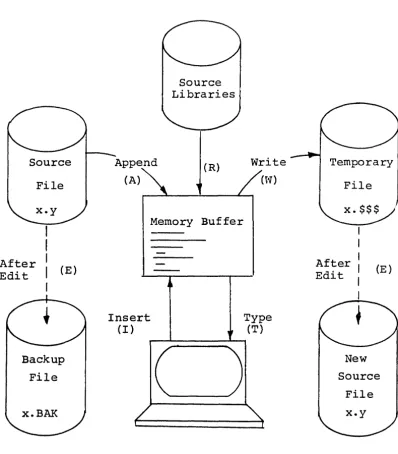
Given that the operator has typed ED X.ASM cr
the ED program creates an intermediate work file with the name X.$$$
to hold the edited data during the ED run. Upon completion of ED, the X.ABM file (original file) is renamed to X.BAK, and the edited work file is renamed to X.ABM. Thus, the X.BAK file contains the original (unedited) file, and the X.ASM file contains the newly edited file. The operator can always return to the previous version of a file by renoving the rrost recent version, and renamin;l the trevious version. Suppose, for example, that the current X.ASM file was improperly edited; the sequence of CCP canmand shown below would reclaim the backup file.
DIR X.* ERA X.ASM
REN X.ASM=X. BAK
Check to see that BAK file is available.
Erase rrost recent version. Rename the BAR file to ASM.
Note that the operator can abort the edit at any point (reboot, power failure, ctl-C, or Q canmand) wi thout destroying the original file. In this case, the BAK file is not created, and the original file is always intact.
The ED program also allows the user to "ping-fX)nq" the oource and create backup files between two disks. The form of the ED command in this case is
ED ufn d:
where ufn is the name of a file to edit on the currently logged disk, and d is the name of an alternate drive. The ED program reads and processes the oource file, and writes the new file to drive d, using the name ufn. Upon completion of processing, the original file becomes the backup file. Thus, if the operator is addressing disk A, the following canmand is valid:
ED X.ASM B:
which edits the file X.ASM on drive A, creating the new file X.$$$ on drive B. Upon canpletion of a successful edit, A:X.ASM is renamed to A:X.BAK, and B:X.$$$ is renamed to B:X.ASM. For user convenience, the currently logged disk becomes drive B at the end of the edit. Note that if a file by the name B:X.ASM exists before the editing begins, the message
FILE EXISTS
is pr inted at the console as a precaution cgainst accidently destroying a source file. In this case, the operator must first ERAse the existing file and then restart the edit operation.
Similar to other transient canmands, editing can take place on a drive different fran the rurrently lcx;Jged disk by preceding the rource file name by a drive nane. Examples of valid edit requests are shown below
ED A:X.ASM
ED B:X.ASM A:
6.6. SYSGEN cr
Edit the file X.ASM on drive A, with new file and backup on drive A.
Edit the file X.ASM on drive B to the temporary file X.$$$ on drive A. On
termination of editing, change X.ASM on drive B to X.BAK, and chanqe X.$$S on drive A to X.ASM.
The SYSGEN transient command allows generation of an initialized diskette containing the CP/M operating system. The SYSGEN program prompts the console for canmands, wi th interaction as shown below.
SYSGEN cr Initiate the SYSGEN program.
SYSGEN VERSION m.m SYSGEN sign-on roessaqe.
SOURCE OOIVE NAME (OR REIURN TO SKIP)
SOURCE ON x THEN TYPE RElURN
FUNCTION mMPLETE
Respond with the drive name (one of the letters A, B, C, or D) of the disk containinq a CP/M sys-tem: usually A. If a copy of CP/M already exists in memory, due to a MOVCPM command, type a cr only. Typing a drive name x will cause the response:
Place a diskette containing the CP/M operating system on drive x (x is one of A, B, C, or D). Answer wi th cr when ready.
System is copied to memory. SYSGEN will then prompt with:
DESTINATION [RIVE NAME (OR REIURN TO REBOOr)
27
If a diskette is being ini-tialized, place the new disk into a drive and answer with the drive name. Otherwise, type
with:
DESTINATION ON x THEN TYPE RETURN Place new diskette into drive
x:
type return when ready. FUNCTICN CDMPLETE New diskette is initializedin drive x.
The "IESTINATION" pranpt will be repeated mtil a single carriage return is typed at the console, so that more