I.S. degree. April, 2001. 219 pages. Advisor: Stephanie W. Haas
Each year, the Association of Library and Information Science Education (ALISE) publishes the ALISE Statistical Report. The report contains statistical information on library and information science programs that are accredited by the American Library Association (ALA). The current process for collecting and compiling statistical data from schools involves many manual tasks. Among these are paper questionnaire
submission via standard mail, input of data into several databases for archiving purposes, and compilation of statistics by individual authors of the report’s five chapters. This project involved the development of a relational database to store statistical data collected by ALISE, as well as the design of an online prototype to model future submission of data by schools.
HEADINGS:
Database--Management--Systems Databases
Information storage and retrieval--Design Information systems--Design
THE ALISE PROJECT:
DESIGN OF A DATABASE AND ONLINE PROTOTYPE FOR INTEGRATION AND PROCESSING OF STATISTICAL INFORMATION
by Heather Wolf
A Master’s paper submitted to the faculty of the School of Information and Library Science of the University of North Carolina at Chapel Hill
in partial fulfillment of the requirements
for the degree of Master of Science in Information Science.
Chapel Hill, North Carolina April 2001
Table of Contents
prog11_p2.asp ________________________________________________ 51 progComp.asp ________________________________________________ 53 stuComp.asp __________________________________________________ 54
Next Steps
__________________________________________________________ 54 Data Migration ______________________________________________________ 54 Anticipating User Concerns ____________________________________________ 57 Future Decisions and Requirements for Full Implementation __________________ 59Conclusion
__________________________________________________________ 62 Lessons Learned _____________________________________________________ 63 Closing Comments ___________________________________________________ 64 Development Plan – Next Phase _______________________________________ 65Selected Bibliography
_______________________________________________ 219Appendices
Appendix A ALISE Students Questionnaire ________________________________67 Appendix B ALISE Curriculum Questionnaire______________________________86 Appendix C ALISE Faculty Questionnaire _______________________________100 Appendix D ALISE Confidential Individual Faculty Data Form________________106 Appendix E ALISE Income & Expenditure Questionnaire ____________________108 Appendix F ALISE Continuing Education Questionnaire_____________________118 Appendix G Data Dictionary ___________________________________________127 Appendix H Excerpt from ALISE Statistical Report – Table Displaying Courses
Added, Dropped, or Taught on an Experimental Basis ______170 Appendix I Derived totals ____________________________________________172 Appendix J Entity-Relationship Diagram ________________________________179 Appendix K Screen Shot of SCHOOL_PROGRAM table in Microsoft
List of Tables
Table I Tables created to model data collected from write-in questions on the Curriculum Questionnaire____________________________________29
List of Figures
Introduction
The Association for Library and Information Science Education (ALISE) serves as a forum for library and information science (LIS) educators to share information, to define the profession and its direction, and to promote excellence in education. Each year, ALISE publishes the Association of Library and Information Science Education
Statistical Report, currently in its 21st year of publication. The report contains statistics on and objective analyses of various aspects of LIS programs offered by schools that have been accredited by the Committee on Accreditation (COA) of the American Library Association (ALA). In order to provide this resource, ALISE collects data on the schools and their students, faculty, curriculum, income and expenditure, and continuing education activities, and compiles it into informative statistics. The report is available both in paper and on the ALISE Statistical Report and Database web site
( http://ils.unc.edu/ALISE/ ). Although both media report the same information, they differ slightly in format. In the paper report, tables containing data and statistics are embedded within the text; in the web version, the tables are separate but can be linked to from within the textual report.
project is to complete the initial design phase for the integration and automation of the ALISE data collection and reporting process. This paper traces the project through the design and initial development phase of a system to replace that currently used by ALISE.
Background
Information and Requirements Gathering
I was approached in November of 2000 by one of the ALISE editors, Dr. Evelyn Daniel, and was asked if I would be interested in designing a web database for statistical information collected by ALISE. I met with Dr. Daniel twice to find out what was needed, and agreed to become involved in the project. The two general requirements for the project were 1) to design a Microsoft Access database to store data obtained from ALA-accredited schools and 2) to provide functionality in the database design for future online submission of data by schools, illustrating this through development of a
prototype.
I began meeting with the ALISE team regularly in January 2001 to learn about the current process for collecting, compiling and presenting data, and to gather requirements and discuss design issues. The other members of the ALISE team were the editors, Dr. Evelyn Daniel and Dr. Jerry Saye, and the webmaster/assistant, Katherine Wisser, a doctoral student. We met every other week until I had obtained enough information to begin design, and then we continued to meet on an as-needed basis.
My initial task was to learn as much as possible about the type of data that were being collected, how it was currently collected, how it was compiled, and how the ALISE
User Groups
Current users of the ALISE statistical information data collection and reporting process include those who play a role in the creation of the ALISE Statistical Report as well as those who utilize the report. These users can be broken down into three broad categories: 1) those who submit school data via questionnaires to ALISE editors, 2) those who process that information and prepare it for publication, and 3) those who access information contained in the paper report and/or on the web site.
The first user group consists of LIS administrators from ALISE member schools who fill out and submit questionnaires each year. One of the required components of the new system, online submission of questionnaires, will be geared toward these users. Design considerations regarding this group include the transition to a new method of data submission, time constraints due to busy schedules, confirmation of questionnaire
submission/completion, and ease of use.
The second group, responsible for processing the questionnaires and reporting data, consists of the editors, authors, and their assistants. The new system will automate many tasks previously carried out by this group (which will be described in detail below). Access to information, accuracy of that information, conversion of data into hard and soft copy formats for publication, and documentation of the new database and online
prototype are issues to be considered for this group.
The final user group, those who access the information compiled by ALISE, consists of LIS administrators and faculty, current and prospective students of library and information science, journalists, others interested in statistics on ALA-accredited
report is only distributed to LIS administrators of ALISE member schools, but the web site containing the same information is available to the public on the Internet. While access to information via the web site is of greater importance in the design of the new system, the access to formatted data is essential to publication in both media. Design considerations related to this user group include quick and easy access to information, customizable querying, and intuitive navigation of the ALISE web site.
This project addresses the needs of the first two user groups (those who submit data and those who process it) and provides the foundation for addressing the needs of the third group (access to compiled information on the Internet).
Current Process
The current process used by ALISE for collecting, compiling and reporting statistical data on LIS programs consists of many manual tasks. The only element in the process that is fully automated is the distribution of questionnaires via the Internet. This was first implemented during the most recent data collection period, when data for 1999 was collected in 2000. Prior to 2000, questionnaires were mailed to schools, and in recent years, were also available online. The move to fully automated electronic distribution eliminated the need for ALISE editors to print and mail questionnaires to schools. Questionnaire submission, however, is still done manually; LIS administrators must print out the questionnaires, complete them and send them to the ALISE editors via standard mail.
Although online questionnaire distribution was a step in the right direction, it still left the bulk of the work to be done manually by the ALISE authors, editors and
(online since 1997), contains five chapters: Students, Faculty, Curriculum, Income & Expenditure, and Continuing Education. In each chapter, data compiled from one of six questionnaires submitted by schools are reported and discussed. The names of the questionnaires correspond to the chapter names listed above, except for the “Confidential Individual Faculty Data Form”, the data from which is reported in aggregate in the Faculty chapter. A different member of the ALISE community authors each of the five report chapters. Each ALISE member school mails all six completed questionnaires to the ALISE editors (and duplicates of certain sections to COA); as the questionnaires arrive, they are sorted by chapter. Once all questionnaires are received, the ALISE assistant makes copies of the Faculty and Income & Expenditure questionnaires for archiving purposes. Copies of the Students questionnaires are not needed, since the originals remain with the editors; editor Dr. Jerry Saye is also the author of the Students chapter of the report. The remaining questionnaires (Curriculum and Continuing
Education), which collect primarily textual data, are not copied. The editors had decided previously to archive only numeric data used in statistical calculations (The ALISE database, however, will store all types of data as requested by the editors). Each set of Faculty, Curriculum, Income & Expenditure, and Continuing Education questionnaires are then mailed to their respective authors. The Students questionnaires remain with editor Dr. Jerry Saye, who, as mentioned earlier, also serves as the author of the Students chapter.
calculator while others use Microsoft Access or some other type of database or spreadsheet. Authors must create a textual chapter that contains the compiled data in multiple tables, as well as discussion and analysis of that data. In the print version of the report, the tables are located throughout the text to illustrate analysis of the data. The web version, however, contains hyperlinks to the tables from within the text.
Each author sends the completed chapter in Microsoft Word format back to the ALISE editors. The editors and their assistant apply the same style and formatting to all chapters, check for and correct errors in statistical calculations, edit and consolidate the five chapters into the ALISE Statistical Report. In addition to entering data from the Students questionnaires into Access (for compiling statistics for Dr. Saye’s Students chapter), the ALISE assistant also enters data from the copies of the Faculty and Income & Expenditure questionnaires into two separate Access databases for storage and
archiving purposes. All data from the above three questionnaires are entered into their respective databases manually, questionnaire by questionnaire. There are three separate databases (Students, Faculty, Income & Expenditure) used for archiving this data; this is probably because the various assistants employed by the editors over the past few years were not trained in database design. From their point of view, it was logical to separate this information by category.
As a service to LIS researchers and administrators, the ALISE editors provide raw data and/or customized statistical information to schools on request for a minimal fee. Requested data is provided in one or more Access files, depending on the request. Customized information requests usually involve statistical comparison of peer schools on certain key variables; this data is provided in table format.
Analysis of Current Process and Its Problems
In analyzing the process described above, there are several areas in which the need for standardization and automation becomes evident. First, schools must print out and complete all six paper questionnaires by hand, mail them to ALISE, and mail certain sections to COA. While standard mail may have been the accepted method of providing and/or sharing information several years ago, the current trend is toward the online transfer and submission of data. If LIS administrators could access and submit questionnaires online, they would not have to fit the printing and mailing of them into their busy schedules; they would only need to fill in the information in a series of online forms.
straightforward (e.g., counts, totals, means, medians), data integrity would be enhanced by standardization of the compilation process.
One of the most important issues identified in the initial information gathering stage is related to the preceding discussion of databases used by authors for compilation purposes; there is no central storage location for all information collected by ALISE other than the reports themselves. Some data is stored in databases; other data may be stored on paper in an author’s file cabinet. While the entry of data from several questionnaires by the ALISE student assistant does develop a sort of archive, it does so primarily for numeric data. Data from the Curriculum and Continuing Education questionnaires, which consist mostly of textual responses, are not archived by the assistant. In addition, the data entry for the Faculty and Income & Expenditure questionnaires into Access databases by the assistant may very well be a duplication of effort; if the authors of those chapters enter the data into a database in order to compile it, the data entry has already been completed once. The strong need for information sharing and data integration is obvious. Not only would this create a better, more complete archive, but it would also facilitate development of the new system and the implementation of any changes needed in the future.
databases for archiving purposes only. All statistics could then be compiled
automatically from this database, thereby standardizing the method of data compilation and eliminating the need for this task to be carried out by the individual authors. Errors in statistical calculation would not have to be checked manually by the editors; errors could be caught by the system and prevented. If time-series data and/or trend analyses are desired in the future, they could be generated with such a system. Automatic generation of web pages containing tables of aggregate figures and statistics would also be possible; web pages would not have to be created manually from tables in Word.
As mentioned earlier, ALISE will provide schools with Access databases and customized information to researchers and LIS administrators on request. The requests for customized information usually consist of comparison data for peer schools, and are prepared by the editors (and/or their assistant) separately per each request. If
comparisons among specific schools on certain criteria were possible via the ALISE web site, the need for requests to the editors for customized data would be diminished. The integration of all ALISE statistical information into one database would facilitate the creation and inclusion of customizable queries online.
Client Needs/Requirements
After I had gained a thorough understanding of the current system and areas for process improvement, the ALISE team agreed upon a set of general requirements for the design of the ALISE database and the online prototype. These requirements are listed below:
words, the same query capability currently available to the editors should also be possible in the ALISE database.
Rather than being entered by the user, values for specified totals fields will be calculated on the fly using ASP, and then entered into the database (see Appendix I).
Online questionnaires will employ data validation (i.e., preventing
submission of non-numeric data when required, preventing submission of data that is inconsistent with totals calculated from data entered
previously)
The online questionnaires will collect the same data that is currently collected via the paper questionnaires. Exceptions include additions, deletions or modifications resulting from questionnaire revision (ALISE editors collaborate on questionnaire revisions periodically with the COA). Only authorized LIS administrators should have access to the online
questionnaires; user authentication through login must be required.
About This Project
Project Scope
questionnaire. This project does not include a prototype for display of formatted statistics compiled from submitted data; this will be implemented in a future stage of development.
Technology Choice and Justification
The relational database management system (RDBMS) chosen for creation of the ALISE database was Microsoft Access 2000. The editors and their assistant requested the use of Access for several reasons: familiarity with the system, location of data for previous years in Access databases, and the use of Access by LIS administrators with whom data is shared (i.e., requests for raw data). While I felt the amount of information to be stored in and accessed from the ALISE database warranted the use of a more powerful system such as Oracle, I designed the database in Access while taking precautions to facilitate the possible need for conversion. These precautions are discussed in more detail later in this paper.
Active Server Pages (ASP) were used to create the prototype of the online questionnaire. This technology provides full programming capability, unlike a tool such as ColdFusion, which “hides” much of the functionality from the developer. To develop in ASP, one must write all code necessary or access specific code contained in pre-written objects. Although ColdFusion is an extremely powerful tool, it is geared more towards developers with little or no programming experience. The prototype for online questionnaire submission involves server-side calculations and validation based on those calculations. Developing this functionality using ASP was more straightforward for a developer with programming experience such as myself.
server located at the School of Information and Library Science (SILS) at the University of North Carolina at Chapel Hill. The university has an agreement with the Microsoft corporation to purchase its products, such as the Internet Information Server used to process ASP pages, at a substantial educational discount; Allaire (producer of ColdFusion) is not offering a comparable discount at this time. Because of this, the school does not run the most current version of ColdFusion. While an older version may suffice for now, it may eventually become outdated and possibly be removed from the department server.
Database Design
The ALISE database consists of 29 tables and is designed to store all information currently collected via the ALISE paper questionnaires and used in the creation of the
ALISE Statistical Report, as well as additional information needed per requirements (e.g.,
restricted access to online questionnaires) and implementation of the online system. The information was modeled in the manner described below with respect to requirements for the reporting of data (using the paper report as a guideline), and to maintenance of the functionality for generating information currently presented in the paper report.
The discussion of the database design process begins with some general design decisions, and moves on to more specific issues encountered in the modeling of data contained in each paper questionnaire. The entity-relationship diagram for the ALISE database can be found in Appendix J.
Starting from Scratch
several Microsoft Access databases; these were not used as a base design for the creation of the ALISE database. The Access databases (to be referred to as storage databases) were created primarily for storage and archiving purposes, without direct online data submission ever being considered. The storage databases are non-relational, and do not adhere to many other database design principles. Foreign key relationships are not established, much data is duplicated across tables, and, although all tables contain primary keys, their existence does not prevent duplicate data from being entered within tables. This is because the primary key in the majority of the tables has been declared as an Access “Autonumber”’ data type, which creates a unique identification number for each record entered in a table. Therefore, if the same data is entered into a table twice, a new number will be generated for each record; the error of duplicate entry is not caught by the system.
available for use within SILS. If an RDBMS conversion were to be made, it would most likely be to Oracle.
Modeling Data Currently Collected in Paper Questionnaires
Both the paper questionnaires and the paper report were consulted heavily in the modeling of data and design of the database. The questionnaires provided a reference as to every piece of data that was collected from schools; all of this information would need to be stored somewhere in the database. The report facilitated my understanding of how certain data should be collected by illustrating how it would need to be displayed or how it would be aggregated.
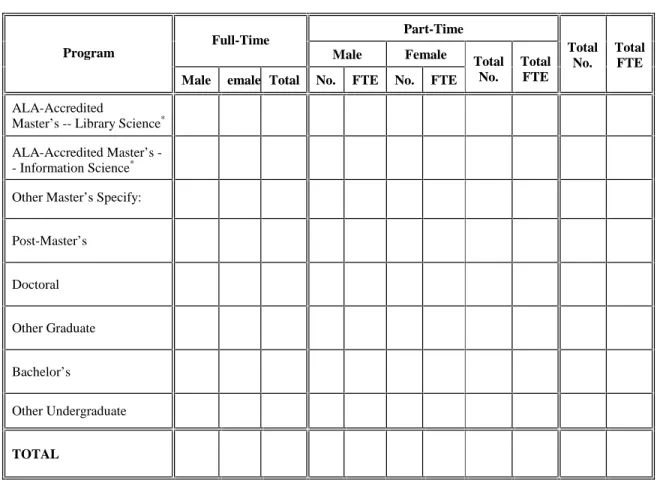
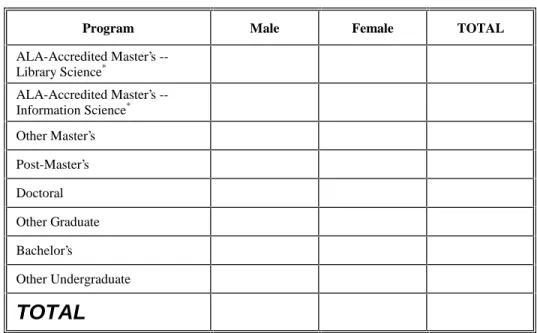
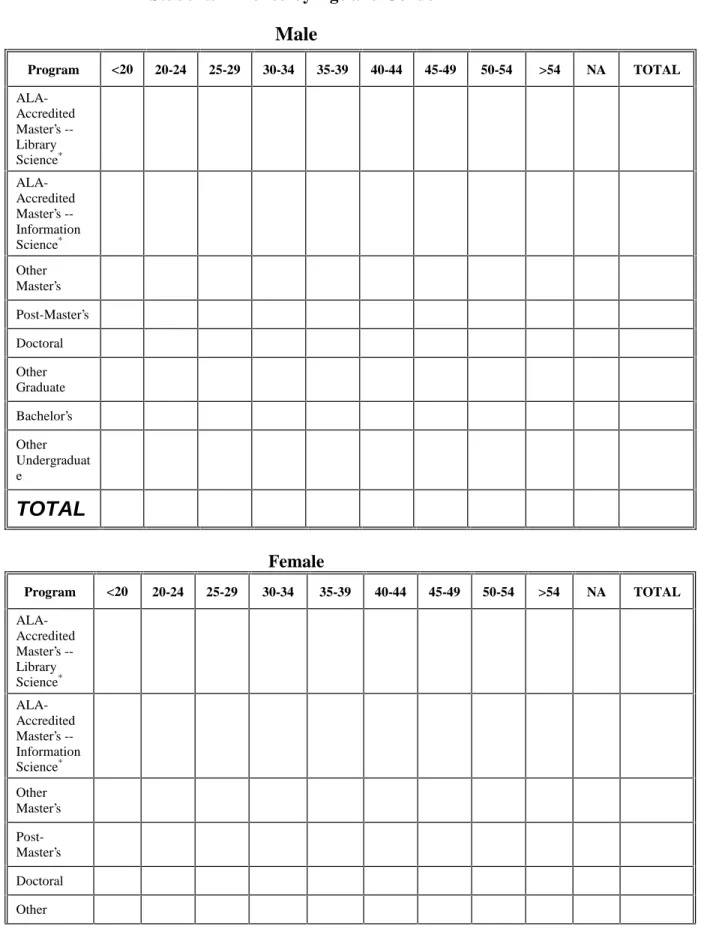
The first step in the design process was to decide how best to separate the data into database tables. At first glance, it seemed that creating a table corresponding to each of the six paper questionnaires might be a good starting point. It was brought to my attention during ALISE meetings, however, that the current collection of some of the data within certain questionnaires did not make logical sense; the editors had been considering moving certain sections of questionnaires to other questionnaires. For example, most of the data collected in the Students questionnaire (Appendix A) directly pertains to the number of students enrolled for each program, and how this enrollment breaks down by certain factors such as gender, full- or part-time status, residency status, age, and
It was therefore important not to assume that data should grouped as it was currently in the paper questionnaires and within the report. Each piece of data collected by ALISE had to be analyzed for its current and future function in the data collection and display processes; only then could the data be modeled and a database designed in an optimal fashion.
The way data was collected in the questionnaires presented several design issues for consideration, including multi-valued attributes, inconsistent use of program
categories, duplicate collection of data and collection of unnecessary data, and
clarification of data reporting requirements. The decisions on how to model ALISE data, as well as others made throughout the design process are discussed below. For each questionnaire, there is a section that contains the analyses and methods used for
structuring the data collected within that questionnaire. All questionnaires can be found in Appendices A – F; the data dictionary can be found in Appendix G. The following operational definitions will be useful when reading this section:
school – A school which offers an ALA-accredited library or information science program, also referred to as an ALISE member school.
program – One of several programs in the field of library and information science that is offered by schools. Examples include, but are not limited to, “Post_Master’s”, “ALA-Accredited Master’s in Information Science”, and “Doctoral”.
Students Questionnaire
A table called SCHOOL_PROGRAM was created to collect information
information that is contained within each record, namely, enrollment information for each program offered by a school during a particular year. Although cost of tuition does not relate directly to student enrollment, I chose to store that data in SCHOOL_PROGRAM as well because of this table’s structure. Tuition information is collected for each program offered by a school; the design of the SCHOOL_PROGRAM table, which also collects data by program, would facilitate the storage of this information.
Two additional tables, STUDENT_AID and DEGREES_AWD, were created to store other information obtained from the same questionnaire, namely, information on scholarships and assistantships, and degrees and certificates awarded. All tables mentioned up to this point store data program-by-program; a separate record exists for each program offered by a school during the same year. The primary keys for these tables are the same, consisting of the fields school_name, school_year and prog_id.
A table called ENROLL_PROG_LIST was created to store basic information on the possible programs offered by each school, such as program ID and name. The
program ID numbers and names were taken from a lookup table that had been used in one of the storage databases. I imported this data during the design stage as a precaution; it was important that the program IDs in the new table matched those in used the storage database. Since data referencing these program IDs would most likely be migrated into the new database, this data needed to be consistent from one system to the next. In the ALISE database, the prog_id field in each of the SCHOOL_PROGRAM and
The prog_id field in the DEGREES_AWD table, however, is a foreign key that references programs contained in another imported table DEGREE_LIST. This table contains a subset of the program names in the ENROLL_PROG_LIST table that are used as degree names. The IDs of the matching programs/degrees are not the same in
DEGREE_LIST and ENROLL_PROG_LIST. It may be possible to consolidate these lookup tables in the future, but was not feasible at this time. This issue is discussed further in the “Curriculum Questionnaire” section, with regard to the collection of program-specific curriculum information and the use of the lookup table
CURRIC_BY_PROGRAM.
One of the program categories used in the Students questionnaire and contained in the ENROLL_PROG_LIST table is called “Other Master’s”. There is a place in the Students questionnaire for school administrators to specify the names of the programs which they are including in this category (Appendix A, table II-1). Since a school may include any number of programs in this category, a table called OTHER_MASTERS was created to record the name of each “Other Master’s” program listed by a school. The primary key for the table is compound, and consists of the fields school_name,
school_year, and other_masters_name. The combination of the former two fields
(school_name and school_year) is a foreign key that references the fields of the same names in the SCHOOL_PROGRAM table.
six to ten, etc. Since this information relates to courses, rather than to students, and closely resembles the type of information that is collected on the Curriculum questionnaire, it was placed along with that data in a table called CURRICULUM.
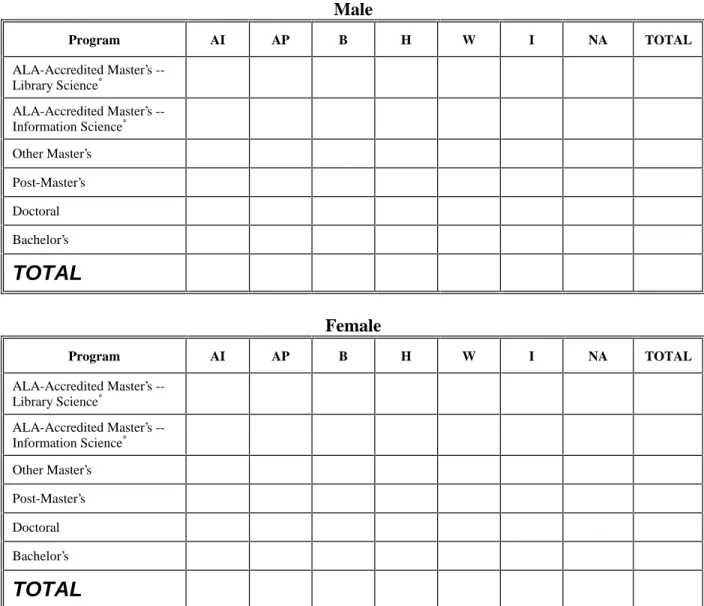
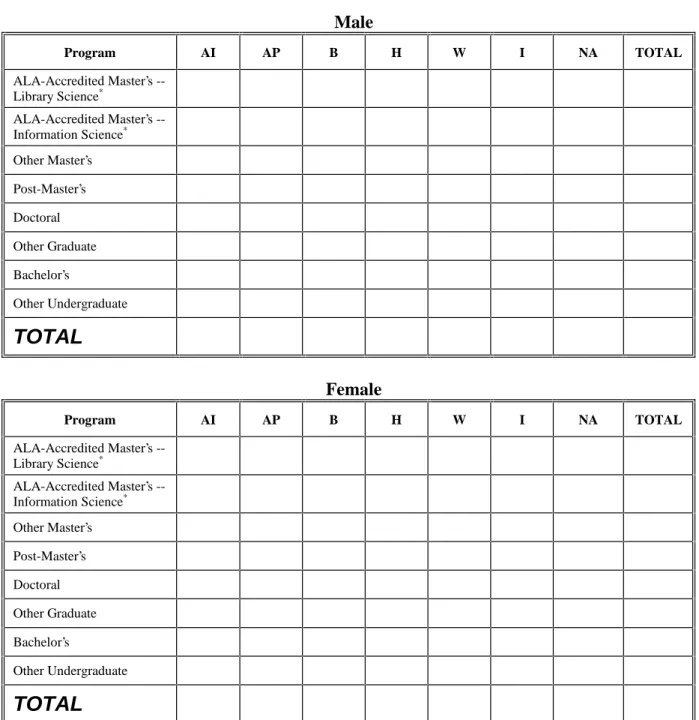
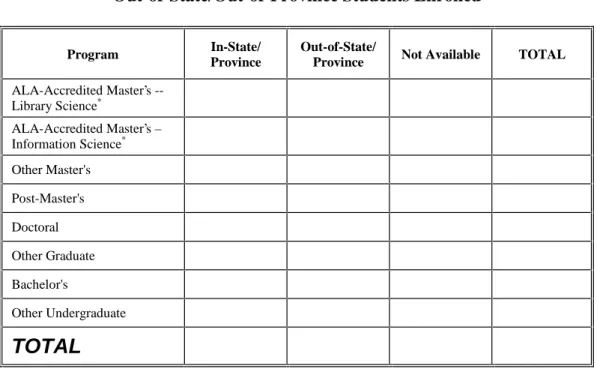
The Students questionnaire also collects data on enrollment of international students in each program, broken down by gender (Appendix A, table II-6). This exact same data is collected at another point in the same questionnaire (Appendix A, table II-4), where the LIS administrator is asked to report enrollment by ethnic origin and gender. One of the ethnic categories to fill in for this question is “I” for international students. There is a table/grid for filling in the number of male students enrolled by ethnic origin, and another for filling in the same information for females. This duplication of data collection was eliminated in the database design by only including fields in
SCHOOL_PROGRAM corresponding to data collected in the section on gender and ethnic origin.
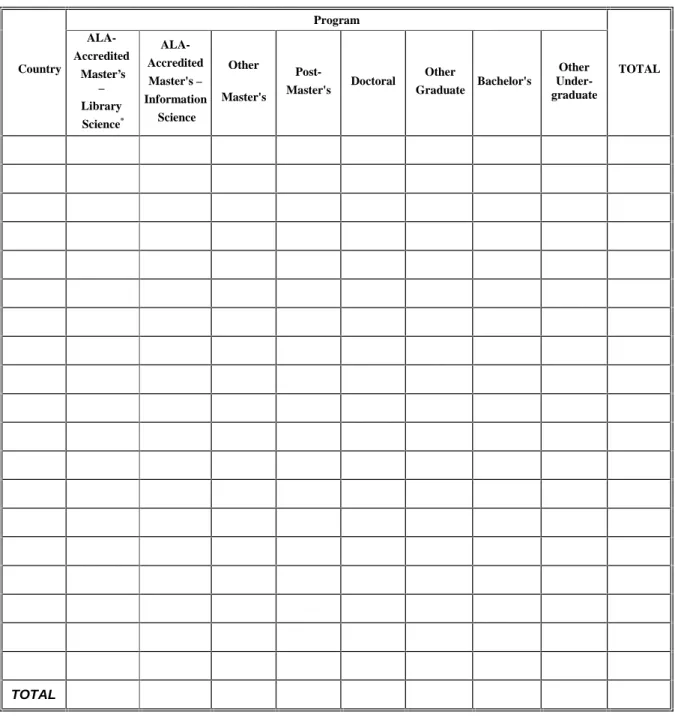
ENROLL_BY_PROGRAM table). The table also contains the fields country and
num_country, which record the country name and number of students enrolled from that
country, respectively. A table called COUNTRY was imported into the ALISE database from one of the storage databases. This table serves as a lookup table for the
INTL_ENROLL table, in which the country field is a foreign key referencing the field of the same name in the COUNTRY table.
One piece of data collected in the Students questionnaire, the formula used for calculation of full-time equivalency (FTE) applies to each school as a whole; it is not specific to each program offered by a school. This information only needs to be collected and stored in one location, rather than in a record for each school program. A field called
fte_formula was added to a table called SCHOOL_INFO, which was created to store
general information on each school during a given reporting year.
Curriculum Questionnaire
The Curriculum questionnaire (Appendix B) presented different issues for consideration in the design of the database. Some of the information collected in this questionnaire pertains to a school’s curriculum as a whole, but most of it is collected program-by-program. The CURRICULUM table was created to store the non-program-specific information, along with the class size data mentioned earlier.
Students questionnaire, which may have bred these inconsistencies. The Students questionnaire collects data in table format; there is a list of programs in a column on the left, and data is entered in the row for the program to which it pertains. All data is
collected in this manner in the Students questionnaire, and all tables (except for table II-3, mentioned earlier, which collects information on degrees awarded) list the same program categories. In contrast, the Curriculum questionnaire does not use tables to collect information. This could be due to the fact that the questionnaire collects mostly textual data rather than numeric data (which is easier to fit into boxes within tables). However, because program-specific curriculum data is not collected in table format, the
inconsistencies and problems with its design may not have been evident to the authors. The questionnaire seems to have been created question by question, with each question having its own set of program categories for reporting data. Of course, when the
Curriculum questionnaire was designed, the conversion to a logical database design was most likely not considered.
In addition, the program names used in the Curriculum questionnaire do not match those for which data is collected in the Students questionnaire. There are only two program categories, “Post-Master’s” and “Doctoral”, which appear in both the
Curriculum and Students questionnaires. The Students questionnaire collects data on the programs “ALA-Accredited Master’s in Library Science” and “ALA-Accredited
I toyed with the idea of consolidating the different program categories used in both questionnaires so that Curriculum could also reference programs contained in the ENROLL_PROG_LIST table. However, after discussing the issue with the ALISE team, I came to the conclusion that this would only cause confusion. I decided to create a separate table called CURRIC_PROG_LIST for programs used in the Curriculum questionnaire. For storing program-specific curriculum data, the
CURRIC_BY_PROGRAM table was created, which, like the SCHOOL_PROGRAM table, contained the compound primary key of school_name, school_year, and prog_id. However, the prog_id field in CURRIC_BY_PROGRAM is a foreign key that references
prog_id in the CURRIC_PROG_LIST table, containing the program names specific to
the Curriculum questionnaire.
Since ALISE does not maintain a storage database for curriculum information, there was no need to use specific numbers to identify certain programs in the
CURRIC_PROG_LIST table for data migration purposes. However, looking toward the possibility of future agreement on the consolidation of the program categories used in the Students and Curriculum questionnaires, the two programs relating to curriculum
information that had matching counterparts in the Students questionnaire (“Post-Master’s” and “Doctoral”) were given the same prog_id in the CURRIC_BY_PROG table as the matching programs in the ENROLL_BY_PROGRAM table.
sense to allow LIS administrators to enter the name of each Master’s program offered when most of these programs could be categorized, as in the Students questionnaire, for statistical purposes. Four program categories relating to Master’s degrees were entered in a table called CURRIC_PROG_LIST: “Master’s”, “ALA-accredited Master’s in Library Science”, “ALA-accredited Master’s in Information Science”, and “Other Master’s”. Since this table serves only as a reference table for CURRIC_BY_PROGRAM, the addition of these extra records will not affect the data. I added these four program categories in anticipation of the need to change the way data is collected on the eventual online Curriculum questionnaire from the method currently used on the paper
questionnaire. Instead of collecting curriculum information on Master’s programs by numbering each one (i.e., (1), (2)) and allowing the entry of the program name, the LIS administrator should be limited to entering information by predefined Master’s program categories, similar to the way data on Master’s programs are collected in the Students questionnaire. As discussed above, the consolidation of program categories was not feasible at this time; resolution of the issue will probably require meetings between the ALISE team and the current author of the Curriculum chapter. The creation of several Master’s program categories in CURRIC_PROG_LIST will allow the editors to collect Curriculum information by those categories if it is deemed necessary and/or preferable in the future. All other program categories contained in the Curriculum questionnaire (for programs other than Master’s) were also added to the CURRIC_BY_PROGRAM table. One of the questions in the Curriculum questionnaire (Appendix B, question 17) collects information on prerequisites for each Master’s program offered. LIS
Since this question only collects data related to Master’s programs, unlike other program-specific questions which also collect data on “Post-Doctoral”, “Post-Master’s” and other programs, I consulted with one of the ALISE editors to find out what type of data was typically reported for this question. I did not want to include fields to store this information in the CURRIC_BY_PROGRAM table if it only applied to one program category. Dr. Daniel informed me that ninety-five percent of the time, the prerequisites are the same for all Master’s programs offered by a particular school. We both decided that it would be sufficient to collect data for Master’s prerequisites in general, rather then separately for each one. For this reason, I created a field for each of the possible
prerequisites in the CURRICULUM table. There was no need to place the field in CURRIC_BY_PROGRAM; the data only applied to Master’s programs and thus could be collected and stored along with other general questions about Curriculum.
elective courses. All fields relating to this section of the questionnaire can be found in the data dictionary (Appendix G) for the CURRICULUM table.
The Curriculum questionnaire presented yet another issue that was also evident in the Faculty questionnaire: the use of open-ended, write-in responses for certain questions. For example, the Curriculum questionnaire asks for information on each certificate
program offered by a school (Appendix B, question 5), allotting space for the user to enter as many certificate programs as necessary. The same question format is used throughout the Curriculum questionnaire to collect information on joint degree programs, courses cross-listed with other departments, courses added, courses dropped, programs added, and courses taught on an experimental basis. To verify the particular needs for and use of this data, I consulted the paper report. One of the tables (Appendix H) lists the names of each course added, dropped or taught on an experimental basis (there is a column for each type of course) by each school. For this same table to be generated automatically through ASP, it would require that the name of each course be stored in a separate record or field.
Alternatively, the LIS administrator could be prompted to enter all types of course changes within one question, identifying the type of change by marking the appropriate check box (i.e., added, dropped, or experimental).
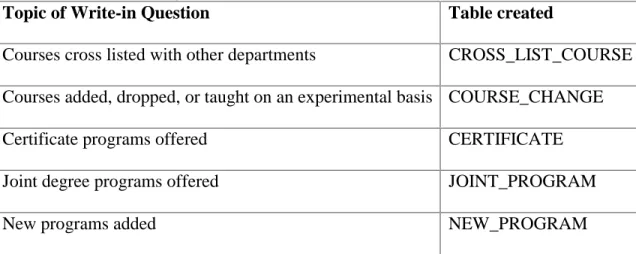
To provide functionality for the both the desired format of information display and the calculation of certain statistics for reporting purposes (e.g., ALISE member schools offered a total of X joint degree programs during a specific year), additional tables were also created to record information from the other write-in responses contained in the Curriculum questionnaire. These tables and the information they store are shown in Table I (COURSE_CHANGE, discussed above, is included in the table).
Table I: Tables created to model data collected from write-in questions on the Curriculum Questionnaire
Topic of Write-in Question Table created
Courses cross listed with other departments CROSS_LIST_COURSE Courses added, dropped, or taught on an experimental basis COURSE_CHANGE
Certificate programs offered CERTIFICATE
Joint degree programs offered JOINT_PROGRAM
New programs added NEW_PROGRAM
All tables created to handle the write-in curriculum questions have one-to-many relationships in the database with the CURRICULUM table; each record in the
CURRICULUM table can optionally be associated with many records in each of the above five tables. Each of these tables has a compound primary key of school_name,
table, see data dictionary in Appendix G for primary keys of each table). In each of these tables, the combination of school_name and school_year is a foreign key to school_name and school_year in the CURRICULUM table. The questions that elicit data to populate these tables will eventually be located within the online Curriculum questionnaire (which, once started, will create a record in the CURRICULUM table). Therefore, a record will always exist in the CURRICULUM table before a related record is entered in any of these five tables.
Faculty Questionnaire
report. I created a FACULTY table to record this and all other information contained in the FACULTY questionnaire, except for that dealing with sabbatical leave and support staff.
The Faculty questionnaire asks for the time and percentage of salary paid to each faculty member on sabbatical leave (Appendix C, question 13). This is another example of the multi-valued attribute pattern, similar to that found in the five questions in the Curriculum questionnaire for which separate tables were created. One LIS administrator may report no school faculty members on sabbatical while another may report several. By creating a table called SABBATICAL_SALARY, one can enter as few or as many entries as needed, without taking up space in the database with null values, or running the risk that there aren’t enough fields to collect data on each faculty member on sabbatical. This table is only one of three in the ALISE database that uses an Access “Autonumber” data type. During a specific year, an LIS administrator may have several sabbatical leaves to enter. However, there is no way to identify one sabbatical leave within a school from another. The sab_id “Autonumber” field solves this problem and serves as the primary key, generating a new sab_id for each record entered.
There are a few questions pertaining to faculty for which data is collected in the Curriculum questionnaire (Appendix B, questions 18B, 20). The questions deal with faculty compensation and teaching load for distance education courses. Fields to store this information were created in the FACULTY table rather than in the CURRICULUM table.
Confidential Individual Faculty Data Form
ALISE collects additional faculty data that is confidential and therefore, only reported in aggregate. This information is collected via a separate one-page form called the Confidential Individual Faculty Data Form (Appendix D). It asks the user to fill out information about each individual faculty member, such as title, salary, age, etc. The table FAC_CONF was created to store this information; its primary key is faculty_id. Since the data is confidential, the name of each faculty member is not submitted; there is nothing that can be used in combination with school_name and school_year to create a compound primary key. For this reason, the field faculty_id uses an “Autonumber” data type to generate a primary key for each record.
Income & Expenditure Questionnaire
Although most data collected in the Income & Expenditure questionnaire (Appendix E) easily translated directly into corresponding database fields, there were a few decisions to be made regarding some of the data. First, the information collected on the questionnaire was separated into two broad categories: data collected on the school’s income and data collected on its expenditures. Two tables were created to model the differences between them: INCOME and EXPENDITURE.
teaching administration, such as supplies, communications, etc. At the end of the question, there is an additional category called “Other”, in which the she may list an indefinite number of additional categories and the amount spent for each. (This method is used to collect information throughout the questionnaire.) There were three options for dealing with storage of this information in the database: 1) create a limited number of fields for “Other” categories and their corresponding amounts for each question, 2) create a separate table so that the user could enter as many additional categories and
corresponding amounts as needed, or 3) store the “Other” category in one field containing a description of what this category included, and store the corresponding amount relating to this aggregate “Other” category in another field. Option 1 was rejected because it would limit the reporting of information to a specific number of fields; Option 2 was rejected because it was deemed unnecessary by the ALISE team. The ALISE team agreed that storing the data in aggregate (Option 3) made most sense, for it fulfilled current data reporting requirements (“Other” categories and amounts were not reported separately in the report) and prevented the need for creation of several extra tables. If any of the “Other” categories that are reported in aggregate become common for schools to report, separate fields for these can be added to the table as needed. Specific counts or totals for this new category could then be calculated in future years.
problem of a multi-valued attribute. To solve this, a table called NON_LIS_BUDGET was created; each record contains the name of the item and its dollar value (amount). The compound primary key for the table consists of school_name, school_year and
non_budget_item.
Continuing Education Questionnaire
The last of the six questionnaires is the Continuing Education questionnaire (Appendix F). The first section of the questionnaire collects information on non-credit continuing education activities; the table CONT_ED was created to store this data. The second section first asks if any continuing education courses were offered which granted academic credits to practitioners (not degree candidates). If this is the case, the LIS administrator then fills out information pertaining to these offerings. Since this information is only collected if a school offers such courses, a table called
CE_CREDIT_ACTIVITY was created to store it. This prevents the existence of many null values in the CONT_ED table if a school does not offer continuing education courses for credit.
Derivation of Totals Fields
Both the Students and Income & Expenditure questionnaires allow the LIS administrator to fill in totals of previously reported data. I learned from the ALISE team that it is not uncommon for schools to miscalculate these totals; the editors and their assistant must check for these types of errors prior to publication of the report.
To eliminate the need for manual error checking, LIS administrators will not submit totals for previously reported data; these totals will instead be derived from input data. After the data has been submitted, the totals will be calculated from submitted values and inserted into records within the appropriate table. Appendix I contains a table displaying all totals fields for which the eventual, fully implemented system needs to calculate values (using ASP) and insert them into the database.
When the automatic derivation of totals was suggested to the ALISE team, they pointed out that, for some questions, certain schools do not always report data broken down into specific categories. In many cases, this is because the data unavailable. In this situation, a school will report a total only, with no data breakdowns. To handle this with the new system, fields were created for student enrollment data (in the
INCOME and EXPENSE tables, since the “Other” amount category, discussed earlier, can be used for the same purpose.
Tables Not Related to Paper Questionnaires
A table called LOGIN was created to store login information for LIS
administrators; its primary key consists of the fields username and password, making login information unique for each school/LIS administrator.
A table called SCHOOL_LIST stores information about ALISE-member schools that is not likely to change from year to year (e.g., name). To keep track of the programs a school has reported offering during a particular year, a table called PROGS_OFFERED was created. Records are to be created in this table during a school’s first questionnaire submission (as in the prototype). The table is then used to present the correct set of questionnaires upon future visits by that school’s LIS administrator. For example, if, upon her first login to the student enrollment questionnaire, an LIS administrator identifies two programs on the “Program Choice” page (to be discussed in the section titled “Online Prototype Development”) that her school offered during the reporting year, two records will be created in the PROGS_OFFERED table. Each record will contain the name of the school (school_name), the year the data will be published (school_year), and the corresponding program number (prog_id). If, during this visit, the LIS administrator only completes the questionnaires on student enrollment, when she returns to the site, the programs for which data will need to be collected in other program-specific
Additional Database Documentation
A visual representation of the database design resulting from the above decisions is provided in the Entity-Relationship (ER) diagram (Appendix J). The ER diagram displays the entities and relationships only; the many attributes (fields) have been omitted as these can be found in the data dictionary (Appendix G).
Because the ALISE database models information primarily collected on various paper questionnaires, it is important for the ALISE team to be able to map relevant database fields to those questionnaires, especially since they are currently in use. A different developer will most likely carry out the next major stage of this project, the full online implementation. In order to fully implement this system and develop online questionnaires, the new developer needs a quick way to match a database fields with where they are currently collected on the paper questionnaires. Where appropriate, a reference to the corresponding question (i.e., name of questionnaire and table or question number) for each field should be entered in the “Description” column of the Microsoft Access “Design View.” This has been completed for the SCHOOL_PROGRAM table (Appendix K) only, to illustrate its need and usefulness here. It will be completed for all tables prior to handing the project off to another developer.
Online Prototype Development
provides a template, or starting point, from which another developer may design additional questionnaires.
The prototype consists of a series of online forms that collect login information and data currently submitted via certain sections of the Students paper questionnaire. It allows for online submission of a subset of student enrollment data relating to each program offered by a school during a specific reporting period. It was deemed unnecessary to collect all student enrollment data currently entered on the Students questionnaire for the prototype; system functionality could be demonstrated by collecting only selected information.
The Students questionnaire was chosen for the prototype because the type of data it contains exemplifies many of the issues found on other questionnaires. Among these are the difference in how data will be collected online versus how it is collected on paper questionnaires, the collection of the same data for different programs offered by a school (program-specific data), the calculation of derived totals, and the requirement for certain values to add up to previously reported and/or calculated totals.
for the user, but would be confusing for the developer programming this functionality. For this reason, the prototype collects student enrollment information one program at a time.
The Students questionnaire allows users to enter totals for all data. Although the prototype does allow the LIS administrator to enter a value for total program enrollment, other totals are derived from values entered previously (see “Derivation of Totals” below). The prototype also validates data entered against the reported total program enrollment in cases where certain category (e.g., residency status) breakdowns should add up to this value.
Prototype Overview
The online prototype requires a username and password for access to the
questionnaire that collects a subset of student enrollment data. For each program the LIS administrator checks after logging into the site, the same questionnaire will be presented. (If two programs are checked, the same questionnaires will be presented twice, one after the other, each collecting data for a different program). The questionnaire presented for each program consists of two pages. The first page collects data on total program enrollment and program enrollment broken down by student residency status. The second page collects data on enrollment broken down by full- and part-time status; it also collects data on full-time equivalency (FTE) of part-time students. Form values entered by LIS administrators will undergo basic error checking (e.g., verification of numeric input, values adding up to previously reported totals) before they are accepted.
questionnaire will be presented again to collect data for the next program. After entering data for all programs, a screen containing a message that the questionnaires on student enrollment have been completed will be displayed.
Functional Specifications (Prototype)
User Perspective
(A visual representation of the process described below is available in Appendix L, “Process Flow Diagrams – User Perspective.”)
The first page of the prototype, “login.asp”, asks the LIS administrator to provide a username and password for access to the questionnaire. If valid login information is not provided, the same page will be presented again, this time with an error message at the top. The screen will continue to reappear with the error message until the user submits valid login information. The number of attempts to submit login information is unlimited in the prototype, but this may change with full implementation of the system (see section title “Next Steps – Future Decisions”). If valid login information is supplied, the LIS administrator will be presented with a screen (“choose_prog.asp”) containing a list of programs. Here she is asked to check the box next to each LIS program offered by the school during the year for which data is being supplied (year is supplied by system, LIS administrator does not enter it).
screen (e.g., “Bachelor’s”, “Doctoral”), as well as a breakdown of this enrollment by residency status. If an attempt is made to submit the data without filling in all of the text fields, an error message will appear in a small dialog box that can then be closed.
Similarly, if any text fields contain non-numeric values, a different error message will be displayed in a dialog box. If the breakdowns for program enrollment by residency status do not add up to the value reported for total program enrollment, the same page will be returned with an error message at the top.
When the LIS administrator submits valid data on the first page of the questionnaire, she will be presented with the second page (“prog11_p2.asp”), which collects data on student enrollment broken down by full- and part-time status. Once again, the user must submit numeric values in all fields or she will receive a message related to the specific error in a dialog box. Also, while the user does not enter total program enrollment on this page, the breakdowns must add up to that total reported on the previous screen (“prog11_p2.asp”). If they do not, the same screen will be presented again with an error message at the top.
Features such as the changing of data entered previously, review of data entered, and/or presentation of submitted data for printout are not included in the prototype. These will be discussed in the section titled “Next Steps – Future Decisions.”
Technical Perspective
This section discusses session variables and server-side includes and their use within the prototype for online questionnaire submission. It then details the functionality of each page of the ASP application used to create the prototype. Discussion of each page or component of the application follows after its corresponding file name. The various functions carried out within the code are presented in a numbered list for each file. The reader will notice the large proportion of functions dedicated to error handling. This is characteristic of any well-designed information system.
The following operational definitions will be useful in reading this section: questionnaire – A series of online forms contained within multiple ASP
pages used to collect related information. Each questionnaire can be thought of as a “mini-application”; the prototype is one such application used to collect information on student enrollment.
client-side validation – Validation of data prior to its submission to the server; prevents invalid data from being sent to the server for processing. This type of validation is performed by the client machine using
JavaScript.
server-side include - A statement placed within a web page that references an external file. The statement has the effect of “virtually” placing the contents of the file within the web page. This technique is often used for including external scripts and code snippets.
session variable – A variable used to maintain state within an ASP application during a user session. This type of variable need only be declared once in order to be available for use in coding subsequent pages of the application. Session variables are available until the user closes his web browser, or until the session has “timed out” after the user has been inactive for a specified period of time (the default “time out” period is 20 minutes).
user – A person who is using the prototype to submit data on student enrollment. In the full implementation, this “user” will be an LIS administrator.
Use of Session Variables
Use of Server-Side Includes
Most SQL select, insert, and update operations within the prototype application will use the year the data will be published (the field school_year in the
SCHOOL_PROGRAM table) as a selection criterion. This value will be the same for all schools reporting data during the same year or reporting period, and will only change from one yearly data collection period to the next. This value is needed in the prototype, but it will also be needed within many questionnaires that will be coded in future stages of development. If a session variable for year of publication were to be set at the beginning of each questionnaire, the value for the variable would have to be changed in several locations each year. To eliminate this need, a file (“set_year.inc”) was created which contains the following single line of code:
<% Session("SchoolYear")="2002"%>
This file may be referenced by all applications with the use of a server-side include placed in the code of the first page of each questionnaire. Only this file
(“set_year.inc”) will need to be updated each year to reflect the new year of publication.
login.asp (Appendix M)
This is the first page of the application, where LIS administrators can log in to the site to access the questionnaire on student enrollment.
2. Checks if the user has just submitted this page (“login.asp”) using invalid login information.
a. If the variable Session(“auth”) is null (“”), user has not yet attempted to login to site. The login page, containing text fields for entering a username and password, is displayed.
b. If the variable Session(“auth”) is set to “no”, the user has
submitted invalid login information from this page (Validation of login information and the setting of this variable occurs in the page “choose_prog.asp”, which will be described below.). The login page is displayed again, this time with an error message.
The following code checks for the conditions described in sections a and b above.
<%
if (auth = "no") then %>
display error message in HTML
<% else
do nothing end if
%>
display the rest of the login page in HTML
3. Uses a JavaScript for client-side validation. It prevents submission of the form if one or more text fields (for username and password) are empty. In this case, a dialog box with an error message will be displayed.
4. Upon validation (values have been entered for username and password), the values for username and password are sent to the page
choose_prog.asp (Appendix N)
This page allows the LIS administrator to identify which programs have been offered by her school during the year for which data is being submitted.
1. Assigns the values obtained from the form objects (text fields) for username and password to the variables: “user” and “pwd”:
<%
user = Request.form("user") pwd = Request.form("pwd") %>
2. Constructs an SQL query to check if the submitted username and password exists in the database’s LOGIN table:
<%
’ query to get the record matching the submitted ’ username and password
query = "SELECT school_name, username, password from login where username=’"
query = query & user & "’and password =’" & pwd & "’" %>
3. Checks if query result set is empty. If so, sets session variable that will cause error message to be displayed on login page, then redirects user back to login page:
<%
If auth_user.BOF and auth_user.EOF Then ’ Recordset is Empty
Session("auth") = "no"
Response.Redirect("login.asp")
4. If a matching record is found (result set is not empty):
Else
Session("auth") = "yes" %>
b. Assigns the value of the school_name field obtained from the query of the LOGIN table to a session variable. This variable will be used throughout the session as criteria for performing database insert and update operations.
c. Displays a page containing a series of checkboxes beside names of LIS program categories. The value attribute of each check box is set to the program ID of the program name displayed next to it. d. Sets a session variable used to indicate to the next page of the
application (“progRed.asp”) that checked programs must be recorded:
<% Session("recordPrograms") = “yes” %>
(Note: This variable is necessary because the code in
“progRed.asp” is used for several different tasks; the page visited prior to it is not always “choose_prog.asp”. The functionality of “progRed.asp” is described in detail below.)
progRed.asp (Appendix 0)
1. If the previous page visited was “choose_prog.asp” (if this is the case, Session("recordPrograms") will have a value of “yes”):
a. Sets the variable indicating this to null (explanation within code below):
<%
if (Session("recordPrograms") = "yes") then
’set variable to null so we don’t execute this ’code again during session
’since programs will have already been recorded ’after this first visit to the page
Session("recordPrograms") = "" %>
b. Checks if at least one program was selected on the previous page (“choose_prog.asp”) by counting programs:
<%
For Each item In Request.Form
if (Request.form(item) <> "Continue") then numProgs = numProgs + 1
end if
Next %>
(Note: The above code only counts form objects that do not have a value of “Continue”. This is because the value of the submit button, “Continue”, is also sent as a form object.)
c. If no programs were selected, sets the session variable that indicates an error message needs to be displayed
(Session(“displayError”)) to “yes”, then redirects the user back to the login page.
variables), and prog_id for each program chosen by the user into the PROGS_OFFERED table.
e. Creates a session variable for each program using the following format: Session("progX"), where X is the program ID, and sets each of these variables to “yes” using the following code contained in a loop:
<%
currentProg = Request.form(item) currentProg = "prog" & currentProg Session(currentProg) = "yes"
%>
Each of these session variables is used to track the programs for which the user still needs to enter data. “ProgRed.asp” will redirect the user to a questionnaire for a program if its session variable is set to “yes”. Prior to redirecting the user to one of the
questionnaires for a program that was checked, the session variable tracking that program will be set to null. This will ensure that the user will not be presented with the questionnaire for the same program twice.
f. Creates a session variable for the name of each selected program in a manner similar to that described above (in section e). This enables the name of the program for which data are currently being entered to be displayed at the top of the questionnaire.
database insert and update operations during questionnaire submission.
h. Redirects the user to the first page of the questionnaire
(“prog11_p1.asp”) in which data for one of the checked programs (the current program name will be displayed at top of page) will be submitted.
i. Once data has been submitted for all programs (all corresponding session variables will have been set to null), redirects the user to a page confirming completion of student enrollment questionnaires.
prog11_p1.asp (Appendix P)
This is the first of two pages containing a form for submitting a subset of student enrollment information. It displays an error message when appropriate, performs client-side validation of entered values, and passes data entered to the file “prog11_p2.asp”, where it is then processed.
1. Displays error message if form has been submitted before with values that do not up to reported total program enrollment. It checks for this
condition using a session variable (Session(“displayError”)) that is set to “yes” by the next page, “prog11_p2.asp” if the values do not add up correctly. This is an example of client-side validation.
3. Checks (using JavaScript) that a value has been entered for each text field, using a line such as this for each text field:
if (!document.resForm.totalProgEnroll.value){
(if not a value for the ‘totalProgEnroll’ field, then return false)
rc = false }
If empty fields are found, displays dialog box with error message.
4. Checks that the values entered in each text field are numeric (see function isANumber( ) in Appendix P). If not, displays dialog box with error message.
5. Once all form fields have been validated according to the conditions above (in sections 2 and 3), sends form data to the next page (“prog11_p2.asp”) using the “POST” method.
prog11_p2.asp (Appendix Q)
This is the second page of the questionnaire that collects data on student enrollment.
2. Checks if residency breakdowns add up to reported total program enrollment (these data were both submitted on the previous page,
“prog_11.asp”) If not, the session variable used as a condition for display of error messages is set to “yes”. The user is then redirected back to the first page of the questionnaire to try again:
<%
if (numInState + numOutState + numResidNa <> progEnroll) then
Session("displayError") = "yes"
Response.redirect("prog11_p1.asp")
3. Checks if the value submitted for total program enrollment on the first page of the questionnaire (“prog11_p1.asp”) is zero. If so, sets the variable Session(“displayError2”) to “yes”, and redirects the user back to the first page of the questionnaire.
(Note: The variable Session(“displayError2”) is used as criteria to display an error message on “prog11_p1.asp” that is specific to the error (value of zero entered).)
4. If residency breakdowns add up to reported total program enrollment, creates a new record in the SCHOOL_PROGRAM table containing the compound primary key values (school_name, school_year, prog_id), which are obtained from session variables:
else
set connection =
Server.CreateObject("ADODB.Connection")
connection.open "alise"
query = "INSERT INTO SCHOOL_PROGRAM
query = query & "total_prog_enroll,num_instate, num_outstate, num_resid_na)"
query = query & "values (’"
query = query & sname & "’,’" & syear & "’," & sprog & "," & progEnroll
query = query & "," & numInState & "," & numOutState & "," & numResidNa & ")"
connection.execute query
5. If total program enrollment is validated according to the criteria above (sections 2 and 3), places this value in a session variable. This variable will be used to validate enrollment breakdowns entered on this page (“prog11_p2.asp”), which also need to add up to this total. A session variable is necessary because this specific validation is carried out on the next page “progComp.asp”.
6. Displays a form for submitting program enrollment breakdowns by full- and part-time status.
7. Performs client-side validation to check for required fields and numeric values when appropriate (Same process as described in the previous section on “prog11_p1.asp” in points 3 and 4).
progComp.asp (Appendix R)
This page of the application validates data (on the server-side) that is submitted
on the previous page, “prog11_p2.asp”; it is not used to display a web page.