For additional materials, please see http://www.coreservlets.com/. The JavaScript tutorial section contains complete source code for all examples in the entire tutorial series, plus exercises and exercise solutions for each topic.
coreservlets.com– custom onsite training
Slides © 2016 Marty Hall, [email protected]
HTML Basics:
Part 2
For additional materials, please see http://www.coreservlets.com/. The JavaScript tutorial section contains complete source code for all examples in the entire tutorial series, plus exercises and exercise solutions for each topic.
coreservlets.com– custom onsite training
Slides © 2016 Marty Hall, [email protected]
For customized training related to JavaScript or
Java, email [email protected]
Marty is also available for consulting and development support
Taught by lead author of Core Servlets & JSP, co-author of Core JSF (4thEd), and this tutorial.
Available at public venues, or
custom versions can be held on-site at your organization.
•Courses developed and taught by Marty Hall
–JavaScript, jQuery, Ext JS, JSF 2.3, PrimeFaces, Java 8 programming, Spring Framework, Spring MVC, Android, GWT, custom mix of topics
–Courses available in any state or country.
–Maryland/DC companies can also choose afternoon/evening courses.
•Courses developed and taught by coreservlets.com experts (edited by Marty)
–Hadoop, Hibernate/JPA, HTML5, RESTful Web Services
4
Topics in This Section
•
Tables
•
Forms
•
Form input elements
•
Miscellaneous elements: fieldset, legend, label, br, hr
coreservlets.com– custom onsite training
Slides © 2016 Marty Hall, [email protected]
6
Basic Template
<table border="1">
<caption>Table Caption</caption>
<tr>...</tr>
<tr>...</tr>
<tr>...</tr>
<tr>...</tr>
</table>
•
Rows (<tr> elements)
– Can contain <th> (table heading) or <td> (table data) elements
– Unless you use colspan or rowspan, each row normally contains the same number of
elements
7
Simple Example
<table border="1">
<caption>Table Caption</caption>
<tr><th>Heading1</th> <th>Heading2</th></tr>
<tr><td>Row1 Col1 Data</td><td>Row1 Col2 Data</td></tr>
<tr><td>Row2 Col1 Data</td><td>Row2 Col2 Data</td></tr>
<tr><td>Row3 Col1 Data</td><td>Row3 Col2 Data</td></tr>
8
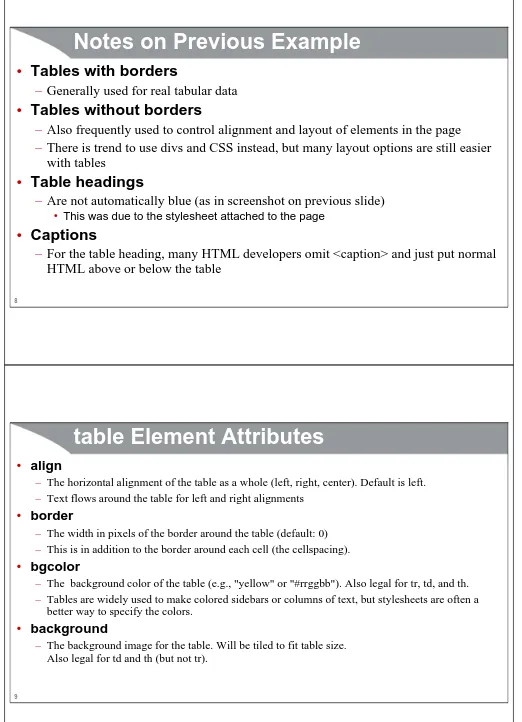
Notes on Previous Example
•
Tables with borders
– Generally used for real tabular data
•
Tables without borders
– Also frequently used to control alignment and layout of elements in the page
– There is trend to use divs and CSS instead, but many layout options are still easier with tables
•
Table headings
– Are not automatically blue (as in screenshot on previous slide)
• This was due to the stylesheet attached to the page
•
Captions
[image:4.612.47.569.31.753.2]– For the table heading, many HTML developers omit <caption> and just put normal HTML above or below the table
table Element Attributes
• align
– The horizontal alignment of the table as a whole (left, right, center). Default is left.
– Text flows around the table for left and right alignments
• border
– The width in pixels of the border around the table (default: 0)
– This is in addition to the border around each cell (the cellspacing).
• bgcolor
– The background color of the table (e.g., "yellow" or "#rrggbb"). Also legal for tr, td, and th.
– Tables are widely used to make colored sidebars or columns of text, but stylesheets are often a better way to specify the colors.
• background
10
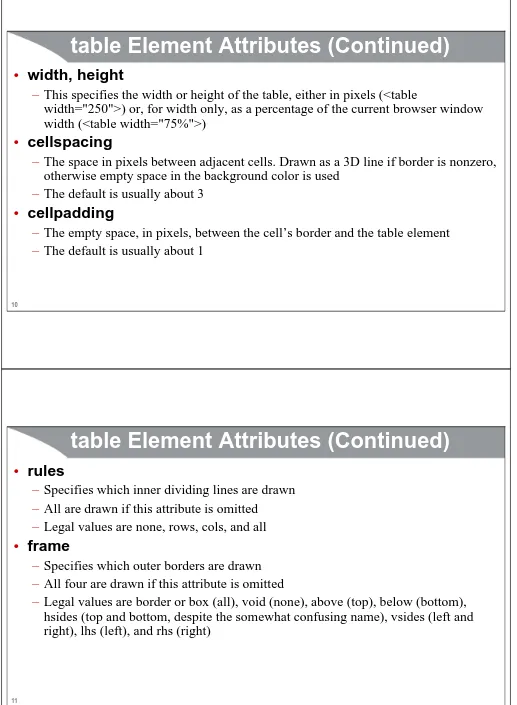
table Element Attributes (Continued)
•
width, height
– This specifies the width or height of the table, either in pixels (<table
width="250">) or, for width only, as a percentage of the current browser window width (<table width="75%">)
•
cellspacing
– The space in pixels between adjacent cells. Drawn as a 3D line if border is nonzero, otherwise empty space in the background color is used
– The default is usually about 3
•
cellpadding
– The empty space, in pixels, between the cell’s border and the table element
– The default is usually about 1
11
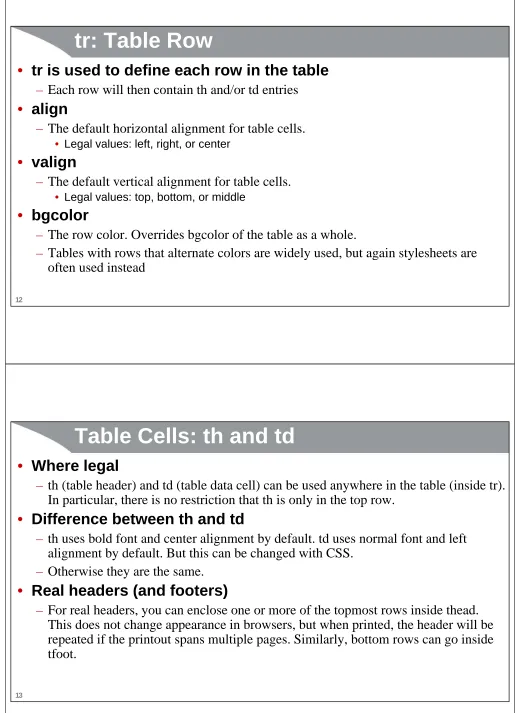
table Element Attributes (Continued)
•
rules
– Specifies which inner dividing lines are drawn
– All are drawn if this attribute is omitted
– Legal values are none, rows, cols, and all
•
frame
– Specifies which outer borders are drawn
– All four are drawn if this attribute is omitted
12
tr: Table Row
•
tr is used to define each row in the table
– Each row will then contain th and/or td entries•
align
– The default horizontal alignment for table cells.
• Legal values: left, right, or center
•
valign
– The default vertical alignment for table cells.
• Legal values: top, bottom, or middle
•
bgcolor
– The row color. Overrides bgcolor of the table as a whole.
[image:6.612.46.561.32.745.2]– Tables with rows that alternate colors are widely used, but again stylesheets are often used instead
Table Cells: th and td
•
Where legal
– th (table header) and td (table data cell) can be used anywhere in the table (inside tr). In particular, there is no restriction that th is only in the top row.
•
Difference between th and td
– th uses bold font and center alignment by default. td uses normal font and left alignment by default. But this can be changed with CSS.
– Otherwise they are the same.
•
Real headers (and footers)
14
Table Cells: th and td – Attributes
•
align
– left, right, center, justify and char.
– E.g., the following aligns entries on a decimal point
• <td align="char" char=".">
•
valign
– top, bottom, middle
•
width, height
– Values in pixels only (no percentages officially allowed)
•
bgcolor, background
– Background color and image (tiled)
•
nowrap
– Disables word wrapping. Use with caution
15
rowspan and colspan
•
rowspan
– Defines a tall cell that straddles more than one row
•
colspan
– Defines a wide cell that straddles more than one column
<table border="1">
<tr><th colspan="2">Col 1&2 Heading</th>
<th>Col3 Heading</th></tr> <tr><td>Row1 Col1 Data</td>
<td rowspan="2">Row1&2 Col2 Data</td>
<td>Row1 Col3 Data</td></tr> <tr><td>Row2 Col1 Data</td>
For additional materials, please see http://www.coreservlets.com/. The JavaScript tutorial section contains complete source code for all examples in the entire tutorial series, plus exercises and exercise solutions for each topic.
coreservlets.com– custom onsite training
Slides © 2016 Marty Hall, [email protected]
Forms
The form Tag
<form action="http://localhost:8088/SomeProgram">
First name: <input name="firstName" value="J. Random"/><br/>
Last name: <input name="lastName" value="Hacker"/><br/>
<input type="submit" value="Submit Form"/>
18
Notes
•
Relative URLs
– Previous example had an absolute URL for the action. Most apps use a relative URL
so that you can move the entire app to another server without editing the HTML.
• I used an absolute URL only because I was running a mini test server locally to echo back the data it received
•
Framework-specific forms
– Most Web app frameworks (JSF, .NET, PHP, Ruby on Rails etc.) have special tags
that turn into forms that submit data in the format that the framework expects
• See the JSF tutorial at coreservlets.com
•
No forms at all
– Some applications use a mixture of Ajax (JavaScript that talks to the server and updates the page) and regular form submissions (which navigate to a new page)
– Other apps use Ajax only, so few, if any, pages have forms
19
20
GET Form: Submission Result
Sending POST Data
<form action="http://localhost:8088/SomeProgram" method="post">
First name: <input name="firstName" value="J. Random"/><br/>
Last name: <input name="lastName" value="Hacker"/><p/>
<input type="submit" value="Submit Form"/>
</form>
22
POST Form: Initial Result
23
For additional materials, please see http://www.coreservlets.com/. The JavaScript tutorial section contains complete source code for all examples in the entire tutorial series, plus exercises and exercise solutions for each topic.
coreservlets.com– custom onsite training
Slides © 2016 Marty Hall, [email protected]
Form Input Elements
Form Input Elements: Usage Overview
•
Standard form submissions
– Input elements must go inside <form>, so server knows where to send the data when it is submitted
– Elements must have name, which will become the query parameter name when the
form is submitted
•
For use with JavaScript/jQuery and Ajax
– No requirement that elements go inside form, although some jQuery functions make
it simpler if you wrap the elements in <form>
– You often have id to make it easier for JavaScript/jQuery to find the element
– Some jQuery functions make use of name to automatically build a query string
26
Text Controls
•
Textfields
– <input …/> or
– <input type="text" …/>
• value attribute gives “real” initial value
• placeholder attribute gives temporary hint that disappears when user clicks in field
•
Password Fields
– <input type="password" …/>
• Always use POST
•
Text Areas
– <textarea rows="…" cols="…" …> …
</textarea>
• Interpretation of regular HTML tags turned off between <textarea…> and </textarea>
27
Push Buttons
•
Submit buttons
– <input type="submit" …/>
• Use value to change button’s label (default is something like “Submit Query”)
• Use name if you have multiple buttons in same form (see next slide)
•
JavaScript buttons
– <input type="button" onclick="javaScriptFunction()" …/>
• Widely used with Ajax
•
Reset buttons
– <input type="reset" …/>
•
HTML-styled buttons
– <button type="submit" ...>
html
28
Multiple Submit Buttons
•
Button names
– Submit buttons don’t normally need a name attribute, but if you have more than one button and want the server to identify which one was pressed, give them names
• Applies to standard form submissions, not to buttons that invoke JavaScript
Item:
<input type="text" name="Item" value="4 TeraByte iPod"/><br/>
<input type="submit" name="Add" value="Add Item to Cart"/>
<input type="submit" name="Delete" value="Delete Item from Cart"/>
Check Boxes
•
Format
– <input type="checkbox" …/>
• Use checked="checked" to make it initially checked
• In normal form submissions, name/value pair sent only if checkbox is checked when
form is submitted
•
Example code
<br/>
<input type="checkbox" name="noEmail" checked="checked"/> Check here if you do <i>not</i> want to
get our email newsletter
30
Radio Buttons
•
Format
– <input type="radio" name="…" value="…"…>
• All radio buttons in a group should have same name. Used even with JavaScript.
• Only one button in a group can be pressed; pressing a different one causes previous one to pop out
•
Example
<dl>
<dt>Credit Card:</dt>
<dd><input type="radio" name="creditCard" value="visa"/> Visa</dd>
<dd>…
<dd><input type="radio" name="creditCard" value="java" checked="checked"/> Java Smart Card</dd>
…
</dl>
31
Select Boxes (Dropdown Menus)
•
Format
– select gives name for the server
– option gives value
•
Example
Favorite language:
<select name="language">
<option value="c">C</option> <option value="c++">C++</option>
<option value="java" selected="selected">Java</option>
<option value="javascript">JavaScript</option>
32
Multi-Select List Boxes
•
Format
– Give size if you want to see
all entries at once, without scrollbars
– Specify multiple for mult-select
•
Example
Languages you know:<br/>
<select name="language" multiple="multiple" size="6">
<option value="c">C</option> <option value="c++">C++</option>
<option value="java" selected="selected">Java</option> <option value="javascript">JavaScript</option>
<option value="perl" selected="selected">Perl</option> <option value="ruby">Ruby</option>
</select>
Other Controls and Options
•
File upload controls
– <input type="file" …/>
– Lets user select a file and send it to the server
•
Server-side image maps
– User clicks on an image and form gets submitted.
– Form data gets sent as name.x=x-pos&name.y=y-pos
•
Hidden fields
– Preset name and value sent with form submission
• Used less in Ajax applications because the JavaScript can send any values it wants anyhow
•
Controlling tab order
For additional materials, please see http://www.coreservlets.com/. The JavaScript tutorial section contains complete source code for all examples in the entire tutorial series, plus exercises and exercise solutions for each topic.
coreservlets.com– custom onsite training
Slides © 2016 Marty Hall, [email protected]
Miscellaneous
Elements
35
Grouping Elements: fieldset and legend
•
Idea
– Grouping all or part of a form inside fieldset draws attention to it and separates it from the rest of the page
– Using style sheets for the legend is particularly useful
– Not restricted to forms: you can surround arbitrary HTML with fieldset/legend to put the content in an etched box
•
Syntax
<fieldset>
<legend>Title of the Etched Border</legend>
… (stuff to put inside the box) …
36
Grouping Form Entries:
Example
<fieldset>
<legend>ajax:updateField</legend>
<form ...>
<label for="f">Enter temperature in Fahrenheit:</label> <input type="text" id="f"/>
<input type="button" id="convertButton" value="Convert"/> <hr width="500" align="left"/>
<label for="c">Temperature in Celsius:</label> <input type="text" id="c"/>
<label for="k">Temperature in Kelvin:</label> <input type="text" id="k"/>
</form>
</fieldset>
Grouping Form Entries: label
•
label: idea
– If you use the label tag for prompts associated with fields, clicking on the label transfers focus to the input field
– You can either use the "for" attribute or enclose the field within the label
•
label: syntax
<label for="fname">First name:</label> <input name="userFirstName" id="fname"/>
<label>First name:
38
br
•
<br/> – line breaks
– Forces a line break• You often want to break lines in the middle of paragraphs, or force line breaks after input elements in forms
• Multiple consecutive empty <p></p> pairs do not result in multiple blank lines. But, multiple consecutive <br/> elements do.
• Use clear="all" to make sure that left or right aligned images or tables above do not hand down into next paragraph
•
Examples
<br/>
<br clear="all"/> [skips past hanging images]
39
hr
•
<hr/> – horizontal rule
– Draws a horizontal etched/shaded line
•
Examples
<hr/>
<hr width="50%"/>
For additional materials, please see http://www.coreservlets.com/. The JavaScript tutorial section contains complete source code for all examples in the entire tutorial series, plus exercises and exercise solutions for each topic.
coreservlets.com– custom onsite training
Slides © 2016 Marty Hall, [email protected]
Wrapup
Summary: Tables
<table border="1">
<caption>Table Caption</caption>
<tr>...</tr>
<tr>...</tr>
<tr>...</tr>
<tr>...</tr>
</table>
•
Rows (<tr> elements)
– Can contain <th> (table heading) or <td> (table data) elements
– Unless you use colspan or rowspan, each row normally contains the same number of
42
Summary: Forms
•
<form>
– Not always necessary when using JavaScript to talk to server
•
Text input
– <input/> or <input type="text"/> – regular text fields
– <input type="password"/> – password fields (use POST for regular forms)
– <textarea> – multi-line text input (HTML tags ignored inside)
•
Buttons
– <input type="button" onclick="…"/> – most common for JavaScript
– <input type="submit"/> – most common in regular forms
•
Choosing among multiple choices
– <input type="checkbox"/>
– <input type="radio"/>
– <select><option>…</option>…</select>
For additional materials, please see http://www.coreservlets.com/. The JavaScript tutorial section contains complete source code for all examples in the entire tutorial series, plus exercises and exercise solutions for each topic.
coreservlets.com– custom onsite training
Slides © 2016 Marty Hall, [email protected]
Questions?
More info:
http://www.coreservlets.com/javascript-jquery-tutorial/ -- Tutorial on JavaScript, jQuery, and jQuery UI http://courses.coreservlets.com/Course-Materials/java.html – General Java programming tutorial
http://www.coreservlets.com/java-8-tutorial/ – Java 8 tutorial
http://courses.coreservlets.com/java-training.html – Customized Java training courses, at public venues or onsite at your organization