Network Printers and Other Peripherals
-Vulnerability and Fixes
By LittleW0lf (a.k.a. Dennis W. Mattison), [email protected]
Abstract
Why This Paper Doesn’t Violate the DMCA
Unfortunately, due to a rather lousy law1 that makes it illegal to produce and/or traffic software or hardware which decrypts copyrighted material encrypted to prevent copying, I must make this disclaimer: This talk and paper are provided as research material. Neither the talk nor the paper actually violates the DMCA due to the fact that no encryption or decryption algorithms are discussed as part of this talk or paper. Also, no discussion or distribution of software or hardware designed to break cryptographic algorithms will occur. Printers don’t usually use encryption, so it isn’t likely that we will violate the DMCA anyway.
In addition, we will not be violating any other potential laws either... We did not exceed access privileges (on our own equipment or equipment we have received permission to "borrow" during our research,) so there are no potential 18 USC 1030 violations2here. Also, the discovery of vulnerabilities in products is not yet illegal, "yet" being the operative word (and since this paper has been released before any potential law was passed, it cannot be grand-fathered in – well – except if the ATA law is enacted, another lousy proposed law3and a knee jerk reaction to the tragic WTC Terrorism event.) Hopefully the government and the manufacturers will realize that full disclosure of these vulnerabilities is key to fixing them, and this paper is meant to increase security awareness.
Now that the Feds have stopped reading this paper, we can continue on.
The Problem with Network Printers and Other
Pe-ripherals
As more and more vulnerabilities are discovered and fixed in Operating Systems and Applications, the general public is rapidly becoming aware that all computers need to be secured from attackers, regardless to their purpose or use. While most home users still have a long way to go to fix their security, most organizations have made moves to adopt some sort of security policy (whether it be written or implied,) and many have actually become aware of the need to spend funding on
1More information on the lousy law DMCA can be found at http://www.anti-dmca.org.
2More information on 18 USC 1030 can be found at
http://www4.law.cornell.edu/uscode/18/1030.html.
3More information on the lousy proposed law ATA can be found at
security problems. Vendors who don’t provide patches quickly are slammed by their customers for their inattention to security, and some companies have begun to re-evaluate their software choices based on how responsive a particular vendor is to security vulnerabilities.
Many organizations have invested a significant (though in most cases still too little) portion of their yearly budget in time and talent into creating policies which cover both the Physical Network and the Operations aspect of computer security. There are rules to prevent home computers and media from being brought to work and there are rules to push systems administrators to be more proactive about installing patches and configuring their systems correctly. While bugs in operating systems and applications seem to be getting the most attention, there are other devices on the network which are largely being ignored when it comes to security. And while these devices aren’t receiving much attention, they tend to be far more vulnerable and aren’t as quickly repaired.
Network printers and other network peripheral devices are being added to the network on a frequent basis, and while these devices tend to have little, if any se-curity, they continue to be treated as though they are secure by most users. Some are even putting their printers in front of firewalls and other security devices to allow remote users to print to the printers without difficulty. Others allow holes in their firewalls, or place printers on their DMZ for the same purpose. After all, historically the only thing a printer does is print, and this is what tends to get most users lured into a false sense of security. Printers were never meant to do any-thing more than print, yet most printers now come with a multitude of services available by default (and in many cases, more services available by default than most operating systems.) And in many cases, these services are insecure and even worse, impossible to be turned off as the manufacturer has not provided a way to turn off the service or filter its access. In many cases, the network printer manu-facturer of the printer takes a default (often times BSD) service and incorporates it into their product without taking the time to understand how the service works, the implications of incorporating the service into the printer, or the security risks involved with allowing the service to be accessed via the network. This is done, of course, all in the interest of making the user’s life easier by providing a multitude of access mechanisms – all which the user may want to access the printer, but in most cases are never used.
the next minute they’re being used to run off several announcements for company parties or favorite websites a user wants to hang on their bulletin board. An attack against these devices will usually succeed, and in many cases won’t be detected or will be ignored.
Other devices such as webcams, networked fax machines, networked file server devices, and network copiers are also vulnerable to many of the same attacks, and suffer the same problems as printers, largely because they are viewed more for their functional use than their security risk. Many of the manufacturers of copiers and networked fax systems are also those manufacturers of printers, so there is some cross-correlation between bad printer security and bad copier security as well. These devices are becoming more and more taken for granted, and the com-panies responsible for creating these devices are also putting more and more ac-cess capabilities into these systems as well. While this paper centers more on the insecurities of printers, the general threats are the same regardless to whether it is a printer or some other network device.
Printer History Or Why People Think Printer’s Just
In order to get a better understanding as to why people take printers for granted and don’t question their security problems, it is important to look at the history of printers. After all, there must be a reason as to why people still think that printers are secure because all they do is print. In the beginning, that is all printers did.
When "printers" first appeared on the planet, networks didn’t exist. The printer was usually connected to a dumb terminal, known at the time as a typewriter. Ok, so maybe the printer attached to a typewriter wasn’t known as a "printer," but bare with me here. Thinking of a printer in this light, as most people do, pressing a key on the keyboard would cause a character to appear on the paper. Attacking this device was possible, press the wrong keystroke and you’ve destroyed whatever document you were working on (until the invention of white-out.) But attacking this type of model was not only dumb – it was pointless. Attacking the printer served no purpose (except for making a large hassle for whoever was typing the document you destroyed.)
it was "hacker proof." Once you plug the printer into a computer, it becomes a little less secure.
When the first computer rolled around, and people began to use them, the printer became a detached peripheral, still responsible for printing output on paper, but it was usually attached via a serial or parallel port in order to make it useful. Printers connected in this fashion were still relatively secure, it was still possible to screw up a document, and with multitasking computers it was possible for one user to attack another user’s print job. Most people avoided attacking each other’s documents, realizing that the ability to screw around with someone else’s document meant that someone else was equally able to screw around with your document.
Printers began to grow more intelligent. Printer manufacturers began seeing an need for users to customize the printer while printing their print jobs. There may have been a need to change the paper size, the resolution, or some other custom configuration on the printer. As laser and jet printers replaced dot-matrix and letter-quality printers, manufacturers began adding a printing language to printers to allow for more customization while printing. Languages such as Post-Script, Printer Command Language (PCL,) and Printer Job Language (PJL) appeared in printers, and users could use any of these languages to configure the printer during the processing of a print job. Unfortunately, these languages also allowed for a local user to "break" the computer by sending a bad command to the printer. Some of these languages even have controls in them that aren’t available from the console, meaning that users using these languages have far better control of the printer than the administrator sitting at the console. However, most of these languages are difficult to understand by a lay-person, and thus their true potential for misdeeds remains shrouded by their complexity for the local users.
But when printers are attached to the network, the printers become far less secure, since you are no longer dealing with the complexity-crunching among a few individuals, but the network as whole. The more people who have access to the printer, the more likelihood someone knows how to program these languages, and the more likelihood someone will use these languages for misdeeds.
errors or shoddy programming. But because these printers are connected to the server directly through a parallel or serial port, extra services available on the printer are unavailable to the general public.
Users as a whole have become accustomed to the fact that printers only print. They merely need to plug the computer into one of the sockets on a computer and presto, they can print to their heart’s content. And since most are unaware of the local vulnerabilities available in the printer when used in this manner, it is pretty safe to assume that all the printer does is turn their electronic document into a paper document. Unfortunately, users tend to bring this assumption with them when setting up and using network printers.
Unlike printers of yester-year, printers of today are usually networked, and offer a large number of services available to the user by default. Buy any business printer today, and you’re likely to either receive, or have the option of receiving, a print server card within the printer to place the printer on the network. Even most of the home consumer printers have the ability of being networked, usually via a separate print server or via workgroup sharing on insecure protocols such as SMB, IPX, or LPR.
Print servers have tons of services enabled by default, from SNMP to Web Servers, FTP, Telnet, LPR, and just about anything else you can imagine. And most of these services have vulnerabilities or risks involved with their usage. Simple protocols like SNMP, which most printers use by default (and many are difficult if not impossible to turn off,) allow attackers to reconfigure the printer remotely, unfiltered and unauthenticated. Other protocols like telnet and ftp ex-pose information sent to the printer to sniffers. And FTP servers on printers usu-ally have a nasty tendency of allowing passive port bouncing (similar to a proxy server,) meaning that an attacker can use the printer to scan machines or access ports normally blocked to them by firewalls or router filters. Again, printer man-ufacturers don’t understand, or completely ignore the security risks and impli-cations of using the protocol (why should the FTP "GET" command be allowed on a printer, yet many printers allow users to use the GET command.) Further-more, printer manufacturers themselves have subjected their printers to potential compromise by adding backdoors into the printers.
good is a printer that cannot be accessed by the only printer protocol your com-puter knows how to speak, be it LPR under UNIX or SMB or IPX under Windows NT? Printers that cannot offer a wide degree of access usually are thrown away in favor of those that do offer the access. However, in most cases and most of the time, users only use one or two methods to access the printer. Yet, most printers do not allow the unnecessary services to be turned off by administrators concerned about security.
So, the biggest causes of printer vulnerabilities are consumer’s push for as many ways as possible to connect to their printers, regardless of the fact that ulti-mately they will probably use only one of those methods to access the device, and no way for administrators to turn off the services the users aren’t using.
Other Peripherals of Today
The problems with printers are pretty much the same with any of the many other peripheral devices which are placed on the network. They all pretty much started out doing one particular thing that was fairly secure, but in the need to expand functionality have developed a really bad false sense of security among users. After all, the only thing a webcam can do is take the picture of the room and its contents and place this information online, yet webcams too tend to put in quite a few connection capabilities so that users can access them in a multitude of ways. Networked file system devices also are beginning to see a large number of protocols implemented in them, again for the convenience.
Just about any functional peripheral moving from the computer-attached to the network-attached world is suffering from the same insecurities as printers are, so it is safe to say that most of the vulnerabilities and threats covered here with printers are also available to other network-attached peripherals.
Theory Vs. Practice
out and do it right now. There is still a lot of testing involved to see whether the potential vulnerability exists and can easily be exploited. However, throughout the paper we’ve included actual exploits to these vulnerabilities that do work.
There are many aspects here that just don’t have that much source information, mainly because the information just isn’t there. After all, we are literally making this stuff up as we go along. But that is the beauty and the beast behind researching information security issues our job is to go out and purposefully break something to see how it can be made better. As with anything, I welcome comments and suggestions, feel free to e-mail me at the address above if you find anything new and exciting.
Attacks against Printers and Other Devices
Physical Security Issues
Because network printers usually have IP addresses and network access ports, and usually aren’t monitored carefully, these devices are good targets for a physical security attack. An attacker needs only to remove the cable connecting the printer to the network and attach their own laptop or portable access device, spoof the printer, and now they have access to a wide variety of information they were not previously able to access. Reconfiguring the laptop to act as a print server could allow an attacker to intercept all traffic sent to the printer, and they could be shady about this by then attaching the printer to the laptop via a parallel cable, so that print-jobs still are printed out for the user.
Easy Mistakes
Removing the network cable out of the back of a network printer is quite easy to do. Some users may innocently unplug the device in order to use its network cable. Users may also steal the printer’s ip-address in order to access the network. But since the new device is using the physical access and/or the ip-address, traffic to the printer can now essentially be intercepted by another device.
Hard Core Espionage
The potential for hard-core espionage with regards to printers is always a possibil-ity. Since the machine is network addressable and has an ip-address, an attacker can use this access to surf for sensitive internal datastores or protocols, and can disrupt normal traffic. They also may be able to install an inline sniffer device to track packets on the network.
An inline sniffer device is a dongle that is plugged into the cable leading into the printer, and then into the printer itself. The inline sniffer device then forwards packets found on the network to a third-party, or can be stored internally for later retrieval. Inline sniffer devices aren’t all that feasible at the moment (though they do exist, their owners aren’t all that interested in using them as they are expensive,) however advances in devices like keyboard sniffers and ethernet on a chip devices are definitely making an inline sniffer device more practical. The inline sniffer device can be programmed to either store or forward any packets that match a particular ruleset, such as packets destined for the printer or for another device on the network. While the forwarding of packets can be detected, if the inline sniffer device only stores packets, it might be extremely difficult to detect that the device is present.
data is usually present until it is wiped by a future job, so a laboratory attack will likely be fruitful.
Firmware
The firmware is the operating system of the printer, usually loaded on a FLASH ROM chip. Without firmware, the printer would not work. Most printer firmware is proprietary in nature, based on simple hardware programming languages like VxWorks. Fortunately, or unfortunately depending on your perception, firmware can be updated relatively easily, either locally or via a network. If the firmware could be reverse-engineered, it is possible for an attacker to create a new firmware code that is similar to the original, but added new features the original code did not possess.
It is possible for an attacker to physically remove the FLASH ROM chip from the printer and replace it with a new FLASH ROM chip, which could contain anything from a simple backdoor to a network sniffer. It was widely reported after the Desert Storm period that the US managed to provide IRAQ with printers that contained modified firmware designed to inject a virus into the network4. While the Department of Defense has denied that this had occurred, and it is now known that this was an April Fools Joke distributed after the war by a magazine5, it is still possible for a printer’s firmware to be modified to do such a thing (though the printer’s firmware would have to use other mechanisms to introduce the virus, such as sending email with the virus attached to it, to a client specifying a print job had completed.) More likely however, the firmware could be modified to send all print jobs to a third party, or watch for specific traffic on the network and print them out or send them to a third party.
Physically reverse engineering the ROM chip may not be necessary. It was recently discovered that at least one printer had the capability of remotely access-ing the printer’s firmware via a backdoor discovered in the printer (which we will discuss later.) With this backdoor, a remote attacker could essentially access and reprogram the ROM unauthenticated and unfiltered, as well as print jobs stored in
4"Iraq Computers Reportedly Got American Bug," The Washington Post, 12 January 1991.
It was apparently also printed in the US News & World Report, and several other major news services, and was later debunked by several people.
5According to Jerico from Attrition.org, the printer virus story was an article printed
RAM. The printer happened to be really old, and the manufacturer has published a technical bulletin on this particular bug along with fix information, so I will not dwell on it here (due to contractual reasons.)
Unauthenticated Remote Access
Allowing remote access to any machine is a risky venture. There are a number of vulnerabilities found in the software and protocols we use when accessing a com-puter or other networked device. If an attacker can exploit these vulnerabilities, they can get access to the underlying operating system and cause havoc. Allow-ing remote access to a printer is very risky because the protocols and services are rarely fixed when vulnerabilities are discovered.
Allowing unauthenticated and unencrypted access to a printer’s configuration mechanisms is just plain stupid. An attacker can attack the printer without fear of being caught or punished if no other logging/authentication mechanisms are present between the attacker and the printer. Unfortunately, there is a large ma-jority of stupid printers out there, since most printer manufacturers have added unauthenticated and unencrypted access to printers.
The number of open printers available through search-engines such as Google or AltaVista has fluctuated over time. Usually I can find two to three dozen printer webservers while doing a search for "PhaserLink" or "HP JetDirect" on Google. Considering most of these sites have backdoors which allow unauthenticated ac-cess or poorly configured services, it is likely that an attacker can quickly find a number of printers available to attack. Apparently, since I first released this doc-ument to the general public, a number of people have. I occasionally find printer names which have obviously been changed by a prankster. Bottom line is to place any of these printers behind a firewall, unless you don’t care about security (in which case, you probably wouldn’t be reading this paper.)
Unauthenticated Remote Access through SNMP (Simple
Net-work Management Protocol)
the SNMP community strings are usually left with the default settings "public" (for read access) and "private" (for write access,) which means access is prone to guessing of the community string or sniffing it off the network. Once the attacker has the community strings, they have read or write access to the SNMP server and access to the status or configuration of the printer.
SNMP is turned on by default on most printers, and the community strings are usually set to the default settings. Unfortunately, many printers do not allow the administrator to change the community string settings, and many more don’t even allow the administrator to turn off SNMP access, meaning that the administrator cannot do anything to lower their risk. To make matters worse, some printers have additional – non-standard community strings which allow greater access to the printer. Running a sniffer during a firmware update tends to reveal these commu-nity strings, such as when Hewlett Packard machines are updated remotely using the WebAdmin tool.
In addition, sometimes printers will keep highly sensitive information such as passwords available via the Private community string, and sometimes even worse via the Public community string.
Unauthenticated Remote Access through Anonymous FTP/LPR
/IPP/AppSocket
A number of network protocols on the printer allow access to configuration of the printer, including FTP, LPR, IPP, AppSocket, SMB, IPX, HTTP, and Telnet. By using Post-Script, PCL or PJL scripts, or by undocumented commands, or by interfaces via HTTP and Telnet, an attacker can access the configuration of the printer without a password or with a sniffed password. Many printers do not automatically set the passwords for Telnet or FTP, and usually the manuals say nothing about setting the password. While these services can be turned off in a majority of cases, most are on by default and usually aren’t turned off by the administrator.
<ltlw0lf@attacker> $ cat pjl ^[%-12345X@PJL
@PJL ECHO 16:43:00 07-12-01
@PJL RDYMSG DISPLAY=”LTLW0LF OWNZ U" @PJL INFO FILESYS
^[%-12345X ^C
<ltlw0lf@attacker> $ nc hpprinter 9100 < pjl @PJL ECHO 16:43:00 07-12-01
16:43:00 07-12-01
@PJL RDYMSG DISPLAY=”LTLW0LF OWNZ U"
@PJL INFO FILESYS
VOLUME TOTAL SIZE FREE SPACE LOCATION LABEL STATUS 0: 2048000 2025472 RAM ? READ-WRITE
punt!
Figure 1: AppSocket PJL Example
Social Engineering Through PJL Scripts
As shown in the previous section, it is possible to change the ready message the printer displays using PJL. On a printer at work, I used a PJL script to change the Ready message to ”Printer Fault,” as a joke. Unfortunately, I didn’t change it back, and the next morning when I came in to work, someone had placed a yellow sticker on the printer which said ”The printer is broken.” Apparently someone printed to the printer, then discovered when they picked up their print job that the printer was broken (even though anyone could have tried printing and would have found that the printer was working fine.)
prob-#!/bin/sh #
# Simple script to wreek havoc on a printer system admin... Doesn’t actually # do anything lethal, but the users will definately complain... This program # does require NetCat, written by Hobbit, be installed.
NC=/usr/bin/nc TRUE=/usr/bin/true ECHO=/usr/bin/echo
while ($TRUE); do
$NC $1 9100X@PJL RDYMSG DISPLAY=\"Printer Fault\" sleep 2
$NC $1 9100X@PJL RDYMSG DISPLAY=\"Contact Tech. Support\" sleep 2
done
Figure 2: PJL Social Engineering Script
lems. An attacker could call soon after, stating that they are a representative of the printer company, and that the printer has notified the manufacturer of the prob-lem. Information can be garnished with the reward of making the printer problem disappear.
Of course, tinkering around with the PJL script gave me a real DoS attack, but we’ll talk more about this later.
Unauthenticated Remote Access through Back Doors
Back doors rely on security solely through obscurity to protect the back door from compromise. Rarely are these back doors protected by other means such as filtering, strong authentication, or encryption. If an attacker finds the back door, there is nothing else for the printer’s security to fall back on, so the machine is compromised. Exposure of the back door is likely and the consequences of the exposure are usually forever (as manufacturers have been slow to fix back doors or release new firmware or hardware to fix them.) Some manufacturers have also told me that they have no intention of giving up this dangerous practice.
Back Doors in Printers allow unauthorized Remote Access
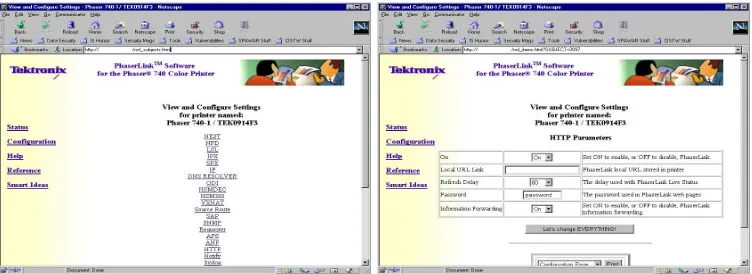
One of the best examples of a backdoor within a printer was one discovered by myself6, which affected a number of a particular manufacturer’s line of print-ers. The backdoor, present in the web-server, basically allowed unauthenticated and unfiltered administrator access to the printer. By typing in a simple URL (http://printername/ncl_subjects.html,) the user is able to access configuration op-tions that the administrator accessing the website or the console cannot even touch. Basically, anyone with access to a web-browser could exploit this backdoor and make a systems’ administrators day miserable.
Just about anything that could be configurable on these printers is available via the backdoor. From the ncl_subjects.html page, unauthenticated users had access to a smorgasbord of configuration options, from changing the IP parameters to turning on E-mail notification and system logging. A number of potential Denial of Service attacks were available by default, including the ability to shut down the printer remotely (and worse, cause system faults which could potentially cause physical damage,) as well as resetting the system to factory defaults, which would effectively remove the printer from the network. Changes made via this web-server backdoor were instant, and unauthenticated.
Of course, this particular manufacturer isn’t the only company caught doing this. Other manufacturers have fallen victim to exposure of their backdoors as well.
Security Solely Through Obscurity as Only Defense
The biggest problem with this backdoor was that the manufacturer relied on Secu-rity Solely Through ObscuSecu-rity as their only line of defense. In the business of
Figure 3: Old Tektronix Printer Webserver Back Door Example
curity, there is a commonly debated principle known as "Security Solely through Obscurity." The principle states that a product can be made secure by making its implementation secret or difficult to understand. While there are some very specific cases where security through obscurity is a good idea, for the most part security through obscurity is a bad thing, especially when security solely though obscurity is the only defense used to keep the bad-guys out. This principle is flawed for the most part because it doesn’t take into account three facets of human nature: humans can find things by accident, humans tend to share information when it helps them, and humans can sometimes share information when it hurts their former employer. Let us take a look at each of the three facets of human nature
it (as bugtraq proves on a daily basis.) Attackers can use this mindset to their advantage, testing exploits for vulnerabilities that work on one system on another.
While it may be difficult or unlikely for an attacker to understand all of the technology that goes into a printer, they do have an understanding of common flaws in programming. Printers may be mostly hardware, but the software that actually runs them (usually called firmware) is really software at rest. A modern printer cannot usually run by itself mechanically print out everything that is fed to it, there is something that must translate the data sent by the computer into dots on the paper. Firmware provides the control mechanism, essentially the transla-tor that parses the data from the computer and converts it into dots on the paper. Firmware, like any other software, potentially contains bugs that can be exploited by an attacker. In the case of the printer, the bug is likely to be in the implementa-tion of the protocols which allow the computer to talk to the printer. And usually the bugs in the implementation of the protocols exist elsewhere. The attacker is aware of these bugs, usually more aware of them than the printer manufactur-ers. Throw this together with a general unwillingness to understand the security implications by printer manufacturers and you have a really bad situation.
However, there are many times when printer manufacturers open themselves up for problems by using the same techniques (which they call proprietary,) as many other people have used (and have called proprietary themselves.) They add their own proprietary back-doors or protocols which have not been well re-searched or checked for security implications. In this case, the attacker may not be able to use previously discovered attacks against the printer, but that does not pre-vent them from discovering the back-door or protocol and playing with it. While most attackers rely upon already written scripts, there are attackers out there who look for adventure in breaking things. They know many of the same tricks printer manufacturers think they have exclusive rights to, and have figured out how to break them as well.
Second, people tend to give away information freely in order to help them-selves or others. Is it any wonder why social engineering is relatively easy to accomplish or why con artists get away with thousands out of people’s wallets? People trust one another, and in this trust, information which should not be dis-closed tends to be disdis-closed anyway.
It could be in the form of blackmail or just as a vindictive act, revenge. While most people would move on with their lives, some feel so angry or upset that they will purposely release information to the public detrimental to the company in question. Some call these "whistle-blowers" while others call them "disgruntled employees."
All three of these things can cause security through obscurity to fail, and likely over time, all security through obscurity will fail. The idea is to not rely upon security through obscurity as your only line of defense.
Security Solely Through Obscurity is a flawed principle, and this is one of the proofs. The manufacturer believed that if they kept the backdoor a secret, nobody would ever find out, and thus they would never have to worry about a hacker using the exploit to manipulate the printer. But once the backdoor was leaked, there was very little they could do to stop it from spreading. Unfortunately, most of the printers out there today by this manufacturer have this flaw, and the only real way of protecting the printer from this flaw is to disable the web-server and place the printer behind a firewall or other filtering device. Relying on Security Solely Through Obscurity to keep you secure is never a good way of implementing security mechanisms. In this case, the Security Solely Through Obscurity was broken via Friendly Disclosure. The technical support folks informed on of our customers about the backdoor when the customer had forgotten their password. Eventually the author was told about the backdoor, and the rest they say is history.
Oops, We Did It Again
The same manufacturer provided me with another proof for the fallacy of Security Through Obscurity about a year and a half later7. After playing with one of their brand new printers, I discovered that they had modified the URL which allowed the user to gain unfiltered and unauthenticated administrator access to the web-server. After testing the server using the original exploit, I was happy to notice that the server returned an "Error 404: File Not Found" when trying to access the printer. It was a good feeling knowing that I had helped the company fix the problem and all was right in the world. Other printers of the same model appeared to still have the same problem, but their firmware dates were set around the time
7http://www.securityfocus.com/bid/2659/ - Tektronix Phaser Network Printer Administration
that the original vulnerability was divulged, so it was likely that the company wouldn’t have been able to fix the problem for those printers in that short of a time-frame. But here was a printer with a firmware date almost a year after the exposure of the problem, and it was taken care of.
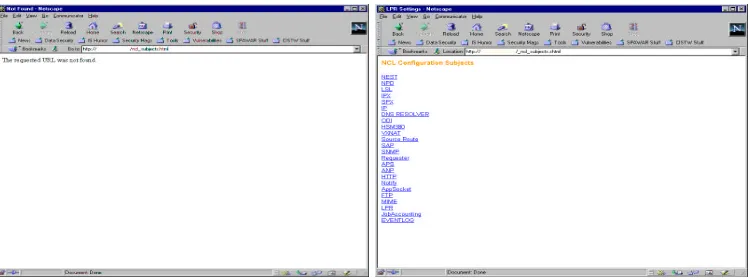
Unfortunately, the feeling of joy was short lived, as a simple mistyping of the URL was all that was necessary in order to discover that they had apparently covered up one failure of security through obscurity with another (though they vehemently denies this.) I noticed that all web-pages on the server ended with ".shtml," which meant that the backdoor probably ended with that as well. How-ever, when I used http://printername/ncl_subjects.shtml, I got the same results, "Error 404: File not Found." Playing around with the web-site some more, I acci-dentally typed http://printername/_ncl_subjects.shtml, and voila – unfiltered and unauthenticated access to the administrative websites again. Doh!
Worse, the normal method of protecting the printer from this attack by turning off the web server was disabled. Setting the HTTP Parameters "On" value to off had no affect on the server, no matter how many times the machine was reset.
While I will continue to believe that this change was a cover-up for the pre-vious exploit, in all fairness to company, they claim that the change was a func-tionality change, and not a security change. However, they also promised me they would not include such a backdoor in future printers without adding some sort of filtering and authentication capability. When I brought this to their attention, their response was "You cannot expect us to fix the problem in 4 months!" To date (almost 2 years after first disclosure,) vendor has yet to fix the problem.
Third-Party Backdoors
Figure 4: New Tektronix Webserver Back Door Example
filtering mechanisms. Most printer manufacturers allow users or systems adminis-trators to apply updates to the firmware within a printer. To get the rogue firmware installed, an attacker must use the remote update feature or social engineer an ad-ministrator to install the firmware for them. Very few methods are available for the administrator to assure "safe" firmware from the manufacturer is being installed.
So far, we have had little help in obtaining the firmware for printers out there. However, we are still working on either reverse-engineering or obtaining the firmware to implement this type of attack.
Denial of Service
A Denial of Service attack is one of the easiest types of attacks to perform. Very little knowledge is necessary, there are tools designed to take down entire net-works which need little more effort than a majority of 14 year old "Hackers" can provide (given their limited experience and programming skills.) To overwhelm a network and cause a denial of service attack, you merely need to use the protocols in a way for which they were not intended. Arp-killing or tcp-killing can do much to limit network traffic. However, there are simple but useful techniques which can limit the damage caused by an attacker.
the same attacks. Hewlett Packard printers suffered from the ISAPI IDA Attack (a.k.a. Code Red Worm,) a number of printers have suffered from Telnet AYT attacks, and others have been defeated by buffer overflows for FTP servers.
Overwhelm with Traffic
The easiest Denial of Service attack to perform is simply overwhelming the printer with traffic. Sending a large amount of traffic to the printer will cause it to stop handling valid requests. Making multiple connections to the AppSocket interface accomplishes the same thing, most printers only allow a limited number of con-nections to AppSocket, so overwhelming this interface will cause the same thing. Hewlett Packard printers only allow 8 concurrent connections, with no timeout, new connections after the 8 successful ones get a connection refused message.
By using anonymous print capabilities it is possible to DoS the printer. An attacker can DoS the machine by sending a large number of print jobs to the ma-chine, physically wasting resources which an administrator must cancel manually.
Configuration Based Nuisances
Using unauthenticated remote access methods, an attacker can perform a number of Denial of Service attacks. Changing the IP address to a non-existant or du-plicate address causes the machine to no longer be accessible for printing. An attacker could also reset the printer, or change the passwords.
PJL Madness
#!/bin/sh #
NC=/usr/bin/nc TRUE=/usr/bin/true ECHO=/usr/bin/echo
while ($TRUE); do
$NC $1 9100X@PJL OPMSG DISPLAY=\"Printer Fault \" sleep 2
done
Figure 5: PJL DoS Script
Other Stupid Programming Errors
Humans aren’t very good at programming securely. It takes a lot of work to think about security issues while trying to quickily generate source code in order to meet deadlines. Secure programming is a process, involving both the programmer and a number of quality auditors who can go back and review the code for secu-rity flaws. Programmers working on "secure" products such as OpenBSD or the Apache Webserver product spend a lot of time reviewing code to make sure it is secure. Unfortunately, most printer manufacturers don’t take the time or the effort necessary to assure that the code loaded into their printers are secure.
Cross-Site Scripting
I recently discovered that many of the Tektronix and Xerox printers available are vulnerable to a simple cross-site scripting flaw in their web-browsers. The flaw re-quires a writable text box form component on a website which whose contents will be displayed on a subsequent website using the "VALUE” tag item. The server doesn’t validate the contents of the user’s entry, so the user cause the webserver to do something it shouldn’t.
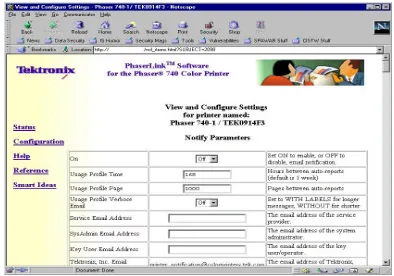
Figure 6: Printer Forwarding via Tektronix Back-door
Access to and Distribution of Information
To most businesses, information is important, sensitive, and worth money, even though in most cases it probably isn’t. Exposure of that information may lead to loss of profit, capital, employees, business, and embarrassment. Vulnerabilities in printers may allow this type of attack.
Sniffers
As stated before, a sniffer that tracked documents and other items sent to a printer could be added to firmware if an attacker could recompile the firmware and per-suade the administrator to install it. The printer can forward the printed documents or packets to an attacker via e-mail, data stream, or over some other covert chan-nels. A back door could also be added to the firmware to allow the attacker to access the machine remotely so that they wouldnt need to expose their e-mail or IP address.
Print Job Forwarding
While the paper fumbled up the information, and there is no known (pub-lished) method for making a printer do this, it could be possible. Some printers already give quite a bit of information away about the print-job. There are sev-eral configuration options that may be included in the printer to allow print-job information to be sent to a third party. Most printers offer some sort of print-job completion message, which is user configurable. Also, many printers will allow an administrator or unauthenticated remote user to request logs sent to them after successful completion. Some of the sample logs are included on Figure 7.
Also, some printers allow print job pooling, where they will automatically forward a print job to another printer in the case that a queue is full. If this is user configurable, an attacker could manipulate this function to forward documents to a third party.
In addition, an attacker could attempt to force the forwarding of print jobs via a firmware modification.
Print Job Notification Forwarding & Printer Logs
One feature we discovered with some of the printers was the ability to send status reports to an email address or to a syslog server. The logs contain a lot of infor-mation useful for analysis or social engineering, including the title of documents printed, the number of bytes, characters, pictures, and pages, as well as a total number of documents sorted by length. A copy of the logs are included in Figure 7.
RAM Disks and File Systems
Printers now include the ability to create RAM Disks in memory for storing files, which can be accomplished via the printers console or via web or telnet interfaces. Depending on the size of the memory within the printer, these RAM Disks could be quite large. Unfortunately, recycling the power on the printer will clear the contents of the RAM Disk. Printers also include the ability to add, or may include when sold, IDE or SCSI disks for storing files on the printer. These disks are usually configured at the printers console or via web or telnet interfaces.
Subject: PhaserLink (TM) Status Notification from Phaser 850DX Date: Fri, 13 Apr 2001 12:40:14 +0000
From: [email protected] To: [email protected]
Printer Phaser 850DX (<Printer Location>) (M0E1624) job 19 finished Tektronix Job Report
Printer Name : Phaser 850DX
Job Id : 19 / LPR Microsoft Word, cfA315, Printers.rtf, dwmatt Finished at : Fri Apr 13 12:40:14 2001
Duration (mins) : 4.9 Media Class : Paper Media Size : Letter Unique Pages : 6 Copies : 1 Total Pages : 6
Coverage (%) : Cyan: 1.2, Magenta: 4.6, Yellow: 3.5, Black: 2.6 Supplies Usage : Cyan: 0.048098, Magenta: 0.187394, Yellow: 0.144214, Black: 0.104980
Pixels Printed (1K) : Cyan: 326, Magenta: 1276, Yellow: 982, Black: 715
END Tektronix Job Report
Subject: PhaserLink (TM) Status Notification from Phaser 850DX Date: Fri, 13 Apr 2001 12:39:14 +0000
From: [email protected] To: [email protected]
Printer Phaser 850DX (<Printer Location>) (M0E1624) web 1 Date of Report=Fri Apr 13 12:38:42 2001
2 Activation Date=Mon Aug 14 15:38:42 2000 3 Printer IDs=M0E1624, 00:11:22:33:44:55, 10.0.0.1 4 Printer Name=Phaser 850DX
5 Printer Type=Phaser 850DX, Solid Ink 6 Adobe Firmware=3010.108 (9)
7 Tektronix Firmware=2.16, 12.38, 12.22, 11.92.11.05.1999 8 Installed RAM (MBs)=128
9 Installed Trays (incl. Manual)=3 10 Accessories=Duplexer, IDE Disk
111 Total Pages & Sheets=Pages:18889, Sheets:17235
112 Total Pixels Printed (1K)=Cyan:4118815, Magenta:3230270, Yel-low:3049825,Black:13519575
files can be read from the spooler directory. Other printer manufacturers may not be so stringent in their protection of the spooler directory.
Bouncing of Traffic
Many of the printers available on the market offer anonymous FTP servers for dropping print jobs into the printer. Unfortunately, many of these anonymous FTP servers allow passive mode FTP and the get command, which makes them vulnerable to Passive FTP forwarding. Essentially it allows the attacker to use the anonymous FTP server on the printer as a proxy server, forwarding all their packets to the victim, which hides the attacker’s true IP address. To the victim, the machine attacking them is the printer. When the printers owner is questioned about the attacks, they respond defensively, arguing that since it is a printer, it couldnt possibly be responsible for the attacks (after all, printers only print!) Since no logs are kept by the printer, bounced traffic is essentially anonymous and un-trackable. Using the printer to hide their tracks, the attacker can scan the network, access sensitive information, and redirect network attacks without worry for being discovered.
Passive Mode FTP Proxy Browsing
FTP Servers operating in passive mode have always been known to have some security risk involved89. In order for it to work, you must have upload access to the ftp server, something that most printers allow. The passive mode normally allows a client to be operating behind a firewall, where the server cannot do a reverse connect to the client. Switching the FTP server into passive mode means that the server opens a random, unused port and gives the client the port so that they can connect their data channel to that port. To attack this, a client merely needs to connect to the server and issue a QUOT PASV request to the server. The server will respond with a series of octets consisting of its IP address (4 octets,) and the open port number (two octets.) The client then connects to the server and issues a PORT, giving it the value of the previous open port and uses it as a poor-mans proxy, submitting requests and downloading files.
Scanning of Network via Printer
We can also use Passive FT to scan internal machines using nmaps -b command-line option10. To exploit this, use the command nmap b <printername> -sT O <victim>. To the victim of the scan, the printer is the machine scanning them, and printers shouldnt be scanning them since printers should not be scanning them.
Redirecting Network Attacks
By connecting to the anonymous FTP server, placing the server into Passive mode, and then using the get command, an attacker can use the ftp server to proxy nmap scans or other attacks through the printer. To the victim, the printer was the ma-chine attacking them although all the printer did was forward the packets sent by the attacker to the victim.
Another potential redirection capability is with a printer with two NICs. It is possible for an attacker to use the printer as a gateway from one network to another, if the printer allows IP forwarding. HP printers with two NICs supposedly cannot do this, however IP Forwarding is available via SNMP. We believe this is an artifact of borrowed code used to code the SNMP server within the printer.
Internet Printing Protocol
Internet Printing Protocol allows sending of URIs for printing webpages directly to a printer. Instead of requiring the client to download the URI, parse it, format it, and print it as a document, this functionality is turned over to the printer. A potential attack is to request an IPP enabled printer to print a URI which the printer has access to, but the attacker doesnt. Then, ask the printer for the properties of the print job or cancel the print job and ask the server to return the contents of the print job. It is not known if this can be done, though according to the RFC, it is possible to at least return the properties of a print job.
I was able to manage to get several printers configured to use a proxy server to access the internet. The effect was that the printer used the proxy server to access webservers on the internet. While this is not a vulnerability in and by itself, having the ability to access the configuration information via a back-door or other configuration access point meant that an attacker could submit their own
proxy server to push requests through, essentially creating an easy way for an attacker to “spy” on the printer, and keep records of what URI’s were requested to be printed, as well as potentially capturing the traffic (proxy servers run by an attacker can capture data.) It isn’t the IPP protocol itself which allows this access, but the access to the proxy server configuration via other unauthenticated means which makes the implementation of IPP potentially dangerous.
IPP v1.1 uses TLS and SSL to encrypt and authenticate with the proxy server, making it much more difficult for an attacker to perform this type of attack.
The problem with IPP is that it is a new and untrusted protocol, being de-signed and implemented by the printer manufacturers. The protocol is being im-plemented in most newer printers and OSs, even though the protocol has not been finalized. To make matters worse, the protocol has not received its share of secu-rity review and there isnt much on secusecu-rity in the IPPs RFC.
Storing Spoils of War
The advent of printers with storage devices such as hard-drives and RAM drives allows an attacker to establish a beachhead in the local network. If an attacker can print to a printer with an internal hard-drive or RAM drive, and the printer supports programming languages like PJL, the attacker can download and upload files to and from the printer. Given the size of most hard-drives, this could be a very large and locally centralized storage spot for an attacker. Nearly 40 differ-ent manufacturers have adopted PJL and have incorporated it into their printers. However, not all of them support every PJL command (in fact, most of them only support a subset of the PJL commands available.) However, if a printer has a hard drive or RAM drive available, most likely the PJL commands to access that hard-drive or RAM drive are also available.
Ok, Why Aren’t These Being Exploited Yet?
There doesn’t seem to be any cases in the media or through other channels of attackers using printers as part of their attack methods. But with these huge holes in printers, why aren’t the attackers currently exploiting these vulnerabilities?
Well, how can we be so sure that attackers aren’t? Very few of the printers actually had logging capabilities, and most of these capabilities were clunky and difficult to configure. So it would be really hard to get an accurate estimate on how many of these vulnerabilities are actually being exploited. Tektronix vulner-abilities were known well before I published them, I received e-mails from people telling me they were aware of the vulnerability, but didnt have the guts to publish it. Also, I’ve seen numerous attacks against printers on a class B network, so there are folks out there attacking the printers.
But, the most likely reasons for attackers not using these vulnerabilities are: They don’t know the vulnerabilities exist, or don’t know how to exploit them, or there are way too many easier targets available out there that they don’t need to waste their time with printers.
However, as the necessity to implement security in the infrastructure increases, and more people build security into their environments or lock down the systems currently available, the attackers will increasingly have to resort to any vulnera-bilities in a network which they can use to gain access.
Manufacturer Response to Attacks
to work. They just don’t understand the problem, and if they cannot understand the problem, then coming up with a solution is hopeless.
One such example of this cluelessness came when I called Epson about a num-ber of problems in their printers. As mentioned before, their printers allow FTP passive port bouncing, and they have default public and private SNMP communi-ties which cannot be changed by the user. After spending an hour with technical support trying to get someone who knew something about security, I was finally forwarded to one of the engineers who had some inkling of an idea about security. Unfortunately, her awareness of how the printer works left much to be desired. After explaining the situation in detail with her, she told me that she had an easy way to fix the security problems on the printer without involving Epson! She sug-gested that I use a computer as a print-server. I agreed, stating that doing so would fix a majority of the problems since SNMP and ftp would no longer be available, but also brought up that it would no longer be a networked printer. She stopped me there, saying there was absolutely no reason that it could not still be a networked printerthe solution she presented was to leave the printer on the network and set up my users computers to print through a print server, which would turn around and print to the printer using lpd or some other mechanism. Trying not to laugh, I explained to her that leaving the printer connected to the network and using a print-server would in no way prevent an attacker from accessing the printer. To which she responded that if I set up everyone’s computer to use the print-server, the attacker couldn’t access the printer. While there are some methods available to force people to use the print-server (such as placing the printer behind a firewall and setting up a rule to allow the firewall to only pass packets to the printer from the print-server,) it was obvious that she really didn’t understand how networks worked.
bet-ter yet, removing them altogether to keep attackers from accessing them. While some effort was made, it obviously wasn’t enough as they are still producing (at the time this document was written) printers to this day with the same, or even newer, flaws that were discovered over a year ago.
Hewlett Packard, on the other hand, seems to be doing a lot better than the other two companies. HP was hit quite hard by a number of flaws in their printer’s firmware as well as their support software and drivers. While problems still ex-ist in their printers, they tend to be more responsive to flaws that are discovered. While the other two companies have yet to fix the problem, or even make their cus-tomers aware the problem exists, HP has sent out vulnerability reports and patch announcements quite regularly for flaws in their printer products. Unfortunately, when it was discovered that a worm attacking Telnet and FTP vulnerabilities on Unix systems was taking out a number of HP printers, their response was to cover up the issue so as not to cause unnecessary fear for their security, or a general lack of faith in the product.11
There are many other printer manufacturers out there, and unfortunately I havent had enough time to research all of their products and contact them, but it is likely that youll have responses similar to the ones above when contacting them as well.
What Manufacturers Should Do?
I am sure the number one question for manufacturers to be asking is What do you want us to do?
My first bit of advice is to start thinking out of the box. It is too easy to dismiss a potential attack mechanism if you think that only a few people are knowledge-able to perform that attack, and they all work for you. There are some folks out there which make a living playing with things, to see how they work and how they break, and these folks are likely to find your short-cuts and bad security. Some of them work for the good guys, and some of them dont. Do not immediately assume that someone who is bringing a security problem to your attention is a bad guychances are if they were, they wouldnt be bringing it to your attention. Work with the security community to provide a secure product and you will go a long way to win customers who are interested about security (there seem to be more and more joining the fold every day.) Be open-minded about security! Dont stand back with your arms crossed every time someone points out a flaw in your hardware. It doesnt hurt to start building relationships with those who point out flaws, they tend to be much more helpful when both sides are working together to find and fix flaws than when one is an unwilling partner to the other.
My second bit of advice is to add Access Control, Strong Authentication, Strong Encryption, and Filtering to your printers. Adding access control and filter-ing allows the administrator to keep out the bad guys. Strong authentication keeps the good guys safe from sniffers, protecting their passwords from exposure. And strong encryption, using industrial standard and well tested encryption algorithms, eliminates the worry of having data compromised. Use all these mechanisms on any remote configuration capabilities you may employ. Realizing that firmware must be tight in order to fit in the chip, some of these things may be difficult to add, but Access Control and Encryption of any remote configuration services should be the number one priority. Filtering and Strong Authentication can be added in the future.
your while.
My fourth and final bit of advice to printer manufacturers is the phrase Edu-cate...Document...Communicate. Your customers depend on you to supply them with the information they need to get your printer working in their environment. While you may think that your customers are not likely to read the documenta-tion, you should still provide well-written and extensive documentation on the off chance that one of them does read the documentation. Very few of the many printer manuals Ive read have included security considerations for the product, and even fewer discuss how to secure their printers such as turning off unused services or reconfiguring the services they need so that they run securely. Educate your users first by providing a small booklet or readme first insert, which most customers read, containing some security considerations for your product, with pointers to pages in your manual discussing things like locking down unnecessary services or reconfiguring the services they do want so that they are more secure than the default. Things like You should change the default telnet password to something more secure, such as a password which is 8 characters in length with a mixture of uppercase and lowercase characters as well as numbers, here is how is a good bit of information to include. Effectively communicating security issues and security fixes with your customers will not only win the customers you have over to the fact you really care about them and their security, but will also win new customers who are looking for this sort of recognition from their vendors.
What Can We Do?
Fixing the security problems associated with a printer can be easy if tackled with the help of the manufacturer. Using the capabilities they have already provided, such as changing the default administrator passwords and disabling unnecessary services can go a long way to keeping yourself secure. If you arent using a service on a printer, and dont see the need changing in the near future, turn off the service. It is also a good idea to put your printers behind a firewall, or some other sort of network packet filtering mechanism to prevent compromise of the machine by way of an attack you didnt expect.
Revision History
1.0 Final Draft of the document, released to the public on September 26, 2001. Future updates are planned and can be obtained from http://members.home.com/ltlw0lf.
1.1 October 17, 2001 – Added Social Engineering through PJL Scripts and PJL Madness sections, future releases of this document will only be submitted via PostScript and PDF Formats (these are viewable on 99.9% of the computers out there.)
1.2 February 6, 2002 – New goodies. Added several disclosures: Cross-site Scripting vulnerabilities in various printers, a printer (unspecified due to contrac-tual obligations) which allows remote memory access, another simple back door.
1.3 March 14, 2002 – Published as HTML to freshmeat.
1.4 July 6, 2002 – Came on the heals of my post to freshmeat, revised the section on IPP due to discussions with the IPP IETF. Added more to SNMP vulnerabilities section. Also covered more hardware issues. Document will be released 2 weeks before DEFCON 10, where I will be a presenter.
Thanks
Thanks to Apple Maggot ([email protected]) for providing the explana-tion and the tools to exploit the FTP Passive Bounce Attack and for the numerous other tid-bits which have been included in this document.
Thanks to Klinge-c01, who provided much of the hardware sniffer informa-tion, the PJL documentainforma-tion, and some other infowar information.
Thanks to Ira McDonald, Carl-Uno Manros, and the IETF IPP-WG for setting me straight on the IPP vulnerabilities related to proxy servers, as well as validating my security vulnerabilities with IPP v1.0.
A special thanks to Ron, for providing me with the job and the time to play around with printers and other misconfigured hardware/software.
they may not understand the issues completely, but at least they are willing to talk about them and see that they get fixed.
And a special thanks to all those hard-working individuals who have asked to remain nameless but who helped provide the information needed to make this document what it is.
Appendix
Complete Output of the Status Notification Message:
Subject: PhaserLink (TM) Status Notification from Phaser 850DX Date: Fri, 13 Apr 2001 12:39:14 +0000
From: [email protected] To: [email protected]
Printer Phaser 850DX (<Printer Location>) (M0E1624) web 1 Date of Report=Fri Apr 13 12:38:42 2001
2 Activation Date=Mon Aug 14 15:38:42 2000 3 Printer IDs=M0E1624, 00:11:22:33:44:55, 10.0.0.1 4 Printer Name=Phaser 850DX
5 Printer Type=Phaser 850DX, Solid Ink 6 Adobe Firmware=3010.108 (9)
7 Tektronix Firmware=2.16, 12.38, 12.22, 11.92.11.05.1999 8 Installed RAM (MBs)=128 9 Installed Trays (incl. Manual)=3 10 Accessories=Duplexer, IDE Disk
%%%
101 Report Intervals=Pages:1000, Hours:168
111 Total Pages & Sheets=Pages:18889, Sheets:17235
112 Total Pixels Printed (1K)=Cyan:4118815, Magenta:3230270, Yellow:3049825, Black:13519575
113 Average Coverage (%)=Cyan:2, Magenta:1, Yellow:1, Black:5
114 Coverage-Last 1000 Pages (%)=Cyan:1, Magenta:1, Yellow:1, Black:5 121 Paper vs. Transparency (pages)=Paper:16679, Transparency:2210
122 Pixels Printed-Paper (1K)=Cyan:2908166, Magenta:2334341, Yellow:1972535, Black:11045875
124 Pixels Printed-Transparency (1K)=Cyan:1210649, Magenta:895929, Yellow:1077290, Black:2473700
125 Coverage-Transparency (%)=Cyan:4, Magenta:3, Yellow:4, Black:8
131 Color vs. Black & White (pages)=Color:13450, Black & White:5433, Blank:33 132 Pixels Printed-Black & White (1K)=Black:3472776
133 Coverage-Black & White (%)=Black:5
134 Pixels Printed-Color (1K)=Cyan:4118815, Magenta:3230270, Yellow:3049825, Black:10046799
135 Coverage-Color (%)=Cyan:2, Magenta:2, Yellow:2, Black:5 141 1-Sided vs. 2-Sided (sheets)=1-Sided:15512, 2-Sided:1723 143 Manual Feed Media (sheets)=Paper-Letter:1
144 Cassette Tray Media (sheets)=Upper-Transparency-Letter:2212, Lower-Paper-Letter:15022
151 Print Quality (pages)=Fast Color:2279, Standard:16629, High-Resolution / Photo:8
152 Color Correction (pages)=Automatic:18908, Non-PostScript:8
161 Sets Printed (pages)=First Set Pages:18248, Subsequent Set Pages:391 162 Jobs By Document Length=0-1:1000, 2-4:569, 5-9:218, 10-19:258, 20-29:84, 30-49:67, 50-74:26, 75-99:13, 100-249:28, 250+:1
163 Jobs By Number of Sets=0-1:2171, 2-4:88, 5-9:4, 10-19:1
164 Pages By Document Length=0-1:1124, 2-4:1467, 5-9:1457, 10-19:3473, 20-29:1938, 30-49:2499, 50-74:1406, 75-99:1110, 100-249:3891, 250+:274
165 Pages By Number of Sets=0-1:18022, 2-4:433, 5-9:169, 10-19:15 171 Job Source=FrontPanelJobInput:10, AppSocket:374, LPR:2096 172 Job Language=PostScript:2275, PCL:1
173 Jobs Collated=No:2276, Yes:0
174 Time Per Job (mins)=0-1:1788, 2-3:229, 4-9:164, 10-29:69, 30-59:8, 60+:6 175 Total Jobs=Printing Jobs:2276, Non-Printing Jobs:180 176 Cancelled Jobs=5 181 Days Printed=240
182 Pages Per Day=0-1:96, 2-4:4, 5-9:2, 10-24:10, 25-49:31, 50-99:39, 100-249:41, 250-499:12, 500-999:4, 1000+:1
183 Power On Count=18
184 Time On Distribution (hours)=0-1:3, 10-23:1, 24-167:5, 168+:8 185 Days Since Activation=241
193 Total EnergyStar Time (hours)=0 201 JetStack StandBy Time (hours)=340
202 JetStack StandBy Time Distribution (mins)=0-14:44, 15-29:23, 30-119:330, 120-299:1
203 StandBy Time (hours)=3739
204 StandBy Time Distribution (mins)=0-14:39, 15-29:12, 30-119:47, 120-299:28, 300-599:36, 600+:145
221 Maintenance Kit Installation Date=Mon Jan 22 18:40:59 2001 222 Maintenance Kit Remaining (%)=73 223 MKIC=8023
224 Maintenance Kit Consumption Rate=Low:2548, Medium:4904, High:1471 231 Doors Open=Front Cover:59, Exit Cover:10, Top Cover:83
233 Paper Out=Upper Tray:101, Lower Tray:103 234 Button Presses=467
235 Feature=Info Button:17, Help:2, Menu Map:1, Usage Profile:1, Startup Page:1, Configuration Page:4, Printer Identification:7
251 System Reset Count=0
252 System Reset Log=0, 0, 0, 0, 0 253 System Reset Page#=0, 0, 0, 0, 0 254 System Reset Date Log=–, –, –, –, – 261 Engine Error Count=5
262 Engine Error Log=–, –, –, –, –, –, –, –, –, –, 22,500.00, 22,500.00, 22,614.06, 22,500.00, 22,500.00
263 Engine Error Page#=0, 0, 0, 0, 0, 0, 0, 0, 0, 0, 17919, 17919, 18280, 18895, 18895
264 Engine Error Date Log=–, –, –, –, –, –, –, –, –, –, Thu Mar 29 09:44:34 2001, Thu Mar 29 09:44:39 2001, Tue Apr 03 11:56:34 2001, Wed Apr 11 17:18:21 2001, Wed Apr 11 17:18:26 2001
271 PostScript Error Count=0
272 PostScript Error Log=0, 0, 0, 0, 0 273 PostScript Error Page#=0, 0, 0, 0, 0 274 PostScript Error Date Log=–, –, –, –, – 281 PrintHead Clean Count=5
282 PrintHead Clean Source=Automatic, Automatic, Automatic, Automatic, Au-tomatic
283 PrintHead Clean Page#=576, 4163, 14962, 16224, 16274
285 PrintHead Installation Page#=0, 0, 0, 0, 328
286 PrintHead Installation Date Log=–, –, –, –, Mon Aug 14 15:38:42 2000 291 Last Jam Location=Jam D, Jam D, Jam C, Jam D, Jam D
292 Last Jam Media Tray=Upper Tray, Lower Tray, Lower Tray, Lower Tray, Upper Tray
293 Last Jam Media=Upper-Paper-Letter, Middle-Paper-Letter, Middle-Paper-Letter, Middle-Paper-Letter, Upper-Paper-Letter
294 Last Jam Page#=17919, 18234, 18280, 18280, 18895
295 Last Jam Date Log=Thu Mar 29 09:44:40 2001, Tue Apr 03 09:31:22 2001, Tue Apr 03 11:56:34 2001, Tue Apr 03 11:56:39 2001, Wed Apr 11 17:18:26 2001
296 Last Jam Transfix Speed=20IPS, 20IPS, 20IPS, 20IPS, 20IPS
301 Jam A (Upper Tray)=Upper-Paper-Letter:2, Upper-Transparency-Letter:10 302 Jam B (Middle/Lower Trays)=Middle-Paper-Letter:1, Lower-Paper-Letter:8 303 Jam C (Exit Cover)=Paper-Letter:4