J
ULY2003
No part of this publication may be stored in a retrieval system, transmitted, or reproduced in any way, including but not limited to photocopy, photographic, magnetic, or other record, without the prior agreement and written permission of Siebel Systems, Inc.
Siebel, the Siebel logo, TrickleSync, TSQ, Universal Agent, and other Siebel product names referenced herein are trademarks of Siebel Systems, Inc., and may be registered in certain jurisdictions.
Other product names, designations, logos, and symbols may be trademarks or registered trademarks of their respective owners.
U.S. GOVERNMENT RESTRICTED RIGHTS. Programs, Ancillary Programs and Documentation, delivered subject to the Department of Defense Federal Acquisition Regulation Supplement, are “commercial computer software” as set forth in DFARS 227.7202, Commercial Computer Software and Commercial Computer Software Documentation, and as such, any use, duplication and disclosure of the Programs, Ancillary Programs and Documentation shall be subject to the restrictions contained in the applicable Siebel license agreement. All other use, duplication and disclosure of the Programs, Ancillary Programs and Documentation by the U.S. Government shall be subject to the applicable Siebel license agreement and the restrictions contained in subsection (c) of FAR 52.227-19, Commercial Computer Software - Restricted Rights (June 1987), or
FAR 52.227-14, Rights in Data—General, including Alternate III (June 1987), as applicable. Contractor/licensor is Siebel Systems, Inc., 2207 Bridgepointe Parkway, San Mateo, CA 94404.
Proprietary Information
Siebel Systems, Inc. considers information included in this documentation and in Siebel eBusiness Applications Online Help to be Confidential Information. Your access to and use of this Confidential Information are subject to the terms and conditions of: (1) the applicable Siebel Systems software license
agreement, which has been executed and with which you agree to comply; and (2) the proprietary and restricted rights notices included in this documentation.
Siebel Server Administration Guide 1
Introduction
How This Guide Is Organized . . . 11
Revision History . . . 12
Chapter 1. Siebel Enterprise Server Architecture
The Siebel Environment . . . 18Siebel Gateway . . . 21
Name Server . . . 21
Connection Brokering . . . 23
Siebel Enterprise Server . . . 24
Siebel Server . . . 25
Siebel Server System Service . . . 26
Siebel Server Manager . . . 28
Siebel Server Components . . . 29
Component Modes . . . 30
Component Types . . . 30
Component Groups . . . 31
Component Processes (Shells) . . . 32
Siebel File System and File System Manager . . . 35
Chapter 2. Siebel Server Configuration
Configuring the Siebel Server and Its Components . . . 37Modifying Parameters Using the Server Manager GUI . . . 38
Reinstalling the Siebel Gateway and Siebel Server . . . 39
Resetting Siebel Server and AOM Configurations . . . 39
Resetting Configurations on Windows . . . 40
Resetting Configurations on UNIX . . . 42
Chapter 3. Server System Services
Starting and Shutting Down a Siebel Deployment . . . 45Administering the Siebel Gateway System Service . . . 47
Siebel Gateway System Service on Windows 2000 . . . 47
Siebel Gateway System Service on UNIX . . . 48
Administering the Siebel Server System Service . . . 50
Siebel Server System Service on Windows 2000 . . . 51
Siebel Server System Service on UNIX . . . 52
Chapter 4. Using the Siebel Server Manager GUI
Siebel Server Manager GUI . . . 62Siebel Enterprise Server Administration . . . 62
Starting the Siebel Enterprise Server . . . 63
Shutting Down the Siebel Enterprise Server . . . 64
Siebel Server Administration . . . 65
Monitoring the Siebel Server . . . 66
Starting the Siebel Server . . . 67
Shutting Down the Siebel Server . . . 68
Component Group and Server Component Administration . . . 69
Configuring Component Groups and Server Components . . . 69
Administering Component Groups and Server Components . . . 83
Component Job Administration . . . 93
Component Request Administration . . . 95
Deleting Component Requests . . . 98
Monitoring Component Requests . . . 98
Running Repeating Component Requests . . . 99
Deleting Repeating Component Requests . . . 101
Monitoring Repeating Component Request Status . . . 102
Siebel Server Task Administration . . . .102
Monitoring Siebel Server Tasks . . . 104
Administering Siebel Server Tasks . . . 107
Parameter Administration . . . .109
Administering Siebel Enterprise Server Parameters . . . 109
Administering Siebel Server Parameters . . . 111
Administering Component Parameters . . . 113
Administering Task Parameters . . . 114
State Value Administration . . . 116
Statistic Administration . . . 118
Chapter 5. Using the Siebel Server Manager Command-Line
Interface
Starting the Siebel Server Manager Command-Line Interface . . . .121Siebel Server Manager Commands . . . 124
Command Syntax . . . 125
Help Commands . . . 125
Siebel Server Manager Environment Commands . . . 126
List Commands . . . 128
List Command Configuration . . . 132
Siebel Server Management Commands . . . 134
Component Group Definition Commands . . . 135
Component Definition Commands . . . 137
Named Subsystem Management Commands . . . 142
List Definition Commands . . . 143
Event Logging Commands . . . 144
Server Manager Command-Line Preferences . . . 145
Chapter 6. Siebel Server Infrastructure Administration
Administering Server Request Broker . . . 147Configuring Session Manager . . . 151
Configuring Named Subsystems . . . 152
Administering the Siebel File System . . . 155
File Upload Transfer Process . . . 156
File Download Transfer Process . . . 156
Using the Siebel File System Cleanup Utility . . . 157
Moving the Siebel File System . . . 161
Configuring Memory-Based Server Component Recycling . . . 162
Chapter 7. Application Object Manager Administration
About the Siebel Application Object Manager . . . 165Web Client Communication with Application Object Managers . . . 168
Memory Allocation . . . 170
Configuring the Siebel Application Object Manager Environment . . . 171
Network Configuration (Port Numbers) . . . 172
Siebel Application Object Manager Parameters . . . 172
Determining Application Object Manager Parameter Values . . . 174
Modifying Application Object Manager Parameters Using the GUI . . . 175
Named Subsystems . . . 178
Application Object Manager Parameters in the Configuration File . . . 180
Administering the Siebel Application Object Manager . . . 181
Application Object Manager-Specific State Values . . . 182
Chapter 8. Event Logging Administration
Events and Event Logging . . . 187
Event Logging Elements . . . 188
Event Logging Files . . . 190
Siebel Server Event Types . . . 193
Configuring Siebel Server Event Types . . . 193
Viewing Siebel Server Event Logs . . . 194
Siebel Server Event Log File Examples . . . 195
Component Event Types . . . 197
Configuring Component Event Types . . . 197
Viewing Component Event Logs . . . 199
Component Log File Examples . . . 199
Other Logging Information . . . 203
Client-Side Logging Variables . . . 203
Siebel Gateway Log File . . . 204
Siebel Flight Data Recorder Log Files . . . 205
Other Siebel Server Log Files . . . 205
Appendix A. Siebel Server Components and Parameters
Siebel Server Component Groups . . . 207Siebel Server Components . . . .214
Parameters . . . 226
Siebel Enterprise Server Parameters . . . 230
Siebel Server Parameters . . . 232
Generic Parameters . . . 234
Siebel Server Component and Task State Values . . . 243
Appendix C. Siebel Server Manager GUI Screens and Views
Appendix D. Siebel Web Server Extension Statistics Page
Configuring the SWSE Statistics Page . . . 281
Accessing the SWSE Statistics Page . . . 282
Reading the SWSE Statistics Page . . . 284
Sample SWSE Statistics Page . . . 286
Appendix E. Using Siebel Diagnostic Data Collector
Running the Siebel Diagnostic Data Collector . . . 291Running Siebel Diagnostic Data Collector on Windows . . . 292
Running Siebel Diagnostic Data Collector on UNIX . . . 294
Siebel Diagnostic Data Collector Output . . . 297
Siebel Diagnostic Data Collector Output on Windows . . . 299
Siebel Diagnostic Data Collector Output on UNIX . . . 301
Configuring the Siebel Diagnostic Data Collector Under Windows . . . 303
Sample Windows Siebel Diagnostic Data Collector Configuration File . . . . 306
This guide provides information necessary to implement, configure, and administer Siebel eBusiness Applications, with particular emphasis on Siebel Server
administration. This guide also includes detailed procedures on how to use Siebel Server Manager.
This book will be useful primarily to people whose titles or job descriptions match one of the following:
The user should possess skills in SQL, RDBMS, and network connectivity using TCP/IP. Previous experience with application and database software will be helpful. Call Center
Administrators
Persons responsible for setting up and maintaining a call center. Duties include designing and managing Computer Telephony Integration (CTI), SmartScripts, and message broadcasts. Database
Administrators
Persons who administer the database system, including data loading, system monitoring, backup and recovery, space allocation and sizing, and user account management. Marketing
Administrators
Persons responsible for setting up and maintaining a marketing department. Duties include designing and managing campaigns, product marketing information, and product distribution lists. Siebel Application
Administrators
Persons responsible for planning, setting up, and maintaining Siebel applications.
Siebel Application Developers
Persons who plan, implement, and configure Siebel applications, possibly adding new functionality.
Siebel System Administrators
Persons responsible for the whole system, including installing, maintaining, and upgrading Siebel applications.
Product Modules and Options
This Siebel Bookshelf contains descriptions of modules that are optional and for which you may not have purchased a license. Siebel’s Sample Database also includes data related to these optional modules. As a result, your software implementation may differ from descriptions in this Bookshelf. To find out more about the modules your organization has purchased, see your corporate purchasing agent or your Siebel sales representative.
How This Guide Is Organized
This guide explains how to administer the Siebel Server entities in the Siebel applications environment, including the Siebel Enterprise Server, Siebel Gateway, and Siebel Servers. This guide explains in detail how to use Siebel Server Manager (both the GUI and the command-line interface) to accomplish these administrative tasks.
The procedures in the guide are meant to be general to all Siebel Server
components. For documentation on administering specific components (such as Assignment Manager or Siebel Remote), refer to the appropriate system
administration book. The appendixes also contain reference material on Siebel Server component groups, components, parameters, and events. Refer to these appendixes when you need more information on a specific component, parameter, or event.
Revision History
Siebel Server Administration Guide, Version 7.5.3
Version 7.5.3
Table 1. Changes Made in Version 7.5.3
Topic Revision
“Component Processes (Shells)” on page 32 Added a note in this section regarding system performance.
“Using the Siebel File System Cleanup Utility” on page 157
Revised for 7.5.3: Added new parameter updates and report items to the Siebel File System Cleanup utility section.
“Name Server” on page 21 Added information on Siebel Gateway system process.
“Siebel Server System Service” on page 26 Added information on Siebel Server system process.
“Administering the Siebel File System” on page 155
Enhanced this section and added sections on file transfer process.
“Parameters” on page 226 ■ New for 7.5.3: Added information on two parameters that control component recycling.
■ New for 7.5.3: Added information on one parameter that administers connection resiliency.
“Configuring Session Manager” on page 151 Enhanced this section with further details on Session Manager.
“Siebel Flight Data Recorder Log Files” on page 205
New for 7.5.3: Added this new section on Flight Data Recorder log files.
“Event Types” on page 247 New for 7.5.3: Added four new network event types.
“Event Subtypes” on page 252 New for 7.5.3: Added nine new network event subtypes.
Version 7.5, Rev. C
Appendix E, “Using Siebel Diagnostic Data Collector”
New for 7.5.3: Added this new appendix on capturing Siebel environment information using the Siebel Diagnostic Data Collector utility.
“Configuring Memory-Based Server Component Recycling” on page 162
New for 7.5.3: Added information on two new parameters that configure memory-based server component recycling. “Resetting Siebel Server and AOM
Configurations” on page 39
New for 7.5.3: Added information and procedures for new reset Siebel Server and Application Object Manager configurations feature.
“Web Client Communication with Application Object Managers” on page 168
Added a note in Step 3 regarding
Application Object Manager data memory limit.
Table 2. Changes Made in Version 7.5, Rev. C
Topic Revision
“Component Processes (Shells)” on page 32 Added this new section on component processes (shells).
“Parameter Management Commands” on page 141
Updated functionality details on the Delete Override parameter commands.
“Administering Siebel Server Parameters” on page 111
Added information on Siebel Server parameter functionality.
“Administering Component Parameters” on page 113
Added information on Siebel Server component parameter functionality. “Siebel Server Parameters” on page 232 ■ Added details to the definitions of
parameters Compression Type and Encryption Type.
■ Updated definition of Log Archive Keep Table 1. Changes Made in Version 7.5.3
Version 7.5, Rev. B
Additional Changes
■ Updated GUI screen images throughout the book.
“Siebel Server System Service” on page 26 Added information regarding the shared memory file; moved this section from its former location in “Server System Services” to current location.
“Web Client Communication with Application Object Managers” on page 168
Added this new section describing communication details between the Web client and Application Object Managers.
Table 3. Changes Made in Version 7.5, Rev. B
Topic Revision
Table 9 on page 108 Added information and table regarding pausable component types.
“Siebel Server Task Administration” on page 102
Updated information in Running tasks bullet; added note and cross-reference in Pausing tasks bullet.
“To pause a running task” on page 140 Added note and cross-reference in this procedure.
“Generic Parameters” on page 234 Added information to the definition of the User Name parameter.
“Synchronizing Server Components” on page 79
Added troubleshooting note to this section.
“Component Log Files” on page 191 Added information and cross-references to consolidate component task log files into a single log file.
Table 2. Changes Made in Version 7.5, Rev. C
Version 7.5, Rev. A
Table 4. Changes Made in Version 7.5, Rev. A
Topic Revision
“Component Groups” on page 31 Updated definition and information. “Starting and Shutting Down a Siebel
Deployment” on page 45
Added this new section and procedure.
“Assigning and Unassigning Component Groups to Siebel Servers” on page 74
Retitled and updated this section.
“Enabling and Disabling Assigned
Component Groups at the Enterprise Level” on page 76
Retitled and updated this section.
“To kill a running task” on page 107 Added this GUI procedure. “To remove header and footer information
from srvrmgr command-line output” on page 127
Added this Srvrmgr command.
“To add header and footer information to the srvrmgr command-line output” on page 127
Added this Srvrmgr command.
“To exit the Srvrmgr program” on page 127 Added this Srvrmgr command.
“List Command Configuration” on page 132 Added this section on Srvrmgr commands. “Configuring Named Subsystems” on
page 152
Added information to this section.
“Moving the Siebel File System” on page 161
Added this new section and procedure.
“Determining Application Object Manager Parameter Values” on page 174
Added information to this section.
“Named Subsystems” on page 178 Retitled and added information to this section.
“Siebel Gateway Log File” on page 204 Added this section.
Table 31 Added 16 new server parameter definitions to this table.
“Parameters” on page 226 Added 16 new parameter descriptions to this section.
Appendix D, “Siebel Web Server Extension Statistics Page”
Added this appendix. Table 4. Changes Made in Version 7.5, Rev. A
This chapter provides an overview of the Siebel Enterprise Server architecture including introductory information on the Siebel Gateway, Siebel Enterprise Server, Siebel Servers, Siebel Server Components, and the Siebel File System and File System Manager. See the following sections for details:
■ “The Siebel Environment” on page 18
■ “Siebel Gateway” on page 21
■ “Siebel Enterprise Server” on page 24
■ “Siebel Server” on page 25
■ “Siebel Server Components” on page 29
The Siebel Environment
The Siebel eBusiness Applications environment consists of the following entities, listed in Table 5.
The Siebel Enterprise Server environment represents the middle tier within the three-tiered Siebel eBusiness Applications environment. Figure 1 on page 19 and Figure 2 on page 20 contain a logical diagram of all the entities that make up the Siebel eBusiness Applications, Release 7 environment.
Table 5. Siebel Application Entities
Entity Comments
Siebel Clients Includes Siebel Web client, Dedicated Web Client, Wireless Client, Mobile Web Client, handheld client, and Siebel Tools Client. For descriptions of client types, see Siebel Web Client Administration Guide.
Siebel Enterprise Server Includes the logical grouping of Siebel Servers for a multiple server deployment (for a single Siebel Server and single Web server deployment, the Siebel Enterprise Server contains a single Siebel Server and the Siebel Gateway). The Siebel Enterprise Server, collectively with the Siebel Gateway, provides both batch mode and interactive services to and on behalf of Siebel clients.
Siebel Gateway Includes the connection broker and name server for a single server deployment. (The name server is a separate entity for multiple server deployments.)
Siebel Database Server Includes the RDBMS client software and Siebel tables, indexes, and seed data.
Siebel File System Stores the data and physical files used by Siebel clients and Siebel Enterprise Server.
This chapter discusses only the Siebel Enterprise Server architecture and entities. For a discussion of the Siebel Web clients, see Siebel Web Client Administration Guide.
Figure 2. Logical Diagram of Siebel 7 Environment in a Larger Deployment (multiple Siebel Servers)
Siebel Gateway
The Siebel Gateway:
■ Provides load balancing and high-availability across the Siebel Enterprise Server.
■ The Siebel Gateway is a logical entity, nota physical server consisting of a Name Server and a Connection Broker.
Two primary services that coordinate the Siebel Enterprise Server and Siebel Servers operate within the Siebel Gateway: Name Server and Connection Brokering. In Siebel 7, the Name Server and Connection Broker are now separate items that may reside on different servers. Also, a single Siebel Gateway Name Server can now support multiple Siebel Enterprise Servers.
Name Server
The Name Server provides the persistent backing of Siebel Enterprise Server configuration information, including:
■ Definitions and assignments of component groups and components
■ Operational parameters
■ Connectivity information
As this information changes—such as during the installation or configuration of a Siebel Server—it is written to the siebns.dat file on the Name Server. At start up, the Siebel Server obtains its configuration information from the Name Server’s
siebns.dat file. For further information on this file, see “Backing Up the Siebel Gateway Name Server Data” on page 38.
The Name Server also serves as the dynamic registry for Siebel Server and component availability information. At start up, a Siebel Server within the Siebel Enterprise Server notifies the Name Server of its availability and stores its connectivity information—such as network addresses—in the Name Server’s nonpersistent (volatile) store. Periodically, the Name Server also flushes its current state to the siebns.dat file.
Enterprise components (including the Server Manager) query the Name Server for Siebel Server availability and connectivity information. When a Siebel Server shuts down, this information is cleared from the Name Server.
In a Windows environment, the Name Server runs as a Windows service. In a UNIX environment, the Name Server runs as a daemon process. The system process associated with the Siebel Gateway Name Server is siebsvc.exe. Each running Siebel Server has a corresponding Siebel Gateway Name Server system process. A single Name Server can potentially serve several databases in an environment (such as multiple development and test environments). For purposes of mitigating dependencies and improving recoverability, you should keep the Siebel production environment separate from other Siebel environments (development or test) by using a separate Name Server.
If you decide to maintain multiple development or test environments on one Name Server, make sure that you use a distinct Siebel Enterprise Server for each table owner (or database for SQL server platforms).
NOTE:Do not maintain the development, test, and production environments on the same Name Server.
You can specify and create a new Siebel Enterprise Server when you install the first Siebel Server for a table owner or database.
NOTE:In a Windows environment, there can be only one Name Server installed per machine.
Impact of Failure
When the Name Server goes down, service to active user connections is not immediately interrupted. All Siebel Server components and object managers currently running continue to do so. However, no new Siebel Server components can be started or added. Server administration functions become limited.
High-Availability Solution for Name Server
Siebel eBusiness Applications supports a number of server clustering technologies that are platform-specific to achieve high-availability for the Name Server. For information on server clustering, see the Siebel Server Installation Guide for the operating system you are using.
Resource Requirements for Name Server
The Name Server requires very few system resources. Follow the hardware recommendations listed in the system requirements and supported platforms document for your Siebel application.
Connection Brokering
Connection Brokering directs client connection requests to the least-laden Siebel Server operating the desired component. Connection Brokering is an optional service of the Siebel Gateway that uses the Resonate Central Dispatch product to distribute (load-balance) Web-client connection requests from the Web server across multiple Siebel Servers. Only Web client requests to the Siebel Application Object Manager (such as the Call Center Object Manager) and Interactive
Assignment Manager can be load-balanced by Resonate Central Dispatch. NOTE:Batch mode or background mode components are not load balanced by Resonate Central Dispatch. Nor are Mobile Web client connections distributed by Resonate Central Dispatch.
Impact of Failure
When the Resonate Central Dispatch Scheduler fails, current Web client user connections making use of the Scheduler will be interrupted immediately. No new Web client user sessions can be established to Siebel Servers. Although no immediate interruptions will occur to the Siebel Enterprise itself, no Web client users will be able to access the Siebel Enterprise using Resonate Central Dispatch.
High-Availability Solution for Connection Brokering
Two servers are specified as Resonate Central Dispatch Schedulers—one acts as the Primary Scheduler and the second acts as the Secondary Scheduler. The Primary Scheduler always listens on the Virtual IP (VIP) address and distributes traffic
Resource Requirement for Connection Brokering
The Connection Broker/Resonate Central Dispatch Scheduler does not generally require many resources even when there is a heavy user load. Routing modules reside in the kernel layer or network driver layer.
For more information about Connection Brokering, see the Siebel Server Installation Guide for the operating system you are using.
Siebel Enterprise Server
The Siebel Enterprise Server is a logical grouping of Siebel Servers that supports a group of users accessing a common Siebel Database Server. The Siebel Enterprise Server can be configured, managed, and monitored as a single logical group, allowing the Siebel administrator to start, stop, monitor, or set parameters for Siebel Servers within a Siebel Enterprise Server.
You can set some Siebel Server parameters at the Siebel Enterprise Server level, and these parameters will apply to every Siebel Server and component operating within that Siebel Enterprise Server; other parameters can be adjusted at the Siebel Server or component level to support fine-tuning. If a parameter is set at the server level, then the server-specific value overrides the Siebel Enterprise Server setting for the parameter on that server.
Each Siebel Server belonging to a Siebel Enterprise Server should connect to the same schema in the same database server.
The Siebel Enterprise Server itself has no processes and, therefore, cannot have a state. However, you can start and shut down operations at the Siebel Enterprise Server level, and these actions will apply to every Siebel Server within that Siebel Enterprise Server.
For information on administering the Siebel Enterprise Server, see “Siebel Enterprise Server Administration” on page 62.
NOTE:Make sure server hardware and software requirements meet minimum standards. For more information, see System Requirements and Supported Platforms. (Release notes and the system requirements and supported platforms document for Siebel applications can be found on Siebel SupportWeb)
Siebel Server
The Siebel Server is the middle-tier platform that supports both back-end and interactive processes for every Siebel client. These processes are components within the Siebel Server architecture and support functions such as:
■ Mobile Web client synchronization
■ Operation of business logic for Siebel Web clients, as well as connectivity and access to the Siebel Database Server and Siebel File System
■ Integration with legacy or third-party data
■ Automatic assignment of new accounts, opportunities, service requests, and other records
■ Workflow management
The Siebel Server supports both multiprocess and multithreaded components, and can operate components in background, batch, and interactive modes. See “Siebel Server Components” on page 29 for details on Siebel Server components. Many of the Siebel Server components can operate on multiple Siebel Servers
Siebel Server System Service
The Siebel Server runs as a system service that monitors and controls the state of every Siebel Server component operating on that Siebel Server. Each Siebel Server is an instantiation of the Siebel Server System Service within the current Siebel Enterprise Server. The Siebel Server runs as a Windows service in a Windows environment and a daemon process in a UNIX environment. The system process associated with the Siebel Server is siebsvc.exe on Windows and siebsvc on UNIX. Each running Siebel Server has a corresponding Siebel Server system process. For information on administering the Siebel Server System Service, see
“Administering the Siebel Server System Service” on page 50.
During startup, the Siebel Server System Service performs the following sequential steps:
■ Retrieves configuration information from the Siebel Gateway. For information on the Siebel Gateway, see “Siebel Gateway” on page 21.
■ Creates a shared memory file located in the Administration subdirectory of the Siebel Server root directory on Windows and the Sys subdirectory on UNIX. By default, this file has the name
Enterprise_Server_Name.Server_Server_Name.shm.
The total shared memory consists of a fixed amount for the Siebel Server itself, a block for each server component running on the server, and a block for each task.
Prior to creating the .shm file, the shared memory for the Siebel Application executables is built up in the RAM of the machine using the information retrieved from the Siebel Gateway; this process can use significant amounts of memory. After the creation of the .shm file, the Siebel Server System Service
releases this memory.
The Siebel Server System Service deletes this file when it shuts down.
NOTE:If the Siebel Server System Service is improperly shut down, the .shm file may not be deleted by the Siebel Server System Service. In this case, delete (or rename) this file before restarting the Siebel Server System Service. (If this file is not visible, it may be a hidden file.)
■ Creates ports dynamically for configured server components (port numbers start at 49150).
■ Forks single-threaded and multi-threaded processes for background mode components enabled on the Siebel Server. The previously created ports are inherited to these processes. See “Component Processes (Shells)” on page 32 for details on these processes.
■ Archives log files by moving the current log folder to the log archive folder. NOTE:If the log folder or archive folder are locked or inaccessible, a log archive is not created.
■ Registers with Resonate Central Dispatch and with the Siebel Gateway (in case Resonate Central Dispatch is installed and the Siebel Server is configured to load-balance certain components). For information on Resonate Central Dispatch, see the Siebel Server Installation Guide for the operating system you are using.
Siebel Server Manager
The Siebel Server Manager is the native management and administration interface for the Siebel Server and Siebel Enterprise Server.
The Siebel Server Manager allows you to configure the parameters governing the operation of each component, and determine which Siebel Servers a given component can operate. Use the Siebel Server Manager to:
■ Start, stop, pause, and resume Siebel Servers, components, and tasks
■ Monitor the status and collect statistics across the Siebel Enterprise Server, Siebel Servers, components, and tasks
■ Manage the configuration of the Siebel Enterprise Server, Siebel Servers, components, and tasks
You can operate the Server Manager using one of two interfaces:
■ Graphical user interface, or GUI, by using the Server Administration views in the Siebel application client
Use the Server Manager GUI for most administrative duties because it includes greater user interface functionality (including the ability to search for and sort various fields within views) and a more intuitive view into the operation of Siebel Servers than does the command-line interface.
■ Command-line interface, or the srvrmgr program
Use the command-line interface for batch-mode processing, because it can run from batch scripts by invoking script files with administration commands that need to run on a regular basis.
The Server Manager (both the GUI and the command-line interface) connects to the Siebel Gateway, which contains availability and connectivity information for the Siebel Servers within the Siebel Enterprise Server. The Server Manager then connects with each of the Siebel Servers and starts a Server Manager component task. If you access the GUI, server manager creates a task on every running server; if you access the command-line interface without specifying a specific server, server manager creates a task on every running server; and if you start the command-line interface while specifying a specific server (using the /s flag), server manager creates a task on that specific server alone, and all commands are targeted to that server and the server level.
The Server Manager task on each Siebel Server:
■ Handles administration commands from the Server Manager
■ Executes requested functions
■ Returns each operation’s results to the Server Manager
NOTE:Each session of Server Manager will create a separate Server Manager task. Therefore, you will create a new Server Manager task each time you access the Server Administration screens.
For information on using the Server Manager, see “Siebel Server Administration” on page 65.
Siebel Server Components
The various programs that operate on the Siebel Server are implemented as
components. A component represents only a specific type of program; a component is executed or operated as a task, or instantiation of a component, on a specific Siebel Server. See the following sections for details on server components.
■ “Component Modes” on page 30
Component Modes
Components can execute tasks in one of three run modes—background, batch, or interactive.
■ Background mode components. Background mode components execute tasks to perform background operations for the Siebel Server. After a background mode component task starts, it runs until you explicitly stop the task, or until the Siebel Server itself is shut down.
You can manually start a background mode component by using the Siebel Server Manager. Components with a Default Tasks parameter set to a value greater than zero may start automatically when the Siebel Server is started. Examples of background mode components include Transaction Router, Replication Agent, and Workflow Monitor Agent.
■ Batch mode components. You must manually start these components by using the component request process in the Server Manager GUI or by the Server Manager command-line interface. Batch mode components end after the task has been performed. Examples of batch mode components include Database Extract and Enterprise Integration Manager.
■ Interactive mode components. Interactive mode components start tasks
automatically in response to client requests. Interactive mode component tasks execute for as long as the client maintains the session, and end when the client disconnects. Examples of interactive mode components include Synchronization Manager and Application Object Managers.
For a list of Siebel Server components and their associated run modes, see “Siebel Server Components” on page 214.
Component Types
Siebel Server supports multiple component types; each type performs a specific function or job. A component type is configured with a set of parameters that determine its behavior to create an entity called a defined component (or simply
component). Components are defined at the Siebel Enterprise Server level in
component groups. Component groups are then assigned to one or more Siebel Servers within the Siebel Enterprise Server on which they can execute tasks.
When the Siebel Enterprise Server is installed, predefined components are automatically configured for each component type. These predefined components are then automatically assigned to each Siebel Server within the Siebel Enterprise Server. You can run your entire Siebel applications deployment using these predefined components, or you can modify their definitions and create new defined components to fine-tune your Siebel configuration. For a list of predefined Siebel Server components, see “Siebel Server Components” on page 214.
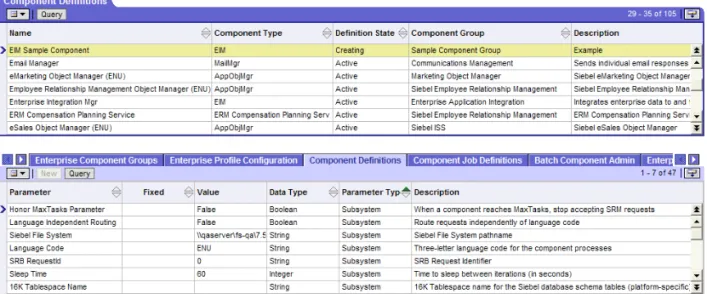
The defined components feature allows you to create multiple defined components for a given component type, simplifying the process of starting various types of tasks using different parameters, and managing components across multiple Siebel Servers. For example, you may create one defined component for an Object Manager running in the Siebel Sales Enterprise application in English, and another for an Object Manager running the Siebel Service Enterprise application in French. Although these defined components use the same component type, they service distinct sets of users with different functionality requirements, and are distinct entities that can be individually managed, configured, and administered. Defined components are configured in the Enterprise Component Definitions view of the Server Manager GUI. For more information, see “Component Group and Server Component Administration” on page 69.
NOTE:For the remainder of this guide, the term component refers to both predefined components and defined components that you may create or modify.
Component Groups
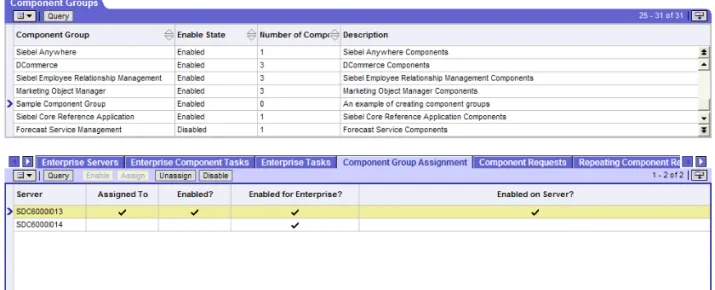
Component groups are functional areas that involve logical groupings of Siebel Server components and multiple operating system processes. A component group consists of one or more components, which may be running in one or more operating system processes. Component groups act as:
■ The unit of deployment on, or assignment to, a Siebel server. In general, you include in a Siebel Server the group of components that are deployed on one or more servers.
■ A unit for monitoring functionality of the interrelated components within the group (you can get a summary of the operational status at the component group status, which is determined by the individual states of the constituent
components.
■ A unit of control, whereby you can make available or unavailable the interrelated components in a single step, such as Siebel Remote or Workflow Management.
Siebel eBusiness Applications provide a number of predefined component groups. For a list of predefined component groups, see Table 29 on page 207.
You can also create your own component groups. For more information, see “Component Group and Server Component Administration” on page 69. For a list of components contained within each component group, see “Siebel Server Component Groups” on page 207.
Component Processes (Shells)
The Siebel Server runs each component in its own separate process (or shell). These shells provide the interface for a component to communicate with shared memory, and use infrastructure facilities for logging, events, networking, and so on. A shell performs the following actions when it is forked off:
■ Initializes the logging/networking facility.
■ Determines which component to run. The component is specified as a DLL (personality DLL), which is run by the Siebel Server either as part of the input parameters or as part of a network message.
The Siebel Server forks an appropriate shell based on the component mode (interactive, batch, or background) and whether the component is object manager-based, multithreaded, or both. Table 6, Table 7, and Table 8 define the shell types created in various scenarios.
NOTE:To conserve system resources and minimize the number of processes started on the Siebel Server, disable components and component groups that you do not plan to run. See “Configuring Component Groups and Server Components” on page 69 for further details.
Table 6. Interactive Mode Components
Multithreaded
Object Manager Based Shell
False False siebsess
True False siebmtsh
True True siebmtshmw
Table 7. Batch Mode Components
Multithreaded
Object Manager Based
Shell (Created at
Bootstrap) Shell (Created at Runtime)
False False siebproc siebsh
False True siebprocmw siebshmw
True False siebmtsh siebmtsh
Examples of Siebel Server shells:
■ A background component that is not object manager based is brought up in a siebproc shell. For example, Transaction Processor (TxnProc).
■ An interactive component that is multithreaded and not object manager based is brought up in a siebmtsh shell. For example, Server Request Broker
(SRBroker).
■ A multithreaded, object manager-based component is brought up in a siebmtshmw shell. For example, Call Center Object Manager (SCCObjMgr).
Parameters Controlling Number of Shells
The following parameters configure shell (process) start up for interactive, batch, and background mode components.
■ MaxMTServers
■ MinMTServers
■ MaxTasks
■ DfltTasks
See “Parameters” on page 226 and “Determining Application Object Manager Parameter Values” on page 174 for further information and details on configuring these parameters.
To review information on the shells forked by the Siebel Server, access the Siebel Server log file. See “Viewing Siebel Server Event Logs” on page 194 for details on viewing Siebel Server log files.
Table 8. Background Mode Components
Object Manager Based
Shell (Created at
Bootstrap) Shell (Created at Runtime)
False siebproc siebsh
Siebel File System and File System Manager
The Siebel File System consists of a shared directory that is accessible to all Siebel Servers in the Siebel Enterprise. It contains the physical files used by the Siebel clients and Siebel Servers. To gain access to files, Web clients connect to the appropriate Siebel Server to request file uploads or downloads. The Siebel Server then accesses the Siebel File System using the File System Manager (FSM) component. File System Manager will process these requests through interaction with the Siebel File System directory.
When using Siebel Mobile Web Client in connected mode (also known as the Dedicated Web Client), you may want to connect directly to the Siebel File System without going through the File System Manager. For examples of these cases, their potential ramifications, and for client setup instructions in each case, see Siebel Web Client Administration Guide.
This chapter provides an overview on configuring the Siebel Server and its components, modifying Siebel Server parameters, and reinstalling the Siebel Gateway and Siebel Servers if necessary. See the following sections for details:
■ “Configuring the Siebel Server and Its Components” on page 37
■ “Modifying Parameters Using the Server Manager GUI” on page 38
■ “Reinstalling the Siebel Gateway and Siebel Server” on page 39
■ “Resetting Siebel Server and AOM Configurations” on page 39
Configuring the Siebel Server and Its Components
Before starting the Siebel Server, you may want to modify Siebel Server
configuration. You will need to enable component groups on the Siebel Server. In some cases, you may need to reinstall the Siebel Server. This chapter describes the configuration methods that you may need to perform after completing the Siebel installation.
NOTE:The instructions in this chapter assume that you have successfully installed and configured your Siebel Gateway, Siebel Enterprise Server, and other Siebel Servers. For more information, see the Siebel Server Installation Guide for the operating system you are using.
Backing Up the Siebel Gateway Name Server Data
It is recommended to make a backup of the Siebel Gateway Name Server data— which contains configuration information from the Enterprise and Siebel Servers— prior to and after making any configuration changes, especially creating new component definitions and adding or deleting Siebel Servers. The Siebel Gateway Name Server information is stored in the siebns.dat file located in the
Administration folder of the Siebel Gateway root directory. See “To back up Siebel Gateway Name Server information” on page 134 for information on making a backup of the siebns.dat file.
If the Siebel Server does not start up due to recent configurations or a corruption of the current siebns.dat file, use the following procedure with a working backup siebns.dat file.(The siebns.dat file can become corrupt for many reasons, such
as inconsistent data or write errors.)
To restore a previous Siebel Enterprise Server configuration
1 Follow the shutdown procedures for the Siebel deployment. (Shutting down the Siebel Database Server is not necessary.) See “Starting and Shutting Down a Siebel Deployment” on page 45 for further information.
2 Replace the existing siebns.dat file with a working backup file.
3 Follow the startup procedures for the Siebel deployment. See “Starting and Shutting Down a Siebel Deployment” on page 45 for further information.
Modifying Parameters Using the Server Manager GUI
Before starting the Siebel Server, you may want to add site-specific parameter values or overrides of existing values using the Server Manager GUI.
You can configure a Siebel Server by modifying the parameters at the Siebel Server, component, or task level for the given Siebel Server. Changes to parameters at the Siebel Server level are inherited at the component and task levels. Changes to parameters at the component level are inherited at the task level. For more information, see “Parameter Administration” on page 109.
Reinstalling the Siebel Gateway and Siebel Server
In some cases, you may need to reinstall the Siebel Gateway and Siebel Servers. These cases include scenarios when you want to:
■ Rename the machine on which the Siebel Gateway, Siebel Servers, or both are running.
■ Make structural changes to the directory where the Siebel Gateway, Siebel Servers, or both are installed.
■ Move the Siebel Gateway, Siebel Servers, or both to another machine.
Each of these operations will require you to uninstall and reinstall both the Siebel Gateway and Siebel Servers. For details on uninstalling and installing Siebel Servers and the Siebel Gateway, see the Siebel Server Installation Guide for the operating system you are using. Uninstall and reinstall these entities in the following sequence:
1 Uninstall the Siebel Server.
2 Uninstall the Siebel Gateway.
3 Reinstall the Siebel Gateway.
4 Reinstall the Siebel Server.
After installation, perform necessary Siebel Server configurations (define new components, enable or disable components and component groups, assign component groups to Siebel Server, and so on), and reextract all mobile clients. For information on extracting mobile client databases, see Siebel Remote and
Replication Manager Administration Guide.
Resetting Siebel Server and AOM Configurations
Running the reset Siebel Server and Application Object Manager feature restores Siebel Server and Application Object Manager (AOM) configurations to a clean install configuration state. All configurations made after installation are removed.
Resetting the Siebel Server definition removes configuration changes such as parameter overrides at the Siebel Server or component level, component group assignment, Siebel Server level changes, and changes to enabled components. Resetting the AOM definition removes configuration changes such as
post-installation parameter changes and other user-performed setting changes that were applied to the AOMs.
See the following sections for detailed procedures on running the reset feature.
■ “Resetting Configurations on Windows” on page 40
■ “Resetting Configurations on UNIX” on page 42
After running the Siebel Server or AOM reset configuration, the feature stores two backup data files with names prefixed by pre and post. These data files capture settings before and after the running of the reset configuration feature allowing the user to return to previous configurations if required.
Resetting Configurations on Windows
Use the following on Windows DOS Command Prompt procedure for resetting the Siebel Server and Application Object Manager configurations to a post-installation state.
Resetting Siebel Server and AOM Configurations from a DOS Command Prompt
1 Navigate to the binary subdirectory within the Siebel Server root directory. This directory contains the utility ssincfgw.exe.
2 Run the utility ssincfgw.exe including the path to the configuration file reset_server.scm or reset_oms.scm. Add other parameters as necessary. An
ssincfgw.exe -l enu -f siebel_server_root\admin\reset_server.scm -logevents all
where:
-l = language code
-f = path to .scm file
-logevents = logging setting
The Siebel Software Configuration utility launches.
3 When prompted, enter the following information into the Siebel Software Configuration utility based on which reset configuration file you are using:
4 Verify that the configuration settings have reset.
The following Siebel Gateway Name Server data backup files appear in the Administration folder of the Siebel Server root directory after resetting server and AOM configurations:
Use these files to return to previous configuration settings if necessary.
reset_server.scm reset_oms.scm
■ Siebel Gateway name ■ Siebel Gateway name ■ Siebel Enterprise name ■ Siebel Enterprise name
■ Siebel Server name ■ The Application Object Manager to reset
■ Remote Search Server name ■ Remote Search Port number
■ pre_reset_enterprise_server.dat ■ pre_resetom.dat
Resetting Configurations on UNIX
Use the following UNIX procedure for resetting the Siebel Server and AOM configuration to a post-installation state.
Resetting Siebel Server and AOM Configurations on UNIX
1 Run the siebenv.sh or siebenv.csh scripts to set Siebel environment variables. For more information on these scripts, see the Siebel Server Installation Guide for the operating system you are using.
2 Navigate to the $SIEBEL_ROOT/bin directory. This directory contains the utility icfg.
3 Run the utility icfg including the path to the configuration file
reset_server.scm or reset_oms.scm. Add other parameters as necessary. An example command follows:
icfg -l enu -f $SIEBEL_ROOT/admin/reset_server.scm -logevents all
where:
-l = language code
-f = path to .scm file
-logevents = logging setting
The Siebel Configuration Line Mode utility launches.
4 When prompted, enter values into the Siebel Configuration Line Mode utility based on which reset configuration file you are using.
5 Verify that the configuration settings have reset.
There are two Siebel Gateway Name Server data backup files that appear in the Sys folder of the Siebel Server root directory after resetting server or AOM configurations:
Use these files to return to previous configuration settings if necessary.
■ pre_reset_enterprise_server.dat ■ pre_resetom.dat
This chapter describes the sequence in which to start up and shut down your Siebel deployment, as well as the procedures required to start, stop, and administer the Siebel Gateway System Service and the Siebel Server System Service. See the following sections for details:
■ “Starting and Shutting Down a Siebel Deployment” on page 45
■ “Administering the Siebel Gateway System Service” on page 47
■ “Administering the Siebel Server System Service” on page 50
Starting and Shutting Down a Siebel Deployment
It is important to follow the correct sequence when starting or shutting down a Siebel deployment, because several dependencies require that certain servers are running before others. Follow the procedures below to start or shut down your Siebel deployment.
To start a Siebel deployment
1 Start the Siebel Database Server.
Refer to your database documentation for detailed information on this procedure.
2 Start the Siebel Gateway System Service.
Refer to “Administering the Siebel Gateway System Service” on page 47 for detailed information on this procedure.
4 Start any third-party software, if applicable.
5 Start the Siebel Server System Service.
The Siebel Server must connect to the Siebel Gateway and Siebel Database on startup. Refer to “Administering the Siebel Server System Service” on page 50 for detailed information on starting the Siebel Server System Service.
To shut down a Siebel deployment
1 Shut down the Siebel Server System Service.
When the Siebel Server System Service is shutdown, it shuts down server components and tasks before shutting down itself. Refer to “Administering the Siebel Server System Service” on page 50 for detailed information on the shutdown procedure.
NOTE:To make sure server components shut down properly, shut down Siebel Servers before shutting down the Siebel Server System Service. See “Siebel Server Management Commands” on page 134 for the command-line interface command. See “Shutting Down the Siebel Server” on page 68 for the GUI-based command.
2 Shut down the Resonate Central Dispatch service, if applicable. For information on Resonate Central Dispatch, see the Siebel Server Installation Guide for the operating system you are using.
3 Shut down the Siebel Gateway service.
For detailed information on this procedure, see“Administering the Siebel Gateway System Service” on page 47.
NOTE:Make sure all Siebel Servers are shut down before shutting down the Siebel Gateway service.
4 Shut down the Siebel Database.
Refer to your database documentation for detailed information on this procedure.
Administering the Siebel Gateway System Service
Occasionally, you will need to stop and restart the Siebel Gateway System Service for maintenance purposes. You should only restart the System Service when it is necessary. For information about Siebel Gateway System Service, see “Name Server” on page 21. For details on administering the Siebel Gateway System Service, on Windows, see “Siebel Gateway System Service on Windows 2000”. For details on administering the Siebel Gateway System Service on UNIX, see “Siebel Gateway System Service on UNIX” on page 48.
Siebel Gateway System Service on Windows 2000
This section describes how to start, stop, and check the Siebel Gateway System Service on Windows 2000.
To start the Siebel Gateway System Service on Windows 2000
1 Right-click on My Computer.
2 Click Manage.
The Computer Management panel appears.
3 In the Tree applet, double-click Services and Applications.
4 Click Services.
5 In the right applet, scroll through the list of services and select Siebel Gateway.
6 Right-click Siebel Gateway and select Start.
Windows 2000 will now start the Siebel Gateway System Service. This may take a few seconds. After the service has started, the Status field will change to Started.
To stop the Siebel Gateway System Service on Windows 2000
1 Right-click on My Computer.
3 In the Tree applet, double-click Services and Applications.
4 Click Services.
5 In the right applet, scroll through the list of services and select Siebel Gateway.
6 Right-click Siebel Gateway and select Stop.
The Stop Other Services dialog box now appears to query if you want to stop the Siebel Server service.
7 Click Yes.
Windows 2000 will now stop the Siebel Gateway System Service. This may take a few seconds. After the service has started, the Status field will be blank.
To check the status of the Siebel Gateway System Service on Windows 2000
1 Right-click on My Computer.
2 Click Manage.
The Computer Management panel appears.
3 In the Tree applet, double-click Services and Applications.
4 Click Services.
5 In the right applet, scroll through the list of services and select Siebel Gateway. A value of Started in the Status field for the selected service indicates that the System Service is running for the Siebel Gateway. If the Status field is blank, the System Service is not currently running.
Siebel Gateway System Service on UNIX
This section describes how to start, stop, and check the Siebel Gateway System Service on UNIX.
To start the Siebel Gateway System Service on UNIX
2 Run the siebenv.sh or siebenv.csh script to set Siebel environment variables.
For more information on these scripts, see the Siebel Server Installation Guide for the operating system you are using.
3 Enter:
start_ns
■ To specify the Siebel root directory, use the -r switch by entering:
start_ns -r siebel_root
Typically, you do not need to use this switch, because the SIEBEL_ROOT environment variable is set by the siebenv.csh (or siebenv.sh) script. If this is not the case, then you must specify the Siebel root directory to indicate the Siebel installation under which the Siebel Gateway will run.
■ To start the Siebel Gateway only if currently marked with the autostart
attribute, use the -a switch by entering:
start_ns -a
Typically, this flag should only be used when invoking the start_ns script from an autostart script. For more information on the autostart script, see
Siebel Server Installation Guide for UNIX.
■ To force the start up, use the -f switch by entering:
start_ns -f
This can be used to make sure that the Name Server will start up even if it was not previously shut down completely. This switch is typically not needed.
To stop the Siebel Gateway System Service on UNIX
1 Log in as the Siebel Service owner user.
2 Run the siebenv.sh script in the current shell process as follows:
. ./siebenv.sh 3 Enter:
■ To specify the Siebel root directory, use the -r switch by entering: stop_ns -r siebel_root
Typically, you do not need to use this switch, because the SIEBEL_ROOT environment variable is set by the siebenv.csh (or siebenv.sh) script. If this is not the case, then you must specify the Siebel root directory to indicate the Siebel installation under which the Siebel Gateway is running.
■ To force the shutdown, use the -f switch by entering: stop_ns -f
This will cause the Name Server to shut down sooner, but it may not shut down completely. In general, the -f switch should only be used if the Name Server did not respond to the nonforced shutdown in a timely manner.
To check the status of the Siebel Gateway System Service on UNIX
■ Enter:
list_ns
To specify the Siebel root directory, use the -r switch by entering:
list_ns -r siebel_root
Typically, you do not need to use this switch, because the SIEBEL_ROOT environment variable is set by the siebenv.csh (or siebenv.sh) script. If this
is not the case, then you must specify the Siebel root directory to indicate the Siebel installation under which the Siebel Gateway is configured.
Administering the Siebel Server System Service
Occasionally, you will need to stop and restart the Siebel Server System Service for certain administrative changes to take effect. You should only restart the System Service when it is necessary.
NOTE:The Siebel Server System Service must be running before any Siebel Server can be started.
For information about the Siebel Server System Service, see “Siebel Server System Service” on page 26.
Siebel Server System Service on Windows 2000
This section describes how to start, stop, and check the Siebel Server System Service on Windows 2000.
To start the Siebel Server System Service on Windows 2000
1 Right-click on My Computer.
2 Click Manage.
The Computer Management panel appears.
3 In the Tree applet, double-click Services and Applications.
4 Click Services.
5 In the right applet, scroll through the list of services and select the desired Siebel Server service (the enterprise name and Server name will be indicated in square brackets).
6 Right-click the desired Siebel Server service and select Start.
Windows 2000 will now start the Siebel Server System Service. This may take a few seconds. After the service has started, the Status field will changed to Started.
To stop the Siebel Server System Service on Windows 2000
1 Right-click on My Computer.
2 Click Manage.
The Computer Management panel appears.
3 In the Tree applet, double-click Services and Applications.
5 In the right applet, scroll through the list of services and select the desired Siebel Server service (the enterprise name and Server name will be indicated in square brackets).
6 Right-click the desired Siebel Server service and select Stop.
Windows 2000 will now stop the Siebel Server System Service. This may take a few seconds. After the service has stopped, the Status field will be blank.
To check the status of the Siebel Server System Service on Windows 2000
1 Right-click on My Computer.
2 Click Manage.
The Computer Management panel appears.
3 In the Tree applet, double-click Services and Applications.
4 Click Services.
5 In the right applet, scroll through the list of services and select the desired Siebel Server service (the enterprise name and Server name will be indicated in square brackets).
A value of Started in the Status field for the selected service indicates that the System Service is running for the Siebel Server. If the Status field is blank, the System Service is not currently running.
Siebel Server System Service on UNIX
This section describes how to start, stop, check, and reset the Siebel Server System Service daemon process on UNIX.
To start the Siebel Server System Service on UNIX
1 Log in as the Siebel Service owner user.
2 Run the siebenv.sh or siebenv.csh script to set Siebel environment variables. For more information on these scripts, see the Siebel Server Installation Guide for the operating system you are using.
start_server siebel_server_name
where:
siebel_server_name = Name of the Siebel Server
You may run this script to start the System Service for a specified Siebel Server (or servers), either within a specified Siebel Enterprise Server or across Siebel Enterprise Servers defined for the current installation.
■ To start multiple servers, enter the names of the Siebel Servers (separated by
spaces), or all to start all Siebel Servers configured under the specified
SIEBEL_ROOT on the particular server machine (or all Siebel Servers for a particular Siebel Enterprise Server, if the Siebel Enterprise Server name is specified, as described in the use of the -e switch):
start_server server1 server2... start_server all
■ To specify the Siebel root directory, use the -r switch by entering:
start_server -r siebel_root
Typically, you do not need to use this switch, because the SIEBEL_ROOT environment variable is set by the siebenv.csh (or siebenv.sh) script during installation. If this is not the case, then you must specify the Siebel root directory to indicate the Siebel installation under which the Siebel Server (or servers) will run.
■ To limit the operation to Siebel Servers in a specific Siebel Enterprise Server,
start_server -e enterprise server1 server2...
You do not need to use this switch if the SIEBEL_ENTERPRISE environment variable is set in the siebenv.csh (or siebenv.sh) script during
installation. If this is not the case, then you must specify the Siebel Enterprise Server name to indicate the Siebel Enterprise Server for which Siebel Servers will be started. To start all servers for all Siebel Enterprise Servers configured for the SIEBEL_ROOT, do not use this flag (you may also need to unset the SIEBEL_ENTERPRISE environment variable).
For example, to start the System Service for the prod01 server in the siebel
Siebel Enterprise Server, use the following command:
start_server -e siebel prod01
To start the System Services for the prod01 and prod02 servers in the siebel
Siebel Enterprise Server, use the following command:
start_server -e siebel prod01 prod02
■ To start only Siebel Servers that are marked with the autostart attribute, use
the -a switch by entering: start_server -a
Typically, this flag should only be used when invoking the start_server script from an autostart script. For more information on the autostart script, see
Siebel Server Installation Guide for UNIX.
■ To force the start up, use the -f switch by entering: start_server -f
This can be used to make sure that the Siebel Server (or servers) will start up even if it was not previously shut down cleanly. This switch is typically not needed.
To stop the Siebel Server System Service on UNIX
1 Log in as the Siebel Service owner user.
2 Run the siebenv.sh script in the current shell process as follows:
3 Enter:
stop_server siebel_server_name
You may run this script to stop the System Service for a specified Siebel Server (or servers), either within a specified Siebel Enterprise Server or across all Siebel Enterprise Servers defined for the current installation.
■ To stop multiple Siebel Servers, enter the names of the Siebel Servers
(separated by spaces), or all to stop all Siebel Servers configured under the
specified SIEBEL_ROOT (or all Siebel Servers for a particular Siebel Enterprise Server, if the Siebel Enterprise Server name is specified, as described in the use of the -e switch):
stop_server server1 server2... stop_server all
■ To specify the Siebel root directory, use the -r switch by entering:
stop_server -r siebel_root
Typically, you do not need to use this switch, because the SIEBEL_ROOT environment variable is set by the siebenv.csh (or siebenv.sh) script during installation. If this is not the case, then you must specify the Siebel root directory to indicate the Siebel installation under which the Siebel Server (or servers) is running.
■ To limit the operation to Siebel Servers in a specific Siebel Enterprise Server,
use the -e switch by entering:
stop_server -e enterprise server1 server2...
You do not need to use this switch if the SIEBEL_ENTERPRISE environment variable is set in the siebenv.csh (or siebenv.sh) script during
installation. If this is not the case, then you must specify the Siebel Enterprise Server name to indicate the Siebel Enterprise Server for which Siebel Servers will be stopped. To stop all Siebel Servers for all Siebel Enterprise Servers configured for the SIEBEL_ROOT, do not use this flag (you may need to unset the SIEBEL_ENTERPRISE environment variable).
stop_server -e siebel prod01
■ Use the -M switch if another Siebel Server is currently running under the same Siebel administrator account by entering:
stop_server -M
You should only need to use this switch in test or development
environments, because only one Siebel Server should run on one physical machine in production systems. This switch disables part of the stop functionality that would affect another Siebel Server running under the same user ID. If the -M switch is specified and the system service still fails to start up, you will need to shut down all Siebel Servers running under the same Siebel administrator account.
■ To force the shut down, use the -f switch by entering:
stop_server -f
This will cause the Siebel Server to shut down sooner, but may not give all components a chance to shut down cleanly. In general, the force option should only be used if the Siebel Servers did not respond to the nonforced shutdown in a timely manner.
To check the status of the Siebel Server System Service on UNIX
■ Enter:
list_server siebel_server_name
You may run this script to list the System Service for a specified Siebel Server (or servers), either within a specified Siebel Enterprise Server or across all Siebel Enterprise Servers defined for the current installation.
■ To check the status of multiple Siebel Servers, enter the names of the Siebel
Servers (separated by spaces), or all to check the status of all Siebel Servers
configured under the specified SIEBEL_ROOT (only if an Siebel Enterprise Server is not specified):
list_server server1 server2... list_server all