-Turbo Pascal Numerical Methods Toolbox
Borland's No-Nonsense License Statement!
This software is protected by both United States copyright law and international treaty provisions. Therefore, you must treat this software just like Q book, with the following single exception. Borland International authorizes you to make archival copies of the software for the sole purpose of backing-up our software and protecting your investment from loss.
By saying, "just like a book," Borland means, for example, that this software may be used by any number of people and may be freely moved from one computer location to another, so long as there is no possibility of it being used at one location while it's being used at another. Just like a book that can't be read by two different people in two different places at the same time, neither can the software be used by two different people in two different places at the same time. (Unless, of course, Borland's copyright has been violated.)
Borland International grants you (the licensed owner of the Turbo Pascal Numerical Toolbox) the right to incorporate toolbox routines into your programs. You may distribute your programs that contain Numerical Toolbox routines in executable form without restriction or fee, but you may not give away or sell any part of the actual Numerical Methods Toolbox source code. You are not, of course, restricted from distributing your own source code.
Sample programs are provided on the Numerical Methods Toolbox diskettes as examples of how to use the various toolbox features. You may edit or modify these sample programs and incorporate them into the programs that you write. Use of these sample programs is governed by the same conditions and restrictions as outlined in the first paragraph above.
WARRANTY
With respect to the physical diskette and physical documentation enclosed herein, Borland International, Inc. ("Borland") warrants the same to be free of defects in materials and workmanship for a period.of 60 days from the date of purchase. In the event of notification within the warranty period of defects in material or workman-ship, Borland will replace the defective diskette or documentation. If you need to return a product. call the Borland Customer Service Department to obtain a return authorization number. The remedy for breach of this warranty shall be limited to replacement and shall not encompass any other damages, including but not limited to loss of profit, and special, incidental, consequential, or other similar claims.
Borland International, Inc. specifically disclaims all other warranties, expressed or implied, including but not limited to implied warranties of merchantability and fitness for a particular purpose with respect to defects in the diskette and documentation, and the program license granted herein in particular, and without limiting operation of the program license with respect to any particular application, use, or purpose. In no event shall Borland be liable for any loss of profit or any other commercial damage, including but not limited to special, incidental, consequential or other damages.
Turbo Pascal
Numerical
Methods
Toolbox~
Table of Contents
Introduction ... 1
Toolbox Functions ... 1
About this Manual ... 2
On the Distribution Disks ... 3
System Requirements ... 3
Acknowledgements ... 4
Chapter 1. ROUTINE BEGINNINGS ... 5
Using the Toolbox: An Example ... 5
The Distribution Disks ... 7
Installation ... 8
The Graphics Demos ... 12
Data Types and Defined Constants ... 12
Compiler Directives ... 13
Chapter 2. ROOTS TO EQUATIONS IN ONE VARIABLE ... 15
Stopping Criteria ... 17
Root of a Function Using the Bisection Method (BISECT.lNC) ... 18
Description ... 18
User-Defined Function ... 18
Input Parameters ... 18
Output Parameters ... 19
Comments ... 19
Sample Program ... 19
Example ... 20
Root of a Function Using the Newton-Raphson Method (RAPHSON.lNC) ... 21
Description ... 21
User-Defined Functions ... 21
Input Parameters ... 21
Output Parameters ... 22
Syntax of the Procedure Call ... 22
Comments ... 22
Sample Program ... 22
Example ... 23
Root of a Function Using the Secant Method (SECANT.lNC) ... 25
Description ... 25
User-Defined Function ... 25
Input Parameters ... 25
Output Parameters ... 26
Syntax of the Procedure Call ... 26
Comments ... : ... 26
Sample Program ... 26
Example ... 27
Real Roots of a Real Polynomial Equation Using the Newton-Horner Method with Deflation (NEWTDEFL.lNC) ... 28
Description ... 28
User-Defined Types ... 28
Input Parameters ... 28
Output Parameters ... 29
Syntax of the Procedure Call ... 30
Comments ... 30
Sample Program ... 30
Input Files ... 30
Example ... 30
Complex Roots of a Complex Function Using Miiller's Method (MULLER.INC) ... 33
Description ... 33
User-Defined Types ... 33
User-Defined Procedure ... 33
Complex Roots of a Complex Polynomial Using Laguerre's Method and Deflation
(LAGUERRE.INC) ... 37
Description ... 37
User-Defined Types ... 37
Input Parameters ... 37
Output Parameters ... 38
Syntax of the Procedure Call ... 38
Comments ... 38
Sample Program ... 39
Input Files ... 39
Example ... 39
Chapter 3. INTERPOLXfION ... 43
Polynomial Interpolation Using Lagrange's Method (LAGRANGE.lNC) ... .45
Description ... 45
User-Defined Types ... 45
Input Parameters ... 45
Output Parameters ... 46
Syntax of the Procedure Call ... 46
Sample Program ... 46
Input Files ... 46
Example ... 47
Interpolation Using Newton's Interpolary Divided-Difference Method (DIVDIF.INC) ... 49
Description ... 49
User-Defined Types ... 49
Input Parameters ... 49
Output Parameters ...
90
Syntax of the Procedure Call ... 50
Sample Program ... 50
Input Files ... 50
Example ... 50
Free Cubic Spline Interpolation (CUBE-FRE.lNC) .: ... 52
Description ... 52
User-Defined Types ... 52
Input Parameters ... 52
Output Parameters ... 53
Syn tax of the Procedure Call ... 53
Sample Program ... 53
Input Files ... 54
Example ... 54
Clamped Cubic Spline Interpolation (CUBE_CLA.lNC) ... 57
Description ... 57
User-Defined Types ... 57
Input Parameters ... 57
Output Parameters ... 58
Syntax of the Procedure Call ... 58
Sample Program ... 59
Input Files ... 59
Example ... 59
Chapter 4. NUMERICAL DIFFERENTIATION ... 63
First Differentiation Using Two-Point, Three-Point, or Five-Point Formulas (DERIV.INC) ... 66
Description ... 66
User-Defined Types ... 66
Input Parameters ... 66
Output Parameters ... 67
Syntax of the Procedure Call ... 67
Comments ... 67
Sample Program ... 68
Input Files ... 68
Example ... 68
Second Differentiation Using Three-Point or Five-Point Formulas (DERIV2.INC) ... 71
Description ... 71
User-Defined Types ... 71
Input Parameters ... 71
Output Parameters ... 72
Syntax of the Procedure Call ... 72
Comments ... 72
Sample Program ... 73
Input Files ... 73
Example ... 73
Differentiation with a Cubic Spline Interpolant (INTERDRV.lNC) ... 76
Description ... 76
User-Defined Types .: ... 76
Input Parameters ... 76
Output Parameters ... 77
Syntax of the Pn;)cedure Call ... 77
Sample Program ... 77
Output Parameters ... 81
Syntax of the Procedure Call ... 81
Comments ... 81
Sample Program ... 81
Input Files ... 81
Example ... 82
Second Differentiation of a User-Defined Function (DERIV2FN.INC) ... 83
Description ... 83
User-Defined Types ... 83
User-Defined Function ... ; ... 83
Input Parameters ... 83
Output Parameters ... 84
Syntax of the Procedure Call ... 84
Comments ... 84
Sample Program ... 84
Input Files ... 85
Example ... 85
Chapter 5. NUMERICAL INTEGRATION ... 87
Integration Using Simpson's Composite Algorithm (SIMPSON.INC) ... 89
Description ... 89
User-Defined Function ... 89
Input Parameters ... 89
Output Parameters ... 90
Syntax of the Procedure Call ... 90
Sample Program ... 90
Example ... 90
Integration Using the Trapezoid Composite Rule (TRAPZOID.INC) ... 92
Description ... 92
User-Defined Function ... 92
Input Parameters ... 92
Output Parameters ... 93
Syntax of the Procedure Call ... 93
Sample Program ... 93
Example ... 93
Integration Using Adaptive Quadrature and Simpson's Rule (ADAPSIMP.INC) ... 95
Description ... 95
User-Defined Function ... 95
Input Parameters ... 95
Output Parameters ... 96
Syntax of the Procedure Call ... 96
Comments ... 96
Sample Program ... 96
Example ... 97
Integration Using Adaptive Quadrature and Gaussian Quadrature (ADAPGAUS.INC) ... 98
Description ... 98
User-Defined Function ... 98
Input Parameters ... 98
Output Parameters ... 99
Syntax of the Procedure Call ... 99
Comments ... 99
Sample Program ... 101
Example ... 101
Integration Using the Romberg Algorithm (ROMBERG.INC) ... 102
Description ... 102
User-Defined Function ... 102
Input Parameters ... 102
Output Parameters ... 103
Syntax of the Procedure Call ... 103
Sample Program ... 103
Example ... 103
Chapter 6. MATRIX ROUTINES ... 105
Determinant of a Matrix (DET.INC) ... 107
Description ... 107
User-Defined Types ... 107
Input Parameters ... 107
Output Parameters ... 108
Syntax of the Procedure Call ... 108
Sample Program ... 108
Input File ... 108
Example ... 109
Inverse of a Matrix (INVERSE.INC) ... 110
Description ... 110
User-Defined Types ... ; ... 110
Output Parameters ... 115
Syntax of the Procedure Call ... 115
Sample Program ... 115
Input File ... 115
Example ... 116
Solving a System of Linear Equations with Gaussian Elimination and Partial Pivoting (PARTPIVI'.1 N C) ... 117
Description ... 117
User-Defined Types ... 117
Input Parameters ... 117
Output Parameters ... 118
Syntax of the Procedure Call ... : ... 118
Sample Program ... 118
Input File ... 118
Example ... 119
Solving a System of Linear Equations with Direct Factoring (DIRFACT.INC) ... 120
Description ... 120
User-Defined Types ... 120
Procedure LU-Decompose Input Parameters ... 121
Procedure LU-Decompose Output Parameters ... 121
Syntax of the Procedure Call ... 121
Procedure LU_Solve Input Parameters ... 121
Procedure LU_Solve Output Parameters ... 122
Syntax of the Procedure Call ... 122
Sample Program ... 122
Input File ... 122
Example ... 123
Solving a System of Linear Equations with the Iterative Gauss-Seidel Method (GAUSSIDL.INC) ... 126
Description ... 126
User-Defined Types ... 126
Input Parameters ... 127
Output Parameters ... 127
Syntax of the Procedure Call ... 128
Sample Program ... 128
Input File ... 128
Example ... 129
Chapter 7. EIGENVALUES AND EIGENVECTORS ... 131
Real Dominant Eigenvalue and Eigenvector of a Real Matrix Using the Power Method (POWER.INC) ... 133
Description ... 133
User-Defined Types ... 133
Input Parameters ... 133
Output Parameters ... 134
Syntax of the Procedure Call ... 134
Comments ... 134
Sample Program ... 135
Input File ... 135
Example ... 135
Real Eigenvalue and Eigenvector of a Real Matrix Using the Inverse Power Method (INVPOWER.INC) ... 137
Description ... 137
User-Defined Types ... 137
Input Parameters ... 137
Output Parameters ... 138
Syntax of the Procedure Call ... 138
Comments ... 139
Sample Program ... 139
Input File ... 139
Example ... 140
Real Eigenvalues and Eigenvectors of a Real Matrix Using the Power Method and Wielandt's Deflation (WIELANDT.lNC) ... 143
Description ... 143
User-Defined Types ... 143
Input Parameters ... 143
Output Parameters ... 144
Syntax of the Procedure Call ... 145
Comments ... 145
Sample Program ... 146
Input File ... 146
Example ... 146
The Complete Eigensystem of a Symmetric Real Matrix Using the Cyclic Jacobi Method (JACOBI.INC) ... 149
Description ... 149
User-Defined Types ... 149
Input Parameters ... 149
Output Parameters ... 150
Syntax of the Procedure Call ... 150
Comments ... 151
Description ... 159
User-Defined Types ... 159
User-Defined Function ... 160
Input Parameters ... 160
Output Parameters ... 160
Syntax of the Procedure Call ... 161
Comments ... 161
Sample Program ... 161
Example ... 162
Solution to an Initial Value Problem for a First-Order Ordinary Differential Equation Using the Runge-Kutta-Fehlberg Method (RKF_1.1NC) ... 163
Description ... , ... 163
User-Defined Types ... : ... 163
User-Defined Function ... 163
Input Parameters ... 164
Output Parameters ... 164
Syntax of the Procedure Call ... 164
Comments ... 165
Sample Program ... 165
Example ... 166
Solution to an Initial Value Problem for a First-Order Ordinary Differential Equation Using the Adams-Bashforth/Adams-Moulton Predictor/Corrector Scheme (ADAMS_l.INC) ... 168
Description ... 168
User-Defined Types ... 169
User-Defined Function ... 169
Input Parameters ... 169
Output Parameters ... 169
Syntax of the Procedure Call ... 170
Comments ... 170
Sample Program ... : ... 170
Example ... 171
Solution to an Initial Value Problem for a Second-Order Ordinary Differential Equation Using the Runge-Kutta Method (RUNGE-2.1NC) ... 172
Description ... 172
User-Defined Types ... 173
User-Defined Function ... 173
Input Parameters ... 173
Output Parameters ... 174
Syntax of the Procedure Call ... : ... 174
Comments ... ; ... 174
Sample Program ... 175
Example ... 175
Solution to an Initial Value Problem for an nth-Order Ordinary Differential
Equation Using the Runge-Kutta Method (RUNGE_N.lNC) ... 178
Description ... 178
User-Defined Types ... 180
User-Defined Function ... 180
Input Parameters ... 180
Output Parameters ... 181
Syntax of the Procedure Call ... 181
Comments ... 181
Sample Program ... 182
Example ... 182
Solution to an Initial Value Problem for a System of Coupled First-Order Ordinary Differential Equations Using the Runge-Kutta Method (RUNGE_Sl.INC) ... 186
Description ... ; ... 186
User-Defined Types .: ... 188
User-Defined Functions ... 188
Input Parameters ... 189
Output Parameters ... 189
Syntax of the Procedure Call ... 190
Comments ... 190
Sample Program ... 191
Example ... 191
Solution to an Initial Value Problem for a System of Coupled Second-Order Ordinary Differential Equations Using the Runge-Kutta Method (RUNGE_S2.INC) ... 196
Description ... 196
User-Defined Types ... 199
User-Defined Functions ... 199
Input Parameters ... 200
Output Parameters ... 201
Syntax of the Procedure Call ... 201
Comments ... 201
Sample Program ... 203
Example ... 203
Solution to Boundary Value Problem for a Second-Order Ordinary Differential Equation Using the Shooting and Runge-Kutta Methods (SHOOT2.1NC) .. 208
Sample Program ... 211
Example ... 211
Solution to a Boundary Value Problem for a Second-Order Ordinary Linear Differential Equation Using the Linear Shooting and Runge-Kutta Methods (LINSHOT2.INC) ... 215
Description ... 215
User-Defined Types ... 216
User-Defined Function ... 216
Input Parameters ... 216
Output Parameters ... 216
Syntax of the Procedure Call ... 217
Comments ... 217
Sample Program ... 218
Example ... 218
Chapter 9. LEAST.SQUARES APPROXIMATION ... 221
Least-Squares Approximation (LEAST.lNC) ... 222
Description ... 222
User-Defined Types ... 223
Input Parameters ... 223
Output Parameters ... 224
Syntax of the Procedure Call ... 224
Comments ... 224
POLY.LSQ ... 224
FOURIER.LSQ ... 225
POWER.LSQ ... 225
EXP.LSQ ... 225
LOG.LSQ ... 226
USER.LSQ ... 226
Sample Program ... 227
Input Files ... 227
Example ... 227
Chapter 10. FAST FOURIER TRANSFORM ROUTINES ... 233
The Application Programs ... 235
Data Sampling ... 239
User-Defined Types ... 240
Fast Fourier Transform Algorithms ... : ... 241
Procedure TestInput ... 241
Description ... 241
Input Parameters ... 241
Output Parameters ... 241
Syntax of the Procedure Call ... 241
Procedure MakeSinCosTable ... 242
Description ... 242
Input Parameters ... 242
Output Parameters ... 242
Syntax of the Procedure Call ... 242
Procedure FFT ... 242
Description ... 242
Input Parameters ... 243
Output Parameters ... 243
Syntax of the Procedure Call ... 243
Fast Fourier Transform Applications ... 244
COMPFFT.INC ... 244
Description ... 244
Input Parameters ... 244
Output Parameters ... 244
Syntax of the Procedure Call ... 245
Comments ... 245
REALFFT.INC ... 245
Description ... 245
Input Parameters ... 245
Output Parameters ... 246
Syntax of the Procedure Call ... 246
Comments ... 246
COMPCNVL.INC ... 246
Description ... 246
Input Parameters ... 247
Output Parameters ... 247
Syntax of the Procedure Call ... 247
Comments ... 247
REALCNVL.INC ... 248
Description ... 248
Input Parameters ... 248
Output Parameters ... 248
Syntax of the Procedure Call ... 249
Comments ... 249
COMPCORR.INC ... 249
Description ... 249
Input Parameters ... 250
Syntax of the Procedure Call ... 252
Comments ... 252
Sample Program ... 252
Input File ... 253
Example ... 253
Chapter 11. GRAPHICS PROGRAMS ... 261
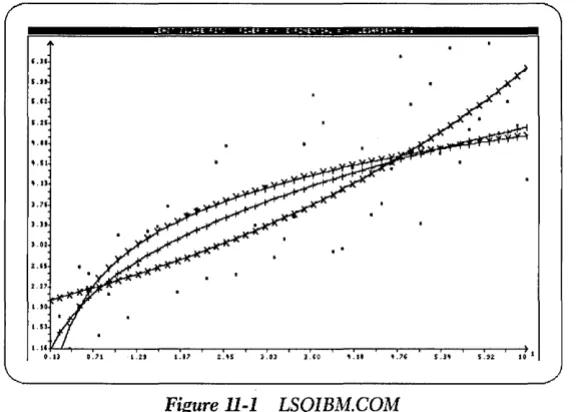
Function of the Least-Squares Graphics Demonstration Program ... 262
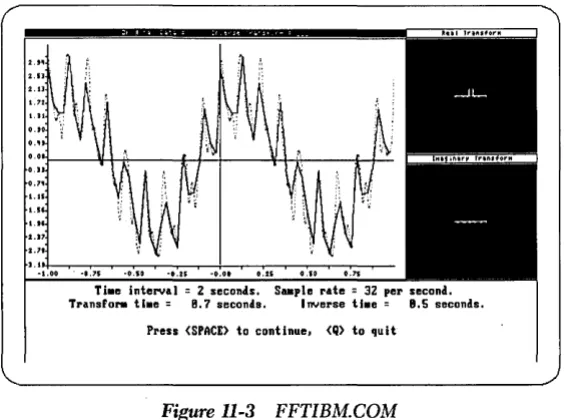
Function of the Fourier Transform Graphics Demonstration Program ... 264
Printing ... 265
Rebuilding LSQIBM.COM ... 267
Rebuilding FFTIBM.COM ... 268
Rebuilding for the Hercules Card ... 269
Rebuilding for the EGA Card ... 269
Using the Math Coprocessor ... 270
REFERENCES ... 271
INDEX ... 273
I
ntroductian
The Turbo Numerical Methods Toolbox is a reference manual for both the student of numerical analysis and the professional needing efficient routines. An elemen-tary background in calculus and linear algebra is assumed, although many of the algorithms use only high-school-level mathematics. A general knowledge of Turbo Pascal® is also assumed. If you need to brush up on your knowledge of Pascal, we suggest looking at the Turbo Pascal Reference Manual and/or the Turbo Pascal
Tutor Manual.
Before you begin using a particular routine, read through this brief introductory chapter and then refer to the chapter that interests you.
Toolbox
Functions
The Turbo Pascal Numerical Methods Toolbox provides routines for
• Finding solutions to equations
• Interpolations
• Calculus
• l'iumerical derivatives and integrals
• Differential equations
• Least-squares approximations
• Fourier transforms
About this Manual
The major areas in numerical analysis are represented in this Toolbox, with each chapter focusing on a particular problem. Each routine begins with a general description of the implemented algorithm or numerical method. (References to numerical analysis texts are provided for each numerical procedure.) User-supplied types, functions, and input and output parameters are defined, and the syntax of the procedure call is provided. If appropriate, a "Comments" section is also pro-vided.
Finally, every algorithm in the Toolbox is accompanied by a general-purpose program that handles all the necessary I/O, while allowing you to try each algo-rithm without building any code. Handily, these sample programs will often reduce the coding your own application may require.
As an example, let's say you want to find the roots to an equation in one variable. First, you would read the introduction to Chapter 2, "Roots to Equations in One Variable," and choose the numerical method best suited to your particular problem. Second, you would run the sample program for the desired numerical method to determine the necessary input and output. Third, you would write a Turbo Pascal function defining your equation, using the function already coded in the sample program as a guide. Fourth, you would run the sample program with your function substituted for the original one. Of course, if these algorithms are to be part of a larger program, you must build all the interfaces to the other parts of the system; but this should only be done after you gain experience with the particular numeri-cal method.
Several books are referred to throughout the text; complete references are listed at the back of the book in the section entitled "References."
The body of this manual is printed in normal typeface; other typefaces serve to illustrate the following:
On the Distribution Disks
The routines for this Toolbox are contained on three packed disks. Their contents and general installation instructions are covered in Chapter l.
System Requirements
All routines will run in standard Turbo Pascal version 3.0. (They will also run in version 2.0, but you must make one change to use the sample programs; see the section entitled "Installation" in Chapter 1.) All sample programs will run on an IBM® PC or compatible machine using DOS 2.0 or greater.
A small portion of the Toolbox uses graphics (see Chapter 11). These programs are for PC-DOS users only, requiring either an IBM PC Color Graphics Adapter, an IBM Enhanced Graphics Adapter, or a Hercules Monochrome Graphics Adapter. Recompiling these requires the Turbo Pascal Graphix Toolbox® version 1.06A or later, and Turbo Pascal 3.0. They can also be recompiled for the EGA and several other cards using version 1.07 A of the Graphix Toolbox.
We strongly recommend that anyone serious about numerical analysis invest in hardware and software to run Turbo Pascal with support for the Intel 8087 numeri-cal processing chip:
• Hardware: an 8087 chip plugged into the motherboard of a PC, XT® or equiva-lent, or an 80287 chip in an AT® or equivalent.
• Software: TURBO-87.COM, the version of Turbo Pascal designed to take advan-tage of the 8087 chip.
For machines running the Intel 8088 CPU, the increase in execution speed of programs using real-number arithmetic is often a factor of ten or more, while for 80286 machines, the increase is only about a factor of two (Fried 1985). Perhaps more important than speed is the increase in accuracy -16 significant figures accu-racy for Turbo Pascal with 8087 support versus 11 significant figures for standard Turbo. Since round-off errors are a serious concern in numerical analysis, the increased accuracy is of great value.
All of the examples in this manual were run using Turbo-87. If you run them without the Turbo-87, you will usually get less accurate answers.
AcktWwlellgements
We refer to several products throughout the manual; following is a list of each one and its respective company.
• Turbo Pascal, Turbo Pascal Graphix Toolbox, SideKick, SuperKey, and Reflex: The Database Manager are registered trademarks and Turbo Pascal Numerical Methods Toolbox is a trademark of Borland International, Inc.
• IBM, XT, and AT are registered trademarks of International Business Machines Corp.
c
H A p T E R1
Routine Beginnings
This chapter provides you with everything you need to start using the routines in this Toolbox. We'll discuss how to unpack the disks for use and list the files avail-able once the disks are unpacked. We also briefly discuss data types and defined constants used in the Toolbox, and the setting of compiler directives.
First, though, before we thrust you into the middle of numerical madness, let's take a look at one way to use this Toolbox.
Using
the
Toolbox: An Example
In late 1986 and early 1987, the America's Cup 12-meter yacht championship was held. The 12-meter yachts are just large sailboats, but the competition is so intense that the only way to be competitive is to use dozens of people, spend millions of dollars, design a special boat, and spend a couple of years training for the race. The race has become so sophisticated that many of the sailboats have on-board com-puters and other electronic equipment.
To keep stride with other challengers, one yacht's crew used personal com-puters, and of course, Borland software. They used Turbo Pascal to design the boat's hull. They used Reflex: The Analyst® to maintain their databases and to dis-play plots while the boat was sailing. And when it came time to do some mathemat-ical modeling, again they turned to Borland for its inimitable software and chose the Toolbox.
Simply speaking, the problem they had was one of "precision monitoring." It takes a crew of very highly skilled sailors to compete in America's Cup races, but even the best skippers cannot act with sufficient precision to win. A typical race lasts for several hours, and the winner usually wins by only a few feet.
The electronic equipment on a boat can sense with reasonable accuracy all of the crucial variables: boat velocity, wind velocity, boat direction, boat position, and so on. This data must then be made available to the skipper in a coherent form, and he/she must decide at what angle to place the rudder based on that information. The problem is too complex to rely on intuition alone.
Even just displaying the velocity is more complex than you might think at first. When sailing on the ocean, the waves are big enough that the velocity is in constant flux. Fortunately, the fluctuations due to the waves represents a steadily periodic force. By using the Fourier transforms in Chapter 10 of the Toolbox, the crew was able to identify the periodic portion of the velocity and subtract it out. The result: the velocity as a function of time but with the wave fluctuations eliminated. The graph of this modified velocity is much smoother, and allows the skipper to tell much more quickly and accurately whether the boat is accelerating or decelerating.
To measure the acceleration quantitatively, the crew used the fact that the accel-eration is the derivative of the velocity. They were able to do this easily with the
differentiation routines in Chapter 4 of the Toolbox. They were also able to directly measure the distance travelled by using the integration routines in Chapter 5, and the fact that distance is the integral of the speed.
Perhaps the most difficult problem in navigating a sailboat is aiming the rudder. You can't just aim the boat in the direction that you want to go, rather you have to pick a direction that you can sail rapidly, depending on the wind direction. An experienced skipper can judge this pretty well, but not well enough. Every boat is a little different, and the best way to handle one boat is not necessarily the best way to handle another.
So, the team ran extensive trial races with the boat to gather data on how the boat performed in various circumstances. The data was collected automatically by electronic instruments on board, and stored digitally on floppy disks. They then used Reflex to manage the data and to display graphs. But they lacked the tools to relate their data to the data they would have under actual racing conditions.
This, of course, is just one of many applications of this Toolbox. Now, let's go on to the fundamentals.
. The Distribution Disks
All of the Toolbox routines are contained on three disks. (Note, however, that MS-DOS® users will receive two disks; Disk 3 is for PC-DOS users only.) Each disk has packed files corresponding to chapters in the manual. Use the program UNPACK.EXE to unpack the files, described in the next section, "Installation."
The files for each chapter are self-contained and do not require any files from any other chapter, with these exceptions:
\
• All files require Turbo Pascal (not included).
• Most files require COMMON.INC, located on Disk l.
• The files for Chapter 11 require files from Chapters 9 and 10, as well as the Turbo Pascal Craphix Toolbox (not included).
The numerical analysis routines are in the files with the .INC suffix. The files with the .PAS suffix are demonstration programs. To run a demonstration program, get into Turbo Pascal and load the .PAS file of your choice. The menus are self-explanatory. The .DAT files contain input data for specific .PAS files.
If you're a PC-DOS user with an IBM color graphics monitor or compatible, you can run LSQIBM.COM or FFfIBM.COM from Disk 3 to see a quick graphic demonstration of the power and usefulness of the Toolbox. These routines require the files SAMP11A.DAT, SAMPllB.DAT, 4X6.FON, 8X8.FON, and ERROR.MSC to be on the current directory. (These files are also on Disk 3.)
Contents of the enclosed disks:
Disk 1 README
README.COM (program to display README file) UNPACK.EXE (installation program to unpack chapters) COMMON.INC (used throughout the Toolbox)
COMMON2.INC (for Turbo Pascal 2.0 users) CHAP2 (packed file with routines for Chapter 2) CHAP3 (packed file with routines for Chapter 3) CHAP4 (packed file with routines for Chapter 4) CHAP5 (packed file with routines for Chapter 5) CHAP6 (packed file with routines for Chapter 6) CHAP7 (packed file with routines for Chapter 7)
Disk 2
UNPACK.EXE (installation program to unpack chapters) CHAP8 (packed file with routines for Chapter 8)
CHApg (packed file with routines for Chapter 9) CHAPIO (packed file with routines for Chapter 10)
CHAP11 (packed file with routines for Chapter 11; PC-DOS users only)
Disk 3 (PC-DOS users only) README
README.COM (program to display README file) LSQIBM.COM (requires IBM graphics monitor) FFTIBM.COM (requires IBM graphics monitor) LSQHERC.COM (requires Hercules graphics card) FFTHERC.COM (requires Hercules graphics card) SAMP11A.DAT (data file for LSQ*.COM)
SAMP11B.DAT (data file for FFT*.COM) 14X9.FON (from the Graphix Toolbox) 4X6.FON (from the Graphix Toolbox) 8X8.FON (from the Graphix Toolbox) ERROR.MSG (from the Graphix Toolbox)
Installation
The files CHAP2 through CHAP11 are packed files corresponding to the chapters in this manual. In order to use these files, you must first unpack them with UNPACK.EXE. The syntax is as follows:
UNPACK packed-file-name target-drive
For example, the files for Chapter 2 can be extracted and put on the current directory on drive C by placing Disk 1 in drive A, changing the logged drive to A by typing A: at the DOS prompt, and then typing
UNPACK CHAP2
c:
You may wish to copy the packed files onto your hard disk, and then unpack them as you need them.
Note: These files are not copy protected. All files are ordinary DOS files; there are no hidden files. The unpacking program only extracts ordinary text files - it will not create directories, modify the distribution disk, create hidden or protected files, or do anything unexpected.
Contents of the packed files:
CHAP2 (packed file)
BISECT.lNC
BISECT.PAS
LAGUERRE.lNC
LAGUE RRE. PAS
MULLER.lNC
MULLERPAS
NEWTDEFL.lNC
CHAP3 (packed file)
CUBE_CLA.lNC
CUBE_CLAPAS
CUBE-FRE.lNC
CUBE_FRE.PAS
DIVDIF.INC
DIVDI F. PAS
LAGRANGE.lNC
LAGRANGE. PAS
SAMPLE3A.DAT
CHAP4 (packed file)
DERIV.lNC DERIV.PAS DERIV2.1NC DERIV2.PAS DERIVFN.lNC DERIVFN.PAS
Routine Beginnings
"Roots to Equation in One Variable"
N EWTDEFL. PAS
CHAP5 (packed file) ADAPGAUS.lNC ADAPGAUS.PAS ADAPSIMP.lNC ADAPSIMP.PAS ROMBERG.INC
CHAP6 (packed file)
DET.INC DET.PAS DIRFACT.INC DIRFACT.PAS GAUSELIM.INC GAUSELIM.PAS GAUSSIDL.INC GAUSSIDL.PAS
CHAP7 (packed file)
INVPOWER.INC INVPOWERPAS JACOBI.INC JACOBI. PAS POWER.INC "Numerical Integration" ROMBERG.PAS SIMPSON.lNC SIMPSON.PAS TRAPZOID.lNC TRAPZOID.PAS "Matrix Routines" INVERSE.INC INVERSE.PAS PARTPIVT.INC PARTPIVT.PAS SAMPLE6A.DAT SAMPLE6B.DAT SAMPLE6C.DAT SAMPLE6D.DAT
"Eigenvalues and Eigenvectors"
POWERPAS
SAMPLE7 ADAT
WIELANDT.lNC
WIELANDT.PAS
CHAPS (packed file) "Initial Value and Boundary Value Methods"
ADAMS_l.INC RUNGE-2.PAS
ADAM S_I. PAS
LINSHOT2.1NC
LINSHOT2.PAS
RKF_l.INC
RKF_l.PAS .
RUNGE_N.INC
RUNGE-N.PAS
RUNGE_Sl.INC
RUNGE_Sl.PAS
CHAP9 (packed file) EXP.LSQ FOURIERLSQ LEAST.INC LEAST. PAS LOG.LSQ
CHAPIO (packed file)
COMPCNVL.INC COMPCORRINC COMPFFT.INC FFT87B2.INC FFT87B4.INC FFTB2.INC FFTB4.INC "Least-Squares Approximations" POLY.LSQ POWERLSQ SAMPLE9A.DAT USERLSQ
"Fast Fourier Transform Routines"
FFTPROGS.PAS REALCNVL.INC REALCORR.INC REALFFT.IN C SAMPIOA.DAT SAMPI0B.DAT SAMPIOC.DAT
CHAPll (packed file) "Graphics Programs" IPC-DOS only
FFTDEMO.PAS LEAST.MOD
GENERIC.LSQ
GRAPHIX.EGA
GRAPHIX.HGC
IOCHECK.INC
LSQDEMO.PAS
All sample programs call the include file COMMON.INC from the disk. This file includes procedures that are common to all sample programs. When copying any of the sample programs to a disk, be sure to also copy the file COMMON.INC to that disk or the sample programs will not compile.
To use the sample programs with Turbo Pascal version 2.0, rename COM-MON2.INC (which is on Disk 1) to COMMON.INC. (You may wish to preserve a copy of tlie original COMMON.INC file by first copying it to a file called COM-MON3.INC). If you run the sample programs with version 2.0 and do not make this change, the programs will compile but will handle I/O errors incorrectly.
We have made the sample programs general and easy to use. For example, numerical input can originate from the keyboard (where improper input is trap-ped) or from a text file; output can be sent to the printer, screen, or text file; other refinements are also included. Since, to a beginner, the supporting code may obscure the simplicity of calling the procedure, we have included a minimal sample program for Newton-Raphson's method of root-finding (RAPHSON2.INC).
The Graphics Denws
Because graphic displays are often an essential part of numerical analysis, we have included two demonstration programs (for PC-DOS users only) that involve dis-play numerical results. As previously stated, graphics hardware is not necessary for this Toolbox, but it is required for these two graphics programs. The programs are built with subsets of the Turbo Pascal Graphix Toolbox; there are separate versions for systems with the Hercules Monochrome Graphics card and the IBM Color Graphics card (or good emulations of these cards).
The demonstration programs are on Disk 3. For instructions about how to run or recompile them, see Chapter 11.
Data Types and Defined Constants
Data types that might be confused with those in the calling program have been prefixed with the letters TN (for Turbo Numerical); for example, TNmatrix or
TN vector. You must define these variable types in your top-level program for two reasons. First, you will probably need to use this type in your top-level program, and the type must be defined to have the same scope as the Toolbox procedure. Second, you will want to dimension arrays based on your particular needs. For example, the Lagrange procedure requires the definition
type TNvector = array[O .. TNArraySize] of Real;
The identifier TNArraySize is never referred to in any of the include files. It should be optimized by the user, although we have set a default value in each of the sample programs. It may be replaced with an integer or byte.
Compiler Directives
Aside from the usual default values of the compiler directives in standard Turbo Pascal, we have set the compiler directive to {$R
+ }
in all include files that use arrays, and to {$I-} in all sample programs. The first directive checks to see that all array-indexing operations are within the defined bounds and all assignments to scalar and subrange variables are within range. The latter directive disables I/O error-checking. All the sample programs have their own I/O error-checking proce-dures (loaded in the file COMMON.lNC), so that the {$I-} directive must remain disabled in the sample programs. The array checker {$R+}
should always be active, since the performance penalty is slight and the advantages are significant.c
H A p T E R2
Roots to Equations in One Variable
The routines in this chapter are for finding the roots of a single equation in one real variable. A typical problem is to solve
x
*
exp(x) - 10 = 0 .In general, the routines find a value of x, where x is a scalar real variable, satisfying
f(x) = 0.0
where
f
is a real-valued function that you program in Pascal.All of the methods are approximate methods, meaning that they find an approxi-mate value of x that makesf(x) close to zero. Because of round-off error, it is usually not possible to find the exact value of x. Furthermore, they are all iterative methods, meaning that you specify some initial guess that is some value for x, which you think is reasonably close to the solution. The routine repeats some calcu-lations that replace the guess x with a more accurate guess until the required level of accuracy is achieved.
The bisection method (BISECT.INC) returns an approximation to a root of a real continuous function of the real variable x. This method always converges (as long as the function changes signs at a root), but may do so relatively slowly.
The Newton-Raphson method (RAPHSON.INC) also returns an approximation to a root of a real functionf of the real variable x. When this algorithm converges, it is usually faster than the bisection method. If more than one root of a polynomial equation is desired, then use Newton-Horner's method (NEWfDEFL.INC).
The secant method (SECANT.lNC) is similar to the Newton-Raphson method, but doesn't require knowledge of the first derivative of the function. Consequently, it is more flexible than the N ewton-Raphson method, though somewhat slower.
Newton-Horner's method (NEWfDEFL.lNC) applies Newton's method to real polynomials. It also uses deflation techniques to attempt to approximate all the real roots of a real polynomial. Both the Newton-Horner and Newton-Raphson methods are faster than the bisection and secant methods, but are undefined if
If'(x)1
<=
TNNearlyZero. This is less of a problem on machines with a high-precision math coprocessor, since TNNearlyZero is smaller.The Newton-Horner and Newton-Raphson methods both converge around mul-tiple roots, although convergence is slow. These algorithms depend upon an initial approximation of the root. If the initial approximation is not sufficiently close to the root, the Newton methods may not converge. In some instances, an initial choice may lead to successive iterations that oscillate indefinitely about a value of x usu-ally associated with a relative minimum or relative maximum off. In either case, the bisection method could be used to determine the root or to determine a close approximation to the root that can be employed as an initial approximation in the Newton-Raphson or Newton-Horner methods.
Muller's method (MULLER.lNC) returns an approximation to a root (possibly complex) of a complex function of the complex variable x. Although Muller's method can approximate the roots of polynomials, we recommend that you use Newton-Horner's method, the secant method, or (in the case of complex polyno-mials) Laguerre's method to find the roots of polynomials.
Laguerre's method (LAGUERRE.lNC) attempts to approximate all the real and complex roots of a real or complex polynomial. Laguerre's method is very reliable and quick, even when converging to a multiple root. This is the best general method to use with polynomials.
A caution when solving polynomial equations: Polynomials can be
Stopping Criteria
All the root-finding routines use the function TestForRoot to determine if a root has been found.
function TestForRoot{X, OldX, V, Tol : Real) : Boolean;
(********************************************************************) (* Here are four stopping criteria. If you wish to *) (* change the active criteria, simply comment off the current *) {* criteria (including the appropriate or) and remove the comment *) {* brackets from the criteria (including the appropriate or) you *)
(* wish to be active. *)
(********************************************************************)
begin
TestForRoot :=
(ABS{V) <= TNNearlyZero)
or
(ABS{X - OldX) < ABS{OldX*Tol))
{* or {*
{* (ABS{X - OldX) < Tol) {*
{* or {*
(* (ABS{V) <= Tol)
end; { procedure TestForRoot }
(***************************)
(* V=O *)
(* *)
(* *)
(* *)
(* relative change in X *)
(* *)
(* *)
*) (* *)
*) (* *)
*) (* absolute change in X *)
*) (* *)
*) (* *)
*) (* *)
*) (* absolute change in V *) (***************************)
The four separate tests provided by function TestForRoot may be used in any combination. The default criteria tests the absolute value of Y and the relative change in X. If you wish to change the active criteria, simply comment off the current criteria (including the appropriate or) and remove the comment brackets from the criteria (including the appropriate or) you wish to be active.
The first criterion simply checks to see if Y is zero (TNNearlyZero is defined at the beginning of the procedure). This criterion should usually be kept active.
The second criterion examines the relative change in X between iterations. To avoid division by zero errors, QldX has been multiplied through the inequality.
The third criterion checks the absolute change in X between iterations.
The fourth criterion determines the absolute difference between Y and the allowable tolerance. Note: The parameter Tol(erance) means something different in each test. Be sure you know which tests are active when you input a value for Tol.
Root of a Function Using the Bisection Method
(BISECT. INC)
Description
This method (Burden and Faires 1985, 28 ff.) provides a procedure for finding a root of a real continuous function
f,
specified by the user on a user-supplied real interval [a,b]. The functionsfia) and fib) must be of opposite signs. The algorithm successively bisects the interval and converges to the root of the function. You must also specify the desired accuracy to which the root should be approximated.User- Defined Function
funct;on TNTargetF(x : Real) : Real;
The procedure Bisect determines the roots of this function.
Input Parameters
LeftEnd:Real; Left end of the interval
RightEnd:Real; Right end of the interval
To 1 : Rea 1 ; Indicates accuracy of solution
Maxlter:Real; Maximum number of iterations permitted
The preceding parameters must satisfy the following conditions:
1. LeftEnd < RightEnd.
2. TNTargetF(LeftEnd)
*
TNTargetF(RightEnd)<
0; the endpoints must have opposite signs.3. Tol > O.
Output Pararneters
Answer:Real; An approximate root of TNTargetF
fAnswer:Real; The value of the function at the value Answer
Iter: Integer; Number of iterations to find answer
Error:Byte; 0: No error 1: Iter > MaxIter
2: Endpoints are of the same sign
3: LeftErul > RightErul
4: Tol :::;; 0
5: MaxIter < 0
If Error = 1 (maximum number of iterations exceeded), Answer is set to the last
x value tested and fAnswer is set to TNTargetF(Answer). If Error> 1, then the other output parameters are not defined.
Syntax of the Procedure Call
Bisect(LeftEnd, RightEnd, Tol, MaxIter, Answer, fAnswer, Iter, Error);
The procedure Bisect determines the roots of function TNTargetF.
Comrnents
If a root occurs at a relative maximum or relative minimum, the bisection method will be unable to locate that value of p if P does not occur as an endpoint of a subinterval.
Convergence is determined with the Boolean function TestForRoot described at the beginning of this chapter.
Sample Program
The sample program BISECT.PAS provides I/O functions that demonstrate the bisection algorithm. To modify this program for your own function, simply change the definition of function TNTargetF. Note that the file BISECT.INC is included after the function TNTargetF is defined.
Example
Problem. Determine the solution to the equation cos(x)
=
x.1. Write the following code for function TNTargetF into BISECT.PAS:
{--- HERE IS THE FUNCTION ---} funct;on TNTargetF(x : Real) : Real;
beg;n
TNTargetF := Cos (x) - x;
end; { function TNTargetF }
{---}
2. Run BISECT.PAS:
Left endpoint: 0 Right endpoint: 100
Tolerance (> 0, default = 1.000E-08): 1E-6
Maximum number of iterations (>= 0, default = 100)? 100 Direct output to one of the following:
(S)creen (P)rinter
(F) il e
Left endpoint: O.OOOOOOOOOOOOOOE+OOO Right endpoint: 1.00000000000000E+002 Tolerance: 1.00000000000000E-006 Maximum number of iterations: 100
Number of iterations: 28
Calculated root: 7.39085301756859E-001 Value of the function
Root of a Function Using the Newton-Haphson Method
(RAPHSON.INC)
Description
This example uses Newton-Raphson's algorithm (Burden and Faires 1985,42 fr.) to find a root of a real user-specified function when the derivative of the function and an initial guess are given. The algorithm constructs the tangent line at each iterate approximation of the root. The intersection of the tangent line with the x-axis provides the next iterate value of the root. You must specify the desired tolerance to which the root should be approximated.
User-Defined Functions
function TNTargetF(x : Real) : Real; function TNDerivF(x : Real) : Real;
The procedure Newton Raphson determines the roots of the function
TNTargetF.
The function TNDerivF must be the first derivative of function TNTargetF.
Input Parameters
Guess:Real; Tol:Real;
User's initial approximation to the root
Tolerance in answer (see "Comments")
MaxIter: Integer; Maximum number of iterations permitted The preceding parameters must satisfy the following conditions:
1. Tal> 0
2. MaxIter > 0
Output Parameters
Root: Rea 1 ; Approximate root.
Va 1 ue: Rea 1; Value of the function at the approximate root.
Deri v: Rea 1 ; Value of the derivative at the approximated root.
Iter: Integer; Number of iterations needed to find the root.
Error:Byte; 0: No error.
1: Iter < MaxIter.
2: The slope is zero (see "Comments").
3: Tol :$ O.
4: MaxIter < O.
If a root is found, it is returned along with the value of the function at the root (which, of course, should be close to zero) and the value of the derivative at the root. If Error :$ 2, the data from the last iteration is returned.
Syntax of the Procedure Call
Newton_Raphson{Guess, Tol, MaxIter, Root, Value, Deriv, Iter, Error);
Comments
Newton's method involves division by the value of the derivative of the function. Should the algorithm attempt to do any calculations at a point where the deriva-tive is less than TNNearlyZero, the routine will stop and return an error message (Error = 2).
Convergence is determined with the Boolean function TestForRoot described at the beginning of this chapter.
for the newcomer to Turbo Pascal who wants to see a simple, straightforward appli-cation of a Toolbox routine.
Example
Problem. Determine the solution to the equation cos(x) = x.
1. Code the following two functions into RAPHSON.PAS (or RAPHSON2.PAS):
{--- HERE IS THE FUNCTION ---} function TNTargetF{x : Real) : Real;
begin
TNTargetF := Cos (x) - x;
end; { function TNTargetF }
{---}
{--- HERE IS THE DERIVATIVE ---} function TNDerivF{x : Real) : Real;
begin
TNDerivF := -Sin{x) - 1;
end; { function TNDerivF }
{---}
2. Run RAPHSON.PAS:
Initial approximation to the root: 0
Tolerance (> 0, default = 1.000E-08): 1E-6
Maximum number of iterations (>= 0, default
=
100): 100 Direct output to one of the following:{S)creen {P)rinter {F)i1e
Initial approximation: O.OOOOOOOOOOOOOOE+OOO Tolerance: 1.00000000000000E-006 Maximum number of iterations: 100
Number of iterations: 5
Calculated root: 7.39085133215161E-001 Value of the function
at the calculated root: O.OOOOOOOOOOOOOOE+OOO Value of the derivative
of the function at the
calculated root: -1.67361202918321E+000
Here is the RAPHSON2.PAS version of the same function:
Initial approximation to the root: 0 Tolerance: 1E-6 Maximum number of iterations: 100
Error = 0
Number of iterations: 5
Root: 7.39085133215161E-001 Value of the
function at the root: O.OOOOOOOOOOOOOOE+OOO Derivative of the
Root of a Function Using the Secant Metlwd
(SECANT. INC)
Description
This example uses the secant method (Gerald and Wheatley 1984, 11-13) to find a root of a user-specified real function given two initial real approximations to the root. The secant method constructs a secant through the two points specified by the initial approximations. The intersection of this line and the x-axis is used as the next best approximation to the root. The approximation to the root and its prede-cessor are used to construct the next secant line. The process continues until a root is approximated with specified accuracy or until a specified number of iterations have been exceeded.
User-Defined Function
function TNTargetF(x : Real) : Real;
The procedure Secant will determine the roots of this function.
Input Parameters
Guessl:Real; Guess2:Real; Tol:Real;
User's first approximation to the root
User's second approximation to the root
Indicates accuracy in solution
MaxIter: Integer; Maximum number of iterations permitted
The preceding parameters must satisfy the following conditions:
1. Tal> 0
2. MaxIter;::: 0
Output Parameters
Root: Rea 1 ; Approximate root.
Va 1 ue: Rea 1; Value of the function at the approximate root.
Iter: Integer; Number of iterations needed to find the root.
Error:Byte; 0: No error.
1: Iter> Max Iter.
2: The slope is zero (see "Comments").
3: Tal :s; O. 4: MaxIter < O.
If a root is found, it is returned with the value of the function at the root (which, of course, should be nearly zero). If Error :s; 2, then the data from the last iteration is returned.
Syntax of the Procedure Call
Secant(Guessl, Guess2, Tol, MaxIter, Root, Value, Iter, Error);
The procedure Secant determines the roots of the function TNTargetF.
Comments
The secant algorithm constructs a line through two points and finds the intersec-tion of that line with the x-axis. If the line has a slope whose absolute values are less than TNNearlyZero (that is, the two points have the same y-value), then it has no intersection with the x-axis (or infinitely many if it lies on the x-axis) and the algorithm will no longer continue. If this happens, Error 2 is returned. Error 2 will also be returned if the absolute difference of the two initial approximations (Guessl and Guess2) is less than TNNearlyZero.
Example
Problem. Determine the solution to the equation cos(x)
=
x.1. Write the following code for procedure TNTargetF into SECANT.PAS:
{--- HERE IS THE FUNCTION ---} function TNTargetF{x : Real) : Real;
begin
TNTargetF := Cos (x) - x;
end; { function TNTargetF }
{---}
2. Run SECANT.PAS:
First initial approximation to the root: 0
Second initial approximation to the root:
Tolerance (> 0, default = 1.000E-08): 1E-8
Maximum number of iterations (>= 0, default 100): 100 Direct output to one of the following:
{S)creen (P)rinter
(F) il e
First initial approximation: O.OOOOOOOOOOOOOOE+OOO Second initial approximation: 1.00000000000000E+000 Tolerance: 1.00000000000000E-008 Maximum number of iterations: 100
Number of iterations: 6
Calculated root: 7.39085133215161E-001 Value of the function
at the calculated root: O.OOOOOOOOOOOOOOE+OOO
Real Roots of a Real Polynomial Equation Using the
Newton-Horner Metlwd with Deflation (NEWIDEFL.INC)
Description
This example uses Newton-Horner's algorithm and deflation (see RAPHSON.INC in this chapter for a description of Newton's method). Newton-Horner is the New-ton-Raphson method applied to polynomials (Burden and Faires 1985, 42 £I).
Defla-tion is used to find several roots of a user-specified real polynomial given an initial
guess specified by the user. This procedure approximates a real root and then removes the corresponding linear factor from the given polynomial. The newly obtained (deflated) polynomial is then analyzed for a real root. This process con-tinues until a quadratic remains, the remaining roots are complex, or the algorithm is unable to approximate the remaining real roots. Should the polynomial contain two complex roots, they may be determined using the quadratic formula. You must specify (at most) the tolerance to which the roots should be approximated.
User-Defined Types
TNvector = array[O .. TNArraySize] of Real;
TNlntVector = array[O .. TNArraySize] of Integer;
Input Parameters
Ini tDegree: Integer; Degree of user-defined polynomial
Ini tPoly:TNvector; Coefficients of user-defined polynomial
Guess:Real; Tol:Real; MaxIter:Integer;
User's initial approximation
Indicates accuracy in solution
The preceding parameters must satisfy the following conditions:
1. InitDegree
>
02. Tol > 0
3. Maxlter ~ 0
4. InitDegree =:; TNArraySize
TNArraySize fixes an upper bound on the number of elements in each vector. It is used in the type definition of TNvector. TNArraySize is not a variable name and is never referenced by the procedure; hence there is no test for condition 4. If condition 4 is violated, the program will crash with an Index Out of Range error (assuming the directive {$R
+ }
is active).Output Parameters
Degree: Integer: Degree of the deflated polynomial (> 2 if some of the roots are not approximated).
NumRoots: Integer: Number of roots found.
Poly:TNvector; Coefficients of the deflated polynomial.
Root:TNvector: Real part of all roots found.
Imag:TNvector: Imaginary part of all roots found (nonzero for 2 at most).
Value:TNvector: Value of the polynomial at each approximate root.
Deriv:TNvector: Value of the derivative at each found root.
Iter:TNIntVector: Number of iterations required to find each root.
Error:Byte: 0: No error.
1: Maximum number of iterations exceeded. 2: The slope is zero (see "Comments").
3: Degree =:; O.
4: Tol =:; O.
5: Maxlter < O.
If a root is found, it is returned with the value of the polynomial at that root (which should be close to zero) and with the value of the derivative at that root. If the last two roots are complex (only two can be complex, since they are evaluated by the quadratic formula), then the value and derivative at those points are arbi-trarily set to zero. If all the roots have not been found, then the unsolved deflated polynomial is also returned.
Syntax of the Procedure Call
Newt-Horn_Defl(InitDegree, InitPoly, Guess, Tol, MaxIter, Degree, NumRoots, Poly, Root, Imag, Value, Deriv, Iter, Error);
Comments
Newton's method involves division by the derivative of the function. Should the algorithm attempt to do any calculations at a point where the absolute values of the derivative are less than TNNearlyZero, the routine stops and returns an error mes-sage (Error = 2).
Convergence is determined with the Boolean function TestForRoot described at the beginning of this chapter.
Sample Program
The sample program NEWTDEFL.PAS provides I/O functions that demonstrate the Newton-deflation algorithm.
Input Files
It is possible to input the coefficients from a text file. The format for the text file is as follows:
1. The degree of the polynomial
2. The coefficients in descending order, beginning with the leading coefficient and decreasing to the constant term
Spaces or carriage returns can be used to separate the data. It does not matter whether the file ends with a carriage return; for example, the polynomial
F(x)
=
x3 - 2xcould be entered in a text file as
Run NEWTDEFL.PAS:
(K)eyboard or (F)ile input of data? K
Degree of the pol ynomi a 1 « = 30)? 6 Input the coefficients of the polynomial where Poly[n] is the coefficient of x~n
Poly[6] 1 Poly[5] 1 Poly[4] -49 Poly[3] 69 Poly[2] 120 Poly[l] 98 Po 1 y [0] -240
Initial approximation to the root: 0
Tolerance (> 0, default = 1.000E-08): 1E-8
Maximum number of iterations (>= 0, default 100): 100 Direct output to one of the following:
(S)creen (P)rinter
(F) i1 e
Initial Polynomial:
Poly[6]: 1.00000000000000E+000 Poly[5]: 1.00000000000000E+000 Poly[4]: -4.90000000000000E+001 Poly[3]: 6.90000000000000E+001 Poly[2]: 1.20000000000000E+002 Poly[l]: 9.80000000000000E+001 Poly[O]: -2.40000000000000E+002
Initial approximation: O.OOOOOOOOOOOOOOE+OOO Tolerance: 1.00000000000000E-008 Maximum number of iterations: 100
Number of calculated roots: 6
Root 1
Number of iterations: 7
Calculated root: 3.00000000000000E+000 Value of the function
at the calculated root: 4.83169060316868E-013 Value of the derivative
of the function at
the calculated root: -7.47999999999999E+002
Root 2
Number of iterations: 7
Calculated root: 1.00000000000000E+000 Value of the function
at the calculated root: O.OOOOOOOOOOOOOOE+OOO Value of the derivative
of the function at
the calculated root: 3.60000000000000E+002 Root 3
Number of iterations: 32
Calculated root: -8.00000000000000E+000 Value of the function
at the calculated root: O.OOOOOOOOOOOOOOE+OOO Value of the derivative
of the function at
the calculated root: -6.43500000000000E+004 Root 4
Number of iterations: 25
Calculated root: 5.00000000000000E+000 Value of the function
at the calculated root: O.OOOOOOOOOOOOOOE+OOO Value of the derivative
of the function at
the calculated root: 3.84800000000000E+003
Root 5
Number of iterations: 0
Calculated root: -1.00000000000000E+000 + -1.00000000000000E+000i Value of the function
at the calculated root: O.OOOOOOOOOOOOOOE+OOO Value of the derivative
of the function at
the calculated root: O.OOOOOOOOOOOOOOE+OOO
Root 6
Number of iterations: 0
Calculated root: -1.00000000000000E+000 + 1.00000000000000E+000i Value of the function
at the calculated root: O.OOOOOOOOOOOOOOE+OOO Value of the derivative
of the function at
Complex Roots of a Complex Function Using Muller's
Metlwd (MULLERINC)
Description
This example uses Muller's method (Burden and Faires 1985, 71-75) to find a possibly complex root of a user-defined complex function. The algorithm finds a root of a parabola defined by three distinct points of the given function. This approximation to the root and its two predecessors are used to construct the next parabola. This is repeated until the convergence criteria is satisfied. Muller's method has the advantage of nearly always converging; however, it is slow because it uses complex arithmetic. You must create a complex function, input an initial guess (which need not be very accurate), the tolerance in the answer, and the maximum number of iterations.
User- Defined Types
TNcomplex = record Re, Im:Real; end;
User- Defined Procedure
procedure TNTargetF(x:TNcomplex; var y:TNcomplex);
The Muller procedure approximates a complex root of this function.
Input Parameters
Guess:TNcomplex; An initial guess
Tol:Real; Indicates accuracy in solution
MaxIter: Integer; Maximum number of iterations
The preceding parameters must satisfy the following conditions:
1. Tol > 0
2. MaxIter;::: 0
Output Parameters
Answer:TNcomplex; An approximate root of the function
yAnswer: TNcomp 1 ex; Value of the function at the approximate root
Iter:Integer;
Error:Byte;
Number of iterations required to find the root
0: No error 1: Iter> MaxIter
2: Parabola could not be formed (see "Comments")
3: Tol :5 0 4: MaxIter < 0
If Error :5 2, then the information from the last iteration is output.
Syntax of the Procedure Call
Muller(Guess, Tol, MaxIter, Answer, yAnswer, Iter, Error);
The procedure Muller approximates a complex root of function TNTargetF.
Comments
Muller's method involves constructing a parabola from three points. If they all lie on a line whose slope in absolute value is less than TNNearlyZero, then a parabola that intersects the x-axis cannot be constructed. Such a construction will halt the algorithm and return Error = 2. Fortunately, this does not commonly occur.
Sample Program
The sample program MULLERPAS provides I/O functions that demonstrate M iiller' s method.
The user-defined function is contained in the procedure TNTargetF. It is neces-sary to separately define the real and complex parts of the function. To define the complex function F(x), you must code the following definitions:
y.Re :
=
Re[F(x.Re+
ix.Im)]; y.Im : = Im[F(x.Re+
ix.Im)];where i is the square root of - 1.
For example, the complex function F(x) : = exp(x) would be coded like this:
y.Re :
=
exp(x.Re)*
cos(x.Im); y.Im :=
exp(x.Re)*
sin(X.Im);Note that the procedure TNTargetF is defined before MULLER.lNC is included.
Example
Problem. Find a solution to the complex equation cos(x) = x.
1. First, code the following procedure TNTargetF into MULLERPAS:
(*--- HERE IS THE FUNCTION ---*)
procedure TNTargetF(x : TNcomplex; var y : TNcomplex);
beg;n { this is the complex function y = Cos (x) - x } y.Re := Cos(x.Re)*(Exp(-x.lm) + Exp(x.lm))/2 - x.Re; y.lm := Sin(x.Re)*(Exp(-x.lm) - Exp(x.lm))/2 - x.lm; end; { procedure TNTargetF }
(*---*)
2. Run MULLERPAS:
Initial approximation to the root: Re(Approximation)= -4
Im(Approximation)= 4
Tolerance (> 0, default = 1.000E-08): 1E-6
Maximum number of iterations (>= 0, default = 100): 100
Direct output to one of the following: (S}creen
(P}rinter
(F) il e
Initial approximation: -4.00000000000000EtOOO t 4.00000000000000EtOOOi Tolerance: 1.00000000000000E-006
Maximum number of iterations: 100
Number of iterations: 18
Calculated root: -9.10998745393294EtOOO t 2.95017086170180EtOOOi Value of the function
Complex Roots of a Complex Polynomial Using Laguerre's
Method and Deflation (LAGUERRE.INC)
Description
This example uses Laguerre's method (Ralston and Rabinowitz 1978, 380-383) and linear deflation to find the possibly complex roots of a complex (or real) polynomial. You mus