Telecommunication system & PKI Services
Garima
1, Jitender Kumar
2ABSTRACT
Digital signatures are a method of authenticating digital information often treated sometimes as analogous to a physical signature on paper. Digital Signatures using PKI (Public Key infrastructures) are as unique as human Signatures. We intend to design and develop a paperless online transaction between BSNL. As stated in the IT Act 2000 which provides logical sanctity to Digital signature based transaction. The system will help user to fill the form Online through the internet without physically going to BSNL. We intend to develop this system in Asp.Net. This certificate is used to generate digital signature. The end of user will be authenticated to apply for various facilities. End user facility like S.T.D. will then be update in the database. B.S.N.L. has 35 million telephones connections. Describe the web technology, html, java script, ASP.Net and also gives the software interface. A set of technology used in the Microsoft .Net framework for building web applications and XMI web services. An entity is responsible for establishing the authenticity of public key belonging to subject.
INTRODUCTION
Public Key Infrastructure (PKI)
It is the grouping of software, services and encryption technologies that enables enterprises to protect the security of their communications and business transaction on networks. PKI integrates digital certificate, public key cryptography and certificates authority into total enterprise wide network security architecture. A distinctive enterprise PKI encompasses the issuance of digital certificate to individual user and servers; end user enrollment software; integration with certificate directories; tools for organizing, revoking and renewing certificates and related services and support. It is a method of digital certificates, certification authorities and other registration authorities that verify and authenticate the validity of each party that is involved in an electronic transaction through the use of public key cryptography.
DOTSOFT (Integrated Package for BSNL)
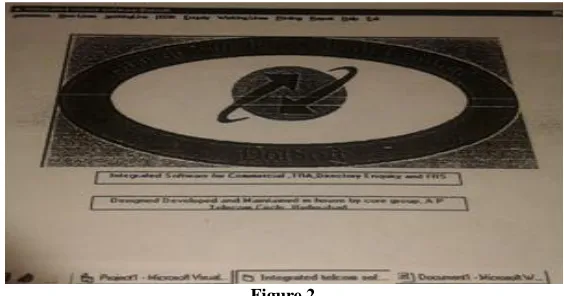
DOTSOFT is an enterprise wide telecom database system that revolutionizes the operation and supervision of customer services by enabling all the personnel to effort online. The inner server contains the complete database to which all the nodes anywhere in the distinct login the database is exceeds using software residing in the nodes which have GUI interface. The nodes in the customer service center service all the subscriber request which flow to the commercial and account section as the case may be. After validation and the approval from the concerned section the work orders flow to the different fields unit depending on the activity. After the completion of the work orders the commercial and billing data of the subscriber gets updated. Billing generation is absolutely easy and totally secure. Payments are faster and completely hassle free for the customer. The system can generate any kind of detailed as well as statistical reports. Online enquiry is available for supervision and queries. Instant electronic flow of data between the offices and field unit with facility to print wherever required.
Existing system in BSNL
Present Arrangement of customer Interaction with BSNL:- BSNL has 35 million telephone connections. BSNL provides various facilities to the subscriber like ISDN, DIAS, BROADBAND, LEASE, INTERNET, STD, ISD, conversion plan, clip facility, call divergence, Centrex. These facilities are required time to time a customer. For availing these facilities the customer is required to fill a form and sign it. Presently the customer is required to submit a signed paper document to BSNL customer service center (CSC). At CSC his document are checked for authenticity of his signature. Then advice note is generated by DOTSOFT, the package used for BSNL for customer commercial and billing process. Request is processed by DOTSOFT.
Limitations of Existing System
Original work
With the ease of subscriber a new system is proposed which is fast and simple. For a new system the customer will login the BSNL portal. The customer can also apply for the new connection by filling the NTC form. The customer filled the form along with the draft number (i.e. the security for the new telephone connection) and submits it online. He/she will be given an application form number. With the application number and password he/she can further check the status of his/her application. This request is forwarded to the administrator. Administrator gets the subscriber form along with draft. He/she then verifies the form and issues a digital certificate to the subscriber. This certificate is used to generate the digital signature. The subscriber will be informed. All further transaction will be done by this digital certificate.
For availing the various facilities of BSNL the subscriber simply logon to BSNL. Digital certificate login with the help of certificate the customer can submit it online. The customer then checked the required facility. That facility will be updated in the database. Administrator then checks all the query of subscriber. He/she then generate the advice note and transfer his/her request to the DOTSOFT. Since the submitted form uses digital certificate there is no need to further authenticate it and the request can be straight away processed by BSNL.
New System
A web portal for BSNL end user is designed which simulates BSNL web server.
The online registration system of end user is developed and using digital certificate end user can easily update the required facility.
End user can fill the online application form.
Advice note is generated with application number and all the details which end user has filled. The end user has facility to query, downloading forms, to check status.
The database is on server. Administrator can reply the query send by end user.
Various reports like form wise details, date wise details will be generated. They can see his/her status. End user can query information through sending messages.
This login window contains various modules like new lines, working lines, ISDN, printing, reports, enquiry, help and exit. Using new lines—application entry—permanent connection—the application form for new telephone connection is opened. The application number is entered, and then all information regarding this application number is appeared. All these information’s such as class of service, plan number, connection code etc is saved in other table.
Figure 3
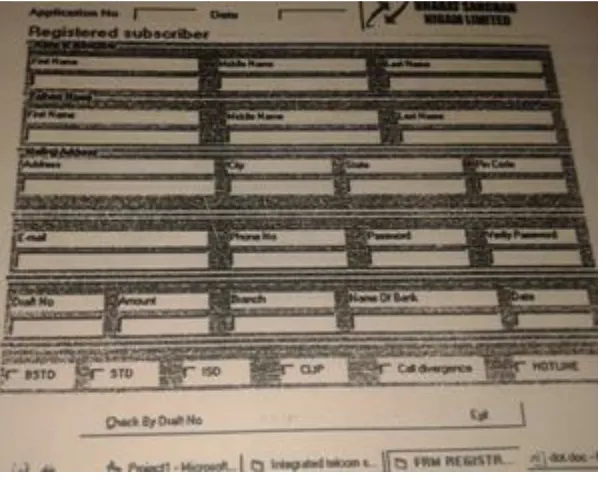
Using administration, creation form of this module is opened. Figure 3 shows the registered subscriber regarding the application number. In this form, all information about customer is showed. Giving the draft number, the record is fetched from the database. The following data on verification can be accepted or rejected. Here it is ignored and the data is saved in other table. Popup message is displayed that data is saved in the table.
Figure 4
Figure 5
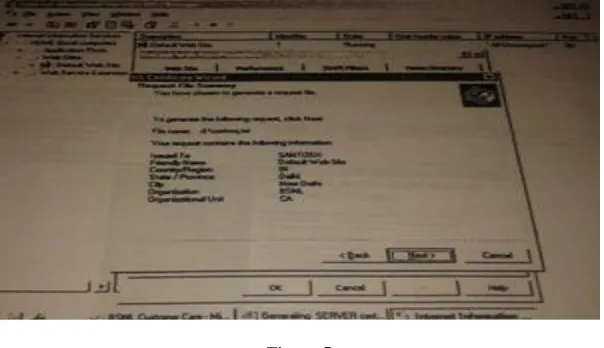
Figure 5 shows the IIS certificate wizard. This figure explains the request file summary such as file name, issued to etc. to generate the following request, click next. The Microsoft certificate services request a certificate and submit a certificate request using a base-64-encoded CMC or PCKS. Cert.txt file is passed on the save request portion. The request goes as pending request to BSNLCA. The certificate can be installed on the server browser when BSNLCA issues this certificate.
Figure 6
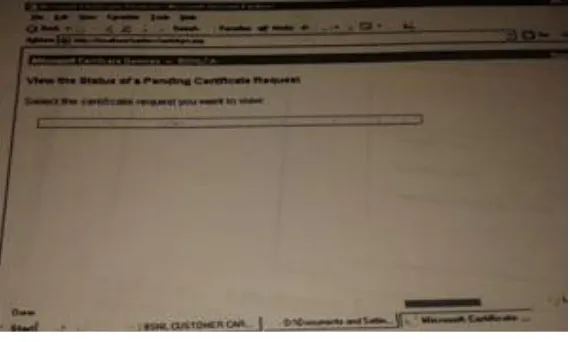
This figure shows the certificate information such as issued to, valid from etc. the certificate issued is downloaded and the certification path is saved. Popup window is displayed that either file is saved or opened. The pending certificate request processed in the IIS. The certificate is installed from a response file.
Figure 8
This figure shows creating a client certificate. A client certificate is used to authenticate a client to a server. The client generate a key pair, keep the private key to itself, and send the public key to the certificate authority to be incorporated into a certificate request. To create a client certificate, browser generates a key pair (public and private key). Private key stored in browser. Public key is sent with identification information to the server. Server CGI scripts creates a certificate and loads it into the client.
Figure 9
Figure 10
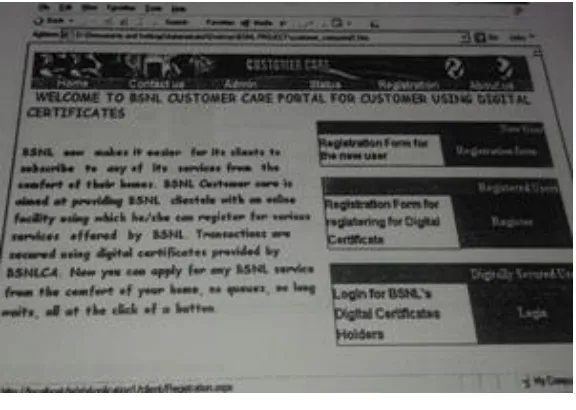
Figure 10 shows the certificate is installed using this window. When certificate installed, then a message is displayed. Subscriber is now login for availing facilities using digitally secured login from third option of figure 9. The page must be viewed over a secure channel. And a popup message is displayed that security alert. In this, the subscriber then further checks his status
CONCLUSION
The project has been developed to overcome the problems in the manual system. This makes the communication between BSNL & its customer faster. The implementing environment of using ASP.NET & SQL server provides solution to the million’s of BSNL’s Customer. The project is designed in such a way that it is user friendly and very easy for upgrading consequently, additional features of all the system can be done with minimum number of correction and minimum efforts.
REFERENCES
[1]. http://www.entrust.com/products/entrust-authority-pki/
[2]. https://www.sslshopper.com/public-key-infrastructure-pki-overview.html [3]. http://www.eetimes.com/document.asp?doc_id=1275792
[4]. http://searchsecurity.techtarget.com/definition/PKI
[5]. http://www.techotopia.com/index.php/An_Overview_of_Public_Key_Infrastructures_(PKI)m [6].
http://117.239.72.151/E3-E4/E3-E4%20TF/E3E4%20TF%20PDF%20of%20Word/Ch%2020%20E3E4%20TFOverview%20of%20BSNL%20Application %20packages.pdf