4
Events
• Java 1.0 Event Model • The Event Class • The Java 1.1 Event
Model
This chapter covers Java’s event-driven programming model. Unlike procedural programs, windows-based programs require an event-driven model in which the underlying environment tells your program when something happens. For exam-ple, when the user clicks on the mouse, the environment generates an event that it sends to the program. The program must then figure out what the mouse click means and act accordingly.
This chapter covers two different event models, or ways of handling events. In Java 1.0.2 and earlier, events were passed to all components that could possibly have an interest in them. Events themselves were encapsulated in a singleEventclass. Java 1.1 implements a “delegation” model, in which events are distributed only to objects that have been registered to receive the event. While this is somewhat more complex, it is much more efficient and also more flexible, because it allows any object to receive the events generated by a component. In turn, this means that you can separate the user interface itself from the event-handling code.
In the Java 1.1 event model, all event functionality is contained in a new package,
The old and new event models are incompatible. Although Java 1.1 supports both, you should not use both models in the same program.
4.1 Java 1.0 Event Model
The event model used in versions 1.0 through 1.0.2 of Java is fairly simple. Upon receiving a user-initiated event, like a mouse click, the system generates an instance of theEventclass and passes it along to the program. The program identi-fies the event’s target (i.e., the component in which the event occurred) and asks that component to handle the event. If the target can’t handle this event, an attempt is made to find a component that can, and the process repeats. That is all there is to it. Most of the work takes place behind the scenes; you don’t have to worr y about identifying potential targets or delivering events, except in a few spe-cial circumstances. Most Java programs only need to provide methods that deal with the specific events they care about.
4.1.1 Identifying the Target
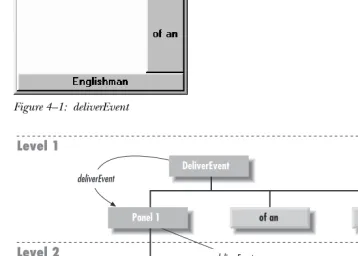
All events occur within a JavaComponent. The program decides which component gets the event by starting at the outermost level and working in. In Figure 4-1, assume that the user clicks at the location (156, 70) within the enclosingFrame’s coordinate space. This action results in a call to the Frame’s deliverEvent()
method, which determines which component within the frame should receive the event and calls that component’sdeliverEvent()method. In this case, the process continues until it reaches theButtonlabeled Blood, which occupies the rectangu-lar space from (135, 60) to (181, 80). Blood doesn’t contain any internal compo-nents, so it must be the component for which the event is intended. Therefore, an action event is delivered to Blood, with its coordinates translated to fit within the button’s coordinate space—that is, the button receives an action event with the coordinates (21, 10). If the user clicked at the location (47, 96) within the Frame’s coordinate space, theFrameitself would be the target of the event because there is no other component at this location.
To reach Blood, the event follows the component/container hierarchy shown in Figure 4-2.
4.1.2 Dealing With Events
Once deliverEvent() identifies a target, it calls that target’s handleEvent()
Figure 4–1: deliverEvent
DeliverEvent
Panel 1
Panel 2
Fe
of an
Panel 3
Fi Fo Fum I Smell The Blood Level 3
Level 1
Level 2
Englishman deliverEvent
deliverEvent
deliverEvent
Figure 4–2: deliverEvent screen model
does nothing. For your program to respond to the event, you would have to pro-vide your own implementation ofaction()or handleEvent().
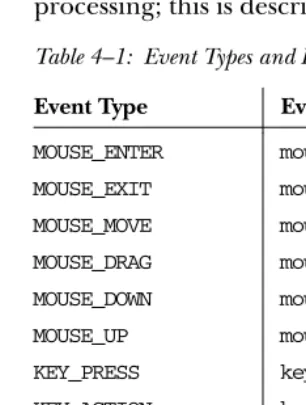
handleEvent() plays a particularly important role in the overall scheme. It is really a dispatcher, which looks at the type of event and calls an appropriate method to do the actual work: action()for action events, mouseUp()for mouse up events, and so on. Table 4-1 shows the event-handler methods you would have to override when using the default handleEvent()implementation. If you create your own
[image:3.612.57.416.177.433.2]you override an event-handler method, it is a good idea to call the overridden method to ensure that you don’t lose any functionality. All of the event handler methods return a boolean, which determines whether there is any further event processing; this is described in the next section, “Passing the Buck.”
Table 4–1: Event Types and Event Handlers
Event Type Event Handler
MOUSE_ENTER mouseEnter() MOUSE_EXIT mouseExit() MOUSE_MOVE mouseMove() MOUSE_DRAG mouseDrag() MOUSE_DOWN mouseDown() MOUSE_UP mouseUp() KEY_PRESS keyDown() KEY_ACTION keyDown() KEY_RELEASE keyUp() KEY_ACTION_RELEASE keyUp() GOT_FOCUS gotFocus() LOST_FOCUS lostFocus() ACTION_EVENT action()
4.1.3 Passing the Buck
In actuality, deliverEvent() does not call handleEvent() directly. It calls the
postEvent()method of the target component. In turn,postEvent()manages the calls tohandleEvent().postEvent()provides this additional level of indirection to monitor the return value ofhandleEvent(). If the event handler returnstrue, the handler has dealt with the event completely. All processing has been completed, and the system can move on to the next event. If the event handler returnsfalse, the handler has not completely processed the event, andpostEvent()will contact the component’sContainerto finish processing the event. Using the screen in Fig-ure 4-1 as the basis, Example 4-1 traces the calls through deliverEvent(),
overhead, even in this relatively simple example. When we discuss the Java 1.1 event model, you will see that it has much less overhead, primarily because it doesn’t need to go looking for a component to process each event.
Example 4–1: The deliverEvent, postEvent, and handleEvent Methods
DeliverEvent.deliverEvent (Event e) called DeliverEvent.locate (e.x, e.y)
Finds Panel1
Translate Event Coordinates for Panel1 Panel1.deliverEvent (Event e)
Panel1.locate (e.x, e.y) Finds Panel3
Translate Event Coordinates for Panel3 Panel3.deliverEvent (Event e)
Panel3.locate (e.x, e.y) Finds Blood
Translate Event Coordinates for Blood Blood.deliverEvent (Event e)
Blood.postEvent (Event e) Blood.handleEvent (Event e)
Blood.mouseDown (Event e, e.x, e.y) returns false
return false
Get parent Container Panel3
Translate Event Coordinates for Panel3 Panel3.postEvent (Event e)
Panel3.handleEvent (Event e)
Component.mouseDown (Event e, e.x, e.y) returns false
return false
Get parent Container Panel1
Translate Event Coordinates for Panel1 Panel1.postEvent (Event e)
Panel1.handleEvent (Event e)
Component.action (Event e, e.x, e.y) return false
return false
Get parent Container DeliverEvent
Translate Event Coordinates for DeliverEvent DeliverEvent.postEvent (Event e)
DeliverEvent.handleEvent
DeliverEvent.action (Event e, e.x, e.y) return true
4.1.4 Overriding handleEvent()
In many programs, you only need to override convenience methods likeaction()
and mouseUp(); you usually don’t need to override handleEvent(), which is the high level event handler that calls the convenience methods. However, conve-nience methods don’t exist for all event types. To act upon an event that doesn’t have a convenience method (for example, LIST_SELECT), you need to override
handleEvent() itself. Unfortunately, this presents a problem. Unlike the conve-nience methods, for which the default versions don’t take any action, han-dleEvent() does quite a lot: as we’ve seen, it’s the dispatcher that calls the convenience methods. Therefore, when you override handleEvent(), either you should reimplement all the features of the method you are overriding (a very bad idea), or you must make sure that the originalhandleEvent()is still executed to ensure that the remaining events get handled properly. The simplest way for you to do this is for your new handleEvent()method to act on any events that it is interested in and return true if it has handled those events completely. If the incoming event is not an event that your handleEvent() is interested in, you should callsuper.handleEvent()and return its return value. The following code shows how you might overridehandleEvent()to deal with aLIST_SELECTevent:
public boolean handleEvent (Event e) {
if (e.id == Event.LIST_SELECT) { // take care of LIST_SELECT System.out.println ("Selected item: " + e.arg);
return true; // LIST_SELECT handled completely; no further action } else { // make sure we call the overridden method to ensure
// that other events are handled correctly return super.handleEvent (e);
} }
4.1.5 Basic Event Handlers
The convenience event handlers likemouseDown(),keyUp(), andlostFocus()are all implemented by theComponentclass. The default versions of these methods do nothing and return false. Because these methods do nothing by default, when overriding them you do not have to ensure that the overridden method gets called. This simplifies the programming task, since your method only needs to returnfalseif it has not completely processed the event. However, if you start to subclass nonstandard components (for example, if someone has created a fancy
housekeeping”; most of the time, your program will work without it. However, your program will break as soon as someone changes the behavior of theAudioButton
and adds some feature to itsmouseDown()method. Calling the super class’s event handler helps you write “bulletproof” code.
The code below overrides the mouseDown() method. I’m assuming that we’re extending a standard component, rather than extending some custom compo-nent, and can therefore dispense with the call tosuper.mouseDown().
public boolean mouseDown (Event e, int x, int y) { System.out.println (“Coordinates: “ + x + “-“ + y); if ((x > 100) || (y < 100))
return false; // we’re not interested in this event; pass it on else // we’re interested;
... // this is where event-specific processing goes return true; // no further event processing
}
Here’s a debugging hint: when overriding an event handler, make sure that the parameter types are correct—remember that each convenience method has differ-ent parameters. If your overriding method has parameters that don’t match the original method, the program will still compile correctly. However, it won’t work. Because the parameters don’t match, your new method simply overloads the origi-nal, rather than overriding it. As a result, your method will never be called.
4.2 The Event Class
An instance of the Event class is a platform-independent representation that encapsulates the specifics of an event that happens within the Java 1.0 model. It contains everything you need to know about an event: who, what, when, where, and why the event happened. Note that theEventclass is not used in the Java 1.1 event model; instead, Java 1.1 has anAWTEventclass, with subclasses for different event types.
4.2.1 Variables
Eventcontains ten instance variables that offer all the specific information for a particular event.
Instance variables
public Object arg
Theargfield contains some data regarding the event, to be interpreted by the recipient. For example, if the user presses Return within a TextField, an
Event with an id of ACTION_EVENT is generated with the TextField as the
target and the string within it as thearg. See a description of each specific event to find out what itsargmeans.
public int clickCount
The clickCount field allows you to check for double clicking of the mouse. This field is relevant only forMOUSE_DOWNevents. There is no way to specify the time delta used to determine how quick a double-click needs to be, nor is there a maximum value for clickCount. If a user quickly clicks the mouse four times,clickCountis four. Only the passage of a system-specific time delta will reset the value so that the next MOUSE_DOWNis the first click. The incre-menting ofclickCountdoes not care which mouse button is pressed.
public Event evt
Theevtfield does not appear to be used anywhere but is available if you wish to pass around a linked list of events. Then your program can handle this event and tell the system to deal with the next one (as demonstrated in the fol-lowing code), or you can process the entire chain yourself.
public boolean mouseDown (Event e, int x, int y) { System.out.println ("Coordinates: " + x + "-" + y); if (e.evt != null)
postEvent (e.evt); return true;
}
public int id
The idfield ofEventcontains the identifier of the event. The system-gener-ated events are the followingEventconstants:
KEY_PRESS SCROLL_LINE_DOWN KEY_RELEASE SCROLL_PAGE_UP KEY_ACTION SCROLL_PAGE_DOWN KEY_ACTION_RELEASE SCROLL_ABSOLUTE MOUSE_DOWN LIST_SELECT MOUSE_UP LIST_DESELECT MOUSE_MOVE ACTION_EVENT
As a user, you can create your own event types and store your own unique event ID here. In Java 1.0, there is no formal way to prevent conflicts between your events and system events, but using a negative IO is a good ad-hoc method. It is up to you to check all the user events generated in your program in order to avoid conflicts among user events.
public int key
For keyboard-related events, thekeyfield contains the integer representation of the keyboard element that caused the event. Constants are available for the keypad keys. To examinekeyas a character, just cast it to achar. For nonkey-board-related events, the value is zero.
pubic int modifiers
Themodifiersfield shows the state of the modifier keys when the event hap-pened. A flag is set for each modifier key pressed by the user when the event happened. Modifier keys are Shift, Control, Alt, and Meta. Since the middle and right mouse key are indicated in a Java event by a modifier key, one rea-son to use themodifiersfield is to determine which mouse button triggered an event. See Section 4.2.4 for an example.
public Object target
The target field contains a reference to the object that is the cause of the event. For example, if the user selects a button, the button is the target of the event. If the user moves the mouse into aFrame, theFrameis the target. The
targetindicates where the event happened, not the component that is deal-ing with it.
public long when
The whenfield contains the time of the event in milliseconds. The following code converts thislongvalue to aDateto examine its contents:
Date d = new Date (e.when);
public int x public int y
passed through the containing components. (See the previous Section 4.1.1 for an example of this translation.) It is possible for either or both of these to be outside the coordinate space of the applet (e.g., if user quickly moves the mouse outside the applet).
4.2.2 Constants
Numerous constants are provided with the Eventclass. Several designate which event happened (the why). Others are available to help in determining the func-tion key a user pressed (the what). And yet more are available to make your life easier.
When the system generates an event, it calls a handler method for it. To deal with the event, you have to override the appropriate method. The different event type sections describe which methods you override.
Key constants
These constants are set when a user presses a key. Most of them correspond to function and keypad keys; since such keys are generally used to invoke an action from the program or the system, Java calls themaction keysand causes them to gen-erate a different Event type (KEY_ACTION) from regular alphanumeric keys (KEY_PRESS).
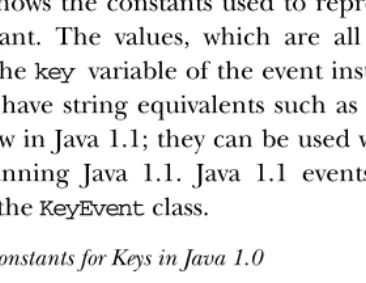
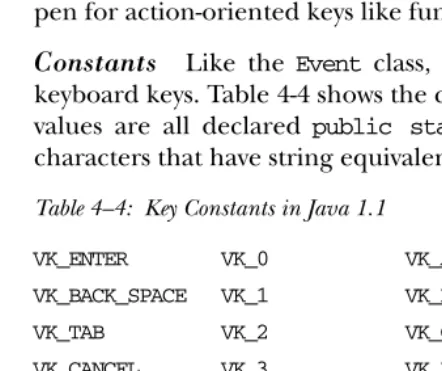
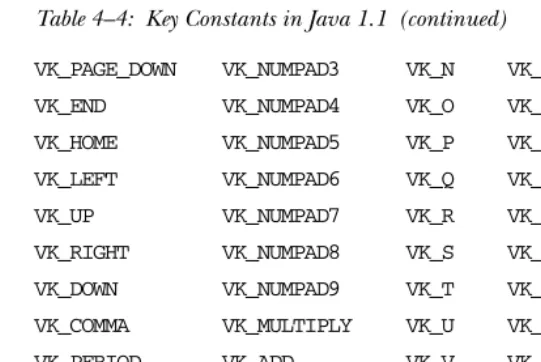
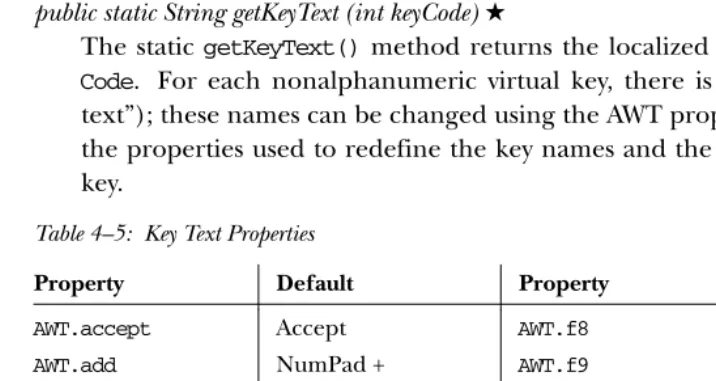
[image:10.612.135.318.464.605.2]Table 4-2 shows the constants used to represent keys and the event type that uses each constant. The values, which are all declared public static final int, appear in thekey variable of the event instance. A few keys represent ASCII char-acters that have string equivalents such as\n. Black stars (★) mark the constants that are new in Java 1.1; they can be used with the 1.0 event model, provided that you are running Java 1.1. Java 1.1 events use a different set of key constants defined in theKeyEventclass.
Table 4–2: Constants for Keys in Java 1.0
Constant Event Type Constant Event Type
HOME KEY_ACTION F9 KEY_ACTION
END KEY_ACTION F10 KEY_ACTION
PGUP KEY_ACTION F11 KEY_ACTION
PGDN KEY_ACTION F12 KEY_ACTION
UP KEY_ACTION PRINT_SCREEN★ KEY_ACTION DOWN KEY_ACTION SCROLL_LOCK★ KEY_ACTION LEFT KEY_ACTION CAPS_LOCK★ KEY_ACTION RIGHT KEY_ACTION NUM_LOCK★ KEY_ACTION
Table 4–2: Constants for Keys in Java 1.0 (continued)
Constant Event Type Constant Event Type
F2 KEY_ACTION INSERT★ KEY_ACTION
F3 KEY_ACTION ENTER(\n)★ KEY_PRESS F4 KEY_ACTION BACK_SPACE(\b)★ KEY_PRESS F5 KEY_ACTION TAB(\t)★ KEY_PRESS
F6 KEY_ACTION ESCAPE★ KEY_PRESS
F7 KEY_ACTION DELETE★ KEY_PRESS
F8 KEY_ACTION
Modifiers
Modifiers are keys like Shift, Control, Alt, or Meta. When a user presses any key or mouse button that generates anEvent, themodifiersfield of theEventinstance is set. You can check whether any modifier key was pressed by ANDing its constant with themodifiersfield. If multiple modifier keys were down at the time the event occurred, the constants for the different modifiers are ORed together in the field.
public static final int ALT_MASK public static final int CTRL_MASK public static final int META_MASK public static final int SHIFT_MASK
When reporting a mouse event, the system automatically sets themodifiersfield. Since Java is advertised as supporting the single-button mouse model, all buttons generate the same mouse events, and the system uses themodifiersfield to differ-entiate between mouse buttons. That way, a user with a one- or two-button mouse can simulate a three-button mouse by clicking on his mouse while holding down a modifier key. Table 4-3 lists the mouse modifier keys; an applet in Section 4.2.4 demonstrates how to differentiate between mouse buttons.
Table 4–3: Mouse Button Modifier Keys
Mouse Button Modifier Key
Left mouse button None
Middle mouse button ALT_MASK
[image:11.612.54.205.487.546.2]For example, if you have a three-button mouse, and click the right button, Java generates some kind of mouse event with theMETA_MASKset in themodifiersfield. If you have a one-button mouse, you can generate the same event by clicking the mouse while depressing the Meta key.
NOTE If you have a multibutton mouse and do an Alt+right mouse or
Meta+left mouse, the results are platform specific. You should get a mouse event with two masks set.
Key events
The component peers deliver separate key events when a user presses and releases nearly any key. KEY_ACTION and KEY_ACTION_RELEASE are for the function and arrow keys, whileKEY_PRESSandKEY_RELEASEare for the remaining control and alphanumeric keys.
public static final int KEY_ACTION
The peers deliver the KEY_ACTION event when the user presses a function or keypad key. The default Component.handleEvent() method calls the
keyDown()method for this event. If the user holds down the key, this event is generated multiple times. If you are using the 1.1 event model, the interface methodKeyListener.keyPressed()handles this event.
public static final int KEY_ACTION_RELEASE
The peers deliver the KEY_ACTION_RELEASE event when the user releases a function or keypad key. The default handleEvent() method for Component
calls thekeyUp()method for this event. If you are using the 1.1 event model, theKeyListener.keyReleased()inter face method handles this event.
public static final int KEY_PRESS
The peers deliver theKEY_PRESSevent when the user presses an ordinary key. The default Component.handleEvent() method calls the keyDown() method for this event. Holding down the key causes multipleKEY_PRESSevents to be generated. If you are using the 1.1 event model, the interface method KeyLis-tener.keyPressed()handles this event.
public static final int KEY_RELEASE
The peers deliverKEY_RELEASEevents when the user releases an ordinary key. The defaulthandleEvent()method for Componentcalls thekeyUp()method for this event. If you are using the 1.1 event model, the interface method
NOTE If you want to capture arrow and keypad keys under the X Window System, make sure the key codes are set up properly, using the
xmodmapcommand.
NOTE Some platforms generate events for the modifier keys by themselves,
whereas other platforms require modifier keys to be pressed with another key. For example, on a Windows 95 platform, if Ctrl+A is
pressed, you would expect one KEY_PRESS and one KEY_RELEASE.
However, there is a secondKEY_RELEASEfor the Control key. Under
Motif, you get only a singleKEY_RELEASE.
Window events
Window events happen only for components that are children ofWindow. Several of these events are available only on certain platforms. Like other event types, the
idvariable holds the value of the specific event instance.
public static final int WINDOW_DESTROY
The peers deliver theWINDOW_DESTROYevent whenever the system tells a win-dow to destroy itself. This is usually done when the user selects the winwin-dow manager’s Close or Quit window menu option. By default,Frame instances do not deal with this event, and you must remember to catch it yourself. If you are using the 1.1 event model, the WindowListener.windowClosing() inter-face method handles this event.
public static final int WINDOW_EXPOSE
The peers deliver theWINDOW_EXPOSEevent whenever all or part of a window becomes visible. To find out what part of the window has become uncovered, use the getClipRect()method (or getClipBounds()in Java version 1.1) of theGraphicsparameter to thepaint()method. If you are using the 1.1 event model, the WindowListener.windowOpening()inter face method most closely corresponds to the handling of this event.
public static final int WINDOW_ICONIFY
The peers deliver theWINDOW_ICONIFY event when the user iconifies the win-dow. If you are using the 1.1 event model, the interface method WindowLis-tener.windowIconified()handles this event.
public static final int WINDOW_DEICONIFY
public static final int WINDOW_MOVED
TheWINDOW_MOVEDevent signifies that the user has moved the window. If you are using the 1.1 event model, the ComponentListener.componentMoved()
inter face method handles this event.
Mouse events
The component peers deliver mouse events when a user presses or releases a mouse button. Events are also delivered whenever the mouse moves. In order to be platform independent, Java pretends that all mice have a single button. If you press the second or third button, Java generates a regular mouse event but sets the event’smodifers field with a flag that indicates which button was pressed. If you press the left button, nomodifiersflags are set. Pressing the center button sets the
ALT_MASK flag; pressing the right button sets the META_MASKflag. Therefore, you can determine which mouse button was pressed by looking at the Event.modi-fiers attribute. Furthermore, users with a one-button or two-button mouse can generate the same events by pressing a mouse button while holding down the Alt or Meta keys.
NOTE Early releases of Java (1.0.2 and earlier) only propagated mouse
events from Canvas and Container objects. With the 1.1 event
model, the events that different components process are better defined.
public static final int MOUSE_DOWN
The peers deliver theMOUSE_DOWNevent when the user presses any mouse but-ton. This action must occur over a component that passes along the
MOUSE_DOWN event. The default Component.handleEvent() method calls the
mouseDown()method for this event. If you are using the 1.1 event model, the
MouseListener.mousePressed()inter face method handles this event.
public static final int MOUSE_UP
The peers deliver theMOUSE_UPevent when the user releases the mouse but-ton. This action must occur over a component that passes along theMOUSE_UP
event. The defaulthandleEvent()method forComponentcalls themouseUp()
method for this event. If you are using the 1.1 event model, the interface methodMouseListener.mouseReleased()handles this event.
public static final int MOUSE_MOVE
without losing much, choose to deal with only every third or fourth move-ment.) The defaulthandleEvent()method calls themouseMove()method for the event. If you are using the 1.1 event model, the interface method MouseMo-tionListener.mouseMoved()handles this event.
public static final int MOUSE_DRAG
The peers deliver theMOUSE_DRAGevent whenever the user moves the mouse over any part of the applet with a mouse button depressed. The default methodhandleEvent()calls themouseDrag()method for the event. If you are using the 1.1 event model, the interface method MouseMotionLis-tener.mouseDragged()handles this event.
public static final int MOUSE_ENTER
The peers deliver theMOUSE_ENTERevent whenever the cursor enters a compo-nent. The defaulthandleEvent()method calls themouseEnter()method for the event. If you are using the 1.1 event model, the interface method
MouseListener.mouseEntered()handles this event.
public static final int MOUSE_EXIT
The peers deliver theMOUSE_EXITevent whenever the cursor leaves a compo-nent. The default handleEvent()method calls themouseExit() method for the event. If you are using the 1.1 event model, the interface method
MouseListener.mouseExited()handles this event.
Scrolling events
The peers deliver scrolling events for theScrollbarcomponent. The objects that have a built-in scrollbar (like List, ScrollPane, andTextArea) do not generate these events. No default methods are called for any of the scrolling events. They must be dealt with in thehandleEvent()method of theContaineror a subclass of the Scrollbar. You can determine which particular event occurred by checking theidvariable of the event, and find out the new position of the thumb by looking at theargvariable or callinggetValue()on the scrollbar. See also the description of theAdjustmentListenerinter face later in this chapter.
public static final int SCROLL_LINE_UP
public static final int SCROLL_LINE_DOWN
The peers deliver the SCROLL_LINE_DOWN event when the user presses the arrow pointing down for the vertical scrollbar or the arrow pointing right for the horizontal scrollbar. This increases the scrollbar setting by one toward the maximum value. If you are using the 1.1 event model, the interface method
AdjustmentListener.adjustmentValueChanged()handles this event.
public static final int SCROLL_PAGE_UP
The peers deliver theSCROLL_PAGE_UPevent when the user presses the mouse with the cursor in the area between the slider and the decrease arrow. This decreases the scrollbar setting by the paging increment, which defaults to 10, back toward the minimum value. If you are using the 1.1 event model, the inter face method AdjustmentListener.adjustmentValueChanged() handles this event.
public static final int SCROLL_PAGE_DOWN
The peers deliver the SCROLL_PAGE_DOWN event when the user presses the mouse with the cursor in the area between the slider and the increase arrow. This increases the scrollbar setting by the paging increment, which defaults to 10, toward the maximum value. If you are using the 1.1 event model, the inter-face method AdjustmentListener.adjustmentValueChanged() handles this event.
public static final int SCROLL_ABSOLUTE
The peers deliver theSCROLL_ABSOLUTEevent when the user drags the slider part of the scrollbar. There is no set time period or distance between multiple
SCROLL_ABSOLUTEevents. If you are using the Java version 1.1 event model, the
AdjustmentListener.adjustmentValueChanged() inter face method handles this event.
public static final int SCROLL_BEGIN★
TheSCROLL_BEGINevent is not delivered by peers, but you may wish to use it to signify when a user drags the slider at the beginning of a series of
SCROLL_ABSOLUTE events.SCROLL_END, described next, would then be used to signify the end of the series.
public static final int SCROLL_END★
TheSCROLL_ENDevent is not delivered by peers, but you may wish to use it to signify when a user drags the slider at the end of a series ofSCROLL_ABSOLUTE
List events
Two events specific to theListclass are passed along by the peers. They signify when the user has selected or deselected a specific choice in theList. It is not ordinarily necessary to capture these events, because the peers deliver the
ACTION_EVENTwhen the user double-clicks on a specific item in theListand it is thisACTION_EVENTthat triggers something to happen. However, if there is reason to do something when the user has just single-clicked on a choice, these events may be useful. An example of how they would prove useful is if you are displaying a list of filenames with the ability to preview files before loading. Single selection would preview, double-click would load, and deselect would stop previewing.
No default methods are called for any of the list events. They must be dealt with in thehandleEvent()method of theContainerof theListor a subclass of theList. You can determine which particular event occurred by checking theidvariable of the event.
public static final int LIST_SELECT
The peers deliver theLIST_SELECT event when the user selects an item in a
List. If you are using the 1.1 event model, the interface method ItemLis-tener.itemStateChanged()handles this event.
public static final int LIST_DESELECT
The peers deliver theLIST_DESELECTevent when an item in aListhas been deselected. This is generated only if the List permits multiple selections. If you are using the 1.1 event model, the ItemListener.itemStateChanged()
inter face method handles this event.
Focus events
The peers deliver focus events when a component gains (GOT_FOCUS) or loses (LOST_FOCUS) the input focus. No default methods are called for the focus events. They must be dealt with in thehandleEvent() method of the Containerof the component or a subclass of the component. You can determine which particular event occurred by checking theidvariable of the event.
NOTE Early releases of Java (1.0.2 and before) did not propagate focus
public static final int GOT_FOCUS
The peers deliver the GOT_FOCUS event when a component gets the input focus. If you are using the 1.1 event model, theFocusListener.focusGained()
inter face method handles this event.
public static final int LOST_FOCUS
The peers deliver the LOST_FOCUS event when a component loses the input focus. If you are using the 1.1 event model, theFocusListener.focusLost()
inter face method handles this event.
FileDialog events
The FileDialog events are another set of nonportable events. Ordinarily, the
FileDialog events are completely dealt with by the system, and you never see them. Refer to Chapter 6,Containersfor exactly how to work with theFileDialog
object. If you decide to create a generic FileDialog object, you can use these events to indicate file loading and saving. These constants would be used in theid
variable of the specific event instance:
public static final int LOAD_FILE public static final int SAVE_FILE
Miscellaneous events
ACTION_EVENTis probably the event you deal with most frequently. It is generated when the user performs the desired action for a specific component type (e.g., when a user selects a button or toggles a checkbox). This constant would be found in theidvariable of the specific event instance.
public static final int ACTION_EVENT
The circumstances that lead to the peers delivering the ACTION_EVENT event depend upon the component that is the target of the event and the user’s form. Although the event can be passed along differently on different forms, users will be accustomed to how the peers work on their specific plat-forms and will not care that it is different on the other platplat-forms. For example, a Java 1.0Listcomponent on a Microsoft Windows platform allows the user to select an item by pressing the first letter of the choice, whereupon theList
tries to find an item that starts with the letter. The X Window System List
component does not provide this capability. It works like a normal XList, where the user must scroll to locate the item and then select it.
When the ACTION_EVENT is generated, the argvariable of the specificEvent
describe Java’s GUI components, the description of each component contains an “Events” subsection that describes the value of the event’sargfield. If you are using the 1.1 event model, theActionListener.actionPerformed() and
ItemListener.itemStateChanged() inter face methods handle this event, depending upon the component type.
4.2.3 Event Methods
Constructors
Ordinarily, the peers deliver all your events for you. However, if you are creating your own components or want to communicate across threads, it may be necessary to create your own events. You can also create your own events to notify your com-ponent’s container of application-specific occurrences. For example, if you were implementing your own tab sequencing for text fields, you could create a “next text field” event to tell your container to move to the next text field. Once you cre-ate the event, you send it through the system using theComponent.postEvent()
method.
public Event (Object target, long when, int id, int x, int y, int key, int modifiers, Object arg)
The first version of the constructor is the most complete and is what the other two call. It initializes all the fields of theEventto the parameters passed and sets clickCount to 0. See the descriptions of the instance variables Section 4.2.1 for the meanings of the arguments.
public Event (Object target, long when, int id, int x, int y, int key, int modifiers)
The second constructor version calls the first withargset to null.
public Event (Object target, int id, Object arg)
The final version calls the first constructor with thewhen,x,y,key, and modi-fiersparameters set to 0.
Modifier methods
The modifier methods check to see if the different modifier mask values are set. They report the state of each modifier key at the moment an event occurred. It is possible for multiple masks to be set if multiple modifiers are pressed when the event occurs.
There is noaltDown()method; to check whether the Alt key is pressed you must directly compare the event’smodifiersagainst theEvent.ALT_MASKconstant. The
public boolean shiftDown ()
TheshiftDown()method returnstrueif the Shift key was pressed andfalse
other wise. There is no way to differentiate left and right shift keys.
public boolean controlDown ()
ThecontrolDown()method returns trueif the Control key was pressed and
falseother wise.
public boolean metaDown ()
ThemetaDown()method returnstrueif the Meta key was pressed and false
other wise.
Miscellaneous methods
public void translate (int x, int y)
The translate() method translates the x and y coordinates of the Event
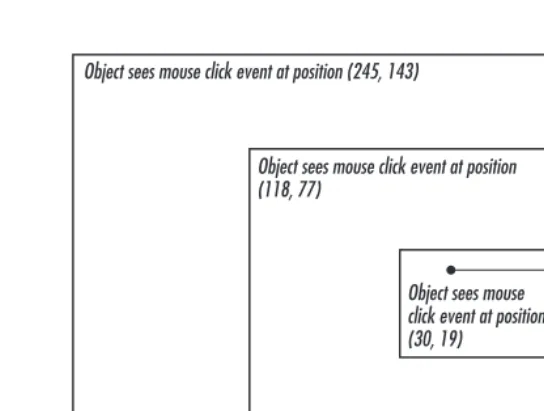
instance byxandy. The system does this so that the coordinates of the event are relative to the component receiving the event, rather than the container of the component. The system takes care of all this for you when passing the event through the containment hierarchy (not the object hierarchy), so you do not have to bother with translating them yourself. Figure 4-3 shows how this method would change the location of an event from a container down to an internal component.
protected String paramString ()
When you call thetoString()method ofEvent, theparamString()method is called in turn to build the string to display. In the event you subclassEventto add additional information, instead of having to provide a whole new
toString() method, you need only add the new information to the string already generated by paramString(). Assuming the new information is foo, this would result in the following method declaration:
protected String paramString() {
return super.paramString() + ",foo=" + foo; }
public String toString ()
Object sees mouse click event at position (118, 77)
Mouse Click Object sees mouse click event at position (245, 143)
[image:21.612.96.368.71.276.2]Object sees mouse click event at position (30, 19)
Figure 4–3: Translating an event’s location relative to a component
java.awt.Event[id=602,x=374,y=110,target=java.awt.Scrollbar[374, 110,15x50,val=1,vis=true,min=0,max=255,vert],arg=1]
4.2.4 Working With Mouse Buttons in Java 1.0
As stated earlier, themodifierscomponent ofEventcan be used to differentiate the different mouse buttons. If the user has a multibutton mouse, themodifiers
field is set automatically to indicate which button was pressed. If the user does not own a multibutton mouse, he or she can press the mouse button in combination with the Alt or Meta keys to simulate a three-button mouse. Example 4-2 is a sam-ple program calledmouseEventthat displays the mouse button selected.
Example 4–2: Differentiating Mouse Buttons in Java 1.0
import java.awt.*; import java.applet.*;
public class mouseEvent extends Applet { String theString = "Press a Mouse Key"; public synchronized void setString (String s) {
theString = s; }
public synchronized String getString () { return theString;
}
public synchronized void paint (Graphics g) { g.drawString (theString, 20, 20);
}
Example 4–2: Differentiating Mouse Buttons in Java 1.0 (continued)
setString ("Right Button Pressed"); } else if (e.modifiers == Event.ALT_MASK) {
setString ("Middle Button Pressed"); } else {
setString ("Left Button Pressed"); }
repaint (); return true; }
public boolean mouseUp (Event e, int x, int y) { setString ("Press a Mouse Key");
repaint (); return true; }
}
Unfortunately, this technique does not always work. With certain components on some platforms, the peer captures the mouse event and does not pass it along; for example, on Windows, the display-edit menu of a TextField appears when you select the right mouse button. Be cautious about relying on multiple mouse but-tons; better yet, if you want to ensure absolute portability, stick to a single button.
4.2.5 Comprehensive Event List
Unfortunately, there are many platform-specific differences in the way event han-dling works. It’s not clear whether these differences are bugs or whether vendors think they are somehow improving their product by introducing portability prob-lems. We hope that as Java matures, different platforms will gradually come into synch. Until that happens, you might want your programs to assume the lowest common denominator. If you are willing to take the risk, you can program for a specific browser or platform, but should be aware of the possibility of changes.
4.3 The Java 1.1 Event Model
Now it’s time to discuss the new event model that is implemented by the 1.1 release of the JDK. Although this model can seem much more complex (it does have many more pieces), it is really much simpler and more efficient. The new event model does away with the process of searching for components that are interested in an event—deliverEvent(), postEvent(), handleEvent()—and all that. The new model requires objects be registered to receive events. Then, only those objects that are registered are told when the event actually happens.
This new model is called “delegation”; it implements the Observer-Observable
design pattern with events. It is important in many respects. In addition to being much more efficient, it allows for a much cleaner separation between GUI compo-nents and event handling. It is important that any object, not just aComponent, can receive events. Therefore, you can separate your event-handling code from your GUI code. One set of classes can implement the user interface; another set of classes can respond to the events generated by the interface. This means that if you have designed a good interface, you can reuse it in different applications by changing the event processing. The delegation model is essential to JavaBeans, which allows interaction between Java and other platforms, like OpenDoc or ActiveX. To allow such interaction, it was essential to separate the source of an event from the recipient.*
The delegation model has several other important ramifications. First, event han-dlers no longer need to worry about whether or not they have completely dealt with an event; they do what they need to, and return. Second, events can be broad-cast to multiple recipients; any number of classes can be registered to receive an event. In the old model, broadcasting was possible only in a very limited sense, if at all. An event handler could declare that it hadn’t completely processed an event, thus letting its container receive the event when it was done, or an event handler could generate a new event and deliver it to some other component. In any case, developers had to plan how to deliver events to other recipients. In Java 1.1, that’s no longer necessary. An event will be delivered to every object that is registered as a listener for that event, regardless of what other objects do with the event. Any lis-tener can mark an event “consumed,” so it will be ignored by the peer or (if they care) other listeners.
Finally, the 1.1 event model includes the idea of an event queue. Instead of having to overridehandleEvent()to see all events, you can peek into the system’s event queue by using theEventQueueclass. The details of this class are discussed at the end of this chapter.
In Java 1.1, each component is an event source that can generate certain types of events, which are all subclasses ofAWTEvent. Objects that are interested in an event are calledlisteners. Each event type corresponds to a listener interface that specifies the methods that are called when the event occurs. To receive an event, an object must implement the appropriate listener interface and must be registered with the event’s source, by a call to an “add listener” method of the component that gener-ates the event. Who calls the “add listener” method can vary; it is probably the best design for the component to register any listeners for the events that it generates, but it is also possible for the event handler to register itself, or for some third object to handle registration (for example, one object could call the constructor for a component, then call the constructor for an event handler, then register the event handler as a listener for the component’s events).
This sounds complicated, but it really isn’t that bad. It will help to think in con-crete terms. ATextFieldobject can generate action events, which in Java 1.1 are of the classActionEvent. Let’s say we have an object of classTextActionHandler
that is called myHandler that is interested in receiving action events from a text field named inputBuffer. This means that our object must implement the
ActionListener inter face, and this in turn, means that it must include an
actionPerformed()method, which is called when an action event occurs. Now, we have to register our object’s interest in action events generated byinputBuffer; to do so, we need a call to inputBuffer.addActionListener(myHandler). This call would probably be made by the object that is creating the TextFieldbut could also be made by our event handler itself. The code might be as simple as this:
...
public void init(){ ...
inputBuffer = new TextField(); myHandler = new TextActionHandler();
inputBuffer.addActionListener(myHandler); // register the handler for the // buffer’s events
add (inputBuffer); // add the input buffer to the display ...
}
Once our object has been registered,myHandler.actionPerformed()will be called whenever a user does anything in the text field that generates an action event, like typing a carriage return. In a way, actionPerformed() is very similar to the
Of course, there are many other kinds of events. Figure 4-4 shows the event hierar-chy for Java 1.1. Figure 4-5 shows the different listener interfaces, which are all subinter faces ofEventListener, along with the related adapter classes.
extends
CLASS
ABSTRACT CLASS
ActionEvent
AWTEvent
java.awt.event
KEY
java.awt
AdjustmentEvent
ComponentEvent
ItemEvent
TextEvent
ContainerEvent
FocusEvent
InputEvent
PaintEvent
WindowEvent
KeyEvent
[image:25.612.54.418.118.298.2]MouseEvent
Figure 4–4: AWTEvent class hierarchy
Some of the listener interfaces are constructed to deal with multiple events. For instance, the MouseListener inter face declares five methods to handle different kinds of mouse events: mouse down, mouse up, click (both down and up), mouse enter, and mouse exit. Strictly speaking, this means that an object interested in mouse events must implementMouseListenerand must therefore implement five methods to deal with all possible mouse actions. This sounds like a waste of the programmer’s effort; most of the time, you’re only interested in one or two of these events. Why should you have to implement all five methods? Fortunately, you don’t. Thejava.awt.eventpackage also includes a set ofadapter classes, which are shorthands that make it easier to write event handlers. The adapter class for any listener interface provides anullimplementation of all the methods in that inter-face. For example, theMouseAdapter class providesstubimplementations of the methodsmouseEntered(),mouseExited(),mousePressed(),mouseReleased(), and
mouseClicked(). If you want to write an event-handling class that deals with mouse clicks only, you can declare that your class extendsMouseAdapter. It then inherits all five of these methods, and your only programming task is to override the single method you care about:mouseClicked().
implements extends
INTERFACE
CLASS ABSTRACT CLASS Object
java.lang
java.util
ComponentListener ContainerListener FocusListener
KeyListener MouseListener MouseMotionListener TextListener ItemListener
WindowListener
java.awt.event
KEY
ActionListener AdjustmentListener
ComponentAdapter
ContainerAdapter
FocusAdapter
KeyAdapter
MouseAdapter
MouseMotionAdapter
WindowAdapter
[image:26.612.53.416.74.371.2]EventListener
Figure 4–5: AWT EventListener and Adapter class hierarchies
addMouseListener (new MouseAdapter() { public void mousePressed (MouseEvent e) {
// do what’s needed to handle the event
System.out.println ("Clicked at: " + e.getPoint()); }
});
This code creates aMouseAdapter, overrides itsmousePressed()method, and regis-ters the resulting unnamed object as a listener for mouse events. Its mouse-Pressed() method is called whenMOUSE_PRESSEDevents occur. You can also use the adapter classes to implement something similar to a callback. For example, you could override mousePressed() to call one of your own methods, which would then be called whenever aMOUSE_PRESSEDevent occurs.
There are adapter classes for most of the listener interfaces; the only exceptions are the listener interfaces that contain only one method (for example, there’s no
only one method, an adapter class is superfluous. Event handlers may as well implement the listener interface directly, because they will have to override the only method in the interface; creating a dummy class with the interface method stubbed out doesn’t accomplish anything. The different adapter classes are dis-cussed with their relatedEventListenerinter faces.
With all these adapter classes, listener interfaces, and event classes, it’s easy to get confused. Here’s a quick summary of the different pieces involved and the roles they play:
• Components generate AWTEvents when something happens. Different sub-classes of AWTEvent represent different kinds of events. For example, mouse events are represented by theMouseEventclass. Each component can generate certain subclasses ofAWTEvent.
• Event handlers are registered to receive events by calls to an “add listener” method in the component that generates the event. There is a different “add listener” method for every kind ofAWTEventthe component can generate; for example, to declare your interest in a mouse event, you call the component’s
addMouseListener()method.
• Ever y event type has a corresponding listener interface that defines the meth-ods that are called when that event occurs. To be able to receive events, an event handler must therefore implement the appropriate listener interface. For example,MouseListenerdefines the methods that are called when mouse events occur. If you create a class that callsaddMouseListener(), that class had better implement theMouseListenerinter face.
• Most event types also have an adapter class. For example,MouseEvents have a
MouseAdapterclass. The adapter class implements the corresponding listener inter face but provides a stub implementation of each method (i.e., the method just returns without taking any action). Adapter classes are shorthand for programs that only need a few of the methods in the listener interface. For example, instead of implementing all five methods of theMouseListener inter-face, a class can extend the MouseAdapterclass and override the one or two methods that it is interested in.
4.3.1 Using the 1.1 Event Model
Before jumping in and describing all the different pieces in detail, we will look at a simple applet that uses the Java 1.1 event model. Example 4-3 is equivalent to Example 4-2, except that it uses the new event model; when you press a mouse but-ton, it just tells you what button you pressed. Notice how the new class,
mouseEvent11 implements a very simple user interface. The classUpDownCatcher
handles the events, figures out what to do, and calls some methods in
mouseEvent11to communicate the results. I added a simple interface that is called
GetSetString to define the communications between the user interface and the event handler; strictly speaking, this isn’t necessar y, but it’s a good programming practice.
Example 4–3: Handling Mouse Events in Java 1.1
// Java 1.1 only import java.awt.*; import java.awt.event.*; import java.applet.*; interface GetSetString {
public void setString (String s); public String getString (); }
TheUpDownCatcherclass is responsible for handling events generated by the user inter face. It extends MouseAdapter so that it needs to implement only the
MouseListener methods that we care about (such as mousePressed() and
mouseReleased()).
class UpDownCatcher extends MouseAdapter { GetSetString gss;
public UpDownCatcher (GetSetString s) { gss = s;
}
The constructor simply saves a reference to the class that is using this handler.
public void mousePressed (MouseEvent e) { int mods = e.getModifiers();
if ((mods & MouseEvent.BUTTON3_MASK) != 0) { gss.setString ("Right Button Pressed"); } else if ((mods & MouseEvent.BUTTON2_MASK) != 0) {
gss.setString ("Middle Button Pressed"); } else {
gss.setString ("Left Button Pressed"); }
e.getComponent().repaint(); }
The mousePressed method overrides one of the methods of the MouseAdapter
public void mouseReleased (MouseEvent e) { gss.setString ("Press a Mouse Key"); e.getComponent().repaint();
} }
The mouseReleased method overrides another of the methods of the Mouse-Adapter class. When the user releases the mouse button, it callssetString() to restore the user interface to the original message.
public class mouseEvent11 extends Applet implements GetSetString { private String theString = "Press a Mouse Key";
public synchronized void setString (String s) { theString = s;
}
public synchronized String getString () { return theString;
}
public synchronized void paint (Graphics g) { g.drawString (theString, 20, 20);
}
public void init () {
addMouseListener (new UpDownCatcher(this)); }
}
mouseEvent11 is a very simple applet that implements our user interface. All it does is draw the desired string on the screen; the event handler tells it what string to draw. The init() method creates an instance of the event handler, which is
UpDownCatcher, and registers it as interested in mouse events.
Because the user interface and the event processing are in separate classes, it would be easy to use this user interface for another purpose. You would have to replace only theUpDownCatcherclass with something else—perhaps a more com-plex class that reported when the mouse entered and exited the area.
4.3.2 AWTEvent and Its Children
Under the 1.1 delegation event model, all system events are instances ofAWTEvent
or its subclasses. The model provides two sets of event types. The first set are fairly raw events, such as those indicating when a component gets focus, a key is pressed, or the mouse is moved. These events exist inComponentEvent and its subclasses, along with some new events previously available only by overriding non-event-related methods. In addition, higher-level event types (for example, selecting a button) are encapsulated in other subclasses ofAWTEventthat are not children of
4.3.2.1 AWTEvent
Variables
protected int id★
The idfield ofAWTEvent is protected and is accessible through the getID()
method. It serves as the identifier of the event type, such as the ACTION_PER-FORMEDtype ofActionEventor theMOUSE_MOVEtype ofEvent. With the delega-tion event model, it is usually not necessary to look at the eventidunless you are looking in the event queue; just register the appropriate event listener.
Constants The constants ofAWTEventare used in conjunction with the internal method Component.eventEnabled(). They are used to help the program determine what style of event handling (true/false-containment or listening-delegation) the program uses and which events a component processes. If you want to process 1.1 events without providing a listener, you need to set the mask for the type of event you want to receive. Look in Chapter 5,Components, for more information on the use of these constants:
public final static long ACTION_EVENT_MASK★
public final static long ADJUSTMENT_EVENT_MASK★
public final static long COMPONENT_EVENT_MASK★
public final static long CONTAINER_EVENT_MASK★
public final static long FOCUS_EVENT_MASK★
public final static long ITEM_EVENT_MASK★
public final static long KEY_EVENT_MASK★
public final static long MOUSE_EVENT_MASK★
public final static long MOUSE_MOTION_EVENT_MASK★
public final static long TEXT_EVENT_MASK★
public final static long WINDOW_EVENT_MASK★
In addition to the mask constants, the constant RESERVED_ID_MAX is the largest event ID reserved for “official” events. You may use ID numbers greater than this value to create your own events, without risk of conflicting with standard events.
public final static long RESERVED_ID_MAX★
Constructors Since AWTEvent is an abstract class, you cannot call the
constructors directly. They are automatically called when an instance of a child class is created.
public AWTEvent(Event event)★
public AWTEvent(Object source, int id)★
This constructor creates anAWTEventwith the givensource; the source is the object generating the event. Theidfield serves as the identifier of the event type. It is protected and is accessible through thegetID()method. With the delegation event model, it is usually not necessary to look at the event id
unless you are looking in the event queue or in theprocessEvent()method of a component; just register the appropriate event listener.
Methods
public int getID()★
ThegetID()method returns theidfrom the constructor, thus identifying the event type.
protected void consume()★
Theconsume()method is called to tell an event that it has been handled. An event that has been marked “consumed” is still delivered to the source compo-nent’s peer and to all other registered listeners. However, the peer will ignore the event; other listeners may also choose to ignore it, but that’s up to them. It isn’t possible for a listener to “unconsume” an event that has already been marked “consumed.”
Noncomponent events cannot be consumed. Only keyboard and mouse event types can be flagged as consumed. Marking an event “consumed” is useful if you are capturing keyboard input and need to reject a character; if you call
consume(), the key event never makes it to the peer, and the keystroke isn’t displayed. In Java 1.0, you would achieve the same effect by writing an event handler (e.g.,keyDown()) that returnstrue.
You can assume that an event won’t be delivered to the peer until all listeners have had a chance to consume it. However, you should not make any other assumptions about the order in which listeners are called.
protected boolean isConsumed()★
TheisConsumed()method returns whether the event has been consumed. If the event has been consumed, either by default or through consume(), this method returnstrue; other wise, it returnsfalse.
public String paramString()★
When you call the toString() method of an AWTEvent, the paramString()
method is called in turn to build the string to display. Since you are most fre-quently dealing with children ofAWTEvent, the children need only to override
public String toString()★
The toString() method of AWTEvent returns a string with the name of the event, specific information about the event, and the source. In the method
MouseAdapter.mouseReleased(), printing the parameter would result in some-thing like the following:
java.awt.event.MouseEvent[MOUSE_RELEASED,(69,107),mods=0,clickCount=1] on panel1
4.3.2.2 ComponentEvent
Constants
public final static int COMPONENT_FIRST★
public final static int COMPONENT_LAST★
The COMPONENT_FIRST and COMPONENT_LAST constants hold the endpoints of the range of identifiers forComponentEventtypes.
public final static int COMPONENT_HIDDEN★
The COMPONENT_HIDDEN constant identifies component events that occur because a component was hidden. The interface method ComponentLis-tener.componentHidden()handles this event.
public final static int COMPONENT_MOVED★
The COMPONENT_MOVED constant identifies component events that occur because a component has moved. TheComponentListener.componentMoved()
inter face method handles this event.
public final static int COMPONENT_RESIZED★
The COMPONENT_RESIZED constant identifies component events that occur because a component has changed size. The interface method ComponentLis-tener.componentResized()handles this event.
public final static int COMPONENT_SHOWN★
The COMPONENT_SHOWN constant identifies component events that occur because a component has been shown (i.e., made visible). The interface methodComponentListener.componentShown()handles this event.
Constructors
public ComponentEvent(Component source, int id)★
Methods
public Component getComponent()★
The getComponent() method returns the source of the event—that is, the component initiating the event.
public String paramString()★
When you call the toString() method of an AWTEvent, the paramString()
method is called in turn to build the string to display. At theComponentEvent
level,paramString()adds a string containing the eventid(if available) and the bounding rectangle for thesource(if appropriate). For example:
java.awt.event.ComponentEvent[COMPONENT_RESIZED (0, 0, 100x100)] on button0
4.3.2.3 ContainerEvent
The ContainerEvent class includes events that result from specific container operations.
Constants
public final static int CONTAINER_FIRST★
public final static int CONTAINER_LAST★
The CONTAINER_FIRST and CONTAINER_LAST constants hold the endpoints of the range of identifiers forContainerEventtypes.
public final static int COMPONENT_ADDED★
TheCOMPONENT_ADDEDconstant identifies container events that occur because a component has been added to the container. The interface method Con-tainerListener.componentAdded()handles this event. Listening for this event is useful if a common listener should be attached to all components added to a container.
public final static int COMPONENT_REMOVED★
The COMPONENT_REMOVED constant identifies container events that occur because a component has been removed from the container. The interface methodContainerListener.componentRemoved()handles this event.
Constructors
public ContainerEvent(Container source, int id, Component child)★
Methods
public Container getContainer()★
ThegetContainer()method returns the container that generated the event.
public Component getComponent()★
The getComponent() method returns the component that was added to or removed from the container.
public String paramString()★
When you call the toString() method of an AWTEvent, the paramString()
method is in turn called to build the string to display. At theContainerEvent
level,paramString()adds a string containing the eventid(if available) along with the name of the child.
4.3.2.4 FocusEvent
The FocusEventclass contains the events that are generated when a component gets or loses focus. These may be either temporary or permanent focus changes. A temporar y focus change is the result of something else happening, like a window appearing in front of you. Once the window is removed, focus is restored. A per-manent focus change is usually the result of focus traversal, using the keyboard or the mouse: for example, you clicked in a text field to type in it, or used Tab to move to the next component. More programmatically, permanent focus changes are the result of calls toComponent.requestFocus().
Constants
public final static int FOCUS_FIRST★
public final static int FOCUS_LAST★
TheFOCUS_FIRSTandFOCUS_LASTconstants hold the endpoints of the range of identifiers forFocusEventtypes.
public final static int FOCUS_GAINED★
TheFOCUS_GAINEDconstant identifies focus events that occur because a com-ponent gains input focus. The FocusListener.focusGained() inter face method handles this event.
public final static int FOCUS_LOST★
TheFOCUS_LOSTconstant identifies focus events that occur because a compo-nent loses input focus. The FocusListener.focusLost() inter face method handles this event.
public FocusEvent(Component source, int id, boolean temporary)★
This constructor creates aFocusEventwith the givensource; the source is the object generating the event. Theidfield serves as the identifier of the event type. If system generated, the id will be one of the two constants described previously. However, nothing stops you from creating your own id for your event types. Thetemporaryparameter istrueif this event represents a tempo-rar y focus change.
public FocusEvent(Component source, int id)★
This constructor creates aFocusEventby calling the first constructor with the
temporaryparameter set tofalse; that is, it creates an event for a permanent focus change.
Methods
public boolean isTemporar y()★
TheisTemporary()method returnstrueif the focus event describes a tempo-rar y focus change, false if the event describes a permanent focus change. Once set by the constructor, the setting is permanent.
public String paramString()★
When you call the toString() method of an AWTEvent, the paramString()
method is in turn called to build the string to display. At theFocusEventlevel,
paramString()adds a string showing the event id(if available) and whether or not it is temporary.
4.3.2.5 WindowEvent
TheWindowEventclass encapsulates the window-oriented events.
Constants
public final static int WINDOW_FIRST★
public final static int WINDOW_LAST★
TheWINDOW_FIRSTandWINDOW_LASTconstants hold the endpoints of the range of identifiers forWindowEventtypes.
public final static int WINDOW_ICONIFIED★
public final static int WINDOW_DEICONIFIED★
TheWINDOW_DEICONIFIEDconstant identifies window events that occur because the user de-iconifies a window. The interface method WindowListener.win-dowDeiconified()handles this event.
public final static int WINDOW_OPENED★
TheWINDOW_OPENEDconstant identifies window events that occur the first time a Frame or Dialog is made visible with show(). The interface method Win-dowListener.windowOpened()handles this event.
public final static int WINDOW_CLOSING★
TheWINDOW_CLOSINGconstant identifies window events that occur because the user wants to close a window. This is similar to the familiar event Event.WIN-DOW_DESTROYdealt with under 1.0 with frames. The WindowListener.window-Closing()inter face method handles this event.
public final static int WINDOW_CLOSED★
The WINDOW_CLOSED constant identifies window events that occur because a
Frame or Dialog has finally closed, after hide() or destroy(). This comes after WINDOW_CLOSING, which happens when the user wants the window to close. The WindowListener.windowClosed() inter face method handles this event.
NOTE If there is a call toSystem.exit()in thewindowClosing()listener,
the window will not be around to callwindowClosed(), nor will other listeners know.
public final static int WINDOW_ACTIVATED★
The WINDOW_ACTIVATEDconstant identifies window events that occur because the user brings the window to the front, either after showing the window, de-iconifying, or removing whatever was in front. The interface method Win-dowListener.windowActivated()handles this event.
public final static int WINDOW_DEACTIVATED★
TheWINDOW_DEACTIVATEDconstant identifies window events that occur because the user makes another window the active window. The interface method Win-dowListener.windowDeactivated()handles this event.
Constructors
public WindowEvent(Window source, int id)★
event types.
Methods
public Window getWindow()★
ThegetWindow()method returns theWindowthat generated the event.
public String paramString()★
When you call the toString() method of an AWTEvent, the paramString()
method is in turn called to build the string to display. At the WindowEvent
level,paramString()adds a string containing the eventid(if available). In a call towindowClosing(), printing the parameter would yield:
java.awt.event.WindowEvent[WINDOW_CLOSING] on frame0
4.3.2.6 PaintEvent
The PaintEvent class encapsulates the paint-oriented events. There is no corre-sponding PaintListenerclass, so you cannot listen for these events. To process them, override thepaint()andupdate()routines ofComponent. ThePaintEvent
class exists to ensure that events are serialized properly through the event queue.
Constants
public final static int PAINT_FIRST★
public final static int PAINT_LAST★
ThePAINT_FIRSTandPAINT_LASTconstants hold the endpoints of the range of identifiers forPaintEventtypes.
public final static int PAINT★
The PAINTconstant identifies paint events that occur because a component needs to be repainted. Override the Component.paint() method to handle this event.
public final static int UPDATE★
TheUPDATE constant identifies paint events that occur because a component needs to be updated before painting. This usually refreshes the display. Over-ride theComponent.update()method to handle this event.
Constructors
public PaintEvent(Component source, int id, Rectangle updateRect)★
Methods
public Rectangle getUpdateRect()
The getUpdateRect() method returns the rectangular area within the
PaintEvent’s source component that needs repainting. This area is set by either the constructor or thesetUpdateRect()method.
public void setUpdateRect(Rectangle updateRect)
The setUpdateRect() method changes the area of the PaintEvent’s source component that needs repainting.
public String paramString()★
When you call the toString() method of an AWTEvent, the paramString()
method is called in turn to build the string to display. At thePaintEventlevel,
paramString()adds a string containing the eventid(if available) along with the area requiring repainting (a clipping rectangle). If you peek in the event queue, one possible result may yield:
java.awt.event.PaintEvent[PAINT,updateRect=java.awt.Rectangle[x=0,y=0, width=192,height=173]] on frame0
4.3.2.7 InputEvent
The InputEventclass provides the basis for the key and mouse input and move-ment routines.KeyEventandMouseEventprovide the specifics of each.
Constants The constants of InputEvent help identify which modifiers are
present when an input event occurs, as shown in Example 4-3. To examine the event modifiers and test for the presence of these masks, callgetModifiers() to get the current set of modifiers.
public final static int ALT_MASK★
public final static int CTRL_MASK★
public final static int META_MASK★
public final static int SHIFT_MASK★
The first set of InputEventmasks are for the different modifier keys on the keyboard. They are often set to indicate which button on a multibutton mouse has been pressed.
public final static int BUTTON1_MASK★
public final static int BUTTON2_MASK★
public final static int BUTTON3_MASK★