International Journal of Advanced Research in Computer Science
RESEARCH PAPER
Available Online at www.ijarcs.info
Implementation Technology of Location Based Service in Determining Travel Guide
Route for Android Application
Haris Triono Sigit
Information Technology Faculty – Informatics Eng. Dept Universitas Serang Raya (UNSERA)
Banten Province - INDONESIA
Sumiati
Information Technology Faculty – Informatics Eng. Dept Universitas Serang Raya (UNSERA)
Banten Province - INDONESIA
Sri Ulfa Hidayati
Information Technology Faculty – Informatics Eng. Dept Universitas Serang Raya (UNSERA)
Banten Province - INDONESIA
Abstract: Take a trip to the tourism objects is one of the recreational needs of the community. Among some of the tourism objects that have the potential of extraordinary beauty is a tourism objects located in the city of Serang. However, some of the tourism objects in the city of Serang lonely travelers due to the lack of tourism information to the location of the tourism objects. This led to the sights is not growing hardly even longer operating due to lack of income. Submission of information about the tourism objects in the city of Serang is still a "word of mouth" and through the web site has not been able to meet the public demand for the tourism information in the city of Serang where its public have higher mobility in the era of computerization this time. Therefore, the need for information delivered via mobile devices given the current use of mobile devices has become a necessity. Based on the above it is necessary to build a system that utilizes technology Travel Guide Location Based Service (LBS) based on the Android operating system. where the system can provide information about the many tourism objects in the city of Serang, such as address, history, attractiveness, facilities and infrastructure, tourism objects photos, and route to the location of tourism objects are visualized in the form of maps, as well as additional information such as dining place and accommodation. With this system, travelers become more easily to find the location of tourism objects in the city of Serang and many are interested in visiting the city of Serang, so that the facilities and infrastructure at the tourism objects can be developed.
Keywords:Location Based Service, Travel Guide, Tourism objects, Android
I. INTRODUCTION
In today's era of computerization, the smartphone becomes the people's choice for the communication and information needs of day-to-day because it has a variety of advanced features with a mini size. Among the many smartphones currently there are some operating systems that support smartphones, namely Windows Mobile, Blackberry, Symbian, iOS, Android and others. Android is a mobile operating system that adopt the Linux operating system, but has been modified[1]. Another opinion said that Android is an operating system for mobile devices that includes a Linux-based operating system, middleware and applications[2].
Information needs to be accessed by the public regarding the tourism objects include the city of Serang. Application of tourism objects information is not yet available for Android smartphones. This suggests that the use of information technology in the delivery of tourism objects is still lacking in the community. So far, only limited information delivery notification "word of mouth" and the web. Both communication media are considered less effective and efficient to meet the needs of information for tourists who will visit tourism objects of Serang City. Of course, this adversely affects the development of the tourism objects. When in fact, the tourism objects are often hard to find such an tourism objects that has extraordinary beauty.
Based on the above problems, it is to assist travelers in finding the location of tourism objects as well as meet the needs of the user mobility, need to use Location Based Service for a travel guide system using Android smartphone. By activating the GPS and Internet connection on an Android smartphone, the system can provide information about tourism objects such as the address of Serang city, the history, the tourism objects, the available facilities, and most importantly, to the location of the tourism objects to be visited.
II. LOCATION BASED SERVICE
Location Based Services is a general term used to describe the technology used to find the location of the devices we use[2]. Others say Location Based Service is a service that uses geographic information to provide location information services to the user, indicating the position or location of a mobile device user is located, and find the path on demand[3].
Figure 1. Location Based Service Workflow [4]
The two main elements of Location Based Service are: 1. Location Manager (Maps API) Providing tools / source
for LBS, application programming (API) Maps provides the facility to display, manipulate the map along with other features such as satellite view, street (street), or a combination thereof. This package is at com.google.android.maps.
2. Location Providers (Location API) Provide a location search technology used by the device. Location APIs associated with the data of GPS (Global Positioning System) and real-time location data. Location API is in the Android packet that is android location, user location, movement / migration, as well as proximity to a particular location can be determined by the Location Manager.
Location Based service requires the user position data in the form of coordinates obtained from the positioning device such as GPS . GPS is a tool to determine the position of an object on the earth's surface using satellite waves. It can be used anywhere and in any weather conditions[5]. GPS enabled device to tell the location of the device at any time. The main function of GPS is for mapping and location search and direction, but with a little creativity, it can be used for anything else[6].
III. ANDROIDSOFTWAREDEVELOPMENTKIT
In building or making Android-based applications, there are two ways. First, it must have mobile phone devices instantly Android-based. Secondly, using the emulator that has been provided by Google. Before starting to develop Android-based application, it needs a few devices, such as:
1. The Eclipse IDE.
2. Sun's Java Development Kit (JDK).
3. The Android Software Developer's Kit (SDK). 4. The Android Developer Tool (ADT).
5.
Plug-in Eclipse.Windows (XP, Vista and 7), Linux and Mac OS X an operating system that can be used to development of the manufacture of Android-based applications with utilizing the Android SDK [7].
IV. JAVA
Java is a programming language that supports and implements the fully object-oriented programming concepts [8]. Java is a fully object-oriented programming language.
This programming language is also neutral, not tied to a platform. That is, Java can run on various operating systems. Java requires a virtual machine to be run on an operating system known as the Java Runtime Environment (JRE). Not merely a matter of a virtual machine, but also Application Programming Interface (API) that is packaged in a java application packet that is Java Development Kit (JDK).
V. RESEARCHMETHODOLOGY
This research was conducted through several stages of:
1. Preparation
At this preparatory stage, the stages were divided into 2 stages of preparation, namely:
a. Survey of Serang City tourism objects
Data more accurately and objectively obtained by direct observation in the town of Serang tourism objects to obtain data such as street names, the coordinates of tourism objects, telephone number, and tourism objects photos. b. Literature Studies
Data collection was done by studying the theories of the various sources of literature relevant to the topic being taken, that is the manufacture of Serang city Travel Guide application by utilizing Location Based Service (LBS) for smartphones with Android operating system. Literature sources referenced in this study such as books, articles and tutorials from the internet, journals and documentation from the Department of Culture and Tourism Office of Banten Province.
2. Formulation, Data Collection And Alternative Solution Plan
This stage is a process of formulating the problems associated with the difficulty of the tourists obtain tourism information Serang. Further by collecting data of tourism object of Serang city and study of literature. The next step is to plan how to implement Location Based Service technology, software and hardware what is needed to be able to create Travel Guide Aplication
3. Stage of Analysis and Design
At this stage of data analysis tourism objects and how the survey results of Location Based Service technology. The design is then performed by using the modeling of the Unified Modeling Language (UML), and then designing the interface (interface) applications. In the design using UML, requires a minimum of 4 stages namely Use Case Diagram (interaction between actors with the system), Activity Diagram (flow description of the system), Sequence Diagram (interaction between a single object with another object), and Class Diagram (objects the build system).
Figure 2. Flowchart of Research Methods
VI. ANALYSISANDDESIGN
This section describes about the implementation of the analysis and design activities carried out during the study. Steps being taken to the activity analysis and routes determination of system design Travel Guide is as follows:
1. Hardware Requirements Analysis
There are 2 groups of Hardware used in this research are:
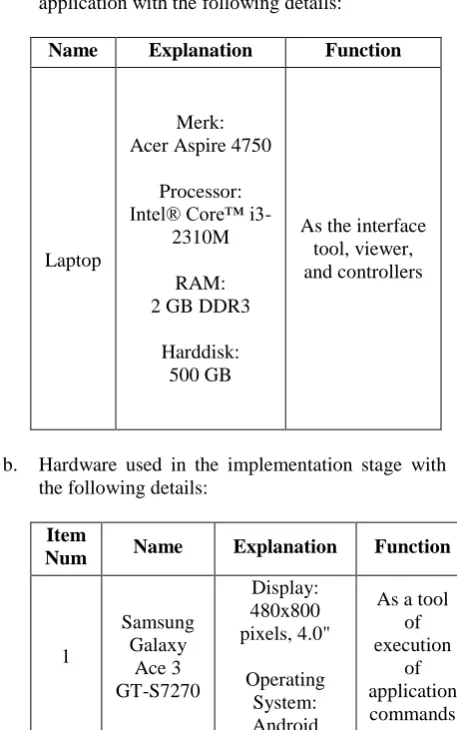
a. Hardware used in the stage of developing application with the following details:
Name Explanation Function
Laptop
Merk: Acer Aspire 4750
Processor: Intel® Core™
i3-2310M
RAM: 2 GB DDR3
Harddisk: 500 GB
As the interface tool, viewer, and controllers
b. Hardware used in the implementation stage with the following details:
Item
Num Name Explanation Function
1
Samsung Galaxy
Ace 3
GT-S7270
Display: 480x800 pixels, 4.0"
Operating System: Android
As a tool of execution
of application commands
v4.2.2
Internal Memori:
4GB
2
Sony Ericsson
WT19i Live With Walkman
Display: 320x428 pixels,
3.2”
Operating System: Android v4.0.4
Internal Memori:
RAM 512 MB
2. User Analysis
Prior to the design, carried out an analysis of the user with the following results
1. Users who do not know the exact location of Serang city tourism objects to be visited.
2. Users with a fairly high degree of mobility, so it requires a mobile device that is able to help meet the need for information and found the tourism objects locations more easily and quickly. 3. Having a smartphone with Android operating
system at least version 2.3 (Gingerbread).
4. Able to operate a smartphone with Android operating system and its applications is in it.
3. Design
Travel Guide application design phase consists of system design using the Unified Modeling Language (UML). UML is a standard language that is widely used in industry to define requirements, making analysis and design, as well as describe the architecture of the object-oriented programming[9]. UML is also a standard modeling language and a communication tool that is consistent in supporting the developers at this time[10]. UML diagrams are used is the use case diagrams and class diagrams.
1. Use Case Diagram
Use case diagram illustrates the relationship between the actors and activities that can be done to the system. Here are the stages of making a use case diagram:
a. Actor Definition
[image:3.595.40.289.56.242.2]The first stage that conducted in the design of the use case diagram is to determine the actor or the system user. The word “Actor” in the context of the UML, featuring something outside the system that can be human, device or other system.
Table 1: Actor Definition
Num Actor Description
1. User People Who Operate The
Observations on Tourism
Object
Collecting Tourism Location data
Determination of Tourism
Criteria
Making Tourism Location Map Making the
tourism routes
Solutions with Location Based Service
[image:3.595.56.285.411.776.2]Travel Guide Application
2. GPS
Device that serves to determine the coordinates of the user
b. Definition of Use Case
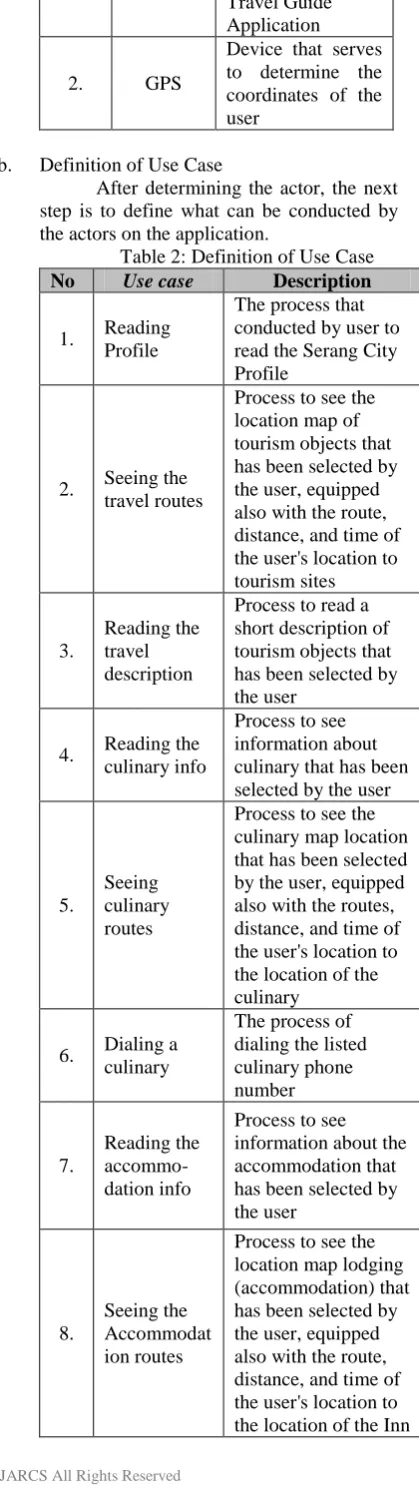
[image:4.595.80.290.62.807.2]After determining the actor, the next step is to define what can be conducted by the actors on the application.
Table 2: Definition of Use Case
No Use case Description
1. Reading Profile
The process that conducted by user to read the Serang City Profile
2. Seeing the travel routes
Process to see the location map of tourism objects that has been selected by the user, equipped also with the route, distance, and time of the user's location to tourism sites
3.
Reading the travel description
Process to read a short description of tourism objects that has been selected by the user
4. Reading the culinary info
Process to see information about culinary that has been selected by the user
5.
Seeing culinary routes
Process to see the culinary map location that has been selected by the user, equipped also with the routes, distance, and time of the user's location to the location of the culinary
6. Dialing a culinary
The process of dialing the listed culinary phone number
7.
Reading the accommo-dation info
Process to see information about the accommodation that has been selected by the user
8.
Seeing the Accommodat ion routes
Process to see the location map lodging (accommodation) that has been selected by the user, equipped also with the route, distance, and time of the user's location to the location of the Inn
9.
Dialing Accommodat ion
The process to Dialing the phone number of lodging (accommodation) listed
c. Use Case Scenario
Use case that has been defined, then translated into the form of scenarios. Scenarios in each use case shows the process of what happens to each use case, where the user gives a command on each part and what the response given by the system to the user after the user gives the command to any parts of the use case.
Here is the scenario of each use case in the application Travel Guide.
Table 3: Use Case Scenario Reading Profile Actor
Action
System Reaction 1. Selecting a
menu Profile
[image:4.595.379.558.361.686.2]2. Showing page Serang city profile
Table 4 : Use Case Scenario Seeing Travel Route
Actor Action
System Reaction 1. Selecting
a menu Tourism
2. Showing page tourism category
3. Selecting tourism category
4. Displaying page of a list of tourism objects by category that has been selected 5. Selecting
Tourism Objects
6. Showing tab page Description and Location 7. Selecting
the Location tab
8. Showing tab page Locations
9. Pressing the map button
10. Displaying a map with current user location detection
11. Pressing the Viewing Route Button
12. Displaying routes along the distance and time from the user's location to tourism objects which has been selected
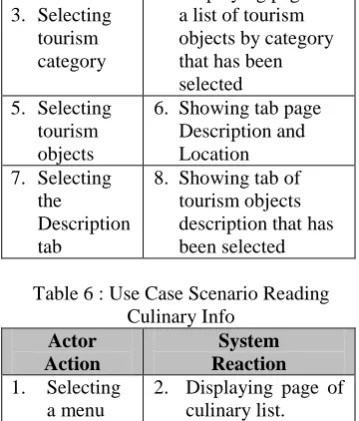
Table 5: Use Case Scenario Reading the travel description
Actor Action
System Reaction 1. Selecting a
menu Tourism
3. Selecting tourism category
4. Displaying page of a list of tourism objects by category that has been selected 5. Selecting
tourism objects
6. Showing tab page Description and Location 7. Selecting
the
Description tab
[image:5.595.96.279.50.800.2]8. Showing tab of tourism objects description that has been selected
Table 6 : Use Case Scenario Reading Culinary Info
Actor Action
System Reaction 1. Selecting
a menu Culinary
2. Displaying page of culinary list.
3. Selecting a culinary
[image:5.595.378.557.57.504.2]4. Displaying brief information about the culinary
Table 7 : Use Case Scenario Seeing Culinary Route
Actor Action
System Reaction 1. Selecting
a menu Culinary
2. Displaying Page of culinary list
3. Selecting a culinary
4. Displaying brief information about the culinary 5. Pressing
the display button map
6. Displaying a map with current user location detection
7. Pressing the Viewing Route button
8. Displaying route and the distance and time from the user's location to the culinary location you have selected
Table 8 : Use Case Scenario Dialing Culinary
Actor Action
System Reaction 1. Selecting
a menu Culinary
2. Displaying Page of culinary list
3. Selecting a culinary
4. Displaying brief information about the culinary
5. Pressing the phone button
[image:5.595.378.559.60.210.2]6. Dialing the phone number listed on a culinary page
Table 9 : Use Case Scenario Reading Accommodation Info Actor
Action
System Reaction 1. Selecting
Accommo dation menu
2. Displaying the accommodation list
3. Selecting the Accommo dation
4. Displaying brief information about the
[image:5.595.99.279.67.278.2]accommodation place
Table 10 : Scenario Use Case Seeing Accommodation Route Actor
Action
System Reaction 1. Selecting
Accommo dation menu
2. Displaying the accommodation list
3. Selecting the Accommo dation
4. Displaying brief information about the
accommodation place
5. Pressing the map button
6. Displaying a map with current user location detection
7. Pressing the Viewing Route button
8. Displaying route and the distance and time from the user's location to the
accommodation place that has been selected
Table 11: Use Case Scenario dialing Accommodation
Actor Action
System Reaction 1. Selecting
Accommo dation menu
2. Displaying the accommodation list
3. Selecting the Accommo dation
4. Displaying brief information about the
accommodation place
5. Pressing the phone button
6. Dialing a phone number listed on page of
accommodation info
[image:5.595.98.280.372.636.2] [image:5.595.380.557.521.717.2]Figure 2 : Use Case Travel Guide Application
2. Class Diagram
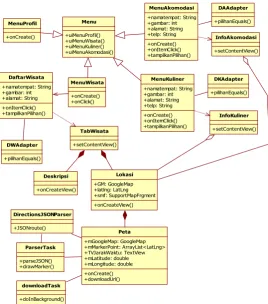
Class is a class diagram that describes the structure and class description, package, and objects as well as relationships with one another as containment, inheritance, associations, and others. Class diagrams also explain the
relationship between the classes in a system that is being made and how they collaborate with each other in order to achieve a goal.
Class diagrams in the Travel Guide apps can be shown by the picture below.
Figure 3 : Class diagram Applications Travel Guide Menu
+uiMenuProfil() +uiMenuWisata() +uiMenuKuliner() +uiMenuAkomodasi()
InfoAkomodasi
+setContentView()
InfoKuliner
+setContentView() MenuKuliner
+namatempat: String +gambar: int +alamat: String +telp: String +onCreate() +onItemClick() +tampilkanPilihan()
MenuAkomodasi +namatempat: String +gambar: int +alamat: String +telp: String +onCreate() +onItemClick() +tampilkanPilihan()
MenuWisata
+onCreate() +onClick() MenuProfil
+onCreate()
DirectionsJSONParser
+JSONroute()
downloadTask
+doInBackground() DaftarWisata +namatempat: String +gambar: int +alamat: String +onItemClick() +tampilkanPilihan()
DWAdapter
+pilihanEquals()
DKAdapter
+pilihanEquals() DAAdapter
+pilihanEquals()
Lokasi +GM: GoogleMap +latlng: LatLng +smf: SupportMapFrgment +onCreateView() Deskripsi
+onCreateView() TabWisata
+setContentView()
ParserTask
+parseJSON() +drawMarker()
Peta +mGoogleMap: GoogleMap +mMarkerPoint: ArrayList<LatLng> +TVJarakWaktu: TextView +mLatitude: double +mLongitude: double +onCreate() +downloadUrl()
System
User
GPS Reading profil
Seeing Travel Route Readng Travel Description
Reading Culinary Info
Reading Accomodation Info
Seeing Culinary Route
Dialing Culinary
Seeing Accomodation Route
Dialing Accomodation <<extend>>
<<extend>> <<include>>
<<extend>>
[image:6.595.163.432.456.760.2]International Journal of Advanced Research in Computer Science
RESEARCH PAPER
Available Online at www.ijarcs.info
VII. RESULTSANDDISCUSSION
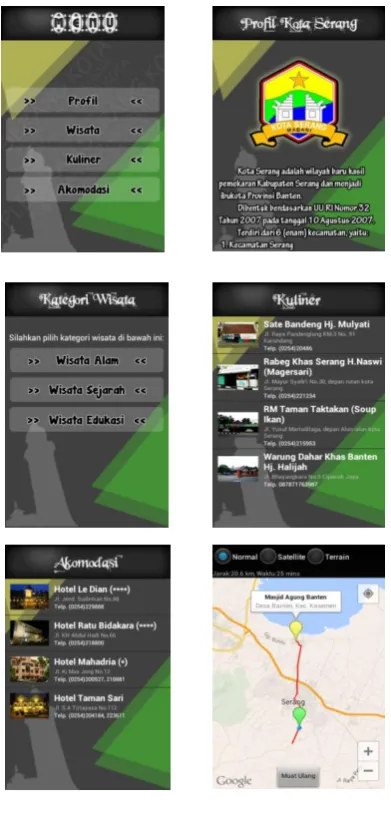
[image:7.595.70.266.258.666.2]This section will describe about the results that have been achieved during the research conducted. In designing an application that needs attention is how the design can provide convenience for the user at the time the application is used. Interface design is done by setting the best possible layout of menus, buttons, and other components on the screen so that the user can use the application with ease and not feel confused. The results of the design of the interface as shown in the figure below
Figure 4 : Interface of Travel Guide Apps
VIII. CONCLUSION
After the step-by-step research is done, it can be concluded some of the following:
1. Users can obtain information about tourism objects, unique culinary Serang city, and inns are scattered in the city of Serang with more practical through the application Travel Guide.
2. Travel Guide application was built using the Eclipse IDE and the Java programming language and technologies utilizing Location Based Service (LBS), so users do not need to have a GPS device and internet separately to determine the location of tourism objects in the city of Serang.
IX. REFERENCES
[1] Suprianto, Dodit & Rini Agustina. 2012. Pemrograman Aplikasi Android: step by step membuat aplikasi android untuk Smartphone dan Tablet. Yogyakarta: MediaKom
[2] H, Nazruddin Safaat. 2012. Pemrograman Aplikasi Mobile Smartphone dan Tablet PC Berbasis Android Edisi Revisi. Bandung: Informatika
[3] Atalapu, Putri. 2012 “Implementasi Location Based Service Berbasis Cell Id Untuk Anjungan Provinsi Sulawesi Selatan Taman Mini Indonesia Indah (TMII) Memanfaatkan Teknologi Augmented Reality”. Jurnal Teknik Informatika.
[4] Riyanto. 2010. Sistem Informasi Geografis Bebasis Mobile. Yogyakarta: Gava Media.
[5] Perpustakaan Nasional Republik Indonesia. 2013. Application [Online]. Tersedia: http:// www.pnri.go.id/Pencarian.aspx?kk=gps.
[6] Putra, Akbar Nuzul, dkk. 2012. Aplikasi Wisata Kota Bandung Menggunakan Metode Location Based Service (LBS) pada Android. Jurnal. Program Studi Management Informatika Politeknik Telkom Bandung, Bandung.
[7] Alqod Elian, Ary Mazharuddin S., Hudan Studiawan. 2012. “Layanan Informasi Kereta Api Menggunakan GPS, Google Maps, dan Android”. Jurnal Teknik Pomits, Surabaya.
[8] Raharjo, Budi, Imam Heryanto, & Arif Haryono. 2010. Mudah Belajar Java Edisi Revisi. Bandung: Informatika.
[9] Shalahuddin, Muhammad & Rosa Ariani S. 2011. Modul Pembelajaran Rekayasa Perangkat Lunak (Terstruktur dan Berorientasi Objek). Bandung: Modula.
![Figure 1. Location Based Service Workflow [4]](https://thumb-us.123doks.com/thumbv2/123dok_us/695482.1077198/2.595.41.285.55.194/figure-location-based-service-workflow.webp)