Advanced
JavaScript
™
Third Edition
Chuck Easttom
p. cm. Includes index.
ISBN-13: 978-1-59822-033-9 (pbk.) ISBN-10: 1-59822-033-0
1. JavaScript (Computer program language). I. Title. QA76.73.J39E37 2007
005.13'3--dc22 2007012641
CIP
© 2008, Wordware Publishing, Inc. All Rights Reserved 1100 Summit Avenue, Suite 102
Plano, Texas 75074
No part of this book may be reproduced in any form or by any means without permission in writing from
Wordware Publishing, Inc.
Printed in the United States of America
ISBN-10: 1-59822-033-0 ISBN-13: 978-1-59822-033-9 10 9 8 7 6 5 4 3 2 1 0708
JavaScript is a trademark of Sun Microsystems, Inc. in the United States and other countries.
Other brand names and product names mentioned in this book are trademarks or service marks of their respective companies. Any omission or misuse (of any kind) of service marks or trademarks should not be regarded as intent to infringe on the property of others. The publisher recognizes and respects all marks used by companies, manufacturers, and developers as a means to distinguish their products.
This book is sold as is, without warranty of any kind, either express or implied, respecting the contents of this book and any disks or programs that may accompany it, including but not limited to implied warranties for the book’s quality, performance, merchantability, or fitness for any particular purpose. Neither Wordware Publishing, Inc. nor its dealers or distributors shall be liable to the purchaser or any other person or entity with respect to any liability, loss, or damage caused or alleged to have been caused directly or indirectly by this book.
All inquiries for volume purchases of this book should be addressed to Wordware Publishing, Inc., at the above address. Telephone inquiries may be made by calling:
Contents Summary
Chapter 1 Introduction to JavaScript . . . 1
Chapter 2 Getting Started with JavaScript . . . 13
Chapter 3 JavaScript Fundamentals . . . 20
Chapter 4 Object-Oriented Programming . . . 47
Chapter 5 Functions and Variable Scope. . . 53
Chapter 6 Utilizing JavaScript Operators . . . 67
Chapter 7 Events in JavaScript . . . 91
Chapter 8 Building and Extending Objects . . . 104
Chapter 9 Arrays . . . 118
Chapter 10 Time and Date in JavaScript . . . 150
Chapter 11 JavaScript Math . . . 182
Chapter 12 Handling Strings . . . 217
Chapter 13 The Document Object Model . . . 233
Chapter 14 The Document Object Model (Continued) . . . 240
Chapter 15 Utilizing the Status Bar . . . 247
Chapter 16 URLs and JavaScript . . . 265
Chapter 17 The Document Object and the History List . . . 289
Chapter 18 Forms . . . 307
Chapter 19 Links, Anchors, and Image Maps . . . 372
Chapter 20 Implementing Cookies . . . 382
Chapter 21 Images and Graphics . . . 414
Chapter 22 Frames . . . 483
Chapter 23 Evaluation and Compilation . . . 508
Chapter 24 JavaScript Authoring Tools . . . 516
Chapter 25 Plug-ins . . . 521
Chapter 26 Style Sheets . . . 532
Chapter 27 Security Issues . . . 539
Appendix A HTML Primer . . . 554
Appendix B JavaScript Object Specification Syntax . . . 560
Appendix C ASCII Character Set . . . 578
Appendix D Online Resources . . . 582
Contents
Acknowledgments. . . xxi
Introduction . . . xxii
Chapter 1 Introduction to JavaScript . . . 1
The World Wide Web . . . 1
Competition on the Web . . . 1
Extending HTML . . . 3
Plug-ins, Applets, and ASP . . . 3
Plug-ins. . . 3
Java Applets . . . 4
ASP and ASP.Net . . . 4
What Is JavaScript? . . . 5
Who Can Benefit from JavaScript? . . . 6
The History of JavaScript. . . 6
JavaScript in a Browser . . . 7
Client-side JavaScript . . . 7
Browser Objects . . . 7
What Can JavaScript Do? . . . 7
Image Effects . . . 8
Games . . . 8
Banners. . . 8
Form Validation . . . 8
Miscellaneous . . . 9
JavaScript and Java. . . 10
JavaScript Resembles Java. . . 10
JavaScript Differs from Java . . . 10
Summary . . . 12
Chapter 2 Getting Started with JavaScript. . . 13
Essential Authoring Tools . . . 13
Choosing a Text Editor. . . 13
Choosing a Browser . . . 14
Basic JavaScript Structure . . . 14
The <SCRIPT> Tag. . . 14
Internal Scripts . . . 14
External Scripts . . . 15
Event Handlers . . . 18
Short Statements . . . 18
Hiding the Script for Old Browsers . . . 18
Important Notes about JavaScript . . . 18
Chapter 3 JavaScript Fundamentals . . . 20
“Building” a Script . . . 20
Data Types in JavaScript. . . 20
The Value Null . . . 21
Variables . . . 21
Identifiers . . . 22
Naming Conventions . . . 23
Variable Declaration . . . 23
JavaScript Entities . . . 24
Type Conversion . . . 25
Mixing Strings and Numbers . . . 26
Literals . . . 27
Integer Literals . . . 27
Decimal Integers . . . 27
Octal Integers . . . 27
Hexadecimal Integers. . . 28
Converting from Decimal to Other Bases . . . 28
Converting from a Specified Base to Decimal . . . 29
Referring to Octal and Hexadecimal Integers . . . 29
Floating-Point Literals . . . 29
Boolean Literals . . . 30
String Literals . . . 30
Operators . . . 32
Statements . . . 33
Multiple Statements . . . 33
Nested Statements . . . 34
Evaluating Expressions . . . 34
Testing Evaluation . . . 35
Functions . . . 35
Function Definition. . . 35
Calling Functions . . . 37
Control Structures . . . 38
Dialog Boxes . . . 38
Alert Boxes . . . 38
Confirm Boxes . . . 38
Prompt Boxes . . . 39
Conditional Statements . . . 39
if Statement . . . 40
else Statement . . . 42
Nested if-else Statements . . . 43
Loop Statements . . . 44
for Statement . . . 44
while Statement . . . 46
Summary . . . 46
Chapter 4 Object-Oriented Programming . . . 47
Objects . . . 47
Properties . . . 47
Syntax . . . 48
Methods . . . 50
Syntax . . . 51
Object Oriented vs. Object Based . . . 52
Summary . . . 52
Chapter 5 Functions and Variable Scope . . . 53
Variable Scope and Storage Class . . . 53
Variable Scope . . . 53
Variable Storage Class . . . 55
Function Parameters . . . 56
What Are Functions? . . . 60
Defining and Calling Functions . . . 60
Function Parameters . . . 60
Using the arguments Array . . . 61
Creating Functions with Default Arguments . . . 62
Returning a Value . . . 63
Recursion. . . 65
Summary . . . 66
Chapter 6 Utilizing JavaScript Operators . . . 67
Operator Categories . . . 67
Mathematical Operators . . . 67
Addition . . . 68
Subtraction . . . 68
Multiplication . . . 68
Division . . . 69
Modulus . . . 69
The Nonexistent Integral Division Operator . . . 69
Increment . . . 70
Decrement . . . 72
Negation . . . 72
String Concatenation . . . 72
Bitwise Operators . . . 74
Bitwise AND . . . 75
Bitwise OR . . . 76
Bitwise XOR . . . 76
Bitwise NOT . . . 77
Shift Operators . . . 77
Left Shift . . . 77
Right Shift . . . 78
Zero-fill Right Shift . . . 79
Assignment Operators. . . 79
Relational Operators . . . 81
Equality and Inequality . . . 82
Short-Circuit Logical Operators . . . 83
Logical OR . . . 83
Logical AND . . . 84
Logical NOT . . . 84
Testing Equality for Floating-Point Numbers . . . 85
More Logical Operators . . . 85
Conditional Operator . . . 85
Comma Operator . . . 86
Data Type Operator . . . 86
Void Operator . . . 87
Expressions . . . 88
Side Effects. . . 89
Summary . . . 90
Chapter 7 Events in JavaScript . . . 91
Events . . . 91
Event Handlers . . . 93
onLoad and onUnload . . . 96
onError . . . 96
Emulating Events via Methods . . . 100
Calling Event Handlers Explicitly . . . 101
Canceling Events . . . 103
Summary . . . 103
Chapter 8 Building and Extending Objects . . . 104
Creating Instances . . . 104
Constructor Functions . . . 106
Defining Object Properties . . . 106
Nested Objects . . . 108
Defining Methods . . . 111
Creating Objects—An Example . . . 113
Prototype and Object Extensions . . . 115
Summary . . . 117
Chapter 9 Arrays . . . 118
What Is an Array? . . . 118
Some History . . . 118
Creating Simple Arrays . . . 119
Referring to an Array’s Elements . . . 120
Creating Dense Arrays . . . 122
Array Types . . . 122
Array Properties . . . 125
Array Methods . . . 126
chop() . . . 127
grep() . . . 127
join() . . . 128
pop() . . . 129
push() . . . 130
reverse() . . . 131
shift() . . . 131
sort() . . . 132
splice() . . . 135
split(). . . 138
unshift() . . . 139
The arguments Array . . . 140
Multidimensional Arrays. . . 142
Creation with a Single Constructor Function . . . 144
Creation without a Constructor Function . . . 145
Associative Arrays . . . 146
Populating an Associative Array . . . 147
Splitting a String into an Associative Array . . . 148
Chapter 10 Time and Date in JavaScript . . . 150
The Date Object . . . 150
Creating a Date Instance . . . 150
Parameters of the Date Constructor. . . 151
Date Numeric Conventions . . . 152
Date Method Categories . . . 152
The get Methods . . . 153
getYear() . . . 153
getMonth() . . . 154
getDate() . . . 155
getDay() . . . 157
getHours() . . . 157
getMinutes() . . . 157
getSeconds() . . . 158
getTimezoneOffset() . . . 158
getTime() . . . 159
The set Methods . . . 159
setYear() . . . 159
setMonth() . . . 160
setDate(). . . 160
setHours() . . . 160
setMinutes(). . . 160
setSeconds(). . . 160
setTime() . . . 161
The to Methods. . . 161
toGMTString() . . . 161
toLocaleString(). . . 162
The parse Methods . . . 162
parse() . . . 162
UTC() . . . 163
Time-Related Methods of Other Objects . . . 163
setTimeout() . . . 163
clearTimeout() . . . 165
Time and Date Examples . . . 166
A Simple Digital Clock . . . 166
Monthly Calendar . . . 170
getTime(). . . 174
leapYear(year) . . . 174
getDays(month, year) . . . 174
getMonthName(month) . . . 175
setCal() . . . 175
drawCal(firstDay, lastDate, date, monthName, year) . . . 176
Random Quotes . . . 179
Summary . . . 181
Chapter 11 JavaScript Math . . . 182
Math in JavaScript . . . 182
The Math Object . . . 182
Constants . . . 183
E . . . 183
LN2 . . . 184
LN10 . . . 184
LOG10E . . . 185
PI. . . 185
SQRT1_2 . . . 185
SQRT2 . . . 186
Math Methods . . . 186
Arithmetic Methods . . . 186
abs() . . . 186
ceil() . . . 187
exp() . . . 187
floor() . . . 188
log(). . . 188
max(), min() . . . 188
pow() . . . 188
random() . . . 189
round() . . . 189
sqrt() . . . 189
Trigonometric Methods . . . 190
cos() . . . 190
acos() . . . 190
sin(). . . 190
asin() . . . 190
tan(). . . 190
atan() . . . 191
atan2() . . . 191
The Number Object . . . 192
Number Properties . . . 192
MAX_VALUE . . . 192
MIN_VALUE. . . 193
NaN . . . 193
NEGATIVE_INFINITY . . . 193
POSITIVE_INFINITY . . . 193
Number Methods . . . 194
Math-Related Functions . . . 194
parseInt() . . . 194
parseFloat() . . . 194
eval() . . . 195
Math Examples . . . 195
Creating a Curve . . . 195
drawBlank(num) . . . 198
drawDot() . . . 198
getRadian(deg) . . . 199
getSpot(deg) . . . 199
get3DigitNum(num) . . . 199
printDeg(deg) . . . 200
drawLine(deg) . . . 200
drawCurve(lastDeg, jump) . . . 201
Global Statements . . . 202
General Plotting Utility. . . 202
root(a, b) . . . 208
logab(a, b) . . . 208
factorial(a) . . . 208
startWizard() . . . 208
drawDot(x, y) . . . 210
replaceSpecialSequence(str) . . . 210
splitFunc(func) . . . 211
getInput(). . . 212
yVal(xVal). . . 213
makeArray(min, max, dif) . . . 213
printUnit(num) . . . 214
drawCurve() . . . 214
main(). . . 215
Global Statements . . . 215
Summary . . . 216
Chapter 12 Handling Strings . . . 217
Characters . . . 217
Creating Strings . . . 218
String Length . . . 218
HTML Formatting Methods . . . 219
General String Methods . . . 220
charAt() . . . 220
indexOf(). . . 221
lastIndexOf() . . . 221
substring() . . . 222
escape() and unescape() . . . 223
Number-to-String Conversion . . . 224
Empty String Concatenation . . . 224
String Instance Construction . . . 225
The toString() Method . . . 225
String-to-Number Conversion . . . 226
parseInt() and parseFloat() . . . 227
Determining if a Value is a Number or Not . . . 228
Evaluating Text Expressions . . . 228
String Handling Example . . . 229
String Enciphering . . . 229
encipher() . . . 231
encode(str, key) . . . 232
Summary . . . 232
Chapter 13 The Document Object Model . . . 233
The window Object . . . 234
The navigator Object . . . 235
The document Object . . . 235
The history Object . . . 238
The location Object. . . 239
Summary . . . 239
Chapter 14 The Document Object Model (Continued) . . . 240
Accessing a Document’s Structure with the DOM . . . 242
Using the Document Object Model . . . 243
Summary . . . 246
Chapter 15 Utilizing the Status Bar . . . 247
Writing to the Status Bar. . . 248
Setting a Default Value to the Status Bar . . . 250
Banners . . . 251
T-banner . . . 251
Global Statements . . . 253
stopBanner() . . . 253
startBanner(). . . 254
showBanner() . . . 254
Event Handlers . . . 255
R-banner . . . 255
Global Statements . . . 258
clearState() . . . 258
stopBanner() . . . 259
startBanner(). . . 259
clearState() . . . 259
getRandom(max). . . 259
getString() . . . 259
showBanner() . . . 260
Event Handlers . . . 261
N-banner. . . 261
scrollBanner(seed). . . 262
Summary . . . 264
Chapter 16 URLs and JavaScript . . . 265
A Crash Course in URLs. . . 265
General URL Syntax . . . 265
The URL Schemes . . . 266
Hypertext Transfer Protocol (HTTP) . . . 266
File Transfer Protocol (FTP) . . . 267
Gopher Protocol (Gopher). . . 267
Electronic Mail (Mailto) . . . 267
Usenet News (News) . . . 267
Host-Specific Filenames (File) . . . 268
JavaScript Statements (javascript) . . . 268
Other Schemes . . . 268
The location Object. . . 268
location Properties . . . 269
href. . . 269
hash . . . 272
host . . . 275
hostname . . . 275
pathname . . . 276
port. . . 276
protocol . . . 276
search . . . 277
location Methods . . . 281
reload . . . 281
replace . . . 282
Another Location—document.location (document.URL) . . . 283
Search Utilities . . . 284
Chapter 17 The Document Object and the History List . . . 289
The document Object . . . 289
The title Property. . . 289
Colors . . . 291
bgColor . . . 292
Global Statements . . . 294
display(triplet) . . . 295
drawCell(red, green, blue). . . 295
drawRow(red, blue) . . . 295
drawTable(blue) . . . 296
drawCube(). . . 296
toHex(dec) . . . 298
setbgColor(red, green, blue) . . . 299
fade(sred, sgreen, sblue, ered, egreen, eblue, step) . . . 299
Event Handlers . . . 300
fgColor . . . 300
alinkColor . . . 300
linkColor. . . 300
vlinkColor . . . 300
Output Methods and Streams . . . 301
write and writeln . . . 301
Data Streams . . . 301
What Is a History List?. . . 303
The history Object . . . 303
History List Length . . . 303
History List Entry Indexing . . . 304
history Methods . . . 304
back . . . 304
forward. . . 305
go. . . 305
Security Aspects of the history Object . . . 306
Summary . . . 306
Chapter 18 Forms . . . 307
What Are HTML Forms? . . . 307
JavaScript Form Reference . . . 307
forms Array . . . 308
Form Name . . . 308
form Object . . . 309
HTML Syntax . . . 309
Event Handlers . . . 310
onSubmit . . . 310
onReset. . . 312
Methods . . . 312
submit() . . . 312
reset() . . . 313
Properties . . . 313
action . . . 313
elements . . . 314
encoding . . . 317
method . . . 317
Element Types . . . 318
Using this with Event Handlers . . . 319
Utilizing the form Property . . . 322
text Object . . . 324
HTML Syntax . . . 324
JavaScript Access . . . 324
Event Handlers . . . 325
onBlur . . . 325
onChange. . . 325
onFocus. . . 326
onSelect . . . 328
Methods . . . 329
blur() . . . 329
focus() . . . 329
select() . . . 330
Properties . . . 331
defaultValue . . . 331
name . . . 332
value . . . 335
password Object . . . 335
HTML Syntax . . . 335
JavaScript Access . . . 336
Event Handlers . . . 336
Properties and Methods . . . 336
textarea Object . . . 336
HTML Syntax . . . 336
JavaScript Access . . . 337
Event Handlers . . . 338
Properties and Methods . . . 338
Inserting New Line Characters . . . 338
Handling textareas by Line. . . 339
hidden Object . . . 339
HTML Syntax . . . 339
JavaScript Access . . . 340
Event Handlers . . . 340
Properties and Methods . . . 340
button, submit, and reset Objects . . . 340
HTML Syntax . . . 340
JavaScript Access . . . 341
Event Handlers . . . 341
onClick . . . 341
Methods . . . 343
click() . . . 343
Properties . . . 343
name . . . 343
value . . . 343
checkbox Object . . . 346
HTML Syntax . . . 346
JavaScript Access . . . 347
Event Handlers . . . 347
onClick . . . 347
Methods . . . 347
Properties . . . 348
checked. . . 348
defaultChecked. . . 351
name . . . 351
value . . . 351
radio Object . . . 352
HTML Syntax . . . 352
JavaScript Access . . . 353
Event Handlers . . . 354
onClick . . . 354
Methods . . . 354
click() . . . 354
Properties . . . 356
checked. . . 356
defaultChecked. . . 356
name . . . 356
value . . . 357
select Object . . . 357
HTML Syntax . . . 357
JavaScript Access . . . 358
Event Handlers . . . 359
onBlur . . . 359
onChange. . . 359
onFocus. . . 359
Methods . . . 359
blur, focus . . . 359
Properties (select Object) . . . 360
length. . . 360
name . . . 360
options . . . 361
selectedIndex . . . 361
Properties (options Array) . . . 363
defaultSelected. . . 363
index . . . 363
length. . . 363
selected . . . 363
text . . . 365
value . . . 367
The Option Object—Adding Options Using the Option Constructor . . . 367
fileUpload Object . . . 370
HTML Syntax . . . 370
JavaScript Access . . . 370
Event Handlers and Methods . . . 370
Properties . . . 370
name . . . 370
value . . . 370
Summary . . . 370
Chapter 19 Links, Anchors, and Image Maps. . . 372
Defining a Link . . . 372
Defining an Anchor . . . 373
Defining an Image Map Area. . . 373
anchors Array . . . 374
Link and Area Event Handlers . . . 375
Calling Event Handlers Explicitly . . . 375
onClick. . . 375
onMouseOver . . . 376
onMouseOut. . . 377
Link and Area Properties . . . 379
Location-Equivalent Properties . . . 379
target. . . 380
Referring Documents . . . 380
Summary . . . 381
Chapter 20 Implementing Cookies . . . 382
Maintaining a State . . . 382
Cookies and HTTP . . . 383
Setting an HTTP Cookie . . . 383
Getting an HTTP Cookie. . . 384
Notes and Limitations . . . 385
Examples . . . 385
First Transaction Sequence Example . . . 385
Second Transaction Sequence Example . . . 386
Cookies and JavaScript . . . 386
Cookie Functions . . . 386
getInput(num, monthName) . . . 400
initCookie(monthName) . . . 400
getSpecificReminder(num, monthName) . . . 401
setSpecificReminder(num, monthName, newValue) . . . 401
Outliner . . . 402
item(parent, text, depth) . . . 408
makeArray(length) . . . 408
makeDatabase() . . . 408
setStates() . . . 409
setImages() . . . 410
toggle(num) . . . 411
setStorage() . . . 412
Global Statements . . . 412
Summary . . . 413
Chapter 21 Images and Graphics . . . 414
Defining Images in HTML . . . 414
The image Object. . . 415
The images Array . . . 416
Properties . . . 419
border . . . 419
complete . . . 419
height. . . 419
hspace . . . 421
lowsrc . . . 421
name . . . 422
src . . . 422
vspace . . . 423
width . . . 423
onAbort. . . 423
onError . . . 424
onLoad . . . 424
Demonstration 1: Updating Digital Clock. . . 425
Global Statements . . . 428
setClock() . . . 429
update() . . . 430
stopClock() . . . 430
getHour(place) . . . 431
getMinute(place) . . . 431
getAmpm() . . . 431
getPath(url) . . . 432
Demonstration 2: LED Sign . . . 432
Global Statements . . . 441
letterArray(). . . 443
drawBlank() . . . 443
setLight(state, x, y) . . . 443
drawLetter(letter, startX) . . . 444
drawSpace(startX) . . . 444
computeIndex() . . . 445
floodBoard(startX) . . . 445
drawMessage(num) . . . 445
startSign() . . . 446
stopSign() . . . 447
More Global Statements . . . 447
Demonstration 3: Netris Deluxe . . . 448
Global Statements . . . 465
drawScreen() . . . 467
computeIndex(x, y) . . . 467
state(x, y) . . . 467
setSquare(x, y, state) . . . 468
clearActive(). . . 468
checkMoveX(step) . . . 469
checkMoveY() . . . 470
moveX(step). . . 470
smartX(x, y, step) . . . 471
moveY() . . . 472
smartY(x, y) . . . 473
shapeMap() . . . 473
getRandom() . . . 474
insertShape() . . . 475
complexWarp() . . . 475
checkWarp(startX, startY, endX, endY) . . . 476
rotate(). . . 476
flood(state) . . . 476
noActive() . . . 477
isLine(y) . . . 477
warp(startX, startY, endX, endY) . . . 478
start() . . . 478
dropLines() . . . 479
play() . . . 480
characteristics(x, y) . . . 481
pause() . . . 481
Music . . . 482
Summary . . . 482
Chapter 22 Frames . . . 483
What Are Frames? . . . 483
Creating Frames . . . 483
Targeting Frames . . . 486
Nested Frames . . . 487
JavaScript and Frames . . . 489
self . . . 489
parent . . . 489
top . . . 490
frames . . . 490
An Example: The Color Center . . . 491
The Frame-setting Window . . . 491
display(r, g, b) . . . 496
makeAttribute(r, g, b) . . . 496
Global Statements . . . 496
select(r, g, b) . . . 497
curAttribute() . . . 497
bodyDefinition() . . . 498
update(). . . 498
save() . . . 499
load() . . . 499
HTML . . . 500
The “control” Frame . . . 501
display() . . . 502
Event Handlers . . . 502
The “swatches” Frame . . . 502
The “main” Frame . . . 504
Frames, Events, and Event Handlers . . . 504
Using Event Handlers in a Frame . . . 504
Using Event Handlers in a Frame-Setting Document . . . 505
onFocus and onBlur . . . 505
Emulating Events . . . 506
Targeting Multiple Frames. . . 506
Summary . . . 507
Chapter 23 Evaluation and Compilation . . . 508
Evaluating a String . . . 508
Function References and Calls . . . 510
Compiling Code as a Function . . . 511
Specifying the Function’s Body . . . 511
Using the function Object with a Variable . . . 513
Specifying Arguments . . . 513
Using the function Object with an Event Handler . . . 514
Properties of the function Object . . . 514
Summary . . . 515
Chapter 24 JavaScript Authoring Tools. . . 516
Introduction . . . 516
Komodo . . . 518
1st JavaScript Editor Pro. . . 519
Summary . . . 520
Chapter 25 Plug-ins . . . 521
Embedding a Plug-in Object in HTML . . . 521
Referencing Plug-ins in JavaScript . . . 522
Determining Installed Plug-ins with JavaScript . . . 522
Properties of the mimeTypes Object . . . 523
Properties of the plugins Object . . . 525
LiveAudio and LiveVideo . . . 526
LiveAudio . . . 526
LiveVideo . . . 530
Other Plug-ins . . . 531
Summary . . . 531
Chapter 26 Style Sheets. . . 532
Introduction . . . 532
Content Layout . . . 533
Font Properties . . . 533
Text Properties . . . 533
Inheritance of Styles . . . 533
Creating Style Sheets and Assigning Styles . . . 534
Defining Styles with the <STYLE> Tag in the Header . . . 535
Specifying Styles for Individual Elements . . . 535
Defining Classes of Styles . . . 535
Format Properties . . . 536
Box Math . . . 536
Replaced Elements . . . 536
Setting Margins . . . 537
Setting Border Width . . . 537
Setting the Padding Size . . . 538
Summary . . . 538
Chapter 27 Security Issues . . . 539
History . . . 539
URL to URL Access Security . . . 540
The Concept of Tainting . . . 540
Enabling Data Tainting . . . 541
Specific Tainting . . . 542
Window Taint Accumulator. . . 543
Summary . . . 544
Chapter 28 Debugging Scripts . . . 545
Types of Errors . . . 545
Error Messages. . . 546
“string is not defined” . . . 547
“string is not a function” . . . 548
“unterminated string literal”. . . 548
“missing } after function body” . . . 548
“string is not a number” . . . 548
“string has no property indexed by [i]” . . . 548
“string cannot be set by assignment” . . . 549
“test for equality (==) mistyped as assignment (=)? Assuming equality test” . . . 549
“function does not always return a value” . . . 549
“access disallowed from scripts at URL_1 to documents at URL_2” . . . 549
“Lengthy JavaScript still running. Continue?” . . . 549
“syntax error” . . . 549
Manual Debugging Techniques . . . 549
Match Those Tag Pairs . . . 550
View the Intermediate HTML Source. . . 550
Reopen the File . . . 550
Print Messages . . . 550
Comment Out Statements . . . 550
Watching and Tracing Variables . . . 551
Getting It Right the First Time . . . 551
Build the Script’s Skeleton First . . . 551
Keep Testing While Developing . . . 552
Evaluate Expressions Outside Your Source . . . 552
Test Your Functions Outside Your Source. . . 552
Testing Your Script . . . 553
Summary . . . 553
Appendix A HTML Primer . . . 554
Appendix B JavaScript Object Specification Syntax . . . 560
Appendix C ASCII Character Set . . . 578
Appendix D Online Resources . . . 582
Acknowledgments
This book was a wonderful project and one I was eager to do for some time. The first two editions ofAdvanced JavaScripthad been well received, but it was time for an update. I would like to take the time to thank several people who were indispensable in making this project happen:
Tim McEvoy and the wonderful people at Wordware Publishing who labored through this with me.
Introduction
The Third Edition
Several things have been updated in this book. First, the text in general has been updated due to changes in the Internet and web development since the last edition. I have also dropped a few items that are outdated (such as hid-ing scripts from older browsers) and expanded coverage of topics like the Document Object Model. I think this book is even better than the last edi-tion, and it is my hope it will help take your JavaScript to a new level.
Prerequisites
JavaScript is a scripting language designed to be used within HTML docu-ments. For this reason a basic working knowledge of HTML is required before you can learn or use JavaScript. For those readers either lacking this basic knowledge or requiring a refresher course, Appendix A is a basic HTML primer that will teach you all of the skills you will need.
How to Read This Book
As the title suggests, this book focuses on advanced JavaScript programming and has the experienced JavaScript programmer in mind. However, the first few chapters and Appendix A do provide basic primers on both HTML and JavaScript. Those with limited JavaScript experience should carefully study the first few chapters, while more experienced programmers may want to skim these chapters or skip them entirely.
The Structure of This Book
JavaScript is a viable scripting language for both Netscape and Internet Explorer, so I will use examples from both browsers and will point out any differences. If you have the latest version of either Netscape or Internet Explorer, then virtually all the examples should work fine for you. Older ver-sions of both browsers, particularly 3.0 and earlier, lacked support for some JavaScript features.
Programming Style
As both an aid to the reader and to illustrate good programming practices, I use a uniform style throughout this entire text and in all the sample code you will find in the companion files (available at www.wordware.com/files/ java0330). For example, all variables are in Hungarian notation, meaning the variable is preceded by one to three letters designating the type of variable it is. That is, an integer being used as a loop counter might be named
intcounter, and a float that holds an account balance might be named
fltbalance. I also have a tendency to comment very heavily; some would say too much. This comes from teaching and creating code samples for stu-dents. I hope you will find this helpful:
for (var intcounter = 0; intcounter < 10; ++intcounter) {
[JavaScript statements] }// end of for loop
Some JavaScript scripters prefer to use a different style:
for (var num = 0; num < 10; ++num) {
[JavaScript statements] }
A lot of my style preferences are just that—preferences. It is hard to call one style right and another wrong. However, I strongly suggest that when you are writing code you consider the fact that other programmers will probably need to read your code at some point. They will have absolutely no idea what you were thinking when you wrote your code. I try to write code in such a way that even a novice programmer with no prior knowledge of the project at hand could easily deduce the intended purpose of the code.
Reading Examples
Encouragement for Nonprogrammers
Learning a scripting language is a lot easier than learning a full programming language such as Java or C++. Fortunately, JavaScript is enough like Java that you will find it relatively easy to leverage your JavaScript skills into Java programming as well. Just remember that computers do exactly what we tell them to do, which may not always be exactly what we intended them to do. Most programming errors (called “bugs”) stem from simple mistakes. I have an axiom that I believe is true: “Any error that takes more than 15 minutes to find will turn out to be something simple.” In my experience, complex or fundamental errors are easy to find, though they may be quite hard to fix. Errors that take a long time to find are almost invariably simple mistakes.
Warning for Programmers
Chapter 1
Introduction to JavaScript
The World Wide Web
With each passing year the Internet becomes a more integral part of our lives, and web pages (along with e-mail) are probably the most common way we use the Internet. Twenty years ago there were few web pages, and not many people using them. Most of those web pages were very plain, simple text with an occasional inserted image, all done with simple HTML. As more and more end users discovered the Internet, however, web page developers found those users had quite an appetite for expanded graphics and
functionality.
Simple, plain HTML web pages were no longer attractive to end users. New technologies emerged to help enhance web pages, and JavaScript has been, for the past decade, one of the most common enhancements to HTML web pages. With JavaScript you can take a static HTML page and make it dynamic and interactive. You can add real functionality, calculations, and even some interesting image effects.
Competition on the Web
With the explosion in the number of web sites available, competition for visi-tors is every bit as intense as the competition among television networks, radio stations, and other media. Since on any given topic there are a plethora of sites vying for your attention, simply having a web site is not enough. Having a popular web site is the goal now.
Site popularity is usually measured by the number of visits, or “hits,” a web site receives. Major sites such as www.yahoo.com can receive tens of thousands of hits per day. Less popular sites may only receive a few hundred hits a day, while personal web pages may only receive a few hits per week or month. The competition to get visitors to sites is becoming quite fierce. In fact, advertising dollars are now pouring in to sites that can attract a signifi-cant number of visitors. Entire businesses are now based entirely on the web. Book sellers like www.amazon.com, search engines like
Book) are all conducting business entirely online. Without traffic, they have no business at all. Even those businesses that do not entirely conduct their business online are often dependent upon the web for at least some of their customers.
The obvious way to get visitors to a site is to add content, both informa-tional/functional and purely decorative. By informational content, I mean content that provides some valuable information to the visitor. Information is the reason people go to the web, and for your site to be popular it must con-tain usable, easily searchable information. Even without large advertising budgets, robust content and “word of mouth” can drive traffic to your web site. This is an area for which JavaScript is ideally suited. Your web site is truly useless if people do not visit it. There are several ways to attract read-ers to a site:
n Advertising.You can advertise your web site on pages that belong to other companies or individuals by placing some text or images on their page. For example, the user sees a banner at the top of the page; when he or she clicks the banner, the advertiser’s site is loaded. Many large companies also tend to advertise via traditional methods such as news-papers, magazines, television, and radio. Although this method is some-what less efficient, it works surprisingly well for well-established companies and has become a quite common practice. Web sites with high traffic (like www.yahoo.com) make substantial revenue via adver-tising other sites.
n Submission.Once you have a web site, people should know that it exists. Most people and small businesses do not have enough resources to advertise via banners that can cost up to tens of thousands of dollars a month. The most common free promotion method is to submit the URL and description of a web page to search engines and directories. Those services provide an easy way of retrieving desired web pages. For exam-ple, a search engine returns URLs of pages that are related to a specific topic that the user searched for. Google and Lycos are just some exam-ples of such search engines; there are hundreds available on the web. Directories such as Yahoo! gather web pages by subject so the user can find pages related to a given subject.
Extending HTML
HTML is the heart of all web programming, but it is a somewhat limited document-formatting language. It is based ontags, which instruct the browser how to display a chunk of text or an image. As such, the HTML is limited to a static, one-way interaction with the user. The web page can be as sophisticated and attractive to the surfer’s eyes as it can possibly be, but the user cannot interact with the page. Put another way, HTML simply lays there, much like a newspaper or book. The author has produced content and that content will be the same no matter how many times you read it, and it will be the same for all readers.
Interactive or dynamic web sites bring more enriched content and per-sonalization to the web. Interaction cannot be static—it requires constructs such as if statements and for loops, which are not part of the HTML syntax.
These missing constructs needed to make interactive web pages are found in JavaScript. This object-oriented language provides web page authors with the power to reach a very high level of interaction between the user and the document. The power of the language is best shown by its long tenure in the arena of web development tools. JavaScript has been a stan-dard in web developers’ toolboxes for over ten years, and most web development jobs today still require a strong working knowledge of JavaScript. Some technologies come and go before we even realize what they were (Jazz drives and Virtual Reality Modeling Language come to mind), but JavaScript has earned a cornerstone place in web development. It is truly difficult to imaging a competent web developer who is not well versed in JavaScript.
Plug-ins, Applets, and ASP
Web page authoring consists of applying various techniques and technolo-gies. This is often conceptualized as developing the web site in layers. The more powerful the layer, the more complex it is to program. The most funda-mental layer is HTML. HTML is used to create the basic web page. Most other web technologies are used to enhance and expand that basic HTML page. As we explained earlier, JavaScript extends HTML to a dynamic user/page interaction. Plug-ins and applets extend JavaScript’s capabilities even more.
Plug-ins
Another way to extend browser capabilities is by plugging an application into it. You have already seen plug-ins if you have ever visited a web page that had a Flash animation or video in it. We will discuss plug-ins in depth in Chapter 25, which is dedicated to these mechanisms and their powerful con-nections with JavaScript.
Chapter
Java Applets
There are cases where one may find plug-ins just not up to the task. Let’s say you want to place a rotating globe on your page. Sun Microsystems answered this need with the Java programming language. While Java can certainly be used for other tasks, Java applets are a common application of the Java language. Programmers can use Java to build small applications (applets) that are downloaded to the browser upon hitting the appropriate page and then automatically discarded from memory when a new page is loaded. The applet concept is similar to the image file concept. Like the way a .gif file is loaded upon hitting a page that calls the appropriate image, an applet is loaded upon the browser’s request. The applet, though, is more than a static combination of pixels; it is an independent program that exe-cutes when the page loads and is automatically terminated when the page unloads. The applet is a self-sustained, independent module, without any possibilities for user interaction during its execution.
One classic example of an applet is a scrolling LED banner, similar to the scrolling sign at Times Square. This is a common method used to inform your visitors about changes you have made to your page. You can change your banner whenever you want to bring new items to the user’s attention. This touch of animation can bring your page to life and create the perception of a dynamic, up-to-date site.
For a browser company to support Java applets, it needs to license the technology from Sun and build the proper hooks in the browser. The first one to do so was Sun itself, with its HotJava browser. Netscape incorporated it later, as did Microsoft. More recently Mozilla Firefox supports Java applets. In recent years Microsoft has quit supporting Java directly; how-ever, Microsoft does provide links to external web sites where one can get Java. The following web sites also contain Java downloads:
http://www.microsoft.com/mscorp/java/ and http://www.java.com/en/down-load/index.jsp.
þ
Note: You have probably asked yourself about the origin of Java. The Java language is derived from C and C++ and is targeted for more experienced programmers. Therefore, many web page authors and casual programmers cannot adopt the language as easily as they have adopted HTML or Visual Basic. JavaScript was created to answer this exact need; however, you will find the syntax of JavaScript very much like that of Java or C.ASP and ASP.Net
more web sites today use ASP or ASP .NET for such tasks. ASP is a Microsoft technology that must run on a Microsoft Internet Information Server (IIS) web server, but can be viewed from any browser on any plat-form (Windows, Linux, Mac, etc.). ASP stands for Active Server Pages. The name itself tells you something about how it works. The ASP pages are on the server side, not the client, and they are active and dynamic. If your goal is professional web development, then at some point you should consider learning ASP/ASP .NET. Unfortunately, ASP and ASP .NET are far beyond the scope of this book. There are other technologies in use such as Ruby on Rails and JavaServer pages. But as of this writing, JavaScript is the most commonly used client-side scripting language and ASP/ASP.Net have become the most commonly used server-side tools.
What Is JavaScript?
We have talked about the various major web development technologies and given you an idea of where JavaScript fits in, but what exactly is JavaScript? JavaScript is an easy-to-use object-oriented scripting language designed for creating dynamic online applications that link together objects and resources on both clients and servers. While Java is used by programmers to create new objects and applets, JavaScript is designed for use by HTML page authors and enterprise application developers to dynamically script the behavior of objects running on either the client or the server. JavaScript’s design and concepts represent the next generation of software for the Internet. JavaScript is:
n Designed for creating network-centric applications
n Complementary to and integrated with Java
n Complementary to and integrated with HTML
n Open and cross-platform
This means that JavaScript works hand in hand with HTML, and will work on any platform (Windows, Linux, Mac, etc.). It is also important to note that you don’t need any special tools to use JavaScript. You can simply write scripts in any text editor, as we will do throughout most of this book. We will, in a much later chapter, look at editors that make writing JavaScript much easier; however, you can certainly write JavaScript without the use of such editors.
With JavaScript, an HTML page might contain a form that processes data on the client side. A server-side JavaScript might pull data out of a rela-tional database and format it in HTML on the fly. A page might contain JavaScript scripts that run on both the client and the server.
Chapter
Who Can Benefit from JavaScript?
Generally speaking, the people who visit your web site benefit most from JavaScript, because they have the opportunity to enjoy the language’s capa-bilities in the form of games, animation, interaction, and so forth. Netscape Communications benefited from JavaScript early on, because it gave them a competitive advantage over other web browsers. And of course you, the web developer, benefit since you can create more dynamic web content.
The History of JavaScript
JavaScript was originated by Netscape as LiveScript, developed in parallel with LiveWire server software. LiveScript was developed for several appli-cations—we’ll discuss two of them here. The first application is to enhance web pages in a way that HTML cannot. The classic example is verifying a user’s form entries. Instead of sending the data as is to the server and vali-dating the data types there, the client handles all the validation and only then sends the data to the server for further processing. Another application for LiveScript (JavaScript) is as the communication glue between HTML documents and Java applets. A scrolling banner, for example, can use infor-mation from the user’s customized settings, sent to the applet by LiveScript. This data exchange is transparent to the server and, since there is no server-client communication, there is no response time penalty.
In December 1995, Sun Microsystems took over LiveScript develop-ment and changed its name to JavaScript. On the one hand, JavaScript is related to Java in its C++ object flavor. On the other hand, JavaScript’s ver-nacular is much reduced compared to Java, in order to make it suitable for less experienced programmers and scripters. JavaScript’s first and foremost advantage is in its ease of learning. Additionally, its features and capabilities are important for web page interactivity as well as for customizing solutions around prewritten applets.
JavaScript in a Browser
Client-side JavaScript
Client-side JavaScript is the most common form of the language. The script should be included in or referenced by an HTML document for the code to be interpreted by the browser. Suppose you load a web page with a JavaScript-generated banner. The browser begins interpreting the HTML code and then encounters a JavaScript script. If the script has no syntax errors, it is executed by the browser’s built-in interpreter. This is the most common method of implementing JavaScript because it is the easiest. Just write your scripts directly into the HTML and you are done.
The JavaScript client-side mechanism features many advantages over traditional CGI server-side scripts. For example, you might use JavaScript to check if the user has entered a valid e-mail address in a form field. The JavaScript function is executed when the user submits the form, and only if the entry is a valid e-mail address (includes an @) is the form transmitted to the server for further processing, database storage, and so on. In this case, the user does not need to wait until the form is submitted over the network to the server and back to the client, only to be informed that a required char-acter is missing.
Browser Objects
JavaScript uses a built-in object model that is mostly based on the HTML content of the given web page. This object model, called the Document Object Model (or DOM), is used by many web technologies to access the content of HTML documents as well as the browser itself. The tight interac-tion between JavaScript and other browser objects (such as forms, browser windows, frames, and images) provides full control over various page ele-ments and enables the programmer to create a link between “external” objects and “internal” ones. A classic example for such linking is a JavaScript script that invokes a Java applet from an HTML form.
JavaScript exposes objects and properties related to the browser’s win-dow, history list, status bar, frames, forms, links, and so forth. All of these are part of that Document Object Model. Furthermore, JavaScript can be used to trap user-initiated events such as button clicks, link navigation, and other actions that the user explicitly or implicitly initiates. You can create a distinct script for each event, enabling a smooth, logical interaction with the user.
What Can JavaScript Do?
In this section we take a look at a few interesting effects and programs cre-ated entirely with JavaScript. At this point we will only focus on client-side JavaScript that is embedded in or referenced by an HTML document. Con-sider these items a preview of things to come in this book.
Chapter
Image Effects
It is very easy to create interesting image effects with JavaScript. Effects such as image rollovers are common on many web sites. You will see later in this book just how easy these are to implement in JavaScript.
Games
You can create many interesting games with JavaScript. During our JavaScript programming experience we have written tic-tac-toe games, a mastermind game, a Tetris game, and many others. There are basically two types of games you can create via JavaScript:
n Static games
n Dynamic games
Static games are usually logical ones, and thus do not require much action or immediate responses. For example, you can play tic-tac-toe without any live action, because even reloading the entire page for each move does not inter-fere with the game itself (although it might be very boring). Static games do not require image replacements or animation. Dynamic games, on the other hand, require real-time action and animation. For example, a Tetris game requires that the blocks will fall down the screen smoothly without having to wait each time for the screen to be refreshed. Dynamic games are often resource intensive and therefore must be programmed with efficiency in mind. Small, simple games are usually embedded in existing web pages, whereas large, complex games are most often placed on a separate page.
Banners
JavaScript is a full scripting language, so you can create an infinite number of distinct scripts. Nevertheless, some implementations became more popular than others due to the fact that they are easy to use and create interesting effects. Banners are a classic example of such scripts. A banner is a script that displays text in the browser’s status bar or in a form’s text field. The most common banners are those that scroll and those that type in messages sequentially.
Form Validation
essential, and that a string containing an “@” character is assumed to be a valid e-mail address. There are two options:
n You can choose not to validate the entries. In that case, when the user clicks the Submit button, the form is submitted to the server where a CGI script checks if the e-mail address field is valid and then processes the form. If the e-mail address does not contain an “@” character, the submission is denied and the appropriate message is returned to the user.
n You can choose to use client-side validation via JavaScript. In that case the validating script is loaded as plain text (JavaScript code embedded in the HTML code). When the user clicks the Submit button, a JavaScript function is triggered to validate the form. If the e-mail address seems valid, the form is submitted to the server; otherwise, an appropriate message is immediately displayed and the submission is canceled. Note that the user does not have to wait for the form to be submitted to the server and back to the client, only to receive a message informing him or her that the e-mail address field contains an invalid entry.
Miscellaneous
I have covered the most important JavaScript implementations. However, as with all other languages, it is obviously impossible to cover all or most of the possible scripts. You can use JavaScript to create almost anything you desire. For example, you can create an LED sign, which once could be created only with Java.
Bear in mind that client-side JavaScript is executed on the user’s machine. That is, you do not have any direct access to the server’s proper-ties with client-side JavaScript. Although that may seem to be a
disadvantage, it is sometimes very convenient to have access to client-side properties rather than server-side ones. For example, you can create a digi-tal clock that shows the current time in the client’s time zone, because JavaScript extracts the time from the client’s operating system, be it Win-dows, Macintosh, Unix, or any other OS.
The full control over browser objects is what makes client-side JavaScript so powerful. You can pop up windows and use them as remote controls linked to the original window. (Pop-up windows have been drasti-cally overused, however, and many web developers tend to avoid them now.) You can use one link to perform several operations or load various docu-ments in separate frames simultaneously. You can also use JavaScript to create an online calculator or to draw graphs and curves. To attract visitors, you can enhance a web page with JavaScript in many different ways.
We have introduced a few client-side JavaScript scripts in this section. Although client-side JavaScript is by far the most important and useful, there are many other implementations of the language. For example, you can use JavaScript for server-side applications using the LiveWire compiler. Server-side JavaScript is actually an alternative to traditional CGI program-ming via Perl and C++. JavaScript is a very convenient language; thus, it is
Chapter
used alongside many other languages and for various purposes. Another example of using JavaScript is for automatic proxy configuration. As you might already know, Netscape Navigator enables you to connect through a proxy server. You can configure the proxies manually by entering the correct values or entering the URL of an automatic proxy configuration script, which is actually a JavaScript code. The JavaScript code is located in a text file on the server but is not compiled like server-side JavaScript. As you can see, there is plenty to do with JavaScript, and JavaScript is now one of the most important languages for web development. We will cover the most important implementations of the language in this book.
JavaScript and Java
JavaScript Resembles Java
JavaScript supports most of Java’s expression syntax and basic control flow constructs. Take a look at the following JavaScript code segment:
for (var i = 0; i < 10; ++i) {
/* statements come here */ }
Now take a look at the Java equivalent:
for (int i = 0; i < 10; ++i) {
/* statements come here */ }
Notice the similarity. The only difference is the variable declaration (JavaScript is loosely typed).
JavaScript and Java are both based on objects, but their implementations differ. In both languages, many built-in functions are implemented as proper-ties and methods of various objects.
JavaScript Differs from Java
compiled program is much more efficient than one that is always interpreted directly from a text file, such as Perl and JavaScript. On the other hand, there are more than enough reasons to prefer an interpreted language over a compiled one. It is much easier and more convenient to debug and modify a program by simply modifying its text file rather than having to recompile it. Furthermore, most scripts and applets implemented in Java or JavaScript for web usage do not require efficiency and do not demand resources. There-fore, an interpreted language is somewhat more convenient.
Both Java and JavaScript are based on objects. However, their imple-mentations of objects are different. JavaScript is an object-based language. It supports built-in, extensible objects, but no classes or inheritance. Its object hierarchy is not an inheritance hierarchy as in Java. JavaScript features two types of objects:
n Static objects—objects that combine general functions (methods) and data constructs (properties). The values of such objects’ properties are usually read-only. A static object is a single object, and thus does not enable you to create instances of it. For example, theMathobject in JavaScript is a static one, because you cannot create instances according to its template. Its methods are common mathematical functions, whereas its properties are mostly mathematical constants.
n Dynamic objects—objects by which instances are created. A dynamic object resembles a template. You do not touch or use the object directly. In order to take advantage of such an object, you must create an
instance of it. For example, theDateobject is a dynamic object in JavaScript. An instance of that object is associated with a given date. You can create as many instances of a dynamic object as needed.
Java is fully extensible. A programmer can create numerous classes that group objects together. Aclassis a term used in object-oriented program-ming vernacular to refer to a set of related objects that share common characteristics. Java programmers create their own extensions to the base set of tools or classes. JavaScript’s object model is somewhat simpler than Java’s equivalent, so JavaScript’s object implementation is much easier to accommodate than Java’s model.
Another difference between Java and JavaScript is their time of binding. JavaScript features dynamic binding, so all object references are checked at run time. Java, on the other hand, is based on static binding, meaning that all object references must exist and be valid at compile time. However, an object-oriented language may require dynamic method bindings because polymorphism allows multiple definitions of methods sharing a common name, and calling such polymorphic methods often cannot be resolved until run time. The most obvious reason for this difference is that JavaScript is not compiled, so checking object references at compile time has no meaning. If you are not familiar with Java, you should pay no attention to these confus-ing terms—simply bear in mind that the object implementation in JavaScript varies widely from that in Java.
Chapter
When you write a script, you likely need to use variables. In order to use a variable, you must declare it. Another difference between Java and JavaScript is that Java is strongly typed, as opposed to JavaScript, which is loosely typed. That is, when you declare a variable in Java, you must specify its data type. For example, when you create a variable to contain integer val-ues you must use theintkeyword. In JavaScript, all variables are declared in the same way. Furthermore, a variable of one data type can contain a value of a different data type elsewhere in the script. This behavior resembles other popular languages such as Perl, and is discussed in Chapter 3.
I have intentionally left the most critical difference to the end. You may have noticed that all differences discussed thus far are related to the lan-guage itself. A very important difference between Java and JavaScript is that JavaScript is integrated with, and embedded in, HTML.
I have spoken with many people who believe that JavaScript is a scaled-down version of Java. As you should already know, that is not true. JavaScript cannot perform many tasks that Java can, whereas Java cannot do most things that JavaScript is capable of doing.
JavaScript is supported by many companies. At the same time Netscape Communications and Sun Microsystems announced JavaScript, more than 28 companies also announced that they would be endorsing JavaScript as the open scripting standard for the Internet, and many indicated that they were considering licensing the technology to include it in their own products.
A web page designer simply cannot afford to ignore JavaScript if he wants to compete in the field. Nevertheless, JavaScript has limits and cannot perform every task. A few classic JavaScript-based solutions are as follows:
n User interaction with form elements (input fields, text areas, buttons, radio buttons, check boxes, and selection lists)
n Distributing small collections of database-like information with friendly interfaces to that data
n Processing the data on the client side before submission to the server
n Animation and live image swapping
This list is obviously an abbreviated one and does not include all possible uses of JavaScript.
Summary
Chapter 2
Getting Started with
JavaScript
I am a big believer in getting students and readers actually working with the technology they are attempting to learn as soon as possible Therefore, in this chapter we are going to just dive right in and write a few simple scripts with JavaScript. The idea is to get you working with JavaScript right away. The sooner you feel comfortable with the basics, the better. Of course if you are proficient in JavaScript and wish to move on to more advanced topics, feel free to skip this chapter.
Essential Authoring Tools
The good news about JavaScript is that you won’t need any special tools or software to start using it. In fact, you probably have everything you need on your computer right now. In order to begin writing scripts, you simply need any standard text editor. You should not have any problem getting a text edi-tor for your computer since most operating systems include a text ediedi-tor (Windows ships with both Notepad and WordPad). Most Linux distributions include several text editors.
Of course you can find specialized editors that help you sort out the syn-tax and debug your JavaScript. We will discuss some of these toward the end of this book in Chapter 28. However, you can work with just a basic text edi-tor, and many professional web developers do just that.
Choosing a Text Editor
Choosing a Browser
Besides the basic programming tool, you need to be able to run your scripts and view their output. In order to run JavaScript, you need a compatible browser. Many years ago this was a problem, as not all browsers supported JavaScript and some only supported portions of JavaScript. However, it has been quite a few years since this was an issue. Any version of Microsoft Internet Explorer, Netscape Navigator, or Mozilla Firefox produced in the past five years will support JavaScript. Many lesser-known browsers such as Galleon and Opera also support JavaScript. As I stated earlier, it has become a standard for web development and one would be hard pressed to find a browser that did not support JavaScript, so it doesn’t really matter which browser you choose.
þ
Note: With most web development technologies (JavaScript, ASP .NET, etc.) things don’t always look the same in different browsers. For this reason, most professional web developers use multiple browsers to test their code. I would recommend you have at least Internet Explorer and Mozilla Firefox. Since almost all browsers are free downloads, keeping multiple browsers should not be a problem.Basic JavaScript Structure
In order to run client-side JavaScript, you must embed the code in the HTML document. Obviously, you cannot place JavaScript statements in the source code in just any location. There are several different ways to embed JavaScript scripts in HTML:
n As statements and functions using the<SCRIPT>tag
n As event handlers using HTML tag attributes
n As short statements resembling URLs
The <SCRIPT> Tag
Internal Scripts
The<SCRIPT>tag is used to enclose JavaScript code in HTML documents. Here is the general syntax:
<SCRIPT LANGUAGE="JavaScript"> [JavaScript statements...] </SCRIPT>
TheLANGUAGEattribute is used to specify the scripting language. At present, the<SCRIPT>tag supports various languages including JavaScript and VBScript. JavaScript is the default scripting language, so theLANGUAGE
definition is not required. When the browser comes across the name of the language, it loads the built-in JavaScript interpreter and then interprets the script. However, it is always best to explicitly name the scripting language you are using. This ensures that your script will work the same in future versions of HTML and in a variety of browsers.
JavaScript is case sensitive, but HTML is not. It does not matter whether you write<SCRIPT>or<script>, but try to be consistent. Per-sonally I use all capitals in my HTML. Even though it does not matter to the browser, it does to the person reading my HTML code. Remember that HTML and JavaScript are no different from any programming language in that you should always strive to make sure your code is readable.
External Scripts
Many years ago JavaScript added the<SCRIPT>tag, which enables the use of external scripts; that is, you can use a JavaScript script that is located in another file. This is now supported by all browsers that support JavaScript (which means every browser you are likely to encounter). Some people pre-fer to have their scripts in external files for a few reasons. First, your script is not as immediately and easily viewable as your HTML. (In most browsers one can simply choose View>Source to see the HTML source code.) Also, some web developers have common scripts they use on multiple pages. I rarely use external scripts in this book, but you should remember that they exist as you may find them helpful. External scripts are useful when you need to integrate a long, sophisticated JavaScript script into an HTML file.
Here are some disadvantages of using an external file:
n No back references.JavaScript scripts are mainly driven by user-initi-ated events. A click on a button calls a function, a selection of a form element executes another function, and so on. If you design your entire script in an external file, you will have difficulties in referring to the HTML definitions in the original file. For this reason, place only general functions in an external script.
n Additional processing.The JavaScript interpreter evaluates all func-tions found in your script header, including those defined in the external file, and stores them in memory. Loading unneeded functions in an external file degrades the script performance.
n Additional server access.You know how irritating it is to wait until another page loads in the window, especially with slow connections. That is the problem with theSRCattribute. When the browser comes across the tag that tells it to interpret JavaScript code in another file, it must first load that file. Such an action is time consuming. Most pro-grammers say that efficiency is not as important as maintainability and clarity. However, with web page development, appearance is everything
Chapter
and a slow-loading web site is unlikely to be successful. Always keep in mind that unnecessary HTTP hits to the server should be avoided.
Enough theory. Here is the syntax for defining an external script in the
<SCRIPT>tag:
<SCRIPT LANGUAGE="JavaScript" SRC="yourFile.js"> [additional JavaScript statements...]
</SCRIPT>
Note that the extension of the external file must be .js, just as the extension of an HTML file must be .html or .htm. The name of the file does not have to include the full path; a relative (virtual) path is enough. The .js, obviously, stands for JavaScript.
Suppose abc1.js contains the following code:
var counter = 100 function alertMe(message) {
alert(message) }
function writeMe(message) {
document.write(message) }
At this point, the meaning of the JavaScript statements themselves is unim-portant. They are all explained in the following chapters. Here’s the basic HTML file:
<HTML> <HEAD>
<TITLE>Using external files</TITLE>
<SCRIPT LANGUAGE="JavaScript" SRC="abc1.js">
<!--var digit = 8 alertMe("Hello!") writeMe("Howdy!") // -->
</SCRIPT> </HEAD> </HTML>
The preceding structure is equivalent to the following HTML document:
<HTML> <HEAD>
<TITLE>Equivalent Script</TITLE> <SCRIPT LANGUAGE="JavaScript">
<!--var counter = 100 function alertMe(message) {
function writeMe(message) {
document.write(message) }
var digit = 8 alertMe("Hello!") writeMe("Howdy!") // -->
</SCRIPT> </HEAD> </HTML>
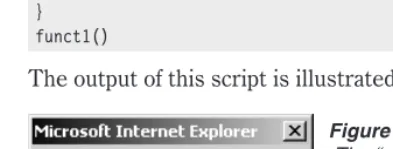
Both scripts produce the output shown in Figure 2-1.
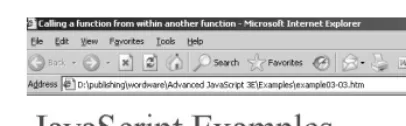
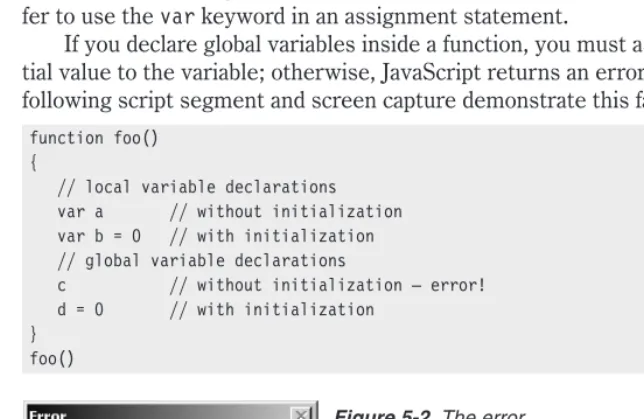
When you press the OK button, you are taken to the image shown in Figure 2-2.
It is important to understand the way external scripts are interpreted, because many different rules apply to JavaScript and HTML layout. Just keep in mind that an external script is actually interpreted as if it precedes the local script (enclosed by the<SCRIPT>and</SCRIPT>tags).
JavaScript-only files should have the filename suffix .js, and the server must map the .js suffix to the MIME type application/x-javascript, which it sends back in the HTTP header. If the server does not map the .js filename extension to application/x-javascript, Navigator will not properly load the JavaScript file specified by theSRCattribute. In short, your server must be configured to reflect the proper MIME type; otherwise, the browser does not respond properly with the data coming back in the HTTP response to the SRC-initiated request.
Chapter
2
Figure 2-1.An alert box
Event Handlers
You can place JavaScript right into event handlers. Event handlers are HTML tag attributes that refer to a specific action which takes place in ref-erence to that form element. For example, it might be onclick for an HTML button or onload for the HTML document itself. Event handlers are used to control when the JavaScript is executed. With an event handler, the script in question will execute when the event occurs. A good example of this is an image rollover, where an image changes when the mouse pointer moves over it. Event handlers are why JavaScript is able to interact with the end user. Some commonly used event handlers include onMouseOver, onMouseOut, onLoad, onSubmit, and onClick.
Like any other HTML tag attribute, event handlers belong inside an HTML tag, are followed by an equal sign, and contain their values in quotes. The difference is that the event handler’s value is JavaScript. Here is an example of an image source bein