Browser Tutorial Development (en)
Browser - TYPO3 without PHP
Develop the Browser - the TYPO3-Frontend-Engine. This is a manual, how to use the SVN-Repository.
Version: 6.0.0 - 2014-10-07
Extension Key: browser_tut_development_en Language: en
Keywords: browser, typo3 without php, development, svn
Copyright 2008-2014, Dirk Wildt, Die Netzmacher, <http://wildt.at.die-netzmacher.de>
This document is published under the Open Content License available from http://www.opencontent.org/opl.shtml
Table of Contents
Browser Tutorial Development (en) ... 1
Introduction ... 3
What does it do? ... 3
The Browser and SVN ... 4
Repository URL ... 4
Download / checkout of the Browser ... 4
Update your Browser version ... 4
Upload / commit the Browser ... 4
The first time – initial check out ... 4
Resolve a conflict and other problems ... 5
Branches ... 6
Tags ... 6
Update extensions without TYPO3 ... 7
TYPO3 Extension Utils ... 7
https://github.com/etobi/Typo3ExtensionUtils ... 7
Upload extension ... 7
Help ... 7
DRS - Development Reporting System ... 8
Develop the DRS and gets support for yourself ... 8
dev_var_dump ... 9
Prompting for my IP only ... 9
Minify *.css and *.js ... 10
Precondition ... 10
Samples ... 10
Reference ... 11
Completely browser reference ... 11
Further Information ... 12
Tutorials ... 12 Forum ... 12 SVN ... 12Helpful suggestions ... 13
Change log ... 14
Illustration Index ... 15
Alphabetical Index ... 16
Introduction
What does it do?
This is a tutorial for the extension Browser (extkey: browser). It is
• a manual for developing the browser especially • how to use the SVN repository on forge.typo3.org
The Browser and SVN
Repository URL
• https://svn.typo3.org/TYPO3v4/Extensions/browser/
Download / checkout of the Browser
$ cd typo3conf/ext/$ svn co https://svn.typo3.org/TYPO3v4/Extensions/browser/trunk browser
If you are need an initial checkout, please take a look in the section "The first time – initial check out" on page 4 below.
Update your Browser version
$ svn update U foo.c U bar.c
Updated to revision 2. $
Upload / commit the Browser
First you have to checkout the Browser (see above).$ cd typo3conf/ext/browser $ svn add * $ svn st $ svn commit m 'my comment' Sende ChangeLog Sende ext_conf_template.txt Sende ext_emconf.php Sende lib/class.tx_browser_extmanager.php Sende lib/locallang.xml Sende pi1/class.tx_browser_pi1.php Sende pi1/class.tx_browser_pi1_filter.php Sende pi1/class.tx_browser_pi1_marker.php Sende pi1/class.tx_browser_pi1_template.php Sende pi1/class.tx_browser_pi1_views.php Sende pi1/class.tx_browser_pi1_wrapper.php Sende pi1/class.tx_browser_pi1_zz.php Sende static/setup.txt Übertrage Daten ... Revision 43025 übertragen. Comment
• svn add *: add all (new and changed) files to your local svn index • svn st: display your local svn index
• svn commit: commit / upload your changings
The first time – initial check out
If you have a local version of the browser but without any SVN folder, you can initiate a local SVN version this way: $ mv browser browser.bak
$ svn co https://svn.typo3.org/TYPO3v4/Extensions/browser/trunk browser $ mv u browser.bak/* browser
$ cd browser $ svn add *
Resolve a conflict and other problems
Sometimes there is a conflict between the files of your working directory and the files in the repository. Maybe you can resolve the conflict with the following steps
... is out of date
You try to commit your files, and there is an conflict, you will get a message like: • Item '/org/trunk/res/html/doc' is out of date
Example [dwildt@localhost org]$ svn commit m '2.0.9 mv document module to download module' Anmeldebereich: <https://svn.typo3.org:443> TYPO3 SVN Access Passwort für »dwildt«: Sende ChangeLog ... Ersetze res/html/doc svn: Übertragen schlug fehl (Details folgen): svn: Item '/org/trunk/res/html/doc' is out of date Step 1: Update Make a update. Example [dwildt@localhost org]$ svn update C static/doc C res/html/doc Revision 54475. Konfliktübersicht: Baumkonflikte: 2
Step 2: Resolve the conflict
Try to resolve the conflict like in the example below. Take the parameter: • base if the repository is the proper version
• working if your working directory is the proper version Example
[dwildt@localhost org]$ svn resolve accept=working org/org/res/html/doc Konflikt von »org/org/res/html/doc« aufgelöst
Step 3: Commit your files
Now commit your files again.
... version control
Example $ svn add res/epayment/ svn: warnung: »res/epayment« befindet sich bereits unter Versionskontrolle Solutions $ svn revert res/epayment/ Rückgängig gemacht: »res/epayment« $ svn revert depth infinity res/epayment/ Rückgängig gemacht: »res/epayment«Hard Core Resolving
Remove the SVN management
$ mv deal deal.bak $ cd deal.bak
$ find . name ".svn" print | xargs /bin/rm Rf
Another Initial Checkout
Next step see "The first time – initial check out" on page 4 above.
Branches
Englisch http://svnbook.red-bean.com/nightly/en/svn.branchmerge.maint.html
German http://svnbook.red-bean.com/nightly/de/svn.branchmerge.maint.html
New
If you have a local version of the browser but without any SVN folder, you can initiate a local SVN version this way: $ mv browser browser.bak $ svn co https://svn.typo3.org/TYPO3v4/Extensions/browser/branches browser $ cd browser ...
Tags
Add a tag
$ svn copy https://svn.typo3.org/TYPO3v4/Extensions/browser/trunk \ https://svn.typo3.org/TYPO3v4/Extensions/browser/tags/4.5.3 \ m "Release 4.5.3."Delete a tag
$ svn delete https://svn.typo3.org/TYPO3v4/Extensions/browser/tags/4.5.0 \ m "4.5.0 is deprecated"Update extensions without TYPO3
TYPO3 Extension Utils
https://github.com/etobi/Typo3ExtensionUtils
Upload extension
root@gera:/opt/scripts/typo3# ./t3xutils.phar upload username password introductionplus "1.2.0 Feature detachable multi columns menu, bugfix chrome and IE" /var/www/typo3_62.local/typo3conf/ext/introductionplusResult in case of success
array(3) { ["resultCode"]=> string(5) "10504" ["resultMessages"]=> array(1) { [0]=> string(118) "Please note that it might take a while (up to an hour) until your extension and the documentation appear on TYPO3.org." } ["version"]=> string(5) "1.2.0" }Help
root@gera:/opt/scripts/typo3# ./t3xutils.phar Usage: ./t3xutils.phar help ./t3xutils.phar version ./t3xutils.phar updateinfo ./t3xutils.phar info <extensionKey> [<version>] ./t3xutils.phar fetch <extensionKey> [<version>] [<destinationPath>] ./t3xutils.phar upload <typo3.orgusername> <typo3.orgpassword> <extensionKey> "<uploadComment>" <pathToExtension> ./t3xutils.phar extract <t3xfile> <destinationPath> ./t3xutils.phar listfiles <t3xfile> [details] ./t3xutils.phar create <extensionKey> <sourcePath> <t3xfile> ./t3xutils.phar checkforupdate ./t3xutils.phar selfupdateDRS - Development Reporting System
Develop the DRS and gets support for yourself
...dev_var_dump
Prompting for my IP only
dev_var_dump enables you to prompt content into the frontend, which will displayed for a visitor with your IP only.
Characteristics
The Browser has an own var_dump method for developing. It is similar to var_dump:
• it prompts the given content into the frontend but
• It checks weather the current IP is in the list of the allowed IPs (configurable by the extension manager). • If the current IP isn't proper, dev_var_dump will return nothing.
• dev_var_dump wraps the content with <pre>...</pre> • If you prompt an array, you will have a tree view. • dev_var_dump reports a security warning to devlog.
Parameters
• Content for prompting. Type is mixed. • Amount of parameters is unlimited.
PHP snippet
$my_prompt = array('Hello world', array( 'green', 'red' ) ); $my_other_prompt = array('Hallo Welt', array( 'gruen', 'rot' ) ); $this>pObj>dev_var_dump( $my_prompt, $my_other_prompt );Result
<pre>tx_browser_pi1_sql::init (line 119): type: array array ( 0 => 'Hello world', 1 => array ( 0 => 'green', 1 => 'red', ), ) ... </pre>Minify *.css and *.js
Precondition
Intalled JavaScript/CSS minifier yui-compressor-2.4.7-1
Samples
Sample directory $ tree L 1 . jquery ├── map ├── tx_browser_pi1_ajax0.0.5.js ├── tx_browser_pi1_ajax_languages.js ├── tx_browser_pi1.js └── Minify a *.js-file $ java jar /usr/share/yuicompressor/yuicompressor.jar type js v tx_browser_pi1.js o 'tx_browser_pi1min.js' $ tree L 1 . allmin.js ├── jquery ├── map ├── tx_browser_pi1_ajax0.0.5.js ├── tx_browser_pi1_ajax_languages.js ├── tx_browser_pi1.js └──Minify all *.js-files
$ java jar /usr/share/yuicompressor/yuicompressor.jar type js v *.js o '.js$:min.js' $ tree L 1 . allmin.js ├── jquery ├── map ├── tx_browser_pi1_ajax0.0.5.js ├── tx_browser_pi1_ajax_languages.js ├── tx_browser_pi1.js └──
Minify and merge all *.js-files
$ java jar /usr/share/yuicompressor/yuicompressor.jar type js v *.js o 'allmin.js' $ tree L 1 . allmin.js ├── jquery ├── map ├── tx_browser_pi1_ajax0.0.5.js ├── tx_browser_pi1_ajax_languages.js ├── tx_browser_pi1.js └──
Reference
Completely browser reference
• HTML http://typo3.org/extension-manuals/browser_manual_en/
Further Information
Tutorials
This tutorial in PDF format
You find this tutorial as a PDF file at• doc/manual.pdf
• http://typo3-browser.de/typo3conf/ext/browser_tut_dev_en/doc/manual.pdf
Tutorial Overview
• http://typo3-browser.de/en/browser-tutorials/
Forum
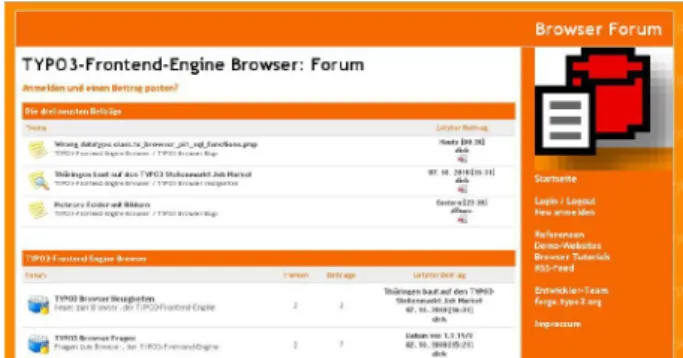
The Browser has its own forum (leading language is German). You are welcome to post any question, bug or snippet code at
• TYPO3-Frontend-Engine Browser: Forum
http://typo3-browser-forum.de/
SVN
SVN book
• English http://svnbook.red-bean.com/nightly/en • German http://svnbook.red-bean.com/nightly/deQuickstart
• http://svnbook.red-bean.com/nightly/en/svn.intro.quickstart.htmlBasic Work Cycle
• http://svnbook.red-bean.com/nightly/en/svn.tour.cycle.html
Reference
• http://svnbook.red-bean.com/nightly/en/svn.ref.html
Helpful suggestions
If you have helpful suggestions, feel free to publish any question, bug or code snippet on • http://typo3-browser-forum.de/
Change log
3.9.14 Update for Browser 3.9.14 3.6.1 Initial release
Illustration Index