Shelve in Computer Hardware/General User level: Beginning–Advanced
Embedded Firmware Solutions
Embedded Firmware Solutionsis the perfect introduction and daily-use field guide—for the thousands of firmware designers, hardware engineers, architects, managers, and developers—to Intel’s new firmware offering (including Quark coverage), showing how to integrate Intel® Architecture designs into their designs.Featuring hands-on examples and exercises using Open Source codebases, like coreboot, EFI Development Kit, and tianocore, on Chromebook and Intel® Quark reference design, this is the first book that combines a timely and thorough overview of firmware solutions for the rapidly evolving embedded ecosystem with in-depth coverage of requirements and optimization.
What You’ll Learn:
• Understand the key differences between PC and embedded ecosystems
in terms of firmware needs
• Thorough underpinning of Intel’s firmware solutions
• How to build a firmware stack for Chromebook and Intel® Quark products
• How to integrate Intel® FSP with a firmware stack, by studying the hands-on
examples based on coreboot and UEFI
• How to make a smart “build-it or buy-it” decision when starting a
new embedded project
Sun Zimmer
Jones Reinauer
For your convenience Apress has placed some of the front
matter material after the index. Please use the Bookmarks
Contents at a Glance
About the Authors ����������������������������������������������������������������������������
xv
About the Technical Reviewers �����������������������������������������������������
xvii
Acknowledgments ��������������������������������������������������������������������������
xix
Foreword ����������������������������������������������������������������������������������������
xxi
Introduction ����������������������������������������������������������������������������������
xxiii
Chapter 1: Introduction
■
������������������������������������������������������������������
1
Chapter 2: Firmware Stacks for Embedded Systems
■
������������������
13
Chapter 3: Intel
■
®Firmware Support Package (Intel
®FSP) ����������
� 25
Chapter 4: Building coreboot with Intel FSP
■
�������������������������������
� 55
Chapter 5: Chrome book Firmware Internals
■
�������������������������������
97
Chapter 6: Intel FSP and UEFI Integration
■
����������������������������������
121
Chapter 7: Building Firmware for Quark Processors
■
������������������
145
Chapter 8: Putting It All Together
■
�����������������������������������������������
173
Appendix A: Sample Boot Setting File (BSF)
■
�������������������������������
179
Introduction
We consider ourselves lucky enough to live in an era when new things and new ideas seem to come out every few years, if not every few days. We are not only experiencing an explosion of new ideas, but also witnessing some existing technologies being completely maxed out in our lifetime, including the semiconductor technology. Since Brattain and H. R. Moore made a demonstration of the first transistor at Bell Labs on December 23, 1947, the semiconductor, as we know it today, is reaching its physical limit, even though we are still trying very hard to shrink it below 10 nanometers. For the sake of argument, even if we can still shrink a couple of nanometers below 10 nanometers, how much further can we really go without changing the fundamental theory the technology is based on?
In the meantime, there are many other technologies that are approaching the limits of our sense and sensibility. Do we need more than 12 bits of color depth that shows more than billions of colors? Do we need a frame rate that is beyond what our eyes and brain can process? Do we need cars that go faster than our own response time? We now have display devices, media playback technologies, and transportation vehicles that achieve the best that they need to be.
Even though that is the case, there are still unlimited opportunities to make devices smarter and more connected to make our lives easier and safer. People are calling these devices the Internet of Things, or IoT for short. The explosive cycle of the IoT has just begun: cars will be talking to cars in the near future, thermostats and sprinkler systems can adjust themselves based on current weather forecast, buildings can manage lighting and air circulation based on where people are, and the list goes on and on.
Yes, this book is related to the explosion of the Internet of Things. We are addressing a technical area that is rarely talked about—the firmware inside of the Internet of Things. Firmware is the first piece of software that runs after silicon, coming out from the power-on reset state. Sometimes it is mysterious to people why building a firmware stack is hard and why firmware can be problematic. Considering the fact that the time it takes to run a piece of firmware is only between subseconds to a few minutes at most, why are we writing a book about it? After all, there are already books that talk about BIOS, UEFI (beyond BIOS), and techniques to optimize the firmware to boot faster. Why do we need yet another book to talk about firmware for the Internet of Things and the embedded system in general? There is one important reason: the firmware for IoT is different from the firmware running on a PC (BIOS or UEFI-based firmware), and there are many unique requirements for IoT firmware, and we will talk about them in the second chapter of this book.
In this book, we are going to use two open source firmware stacks—coreboot and UEFI—to demonstrate the concept and show the steps to develop a workable firmware stack using widely available platforms from Intel. We are also going to show how the firmware works in a Chromebook, and what it does in a Chromebook, and we will also discuss the firmware for Intel
®
Quark family.The targeted audience for this book are firmware engineers, hardware engineers, software engineers, and other professionals curious about IoT firmware. This is a good book for students who are learning about firmware, because we are going to give step-by-step instructions about how to build a workable firmware stack using commercially available platforms. For developers who have been involved in PC firmware, this can be a good reference book to understand the differences between PC and IoT, and the alternative solutions available. For people who have been struggling with Intel
®
Architecture (IA) and its firmware stack due to a lack of technical information from Intel in the past, this book reveals an opportunity for you to quickly get over the silicon initialization hump, and you will be able to quickly develop an effective firmware stack using the techniques learned from this book.This book uses a lot of pages to describe the Intel
®
Firmware Support Package (Intel FSP) because it is a way to encapsulate the complexity of silicon initialization to make firmware development work easier. Since its launch in October, 2012, many developers and designers of alternative architectures have benefited from this product.Why Should You Read this Book?
There are not many books out there talking about firmware because it is not a standard discipline that can be talked about generically. Every subject in the realm of firmware can be a book of its own, and there have been books about UEFI, BIOS, Fast Boot, RTOS, assembly languages, and so forth. There are also many system requirements and constraints that can dictate how a firmware is chosen and written; therefore, it is a topic that cannot be easily addressed holistically without an objective. Our objective is to show you how you can take advantage of Intel Architecture, and how to prepare a firmware stack for Intel microprocessors regardless of the firmware stack that you choose. There will be areas that are not covered in this book, such as power management and secure boot features, but readers can certainly find in-depth discussion of those topics in other technical books in the market. This book is written to help you build a workable firmware stack for Intel Architecture.
What Chapters Should You Read?
Since there are many interesting but distinctly different topics surrounding IoT device firmware, busy readers can pick and choose the chapters to read and skip if needed.
If you are just curious about what firmware options you may have for IoT devices, you may read Chapters 1 and 2 before diving too deeply into actual implementations.
If you are more interested in developing an EDK II–based firmware solution for Intel Architecture, you can get a complete picture of the process by reading Chapters 1, 3, and 6.
If you are more curious about what Chromebook is about and how the firmware for Chromebook works, you can read Chapters 1, 3, 4, and 5.
If you have heard about Quark and you are interested in building firmware for Quark, you can read Chapters 1, 2, 3, 4, 6, and 7. Why do you need to read more chapters for Quark? It is not because it is complicated, it is because it can be used in many varieties of applications using different firmware stacks. If you want a complete picture about firmware solutions for embedded applications and IoT devices, you should take your time and read all of the chapters in this book. After all, this is the purpose of the book: to give you a complete picture of the firmware solutions for IoT devices.
Hobbyists should be able to obtain a platform mentioned in the chapters, follow the instructions to download the source trees and tools, build a firmware image to try on a real platform, and enjoy the accomplishments.
Every firmware stack has its advantages and disadvantages; there will be situations when a developer needs to pick a different and unfamiliar firmware stack for the applications at hand. From time to time throughout the book, you might find some unfamiliar terminologies. We will list them here for reference. If you are still puzzled by a specific terminology, Wikipedia is probably the best resource to check. Internet search engines may be the second best source, but careful filtering of information is needed.
Bootloader
• : This term might be confusing from time to time. In coreboot, bootloader is identified as the payload, which loads the OS, but in some cases, bootloader is used to represent the code from the reset vector to the hand-off point to an OS. The definition changes based on context. Also, this term is mostly used outside of the Intel Architecture (x86) world, where hardware initialization is not as complicated. In this book, we will not use bootloader to represent the complete firmware stack. When you see this term in this book or outside this book, you need to read the context to see which part of the firmware stack it is referring to.
Firmware stack
• : In this book, we use the term to represent all the components in a firmware solution; there might be phases in the boot process of a firmware solution, but the term firmware stack will cover them all. We will also refer the firmware stack used to integrate Intel FSP as the “host firmware”.
PI and UEFI
BIOS
• : Basic Input/Output Systems. This is a term that is used “conveniently” to represent the firmware stack of a PC, even though it is no longer the same 16-bit hardware abstraction layer to interface with a 16-bit OS. Today, as a habit, people are still using this term to call the firmware stack of a PC, even though the firmware stack has become more powerful, more dynamic, and has more features. You will see “legacy BIOS” and “UEFI BIOS” terms in the book when we describe the implementations of PC firmware stacks today. Some companies might still use “BIOS” in the names of their products, but the purpose is to associate their products to a more familiar terminology so that PC developers understand the products better.
FSP
• : Firmware Support Package. Intel FSP is the silicon initialization module that Intel produces to encapsulate basic silicon initialization code.
Microprocessors, CPU (Central Processing Unit), chips
• : These three
terminologies are used interchangeably to represent the silicon that does more of the general computing and control tasks.
I/O
• : Input and output.
SoC, SOC, SIP
• : Silicon-on-Chip, Silicon-in-Package. This represents silicon designed to include more than one component on a die or in a package; typically these components are CPU cores, northbridge(s), I/O components, and other glue logic. From the outside, they function as an integral unit.
Southbridge, northbridge, and companion chips
• : Today’s SoC
still contains components that we used to call northbridge and
southbridge for two distinct functions that used be on different sides of a front-side bus (or a high-speed point-to-point bus) that connects all the components internal to the chip. Even though internal buses have evolved in modern SoC designs, the names northbridge and southbridge remain in many code bases to represent the functions that used to be there: northbridge deals with CPU, memory controllers, and other related features, and southbridge deals with I/O–related features.
Obviously, this book cannot cover all of the peripheral knowledge that you might be interested in. Here are online resources and links for further reading and research:
• http://www.intel.com/fsp
• http://www.tianocore.org
• http://www.uefi.org
Introduction
If you can fix a hardware bug in firmware, it’s not a bug but a
documentation issue.
—An anonymous hardware manager
What Is Embedded Firmware?
Since you are reading this book, you must have some understanding of what the words
embedded and firmware mean in the context of computer technology. There are quite a few interesting discussions on the Web about the difference between firmware engineers and embedded engineers. Some say that an embedded engineer is a software engineer turning into a hardware engineer, and a firmware engineer is a hardware engineer turning into a software engineer. There is some truth to this because most firmware engineers learned how to design circuits in school, but there are definitely a lot of smart firmware engineers out there with a computer science or nonhardware degree. Regardless, writing firmware is a unique skill that deals with both hardware and software at the same time. You need to know something about signal strength, timing, voltage, and at the same time, data structure, algorithm, and modularity.
Hardware design is also moving toward being more “software friendly” so that hardware takes less effort to program. Self-initializing chips and a built-in boot ROM are just two examples currently available in System-on-Chip (SoC). Due to the evolution toward software friendliness, the heavy-duty hardware initialization responsibility has been gradually shifted from the firmware to the drivers of the operating systems, and the operating systems are relying less and less on firmware to carry out the hardware initialization work. Some real-time operating systems (RTOS) and specialized operating systems, such as Android and Chrome OS, are carrying out a lot of hardware initialization functions with help from the hardware vendors. This is especially true when system designers compartmentalize their design to a set of standardized hardware components and constrain the hardware selection pool; in some cases, hardware configuration can be achieved with a GUI (graphical user interface) -based configuration tool instead of relying on rewriting programs in firmware or software.
The line between firmware and specialized operating systems is definitely blurring, if not disappearing completely. The very minimum things that firmware has to do in a well-coordinated environment are presenting a data structure of features that can be further processed by OS drivers, such as an ACPI (Advanced Configuration and Power Interface) table, and carrying out the tasks that can only be done more effectively by firmware, such as memory controller initialization. When a seamless cooperation between the firmware and the OS cannot be guaranteed, firmware still plays a significant role in the system to make sure all system features are utilized properly. Therefore, no matter what the design trend is, firmware remains a critical component in a system.
the years. In addition to some SMM firmware dealing with actions requested by ACPI and security features, chip vendors are the only entities still using SMM to work around chip issues when necessary.
Where Is Firmware?
Firmware is generally considered part of the hardware (rather than part of the software) because it resides inside a hardware component, which is typically a Flash storage device or ROM. However, when it comes to the programming language, the tools, and the methodology a firmware engineer follows, firmware is clearly a type of software, even though it is tightly coupled with hardware in most cases.
What Do Firmware Engineers Do?
Regardless of whether firmware engineers are hardware engineers turning into software engineers, or the other way around, firmware engineers have a lot of interesting work to do. One of the most important and challenging jobs that a firmware engineer does is to make a new circuit board work when it is first manufactured, especially when most components on the new board are also new. It is not a unique case to have many new components on a brand-new circuit board because most hardware evolves in similar cycles. In chip manufacturing companies, some firmware engineers’ only job is to bring up and test a new chip on a new board. The combination of a new chip, new components, and a new board not only makes debugging work much more complicated, but also makes the preparation work much more challenging.
When a firmware engineer prepares for the bring-up of a new board, he or she does not just wait for the hardware to show up, and then write the code; he or she needs to read a lot of early specifications, such as datasheets, a couple of months before the new board shows up. Since these specifications are mostly evolving, the information may not be 100 percent correct. Firmware engineers need to help correct the information in datasheets and write programming guides as they go through the debug process. In a typical hardware-oriented company, firmware needs to be ready when the first circuit board shows up. It is not acceptable for hardware to wait for firmware because hardware is usually more difficult and more expensive to alter than firmware. Manufacturers want hardware bugs to be discovered and fixed as early as possible. In the beginning, firmware only needs to have enough functions to test the circuit board to determine if the new components can be manufactured, but it is a lot of hard work to do it right the first time.
Firmware Preparation for New Hardware
of a simulator depends on the behavioral models written to simulate the hardware. The accuracy and fidelity of the models in the simulation tool decide whether or not you can find bugs and programming errors in your early firmware.
Besides simulators, FPGA-based emulators are also frequently used to test early firmware and the circuitry inside a new chip. Compared to simulators, FPGA-based emulators are much more accurate in representing the final hardware, but since they are running in a much slower clock speed, timing-related issues may not be discovered easily, and firmware is sometimes modified to accommodate the slower clock speed; therefore, some parts of firmware are not well tested. In most cases, based on our experience, these simulators and emulators actually deliver pretty solid results, and the simulated and emulated firmware usually works when it is put on the real hardware for the first time they integrate. Even with the help of simulators, it typically takes a couple of days, weeks, or even months of effort to iron out all the hardware issues.
The Mystery of Bits
In the process of preparing a bring-up firmware, a firmware engineer spends a lot of time figuring out what needs to be programmed into the microprocessor and chipset by studying datasheets and specifications. In this case, literally, every bit matters. Even though many bits will work in their default states, a single mistake in misinterpreting the definition of a bit in a chip can turn the circuit board into a brick, and there are many bits to be programmed from their default states in order to work properly.
Learning and understanding what each bit does and does not do is as tedious as sorting sand on a beach, especially when some of the data documented in the datasheet does not provide as much detailed information as needed to understand how to use it. Sometimes, it takes a lot of trial and error in the process. There are also many undocumented bits that are there either for internal testing or for tuning purposes; these bits are usually not documented inside a datasheet. Therefore, missing critical information could be another challenge for firmware developers.
From time to time, a mysterious problem can stall the debug and development effort for a long time, and the final solution is sometimes a mysterious bit that was somehow discovered after scrubbing the design data. With a stabilizing feature set and better tools, these kinds of problems are not happening as frequently in modern chips.
frequently call these kinds of fixes “work-arounds.” If there is a work-around for a chip bug, it usually involves a bit or a set of bits that need to be programmed or changed. Or, there will be an algorithm developed to work around a problem only when certain conditions are met. To apply a work-around with as little impact as possible to the existing software, designers frequently suggest the fixes to be implemented in the SMM. Since SMM code takes away operating cycles and time, these kinds of fixes are sometimes intrusive and problematic. It is ultimately up to the designers to reveal the fixes after studying the original design of the chip. Most of the time, the fixes are not obvious; the designers need to analyze and figure out if there exists a setting of bits that could fix the problem, or check if they should turn off certain new features that are not working properly. Even though a firmware engineer may accidentally find a fix to resolve an issue through a trial-and-error process, this is very rare these days—especially when the work-around involves an undocumented bit or bits. Designers ultimately hold the key to resolving a chip issue.
How do undocumented bits exist? As stated earlier, when designers design a chip, they put many configurable bits in a chip to help tune the chip or control features that are supposed to be hidden from the programmers. They keep some of these bits undocumented and locked so that no one can accidentally program them to cause unintentional damage or adverse effects. There is a nickname for these bits, called “chicken bits.” The origin of this phrase is unknown, but it may have something to do with the fact that these bits are scattered everywhere in the chip like the food for chickens; or it may imply that the designers were too “chicken” to show these bits to others, therefore hiding them.
There could be as many as 60,000 chicken bits in a chip, depending upon the complexity, the functionality, and the size of the chip. This also explains why a chip vendor cannot possibly document every programmable bit of a chip in a datasheet or a programming guide, even if they wanted to try. As a matter of fact, most of these chicken bits will never be documented, and a small portion of the chicken bits will be documented only when they are needed to work around a chip problem. Many of you may have heard of or even read an errata sheet from chip vendors; this errata sheet frequently contains information for bits that were not documented before.
Programming Guides
When designers design a new chip, they will compile of a list of registers to support various chip features. During the chip design phase, hardware engineers and firmware engineers work with designers to design, simulate, and validate the chip. By doing this together, the function of bits and bytes in registers are defined, refined, and documented so that a comprehensive programming guide can be available at the same time that the first chip shows up at a customer’s door, typically a manufacturer of a product using the chip. In Intel, this programming resource is named the BIOS Writer’s Guide
(BWG) because it is designed to help BIOS developers write a BIOS for a PC to begin with. For a modern chip like Quark, the name of the document has been changed to the UEFI Firmware Writer’s Guide to distant itself from the term BIOS. Regardless, this programming guide has all the information a firmware engineer needs to know beyond programming a PC and for every embedded system as well.
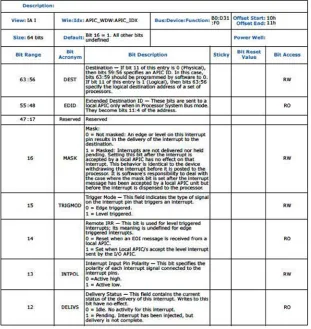
For example, the Pentium Pro BWG describes very basic programming information that most people can probably figure out themselves after reading a few standard specifications from Intel, like SMM, BIOS INT functions, and how to handle multiprocessor initialization and so forth. In comparison, besides basic SMM multiprocessor topics, BayTrail BWG uses 34 pages just to talk about MSR (model-specific register); other information includes CPUID handling, the Microcode Update, SpeedStep, C-State Control, thermal management, and more. This list is just the information contained in volume one. In volume two, almost all the subjects require a domain expertise to understand, such as HD audio, graphics, the HPET timer, xHCI, EHCI, DDR3, ISP, P-Unit, SIO, PCIe, PCU, TCO, and so forth. (If you don’t recognize any of these acronyms, you get the point: modern-day BWGs have become very specialized repositories of information.)
The programming guide not only specifies the features that can be customized by the customer via programming the bits and bytes, it also methodically covers the many bits and bytes that must be programmed with particular values in a fixed order to support certain features.
Even if you have not been involved in debugging a new circuit board, you can imagine that finding a bit-setting error in an ocean of bits is pretty painful. Does a chip vendor need to put firmware engineers through a painful experience every time it produces a new chip? If the programming guide is done right, firmware engineers should not have to read through 440 pages of BWG to study what needs to be programmed just to get the chip up to the point of providing its features. Firmware engineers have better things to do than look at the programming guide to figure out which bits to flip and which bytes to write; they should spend their valuable time developing value-added features to help deliver a product with differentiating features.
The Intel
®
Firmware Support Package
Intel has taken the initiative to provide a way to encapsulate tedious chip initialization code into a package: the Intel
®
Firmware Support Package (Intel®
FSP, for short; we will use Intel FSP and FSP interchangeably in this book). Obviously, there is more than one way to ease the programming pain associated with chip initialization. For example, releasing the full source code to allow people to view how it is done, or putting all the chip initialization code in one binary to hide the complexity, or anything in between. Intel has decided to go with the option to put all the chip initialization code in one place with the hope that, once it is used in the firmware stack of your choice, the developers will be able to quickly get over the chip initialization hump and move on to value-added features development work.Intel recognizes that many developers have a hard time extracting chip initialization code out of an EDK II codebase or from a BIOS to port to a different firmware stack or to a different platform design. Going to IBV (Independent BIOS Vendors) to ask for help is not always an option for some customers. Intel believes that there are a lot of smart firmware engineers out there, and once these engineers get hold of a technical specification, an industry standard, or reference code, they can produce a firmware implementation without too much difficulty. The only thing that is missing for them is the chip programming information.
That said, it does not matter how smart the firmware engineer is: he or she cannot and will not be able to figure out how to program a new chip without help from chip vendors. Over the years, some smart developers have tried to reverse-engineer what has been done in an existing platform, but the process is long, hard, and error-prone.
In this book, we talk about Intel’s FSP solution; other chip vendors have also provided similar packages or mechanisms to reduce the programming burden for initializing basic chip functions, such as AMD’s AGESA (AMD Generic and Encapsulated Software Architecture), and ARM’s boot ROM concept. This book will not discuss these implementations, but they are efforts that chip vendors put out to ease the programming challenges.
Since its launch in October of 2012, Intel FSP has been widely used in many customers’ embedded designs, including customers who chose to convert from a competing architecture to Intel Architecture. As you will discover in later chapters of this book, Intel FSP can be easily integrated into an existing firmware stack to save you time and energy in figuring out the information needed to program an Intel chip.
Note
■
Keep in mind that Intel FSp is not a stand-alone firmware stack. It does not have
all the ingredients to boot to an oS on its own; therefore, it must be integrated with a
firmware stack, such as BIoS, coreboot, rtoS, or other proprietary bootloader solutions.
The Uniqueness of Embedded Firmware
It is one thing to develop firmware for a general-purpose and open system such as a PC; it is quite another thing to develop a firmware stack for a closed system with dedicated functions. Over the last three decades, firmware engineers have almost perfected BIOS (including UEFI) for the PC. The PC BIOS has the ability to deal with devices that come and go anytime (plug-and-play) and to boot to any general-purpose OS (Linux, Windows), and it is smart enough to learn about its environment (ambient light, battery status, and user inactivity) to adjust itself to save energy. Arguably, it could be the most intelligent firmware stack ever created. Over the last three decades, we have definitely seen the evolution of BIOS, and we have witnessed a great improvement of quality in the BIOS realm.
Can we use a PC BIOS stack on an embedded firmware design? The answer is “yes, but…” because it depends on the purpose of the design. Many embedded designs leverage PC architecture for cost and ecosystem support reasons. Since the designs inherit all the characteristics of a PC, the PC BIOS and similar technologies could still be the best choice for an open and general-purpose system if boot speed and the size of the firmware stack are not issues of concern. There are also a lot of embedded designs that are not based on PC architecture. In these cases, the PC BIOS and similar technologies can be used, but will need a lot of effort to fit into the design; there are better firmware solutions out there to choose from. In some cases, a PC BIOS just won’t work because the special need for boot speed, a small footprint, real-time performance, and so forth, are required.
Many mission-critical and time-sensitive designs require the system (hardware, firmware, and software) to be deterministic and predictable among other special constraints; many intelligent and dynamic configuration capabilities of a PC BIOS can be prohibitors for those deterministic and predictable considerations. Some closed devices designed without any upgradability do not need the flexibility of plug-and-play, heuristic training algorithm, and bus enumeration techniques that are typical in a PC BIOS; therefore, embedded firmware can sometimes be dramatically simplified. Finally, there are more embedded designs asking for faster boot time and quicker response time, which a typical PC BIOS cannot achieve. The rear-view camera in a vehicle, for example, needs to be turned on within 2 seconds after the car engine is ignited; this is for safety concerns and also a regulation requirement in many countries. Even though it is not impossible for a PC BIOS to achieve faster boot time, the hardware and firmware stack used in an IVI (in-vehicle infotainment) system is heavily customized to achieve this stringent boot-time requirement. All of these unique requirements make a PC BIOS harder to fit into embedded applications.
The Choice of Firmware Stacks
There are quite a few firmware options in the market, such as PC BIOS (including various UEFI implementations), RTOS, open source stacks, and proprietary solutions. Each of these firmware stacks has a specific purpose to fulfill, and we will discuss their special usage models later in the book. We’ll also discuss how to work with different firmware stacks using a common chip initialization module (in the next chapter, we’ll take a look at a few of the options), and we will also talk about their pros and cons and how to make a choice based on your needs.
Welcome to the Era of the Internet of Things
your life more convenient. The next wave of the technology revolution has arrived, and it comes in the form of built-in connectivity and intelligence. People are calling these intelligent and connected devices the “Internet of Things” or IoT. It takes a lot of creative minds to conceive, develop, and refine such an IoT, and no doubt much of the work needs to be done at the firmware and software level. The demand for the skill sets covered in this book will increase in the foreseeable future.
Technical Coverage in This Book
This book covers topics related to embedded firmware stacks and an important ingredient that enables them—Intel FSP. Since this book uses Intel Architecture as the centerpiece, we focus on how Intel FSP works and demonstrate how it can be integrated into popular firmware stacks; coreboot and EDK II examples are used in this book. We cover detailed information about each of these two firmware stacks, including the internals and how to work with them. The reader can pick and choose a particular subject and do a deep dive, or the reader can choose to learn both of the firmware stacks in a holistic way. If you are among the readers who are not using either the coreboot or the EDK II codebase, the same principles and practices also apply to your own firmware stack once you have a basic understanding.
This book does not cover the details of implementing specific features, such as power management, device enumeration, graphics, audio/video, and other non-chip related features. However, this book will touch upon the new Intel Quark family products and talk about their firmware stack and detailed firmware architecture. Even though the firmware strategies of some Intel products are not yet using FSP as the building block, you can compare and understand the differences and the rationale behind the decisions.
There are not many books out there talking about firmware because it is not a standard discipline that can be talked about generically. Every subject in the realm of firmware can be a book on its own, and there have been books about UEFI, BIOS, Fast Boot, and so forth, and many system requirements and constraints can dictate how a firmware is chosen and written; therefore, it is a topic that cannot be easily addressed holistically without an objective. Our objective is to show you how you can take advantage of Intel Architecture, and prepare a firmware stack for it regardless which firmware stack you choose. There might be areas that are not covered in great detail in this book, such as integrating Intel FSP into a RTOS codebase, but hopefully the same practices still apply.
The Future of Firmware
We have been witnessing an interesting phenomenon since the beginning of this century: open source projects are gaining momentum, led by companies such as Google and Facebook. Many legacy and proprietary software solutions are either disappearing or losing steam very quickly; open source solutions are becoming a primary interest of technologists at an amazing speed.
protecting intellectual properties so that “we can win as an individual company.” What has emerged is a new concept to tie business success to a collaborative ecosystem effort. Under this new model, everyone has a chance to thrive in the ecosystem because innovation is multiplied with the participation of many intelligent scientists, hobbyists, and engineers.
Will embedded firmware solutions be moving toward the same model that operating systems and computing systems are currently going through? Yes, we can tell that the open source model is impacting the firmware world in equal force in the last few years. Even some of the traditionally closed solutions are adapting themselves to the open source model as we write this book. For example, even though Tianocore was created as an open source project by Intel years ago, the community did not thrive due to lack of crucial components in the source tree. Until recently, many ARM developers have tapped into the Tianocore source code to make it workable with ARM designs. Intel has also ramped up its effort to provide an FSP component so that it can be successfully built for a platform in distribution.
However, due to its many unique characteristics, firmware is a source of intense debate because it is so tightly coupled with the hardware underneath, and hardware still has IP that companies want to protect. The questions for chip vendors will always be how much firmware can be benefited by the collaborative model, and how much firmware is so chip-specific that there is nothing that needs to be collaborated on? For example, if some of the chip code is fragile enough that only the designers can program it right, does it make a difference if the code is open or not? If it is open, does it do more harm than good? How about the code inside a boot ROM that is masked? Should that code be open as well? What about the firmware that is currently outside an SoC? Where is the boundary? What makes sense to be open and what does not? These questions may be rhetorical, but the binary distribution format will gradually move away from being a mechanism to hide features, and instead be a way to simplify its integration.
Putting these rhetorical questions aside for the moment, the open source model is a trend that all chip vendors, BIOS vendors, and software vendors will continue to adapt to. In the spirit of open source communities, the best of the best will emerge after all the debates, arguments, and brainstorming. This book was written with the aim to enable the open source community to thrive on its own and alongside proprietary solutions. It will undoubtedly fall short of some readers’ expectations, and it may disappoint a few hard-core open source enthusiasts. However, it is still a step toward the right direction to make chip initialization a non-issue (or less of an issue) for open source communities.
Firmware Stacks for
Embedded Systems
Computers themselves, and software yet to be developed, will
revolutionize the way we learn.
—Steve Jobs
If you have been doing BIOS work or read a book about it, you probably have an idea about what firmware is doing for a PC. Firmware needs to do the following:
It needs to discover devices that are connected to a system bus
•
It needs to deal with devices disappearing and appearing anytime
•
during runtime
It needs to be prepared to boot any operating systems that are
•
written for the PC
It needs to wake up if an external stimulus occurs
•
It needs to adjust its backlight, clocks, and speed based on
•
the temperature, the power source, and the status of the user (inactive or active)
However, embedded systems and IoT devices have some unique firmware requirements from PC BIOS:
• Timeliness in responding to external stimuli (real-time behavior).
The examples are industrial precision machines. These machines cannot tolerate any deviation from their specified error margins during operation.
• Predictability of the outcome. The examples are industrial machines and manufacturing robots. They need to deliver the same result repeatedly without deviating from its programmed behavior; otherwise, the produced items may not be usable.
• Closed system with fixed function. The examples are the set-top box and GPS. The software running inside these things are doing one function (or a few functions) very well without errors.
• Closed system with limited expansion. The examples are the Mars Rover and home appliances. Once these things are delivered (departed Earth or sent home), the software inside should not need to deal with components coming and going in the systems, because a closed system can safely assume no expansion after certain points.
• Fast boot time. The examples are rearview cameras of cars, mobile phones, and home appliances. These things need to boot fast for either safety reasons or for a better user experience. It was very annoying when some early Blu-ray DVD players took a long time to be ready to play DVDs, because no consumer electronic devices should take more than a few seconds to be ready (at least this is not what consumers are used to).
• Small footprint. The examples are wearable devices, sensors, and software that needs to be certified. Big software frequently needs bigger storage devices, and they tend to be error-prone and difficult to certify.
• Security and reliability. The examples are point-of-sale (POS) terminals and in-vehicle-infotainment systems (IVI). In IVI, you probably don’t want a software crash in the DVD player of the system to bring down the GPS, radio, and phone connection, and you do not want your credit card information stolen during checkout at a store; isolation of mission-critical and nonessential elements are, therefore, very important for some applications.
• Fixed boot target. The examples are Chromebook and IVI. These devices only have one boot target in mind (ChromeOS or embedded Linux); therefore, the firmware does not need to worry about having a general-purpose boot loader interface ready to boot any OS. A direct-boot interface can not only save code space, but also boots faster because shortcuts can be taken.
These are just the common requirements for embedded firmware. As you can see, they are very different from PC firmware. Still, each embedded system design can have its own requirements that may or may not come from the preceding list, or it may have multiples of these characteristics.
some commonly known design principles to achieve the best and optimized outcome—a perfect product for the very niche market. The reusability and the ability to leverage a horizontal technology may suffer, and the sustaining effort may be expensive, but some products are never meant for service after being sold in the market. Therefore, a lot of firmware stacks, especially commercial off-the-shelf (COTS) products, focus more on ease of customization than anything else. Some software companies even have products designed for specialized markets with special certification requirements, such as avionics and military applications where safety and security are the main concerns.
When we examine the list of unique firmware requirements for embedded systems, we know some of these requirements can be achieved by specialized OS or RTOS. These specialized systems sometimes consist of a well-designed microkernel instead of a monolithic kernel; they also may have a customized firmware stack that is designed for ease of adding and subtracting components. Some of the requirements need the involvement of a virtual machine monitor (VMM); therefore, picking, integrating, customizing, and designing components in these firmware stacks can be an art sometimes.
Despite all of these unique requirements, there are still embedded designs that can be based on a familiar and ubiquitous PC architecture, such as industrial controllers, vending machines, POS, switches, and routers. Not necessarily because PC architecture is the best for these applications, but because the advantages of using a well-established and well-tested architecture sometimes outweigh the cost and disadvantages.
This is particularly true when developers want to reduce the design cost: they can simply buy off-the-shelf PC motherboards. It is easier to get ecosystem support, and may shorten the development cycle as well. The developers who have decided to leverage PC motherboards can still decide on whether or not to use PC BIOS. If the developers want to boot nothing but Linux and would like to replace the existing BIOS on the motherboard, they can certainly do that. There are many pros and cons to consider when picking the right firmware stack for your product.
Is a One-Size-Fits-All Solution Possible?
Ever since computer science emerged as a popular subject in the academic world, people have been trying to invent solutions that are as flexible as possible and to cover as much ground as possible. It is a challenge to come up with a smart design that works in all scenarios and meets all the requirements in the world. Unfortunately, no matter how hard we try, we have not succeeded in creating something that can deal with extreme requirements effectively. For example:
Can we have a firmware stack that is optimized for a closed
•
system while keeping the capability to boot a general-purpose OS and run general-purpose applications in an open system?
Can we have a firmware stack that is not only optimized for a
•
Can we have a firmware stack that is optimized for speed while
•
maintaining the capability for exhaustive device discovery mechanisms and heuristic self-adjustment capability?
Can we have a firmware stack that is optimized for size with the
•
smartness to resolve device dependencies on the fly?
Can a firmware stack be smart and intelligent, but at the same
•
time deterministic and predictable?
Although it is not impossible, it is extremely hard to support extreme requirements using the same firmware stack. And even if this difficult design goal was achieved, the source code would probably be too complicated to read, or the build process would be too convoluted to comprehend. Regardless, a few people are trying to make a one-size-fits-all solution; one of the attempts is the UEFI firmware stack. Supported by Intel, HP, AMD, Dell, and other partners, there is still much research and development needed in making the UEFI firmware stack fit into fast and small applications beyond the PC paradigm. We shall see the results in a few years.
The motivation of promoting a one-size-fits-all solution could be based on the desire to reduce the support cost, but there are many alternatives available to customers. The following are some firmware solutions that typical customers of embedded systems are looking for.
Microkernel
Microkernel is frequently associated with RTOS, but it can be designed without real-time elements. The difference between a microkernel and a monolithic kernel is the responsibilities carried out inside the kernel. A monolithic kernel typically handles all the privileged tasks and system services in the kernel (such as file systems, interprocess communication, I/O, and a scheduler), while a microkernel does only basic process communication and I/O control, leaving the user space applications to provide services such as a pager, file systems, a virtual machine monitor, and so forth. Linux and Windows have monolithic kernels, and microkernel is frequently used in the operating systems designed for embedded applications in a closed system. The advantage of a microkernel is its size, flexibility, and the ability to handle mission-critical tasks in a tightly controlled manner. The main drawback of a microkernel is its lack of common features, and the fact that adding extra features can be costly and time-consuming.
Real-Time Operating System (RTOS)
For our daily computing needs, we seldom need RTOS because the tasks we typically carry out on a computer are either transformational or interactive.
Interactive tasks are those that occur when your computer responds to your requests, and vice versa; when there is no request, there is no action. When you type a character in a Word document or play a game on a computer, it is considered to be an interactive task between you and the computer. Every key you type on the keyboard becomes a task that the computer needs to handle, and then displays the text or image on the screen to give you the feedback you are looking for. The computer will also request that you take actions when dialog boxes are displayed, and keyboard commands are sometimes needed during games and with other interactive software.
The only time you will need to consider using RTOS is when you have a reactive
system, which needs to respond to external stimuli in a timely manner. Although with many tasks the device handles could still be transformational, the actions are secondary to the main requirement. It is most important to respond to the stimuli and finish the tasks associated with the stimuli in a timely manner. Therefore, the major design goal is not about how fast or how many tasks the device can handle, but the ability to deal with a peak load when many stimuli are happening at the same time and to complete all the tasks invoked by the stimuli within the time specified by the design requirement.
The design of the kernel of a RTOS is mostly based on a preemptive scheduler, which responds to interrupts according to preset priority, and won’t let go of the task until it is finished. In comparison, a GPOS (general-purpose operating system) typically uses a time-based, round-robin scheduler to ensure fairness. There are exceptions to both camps, but scheduler design is the main difference between the two categories.
There are many RTOS vendors owning a great deal of embedded markets, such as Wind Rivers, Green Hills, QNX, and so forth. There are also many open source and proprietary RTOS projects, such as FreeRTOS, eCos, and so forth. At the time this book is written, there are more than 160 RTOS offered for various platforms and usage cases under different licensing terms. Among them, at least 120 of them are still active. This means that the needs are so diversified and so customized that any niche market can spawn a RTOS of its kind. For this very reason, many big RTOS vendors also offer a few RTOS products for the specialized markets that they serve, most notably, avionics and military.
Legacy BIOS
Implementations of the UEFI Framework
A firmware implementation of UEFI Framework is a firmware stack primarily for booting a 64-bit OS. It is modular at every stage of the boot process; therefore, supporting a new device can be added individually with flexibility. During the debug phase, a new device driver can be loaded and tested separately without reprogramming the whole flash device. There is also a Dependency Expression Grammar in the core to allow modules to be loaded in the order decided by a dependency expression, instead of an order that is statically programmed. There are many other clever designs in the UEFI firmware stack.
This UEFI firmware stack has been widely adopted by BIOS vendors, OEMs, and ODMs. It has become a de facto code base for booting 64-bit OS from the Microsoft and the Linux communities. The ARM community has also started to use the open source tianocore.org for 64-bit ARM support.
Open Source Firmware Stacks
Even though various Linux communities have been in existence for a long time, and they have established a very healthy and prosperous ecosystem, open source communities for firmware projects had not been as successful in terms of participants, number of platforms, and ecosystem support. It is changing because more and more silicon, hardware, and software companies, such as AMD, Google, Sage Electronic Engineering, and Intel, are getting involved.
The major difference between the communities for Linux and the communities for firmware is their dependency on hardware vendors and silicon vendors, and this factor also contributed to their progress in recent years. Most of the Linux development and collaboration work can be done without thinking too much of the hardware or firmware. The exception is the drivers, but even with drivers, they rely less on firmware, and more on direct hardware manipulation. In the past, the abstraction of hardware was mostly provided by a layer of firmware using tables and runtime services, but this model is changing to minimize the dependency on firmware beyond basic hardware abstraction tables. Thanks to the involvement of more hardware companies that are willing to contribute directly to the Linux development communities and are committed to write device drivers for their own devices, the overall performance and reliability of the systems has improved over the years. As a result, the user experience of Linux has also improved, and Linux has gained a lot of popularity from developers who did not treat Linux seriously in the past; like an upward spiral, when Linux gains popularity, more hardware companies are willing to be involved in contributing to the Linux source code. Even if there is a lag in the contribution from a key hardware vendor, it will not stall a Linux development project completely; missing a device driver may cause inconvenience when the corresponding device is not functioning correctly or is not accessible, but the other parts of the system will remain functional, and development work associated with the kernel or applications will not be completely blocked by the missing device support.
hardware vendors can determine the health of an open source firmware community; for example, U-Boot developers are having more success than coreboot because ARM and PowerPC architectures are considered more “friendly” and easier to program from the firmware perspective, and they have less dependencies on hardware vendors. That is also why board-level projects based on Intel Architecture are lagging: it has been hard to get support from Intel in the past, since Intel has not been very active in open source firmware until recently. With the introduction of Intel FSP and Google’s usage of coreboot in the Chromebook products, the situation is quickly changing, and Intel has become actively involved in contributing silicon code to these communities. Although Intel FSP is distributed in binary format as the book is written, Intel has also been releasing complete source code for Quark families. The debate on whether or not a binary solution is acceptable to an open source community remains, but for the purpose of helping these communities to quickly get the key components they need, regardless of which format the support code is distributed, it is a good starting point.
Note
■
a quote from
http://www.coreboot.org/pipermail/coreboot/2014- November/078930.html: “my personal take on this is that i would rather see coreboot run
75% free on a billion machines out there than 100% free on 1000 machines. because that
will ultimately leave the project in a better place of negotiating future ports and leaves the
whole ecosystem with a higher percentage of free software total.” —by Stefan rainaure in
answering the debate of binary modules in coreboot.
As mentioned in the previous paragraph, the two better-known open source firmware communities are coreboot and U-Boot; tianocore or EDK II open source communities are also getting more attention due to ARM’s 64-bit movement. Among these open source firmware communities, coreboot, tianocore, and EDK II have been traditionally focusing on x86 platforms, and U-Boot has been used widely in the ARM and PowerPC designs. In later chapters, we will dive deeper into the coreboot and EDK II sides of development and practices.
This book will not discuss the different licensing agreements and terms offered by open source communities, but it is nonetheless a very important topic to study before you are fully committed to an open source project. Licensing agreement topics can usually be found in the open source community web sites.
Proprietary Firmware Stacks
robust firmware stack to meet design requirements are common to all. You can go for an extremely customized proprietary solution, or an open source solution with reusability in mind, or even something in between. Hopefully, silicon companies such as Intel are no longer a roadblock for your development work. Read on and learn how you can take advantage of Intel FSP and Intel’s full source code releases for Intel products for the IoT markets.
Make or Buy
Even though a PC ecosystem and an embedded ecosystem will not overlap in most cases, many Independent BIOS Vendors (IBVs) and Independent Software Vendors (ISVs) provide solutions and services to customers in both ecosystems. However, the business models in the two ecosystems are quite different: some IBVs and ISVs need to take a different approach when facing customers from different segments. Customers have a choice to buy the service from these IBVs and ISVs, or to develop a firmware stack on their own, and the decision to make or buy a firmware stack/solution can be complicated, and it depends on many questions, such as:
• Do we have ongoing products that we need a firmware stack for? If the products are ongoing and last for many years, either building a long-term relationship with a vendor, or working in-house with dedicated resource should work better. Buying a short-term service contract or changing vendors along the way could be problematic because the switching costs could be higher.
• Is there a turnkey solution out there? If the product has become a commodity and there are turnkey solutions available in the market, it might make sense to take advantage of an existing solution to save time and cost. In this case, it might make more sense to put as few resources as possible on the firmware creation, or pay someone to customize an existing solution.
• Who can do it faster with the domain knowledge? Many vendors will try to convince you that they can do it faster with lower cost, but you might want to check their domain knowledge in the field you intend them to work in. Sometimes a blocking issue is not necessarily a technical or programming issue, but rather that the domain knowledge is not easily obtainable. If you know a domain inside out, you might want to assess the risk involved in teaching your vendor to learn everything from you. After you teach the vendors to obtain the domain knowledge, they may use it to serve other customers, and these customers of theirs might happen to be your competitors.
• Who needs to maintain the code after it is done? Anyone who has developed or implemented firmware can attest that shipping a product is just the beginning of a headache, no matter how good your quality control process is. Who has the source code and who can provide support are the issues to think about early in the decision-making process. If you don’t like going back to your vendors after the contract is over, you might want to pay for a long-term contract, or maintaining the code in-house from the beginning.
• Are there special intellectual properties (IP) and differentiators in the firmware? This is an important question to ask because any noncommodity product may have a few areas that you can differentiate on; once the differentiators are in place, they may be considered as IP. Do you feel comfortable sharing this knowledge with a vendor? We have seen a lot of cases where the vendors have become the main competitors, who turned around and outsold the original owner of the IP.
• Related to the previous question, do we need to control our own destiny (to protect IP and differentiators)? One way to protect IP and differentiators is to not share the code with anyone, but keep it to yourself; however, this does not mean that vendors cannot protect your secrets for you. In most cases, carefully designed non-disclosure agreements, once in place, can adequately protect your IP. But, you cannot protect IPs forever. The intangible experience the vendors accumulate during the projects cannot only serve you better over time, but could also potentially be used to serve others.
• Which way is more cost effective: NRE (Non-recurring engineering), royalty, or internal resource? This is a pure financial assessment that you have to make to determine whether you prefer to pay for a one-time contract or to save upfront costs by sharing your future profit. In-house engineering is an investment that you can make if it makes financial sense after comparing different business models.
The Advantages of Outsourcing
The following are the obvious advantages of outsourcing:IBVs and ISVs usually have early access to programming
•
information and silicon samples before most customers do. Silicon vendors treat ecosystem vendors with a higher priority to give them more privileges so that they can help enable the industry.
IBVs and ISVs have more experience because they frequently deal
•
with many customers at once; if there is a tough blocking issue facing you, mostly likely they have dealt with it or are working on it— unless you are the first customer to discover it. You may be able to leverage what they have learned before you do.
IBVs and ISVs have built their business model around services;
•
therefore, there will be fewer surprises when issues arise. For example, they know how to get help and where to get help when encountering issues, and it could be hard for you to do the same effectively if you haven’t dealt with issues regularly.
Why do it in-house if the product is already a commodity?
•
Outsourcing is a better option when there is no differentiation to be done for the product. Examples are tablets and phones: they have become such commodities that the hardware selection is limited and turnkey solutions are widely available. One cannot say that there is no innovation left, but the hardware and firmware are pretty much set in most cases.
The Disadvantages of Outsourcing
The following are the disadvantages of outsourcing:Lack of knowledge of what is implemented. If you are curious
•
about what has been done for you by a third-party vendor, be prepared to get lost unless you also invest your own resources to monitor the design.
Lack of capability to sustain a product. If you plan to sustain a
•
Sometimes vendors don’t share the source code or the knowledge
•
they learned from making the product work. In this case, the next project is going to look new to you even if it shares common components.
Sometimes vendors charge money for additional support, even
•
though they picked up the knowledge while working on your product.
In-House Development
After analyzing the pros and cons of the outsourcing model, let’s take a look at the following advantages of developing in-house:
Despite many tedious technical challenges, the knowledge
•
belongs to the company after the project is done.
It is easier to maintain and sustain a product if you own the
•
resulting source code and technology. Some vendors provide the source code to you after the project is done, but you will still need to understand the codebase if you are not familiar with it.
It is easier to add differentiating features if the product is not yet
•
a commodity. Although it is also possible through vendors, it is more reliable if it is done by internal resources, and it is easier to protect the IP in the product.
In recent years, the reason for not doing in-house development has been cost concerns. At the beginning of the twenty-first century, it was trendy for companies to eliminate their internal resources to rely on external vendors. Initially, it seemed to provide a cost advantage, but those who blindly followed this model were hurt not only financially, but also from a technology leadership perspective. Many “sold the farm” (gave away their know-how) just for the sake of doing outsourcing.
Whether or not to leverage an external vendor is sometimes a complicated
decision, but not always; many companies have tried different models in their practices. Sometimes the short-term cost benefits of using external vendors bring long-term disadvantages; sometimes internal resources investment is wasted when insurmountable obstacles cannot be overcome in a reasonable time.
Summary
Intel
®
Firmware Support
Package (Intel
®
FSP)
“Simple can be harder than complex: you have to work hard to get your
thinking clean to make it simple. But it’s worth it in the end because once
you get there, you can move mountains.”
—Steve Jobs
Over the years, Intel has made several firmware products to support the embedded industry; most of them are either BIOS, UEFI Firmware, or something with the flavor of these two.
Intel enables its customers to design products around its chips by (like every other silicon vendor) making a Customer Reference Board (CRB) to showcase its new chips and its features. Intel, like other silicon vendors, expects customers to either copy or leverage what Intel has done with hardware, firmware, and software on the board, so that their designs can quickly go to the market for sale.
After three decades of perfecting the PC ecosystem and supply chain, the PC system development process for planning and designing chip and board features has become extremely efficient. The efficiency covers every link from top to bottom in terms of parts selection, vendor roadmap, software development, technology interception, distribution channels, marketing practices, to final sales online or in the brick-and-mortar shops. Everything is done in a well-tuned rhythm, and very few companies would miss a beat or have a hiccup in the process.
Compared to the PC industry, the embedded market and the emerging IoT industry are more vibrant and versatile. They are not as mature as the PC industry, and are not as well-regulated by standards and specifications. However, the embedded market does not live in chaos. Each vertical segment of the embedded market still has its own regulations, standards, supply chain, and practices; they are just not as organized or homogeneous as the PC industry.
Therefore, trying to provide a horizontal solution across all segments and verticals is harder to achieve in the embedded market. Since the embedded market is about customization and diversification, and the life cycle of the devices is typically longer than a typical PC device, solutions for the industry need to be tailored to the needs of the designs for the vertical segments instead of the other way around.
This was the challenge that Intel was facing with firmware enablement strategies before Intel FSP was introduced. Since not all embedded market customers are leveraging PC architecture, they struggled with the firmware choices—or the lack of choices.
In 2010, Intel produced the Intel Boot Loader Development Kit (BLDK) to help developers customize an existing CRB and its BIOS. Intel BLDK was a good idea, but fell short of expectations, because even though it provided most of the source code for customers to customize, it was not very useful when customers wanted to alter their designs or use a completely different firmware stack for their boards.
After a few years of gathering feedback and prototyping, Intel announced the Intel Firmware Support Package in October 2012. It was not an answer to all the challenges, but it was a simple solution to support versatile needs of designs and choices. Intel FSP contains only the silicon initialization code that can be integrated into any firmware stack. Once integrated, developers can design the rest of the firmware stack for value-added features.
If you are confused by BIOS, BLDK, and FSP, let’s compare these three offerings using automobile metaphors. The reference BIOS on a CRB is like an 8-cylinder, fully loaded SUV: powerful, impressive, and with all the features you can dream of. BLDK, on the other hand, is like a customizable VW Beetle with a lot of accessories and parts to alter the design and to customize its look. But, the Beetle is still a car in a fixed frame. If you plan to build a different kind of car, whether it is a race car, a sand buggy, or a military tank, it is not impossible, but it is hard to pick the parts you need from an SUV or a Beetle to build the car you want.
Using the same analogy, metaphorically, Intel FSP is like an engine, which is needed by every car. Obviously, in reality, cars of different models use different engines, but in the firmware case, the engine for initializing a silicon is identical whether you are building a server, a desktop, a laptop, a set-top box, or a wearable device. If a silicon vendor does it right, it is very possible to share the same silicon code for all market segments.