Electronic Procedure
Guide for Sections
This document will be available in pdf on-line at
Electronic Communication Procedure Guide
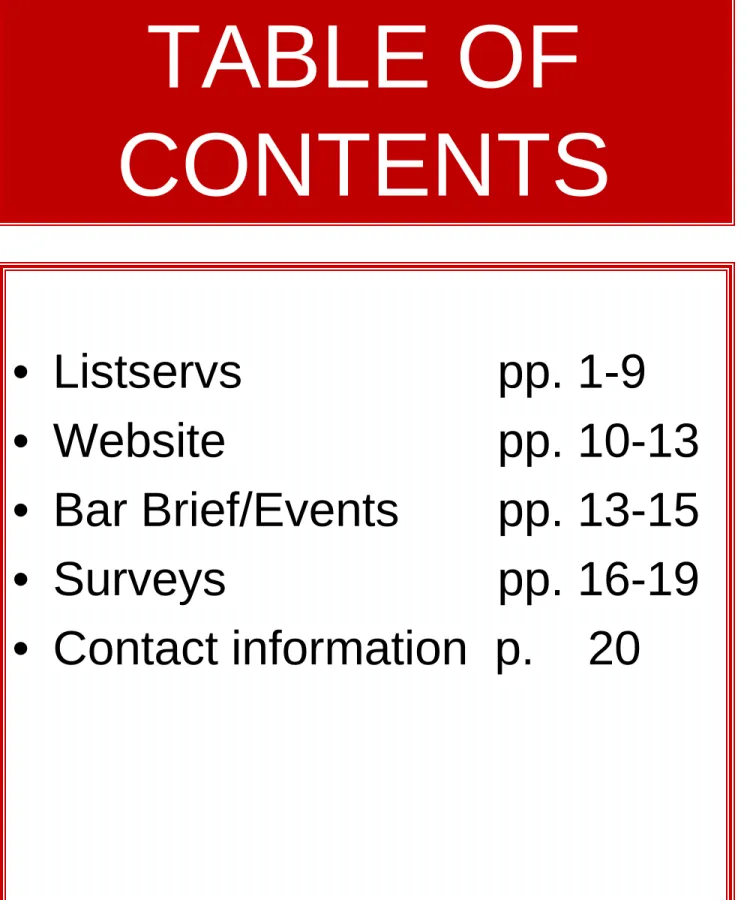
TABLE OF
CONTENTS
• Listservs
pp. 1-9
• Website
pp. 10-13
• Bar Brief/Events pp. 13-15
• Surveys
pp. 16-19
• Contact information p. 20
• General Information
p. 1-2
• Council Listservs
p.
3
• Member Listservs
p.
4
• Finding Electronic
Discussions lists
p. 5
• Rules
pp. 6-9
•
All
email discussion lists have the following MSBA staff on the list
for technical reasons.
–
Director of Law Office Management Assistance
–
Director of IT
•
IT Assistant
–
Meeting Coordinator
–
Web Coordinator
•
Web Assistant
–
Director of Meetings
–
Director of Communications
–
Director of CLE
•
Addresses for all email discussion lists can be found at the MSBA
Website under
–
Sections, email discussion lists
–
–
If a member wants a different or additional email address for
email discussion lists, please forward that information to
Lawrence Hicks at
–
Indicate whether it is an additional email or a separate email.
–
You may only send a message from email that is on the list.
•
Listserv rules can also be found at the above address.
–
Rules will be sent to all lists twice each year or as need just as a reminder.
•
There is an archive of all listserv messages for the last 12 months
General Information
•
All section councils have email discussion lists
•
All emails are automatically added/updated by MSBA with email on
file.
•
NOTE: email discussion lists cannot be updated until Section Chairs
forward new Councils to membership.
•
Council email discussion lists are only for Section Council members
(and MSBA staff - see previous page)
•
Council email discussion lists WILL accept attachments.
–
Please limit attachments to less than 1 MB
–
Larger files can be posted on line and a link to the location can
be provided for distribution on the list.
–
Contact the Web Coordinator or Web Assistant
•
When replying to most council email discussion lists, the reply goes
to the person sending the message. To have the reply go to the entire
list, hit Reply to All.
–
The Section Council determines whether to have the replies go to
the sender or the entire list.
•
All section councils have email discussion lists
•
All emails are automatically added/updated by MSBA with
email on file.
•
NOTE: email discussion lists cannot be updated until
Section Chairs forward new Councils to membership.
•
Council email discussion lists are only for Section Council
members (and MSBA staff - see previous page)
•
Council email discussion lists WILL accept attachments.
–
Please limit attachments to less than 1 MB
–
Larger files can be posted on line and a link to the location can
be provided for distribution on the list.
–
Contact the Web Coordinator or Web Assistant
•
When replying to most council email discussion lists, the
reply goes to the person sending the message. To have the
reply go to the entire list, hit Reply to All.
– The Section Council determines whether to have the
replies go to the sender or the entire list.
– The Council can choose to change this at any time.
•
All sections have member email discussion lists.
•
Only section members can participate in the section member email
discussion lists
•
Each section has the choice to be an opt out or join list serv. The
decision is made by the Council.
–
Join List: This is when a member subscribes to a particular
listserv. It is not automatic.
–
Opt Out: This is when members are automatically added and
have the option to "unsubscribe" if they choose not to be on the
list.
–
Most sections have Opt Out email discussion lists where all
members were added and those that did not want to continue to
participate, unsubscribe and were taken off the list
–
Section members can choose to be added or deleted at any
time.
•
Member email discussion lists WILL NOT accept attachments.
•
Most email discussion lists have the replies go to the individual
who sent the message. To send the message to the entire list, you
have to hit Reply to All.
•
Some Sections have email discussion lists where the Reply goes to
the entire list and NOT just to the person who sent the message.
Please be careful to note this if you do not want your reply sent to
the entire list.
•
Although many staff are on the lists, the staff does NOT monitor
posts or comments. If there is a problem with listserv postings,
please contact Pat Yevics at [email protected].
Section Member
Discussion Lists
A link to Rules, FAQ's and how to search archives is available at
http://msba.org/members/emaildiscussionlists/default.aspx
Listserv Rules
These Rules are sent to ALL listservs once or twice
each year as a reminder
•
LISTSERV RULES
• The Maryland State Bar Association provides these listservs as a benefit to its members. The purpose of the listservs is to facilitate communication between members of the various committees and sections. The listservs are to be used only for the discussion of related MSBA issues or other legal-related discussions.
• We will send these Rules of Etiquette (“Netiquette”) to the listservs on a regular basis as a friendly reminder for long-time users and as valuable information for newcomers. The subject header will be Rules of Etiquette.
• If you have any comments, additions, deletions or changes to these rules, please forward them to Tanya Roberts, MSBA web coordinator. Her e-mail address is. If you experience any problems with other members on the list not adhering to these rules, please contact Pat Yevics, Director, Law Office Management Assistance at
.
•
GENERAL DISCLAIMER
• The MSBA is not responsible for any opinions or statements on the Listserv. The MSBA disclaims all warranties with regard to the information posted whether posted by the MSBA or any third party. This disclaimer includes all implied warranties of
merchantability and fitness. The MSBA has no liability for damages and/or injuries including but not limited to, special, indirect or consequential damages or any damages whatsoever arising out of the use or performance of any posted information. Defamatory, abusive, profane, offensive, illegal or unauthorized copyrighted material is not permitted. • Do not post any information or other material protected by copyright without the
permission of the copyright owner. By posting material, the posting party warrants and represents that it owns the copyright with respect to such material or has received
permission from the copyright owner. In addition, the posting party grants the Maryland State Bar Association and users of this list the non-exclusive right and license to display, copy, publish, distribute, transmit, print, and use such information or other material. • The Maryland State Bar Association does not actively monitor email lists for
inappropriate postings, and does not on its own undertake editorial control of postings. However, in the event that any inappropriate posting is brought to the attention of the Maryland State Bar Association, the MSBA will take all appropriate action.
• The MSBA reserves the right to terminate access to any user who does not abide by these guidelines.
•
ANTI-TRUST ISSUES
• Do not post queries or information, and refrain from any discussion which may provide the basis for an inference that the members agreed to take action relating to prices, production, allocation of markets, or any other matter having a market effect. Examples of topics which should not be discussed include current or future billing rates, fees, disbursement charges or other items which would be construed as “price”, fair profit, billing rate, or wage level, current billing or fee procedures, imposition of credit terms. Do not post regarding refusing to deal with anyone because of his/her pricing or fees. Such discussion are strictly
prohibited and and the MSBA is not responsible for any such discussions.
• There is no organization too small or too localized to escape the possibility of a civil or criminal antitrust suit, and the penalties for violating federal or state antitrust laws are severe. The government’s attitude toward professional associations requires professional association members, as well as professional associations themselves, to at all times conduct their business openly and avoid any semblance of activity which might lead to the belief that the association members had agreed, even informally, to something that could have an effect on prices, fees or competition.
•
ATTACHMENTS
• The list does not accept attachments. If you wish to send an attachment to an individual member of the list, you may do so but not to the list. You should get permission from a member of the list to send an attachment.
•
COPYRIGHTED MATERIALS
•
Do not post any information or other material protected by copyright without the permission of the copyright owner. By posting material, the posting party warrants and represents that he or she owns the copyright with respect to such material or has received permission from the copyright owner. In addition, the posting party grants MSBA and users of this list the nonexclusive right and license to display, copy, publish, distribute, transmit, print and use such information or other material.•
INAPPROPRIATE POSTS
• Do not forward jokes or any other messages via the listserv. You have no idea where it will eventually be received. The Internet allows for very easy forwarding and sending of
information. If you would not send out the jokes or message on your firm’s letterhead, then do not forward it.
•
ORIGINAL POST
• When you are the person posting a question, be sure that you entitle it with a good, concise, explanatory title in the subject line.
• If you must post a long message, warn the other subscribers with a statement in the body of the message at the top: Example: WARNING: LONG MESSAGE.
• Make sure that questions and information posted to the email list is directly related to the purpose of the list. Avoid forwarding chain letters or other non-related messages to this, or any other list.
•
PROMOTION/SOLICITATION
• The MSBA provides all sections and committees with listservs to assist members in sharing information, ideas and resources.
• The MSBA reserves the right to restrict promotion of products, services and programs not specifically endorsed by the MSBA. Only MSBA staff are authorized to post information about various MSBA programs, services and activities.
• Only MICPEL/MSBA sponsored CLE are to be promoted or advertised on the listservs. • The email list is not intended to provide a forum for the promotion or advocacy of the
beliefs of any other organization. Solicitations and endorsements for political candidates or requests for fundraising contributions are out of order.
• The MSBA does not provide e-mail addresses to outside vendors.
•
RESPONDING TO POSTS
• Each section is given the option to determine whether it wants the reply to go ONLY to the person who sent the message or to the entire list. When you hit reply, please note whether the reply is going to the entire list or just the person who sent the message.
• If it is going to the person who sent the message and you want it to go to the entire list, hit "REPLY TO ALL.".
• If when you hit reply, the address of the list is in the TO line, it will be sent to the entire list. If you want only to reply to person who sent the message, delete the list address and add the address of the person who sent the message.
• If you are responding to a post on a listserve, trim some of the original message. Avoid sending a reply that just says “Me, too” or some other short response. Keep messages short and to the point. If you are going to post a long reply or in some cases, a long rant, please indicate that in the subject header. Subject: Expert Witnesses - Long Reply.
• If your reply is simply a request to receive a copy of what someone has offered to share, or simply to agree with or thank someone, please do not reply to the entire group. Instead, send your response directly to the e-mail address of the person who posted the message by clicking on your "Forward to" button, and typing in or cutting and pasting in the e-mail address of the individual to whom you are responding.
•
SHOUTING/EMPHASIS
• Emails written in all caps are interpreted as “shouting”. Use upper/lower case type in your posts. (Spell check doesn’t hurt either <g>!) The use of a row of symbols such as
*&!@*^& denotes cursing and should not be included in your posts
•
SIGNATURES
• ALL Emails must have signatures with at least your full name and telephone number. Autosignatures make this an automatic process. If you use an autosignature, you should keep its length to under 6 - 8 lines. Do not attach your vcard as part of your autosignature, as viruses can attach themselves to vcards.SUBJECT LINES
• Use a subject that adequately introduces the topic of your message, so people can quickly determine whether or not they will find it of interest. If you are changing the topic of a previous post you respond to, you should change the subject line of the post.
• Do not send messages without a topic in the Subject box.
•
SUBSCRIBING TO THE LISTSERV
• One must first be a MEMBER of the listserv in order to post, and receive replies. In order to join a particular open listserv, go to
. You may subscribe to as many of the open listservs as you wish but you must subscribe to each one separately. Once you have subscribed you may post and receive messages.
•
TECHNICAL ISSUES
• If you believe that there is a technical problem with the listserv, do not post to the listserv. Send a private post to MSBA web coordinator, Tanya Roberts, [email protected].
•
UNSUBSCRIBING TO THE LISTSERV
• At the bottom of all e-mail messages from the listservs is the ability to unsubscribe. You may unsubscribe at any time. You may also send a blank email to
[email protected] or send an email to email address used on the listserve and the listserve name.
•
VIRUS SCANNING
• Viruses are destructive, both in terms of the damage they can do to computers, and in terms of lost billable time trying to get one’s computer back up and running. For this reason, participants of listservs have an extra responsibility to their fellow attorneys to employ a virus detection package, and to regularly update the virus definitions, so it continues to provide adequate protection.
• If you discover you have a virus on your computer, you should immediately contact Lawrence Hicks by telephone at 800-492-1964, ext 3010 and ask him to post a warning not to open any emails with attachments sent under your name.
•
Each section has its own "website.”
•
With the new website, Sections can upload their own material directly
without first going through MSBA staff.
– A training webinar is available at
– Requires member to login
– For additional assistance, please contact Tanya Roberts ()
•
Sections may add many other items including but not limited to:
–
Section Newsletters
–
Meeting/Program notices
–
CLE Program information
–
Links to sites that are helpful to section members
–
Information that section members can find helpful
–
Links to audio or videos of educational programs
•
Sections may choose to have certain items such as newsletters to be
password protected so that it is only for Section members.
•
The New website software will allow us to automatically take down
information based upon a date.
•
It is the responsibility of the Section to let us know how long other
information is kept on the websites.
–
The new site software will allow the section to delete its own information.
–
The web assistant will regularly review sites and contact section chairs or
section web liaison to determine what information should be removed.
MSBA E-NEWSLETTERS
• The e-newsletter goes out every Tuesday. Need all information no later than the
previous Monday morning but previous Friday is much better.
•
1
stTuesday - Bar Brief
– includes Section News & Events
•
2
ndTuesday – MSBA Here For You
– If your Section has any
project/service/benefit that would help members, this is the place
for information. Not for regular Section Events.
•
3
rdTuesday – MSBA Events – All Section and Local and
Specialty Bar Events. We will repeat all Section events until the
event date. IF THERE ARE ANY CHANGES, you must forward
them to us
•
4
thTuesday – MSBA Tech Tips
– If your section wants to list
some sites that are helpful, forward them. We would even be
willing to highlight section sites in one of the Tech Tips.
Bar Brief/Events
•
The MSBA Section will most likely use the Bar Brief, sent on the
first Tuesday and the MSBA Events, sent on the third Tuesday of
each month.
•
Section events and news are included in the Bar Brief and Section
events are in the MSBA Events.
•
We really encourage Sections to share news in the Bar Brief.
•
All e-newsletters are sent out late in the day.
•
Reminders for Events will be sent each month by Nick Clash.
–
You can send recent upcoming events or Save the Date information.
–
If there is a flyer, we will include a link to the flyer. We will also put the
flyer on the section website.
–
All information must be sent electronically.
–
All MSBA events information should be
sent to Nick Clash (
)
–
.
• General Information p. 17-18
• Tips
p. 19
General Information
•
The Section creates its own questions and submits them to us in
Word
format.
•
We use these questions and create the online survey using Survey
Monkey. We may have to make some adjustments to
accommodate the software.
•
We will send the Section designee a draft of the on-line survey
which you can review and make changes.
•
You will tell us what changes to make and we will send you a
corrected draft for you to review.
•
When the sub-committee/entity agrees that the survey is finished,
we will create the final on-line version.
•
It can take anywhere from one to four weeks to "Launch" a survey
once we get the questions. The time will include how quickly the
entity "Okays" the final product.
•
There are some items to consider regarding the questions:
–
A.. Will there be mandatory questions that must be answered to
move to the next question?
–
B. Will survey takers see all the questions or will there be "skip"
logic which moves survey takers to different questions depending upon
the answer. If you use skip logic those questions MUST be mandatory.
(i.e., they must be answered to move forward)
• This works best with Yes and No answers. A "Yes" answer would take you a different next question than a "No" answer.
–
C. Questions can be multiple choice and open ended which will allow
for text answers.
•
All replies are confidential although you can ask for demographic
information, including names.
•
The Entity can inform its members about the survey in a number of
ways:
–
a. Send a postal mailing to all its members announcing the survey
with the URL of the survey.
•
b. Send an email to your members with a link to the survey.
•
c. Post a notice in the your newsletter and/or on your
website.
•
The survey is taken by sending a link to a website. You can send the
link in an email message or you can put the link on a page on the
MSBA Section website and direct them to the site.
•
Results can be made available in three ways:
–
To everyone who takes the survey.
–
To any number of people your section wishes to designate.
• This allows these people to review the results on-line. (We recommend this as it is very easy to see the results any time)