Master’s Degree Course in Computer Engineering
Master’s Degree Thesis
Merging augmented reality and
virtual reality
A multiplayer experience between different platforms combined
Supervisors
Prof. Andrea Sanna
Dr. Federico Manuri
Dr. Francesco De Pace
Iñigo Lerga Valencia
race between software
engineers striving to
build bigger and better
idiot-proof programs,
and the Universe trying
to produce bigger and
better idiots. So far, the
Universe is winning.
List of Figures viii List of Tables xi Abstract xii Acknowledgements xiii 1 Introduction 1 2 Platforms 3 2.1 Virtual Reality . . . 3 2.1.1 History . . . 4 2.1.2 Applications . . . 4 2.1.3 Devices . . . 5 2.2 Augmented Reality . . . 6 2.2.1 History . . . 6 2.2.2 Applications . . . 7 2.2.3 Devices . . . 8
2.3 Difference Between Virtual Reality and Augmented Reality? . . . 9
2.4 Multiplayer capabilities . . . 9
3 State of the art 11 3.1 Virtual Reality . . . 11 3.1.1 VR commercial games . . . 11 3.1.2 VR scientific applications . . . 12 3.1.3 VR experience problems . . . 14 3.2 Augmented Reality . . . 15 3.2.1 AR phone games . . . 15 3.2.2 AR headset games . . . 16 3.2.3 AR experience problems . . . 17 3.3 Hybrid designs . . . 19 4 Devices 21 4.1 HoloLens . . . 21 4.1.1 Optics . . . 22
4.1.2 Sensors . . . 22
4.1.3 Connectivity/Input/Output . . . 23
4.1.4 Power and weight . . . 23
4.1.5 Processors and memory . . . 23
4.1.6 OS and Apps pre-installed . . . 24
4.1.7 Capabilities . . . 24
4.1.8 Interaction . . . 25
4.1.9 SDK and libraries . . . 25
4.2 Oculus Rift . . . 26
4.2.1 Display and optics . . . 26
4.2.2 Sensors . . . 27
4.2.3 Connectivity/Input/Output . . . 27
4.2.4 Power and weight . . . 27
4.2.5 Requirements . . . 28
4.2.6 OS, SDK and libraries . . . 28
4.2.7 Interaction . . . 28 5 Implementation 31 5.1 Initial approach . . . 31 5.1.1 Reference system . . . 32 5.1.2 Tracking . . . 32 5.1.3 Weapon visualization . . . 33
5.1.4 Collision with assets . . . 33
5.1.5 Environment . . . 33
5.1.6 Point of shoot . . . 34
5.1.7 User experience . . . 34
5.1.8 Movement in VR . . . 34
5.1.9 Map visualization . . . 34
5.2 Software architecture design . . . 35
5.2.1 Networking . . . 36
5.2.2 Set Up . . . 36
5.2.3 Game . . . 37
5.3 Theme and models used . . . 40
5.3.1 Players . . . 40
5.3.2 Map . . . 40
5.4 Common development between platforms . . . 42
5.4.1 Sequence of scenes . . . 42
5.5 Virtual Reality specifics . . . 43
5.5.1 Components of the player’s model . . . 43
5.5.2 Scenes loading process . . . 44
5.5.3 Behaviour of the connection . . . 45
5.5.4 Controller implementation . . . 45
5.6 Augmented Reality specifics . . . 46
5.6.4 Controller implementation . . . 48
5.7 Comparison between platforms . . . 48
5.8 Problems found during development . . . 50
5.8.1 Field of view . . . 50
5.8.2 Tracking loss . . . 50
6 User experience 53 6.1 Start of the application . . . 53
6.2 Controllers . . . 54
6.3 Feedback to the user . . . 55
6.4 Examples of execution . . . 56
6.5 Tests with real users . . . 57
6.5.1 Survey . . . 57
6.5.2 Results . . . 58
6.5.3 Analysis . . . 63
7 Conclusions and future work 65
Acronyms 67
Appendices 69
A Common development between platforms: Sequence of scenes 71
B Virtual Reality specifics: Scenes loading process 73 C Virtual Reality specifics: Controller implementation 75 D Augmented Reality specifics: Scenes loading process 77
E Software architecture design: PoisonousArea 79
List of Figures
2.1 Example of a virtual reality kit being used by user . . . 3
2.2 Example of application of virtual reality as a learning tool for kids . . 4
2.3 ’Job Simulator’ video game in action . . . 5
2.4 Augmented Reality example: Microsoft HoloLens . . . 6
2.5 Pokemon Go example of gamemplay with AR capabilities enabled . . 8
2.6 Google Glass: Augmented Reality glasses from Google . . . 8
3.1 Skyrim VR example of gameplay . . . 11
3.2 Superhot VR example of gameplay . . . 12
3.3 Batman: Arkham VR example of gameplay . . . 12
3.4 Example of possible scenario in medical training . . . 13
3.5 Example of possible scenario in military training . . . 13
3.6 Valve’s SteamVR point to teleport . . . 14
3.7 Armswing: Using arm swings for accessible and immersive navigation in AR/VR spaces . . . 14
3.8 Clash tanks: An investigation of virtual and augmented reality gam-ing experience . . . 15
3.9 Ingress on the left and Pokemon Go on the right . . . 16
3.10 On the left ARquake example of gameplay, on the right device than runs it . . . 17
3.11 Holoroyale gameplay example . . . 17
3.12 Frame obtained from promotional video of Shooter AR . . . 18
3.13 Virtual and Augmented Reality Interfaces in Shared Game Environ-ments: A Novel Approach . . . 19
4.1 HoloLens’ optics configuration . . . 21
4.2 HoloLens’ sensors configuration . . . 22
4.3 HoloLens’ motherboard configuration . . . 24
4.4 HoloLens’ recognized gestures . . . 25
4.5 Oculus Rift device . . . 26
4.6 Oculus Rift’s controllers . . . 29
5.1 Structure of scripts used in the architecture of the project. Orange: Purpose. Reddish: Scene. White: Script. Triangle: Object . . . 35
5.5 Hierarchy of the virtual reality player’s GameObject . . . 44
5.6 Hierarchy of the augmented reality player’s GameObject . . . 46
5.7 3D map of the game area obtained with the HoloLens tool . . . 47
5.8 Occlusion generated in the corner of a door . . . 48
5.9 Different perspectives of the same case scenario . . . 49
5.10 Different perspectives of the same case scenario . . . 49
5.11 A: Initial position. B: Position after moving. C: Position after reset equal to A . . . 50
6.1 Augmented reality device loading the game . . . 53
6.2 Comparative figure of AR and VR controllers . . . 54
6.3 Warning shown to users to stop due to the lost of tracking in AR . . 55
6.4 Warning shown to users to make them get out of restricted areas . . . 55
6.5 Feedback of the result of the game to the users . . . 56
6.6 Age data obtained from the survey . . . 58
6.7 Gender data obtained from the survey . . . 58
6.8 Frequency of AR experiences data obtained from the survey . . . 59
6.9 Frequency of VR experiences data obtained from the survey . . . 59
6.10 Frequency of mounted headsets experiences data obtained from the survey . . . 59
6.11 Augmented reality (left) and virtual reality (right). 0: Strongly dis-agree. 1: Strongly dis-agree. . . 60
6.12 Augmented reality (left) and virtual reality (right). 0: Strongly dis-agree. 1: Strongly dis-agree. . . 60
6.13 Augmented reality (left) and virtual reality (right). 0: Strongly dis-agree. 1: Strongly dis-agree. . . 60
6.14 Augmented reality (left) and virtual reality (right). 0: Strongly dis-agree. 1: Strongly dis-agree. . . 60
6.15 Augmented reality (left) and virtual reality (right). 0: Strongly dis-agree. 1: Strongly dis-agree. . . 61
6.16 Augmented reality (left) and virtual reality (right). 0: Strongly dis-agree. 1: Strongly dis-agree. . . 61
6.17 Augmented reality (left) and virtual reality (right). 0: Strongly dis-agree. 1: Strongly dis-agree. . . 61
6.18 Augmented reality (left) and virtual reality (right). 0: Strongly dis-agree. 1: Strongly dis-agree. . . 61
6.19 Augmented reality (left) and virtual reality (right). 0: Strongly dis-agree. 1: Strongly dis-agree. . . 62
6.20 Augmented reality (left) and virtual reality (right). 0: Strongly dis-agree. 1: Strongly dis-agree. . . 62
6.21 Observations made by the players. Augmented reality (left) and vir-tual reality (right). . . 62
6.22 Observations made by the players. Augmented reality (left) and vir-tual reality (right). . . 62
7.1 New device: HoloLens 2 . . . 65 7.2 New device: Oculus Rift S . . . 66
4.1 Requirements comparison between minimum and used . . . 28 6.1 Results obtained by testing the augmented application . . . 63 6.2 Results obtained by testing the virtual application . . . 64
Abstract
Augmented and virtual reality are separate growing technologies that have started to impact areas such as video games or 4.0 industry. The aim of this thesis is to create a seamless experience between them, focused on a video game perspective to show the real capabilities of both platforms working together, in a multiplayer first-person shooter.
To achieve this goal, there will be a development in Unity, the video game development platform, using the standard libraries such as Mixed Reality Toolkit for augmented reality (AR) and SteamVR for virtual reality (VR). Additionally, the physical devices that will execute the experience will be the HoloLens from Microsoft (AR device) and the Oculus Rift from Oculus (VR device).
The combination of platforms will need a networking library, as every com-munication will be via Wi-Fi. The chosen library is UNET from Unity itself. It is being deprecated but it is still working until Unity releases the new networking alternative.
Based on the experience and lessons learned during this development, in this document will remain the different alternatives and choices made, as well as the limitations found in involved technologies.
Keywords: augmented reality, virtual reality, mixed reality, Microsoft HoloLens,
I would like to thank:
Prof. Andrea Sanna and Dr. Federico Manuri for allowing me to explore such an interesting field, as well as lending me the needed devices and providing advice.
Dr. Francisco de Pace for helping with crucial parts in the development and testing of this project.
Chapter 1
Introduction
A video game is a non-physical type of game, in which the user interacts with a computing device via a controller, getting in return a collection of images and videos displayed to them. Currently, video game developing companies have become an increasingly important part of the entertainment industry.
This kind of games can be found for almost every computing platform that is sold today, being virtual reality devices a particularly rising one. In the case of augmented reality, there are no commercial devices yet, the only products available are focused in research and industry environments. For this reason, the amount of games available for augmented reality headset is almost null. Although AR games for mobile phones are starting to appear in the public.
Taking all of this into account, there is not a single commercial video game with support for both platforms at the same time. This master’s thesis purpose is to develop a simple but functional video game that achieves these requirements under the use of mixed reality software available, with the theme of a first-person shooter. Also called hybrid reality, mixed reality is the combination of virtual and augmented reality. This allows the development and use of new spaces in which humans, real and virtual objects interact.
Using these technologies, the goal of this development is to develop an immersive environment capable of working in a virtual platform, as well as in an augmented reality one, making the experience between both as similar as possible. They use a common map with an additional three-dimensional map of the space for the AR system, that makes possible the artificial occlusion of objects. The use of controllers is needed for both platforms and the players are themed as drones.
The motivation behind this project is to analyze the impact of user expe-rience and game usability that a system with the mentioned requirements will have, to investigate if this field is worth studying in a future work and even to develop
This thesis includes testing with real users whose results will be discussed in the corresponding chapter. They are asked to fulfill a survey after trying each platform following the System Usability Scale guidance. After that, there will be a statistical analysis of the information gathered and the conclusions obtained from them, following a T-test distribution.
An extended section for each platform involved will be attached in the following chapters. From this chapter of the document until the end can be found a chapter with further information about the platforms involved, a state of the art in chapter 2, specifications of the devices involved (third chapter), the implementation itself in the next chapter as well as the problems found during the development. Moreover, the final chapters will contain an explanation of the user experience and tests made with real users, exposing the results and conclusions to finalize.
Chapter 2
Platforms
For the development of this thesis, the main fundamental pillars are the virtual and augmented reality platforms, as well as the networking library of Unity (UNET), which is an integral part of the bridge between one and another platform. Here below can be found further information about the three of them for better comprehension of the project.
2.1
Virtual Reality
Commonly known as VR, virtual reality is an immersive environment in which the user can interact with non-real objects as if they were. These kinds of experiences need of some specific hardware such as headsets, controllers, sensors to track the movement, gloves etc.
This technology is based in two factors: the user’s real environment and the virtual one. Both communicate via the interface that makes the headset and sensors work together. For this reason, the user movement of a controller is trans-lated into the movement of his virtual hand. Moreover, the virtual world can also manifest in the real one as sounds, vibrations etc. With this kind of feedback, the user’s experience is complete and more realistic.
The experiences with these environments can be immersive or semi im-mersive. In the first case, a computing device creates a three-dimensional space that tries to be as realistic as possible, to create the feeling of reality to the user. The second option uses the same technologies but does not try to feel real to the user, it is more focused in industrial applications and tools. Moreover, it does not need hardware apart from a computer.
2.1.1
History
Virtual reality, as we know it today, was originated in the late 20th century when, in 1968, Ivan Sutherland created the first head-mounted display system with the help of students such as Bob Sproull. The device was primitive and so heavy that had to be hanged from the ceiling. It received the name of ‘The sword of Damocles’.
From that moment until now, this technology as been present in multiple different fields, which some of them will be exposed in the following subsection.
2.1.2
Applications
This platform has been applied to multiple fields such as education, training, medicine, psychotherapy and entertainment amongst others.
Virtual reality for education is starting to become a very useful tool, as it makes possible to experiment things impossible or very expensive and visually learn from them, which is known to be the best way to learn and gain the attention from students. This is due to two factors: It is like watching a video that explains the lecture, but it needs to be interactive, so the students can’t just ignore it. The experiences can be adapted to every topic imaginable, history, science, chemistry, math. . .
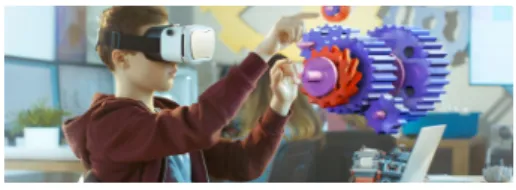
Figure 2.2: Example of application of virtual reality as a learning tool for kids
Military groups have found VR to be a very useful tool for training new soldiers, as it is less physically tiring and can be repeated with more frequency than a normal aiming or rescue practice. They even have developed their own system to simulate flights and landings, which are really cost effective, as there is no risk of destroying real equipment, and the environments used are almost true to life, to get the most realistic experience they can get for teaching purposes for pilots.
2.1 – Virtual Reality
Medical uses are also the order of the day, as can be used in two main ways: for therapy and in surgery. In the last one, the limit is the sky. Doctors can use virtual reality headsets to immerse themselves into a virtual surgery room with a real model of a patient to see what they are dealing with, or even to learn in sim-ulated scenarios how to proceed in certain occasions, leaving behind the possibility of damaging a patient in the process.
For the first application in the medical field, today there are some treat-ment plans for certain phobias and treat-mental illnesses that include virtual reality as a tool to face scenarios that could cause stress, fear or a full episode of anxiety to a patient, in a controlled area in which they can be helped and improve in those situations. It is kind of a practice model that is less scary than real life [1].
The last field to be mentioned in this section is entertainment, which is the one that makes more money globally speaking. Video game companies that have expanded their circles to new projects with virtual reality headsets are growing as this thesis is being developed. There are big titles such as ‘Beat Saber’, ‘Job Simulator’ or ‘Minecraft VR’, that get the attention of hundreds of thousands of users.
Figure 2.3: ’Job Simulator’ video game in action
2.1.3
Devices
There are three main types of devices for virtual reality consumption. Their main differences are:
• Mobile phones with a lens system attached: the amount of applications for this category is reduced due to the power these devices have, but simple titles can run without problem and are perfect for 360ª media consumption.
• Individual headsets with processor and graphical power inside: they are like the last ones, but more expensive due to the limited space in which they must pack everything needed for a comfortable experience running the latest games. • Headset connected to a PC: the most common approach, as the headset is
user even though limits the distance it can have between the computer and the headset itself. It depends completely in the graphical power of the computer it is connected to.
2.2
Augmented Reality
Augmented reality, also known as AR, is the term used to describe the technologies that allow a user to see virtual objects, sometimes in form of holograms, interacting in the real environment surrounding the user. Some of the experiences possible with this platform even interact with the real environment itself. All of this happens in real time for the user.
This technology is based in two factors as well as the previous explained. These are: user’s real environment and the virtual one. However, these two interact in a different way, as in this platform there is no need to use a controller for the movement of the user in the virtual space. The real movement made by the user in the real world, like walking for example, is translated in movement in the virtual space. The holograms react to this readjusting their position according to the new user’s location.
Because of the nature of this technology, it usually creates a feeling of immersion that is more natural than with a VR headset.
Figure 2.4: Augmented Reality example: Microsoft HoloLens
2.2.1
History
This is certainly a younger technology, as it was started between 1960 and 1990, but it was not until 2010 that it took off, when big companies like Sony, with ‘The Playroom’ in 2013, and Google, with the first AR headset in form of ‘glasses’, appeared.
The moment it got established to stay was without a doubt when Microsoft released the HoloLens in 2015, the first AR headset capable of interacting with holograms, capable of reaction to the environment and the changes in it.
2.2 – Augmented Reality
2.2.2
Applications
The most important fields where augmented reality technologies have been applied are education, tourism, medicine and entertainment. But it is needed to take into consideration that, as said before, it is a new platform, therefore it has not been applied to many fields that will probably in the future.
For starters, in the educational ambit, the possibility to insert holograms in the middle of a classroom for every student to see, becomes a simple anatomy class into a totally new experience. It creates a different feeling than VR does, as it feels less like a game and more like an interactive scenario. With multi user capabilities, every former of the class can interact with a virtual element, being this visible for the rest in real time.
Tourism is a very different field amongst the rest, not being present in the virtual reality examples, that has improved the experiences of knowing new cities or historical places. This is due to the possibilities that a device can offer, superimposing new information or virtual elements with what the eyes are naturally seeing. Visiting important streets can be a lot more enjoyable with a virtual guide that knows what the user is seeing in each instant and reacts to it with information about the interesting place that caught the user’s attention. When this technology is applied with a geolocational system, the information that can be provided with internet access is almost endless.
The third field mentioned is medicine. This one is also shared with virtual reality and very similar. Some of the uses are the same ones, even though this one is more focused in surgeon situations, as in the moment of operating a patient, the eyes of the doctor need to be clear to see what he needs to do. In this scene, the additional information that can be shown to the surgeon while looking to the patient can be a real improvement for the result of the intervention. Taking it a little bit further, with some image recognition and processing software and a augmented reality headset, a surgeon could even see in real life, superimposed to the patient open body, where to operate or what parts are critical [2].
At last, but not least, is the entertainment industry field, in which the growth is not as strong as in the previous ones or, at least, not in the same way. To this day, there is no commercial entertainment market for augmented reality in what headset or glasses is referred to. However, in the smartphone and tablet portion, some big games have started to pop up to the public and create huge success. But this part will be commented in the following subsection.
2.2.3
Devices
In augmented reality, there are three main different types of devices, which are: • Mobile phones: these devices use the integrated cameras in the back to analyse
the space behind the screen. With multiple sensors as phones are shipped today, they can map the distances between real objects and put virtual ones in those spaces. However, the virtual objects are only visible in the screen of the device. They don’t provide an immersive experience as others do, but they are the most common among the public with games like ‘Pokémon Go’.
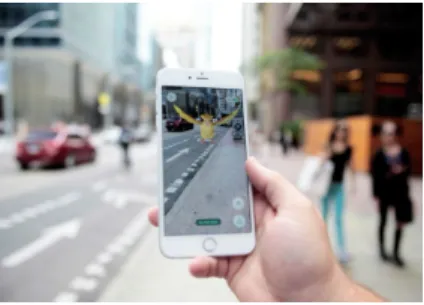
Figure 2.5: Pokemon Go example of gamemplay with AR capabilities enabled
• Headsets: devices like Microsoft’s HoloLens or Metavision’s Meta 2 are the most notably in this area. They integrate a full array of sensors and a display that merges with a transparent glass. With this implementation, the user can see through as normal but with the possibility to include holograms or information in his field of view. To this day, these are not open to the public and are only sold to investigators and companies to develop for those platforms. • Glasses: This one is the less common of all, as they started to be announced in the last few years, but they haven’t been sold to a big amount of people yet. The differential factor of this devices is that they are focused on the daily life use. They try to be a substitute for real glasses, that allow to interact with the phone to get certain information like notifications, weather or directions without getting the phone out of the pocket. The most known device of this category is the Google Glasses.
2.3 – Difference Between Virtual Reality and Augmented Reality?
2.3
Difference Between Virtual Reality and
Aug-mented Reality?
After all the explanation above, the main idea is that virtual reality and augmented reality are two sides of the same coin. Augmented Reality offers the same kind of experience than VR does but with one foot in the real world.
In augmented reality headsets, the computer uses sensors and algorithms to determine the position and orientation of a camera. AR technology then renders the 3D graphics as they would appear from the viewpoint of the camera, superim-posing the computer-generated images over a user’s view of the real world.
In virtual reality, the computer uses similar sensors and math. However, rather than locating a real camera within a physical environment, the position of the user’s eyes is located within the simulated environment. If the user’s head turns, the graphics react accordingly. Rather than compositing virtual objects and a real scene, VR technology creates a convincing, interactive world for the user.
2.4
Multiplayer capabilities
In the video games sector, a multiplayer game is one that allows, in any mode, to interact with another user. This interaction can be achieved in a local machine (having two controllers attached to the same console), via short distance technologies such as Bluetooth or with a Wi-Fi connection.
This idea was born from the difficulty that was present decades ago to de-velop virtual opponents in games. These capabilities do not need to be implemented in every mode of a game, they can be restricted to one without affecting the rest [3].
There are two different approaches as mentioned. These are:
• Unique systems: all the computing is made in one machine and the players interact in three different ways: one after another, both at the same time with an overview of both players in the same screen or with a divided screen for each player.
• Network system: each player has his own computing device that runs the game, but the connection can be made choosing from two options: a local network that works only for the connected players if they are near to each other, and with an on-line connection via the Internet, which allow the players to be in different spots of the planet if they want to.
Chapter 3
State of the art
The research that has been made for this thesis can be divided in three main sections that are the following: virtual reality, augmented reality and hybrid designs.
3.1
Virtual Reality
3.1.1
VR commercial games
At the present time, the amount of commercial virtual reality games is considerable and rising, as new headsets and controllers appear. Some recent video games devel-oped for this platform are, for example, ‘Lone Echo’ or ‘MARVEL Powers United VR’. As virtual reality technology is very mature, the quality and quantity of known titles is considerable and keeps growing.
As for the most known video games developed for this platform, there are quite a few that deserve to be mentioned. For starters, ‘Skyrim VR’ is a version of the already well-known ‘The Elder Scrolls V: Skyrim’. It is an open world role playing game developed by Bethesda Game Studios and released in 2011 [4]. The virtual reality version was released almost six years after that, in 2017.
The best game in terms of VR experience developed could be ‘Superhot VR’, as the main factor in favor that it has is an extraordinary controller system. It is a first-person shooter, as the purpose of this thesis, that was developed by Piotr Iwanicki and released in 2017 as the VR adaptation of ‘Superhot’ that had been released the year before [5].
Figure 3.2: Superhot VR example of gameplay
Lastly, ‘Batman: Arkham VR’ is one of the few games that was designed work in virtual reality from the first moment, as it was not an adaption of a pre-vious game like the others mentioned. It is an adventure video game developed by Rocksteady Studios and published by Warner Bros in 2016. It had spectacular graphics for that time, and the interaction system was noticeably developed with VR in mind.
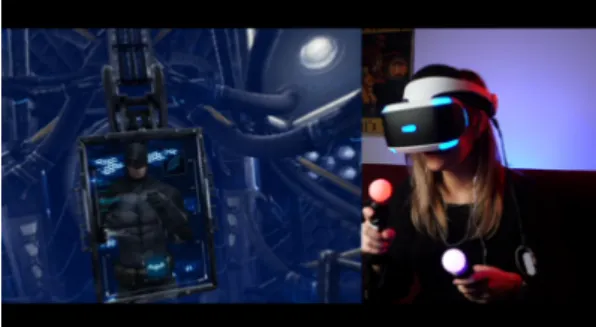
Figure 3.3: Batman: Arkham VR example of gameplay
3.1.2
VR scientific applications
This platform can be applied to various scientific fields, but the most important ones are medicine and military. Moreover, these two are often closely related with advances going from one side to the other.
For the medical applications, there is a big amount of studies that claim to get better results in surgeon residents learning to proceed with certain operations. The possibilities that this immersive technology generates allow new surgeons to learn much faster and with less risk for the patients [6, 7]
3.1 – Virtual Reality
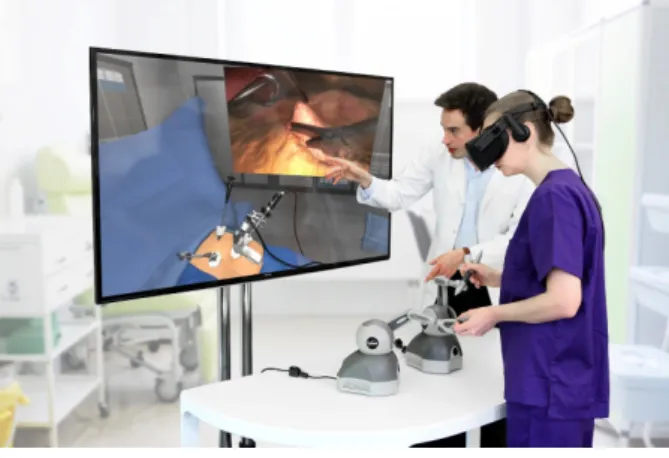
Figure 3.4: Example of possible scenario in medical training
Moreover, there are more possibilities inside this same field. Therapy in virtual environments is starting to be tested with great results. With these scenarios, a therapist can introduce a patient in a scenario that causes in him a disturbing feeling to be treated. This can be applied to phobias like fear in certain social interactions or even anxiety disorders [8, 9]. It can be a key part in the treatment of mental illnesses that were not improving in the last decades.
In the military side, soldiers can be prepared for the field with virtual scenarios in which they get to practice and be trained with tactics and behaviors they must obtain. This has much less cost and has no risk whatsoever [10].
Figure 3.5: Example of possible scenario in military training
Merging medicine with military, a variant of the previous applications is born. This treatment VR experiences can be applied to soldiers, before, during and after serving. With them, the very common Post Traumatic Stress Disorder can be addressed ad reduced with continuous sessions to improve life quality for them [11].
3.1.3
VR experience problems
Virtual reality, even though it is very mature, is not perfect, as there are still studies trying to solve some of the issues that are still apparent.
The most problematic one is motion sickness. This is a sensation of woozi-ness that, in this scenario, is caused by the unmatched sensation of movement that the brain feels when the eyes perceive movement (from the images in the headset) and the actual physical position of the body is not changing accordingly. For this reason, there have been various studies that focus on this problem and implemented different versions of movement. Another cause for this feeling of sickness can be a bad display of UI elements, as they are at eye sight, but it is minor and easily avoidable.
One of the possible solutions is ‘point and teleport’ [12]. There is even a modification that adds the possibility to choose the rotation state while the teleport is made. This kind of movement can be a good candidate to solve the problem, as it does not cause as much motion sickness as other methods.
Figure 3.6: Valve’s SteamVR point to teleport
There have been studies that compare multiple approaches that support these claims [13]. However, there are others that show the effectiveness of a move-ment that involves some physical input from the user. An example of this is the arm swing movement [14]. It has been proven that this kind of approach reduces the motion sickness effect, as the brain relates the arm swinging to the eye movement it perceives. With this technology, the experience of virtual reality movement becomes more natural to the human brain than with any other one.
3.2 – Augmented Reality
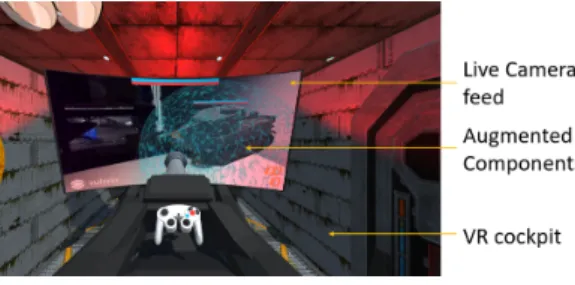
Another kind of approach is to change how the immersion mechanics work in a game. Instead of introducing the user in a virtual environment where the action takes place, there is the option of creating an in-between scene or environment where the player sees a screen in front of him with the real action. This allows the user’s motion sensitivity to understand in a simpler way what is happening and effectively decreases motion sickness [15]. The counterpart of this implementation is that the immersive feeling is lost, but in some developments, it may make more sense to follow this path.
Figure 3.8: Clash tanks: An investigation of virtual and augmented reality gaming experience
3.2
Augmented Reality
However, in the augmented reality field things are drastically different. There are not companies developing commercial games for this dedicated type of platforms, as the main devices from big companies are restricted for investigation and developer use. This causes a total lack of user base to work with.
3.2.1
AR phone games
While it is true that AR games for phones and tablets are all around, they do not use the kind of hardware that is used for this project. For this reason, they cannot be compared in the same level of complexity. Some of the most relevant games in this specific realm are ‘Pokemon Go’, ‘Minecraft Earth’ and ‘Harry Potter: Wizards Unite’. The last two are as recent as it gets, as they have been announced in 2019, the same year of this thesis.
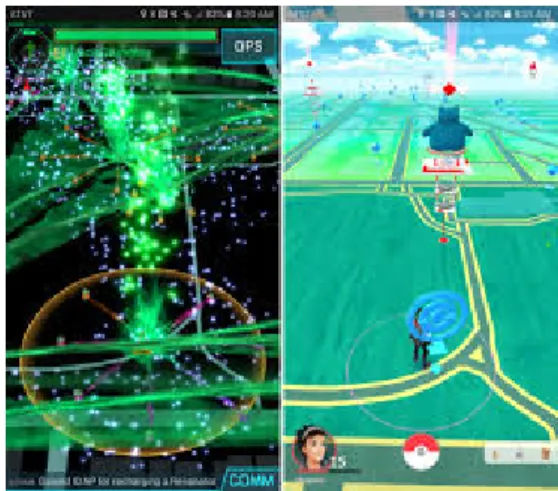
However, the precursor of this type of mobile games is ‘Ingress’, which was released in 2012 and got a renewal in 2018 called ‘Ingress Prime’. It is a tactical warlike and strategic online game, dependent on GPS positioning to play, as it uses the user’s current location and the map around you to ambient the gameplay. The phone’s main camera is the principal AR component of the game, as it is used to overlap holograms in the real world and show the result in the screen [16].
Figure 3.9: Ingress on the left and Pokemon Go on the right
Three of the mentioned games were developed by the same company, Niantic (originally a sub-company from Google but separated in 2015), except for the AR version of Minecraft, which is made by Mojang. All Niantic games have followed the same path as Ingress, with very similar technologies but with different ambiances. In terms of shooting games, ‘Father.IO AR’ was released for smartphones in 2017, using AR in a similar way than the previous mentioned games, and has more than a million downloads in the Google Play Store [17].
3.2.2
AR headset games
The few studies that have developed games for headsets of this platforms have encountered some common problems that are exhibited below. One example of game is ‘RoboRaid’ from Microsoft, which is pre-installed in the HoloLens. This was a way to express the kind of applications that could be built for this device, to encourage developers and investigation groups to try themselves to develop for this platform.
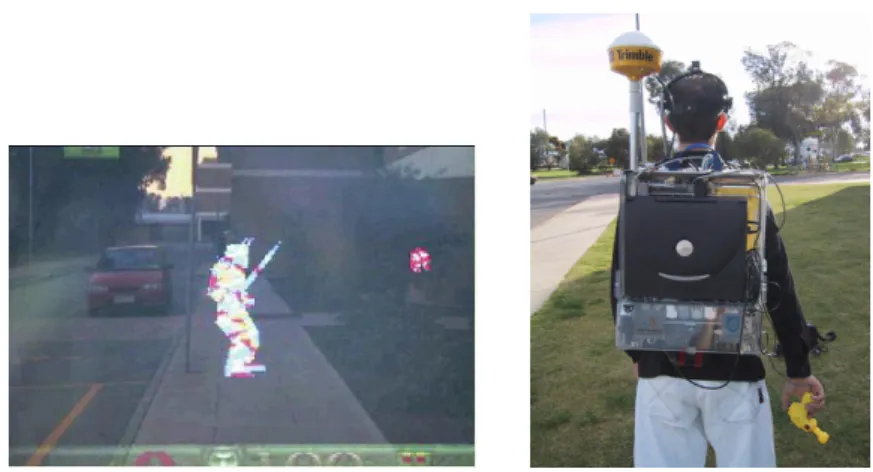
Nevertheless, the game that is considered almost the father in AR headset games is ‘ARquake’. It was developed in 2002 by ID Software, when there was no dedicated commercial hardware for this platform. The game is an augmented reality adaptation of the original Quake. It is a first-person shooter released for PC in 1996. It was a revolutionary game, as it used three-dimensional models instead of bi-dimensional sprites, as well as a real 3D environment to play around [18].
A more modern game is ‘HoloRoyale’, which is characterized as a break through in terms of size of game area available for players in the same game. It counts with a proprietary system bases on merging previously 3D maps that allows players with HoloLens to play around an entire neighborhood in a multiplayer experience, themed as a sci-fi shooter [19].
3.2 – Augmented Reality
Figure 3.10: On the left ARquake example of gameplay, on the right device than runs it
Figure 3.11: Holoroyale gameplay example
3.2.3
AR experience problems
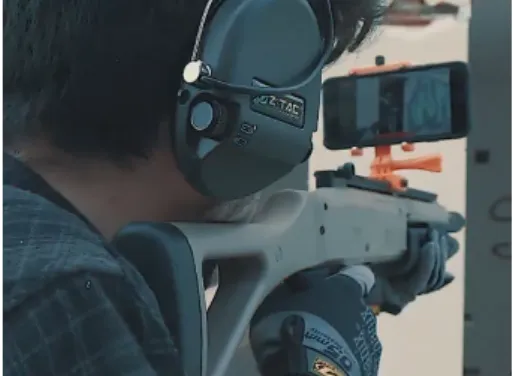
In fact, there are still a lot of things to improve in AR experiences. Starting with the interaction, for the moment there are no controllers suitable apart from simple clickers. This is due to the nature of the environment, and origin innovative solutions as having a physical gun that acts as a controller in a first-person shooter augmented reality game [20, 21, 22].
Another approach for this input problem is developing a hand recognition system, which is much more complicated to do than using a simple clicker, even though it improves the game experience in a significant way [23].
The last input method found for this state of the art in this category has been the use of another device tracking system to show a holographic weapon (AR hologram) superposed to that device in the view of the headset [20]. This one in particular was considered an option but the total development of the project would engross probably too much.
Figure 3.12: Frame obtained from promotional video of Shooter AR
As the aim of this project is themed in a shooter game, there has been a small research in this area. It is true that there are augmented reality games that are first-person shooters too [24], but only for mobile devices or tablets, which do not have one of the main problems of a headset. In those games they show the UI and the weapon directly on the screen, which works just fine for that situation, but with the professional headsets, showing those elements would be intrusive and probably cause motion sickness as they would be directly in the eyes of the player.
Apart from all of this, there are another two main issues in regard to the studies that augmented reality has had in the last few years.
On the one hand, AR relies on holograms as its main system for interac-tion. These are positioned in the real world, so there is a need to develop an occlusion system. They are usually integrated in the headsets, using an array of sensors (which is the main difference between a mobile phone and a proper headset), even though the computing weight that they put in the processor of the headset is considerable and needs to be controlled. For the HoloLens in particular, the solution for this problem is in the official documentation [25].
On the other, there is a limitation in terms of the distance that can be included in an augmented reality experience. A large-scale scene is not possible for the current devices as they start to get lost in certain conditions as too much light on sensors, drastic velocity changes and large distances to origin for example. To solve this, it is possible to design a proprietary system that join previous maps with specific software and a powerful server side [19].
3.3 – Hybrid designs
3.3
Hybrid designs
Taking all of the previously said into account, it is time to enter in the hybrid side of this project. Recent studies have been exposed in this section about each platform, but no word about a study or project that involves both technologies. This is for a reason, until the moment that the research for this project was made, there are almost no studies in this specific field.
One of the few found, is an implementation of a chess game that works as seamless as possible between both platforms [26], but due to the nature of that project, it is not similar enough to be compared with a first-person shooter.
Chapter 4
Devices
This thesis is, as said before, based in two platforms: virtual and augmented reality. For each one of them has been used a specific device for the implementation side of the project. This chapter includes a description of each, alongside the specifications and software included, as well as the SDK or APIs used in development.
The AR device of choice is the HoloLens, the first version of the headset, as in the middle of the development Microsoft announced the HoloLens 2. For the virtual reality part, Oculus Rift has been the chosen device, even though the Rift S model was available before starting this thesis.
4.1
HoloLens
Microsoft’s HoloLens is the first unwired holographic computer, that counts with cutting-edge optics and sensors. This allows the device to provide realistic holograms attached to real spaces around the user.
4.1.1
Optics
This system is based on a specific optics configuration to be able to display the holograms in front of the user’s eyes, without blocking the natural gaze through the transparent crystal. The result is a 35º window in which the holograms are shown. The components are:
• See-through holographic lenses (waveguides) • 2 HD 16:9 light engines
• Automatic pupillary distance calibration
• Holographic Resolution: 2.3M total light points
• Holographic Density: >2.5k radians (light points per radian)
4.1.2
Sensors
Apart from a basic camera, this device has some other sensors that allow to have a better understanding of the environment where the user is located at each moment. As to the details in this section:
• 1 IMU
• 4 environment understanding cameras • 1 depth camera
• 1 2MP photo / HD video camera • Mixed reality capture
• 4 microphones
• 1 ambient light sensor
4.1 – HoloLens
4.1.3
Connectivity/Input/Output
In terms of the input and output of the device, it is formed by: • Built-in speakers
• Audio 3.5mm jack • Volume up/down • Brightness up/down • Power button
• Battery status LEDs • Wi-Fi 802.11ac • Micro USB 2.0 • Bluetooth 4.1 LE
4.1.4
Power and weight
• Battery Life of 2-3 hours of active use and up to 2 weeks of standby time • Fully functional when charging
• Passively cooled (no fans) • 579 g
4.1.5
Processors and memory
The HoloLens is a very capable device. Taking in consideration the reduced space it works with, it has enough raw power to manage the complex calculations necessary for displaying correctly the holograms. However, it is noticeable that a heavy scene can overload the system and generate some delays sometimes. The specifications in this section are:
• Intel 32-bit architecture with TPM 2.0 support
• Custom-built Microsoft Holographic Processing Unit (HPU 1.0) • 64 GB Flash
Figure 4.3: HoloLens’ motherboard configuration
4.1.6
OS and Apps pre-installed
• Windows 10 • Windows Store • Holograms • Microsoft Edge • Photos • Settings • Windows Feedback • Calibration • Learn Gestures
4.1.7
Capabilities
With all the hardware mentioned above [27], the main functions that the device can handle are:
• Spatial sound • Gaze tracking • Gesture input • Voice support
4.1 – HoloLens
4.1.8
Interaction
Microsoft developed a new way to interact with the device based on gestures. They are recognized by the combination of sensors and operative system and launch the pertinent action. They are the following:
Figure 4.4: HoloLens’ recognized gestures
• Bloom: this hand movement deploys the main UI of the HoloLens. It acts as a return home button, where every app and setting are.
• Ready: it represents the moment before a tap or click, like resting the finger in the left click button without pressing it. It is useful for obtaining a clearer tap.
• Tap: comparable to a normal click in a computer. In fact, this device comes with a clicker controller that, via Bluetooth, can be used as a button that executes a tap without the need to perform a gesture.
• Hold: comparable to a right click in a computer. It deploys sub-menus or more options.
• Drag: comparable to a scroll wheel in a normal mouse, or even to a left click held down and move of the cursor in a real computer. Useful to drag windows around or scroll inside them.
These gestures can be replaced also by voice commands, that act in a simple way: When the gaze is pointing at a button, its name pops up and the users says it out loud. Then it is recognized as a click in that button [28].
4.1.9
SDK and libraries
For the development of the project, the only SDK that has been used is the Mixed Reality toolkit that is documented in Microsoft official page [29].
4.2
Oculus Rift
It is one of the most popular virtual reality devices released to the public. When it was launched, it had cutting-edge technology, as it packed a considerable number of features comparing to the competition.
Figure 4.5: Oculus Rift device
4.2.1
Display and optics
The most important part of a VR headset is, without any doubts, the screen, as it is what the user will always see while using it. The experience depends completely on its quality. For measuring that quality, there are some factors involved, which are the following:
• Resolution: 2160×1200 (1080×1200 per eye) • Pixel Density: 456 pixels per inch
• Screen type: Pentile AMOLED • Refresh Rate: 90Hz
• Field of View: 110º
• Optics: Hybrid Fresnel lenses
4.2 – Oculus Rift
4.2.2
Sensors
In comparison to the HoloLens, this device has less sensors, as there is no need for mapping the environment or any type of gesture recognition. Nonetheless, it is true that there are still two relevant sensors for the gaming experience:
• Gyroscope • Magnetometer
• 6DoF external Constellation camera (external to device) • 360-degree IR LED head tracking
• Passthrough
4.2.3
Connectivity/Input/Output
In terms of the input and output of the device, it is formed by: • ‘3D audio’ headphones
• Audio 3.5mm jack • HDMI 1.3
• USB 3.0 (4-meter headset) • USB 2.0
• Controllers Oculus Touch with 180-degree front-facing tracking support
4.2.4
Power and weight
• Battery Life of 0 hours, as it always needs to be connected to a PC to work • Passively cooled (no fans)
4.2.5
Requirements
As this device works in conjunction to a PC, it has some minimum specifications necessary to provide a decent experience. In this subsection will be displayed the actual components used in the development of this thesis in comparison to the requirements for this kit [30].
Minimum requirements Actual components
Processor Intel i3-6100 Intel Xeon E3-1245
RAM 8GB 32GB
Graphics card AMD Radeon RX 470 Radeon Pro WX 5100
USB ports 1 USB 3.0 and 2 USB 2.0 ports 6 USB 3.0 and 6 USB 2.0 ports Table 4.1: Requirements comparison between minimum and used
With this comparison it has been clarified that the computer used for the development of this project is more than capable to run the required environments for programming and playing the virtual world for the virtual reality side.
4.2.6
OS, SDK and libraries
The Oculus Rift have no operative system or pre-installed applications, as they work more similarly to a second screen for the computer than a individual device. However, it is needed to install the Oculus software directly from their web page for drivers and general software to set up the device [31].
Moreover, for the integration between the development environment Unity and the Oculus, SteamVR has been used as the compatibility plugin. It is an alter-native software for virtual reality headsets, even though it is not made specifically for none of them [32]. It is a more general alternative to allow every VR device to work seamlessly in Steam’s store of games.
4.2.7
Interaction
With this device, the main input system for the user is the use of the controllers included in the kit. They allow hand tracking in a 3D space, restricted by the view of the external sensors and the previous setup of the device. Moreover, these controllers include an additional sensitivity in the buttons: They are not just recognized when pressed, they know when the user is resting the fingers in each button and shows it accordingly in the game, as it is common to see your own hand in VR games for an improved immersion experience.
4.2 – Oculus Rift
Apart from that, there is the normal use of the buttons, which are shown in the following image.
H
Figure 4.6: Oculus Rift’s controllers They can be divided in two sections:
• Front-facing: In this area can be found the A, B, Y, X buttons, which are mainly used in games. There is also a touchpad and a joystick for movement controls, and one key button on each controller: Home in one and Select/Menu in the other.
• Back buttons: There are two trigger buttons which are mainly used for games as shooter, speed or grab buttons.
Chapter 5
Implementation
5.1
Initial approach
At the beginning of the development process, there was an original idea of how the project would be like at the end, and a group of factors that needed to be addressed and solved before coding anything. The list of issues is the following:
• Reference system • Tracking
• Weapon visualization • Collision with assets • Environment
• Point of shoot • User experience • Movement in VR • Map visualization
5.1.1
Reference system
Starting from the top, it is found to be the most essential issue to be solved in this approach. Before the development started, there was a concern that it would be needed a proprietary system to merge virtual and augmented reality platform’s reference system, as they could have worked in a different way.
Indeed, they both work differently, as for example, the HoloLens’ centre of the Unity scene is the head of the player. This is due to the fact the usually augmented reality projects are made for a single room and to display holograms around the player. This system is not designed to move the player around a larger area like a virtual map or between physical rooms.
In the virtual reality system, the centre of the scene is not focused on the player but on the map. With this approach, the player moves around a virtual scene without difficulties. It is clear that this platform is made for gaming in small and larger scenes.
Taking this into account, there was a problem to be solved, but for sim-plicity reasons the first attempt was to use Unity’s own reference system, which ended up working as needed.
5.1.2
Tracking
SteamVR plugin, which is used to connect the Oculus Rift to the Unity scene, allows the virtual player to move around with the help of the controllers. This was known before initiating the project.
However, the story is different for the AR device. Numerous studies have used before external tracking systems like GPS to get higher accuracy in the po-sitional information. Due to the nature of the HoloLens, it does not have a great tracking system. It has problems with fast movement or rotations. Even too much light coming from the windows can make it get lost as the sensors get blinded.
For this reason, the initial idea was to develop the project trusting the sensors and basic tracking system of the HoloLens hoping for it to work decent enough. If further in the development of the thesis it was decided to not be enough, another solution would be needed.
5.1 – Initial approach
5.1.3
Weapon visualization
As shown in chapter 3, there have been games developed in which the weapons are physical controllers or digitally shown in screens, but for this approach those solutions were discarded, as they would be very time consuming to implement or not possible considering that a headset device would display the weapon directly to the eyes, which could cause motion sickness or be disturbing.
For this problem, the theme of the game was the principal solution. Both players would be represented as drones with little turrets in the front, surrounding the cameras they use to see (which is where the cameras for the devices would be aligned). With this approach, there would be no need to display weapons, as the drones themselves would not see them.
5.1.4
Collision with assets
This point is just about how to interpret a collision between a game object and the augmented reality player, as he can pass through those objects because of the lack of any physical way to stop him. For this matter, the decision made was to not restrict this action in any way, as it would feel more natural to just go through a hologram than any other option.
The VR player does not have a problem with this, as with a full virtual world around him, he can not pass through virtual walls, roof or floor.
5.1.5
Environment
The game was going to take place into a specific area between two rooms connected by a hallway. For a change, the AR device has no problem with this issue, as the transparent lenses let the player see through and no further work is needed to show the scene to play. Only the other player and the possible obstacles would be visible as holograms.
The Oculus Rift’s player would need to have a virtualized map of the real area where the game would be played. For that, the idea was to model that area with a 3D model software starting from the building’s blueprints. However, this approach would make changing the game area not an easy task.
5.1.6
Point of shoot
Simplifying this process was a priority, as it is the main way to interact with the application. To achieve it, and following the idea for the weapon visualization, the shooting would be made pressing a button and shooting in the same direction as the gaze of the player. This approach can seem strange at first, but it came to be a very intuitive solution.
5.1.7
User experience
Originally, the idea was to make the experience as similar as possible for both platforms, using the same model for each player and making the controls such as shooting as similar as pressing a button in the same hand, even though each platform would use a different controller.
The main difference would be the movement, as the AR player needs to walk in the real world to play, and the VR one would use the joystick of the controller.
Both players would recognize the game area in both systems to be the same, as the subsection about Environment suggests.
5.1.8
Movement in VR
The first approach for this issue was to use the point to teleport type of movement described in previous chapters. At least as the initial solution, as it is easy to implement and does not cause motion sickness almost at all. However, further in development this changed to a movement with the controller’s joystick to make the experience fair between players, to make them move in similar velocities, as with the first solution the VR player could move much faster and was harder to get shot.
5.1.9
Map visualization
As discussed in the subsection of environment, the VR player would be immersed in a three-dimensional model of the game area, which is obviously visible for him, and the AR player would be in the same space physically, but also in the same virtual space in the server, but that would not be visible for the player at all.
5.2 – Software architecture design
5.2
Software architecture design
Figure 5.1: Structure of scripts used in the architecture of the project. Orange: Purpose. Reddish: Scene. White: Script. Triangle: Object
The structure shown in the previous image is essentially the sequence of scripts that act in the execution of the project. The scripts now written or modified for this project like common libraries are not shown nor described. One of those is for example the Spatial Mapping (explained before) and UNET internal classes.
It is visible that there are three main purposes that categorize the scripts. These are:
• Networking: Scripts and scenes purely dedicated to establishing the
connec-tion between server and client, as well as synchronizing the game’s content and users.
• Set Up: These scripts are key for the good working of this project, as without
then, no device could see correctly the scene nor play.
• Game: In this section can be found the code related to the game experience
in itself, which can be interpreted as superficial in comparison to the other two categories.
5.2.1
Networking
This side of the project is based in two main factors. On the one hand there is the Lobby Scene, in which the entire connection is established. On the other can be found the SyncNet script that works in every scene to maintain the positions of the player synchronized.
Starting from the scripts used to establish the connection, there can be found the ‘MyNetworkManagerHud’ which starts either the server or client (whichever is needed in each occasion). ‘ClientStartingConnection’ and ‘Server-StartingConnection’ are the scripts that hold the code needed to start the respective platforms. Both create an object of the class ‘NetworkManagerOverride’ which is the final step to launch the following scene and spawn the player depending on the platform.
As described above, for the synchronization of the player’s positions has been used SyncNet, a simple script that takes the local position (client side) and sends it to the server each frame, to have it always matching.
The rest of the synchronization needed for the project to work is handled by the inner functions of the library. They make possible to have the traps, move-ment of the objects in the scene or health of players synchronized between client and server. These things are achieved with ‘Network Identity’, ‘Network Transform’ and ‘Network Transform Child’ components and synced variables. For this reason, the networking side of the project has not been a major problem. A big part is already solved as the UNET library has been used for years.
5.2.2
Set Up
The scene loading sequence divides in two in this subsection. If the player is in virtual reality, the ‘CameraBehaviour’ scripts prepares the parameters as described in the following section and shown in appendix B. If the objective is to load the AR side, the same script changes parameters for it, as explained later and shown in appendix D.
After the Auxiliary Scene, for the VR experience the ‘OnlineTEST’ scene is loaded as it does not need any further preparation. However, the client (aug-mented reality side) loads the ‘OnlineSpatialTEST’ scene, in which occurs the load of the three-dimensional map previously saved, as well as the libraries in charge of the spatial anchors are initiated. After around twenty seconds of loading, the ‘GoToGame’ script lunches the ‘OnlineTestSCENE’ to match the VR device state.
5.2 – Software architecture design
5.2.3
Game
The final scene that is loaded for both players is ‘OnlineTEST’. It contains the elements needed for the game to take place. In this scene are running the following scripts: • ShooterScript • RecieveShot • CollisionRemove • PoisonousArea • Holder • StopFix • MyPlayer ShooterScript
This script is responsible for the shooting capabilities in both platforms. It contains to different ways to trigger the shooting event, one for each device. The augmented reality player can shoot doing an air tap with the hand gesture or pressing the clicker, as both ways enter the same function in the code.
For the virtual reality user, it is even more simple. He just needs to press a button to trigger the event. However, both platforms include a delay after each shot, to restrict the number of clicks per second registered.
When the respective buttons are pressed, a sound of firing bullets is played to add realism to the gaming experience. Right after that, a bullet is spawn in each bullet spawn point of the player’s model, which are added a velocity toward the gaze of the player. All of that is executed in the server, which is copied in the clients as well. This script is attached to each player.
RecieveShot
It is a simple script that registers every collision that each of the players receive. It checks if the collision comes from a bullet that is not from itself and calls the function in charge of taking damage from the Health script.
When a bullet collision occurs with a player, it is destroyed from the server and clients after registering the damage taken by the player. This script is attached
CollisionRemove
The functionality of this script is already described in its name. It destroys the bullets once they collision against any other thing than a player or another bullet. This script is attached to every bullet.
PoisonousArea
This script is attached to the restricted area models shown above. Its main function is to detect if a player is inside the area pre-defined as not allowed for users. If it detects one, it calls the function in charge of taking damage from the Health script of that player.
The process of checking for the user in the determined area is shown in the appendix E, as well as the system to activate the flashing damage instead of a continuous one.
Health
Its function is one of the most important of the scripts used for the game experience. It is in charge of holding the actual health of each player, as well as the maximum health possible. It also controls the canvas used to inform the players of the winner and loser, as well of to show when each player is being damaged.
The health variables involved are synchronized with the server from the clients, which allow them to be always controlled. Moreover, each model of players has a health bar in the upper part of the models that represents the health left to the adversary. This health bar is controlled in the Update method of this script as well.
Holder
It contains a collection of objects to move, as explained before, which are activated at the start of the execution and saved to be used later. It also has some objects that are needed to be disabled from the CameraBehaviour script for the VR experience to work properly. This script is attached to the OptionsHolder GameObject in the OnlineTEST scene.
5.2 – Software architecture design
StopFix
This script is responsible for the solution to the Tracking loss problem. In it is detected the exact moment in which the position of the augmented reality player is reset. In that moment, this code activates the warning for both players to stay still until it disappears in a synchronized event.
Moreover, it also calculates the opposite offset needed to be added to the scene objects’ positions. When the movement is finished in both the server and client, both players are released to play with normality.
The code used for this process can be found in the appendix D.
MyPlayer
Last but not least, there is this script that controls the movement of the virtual reality player. It interacts with the controllers, to obtain the joystick position, which is used in a formula to generate a velocity depending on the direction and distance of the joystick to its center.
Finally, this velocity is attached to the VR model, giving the impression of movement. It is also in charge of attaching and removing world anchors for the model while moving, to increase the stability of the hologram for the augmented reality experience.
5.3
Theme and models used
5.3.1
Players
As exposed before, this game is based on drones flying in a real-world space. Both players are represented with the same model in the server, but with different config-urations of components, depending on each one’s necessities to work properly. In the gameplay, each player can see the other as this model, which makes the experience more similar between platforms.
Figure 5.2: Model used to represent a player
On top of each player stands a status bar, which displays the amount of health of the player. This is shown to the other player, to see how far the adversary is from virtual death. Each player has four turrets attached to their virtual body as shown in the figure. The bullets are shot from those in straight lines.
This model is set up in each kind of player (VR and AR) to rotate with the actual rotation of the headset in which is being used. With this approach, the realism that the rotation of the drones is considerably bigger than with a joystick-based solution.
5.3.2
Map
To represent the real-world space in which the game takes place, it is used a specific model made from the map of the building. This one has also virtual representations for the real furniture that surrounds the game area, to reduce the difference between the virtual reality experience with the augmented reality one, as the second one can see the real world (and for that reason the furniture). There are only two rooms and a hallway that are going to be used, which are the only ones with more detail in them.
5.3 – Theme and models used
Figure 5.3: Model of the virtual game area based on the real-world one
However, there are other rooms with closed doors or walls to limit the playable area, even though could be used for a bigger game experience if wished. In addition to this, the hallway has some characteristic elements in it, like two restricted area signs and two different traps. The signs’ function is to prevent users to get out of allowed spaces and, if they do get out, they would receive damage to their health as a way of ‘punishment’. The traps are actually a way to make the game experience more dynamic, as the players need to be looking around to not get hurt moreover to shooting the adversary.
Figure 5.4: Additions to the map model
In summary, this is the map in which the game is played in the server, even though the augmented reality experience does not make use of it, as it is already in the server. This will be discussed in the next sections.
5.4
Common development between platforms
This Project is based in a multi-scene architecture, as the networking library UNET requires. There are four main scenes, which will be shown in this section, and some specific ones for each platform, that will be discussed in the following sections.
5.4.1
Sequence of scenes
The four main scenes to be explained are:
• For starters, the first Unity scene that is executed is the Lobby. Inside it
there are just three important elements:
– NetworkManager: It holds the UNET component in charge of the
connection between server and client. It is set up to work in a specified IP direction and port. It also contains the list of spawnable objects, which are the ones that will be synchronized in terms of position in the map. Another important component of this object is a proprietary one that specifies the kind of player that is executing the program (VR or AR). This is especially important for the building moment of the project. Also, in this object it is specified the following two scenes to load. In case of a successful connection it goes to the Auxiliary scene and in the contrary case it goes to the Offline scene.
– AR and VR spawners: These two empty objects represent the
posi-tions where each player is spawned in the map when the game starts. This is due to the need to have these positions pre-measured to achieve a reliable location-based game.
• Offline scene: This is a very simple empty one which shows in a panel that
the client/server is disconnected.
• Auxiliary: It is an empty scene which has only one function, to separate
the loading process depending on the platform in which the game is being executed. As seen in the appendix A, there is a part of the code that is executed when this scene is loaded that separates the execution line into two:
– OnlineTEST is the next scene if the platform is virtual reality, which is
common to both platforms and is explained bellow.
– OnlineSpatialTEST in the augmented reality case, which is explained
in the augmented reality specifics section. After this scene, the On-lineTEST scene is loaded as well for the game itself.