A Secure Screen Lock System for Android Smart
Phones using Accelerometer Sensor
Ms. R. Srilekha Mr. D. Jayakumar
PG Student Assistant Professor
Department of Computer Application Department of Computer Application IFET College of Engineering IFET College of Engineering
Abstract
Now-a-day smart phones play vital roles in people’s day to day work. Smart phones are an important asset for people living in the 21st century. With functionality similar to computers, smart phones have become all-in-one portable devices providing interconnectivity and device-to-device communication. Such continuous improvement in capabilities will cause the popularity of smart phones to constantly rise. Since today’s android mobiles contain many securities on locking system like pattern, Personal Identification Number (PIN), Passwords, touch lock, voice and face recognition etc. These aspects are could be easily tracked by the hackers and techniques like face and voice recognition would require more memory and process to adopt. This paper will provide a simple and effective mode of security lock for the android smart phones. Such as, this paper will creates security lock and unlock of an android mobile is by shaking mobile devices by using Accelerometer sensor which is present in the mobile devices.
Keywords: Accelerometer, DB Manager, Encryption, Face and Voice recognition, Smartphones, Screen lock, etc
________________________________________________________________________________________________________
I.
I
NTRODUCTIONThe smart multimedia devices that have been developed through active and continuous research on IT have penetrated deeply into their users’ daily living. In particular, multimedia smart phones provide users with basic functions such as an alarm, memos, contacts, and camera, as well as having various other features. In this way, they increase leisure time utilization and convenience. In addition, it is also utilized for various purposes such as networking services (e.g., chatting, social networking service, blog, email, etc.) for real-time communication with other users, work processing, and multimedia services (e.g., video chatting, multimedia device control, or multimedia data sharing). For these reasons, the penetration rate of the multimedia smart-phone has continuously increased. According to the statistics provided by Strategy Analytics (SA), an IT market research institution, the number of the multimedia smart phone users currently exceeds 1 billion.
However, since the multimedia smart phones are taken everywhere by users always because of its convenient features, they are likely to be lost or stolen. As a result, most multimedia smart phones are now equipped with various built-in locking features. These include a personal identification number (PIN), which uses a simple number combination; a password, which uses numbers and characters; pattern lock via dragging in the preferred direction; face recognition of the user; face and voice recognition of the user; and drag to hide the screen. Among these, pattern lock, PINs, and passwords are the most widely used locking features, but they are highly vulnerable to shoulder surfing and smudge attacks, and therefore a new type of locking system is required. Therefore, the enhanced lock function is required to be processed multimedia content effectively due to increase in the popularity of smart devices.
In this paper, we propose a secure locking screen using mobile device shaking will increase convenience of users for supporting human-centric mobile access completely. The smart multimedia devices that have been developed through active and continuous research on IT have penetrated deeply into their users’ daily living. For these reasons, the penetration rate of the multimedia smart-phone has continuously increased.
II.
R
ELATED WORKIII.
E
XISTING BUILD-
IN LOCKING FEATURESPattern Lock: A.
This locking feature is the most widely used by the general public. The pattern locking feature consists of a 3×3grid with simple user interface. The user selects the starting point and drags the pattern. However, the number of patterns provided is limited. This feature is vulnerable to smudge attacks by malicious attackers to unlock the pattern.
PIN: B.
This locking feature is used by existing feature phones. In the conventional PIN, only four numbers could be entered. Now, a PIN may comprise a minimum of 4 up to 16 numbers. It has a weakness in that if a user sets up numbers that are related to the user (such as a birthday), it will be easier to unlock. Therefore, random numbers and longer PINs make the code stronger. However, the positions of the input numbers are always fixed on the screen so that it is vulnerable to smudge attacks. In addition, it is difficult to memorize the excessively long numbers that are needed for stronger security.
Password: C.
The password is the most widely used locking feature, not only for smartphones but also for logging in for email, home page, and SNS use. This locking feature can include a combination of various numbers, letters, and special characters. However, if the password chosen is the same as one which has been previously used, it may be exposed easily. In addition, password syndrome might occur if different passwords are used in situations where a login is required.
Face Recognition: D.
This is a locking feature linked to the user’s face; it employs the smartphone’s built-in camera. To set up the feature, the user’s face is captured in the face recognition boundary to be used for the locking system. To unlock the system, a facial expression similar to the setup face has to be recognized. This locking feature is vulnerable if malicious users provide a similar facial expression or have photos of the legitimate user.
Face and Voice Recognition: E.
In order to overcome the vulnerability of face recognition, face with voice is used as a locking feature. For its setup for locking, it follows the face recognition method along with a voice recording of the repeated pronunciation of set words. However, problems similar to those related to face recognition exist, where a similar face or photo can be used for facial recognition. Voice recognition can also be unlocked using Voice modulation or a recorded voice. Thus, the usage frequency of this method is very low. Furthermore, if face or voice recognition does not work on the first attempt, the user has to attempt to unlock the device multiple times, which is inconvenient.
IV.
P
ROBLEMS FACED BY BUILD-
IN LOCKING SYSTEMThe Build-in Locking system faces many problems such as, Mechanisms like Pattern, PIN, Password are could be easily tracked by the hackers. Face and Voice recognition system require more memory and if any infection in voice and damage in face of original user will be treated as invalid person. Then those systems consider the original user as unauthorized user and not allow user to access the mobile devices. Since the face and voice recognition system are not supported in mobiles devices with minimum memory.
V.
A
DVANTAGE OFP
ROPOSEDS
YSTEMVI.
T
YPICAL ACCELEROMETERTypical accelerometers are made up of multiple axes, two to determine most two-dimensional movement with the option of a third for 3D positioning. Most smartphones typically make use of three-axis models, whereas cars simply use only a two-axis to determine the moment of impact. The sensitivity of these devices is quite high as they’re intended to measure even very minute shifts in acceleration. The more sensitive the accelerometer, the more easily it can measure acceleration. Figure 1 shows the direction acceleration process of Accelerometer.
Fig. 1: Accelerometer motion direction
VII.
S
CHEME OF ACCELEROMETER LOCKING SYSTEMMost traditional locking functions are provided by means of a physical basis such as simple touch or drag. Such methods are vulnerable to smudge or shoulder surfing attacks, which represent attack techniques for smartphones. In addition, password or PIN methods are highly vulnerable to brute force attack. The secure screen lock using Accelerometer (Typical Accelerometer) for Android phones is explained in following
Fig. 2: Acceleration Direction detection
Procedure of Lock and Unlock: A.
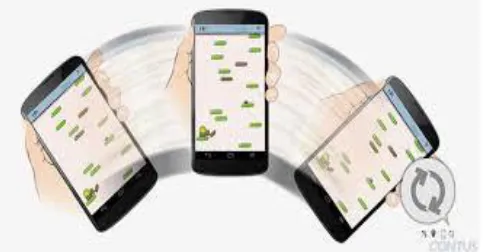
The secure screen lock using Accelerometer for Android mobiles proposed in this study sets the locking feature using the mobile shaking time and number shakes made by the user by the smartphone, along with respect to the directions. Figure 3 shows the procedure for inputting mobile shake using smart phones to create a secure lock using accelerometer. Then the accelerometer will predict and record the number of shakes made by the user with respect to direction. Then the user has to perform the same number of mobile device shakes with respect to direction to confirm the secure lock.
The user can lock and unlock their android smart phones by the mobile shakes after pressing the power button of user smart phones.
Encryption of User Lock Details: B.
The proposed system analyzes the number of mobile shake entered by a user and estimates whether this details can be inferred by a malicious attacker. First, it compares the input mobile shakes with respect to direction encryption is performed. Two encryption methods are used: the AES (Advanced Encryption Standard) algorithm and the RSA (Rivest-Shamir-Adleman) algorithm. If a mobile shake count of the user input is less than 5, it is modified to become at least 5 through the random number generation. In addition, this system does not limit an input length from a user, so that it can utilize up to all of the available Read Access Memory. If an inputted number of mobile shake is more, the system partially stores the encrypted pattern.
VIII.
I
MPLEMENTATION OF THE ACCELEROMETER SCREEN LOCKThe secure locking system using accelerometer proposed in this study consists of a user interface to set up a input as mobile shake and a locking release by a user, a TPC Manager for encryption, a DBManager to store the encrypted information, an LS Manager to manage screen locking and unlocking of smartphones, a TPCOManager to manage locking the screen release in case this system is activated, an Event Handler for organic communication between Managers and Activity, and Activity to show the locking screen for users.
1) User interface consists of Setting, which is used to setup a time pattern by a user, and UIDA (user input detect area), which detects the user’s input. In Setting, the following buttons are available: Next, Save, Reset, and Cancel. The Next button plays a role in inputting a time pattern by a user for locking the setup and changing the input state to the re-entry request state. Once the same time pattern mobile shake is inputted into the reentry state, the time pattern is applied to the locking screen through the Save button. The Reset button plays a role in returning to the initial state if a user sets up a time pattern incorrectly. The Cancel button plays a role in terminating the setup when a user does not want to setup the locking screen.
2) TPC Manager (time pattern cipher manager) consists of TPE (time pattern encryption), which plays a role in encrypting the time patterns received from the TP Manager and TPD (time pattern decryption), which plays a role in decrypting the encrypted time patterns. Two encryption methods are used: AES (advanced encryption standard) and RSA (Rivest-Shamir-Adleman).
3) DBManager plays a role in storing, loading, and comparing the time patterns encrypted in the TPCManager in
smartphones. The DBManager consists of TPS (time pattern save), which saves a time pattern, TPL (time pattern load), which loads a time pattern, and TPC (time pattern compare), which compares an input time pattern and the saved time patterns to unlock the locked screen. TPC organically communicates with the TPCManager to compare an input time pattern with the saved encrypted time patterns.
4) LS Manager (lock screen manager) is responsible for locking and unlocking the screen in smartphones. The LS Manager consists of LSA (lock state analysis), which analyzes a locking state, and LSN (lock state notification), which applies a locking or unlocking state to smartphones. Through the LSN, Lock, which performs screen locking, and UnLock, which releases screen unlocking, are called each function.
5) TPCO Manager (time pattern count operation manager) is responsible for counting the number of incorrect time patterns that are inputted by a user when the SLSTP is activated. If a user enters an incorrect time pattern five times in a row, the TPCO Manager changes the screen into a locking state for 30 seconds. After 30 seconds has elapsed, it is reinitialized to count again. The count number can be adjusted based on the user’s preference.
6) EventHandler plays a role as a broker to share information organically between Activity and the other managers, such as the TP Manager, the LS Manager, and the TPCO Manager. Through the Event Handler, all the situations performed in Activity can be reflected.
IX.
C
ONCLUSIONAlthough multimedia smartphones have become very popular among the general public thanks to their simple portability and various convenient features, the risk of important data loss due to phone loss or theft by a malicious third party has also increased. For these reasons, users of multimedia smartphones employ the built-in locking features in the multimedia smartphone. However, typical locking features have low security strength and are vulnerable to the shoulder surfing and smudge attacks, where passwords can be determined easily.
X.
F
UTURE ENHANCEMENTSA Secure Screen Lock System for Android Smart Phones Using Accelerometer Sensor is proposed study on smart screen lock for smart phones. This system could even more effective when these procedures are used along with time constraints. The system security could be increase by using the above reported process of mobile shaking with respect to direction along with timing constraints while on user input and could be verifed on locking and unlocking the screen of mobile within the reported time.
R
EFERENCES[1] A. J. Aviv, K. Gibson, E. Mossop, M. Blaze, and J. M. Smith, “Smudge attacks on smartphone touch screens,” in Proceedings of the 4th USENIX Conference on Offensive Technologies, pp. 1–7, USENIX Association, August 2010.
[2] D. van Bruggen, S. Liu, M. Kajzer, A. Striegel, C. R. Crowell, and J. D’Arcy, “Modifying smartphone user locking behavior,” in Proceedings of the 9th Symposium on Usable Privacy and Security (SOUPS ’13), pp. 1–14, ACM, July 2013.
[3] T. Kwon and S. Na, “TinyLock: af fordable defense against smudge attacks on smartphone pattern lock systems,” Comput-ers & Security, vol. 42, pp. 137– 150, 2014.
[4] O. Lindemann and M. H. Fischer, “Learning effects of arithmetic problem solving while unlocking a mobile phone,” Tech. Rep., 2013.
[5] J. Ahn and R. Han, “An indoor augmented-reality evacuation system for the smartphone using personalized pedometry,” Human-Centric Computing and Information Sciences, vol. 2, no. 18, 2012.
[6] H. J. Lee, “A study on the business strategy of smart devices for multimedia contents,” Journal of Information Processing System, vol. 7, no. 3, pp. 543– 548, 2011.
[7] L.-P. Cheng, F.-I. Hsiao, Y.-T. Liu, and M. Y. Chen, “Automatic screen rotation based on face orientation,” in Proceedings of the SIGCHI Conference on Human Factors in Computing Systems, pp. 2203–2210, 2012.
[8] D. Balfanz, G. Durfee, D. K. Smetters, and R. E. Grinter, “In search of usable security: five lessons from the field,” IEEE Security and Privacy, vol. 2, no. 5, pp. 19–24, 2004.
[9] B. Bulgurcu, H. Cavusoglu, and I. Benbasat, “Information security policy compliance: an empirical study of rationality-based beliefs and information security awareness,” MIS Quarterly, vol. 34, no. 3, pp. 523–548, 2010.
[10] Y. Qin, W. Tong, J. Liu, and Z. Zhu,, “SmSD: a smart secure deletion scheme of SSDs,” Journal of Convergence, vol. 4, no. 4, pp. 30–35, 2013.
[11] S. D. Levitt, “Understanding why crime fell in the 1990s: four factors that explain the decline and six that do not,” Journal of Economic Perspectives, vol. 18, no. 1, pp. 163–190, 2004.
[12] C. Vroom and R. von Solms, “Towards information security behavioural compliance,” Computers and Security, vol. 23, no. 3, pp. 191–198, 2004. [13] M. Workman, W. H. Bommer, and D. Straub, “Security lapses and the omission of information security measures: a threat control model and empirical