PLAN
4000
MFile Server User's Manual
PLAN 4000 (TIO
DISCLAIMER OF \-JARRANTIES
The information in this document has been carefully reviewed and is believed to be reliable; nevertheless, Nestar Systems, Incorporated makes no warranties, either express or implied, with respect to this manual or with respect to the software described in this manual. its quality, performance, merchantability, or fitness for any particular purpose. The entire risk as to its quality and performance is with the buyer. The software herein is transferred "AS IS".
Nestar Systems, Incorporated, reserves the right to make changes to any products described herein to improve their functioning or design. Nestar programs are licensed products whose use is defined in the Nestar System Software License Agreement. Server Programs require a separate license for each machine on which they run.
In no event will Nestar Systems, Incorporated be liable for direct, indirect, incidental, or consequential damages at law or in equity resulting from any defect in the software, even if ~estar Systems, Incorporated has been advised of the possibility of such damages. Some states do not allow the exclusion or limitation of implied warranties or liability for incidental or consequential damages, so the above limitation or exclusion may not apply to xou.
The Regents of the University of California, Apple Computer, Inc., and International Business ~1achines,
Inc. make no warranties, either express or implied, regarding the computer software programs described herein, their merchantability or their fitness for any particular purpose. UCSD, UCSD Pascal, and UCSD p-System are all trademarks of The Regents of the University of California. CP/M is a registered trademark of Digital Research, Inc. Z-80 is a registered trademark of Zilog, Inc. Softcard is a trademark of Microsoft Consumer Products.
This document is copyrighted and all rights are reserved. This document may not, in Whole or part, be copied, photocopied, reproduced, translated, or reduced to any electronic medium or machine-readable form without prior consent, in writin~. from Nestar Systems, Incorporated.
Copyright 1981, 1982, 1983 by Nestar Systems, Inc. 2585 E. Bayshore. Palo Alto, California, 94303 (415) 493-2223 Telex 171420 Nestar PLA
Publication number SC40-0200-0 All rights reserved.
How To Use This Manual
This manual is designed to provide a description of the PLAN 4000 File Server. When familiarizing yourself with your network, read first the General Information Manual, which provides an overview of the PLAN 4000 system.
Read this manual for a discussion of file servers, which allow you to share hard disk storage with other network users. Your particular workstation computer and operating system environment are discussed in the appropriate User's Guide. A bibliography of PLAN 4000 system manuals and guides will be found at the end of this manual.
The material in this document applies to Version 2.0 of the File Server software.
Contents
Disclaimer ii
How to Use This Manual ••••••••••••••••••••••• iii
Contents... v
Chapter 1 General Information
1.0 Network Operation ••••••••••••••••••••••• 1-1 1.1 File Server Commands •••••••••••••••••••• 1-2
Chapter 2 Disk Organization and Pathnaming Conventions 2.0 2.1 2.2 2.3 2.4 2.5 2.6 2.7
Introduction •••••••••••••••••••••••••••• 2-1 Disk Units •••••••••••••••••••••••••••••• 2-2
Files . . . 2-2
Directories ••••••••••••••••••••••••••••• 2-3 Virtual Volumes... •.• • • •• 2-4 Pathnaming Conventions ••..•••••••••••••• 2-4 Default Directory ••••••••••••••••••••••• 2-9
Passwords ••••••••••••• ~ ••••••••••••••••• 2-10
Chapter 3 Protection
3.0 3.1 3.2 3.3 3.4 3.5 3.6 3.7 3.8 3.9 Introduction •••••••••••••••••••••••••••• Virtual Volume Protection ••••••••••••••• User Classes •••••••••••••••••••••••••••• Passwords and Access Rights ••••••••••••• Default Access Rights ••••••••••••••••••• The PROTECT command ••••••••••••••••••••• The SHOW PROTECTION Command ••••••••••••• Preset Passwords •••••••••••••••••
Access Rights Needed for
Network Commands •••••••••••••••••••••••• What Happens If You Forget a Password •••
CONTENTS
3.10 Usage Modes and the MOUNT Command ••••••• 3-12
Chapter 4 Locks
4.0 Locks •••••••••••••••••••••••••••••••••••• 4.1 LOCK Command ••••••••••••••••••••••••••••• 4.2 UNLOCK Command ••••••••••••••••••••••••••• 4.3 SHOW LOCK( S) Command ••••••••••••••• ' ••••••
Chapter 5 File Server Commands
File Server Commands ••••••••••••••••••••••••• CREATE ••••••••••••••••••••••••••••••••••••••• DELETE ••••••••••••••••••••••••••••••••••••••• HELP ••••••••••••••••••••••••••••••••••• e 0 e • • •
LIST ••••••••••••••••••• 0 • • • • 0 • • • • • • • • • • • • • • • •
LOCK ••••••••••••••••••••••••••••••••••••••••• MOUNT •••••••••••••••••••••••••••••••••••••••• PATHNAME ••••••••••••••••••••••••••••••••••••• PROTECT •••••••••••••••••••••••••••••••••••••• PROTECTION ••••••••••••••••••••••••••••••••••• RENAME ••••••••••••••••••••••••••••••••••••••• SET DIR •••••••••••••••••••••••••••••••••••••• SET password ••••••••••••••••••••••••••••••••• SHOW DATE ••••••••••••••••••••••••••••••••••••
SHOW DIR •••••••••••••••••••••••••••••••••••••
SHOW ID •••••••••••••••••••••••••••••••••••••• SHOW INFO. eo • • • • • • • • • • • • • • • • • • • • • • • • • • • • f) • • • •
SHOW LOCK •••••••••••••••••••••••••••••••••••• SHOW [ALL] LOCKS ••••••••••••••••••••••••••••• SHOW [ALL] MOUNTS •• ' ••• · ••••••••••••••••••••••• SHOW PROTECTION •••••••••••••••••••••••••••••• SHOW STATION ••••••••••••••••••••••••••••••••• SHOW TIME ••••••••••••••••••• ' ••••••••••••••••• SHOW TYPE •••••••••••••••••••••• · ••••.•••••••••• SHOW TYPES . . . . SHOW VOLS ••••••••••••••••••••••••••• .; •••••••• TIMESTAMP •••••••••••••••••• ' •••••••••••••••••• UNLOCK ••••••••••••••••••••••••••••••.••••••••• UNMOUNT •••••••••••••••••••••••••••••••••••••• 4-1 4-1 4-2 4-3 5-1 5-6 5-14 5-16 5-18 5-22 5-25 5-28 5-30 5-33 5-34 5-36 5-38 5-40 5-41 5-42 5-43 5-46 5-47 5-49 5-52 5-54 5-55 5-56 5-58 5-59 5-60 5-61 5-62
Appendix
A Error and Information Messages ••••••••••• A-I
Index
Bibliography
Chapter One
Introduction to the System
1.0 Network Operation
The PLAN 4000 System links personal computer workstations. You can use your workstation as a standalone computer with local disk drives and printers, while sharing hard disks and printers with others on your network. You can communicate with stations on your network and other networks, local and remote.
The PLAN 4000 network supports a variety of personal computers and operating system environments. General information about sharing hard disks is contained in this manual; information specific to a given microcomputer and operating system is found in the separate user guides listed in the bibliography at the end of this manual.
Two kinds of stations comprise the PLAN 4000 network: user and server. User stations run programs, communicating over the network with each other and with servers. Server stations perform one or more specific tasks for workstations, allowing them to share peripherals on the network. This manual discusses the servers, called "file servers", that control your network's shared hard disks.
INTRODUCTION
File servers control the hard disks. While microcomputer workstations can be programmed to perform file server tasks, the PLAN 4000 file servers are special devices built specially to perform as network servers. You communicate with the file servers by issuing file server commands from your workstation, via a program called NET. These commmands allow you to
- create virtual volumes on shared hard disks
- access these volumes by "mounting" them on "virtual drives" (just as real diskettes are inserted into real drives at your workstation).
- otherwise share and manipulate hard disk space.
Certain virtual volumes on network hard disks are shared by all users with the same type of workstation and operating system. These shared volumes contain libraries of useful utility and system programs, and may be "mounted" automatically for you when you start up.
1.1 File Server Commands
File server commands are discussed in Chapter 5. Additional information on these commands is available in the user guide for .your workstation environment. In general, these commands are issued by using a NET program at your workstation. This program allows you to issue commands that will create virtual volumes on your network's hard disks, protect them with passwords, and use them as you would real diskettes. File server commands can also be issued from within programs that you write
yourself.
Chapter 2
Disk Organization and Pathnaming Conventions
2.0 Introduction
Before you begin using file server commands at
your workstation to access the shared hard disks on your network, you will need to learn the file
naming conventions that apply to the disks. You
will be using portions of the hard disks that
have been formatted to resemble real diskettes, and that exist as files on the hard disks. These
files are referred to as "virtual volumes" or
"virtual diskettes". To create and use them, you must learn how to name them.
SOMETHING TO REMEMBER: virtual volumes, which
are files on a hard disk, have a network file
name or volume name, to be used when accessing
the volume. In some environments, they also
have an internal volume name, to be used in your
workstation operating system environment. These
two names are not the same. You will learn to
U'S"e
the networkfi:re-name, called a pathname,when using file server commands to create or
aCCess a volume, and to use the internal volume
name, when it exists, in your local operating
system environment.
This is an important point. Since you will
probably be issuing both file server and
operating system commands from your local
environment, you will need to decide ,.,hich name
or command is appropriate: file server pathname
and command to manipulate a virtual volume (a
hard disk file), or operating system volume name
and command to manipulate files within the
PATHNAMES
2.1 Disk Units
Your file server manages the disk space on one to four hard disk drives. Refer to each disk by its assigned name or drive number (disk drives mayor may not be given names when they are formatted at your workstation). Hard disks are numbered 1 through 4, and may have names (chosen by your system manager), such as MAIN or ALT, as will be shown below. Such a disk is referenced in file server commands by typing
/MAIN or /2
as the first part of a volume or directory name (pathname).
The file server itself boots from one of these hard disks. You can use the "null" disk name / to refer to the root directory of the disk that the file server boots from (usually /1).
2.2 Files
The file structure on each physical disk unit has two distinct levels:
1. the network level, a hierarchical collection of directories and files' formatted as virtual diskettes.
2. the operating system level, where program, text, and data files are stored within a single virtual diskette.
The network level files on each disk unit consist of:
one root directory
and optionally
subdirectories
virtual diskettes
system binary utility programs and data files
In this manual, the expressions "file server
virtual volume", "virtual volume", and "virtual diskette" will be used interchangeably. The word "file" will be reserved for the program and data files contained within a single virtual volume
and controlled by the workstation operating
system. The expression "file server" is used to
refer to the special network station that
processes file server commands and transfers
files to and from shared disks.
2.3 Directories
The root directory on a given physical disk unit
points, either directly or through
subdirectories, to every virtual volume on that
unit. It cannot point to virtual volumes on
other physical units.
Each root directory and subdirectory consists of
names and disk addresses of subdirectories and
virtual diskettes on the same physical unit as the directory itself. A directory that contains the name and address of a given virtual volume
will be referred to as the parent directory of
that virtual volume.
Directories necessary.
are automatically expanded as
For example, a hard disk containing 20 volumes
PATHNAMES
main or root directory and two subdirectories:
/MAIN
/MAIN/DATA /MAIN/TEXT
In /MAIN/DATA will be listed the 20 data volumes, which will have network file names (pathnames) such as /MAIN/DATA/19 (pathnames are explained below). /MAIN/TEXT will contain a listing of the 20 text volumes.
2.4 Virtual Volumes
Virtual volumes are of many types. They can vary in size, as specified by their creator. Chapter 5 discusses their creation. The user guide for your operating system provides additional information on the creation and use of virtual volumes.
The network also uses Text volumes. Text volumes are used by various network programs and contain, for example, electronic mail. Text volumes do not contain a user station operating system directory (catalog).
2.5 Pathnaming Conventions
To address a virtual volume on the PLAN 4000 system, it is necessary to specify its "pathname" by some combination of defaults and explicit names. These consist of:
2-4
the physical disk unit (i.e its root directory), either by name or by number
intermediate subdirectories (if any)
the name of the virtual volume.
To address the root physical disk unit specified.
directory itself, only the number or name needs to be
Here are a few examples of how pathnames are used with the LIST and CREATE file server commands (discussed in Chapter 5 in detail):
2.5.1 Pathname: /unitnumber
LIST /4
This command lists all the subdirectories and virtual volumes whose names and addresses are included in the root directory on hard disk unit
4. The initial slash indicates that the first field is the name or number of a physical disk unit.
2.5.2 Pathname: /unitname
LIST /MAIN
This command lists all the virtual volumes whose names and addresses are included in the root directory of the system hard disk called MAIN (regardless of which physical disk unit it is located on).
LIST /
Here, the directory booted.
contents are listed of the from which the file server
root has
PATHNAMES
same name (such as /MAIN), the command LIST /MAIN will display the contents of the disk with the higher unit number. If /1 and /2 are both /MAIN, for example, LIST /MAIN is the same as LIST /2.
2.5.3 Pathname: /unitname/subdirectory
LIST /LANGUAGES/FRENCH
This command causes a search for the physical disk unit named LANGUAGES and for its root directory, which contains the name and address of the subdirectory FRENCH. FRENCH is then read and the virtual volumes in it are displayed~
2.5.4 Pathname: /unitname/subdirectoryl /subdirectory2/virtual volume
CREATE /MAIN/USERS/JANE.DIR/JANE.V1,T=P
This command:
searches for the physical disk unit MAIN
looks in its root subdirectory USERS
directory
looks in USERS for JANE.DIR
for the
allocates space on the physical disk unit MAIN for the virtual diskette JANE.Vl formatting it to resemble an Apple II ·UCSD Pascal diskette.
enters the name and address of JANE.VI in the subdirectory JANE.DIR.
If the subdirectories USERS and JANE.DIR in the
above example do not exist, the CREATE command creates them as needed.
2.5.5 Pathnames: Formal Definition
...
In general terms, a pathname is specified according to the following definitions. Square brackets indicate optional parameters, e.g.
[:passwordl·
pathname: lunitname/filepath or filepath
unitname: 1, 2, 3, or 4 [:passwordl or name [:passwordl
or
II
filepath: name [:password] [/filepathl
name: the name of a disk unit (root directory), subdirectory, virtual disk or network utility. A name has the following restrictions:
1-15 characters.
No commas, slashes, colons, carriage returns, ASCII control characters, or unprintable
characters. Acceptable
characters: 0-9, A-Z,!, ,#, $,
%, &,', (, ),
*,
<,),1, [, ], {, }, A, -, @, _,I
PATHNAMES
Imbedded blanks are okay. Leading and trailing blanks are removed automatically.
The first character can be any acceptable character.
password: a word used to restrict access to a directory or virtual file. Same restrictions as name, except that control characters may be used in order to permit non-printing for visual security.
(Programmers will notice that this is a "recursive" definition in that a form for fi1epath includes a fi1epath. Another way to describe a legal fi1epath is to say that it consists of one or more names separated by slashes, and each name may be followed by a colon and a password. Recursive definitions will be used elsewhere in the manual to concisely describe sequences of terms.)
Four other rules apply to the pathname:
1. The total pathname cannot characters (including /'s).
exceed 80
2. Upper or lowercase can be used for any characters within a file server command, and are equivalent.
3. An initial slash indicates the pathname begins in the root directory of a physical disk unit. If there is no initial slash, the current default directory is prefixed to the pathname.
4. Blanks before and after the slashes in a pathname are optional and are ignored. Blanks
within file or directory name are part of the name.
Control characters are permitted in file server passwords. If the passwords are set or provided
by programs running on the network, no
difficulty is encountered. However, the
presence of serial cards in user and server
stations will prevent the console use of some
control characters, since these characters have meanings assigned to them by the serial cards.
For example, attempting to type i-:-, 3. 7aSS\>lord
with a particular control character embedded in
it might cause the entire console line to be
removed.
The following 16 control characters should NOT
be used in file server passwords:
ACE F H I J M N R S T V W X Z
Those recommended for use are the following 10:
B D G K LOP Q U Y
2.6 Default .Directory
In order to reduce the number of characters to
be typed and processed, the user may specify a
default directory. Whenever a pathname is
specified that does not begin with a slash, it
is prefixed by the current default directory.
In the previous example, assume that the
subdirectories USERS and JANE.DIR exist before
the CREATE command is issued. If so, Jane will
achieve the same result if she enters:
PATHNAMES
The SET OIR command above sets the current default directory to:
/MAIN/USERS/JANE.OIR
which is prefixed to the JANE.Vl when the CREATE command is executed. Thus the create command above is equivalent to:
CREATE /MAIN/USERS/JANE.OIR/JANE.VI,T=P
The SHOW OIR, LIST, PROTECT, and SHOW PROTECTION commands can be specified with no pathname; if so, - each operates on the current default directory. A SET OIR with no pathname clears the current default directory. The SHOW OIR command displays the name of -the current default directory_
2.7 Passwords
As will be explained more fully in Chapter 3 (Protection), it is possible when creating a subdirectory or virtual volume to require that a password be specified each time the subdirectory or virtual volume is accessed for some or all operations. In our last example, let's suppose the passwords needed are:
x (for the root directory MAIN) y (for the subdirectory USERS) z (for the subdirectory JANE)
If her current default directory is set for some other directory, Jane would enter:
CREATE /MAIN:x/USERS:y/JANE:z/4,T=P
or alternatively:
SET DIR /MAIN:x/USERS:y/JANE:z CREATE 4,T=P
Chapter 3
Protection
3.0 Introduction
The PLAN 4000 File Server allows many users to share a large database. However, universal access is not always desirable: files must not be accessed at sensitive times or by unauthorized users. The file server fully controls user station access to the shared database and manipulation of the data.
The file server has three software mechanisms for protecting stored files.
1. Virtual volume protection, passwords and access rights classes of users
a system of for different
2. Usage modes, a means of temporarily reserving file system resources for exclusive or restricted use.
3. Locks, which allow users to synchronize access to any resource; for example, external devices or individual files on a virtual diskette (discussed in Chapter 4).
These three mechanisms differ in the following ways:
PROTECTION
Usage modes allow the restrict access to given directories (that is. to the disks and directories can be mounted for:
user to temporarily virtual diskettes and restrict access while are mounted). Volumes
a. exclusive read/write (EXC)
b. exclusive write and shared read (UPD) c. shared read/write (SHR)
Locks can ~e used to control access to any resource - e.g •• a printer, plotter. scientific instrument. or individual file on a virtual diskette. Locks are voluntary; they provide a convention that cooperating stations can usee The system returns the information that a lock is in use or in exclusive use. but it does not prevent the user from addressing the printer, the particular file, or whatever he or another user is trying to protect.
3.1 Virtual Volume Protection
Each virtual volume can have three different classes of users who have different passwords and are allowed to do different things. When a virtual volume is created, the password required and the access rights allowed for each class of user are specified. This section describes:
the user classes and access rights
how to assign passwords and access rights with the CREATE and PROTECT commands
what the default access rights are for each class of user
preset passwords
access rights needed to execute various file server commands
3.2 User Classes
Potential users of a given virtual volume are divided into three classes:
public (PUB) users who do not specify a password
group (GRP) users who specify the group password
private (PRV) users who specify the private password
The access rights which may be granted or denied to each class of user are:
R the ability to read the data part of the virtual volume
W the ability to write on the virtual volume
E the ability to erase (remove completely) the virtual volume
C the ability to create a new entry in the directory (meaningful only for directories)
D the ability to delete an entry from the directory (meaningful only for directories)
PROTECTION
required to erase the volume; the D (delete) access right is required in the corresponding directory to delete the directory entry.
For example, suppose a given PLAN 4000 system at an installation wants to have" accounting programs on a Pascal volume called ACCOUNTING. They want ACCOUNTING to be listed in a directory called ADMINISTRATION, which in turn will be listed in the root directory of the system hard disk called /MAIN.
They want to limit access to the directory and volume as follows:
1. public: the public will have no access rights.
2. group a select group of employees will be able to:
R read the virtual diskette and execute the programs on it.
The group password will be SILVER.
3. private The person in charge of the programs will be allowed to:
R read the virtual diskette
W write on the virtual diskette
E erase (remove completely) the virtual diskette
He or she will also be allowed to:
D delete entries from the directory
C create new entries in the directory
The private password will be SAFE.
The access and usage rights for this example are established in the following section.
3.3 Passwords and Access Rights
Passwords and access rights can be specified for a new file server file by a CREATE command and for an existing file server file by a PROTECT command. With [optional] parameters indicated by square brackets, the syntax of these two commands (typed on one line):
CREATE pathname,type[,size] [,protection] [,drive] [,usage]
PROTECT pathname [,protection]
For a complete discussion of CREATE and PROTECT see the individual command descriptions in Chapter 5. For an explanation of the [,usage] option, when CREATE is used to mount a new disk, see 3.10.
The optional protection parameter is the same for both.
protection: protect item [,protection]
protect items:
GRPPW=password (group password)
PRVPW=password (private password)
PUBACC=access rights (public access rights)
PROTECTION
PRVACC=access rights (private access rights)
access rights: a subset (in any order) of the letters RWECD (read, write, erase, create, and delete, as described under "private" in above example)
To specify no access rights, the equal sign is immediately followed by the delimiter: a comma, blank or carriage return. For example:
PUBACC-,GRPACC-the CREATE command would be (typed on one line):
CREATE lMAIN/ADMINISTRATION/ACCOUNTING,T-P, PRVPW-SAFE,PRVACC-RWE,GRPPW-SECURE,
GRPACC-R,PUBACC-This command creates an Apple
II
Pascal volume named ACCOUNTING which is listed in the subdirectory ADMINISTRATION which in turn is listed in the root directory of the hard disk. Users giving the password SAFE can read, write or erase ACCOUNTING, but users giving the password SECURE can only read it. Users who do not give the password SAFE or SECURE have no access rights. Users give the password in the form ACCOUNTING:SAFE or ACCOUNTING:SECURE when specifying the pathname in their file server commmands. Users must give the password ADMINISTRATION:SECURE or ADMINISTRATION: SAFE .hen specifying the directory. (Pathnames are discussed in detail in Chapter 2.)The CREATE command shown above also implicitly creates the directory ADMINISTRATION (assuming it does not already exist). Passwords and
access rights for ADMINISTRATION are the same as for ACCOUNTING, except that create and delete access rights are automatically added to the private rights for the directory. Note that passwords must be given, when set, for each directory and file in the pathname.
For instance, the volume in this example could be mounted for writing by (typed on one line):
MOUNT /MAIN/ADMINISTRATION:SAFE/ACCOUNTING:SAFE, RW,D9
3.4 Default Access Rights
If public, group, or private access rights are not specified in a CREATE command, the PLAN 4000 system sets standard default values:
PUBACC~R (read)
GRPACC~R (read)
PRVACC varies: For a virtual diskette: RWE (read, write, erase)
For an explicitly created directory: RWECD (read, write, erase the directory, create and delete entries in the directory)
For an implicitly created directory: the private access rights for the FS file being explicitly created plus CD - create and delete.
Therefore, in the previous example, the field defining private access rights is not necessary because they are the same as the defaults.
PROTECTION
password, then all of its private access rights are granted to any user, whether he gives no password or some extraneous password. This means that if a virtual volume is created with group password and access rights only, public users will have, by default, private access rights: read, write, and erase. In other words, for group passwords and access rights to have meaning, private passwords and access rights must also be set.
When a virtual volume is created, all directories specified in the pathname which do not already exist are also created; these implicitly created directories are given CD (create and delete) private access rights plus the access rights specified for the virtual volume being explicitly create~; they are also given the same private passwords.
3.5 The PROTECT Command
Usually access rights and passwords are set when a virtual volume or directory is first CREATEd. The PROTECT command allows the user to modify the access rights and passwords previously set. The syntax is given in Chapter 5. Protect items which are not specified by the PROTECT command are not changed. Anyone giving the private password for the specified virtual volume can issue a PROTECT command; access rights do not apply. If there is no private password then anyone can issue the PROTECT command.
3.6 The SHOW PROTECTION Command
The SHOW private, currently
3-8
PROTECTION command displays the group and public access rights assigned to the specified file server
volume. Passwords are never displayed, but their existence is indicated by ,PW. The access rights for the current default directory may be displayed by entering SHOW PROTECTION with no pathname.
3.7 Preset Passwords
The SET command allows a user to preset the group and private passwords to be used in subsequent access commands, so that it is not necessary to enter them each time a pathname is specified:
SET GRPPW-x SET PRVPWay
or
SET GRPPW-x,PRVPW-y where x and yare passwords
This command makes it less likely that an unauthorized person will learn a password and will also cut down on the amount of typing to be done when entering a pathname.
If passwords are in a program, others can read the listing and know what they are. For example, if a password is NO and your program contains the two file server commands:
MOUNT /MAIN/GRADES:NO,D9 MOUNT /MAIN/ANSWERS:NO,D10
an enterprising student can read your program and learn the password.
PROTECTION
PRINT "ENTER PASSWORD"; INPUT PW$
PRINT CHR$(14)j"SET PRVPW="jPW$
PRINT CHR$(14)j"MOUNT /MAIN/GRADES,D9" PRINT CHR$(14)j"MOUNT /MAIN/ANSWERS,DI0"
3.8 Access Rights Needed for Network Commands
In order to execute a file server command with a pathname parameter, a user must have the READ access right for every directory in the pathname (Except for CREATE, where the lowest directory may have only CREATE access). He needs additional access rights for the following commands:
Command
CREATE
DELETE
RENAME
PROTECT
MOUNT
3-10
Access Rights Required
C (create) for parent directory
E (erase) for virtual volume directory being erased
D (delete) for parent directory
C (create) and D (delete) for parent directory
Must have private password for virtual volume. Access rights irrelevant.
R (read) for directories and other virtual volumes in pathname
W (write) for virtual volume file to be mounted, if RW specified.
BRUN BLOAD
LIST
R (read) for virtual volumes addressed by pathname
SHOW PROTECTION SHOW DIR
SHOW TYPE
BSAVE W (write) for virtual diskettes addressed by pathname
Virtual volumes can be created in a directory (added to that directory) if you have C(reate) access rights, even if you don't have R(ead) or W(rite) access rights. You will not be able to MOUNT such files, however, so you should use the form of the CREATE command that creates and mounts the file in one operation if you intend to write into it. Once the file is unmounted, you no longer have access to it. You cannot LIST a directory to which you don't have R(ead) access.
PROTECTION
3.9 Wh.at Happens If You Forget a Password •••
Passwords are actually stored in an encrypted form from which it is impossible to reconstruct the original name. If a password is lost, there is no way to discover it evening by dumping the disk. The only recourse is to have the System Manager use superuser rights to remove or change
the password.
3.10 Usage Modes and the MOUNT Command
In addition to the restricted rights which are controlled by the protection attributes of a file server volume access rights may be (voluntarily) limited even further when the virtual volume is actually used. The MOUNT command (or the CREATE command, for newly created volUmes) allows a user to mount a specified virtual volume with either READ/ONLY or READ/WRITE access, provided that these are access rights his password entitles him to. For example, if a user gives the private password and has full access rights, he may want to mount his virtual volume with read only rights so as to prevent accidental writes. Usage is an optional parameter for the MOUNT and CREATE commands:
[, usage]
where usage can be RO (READ/ONLY) or RW (READ/WRITE) and SHR (SHaRed), EXC (EXClusive), or UPD (UPDate).
UPD is an Exclusive-Write/Shared-Read mode. Thus, only one UPD mount of a file (either RW or RO) is allowed at a time, but other users may mount the same file RO, SHR.
If incompl~te access rights are mounting a volume, the following used:
given when defaults are
Usage Specified RO
Default Applied SHR
RW SHR UPD EXC none
Chapter 4
Locks
4.0 Locks
LOCK commands allow several programs to cooperate in sharing a resource on the PLAN 4000
system, such as a particular volume, printer, or other external device. For example, locks can prevent a printer from printing out two volumes simultaneously.
4.1 LOCK Command
To avoid errors, programs that are accessing the same file or device can issue a lock command:
LOCK lockname [,usage]
where lockname is any name 1-15 characters in length (except ALL) which has been chosen to represent the resource being shared. Usage is either:
SHR shared
or
more than one user can have the lock set at a given time
EXC exclusive - only one user can have the lock set at a given time.
LOCKS
The system then returns one of the following messages:
O,OK
41,IN USE
42, IN EXC USE
(or some syntax error messages)
The IN USE message is returned if the lock command specifies EXC (exclusive) usage when another user has already set the specified lock. The IN EXC USE message is returned if the lock command specifies SHR (shared) usage when another user has set the specified lock for exclusive use.
If the program receives the O,OK message proceed to use the printer or update the whatever, but if it receives a 41,IN 42,IN EXC USE message it should either go wait loop or go on to some other task reissuing the LOCK command.
4.2 UNLOCK Command
it can file or USE or into a before
To release a lock, one of the following commands is issued:
or
4-2
UNLOCK 10ckname
-releases 10ckname for use by LOCK commands from other stations
UNLOCK ALL
-releases all locks held by this station
The locks held by a station are automatically unlocked when the station is booted. In particular, turning the station off and on or issuing the OFF command will release all locks.
4.3 SHOW LOCK(S) Command
A user can display locks in several ways:
SHOW LOCKS
- displays all locks currently set at his own user station
SHOW LOCK lockname
- displays stations lock
the station numbers of currently using the
SHOW ALL LOCKS
all user specified
Chapter 5
File Server Commands
File server commands are issued by the user, from his or her workstation. These commands are transmitted to a file server that controls one or more shared hard disks.
Use file server commands to create virtual volumes, for network use (that is, allocating shared disk space for your use). Use the commands to set up passwords on your volumes and to display current information about the network.
File server commands consist of a command word followed by a variable number of parameters, some required and others optional. A pathname or subcommand word, if present, must immediately follow the command word; other parameters may occur in any order. The delimiter following a command word must be a blank and the delimiter following a pathname must be a comma; elsewhere, a comma is used as delimiter.
A file server command has the following form (typed on a single line):
<O-n blanks><command word><1-n blanks> <subcommand word><1-n blanks><pathname> <,other fields>
A pathname may have embedded blanks, so a comma must be used to delimit it from the following fields. No blanks may be imbedded in a
SERVER COMMANDS
See Chapter 2 for pathnames.
a full description of
A field may have one of three forms:
Keyword (e.g. REPLACE or ALL)
Keyword=Value (e.g. T=D)
Letter value (e.g. D9 for drive 9)
Optional parameters are indicated by square brackets, e.g. [,optional]. The system assigns default values, where meaningful, when optional parameters are not specified; these are given in the descriptions of the individual commands.
Alphabetic characters in a file server commands can be upper or lower case; both cases have the same meaning. For some operating systems this is not important, "but for workstations with terminals that display upper and lower case, and from some operating systems, it is convenient. In some environments, file server commands must be preceded by special characters, such as n@". The user guide for your microcomputer/operating system will provide details.
Some of the parameters are explained more fully elsewhere in this manual:
pathnames protection size and drive number
Chapter 2 Chapter 3 User Guides User Guides
File server commands can be divided into six classes:
1. Commands concerned with creating, deleting, naming and protecting virtual file server files (virtual volumes):
CREATE DELETE LIST PROTECT
RENAME SET GRPPW SET PRVPW
SHOW PROTECTION
(In some environments; CREATE exists as a separate program. See your Operating System User Guide).
2. Commands concerned with mounting virtual diskettes at a user station:
a. For all operating systems
MOUNT UNMOUNT SHOW MOUNTS
b. For local commands, executed by NET or user program
SET <slot>
SET <drive>,<drive-status> SET <drive>,<slot>
SET FS SHOW DRIVES SHOW FS
The actual syntax depends upon the specific environment. (See the relevant operating system User Guide).
3. Commands concerned volumes (discussed in selected environments)
SERVER COMMANDS
BLOAD BRUN BSAVE
4. Commands concerned with locks
LOCK UNLOCK
SHOW LOCK lockname SHOW LOCKS
5. Commands that set default values (all environments)
SET DIR
6. Commands that give information terminal (all environments)
HELP? SHOW DIR SHOW STATION SHOW VOLS
SHOW DATE SHOW INFO SHOW TYPE(S) TIMESTAMP
at the
The remainder of this chapter consists of descriptions of each file server command. The commands are presented in alphabetical order, and each new command or group of commands starts on a new page. For each command, the following information is presented:
the command syntax
an abbreviated statement of what the command does
parameters and defaults
error and information messages
access rights required to execute the command
discussion
examples
CREATE
CREATE pathname,type[,size] [,sectors] [,protection] [,drive] [,usage]
-creates given) drive, rights
(and mounts, if a drive parameter is a new file with specified type, size, passwords, access rights, and usage
In environments, a separate program is used to create virtual volumes.
Parameters and defaults:
pathname: For summary, see PATHNAME filed alphabetically with commands in this chapter. For discussion, see Chapter 2.
type:
T=B (binary)
T-C (Apple
II
CPIM)
T-D (Apple
II
DOS) T-I (IBM PC DOS) T-3 (AppleIII
SOS)[ ,size]
T=P (Apple
II
PASCAL) T=S (system)T-T (Text) T-Y (directory) T-U (IBM PC p-SYSTEM
PASCAL)
SIZE-number [.size-unit]
Size of the file to be created may be given in units of bytes, sectors (256 bytes each), blocks (512 bytes each), or K (1024 bytes each). The default unit for size is blocks. The size parameter has the form: SIZE-number[.unit]. Unit may be
'c'
for bytes,'s'
for sectors, 'B' for blocks, or 'K' for 1024 bytes. The ' . ' is optional except where it is needed to resolveambiguitity in the specification of numbers. It is suggested that the for readability.
hexadecimal , ,
.
be usedCREATE allows variable sized files to be created within constraints imposed by the environment in which they will be used. The following table shows the algorithm used to determine the size of a file being created given the SIZE= and T= parameters specified.
T- SIZE= default limits on SIZE=
y allowed 3.S 0
<
SIZE<
32767.S3 allowed 560.S 0
<
SIZE<
65535.S B required 0<
SIZE<
193.S C allowed 560.So
< SIZE < 32767.S p allowed 560.So
< SIZE < 65535.S 0 allowed 560.So
< SIZE < 1600.S* I allowed 1280.So
< SIZE < 65535.S U allowed 1280.So
< SIZE < 65535.S T required 1 < SIZE < 32767.SCREATE
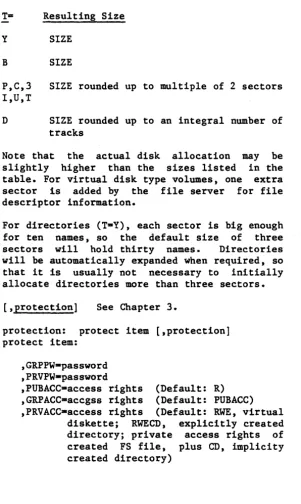
T= Resulting Size
Y SIZE
B SIZE
P,C,3 SIZE rounded up to multiple of 2 sectors I,U,T
D SIZE rounded up to an integral number of tracks
Note that the actual disk allocation may be slightly higher than the sizes listed in the table. For virtual disk type volumes, one extra sector is added by the file server for file descriptor information.
For directories (T-Y), each sector is big enough for ten names, so the default size of three sectors will hold thirty names. Directories will be automatically expanded when required, so that it is usually not necessary to initially allocate directories more than three sectors.
[,protection] See Chapter 3.
protection: protect item [,protection] protect item:
5-8
,GRPPW-password ,PRVPW-password
,PUBACC-access rights (Default: R) ,GRPACC-accgss rights (Default: PUBACC) ,PRVACC-access rights (Default: RWE, virtual
diskette; RWECD, explicitly created directory; private access rights of created FS file, plus CD, implicity created directory)
[image:51.401.40.342.57.562.2]access rights: set of letters from RWECD (read, write, erase, create, and delete)
[drive]
Dd, where d-number
[, usage]
Specify Type of Access:
RO (read only)
RW (read/write--must have write access) Default: RO (RW for UPD)
Specify User Class:
EXC (exclusive) SHR (shared)
UPD (RW usage for only one user at a time; other users may mount the volume RO,SHR) Default: SHR, if RO or no usage parameter given
UPD, if RW
Directories (T-Y) and system files (T-S) may be mounted for read only (RO) access.
See also MOUNT command.
Error Messages
13,ILLEGAL NUMBER (NEGATIVE OR TOO BIG) 20,TYPE PARAMETER REQUIRED, (T-)
21,SIZE OUT OF RANGE
CREATE
Access Rights Required to Execute a CREATE
C (create) for parent directory
R (read) for each directory on pathname except the parent directory
File server file names can be created in (added to) a directory if you have C(reate) access rights, even if you don't have R(ead) or W(rite) access rightse You will not be able to MOUNT such files, however, so you should use the form of the CREATE command which creates and mounts the file in one operation if you intend to write into it. Once the file is unmounted, you no longer have access to it.
Discussion:
The CREATE command:
1. allocates space for specified virtual disk or directory on specified (or default) physical disk unit
2e creates intermediate directories as necessary
3. enters the volume's name in directory preceding it in pathname, or, if not specified, in current default directory
4. stores passwords and access rights on virtual disk or directory being created; these are stored in a special section not accessible to the ordinary user
5. optionally mounts the newly created disk for subsequent I/O
For directories implicitly created because they do not already exist, users are given CREATE and
DELETE access rights plus the access rights and passwords specified for the file being explicitly created.
Virtual disks are stamped with time and date upon creation. The SHOW INFO command is used to display this information.
Examples
1. CREATE /1/USERS/NICK/NICK.Vl,TaD,
PRVPW-COODSTUFF,GRPACC-,PUBACC-This example creates a virtual disk called NICK.Vl on disk unit 1. It also enters the name and address of NICK.Vl in the subdirectory NICK. All three directories and the virtual disk are on disk unit 1.
The created virtual disk is of type DOS. Its size· is automatically 16 sectors of 256 bytes, the size of a real minidisk in DOS 3.3.
Anyone who enters the correct pathname and the password GOODSTUFF will be allowed to read, write or erase the virtual disk NICK. VI. Private access rights were not specified, so t~e
defaults for a virtual disk (RWE) are in effect.
Users who do not know the private password are not allowed any access to NICK.Vl.
2. CREATE /LANGUAGES/FRENCH/LESSON.3,T=P,SIZE=60
CREATE
listed in the root directory of a system hard disk called LANGUAGES.
Everyone has full access rights to this virtual disk without giving any password: they can read it and write on it, and if they have create, read, and delete rights for the subdirectory FRENCH, they can delete it.
3. CREATE BRIDGE,T-B,SIZE-10.S,D9,RW,SHR
This example creates a virtual disk called BRIDGE that is of type binary with a size of ten 256-byte sectors. Space is allocated on the physical unit specified in the current default directory, and the name and address of BRIDGE is entered in the current default directory. All users have full access rights. ,The disk is then mounted on virtual drive 9 for read/write access and shared usage.
4. CREATE STUDENTS,T=Y,PRVPW=SOCRATES
This example creates the directory STUDENTS on the physical unit specified in the current default directory and enters the name and address of STUDENTS in the current default directory. Only users giving the password SOCRATES are allowed full access rights; others are allowed to LIST the directory STUDENTS and read it when it is part of a pathname, but cannot, for example, make any new entries in the directory.
5. CREATE /MAIN/COURSES/CHINESE/LESSON1,
T=P,PRVPW=MING, GRPPW=CHIN,PUBACC=,GRPACC=R
This example is for a new Chinese course to be
DELETE
DELETE pathname
-deletes a virtual volume or directory
Parameters and defaults:
pathname: For summary, including password conventions, see PATHNAME, filed alphabetically with commands in this chapter. For discussions, see Section 3.2
Error Messages
29,CURRENTLY MOUNTED OR DEFAULT DIRECTORY
Access Rights Required
E (ERASE) for virtual disk or directory being deleted
D (DELETE) for directory in which it is listed
R (READ) for all directories in pathname
Discussion
The DELETE command:
erases the specified virtual directory and removes its name and from the parent directory
disk or address
The DELETE will not be executed if: the file is currently mounted, if the user does not have the required access rights, if it is a directory which is not empty, or if it is the current default directory of any user.
Examples
DELETE ENGLISH.IA:OLDCHAP
HELP
HELP [<subject>]
-displays specified parameter
list of commands or command or format of
syntax of specified
Parameters and Defaults
[<subject>]
null: lists commands
command word: gives syntax of specified command
parameter:
NET:
Error Message
gives format of specified parameter
gives syntax of local commands (SET DRIVEn [ tn ••• ] REALIVIRTUAL [SLOTn] [STATION $nn], SET FS SLOTn[STATION $nn]t SHOW FS, SHOW DRIVES[NOCHECK]. This is available only when entering commands through NET program.
19,HELP OPERAND NOT FOUND
Discussion
The user is allowed to enter either ? or HELP when he needs additional information at a user station. Options are (1) HELP, (2) HELP <command word>, (3) HELP <parameter>, (4) HELP NET.
Example
If the user enters:
HELP
the following message is displayed:
ENTER 'HELP [<SUBJECT>]' WHERE SUBJECT IS: BLOAD, BSAVe, BRUN, CREATE, DELETE, LIST, LOCK, UNLOCK, MOUNT, UNMOUNT, PROTECT, SHOW, PATHNAME, PASSWORD, SET, NUMBER, SIZE, ACCESS, TYPE, USAGE,
LIST
LIST [pathname] [,VERBOSE] [,NESTED]
-lists entries in directory
Parameters and Defaults
pathname: For summary, see alphabetically with commands in For discussion, see Chapter 2.
[,VERBOSE]
PATHNAME, filed this chapter.
if not present, just the names and file types are listed
if present, the names, types and sizes are listed
[,NESTED]
if not present, only entries addressed by the pathname or directory are listed
if present, the system lists
in the directory current default
the addressed (or default) directory
all subdirectories whose names appear in the addressed directory
all subdirectories whose names appear in the listed subdirectories, etc. until all directories listed contain only names of virtual or system disks
(the files for each new subdirectory are indented several spaces)
Error Messages
109,ROOT DIR NOT SPECIFIED NO DEFAULT 102,FILE NOT FOUND
Access Rights Required
R (READ) access for each file in pathname
Discussion
This command can be used to list the files in a directory or a family of directories. It is possible to list either the names and types (no VERBOSE) , or the names, types and sizes (VERBOSE) •
If no pathname is given (e.g. LIST), then the current default directory is listed. If the NESTED or VERBOSE parameters are given when there is no pathname, they must be separated from the word LIST by both a space and comma. For example:
LIST ,NESTED LIST ,VERBOSE
LIST ,NESTED, VERBOSE LIST
Examples
1. LIST /MAIN
LIST
/MAIN,T-Y BOOTS,T=Y SYSTEM,T=Y LIB,T-Y
The T=Y indicates the files that are directories
2. LIST /MAIN,VERBOSE
The system will display:
/MAIN,T-Y,SIZE-3S BOOTS,T-Y,SIZE-3S SYSTEM,T=Y,SIZE=3S LIB,T=Y
The size is given in 256-byte sectors.
3. LIST /MAIN,NESTED
/MAIN,T-Y BOOTS,T-Y /APPLE2,T-Y BOOT,T=B SYSTEM,T-Y
5-20
ERROR,T-S HELP,T-Y
HELP,T-S SHOW,T-S LIST,T-S BRUN,T-S LOCK,T-S MOUNT,T-S BLOAD,T=S BSAVE,T-S CREATE,T=S DELETE,T=S UNLOCK,T=S UNMOUNT,T=S PROTECT,T-S SET,T=S
PATHNAME.T-S PASSWORD.T-S NUMBER.T-S SIZE.T-S
PROTECTION.T-S ACCESS,T-S TYPE.T-S USAGE.T-S DRIVE,T-S LIB.T-Y
APPLE2.T-Y CPM.T-C UCSD.T-Y
PASCAL.T-P DOS.T-D
LOCK
LOCK lockname [,usage]
-locks "lockname" for exclusive (EXC) or shared (SHR) use
Parameters and defaults:
lockname:
any arbitrary name (except ALL)
(1-15 characters; no commas, slashes,
colons, control characters, carriage returns or unprintable characters; imbedded blanks ok
Acceptable characters: 0-9, A-Z,!,
,H,
$,%, &,' (,),
*,
<, ),
?, [, ], {, }, @, - 'usage:
EXC (exclusive) SHR (shared) Default: EXC
Error and Information Messages
4O,ILLEGAL LOCK NAME 41,IN USE
42, IN EXC USE
Access Rights Required
None
Discussion
The LOCK command allows users at different terminals to cooperate in using system resources such as individual files or input/output devices. LOCKNAME is any arbitrary name agreed upon by more than one user. For example, if the lock is used to coordinate write access to a given APPLE // DOS file, a program, before writing on that file, would issue a LOCK command. Then, if the return code is 0 indicating no other user station is currently holding the specified lock, the program would proceed to update the file. If, however, the return code is 41 or 42 indicating the lock is currently held at another user station, the program would go into a wait loop or perform some other task before reissuing the LOCK command.
When using locks to protect a particular file, the user should consider the effect of buffering. When a disk write is issued, in some cases the information is transferred to the buffer but not to the disk. One way to make sure it all goes to the disk is to close the file. Buffering can also lead to problems if more than one lock is used for one file, say LOCKA for the first half and LOCKB for the second half; information at the boundary may not be handled correctly.
Therefore, the safest procedure to follow is:
1. Use only one lock for each file.
2. Close the file before issuing the UNLOCK.
LOCK
buffering algorithms used by the current operating system under which the programming is being done.
NOTE: It is not recommended that programs enter a tight wait loop that includes a LOCK command. Instead, they should delay several seconds and then try again. This avoids tying up the network with frequent requests.
See Chapter 4 for a full discussion.
MOUNT pathname, drive [,usage]
- allows user to access a virtual volume to his or her/operating system, as if the volume were inserted in the drive specified.
Parameters and defaults:
pathname: For summary (including password conventions), see PATHNAME, filed alphabetically with commands in this chapter. For discussion, see Chapter 2.
drive:
Dd, where d-number
usage:
RO (READ/ONLY)
RW (READ/WRITE--must have write access) Default: RO
EXC (exclusive) SHR (shared)
UPD (RW usage for only one user at a time; other users may mount the volume RO SHR) Default: SHR, if RO
UPD, if RW
RO,SHR if no usage parameter given
MOUNT
Error Messages
30,DRIVE REQUIRED 31,IN USE
32,IN EXC USE
34,RW NOT ALLOWED ON DIRECTORIES 105,NO ACCESS FOR READ TO DIRECTORY 109,ROOT DIR NOT SPECIFIED, NO DEFAULT 111,NO ACCESS FOR WRITE
Access Rights Required
R (read) for virtual disk and all directories in pathname
W (write) for virtual disk if being mounted RW
Discussion
The MOUNT command is analogous to inserting a real disk in a floppy disk unit attached to a stand-alone workstation. A MOUNT command sets software pointers so that when a command is given to read or write on a given disk drive, it will address a virtual disk on the file server station.
MOUNT can be reissued on a currently mounted drive, either to change which file is mounted or to change usage modes, without intervening UNMOUNT.
Examples
MOUNT /MAIN/USERS/CAROL/LETTERS,D9,EXC,RW
This command mounts a virtual disk called
LETTERS, which is listed in a subdirectory CAROL, which in turn is listed in a subdirectory USERS, which in turn is listed in the root directory of a system hard disk called MAIN. The virtual disk will be mounted on drive 9; no other user can mount LETTERS until an UNMOUNT command is issued; and Carol can both read and write the files stored on LETTERS. If someone else has already mounted LETTERS, this MOUNT will not be executed; instead an error message
31,IN USE
will be returned.
This example does not specify any passwords. Therefore, it will be executed only if:
or
there is public read access to all directories and public RW access to the virtual disk LETTERS.
the default group or read access to all pathname and read and virtual disk LETTERS.
PATHNAME
pathname: See Section 3.2 for a full discussion.
pathname: /unitname/fi1epath or fi1epath
unitname:
fi1epath:
name:
Upper and characters equivalent.
80 characters max. An initial slash indicates first field is a unit name; no initial slash indicates current default directory is to be prefixed to pathname.
1, 2, 3, or 4 [:password] or name [:password]
name[:password] [/fi1epath]
name of disk unit, directory, or virtual disk. (1-15 characters; may not include commas, slashes, colons, control characters, carriage returns or unprintable characters; imbedded blanks ok.)
lowercase can be used for any within a file server command and are
Control characters are permitted in file server passwords. If the passwords are set or provided by programs running on the network, no difficulty is encountered. However, the presence of serial cards in users and server stations will prevent the console use of some control characters, since these characters have meanings assigned to them by the serial cards.
For example, attempting to type in a password with a particular control character embedded in it might cause the entire console line to be removed.
The following control characters should NOT be used in file server passwords:
ACE F H I J M N R S T V W X Z
Those recommended for use:
B D G K L 0
For certain allowed:
SET DIR
LIST
PROTECT
P Q U Y
commands a null pathname is
sets current default directory to null
lists entries in default directory
current
changes protection parameters for current default directory
SHOW PROTECTION displays access rights for current default directory
PROTECT
PROTECT pathname [protection]
-modifies passwords or access rights for a virtual disk or directory
Parameters and defaults:
pathname: For summary, see PATHNAME, filed alphabetically with commands in this chapter. For discussion, see Chapter 2.
[,protection] See Chapter 3 for a detailed discussion.
protection: protect item [,protection]
protect item:
,GRPPW-password ,PRVPW-password