DEVELOPING 3D GEODBMS FROM
TERRESTRIAL LASER SCANNING DATA
Alias Abdul Rahman
1Chen Tet Khuan
1Nor Suhaibah Azri
1Gurcan Buyuksalih
21
Department of Geoinformatics,
Faculty of Geoinformation Science and Engineering,
Universiti Teknologi Malaysia, 81310 UTM Skudai, Johor, Malaysia.
2
Istanbul Greater Municipality (IBB, BIMTAS), Tophanelioglu cad. ISKI Binasi,
No. 62, K:3-4, Altunizade, Istanbul, Turkey
ABSTRACT
visualization of retrieved 3D objects in Section 5, and finally the conclusion in Section 6 with some issues and future works.
2.0 THE STUDY AREA
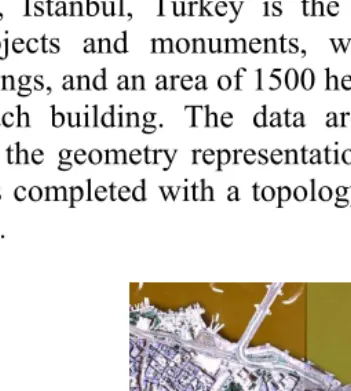
Suleymaniye, Istanbul, Turkey is the study area. It is a place of historical objects and monuments, which contains approximately 48,000 buildings, and an area of 1500 hectare. Planar rectangular faces constitute each building. The data are built in CAD and further converted to the geometry representation of Oracle Spatial 10g. The conversion is completed with a topology-geometry of the 2D and 3D spatial object.
mobile laser scanning (MBL) system – due to project time constrained. The MBL consists of laser unit, IMU, and GPS and mounted on a vehicle. Huge amount of data were captured, it is the order of more than 50 Terra-byte and the data management system has been properly established by the laser-scanning unit at IMP (Istanbul Metropolitan Planning) and BIMTAS offices.
For this project a new production organisation was established at BIMTAS using modern 3D mapping and computer technology. The terrestrial laser scanning group includes 24 staff, which uses the following technical equipment for data acquisition: five Leica scanners (four HDS4500 and one HDS3000), four ILRIS-3D scanners from Optech (Figure 2), four Topcon total stations for geodetic control point measurements and pre-calibrated SLR cameras Nikon D70 with 14mm and 28mm lenses for digital photogrammetric documentation. The technical specification of the terrestrial laser scanning systems used for this project are summarised in Table 1.
Table 1:
Major specifications of the terrestrial laser
scanning systems
Leica HDS4500
Leica HDS3000
Optech ILRIS-3D
Scan method Phase based Pulsed Pulsed Field of view [°] 360 x 310 360 x 270 40 x 40 Scan distance < 53.5m < 100m < 1500m Scanning speed 500000pts/s 1800pts/s 2000pts/s Angular res. V/H 0.018° 0.0034° 0.001°
scanner.
The HDS4500 measures distances up to 53m, while the HDS3000 and the ILRIS can measure up to 100m and 1500m, respectively. Due to the limited speed of 1500 or 4000 points per second and due to the limited field of view it quickly became clear that the ILRIS scanners and the HDS 3000 are not useful for the busy and narrow streets of the project area. These scanners are more suitable for the documentation of landmarks. Thus, all buildings were scanned with a scan resolution of ~15mm at the object using four HDS4500. For data processing of the scanned point clouds, which includes registration, geo-referencing and segmentation of the point clouds, five licenses of Cyclone 5.2 and four licenses of Polyworks 4.1 were used in the office.
For the scanning of the buildings, targets were used as control points for registration and geo-referencing of the scans from different scan stations as illustrated in Figure 3 (right). The targets have black-white quarters of a circle with a diameter of 126mm. To obtain centre positions of the targets, the targets were automatically fitted in the point cloud after manual pre-positioning using algorithms of the Leica Cyclone software.
3.2 Static terrestrial laser scanning
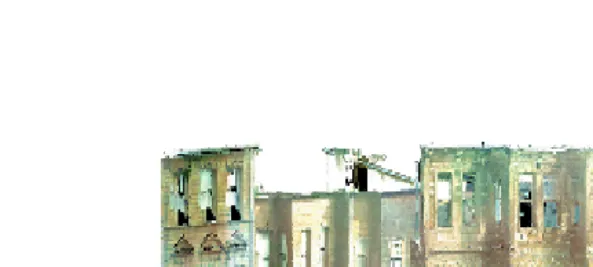
Figure 4: Example of a coloured point cloud of building facades at the Historic Peninsula
80ha of the project area (of in total 1500ha) could be scanned within the first six months using the existing production capacity, which clearly indicated, that the scanning would need more than eight years for the entire area of the project, if this current scan rate of approximately 0.7ha per day could not be increased. It was obvious that the project deadline could not be met; therefore it was decided to increase the production rate by the integration of a mobile system.
3.3 Mobile terrestrial laser scanning
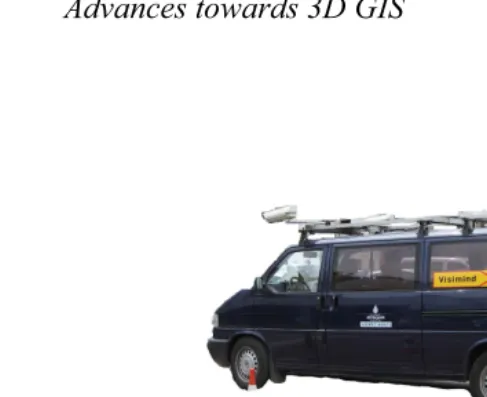
Figure 5: Sensor configuration on the mobile mapping van of VISIMIND AB
Figure 6: Distribution of control points in the streets for mobile terrestrial laser scanning (left), and destroyed target (right)
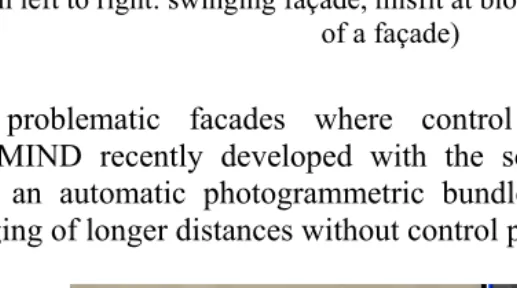
Figure 7: Geometric problems from direct geo-referencing of point clouds (from left to right: swinging façade, misfit at block corner, and deformation
of a façade)
For problematic facades where control points were missing, VISIMIND recently developed with the so-called ‘image tracking tool’ an automatic photogrammetric bundle adjustment enabling a bridging of longer distances without control points (Figure 8).
The speed of data acquisition by terrestrial laser scanning with the mobile mapping system of VISIMIND could be increased significantly. 33 blocks could be scanned in 33 working days until the end of August 2007. Usually, scanning could be carried out five days per week. Consequently, the laser scanning of the remaining 50 blocks could be finished with the mobile system by November, 8th, 2007 with the improved total production rate of ~600m per hour, while post processing of the multiple sensor data took until January 2008. The production rate was mainly 1:10, i.e. for one hour scanning 10 hours post processing was needed. In total, 12 operators of the laser-scanning group were supporting the data post processing of the mobile mapping system during the major processing phase. Nevertheless, approximately 2% of the area (30ha) could not be scanned by mobile terrestrial laser scanning (TLS) due to traffic restrictions and environmental conditions. This remaining 2% of the total area must be scanned by static TLS at the end of the project in order to complete the data acquisition. At least two months will be needed for scanning by static TLS using all available laser-scanning systems.
3.4 Digital photogrammetry
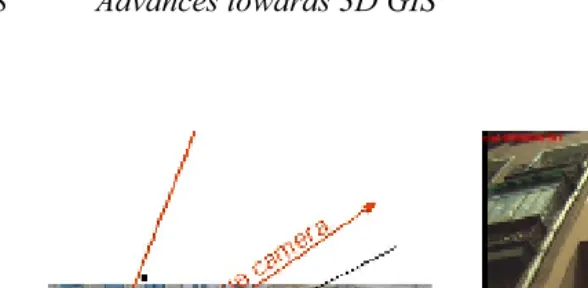
Figure 9: Oblique and horizontal camera integration in the mobile system (left), image taken by oblique camera (right)
3.5 Mapping of facades
The geo-referenced point clouds from the laser scanning group were used for line mapping of the facades in a plot scale 1:200. The point clouds were segmented by two people using Cyclone software before mapping (see Figure 10) to eliminate unnecessary points and to reduce the data volume to the requested minimal portions for the mapping software.
Therefore, the control point configuration and accuracy must always be checked to obtain this accuracy. While all problems of static and mobile scanning were solved, the delay in the control point determination was a bottleneck in the production.
Figure 10: Segmentation of point clouds.
Figure 11: Detailed mapping of a building façade based on laser scanning data and a photogrammetric image
Figure 13: Mapped 3D polylines of facades of a building block
4.0 3D SPATIAL DATABASE DEVELOPMENT
applications were able to manage and analyse 3D spatial data. The third dimension has been mostly used for visualization and navigation. However, we have seen users are looking for applications that have one or more 3D GIS functionality. Due to the complexity of real-world spatial objects, various kinds of representations (e.g. vector, raster, constructive solid geometry, etc.), spatial data models (topology, and geometry) have been investigated and developed, including e.g. Pilouk, 1996; Zlatanova, 2000; and Kada et al., 2006. The management of 3D spatial objects has also been discussed in Orenstein (1986), Penninga (2005), Penninga et al. (2006), Penninga, and van Oosterom (2007), Pu (2005), Pu, and Zlatanova (2006), and Rigaux et al. (2002).
A universal and practical spatial data model that capable of addressing more than one application are rather hardly available – a model normally serves well for an application. One of the reasons is due to the complexity of the real world objects and situations. On the other hand, different disciplines emphasize different aspects of information e.g. including different in requirements and output. Thus, a data model could be considered good for a certain application but not so appropriate for other tasks. Different aspects and characteristics of real objects have led to the existence of several variations in object definition. The solution for these problems has directly referred to GIS standardization.
are that it supports for many geometry types, including arcs, circles, and different kinds of compound objects. Therefore, geometries could be modelled in a single row and single column. The model also able to create and maintain indexes, and later on, perform spatial queries efficiently. In the next section, Oracle Spatial will be discussed, in term of their characteristics, capabilities and limitations in handling multi-dimensional datasets.
4.2 Oracle Spatial
coordinate geometry, or vector-based representation of the shape of the feature.
Spatial supports the object-relational model for representing geometries. The object-relational model uses a table with a single column of SDO_GEOMETRY and a single row per geometry instance. The object-relational model corresponds to a "SQL with Geometry Types" implementation of spatial feature tables in the Open GIS ODBC/SQL specification for geospatial features.
4.3 Modeling 3D Solid Using MultiPolygon
In the Oracle Spatial object-relational model, a 3D solid object from 3D primitive is not possible. However, it could be done by implementing the MultiPolygon that bound a solid. The geometric description of a spatial object is stored in a single row and in a single column of object type SDO_GEOMETRY in a user-defined table. Any tables that have a column of type SDO_GEOMETRY must have another column, or set of columns, that defines a unique primary key for that table. Tables of this sort are sometimes referred to as geometry tables.
Oracle Spatial defines the object type SDO_GEOMETRY as:
CREATE TYPE sdo_geometry AS OBJECT ( SDO_GTYPE NUMBER,
SDO_SRID NUMBER,
integration between CAD and GIS is possible for 3D visualization, i.e. Oracle (or called Spatial) spatial schema is supported by Bentley MicroStation (2008) and Autodesk Map 3D (2009). This is due to the geometry column provided by Spatial is directly access to the 3D coordinates of the object, which allow the display tools retrieve spatial information from the geometry column.
4.4 The Implementation of Geo-DBMS
The implementation of geo-DBMS approach for laser scanner data is the main objective for this study. Thus, the 3D spatial objects were stored within Oracle Spatial environment. A 3D data type, i.e. MULTIPOLYGON was implemented for the spatial object. Figure 14 denotes one of the buildings captured using the laser scanning system (TLS).
processed in order to create useful spatial information. The first stage of the process is related to feature extraction and the discussion on this aspect could be found in Oude Elberink and Vosselman (2006); Teunissen (1991); Vosselman (2003). The result from object extraction and reconstruction is shown in Figure 15.
The implementation of geo-DBMS approach for laser scanner data starts with the database creation. A geometry table was created in order to store the spatial object (see Table 2). The GEOMETRY column stores the important coordinate structure of 3D spatial objects. The geometry information could be found in Appendix B. For this paper, some of the important attributes, e.g. information related to historical building, material of building construction, etc. will also be stored within the database (see Table 3, and Table 4).
Figure 14: The raw datasets from laser scanner. (a) Exterior, and (b) Interior parts of 3D building
(a)
Figure 15: Feature extraction results from laser scanner data. (a) 3D view, and (b) 2D planar view
Table 2: A geometry table describes all related attribute columns
GEOMETRY column from
the database table
Table 3: The attribute information from spatial database
The geo-DBMS approach could provide spatial query related to the specific condition. For this research, the spatial could be performed using SQL language as shown in Table 4. In the following spatial query, the experiment defined all related historical building, which is constructed before the year of 1920.
Figure16:
from laser scanner
Implementation of Geo-DBMS Object
reconstruction & l ifi ti 1). Building blocks 2). Roads
Implementation of Oracle Spatial as geo-DBMS
CREATE TABLE Solid3D ( ID number(11) not null, shape mdsys.sdo_geometry not
null);
INSERT INTO Solid3D (ID, shape) VALUES (
1 SDO_GEOMETRY( SRID,
5.0 THE VISUALIZATION OF RETRIEVED 3D SPATIAL OBJECTS
Any spatial queries from database would only provide geometric and semantic information if the visualization factor is not considered. DBMS only provides a medium for the management of data set, and it certainly requires a front-end tool for visualizing for that information, as one perceives in the real world. The data from DBMS needs to be integrated into visualization tool so that it could be viewed as graphic. The 3D spatial data stores in the spatial column (within DBMS), and a connection needs to be built so that a display tool manages to access the spatial column and retrieve the data for 3D visualization.
It is also important to note that 3D objects need to be visualized in realism. With the benefit of the computer graphic technology, GIS could provide a good display with textures and colours. Some web application, e.g. Google Earth (GE) maintains the texture of spatial object over the Internet. Here, we used Autodesk Map 3D for displaying the 3D spatial object in this research.
5.1 Oracle Spatial and Map 3D schemas
After datasets are inserted into Oracle database, the first stage of integration is to login into Map 3D (see Figure 17). The second stage of integration is to connect Oracle schema table into Map 3D’s schema administration. The Map 3D will prompt user for Oracle database login name and password. From the Oracle database lists, select the appropriate database for visualization.
After the integration was included into the Map 3D, databases are imported from Oracle schema table to Map 3D. Features selection must be identified in order to display the appropriate dataset. Figure 18 denotes the methodology to extract dataset from Oracle database to Map 3D, where Figure 19 display the Oracle dataset within Map 3D environment.
Figure 19: 3D display within Map 3D environment (without texture)
5.2 Real Texture Mapping
Figure20:ǡȋȌǡȋȌ
Figure 21: 3D display of simple building (without roof)
6.0 CONCLUDING REMARKS
The paper had discussed the implementation of geo-DBMS approach related to the 3D spatial data modelling and management using the data generated from the laser scanning system. The discussions cover the implementation of 3D geometry from Oracle Spatial. However, there is several issues still need to be addressed in order to improve the current situation of 3D spatial modeling of objects from laser scanner data - objects reconstruction from the laser scanning system. At the moment, most systems only provide primitive means for object creation (i.e. manual technique). Our research experience shows that a lot of efforts still need to be done in order to create the 3D objects automatically. The other issue is related to the 3D primitives for the spatial database, e.g. polyhedron for building block, and tetrahedron for terrain modeling. This aspect can be solved by implementing the user-defined data type within the geo-DBMS environment. The most important issue for 3D spatial data modeling is the standardization and specification of GIS that related to the Open Geospatial Consortium (OGC standard), from feature extraction to final 3D display. The implementation of 3D spatial operations could also be done in geo-DBMS environment. The spatial operators should involve some procedures that able to use, query, create, modify, or delete spatial objects.
GIS for Developing Countries (GISDeco) 2008. 4 – 7th. June, Istanbul, Turkey.
Arens C, Stoter J, and van Oosterom PJM (2005). Modelling of 3D spatial objects in a geo-DBMS using a 3D primitive. Computers and Geosciences Journal, Vol. 31, No. 2, Elsevier, pp. 165-177 Autodesk Map 3D (2009). Available at http://usa.autodesk.com/. Bentley MicroStation (2008). Available at http://www.bentley.com/. Fritsch D (2003). Photogrammetric Week Workshop. Stuttgart,
Germany
Google Earth (2008). Available at http://earth.google.com/.
Kada M, Haala N, Becker S (2006). Improving the realism of existing 3D city model. In: Abdul-Rahman A, Zlatanova S, and Coors V (eds), Lecture Note on geoinformation and cartography – innovations in 3D Geo information systems, Springer-Verlag. pp. 405-415.
OGC (1999). Abstract specifications overview. Available at http://www.opengis.org.
OGC (1999a). OpenGIS simple features specification for SQL. Available at http://www.opengis.org.
OGC (2001). The OpenGIS™ Abstract specification, topic 1: feature geometry (ISO 19107 Spatial Schema) Version 5.
Oracle Spatial (2008). Available at http://www.oracle.com/.
Oude Elberink S, and Vosselman G (2006). Adding the third dimension to a topographic database using airborne laser scanner data. Photogrammetric Computer Vision 2006. IAPRS, Bonn, Germany.
Penninga F (2005). 3D topographic data modelling: why rigidity is preferable to pragmatism. In: Spatial Information Theory, Cosit’05, Vol. 3693 of Lecture Notes on Computer Science, Springer. pp 409-425.
Penninga F, van Oosterom PJM, Kazar BM (2006). A TEN-based DBMS approach for 3D topographic data modelling. In: Spatial Data Handling 2006.
Penninga F, and van Oosterom PJM (2007). A compact topological DBMS data structure for 3D topography. In: Fabrikant S, Wachowicz M (eds.), Lecture Notes in Geoinformation and Cartography. ISBN: 978-3-540-72384-4.
Pilouk M (1996). Integrated modelling for 3D GIS. PhD Thesis, ITC, The Netherlands.
PostGIS (2008). Available at http://postgis.refractions.net/.
Pu S (2005). Managing freeform curves and surfaces in a spatial DBMS. Msc Thesis, TU Delft.
Pu S, and Zlatanova S (2006). Integration of GIS and CAD at DBMS level. In: E. Fendel E, Rumor M (eds), Proceedings of UDMS'06 Aalborg, Denmark, TU Delft, pp 9.61-9.71.
Rigaux P, Scholl M, Voisard A (2002). Spatial databases - with application to GIS. Morgan Kaufmann Publishers, San Francisco. Teunissen PJG (1991). An integrity and quality control procedure for
use in multi sensor integration. In: Proceedings of ION GPS-90, 19-21 September 1990, pp. 513-522, Colorado Springs, USA. Vosselman G (2003). 3D reconstruction of roads and trees for city
CREATE TABLE Solid3D ( ID number(11) not null,
shape mdsys.sdo_geometry not null);
INSERT INTO Solid3D (ID, shape) VALUES (
1 SDO_GEOMETRY(3007, -- 3007 indicates a 3D
multipolygon
NULL, -- SRID is null
NULL, -- SDO_POINT is null
SDO_ELEM_INFO_ARRAY( -- the offset of the
polygon 1, 1003, 1, 16, 1003, 1, 31, 1003, 1, 46, 1003, 1, 61, 1003, 1, 76, 1003, 1), SDO_ORDINATE_ARRAY(
4,4,0, 4,0,0, 0,0,0, 0,4,0, 4,4,0, -- 1st lower
polygon
4,0,0, 4,4,0, 4,4,4, 4,0,4, 4,0,0, –- 2nd side
polygon
4,4,0, 0,4,0, 0,4,4, 4,4,4, 4,4,0, -- 3rd side
polygon
0,4,0, 0,0,0, 0,0,4, 0,4,4, 0,4,0, -- 4th side
polygon
0,0,0, 4,0,0, 4,0,4, 0,0,4, 0,0,0, -- 5th side
polygon
0,0,4, 4,0,4, 4,4,4, 0,4,4, 0,0,4 –- 6th upper
APPENDIX B
The following SQL language denotes the coordinate information from GEOMETRY column
1.