---
-
- - -
-
-
-
-----
-
-
---
--- --- ---
'
-
3270 Information
Display System
---
- -
- - -
-
-
- - -
----
-
-
---
---_.-
3270 Information
Display System
Introduction
Twenty-Third Edition (October 1988)
This major revision obsoletes and replaces GA27-2739-21. This edition adds information about the 3174 Subsystem Control Unit models, features, and terminals that were announced since the last revision of this manual.
Some illustrations in this publication represent design models and might not be exact replicas of production models.
Changes are made periodically to the information herein; before using this publication in connection with the operation of IBM systems, consult the latest IBM Systeml370, 30xx, and 4300 Processors Bibliography, GC20-0001, for the editions that are applicable and current.
References in this publication to IBM products, programs, or services do not imply that IBM intends to make these available in all countries in which IBM operates. Any reference to an IBM licensed program in this publication is not intended to state or imply that only IBM's licensed program may be used. Any functionally equivalent program may be used instead.
Publications are not stocked at the address given below. Requests for IBM publications should be made to your IBM representative or to the IBM branch office serving your locality.
A form for readers' comments is provided at the back of this publication. If the form has been removed, address comments to IBM Corporation, Department E02, P.O. Box 12195, Research Triangle Park, N.C., U.S.A. 27709-9990. IBM may use or distribute whatever information you supply in any way it believes appropriate without incurring any obligation to you.
Preface
This publication provides information about the IBM 3270 I nformation Display System and presents introductory information about these IBM 3270 Information Display System products:
• 3174 Subsystem Control Unit Model 1 L (local attachment)
• 3174 Subsystem Control Unit Models 1R and 2R (remote attachment) • 3174 Subsystem Control Unit Model 3R (Token-Ring attachment) • 3174 Subsystem Control Unit Models 51 Rand 52R (remote attachment) • 3174 Subsystem Control Unit Model 53R (Token-Ring attachment) • 3174 Subsystem Control Unit Models 81R and 82R (remote attachment) • 3276 Control Unit Display Station Models 1, 2, 3, and 4 (remote attachment,
BSC or SDLC protocol)
• 3276 Control Unit Display Station Models 11, 12, 13, and 14 (remote attachment, SDLC protocol)
• 3191 Display Station Models A, B, 0, E and L • 3192 Display Station Models C, 0, F, G, Land W • 3193 Display Station (scanner attachment) • 3194 Display Station Models C, 0 and H • 3262 Line Printer Models 3 and 13
• 3290 Information Panel Models 220, 230, and T30 • 3299 Terminal Multiplexer Models 2 and 3
• 3812 Pageprinter Model 2 with 3270 Information Display System Attachment Feature
• 3814 Switching Management System Models A 1, A2, A3, and A4 • 4224 Printer (IPDS) Models 201, 202, 2E2, and 2C2
• 4234 Printer Model 1
• 4245 Printer Models 012 and 020 • 4250 Pri nter Model 1 and 2 • 5209 Link Protocol Converter • 5210 Printer Models G1 and G2 • 5373 3270-PC AT/G, AT/GX • 5540 Workstation (Japan only) • 5550 Workstation (Japan only) • 5560 Workstation (Japan only) • 5578 Workstation (Japan only)
• 6150 RT Personal Computer all models with 3278/3279 Emulation Adapter • 6151 RT Personal Computer all models with 3278/3279 Emulation Adapter • 6262 Printer Models 012 and 014
• 8525 Personal System/2 with 3278/3279 Emulation Adapter • 8530 Personal System/2 with 3278/3279 Emulation Adapter • 8550 Personal System/2 with 3270 Connection
• 8560 Personal System/2 with 3270 Connection • 8570 Personal System/2 with 3270 Connection • 8580 Personal System/2 with 3270 Connection
• OEM Devices and Subsystems-Serial OEM Interface (SOEMI).
Not all terminals listed are available in every country. Consult your IBM marketing representative for details about hardware and programming support available for your configuration.
3270 Publications
A full range of publications is available for use with the 3270 Information Display System. These publications explain how to plan for, set up, install, program, and use the components. For a summary listing of 3270 publications, see IBM 3270
Information Display System: Library User's Guide, GA23-0058.
Contents
Chapter 1. Introduction . . . 1-1 Com ponents . . . 1-1 Highlights . . . 1-3 Programming Support . . . 1-5 Customer Setup . . . 1-5 Problem Determination . . . 1-5
Chapter 2. Capabilities of the 3270 System . . . 2-1 Inqui ries . . . 2-1 Data Entry . . . 2-1 Personal Computing . . . 2-3 Document Development . . . . . . .. 2-3 Program Development .. . . . .. 2-3 Monitoring System Operation . . . 2-3 Color Applications . . . 2-4 Graphics . . . 2-4 Programmed Symbols: Alphanumeric and Graphic Applications . . . 2-5 Vector Graphics . . . 2-5 Image . . . 2-5 Security Enhancements . . . 2-6
Chapter 3. Display Stations . . . 3-1 3191 Display Station . . . 3-2 3192 Display Station . . . 3-4 3193 Display Station (Models 1 and 2) . . . 3-6 3194 Display Station . . . 3-8 3290 Information Panel . . . 3-10
Chapter 4. IBM Personal Computers . . . 4-1 IBM 5560/50/40 Multiworkstations . . . 4-2 IBM 6150 RT Personal Computer . . . 4-4 IBM 6151 RT Personal Computer . . . 4-5 IBM 8525 Personal System/2 . . . 4-6 IBM 8530 Personal System/2 . . . 4-8 IBM 8550 Personal System/2 . . . 4-10 IBM 8560 Personal System/2 . . . 4-12 IBM 8570 Personal System/2 . . . 4-14 IBM 8580 Personal System/2 . . . 4-16
Chapter 5. Keyboards . . . 5-1 Touch-Typing Controls .. . . . .. 5-1 General Controls . . . 5-3 Screen Management, Program Access, and Editing Controls . . . 5-4 Program Function and Attribute Selection Controls . . . 5-5 Keypad . . . 5-5 Keyboard Definition Utility . . . 5-5
Chapter 6. Printers . . . 6-1 3812 Page Printer Model 2 . . . 6-2 4224 Printer . . . 6-3 4234 Printer . . . 6-4 4245 Printer Models 012 and 020 . . . 6-5
4250 Printer. . . .. 6-6 5210 Printer Models G01 and G02 . . . 6-7
6262 Printer Models 012 and 014
6-8
Chapter 7. Control Units . . . 7-1 3174 Subsystem Control Unit . . . 7-1 Models . . . 7-2 Asynchronous Emulation Adapter . . . 7-3 Functional Description . . . 7-4 ASCII Emulation . . . 7-4 3270 Emulation . . . 7-5 ASCII Passthrough . . . 7-6 General Items Common to ASCII and 3270 . . . 7-6 Central Site Customization Utility (CSCU) . . . 7-7 File Maintenance . . . .. 7-7 Hardware . . . 7-7 Host Support . . . 7-7 Central Site Change Management (CSCM) . . . 7-8 20MB Fixed Disk Drive . . . 7-8 Intelligent Printer Data Stream . . . 7-9 Functional Description . . . 7-9 System Attachment . . . 7-10 Programming Dependencies . . . 7-10 Error Reporting and Recovery . . . 7-10 IBM Token-Ring Network 3270 Gateway Feature . . . 7-11 Gateway Feature Components . . . .. . . . . .. 7-12 Token-Ring Adapter '" . . . .. 7-12 Microcode . . . 7-12 3174 Relationship . . . 7-12 Program Support ., . ~ . . . .. 7-13 Problem Determination . . . 7-13 Network Asset Management . . . 7-13 Multiple Logical Terminals (ML T) . . . 7-13 Country Extended Code Page (CECP) '. . . .. 7-14 Type 1 and Type 2 Communication Adapter for Models 1L and 3R . . . 7-14 Attaching Terminals . . . 7-14 Micro.code Support . . . 7-15 IBM 3174 Configuration Support A . . . 7-15 IBM 3174 Configuration Support S . . . 7-15 Storage . . . 7-18 3174 Storage Expansion . . . 7-18 Local Customization . . . 7-18 3174 Model 1L . . . 7-19 3174 Model 1 R
3174 Model 2R 3174 Model 3R 3174 Model51R 3174 Model 52R 3174 Model 53R 3174 Model 81 R 3174 Model 82R
7-20 7-21 7-22 7-23 7-24 7-24 7-25 7-25
Chapter 8. Optional System Components . . . 8-1 3299 Terminal Multiplexer Models 2 and 3 . . . 8-1 3814 Switching Management System . . . 8-3 5209 Link Protocol Converter . . . 8-4
Chapter 9. Functional Control Capability . . . 9-1
Chapter 10. System Attachment . . . 10-1 Local Attachment . . . 10-1 Remote Attachment . . . 10-1 Token-Ring Network Attachment . . . 10-2 Loop Attachment Using SDLC Protocol . . . 10-3 Communication Networks and Modems . . . 10-3
Chapter 11. Programming Support . . . 11-1 Operating Systems . . . 11-1 Telecommunication Access Methods . . . 11-1 Network Control . . . 11-1 Cross-Industry Licensed Programs . . . 11-2 Information Center . . . 11-2 Development Center . . . 11-2 Office Systems . . . 11-2 Data Base Data Communication Systems . . . 11-3 Interactive Programming Support . . . 11-3 Other Licensed Programs . . . 11-3
Chapter 12. Installation Planning and Customer Setup . . . 12-1
Chapter 13. Problem Determination 13-1
List of Abbreviations . . . . X-1
Glossary . . . X-9
Index· . . . X-21
Figures
1-1. 2-1. 3-1. 3-2. 3-3. 3-4. 4-1. 4-2. 4-3. 4-4. 4-5. 4-6. 4-7. 4-8. 5-1. 6-1. 6-2. 6-3. 6-4. 6-5.Overview of the IBM 3270 Information Display System A~tachment " 1-2 An Example of a Formatted Entry . . . 2-2 IBM 3191 Display Station . . . 3-2 IBM 3193 Display Station . . . 3-6 IBM 3194 Display Station . . . 3-8 IBM 3290 Information Panel . . . 3-10 IBM 5560 Multiworkstation . . . 4-2 IBM 6150 RT Personal Computer Model 25 . . . 4-4 IBM 8525 Personal System/2 . . . 4-6 IBM 8530 Personal System/2 . . . 4-8 IBM 8550 Personal System/2 . . . 4-10 IBM 8560 Personal System/2 . . . 4-12 IBM 8570 Personal System/2 . . . 4-14 IBM 8580 Personal System/2 . . . 4-16 IBM 3270 Personal Computer Keyboard . . . 5-2 IBM 4224 Printer . . . 6-3 IBM 4234 Printer . . . 6-4 IBM 4245 Printer
IBM 4250 Printer IBM 5210 Printer
6-5 6-6 6-7 7-1. Overview of 3270 and ASCII Terminal Emulation . . . 7-3 7-2. Central Site Customization . . . 7-7 7-3. Intelligent Printer Data Stream . . . 7-9 7-4. IBM Token-Ring Network . . . 7-11 7-5. Terminals Supported by 3174 Subsystem Control Units . . . 7-16 7-6. IBM 3174 Subsystem Control Unit Model1L . . . 7-19 7-7. IBM 3174 Subsystem Control Unit Model 51R . . . 7-23 7-8. IBM 3174 Subsystem Control Unit Model 81R . . . 7-25 8-1. IBM 3299 Terminal Multiplexer . . . 8-1 8-2. IBM 3814 Switching Management System . . . . . . .. 8-3 8-3. IBM 5209 Link Protocol Converter . . . 8-4
Summary of Changes
Twenty-Third Edition (October 1988)
This edition adds information on the following products and features supported by the IBM 3174 Subsystem Control Unit:
• 3174 Storage Expansion
• Central Site Change Management • 20 Megabyte Fixed Disk Drive
• IBM Token-Ring Network 3270 Gateway for Remote 3174 Models • Network Asset Management
• Multiple Logical Terminals • Country Extended Code Page
• Type 1 and Type 2 Communication Adapters for Models 1 Land 3R • IBM PC/Host File Transfer and Terminal Emulater Program (FTTERM) • 3191 Display Station
• 3192 Display Station • 3194 Display Station • 3812 Pageprinter
• 6262 Printer Models 012 and 014 • IBM 8525 Personal System/2 • IBM 8530 Personal System/2 • IBM 8550 Personal System/2 • IBM 8560 Personal System/2 • IBM 8570 Personal System/2 • IBM 8580 Personal System/2.
Chapter 1. Introduction
Components
For developing, tracking, and sharing information, the IBM 3270 Information Display System is a business tool for today and the future. Its display terminals and keyboards can be used by people in many different roles - managerial, professional, secretarial, clerical, or data processing.
In the office, computer systems support administrative procedures. They offer word processing for correspondence, electronic message systems for
person-to-person communication, teleconferencing services, online calendars, and a link to corporate files and outside services.
In many businesses, customers call by telephone to check on the status of their accounts, or to check on the disposition of an order. The speed with which a display station can produce information means customer waiting time will be kept to a minimum. And for the display operator, obtaining that information from a computer file is a quick and simple job.
With a display system, people do not have to be near their files to use them. Miles away from the host computer, an operator can" quickly and easily gain access to files to read or update them. Because the host computer system is capable of processing different jobs at the same time, people sitting at adjacent terminals can be doing completely different work.
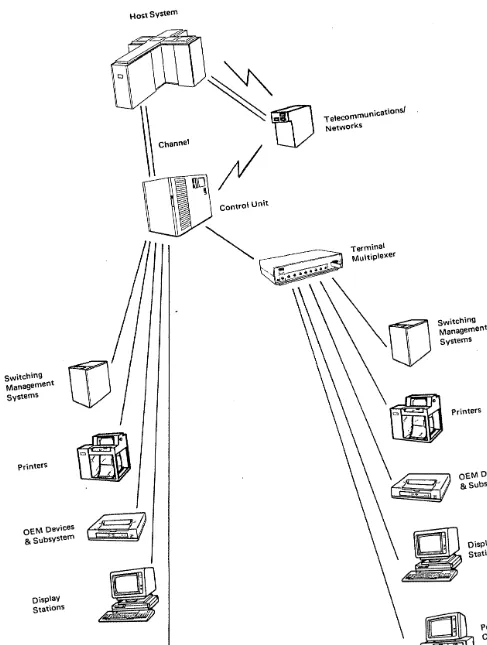
The IBM 3270 Information Display System is a family of products that can be configured together in a subsystem: dis"play stations with keyboards; printers; IBM personal computers; and control, units. From a selection of components, you can tailor a computer system to fit your needs for the display of textual, numeric, and graphic material. The various models of each product have a full complement of standard features, so thqt configuring a system is a straightforward task. Special features for a particular model can be ordered easily. Figure 1-1 provides an overview of the components that can be attached in an IBM 3270 Information Display System.
Display stations give their operators quick access to data, stored in a computer, in a conve'nient form. The display image is clear, stable, and bright. To reduce glare, the display screens have either an etched surface or a filter bonded to their
surface. One way of entering information into the system is with the keyboard connected to the display station. After being typed, each character immediately appears on the display screen. Using color, graphics, and special highlighting, the display station operator can create suitable formats for displaying data.
Printers are available in tabletop models or as larger, floor-standing units. They are distinguished by their printout: dot matrix or letter-quality type. Models vary according to print rate, and certain models print in four or seven colors.
switching Management Systems
Printers
OEM Devices
& SubSystem
Display Stations
Host System
~
~
Channel
\\\0
,
Control unit
TelecommunicatiOnsl NetWorks
Terminal Multiple)(er
Personal computers
Figure 1-1. overview ot the ISM 3270 Intormation DIsplay system Allachm ent
1-2
IBM 3270 Intormalion Oisplay system IntroductiOnswitching Management systems
OEM Devices
& SubSystems
Display Stations
[image:15.712.55.542.47.692.2]Highlights
The control unit links the display system to a central computer, or data processing system, called the host. The control unit controls the operations of the display stations and printers attached to it. The component configuration can be a cluster of 24 (or fewer) ASCII devices linked to a separate control unit.
The components in the 3270 Information Display System are an attractive addition to the office environment. They can be arranged to create individual work stations that make efficient use of available space.
Comfort is a key to productivity. The keyboards are angled for typing ease, and on some models the operator can adjust the angle. The display screens are designed to reduce glare, and on several models the screen can be tilted for more
comfortable viewing.
The components in the 3270 system each have unique features. Some of the highlights are:
Keyboards
• A selection of typewriter, data entry, APL2, Text, modifiable, and IBM Enhanced keyboards are available.
IBM Modifiable Keyboard Layout: Typewriter
Data Entry APL2 Text.
IBM Enhanced Keyboard Layout: Typewriter.
Display Stations
• Screen formatting and editing
• A choice of typing in only uppercase letters or in mixed uppercase and lowercase letters
• An operator information area at the bottom of the display screen (outside the data area) to communicate the status of the terminal, cluster, or system to the operator
• Image - A rectangular, two-dimensional array of picture elements (PELs) (see "Image" on page 2-5).
• Color capabilities • Graphics capabilities • Display highlighting:
Reverse video, to reverse the color of a character or field with the color of the screen background
Blinking of a character or field Underscore of a character or field
• Programmed Symbols, a feature that allows an organization to define as many as six character sets or fonts, to extend the range of special characters, symbols, or signs that can be displayed or printed
• Selector light pen and Cursor Select key to select certain fields of data on the display screen for the program to process
• The 3290 information Panel and the 3194 Display Station can display several screens simultaneously for viewing. The operator can move from one screen to another and choose to make one or more of the viewing screens an area for copying from other screens.
Printers
• Multifunction nonimpact page printer • Dot matrix or letter-quality printout • Color-printing capabilities
• Programmed Symbols, a feature that allows an organization to define as many as six character sets or fonts, to extend the range of special characters,. symbols, or signs that can be printed
• Underscore on color and monochrome printers.
IPDS Support
• Text • Image • Graphics • Overlays • Bar Codes • Load Fonts • Page Segments
Cabling
• The 3299 Terminal Multiplexer, which provides significant cable savings when used to attach terminals to a 3174 control unit
Programming
• APL2 capabilities
• Personal Computer capabilities • Graphics capabilities
• Image capabilities
Security
• A security keylock and an operator identification card
• A magnetic slot reader and magnetic hand scanner for reading magnetically encoded data
• Encryption/decryption capability; allows transmitted data to be scrambled or unscrambled for security purposes between a host computer and a 3174 control unit.
Network Management
• Response Time Monitor (RTM)
A means of accurately measuring, recording, and displaying end-user response time. The Response Time Monitor records the time between the operator's pressing the Enter key and the host's handling the data and returning it to the display screen. Gathering such information over a period of time produces response time statistics that are useful for network management and evaluation.
• Network Asset Management
Network Asset Management supports host requests, through the Systems Network Architecture (SNA) network, for Vital Product Data information from the SNA 3174 and attached supported devices. The host can dynamically request the collection of product identification information (such as Machine Type, Serial Number, Model Number, Plant of
Manufacture, Product Class (IBM/non-IBM), Power on information) from supported network components. This information will be available from the host upon request.
• Central Site Change Management (CSCM)
Central Site Change Management allows the user to distribute
electronically customization parameters or microcode to Systems Network Architecture (SNA) 3174 Subsystem Control Units that are serviced from a central site. CSCM requires the Central Site Customization Utility to establish and maintain the central site library on a 3174 (except Model 81 R or 82R) that has been designated as the central site control unit.
• Central Site Customizing Utility (CSCU)
Central site customization provides the ability to create and maintain, at a central site, a library that contains control unit parameters for all the IBM 3174 Subsystem Control Units in a network. CSCU also makes it possible to generate customized diskettes for the network 3174s.
PrograOmming Support
IBM has developed an array of operating systems, telecommunication access methods, and licensed programs for the 3270 Information Display System. The programs cover defined areas in financial management, personnel, trend analysis, document composition, graphic display, and airline control systems. Check with your IBM marketing representative for details on programming support available for the 3270 system.
Customer Setup
Certain components are designated as customer setup units, which offer advantages for the customer - early availability and greater flexibility in the installation and relocation of the components.
Problem Determination
The problem determination and recovery procedures designed for the operator to use with the 3270 units ensure that more computer time is available to the
customer. The handy Problem Determination Guide included in most keyboards explains basic problems the user might encounter and suggests actions to take.
The Alert function assists the system operator with network problem determination. This function enables the 3174 control unit to send error messages about problems in the system to the system operator. The operator can use the Alert function to analyze the error.
Chapter 2. Capabilities of the 3270 System
Inquiries
Data Entry
The 3270 Information Display System consists of terminals directly attached to a oontrol unit. Personal computers can operate as independent terminals or communicate with each other on a common IBM Token-Ring. A problem determination procedure is built into the system to expedite analysis and correction. The system is used for inquiries to hosts, IBM Token-Rings, or other termi nals on the system, data entry, personal computing, interpersonal computer communication, document development, program development, and monitoring of system activities. Versatile features such as color and programmed symbols used in these applications help you produce information in an attractive and useful format.
In a simple inquiry, an operator may type a small input message - a name or an account number - that elicits a short and quick output response, such as "yes" or "no." A credit house might use the inquiry to determine a customer's credit status before allowing additional purchases.
In a complex inquiry, the operator types a small input message (up to 100 characters) that elicits a large output message (an enti re screen or several screens of data). A credit house uses a complex inquiry application to get a complete credit history of a person who is trying to establish credit.
An inquiry can include a file update. The input message is again relatively small. The output message can be several screens of data, which the display operator modifies. A credit house uses this application when it records credit payments.
The 3270 Information Display System has a number of features that simplify data processing applications. The operator uses a keyboard, a light pen a magnetic slot reader, or a magnetic hand scanner or a mouse. When large amounts of data are ente red, such as with payroll or inventory control, keyboard entry can be used to enter data that will be processed separately by an application program. The keyboard entry procedure is a highly productive and efficient method for copying large amounts of data. Editing tools assist the operator to verify that the data entered is correct. Formatted fields and protected data simplify and speed up the data entry. With the magnetic hand scanner, the operator can read labels on shelves and cartons; with the magnetic slot reader, the operator can read magnetic-stripe tags on badges and credit cards.
The display operator can enter data as formatted or unformatted entries. In an unformatted entry, the operator types in a customer's name and account number, and then types in an order: part number, quantity, price, and special instructions. The sequence in which the items are entered is important, but the location of the items on the screen is not. The data could be entered in one or two lines of type, or each item could be entered on a separate line.
In a formatted entry, the application program divides the screen into fields of data and defines the type of information to be displayed in each location (see Figure 2-1 for an example). Using a formatted screen to type in a sell-stock order, the operator would type data opposite the displayed labels.
ACCOUNT NUMBER: STOCK IDENTIFIER: QUANTITY:
SELLING PRICE:
ACCOUNT NUMBER: 7246 STOCK IDENTIFIER: ABC
QUANTITY: 50 shares SELLING PRICE: 5 1/2
Figure 2-1. An Example of a Formatted Entry
Depending on the application, the operator may take advantage of these capabilities to enter data:
Protected fields: In an application where certain information must be entered (such as renewal data for a driver's license, or a change of address), but where other information cannot be modified (driver's license number), the operator is prevented from entering data in the protected fields. A protected field is passed over by simply pressing the Tab key.
Special keys: The operator can change unprotected alphanumeric data. There are special keys to change numeric-only data, or to erase the screen, a field, or characters in a field. The two edit keys, Insert and Delete, are used to change what has been typed.
Nondisplayed fields: If there are secu rity restrictions on some parts of a file, the display operator can enter data in those fields without their being displayed or printed. To do this, the operator must type in a special password or ID for access to the data. This 10 can also be typed in a nondisplayed field.
Highlighting: To help focus the operator's attention, selected data can be underscored, made to blink, or be displayed at brighter intensity or in reverse video. Symbols of different character sizes and fonts can be used to
distinguish different categories of information. On a color display screen, color can accent different and related categories of information.
Personal Computing
With an IBM 3270 Information Display System, executives and managers have all the advantages of immediate access to information and the means to manipulate it. The applications can be as simple as information retrieval, corporate
communications, and financial records - or as complex as "what if" scenarios. Executives can generate their own reports, plan and track the development of different divisions, send mail electronically, gain access to public data bases, and use an automated calendar program to keep track of their schedules. Personal computing can be used for these tasks and more: file transfer, planning, modeling, and Simulation; financial and statistical analysis; mathematical, scientific, and engineering problem-solving.
Patterns of personal computing vary widely. One professional may use a single program package "as is," without any modifications. Others may write their own programs, using a programming language oriented for end users. Still others may have a data processing department to develop an interactive program for them.
Document Development
With the software you select, the 3270 display stations can be used to write memos, letters, and reports, and to maintain mail logs. The Entry Assist function enables a display station to operate much like a power typewriter. Entry Assist simplifies page formatting and enhances existing editing capabilities.
Program Development
For programmers, the 3270 Information Display System provides interactive facilities for creating, compiling, testing, and updating programs. Interactive subsystems that provide program development facilities include the conversational monitor system (CMS) under VM/370, System Productivity Facility (SPF) under the time-sharing option (TSO), and Virtual Storage Personal Computing (VSPC) under multiple virtual storage (MVS). With these facilities, programmers at 3270
terminals can create, compile, test, and update programs. The 3290 Information Panel offers large-screen and split-screen options that can improve programmer productivity.
Monitoring System Operation
A display screen can hold many system messages and display them faster than a keyboard printer. You can use the display station to control system operations by entering data into the system and receiving it from the system. If used only to monitor system operation, the screen displays the status or operator messages, but no data is entered into the system.
Color Applications
Graphics
Because data presented in color is easier to separate visually, it is easier to understand. Base color -four colors-is provided on a field basis. Extended color-seven colors -is available on a field and character basis. Using a color display or printer, you can create distinctions that speed recognition of particular fields of data. Color makes these tasks easier:
Distinguishing data sources: Differentiating data that has been entered at the keyboard, data that has been program-generated, data that is held on file, messages from the host computer, and so on.
Distinguishing data types: Differentiating headings, field names, data as originally entered, data entered and since changed, and instructions from the program.
Handling data codes: If the information displayed is categorized by a numeric code, about seven coded categories are the most that an operator can handle readily. If an additional categorization coded in color is introduced, the operator can handle a number of categories in each color.
Pictures are an almost universal language, quickly comprehended. They convey information more directly than words, by the use of patterns, shapes, and colors. Converting numeric data into graphic form gives the data more meaning. Graphics can be used for:
Scheduling: Through a computer network, several offices, in different locations, can have simultaneous access to a graphic presentation of a complex schedule. Color enhances scheduling.
Process Monitoring and Control: You can use graphics to create a flow diagram indicating the status of a process or operation, such as any of the operations in chemical processing plants and oil refineries. Use of color assists the critically important interpretation of the data in such diagrams.
Graphic Arts and Publishing: Graphics, especially color graphics, have considerable potential in the fields of graphic design, composition, and illustration.
Computer-Assisted Instruction: Particularly when combined with color, graphics will improve the quality and effectiveness of computer-assisted instruction and online tutorial material.
Technical Data Analysis: Researchers and development professionals can present numeric information in graphic form to improve comprehension and productivity.
Business: You can create your own forms for payroll, billing, reports, and orders.
Engineering: Graphics are used for representation of data reduction and analysis, and for modeling and simulation in engineering applications.
Programmed Symbols: Alphanumeric and Graphic Applications
The Programmed Symbols feature allows you to store, under program control, as many as six character sets or fonts defined by your organization. This extends the range of special characters, symbols, or signs that can be displayed or printed in the text. Programmed symbols are a standard function of some display stations; for other display stations and printers, they are available as a special-order feature. An Attribute Select Overlay keyboard (used with programmed symbols) has a special narrow key top for templates with special font symbols. The template is placed over the keyboard for reference when symbol sets are used.
Programmed symbols can be defined as:
• Characters of different sizes • Characters from foreign alphabets • Mathematical signs and symbols • Scientific signs and symbols • Special type fonts, such as italic • Shapes or picture components.
When programmed symbols are defined as shapes or picture components, you can use them in combinations to create pictures on the screen or printed page.
Vector Graphics
Image
With vector graphics available on 3192-G and certain 3270 Display Cards of
Personal Computer and Personal System/2 workstations, complex graphics can be created and manipulated to suit a variety of host-interactive and personal computer applications. Graphics are drawn by a comprehensive set of vector graphic
instructions such as line, arc, and image, and attributes such as color and line width. Drawing controls such as scaling (reducing or enlarging all or part of a picture), rotation (changing the orientation of all or part of a picture), and projection (obtaining a selected two-dimensional view of a three-dimensional object) allow graphics to be manipulated once they are created.
To improve host performance and reduce the demands on the network and control units, vector processing:
• Is handled by the workstation instead of the host • Provides an economical data stream.
Image is a rectangular, two-dimensional array of picture elements (PELs).
An image is characterized by its size and resolution. The size of an image is represented by its width and height in PELs, and the resolution by the number of PELs per inch. (The physical size of an image can be obtained by dividing the size in PELs by the resolution.)
Security Enhancements
Security Keylock: A key can be used to disable the display station or printer (where available) whenever it is to be left unattended. The equipment can be used only when the proper key is Inserted in the lock and turned to the ON position.
Magnetic Slot Reader (3278 and 3279 display stations): This accessory attaches to the display station with a cable and is used to send coded messages to the host system. For personal identification, magnetic-stripe tags and badges can be passed through a slot in the reader, which has three indicators and a buzzer that provide information on the status of the read data.
Magnetic Hand Scanner: This accessory attaches to the display station with a cable and, like the magnetic slot reader, can be used to read magnetic-stripe tags for security purposes. The scanner can read magnetic-stripe labels on objects, and magnetic-stripe tags that are hand-held or placed on a flat surface. Three lights and a buzzer provide information on the status of the read data.
Nondisplay Keying Mode: A program can define fields that will accept data entered from the keyboard but not display the data on the screen.
Encryption/Decryption: When used with other IBM Cryptographic Subsystem products and operating in a network governed by a Systems Network Architecture (SNA)/Synchronous Data Link Control (SDLC), this feature permits transmission of encrypted data between the host computer and the control units 3174 Models 1 R, 2R, and 3R.
The encrypted form of the transmitted data prevents unauthorized disclosure and modification of the data, whether accidental or intentional.
Chapter 3. Display Stations
A 3270 display station combines the functions of your pen and paper, typewriter, and files all into one machine. As you type words, information, and instructions at the display keyboard, they appear on the display screen. Correspondence, reports, records, and data bases can all be filed away and then be called back up to the screen and modified whenever necessary. Using interactive programs, you can also do planning, modeling, simulations, and statistical and financial analysis at a display station.
The 3270 display stations vary in their physical design, yet they follow the same architecture and share a common data stream format. Their screens differ in size, and the size of the characters and the space between the lines of type can vary with the display.
The color of the characters and of the background screen also depends on the display device: The 3270 display station images are clear and stable. On some models, the brightness can be adjusted. To help reduce glare, the display screens have either an etched surface or a filter bonded to their surface.
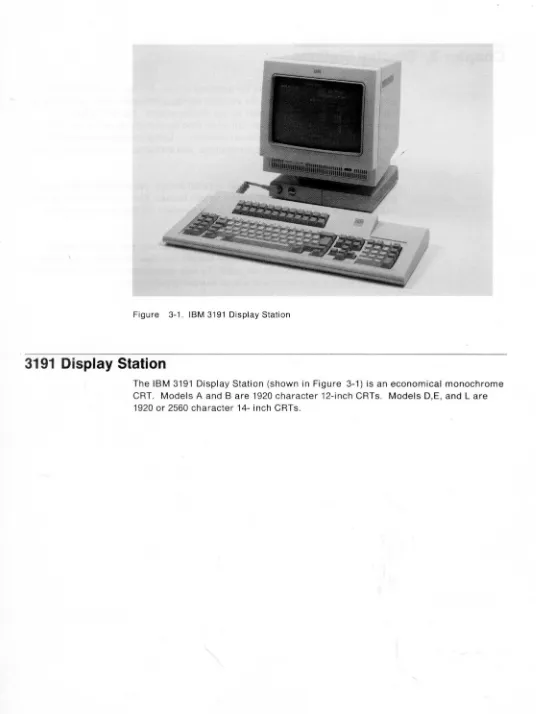
Figure 3-1. IBM 3191 Display Station
3191
Display Station
The IBM 3191 Display Station (shown in Figure 3-1) is an economical monochrome CRT. Models A and Bare 1920 character 12-inch CRTs. Models D,E, and L are 1920 or 2560 character 14- inch CRTs.
[image:27.612.33.569.31.745.2]Highlights of the 3191 are:
• Improvement/performance Economical
New extended warranty
Alert functions for maintenance
Selector Light Pen (Model L only) -a hand-held device that permits the operator to select fields of data from a display for input to the host system Printer port for local screen copy (Model 0, E, and L only)
Compatibility
IBM 3270-compatible.
Vital Product Data Support (except Models A and B) • Screen characteristics
All models have a smudge-resistant screen
80 columns by 24 rows plus the operator information area (Models A and B only)
80 columns by 32 rows plus the operator information area (Models O,E, and L)
Large characters Nonglare steady image Auto-dim feature • Keyboards
102-key Enhanced keyboard 104-key typewriter keyboard 122-key typewriter keyboard
Keystroke record/play (Models D,E, and L) Coiled keyboard cable
Home-row indicator keys • Ergonomics
Smaller, lighter-weight video unit Ti It/swivel pedestal
Small footprint
Low-profile keyboard with two angles of inclination.
3192 Display Station
The IBM 3192 Display Stations are high quality, 14-inch color or 15 inch monochrome CRT Display Stations with smudge resistant screens.
Highlights of the 3192 are:
• Improvement/performance'
Vital Product Data Support (except Model G) Cursor speeds selectable (except Model G) Volume control for keyboard click
IBM 3270-compatible
Printer port for local screen copy
Host addressable print support for printers attached to displays (Model G only)
Print buffer for graphic screen print (Model G only) Screen margin option
Record/play/pause; rule; vertical scroll (except Model G)
Selector Light Pen (Model L only) -a hand-held device that permits the operator to select fields of data from a display for input to the host system.
• Monitor
Model C provides 7-color 14-inch CRT with 80 x 24 or 80 x 32 characters Model 0 provides a green monochrome 15-inch CRT with 80 x 24,80 x 32, 80 x 44, or 132 x 27 characters
Model F provides 7 color high-resolution 14-inch CRT with 80 x 24, 80 x 32, 80 x 44, or 132 x 27 characters
Model G provides 7 color 14-inch CRT with 80 x 24 or 80 x 32 characters Model L provides a green monochrome 15-inch CRT with 80 x 24, 80 x 32, 80 x 44, or 132 x 27 characters with a selector light pen capability
Model W provides a black on white 15-inch CRT with 80 x 24,80 x 32,80 x 44, or 132 x 27 characters
Etched, enhanced contrast CRT screen designed to reduce light reflections and fingerprint smudges to produce high-quality, high-resolution output A video pedestal is provided as standard equipment.
• Keyboards
102-key IBM Enhanced Keyboard (except Model G) 104-key typewriter keyboard
122-key typewriter keyboard
104-key typewriter/APL2 keyboard (Model G only) 122-key typewriter/APL2 keyboard (Model G only) Keystroke record/play (except Model G)
Customer modifiable keyboard. • Ergonomics
Tilt/swivel pedestal
Low-profile keyboard with two angles of inclination. (Model G has three angles of inclination).
Figure 3-2. IBM 3193 Display Station
3193
Display
Station (Models 1 and 2)
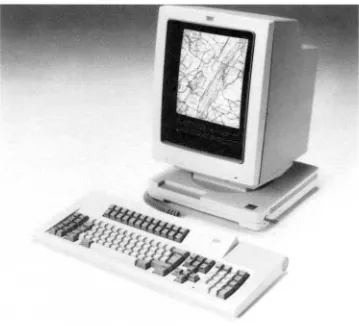
The IBM 3193 Display Station (shown in Figure 3-2) is a high-resolution,
portrait-type, monochrome, 380-mm (15-inch) CRT image display providing up to letter or A4 size document display capability in addition to alphanumeric data. Compressed images can be sent to the 3193 from a scanner, and decompression is performed in the 3193. Image data compression is a technique to save
transmission time and reduce storage requirements.
The 3193 is designed for operator comfort. The anti-reflection treatment minimizes glare. Two new cursors are provided in the image partition in addition to the alphanumeric cursor. These are a cross and a rectangular cursor. Each image cursor informs the host program of a point on the screen. An adjustable volume alarm is provided for operator alert. The video element can be tilted and swiveled to change the operator's viewing angle.
• Model 1 has a 122-key typewriter keyboard. • Model 2 has a 102-key IBM Enhanced keyboard.
Characteristics that apply to both models are:
• High-resolution screen with 880 x 1152 dots • 3278 Model 2, 3, and 4 screen support
• Display of 80 characters x 48 line screen support • Three workstation elements (video, logic, and keyboard) • Image data stream support
• Up to two logical terminal capabil ity • Up to eight partitions
• Enlarge partition • Entry assist function
• Alert and response time monitor
• DFT attachment to IBM 3174s except Models 81R and 82R • DFT attachment to IBM 3274
• Non-SNA and SNA channel and BSC/SNA remote attachments • Tilt and swivel video base
• Security keylock
• Scanner attachment. (See the IBM 3193 Display Station Description, GA 18-2364, for scanner attachments.)
Figure 3-3. IBM 3194 Display Station
3194 Display Station
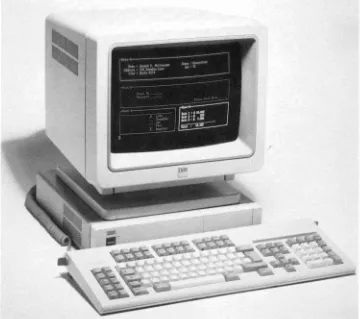
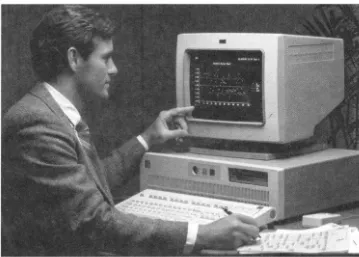
The IBM 3194 Displays (shown in Figure 3-3) are advanced-function, easy-to-read,
12 or 14-inch color or 15-inch monochrome display stations.
[image:33.611.166.526.37.356.2]Highlights of the 3194 are:
• Logic element
Small footprint (14.5 inches x 13.4 inches x 3.2 inches, 14.3 pounds) 3270 communication adapter
Integrated 1.44MB diskette drive Security keylock
Personal Printer interface File transfer
Two feature card positions
Communications support for one session of the 3194 as an ASCII session Vital product data support.
• Monitors
Model C provides a 12-inch color monitor in 80 x 24 or 80 x 32 characters Model H provides a 14-inch color monitor in 80 x 24,80 x 31,80 x 44, or 132 x 27 characters
Model D provides a 15-inch monochrome monitor in 80 x 24,80 x 31,80 x 44, or 132 x 27 characters
Easy-to-read font
High-resol ution monitors
Advanced screen management with windowing Multiple screen formats
Device Function Interface (Customer program execution interface) • Keyboards
102-key IBM Enhanced Keyboard 104-key typewriter keyboard 122-key typewriter keyboard
Flexible coiled cables for easy movement Adjustable keyboard angle for maximum comfort Keystroke record/play
Customer modifiable keyboard • Ergonomics
Tilt/swivel pedestal
- Low-profile keyboard with two angles of inclination
Figure 3-4. IBM 3290 Information Panel
3290 Informat
i
o
n Panel
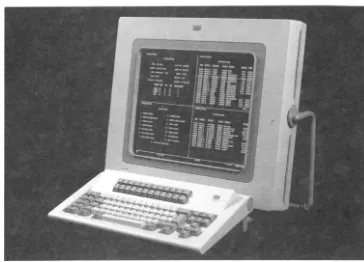
The IBM 3290 Information Panel (shown in Figure 3-4) is a display station that features a large, flat plasma panel as its visual display medium. The
smudge-resistant screen can display as many as 9920 characters (62 rows by 160 columns). The panel can be tilted forward or backward, and the slope of the keyboard and optional keypad can be adjusted.
Multiple-screen viewing capability means that the 3290 wi" operate as many as four display stations (logical terminals) simultaneously at the one physical terminal. A" four screens can appear together, and each can interact
independently with its own host program. The operator uses the keyboard to work
with each of the displayed terminals, one at a time. The viewing area can display concurrently four 3278 Model 2 screens, or two 3278 Model 3 screens, or two 3278 Model 4 screens, or one 3278 Model 5 screen. The 3290 can also display a full page of 132-column computer printout or two pages of 80-column text.
[image:35.618.164.528.62.324.2]The 3290 keyboard is available in a Typewriter or APL layout.
• The operator selects the desi red screen configuration for screen splits, and can set up one or more of the screens as a copy screen for the active screen. The copy screen can then be used as a reference when the operator modifies the data displayed on the active screen.
• The customer can develop as many as six sets of Programmed Symbols, for a variety of shapes, fonts, and symbols.
• Using the Keyboard Definition function, the customer can develop as many as three alternative keyboard layouts for particular applications, in addition to the standard keyboard layout.
• With Entry Assist, the 3290 can operate much like a power typewriter.
Capabilities include setting left and right margins, tabbing, a bell to signal the end of the line, cursor movement by word, and the word-wrap mode, which automatically moves the last word on a line to the next line if it would overrun the right margin.
• The rule line is a viewing aid that can be set to move up or down on the screen with the cursor; otherwise, it is stationary. This horizontal line is a full screen in width and can be turned on or off.
• The image of one displayed screen, or of a partition, can be enlarged by pressing a designated key.
• Under program control, the screen can be divided into as many as 16 partitions.
• The 3290 attaches to any model of the 3174 Subsystem Control Unit, except Models 81 Rand 82R, and certain models of the 3274 Control Unit.
The 3290 provides data stream compatibility- with the 3278 and 3279 display stations. Existing alphanumeric applications run on the 3290 displayed in their current screen size. No programming changes are required for current
alphanumeric applications unless the program is affected by 3174 or 3274 control unit configuration restrictions (no Category B terminals, 3279 extended color, etc.) or by required hardware functions not available with the 3290 (magnetic readers, ASCII, Encryption/Decryption, color, etc.). The 3290 interacts with structured-field data-stream functions.
The mUltiple-screen facilities of the 3290 can be used without modifications to system software, with the exception of TSO/VTAM.
Chapter 4. IBM Personal Computers
The IBM Personal Computers are a family of workstations designed for both professional and office use to meet the needs for interactive computing, when connected to a host computer, and for local personal computing. Described in this chapter are the IBM Personal Computers that attach to the 3270 Information Display System:
• 5560/50/40 Multiworkstations
• 6150 RT Personal Computer all Models with 3278/3279 Emulation Adapter • 6151 RT Personal Computer all Models with 3278/3279 Emulation Adapter • 8525 Personal System/2 Model 25 with 3278/3279 Emulation Adapter • 8530 Personal System/2 Model 30 with 3278/3279 Emulation Adapter • 8550 Personal System/2 Model 50 with 3270 connection
• 8560 Personal System/2 Model 60 with 3270 connection • 8570 Personal System/2 Model 70 with 3270 connection • 8580 Personal System/2 Model 80 with 3270 connection.
•
••••
Figure 4-1. IBM 5560 Multiworkstation
IBM
5560/50/40 Multiworkstations
The IBM multistation family including the IBM 5560, 5550, and 5540
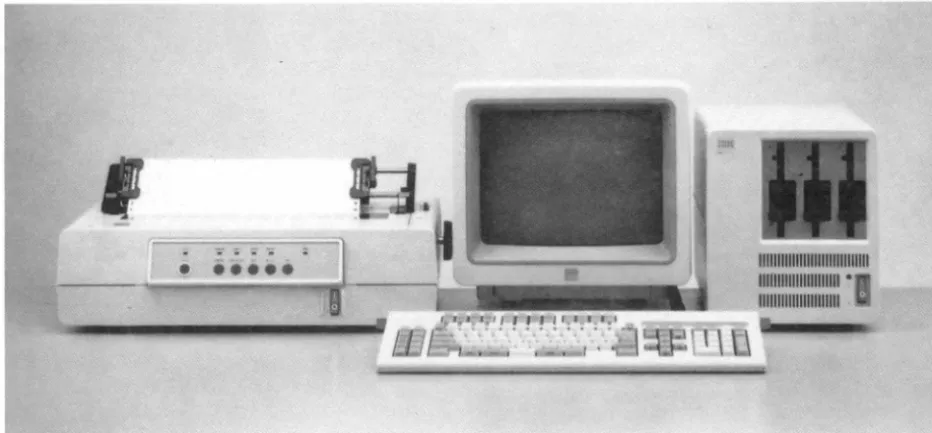
Multiworkstations combines three roles into one. (Figure 4-1 shows the 5560.)
These workstations can all function as a Japanese-language personal computer for business applications, a Japanese-language word processor, and a
Japanese-language online communication terminal. Japanese language including Kanji is a double-byte character set (DBeS), and these workstations also support other languages. Every program in the extensive multistation software library can be used on any of the workstations. This enables the user to share easily both data and programs. Each workstation consists of a system unit, a display, a keyboard, and, optionally, a printer.
[image:39.620.55.521.73.289.2]IBM 5560 Multiworkstation
• High-speed and high-capacity data processing • Choice of two monitors: 24-dot color or monochrome
• Displays of as many as 960 Kanji characters (40 characters x 24 lines), or 1920 alphanumeric characters (80 characters x 24 lines), with a resolution of 1066 x 725 dots in a 24-dot system
• Kana/Roman-to-Kanji conversion in the workstation
• Host-interactive color/Kanji graphics support under the Graphic Data Display Manager (GDDM) and vector-to-raster conversion (Japanese 3270PC/G only)
IBM 5550 Multiworkstation
• Choice of four monitors:
- 24-dot color or monochrome - 16-dot color or monochrome
• Displays of as many as 960 Kanji characters (40 characters x 24 lines), or 1920 alphanumeric characters (80 characters x 24 lines), with a resolution of 1066 x 725 dots in a 24-dot system
• Kana/Roman-to-Kanji conversion in the workstation
• Host-interactive color/Kanji graphics support under GDDM and vector-to-raster conversion (Japanese 3270PC/G only)
IBM 5540 Multiworkstation
• Low-profile compact design • Choice of two monitors:
- 24-dot monochrome - 16-dot color
• Displays of as many as 960 Kanji characters (40 characters x 24 lines), or 1920 alphanumeric characters (80 characters x 24 lines), with a resolution of 1066 x 725 dots ina 24-dot system
• Kana/Roman-to-Kanji conversion in the workstation
• Host-interactive color/Kanji graphics support under GDDM and vector-to-raster conversion (Japanese 3270PC/G only)
Figure 4-2. IBM 6150 RT Personal Computer Model 25
IBM 6150 RT Personal Computer
The IBM 6150 RT Personal Computer is a powerful and extendable
work-station-oriented system for the personal computer requirements of the technical professional. (Figure 4-2 shows the Model 25.) An addition to the computer-related products, the IBM 6150 RT Personal Computer features a 32-bit reduced instruction set microprocessor with virtual storage, as well as optional Personal Computer compatibility for both program and hardware attachment. The system is designed to satisfy the computing needs of academic, engineering and scientific, and Computer-Aided Design/ Computer-Aided Manufacturing
(CAD/CAM) environments, with discipline-specific as well as personal productivity appl ications.
Highlights of the 6150 are:
• New high-performance 32-bit microprocessor
• Hardware-assisted virtual storage management addressing to 1 terabyte • IBM Personal Computer family compatibility via optional IBM PC AT
Coprocessor Card
• Open architecture, hardware and software
• System storage with error correction code, with 1 M bytes standard on the Model 20 and 2M bytes on the Model 25.
IBM 6151 RT Personal Computer
The IBM 6151 RT Personal Computer is a powerful and extendable
work-station-oriented system for the personal computer requirements of the technical professional. An addition to the computer-related products, the IBM 6151 RT Personal Computer features a 32-bit reduced instruction set microprocessor with virtual storage, as well as optional Personal Computer compatibility for both program and hardware attachment. The system is designed to satisfy the computing needs of academic, engineering and scientific, and CAD/CAM
environments, with discipline-specific as well as personal productivity applications.
Highlights of the 6151 are:
• New high-performance 32-bit microprocessor
• Hardware-assisted virtual storage management addressing to 1 terabyte • IBM Personal Computer family compatibility via optional IBM PC AT
Coprocessor Card
• Open architecture, hardware and software
• System storage with error correction code, with 1 M bytes standard on the Model 10.
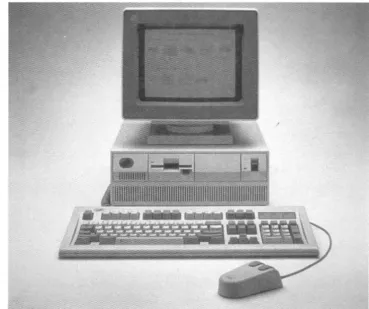
Figure 4-3. IBM 8525 Personal System/2
IBM 8525 Personal System/2
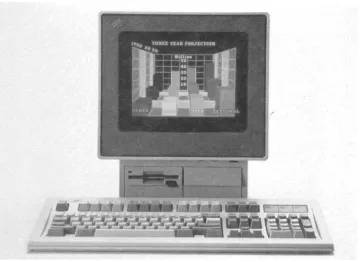
The IBM 8525 Personal System/2 is a general-purpose computer system that accepts most current adapters and offers approximately two times the processor performance of the current 8088-based IBM Personal Computers. The 8525 uses
the 8086 processor and operates at 8MHz with no wait states to system memory.
Four models of the 8525 are available as workstations in a 3270 Information Display System. The 8525 is offered in the following combinations:
• Model 001 • Model G01 • Model 004 • Model G04
IBM Space Savings keyboard, 12-inch monochrome monitor
IBM Enhanced keyboard, 12-inch monochrome monitor
IBM Spac\? Savings keyboard, 12-inch color monitor IBM Enhanced keyboard, 12-inch color monitor.
[image:43.611.164.524.71.333.2]Highlights of the IBM 8525 are:
• Approximately two times the processor speed of 8088-based IBM Personal Computers
• Graphics adapter displays up to 256 colors or 64 shades of gray (Multi-Color Graphics Array)
• Graphics adapter, diskette drive adapter, serial and parallel ports included • New design, smaller size with reduced power requirements
• 12-inch color or monochrome graphics analog displays • Advanced technology eliminating customer setup switches
All models of the IBM 8525 have the following standard features:
• 512KB random access memory (RAM) expandable to 640KB on the system board
• Diskette adapter supporting up to two 3.5-inch 720KB drives • Multi-Color Graphics Array (MCGA) (R) with 64KB display buffer • Serial port
• Parallel port
• Pointing device port • Keyboard port
• IBM Space Saving Keyboard or IBM Personal System/2 Enhanced keyboard • Audio earphone connector
• Socket for a Math Co-Processor
• One full-size and one 8-inch general-purpose slot to accommodate IBM 5150 Personal Computer, Personal Computer XT, and some non-IBM personal computer option cards that do not exceed 20 millimeters (0.8-inch) thickness.
The integrated Multi-Color Graphics Array automatically uses up to 64 shades of gray in converting color modes of operations for display on the IBM 8525-001 and 8525-G01 (monochrome model). This allows users who prefer a monochrome display to execute color graphics applications.
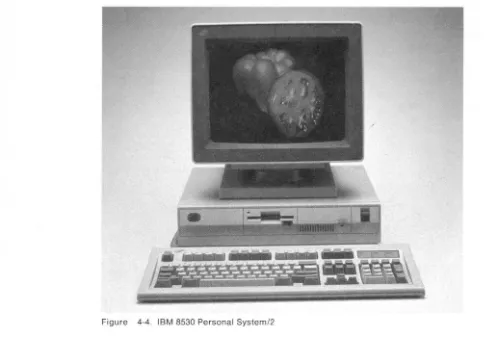
Figure 4-4. IBM 8530 Personal System/2
IBM 8530 Personal System/2
The IBM 8530 Personal System/2 is a general-purpose computer that can be used as a workstation in a networking environment. The 8530 provides increased base function by combining existing personal computer functions with an integrated graphics adapter and a parallel port. The system is based on an 8086
microprocessor running at 8MHz with no wait states and a 16-bit-wide data path to system memory.
Two models of the 8530 are available as workstations in a 3270 Information Display System:
• 8530 Model 002
Central processing unit with a keyboard and two 720KB diskette drives.
• 8530 Model 021
Central processing unit with a keyboard, one 20MB fixed disk with integrated controller, and a single 720KB diskette drive.
[image:45.615.66.558.60.400.2]Highlights of the IBM 8530 are:
• Integrated function including graphics and a parallel port • Displays up to 256 colors or 64 shades of gray
• New design, smaller size with reduced power requirements
• Compatible with IBM Personal Computer and Personal Computer XT • World-wide power supply
• system setup switches eliminated.
All models of the IBM 8530 have the following features:
• 640KB random access memory (RAM), 16-bit-wide data path to processor • Integrated diskette adapter supporting up to two 720KB drives
• Multi-Color Graphics Array (MCGA) • Serial port
• Parallel port
• Pointing device port • Keyboard port
• Enhanced personal computer keyboard • Time-of-day clock with extended-life battery • Socket for a Math Co-Processor
• Three general-purpose slots to accommodate IBM Personal Computer and IBM Personal Computer XT feature cards.
The integrated Multi-Color Graphics Array automatically uses up to 64 shades of gray in converting color modes of operations for display on the IBM 8503
Monochrome Display.
...:._ aM . . . "., __ . . , _ _ . . . _ _ _
,,'\C .... , ... _M,.~ _ _ _ ... _ _ _ . . __ . . , _ ... _ _ _ _ _ _ _ _ __ .. _ ~
- ' --1~-
-Figure 4-5. IBM 8550 Personal System/2
IBM 8550 Personal
System/2
The IBM 8550 Personal System/2 is a desktop personal computer system with
Micro Channel'M architecture. The system unit features a 1 OM Hz 80286
microprocessor, ROM BASIC and 1 MB of memory on the system board,
expandable to 7MB with memory options.
[image:47.614.161.530.62.371.2]Highlights of the IBM 8550 are:
• Micro Channel architecture with a 16-bit bus • 10MHz processing speed
• Multitasking and communications capabilities
• A 20MB fixed disk and 1.44MB, 3.5-inch diskette drive
• Feature integration on the system board which reduces the requirements for optional adapters
• Ease of installation and configuration
• Universal, automatic voltage-sensing power supply.
Standard features on the IBM 8550 are:
• 1.44MB, 3.5-inch diskette drive • 20MB fixed disk drive
• Disk controller • Keyboard port
• Serial/asynchronous port • Parallel port
• Pointing device port
• Video Graphics Array (VGA) port.
The IBM 8550 supports IBM 8503, 8512, 8513, and 8514 analog displays that together with the VGA built-in function provide significant graphics and text capabilities. The VGA port supports graphics and text modes (including 640 x 480 graphics, 320 x 200 graphics in 256 colors, and 720 x 400 text).
Additional features of the IBM 8550 System Unit include: four 16-bit input/output (I/O) slots (with one slot occupied by the disk controller adapter), a time and date clock with battery backup, an additional position for a second 3.5-inch diskette drive, and the IBM Enhanced Personal Computer Keyboard.
...
h
Figure 4-6. IBM 8560 Personal System/2
IBM 8560 Personal System/2
The IBM 8560 Personal System/2 is a floor-standing member of IBM's System/2 family with Micro Channel architecture. The IBM 8560 features a 10MHz 80286 microprocessor, ROM BASIC, and 1 MB of memory on the system board,
expandable to 15MB with memory options.
Highlights of the IBM 8560 are:
• Micro Channel architecture with a 16-bit bus • 10MHz processing speed
• Multitasking and communications capabilities • Significant graphics and text quality
• 44MB or 70MB fixed disk and 1.44MB, 3.5-inch diskette drive
• Feature integration on the system board which reduces the requirements for optional adapters
• Ease of installation and configuration
• Universal, automatic voltage-sensing power supply.
Standard features on the IBM 8560 are:
• 1.44MB, 3.5-inch diskette drive
• Either a 44MB or 70MB fixed disk drive • Disk controller
• Keyboard port
• Serial/asynchronous port • Parallel port
• Pointing device port
• Video Graphics Array (VGA) port.
The VGA port supports graphics and text modes (including 640 x 480 graphics, 320 x 200 graphics in 256 colors, and 720 x 400 text).
Additional features of the system unit include: eight 16-bit input/output (I/O) slots (with one slot occupied by the disk controller adapter), a time and date clock with battery backup, additional positions for a second 5.25-inch disk drive and for a second 3.5-inch diskette drive, and the IBM Enhanced Personal Computer Keyboard.
Figure 4-7. IBM 8570 Personal System/2
IBM 8570 Personal System/2
The IBM 8570 Personal System/2 is a desktop personal computer that enhances the
PS/2 family of systems by offering a new level of performance in a desktop unit.
The system is highlighted by the Micro Channel architecture with a 16 or 20 MHz
80386 32-bit microprocessor, high-density memory technology, and a wide range of
integrated features. With the capability of supporting up to 16MB of high-speed
real memory, 60MB or 120MB of disk storage, advanced graphics, and an optional
80387 Math Co-Processor, this system provides significant performance
enhancements for desktop computer operations. The PS/2 Model 70 is compatible
with most existing software products for IBM personal computer systems.
[image:51.613.167.435.60.374.2]Highlights of the IBM 8570 are:
• 16 or 20 MHz 80386 32-bit microprocessor
• Up to 6MB of high-speed memory on the system board
• Large capacity 60MB or 120MB fixed disk with integrated controller • Micro Channel architecture with a 16-bit and 32-bit bus
• Optional 16 or 20 MHz 80387 Co-Processor • Ergonomic desktop design
• High level of feature integration on the system board • Ease of installation and configuration.
Standard features on the IBM 8570 are:
• 1.44MB, 3.5-inch diskette drive • Keyboard port
• Pointing device port • Serial/asynchronous port • Parallel port
• Video Graphics Array (VGA) port.
The VGA port supports graphics modes including 640 x 480 graphics in 16 colors and 320 x 200 graphics in 256 colors, and text modes including 720 x 400 graphics in 16 colors (9 x 16 character box). The VGA port maintains
compatibility with Color Graphics Adapter (CGA) and Enhanced Graphics Adapter (EGA) modes.
The fixed disk drives have a capacity of 60MB or 120MB. The controller is integrated with the drive. The 60MB drive has an average access time of 27 milliseconds, and the 120MB drive has an average access time of 23
milliseconds. '
The system has two levels of BIOS that total 128KB. The compatibility BIOS (CBIOS) with memory addressability of up to 1 megabyte provides compatible support for current application programs. An additional version of BIOS, Advanced BIOS (ABIOS), provides support for multitasking operating systems and has extended memory addressability up to 16MB.
The high level of feature integration on the system board reduces the requirement for optional adapters. Memory on the system board can be expanded to 6MB. The optional 80387 Math Co-Processor provides enhanced performance in arithmetic calculations. In addition, the system is designed for tool-free installation and includes security features in BIOS/CMOS and an external keylock.
Additional features on the IBM 8570 are:
• Three I/O slots (two 32-bit bus slots and one 16-bit bus slot with video extension)
• 132-watt automatic voltage-sensing power supply • Time and date clock with battery backup
• Additional position for a second 3.5-inch diskette drive.
Figure 4-8. IBM 8580 Personal System/2
IBM 8580 Personal System/2
The IBM 8580 Personal System/2 is a floor-standing personal computer designed to meet the requirements of the multitasking environment. The IBM 8580 provides 32-bit large system architecture and function within an individual workstation. The 8580 system unit features Micro Channel architecture and a 20 MHz 80386
microprocessor partitioned into six functional units that process multiple
instructions Simultaneously. The Micro Channel architecture supports both 16-bit
and 32-bit 1/0 and memory adapter cards.
[image:53.612.164.473.62.429.2]Highlights of the IBM 8580 are:
• Micro Channel architecture with a 16-bit and 32-bit bus • 20 MHz processing speed
• 80-nanosecond memory, 1-megabit chips, up to 16MB • Multitasking and communications capability
• Excellent graphics and text quality
• Large-capacity 115MB fixed disk, 1.44MB, 3.5-inch diskette drive
• Feature integration on the system board which reduces the requirements for optional adapters
• Ease of installation and configuration • Auto-restart power supply.
Standard features on the IBM 8580 are:
• 2MB of system board memory
Note: 128K bytes are reserved for high-performance BIOS.
• 1.44MB, 3.5-inch diskette drive • Fixed disk drive
• Disk controller adapter • Integrated diskette controller • Keyboard port
• Serial port • Parallel port • Pointing device port
• Video Graphics Array (VGA) port.
The VGA port supports 640 X 480 graphics, 720 x 400 text, 320 x 200 graphics in 256 colors, and is compatible with the Color Graphics Adapter (CGA) and the Enhanced Graphics Adapter (EGA).
Additional features of the IBM 8580 System Unit include:
• Eight I/O bus slots with five 16-bit and three 16/32-bit (one 16-bit slot is occupied by the disk controller adapter)
• A 225-watt universal power supply
• A time/date clock with a long-life lithium battery
• Additional positions for a second fixed disk drive and for a second 3.5-inch diskette drive.
Chapter 5. Keyboards
The keyboard is a tool for controlling the display station, signaling the application program, and entering information. A display keyboard looks similar to a
typewriter keyboard, but the characters you type are printed on the screen instead of on paper. Using the keyboard, you can bring to the screen data that was previously entered at the keyboard and filed away.
For each 3270 display station there are several IBM keyboards, each with a key layout designed to suit a particular job -such as word processing, data entry, or programming. For some display models, you can define your own keyboard layouts. All the keyboards have alphabetic keys, numeric keys, special symbol keys, and control keys for entering information. Whatever your choice of
keyboards, you will find that they are designed to be comfortable, easy to use, and versatile.
All alphanumeric, special symbol, and cursor-positioning keys are typematic. When the ke